

Hardware

Raspberry Pi programmieren mit Python
* ALLE PYTHON-GRUNDLAGEN, DIE SIE FÜR IHREN RASPBERRY PI 5, 4, 3 ODER ZERO BRAUCHEN* PROJEKTE MIT SENSOREN, RELAIS UND AD-WANDLERN* EINSATZ VON PERIPHERIEGERÄTEN WIE KAMERAMODUL UND LAUTSPRECHERRASPBERRY PI - DER MINI-COMPUTER ZUM EXPERIMENTIERENDer Raspberry Pi ist ein preiswerter Computer in der Größe einer Kreditkarte. In Kombination mit der Programmiersprache Python bietet er eine hervorragende Umgebung für die schnelle Realisierung technischer Ideen und Projekte. In diesem Buch lernen Sie alle Grundlagen, die Sie brauchen, um mit dem Raspberry Pi oder dem Raspberry Pi Zero spannende Projekte zu realisieren.ZAHLREICHE PROJEKTE MIT SENSOREN, KAMERA U.V.M.Sie finden in diesem Buch eine Fülle von kleinen Projekten, die auf die besondere Hardware des Raspberry Pi und das Linux-Betriebssystem Raspberry Pi OS zugeschnitten sind. Dazu gehören sowohl Schaltungen mit Sensoren (Temperatur, Licht, Alkohol), Relais, AD-Wandlern und LEDs als auch die Verwendung des Kameramoduls und des 1-Wire- sowie SPI-Bus zur Datenkommunikation. Zahlreiche Illustrationen und einfache Beispiele zum Ausprobieren erleichtern das Verständnis.DIE PROGRAMMIERSPRACHE PYTHON ALS GRUNDLAGEPython ist - auch für Programmiereinsteiger - einfach zu lernen und deshalb Teil des Gesamtkonzepts des Raspberry Pi. Dieses Buch vermittelt Ihnen anhand anschaulicher Beispiele sowohl die Grundlagen von Python als auch fortgeschrittene Techniken wie Objektorientierung, Internetprogrammierung und grafische Benutzungsoberflächen. Am Ende jedes Kapitels finden Sie Aufgaben mit Lösungen zum Download, mit denen Sie Ihr Wissen festigen, erweitern und vertiefen können.AUS DEM INHALT:* Gerätesteuerung* Messwerterfassung und -visualisierung* Interaktive Spiele mit Schaltern und Sensoren* Animationen und Simulationen* Automatische Textproduktion* Digitale Bildverarbeitung* Morsezeichen senden und Signalmuster erkennen* Projekte mit dem Sense HAT* Farben und Bewegung wahrnehmen* Steuerung mit Potentiometer und AD-Wandler* Auswertung von Daten aus dem Internet* Webserver und WebcamZUM DOWNLOAD: Programmcode für alle Projekte sowie Lösungen der ÜbungsaufgabenMichael Weigend hat an der Universität Potsdam in Informatik promoviert. Er war für mehr als 30 Jahre als Lehrer tätig und hat 20 Jahre lang an der FernUniversität Hagen Seminare zur Didaktik der Informatik gegeben. An der Universität Münster hält er im Rahmen eines Lehrauftrags Vorlesungen zur Python-Programmierung. Michael Weigend engagiert sich in mehreren nationalen und internationalen Communities für den Computer-Einsatz in der Bildung, darunter Constructionism, International Federation for Information Processing (TC 3 Computers in Education) , Bebras - International Contest on Informatics and Computational Thinking. Er hat über 60 wissenschaftliche Artikel veröffentlicht und mehrere Bücher zu den Themen Programmierung, Web Development und visuelle Modellierung geschrieben.
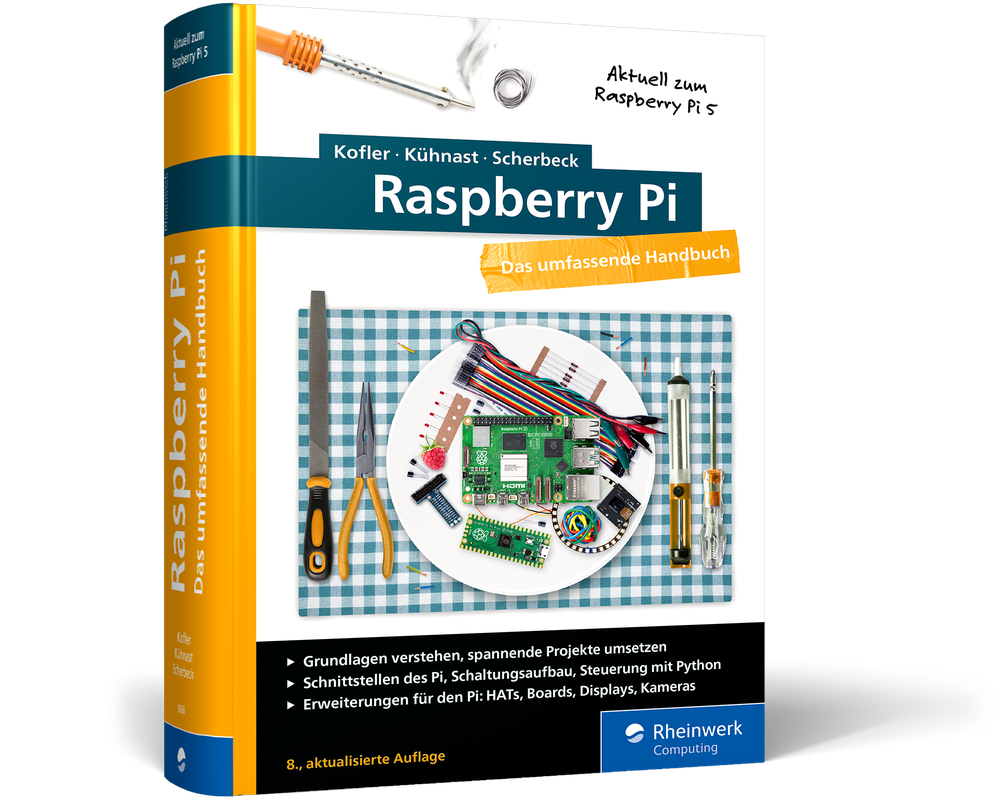
Raspberry Pi - Das umfassende Handbuch (8. Auflage)
Raspberry Pi - Das umfassende Handbuch. In 8., aktualisierter Auflage. Mai 2024.Vollständig überarbeitet zum Raspberry Pi 5, dem Raspberry Pi OS »Bookworm« und den neuen GPIO-Bibliotheken.Der Raspberry Pi ist eine wahre Erfolgsgeschichte. Seit 2011 begeistert der kleine Mini-Computer Maker, Kreative und IT-Fachleute. Was Sie mit dem Pi anstellen können, zeigen Ihnen Michael Kofler, Charly Kühnast und Christoph Scherbeck auf über 1.000 Seiten. Vom Einstieg bis zu spannenden Projekten finden Sie in diesem Handbuch das komplette Wissen, um mit dem Raspberry Pi richtig durchzustarten. Es ist randvoll mit Grundlagen und Kniffen zu Linux, Hardware, Elektronik und Programmierung. Genau richtig für alle, die Serverdienste hosten möchten, Bastelideen haben und direkt loslegen wollen. Vorwissen? Nicht nötig, Ihr Erfindergeist reicht völlig aus. Legen Sie gleich los und lassen Sie Ihrer Kreativität freien Lauf!Tüfteln, Knobeln, Basteln? So gelingt's!1. Die GrundlagenSie lernen den Raspberry Pi und Linux von Grund auf kennen, steuern ihn via Desktop und Terminal, nutzen ihn als Medien-Center und automatisieren schon bald erste Vorgänge mit Shell-Scripts.2. Planen, schalten und programmierenNach einer Einführung in die Schnittstellen des Pi sowie alle wichtigen Erweiterungsboards und Sensoren lernen Sie, ihn mit eigenen Python- oder C-Programmen zu steuern. Crashkurs für Programmierung und Elektronikwissen inklusive.3. Der Grundstein für Ihre ProjekteDen RasPi zur Steuerzentrale des Smart Homes machen? Ein autonomes Auto bauen? Per RFID Türen öffnen, mit DVB-T den Luftraum überwachen? Der Umsetzung Ihrer Ideen auf Basis der Beispielprojekte sind kaum Grenzen gesetzt!Aus dem Inhalt:Den Raspberry Pi kennenlernen: Kauf und Inbetriebnahme, Betriebssysteme, SoftwareIhr Medien-Center: der Raspberry Pi mit Kodi, LibreELEC, als DLNA-Server und als NAS-Gerät (openmediavault)Hardware-Grundlagen: Elektrotechnik-Crashkurs, Werkzeuge, Zusatzgeräte u. v. m.Sensoren, Servo- und Schrittmotoren, LEDs, Bussysteme, DisplaysGertboard, PiFace, Raspberry-Pi-HATs, HiFiBerry-Audio-SystemProgrammierung: Python, bash, C, Java und PHP mit dem Raspberry PiProjekte: viele spannende Ideen für Einsteiger und FortgeschritteneServocam, Luftraumüberwachung, Smartlight-Steuerung u. v. m.Fingersensor, OLED-Display, ePaper-Display, Feinstaubmessgerät, WassermelderSmart-Home mit Home AssistantLeseprobe (PDF-Link)

MacBook For Dummies
DISCOVER THE BEST TIPS AND TRICKS FOR USING YOUR NEW MAC LAPTOPFor years, MacBook For Dummies has been making it easy to learn new technology. This new edition keeps the easy-to-follow instructions coming. Learn the basics of customizing your Dock and using desktop widgets. Then, figure out how to go on the internet, stream music, send instant messages, and more. Expert author Mark Chambers will show you how to navigate the macOS operating system and personalize your MacBook to your liking. And you'll learn your way around features like Stage Manager, Continuity Camera, SharePlay, and Handoff. Is this your first new computer in a while? MacBook For Dummies gives you the rundown on how to exist without an internal DVD drive. Whether you're a newbie or a Mac veteran looking for insider tips, this is the quick start guide for you.* Learn the features and productivity tools from macOS* Stay protected by making the most of the built-in Mac security features* Organize your life with Mac's multitasking feature, Stage Manager* Discover how to stream music, edit videos, and share media content onlineMacBook beginners and upgraders alike will graduate to power users of the MacBook Pro and MacBook Air models, thanks to this trusted Dummies title. MARK L. CHAMBERS has been an author, computer consultant, and programmer for decades. He has written over 30 computer books, including MacBook® For Dummies, 9th Edition, Macs For Seniors For Dummies, 4th Edition, and iMac For Dummies, 10th Edition. Mark is currently a full-time author and tech editor—and an unabashed Mac fan.
Beginning STM32
See how using FreeRTOS and libopencm3 instead of the Arduino software environment will help you develop multi-tasking applications that go beyond Arduino norms. This updated version includes expanded coverage of software setup for Windows 10 and 11, additional TM32 hardware capabilities, including clear explanations of "totem pole outputs" versus "open drain outputs," and a new section on project showcasing an interrupt-driven approach for processing USART data.Each chapter contains clear explanations of the STM32 hardware capabilities to help get you started with the device, including GPIO and several other ST Microelectronics peripherals like USB and CAN bus controller. You’ll learn how to download and set up the libopencm3 + FreeRTOS development environment, using GCC. With everything set up, you’ll leverage FreeRTOS to create tasks, queues, and mutexes. You’ll also learn to work with the I2C bus to add GPIO using the PCF8574 chip. And how to create PWM output for RC control using hardware timers.You'll be introduced to new concepts that are necessary to master the STM32, such as how to extend code with GCC overlays using an external Winbond W25Q32 flash chip. Your knowledge is tested at the end of each chapter with exercises. Upon completing this book, you’ll be ready to work with any of the devices in the STM32 family.Beginning STM32, Second Edition provides the professional, student, or hobbyist a way to learn about ARM without costing an arm!WHAT YOU'LL LEARN* Initialize and use the libopencm3 drivers and handle interrupts* Use DMA to drive a SPI based OLED displaying an analog meter* Read PWM from an RC control using hardware timers* Understand STM32 capabilities, including USB controller, RTC, DMA, CAN bus, and moreWHO THIS BOOK IS FORExperienced embedded engineers, students, hobbyists and makers wishing to explore the ARM architecture, going beyond Arduino limits.WARREN GAY has been an electronics enthusiast since childhood and often dragged discarded TV sets home after school. In high school he learned to program the IBM-1130 and then pursued a career in software development at Ryerson Polytechnical, in Toronto. Since then he has worked professionally for over 30 years, mainly in C/C++, under Unix and Linux. Meanwhile, the love of electronics has never faded since the early creation of his home-brewed Intel 8008 system in the 70's to the present day projects employing the Raspberry Pi. Warren also holds an advanced amateur radio license and was able to work the Mir space station (U2MIR) using packet radio in August 1991. He's authored other books including Sams Teach Yourself Linux in 24 Hours, Linux Socket Programming by Example, and Advanced Unix Programming.Chapter 1.- Introduction.-Chapter 2. Software Setup.- Chapter 3. Power up and Blink.- Chapter 4. GPIO.- Chapter 5. FreeRTOS.- Chapter 6. USART.- Chapter 7. USB Serial.- Chapter 8. SPI Flash.- Chapter 9. Code Overlays.- Chapter 10. Real Time Clock (RTC).- Chapter 11. I2C.- Chapter 12. SPI OLED.- Chapter 13. OLED Using DMA.- Chapter 14. ADC.- Chapter 15. Clock Tree.- Chapter 16. PWM With Timer 2.- Chapter 17. PWM Input with Timer 4.- Chapter 18. CAN Bus.- Chapter 19 CAN Bus Software.- Chapter 20. New Projects.- 21.- Troubleshooting. 22.- Appendix A Answers to Exercises.- 23. Appendix B.

Modern C for Absolute Beginners
Learn the basics of C, the C standard library, and modern C standards. Complete with modern, up-to-date examples and screenshots, this new edition is fully updated and reworked with the latest C23 standards and features.C is a language that is as popular today as it was decades ago. It can be used to program a microcontroller or to develop an entire operating system. Author Slobodan Dmitrović takes you on a journey through the C programming language, the standard library, and the C standards basics. Each chapter is the right balance of theory and code examples.Written in a concise and easy-to-follow manner, this book will provide you all the essentials needed to start programming in modern C.WHAT YOU WILL LEARN* Understand C programming language and C standard library fundamentals* Work with new C standards features* Study the basics of types, operators, statements, arrays, functions, and structs* Review the fundamentals of pointers, memory allocation, and memory manipulation* Take advantage of best practices in CWHO THIS BOOK IS FORBeginner or novice programmers who wish to learn the C programming language. No prior programming experience is required.SLOBODAN DMITROVIĆ is a software consultant, trainer, and entrepreneur. He is the CEO and founder of “Clear Programming Paradigm”, an LLC that provides outsourcing and training services. Slobodan’s ability to summarize complex topics and provide insightful training made him a sought after consultant for the automotive, fintech, and other industries. Slobodan has a strong interest in C, C++, software architecture, training, and R&D.Part I: The C Programming Language.- Chapter 1: Introduction.- Chapter 2: Our First Program.- Chapter 3: Types and Declarations.- Chapter 4: Exercises.- Chapter 5: Operators.- Chapter 6: Expressions.- Chapter 7: Statements.- Chapter 8: Exercises.- Chapter 9: Arrays.- Chapter 10: Pointers.- Chapter 11: Command-line Arguments.- Chapter 12: Exercises.- Chapter 13: Functions.- Chapter 14: Exercises.- Chapter 15: Structures.- Chapter 16: Unions.- Chapter 17: Conditional Expression.- Chapter 18: Typedef.- Chapter 19: Const Qualifier.- Chapter 20: Enumerations.- Chapter 21: Function Pointers.- Chapter 22: Exercises.- Chapter 23: Preprocessor.- Chapter 24: Exercises.- Chapter 25: Dynamic Memory Allocation.- Chapter 26: Storage and Scope.- Chapter 27: Exercises.- Chapter 28: Standard Input and Output.- Chapter 29: File Input and Output.- Chapter 30: Exercises.- Chapter 31: Header and Source Files.- Part II: The C Standard Library.- Chapter 32: Introduction to C Standard Library.- Part III: Modern C Standards.- Chapter 33: Introduction to C 11 Standards.- Chapter 34: The C 17 Standard.- Chapter 35: The Upcoming C2X Standard.- Part IV: Dos and Don'ts.- Chapter 36: Do Not Use the gets Function.- Chapter 37: Initialize Variables Before Using Them.- Chapter 38: Do Not Read Out of Bounds.- Chapter 39: Do Not Free the Allocated Memory Twice.- Chapter 40: Do Not Cast the Result of malloc.- Chapter 41: Do Not Overflow a Signed Integer.- Chapter 42: Cast a Pointer to void* When Printing Through printf.- Chapter 43: Do Not Divide by Zero.- Chapter 44: Where to Use Pointers?.- Chapter 45: Prefer Functions to Function-like Macros.- Chapter 46: Static Global Names.- Chapter 47: What to Put in Header Files?.- Part V: Appendices.- Appendix A: Linkage.- Appendix B: Time and Date.- Appendix C: Bitwise Operators.- Appendix D: Numeric Limits.- Appendix E: Summary and Advice.

Apple Watch
Die verständliche Anleitung: holen Sie alles aus Ihrer Apple Watch!Möchten Sie das Beste aus Ihrer Apple Watch herausholen? Dann ist diese leicht verständliche Anleitung der richtige Begleiter für Sie. Schritt für Schritt werden Sie durch alle wichtigen Funktionen Ihrer Apple Watch geführt. Ob Anrufe, SMS, Wetter, Kalender oder Wecker – mit diesem Buch haben Sie alles im Griff. Aber das ist noch nicht alles! Die Apple Watch hilft Ihnen auch dabei, gesund und aktiv zu bleiben. Steffen Bien geht ausführlich auf die Gesundheitsfunktionen und das Schlaf-Tracking ein und zeigt Ihnen, wie Sie Ihre sportlichen Fortschritte messen können. So behalten Sie Ihre Fitness optimal im Blick und können Ihre Gesundheitsdaten langfristig verfolgen. Für alle aktuellen Modelle geeignet.Aus dem Inhalt:Der Start mit der Apple WatchLernen Sie die Apple Watch kennenDie Apple Watch im AlltagAnrufe, SMS, Wetter, Kalender, Navigation, Apple PayMusik mit der Apple Watch hörenNeue Apps installierenIhr permanenter GesundheitscoachDie Health App richtig nutzenDie Herzgesundheit überwachenBesser schlafen mit der Apple WatchIhr Sportbegleiter – aktiv bleibenLeseprobe (PDF-Link)

iPad & iPad Pro For Dummies
HELP FOR NEWCOMERS TO APPLE’S POPULAR TABLET COMPUTERFully updated to cover the latest version of iPadOS and all the newest features, iPad & iPad Pro For Dummies is your fun, full-color guide to the most popular tablet on the market. There are a lot of things you can do with an iPad—browse the internet, take photos and videos, manage your schedule, play games, stream media, create documents, send e-mail, and beyond. Learn how to tackle everything from the basics to more advanced iPad operations, and find tips on how to make the most of the new features and customize your device to your liking. You’re on your way to becoming an iPad power user, with this Dummies title.* Discover the basics of setting up and navigating your tablet* Take great pictures and videos—then edit and share them with the world* Get tips and shortcuts that will help you do things easier and faster with iPad* Learn security best practices to keep your data and your iPad safeAnyone with a new iPad or iPad Pro and the new iPadOS will love this step-by-step guide to iPad operation, personalization, and maintenance. PAUL MCFEDRIES has worked with, programmed, and, yes, talked to computers large and small since 1975. Although he’s now primarily a writer, Paul has worked as a programmer, consultant, database developer, and website developer. He has written more than 100 books that have sold more than four million copies worldwide.
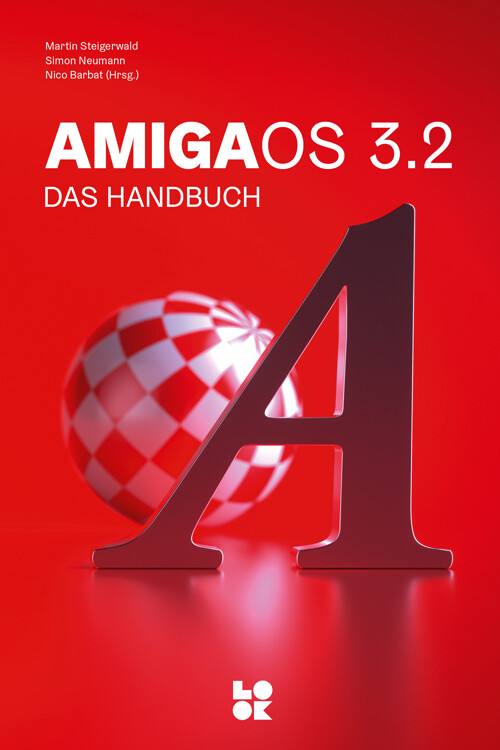
AmigaOS 3.2 - Das Handbuch
Ein praktischer Wegweiser durch das Amiga-Betriebssystem für Wieder- und Neueinsteiger, Fortgeschrittene und Profis.“AmigaOS 3.2 – Das Handbuch” ist das umfassende Nachschlagewerk zum aktuellen Amiga-Betriebssystem. Das Buch stellt das Betriebssystem von A bis Z vor und gibt Tipps und Tricks zur effizienten Nutzung, einfach und verständlich erklärt.Das Buch richtet sich an ambitionierte Anwender, die die Grundlagen des Betriebssystems beherrschen, tiefere Techniken erlernen und einen Einblick in die Möglichkeiten zur erweiterten Nutzung des Systems erhalten wollen. Und es soll die Lust auf die Bedienung und den Wiedereinstieg wecken und den Grundlagen-Weg über das Betriebssystem hinaus ebnen.Sie erhalten einen umfassenden Überblick über das AmigaOS 3.2 einschließlich der Updates bis 3.2.2.1: Wie wird das Betriebssystem richtig und einfach installiert, welche Einstellungen sind für eine grundlegende Bedienung nötig, wozu dienen die unterschiedlichen Tools, Commodities und Utilities? Darüber hinaus geben wir einen tiefen Einblick in die Shell des Amigas mit sämtlichen Befehlen und Varianten. Außerdem erfahren Sie beispielsweise alles über die Nutzung und Funktion von einzelnen Startsequenzen, AmigaGuide-System, Shortcuts und Fehlercodes oder ARexx. Schließlich liefert das Buch auch einen Überblick über die reinen Betriebssystemfunktionen hinaus, unter anderem zum Anschluss an das Internet, zum Datenaustausch und zum sinnvollen Ausbau der Hardware mit Erweiterungen. Das Buch wird Sie also mit vielen Detail-Erklärungen und Schritt-für-Schritt-Anleitungen in die Lage versetzen, das AmigaOS 3.2 Ihren Anforderungen und Erwartungen entsprechend einzusetzen und zu erweitern.Aus dem Inhalt:Installation auf Classic, Emulation und MiniEinbau der Kickstart-ROMs in alle AmigasGrundlagen des BetriebssystemsSystemoptimierung mit PrefsTools, Utilities und Commodities richtig nutzenDie Shell: Alle Befehle im Detail erklärtPower-User: Skripte, ARexx und Co.Nächste Schritte: Internet, Datenübertragung und USBAmiga-Erweiterung: Hardware und SoftwareService: Tipps und Tricks, Shortcuts, Glossar u.v.m.

iPad & iPad Pro For Dummies
HELP FOR NEWCOMERS TO APPLE’S POPULAR TABLET COMPUTERFully updated to cover the latest version of iPadOS and all the newest features, iPad & iPad Pro For Dummies is your fun, full-color guide to the most popular tablet on the market. There are a lot of things you can do with an iPad—browse the internet, take photos and videos, manage your schedule, play games, stream media, create documents, send e-mail, and beyond. Learn how to tackle everything from the basics to more advanced iPad operations, and find tips on how to make the most of the new features and customize your device to your liking. You’re on your way to becoming an iPad power user, with this Dummies title.* Discover the basics of setting up and navigating your tablet* Take great pictures and videos—then edit and share them with the world* Get tips and shortcuts that will help you do things easier and faster with iPad* Learn security best practices to keep your data and your iPad safeAnyone with a new iPad or iPad Pro and the new iPadOS will love this step-by-step guide to iPad operation, personalization, and maintenance. PAUL MCFEDRIES has worked with, programmed, and, yes, talked to computers large and small since 1975. Although he’s now primarily a writer, Paul has worked as a programmer, consultant, database developer, and website developer. He has written more than 100 books that have sold more than four million copies worldwide.

RISC-V Assembly Language Programming
Gain the skills required to dive into the fundamentals of the RISC-V instruction set architecture. This book explains the basics of code optimization, as well as how to interoperate with C and Python code, thus providing the starting points for your own projects as you develop a working knowledge of assembly language for various RISC-V processors.The RISC-V processor is the new open-source CPU that is quickly gaining popularity and this book serves as an introduction to assembly language programming for the processor in either 32- or 64-bit mode. You’ll see how to write assembly language programs for several single board computers, including the Starfive Visionfive 2 and the Espressif ESP32-C3 32-bit RISC-V microcontroller. The book also covers running RISC-V Linux with the QEMU emulator on and Intel/AMD based PC or laptop and all the tools required to do so.Moving on, you’ll examine the basics of the RISC-V hardware architecture, all the groups of RISC-V assembly language instructions and understand how data is stored in the computer’s memory. In addition, you’ll learn how to interface to hardware such as GPIO ports. With RISC-V Assembly Language Programming you’ll develop enough background to use the official RISC-V reference documentation for your own projects.WHAT YOU'LL LEARN* Program basic RISC-V Assembly Language* See how data is represented and stored in a RISC-V based computer* Make operating system calls from Assembly Language and include other software libraries in projects* Interface to various hardware devices* Comprehend code containing Assembly Language* Reverse engineer and hack code* Use the official RISC-V reference documentationWHO THIS BOOK IS FORThose who have already learned to program in a higher-level language like Python, Java, C# or even C and now wish to learn Assembly Language programming.Stephen Smith is a Software Architect, located in Gibsons, BC, Canada. He's been developing software since high school, or way too many years to record. He is an expert in Artificial Intelligence and Assembly Language programming, earned his Advanced HAM Radio License. Smith also enjoys mountain biking, hiking and nature photography, and volunteers for Sunshine Coast Search and Rescue. He is the author of Raspberry Pi Assembly Language Programming, Programming with 64-Bit ARM Assembly Language, and Mobile Devices and RP2040 Assembly Language Programming, all published by Apress. Also, he writes his popular technology blog, at smist08.wordpress.com.Chapter 1: Getting Started. - Chapter 2: Loading and Adding. - Chapter 3: Tooling Up. - Chapter 4: Controlling Program Flow. - Chapter 5: Thanks for the Memories. - Chapter 6: Functions and the Stack. - Chapter 7: Linux Operating System Services. - Chapter 8: Programming GPIO Pins. - Chapter 9: Interacting with C & Python. - Chapter 10: Multiply and Divide. - Chapter 11: Floating-Point Operations. - Chapter 12: Optimizing Code. - Chapter 13: Reading and Understanding Code. - Chapter 14: Hacking Code. - Appendix A: The RISC-V Instruction Set. - Appendix B: Binary Formats. - Appendix C: Assembler Directives. - Appendix D: ASCII Character Set. - Appendix E: Answers to Exercises.

Mastering Digitally Controlled Machines
Take control of your machine building and production processes with computer-run tools to safely use, or even build, a durable machine for use in your garage or even a startup company. This book provides best practices for laser cutters, 3D printers, CNC mills, vinyl cutters, and more.You'll begin by learning the history of digitally controlled tools, as well as how they work and what materials you can use with them. With this knowledge, you won’t just learn how to make common machines work, you’ll go to the next level and build your own machine—whether that be a plasma cutter or a CNC milling machine.You will learn how they use these tools to create amazing products, art, and even new machines! You’ll also find handy overviews of tools, software, and materials to use in a reference appendix. After reading Mastering Digitally Controlled Machines you’ll be able to create something for yourself, your community, or your company.What You'll LearnUse accessible computer-controlled machines safely to make anything you want to buildFit the right tool and materials with the right projectsBuild your own CNC machine custom tailored to your project’s needsWho This Book Is ForPeople who want to understand how accessible computer-controlled tools work and build any kind of product themselves. Makerspaces, Fab Labs, and similar spaces will benefit. And people who want to create prototypes and products for themselves or their company/ startup, or to start creating prototypes without much prior knowledge. JEAN-MICHEL MOLENAAR helped create the first Fab Labs in the Netherlands, after which he moved on to other countries to do the same. He has managed a company in the UK selling tools internationally, implemented the use digitally controlled machines at Tufts University as a professor, and started the Resilience Collective, a humanitarian effort to use digital technology for the most vulnerable populations. He has created makerspaces in over 12 countries and has spoken about education and digital tools during various conferences around the world. He lives in the French alps with his wife and their 3 sons.DANIELE INGRASSIA has taught at Fab Academy for 6 years, and served as a Fab Lab mentor since 2017. He is a Fab Lab Guru, permanent scientific staff member of the Rhine Waal University of Applied Sciences, and the owner of his own machine building company. With a background in computer science, he now implements local digital fabrication courses in official university programs and develops open source hardware. Leaving behind a long series of Fab Lab-made projects, Daniele managed to develop several open source machines, such as a dual source laser cutter and the largest open source 3D printer. With projects being replicated in many other countries worldwide, Daniele has held several fabrication and machine building workshops around the world. He lives in North Rhine-Westphalia, Germany.CHAPTER 1 - LASER CUTTERS● History● How they work● Different types of lasers● Materials● How to use a laser cutter○ Designing for laser cutting○ Sending files to the machine○ Finding the right settings○ Never launch a long job without a test● Safety and maintenance○ Optics and encoders○ Alignment of mirrors and lenses○ Material, speed and power○ Safety and hazards● Applications○ Use of lasers in industry○ What can you make?■ Snap fit assembly of all sizes■ Folding wood and plastics■ Stacking layers to create 3D objects■ Engraving■ MoreMAKER PORTRAIT : ANASTASIA SOKOLNIKOVACHAPTER 2 - VINYL CUTTERS● History● How they work● Different types of vinyl cutters● Materials● How to use a vinyl cutter○ Designing for a cutter○ Preparing the machine○ Sending files to the machine○ Preparing and transferring the cut material● Safety and maintenance● Applications○ Use of vinyl cutters in industry○ What can you make?■ Complex and multicolor signage■ Clothing and more■ Screenprinting and templates■ Multi layer electronics circuits■ MoreMAKER PORTRAIT : RICHARD KOPPESCHAPTER 3 - CNC MILLING MACHINES● History● How they work● Different types of CNC mills● Materials○ Wood and similar materials○ Plastics and composites○ Denser materials● How to use a CNC mill○ Designing for CNC milling○ Tooling○ Toolpath generation○ 2D / 2.5D milling○ 3D milling○ How to send files to the machine○ Installation et setup of materials● Safety and maintenance○ Safety○ How to keep your tool and tooling in good shape● Applications○ Use of CNC mills in industry○ What you can make■ Small but precise■ Big and strong■ Furniture■ Shelters and sheds■ Bee hives■ Boats■ Boards and skis■ Molds for molding and casting■ Guitars and other instrumentsMAKER PORTRAIT : ISMAEL VELOCHAPTER 4 - 3D PRINTERS● Introduction● History● Different types of printing techniques○ Stereolithography (SLA)○ Selective Laser Sintering (SLS)○ Fused Deposition Modeling (FDM)○ Digital Light Process (DLP)○ Multi Jet Fusion (MJF)○ PolyJet.○ Direct Metal Laser Sintering (DMLS)○ Electron Beam Melting (EBM)● Materials● How to use a 3D printer○ Designing for 3D printing○ Setting up your machine○ Sending files to the machine○ Finishing the final product● Safety and maintenance● Applications○ Use of 3D printing in industry○ Bio printing○ What can you make?■ Yoda, or ‘“This test do, you will!”■ A machine to make machines■ Molds■ Hooks, support and connectors■ A watch using shadow and light■ A ‘helping hand’■ MoreMAKER PORTRAIT : JORIS VAN TUBERGENCHAPTER 5 - OTHER MACHINES● Introduction● Plasma cutters● Water jet cutters● EDM machines● Digital lathes● Hot wire cutters● Robotic arms● Sewing and embroidery machinesMAKER PORTRAIT : ALEXANDRE DUBORCHAPTER 6 - CAD (COMPUTER AIDED DESIGN)● Introduction● History● Concepts, nomenclature and basic principles● Parametric design● File formats● Software○ Open source○ Free○ CommercialMAKER PORTRAIT : ANASTASIA PISTOFIDOUCHAPTER 7 - BUILDING YOUR OWN MACHINE● Introduction● DIY Machine building● Open Source Hardware● Design approaches● Machine building tools○ Hand Tools○ Measuring Tools○ Machines● Machine Components○ Raw Materials■ Plastics■ Metals■ Others○ Ready made components■ Standards■ Fasteners■ Connectors■ Beams○ Mechanics■ Assembly techniques■ Static■ Dynamic■ Mechanics Selection○ Motion Actuators■ Belts■ Screws■ Rack and Pinion■ Other○ Electronics■ Electrics and Electronics basics■ Wires and Connectors■ Controllers■ Sensors■ Motors and drivers● DC● Stepper● Servo● Brushless■ Power Supplies● Software○ Firmware○ G-Code○ Control Panels● Specific Building Guidelines○ Laser Cutter○ 3D Printer○ Milling○ Other machines● How to document your build○ Publishing Platforms○ Source files○ Bill of Material○ Manufacturing○ Assembly manual● Examples of Open Source MachinesMAKER PORTRAIT : JENS DYVIKCHAPTER 8: CONCLUSION● Future development and visionsAPPENDIX A: RESOURCES AND LISTS● Formulas, machining speeds and settings● Machines and vendors● Software (open source, free, commercial)● File formats● Materials and their use per machine

Teach Yourself VISUALLY MacBook Pro and MacBook Air
THE VISUAL LEARNER'S GUIDE TO GETTING UP AND RUNNING WITH YOUR APPLE LAPTOPTeach Yourself VISUALLY MacBook Pro and MacBook Air covers all the vital information you need to start working on your MacBook. With this highly illustrated and easy-to-follow guide, you'll learn to navigate the macOS interface like a pro; customize your desktop with the widgets you need; and get your MacBook working with iCloud, your iPhone, and your iPad. This book's graphical, step-by-step instructions walk you through everything from installation to troubleshooting, helping you to get the most out of the investment you've made in your MacBook. This fully updated edition helps you become a power user of the latest MacBook models and exploit the features in macOS Sonoma, Apple's state-of-the-art operating system, and the apps that come with it. If you prefer to learn visually, this is the book you need.* Get up to speed with the latest macOS version, Sonoma, and its new features* Perform everyday tasks quickly and easily* Customize settings to make macOS and its apps work the way you prefer* Communicate via audio and video with FaceTime, via instant messaging with Messages, and via email with Mail* Organize your life with Calendar, Contacts, Reminders, Notes, and Maps* Make the most of your iCloud accountInstead of confusing tech-speak and vague instructions, this guide is packed with screenshots, easy-to-follow instructions, and a practical sensibility. Grab Teach Yourself VISUALLY MacBook Pro and MacBook Air and explore all that your MacBook can do.

ABCs of Electronics
Learn the fundamental principles of electronic components in a simple, easy-to-follow text. This book is a must-have for anyone seeking to master the basics of electronic engineering.Completely avoiding unnecessary complex technical concepts and highly mathematical terms, chapters are presented in simple language, using analogies that are familiar to everyone. From deciphering schematics to practical implementation, the knowledge imparted in these pages opens doors to exciting possibilities. You'll gain a solid understanding of crucial components like diodes, transistors, relays, ICs, DC motors, and more.Whether you're a student looking to grasp the fundamentals or a maker eager to bring your projects to life, ABCs of Electronics is your essential companion.WHAT YOU'LL LEARN* Gain the skills to read and implement electronic schematics* Develop a practical understanding of digital electronics, logic gates, and prototyping platforms.* Discover how to work with DC motors and relays for various electronic applications.* Acquire essential electronics knowledge * Simplify the complexities of electronics and offer practical, hands-on guidance.WHO THIS BOOK IS FORMakers, high school and college students pursuing electronic engineering, individuals with a general interest in electronics, and anyone seeking a practical and simplified approach to learning the fundamentals of electronics.Farzin Asadi received his B.Sc. in Electronics Engineering, his M.Sc. in Control Engineering, and his Ph.D. in Mechatronics Engineering. Currently, he is with the Department of Electrical and Electronics Engineering at the Maltepe University, Istanbul, Turkey. Dr. Asadi has published over 40 international papers and 19 books. He is on the editorial board of seven scientific journals as well. His research interests include switching converters, control theory, robust control of power electronics converters, and robotics.*

Arduino Interrupts
Improve your projects by leveraging the power of interrupts. This comprehensive guide makes it easy to understand and use interrupts with the ATmega328P microcontroller found on Arduino boards.With over 20 interrupts available, this book covers almost all of them and provides background information on how they work. You’ll work through the steps and code examples required to configure each of the covered interrupts. You'll also learn how to use them with Arduino, AVR C++ and with other development systems, like PlatformIO.Interrupts can be intimidating, but by the end of this book, you will have the knowledge and skills to take full advantage of them and improve the performance and efficiency of your Arduino projects.WHAT YOU’LL LEARN* * Understand interrupts and how they work* Make interrupts easier to use in code* Use interrupts in their Arduino sketches or AVR C++ applications* See how to use interrupts in the Arduino Language and in AVR C++* Avoid common pitfalls when working with interruptsWHO THIS BOOK IS FORIntermediate to advanced-level programmers who want to learn how to use interrupts in their Arduino sketches or AVR C++ applications..Norman Dunbar is a retired Oracle Database Administrator. Norman has had a long-running relationship with Electronics since childhood and computers since the late 1970s, and the Arduino was a perfect marriage of the two interests. With a love of learning new things, and finding out how things work, examining and explaining the Arduino Language and the hardware became a bit of a hobby. As piles of notes expanded, and after the publication of his first book, Arduino Software Internals, he collected some more of his notes into another book.Chapter 1: Code Listings.- Chapter 2:Arduino and AVR Code.- Chapter 3: Admonitions.- Chapter 4: Reset.- Chapter 5: External Interrupts INTO/INT1.- Chapter 6: Pin Change Interrupts.- Chapter 7: Contents.- Chapter 8: Timer/Counter Interrupts.- Chapter 9: SPI Interrupt.- Chapter 10 USART Interrupts.- Chapter 12: Reading from the EEPROM.- Chapter 13: Analog Comparator Interrupt.- Chapter 14: TWI Interrupt.- Chapter 15:A Real World Example.
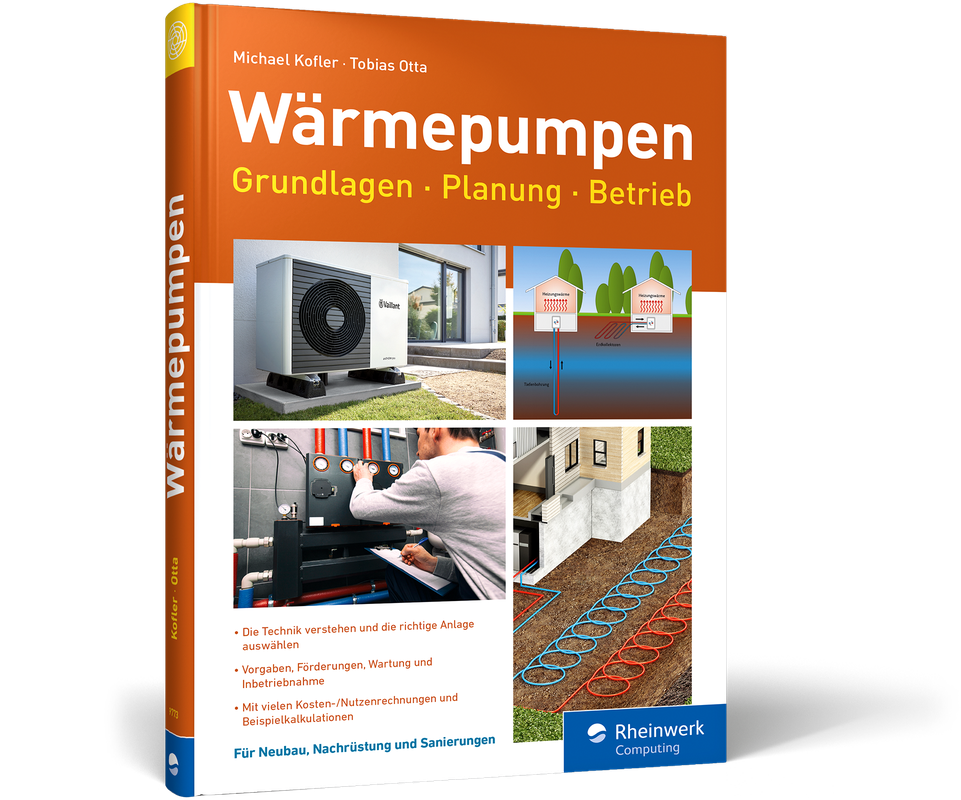
Wärmepumpen - Grundlagen, Planung, Betrieb
Modernes Heizen für die Zukunft. Jetzt erhältlich im heise shop, Dezember 2023.Muss Ihre Gas- oder Öl-Heizung ersetzt werden? Was tun bei einem Neubau? Und brauchen Sie unbedingt eine PV-Anlage auf dem Dach, die den nötigen Strom produziert? Wenn Sie ein Haus besitzen oder einen Neubau planen, müssen Sie sich mit diesen Fragen beschäftigen – oder der nächste Winter wird ziemlich kalt. Fachleute sind sich einig: der Wärmepumpe gehört die Zukunft. Michael Kofler und Tobias Otta geben Ihnen einen Überblick zu allen Fragen rund um das Heizen mit einer Wärmepumpe. Sie erläutern verständlich, worauf Sie bei der Planung achten müssen. So verstehen Sie die Technik und können anhand von zahlreichen Beispielszenarien die richtige Entscheidung für Ihr Zuhause treffen. Aus dem Inhalt:Von der fossilen Heizung zur WärmepumpeGrundlagen und FunktionsweiseIntegration in die HeizungsanlageBrauchwasserwärmepumpenKühlen mit der WärmepumpeFörderungen, Gesetze, BetriebPhotovoltaikBeispielszenarien mit Kosten-/NutzenrechnungenDie Autoren:Michael Kofler hat Elektrotechnik studiert und beschäftigt sich seit Jahren intensiv mit allen Themen rund um die private Energie- und Wärmewende.Ob privat mit dem Lastenrad zum Kindergarten oder seit 15 Jahren als Ingenieur in der Heizungsbranche: Tobias Otta steht für die Energiewende und einen nachhaltigen Lebensstil.

A Beginner's Guide to SSD Firmware
Explore the concepts and techniques that are essential for designing, optimizing, and maintaining SSD (solid state drive) firmware. This book discusses the role of firmware in the functioning of SSDs and the importance of keeping firmware up to date to ensure optimal performance and security.The book starts with an introduction to SSD firmware and its role in SSDs. You will then learn basic NAND operations and common firmware features, followed by various design considerations and best practices for optimizing and maintaining SSD firmware. Moving ahead, you will learn some of the advanced features that are included in modern SSD firmware, such as wear leveling algorithms, garbage collection algorithms, error prevention and correction methods, and algorithms to reduce write amplification. User data flow and exception handling are discussed next, along with performance and debugging. To wrap things up, you will gain insight into possible future developments and innovations in SSD firmware.After reading this book, you will have a solid understanding of the key concepts and techniques that are crucial to designing, optimizing, and maintaining SSD firmware.WHAT WILL YOU LEARN* Understand the fundamentals of NAND flash memory, including its architecture, operation, and limitations* Explore the basics and evolution of firmware, specifically in the context of SSDs* Grasp the basics of firmware, including its purpose, structure, and development process* Survey the specific features of SSD firmware, such as wear leveling, error correction, and garbage collection* Understand performance criteria for SSDs* Master the art of designing a fundamental SSD firmware, encompassing host interfaces and vital requirementsWHO IS THIS BOOK FOR:Engineers involved in designing and developing firmware.GOPI KUPPAN THIRUMALAI is a highly experienced embedded design engineer with a proven track record of success in the industry. He has over 15 years of experience in a variety of domains, including wireless networks, software, automotive, and storage. He is an expert in client and data center SSD design and implementation, and has a history of leading and mentoring teams to achieve their goals.. He is also an outdoor enthusiast and enjoys hiking, fitness, reading books and cooking.1. Introduction to SSD firmware.- 2. Understanding the role of firmware in SSDs.- 3. The history and evolution of SSD firmware.- 4. Basic of Flash Memory.- 5. 3D Vertical NAND.- 6. Basic understanding of NAND Flash Interface.- 7. Common SSD firmware features.- 8. SSD firmware design considerations.- 9. Flash Translation Layer – FTL.- 10. User Data Flow.- 11. Throttling.- 12. Exception Handling.- 13. Performance.- 14. Debugging.- 15. Future developments and innovations in SSD firmware.- 16. Closing.- Bibliography.

Arduino
* Alle Komponenten der Hardware für Arduino UNO R4 und R3 * Verwendung der digitalen und analogen Ports, Einsatzbeispiele mit Sensoren, Aktoren und Anzeigen * Beispielprojekte wie Gefrierschrankwächter, Miniroboter mit Fernsteuerung, Geschwindigkeitsmesser und Internetanwendungen wie XML-Reader und Wetterstation Arduino besteht aus einem Mikrocontroller und der dazugehörigen kostenlosen Programmierumgebung. Aufgrund der einfachen C-ähnlichen Programmiersprache eignet sich die Arduino-Umgebung für alle Bastler und Maker, die auf einfache Weise Mikrocontroller programmieren möchten, ohne gleich Technik-Freaks sein zu müssen. Dieses Buch ermöglicht einen leichten Einstieg in die Arduino-Plattform. Der Autor bietet Ihnen eine praxisnahe Einführung und zeigt anhand vieler Beispiele, wie man digitale und analoge Signale über die Ein- und Ausgänge verarbeitet. Darüber hinaus lernen Sie, wie man verschiedene Sensoren wie Temperatur-, Umwelt-, Beschleunigungs- und optische Sensoren für Anwendungen mit dem Arduino-Board einsetzen kann. Anschließend werden Servo- und Motoranwendungen beschrieben. Dabei wird ein kleiner Roboter realisiert, der ferngesteuert werden kann. Im Praxiskapitel beschreibt der Autor verschiedene Internetanwendungen mit dem Arduino. Mittels einer Ethernet-Verbindung wird Ihr Arduino Umweltdaten sammeln und verarbeiten können. Als Projekt wird eine Wetterstation realisiert, die Wetterinformationen aus dem Internet abruft und Wetter- und Sensordaten auf einem Display darstellt. Zum Abschluss werden verschiedene Werkzeuge und Hilfsmittel sowie Softwareprogramme für den Basteleinsatz beschrieben und Sie erfahren, wie die Arduino-Anwendung im Miniformat mit ATtiny realisiert werden kann. Mit dem Wissen aus diesem Praxis-Handbuch können Sie Ihre eigenen Ideen kreativ umsetzen. Aus dem Inhalt: * Hardwarekomponenten * Entwicklungsumgebung * Eingänge und Ausgänge verarbeiten * Einsatz von Sensoren, Aktoren und Anzeigen * Serielle Datenübertragung * Daten sammeln und speichern * Softwarebibliotheken und Hardware-Erweiterungen * Praxisanwendungen wie Kompass, Fieberthermometer, Wasserwaage, Netzteil und Roboter * Internetanwendungen mit Arduino wie RSS-Reader und Wetterstation, WiFi mit ESP8266 * Eigene DIY-Boards und Arduino-Clones * Arduino im Miniformat mit ATtiny * Tools für Praktiker Thomas Brühlmann arbeitet als Consultant und hat langjährige Erfahrung in der Hardware- und Softwareentwicklung. Nebenbei realisiert er Projekte mit Open-Source-Hardware, hält Vorträge und führt Workshops durch. In seinem Blog unter arduino-praxis.ch verfolgt er die aktuelle Entwicklung des Arduino-Projektes und publiziert Projekte, Anwendungen, Tipps und Tricks.
Arduino Praxiseinstieg (5. Auflg.)
Die 5. Auflage aus November 2023. Behandelt Arduino UNO R4 und R3.Arduino besteht aus einem Mikrocontroller und der dazugehörigen kostenlosen Programmierumgebung. Aufgrund der einfachen C-ähnlichen Programmiersprache eignet sich die Arduino-Umgebung für alle Bastler und Maker, die auf einfache Weise Mikrocontroller programmieren möchten, ohne gleich Technik-Freaks sein zu müssen.Dieses Buch ermöglicht einen leichten Einstieg in die Arduino-Plattform. Der Autor bietet Ihnen eine praxisnahe Einführung und zeigt anhand vieler Beispiele, wie man digitale und analoge Signale über die Ein- und Ausgänge verarbeitet.Darüber hinaus lernen Sie, wie man verschiedene Sensoren wie Temperatur-, Umwelt-, Beschleunigungs- und optische Sensoren für Anwendungen mit dem Arduino-Board einsetzen kann. Anschließend werden Servo- und Motoranwendungen beschrieben. Dabei wird ein kleiner Roboter realisiert, der ferngesteuert werden kann.Im Praxiskapitel beschreibt der Autor verschiedene Internetanwendungen mit dem Arduino-Board. Mittels einer Ethernet-Verbindung wird Ihr Arduino Umweltdaten sammeln und verarbeiten können. Als Projekt wird eine Wetterstation realisiert, die Wetterinformationen aus dem Internet abruft und Wetter- und Sensordaten auf einem Display darstellt.Zum Abschluss werden verschiedene Werkzeuge und Hilfsmittel sowie Softwareprogramme für den Basteleinsatz beschrieben und Sie erfahren, wie die Arduino-Anwendung im Miniformat mit ATtiny realisiert werden kann.Mit dem Wissen aus diesem Praxis-Handbuch können Sie Ihre eigenen Ideen kreativ umsetzen.Aus dem Inhalt:HardwarekomponentenEntwicklungsumgebungEingänge und Ausgänge verarbeitenEinsatz von Sensoren, Aktoren und AnzeigenSerielle DatenübertragungDaten sammeln und speichernSoftwarebibliotheken und Hardware-ErweiterungenPraxisanwendungen wie Kompass, Fieberthermometer, Wasserwaage, Netzteil und RoboterInternetanwendungen mit Arduino wie RSS-Reader und Wetterstation, WiFi mit ESP8266Eigene DIY-Boards und Arduino-ClonesArduino im Miniformat mit ATtinyTools für PraktikerInhaltsverzeichnis und Leseprobe (PDF-Link)Downloads zum Buch (zip-Datei von mitp-Seite)Über den Autor:Thomas Brühlmann arbeitet als Consultant und hat langjährige Erfahrung in der Hardware- und Softwareentwicklung. Nebenbei realisiert er Projekte mit Open-Source-Hardware, hält Vorträge und führt Workshops durch. In seinem Blog unter arduino-praxis.ch verfolgt er die aktuelle Entwicklung des Arduino-Projektes und publiziert Projekte, Anwendungen, Tipps und Tricks.

Fashion Tech Applied
Provide a more tactile experience for your customers, who won’t even need to physically visit stores while optimizing conventional production processes and eradicating the tenuous tasks that nobody really likes to do. Reevaluate all parts of the value chain. You’ll see the ways technology has been used by fashion brands so far within design, production, marketing, and retail. Then discover the market opportunity that technologies such as 3D printing, augmented reality, and more bring into the chain. Challenge the ways in which you implement basic functions in your own practices. Despite the dominance of brick & mortar stores, digital platforms have emerged to pave the way for more diverse retail experiences with the adoption of technology in the fashion industry.We’re talking about more than just online shopping. Tap into NFTs, online fitting rooms, and tech solutions for better customer acquisition and increased sales. Fashion tech is more than just clothing covered in LEDs. It is the adoption of value chain optimizations, customer experience enhancing tools, and advanced operations management into existing business models. When taken seriously by the industry, it will be the future of how we all sell and purchase our products and interact with them. With a particular focus on apparel, each section of this book will put a lens on the existing conventions practiced in the industry at all stages of the value chain and how the help of technology could completely transform fashion for a more cost efficient, sustainable and time efficient industry.Use augmented reality, virtual reality, NFTs, body scanning, 3D design, and more to completely revolutionize how you approach fashion. Both as a consumer and as an amazing designer!WHAT YOU'LL LEARN* Become more creative in the way you hack any part of the fashion value chain* Spark inspiration for implementations of new technologies in fashion for both customers and designers* Adopt and stay forward-thinking by diving into where the industry currently is and where it is goingWHO THIS BOOK IS FORDecision makers in fashion corporate companies and emerging fashion brands wondering how to innovate in the saturated fashion market, as well as, fashion students with an interest in building the future of fashion. No prior technology knowledge is needed.VON N. RUZIVE began chasing fashion tech before she even knew it would be a thing. She’s journeyed from being a young fashion designer exploring the ways in which customers could better envision how her fashion designs would be worn, through frustration of the usual sketches and images not being able to do the trick. Of course the classic video was an option but would not fully illustrate the state of innovation of the garments. This was key to demonstrating her unconventional designs of zip openings in unconventional places on the garments to increase wearability for all women including those with disabilities—something she continues to work on along with teaching 3D printing & laser cutting and leading the partnerships department at a fashion tech venture studio in Paris. All of which have picked her brain in this field of fashion tech.PETER JEUN HO TSANG is the founder & CEO of Beyond Form, a fashion tech venture studio. Since obtaining a master’s degree in Digital Fashion from London College of Fashion in the late 2000’s, he has developed several fashion tech initiatives including a retail store of the future in London, a lab in Paris, and an MBA program. At Beyond Form, he now works with entrepreneurs globally to build and scale technology solutions for the fashion industry.CHAPTER 1: INTRODUCTION TO FASHION TECHNOLOGYI. Defining the fashion value chainII. Defining the garment industry (The different market levels in the industry: who is likely to adopt it or not)III. What is technology?IIII. Why synergise technology with fashion?CHAPTER 2: NEXT EVOLUTION OF DESIGN2. A. HYPERREALITY: DIGITAL DESIGN2. A. I. What is fashion design? Digital 3D design softwares: DC Suite, CLO 3D, Browzwear2. A. II. Digital 3D design: How brands have used the softwares so far: Nike2. B. CAN ANYONE NOW BECOME A DESIGNER?2. B. I. Emergence of digital design platforms: LaunchMart2. b. ii. Generative design with AI: T-Fashion & IBM2. c. THE ROLE OF DESIGN IN THE FUTURE2. c. i. What you need to learn: NFTs2. c. ii. Future design workforceCHAPTER 3: PRODUCTION AND SUPPLY CHAIN3. A. GRABBING THE FABRICS & FASTENINGS: ON-DEMAND MANUFACTURING & MATERIAL SOURCING3. A. I. Emerging supplier platforms: RoundRack3. A. II. Block chain: Supplier communication: IBM3. B. THE MAKING3. B. I. Digital pattern making: Lectra3. B. II. Digital lay-planning for sustainability: N-Hega, Marine Serre3. c. IDENTIFY THE GARMENT3. c. i. Tracing stocks3. c. ii. Digital IDs: EON3. D. TRANSPARENCY & TRACEABILITY3. d. i. Blockchain: Qbrics; ArianeCHAPTER 4: MARKETING4. A. THE NEW TECH APPROACH4. A. I. FASHION IN YOUR LIVING ROOM: Augmented reality: Cappasity & Instagram (Gucci)4. A. II. Digital fashion shows: The original with a slight twist - Balenciaga Simpsons Show4. A. III. Digital fashion shows: Purely rendered for hyperreality - Hanifa4. A. IIII. Virtual reality: virtual environments & interactivityCHAPTER 5: RETAIL5. A. THE INSTORE EXPERIENCE5. A. I. The magic mirror: IBM5. B. THE VIRTUAL EXPERIENCE5. B. I. The immersive experience: virtual reality marketplace5. B. II. The immersive screen: Haptic technology for clearer tactile product expectations5. C. THE FITTING ISSUE: ONLINE5. C. I. Virtual try on - Gucci & Farfetch5. C. II. Body scanning - Artificial intelligence & machine learning: TG3D Studio 3. b. iii. Reaching (or not) a new customer: Disabled individuals5. D. ONLINE ONLY ZONE5. D. I. NFTs: Purely online garments – DressXCHAPTER 6: MINIMUM EFFORT AND MAXIMUM OUTPUTI. Redundancy is realII. Safeguard your workforceIIII. Good Ol’ CorporatesV. Tiptoeing around the ultimate decision maker in all of this: the customerAudience: Intermediate
Geheimakte Computer
Spiel, Spaß und ... IT-Wissen?! Ein Computerbuch zum Schmökern.Der Informatikunterricht ist dir zu trocken? Du bist auf der Suche nach den wirklich spannenden Themen? Halt! Psssst! Dann wirf doch einen Blick in die »Geheimakte Computer«. Sie ist dein Einstieg in die große weite IT-Welt. Hier erfährst du alles, was dich rund um den Computer wirklich interessiert: Bastelprojekte, Computerspiele, Programmierung und nützliches Wissen zu spannenden Themen wie Hacking, Digitalisierung und Sicherheit, künstliche Intelligenz und interessante Persönlichkeiten der Branche.Genau nach deinem GeschmackDu magst Computer und Spielekonsolen? Aber zocken allein reicht dir nicht aus? Dann wage einen Blick in die »Geheimakte Computer« und erfahre mehr über die faszinierende IT-Welt. Durch spannende Projekte, Geschichten und Aufgaben lernst du Dinge, die dich wirklich interessieren.IT-Themen – unterhaltsam erklärtHacking, künstliche Intelligenz, Computerspiele, Digitalisierung oder die miesen Tricks der Tech-Industrie: hier erfährst du über alle Themen, was dir die Schule nicht vermitteln kann. Das Buch weckt deine Neugier und ermöglicht eine intensive Beschäftigung mit der digitalen Welt.Mehr als ein LesebuchHier wird dir nicht nur wichtiges Wissen rund um den Computer vermittelt. Tobias Hübner gibt dir mit kreativen Maker-Projekten, Programmier-Challenges und unterhaltsamen Hintergrundgeschichten Einblicke in die Welt der Informatik, die dir Programmiereinführungen und der Informatikunterricht nicht bieten können.Aus dem Inhalt:Das kreativste Werkzeug der WeltSo funktioniert ein ComputerAlte Technik neu entdeckenGames – besser als ihr RufEine Spielkonsole mit dem Raspberry PiWie schützt du dich vor Hackertricks?Ist künstliche Intelligenz gefährlich?Digitalisierung – Pro und ContraDie fiesen Tricks der Tech-IndustrieVision: Die Zukunft des ComputersLeseprobe (PDF-Link)Über den Autor:Tobias Hübner setzt sich seit über 15 Jahren als Lehrer, Autor, Dozent und IT-Trainer für digitale Bildung ein und wurde für seine kreativen Ideen mehrfach ausgezeichnet, u. a. vom Bundesfamilienministerium und auf der Frankfurter Buchmesse.

Circuit Design and Simulation Quick Start Guide
Open up the exciting world of electronics with 3D circuit designing tools and create your own fresh new projects. With this quick guide you’ll use high-quality graphical programs to create, modify, and update circuits in an interactive, virtual environment that can also be used in the real world.Follow along with the tutorials and get the chance to play with electronics safely before getting your hands dirty. In just a few minutes, you’ll start creating your first circuit. You’ll focus more on how the components layout together than on worrying about design to get started. Watch as different electronic components receive different signals and test them in different situations and circuit conditions first before moving on to real-life testing. When you’re ready, you’ll work with real breadboards and microcontrollers, such as the Arduino, to bring your simulated circuits and projects to life.Once you have your circuit put together, work with basic Arduino programming to give it purpose and make it respond to your commands. By the end of the book you'll have mastered the basics of both circuit design and programming.WHAT YOU'LL LEARN* Engineer electrical equipment for little to no cost* Measure different electrical signals, such as voltage, temperature, light, and more* Program Arduinos to work with your new circuitsWHO THIS BOOK IS FORStudents and hobbyists interested in electrical engineering and programming who want to dive into experimentation virtually before working with real-world circuits.ASHRAF ALMADHOUN is an educator, Mechatronics engineer, electronics and programming hobbyist, and Maker. He hosts the popular EduEng YouTube channel and has authored four books on microcontrollers. As a Chief Educational Engineer since 2007 for Educational Engineering Team, a company he founded, Ashraf’s mission is to explore new trends and technology and help educate the world and make it a better place. Educational Engineering offers educational courses and bootcamps, articles, lessons, and online support for electronics hobbyists, programming hobbyists, microcontroller hobbyists, STEM students, and teachers. His passion for microcontrollers and programming and in particular for the world of Arduino, PIC microcontroller, and the Raspberry Pi has guided his personal development and his work through Educational Engineering.Chapter 1: Introduction● Introduction to Microcontrollers● Set-Up Your SystemChapter 2: Simulating Your First Circuit● Explaining the Interface● SimulatingChapter 3: Dealing with Electronic Components● Editing Components● Wiring Components● Adding ComponentsChapter 4: Breadboard and RGB LEDs● Setting-Up Your Breadboard● Adding RGB LEDsChapter 5: Ohm's Law● Introduction to Ohm’s Law● Practical ExampleChapter 6: Series and Parallel Circuits● Basics of Series and Parallel Circuits● Practical ExampleChapter 7: Arduino Output Basics● Arduino Digital Output - Led Control● Arduino Dealing with Multiple LEDs and Breadboard● Arduino Analog Output - Fading LEDChapter 8: Arduino Input Basics● Reading Digital Input● Reading Analog ValueChapter 9: Arduino RGB LEDs + Potentiometers● Dealing with RGB LEDs with PotentiometersChapter 10: Serial Monitoring● Arduino Serial MonitorChapter 11: What to Do Next?● ReferencesAudience: Beginning

Essenz der Informatik
Diese erweiterte 2. Auflage richtet sich an die regelmäßigen Benutzer von IT, also Berufstätige sowie Schüler, Studierende und Lehrer. Das Buch beschreibt das relevante Universum der Informatik und der Informationstechnologie, von den grundlegenden Prinzipien bis zur sozialen und gesellschaftspolitischen Bedeutung.Neu und erweitert sind u. a. Themen zu virtuellen Welten, zum Metaversum, zu digitalen Zwillingen sowie zu Aspekten von Verwaltung und Digitalisierung. Anhand zahlreicher Beispiele sowie Illustrationen und Grafiken wird die relevante IT-Umgebung der modernen Nichtfachperson dargestellt. Büroapplikationen, soziale Medien, Spiele und Hardwaretrends sowie die verwendeten Devices werden erklärt und in Zusammenhang gebracht.In einem Kapitel werden die ersten Grundlagen zur Programmierung der sehr populären Blocksprache Scratch gelegt. Zu jedem Kapitel werden zehn Fragen zum Inhalt gestellt, um dem Leser oder der Leserin eine Stütze zum gelesenen Inhalt zu geben und die Kompetenzen zu erweitern.DER INHALT* Ganz kurze Geschichte der IT* Alles ist Zahl* Computer als Hardware* Betriebssystem und Benutzeroberfläche* Netzwerke* Datenorganisation* IT-Entwicklung* IT-Organisation* Programmierung* Applikationen* Cloud-Computing* Sicherheit* Information und Medien* Künstliche Intelligenz* Virtuelle Welten* IT, Digitalisierung und GesellschaftCLAUDIO FRANZETTI hat nach dem Studium der Ingenieurwissenschaften an der ETH Zürich als Forschungsingenieur bei BBC und ABB im Bereich Computational Fluid Dynamics gearbeitet und intensive Erfahrungen in der Simulation auf Großrechnern erlangt. Nach einem Betriebswirtschaftsstudium an der Hochschule St. Gallen hat er im Bereich Finanzen bei Versicherungen und Banken gearbeitet, wo er auch für quantitative Risikoberechnungen und zum Teil für die Gesamt-IT zuständig war. Ganz kurze Geschichte der IT - Alles ist Zahl - Computer als Hardware - Betriebssystem und Benutzeroberfläche - Netzwerke - Datenorganisation - IT-Entwicklung - IT-Organisation - Programmierung - Applikationen - Cloud-Computing - Sicherheit - Information und Medien - Künstliche Intelligenz - Virtuelle Welten - IT, Digitalisierung und Gesellschaft

Build Autonomous Mobile Robot from Scratch using ROS
Start from scratch and build a variety of features for autonomous mobile robots both in simulation and hardware. This book will show you how to simulate an autonomous mobile robot using ROS and then develop its hardware implementation.You'll start by gaining an understanding of the basic theoretical concepts underlying the development of autonomous robots, including history, mathematics, electronics, mechanical aspects, 3D modelling, 3D printing, Linux, and programming. In subsequent chapters, you will learn how to describe kinematics, simulate and visualize the robot, how to interface Arduino with ROS, tele-operate the robot, perform mapping, autonomous navigation, add additional sensors, sensor fusion, laser scan matching, web interface, and more. Not only will you learn theoretical aspects, you’ll also review the hardware realization of mobile robots.Projects start with a very basic two-wheeled mobile robot and progress to complex features such as mapping, navigation, sensor fusion, autodocking, and web interface. Upon completing this book, you’ll have incorporated important robot algorithms including SLAM, Path Finding, Localization, and Kalman Filters – and you will be ready to start designing and building your own autonomous robots.WHAT YOU WILL LEARN* Design and build your customized physical robot with autonomous navigation capability* Create a map of your house using the robot’s lidar scanner* Command the robot to go to any accessible location on the map* Interact with the robot using a mobile app, joystick, keyboard, push-button, or remote computer* Monitor robot updates via LCD, a mobile app, sound, and status LEDs* Automate delivery of small payloads and return to home base* Utilize autodocking to home base for battery charging* Leverage sensor fusion to improve accuracy* Interface with the robot via the Web to monitor and control it remotelyWHO THIS BOOK IS FORComplete beginners who want to build customized robots from scratch. No experience is expected, although basic programming knowledge could be handy.RAJESH SUBRAMANIAN is a robotics engineer by profession and founder of ThunDroids LLP (a robotics manufacturing and service firm). He has more than 7 years of experience in the industry and research area. He holds a post-graduate degree from the University of Queensland, Australia and a research degree from Edith Cowan University, Australia. Rajesh has worked with humanoid service robots, mobile robots, robot arms, and modular robots as part of both industry and academics, and published a research paper on modular robots at the IEEE TENCON 2013 international conference. He also works as a robotics educator and has published courses on autonomous robots.CHAPTER 1: INTRODUCTION TO ROBOTICS· Basic Mathematics for Robotics· Basic Electronics· Basic 3D Modelling and 3D Printing· Basic Linux· Basic Programming· Basic Robotics Algorithms· Robot Navigation Basicso Odometryo Transformso Sensor Datao Mapo SLAMo Localizationo Path planners▪ Global▪ Localo Drive Systems▪ Differential Drive▪ Skid Steer▪ Ackermann▪ Holonomic etc.o Actuator ControlCHAPTER 2: SETTING UP YOUR COMPUTER· Installing Linux· Installing ROS· Installing IDECHAPTER 3: ROS FRAMEWORK· Why ROS· ROS Architecture· ROS Installation· ROS File System· Creating a workspace and building it· Publisher/Subscriber· Services· Actions· Implementing publishers/subscribers, services, and actions using python· Basic ROS commands· Coordinate Transformation (TF)· ROS Debugging Tools· ROS Navigation StackCHAPTER 4: ROBOT SIMULATION· Rviz and Gazebo· Turtlesim – A cute virtual turtleo Simulating turtle in Turtlesimo Controlling turtle in Turtlesim· Turtlebot – Autonomous Mobile Robot o Simulating Turtlebot in Gazeboo Visualizing Turtlebot in Rvizo Controlling Turtlebot· PR2 – Autonomous Mobile Manipulator Roboto Simulating PR2 in Gazebo o Visualizing PR2 in Rvizo Controlling PR2CHAPTER 5: ARDUINO AND ROS· What is Arduino· Basic Arduino Programming· Examples· Interfacing Arduino with ROSCHAPTER 6: BUILDING BUMBLEBOT: A SIMPLE 2-WHEELED ROBOT· Part I – Simulationo Building robot modelo Design robot parts using a 3D modeling softwareo Add the designed parts to URDF fileo Visualize the robot in Rvizo Load the robot into a virtual world in Gazebo simulator o Teleoperate the virtual robot using keyboardo Teleoperate the virtual robot using joysticko Teleoperate the virtual robot using android device· Part II – Hardwareo 3D Print the robot parts o Electronic components o Wiringo Assemblingo Configuring Single Board Computer for autonomous navigation o Configuring Arduino to control peripheralso Interfacing Arduino with ROSo Interfacing Lidar with ROSo Interfacing Motors with ROSo Interfacing Encoders with ROSo Interfacing other electronic devices (LEDs, LCD, Buzzer, Switch, etc) with ROS o Motor gear ratio calculationo Write your own motor controller and ROS interfaceo Differential driver and Odometryo Tele operation using ROSo Odometry correction – rotation and translationCHAPTER 7: ENABLING BUMBLEBOT TO PERFORM MAPPING AND AUTONOMOUS NAVIGATION· Part I – Simulationo Map buildingo Autonomous navigation· Part II – Hardwareo Map buildingo Autonomous navigation· Part III – Navigation TuningCHAPTER 8: ADDITIONAL SENSORS AND SENSOR FUSION IN BUMBLEBOT· Part I – Adding lidar based odometry· Part II – Adding IMU based odometryo IMU Calibrationo Interfacing with ROS· Part III - Sensor fusion for robustness and accuracyCHAPTER 9: AUTONOMOUS DELIVERY USING BUMBLEBOT· Building delivery applications using Python· Defining user interaction· Defining status behaviorsCHAPTER 10: BONUS MATERIALS: WEB INTERFACE AND AUTONOMOUS DOCKING USING BUMBLEBOT· Web interfaceo Building basic web page for robot control using html and javascripto Commanding robot using various controls in the web pageo Monitor status of the robot in the web page· Autonomous Dockingo Camera Calibrationo Camera Interfacing with ROSo AutodockingAudience: Beginner

macOS Sonoma For Dummies
MAKE FRIENDS WITH MACOS SONOMA THANKS TO SIMPLE, DUMMIES-STYLE INSTRUCTIONSmacOS Sonoma For Dummies is the go-to guide for finding your way around Apple’s laptop and desktop operating system. For first-time Mac owners and longtime Apple afficionados alike, this book covers the essentials you need to navigate macOS Sonoma with ease. Get a guided tour of the latest updates to macOS widgets, improved video conferencing features, updated privacy and security help, and all the classic features of the software that powers MacBook, iMac, and Mac computers. With easy-to-follow instructions and crystal-clear illustrations, this Dummies guide makes you macOS proficient in no time—even if you’ve never used a Mac computer before.* Learn the ins and outs of macOS Sonoma for desktop and laptop computers* Discover valuable shortcuts, tips, and tricks for troubleshooting* Organize your files and ensure data security* Customize your computer so you can get things done fasterIf you’re looking for a user-friendly tutorial on using macOS Sonoma and making the most of the latest updates, you can’t go wrong with macOS Sonoma For Dummies.GUY HART-DAVIS is the author of more than 100 technical books, including several books in the For Dummies series and many in the Teach Yourself VISUALLY series.