

Knowhow

Immersive 3D Design Visualization
Discover the methods and techniques required for creating immersive design visualization for industry. This book proposes ways for industry-oriented design visualization from scratch. This includes fundamentals of creative and immersive technology; tools and techniques for architectural visualization; design visualization with Autodesk Maya; PBR integration; and texturing, material design, and integration into UE4 for immersive design visualization.You’ll to dive into design and visualization, from planning to execution. You will start with the basics, such as an introduction to design visualization as well as to the software you will be using. You will next learn to create assets such as virtual worlds and texturing, and integrate them with Unreal Engine 4. Finally, there is a capstone project for you to make your own immersive visualization scene.By the end of the book you’ll be able to create assets for use in industries such as game development, entertainment, architecture, design engineering, and digital education.WHAT YOU WILL LEARN* Gain the fundamentals of immersive design visualization* Master design visualization with Autodesk Maya* Study interactive visualization with UE4* Create your immersive design portfolio WHO THIS BOOK IS FORBeginning-intermediate learners from the fields of animation, visual art, and computer graphics as well as design visualization, game technology, and virtual reality integration.DR. ABHISHEK KUMAR is an assistant professor in the Department of Computer Science at the Institute of Science at Banaras Hindu University. He is an Apple Certified Associate, Adobe Education Trainer, and certified by Autodesk. He is actively involved in course development in animation and design engineering courses for various institutions and universities as they will be a future industry requirement. Dr. Kumar has published a number of research papers indexed in Scopus and Web of Science and covered a wide range of topics in various digital scientific areas (image analysis, visual identity, graphics, digital photography, motion graphics, 3D animation, visual effects, editing, and composition).He holds eight patents in the field of computer science, design and IoT. Dr. Kumar has completed professional studies related to animation, computer graphics, virtual reality, stereoscopy, filmmaking, visual effects, and photography from Norwich University of the Arts, the University of Edinburgh, and Wizcraft MIME and FXPHD, Australia.He is passionate about the media and entertainment industry, and has directed two animation short films. Dr. Kumar has trained more than 50,000 students across the globe from 153 countries (top five: India, Germany, United States, Spain, and Australia). His alumni have worked on movies such as Ra-One, Krissh, Dhoom, Life of Pi, the Avengers series, the Iron Man series, GI Joe 3D, 300, Alvin and the Chipmunks, Prince of Persia, Titanic 3D, the Transformers series, Bahubali 1 and 2, London Has Fallen, Warcraft, Aquaman 3D, Alita, and more.CHAPTER 1: DESIGN FOR CREATIVE AND IMMERSIVE TECHNOLOGY• Scope of this book• Topics covered• Design visualization• Emerging technologies (VR, AR, and MR)CHAPTER 2: TOOLS FOR ARCHITECTURAL VISUALIZATION• MAYA for design visualization• Substance for PBR texturing• Design visualization gamification (UE4)CHAPTER 3: 3D DESIGN WITH AUTODESK MAYA• Basics of modelling• Basics of unwrapping• Basics of Substance PainterCHAPTER 4: INTERACTIVE VISUALIZATION WITH UE4• Interface of UE4• Exploring toolsCHAPTER 5: CREATING VIRTUAL WORLDS• Modelling assetsCHAPTER 6: UNWRAPPING OUR ASSETS• Introduction to unwrapping• Unwrapping assetsCHAPTER 7: LIGHTMAP ANALYSIS AND CORRECTION• Creating Lightmap UVs• Static vs. dynamic lighting• Lightmap analysis, correction, and padding• Shader analysis and tweakingCHAPTER 8: PBR INTEGRATED TEXTURING• Importing and baking maps• Texturing various assetsCHAPTER 9: MATERIAL DESIGN AND INTEGRATION• Exporting for UE4• Importing into UE4• Material setupCHAPTER 10: REAL-TIME/EMISSIVE MATERIALS• Emissive workflow in Substance Painter• Emissive workflow in UE4CHAPTER 11: INTERACTION DESIGN IN VR ENGINE• Importing 3D assets• Object properties editorCHAPTER 12: UNREAL® ENGINE 4 FOR LEVEL DESIGN• Creating level• Documenting problems and errorsCHAPTER 13: DESIGN VISUALIZATION CAPSTONE PROJECT: TESTING AND FIXING ERRORS• Fixing errorsCHAPTER 14: DESIGN VISUALIZATION CAPSTONE PROJECT: AESTHETIC DEVELOPMENT• Completing level design• Lighting our sceneCHAPTER 15: IMMERSIVE DESIGN PORTFOLIO• Cleaning up• Testing with VR headsets• Thoughts and suggestions
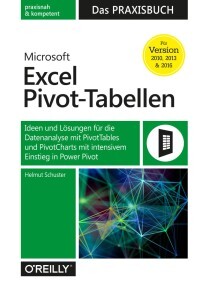
Microsoft Excel Pivot-Tabellen - Das Praxisbuch
Von ABC-Analyse bis Zeitachse: Mit PivotTables und Power Pivot alle Daten im Griff* Für Excel 2010–2019 und Excel 365* Mit vielen Praxisbeispielen aus dem Arbeitsalltag* Inkl. kostenloser Übungsdateien zum DownloadFür die Analyse größerer Datenmengen in Excel sind Pivot-Tabellen ein besonders leistungsfähiges Werkzeug. Das Buch zeigt, wie Excel-Anwender*innen mit Vorkenntnissen bei ihrer täglichen Arbeit von PivotTables profitieren können. Außerdem richtet sich das Buch an Anwender*innen, die PivotTables bereits nutzen, jedoch darüber hinaus verstehen wollen, wie diese richtig funktionieren, um gezielt professionelle Lösungen zu modellieren.Ein eigenes Kapitel widmet sich dem Tool Power Pivot, mit welchem Sie große Datenmengen aus mehreren Quellen importieren und analysieren können. Anhand praktischer Beispiele wie der Projektfinanzsteuerung, der Qualitätsanalyse oder der Personalstrukturanalyse lernen Sie die Funktionsweise von PivotTables und PivotCharts in Excel 2010 bis 2019 sowie 365 kennen, verstehen und gewinnbringend einzusetzen.Aus dem Inhalt:- Tipps für den PivotTable-Schnellstart- Planen und Vorbereiten- Daten aufbereiten und auswerten- Mit Daten jonglieren- Projektfinanzsteuerung- Stundenabweichungsanalyse- ABC-Analyse mit PivotTables- Personalkosten- und Personalstrukturanalyse- Umsatzanalysen mit Plan-Ist-Vergleichen- Datenmodelle und Beziehungen- Datenauswertung mit Power PivotHelmut Schuster ist Diplom-Betriebswirt und seit mehr als 30 Jahren als Trainer und Berater im Bereich betriebswirtschaftliche Anwendungen mit Office tätig. Er ist Spezialist für Planung, Budgetierung, Prognosen und Analysen mit Microsoft Excel und Power BI. Darüber hinaus hat er als Co-Autor zahlreiche IT-Fachbücher, u. a. "Excel 2016 – Das Handbuch", veröffentlicht. Außerdem ist er ausgebildeter psychologischer Coach und lässt dieses Know-how in die Trainings- und Projektprozesse nutzbringend einfließen.

Core Blender Development
Learn the essential source code of Blender and its unique build system. This book provides the inner workings of the Blender C-based source code, and will be indispensable for those wanting to contribute to this important open-source project.Blender is an open-source 3D modeling and rendering software package used in the production of assets for animated projects, 3D printing, games, and even scientific visualization. This book goes in depth and discusses the primary modules related to the GUI and the geometric modeling work. You'll start by learning how to reverse engineer geometric operators, and from there move on to the main features of the source code and how to apply them. When done, you'll have the necessary foundation for exploration in other modules of the Blender source code.Lack of software engineering knowledge, such as experience with large cross-platform code base, remains insurmountable for many new developers. While the Blender site includes much useful information, it is not detailed enough. Core Blender Development breaks down the barriers to entry for open-source development in 3-D modeling.WHAT YOU’LL LEARN* Find the code for various functions and editors in Blender* Track down bugs, and contribute new functionality to the Blender code base* Examine the .blend file and how it stores Blender state* Understand the Blender core code base beyond the community website documentation* Review the explicit code traces and source files of descriptions of the code baseWHO THIS BOOK IS FORPrimarily for novice to intermediate level developers and programmers with an interest in Blender, graphics, and visualization, who likely don’t have experience of reverse engineering a large code base.Brad Hollister holds a PhD from the University of California Santa Cruz in computer science, and has extensive software development experience both professionally and in the areas of open source, including BRL-CAD, VTK, and SCIRun. His research includes scientific visualization, virtual reality simulation for training, and computer graphics. Dr. Hollister is also faculty adviser for the Open Source Mozilla Campus Club at the California State University Dominguez Hills.Chapter 1. A First Encounter with Blender’s Source CodeChapter goal: To outline the Blender source tree, and provide an execution trace of how Blender registers geometric manipulation operators, and the execution of a few of the associated callbacks.• The Blender Projecto Discusses where Blender source code is hosted and how developers can find help online.• The Blender Source Treeo Listing of the modules included in Blender, and what each module does• The Blender CMake Build Systemo How Blender makes uses of the CMake build system, and how various modules can be included or excluded from a build• Some High-Level Geometric Modelling Tools & Their Operatorso Discusses how operators are registered in the C codeo Describes where primitive creation and geometric editing operators are registered and how to determine their callbacks• The Model-View-Controller Architecture of Blendero Explains the rationale for the general architecture of Blender and its history• Roadmap for the Remaining Booko What is “core” Blender? What this book covers and what it does not coverChapter 2. The Blend File FormatChapter goal: Explains the persistent data model and related data structures of the .blend file• What Does the .blend File Contain?o High-level description & purpose of the .blend file• Byte Layout of the .blend File• Backwards Compatibility of the .blend File• Blender DNA and the Data Modelo Shows how the contents of the .blend file map to DNA (data structures) and the data model and internal API• The Dependency GraphChapter 3. GHOST and the Main Event LoopChapter goal: Dissects the global host module (GHOST) and points out the high-level main event loop in the window manager module• Blender’s cross-platform support for multiple windowing and operating systems: gHOSTo Overview of the source files in the gHOST module• Trace of the Initialization Routines• GHOST and the Event Loop• Differences Between Linux, MS Windows, and MacOS buildsChapter 4. BlendLib & UtilitiesChapter goal: Discusses the suite of functions provided by the internal utilities libraries of Blender• The Math Utilitieso Explanation of the math utilities used throughout core Blender• The File Utilities• The global context and blendlibChapter 5. Blender Embedded Python EngineChapter goal: Describes the connection between Python API and the internal compiled code of the embedded (extended) interpreter• How Python is Embedded in a C Programo Preliminaries on embedded Python• How Blender Embeds Pythono UI dependencieso Associated source files & important module (externally linked) functionso Startup and initialization• The Data API & RNA generated codeChapter 6. Blender User Interface ComponentsChapter goal: Describes the internal graphical user-interface of Blender and how Blender uses OpenGL to draw and manage its custom UI• Internal UI APIo Describes Windows, Other UI Elements, and Events• How to construct simple UI Elements in C.• Hierarchy of UI Elements.• Trace of Window Updates and Drawing in C codeChapter 7. BMesh Data Structure and the bmesh ModuleChapter goal: Describes the bmesh data structure and how the associated geometric operators update its data.• BMesh Designo How BMesh stores geometry data? vertices edges topology etc.o How BMesh updates data?o How BMesh is linked to Python scripting modules via RNA (Data API)?o Trace of a Hypothetical BMesh update with the following operators Bevel Extrude Knife Cut etc.• Associated source code (modules and files) of bmesh• How BMesh is serialized in the .blend file?• Associated DNA structures and BMeshChapter 8. Adding a Custom Editor ModuleChapter goal: A details set of steps to add a new module to the Blender code base. Provides both an all C-code implementation of an editor, and then an implementation that uses Python to produce the same GUI components. The parallel views further reinforce the material from Chapters 5 & 6.• A Basic Window in Co Adding operators and buttons in C• Adding Operators and Buttons in Pythono How these UI elements map to C functions in core Blender• Adding Source Files for a New Editoro CMake additions for proper system build with a new module (editor)Chapter 9. Beyond Core Blender DevelopmentChapter goal: Suggests approaches to reverse engineering and developing non-Core Blender• Modifiers and Other Editors• Cycles Rendering• Physics Simulation

LibreOffice 7
Einfacher Einstieg in die kostenlose Alternative zu Microsoft Office Textverarbeitung, Tabellenkalkulation, Datenbankverwaltung, Präsentations- und Zeichenprogramm Schritt für Schritt erklärt Mit praxisnahen Beispielen zum besseren Verständnis Das freie und kostenlose Bürosoftware-Paket LibreOffice 7 bietet Ihnen alles, was Sie auch mit anderen gängigen Office-Paketen machen können. Alle Dateien in den verbreiteten Formaten lassen sich damit öffnen und abspeichern, so dass es auch keinerlei Probleme beim Bearbeiten von Dateien anderer Office-Programme gibt, insbesondere von Word- und Excel-Dokumenten. Mit diesem Buch erhalten Sie als Ein- oder Umsteiger einen umfassenden Überblick über alle wichtigen Programmfunktionen.Der Autor Winfried Seimert zeigt Ihnen anhand vieler Beispiele die vielseitigen Möglichkeiten aller LibreOffice-Programme: Textdokumente mit Writer verfassen, Tabellenkalkulationen mit Calc, Präsentationen mit Impress, Zeichnungen mit Draw oder Datenverwaltung mithilfe von Base. So lernen Sie wichtige Einsatzbereiche von LibreOffice kennen wie zum Beispiel Briefe formatieren, Diagramme erstellen, Formeln darstellen, Präsentationsfolien erstellen oder eine Adress-Datenbank füttern und abfragen. Dieses Wissen wird Ihnen Ihre tägliche Arbeit sehr erleichtern. Aus dem Inhalt: Basiswissen LibreOffice Textdokumente mit Writer Tabellenkalkulationen mit Calc Formeln mit Math Präsentationen mit Impress Zeichnungen mit Draw Datenbanken mit BaseWinfried Seimert ist IT-Dozent, Consultant und Autor zahlreicher Fachbücher insbesondere zu den Themen Software und Betriebssysteme. Dabei hat er immer den Komfort des Anwenders im Blick und erklärt entsprechend praxisnah. So erfreuen sich seine Bücher aufgrund ihrer durchdachten Struktur bereits seit Mitte der neunziger Jahre großer Beliebtheit.

Untersuchung von transienten Interferenzeffekten in einem Freistrahlwindkanal für Automobile
Der Fahrzeugwindkanal gehört in der Automobilindustrie zu den teuersten und meistgenutzten Prüfständen, seine Strömungsvorgänge sind hochkomplex und teilweise immer noch unklar. Christoph Schönleber verbessert mit seiner Studie das grundlegende Verständnis der Strömungsvorgänge im Windkanal und gibt Empfehlungen, wie Fehlmessungen durch Anregung von Instabilitäten verhindert werden können. Für seine Untersuchungen hat er unterschiedliche messtechnische Werkzeuge und Methoden verknüpft und durch den Einsatz von numerischer Simulation bestätigt. Stand der Technik und theoretische Grundlagen.- Prüfstände und Simulationsumgebung.- Experimentelle und simulative Ergebnisse sowie deren Bewertung und Diskussion.

Home Server
Das eigene Netzwerk mit Intel NUC oder Raspberry Pi - so richten Sie Ihren Heimserver ein.Mit einer eigenen Schaltzentrale in Ihrem Heimnetzwerk sorgen Sie dafür, dass Sie zuverlässig alle Ihre Daten und Dienste jederzeit im Zugriff haben. Wie Sie einen solchen Home Server einfach und günstig mit dem Raspberry Pi oder dem Intel NUC einrichten, zeigt Ihnen Dennis Rühmer in seinem neuen Leitfaden. Auf 800 Seiten lernen Sie alles, was Sie brauchen, mit vielen Anleitungen und Hinweisen zu Sicherheit und Telefonie. Ob Sie auf Ihre eigene Cloud von überall zugreifen wollen, ob Sie einen privaten Chat-Dienst einrichten möchten, Musik und Videos im eigenen Netzwerk gestreamt werden sollen, oder ob Sie einen zuverlässigen VPN-Server brauchen: Sie werden überrascht sein, wie Sie mit ein wenig Hardware und dem Wissen aus diesem Buch ein leistungsstarkes System zu Hause aufbauen können.Leseprobe (PDF-Link)

Dein iPhone 12
iPhone 12, iPhone 12 Pro, iPhone 12 Pro Max, iPhone 12 mini - einfach alles können. Inklusive Insidertipps zum aktuellen iOS 14.Die iPhone-iOS-Kombination bietet so viele Möglichkeiten, dass es nicht immer leichtfällt, den Überblick zu behalten. Dieses Buch des iPhone-Experten Philip Kiefer ist Ihr Kompass durch den Funktionsdschungel.Er erklärt leicht verständlich alle wichtigen Optionen der neuen iPhone-Modelle 12, 12 mini, 12 Pro und 12 Pro Max sowie der aktuellen iOS-Version 14: Sie nutzen die neue App-Mediathek, um Ihre Apps clever zu verwalten und wiederzufinden, senden Nachrichten, sind mit Safari im Internet unterwegs, mailen, fotografieren, telefonieren, tauschen Daten aus.Zudem bekommen Sie Infos zu vielen hilfreichen Apps und wie Sie Ihr iPhone vor ungewollten Zugriffen schützen können.Aus dem Inhalt:Ihr neues iPhone und iOS 14 kennenlernenIhr neues iPhone in Betrieb nehmen und clever bedienenApp Store, App-Mediathek und Co.: Apps finden, installieren, verwaltenMit dem iPhone telefonieren und chattenBehalten Sie mit dem iPhone Ihre Kontakte, Termine und Aufgaben im GriffIhre Befehle ausführen und Fragen beantworten: das kann SiriSo surfen Sie mit Ihrem iPhone 12 im InternetE-Mails senden und empfangen – das geht auch mit dem iPhoneMusik, Filme und weitere Medieninhalte auf dem iPhone abspielenMit der iPhone-Kamera tolle Fotos und Videos aufnehmenDas iPhone als hilfreicher Begleiter für unterwegsDie besten Apps für Shopping, Finanzen, Büro und mehrDaten sichern und austauschen – was Sie dazu wissen müssenVon Akku bis Zurücksetzen: alles zu Wartung und SicherheitInhalt & Leseprobe (PDF-Link)
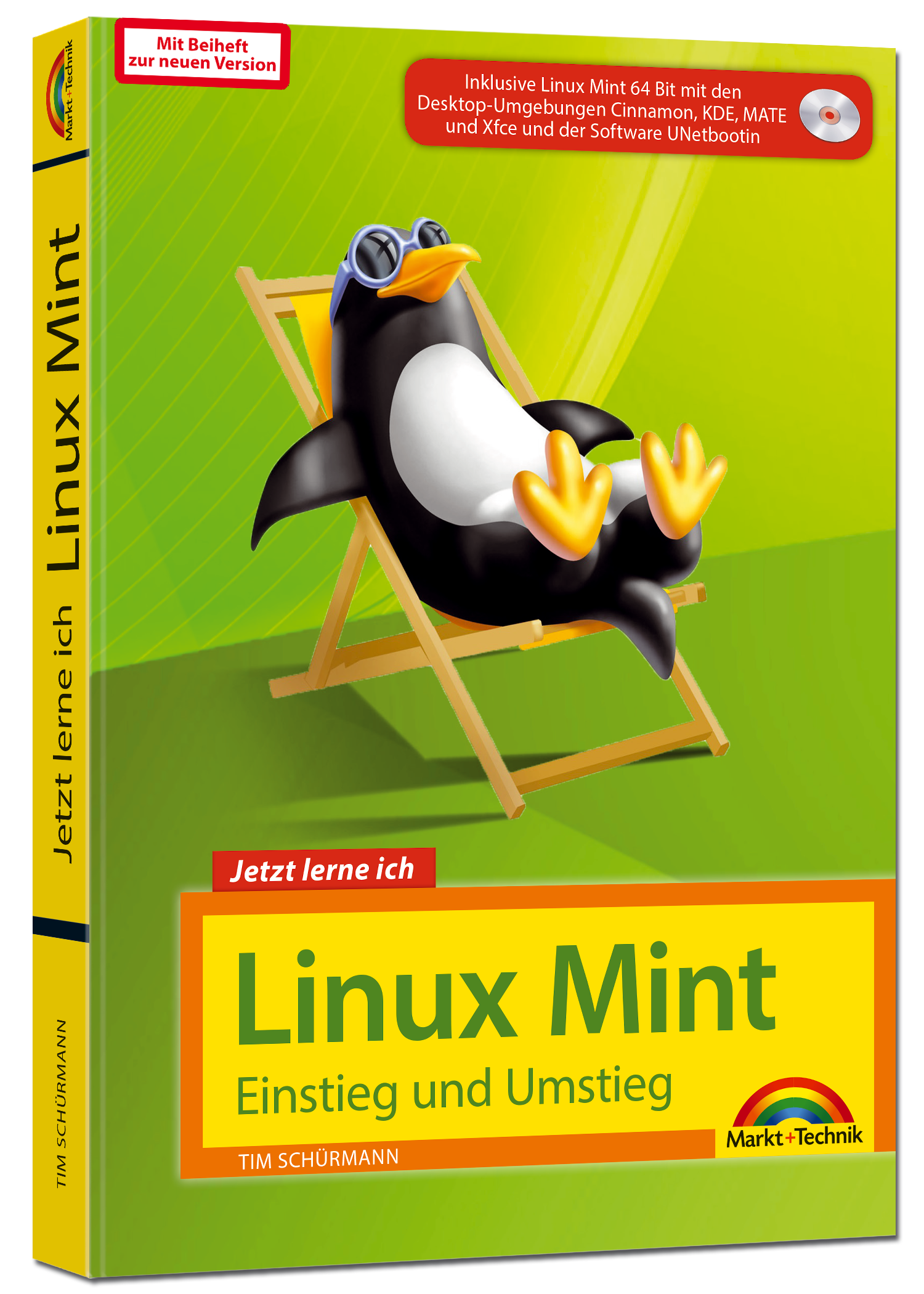
Linux Mint - Einstieg und Umstieg
Dieses Buch richtet sich an Linux-Neulinge und Umsteiger von Windows oder macOS, die die beliebte Distribution Linux Mint einsetzen möchten.Leicht verständliche Schrittanleitungen und viele praktische Tipps helfen bei anfänglichen Startproblemen, die ein neues Betriebssystem mit sich bringen kann. Sie erfahren, was bei der Installation, den System- sowie Netzwerkeinstellungen zu beachten ist, und lernen geeignete Programme für Büro, Internet, Bildbearbeitung und Multimedia kennen, sodass Sie Linux Mint schnell produktiv im Alltag einsetzen.

Pro Google Cloud Automation
Discover the methodologies and best practices for getting started with Google cloud automation services including Google Cloud Deployment Manager, Spinnaker, Tekton, and Jenkins to automate deployment of cloud infrastructure and applications.The book begins with an introduction to Google cloud services and takes you through the various platforms available to do automation on the GCP platform. You will do hands-on exercises and see best practices for using Google Cloud Deployment Manager, Spinnaker, Tekton, and Jenkins. You’ll cover the automation aspects of the Google Cloud Platform holistically using native and upcoming open source technologies.The authors cover the entire spectrum of automation from cloud infrastructure to application deployment and tie everything together in a release pipeline using Jenkins. Pro Google Cloud Automation provides in-depth guidance on automation and deployment of microservices-based applications running on the Kubernetes platform. It provides sample code and best practice guidance for developers and architects for their automation projects on the Google Cloud Platform.This book is a good starting point for developers, architects, and administrators who want to learn about Google cloud automation.WHAT YOU WILL LEARN* Gain the fundamentals of Google’s automation-enabling services* See an architecture overview for Google Cloud Deployment Manager, Spinnaker, Tekton, and Jenkins* Implement automation for infrastructure and application use cases* Automate microservices-based applications running on GKE* Enable Google Cloud Deployment Manager, Spinnaker, Tekton, and Jenkins WHO THIS BOOK IS FORDevelopers, architects, and administrators who want to learn about Google cloud automation.Navin Sabharwal is an innovator, thought leader, author, and consultant in the areas of cloud computing, cloud lifecycle management, infrastructure as code, DevSecOps, AI, machine learning, big data analytics, and AIOPS. Navin has created niche award-winning products and solutions and has filed numerous patents in diverse fields such as IT services, assessment engines, ranking algorithms, capacity planning engines, and knowledge management.Piyush is a solution architect for automation, DevOps, and cloud services with overall ten years of IT experience. Piyush is currently working as a deputy general manager at HCL DRYiCE practice focusing on creating solutions catering to cloud adoption (including cloud landing zone, migration, and operations), automation, orchestration, and cloud lifecycle management.Chapter 1- Introduction to Google Cloud Automation Services• Google Cloud introduction• Introduction to Google Cloud Deployment Manager• Introduction to Spinnaker• Introduction to Kubernetes• Introduction to StackdriverChapter 2- Getting Started with Google Cloud Deployment Manager• Architecture overview of Google Cloud Deployment Manager• Hand on use case of Google Cloud Deployment ManagerChapter 3- Getting Started with Spinnaker• Architecture overview of Spinnaker• Getting started with setting up Spinnaker• Setting up integration• Hand on use case of CI/CD pipeline using SpinnakerChapter 4 – Getting Started with Kubernetes• Architecture overview of Kubernetes• Setting up Kubernetes• Hand on use case of GKE automation using KubernetesChapter 5- Getting Started with Stackdriver• Architecture overview of Stackdriver• Hand on use case of GCP monitoring• Runbook Automation use caseChapter 6- DevSecOps Automation• Scenarios of using Google Cloud Automation service• Hands on integrated use case of using all Automation services
MCA Microsoft Office Specialist (Office 365 and Office 2019) Study Guide
LEARN THE REALITIES OF BEING A MICROSOFT OFFICE SPECIALIST AND EFFICIENTLY PREPARE FOR THE WORD ASSOCIATE MO-100 EXAM WITH A SINGLE, COMPREHENSIVE STUDY GUIDEMCA Microsoft Office Specialist Study Guide: Word Associate Exam MO-100 comprehensively prepares you for the MO-100 Exam. Accomplished and experienced author Eric Butow provides readers with a one-stop resource for learning the job responsibilities of a Microsoft Office Specialist and succeeding on the MO-100 Exam.The study guide is written in a straightforward and practical style which, when combined with the companion online Sybex resources, allows you to learn efficiently and effectively. The online resources include hundreds of practice questions, flashcards, and a glossary of key terms. In addition to preparing you for the realities of the Microsoft Office Specialist job role, this study guide covers all the subjects necessary to do well on the certifying exam, including:* Managing documents* Inserting and formatting text, paragraphs, and sections* Managing tables and lists* Creating and managing references* Inserting and formatting graphics* Managing document collaborationPerfect for anyone seeking to begin a new career as a Microsoft Office Specialist, or simply wondering what the job entails, the Study Guide also belongs on the bookshelf of currently practicing professionals who want to brush up on the fundamentals of their role.ERIC BUTOW is the author or coauthor of 35 books on multiple aspects of technology. He has also developed and taught networking, computing, and usability courses for Ed2Go, Virtual Training Company, California State University/Sacramento, and Udemy. Eric began using Word, Excel, and PowerPoint professionally in 1992. He has been a technical writer for large and small companies, and presently provides website development, online marketing, and technical writing services through his company, Butow Communications Group. Introduction xviiAssessment Test xxiiCHAPTER 1 WORKING WITH DOCUMENTS 1Navigating Within Documents 2Searching for Text 2Linking to Locations Within Documents 6Moving to Specific Locations and Objects in Documents 7Showing and Hiding Formatting Symbols and Hidden Text 8Formatting Documents 11Setting Up Document Pages 12Applying Style Settings 13Inserting and Modifying Headers and Footers 15Configuring Page Background Elements 16Saving and Sharing Documents 18Saving Documents in Alternative File Formatting 18Changing Basic Document Properties 19Modifying Print Settings 21Sharing Documents Electronically 22Inspecting Documents for Issues 24Locating and Removing Hidden Properties and Personal Information 24Finding and Fixing Accessibility Issues 26Locating and Correcting Compatibility Issues 27Summary 28Key Terms 29Exam Essentials 29Review Questions 31CHAPTER 2 INSERTING AND FORMATTING TEXT 33Adding and Replacing Text 34Finding and Replacing Text 34Inserting Symbols and Special Characters 38Formatting Text and Paragraphs 40Adding Text Effects 40Applying Formatting by Using Format Painter 41Setting Line and Paragraph Spacing and Indentation 41Applying Built-In Styles to Text 44Clearing Formatting 45Creating and Configuring Document Sections 48Formatting Text in Multiple Columns 48Inserting Page, Section, and Column Breaks 50Changing Page Setting Options for a Section 51Summary 54Key Terms 55Exam Essentials 55Review Questions 56CHAPTER 3 MANAGING TABLES AND LISTS 59Creating Tables 60Converting Text to Tables 62Switching Tables to Text 63Creating Tables by Specifying Rows and Columns 64Modifying Tables 66Sorting Table Data 66Configuring Cell Margins and Spacing 68Merging and Splitting Cells 71Resizing Tables, Rows, and Columns 73Splitting Tables 78Configuring a Repeating Row Header 80Creating and Formatting Lists 83Structuring Paragraphs as Numbered and Bulleted Lists 83Changing Bullet Characters and Number Formatting 84Defining Custom Bullet Characters and Number Formatting 86Increasing and Decreasing List Levels 89Restarting and Continuing List Numbering 90Setting Starting Number Values 92Summary 93Key Terms 94Exam Essentials 94Review Questions 95CHAPTER 4 BUILDING REFERENCES 97Creating and Managing Referencing Elements 98Inserting Footnotes and Endnotes 98Modifying Footnote and Endnote Properties 101Creating and Modifying Bibliography Citation Sources 102Inserting Citations for Bibliographies 105Working with Referencing Tables 107Inserting Tables of Contents 107Customizing Tables of Contents 108Adding Bibliographies 110Summary 111Key Terms 111Exam Essentials 112Review Questions 113CHAPTER 5 ADDING AND FORMATTING GRAPHIC ELEMENTS 115Inserting Illustrations and Text Boxes 116Adding Shapes 116Including Pictures 118Inserting 3D Models 119Adding SmartArt Graphics 120Placing Screenshots and Screen Clippings 121Inserting Text Boxes 123Formatting Illustrations and Text Boxes 125Applying Artistic Effects 125Adding Picture Effects and Picture Styles 126Removing Picture Backgrounds 129Formatting Graphic Elements 130Setting Up SmartArt Graphics 132Working with 3D Models 134Adding and Organizing Text 135Formatting Text in Text Boxes 135Adding Text in Shapes 137Changing SmartArt Graphic Content 139Modifying Graphic Elements 140Positioning Objects 140Wrapping Text Around Objects 141Adding Alt Text to Objects 144Summary 146Key Terms 146Exam Essentials 146Review Questions 147CHAPTER 6 WORKING WITH OTHER USERS ON YOUR DOCUMENT 149Adding Comments 150Inserting Comments 150Reviewing and Replying to Comments 151Resolving Comments 152Deleting Comments 153Tracking Your Changes 155Turning On Track Changes 155Reviewing Tracked Changes 156Accepting and Rejecting Tracked Changes 157Locking and Unlocking Change Tracking 160Summary 163Key Terms 163Exam Essentials 163Review Questions 164APPENDIX ANSWERS TO REVIEW QUESTIONS 167Chapter 1: Working with Documents 168Chapter 2: Inserting and Formatting Text 168Chapter 3: Managing Tables and Lists 169Chapter 4: Building References 170Chapter 5: Adding and Formatting Graphic Elements 170Chapter 6: Working with Other Users on Your Document 171Index 173

Custom Fiori Applications in SAP HANA
Get started building custom Fiori applications for your enterprise. This book teaches you how to design, build, and deploy enterprise-ready, custom Fiori applications in SAP HANA. Tips and tricks collected from projects using Fiori applications (built consuming OData models and REST APIs) and integrating third-party JS libraries are presented. Also included are examples using Fiori templates from different tools such as the SAP Web IDE and the new Visual Studio Code extensions.This book explains the 5 design principles that all Fiori applications are built upon: Role-based, Responsive, Coherent, Simple, and Delightful. The book expands on consuming OData services and REST APIs internal and external to SAP HANA. The Fiori application exercise demonstrates the use of the MVC pattern, JavaScript modularization, reuse of SAP UI5 controls, debugging, and the tools required for a complete scenario. The book closes with an exercise showcasing a finished single page application with multiple views and layouts, navigation between the views, and deployment of the application to AWS.This book is simple enough for entry-level developers getting started in web frameworks but also highlights integration points from the data models being consumed from the application, and shows how the application communicates with back-end services, resulting in a complete front-end custom Fiori application.WHAT YOU WILL LEARN* Know the 5 Fiori design principles* Understand how to consume OData and REST API models* Apply the MVC pattern using XML views and the SAP UI5 controls along with controller behavior in JavaScript* Debug and deploy the applicationWHO THIS BOOK IS FORWeb developers and application leads who have some experience in JavaScript frameworks and web development and understand web protocol communicationSERGIO GUERRERO is a passionate software engineer with 10+ years of experience in web and database development in various technology stacks such as .NET and SAP HANA. He is the author of Microservices on SAP HANA XSA (Apress). On non-working days, Sergio cheers for the Green Bay Packers and Tigres UANL (MX soccer), Chapter 1: Fiori Applications in SAP HANACHAPTER GOAL: The goal is to explain what Fiori is and how it is developed in SAP HANA. There are five design principles for Fiori applications.NO OF PAGES 30SUB -TOPICS1. What is Fiori?2. Five design principles of Fiori3. Getting your system ready for Fiori applications4. Understanding layouts and floor plansChapter 2: Consuming Data in Fiori ApplicationsCHAPTER GOAL: This chapter explains how to mock data, how to consume data, how to understand and prepare data for the Fiori application.NO OF PAGES:SUB - TOPICS1. Understanding data and mocking it when not available2. OData and JSON Models3. Consuming REST APIs4. Data driven design approachesChapter 3: Fiori Application following the MVCCHAPTER GOAL: the goal for this chapter is to understand the moving pieces to create a Fiori applicationNO OF PAGES : 30SUB - TOPICS:1. MVC2. Tools for developing and debugging Fiori applications3. Integrating external JS libraries into (SAPUI5) Fiori4. Browser differences, limitations, and features5. Fiori application on various devicesChapter 4: Unit Testing of Fiori ApplicationsCHAPTER GOAL: The goal of this chapter is to start with unit testing, comparing different unit test frameworks and finish with an automated testing scenarioNO OF PAGES: 30SUB - TOPICS:1. Unit testing frameworks2. Fiori app unit testing3. Improvements resulting from unit testingChapter 5: Deploying Fiori ApplicationCHAPTER GOAL: The goal of the chapter is to help the reader to complete the software development cycle and be able to deploy the Fiori application to a production environment.1. Preparing the deployment, software versioning2. Deploying to different platforms such as SAP Cloud and AWS3. Automating deployment

Soziale Medien
Bildeten noch vor wenigen Jahren Presse, Rundfunk und Fernsehen den primären Zugang der Gesellschaft zu sich selbst, sind heutige gesellschaftliche Debatten sowie das Phänomen der Öffentlichkeit in hohem Maße durch den Einfluss von Social Media geprägt. Das Neue der dortigen Kommunikation ist, dass sie durch algorithmische Selektionen vorgeformt wird, in hohem Maße personalisiert ist und Beiträge automatisierter Accounts enthalten kann. Diese Charakteristika stellen die Forschung in der Einordnung und Bewertung des gesellschaftlichen Einflusses von Social Media-Debatten immer noch vor Schwierigkeiten und verlangen nach transdisziplinären Ansätzen. Beiträge aus der Informatik und den Computational Humanities ergänzen deshalb die medien- und kommunikationswissenschaftlichen Perspektiven jeweils um eine Beschreibung der technischen Grundlagen ihrer Untersuchungsgegenstände und der möglichen Zugänge zum Objektbereich.SAMUEL BREIDENBACH, M.A., ist Stipendiat der Graduate Research School der Brandenburgischen Technischen UniversitätPETER KLIMCZAK, Dr. phil. et Dr. rer. nat. habil., ist Privatdozent an der MINT-Fakultät der Brandenburgischen Technischen Universität.CHRISTER PETERSEN, Dr. phil., ist Professor für Angewandte Medienwissenschaften an der Brandenburgischen Technischen Universität.Gesellschaftliche Funktionen von Social Media.-Aktualität und Relevanz in Social Media-Plattformen.-Strategien und Methoden des digitalen Protests.-Technische Dispositionen der Kommunikation in Social Media.-Algorithmische Selektion.-Automatisierte Kommunikation (Social Bots).- Social Media Analytics.

SAP für Anwender - Tipps & Tricks
Leichter arbeiten mit SAP ERP! Ob in Controlling, Buchhaltung, Einkauf, Vertrieb, Disposition oder Personalwesen: Wenn Sie regelmäßig mit einem SAP-System arbeiten, ist dieses Buch wie für Sie gemacht. Aus eigener Erfahrung wissen Wolfgang und Dennis Fitznar, wo sich SAP-Anwender*innen schwer tun, und greifen tief in ihre Trickkisten. Tipp für Tipp erfahren Sie, wie Sie komfortabler im System navigieren, blitzschnell Daten pflegen und das SAP-System für sich arbeiten lassen. Aus dem Inhalt: Komfortabel am System anmeldenAnzeigeeinstellungen optimierenSchneller im System navigierenVorschlagswerte einsetzenDaten erfassenDaten pflegenMit F4-Hilfen Daten schnell findenDaten gezielt selektierenALV-Auswertungen optimierenDruck und DownloadAbläufe mithilfe von Jobs automatisierenMakros für wiederkehrende Aufgaben Vorwort zur zweiten Auflage ... 13 Einleitung ... 15 TEIL 1. Komfortabel am System anmelden ... 19 Tipp 1 ... Checkliste: Die wichtigsten Einstellungen nach der Erstanmeldung ... 20 Tipp 2 ... Schneller anmelden mit Desktopverknüpfungen ... 23 Tipp 3 ... Felder im Einstiegsbild mithilfe einer Desktopverknüpfung vorbelegen ... 28 Tipp 4 ... Desktopverknüpfung bearbeiten ... 34 Tipp 5 ... SAP-Anmeldung direkt mit Windows starten ... 36 Tipp 6 ... Zweiten Modus nach der Anmeldung sparen ... 38 TEIL 2. Anzeigeeinstellungen optimieren ... 41 Tipp 7 ... Welches Theme ist besser für mich: Belize oder Signature? ... 42 Tipp 8 ... Systeme und Mandanten mit Farben leichter unterscheiden ... 46 Tipp 9 ... Eigene Bildschirmfarben für SAP GUI definieren ... 49 Tipp 10 ... Aktives Feld durch Fokus schneller erkennen ... 51 Tipp 11 ... Quickinfo beschleunigen ... 54 Tipp 12 ... Weg mit überflüssigen Meldungsfenstern! ... 56 TEIL 3. Surfin' SAP -- schneller im System navigieren ... 61 Tipp 13 ... Transaktionen im SAP-Menü schneller finden ... 62 Tipp 14 ... In Baumstrukturen schneller navigieren ... 65 Tipp 15 ... Favoritenmenü optimal anlegen ... 67 Tipp 16 ... Favoritenmenüs teilen ... 72 Trick17 ... Mit Befehlsfeld navigieren ... 76 Tipp 18 ... Mit /* das Einstiegsbild überspringen ... 79 Tipp 19 ... Befehlsfeld als multiple Zwischenablage nutzen ... 82 Tipp 20 ... Mit Doppelklicks schneller navigieren ... 85 Tipp 21 ... Mit den Menüs »Umfeld« und »Springen« navigieren ... 89 Tipp 22 ... Mit Kontextmenüs und Standard-Funktionstasten navigieren ... 93 Tipp 23 ... Transaktionen mit eigenen Tastenkombinationen starten ... 96 Tipp 24 ... SAP-Verknüpfungssymbole auf dem Desktop optimieren ... 101 TEIL 4. Vorschlagswerte einsetzen ... 105 Tipp 25 ... Vorschlagswerte aus der Historie nutzen ... 106 Tipp 26 ... Zentrale Vorschlagswerte in Benutzerparametern definieren ... 109 Tipp 27 ... Parameter-IDs mit der technischen Info finden ... 115 Tipp 28 ... Transaktionsspezifische Vorschlagswerte definieren ... 119 Tipp 29 ... Temporäre Vorschlagswerte für einzelne Masken definieren ... 125 Tipp 30 ... Vorschlagswert für ein Feld mit mehreren möglichen Werten setzen ... 129 TEIL 5. Daten erfassen ... 131 Tipp 31 ... Stammdaten mit Vorlagen erfassen ... 132 Tipp 32 ... Belege mit Vorlagen erfassen ... 136 Tipp 33 ... Zeilen in Erfassungstabellen kopieren ... 140 Tipp 34 ... Tabellenteile kopieren ... 143 Tipp 35 ... Feldinhalte schneller kopieren ... 147 Tipp 36 ... Tastatureinstellungen für die Datenerfassung optimieren ... 152 Tipp 37 ... Spaltenreihenfolge in Erfassungstabellen ändern (Table Control) ... 155 Tipp 38 ... Mehrere Table Controls verwenden ... 159 Tipp 39 ... Datumswerte schneller erfassen ... 161 TEIL 6. Daten pflegen ... 165 Tipp 40 ... Schnelländerungen in Belegen und Beleglisten durchführen ... 166 Tipp 41 ... Persönliche Notizen ergänzen ... 171 Tipp 42 ... Öffentliche Notizen ergänzen ... 175 Tipp 43 ... PC-Dateien als Anlagen speichern ... 178 Tipp 44 ... Upload-Ordner einstellen ... 183 Tipp 45 ... Klarnamen aus Benutzernamen ermitteln ... 186 Tipp 46 ... Expressmail wegen Datensperrung verschicken ... 190 Tipp 47 ... Mit der Objekthistorie letzte Änderungen finden ... 193 Tipp 48 ... Änderungslisten für Stammsätze und Belege anzeigen ... 196 TEIL 7. Mit F4-Hilfen Daten schnell finden ... 201 Tipp 49 ... »Magisches Dreieck« für Suchhilfen nutzen ... 202 Tipp 50 ... Nummern für Stammdaten und Belege schneller finden ... 206 Tipp 51 ... Persönliche Wertelisten erstellen ... 211 Tipp 52 ... Persönliche Wertelisten bearbeiten ... 216 Tipp 53 ... Persönliche Wertelisten standardmäßig anzeigen ... 219 Tipp 54 ... Maximale Trefferanzahl dauerhaft ändern ... 221 Tipp 55 ... Volltreffer direkt in das Eingabefeld übernehmen ... 223 Tipp 56 ... Voreinstellungen für einzelne Wertelisten durchführen ... 226 TEIL 8. Daten gezielt selektieren ... 231 Tipp 57 ... Daten mit Kopfparametern schneller selektieren ... 232 Tipp 58 ... Langläufer abbrechen ... 235 Tipp 59 ... Mit Jokern flexibler selektieren ... 237 Tipp 60 ... Mit dem Joker * Mussfelder austricksen ... 239 Tipp 61 ... Selektionsoptionen nutzen ... 241 Tipp 62 ... Leere Felder selektieren ... 244 Tipp 63 ... Mehrfachselektionen mit Upload vereinfachen ... 247 Tipp 64 ... Zusätzliche Selektionsfelder aus freien Abgrenzungen nutzen ... 252 Tipp 65 ... Vorschlagswerte in Reportvarianten speichern ... 256 Tipp 66 ... Reportvarianten ändern und löschen ... 262 Tipp 67 ... Felder in Reportvarianten ausblenden und schützen ... 265 Tipp 68 ... Datumsangaben in Reportvarianten dynamisch vorbelegen ... 268 TEIL 9. Layouts mit dem SAP List Viewer erstellen und verwalten ... 275 Tipp 69 ... ALV-Darstellungen kennenlernen ... 276 Tipp 70 ... In die optimale ALVDarstellung wechseln ... 280 Tipp 71 ... Vorgefertigte Layouts verwenden ... 285 Tipp 72 ... Nützliche Funktionen für ALVListen finden ... 289 Tipp 73 ... Markierungen in ALV-Listen durchführen ... 293 Tipp 74 ... Spalten kombinieren (ALV Grid) ... 296 Tipp 75 ... Spalten kombinieren (ALV Classic) ... 300 Tipp 76 ... Schatzsuche im ALV: Verborgene Spalten sichtbar machen ... 304 Tipp 77 ... Layout speichern und voreinstellen ... 307 Tipp 78 ... Layout nachträglich ändern ... 311 Tipp 79 ... Layoutvoreinstellung wechseln ... 315 Tipp 80 ... Layout löschen ... 318 TEIL 10. Layouts optimieren ... 321 Tipp 81 ... Spalten am linken Rand fixieren ... 322 Tipp 82 ... Spaltenbreiten optimieren ... 326 Tipp 83 ... Schnelle Berechnungen erstellen ... 329 Tipp 84 ... Mehrstufige Zwischensummen erstellen (ALV Grid) ... 334 Tipp 85 ... Summenauswertungen erstellen ... 338 Tipp 86 ... Tabellenlöcher nach Mehrfachsortierung stopfen ... 343 Tipp 87 ... Die zweite Chance: Mit Filtern nachselektieren ... 348 Tipp 88 ... Layouts in Reportvarianten voreinstellen ... 351 Tipp 89 ... Eigene ALV-Reports mit dem QuickViewer anlegen ... 354 Tipp 90 ... ALV-Reports mit dem QuickViewer ausführen ... 360 Tipp 91 ... Tabellen für ALV-Auswertungen finden ... 363 TEIL 11. Druck und Download ... 369 Tipp 92 ... Schnelle Hardcopy erstellen ... 370 Tipp 93 ... Zentrale Voreinstellungen in den Benutzervorgaben vornehmen ... 372 Tipp 94 ... Probleme beim Ausdruck vermeiden ... 375 Tipp 95 ... Spool-Aufträge zur schnellen Recherche nutzen ... 381 Tipp 96 ... Download-Funktionen finden ... 386 Tipp 97 ... Frei wählbare Tabellenteile downloaden ... 388 TEIL 12. Abläufe mithilfe von Jobs automatisieren ... 391 Tipp 98 ... Langläufer mit Job durchführen ... 392 Tipp 99 ... Periodische Reports mit Jobs automatisch durchführen ... 397 Tipp 100 ... Reportliste aus Jobübersicht anzeigen ... 401 Tipp 101 ... Eigene Jobs überprüfen und abbrechen ... 403 Tipp 102 ... Eigene Jobs löschen ... 406 Tipp 103 ... Reportnamen finden ... 408 Tipp 104 ... Periodische Reports automatisch per E-Mail versenden ... 411 Tipp 105 ... Verteilerlisten anlegen ... 420 Tipp 106 ... Gemailten Report öffnen und bearbeiten ... 423 TEIL 13. Abläufe mithilfe von Skripting automatisieren ... 427 Tipp 107 ... Vorbereitung zum Erstellen von Skripten ... 428 Tipp 108 ... Kamera läuft! Ein Skript aufnehmen ... 430 Tipp 109 ... Film ab! Ein Skript abspielen ... 435 Tipp 110 ... Ein Skript als Favoriten speichern ... 438 Tipp 111 ... Ein Skript pflegen ... 440 Tipp 112 ... Und Tschüs ... schneller abmelden ... 442 Anhang ... 445 A ... Unsere Lieblings-Shortcuts ... 445 B ... Die Autoren ... 449 Index ... 453

Microsoft Access für Einsteiger
Mit Microsoft Access können Sie ganz leicht alle Ihre Daten verwalten: sei es für die Mediensammlung daheim, für das Studium, für das eigene Unternehmen oder für den Verein. Wie das geht, zeigt Ihnen dieses Buch. Vorkenntnisse benötigen Sie keine. Sie lernen, wie man Datenbanken modelliert, wie Access-Datenbanken entwickelt werden und wie Sie mit Makros Datenbanken leicht an Ihre Bedürfnisse anpassen. An sechs umfassenden Beispieldatenbanken aus den Bereichen Handel, Handwerk, Medien und Vermietung testen Sie Ihre Kenntnisse. Aus dem Inhalt: Access kennenlernen: eine fertige Datenbank benutzenDatenmodellierung: eine eigene Datenbank entwerfenTabellen, Abfragen, Formulare, Berichte erstellenDaten importieren und exportierenDatenbanken individualisieren mit MakrosTools zur Analyse und Optimierung Materialien zum Buch ... 17 1. Einführung ... 19 1.1 ... Was macht eine Datenbank? ... 19 1.2 ... Entwickler und Benutzer ... 20 1.3 ... Warum sollten Sie mit Datenbanken arbeiten? ... 20 1.4 ... Wer sollte dieses Buch lesen? ... 21 1.5 ... Wie sind relationale Datenbanken aufgebaut? ... 22 2. Eine fertige Anwendung benutzen ... 29 2.1 ... Die Benutzung ermöglichen ... 29 2.2 ... Eine Vorstellung der Möglichkeiten ... 30 2.3 ... Der Aufbau dieser Anwendung ... 43 3. Eigene Datenbanken modellieren ... 53 3.1 ... Eine einfache Kundendatenbank ... 53 3.2 ... Der Ausbau der Handelsanwendung ... 59 3.3 ... Die Verwaltung von Medien ... 68 4. Eine einfache Anwendung realisieren ... 77 4.1 ... Ziel dieses Kapitels ... 77 4.2 ... Eine Datenbank erzeugen ... 79 4.3 ... Die Oberfläche von MS Access ... 80 4.4 ... Eine einzelne Tabelle anlegen ... 81 4.5 ... Die ersten Daten eingeben ... 91 4.6 ... Formulare zur Bedienung nutzen ... 96 4.7 ... Berichte zur Präsentation erstellen ... 115 5. Eine komplexe Anwendung realisieren ... 123 5.1 ... Ziel dieses Kapitels ... 123 5.2 ... Datenbank und Tabellen anlegen ... 125 5.3 ... Beziehungen erstellen ... 130 5.4 ... Formulare über mehrere Tabellen ... 135 5.5 ... Berichte über mehrere Tabellen ... 167 6. Abfragen ... 179 6.1 ... Aufbau ... 179 6.2 ... Sortieren ... 186 6.3 ... Filtern ... 190 6.4 ... Verknüpfte Kriterien ... 202 6.5 ... Besondere Abfragen ... 208 6.6 ... Berechnungen ... 216 6.7 ... Integrierte Funktionen ... 224 6.8 ... Abfragen über mehrere Tabellen ... 236 6.9 ... Gruppierungen ... 247 6.10 ... Gruppierungen und Berechnungen ... 254 6.11 ... Berechnungen von Zeiten und Kosten ... 262 6.12 ... Joins ... 269 6.13 ... Aktionsabfragen ... 272 7. Objekte, Datenbanken, Tabellen ... 279 7.1 ... Objekte in MS Access ... 279 7.2 ... Assistenten und Vorlagen ... 283 7.3 ... Vorlagen für Datenbanken ... 284 7.4 ... Tabellen ... 286 7.5 ... Aufbau einer Anwendung ... 288 8. Formulare ... 293 8.1 ... Ansichten ... 293 8.2 ... Darstellungsformen ... 296 8.3 ... Vorlagen ... 298 8.4 ... Formular-Assistent ... 306 9. Steuerelemente ... 317 9.1 ... Bezeichnungsfeld ... 317 9.2 ... Textfeld ... 319 9.3 ... Listenfeld ... 322 9.4 ... Schaltfläche ... 330 9.5 ... Makros ändern ... 338 9.6 ... Kombinationsfeld ... 340 9.7 ... Unterformular ... 347 10. Berichte ... 355 10.1 ... Ansichten ... 356 10.2 ... Vorlagen ... 358 10.3 ... Berichts-Assistent ... 361 11. Externe Daten ... 373 11.1 ... Importieren und Verknüpfen ... 373 11.2 ... Exportieren ... 386 11.3 ... Gespeicherte Im- und Exporte ... 392 12. Werkzeuge ... 393 12.1 ... Werkzeuge zur Optimierung ... 393 12.2 ... Werkzeuge zur Analyse ... 397 Anhang ... 401 A ... Lösung der Übungsaufgaben ... 401 Index ... 431

Become ITIL® 4 Foundation Certified in 7 Days
Use this guide book in its fully updated second edition to study for the ITIL 4 Foundation certification exam. Know the latest ITIL framework and DevOps concepts.The book will take you through the new ITIL framework and nuances of the DevOps methodology. The book follows the topics included in the foundation certification exam syllabus and includes new sections on ITIL's guiding principles, service value chain, and the four dimensions of service management. Also included are the concepts, processes, and philosophies used in DevOps programs and projects. ITIL and DevOps concepts are explained with relevant examples.By the time you finish this book, you will have a complete understanding of ITIL 4 and will be ready to take the ITIL 4 Foundation certification exam. You will know the DevOps methodology and how ITIL reinforces the philosophy of shared responsibility and collaboration. Over the course of a week, even while working your day job, you will be prepared to take the exam.WHAT YOU WILL LEARN* Know the basics of ITIL as you prepare for the ITIL Foundation certification exam* Understand ITIL through examples* Be aware of ITIL's relevance to DevOps and DevOps conceptsWHO THIS BOOK IS FORProfessionals from the IT services industryABHINAV KRISHNA KAISER works as a senior manager at a top consulting firm. He consults with organizations to assess, define, and implement DevOps, Agile, and ITIL processes. Abhinav is an accredited ITIL trainer and has delivered numerous classroom trainings. He is a leading authority on the topics of DevOps, Agile, and ITIL. He lives in London, United Kingdom. He is an author and his latest book is Reinventing ITIL in the Age of DevOps (Apress).Chapter 1: Introduction to the new ITILChapter Goal: To introduce the new ITIL, provide context and differentiate with the version 3No of pages : 15 pagesSub -Topics1. Why ITIL 4?1. Difference between ITIL 3 and ITIL 42. ITIL 4 Foundation Exam3. Other ITIL 4 ExamsChapter 2: Brief Overview of DevOpsChapter Goal: To introduce the DevOps frameworkNo of pages : 20 pagesSub -Topics1. Introduction to DevOps2. DevOps sections – people, process and technology3. DevOps processesChapter 3: ITIL BasicsChapter Goal: To introduce the key concepts of ITILNo of pages : 20 pagesSub -Topics1. Defining value2. Products vs services3. Concept of consumers and other stakeholders4. service relationships5. Processes and functionsChapter 4: Service Management - Four DimensionsChapter Goal: To discuss the four dimensions in detailNo of pages: 20 pagesSub - Topics1. Organizations and people2. Information and technology3. Partners and suppliers4. Value Streams and processesChapter 5: ITIL Service Value SystemChapter Goal: To introduce service value systemNo of pages : 20 pagesSub - Topics:1. Intro to service value system2. Opportunity and demand3. Service value chain4. Governance5. Continual Improvement (formerly CSI)Chapter 6: ITIL Processes for Managing StakeholdersChapter Goal: Understand the processes for managing customers and other key stakeholdresNo of pages: 15 pagesSub - Topics:1. Relationship management2. Service level management3. Supplier managementChapter 7: ITIL Processes for Defining Operations FrameworkChapter Goal: Understand the processes for defining processes that sets the boundaries and steps for support and operational activitiesNo of pages: 30 pagesSub - Topics:1. Service configuration management2. IT asset management3. Information security management4. Continual improvementChapter 8: ITIL Processes for Managing OperationsChapter Goal: Understand the processes in detail for managing operationsNo of pages: 30 pagesSub - Topics:1. Monitoring and event management2. Incident management3. Problem improvement4. Change controlChapter 9: ITIL Processes for Managing ChangesChapter Goal: Understand the processes for controlling changes to the environment and applicationsNo of pages: 20 pagesSub - Topics:1. Service request management2. Change control3. Release managementChapter 10: ITIL Practice for Managing DeploymentsChapter Goal: Understand the technical management around deploying software into environmentsNo of pages: 15 pagesSub - Topics:1. Deployment managementChapter 11: ITIL Practice for Coordinating between StakeholdersChapter Goal: Understand the service desk and service desk managementNo of pages: 15 pagesSub - Topics:1. Service desk2. Service desk managementChapter 12 : Practices to Manage DeploymentsRelease ManagementTypes of ReleasesEngagement with Service Value ChainDeployment ManagementKey ActivitiesEngagement with Service Value ChainChapter 13 : Practices to Coordinate with StakeholdersService DeskTypes of Service DesksKey ActivitiesEngagement with Service Value ChainService Desk ManagementEngagement with Service Value ChainChapter 14 : Exam Tips and Tricks

Interaktive Datenvisualisierung in Wissenschaft und Unternehmenspraxis
Interaktive Visualisierungen gewinnen in Wissenschaft und Unternehmenspraxis zunehmend an Bedeutung. Neben der Analyse und Darstellung von Unternehmensdaten z.B. mit Hilfe moderner Data Science Methoden werden auch Visualisierungen und Animationen mit Hilfe von 3D und Virtual Reality/Augmented Reality Technologien immer wichtiger, etwa bei der Planung von Industrieanlagen, in der Architektur oder bei der Darstellung naturwissenschaftlicher Prozesse.Das vorliegende praxisorientierte Herausgeberwerk basiert auf Ergebnissen, die im Kontext der Tagung VISUALIZE an der Hochschule Rhein-Waal vorgestellt wurden und umfasst Beiträge unterschiedlicher Visualisierungsdomänen, darunter auch Business Intelligence Lösungen mit Qlik Sense, R, Shiny und Python. Die Visualisierungstechniken und konkreten Methoden aus begleitenden Workshops werden zu anwendungsnahen Handlungsempfehlungen und Best Practices für eigene Visualisierungsvorhaben zusammengefasst.Ein Buch für alle, die auf der Suche nach konkreten Handlungsempfehlungen und Praxisbeispielen zur interaktiven Datenvisualisierung sind.Dr. Timo Kahl ist Professor für Wirtschaftsinformatik an der Hochschule Rhein-Waal und leitet den Studiengang und das Labor für E-Government. Seine fachlichen Schwerpunkte liegen in den Bereichen Prozessmanagement, Verwaltungsmodernisierung, Business Integration und Business Intelligence.Dr. Frank Zimmer ist Professor für Informatik und Mathematik an der Hochschule Rhein-Waal und leitet das Labor für Computational Intelligence und Visualisierung. Seine fachlichen Schwerpunkte sind Maschinelles Lernen, Data Science, Simulationen und Visualisierung.Visualisierungen in 3D Anwendungen.-Visualisierungskonzepte und moderne Werkzeuge (Qlik Sense, R, Shiny, Python, Houdini, Unity, Unreal & Co.).-Prozess- und Datenvisualisierung.-Visualisierung im Kontext von Machine Learning.

Penetration Testing mit mimikatz
- Penetration Tests mit mimikatz von Pass-the-Hash über Kerberoasting bis hin zu Golden Tickets - Funktionsweise und Schwachstellen der Windows Local Security Authority (LSA) und des Kerberos-Protokolls - Alle Angriffe leicht verständlich und Schritt für Schritt erklärt mimikatz ist ein extrem leistungsstarkes Tool für Angriffe auf das Active Directory. Hacker können damit auf Klartextpasswörter, Passwort-Hashes sowie Kerberos Tickets zugreifen, die dadurch erworbenen Rechte in fremden Systemen ausweiten und so die Kontrolle über ganze Firmennetzwerke übernehmen. Aus diesem Grund ist es wichtig, auf Angriffe mit mimikatz vorbereitet zu sein. Damit Sie die Techniken der Angreifer verstehen und erkennen können, zeigt Ihnen IT-Security-Spezialist Sebastian Brabetz in diesem Buch, wie Sie Penetration Tests mit mimikatz in einer sicheren Testumgebung durchführen. Der Autor beschreibt alle Angriffe Schritt für Schritt und erläutert ihre Funktionsweisen leicht verständlich. Dabei setzt er nur grundlegende IT-Security-Kenntnisse voraus. Sie lernen insbesondere folgende Angriffe kennen: Klartextpasswörter aus dem RAM extrahieren Authentifizierung ohne Klartextpasswort mittels Pass-the-Hash Ausnutzen von Kerberos mittels Overpass-the-Hash, Pass-the-Key und Pass-the-Ticket Dumpen von Active Directory Credentials aus Domänencontrollern Erstellen von Silver Tickets und Golden Tickets Cracken der Passwort-Hashes von Service Accounts mittels Kerberoasting Auslesen und Cracken von Domain Cached Credentials Darüber hinaus erfahren Sie, wie Sie die Ausführung von mimikatz sowie die Spuren von mimikatz-Angriffen erkennen. So sind Sie bestens gerüstet, um Ihre Windows-Domäne mit mimikatz auf Schwachstellen zu testen und entsprechenden Angriffen vorzubeugen. Aus dem Inhalt: Sichere Testumgebung einrichten Grundlagen der Windows Local Security Authority (LSA) Funktionsweise des Kerberos-Protokolls Passwörter und Hashes extrahieren: Klartextpasswörter NTLM-Hashes MS-Cache-2-Hashes Schwachstellen des Kerberos-Protokolls ausnutzen: Ticket Granting Tickets und Service Tickets Encryption Keys Credentials des Active Directorys mimikatz-Angriffe erkennen Invoke-Mimikatz und weiterführende Themen Praktisches Glossar
Excel Portable Genius
YOUR GENIUS-LEVEL GUIDE TO EXCEL EXCELLENCEExcel Portable Genius covers the key features of Microsoft Excel in a concise, fast-paced, portable format that provides the perfect quick and easy-to-follow reference for novices and experienced users alike. Written by seasoned tech expert and trainer Lisa A. Bucki, it answers the nine key questions Excel users are most likely to face in their work and adds some hot tips and advice on this incredibly useful—but sometimes difficult-to-learn—program's lesser-known features.* Build formulas to perform powerful calculations* Format data to make it easy to find interpret and to highlight key results* Sort and filter to organize or display specific information* Chart data to pinpoint changes and identify trends* Communicate results by printing and sharingComplete with a comprehensive index and extensive illustrations complementing straightforward instructions, this is the ideal guide to mastery of the world's most popular spreadsheet program.LISA A. BUCKI is an author, trainer, and content creator who's been educating others about computers and software since 1990. She's written dozens of books, provided marketing and training services to her clients, and written online tutorials. She is the co-founder of 1x1 Media.Fun, hip, and straightforward, the Portable Genius series gives forward-thinking computer users useful information in handy, compact books that are easy to navigate and don't skimp on the essentials. Collect the whole series and make the most of your digital lifestyle.Acknowledgments viiIntroduction xivCHAPTER 1 HOW DO I START USING EXCEL? 2Starting and Exiting Excel 4Taking a Look Around 5Reviewing key screen features 5Workbooks versus worksheets 8Changing views 8Zooming 10Working with Files 11Creating a blank file 11Exploring templates 12Opening an existing file 13Switching to another file 14Making Your First Cell Entries 16Moving around the sheet 16Text and values 17Dates and times 19Number formatting on the fly 20Making Selections 21Understanding cells and ranges 22Selecting a range 22Selecting a row or column 23Working with Sheets 24Adding, renaming, and jumping to a sheet 25Moving or copying a sheet 26Saving and Closing a File 27CHAPTER 2 HOW DO I MAKE CHANGES TO MY SHEET? 30Cell Editing Basics 32Making changes 32Commenting when editing 33Clearing cell contents 33Using Undo and Redo 34Spell-checking your work 35Copying or Moving a Range 35Using Paste Special 37Using Auto Fill and Filling Series 38Inserting and Deleting Rows, Columns, and Cells 41Creating Range Names 44Using the Name box 45Using the New Name dialog box 46Assigning multiple range names at once 47Deleting a range name 48Using Find and Replace 50Freezing Rows and Columns On-Screen 51CHAPTER 3 HOW DO I ADD UP THE NUMBERS WITH FORMULAS? 54Entering a Basic Formula 56Typing the formula 56Cell and range references in formulas 57Using the mouse to save time 58Dealing with minor errors 60Learning More About Operators 60Understanding Order of Precedence 63How order of precedence works 63Using parentheses in formulas 64Making a Cell or Range Reference Absolute Rather Than Relative 66Changing the reference type in a formula 66How referencing works when filling, copying, or moving a formula 67Showing Formulas in Cells 69Using Other Formula Review Techniques 70CHAPTER 4 WHEN DO I NEED TO INCLUDE A FUNCTION? 72Understanding Functions 74Using AutoSum on the Home or Formulas Tab 74Typing a Function in a Formula 77Using the Formulas Tab to Insert a Function 79Choosing from the Function Library 79Using Insert Function to find a function 82Using Range Names in Formulas 83Reviewing Some Essential Functions 84CHAPTER 5 HOW DO I USE FORMATTING TO ENHANCE MY WORKSHEET? 90Changing the Number or Date Format 92Using number formats 94Using date and time formats 96Using special and custom formats 96Changing Cell Formatting 99Applying font formatting 100Applying alignment formatting 103Working with Borders and Shading 105Using Styles 107Clearing Formatting 109Understanding Themes 109Reviewing elements of a theme 109Changing themes 110Changing theme colors, fonts, and effects 111Working with Column Width and Row Height 113Using Conditional Formatting to Highlight Information 115CHAPTER 6 HOW DO I USE GRAPHICS IN EXCEL? 118Inserting Simple Graphics 120Shapes 120Pictures 122Icons 126Selecting and Formatting Graphics 127Adding text to shapes 128Changing styles 129Changing sizing and position 132Working with layering, alignment, and rotation 134Inserting WordArt 136Combining and Creating Your Own Graphics 138Creating and Working with SmartArt 141Adding a SmartArt graphic 141Editing and rearranging shapes 143Changing the graphic type and formatting 144Deleting a Graphic 145Adding a Background Image 146CHAPTER 7 HOW DO I MANAGE LISTS OF INFORMATION? 148Arranging a List in Excel 150Cleaning Up Data 152Using Flash Fill 152Using Text to Columns 155Removing duplicates and consolidating 157Sorting, Filtering, and Subtotaling Lists of Information 159Sorting and filtering a list 160Subtotaling a sorted list 162Understanding Excel’s Table Feature 163Converting a range to a table 164Importing or connecting to a list of data 166Changing table styles 168Resizing a table 169Renaming a table 170Sorting and Filtering a Table 170Using Table Calculations 170Adding a calculated column 171Adding a total row 173Converting a Table Back to a Range of Regular Cells 174CHAPTER 8 HOW DO I PRESENT MY DATA IN CHARTS? 176Charts and Their Role in Your Workbooks 178Chart Types 179Creating a Chart 180Changing the Chart Type and Layout 184Formatting Chart Elements 186Changing the Charted Data 189Moving a Chart to Its Own Sheet and Deleting a Chart 190Using Special Charts: Sparklines, PivotTables, and Maps 192CHAPTER 9 HOW DO I PRINT AND SHARE MY CONTENT? 194Creating Headers and Footers 196Changing Page Settings 199Margins 199Orientation and paper size 200Scaling 201Changing Sheet Settings 201Adding print titles 201Controlling whether gridlines and other features print 203Working with Page Breaks 203Setting a print area 204Viewing and moving breaks 204Previewing a Printout and Printing 206Other Ways to Share Information 207Exporting a PDF 208Using OneDrive 209Index 212

OneNote, Teams und mehr smarte Tools für den vernetzten Alltag mit OneDrive
- Mit OneNote & Teams effizient organisieren und kommunizieren- Programm- und geräteübergreifend arbeiten – Synergien nutzenOb privat oder im Büro, ob für Schüler, Lehrer oder Studenten: Eine Reihe kleiner und meist kostenloser Programme steht bereit, um Ihren Alltag leichter und effizienter zu gestalten. Vom simplen Einkaufszettel über das Organisieren von Besprechungen bis zum komplexen Informationsaustausch erweisen sich diese oft unterschätzten Apps als nützliche Helfer. In diesem Buch lernen Sie mehrere dieser praktischen Werkzeuge kennen und erfahren, wie sie perfekt in Ihren Microsoft-Workflow passen. Anschaulich erklären die Autoren die Einstellungsmöglichkeiten und Varianten der Programme im Detail und zeigen, wie Sie die Tools miteinander verknüpfen, um schlaue Synergien zu nutzen. Organisieren Sie sich mit den Apps auf PC, Laptop, Tablet und Smartphone, um überall und jederzeit produktiv sowie stressfrei arbeiten zu können. Sowohl Einsteiger als auch Fortgeschrittene werden von den zahlreichen Tipps und Tricks rund um OneNote, Teams, OneDrive, Sticky Notes, IFTTT & Co. profitieren. Schneller Erfolg ohne Kopfzerbrechen ist garantiert!Aus dem Inhalt:- Mit OneNote Notizen synchron auf PC, Smartphone und Tablet verwalten – von der simplen Liste bis zu komplexen Wiki-Inhalten- Kommunikation und Datenaustausch mit Microsoft Teams- Aufgaben bzw. Einkaufslisten mit ToDo anlegen- Digitale Post-its mit Sticky Notes nutzen- Schnelle Bildschirmfotos und Sprachaufnahmen erstellen- Mit dem Cloud-Speicher OneDrive immer alle Daten griffbereit haben- Office Lens zum Scannen von Dokumenten verwenden- Maße, Einheiten und Währungen schnell umrechnen - Programmübergreifend arbeiten und dafür alle Tools miteinander verknüpfen - Mit IFTTT auch dort Verbindungen schaffen, wo auf den ersten Blick keine sind- Effizienter Datenaustausch zwischen PC, Tablet und Smartphone - Im Team mit anderen zusammenarbeiten – ob im Büro, in der Schule oder in Ihrer Freizeit

Windows 10 - Leichter Einstieg für Senioren
Nachvollziehbare Erklärungen zu Windows 10 in aktueller Auflage.Windows-Experte Günter Born führt Sie leicht verständlich und anschaulich in das aktuelle Windows ein – inklusive der Neuheiten des aktuellen Herbst-Updates.Schritt für Schritt machen Sie sich mit den Grundlagen des Betriebssystems und weiterer Anwendungen vertraut.Sie schreiben Mails, surfen im Internet, sichern Ihre Daten, hören Musik, verwalten und bearbeiten Fotos und passen die Windows-Einstellungen nach Ihren Wünschen an – auf dem PC, Notebook oder Tablet.Aus dem Inhalt:Die ersten Schritte mit Windows 10Die Neuerungen des Herbst-2020-UpdatesLaufwerke, Ordner und DateienDer Umgang mit ProgrammenMit Texten arbeitenFotos verwalten und bearbeitenSpiele und UnterhaltungInternet und E-MailKontakte, Termine und mehrWindows anpassenInhalt & Leseprobe (PDF-Link)

QuickBooks 2021 All-in-One For Dummies
DO THE NUMBERS IN DOUBLE-QUICK TIME WITH THIS TRUSTED QUICKBOOKS BESTSELLER!Running your own business can be cool, but some of the financial side—accounting and payroll, for instance—is not always so cool! That's why millions of small business owners around the world bank on QuickBooks to easily manage accounting and financial tasks and save big-time on shelling out for an expensive professional. QuickBooks 2021 All-in-One For Dummies contains eight information-rich mini-books that account for all your financial line-item asks, showing you step-by-step how to plan your perfect budget, simplify tax returns, manage inventory, create invoices, track costs, generate reports, and accurately check off every other accounting and financial-management task that comes across your desk!* Get the most out of QuickBooks 2021* Sharpen up on the basics with an accounting primer* Craft a world-class business plan* Process taxes and payroll in double-quick timeWritten by expert CPA and small business advisor Stephen L. Nelson, QuickBooks All-in-One 2021 For Dummies is the best-selling blue-chip go-to that will save you time and money—and will allow you to enjoy the fruits of your labors!STEPHEN L. NELSON, MBA, CPA, holds an MS in Taxation and provides accounting, business advisory, and tax planning and preparation services to small businesses as a CPA. He has written more than 100 books on computers and financial management.INTRODUCTION 1About This Book 1Foolish Assumptions 2Icons Used in This Book 3Beyond the Book 4Where to Go from Here 4BOOK 1: AN ACCOUNTING PRIMER 7CHAPTER 1: PRINCIPLES OF ACCOUNTING 9The Purpose of Accounting 10The big picture 10Managers, investors, and entrepreneurs 10External creditors 11Government agencies 11Business form generation 12Reviewing the Common Financial Statements 12The income statement 13Balance sheet 16Statement of cash flows 19Other accounting statements 22Putting it all together 23The Philosophy of Accounting 25Revenue principle 25Expense principle 26Matching principle 26Cost principle 26Objectivity principle 27Continuity assumption 27Unit-of-measure assumption 27Separate-entity assumption 28A Few Words about Tax Accounting 28CHAPTER 2: DOUBLE-ENTRY BOOKKEEPING 29The Fiddle-Faddle Method of Accounting 30How Double-Entry Bookkeeping Works 33The accounting model 33Talking mechanics 35Almost a Real-Life Example 38Recording rent expense 39Recording wages expense 39Recording supplies expense 40Recording sales revenue 40Recording cost of goods sold 41Recording the payoff of accounts payable 41Recording the payoff of a loan 42Calculating account balance 42Using T-account analysis results 44A Few Words about How QuickBooks Works 46CHAPTER 3: SPECIAL ACCOUNTING PROBLEMS 49Working with Accounts Receivable 50Recording a sale 50Recording a payment 50Estimating bad-debt expense 51Removing uncollectible accounts receivable 52Recording Accounts Payable Transactions 53Recording a bill 54Paying a bill 54Taking some other accounts payable pointers 55Inventory Accounting 56Dealing with obsolete inventory 56Disposing of obsolete inventory 57Dealing with inventory shrinkage 58Accounting for Fixed Assets 60Purchasing a fixed asset 60Dealing with depreciation 60Disposing of a fixed asset 61Recognizing Liabilities 63Borrowing money 64Making a loan payment 64Accruing liabilities 65Closing Out Revenue and Expense Accounts 68The traditional close 68The QuickBooks close 70One More Thing 71BOOK 2: GETTING READY TO USE QUICKBOOKS 73CHAPTER 1: SETTING UP QUICKBOOKS 75Planning Your New QuickBooks System 75What accounting does 75What accounting systems do 76What QuickBooks does 76And now for the bad news 77Installing QuickBooks 78Dealing with the Presetup Jitters 79Preparing for setup 79Seeing what happens during setup 80Running the QuickBooks Setup Wizard 81Getting the big welcome 81Supplying company information 82Customizing QuickBooks 83Setting your start date 84Reviewing the suggested chart of accounts 86Adding your information to the company file 87Identifying the Starting Trial Balance 89A simple example to start 89A real-life example to finish 91CHAPTER 2: LOADING THE MASTER FILE LISTS 93Setting Up the Chart of Accounts List 94Setting Up the Item List 98Working with the Price Level List 99Using Sales Tax Codes 99Setting Up a Payroll Item List 100Setting Up Classes 101Setting Up a Customer List 103Setting Up the Vendor List 107Setting Up a Fixed Assets List 110Setting Up a Price Level List 112Setting Up a Billing Rate Level List 112Setting Up Your Employees 113Setting Up an Other Names List 113Setting Up the Profile Lists 113CHAPTER 3: FINE-TUNING QUICKBOOKS 115Accessing the Preferences Settings 116Setting the Accounting Preferences 117Using account numbers 118Setting general accounting options 119Setting the Bills Preferences 121Setting the Calendar Preferences 121Setting the Checking Preferences 121Changing the Desktop View 123Setting Finance Charge Calculation Rules 125Setting General Preferences 126Controlling Integrated Applications 128Controlling Inventory 129Controlling How Jobs and Estimates Work 130Dealing with Multiple Currencies 131Starting Integrated Payment Processing 132Controlling How Payroll Works 132Telling QuickBooks How Reminders Should Work 134Specifying Reports & Graphs Preferences 135Setting Sales & Customers Preferences 138Specifying How Sales Are Taxed 140Setting the Search Preferences 141Setting the Send Forms Preferences 141Fine-Tuning the Service Connection 142Controlling Spell Checking 143Controlling How 1099 Tax Reporting Works 144Setting Time & Expenses Preferences 145BOOK 3: BOOKKEEPING CHORES 147CHAPTER 1: INVOICING CUSTOMERS 149Choosing an Invoice Form 149Customizing an Invoice Form 150Choosing a template to customize 150Reviewing the Additional Customization options 150Moving on to Basic Customization 155Working with the Layout Designer tool 157Working with the web-based Forms Customization tool 160Invoicing a Customer 160Billing for Time 166Using a weekly time sheet 166Timing single activities 167Including billable time on an invoice 168Printing Invoices 170Emailing Invoices 171Recording Sales Receipts 172Recording Credit Memos 174Receiving Customer Payments 176Assessing Finance Charges 179Setting up finance-charge rules 179Calculating finance charges 180Using Odds and Ends on the Customers Menu 181CHAPTER 2: PAYING VENDORS 183Creating a Purchase Order 183Creating a real purchase order 184Using some purchase order tips and tricks 187Recording the Receipt of Items 187Simultaneously Recording the Receipt and the Bill 191Entering a Bill 192If you haven’t previously recorded an item receipt 192If you have previously recorded an item receipt 194Paying Bills 196Reviewing the Other Vendor Menu Commands 199Vendor Center 199Sales Tax menu commands 200Inventory Activities menu commands 201Print/E-file 1099s 201Item List 202CHAPTER 3: TRACKING INVENTORY AND ITEMS 203Looking at Your Item List 204Using the Item Code column 204Using the Item List window 205Using inventory reports 206Adding Items to the Item List 206Adding an item: Basic steps 207Adding a service item 208Adding an inventory part 209Adding a noninventory part 211Adding an other-charge item 212Adding a subtotal item 213Adding a group item 214Adding a discount item 215Adding a payment item 216Adding a sales tax item 217Setting up a sales tax group 217Adding custom fields to items 218Editing Items 220Adjusting physical counts and inventory values 220Adjusting prices and price levels 223Using the Change Item Prices command 223Using price levels 224Enabling advanced pricing 226Managing Inventory in a Manufacturing Firm 227Handling manufactured inventory the simple way 227Performing inventory accounting in QuickBooks 228Managing multiple inventory locations 231CHAPTER 4: MANAGING CASH AND BANK ACCOUNTS 233Writing Checks 234Recording and printing a check 234Customizing the check form 239Making Bank Deposits 241Transferring Money between Bank Accounts 244Working with the Register 245Recording register transactions 246Using Register window commands and buttons 249Using Edit Menu Commands 252Reconciling the Bank Account 256Reviewing the Other Banking Commands 260Order Checks & Envelopes command 260Enter Credit Card Charges command 260Bank Feeds command 261Loan Manager command 262Other Names list 262CHAPTER 5: PAYING EMPLOYEES 263Setting Up Basic Payroll 264Signing up for a payroll service 265Setting up employees 265Setting up year-to-date amounts 269Checking your payroll setup data 270Scheduling Payroll Runs 270Paying Employees 270Editing and Voiding Paychecks 272Paying Payroll Liabilities 273BOOK 4: ACCOUNTING CHORES 275CHAPTER 1: FOR ACCOUNTANTS ONLY 277Working with QuickBooks Journal Entries 277Recording a journal entry 278Reversing a journal entry 279Editing journal entries 280Updating Company Information 280Working with Memorized Transactions 280Reviewing the Accountant & Taxes Reports 281Creating an Accountant’s Copy of the QuickBooks Data File 283Using an accountant’s copy 288Reusing an accountant’s copy 288Exporting client changes 288Importing accountant’s changes 289Canceling accountant’s changes 290Troubleshooting accountant’s copy transfers 291Using the Client Data Review Commands 291CHAPTER 2: PREPARING FINANCIAL STATEMENTS AND REPORTS 293Some Wise Words Up Front 293Producing a Report 294Working with the Report Window 295Working with Report window buttons 295Using the Report window boxes 302Modifying a Report 304Using the Display tab 304Using the Filters tab 306Using the Header/Footer tab 308Formatting fonts and numbers 309Processing Multiple Reports 311A Few Words about Document Retention 312CHAPTER 3: PREPARING A BUDGET 315Reviewing Common Budgeting Tactics 315Top-line budgeting 316Zero-based budgeting 316Benchmarking 317Putting it all together 318Taking a Practical Approach to Budgeting 319Using the Set Up Budgets Window 319Creating a new budget 319Working with an existing budget 321Managing with a Budget 323Some Wrap-Up Comments on Budgeting 325CHAPTER 4: USING ACTIVITY-BASED COSTING 327Reviewing Traditional Overhead Allocation 328Understanding How ABC Works 330The ABC product-line income statement 330ABC in a small firm 334Implementing a Simple ABC System 335Seeing How QuickBooks Supports ABC 337Turning On Class Tracking 337Using Classes for ABC 338Setting up your classes 338Classifying revenue amounts 339Classifying expense amounts 339After-the-fact classifications 341Producing ABC reports 342CHAPTER 5: SETTING UP PROJECT AND JOB COSTING SYSTEMS 343Setting Up a QuickBooks Job 343Tracking Job or Project Costs 346Job Cost Reporting 350Using Job Estimates 350Progress Billing 352BOOK 5: FINANCIAL MANAGEMENT 355CHAPTER 1: RATIO ANALYSIS 357Some Caveats about Ratio Analysis 358Liquidity Ratios 359Current ratio 359Acid-test ratio 360Leverage Ratios 361Debt ratio 361Debt equity ratio 362Times interest earned ratio 363Fixed-charges coverage ratio 364Activity Ratios 365Inventory turnover ratio 366Days of inventory ratio 367Average collection period ratio 367Fixed-asset turnover ratio 368Total-assets turnover ratio 369Profitability Ratios 369Gross margin percentage 370Operating income/sales 370Profit margin percentage 371Return on assets 371Return on equity 372CHAPTER 2: ECONOMIC VALUE ADDED ANALYSIS 375Introducing the Logic of EVA 375Seeing EVA in Action 376An example of EVA 378Another example of EVA 378Reviewing Some Important Points about EVA 379Using EVA When Your Business Has Debt 381The first example of the modified EVA formula 381Another EVA with debt example 383Presenting Two Final Pointers 385And Now, a Word to My Critics 386CHAPTER 3: CAPITAL BUDGETING IN A NUTSHELL 389Introducing the Theory of Capital Budgeting 389The big thing is the return 390One little thing is maturity 390Another little thing is risk 391The bottom line 391Calculating the Rate of Return on Capital 392Calculating the investment amount 393Estimating the net cash flows 393Calculating the return 397Measuring Liquidity 402Thinking about Risk 402What Does All of This Have to Do with QuickBooks? 404BOOK 6: BUSINESS PLANS 405CHAPTER 1: PROFIT-VOLUME-COST ANALYSIS 407Seeing How Profit-Volume-Cost Analysis Works 408Calculating Break-Even Points 410Using Real QuickBooks Data for Profit-Volume-Cost Analysis 412Sales revenue 412Gross margin percentage 412Fixed costs 414Recognizing the Downside of the Profit-Volume-Cost Model 414Using the Profit-Volume-Cost Analysis Workbook 416Collecting your inputs 416Understanding the Break-Even Analysis Forecast 419Understanding the Profit-Volume Forecast 421Looking at the profit-volume-cost charts 422CHAPTER 2: CREATING A BUSINESS PLAN FORECAST 427Reviewing Financial Statements and Ratios 428Using the Business Plan Workbook 429Understanding the Workbook Calculations 436Forecasting inputs 437Balance Sheet 437Common Size Balance Sheet 445Income Statement 446Common Size Income Statement 450Cash Flow Statement 451Financial Ratios Table 457Customizing the Starter Workbook 463Changing the number of periods 463Performing ratio analysis on existing financial statements 463Calculating taxes for a current net loss before taxes 464Combining this workbook with other workbooks 464CHAPTER 3: WRITING A BUSINESS PLAN 465What the Term “Business Plan” Means 465A Few Words about Strategic Plans 466Cost strategies 466Differentiated products and services strategies 467Focus strategies 467Look, Ma: No Strategy 468Two comments about tactics 469Six final strategy pointers 469A White-Paper Business Plan 470A New-Venture Plan 473Is the new venture’s product or service feasible? 473Does the market want the product or service? 474Can the product or service be profitably sold? 475Is the return on the venture adequate for prospective investors? 475Can existing management run the business? 476Some final thoughts 477BOOK 7: CARE AND MAINTENANCE 479CHAPTER 1: ADMINISTERING QUICKBOOKS 481Keeping Your Data Confidential 481Using Windows security 482Using QuickBooks security 482Using QuickBooks in a Multiuser Environment 483Setting up additional QuickBooks users 484Changing user rights in Enterprise Solutions 490Changing user rights in QuickBooks Pro and Premier 491Using Audit Trails 493Enabling Simultaneous Multiuser Access 494Maintaining Good Accounting Controls 495CHAPTER 2: PROTECTING YOUR DATA 499Backing Up the QuickBooks Data File 499Backing-up basics 500What about online backup? 503Some backup tactics 504Restoring a QuickBooks Data File 505Condensing the QuickBooks Company Files 509Cleanup basics 510Some cleanup and archiving strategies 515CHAPTER 3: TROUBLESHOOTING 517Using the QuickBooks Help File and This Book 517Browsing Intuit’s Product-Support Website 519Checking Another Vendor’s Product-Support Website 521Tapping into Intuit’s Online and Expert Communities 521When All Else Fails 522BOOK 8: APPENDIXES 523APPENDIX A: A CRASH COURSE IN EXCEL 525Starting Excel 525Stopping Excel 526Explaining Excel’s Workbooks 526Putting Text, Numbers, and Formulas in Cells 527Writing Formulas 528Scrolling through Big Workbooks 529Copying and Cutting Cell Contents 530Copying cell contents 530Moving cell contents 531Moving and copying formulas 531Formatting Cell Contents 532Recognizing That Functions Are Simply Formulas 534Saving and Opening Workbooks 537Saving a workbook 537Opening a workbook 538Printing Excel Workbooks 539One Other Thing to Know 540APPENDIX B: GOVERNMENT WEB RESOURCES FOR BUSINESSES 541Bureau of Economic Analysis 541Finding information at the BEA website 542Downloading a BEA publication 542Uncompressing a BEA publication 543Using a BEA publication 544Bureau of Labor Statistics 544Finding information at the BLS website 545Using BLS information 545Census Bureau 548Finding information at the Census Bureau website 549Using the Census Bureau’s publications 550Using the Census Bureau search engine 550Using the Census Bureau Subjects index 551Securities and Exchange Commission 551Finding information through EDGAR 552Searching the EDGAR database 552Federal Reserve 553Finding information at the Federal Reserve website 554Using the Federal Reserve website’s information 555Government Publishing Office 555Information available at the GPO website 556Searching the GPO database 556Internal Revenue Service 557APPENDIX C: GLOSSARY OF ACCOUNTING AND FINANCIAL TERMS 559Index 589
Projektmanagement mit Excel
• Projekte planen und steuern mit Excel• Mit Praxisbeispiel, Schritt für Schritt aufgebaut• Termine, Kosten und Ressourcen im Griff• Nützliche VBA-Makros für Projektmanager• Business Intelligence-Berichte mit PowerQuery und Power BI DesktopProjekte planen, überwachen und steuern – das geht auch mit Excel in Microsoft 365. Ignatz Schels und Prof. Dr. Uwe M. Seidel sind erfahrene Projektmanager und Projektcontroller. Sie zeigen Ihnen, wie Sie das Kalkulationsprogramm von Microsoft für effizientes Projektmanagement nutzen können.Hier üben Sie an einem realen Projekt: Sie erstellen Checklisten, Projektstrukturen und Kostenpläne, überwachen Termine und Budgets und dokumentieren mit Infografiken und Diagrammen. Sie lernen mit den beiden Autoren die besten Funktionen und die wichtigsten Analysewerkzeuge von Excel kennen und programmieren Ihre ersten Makros mit der Makrosprache VBA. Projektmanagement mit Excel – probieren Sie es aus, es funktioniert!In der Neuauflage finden Sie praxisnahe Beispiele zu den BI-Tools PowerQuery, Power Pivot und Power BI sowie Tipps zu den aktuellsten Excel-Funktionen und -werkzeugen wie dynamische Arrays.Alle Beispiele, Tools und VBA-Makros stehen zum Download unter plus.hanser-fachbuch.de bereit. Ignatz Schels ist Technik-Informatiker, zertifizierter Projektfachmann (GPM / IPMA) und Excel-Experte derSpitzenklasse. Er programmiert Praxislösungen mit VBA und erstellt Access-Datenbanken. Viele seiner zahlreichen Fachbücher für Controller und Projektmanager sind Bestseller.Uwe M. Seidel ist Professor für Betriebswirtschaft an der OTH Regensburg und Berater für Unternehmen und öffentliche Institutionen in den Bereichen Rechnungswesen, Controlling und Projektmanagement. Außerdemist er freiberuflicher Trainer der Controller Akademie AG und leitet den AK Süd I des Internationalen Controllervereins ( ICV ).

Geschäftsrisiko Cyber-Security
Nicht erst seit Corona warnen Beobachter und Behörden vor einem zu erwartenden rasanten Anstieg von Cyberkriminalität im privaten sowie beruflichen Umfeld. Die Digitalisierung von Geschäftsmodellen, intensivere Vernetzung von Prozessen, Produkten und Geräten und die zuletzt stärkere Nutzung von Netzwerken und Geräten im Homeoffice sind die Treiber im Kampf für mehr IT-Sicherheit. Das essential wendet sich insbesondere an Geschäftsführer von kleinen und mittelständischen Unternehmen, für die der Aufbau einer wirksamen und nachhaltigen Cyber-Security mit hohem Aufwand verbunden ist. Das Buch ermöglicht ein grundlegendes Verständnis zu potenziellen Bedrohungen der Cyber-Security sowie den Auswirkungen und bietet einen Leitfaden für die Entwicklung eines resilienten Sicherheits-Ökosystems.

Pro Google Kubernetes Engine
Discover methodologies and best practices for getting started with Google Kubernetes Engine (GKE). This book helps you understand how GKE provides a fully managed environment to deploy and operate containerized applications on Google Cloud infrastructure.You will see how Kubernetes makes it easier for users to manage clusters and the container ecosystem. And you will get detailed guidance on deploying and managing applications, handling administration of container clusters, managing policies, and monitoring cluster resources. You will learn how to operate the GKE environment through the GUI-based Google Cloud console and the "gcloud" command line interface.The book starts with an introduction to GKE and associated services. The authors provide hands-on examples to set up Container Registry and GKE Cluster, and you will follow through an application deployment on GKE. Later chapters focus on securing your GCP GKE environment, GKE monitoring and dashboarding, and CI/CD automation. All of the code presented in the book is provided in the form of scripts, which allow you to try out the examples and extend them in interesting ways.WHAT YOU WILL LEARN* Understand the main container services in GCP (Google Container Registry, Google Kubernetes Engine, Kubernetes Engine, Management Services)* Perform hands-on steps to deploy, secure, scale, monitor, and automate your containerized environment* Deploy a sample microservices application on GKE* Deploy monitoring for your GKE environment* Use DevOps automation in the CI/CD pipeline and integrate it with GKEWHO THIS BOOK IS FORArchitects, developers, and DevOps engineers who want to learn Google Kubernetes EngineNAVIN SABHARWAL has more than 20 years of industry experience and is an innovator, thought leader, patent holder, and author in the areas of cloud computing, artificial intelligence and machine learning, public cloud, DevOps, AIOPS, infrastructure services, monitoring and management platforms, big data analytics, and software product development. He works at HCL Technologies and is responsible for DevOps, artificial intelligence, cloud life cycle management, service management, monitoring and management, IT Ops Analytics, AIOPs and machine learning, automation, operational efficiency of scaled delivery through Lean Ops, strategy, and delivery.PIYUSH PANDEY has more than 10 years of industry experience. He is currently working at HCL Technologies as Automation Architect, delivering solutions catering to hybrid cloud using cloud-native and third-party solutions. The automation solutions cover use cases such as Enterprise Observability, Infra as Code, Server Automation, Runbook Automation, Cloud Management Platform, Cloud Native Automation, and Dashboard/Visibility. He is responsible for designing end-to-end solutions and architecture for enterprise automation adoption. Ch01 - Getting Started with Containers on Google GKE• Introduction to Docker• Sign up for Google Cloud• Setting up environment for Google GKE• Support services for ContainersCh02-Container Image Management with Google Container Registry• Introduction to Google Container Registry• Setting up Google Container Registry• Push Docker image to Google container registryCh03 - Deploy Containerized applications with Google GKE• Setup Google GKE• Create, manage and scale GKE Cluster• Deploy Containers on GKE• Deleting a ClusterCh04-Secure your Containerized Environment• Protect your Containers and Container host on GKE• Protect your code and deploymentsCh05- Scale GKE Containerized environment• Autoscaling a Cluster• Vertical autoscaling a pod• Cluster upgrade and resizingCh06- Monitor your Containerized environment• Monitoring approaches for GKE• Using Stackdriver for GKE Monitoring• Using Prometheus for GKE MonitoringCh07- Automate your Containerized environment• Using Infra as Code solution for Automation• Continuous integration and delivery Automation