

Computer und IT

Android-Apps programmieren (3. Auflg.)
Professionelle App-Entwicklung mit Android Studio 4 - der praktische Einstieg.Mit diesem Buch erhalten Sie einen praktischen Einstieg in die Android-App-Programmierung mit Java. Sie lernen alles, was für die professionelle App-Entwicklung wichtig ist: von den Grundbausteinen einer App über die Layout-Erstellung mit XML bis hin zum Einsatz von Datenbanken.Der Autor führt Sie anhand eines durchgängigen Praxisbeispiels durch den gesamten Entwicklungsprozess einer App und zeigt Ihnen, wie Sie Android Studio effektiv einsetzen. Dabei lernen Sie Schritt für Schritt, wie Sie Daten verarbeiten und mit Room in einer Datenbank speichern, Apps mit mehreren Bildschirmseiten programmieren, Dialoge anzeigen, Berechtigungen abfragen, mit Hintergrundprozessen arbeiten, Internet-Services einbinden und vieles mehr.Abschließend erläutert der Autor, wie Sie Ihre App testen und im Google Play Store sowie auf der eigenen Website veröffentlichen. Darüber hinaus zeigt er Ihnen verschiedene Möglichkeiten der Monetarisierung auf.Grundkenntnisse in objektorientierter Programmierung, idealerweise mit Java, sowie im Umgang mit XML werden vorausgesetzt.Aus dem Inhalt:Grundlagen der App-ProgrammierungEinführung in Android StudioGradle als Build-SystemProjektanlageLayouts erstellen mit XMLActivities und SeitennavigationEinbinden einer SQLite-Datenbank mit RoomExport von DatenDialogeDatenverarbeitung im HintergrundBerechtigungenTrennung von Layout, Layout-Logik und Programmlogik mit Android-BindingInternet-Services einbindenAutomatisierte Tests und Unit TestingApp veröffentlichenPraktisches GlossarÜber den Autor:Eugen Richter hat langjährige Schulungserfahrung u.a. als Dozent an der Münchener Volkshochschule und als Ausbilder im Unternehmen. Sein thematischer Schwerpunkt liegt dabei auf der nativen Entwicklung von Apps für Android, der Cross-Plattform-Entwicklung mit Xamarin, der Cloud-Entwicklung mit .Net Core sowie auf dem Einsatz von DevOps.Inhaltsverzeichnis & Leseprobe (PDF-Link)

Hilfe, ich habe meine Privatsphäre aufgegeben!
Wie uns Spielzeug, Apps, Sprachassistenten und Smart Homes überwachen und unsere Sicherheit gefährdet.Neue Technologien sollen unser Leben komfortabler machen. Doch der Preis, den wir dafür zahlen, ist hoch. Die zunehmende Vernetzung durch Geräte, die permanent mit dem Internet verbunden sind, bringt eine Überwachung von ungeahntem Ausmaß mit sich. Das Absurde dabei ist, dass wir unsere Privatsphäre freiwillig aufgeben – und das, ohne uns der Auswirkungen in vollem Umfang bewusst zu sein.Im Kinderzimmer ermöglichen App-gesteuerte Spielzeug-Einhörner böswilligen Hackern, dem Nachwuchs Sprachnachrichten zu senden. Im Wohnzimmer lauschen mit der digitalen Sprachassistentin Alexa und ihren Pendants US-Konzerne mit und ein chinesischer Hersteller smarter Lampen speichert den Standort unseres Heims auf unsicheren Servern. Nebenbei teilen Zyklus- und Dating-Apps alle Daten, die wir ihnen anvertrauen, mit Facebook & Co.In diesem Buch zeigt Ihnen Barbara Wimmer, was Apps und vernetzte Geräte alles über Sie wissen, was mit Ihren Daten geschieht und wie Sie sich und Ihre Privatsphäre im Alltag schützen können.Wie die zunehmende Vernetzung Ihre Privatsphäre und Sicherheit gefährdet:Smart Home: Überwachung und SicherheitslückenSpielzeug mit Online-Funktionen und die Gefahren für Kind und HeimSicherheitslücken und Unfallrisiken bei Connected CarsLauschangriff der digitalen SprachassistentenDatenmissbrauch zu Werbezwecken durch Apps auf dem SmartphoneContact Tracing mit Corona-AppsGesichtserkennung und Überwachung in Smart CitysPerspektiven: Datenschutz und digitale SelbstbestimmungInhaltsverzeichnis & Leseprobe (PDF-Link)

Haus und Wohnung smart vernetzt
Das umfassende Buch zum Nachschlagen. Praxistipps und Anleitungen zum vernetzten Zuhause.Ob Sie Daten zwischen Smartphone und PC austauschen möchten, vom Tablet drucken, Musik und Medien im ganzen Haus nutzen, Ihr WLAN optimieren, per App aus der Ferne Ihre Heizung anstellen möchten. Oder ob Ihr Kühlschrank selbstständig einkaufen soll, diese und weitere relevante Themen rund um Ihr vernetztes Zuhause werden in diesem Buch ausführlich besprochen. Viele praktische Tipps machen die Umsetzung für Sie leicht nachvollziehbar.Aus dem InhaltPC, Laptop und andere Geräte per LAN oder WLAN verbindenDaten im eigenen Netz freigeben und teilenDie richtigen Einstellungen für den RouterDaten zwischen Smartphone und PC austauschenCloud-Dienste geschickt nutzenDaten per Bluetooth austauschenDigitale Assistenten – Google Assistant, Cortana und Alexa Videos, Musik und Medien im Netzwerk nutzenFernsteuerung und FernwartungLicht und Heizung per App steuernLeseprobe (PDF-Link)

Krisen in Digitalprojekten erfolgreich managen
Ein Leitfaden zur Krisenprävention, Projektsanierung und -neuausrichtung.Bei der Digitalen Transformation wird für Unternehmen auch das Krisenmanagement in Digitalprojekten zur Kernaufgabe. Digitalprojekte werden immer schneller eingeführt, organisatorisch und technologisch immer komplexer – und dadurch immer anfälliger für Krisen.Ob agiler oder klassischer Projektansatz – das vorliegende Buch soll alle Verantwortlichen von Digitalprojekten zum Handeln befähigen, wenn Krisen und Probleme eskalieren. Das interdisziplinäre Konzept beinhaltet neben einem Soforthilfe-Programm ein strukturiertes Framework. Dieses bildet den Rahmen für faktenbasierte und wohlüberlegte Entscheidungen und hat zum Ziel, Überreaktionen und Schnellschüsse zu vermeiden und auch Krisenprojekte erfolgreich abzuschließen.Das Buch ist ein praxisorientierter Leitfaden zur professionellen Krisenprävention sowie zur erfolgreichen Sanierung, Neuausrichtung und zum geordneten Abbruch von Digitalprojekten.Auf Basis der 10 Krisenmanagement-Haupterfolgsfaktoren geht das Buch auf die Probleme und Krisenverläufe unterschiedlicher Digitalprojekte (Standard-, Akzeptanz-, Pionier- und Disruptorprojekte) ein. Projektverantwortliche, die diese Unterschiede erkennen, können damit individuelle Krisenlösungsstrategien entwickeln.AUS DEM INHALT //- Professioneller Umgang mit »kalten« Projektkrisen, Widerständen und Konflikten- Typische Krisenfaktoren und -verläufe bei Digitalen Standard-, Akzeptanz-, Pionier- und Disruptorprojekten- Rollenspiele, Krisenpsychologie und unbewusste Mechanismen- Erfolgreiche Krisenkommunikation und smarte Verhandlungsstrategien- Bedeutung des »Neutrale-Dritte«-Effekts und des »Juristischen Durchblicks« in der Krise- Das Vier-Phasen-Modell: Krisenprävention, Krisenerkennung, Krisenbearbeitung und Krisenlösung- Aktivitätenplanung: Interdisziplinäres Krisenradar, Konfliktmanagement, Risikomanagement, Vorkrisenanalyse, Business Continuity, Strategie-Timeout-Tag etc.- Krisenlösungsstrategien: Sanierung, Neuausrichtung und Abbruch von Digitalprojekte Leseprobe (PDF-Link)

Einstieg in PHP 8 und MySQL (14. Auflg.)
Der Bestseller in 14. Auflage: dynamische Webseiten entwickeln ohne Vorwissen - ideal für Programmieranfänger.Dynamische Webseiten und Anwendungen programmieren – das ist Ihr Ziel. Dafür brauchen Sie fundiertes Wissen zu PHP und zu Datenbanken mit MySQL. In diesem Buch lernen Sie die Grundlagen zur aktuellen PHP 8-Version und zu Datenbanken mit MySQL und MariaDB.Die Programmierbücher von Thomas Theis sind besonders beliebt bei allen, die mit wenig Vorwissen in eine Programmiersprache oder IT-Themen einsteigen. Sein seit vielen Jahren bewährtes Konzept bietet Ihnen alles, was Sie brauchen, um Blogs, Webshops, Chats oder Foren mit PHP 8 selbst zu entwickeln. Leicht nachvollziehbare Beispiele und Übungen helfen Ihnen, eigene Projekte schnell zu realisieren. Ein Programmierkurs für Anfänger zu Beginn des Buches stellt sicher, dass Ihnen der Einstieg in die Programmierung sicher gelingt.Leseprobe (PDF-Link)
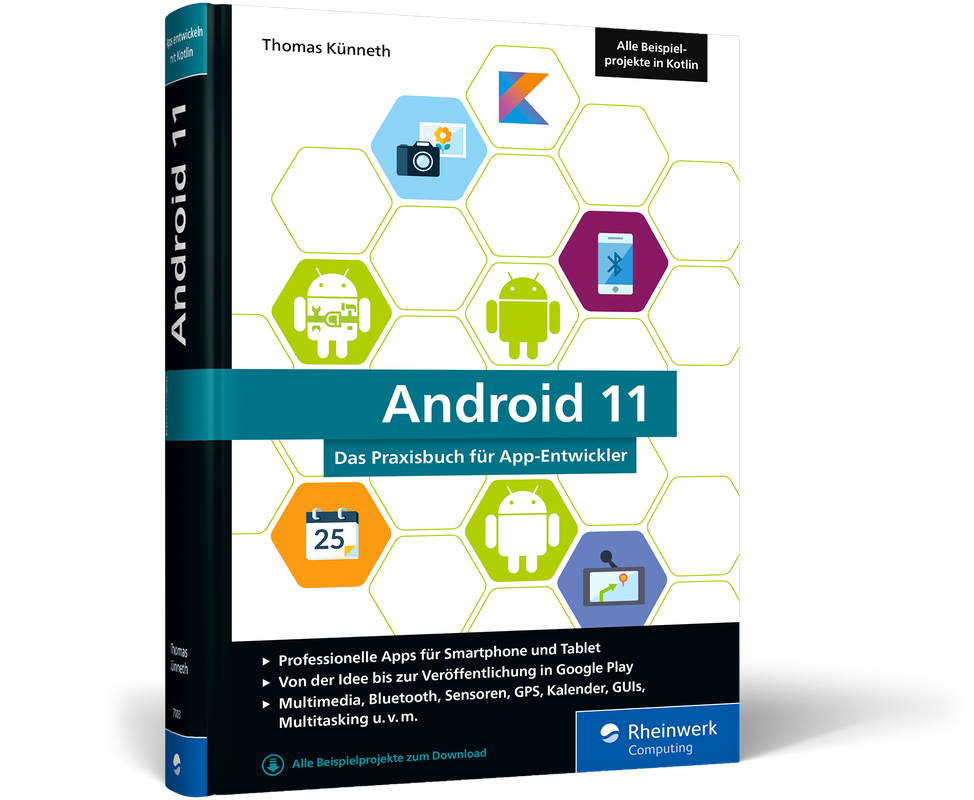
Android 11 (6. Auflg.)
Das Praxisbuch für professionelle Android-Apps in der 6. Auflage 2020.Sie möchten Android-Apps für Smartphones und Tablets entwickeln? Dann ist dieses Buch genau das Richtige für Sie. Ob GUI, Bluetooth, Kamera, Multimedia, Kontakte oder GPS – hier lernen Sie die Grundlagen, um robuste und performante Apps zu entwickeln. In 80 Beispielprojekten finden Sie Erfolgsrezepte für die App-Entwicklung, die Sie wirklich weiterbringen. Top-aktuell zu Android 11, mit Einstieg in Android Studio 4. Alle Beispiele sind in Kotlin programmiert, der neuen offiziellen Sprache für die Android-Entwicklung. Inkl. Kotlin-Crashkurs mit den wichtigsten Sprachelementen und Konzepten.Leseprobe (PDF-Link)

Content Design (2. Auflg.)
Das Handbuch für Conversion-orientierte Content Marketer, Webdesigner & Unternehmer.Die Autoren erklären Ihnen, wie Sie mit psychologischen Triggern aus Besuchern Ihrer Website Newsletter-Abonnenten, Leads und Kunden machen und wie Sie durch Content-Optimierung nachhaltig Ihre Umsätze steigern. Sie erhalten eine Übersicht über die Voraussetzungen für erfolgreiches Content Design sowie eine klar strukturierte Einführung in die Gestaltung und Konzeption digitaler Inhalte – insbesondere Text, Bild, Video und Audio. Profitieren Sie nicht nur vom Expertenwissen der Autoren, sondern auch von erfahrenen Marketingverantwortlichen bei Facebook, Zalando, Pixum und LogMeIn. Mithilfe der Tipps zur Content- und Conversion-Optimierung sowie passenden Tool-Empfehlungen haben Sie alles was Sie brauchen, um Ihr eigenes Content Marketing auf den nächsten Level zu heben.Mit ihrem Buch richten sich Robert Weller und Ben Harmanus sowohl an Einsteiger als auch an erfahrene Online-Marketing-Manager, die nicht nur einzelne Aufgaben schnell umsetzen, sondern den Zusammenhang von Content und Design in Bezug auf das Marketing in seiner Vielschichtigkeit verstehen wollen. Zahlreiche visuelle Beispiele, bewährte Tipps aus der Marketingpraxis sowie Erfahrungsberichte, Worksheets und Checklisten helfen dabei.
Pro Spring MVC with WebFlux
Explore the designs of the Spring MVC and WebFlux frameworks, and apply similar designs and techniques to your own code. Along with detailed analysis of the code and functionality, this book includes numerous tips and tricks to help you get the most out of Spring MVC, WebFlux, and Java-based web application development in general using Spring. You’ll see how Spring MVC is a modern web application framework built upon the latest Spring Framework 5 and Spring Boot 2. Spring MVC is suitable for building reusable web controller modules that encapsulate rich page navigation rules.Pro Spring MVC with WebFlux takes great care in covering every inch of Spring MVC with WebFlux to give you the complete picture. Along with all the best-known features of these frameworks, you’ll discover some new hidden treasures. You’ll also learn how to correctly and safely extend the frameworks to create customized solutions.This book is for anyone who wishes to write robust, modern, and useful web applications with the Spring Framework. After reading and using this book, you'll become proficient with Spring MVC and be able to apply it to your own Java web applications and microservices.WHAT YOU WILL LEARN* Use Spring MVC with WebFlux to build Java-based web applications* Employ the various Spring MVC architectures* Work with controllers and routing functions* Build microservices and web services using Spring MVC and REST* Create reactive web applications using Spring WebFlux* Secure Spring MVC and Spring WebFlux* Deploy your Spring MVC application to the cloudWho This Book Is ForThose with at least some prior experience with Java web application development. Some previous experience with Spring Boot or the Spring Framework is recommended.MARTEN DEINUM is a submitter on the open source Spring Framework project. He is also a Java/software consultant working for Conspect. He has developed and architected software, primarily in Java, for small and large companies. He is an enthusiastic open source user and longtime fan, user and advocate of the Spring Framework. He has held a number of positions including software engineer, development lead, coach, and also as a Java and Spring trainer.IULIANA COSMINA is currently a software engineer for Cloudsoft Edinburgh. She has been writing Java code since 2002. She has contributed to various types of applications, including experimental search engines, ERPs, track and trace, and banking. During her career, she has been a teacher, a team leader, a software architect, a DevOps professional, and a software manager.She is a Springcertified Professional, as defined by Pivotal, the makers of Spring Framework, Boot, and other tools, and considers Spring the best Java framework to work with.When she is not programming, she spends her time reading, blogging, learning to play piano, traveling, hiking, or biking.1: Setting Up A Local Development Environment2: Spring Framework Fundamentals3: Web Application Architecture4: Spring MVC Architecture5: Implementing Controllers6: Implementing Controllers - Advanced7: REST and AJAX8: Resolving and Implmenting Views9: Introduction to Spring WebFlux10: Building Reactive Applications with Spring WebFlux11: Securing WebFlux Applications12: Spring Security13: Spring Applications in the Cloud

Convolutional Neural Networks with Swift for Tensorflow
Dive into and apply practical machine learning and dataset categorization techniques while learning Tensorflow and deep learning. This book uses convolutional neural networks to do image recognition all in the familiar and easy to work with Swift language.It begins with a basic machine learning overview and then ramps up to neural networks and convolutions and how they work. Using Swift and Tensorflow, you'll perform data augmentation, build and train large networks, and build networks for mobile devices. You’ll also cover cloud training and the network you build can categorize greyscale data, such as mnist, to large scale modern approaches that can categorize large datasets, such as imagenet.Convolutional Neural Networks with Swift for Tensorflow uses a simple approach that adds progressive layers of complexity until you have arrived at the current state of the art for this field.WHAT YOU'LL LEARN* Categorize and augment datasets* Build and train large networks, including via cloud solutions* Deploy complex systems to mobile devicesWHO THIS BOOK IS FORDevelopers with Swift programming experience who would like to learn convolutional neural networks by example using Swift for Tensorflow as a starting point. BRETT KOONCE is the CTO of Quarkworks, a mobile consulting agency. He's a developer with five years experience creating apps for iOS and Android. His team has worked on dozens of apps that are used by millions of people around the world. Brett knows the pitfalls of development and can help you avoid them. Whether you want to build something from scratch, port your app from iOS to Android (or vice versa) or accelerate your velocity, Brett can help.Chapter 1: MNIST: 1D Neural NetworkChapter 2: MNIST: 2D Neural NetworkChapter 3: CIFAR: 2D Nueral Network with BlocksChapter 4: VGG NetworkChapter 5: Resnet 34Chapter 6: Resnet 50Chapter 7: SqueezeNetChapter 8: MobileNrt v1Chapter 9: MobileNet v2Chapter 10: Evolutionary StrategiesChapter 11: MobileNet v3Chapter 12: Bag of TricksChapter 13: MNIST RevisitedChapter 14: You are Here

Blockchain Enabled Applications
Learn all about blockchain and its applications in cryptocurrency, healthcare, Internet of Things, finance, decentralized organizations, and more. Featuring case studies and practical insights, this book covers a unique mix of topics and offers insight into how to overcome hurdles that arise as the market and consumers grow accustomed to blockchain-based organizations and services.The book is divided into three major sections. The first section provides a historical background to blockchain technology. You will start with a historical context to financial capital markets when Bitcoin was invented, followed by mining protocols, the need for consensus, hardware mining, etc. Next, a formal introduction to blockchain is provided covering transaction workflow, role of decentralized network, and payment verification. Then, we dive deep into a different implementation of a blockchain: Ethereum. The main technical features, such as Ethereum Virtual Machine, are presented along with the smart contract programming language, Solidity.In this second section, you will look at some modern use cases for blockchain from a decentralized autonomous organization, high-performance computing in Ethereum and off-grid computations, and healthcare and scientific discovery. The final section of the book looks toward the future of blockchain. This is followed by chapters covering the rise of consortia in the blockchain world, the Hyperledger project, particularly the updates since 2018, and a chapter on educational blockchain games. This is followed by updates to EOS.IO, Chain Core, and Quorum, ICOs and a look at the major changes to financial markets brought about by blockchain and decentralized networks.WHAT YOU WILL LEARN* Get an overview of the popular games employed to teach the basic concepts of blockchain and decentralized networks* Be familiar with the rise of blockchain consortiums as well as updates to Hyperledger Project, 2020* Find out about cloud blockchains, including Microsoft Azure and Amazon Webservices, and how to set up test environments* Study machine learning integration in the blockchain and the role of smart contractsWHO THIS BOOK IS FORBlockchain developers interested in keeping up with the newest updates and students looking for a broad overview of this vast ecosystem, plus business executives who want to make informed product decisions about including blockchain as well as policy makers who want a better understanding of the current use casesVIKRAM DHILLON is an internal medicine resident physician at Wayne State University, Detroit Medical Center and a research fellow at the Institute of Simulation and Training, University of Central Florida (UFC). He holds a bachelor of science degree in molecular biology from the University of Central Florida where his main focus was bioinformatics, a Doctor of Osteopathic Medicine, and a doctoral degree from Nova Southeastern University. He has published multiple scientific papers on computational genomics. He has worked as a software and business development coach at the Blackstone Launchpad to mentor young entrepreneurs and startups through the process of building technology products. He was previously funded by the National Science Foundation through the Innovation Corps program to study customer discovery and apply it to commercialize high-risk startup ideas. He is a member of the Linux Foundation and has been involved in open-source projects and initiatives for the past several years. He often speaks at local conferences and meetups about programming, design, security, and entrepreneurship.DAVID METCALF is a serial entrepreneur who has launched multiple successful ventures and spinoff companies. He has reviewed thousands of emerging technology companies as an advisor and investor. He is the Director of the Mixed Emerging Technology Integration Lab at UCF’s Institute for Simulation and Training. His past projects involving XR and IoT span across education, health, space, cyber, and transportation. Current efforts include smart cities, blockchain, and enterprise learning transformation for government and industry. He is the co-editor/author of Voice Technology in Healthcare (2020) and Blockchain in Healthcare (2019) as part of the HIMSS Emerging Technology Series, Blockchain Enabled Applications (2018), Connected Health (2017), HIMSS mHealth Innovation (2014), and the HIMSS best-seller mHealth: From Smartphones to Smart Systems (2012).MAX HOOPER is the chief executive officer of Merging Traffic. He is responsible for the company’s management and growth strategy, serving as the corporate liaison to the financial services industry and various capital formation groups. Prior to starting the company, he was co-founder of Equity Broadcasting Corporation (EBC), a media company that owned and operated more than 100 television stations across the United States. He was responsible for activities in the cable, satellite, investment banking, and technology industries, and during his tenure, it grew to become one of the top 10 largest broadcasting companies in the country. He is a lifelong learner and has earned five doctorate degrees: PhD, DMin, PhD, ThD, and DMin from a variety of institutions. Hooper studied financial technology with cohorts at MIT, and cryptocurrency and business disruption with cohorts at the London School of Economics. As an avid runner, he has completed more than 100 marathons and an additional 20 ultra-marathons, which are 50- or 100-mile runs. He has completed the Grand Slam of Ultra Running. He is committed to his family and is a husband, father to five children, and grandfather to seven grandsons. He is active in many organizations and serves on various boards of directors. He works globally with several ministries and nonprofit aid groups and was honored to speak at the United Nations in New York in 2015.CHAPTER 1: BEHOLD THE DEAMERSChapter Goal: Provide a backdrop for introducing blockhain and the basics of a decentralized appSub -Topics:1. Financial crisis of 2008, the origins of bitcoin2. Basics of private-public keys3. What is a block, how is a block created4. What's a blockchain-enabled application? What is a decentralized application?CHAPTER 2: GOLD RUSH: MINING BITCOINChapter Goal: Provide a technical introduction to mining and the mathematical background to hashes, block headers, and consensusSub -Topics:1. Overview of mining, why is mining necessary for Bitcoin2. What is consensus3. Components of a block and a block header (mining components)4. What are hashes and how are they used in Bitcoin5. Hardware for mining (the gold rush part refers to the arms race that happened in hardware mining field).CHAPTER 3: FOUNDATIONS OF A BLOCKCHAINChapter Goal: Provide a technical introduction to transaction workflow, a blockchain network, simple payment verification, merkel roots, and block identifiersSub -Topics:1. What is a block header (block identifiers)2. How does the network participate3. A transaction workflow4. Unspent transaction outputs, transaction propagation5. Simple payment verification6. Merkel roots, blockchain forksCHAPTER 4: UNPACKING ETHEREUMChapter Goal: Provide a technical introduction to Ethereum, the differences between a Bitcoin blockchain and Ethereum blockchain, internal states, Ethereum Virtual Machine, and dAppsSub -Topics:1. Overview of Ethereum2. Proof of stake3. Accounts and contract model in Ethereum4. Global state, gas, internal storage5. Ethereum Virtual Machine6. Solidity programming language + Smart Contracts7. World Computer Model and components8. Blockchain as a service9. Decentralized apps10. Geth, MistCHAPTER 5: DECENTRALIZED ORGANIZATIONS (DAOS)Chapter Goal: Provide a technical introduction to DAOs and Aragon for setting up a DAO, including updates to new implementations of decentralized organizations in 2020.Sub -Topics:1. What is a DAO2. What is a blockchain organizations/companies3. Aragon-core and Kernel4. How do you make DAOs and other blockchain organizations using Aragon?5. How do you operate DAOs?CHAPTER 6: THE DAO HACKEDChapter Goal: Provide an overview to the vulnerabilities in the original DAO model, the conditions that led up to the hack, and the consequences to security hardening since.Sub -Topics:1. Concept of a DAO building on Vitalik’s concepts2. Slock.it and its involvement in making the DAO3. The Smart Contract for DAO4. The code vulnerability responsible for the hack5. Consequences of the hack6. Ethereum splitting into ETCCHAPTER 7: ETHEREUM TOKENS: HIGH PERFORMANCE COMPUTING (HPC)Chapter Goal: Provide an introduction to token in Ethereum by highlighting applications in HPC. Particularly, focus on Golem, SONM, and iEx.ec grid computing for off-chain computations and conflict resolution.Sub -Topics:1. Why tokens and what’s the value of using tokens2. Introduction to tokens, ERC 20 compatibility3. Token layer and an app layer4. Prototype for tokens and HPC – Ethereum Computation Markets5. Golem network, app registry, transaction framework, use-cases initially, and how the Smart Contract system ties them together6. SONM network and fog computing, use-cases, Smart Contract system, buyer-miner-hub interactions, purchasing computational power, Superglobal architecture, and OS7. iEx.ec, grid computing, sidechains, and how iEx.ec worksCHAPTER 8: BLOCKCHAIN IN HEALTHCAREChapter Goal: Provide an introduction to areas in healthcare where using a blockchain can provide benefit - Patient workflows, insurance claims processing, lightning network, verifiable data auditSub -Topics:1. Payer-provider-patient model, how claims work within this framework, and how will that change in the future2. Patient workflow based on permissions, blockchain-based workflow of a simple EHR, how permissions are passed as a patient moves from a general physician to a specialist3. Show how permissions work in blockchain insurance claims processing4. Waste management in healthcare and claims processing5. Concept of hotswitching, mentioning lightning network6. How can blockchain be used to reduce economic waste7. DeepMind’s Verifiable Data Audit as an alternative to blockchain8. Blockchain to streamline business processesCHAPTER 9: BLOCKCHAIN IN SCIENCEChapter Goal: Provide an introduction to major topics in science where blockchain can be beneficial – Reputation markets, reproducibility crisis, drug tracking, digital clinical trialsSub -Topics:1. Reproducibility crisis in science2. Prediction markets in science – Augur and Gnosis3. Initiatives to fix reproducibility traditionally4. Clinical trials using the blockchain, colored coins to demonstrate workflow5. Reputation systems using Blockchain6. Pharma drug tracking using blockchainCHAPTER 10: BUILDING HEALTHCARE COMPANIES ON BLOCKCHAINChapter Goal: Interview with John Bass on how to build a healthcare company on the blockchain and lessons learned along the way.Sub -Topics:1. The makings of Hashed Health2. Collaborative and consortium models3. Working groups for high-risk, high-reward technologies4. Governance models for Hashed Health consortia5. Member participationCHAPTER 11: RISE OF CONSORTIUMSChapter Goal: Provide an overview of consortium models that have become popular in the blockchain industry, the challenges consortiums hope to solve, and advantages to individual membersSub -Topics:1. Collaborative and consortium models2. Working groups for high-risk, high-reward technologies3. Governance models for Hashed Health consortiaCHAPTER 12: THE HYPERLEDGER PROJECTChapter Goal: Provide a broad overview of the Hyperledger Project and cover the rapid pace of developments since 2018 to the new products launched.Sub -Topics:1. Updates to all the components under Hyperledger umbrella including Fabric and Sawtooth2. New consensus algorithm (PBFT)3. Demo of Hyperledger Fabric Constructor4. Does your business need a blockchain (flowcharts)?5. Security in enterprise-grade Blockchains6. Smart Contracts in FabricCHAPTER 13: RECENT ADVANCES IN BLOCKCHAINChapter Goal: Provide a review of three major networks shaping the future of Blockchain – EOS.io with parallel processing virtual machine, chain-core with asset management, and Ivy Playground and Quorum with private–public transaction interfacesSub -Topics:1. EOS.io, how the tech works, the new advances such as parallel processing of smart contracts and instructions2. Chain Core, managing assets on blockchain, Ivy Playground as the new programming language to manage assets3. Quorum by JP Morgan, how the consensus works, how private transactions work, zero-knowledge proofs, Ethereum Enterprise AllianceCHAPTER 14: BLOCKCHAIN GAMESChapter Goal: Provide a review of the educational games and APIs that have been released to teach the basic concepts of a blockchain networkSub -Topics:1. Components of a blockchain game2. Formal education and training in blockchain3. Formalization of blockchain study with journals and research articles4. Review of major blockchain games (3)CHAPTER 15: CLOUD BLOCKCHAINSChapter Goal: Provide an overview of how to click and deploy a blockchain using cloud services and give a visual tutorial on how to set it upSub -Topics:1. Demo of Hyperledger Fabric Constructor on IBM Bluemix2. Azure blockchain deployment3. Amazon ECS cloud blockchain deployment4. Setting up your own blockchain test-lab and budget itCHAPTER 16: TECHNOLOGICAL REVOLUTIONS AND FINANCIAL CAPITALChapter Goal: Provide an overview of the financial markets and ICOs, focusing particularly on how to set up ICOs, how to manage them, advances to financial regulation technology based on blockchainSub -Topics:1. Dr. Hooper’s chapter focused on ICOs and financial capital markets2. Setting up ICOs, major pitfalls to avoid, and challenges to overcome during an ICO3. Major tech advances in financial markets using blockchain4. Reg TechAFTERWORD – CALL TO ACTION AND THE FUTURE OF BLOCKCHAIN

Advanced Programming with STM32 Microcontrollers
This book is project-based and aims to teach the software tools behind STM32 microcontroller programming. Author Majid Pakdel has developed projects using various different software development environments including Keil MDK, IAR Embedded Workbench, Arduino IDE and MATLAB. Readers should be able to use the projects as they are, or modify them to suit to their own needs. This book is written for students, established engineers, and hobbyists. STM32 microcontroller development boards including the STM32F103 and STM32F407 are used throughout the book. Readers should also find it easy to use other ARM-based development boards.Majid Pakdel was born in Mianeh, Iran in 1981. He received his BSc, MSc and PhD in electrical engineering from Amirkabir University of Technology, Isfahan University of Technology and the University of Zanjan respectively. He was a guest PhD student at Aalborg University in 2015-16.

Git für Dummies
Git hat sich als Quellcodeverwaltung durchgesetzt und ist der De-facto-Standard in der Softwareentwicklung. Alle Unternehmen, die noch nicht auf Git sind, werden die nächsten Jahre wechseln. Und nicht nur die Entwicklung - auch Administration, Sicherheit und Dokumentation finden zunehmend auf Git statt. Git ist damit heute das wichtigste Werkzeug für alle digitalen Produkte - quasi die Werkbank. Wenn Sie wissen wollen, wie Sie Git richtig implementieren und welche Regeln Sie für die Zusammenarbeit aufstellen sollten, dann sind Sie hier richtig. Dieses Buch ist eine Einführung in das effektive Arbeiten mit Git - geeignet sowohl für Berufseinsteiger als auch für erfahrene Entwickler, die zu Git wechseln. Michael Kaufmann unterstützt bei CGI, einem internationalen IT-Dienstleister, seine Kunden bei der Transformation zu agilen Organisationen - sowohl technisch im Bereich DevOps und Cloud als auch kulturell und bei der Einführung agiler Management-Methoden. Er ist gelernter Diplom-Betriebswirt, leidenschaftlicher Softwareentwickler, IT-Autodidakt, Trainer, Sprecher auf internationalen Konferenzen und seit 2015 "Microsoft Most Valuable Professional (MVP)". Ebenfalls wurde ihm von Microsoft die Auszeichnung "Microsoft Regional Director (RD)" verliehen.Über den Autor 13EINLEITUNG27Über dieses Buch 27Konventionen in diesem Buch 27Fachbegriffe 28Warum Kommandozeile? 28Der Name für den Haupt-Branch 28Was Sie nicht lesen müssen 29Törichte Annahmen über die Leser 29Wie dieses Buch aufgebaut ist 30Teil I: Grundlagen 30Teil II: Zusammenarbeit 30Teil III: Vertiefung 30Teil: IV: Der Top-Ten-Teil 30Symbole, die in diesem Buch verwendet werden 30Wie es weitergeht 31TEIL I: GRUNDLAGEN 33KAPITEL 1 WAS IST GIT?35Versionsverwaltung – zentral oder verteilt? 36Die Geschichte von Git 37Was bedeutet der Name »Git«? 38Lizenz und Betriebssysteme 39Ausblick 39Kurz und knackig 39KAPITEL 2 DER EINSTIEG AUF WINDOWS 41Die Installation von Git auf Windows 41Die richtige Kommandozeile 51Terminal: Cmder 52Cmd vs PowerShell 52Windows-Subsystem für Linux (WSL) 54Das Windows-Terminal 55Der richtige Editor 56Die Konfiguration von Git 58Authentifizierung 59Kurz und knackig 62KAPITEL 3 DER EINSTIEG AUF MACOS UND LINUX63Der Einstieg auf macOS 63Der Einstieg auf Linux 64Konfiguration 64Authentifizierung 66Arbeiten mit dem Terminal 69Richtig mit dem Terminal umgehen 70Die richtige Konsole finden 71Aufgehübscht: Oh-My-Zsh und Powerlevel10k 71Kurz und knackig 76KAPITEL 4 HINZUFÜGEN, ÄNDERN, BRANCHEN UND MERGEN77Das lokale Repository 78Das Remote-Repository 79Änderungen dem Repository hinzufügen 80Die lokale Entwicklungsumgebung aktualisieren 81Schritt für Schritt: Änderungen der Versionsverwaltung hinzufügen 81Neue Dateien hinzufügen 82Änderungen durchführen 85Arbeiten mit Verzweigungen (Branches) 87Einen Branch erstellen 88Auf einen anderen Branch wechseln 89Arbeiten mit Upstream-Branches 90Änderungen zusammenführen 92Der Fast-Forward-Merge 92Der Merge-Commit 94Konflikte lösen 95Schritt für Schritt: Branchen und Mergen 96Kurz und knackig 97KAPITEL 5 WEITERE WERKZEUGE99Visual Studio Code 99Unterstützung im Working Directory 99Arbeiten mit Branches und Tags 100Unterstützung für Remote-Repositories 100Statusbar und Editor 100Visual-Studio-Code-Erweiterungen 101Benutzeroberflächen für Git 106Sourcetree 106GitKraken 108GitHub Desktop 109Git-GUI 111GitHub für unterwegs 115Visual Studio, Eclipse, IntelliJ und Co. 117Tools mit Windows-Explorer-Integration 118TortoiseGit 118Git-Extensions 121Diff- und Merge-Tools 122Kurz und knackig 125TEIL II: ZUSAMMENARBEIT 127KAPITEL 6 GIT-DIENSTE129GitHub 130Einstieg 130GitHub-Organisationen 134Ein Repository anlegen 136Preise 140Hosting 140Bewertung 140Azure Repos 141Einstieg 141Azure-DevOps-Organisationen 142Ein Projekt erstellen 143Ein Repository erstellen 144Preise 146Hosting 146Bewertung 146GitLab 147Einstieg 147Hosting und Preise 150Bewertung 151Bitbucket 151Einstieg 151Hosting und Preise 155Bewertung 155Kurz und knackig 156KAPITEL 7 GUIDELINES BEI DER EINFÜHRUNG VON GIT157Das richtige Maß an Governance 157Eine minimale Governance-Richtlinie 158Die Wahl des passenden Git-Systems 158Der minimale Git-Workflow 159Namenskonventionen 159Minimale Review-Guidelines 159Weitere Ergänzungen für Pull-Requests 160Empfehlungen für Teams 160Anzahl und Struktur der Repositories 161Review-Guidelines 162Release-Branching 163Umgang mit komplexen Features 163Commit-Messages und Pull-Requests 164Merge-Strategien 164Training 165Kurz und knackig 165KAPITEL 8 GIT-WORKFLOWS 167Was sind Git-Workflows? 167Trunk-Based-Development 168GitHub-Flow 170Release-Flow 173Git-Flow 175Die Haupt-Branches in Git-Flow 175Feature-Branches im Git-Flow 176Release-Branches 177Hotfix-Branches 178Zusammenfassung 179Den richtigen Workflow finden 180Kurz und knackig 181KAPITEL 9 TEAMWORK MIT GIT183Watch, Stars und Forks 183Was ist ein Fork? 185Code-Reviews mit Pull-Requests 192Branch-Protection 199Automatisierung 202Code-Owners 204Der Umgang mit Commits und Messages 205Der Pull-Request-Lebenszyklus 208Kurz und knackig 209KAPITEL 10 WENIGER KOMPLEXITÄT DURCH FEATURE-FLAGS211Was sind Feature-Flags? 211Der Feature-Lebenszyklus 213Weitere Einsatzmöglichkeiten von Feature-Flags 215Wo fängt man an? 216Frameworks 217LaunchDarkly 218Feature-Flags und technische Schulden 219Kurz und knackig 221KAPITEL 11 KONTINUIERLICH BAUEN UND AUSLIEFERN223Was ist CI und CD? 223Build-Infrastruktur 225Kontinuierliche Qualität 225Tests und Code-Coverage 226Code-Analyse und Quality-Gates 228Automatisierte Deployments 229Infrastruktur als Code 229App-Stores, Registries und Paketmanager 230Die Bedeutung von Containern 232Azure Pipelines 234Ihre erste Pipeline 234Technische Schulden meistern 242GitHub Actions 249Ihr erster Workflow 249Ihre erste GitHub-Action 251Weitere CI/CD-Plattformen 254Kurz und knackig 254KAPITEL 12 OPEN-SOURCE-PROJEKTE255Geschichte 256Open Source versus Open Development 256Open Source und Sicherheit 257Ihr erstes Open-Source-Projekt 261Wann ist der richtige Zeitpunkt? 262Ist es die richtige Lösung? 262Name und Branding 262Open-Source-Checkliste 263Standardisierung und Automatisierung 264Eine Community aufbauen 264Geld verdienen mit Open Source 265Kurz und knackig 266TEIL III: VERTIEFUNG 269KAPITEL 13 UNTER DER HAUBE 271Warum ist Git so schwierig? 271Der gerichtete azyklische Graph 272Der Hash oder SHA-1 273Die Anatomie eines Commits 274Was ist denn nun eigentlich Git? 284Warum ist Git so einfach? 285Kurz und knackig 285KAPITEL 14 ZEITREISEN MIT GIT 287Geschichte ist Geschichte 287Freie Wahl der Arbeitsweise 289Änderungen rückgängig machen 289Änderungen mit Revert transparent zurücknehmen 289Commits nachbessern mit Amend 291Zeitreisen mit Reset 291Navigieren in der Zeit 296Zeitlinien manipulieren 300Zurück in die Zukunft mit Rebase 300Änderungen bündeln mit Squash 302Rosinen herauspicken 304Die Vergangenheit interaktiv manipulieren 304Die Vergangenheit mit Filter-Branch manipulieren 308Manipulierte Zeitlinien mit Force-Push übertragen 310Fragen Sie nicht, wozu Git fähig ist 310Kurz und knackig 311KAPITEL 15 MEHR ZUM BRANCHING UND MERGING313Branches und Tags 313Vorspulen mit Fast-Forward 316Ein echter Merge 317Ein Octopus-Merge 31Konflikte automatisch lösen 319Konflikte manuell lösen 320Merge-Strategien 323Recursive 323Resolve 324Octopus 325Ours 325Subtree 325Daten vom Remote laden mit »git pull« 325Kurz und knackig 326KAPITEL 16 COMMITS UND TAGS SIGNIEREN329Warum sollte man Commits signieren? 330Was ist GPG? 333Installation und Konfiguration 333Installation auf dem Mac 333Installation auf Windows 334Installation auf Linux 334Ein Schlüsselpaar generieren 334Weitere E-Mail-Adressen konfigurieren 337Die Konfiguration von Git 337Konfiguration von GitHub 338Visual Studio Code konfigurieren 338Der erste signierte Commit 339Kurz und knackig 340KAPITEL 17 GIT-SUBMODULE341Submodule in Git-Repository einbinden 341Submodule klonen 343Submodule aktualisieren 344In Submodulen arbeiten 345Kurz und knackig 347KAPITEL 18 GROẞE DATEIEN UND GROẞE REPOSITORIES349Git-LFS 349Wann sollen Sie Git-LFS verwenden? 349Installation von Git-LFS 350Git-LFS verwenden 350Große Dateien sperren 351Nachteile 351Große Repositories 352VFS for Git 352Scalar 352Kurz und knackig 354KAPITEL 19 GIT AN IHRE BEDÜRFNISSE ANPASSEN355Dateien ignorieren 355Arbeiten mit unterschiedlichen Dateitypen 357Binärdateien 357Bestimmte Dateitypen versionieren 357Inhalte vor dem Ein- oder Auschecken filtern oder bearbeiten 358Formatierung von Dateien 361Der richtige Umgang mit Zeilenenden 361Encoding 362Leerzeichen, Tabs und Spaces 362Kurz und knackig 364TEIL IV: DER TOP-TEN-TEIL 365KAPITEL 20 ZEHN TIPPS ZUM EINSTIEG IN GIT367Lernen und verwenden Sie Git auf der Konsole 367Der richtige Git-Prompt 367Richten Sie sich eine Wohlfühlkonsole ein 368Lernen Sie die Shortcuts für Ihr Terminal 368Lernen Sie einen Editor 36Lernen Sie die Shortcuts für den Editor 368Üben Sie in der Git-School 368Erstellen Sie ein Konto auf GitHub 368Verwenden Sie einen schlanken Workflow 369Arbeiten Sie mit Pull-Requests 369Kurz und knackig 369KAPITEL 21 ZEHN TIPPS ZUR ERHÖHUNG DER EFFIZIENZ371Arbeiten mit Aliasen in Git 371Besser Vergleichen mit »diff-so-fancy« 374Automatisieren mit Git-Hooks 376Clientseitige Hooks 376Serverseitige Hooks 377Bessere Commit-Messages mit Commit-Templates 378Einzelne Commits testen 37Besser Versionieren mit Git-Version 379Merges aufzeichnen mit rerere 381Autokorrektur von Kommandos 383Arbeit zwischenspeichern mit Stash 384Kurz und knackig 385KAPITEL 22 ZEHN DINGE, DIE SIE NICHT TUN SOLLTEN387Direkt auf dem Haupt-Branch arbeiten 387Mit langlebigen Branches arbeiten 387Passwörter und andere Secrets in Git speichern 388Nicht oft genug committen 388Git nicht als Versionsverwaltung nutzen 388Große Dateien speichern 388Einen Pull-Request für viele Änderungen verwenden 389Einen Reset durchführen, ohne vorher zu speichern 389Die veröffentlichte Historie modifizieren 389Einen Force-Push durchführen 389Kurz und knackig 390KAPITEL 23 ZEHN GIT-BEFEHLE, DIE SIE KENNEN SOLLTEN391Bugs finden mit git bisect 391Dateien umbenennen mit git mv und git rm 393In Git suchen mit git grep und git log 394Den Schuldigen finden mit git blame 397Aufräumen mit git clean 398Einen Brach wechseln mit git switch 398Arbeiten mit Patches: git add ––patch und git apply 399Kurz und knackig 403KAPITEL 24 ZEHN GIT-BEFEHLE, DIE IHNEN BEI PROBLEMEN HELFEN 405Magische Zeitmaschine 405Vergessen, Änderungen hinzuzufügen 406Commit-Message nachträglich ändern 406Aus Versehen auf den Haupt-Branch committed 406Commit auf falschen Branch 407Diff zeigt nichts an 407Älteren Commit rückgängig machen 407Änderungen an einer Datei rückgängig machen 408Von Neuem beginnen (a) 408Von Neuem beginnen (b) 409Kurz und knackig 409Stichwortverzeichnis 413

Mastering AutoCAD 2021 and AutoCAD LT 2021
GIVE LIFE TO YOUR DESIGNS AND KEEP YOUR CAD SKILLS FRESH WITH MASTERING AUTOCAD 2021 AND MASTERING AUTOCAD LT 2021AutoCAD continues to be the tool of choice for architects, project managers, engineers, city planners, and other design professionals, and when the industry experts need to learn the latest CAD techniques and trends, they turn to Mastering AutoCAD and AutoCAD LT. Packed with real-world examples, straightforward instructions, and downloadable project files, this edition of this bestselling AutoCAD reference has been fully updated for the latest features from the 2021 version of AutoCAD and AutoCAD LT. From getting familiar with the interface to preparing for Autodesk AutoCAD certification, Mastering AutoCAD 2021 and AutoCAD LT 2021 gives CAD professionals command of the software’s core functions and complex capabilities.* Develop AutoCAD drawings from concept to creation* Use hatches, fields, and tables* Work with dynamic blocks, attributes, drawing curves, and solid fills* Apply 3D modeling and imaging techniques* Customize your interface and configure template settings and styles* Get ready for the Autodesk AutoCAD Certification examWhether you’re seeking on-the-job certification or just looking to dream big and draw, Mastering AutoCAD 2021 and AutoCAD LT 2021 is the ultimate guide to all things AutoCAD.BRIAN C. BENTON is a CAD manager, civil designer, CAD service provider, technical writer, and blogger. He has more than 27 years of experience in various design fields (mechanical, structural, civil, survey, marine, environmental) and is well versed in many design software packages (CAD, GIS, and graphics). He has been Cadalyst magazine's Tip Patroller, AUGI HotNews production manager, and Infinite Skills' AutoCAD training video author.GEORGE OMURA is a licensed architect and Autodesk Authorized Author with more than 30 years' experience in architecture. He has used AutoCAD for over two decades and worked on design projects ranging from resort hotels to metropolitan transit systems and the San Francisco Library project. He is the all-time best-selling AutoCAD author and is a graduate of the University of California at Berkeley.Introduction xxviiPART 1 THE BASICS 1CHAPTER 1 EXPLORING THE INTERFACE 3Taking a Guided Tour 3Launching AutoCAD 4The AutoCAD Window 5Using the Application Menu 8Using the Ribbon 10Picking Points in the Drawing Area 15Using the UCS Icon 16Working in the Command Window 16Working with AutoCAD 17Opening an Existing File 17Getting a Closer Look 18Saving a File as You Work 22Making Changes 23Working with Multiple Files 24Adding a Predrawn Symbol with the Tool Palettes 28The Bottom Line 31CHAPTER 2 CREATING YOUR FIRST DRAWING 33Getting to Know the Home Tab’s Draw and Modify Panels 33Starting Your First Drawing 36Specifying Exact Distances with Coordinates 41Specifying Polar Coordinates 42Specifying Relative Cartesian Coordinates 44Interpreting the Cursor Modes and Understanding Prompts 45Understanding Cursor Modes 46Choosing Command Options 47Selecting Objects 52Selecting Objects in AutoCAD 53Providing Base Points 55Using Noun/Verb Selection 59Editing with Grips 64Stretching Lines by Using Grips 64Moving and Rotating with Grips 66Understanding Dynamic Input 69Displaying Data in a Text Window 74Displaying the Properties of an Object 75Getting Help 78Using the InfoCenter 78Finding Additional Sources of Help 79The Bottom Line 79CHAPTER 3 SETTING UP AND USING THE DRAFTING TOOLS 81Setting Up a Work Area 81Specifying Units 82Fine-Tuning the Measurement System 84Setting Up the Drawing Limits 85Looking at an Alternative to Limits 87Understanding Scale Factors 87Using Polar Tracking 88Setting the Polar Tracking Angle 90Exploring the Drawing Process 91Locating an Object in Reference to Others 92Modifying an Object 93Planning and Laying Out a Drawing 96Making a Preliminary Sketch 98Using the Layout 100Erasing the Layout Lines 106Putting on the Finishing Touches 108Aligning Objects by Using Object Snap Tracking 109Using the AutoCAD Modes as Drafting Tools 114Using Grid Mode as a Background Grid 115Using Snap Modes 117The Bottom Line 118CHAPTER 4 ORGANIZING OBJECTS WITH BLOCKS AND GROUPS 121Creating and Using a Symbol 121Understanding the Block Definition Dialog Box 124Inserting a Symbol 126Scaling and Rotating Blocks 129Using an Existing Drawing as a Symbol 131Modifying a Block 133Unblocking and Redefining a Block 134Saving a Block as a Drawing File 136Replacing Existing Files with Blocks 137Understanding the Write Block Dialog Box Options 138Other Uses for Blocks 138Understanding the Annotation Scale 139Grouping Objects 142Modifying Members of a Group 144Ungrouping, Adding, and Subtracting from a Group 147Working with the Object Grouping Dialog Box 148Working with the AutoCAD LT Group Manager 150The Bottom Line 152CHAPTER 5 KEEPING TRACK OF LAYERS AND BLOCKS 153Organizing Information with Layers 153Creating and Assigning Layers 154Working on Layers 162Controlling Layer Visibility 166Finding the Layers You Want 168Taming an Unwieldy List of Layers 169Assigning Linetypes to Layers 176Adding a Linetype to a Drawing 177Controlling Lineweights 182Keeping Track of Blocks and Layers 182Getting a Text File List of Layers or Blocks 183The Bottom Line 185PART 2 MASTERING INTERMEDIATE SKILLS 187CHAPTER 6 EDITING AND REUSING DATA TOWORK EFFICIENTLY Y 189Creating and Using Templates 190Creating a Template 190Using a Template 191Copying an Object Multiple Times 192Making Circular Copies 193Making Row and Column Copies 195Fine-Tuning Your View 197Finishing the Kitchenette 199Array Along a Path 200Making Changes to an Associative Array 201Developing Your Drawing 205Importing Settings 206Using Osnap Tracking to Place Objects 209Finding an Exact Distance Along a Curve 226Changing the Length of Objects 228Creating a New Drawing by Using Parts from Another Drawing 229Eliminating Unused Blocks, Layers, Linetypes, Shapes, Styles, and More 230The Bottom Line 232CHAPTER 7 MASTERING VIEWING TOOLS, HATCHES, AND EXTERNAL REFERENCES 235Assembling the Parts 235Taking Control of the AutoCAD Display 238Understanding Regeneration and Redrawing 239Saving Views 240Understanding the Frozen Layer Option 244Using Hatch Patterns in Your Drawings 246Placing a Hatch Pattern in a Specific Area 246Adding Predefined Hatch Patterns 248Positioning Hatch Patterns Accurately 250Updating a Block from an External File 251Changing the Hatch Area 253Modifying a Hatch Pattern 254Understanding the Boundary Hatch Options 255Controlling Boundaries with the Boundaries Panel 257Fine-Tuning the Boundary Behavior 257Controlling Hatch Behavior with the Options Panel 258Controlling Hatch Default Layer, Layout Scale, and ISO Line Weight 259Using Additional Hatch Features 259Using Gradient Shading 260Tips for Using Hatch 262Space Planning and Hatch Patterns 262Using External References 266Attaching a Drawing as an External Reference 266Other Differences Between External References and Blocks 270Other External Reference Options 272Clipping Xref Views and Improving Performance 274Editing Xrefs in Place 277Using the External Reference Tab 280Adding and Removing Objects from Blocks and Xrefs 280Understanding the Reference Edit Dialog Box Options 283The Bottom Line 284CHAPTER 8 INTRODUCING PRINTING, PLOTTING, AND LAYOUTS 285Plotting the Plan 285Understanding the Plotter Settings 290Paper Size 290Drawing Orientation 291Plot Area 291Plot Scale 292Shaded Viewport Options 295Plot Offset 296Plot Options 297Exit Options 298Plotting Using Layout Views 299Setting Plot Scale in the Layout Viewports 302Adding an Output Device 303Editing a Plotter Configuration 306Storing a Page Setup 308Using Electronic Plots 312Exporting to PDF Through the Plot Dialog Box 312Exporting to PDF Through the Export To DWF/PDF Ribbon Panel 314Exporting Autodesk DWF and DWFx Files 315The Bottom Line 316CHAPTER 9 ADDING TEXT TO DRAWINGS 317Preparing a Drawing for Text 317Organizing Text by Styles 319Getting Familiar with the Text and Annotation Scale Control Panels 320Setting the Annotation Scale and Adding Text 321Inserting Text 321Exploring Text and Scale 323Understanding the Text Style Dialog Box Options 326Styles 326Set Current/New/Delete 326Font 326Size 326Effects 327Exploring Text Formatting in AutoCAD 327Adjusting the Text Height and Font 328Understanding the Text Editor Tab 330Adding Symbols and Special Characters 331Setting Indents and Tabs 334What Do the Fonts Look Like? 338Adding Simple Single-Line Text Objects 340Justifying Single-Line Text Objects 342Using Special Characters with Single-Line Text Objects 343Using the Check Spelling Feature 345How Check Spelling Works 345Choosing a Dictionary 346Substituting Fonts 347Finding and Replacing Text 349The Bottom Line 353CHAPTER 10 USING FIELDS AND TABLES 355Using Fields to Associate Text with Drawing Properties 355Adding Tables to Your Drawing 359Creating a Table 360Adding Cell Text 361Adjusting Table Text Orientation and Location 363Editing the Table Line Work 365Adding Formulas to Cells 368Using Formulas Directly in Cells 369Using Other Math Operations 370Importing and Exporting Tables 370Importing a Table 371Exporting Tables 373Creating Table Styles 373Adding or Modifying a Table Style 373Exploring the Table Style Options 375The Bottom Line 376CHAPTER 11 USING DIMENSIONS 377Understanding the Components of a Dimension 377Creating a Dimension Style 378Setting Up the Primary Unit Style 380Setting the Height for Dimension Text 382Setting the Location and Orientation of Dimension Text 383Choosing an Arrow Style and Setting the Dimension Scale 384Setting Up Alternate Units 388Setting the Current Dimension Style 389Modifying a Dimension Style 390Drawing Linear Dimensions 390Understanding the Dimensions Panel 391Placing Horizontal and Vertical Dimensions 392Continuing a Dimension 393Drawing Dimensions from a Common Base Extension Line 394Adjusting the Distance Between Dimensions 396Editing Dimensions 397Appending Data to Dimension Text 397Using Grips to Make Minor Adjustments to Dimensions 399Changing Style Settings of Individual Dimensions 401Associating Dimensions with Objects 405Adding a String of Dimensions with a Single Operation 407Adding or Removing the Alternate Dimensions 408Dimensioning Nonorthogonal Objects 409Dimensioning Nonorthogonal Linear Distances 409Dimensioning Radii, Diameters, and Arcs 411Skewing Dimension Lines 415Using the Dimension Tool 416Adding a Note with a Leader Arrow 419Creating Multileader Styles 421Editing Multileader Notes 424Breaking a Dimension Line for a Leader 424Applying Ordinate Dimensions 425Adding Tolerance Notation 426Inserting Tolerance and Datum Values 426Adding Inspection Dimensions 427The Bottom Line 429PART 3 MASTERING ADVANCED SKILLS 431CHAPTER 12 USING ATTRIBUTES 433Creating Attributes 434Adding Attributes to Blocks 434Copying and Editing Attribute Definitions 437Turning the Attribute Definitions into a Block 440Inserting Blocks Containing Attributes 441Editing Attributes 445Editing Attribute Values One at a Time 445Editing Attribute Text Formats and Properties 446Making Global Changes to Attribute Values 447Making Invisible Attributes Visible 449Making Global Format and Property Changes to Attributes 450Other Block Attribute Manager Options 452Redefining Blocks Containing Attributes 453Extracting and Exporting Attribute Information 454Performing the Extraction 454Extracting Attribute Data to an AutoCAD Table 459The Bottom Line 461CHAPTER 13 COPYING EXISTING DRAWINGS FROM OTHER SOURCES 463Methods for Converting Paper Drawings to AutoCAD Files 463Importing a Raster Image 464Working with a Raster Image 466Scaling a Raster Image 468Controlling Object Visibility and Overlap with Raster Images 468Adjusting Brightness, Contrast, and Fade 471Clipping a Raster Image 472Turning Off the Frame, Adjusting Overall Quality,and Controlling Transparency 473Working with PDF Files 477Importing a PDF 477Scaling and Osnaps with PDFs 478Controlling the PDF Display 481Importing a PDF as an AutoCAD Drawing 483Reconstructing Imported AutoCAD SHX Fonts 485Coordinating Geographic Locations 486Making Adjustments to the Map 489Finding Measurements and Distances 491The Bottom Line 492CHAPTER 14 ADVANCED EDITING AND ORGANIZING 493Using External References 493Preparing Existing Drawings for External Referencing 494Assembling Xrefs to Build a Drawing 496Updating Blocks in Xrefs 500Importing Named Elements from Xrefs 502Controlling the Xref Search Path 505Managing Layers 507Saving and Recalling Layer Settings 507Other Tools for Managing Layers 510Using Advanced Tools: Filter and Quick Select 513Filtering Selections 513Using Quick Select 518Using the QuickCalc Calculator 520Adding Foot and Inch Lengths and Finding the Sum of Angles 522Converting Units with QuickCalc 525Using QuickCalc to Find Points 526Finding Fractional Distances Between Two Points 529Using QuickCalc While in the Middle of a Command 532Storing Expressions and Values 533Guidelines for Working with QuickCalc 535The Bottom Line 538CHAPTER 15 LAYING OUT YOUR PRINTER OUTPUT 541Understanding Model Space and Paper Space 541Switching from Model Space to Paper Space 542Setting the Size of a Paper Space Layout 544Creating New Paper Space Viewports 546Creating a Viewport from a Saved View 547Reaching Inside Viewports 548Working with Paper Space Viewports 551Scaling Views in Paper Space 552Setting Layers in Individual Viewports 554Creating and Using Multiple Paper Space Layouts 558Creating Odd-Shaped Viewports 560Understanding Lineweights, Linetypes, and Dimensions in Paper Space 562Controlling and Viewing Lineweights in Paper Space 562Using the Lineweight Settings Dialog Box 565Controlling Linetype Scales and Paper Space 565Dimensioning in Paper Space Layouts 566Other Uses for Paper Space 569The Bottom Line 570CHAPTER 16 MAKING “SMART” DRAWINGS WITH PARAMETRIC TOOLS 571Why Use Parametric Drawing Tools? 571Connecting Objects with Geometric Constraints 573Using AutoConstrain to Add Constraints Automatically 573Editing a Drawing Containing Constraints 574Using Other Geometric Constraints 578Using Constraints in the Drawing Process 579Controlling Sizes with Dimensional Constraints 579Adding a Dimensional Constraint 580Editing a Dimensional Constraint 581Using Formulas to Control and Link Dimensions 583Adding a Formula Parameter 584Testing the Formula 586Using Other Formulas 587Editing the Constraint Options 588Putting Constraints to Use 590The Bottom Line 591CHAPTER 17 USING DYNAMIC BLOCKS 593Exploring the Block Editor 593Opening the Block Editor 594Editing a Block and Creating New Blocks 595Creating a Dynamic Block 596Adding a Parameter 597Adding an Action 598Adding an Increment Value 600Editing Parameters and Actions 602Keeping an Object Centered 602Using Constraints in Dynamic Blocks 604Adding a List of Predefined Options 608Creating Multiple Shapes in One Block 612Rotating Objects in Unison 617Filling in a Space Automatically with Objects 621Including Block Information with Data Extraction 623The Bottom Line 625CHAPTER 18 DRAWING CURVES 627Introducing Polylines 627Drawing a Polyline 627Setting Polyline Options 629Editing Polylines 630Setting Pedit Options 634Smoothing Polylines 635Editing Vertices 636Creating a Polyline Spline Curve 646Using True Spline Curves 648Drawing a True Spline 648Understanding the Spline Options 650Fine-Tuning Spline Curves 651Marking Divisions on Curves 654Dividing Objects into Segments of Equal Length 654Dividing Objects into Specified Lengths 657The Bottom Line 658CHAPTER 19 GETTING AND EXCHANGING DATA FROM DRAWINGS 661Finding the Area of Closed Boundaries 661Finding the Area of an Object 662Using Hatch Patterns to Find Areas 663Adding and Subtracting Areas with the Area Command 665Getting General Information 669Determining the Drawing’s Status 669Keeping Track of Time 671Getting Information from System Variables 672Keeping a Log of Your Activity 672Capturing and Saving Text Data from the AutoCAD Text Window 673Understanding the Command Window Context Menu 674Storing Searchable Information in AutoCAD Files 675Searching for AutoCAD Files 676Recovering Corrupted Files 677Using the DXF File Format to Exchange CAD Data with Other Programs 677Exporting DXF Files 678Opening or Importing DXF Files 679Using AutoCAD Drawings in Page Layout Programs 681Exporting Raster Files 681Exporting Vector Files 685Using OLE to Import Data 687Editing OLE Links 690Importing Worksheets as AutoCAD Tables 690Understanding Options for Embedding Data 693Using the Clipboard to Export AutoCAD Drawings 694The Bottom Line 694PART 4 3D MODELING AND IMAGING 697CHAPTER 20 CREATING 3D DRAWINGS 699Getting to Know the 3D Modeling Workspace 699Drawing in 3D Using Solids 701Adjusting Appearances 702Creating a 3D Box 702Editing 3D Solids with Grips 704Constraining Motion with the Gizmo 705Rotating Objects in 3D Using Dynamic UCS 706Drawing on a 3D Object’s Surface 709Pushing and Pulling Shapes from a Solid 710Making Changes to Your Solid 712Creating 3D Forms from 2D Shapes 715Isolating Coordinates with Point Filters 720Moving Around Your Model 723Finding Isometric and Orthogonal Views 723Rotating Freely Around Your Model 724Changing Your View Direction 725Using SteeringWheels 727Changing Where You Are Looking 729Flying Through Your View 730Changing from Perspective to Parallel Projection 731Getting a Visual Effect 732Using Visual Styles 732Creating a Sketched Look with Visual Styles 733In-Canvas Viewport Controls 736Turning a 3D View into a 2D AutoCAD Drawing 736Using the Point Cloud Feature 738The Bottom Line 739CHAPTER 21 USING ADVANCED 3D FEATURES 741Setting Up AutoCAD for This Chapter 741Mastering the User Coordinate System 742Defining a UCS 743Saving a UCS 746Working in a UCS 746Building 3D Parts in Separate Files 748Understanding the UCS Options 750UCS Based on Object Orientation 750UCS Based on Offset Orientation 753UCS Rotated Around an Axis 754Orienting a UCS in the View Plane 756Manipulating the UCS Icon 756Saving a UCS with a View 757Using Viewports to Aid in 3D Drawing 758Using the Array Tools 762Making Changes to an Associative Array 763Creating Complex 3D Surfaces 764Laying Out a 3D Form 764Spherical and Cylindrical Coordinate Formats 765Using a 3D Polyline 766Creating a Curved 3D Surface 767Converting the Surface into a Solid 772Shaping the Solid 772Finding the Interference Between Two Solids 774Creating Tubes with the Sweep Tool 777Using Sweep to Create Complex Forms 779Creating Spiral Forms 781Creating Surface Models 784Slicing a Solid with a Surface 786Finding the Volume of a Cut 787Understanding the Loft Command 790Moving Objects in 3D Space 793Aligning Objects in 3D Space 793Moving an Object in 3D 795Rotating an Object in 3D 796The Bottom Line 797CHAPTER 22 EDITING AND VISUALIZING 3D SOLIDS 799Understanding Solid Modeling 799Creating Solid Forms 802Joining Primitives 802Cutting Portions Out of a Solid 804Creating Complex Solids 806Tapering an Extrusion 807Sweeping a Shape on a Curved Path 808Revolving a Polyline 809Editing Solids 812Splitting a Solid into Two Pieces 812Rounding Corners with the Fillet Tool 814Chamfering Corners with the Chamfer Tool 815Using the Solid-Editing Tools 816Streamlining the 2D Drawing Process 826Drawing Standard Top, Front, and Right-Side Views 827Creating 2D Drawings with the Base View Command 830Adding Dimensions and Notes in a Layout 836Using Visual Styles with a Viewport 837Visualizing Solids 839The Bottom Line 849CHAPTER 23 EXPLORING 3D MESH AND SURFACE MODELING 851Creating a Simple 3D Mesh 851Creating a Mesh Primitive 852Understanding the Parts of a Mesh 853Smoothing a Mesh 853Editing Faces and Edges 855Stretching Faces 857Moving an Edge 860Adding More Faces 862Rotating an Edge 865Adding a Crease 866Splitting and Extruding a Mesh Face 868Creating Mesh Surfaces 871Revolved Surface 871Edge Surface 873Ruled Surface 874Tabulated Surface 875Converting Meshes to Solids 876Understanding 3D Surfaces 877Editing Surfaces 879Using Extrude, Surface Trim, and Surface Fillet 881Using Surface Blend, Patch, and Offset 883Understanding Associativity 888Editing with Control Vertices 891Editing with the CV Edit Bar 895Making Holes in a Surface with the Project Geometry Panel 897Visualizing Curvature: Understanding the Analysis Panel 898The Bottom Line 901PART 5 CUSTOMIZATION AND INTEGRATION 903CHAPTER 24 CUSTOMIZING THE WORKSPACE ENVIRONMENT, LINETYPES, AND HATCH PATTERNS 905Using Workspaces 905Customizing the User Interface 907Taking a Quick Customization Tour 907Understanding the Customizations In All Files Panel 912Getting the Overall View 915Finding Commands in the Command List 916Opening Preview, Button Image, and Shortcuts 916Getting to the Core of Customization in the Properties Group 917Creating Your Own Ribbon Panels and Menus 918Customizing Ribbon Panel Tools 920Creating Macros in Tools and Menus 923Pausing for User Input 925Opening an Expanded Text Box for the Macro Option 925Editing Keyboard Shortcuts 926Saving, Loading, and Unloading Your Customizations 929Understanding the DIESEL Macro Language 932Using DIESEL at the Command Line 932Using DIESEL in a Custom Menu Macro 934Using DIESEL as a Menu Bar Option Label 935Using DIESEL and Fields to Generate Text 936Creating Custom Linetypes 938Viewing Available Linetypes 939Creating a New Linetype 940Understanding the Linetype Code 941Creating Complex Linetypes 942Creating Hatch Patterns 944The Bottom Line 947CHAPTER 25 MANAGING AND SHARING YOUR DRAWINGS 949Sharing Drawings Online 949Sharing Project Files with eTransmit 950Creating Additional Transmittal Setup Options 952Publishing Your Drawings 954Exchanging Drawing Sets 954Exploring Other Publish Options 957Creating a PDF or DWF File by Using the Plot Dialog Box 959Sharing Views for Commenting 961Using the Shared Views Tool 961Using the Autodesk Viewer Web Page 964Adding Hyperlinks to Drawings 965Creating Hyperlinks 965Editing and Deleting Hyperlinks 968Taking a Closer Look at the Hyperlink Options 968Managing Your Drawings with DesignCenter and the Tool Palettes 969Getting Familiar with DesignCenter 970Opening and Inserting Files with DesignCenter 973Finding and Extracting the Contents of a Drawing 974Exchanging Data between Open Files 978Loading Specific Files into DesignCenter 979Customizing the Tool Palettes with DesignCenter 980Comparing Drawing Versions to Discover Changes 985Using the Drawing Compare Tool 985Looking at the Compare Tab Tools 987Establishing Office Standards 987Establishing Layering and Text Conventions 987Checking Office Standards 988Converting Multiple Layer Settings 993Exploring Other Layer Translator Options 995The Bottom Line 996PART 6 APPENDICES 999APPENDIX A THE BOTTOM LINE 1001Chapter 1: Exploring the Interface 1001Chapter 2: Creating Your First Drawing 1001Chapter 3: Setting Up and Using the Drafting Tools 1002Chapter 4: Organizing Objects with Blocks and Groups 1003Chapter 5: Keeping Track of Layers and Blocks 1003Chapter 6: Editing and Reusing Data to Work Efficiently 1004Chapter 7: Mastering Viewing Tools, Hatches, and External References 1005Chapter 8: Introducing Printing, Plotting, and Layouts 1005Chapter 9: Adding Text to Drawings 1006Chapter 10: Using Fields and Tables 1007Chapter 11: Using Dimensions 1007Chapter 12: Using Attributes 1008Chapter 13: Copying Existing Drawings from Other Sources 1009Chapter 14: Advanced Editing and Organizing 1010Chapter 15: Laying Out Your Printer Output 1010Chapter 16: Making “Smart” Drawings with Parametric Tools 1011Chapter 17: Using Dynamic Blocks 1012Chapter 18: Drawing Curves 1012Chapter 19: Getting and Exchanging Data from Drawings 1014Chapter 20: Creating 3D Drawings 1015Chapter 21: Using Advanced 3D Features 1016Chapter 22: Editing and Visualizing 3D Solids 1017Chapter 23: Exploring 3D Mesh and Surface Modeling 1018Chapter 24: Customizing the Workspace Environment, Linetypes, and Hatch Patterns 1019Chapter 25: Managing and Sharing Your Drawings 1020APPENDIX B INSTALLING AND SETTING UP AUTOCAD 1021Before Installing AutoCAD 1021Proceeding with the Installation 1021Configuring AutoCAD 1022The Files Tab 1023The Display Tab 1025The Open And Save Tab 1027The Plot and Publish Tab 1030The System Tab 1030The User Preferences Tab 1032The Drafting Tab 1034The 3D Modeling Tab 1035The Selection Tab 1037The Profiles Tab 1039Turning On the Noun/Verb Selection Method 1040Turning on the Grips Feature 1040Setting Up the Tracking Vector Feature 1041Adjusting the AutoCAD 3D Graphics System 1041Finding Folders That Contain AutoCAD Files 1041Setting Up AutoCAD with a White Background 1042APPENDIX C THE AUTODESK AUTOCAD 2021 CERTIFICATION 1043Index 1047

Internet für Senioren für Dummies (3. Auflg.)
Sie wollen mit Ihren Enkeln per Videochat in Kontakt bleiben? Oder auch die Möglichkeit des Onlineversands nutzen? Dann zeigt Ihnen dieses Buch wie Sie in den Weiten des Internet navigieren und welche Dienste Sie nutzen können. Von der Suche nach Informationen über Nachrichtenvermittlung bis zu Onlinebanking. Das Internet kann das Leben erleichtern. Wenn man weiß wie es geht. Mit diesem Buch erhalten Sie leicht verständliche Schritt-für-Schritt-Anleitungen zur Nutzung des Internet. Sandra Weber ist Informatikerin und Computerlinguistik-Expertin. Mit zusätzlicher Qualifikation in Erwachsenenpädagogik bietet sie seit 1996 Computer- und Internetkurse für Erwachsene an.Über die Autorin 7EINFÜHRUNG 17Über dieses Buch 17Törichte Annahmen über den Leser 18Konventionen in diesem Buch 18Wie dieses Buch aufgebaut ist 19Symbole, die in diesem Buch verwendet werden 20Wie es weitergeht 20TEIL I: DER (TECHNISCHE) WEG INS NETZ 21KAPITEL 1 INTERNET FÜR ALLE23Und so funktioniert das Internet 24Was Sie im Internet finden und was nicht 25Sicherheit im Internet 27KAPITEL 2 VORAUSSETZUNGEN FÜR DEN INTERNETZUGANG29Geräte – mit diesen Computern kommen Sie ins Internet 30Ein neuer Computer 30Ein alter Computer 31Internet im Urlaub 31Internetanschluss 32Die Leitung herstellen: Router 33Anbieterauswahl und den Internetanschluss einrichten 34Den passenden Anbieter wählen 35Den Anschluss einrichten 35Über ein Netzwerk (WLAN) ins Internet 37Hotspots nutzen 39TEIL II: DIE GROẞE WELT DES INTERNETS 41KAPITEL 3 IM INTERNET SURFEN43Einen Browser bedienen 43Das kann der Browser 44Wie Internetadressen aufgebaut sind 44Internetadressen in den Browser eingeben 46Einen Link erkennen 48Befehle im Browser nutzen 49Suchmaschinen 50Google, Bing, DuckDuckGo, Startpage und Co 50Suchbegriff(e) verwenden 51Allgemeine Suche 54Die Suche mit Filtern eingrenzen 54Die Suche weiter verfeinern 56KAPITEL 4 TIPPS UND ZUSATZPROGRAMME61Tipps für den Browser 61Favoriten oder Lesezeichen setzen 62Die Startseite ändern 64Registerkarten oder Tabs verwenden 66Mit Pop-up-Fenstern umgehen 68Cookies 70Ein Zusatzprogramm für Ihren Browser 72KAPITEL 5 (FACH-)WISSEN IM NETZ SUCHEN75Lexika im Internet 75Wikipedia 76Weitere Nachschlagewerke 79Filme in der IMDb 79Telefonbuch 80Rezepte finden mit Chefkoch.de 81Gesundheit im Internet 83Das Siegel HONcode 83Das Siegel afgis 84Gesundheitsportale nutzen 85NetDoktor.de 85Apotheken-Notdienste finden 86Ärztinnen und Ärzte finden 87KAPITEL 6 IM INTERNET EINKAUFEN89Bestellungen bei Amazon 89Bei Amazon ein Benutzerkonto anlegen 93Verbraucherschutz 97Privatanbieter auf Marketplace 98Einkauf bei Fleurop 98KAPITEL 7 AUKTIONEN IM INTERNET107Das Internetauktionshaus eBay 107Ein Benutzerkonto bei eBay anlegen 108Sicherheit durch Bewertungen 110Sofort-Kauf oder Auktion 110Bei eBay ein Gebot abgeben 112Auktionen bei eBay beobachten 115Eine eigene Auktion bei eBay starten 116Die Bank PayPal 119Alternative Auktionshäuser 120Die Firma Hood 120KAPITEL 8 REISEPLANUNG IM INTERNET123Öffentliche Verkehrsmittel 123Bahnverbindungen finden 124Ein Bahnticket online kaufen 128Mit Bus, Straßenbahn und Fähre unterwegs 136Flüge online buchen 137Mit Hotelbewertungen das beste Hotel finden 142HolidayCheck 142Hotels online buchen 144Vorab den Urlaubsort virtuell besuchen 145Reiserouten mit Google Maps planen 146Google Earth 149Mit Google Street View die Straßen einer Stadt entdecken 152KAPITEL 9 ONLINEBANKING157Benutzername und PIN 157Was ist eine TAN? 160Viele Wege führen zur TAN 160pushTAN auf dem Smartphone, Tablet oder PC empfangen 161Der TAN-Generator chipTAN 162Transaktionen durchführen 164Eine Überweisung tätigen 165Empfängerdaten speichern 168Einen Dauerauftrag einrichten 169Sicherheit beim Onlinebanking 172KAPITEL 10 SICHER INS INTERNET175Gefahren im Internet 176Computerviren 177Computerwürmer 177Viren und Würmer per E-Mail 178Phishing 179Wie Sie sich schützen können 180Persönliche Daten richtig absichern 181Passwörter sicher wählen 181Schutzprogramme 182Kostenloser Virenschutz 183Avira AntiVir 183Firewall 188Aktuelle Sicherheitsinformationen 189Hoax-Info TU Berlin 189BSI für Bürger 191TEIL III: KOMMUNIKATION IM NETZ 193KAPITEL 11 E-MAIL NUTZEN195Was Sie über E-Mail wissen müssen 195Eine E-Mail-Adresse einrichten 196Einen kostenlosen E-Mail-Service nutzen 196Ein kostenloses E-Mail-Postfach bei GMX einrichten 198Abmeldung bei GMX 203E-Mails lesen und schreiben 204Ein E-Mail-Programm einrichten 211Mozilla Thunderbird einrichten und nutzen 212E-Mails mit Mozilla Thunderbird lesen 216E-Mails schreiben 218E-Mails markieren und löschen 220E-Mails weiterleiten oder drucken 221KAPITEL 12 DIE FEINHEITEN DES E-MAIL-VERSANDS223Eine Datei bei GMX per E-Mail verschicken 224Eine Datei mit Mozilla Thunderbird versenden 226Anhänge öffnen 230Anhänge öffnen mit GMX und Mozilla Thunderbird 230Die unterschiedlichen Dateitypen 233Ein E-Mail-Adressbuch einrichten und nutzen 234Filter setzen 239Filter bei GMX 240Filter in Mozilla Thunderbird 242Bestätigungen für den Versand und Empfang von E-Mails 244KAPITEL 13 ÜBER DAS INTERNET TELEFONIEREN247Mit Skype über das Internet telefonieren 248Skype herunterladen und installieren 248Skype einrichten 253Skype benutzen 258Kontakte suchen 259Kontakt bestätigen 261Kontakte speichern 261Skype-Profil mit Bild 262Ein Anruf mit Skype 263Videotelefonat mit Skype 264Textnachrichten per Skype 265Skype beenden 265TEIL IV: MULTIMEDIA 267KAPITEL 14 RADIO IM INTERNET269Verschiedene Arten von Radio 269Reguläre Radiosender 269Internetradiosender 270Radiosender im Internet finden 271Deutschlandfunk und Deutschlandradio Kultur 271Regionale Sender 272Radiosender finden 273Favoriten sammeln 275Software für Radiosender 277Was Sie tun können, wenn kein Ton zu hören ist 281KAPITEL 15 MUSIK UND VIDEO IM NETZ283Musik hören und Filme abspielen 284Groove Musik Player 284Filme & TV 286VLC media player 288Filme abspielen 292YouTube 292Videos auf YouTube hochladen 295Videos mit YouTube finden 299KAPITEL 16 FERNSEHEN IM INTERNET301Fernsehprogramm mit TV-Browser 301Öffentlich-rechtliches Fernsehen 308Aktuelle Nachrichten 308Eine Sammlung von Livestreams mit Zattoo 310Mediatheken 312TEIL V: BESONDERE ANGEBOTE 317KAPITEL 17 DATEIEN AUS DEM INTERNET HERUNTERLADEN319Programme und Dateien herunterladen 319Bilder herunterladen 320Programme sicher herunterladen 322Nutzungsrechte im Internet 325Private Nutzung von fremden Dateien 326KAPITEL 18 NETZWERKE: KONTAKTE FINDEN UND PFLEGEN327Soziale Netzwerke 327Facebook 328Privatsphäre in sozialen Netzwerken 333StayFriends 334Netzwerke speziell für Senioren 337Feierabend.de 337KAPITEL 19 MITTEILUNGEN AN DIE WELT341Im Internet eigene Texte veröffentlichen 341Kurznachrichten mit Twitter veröffentlichen 342Zitieren, Antworten und Favorisieren 345Direkte Nachrichten bei Twitter 346Eine Fehlermeldung bei Twitter 347Bloggen 348Eigene Fotos im Internet veröffentlichen 353flickr 353Bei flickr anmelden 354Mit PicPick Fotos bearbeiten 356KAPITEL 20 FAMILIENGESCHICHTE IM INTERNET ERFORSCHEN359Ahnenforschung leicht gemacht 360Den eigenen Stammbaum erstellen 360Im Internet nach Ahnen suchen 366Kostenpflichtige Plattformen zur Ahnenforschung 368Stichwortverzeichnis 373

Adversariale Robustheit Neuronaler Netze
Gelernte Klassifikationsverfahren sind nicht sicher, wenn Angreifer gezielte Veränderungen an der Eingabe vornehmen. Obwohl diese Änderungen für den Menschen kaum wahrnehmbar sind, ändert sich die Klassifikation. Um gelernte Modelle in sicherheitskritischen Bereichen anwenden zu können, ist es erforderlich, Methoden zu entwickeln, die Robustheit gegen adversariale Angriffe gewährleisten können. Hier wird eine Übersicht über verschiedene Anwendungsfälle, Angriffe, die daraus entstehenden Problemstellungen, Ansätze zur Verteidigung sowie Gefahren bei der Evaluation dieser gegeben und die Notwendigkeit korrekter Verfahren aufgezeigt.

AWS Certified Security Study Guide
GET PREPARED FOR THE AWS CERTIFIED SECURITY SPECIALTY CERTIFICATION WITH THIS EXCELLENT RESOURCEBy earning the AWS Certified Security Specialty certification, IT professionals can gain valuable recognition as cloud security experts. The AWS Certified Security Study Guide: Specialty (SCS-C01) Exam helps cloud security practitioners prepare for success on the certification exam. It’s also an excellent reference for professionals, covering security best practices and the implementation of security features for clients or employers.Architects and engineers with knowledge of cloud computing architectures will find significant value in this book, which offers guidance on primary security threats and defense principles. Amazon Web Services security controls and tools are explained through real-world scenarios. These examples demonstrate how professionals can design, build, and operate secure cloud environments that run modern applications.The study guide serves as a primary source for those who are ready to apply their skills and seek certification. It addresses how cybersecurity can be improved using the AWS cloud and its native security services. Readers will benefit from detailed coverage of AWS Certified Security Specialty Exam topics.* Covers all AWS Certified Security Specialty exam topics* Explains AWS cybersecurity techniques and incident response* Covers logging and monitoring using the Amazon cloud* Examines infrastructure security* Describes access management and data protectionWith a single study resource, you can learn how to enhance security through the automation, troubleshooting, and development integration capabilities available with cloud computing. You will also discover services and tools to develop security plans that work in sync with cloud adoption.ABOUT THE AUTHORSDARIO GOLDFARB is a Security Solutions Architect at Amazon Web Services in Latin America. He has more than 15 years of experience in cybersecurity. ALEXANDRE M.S.P. MORAES is a Director of Teltec, a Brazilian systems integrator that is highly specialized in Network Design, Security Architectures and Cloud Computing. THIAGO MORAIS is the leader of Solutions Architecture teams at Amazon Web Services in Brazil. He has more than 20 years of experience in the IT industry. MAURICIO MUÑOZ is a Sr. Manager of a Specialist Solutions Architects team at Amazon Web Services in Latin America. He's worked in IT for more than 20 years, specializing in Information Security. MARCELLO ZILLO NETO is a Chief Security Advisor and a former Chief Information Security Officer (CISO) in Latin America. He has over 20 years of experience in cybersecurity and incident response. GUSTAVO A. A. SANTANA is the leader of the Specialist and Telecommunications Solutions Architecture teams at Amazon Web Services in Latin America. FERNANDO SAPATA is a Principal Business Development Manager for Serverless at Amazon Web Services in Latin America. He has more than 19 years of experience in the IT industry. Prolog 91. EINLEITUNG 15Veränderung 17Innovationsfähigkeit: Ohne Druck keine Bewegung 23Vier historische technische Revolutionen und ihrWeg zur Akzeptanz innerhalb der Gesellschaft 28Rückkehr zum eigenständigen, selbstermächtigten Menschen 31Mitarbeitende werden immer essenzieller 33Wissen verdoppelt sich, wenn man es teilt 352. MIT NETZWERKFÜHRUNG IN DIE ZUKUNFT 39Unternehmerische Voraussetzungen für das Gelingen von Netzwerken 42Führen in Netzwerken 48Unternehmensnetzwerke 52Inoffizielle Netzwerke 53Unternehmensinterne Netzwerke 54Unternehmensexterne Netzwerke 623. WAS HAT EIN PERÜCKENMACHER MIT STRATEGISCHER NETZWERKFÜHRUNG ZU TUN? 67Hierarchie und Eigenverantwortung 68Der Purpose geht uns alle an 87Serendipität 125Innovative Vernetzungsformate 134Mut zur Lücke 1634. WIE KANN AKTIV AUS TRENDS UND KRISEN GELERNT WERDEN? 167Wie können Vorbehalte abgebaut werden? 171Beispiel Corona – die Krise aktiv nutzen 172Krisen nutzen, um Gewohnheiten zu ändern 1755. WEITERBILDUNG UND PERSONALENTWICKLUNG ALS BEITRAG ZUR VERNETZUNG 183Disruption 1.0 derWeiterbildung 187Die neue Rolle der Personalentwicklung 191Mit dem TEAK®-Konfigurator auf Erfolgskurs 203Was ist Ihr Beitrag? 2366. DIE UNAUFHALTSAME DYNAMIK DES NETZWERKES AM BEISPIEL DER GROUP SCHUMACHER GMBH 2397. DIE NEUE PERSPEKTIVE DER ZUKUNFT – NACHWORT 249Danksagung 253Die Autorin 257Literaturverzeichnis 259Stichwortverzeichnis 269

Inbound!
Lernen Sie systematisch alle Ziele, Methoden, Instrumente und Arbeitsschritte des Inbound-Marketings kennen. Unsere Autoren bieten Ihnen einen praxisnahen Einblick in die tägliche Arbeit mit Inbound-Marketing-Software und führen Sie strukturiert durch alle Arbeitsbereiche. Darüber hinaus finden Sie alle Informationen, die bei der Auswahl einer geeigneten Software benötigt werden: beim Training des eigenen Teams, bei der Einrichtung der internen Prozesse und bei der Arbeit mit externen Dienstleistern. Damit reicht die Spannweite des Werks von der Planung des Einsatzes bis hin zum täglichen Betrieb und zum Reporting der Ergebnisse. Für alle Marketing-Automationssysteme (Hubspot, Act-On, Marketo, Adobe) geeignet. Aus dem Inhalt: Grundlagen des Inbound-MarketingsInbound-Marketing-ZieleBuyer Personas entwickelnKundengewinnung im InternetMarketing-ManagementMarketing-AssessmentMarketing-SoftwarePlanung von Inbound-Marketing-KampagnenErfolgsmessungSteigerungsmaßnahmen Customer Experience Geleitwort ... 17 Vorwort ... 19 TEIL I. Inbound -- das Marketing des digitalen Zeitalters ... 27 1. Inbound -- Marketing, das Menschen lieben ... 29 1.1 ... Traditionelles Marketing in der Existenzkrise ... 30 1.2 ... Von Outbound zu Inbound -- Marketing wird kundenzentriert ... 37 1.3 ... Inbound -- die Marketing-Strategie hinter Content, SEO, Social Media und Co. ... 43 1.4 ... Inbound macht Marketing fit für das digitale Zeitalter ... 45 1.5 ... Die fünf Säulen des Inbound Marketing ... 49 2. Mehr Marketing-Erfolg mit Inbound ... 59 2.1 ... Die 10 Top-Gründe für Inbound Marketing ... 59 2.2 ... Die Erfolgsgrößen Ihres Inbound Marketing ... 64 2.3 ... Die Phasen Ihres Inbound Marketing ... 73 2.4 ... Die Stellschrauben Ihres Marketing-Erfolgs -- Conversion Rates ... 78 3. Buyer Personas -- Inbound Marketing ist kundenzentriert ... 83 3.1 ... Von der Zielgruppe zur Buyer Persona ... 83 3.2 ... Die Customer Journey -- den Kaufprozess verstehen ... 87 TEIL II. Wie Sie Kunden mit Inbound gewinnen und begeistern ... 95 4. Anziehung für potenzielle Kunden schaffen -- Attraction-Phase ... 97 4.1 ... Die richtigen Website-Besucher anziehen ... 98 4.2 ... Der Blog -- der Anfang Ihres Inbound Marketing ... 102 4.3 ... Die Social-Media-Präsenz -- der Traffic-Motor für Website und Blog ... 107 4.4 ... Das Keyword-Ranking (SEO) -- Content für wichtige Keywords ... 116 4.5 ... Der Website-Content -- Kunden zur Kontaktaufnahme animieren ... 120 5. Die Verbindung zum potenziellen Kunden herstellen -- Connection-Phase ... 123 5.1 ... Das Prinzip der Conversion -- wie Sie Website-Besucher in Interessenten verwandeln ... 124 5.2 ... Landing Pages -- bieten Sie wertvollen Content gegen Registrierung ... 129 5.3 ... Smarte Formulare -- Kundeninformationen intelligent erfassen ... 131 6. Die Beziehung zum Kunden aufbauen -- Engagement-Phase ... 135 6.1 ... E-Mail-Marketing -- die Kaufbereitschaft kontinuierlich stärken ... 136 6.2 ... Automatische Workflows -- gezielte Anspracheketten definieren ... 140 6.3 ... Lead Scoring -- die Kaufbereitschaft von Interessenten laufend messen ... 144 6.4 ... CRM-Integration -- Inbound Marketing mit dem Vertrieb verknüpfen ... 149 7. Die Begeisterung des Kunden erhalten -- Delight-Phase ... 155 7.1 ... Customer Advocacy -- aus Kunden werden aktive Empfehler ... 156 7.2 ... Social-Media-Engagement -- Kunden im Social Web motivieren ... 169 7.3 ... E-Mail-Kampagnen -- unterstützen Sie den Erfolg Ihrer Kunden ... 171 7.4 ... Customer Success Management ist Kundenservice mit Inbound Marketing ... 175 7.5 ... Content-Inspirationen -- vom Content zur Kunden-Akademie ... 176 7.6 ... Customer Community -- User Groups und User Events fördern ... 183 TEIL III. Wie Sie Inbound Marketing richtig planen und vorbereiten ... 189 8. Mit Buyer Personas arbeiten ... 191 8.1 ... Nutzen und erweitern Sie Ihr Kunden-Know-how ... 191 8.2 ... Entwickeln Sie Buyer-Persona-Steckbriefe ... 198 8.3 ... Leiten Sie User Storys und User-Szenarien ab ... 203 8.4 ... Schaffen Sie Ihr optimales Buyer-Persona-Template ... 204 8.5 ... Buyer-Persona-Management für komplexe Kundenstrukturen ... 208 8.6 ... Für Eilige: in 10 Schritten zur professionellen Buyer Persona ... 211 9. Den Status quo des eigenen Marketings analysieren ... 215 9.1 ... Analysieren Sie Ihre Website-Performance als Vertriebskanal ... 216 9.2 ... Bestimmen Sie Ihre SEO-Performance ... 231 9.3 ... Überprüfen Sie Ihre Content-Strategie ... 245 9.4 ... Bestimmen Sie den Social-Media-Status Ihres Unternehmens ... 255 10. Bestimmen Sie Ihre Inbound-Marketing-Ziele ... 259 10.1 ... Machen Sie Ihre Kunden zur zentralen Zielgröße ... 260 10.2 ... Wählen Sie Ihre Marketing-Ziele SMART ... 265 10.3 ... Bestimmen Sie Ihre Marketing-Ziele im Sales Funnel ... 267 11. Inbound-Marketing-Software einsetzen ... 283 11.1 ... Die Vorteile und Herausforderungen von Inbound-Marketing-Software ... 284 11.2 ... Was eine Inbound-Marketing-Software für Sie leistet ... 289 11.3 ... Wie Sie zu Ihrer Inbound-Marketing-Software finden ... 308 11.4 ... Was Sie bei Ihrer Software-Entscheidung beachten sollten ... 347 TEIL IV. Wie Sie Inbound Marketing erfolgreich einsetzen ... 355 12. Starten Sie Ihr Inbound Marketing ... 357 12.1 ... Inbound-Marketing-Kampagnen als Kern ... 359 12.2 ... Start your Engine -- richten Sie Ihre Inbound-Marketing-Software ein ... 369 12.3 ... Füllen Sie Ihre Inbound-Marketing-Software mit Inhalten ... 386 13. Gestalten Sie Ihre Inbound-Marketing-Kampagnen ... 407 13.1 ... Wie Sie Ihre Inbound-Marketing-Kampagne planen ... 407 13.2 ... Nutzenstiftende Content-Angebote bereitstellen ... 416 13.3 ... Die Kampagnen-Assets produzieren und bereitstellen ... 442 14. Promotion und Optimierung Ihrer Inbound-Kampagne ... 487 14.1 ... Go-Live und Promotion Ihrer Inbound-Marketing-Kampagne ... 488 14.2 ... Die Optimierung Ihrer Inbound-Marketing-Kampagnen ... 519 TEIL V. Wie Sie Inbound im Unternehmen zum Erfolg führen ... 543 15. Das Marketing-Team fit machen für Inbound ... 545 15.1 ... Agile Prozesse einführen mit Agile Marketing ... 546 15.2 ... Organisation und Kompetenzen anpassen ... 554 15.3 ... Marketing-Kultur entwickeln ... 558 15.4 ... Qualifikation und Training fürs Marketing-Team ... 560 15.5 ... Mit einer Inbound-Marketing-Agentur zusammenarbeiten ... 564 16. Die Einhaltung des Datenschutzes beim Inbound Marketing ... 571 16.1 ... Die Grundprinzipien der Datenverarbeitung nach DSGVO ... 572 16.2 ... Rechtliche Rahmenbedingungen für die Direktansprache per E-Mail ... 581 16.3 ... Einbindung Dritter als Auftragsverarbeiter ... 586 17. Marketing und Vertrieb zum Inbound-Team formieren ... 593 17.1 ... Team-Erfolg durch Marketing & Sales Alignment ... 594 17.2 ... Ziele und Rollen im Sales Funnel gemeinsam definieren ... 601 17.3 ... Gegenseitige Service-Level-Agreements einrichten ... 607 17.4 ... Inbound als Sales-Methode etablieren ... 611 17.5 ... Gemeinsames Performance-Monitoring betreiben ... 615 17.6 ... Gemeinsames Kunden-Management starten ... 619 17.7 ... Account-based Marketing im B2B-Bereich ... 620 18. Inbound für das gesamte Beziehungsmanagement des Unternehmens nutzen ... 631 18.1 ... Inbound PR -- Beziehungen zu Pressevertretern managen ... 632 18.2 ... Inbound Recruiting -- Candidate Personas mit Inbound anziehen ... 638 18.3 ... Inbound Communication -- interne Kommunikation 2.0 ... 646 18.4 ... Personal Inbound -- mit Personal Branding zum Thought Leader werden ... 652 Index ... 659

Mindful Social Media Marketing
Du hast einkreatives Produkt oder eine serviceorientierte Dienstleistung, die du auf den Markt bringen möchtest? Etwas, was dir am Herzen liegt und wofür du neue Kunden oder Teilnehmer gewinnen möchtest? Dann ist das das richtige Buch für dich: Vom richtigen Mindset, dem Warum und Purpose deines Unternehmen über den richtigen Marketing-Mix, der Auswahl der richtigen Kanäle wie Facebook, Pinterest und Blogs bis hin zu nachhaltigen Inhalten, die dir auch langfristig deine Wunschkunden*innen bringen. Journaling-Fragen helfen dir zudem bei der Selbstreflextion, um die richtigen Antworten für deine individuelle Strategie zu finden. Perfekt auch für Strategie-Muffel geeignet. Aus dem Inhalt: Golden Circle: Dein WarumIkigai: Dein Warum vertiefenDeine Wunschkundin oder deinen Wunschkunden findenDie richtige Marketing-Strategie:Instagram,Facebook, Pinterest, BlogsWerteorientiertes Marketing mit Sozialen NetzwerkenMeaningful InteractionSocializing: Vertrauen und ReichweiteDer perfekte Content-Mix für dichNachhaltige Inhalte produzierenTools, die die Arbeit erleichtern Materialien zum Buch ... 11 Vorwort ... 13 1. Wie hebe ich mich ab, wenn alle die Welt verbessern möchten? ... 17 1.1 ... Warum wollen plötzlich alle die Welt verbessern? ... 19 1.2 ... Warum der Trend zum Unternehmen mit Vision eine Chance für dich ist ... 23 2. Das große Warum ... 25 2.1 ... Golden Circle? - Warum du eine Ebene tiefer graben solltest ... 26 2.2 ... Welches Grundbedürfnis liegt im Zentrum deines Schaffens? ... 32 2.3 ... Du bist nicht dein Produkt: Dein Warum als Konstante in einer schnelllebigen Gesellschaft ... 36 2.4 ... Make it about you and make it about them: Mit dem Warum über dich hinausdenken ... 41 3. Dein Warum vertiefen und die richtigen Worte finden - verschiedene Methoden ... 45 3.1 ... Der Blick zurück in die Vergangenheit - was bringst du mit? ... 48 3.2 ... Fragen aus der Ikigai-Methode ... 51 3.3 ... Geschichten und Bilder markieren ... 53 3.4 ... Werte definieren - hilfreich, aber nicht ausreichend ... 55 3.5 ... Die magische Formel für dein Warum ... 63 3.6 ... Ein Satz für alles? - Wie marketingfreundlich ist dein Warum? ... 69 4. Deine Wunschkundin oder deinen Wunschkunden als Mensch begreifen ... 75 4.1 ... Wenn du mit allen sprichst, hört dich niemand ... 76 4.2 ... Name, Lieblingsfarbe, Familienstand? Was musst du wirklich wissen? ... 81 4.3 ... Den Wunschkunden bestimmen: Wer darf dir gegenübersitzen? ... 84 5. Strategie für Strategiemuffel ... 91 5.1 ... Mindset: Wer ein großes Warum hat, darf große Ziele haben ... 92 5.2 ... Ecology of Goals: Finde Ziele, die zu deinem Warum passen ... 96 5.3 ... Zahlenziele beißen nicht - lerne, mit ihnen zu spielen ... 100 5.4 ... Wie misst man die Warum-Erfüllung? ... 105 6. Weniger ist mehr: deine Marketingkanäle ... 109 6.1 ... Festlegen deiner Kanäle ... 110 6.2 ... Instagram, Facebook, Pinterest, Blogs und mehr - was ergibt für welche Ziele Sinn? ... 117 7. Mehrwert und Authentizität: Wie Social Media dein Warum stützt ... 135 7.1 ... Von Mensch zu Mensch: Warum soziale Medien der perfekte Ort für werteorientiertes Marketing sind ... 136 7.2 ... Neu, wichtig, interessant: Mit welchen Themen kannst du Mehrwert bieten? ... 140 7.3 ... »Ich werde jeden Tag ein bisschen besser«: Wie Authentizität gelingt ... 154 7.4 ... Wie fühlen sich die User auf deinem Kanal - und wie passt das zu deinem Warum? ... 164 8. Berühre deine Follower mit Bild, Text und Video ... 169 8.1 ... Meaningful Interaction: Wie die Algorithmen belohnen, was die Nutzer lieben ... 170 8.2 ... Interaktion ist Gold: Wie deine Follower antworten ... 177 8.3 ... Checkliste für den guten Post ... 221 9. Vertrauen gewinnen und Reichweite aufbauen ... 223 9.1 ... Socializing: Sprich mit den Menschen hinter den Accounts ... 225 9.2 ... Die Zwei-Cent-Strategie: Kommentiere, und du bist sichtbar ... 228 9.3 ... Mit Kooperationen sichtbar werden ... 235 9.4 ... Make Social Media social: Zurückgeben mit Community-Aktionen, Umfragen und mehr ... 249 10. Wie Fans zu Kunden werden ... 257 10.1 ... Drei Säulen für guten Content-Mix: Mehrwert, Persönliches, Angebot ... 258 10.2 ... Seeding - lass deine Kunden von Anfang an teilhaben ... 262 10.3 ... Klar statt laut: über dein Angebot sprechen ... 265 10.4 ... Welche Marketingmethoden deinem Warum nicht dienen ... 281 11. Facebook und Instagram Ads: Katalysator für deine Sichtbarkeit ... 285 11.1 ... Warum alles, was du bisher gelernt hast, auch für Ads gilt ... 286 11.2 ... Wann Ads Sinn ergeben ... 288 11.3 ... Schritt für Schritt zur wirksamen Ad ... 290 12. Nachhaltig Inhalte produzieren: Lass dich finden ... 321 12.1 ... Blogs, Podcasts, Videos: Evergreen-Content suchmaschinenoptimiert auf deine Webseite bringen ... 323 12.2 ... Ein Blogartikel - viele Social-Media-Posts ... 330 12.3 ... Pinterest als Traffic-Booster für deinen Webseiten-Content ... 335 13. Ein Social-Media-Workflow, der dich nicht erschöpft ... 343 13.1 ... Workflow von der Idee zum Content ... 344 13.2 ... Kreierst du schon, oder scrollst du noch? - Von Blockarbeitszeiten und Filtern ... 350 13.3 ... Deinen Energiehaushalt geschickt mit deinen Aufgaben vereinbaren ... 360 13.4 ... Strategie oder Intuition? ... 369 14. Von Hatern und Selbstwert ... 373 14.1 ... Wer für etwas steht, macht sich angreifbar ... 375 14.2 ... Löschen oder antworten? - Auf Kritik reagieren. ... 377 14.3 ... Innerlich abgrenzen: Du bist mehr als deine Likes! ... 380 15. Tooltipps ... 383 15.1 ... Hilfe bei deinem Branding ... 383 15.2 ... Hardware ... 384 15.3 ... Schnelle Bildbearbeitung ... 386 15.4 ... Grafiken erstellen ... 386 15.5 ... Social-Media-Planungstools ... 387 15.6 ... Rund um Videos ... 389 15.7 ... Produktivität ... 390 15.8 ... Suchmaschinentools ... 391 15.9 ... Sonstiges ... 391 A. Arbeitsblätter ... 393 B. Literaturverzeichnis ... 419 Index ... 421

Spring Cloud Data Flow
Work with big data applications by using Spring Cloud Data Flow as a unified, distributed, and extensible system for data ingestion and integration, real-time analytics and data processing pipelines, batch processing, and data export. With this book you will develop a foundation for creating applications that use real-time data streaming by combining different technologies and use the full power of Spring Cloud Data Flow.The first part of Spring Cloud Data Flow introduces the concepts you will need in the rest of the book. It begins with an overview of the cloud, microservices, and big data, before moving on to the Spring projects essential to modern big data applications in Java: Spring Integration, Spring Batch, Spring Cloud Stream, and Spring Cloud Task. The second part of the book covers the internals of Spring Cloud Data Flow, giving you the insights and knowledge required to build the applications you need. You'll learn how to use Spring Data Flow's DSL and how to integrate with third-party cloud platform solutions, such as Kubernetes.Finally, the book covers Spring Cloud Data Flow applications to impart practical, useful skills for real-world applications of the technologies covered throughout the rest of the book.WHAT YOU WILL LEARN* See the Spring Cloud Data Flow internals * Create your own Binder using NATs as Broker* Mater Spring Cloud Data Flow architecture, data processing, and DSL* Integrate Spring Cloud Data Flow with Kubernetes* Use Spring Cloud Data Flow local server, Docker Compose, and Kubernetes* Discover the Spring Cloud Data Flow applications and how to use them* Work with source, processor, sink, tasks, Spring Flo and its GUI, and analytics via the new Micrometer stack for realtime visibility with Prometheus and GrafanaWHO THIS BOOK IS FORThose with some experience with the Spring Framework, Microservices and Cloud Native Applications. Java experience is recommended. FELIPE GUTIERREZ is a solutions software architect, with a bachelors and master degree in computer science from Instituto Tecnologico y de Estudios Superiores de Monterrey Campus Ciudad de Mexico. With over 20 years of IT experience, during which time he developed programs for companies in multiple vertical industries, such as government, retail, healthcare, education, and banking. Right now, he is currently working as a principal technical instructor for Pivotal, specializing in Cloud Foundry, Spring Framework, Spring Cloud Native Applications, Groovy, and RabbitMQ, among other technologies. He has worked as a solutions architect for big companies like Nokia, Apple, Redbox, and Qualcomm, among others. He is also the author of Introducing Spring Framework, Pro Spring Boot and Spring Boot Messaging, all published by Apress.Part I. Introductions1 - Cloud, Microservices and Big Data an Overview2 - Quick Introduction to Spring Framework and Spring Boot3 - Spring Integration4 - Spring Batch5 - Spring Cloud6 - Spring Cloud App Stream7 - Binders8 – Spring Cloud Data Flow Introduction & InstallationPart II. Spring Cloud Data Flow: Internals9 - Spring Cloud Data Flow Internals10 - Custom Source, Processor, Sink, Tasks with Spring Cloud Task11 - Analytics: Counters and Gauges

A Python Data Analyst's Toolkit
Explore the fundamentals of data analysis, and statistics with case studies using Python. This book will show you how to confidently write code in Python, and use various Python libraries and functions for analyzing any dataset. The code is presented in Jupyter notebooks that can further be adapted and extended.This book is divided into three parts – programming with Python, data analysis and visualization, and statistics. You'll start with an introduction to Python – the syntax, functions, conditional statements, data types, and different types of containers. You'll then review more advanced concepts like regular expressions, handling of files, and solving mathematical problems with Python.The second part of the book, will cover Python libraries used for data analysis. There will be an introductory chapter covering basic concepts and terminology, and one chapter each on NumPy(the scientific computation library), Pandas (the data wrangling library) and visualization libraries like Matplotlib and Seaborn. Case studies will be included as examples to help readers understand some real-world applications of data analysis.The final chapters of book focus on statistics, elucidating important principles in statistics that are relevant to data science. These topics include probability, Bayes theorem, permutations and combinations, and hypothesis testing (ANOVA, Chi-squared test, z-test, and t-test), and how the Scipy library enables simplification of tedious calculations involved in statistics.WHAT YOU'LL LEARN* Further your programming and analytical skills with Python* Solve mathematical problems in calculus, and set theory and algebra with Python* Work with various libraries in Python to structure, analyze, and visualize data* Tackle real-life case studies using Python* Review essential statistical concepts and use the Scipy library to solve problems in statistics WHO THIS BOOK IS FORProfessionals working in the field of data science interested in enhancing skills in Python, data analysis and statistics.Gayathri Rajagopalan works for a leading Indian multi-national organization, with ten years of experience in the software and information technology industry. A computer engineer and a certified Project Management Professional (PMP), some of her key focus areas include Python, data analytics, machine learning, and deep learning. She is proficient in Python, Java, and C/C++ programming. Her hobbies include reading, music, and teaching data science to beginners.Chapter 1: Introduction to Python [25 pages]Description: Python is one of the most popular open-source programming languages and is easy to learn as well.Topics to be covered:1. Installation – how to install Python and Anaconda2. Using Jupyter notebooks3. Data types in Python4. Loops and conditional statements5. Functions6. Strings and their methods7. PEP(Python Enhancement Proposal) guidelines8. Sympy library and solving mathematical problems with PythonChapter 2: Exploring Containers, Classes & Objects, and Working with Files [25 pages]Description: Understanding data structures, classes and objects and file handling in Python.Topics to be covered:1. Lists2. Tuples3. Dictionaries4. Sets5. Classes and Objects6. Working with filesChapter 3: Regular Expressions [20 pages]Description: Regular expressions are important to understand as they have a wide range of applications, from natural language processing to working with files to manipulating stringsTopics to be covered:1. Introduction to regular expressions2. Meta-characters3. Python functions for regular expressions4. Matching characters and sub-expressions5. Using conditions for matchingChapter 4: Data Analysis Basics [10 pages]Description: In this chapter, we will cover the basic terminology in data analysis and the data analysis workflowTopics to be covered:1. Basic concepts and definitions2. Levels of data3. Data analysis workflowChapter 5: Numpy Library [10 pages]Description: The Numpy library will be explained in detail.Topics to be covered:1. Introduction2. Creating arrays3. Slicing and dicing4. Array manipulationsChapter 6: Data Wrangling with Pandas [50 pages]Description: Everything related to Pandas, a widely used library used for manipulating and analyzing dataTopics to be covered:1. Introduction2. Series and their methods/functions3. DataFrames and their methods/functions4. Grouping and Aggregation5. Merging objects6. Tidying dataChapter 7: Data Visualization [20 pages]Description: An introduction to data visualization, which is crucial for and conveying insights to a new audienceTopics to be covered:1. Introduction2. Types of plots3. Creating plots with the Matplotlib library4. Using the Pandas library for drawing graphs5. Visualization with the Seaborn libraryChapter 8: Case Studies [60 pages]Each case study will start with an overview of the dataset, followed by an in-depth analysis of data that includes data tidying, wrangling, and visualization. The case study would conclude with crucial insights, and recommendations.1. Titanic survivors case study2. Analyzing unstructured data using a Wikipedia web page3. New Delhi Air Pollution case studyChapter 9: Essentials of Statistics [60 pages]Description: Knowledge of statistics and its applications, is essential for a data analyst or scientist, and this chapter will try to provide an accessible introduction to what is considered a complicated and confusing subject.Topics to be covered:1. Introduction2. Basic terms3. Measures of central tendency4. Probability5. Distributions6. Bayes Theorem7. Central Limit Theorem8. Hypothesis testing

Manipulationssichere Cloud-Infrastrukturen
Im Rahmen der sich beschleunigenden Digitalisierung wandern sowohl in der Privatwirtschaft als auch den öffentlichen Verwaltungen viele als kritisch bewertete Anwendungen und Dienste in die Cloud. Big Data, Maschinelles Lernen und Künstliche Intelligenz bieten viele Vorteile, werfen aber wachsende Sicherheits- und Datenschutzprobleme auf. Die Sicherheit der informationstechnischen Systeme, einschließlich und insbesondere der Cloud, wird somit zum Dreh- und Angelpunkt einer zuverlässigen, nachhaltigen und sicheren Wirtschaft und Verwaltung.Das vorliegende Buch gibt Antworten auf die von Sicherheitsverantwortlichen und -forschern gleichermaßen gestellte Frage „Wieviel Sicherheit ist genug?“. Dabei werden der rechtliche Rahmen beleuchtet, das Vertrauensdilemma des Cloud Computing herausgearbeitet und die grundsätzlich zur Verfügung stehenden Optionen für Cloud-Sicherheit mit einer Modellierung der Erfolgswahrscheinlichkeit der Angreifer beschrieben und quantitativ analysiert. Es wird gezeigt, wie mit dem Konzept einer manipulationssicheren, versiegelten Verarbeitung der notwendige Durchbruch bezüglich Datenschutz und IT-Sicherheit erzielt werden kann.Mit verschiedenen praktischen Anwendungsfällen der Sealed-Cloud-Technologie wird gezeigt, wie mit solch europäisch implementiertem „Confidential Cloud Computing“ Souveränität in der Datenökonomie gewonnen werden kann.DR. HUBERT A. JÄGER ist Unternehmer und Experte für Innovationen im Bereich der nachhaltigen Digitalisierung. Er baute zusammen mit Dr. Rieken die Uniscon GmbH auf und hält zahlreiche Patente zu unterschiedlichen Themen in der Informationstechnik und Telekommunikation, insbesondere zu Cloud-Sicherheit.DR. RALF O. G. RIEKEN ist Gründer und COO der Uniscon GmbH, einem Anbieter von hochsicheren Cloud-Lösungen. Er hatte zuvor verantwortliche Positionen bei führenden IT- und Netzinfrastrukturlieferanten inne, u.a. im Silicon Valley. Stand der Technik zum Cloud-Computing - Anforderungen geschäftskritischer Anwendungen - Gefühlte und reale Risiken - Überblick zu Konzepten für IT-Sicherheit und Datenschutz in der Cloud - Sealed Processing – ein rein technische Ansatz für Security - Praktische Anwendungen

Digitales Shopfloor Management in SAP-Systemumgebungen
Dieser Ratgeber zeigt Lösungsvarianten sowie Vorgehensmodelle auf und liefert einen schnellen Überblick, Entscheidungshilfen, praxisgerechte Hinweise, Erfahrungshintergrund aus Projekten und Expertenwissen für Ihre Digitalisierungsprojekte in der Fertigung. Erstellen Sie auf Grundlage dieses Buchs eine Roadmap mit den richtigen Prioritäten zur erfolgreichen Digitalisierung Ihrer Produktionsprozesse und verschaffen Sie sich damit Wettbewerbsvorteile in Ihrer Branche.DIPL.-INFORM. MANFRED DIETRICH hat über 20 Jahre Erfahrung in der Beratung von Fertigungsunternehmen und Optimierung von Produktionsabläufen. Mit der deTask CS GmbH (www.detask.de) begleitet er Digitalisierungsvorhaben in der Produktion in unterschiedlichen Branchen der Fertigungsindustrie.Ist-Analyse.-Lösungsbausteine und Varianten.-BI, KI und Cloud.-Erfolgsfaktoren.-Roadmap.

Windows 10 All-in-One For Dummies
DIG INTO THE INS AND OUTS OF WINDOWS 10Computer users have been "doing Windows" since the 1980s. That long run doesn't mean everyone knows the best-kept secrets of the globally ubiquitous operating system. Windows 10 All-in-One For Dummies, 4th Edition offers a deep guide for navigating the basics of Windows 10 and diving into more advanced features.Authors and recognized Windows experts Ciprian Rusen and Woody Leonhard deliver a comprehensive and practical resource that provides the knowledge you need to operate Windows 10, along with a few shortcuts to make using a computer feel less like work.This book teaches you all about the most important parts of Windows 10, including:* Installing and starting a fresh Windows 10 installation * Personalizing Windows 10 * Using Universal Apps in Windows 10 * How to control your system through the Control Panel in Windows 10 * Securing Windows 10 against a universe of threats Windows 10 All-in-One For Dummies, 4th Edition is perfect for business users of Windows 10 who need to maximize their productivity and efficiency with the operating system. It also belongs on the bookshelf of anyone who hopes to improve their general Windows 10 literacy, from the complete novice to the power-user.WOODY LEONHARD was one of the first Microsoft Consulting Partners and Microsoft beta testers. His monthly Q&A columns in ZD Smart Business magazine have one million readers, and he has been honored with multiple Computer Press Awards.CIPRIAN RUSEN is co-founder and chief editor of Digital Citizen, a tech-focused blog at digitalcitizen.life. He is also the author of a number of technology books on Windows, Microsoft Office, and other topics.INTRODUCTION 1About This Book 3Foolish Assumptions 4Icons Used in This Book 5Beyond the Book 6Where to Go from Here 6BOOK 1: STARTING WINDOWS 10 7CHAPTER 1: WINDOWS 10 4 N00BS 9Hardware and Software 12Why Do PCs Have to Run Windows? 12A Terminology Survival Kit 17What, Exactly, is the Web? 21Getting inside the Internet 22What is the World Wide Web? 24Who pays for all this stuff? 25Buying a Windows 10 Computer 26Inside the big box 29Inside a touch-sensitive tablet 32Screening 36Managing disks and drives 36Making PC connections 40Futzing with video, sound, and multitudinous media 44Ultrabooks and convertibles 46What’s Wrong with Windows 10? 46CHAPTER 2: WINDOWS 10 FOR THE EXPERIENCED 49If You Just Upgraded from Windows 7 or 8.1 to Windows 10 50A Brief History of Windows 10 52Exploring the Versions of Windows 10 55The Different Kinds of Windows Programs, Er, Apps 56What’s New for the XP Crowd 60Improved performance 60Better video 62A genuinely better browser is emerging 63Cortana 63Other improvements 64What’s New for Windows 7 Users 65Getting the hang of the new Start menu 66Exploring new stuff in the old-fashioned desktop 68What’s New for Windows 8 and 8.1 Users 69What’s New for All of Windows 70The Start menu 70Microsoft Edge 71Search 73Cortana 74Virtual desktops and task view 75Security improvements 76Game mode and Xbox 77Other Windows 10 apps 78What you lose 79Do You Need Windows 10? 80CHAPTER 3: WHICH VERSION? 83Counting the Editions 84Buying the right version the first time 87Narrowing the choices 87Choosing 32 Bit versus 64 Bit 89Which Version of Windows Are You Running? 91BOOK 2: PERSONALIZING WINDOWS 95CHAPTER 1: GETTING AROUND IN WINDOWS 97Windows’ New Beginnings 98A tale of two homes 99Switching to tablet mode and back 102Navigating around the Desktop 103Keying Keyboard Shortcuts 109CHAPTER 2: CHANGING THE LOCK AND LOGIN SCREENS 113Working with the Lock Screen 114Using your own picture 115Adding and removing apps on the lock screen 118Logging On Uniquely 120Using a picture password 120Creating a PIN 124Windows Hello 125Bypassing passwords and login 126CHAPTER 3: WORKING WITH THE ACTION/NOTIFICATION CENTER 127What is the Action Center? 128What, Exactly, is a Notification? 129Working with Notifications 131Working with Settings Shortcuts 133CHAPTER 4: CONTROLLING USERS 137Why You Need Separate User Accounts 138Choosing Account Types 139What’s a standard account? 139What’s an administrator account? 141Choosing between standard and administrator accounts 141What’s Good and Bad about Microsoft Accounts 143Adding Users 145Changing Accounts 148Changing other users’ settings 148Changing your own settings 153Switching Users 154The Changing Environment 154CHAPTER 5: MICROSOFT ACCOUNT: TO SYNC OR NOT TO SYNC? 157What, Exactly, is a Microsoft Account? 158Deciding Whether You Want a Microsoft Account 159Setting Up a Microsoft Account 161Setting up a Hotmail/Outlook.com account 163Making any email address a Microsoft account 164Stop Using Your Microsoft Account 166Taking Care of Your Microsoft Account 167Controlling Sync 168CHAPTER 6: PRIVACY CONTROL 171Why You Should Be Concerned 172Privacy Manifesto 174The past: Watson to WER 175Customer Experience Improvement Program 175Feedback & Diagnostics tab and DiagTrack 176Denial ain’t nuthin’ but a river 178Knowing What Connections Windows Prefers 179Controlling Location Tracking 180Blocking all location tracking 183Blocking location tracking in an app 184Minimizing Privacy Intrusion 185BOOK 3: WORKING ON THE DESKTOP 187CHAPTER 1: RUNNING YOUR DESKTOP FROM START TO FINISH 189Tripping through Windows 10’s Three Personas 190Working with the Traditional Desktop 192Changing the background 193Cleaning up useless icons and programs 195Mousing with Your Mouse 196What’s up, dock? 197Changing the mouse 199Starting with the Start button 201Touching on the Taskbar 204Working with Files and Folders 205Using File Explorer 207Navigating 208Viewing 210Creating files and folders 211Modifying files and folders 212Showing filename extensions 212Sharing folders 215Using the \Public folder 216Recycling 218Creating Shortcuts 219Keying Keyboard Shortcuts 221Sleep: Perchance to Dream 222CHAPTER 2: PERSONALIZING THE START MENU 225Touring the Start Menu 226Modifying the Start Menu 228Changing your picture 229Manipulating the Most Used section 230Controlling the left-side lists 230Circumnavigating the Start apps list 233Resizing the Start Menu 235Changing Tiles on the Start Menu 236Organizing Your Start Menu Tiles 238Add, add, add your tiles 238Forming and naming your groups 239CHAPTER 3: PERSONALIZING THE DESKTOP AND TASKBAR 241Decking out the Desktop 242Resolving Desktop Resolution 247Setting the screen resolution 247Changing the size of text, apps, and other items 249Using magnification 250Putting Icons and Shortcuts on the Desktop 252Creating shortcuts 253Arranging icons on the desktop 255Tricking out the Taskbar 258Anatomy of the taskbar 259Jumping 259Changing the taskbar 261Working with the taskbar 263CHAPTER 4: INTERNET EXPLORER, CHROME, AND FIREFOX 265Which Browser is Best? 267Considering security 268Looking at privacy 269Picking a browser 270Setting a browser as your default 272Using Internet Explorer on the Desktop 274Navigating in IE 275Changing the home page 282Dealing with cookies 283Why you should stop using IE 285Customizing Firefox 286Installing Firefox 286Browsing privately in Firefox 288Bookmarking with the Fox 290Changing the default search engine 292Adding Firefox’s best add-ons 294Optimizing Google Chrome 295Installing Chrome 296Navigating in Chrome 297Searching on the Web 300Finding what you’re looking for 301Using Advanced Search 303Pulling out Google parlor tricks 305Referring to Internet Reference Tools 305Internet speed test 306DNSstuff 306Monitis Traceroute 307Down for everyone or just me? 308The Wayback Machine 308CHAPTER 5: HEY, CORTANA! 309The Cortana Backstory 311Make Cortana Respond to “Hey, Cortana” 312Setting up Cortana 316Using Cortana Settings 317Useful or Fun Commands for Cortana 320CHAPTER 6: MAINTAINING YOUR SYSTEM 323Rolling Back with the Three Rs 324Creating Password Reset Questions 326Establishing password security questions 327Using password recovery questions 329Making Windows Update Work 330Maintaining Drives 331What is formatting? 331Introducing hard-drive-maintenance tools 332Running an error check 332Defragmenting a drive 334Maintaining Solid-State Drives 335Zipping and Compressing 336Compressing with NTFS 338Zipping the easy way with compressed (zipped) folders 340BOOK 4: USING THE BUILT-IN WINDOWS 10 APPS 343CHAPTER 1: USING THE MAIL AND CALENDAR APPS 345Choosing a Mail/Calendar App 347Comparing email programs 348Comparing Calendar apps 352Choosing the right package 353Drilling Down on Windows 10 Mail 354Creating a new message 358Searching for email in the Mail app 361Mail Settings 361Adding a new email account 362Setting extra options 364Avoiding Calendar App Collisions 365Adding Calendar items 367Struggling with Calendar shortcomings 368Beyond Email 369CHAPTER 2: KEEPING TRACK OF PEOPLE 371The Contact List in Windows 10 372Putting Contacts in the People App 373Adding accounts to People 373Editing a contact 377Adding people in People 379Putting a Contact on the Taskbar 380Alternatives to the Win10 People App 382CHAPTER 3: ZOOMING THE PHOTOS APP AND BEYOND 385Discovering What the Windows 10 Photos App Can Do 386Touring Photos 386Editing Photos 389Setting Settings 392Adding Photos 394Importing Pictures from a Camera or an External Drive 394Working with Albums 395Storing and Managing Photos Online 395CHAPTER 4: NOTING ONENOTE 401Getting Started in OneNote with or without a Pen 402Setting Up Notebooks, Sections, Pages 403Embellishing on a OneNote Page 407Sending to OneNote 409Setting Settings 411CHAPTER 5: MAPS, MUSIC, MOVIES — AND TV 413Making Maps 414Basic map functions 414Navigating with the Maps app 417Taking a map offline 418Get Your Groove Music On 420Getting Your Music and Movies into the Apps 422Running around the Groove Music App 425Finding music and playlists 427Running around the Movies & TV App 428BOOK 5: CONNECTING WITH THE WINDOWS 10 APPS 431CHAPTER 1: INTRODUCING EDGE 433A Walk through Microsoft Edge 435Working with the Immersive Reader 439A Sampler of Edge Settings 440Adding Edge Extensions 445CHAPTER 2: USING SKYPE IN WINDOWS 10 449Signing Up with Skype 450Making First Contact 454Adding a Contact 455Settings 458Making Group Calls 459Recording Calls 460A Few Tips from Skype-ologists 461Exploring Skype Alternatives 463CHAPTER 3: NAVIGATING THE MICROSOFT STORE 467Checking out What a Universal Windows App Can Do 469Browsing the Microsoft Store 472Searching the Microsoft Store 475Updating Your Microsoft Store Apps 476CHAPTER 4: GAMES, GAMES, AND GAMES 479Searching the Store for Games 481Enabling Game Mode 483Using the Game Bar 484Testing Your Connection to Xbox Live Services 486Bringing Back the Classics 487BOOK 6: SOCIALIZING AND SHARING FROM WINDOWS 10 491CHAPTER 1: USING ONEDRIVE 493What is OneDrive? 494Setting Up a OneDrive Account 496The Four States of OneDrive Data 498Changing the States of OneDrive Data 505Sharing OneDrive Files and Folders 506CHAPTER 2: GETTING STARTED WITH FACEBOOK 509Choosing a Facebook App 511Signing Up for a Facebook Account 512Choosing basic Facebook privacy settings 516Interpreting the Facebook interface lingo 520Building a Great Timeline 521Using the Facebook Apps for Windows 10 525CHAPTER 3: GETTING STARTED WITH TWITTER 527Understanding Twitter 528Setting Up a Twitter Account 532Tweeting for Beginners 536Beware hacking 536Using the @ sign and Reply 537Retweeting for fun and profit 538Direct Messaging 538Hooking Twitter into Windows 539CHAPTER 4: GETTING STARTED WITH LINKEDIN 541Signing Up for LinkedIn 542Using LinkedIn for Fun and Profit 546BOOK 7: CONTROLLING YOUR SYSTEM 549CHAPTER 1: SETTINGS, SETTINGS, AND MORE SETTINGS 551Introducing the Settings App 553Spelunking through the Control Panel 556Putting Shortcuts to Settings on Your Desktop 558God Mode 562Installing New Languages 563CHAPTER 2: TROUBLESHOOTING AND GETTING HELP 565Troubleshooting the Easy Way 566Troubleshooting the Hard Way 567Tackling installation problems 567Problems with installing updates 571System Stability and Reliability Monitor 580Windows Sandbox 582Tricks to Using Windows Help 583The problem(s) with Windows Help 584Using different kinds of help 584How to Really Get Help 585Snapping and Recording Your Problems 588Taking snaps that snap 588Recording live 590Connecting to Remote Assistance 593Understanding the interaction 593Making the connection 594Limiting an invitation 598Troubleshooting Remote Assistance 599Getting Help Online 600CHAPTER 3: WORKING WITH LIBRARIES 603Understanding Libraries 604Making Your Libraries Visible 604Working with Your Default Libraries 608Customizing Libraries 610Adding a folder to a library 611Changing a library’s default save location 613Creating Your Own Library 614CHAPTER 4: STORING IN STORAGE SPACES 617Understanding the Virtualization of Storage 618Setting Up Storage Spaces 621Working with Storage Spaces 625Storage Space Strategies 626CHAPTER 5: TAKING CONTROL OF UPDATES AND UPGRADES 627The Case Against Windows Automatic Update 628Terminology 101 629The Great Divide: Home versus Pro 631Keeping Your Windows 10 Machine Protected From Updates 632Postponing Windows 10 Updates 636Keep Up on the Problems 637Stopping Windows 10 Updates from Rebooting Your PC 638CHAPTER 6: RUNNING THE BUILT-IN APPLICATIONS 641Setting Alarms & Clock 642Getting Free Word Processing 645Running Notepad 645Writing with WordPad 647Taming the Character Map 650Calculating — Free 651Painting 653CHAPTER 7: WORKING WITH PRINTERS 657Installing a Printer 658Attaching a local printer 659Connecting a network printer 661Using the Print Queue 663Displaying a print queue 663Pausing and resuming a print queue 664Pausing, restarting, and resuming a document 665Canceling a document 666Troubleshooting Printing 667Catching a Runaway Printer 669BOOK 8: MAINTAINING WINDOWS 10 671CHAPTER 1: FILE HISTORY, BACKUP, DATA RESTORE, AND SYNC 673What Happened to the Windows 7 Backup? 674The Future of Reliable Storage is in the Cloud 674Backing Up and Restoring Files with File History 676Setting up File History 676Restoring data from File History 680Changing File History settings 683Storing to and through the Cloud 686Considering cloud storage privacy concerns 687Reaping the benefits of backup and storage in the cloud 688Choosing an online backup and sharing service 689CHAPTER 2: A FRESH START: RESTORE AND RESET 693The Three R’s — and an SF and a GB 694Resetting Your PC 697Resetting Your PC to Factory Settings 701Starting Fresh 703Restoring to an Earlier Point 704Enabling System Protection 706Creating a restore point 706Rolling back to a restore point 708Entering the Windows Recovery Environment 710CHAPTER 3: MONITORING WINDOWS 713Viewing Events 714Using Event Viewer 714Events worthy — and not worthy — of viewing 716Gauging System Reliability 718CHAPTER 4: USING SYSTEM TOOLS 723Tasking Task Manager 724Task Manager Processes 726Task Manager Performance 727Task Manager App History 728Task Manager Startup and Autoruns 728Task Manager Details and Services 731Managing Startup Apps from Settings 732Installing a Second Hard Drive 733Running a Virtual Machine 736BOOK 9: SECURING WINDOWS 10 745CHAPTER 1: SPIES, SPAMS, AND SCAMS ARE OUT TO GET YOU 747Understanding the Hazards — and the Hoaxes 748The primary infection vectors 749Zombies and botnets 751Phishing 754419 scams 758I’m from Microsoft, and I’m here to help 7610day exploits 762Staying Informed 763Relying on reliable sources 764Ditching the hoaxes 764Is My Computer Infected? 766Evaluating telltale signs 767Where did that message come from? 767What to do next 769Shunning scareware 771Getting Protected 773Protecting against malware 773Disabling Java and Flash 774Using your credit card safely online 775Defending your privacy 777Reducing spam 779Dealing with Data Breaches 781CHAPTER 2: FIGHTING VIRI AND SCUM 785Basic Windows Security Do’s and Don’ts 786Making Sense of Malware 790Deciphering Browsers’ Inscrutable Warnings 793Chrome 793Firefox 795CHAPTER 3: RUNNING BUILT-IN SECURITY PROGRAMS 797Working with Windows Security 798Adjusting Windows Security 800Running Windows Security manually 802Controlling Folder Access 804Judging SmartScreen 806Booting Securely with UEFI 810A brief history of BIOS 810How UEFI is different from/better than BIOS 811How Windows 10 uses UEFI 813Controlling User Account Control 813Poking at Windows Defender Firewall 816Understanding Firewall basic features 817Speaking your firewall’s lingo 818Peeking into your firewall 819Making inbound exceptions 820CHAPTER 4: TOP SECURITY HELPERS 825Deciding about BitLocker 826Managing Your Passwords 829Using password managers 829Which is better: Online or in-hand? 830Rockin’ RoboForm 831Liking LastPass 832Keeping Your Other Programs Up to Date 834Blocking Java and Flash in Your Browser 835Fighting Back at Tough Scumware 838Securing Your Communication with PIA 839What’s a VPN? 840Setting up a VPN 841BOOK 10: ENHANCING WINDOWS 10 843CHAPTER 1: WORKING REMOTELY WITH WINDOWS 10 845Enabling Remote Desktop Connections 846Connecting with Remote Desktop Connection 847Connecting a Second Monitor 849Installing a Webcam 851Adding Clocks to the Taskbar 852CHAPTER 2: USING ANDROID, IPHONE, AND KINDLE WITH WINDOWS 10 855What, Exactly, is Android? 856Getting clear on Android 858Making Windows talk to your Android phone or tablet 858Linking an Android Smartphone to a PC 860Linking an iPhone to a PC 863Turning a Smartphone into a Webcam for Your PC 864Running iTunes on Windows — or Maybe Not 865Deciding whether to use iTunes for Windows 866Installing iTunes 868Setting up iTunes 869Moving files from Windows 10 to an iPhone 870Controlling Windows 10 from an iPhone or iPad 872Wrangling E-Book Files 873Introducing popular e-book formats 873Reading e-book files on your PC 874Organizing your e-book files with calibre 875Getting Media from Your PC to Your Kindle 878Emailing books from your PC to your Kindle 878Receiving emailed books from a friend 879Adding music to your Kindle 881CHAPTER 3: GETTING STARTED WITH GMAIL, GOOGLE APPS, AND DRIVE 883Finding Alternatives to Windows with Google 884Setting Up Gmail 888Moving an Existing Account to Gmail 892Using the Google Apps 894Moving Your Domain to Google 898CHAPTER 4: USING WEB-BASED OUTLOOK.COM (NEE HOTMAIL) 903Getting Started with Outlook.com 904Bringing Some Sanity to Outlook.com Organization 909Handling Outlook.com Failures 911Importing Outlook.com Messages into Gmail 913Weighing the Alternatives 915CHAPTER 5: BEST FREE WINDOWS ADD-ONS 917Windows Apps You Absolutely Must Have 918File History 918VLC Media Player 919LastPass 920Recuva 921The Best of the Rest — All Free 922Nextpad (Notepad replacement) 922Ninite 923Revo Uninstaller 924Paint.net 9257-Zip 925qBittorrent 926Dropbox, Google Drive, OneDrive, or 927Other interesting free software 927You may not need to buy Microsoft Office 928Don’t Pay for Software You Don’t Need! 929Windows 10 has all the antivirus software you need 930Windows 10 doesn’t need a disk defragger 930Windows 10 doesn’t need a disk partitioner 930Windows 10 doesn’t need a Registry cleaner 931Windows 10 doesn’t need a backup program 931Don’t turn off services or hack your Registry 932Index 933

UI Design for iOS App Development
Design is a challenge for most developers. Without a background or training in user interface skills, it’s hard to navigate what choices make the best sense for the end user. This book shows you how to migrate from Storyboards to SwiftUI to design dynamic and engaging UIs for iOS apps.SwiftUI is new in iOS 13 but you may want to support past versions as well. To satisfy this, you'll start by reviewing nib/xib files and Storyboards and then move into SwiftUI and explore how to design apps in both UI toolkits. Gaining a firm base in technologies old and new will allow you to future proof your UI during this period of transition.Developers generally want to stay in code, but UI development tends to be a visual effort. This book takes a very structured and code-like approach to UI design to take the fear away. You’ll grasp Storyboards and Auto-Layout/Constraints, while also learning to move past them with the easier options in SwiftUI. A clear understanding of both technologies is key to keeping your most functional coding and also making things look right.With UI Design for iOS App Development, you’ll learn SwiftUI easily and get back into your code quickly.WHAT YOU'LL LEARN* Build iOS app UIs both in current and new paradigms* Work with Storyboards and Auto-Layout/Constraints* Design UIs in a coder friendly wayWHO THIS BOOK IS FORiOS developers building a strong foundation in UI design to fill in the gaps from their training. For veteran developers, it’s vital to be able to match your coding skills with equal UI/UX abilities.BEAR CAHILL has been a developer since he was 12. Like many developers, he initially wanted to be a game developer, but that’s not as accessible as data-driven development roles. Much of the focus of education and job experience is low- level and based in binary data. UI design, while technical, is often neglected. Developers tend to struggle and “get by” at best. He has experience in teaching Auto-Layout/Constraints and other “difficult” UI topics to coders who are used to working in dry code.Chapter 1: Intro to SwiGUI* ContentView UI * SceneDelegate and State Changes * Real-Time UI Design Chapter 2: UI Basics* Text Display * Image * Modifiers for Text * State Variables and Binding * Compared to Storyboards Chapter 3: UI Elements* Stepper for Numeric Input * Picker for Single Item Selection * Segmented Control * Text Input * Animation & Property Animator * Gestures Chapter 4: UI Stacks* Horizontal Layout with HStack * VStack for Vertical Layout * ZStack Layering UI * Stack Modifiers Chapter 5: Displaying Groups of Items* List for Scrolling Tables User Interaction with Lists * Updating and State Chapter 6: Observable Objects and Environment Variables* Combine Framework * SwiGUI Data Flow * ObservableObject Protocol * @Published * @ObservedObject * Environment Variables Chapter 7: Navigation* NavigationView * Tab Bars with Tab View * Alert Sheet * Hos=ng Controller for Storyboards * Segues * Size Classes Chapter 8: UI Organization* View Creation * Including Views View Controllers * UIViewControllerRepresentable Protocol Chapter 9: Dynamic UI* SF Symbols * Systematic Colors * Dark Mode