

Computer und IT

Die digitale Transformation der Automobilindustrie
Die vorliegende 2. Auflage des Buches gibt umfassende und pragmatische Handlungsempfehlungen für die digitale Transformation der Automobil- und Zulieferindustrie. Sie wurde um aktuelle Praxisbeispiele und Technologieaspekte besonders in den Bereichen Autonomes Fahren und der Fahrzeug-IT erweitert. Im Mittelpunkt steht der Wandel vom fahrzeugfokussierten hin zu einem mobilitätsorientierten Geschäftsmodell. Ausgehend von den Treibern des digitalen Wandels werden vier Digitalisierungsfelder strukturiert und eine Roadmap zu deren Transformation vorgestellt. Der Weg hin zur automatischen hoch effizienten Abwicklung von schlanken, integrierten Geschäftsprozessen wird ebenso erörtert wie die massive Veränderung von Vertriebs-, Aftersales- und Marketingstrukturen mit der Neugestaltung von Kundenbeziehungen. Umfassende Datennutzung und der Einsatz von künstlicher Intelligenz sind hierbei zentrale Lösungsbausteine. Auch die Möglichkeiten moderner Informationstechnologie wie Hybrid-Cloud Architekturen, container-basierter Microservices und Digital Twin werden aufgezeigt. Die nachhaltige Veränderung der Unternehmenskultur, organisatorische Aspekte und auch agile Methoden zum Projektmanagement und für die Ideenfindung als Basis innovativer Lösungen werden als kritische Erfolgsfaktoren im Detail behandelt. Ausgewählte Praxisbeispiele für innovative Digitalisierungsprojekte vermitteln zusätzliche Ideen und Impulse. Ein Ausblick in die Auto-Mobilität und die Arbeitswelt im Jahr 2040 rundet die Ausführungen ab.

Salesforce Architect's Handbook
Take a deep dive into the architectural approach, best practices, and key considerations needed to comprehend, evaluate, and design an efficient, scalable, and sustainable Salesforce-based solution. This book takes a comprehensive look at the seven architectural domains that must be considered when architecting a Salesforce-based solution and equips you to develop the artifacts needed for an end-to-end enterprise architecture blueprint for Salesforce implementation and DevOps.This must-have handbook helps Salesforce professionals implement and manage Salesforce in their organization. You will learn Salesforce architecture: solution architecture, data architecture, security architecture, integration architecture, identity and access management architecture, and strategies that can be used for Salesforce-based mobile applications.In addition to the main architecture concepts, the book also offers industry best practices and the recommended framework for approaching, managing, delivering, and continuously improving a Salesforce solution using its Salesforce Development & Deployment Lifecycle.WHAT YOU WILL LEARN* Get a detailed overview of the Salesforce multi-tenant, metadata-driven architectural framework and the under-the-hood technology stack that supports Salesforce* Know the seven architecture domains, their intricacies, and the considerations needed within each when designing a Salesforce solution* Have an architectural mindset and the artifacts needed to architect an end-to-end enterprise-level implementation of Salesforce* Be familiar with the most common Salesforce products, licenses, AppExchange products, and the key considerations of using out-of-the-box declarative capabilities vs custom programmatic capabilities of Salesforce* Understand data architecture design considerations that include data modeling in Salesforce, identifying and mitigating large data volume concerns, and the key considerations for data migration and data archiving strategies* Understand security architecture considerations related to securing data within Salesforce and the various approaches to allow or restrict sharing and visibility from within Salesforce* Understand integration architecture considerations that provide an overview of the integration patterns and the integrations solutions that can be used with Salesforce to connect Salesforce with a remote system hosted on-premises, on the cloud, or by third-party solution providers* Understand identity and access management architectural considerations across the 9 stages of an identity and access management lifecycle* Be aware of the strategies available to design mobile solutions with Salesforce and the options available for Salesforce mobile architecture* Employ the principles of the DevOps & Development Lifecycle needed for an ideal state Salesforce implementationWHO THIS BOOK IS FORProfessionals interested in implementing, optimizing, and architecting Salesforce solutions enterprise-wide; Salesforce implementation (SI) partners needing a detailed playbook for architecting and delivering successful Salesforce solutions; Salesforce admins, developers, and architects looking for a one-stop educational resource to mastering the Salesforce architect domains or those pursuing the Salesforce architecture domain certification exams, including the Salesforce Certified Technical Architect (CTA) board examDIPANKER “DJ” JYOTI is an industry veteran with over two decades of experience in managing digital transformation engagements with Fortune 500 companies. He holds a total of 23 industry certifications (13 in Salesforce), including Salesforce Certified System Architect and Salesforce Certified Architect. Some of his other architect-level certifications include AWS Certified Solutions Architect-Professional, Google Cloud Certified Professional Architect, Microsoft Certified Azure Solutions Architect, and Certified Blockchain Expert.DJ currently works for IBM as an Associate Partner, managing IBM’s Global Salesforce Assets. Previous to IBM, he held executive positions at Capgemini, Accenture, and Citibank. His involvement with Salesforce began a decade ago as part of a strategic business transformation engagement, where he built a Salesforce proof of concept to demonstrate the capabilities of using a low-code/no-code CRM solution. He fell in love with Salesforce and has continued his journey to grow and share his knowledge among his peers and the cloud community. He currently manages an online blog on cloud architecture concepts (cloudmixdj). He lives with his wife, Junko, and two sons Kazuya and Ouji, in Rockville, Maryland. In his free time, he enjoys cooking for his family and watching premier-league soccer.JAMES A. HUTCHERSON is a seasoned business leader with more than 40 years of technology experience. His first Salesforce project was implemented in 2004 where he started his Salesforce journey. During this time, he has taken every opportunity to grow his Salesforce knowledge. He holds 17 Salesforce certifications, including Certified Salesforce Application Architect and Certified Salesforce System Architect. He is an avid educator and has hosted several no-cost Salesforce training sessions over the last few years to give back and grow the Salesforce ecosystem.Jim is currently a Principal and the Chief Technical Architect at Capgemini Government Solutions where he leads the Salesforce Practice, delivering enterprise-class solutions to US federal government customers. He earned an MBA from Baldwin-Wallace College, an MSCIS from the University of Phoenix, and a BA from Southern Illinois University-Carbondale. He and his wife, Sherry, live in Orlando, Florida, where they enjoy spending time with their family and four wonderful grandchildren.

Patterns in the Machine
Discover how to apply software engineering patterns to develop more robust firmware faster than traditional embedded development approaches. In the authors’ experience, traditional embedded software projects tend towards monolithic applications that are optimized for their target hardware platforms. This leads to software that is fragile in terms of extensibility and difficult to test without fully integrated software and hardware. Patterns in the Machine focuses on creating loosely coupled implementations that embrace both change and testability.This book illustrates how implementing continuous integration, automated unit testing, platform-independent code, and other best practices that are not typically implemented in the embedded systems world is not just feasible but also practical for today’s embedded projects.After reading this book, you will have a better idea of how to structure your embedded software projects. You will recognize that while writing unit tests, creating simulators, and implementing continuous integration requires time and effort up front, you will be amply rewarded at the end of the project in terms of quality, adaptability, and maintainability of your code.WHAT YOU WILL LEARN* Incorporate automated unit testing into an embedded project* Design and build functional simulators for an embedded project* Write production-quality software when hardware is not available* Use the Data Model architectural pattern to create a highly decoupled design and implementation* Understand the importance of defining the software architecture before implementation starts and how to do it* Discover why documentation is essential for an embedded project* Use finite state machines in embedded projectsWHO THIS BOOK IS FORMid-level or higher embedded systems (firmware) developers, technical leads, software architects, and development managers.John Taylor has been an embedded developer for over 29 years. He has worked as a firmware engineer, technical lead, system engineer, software architect, and software development manager for companies such as Ingersoll Rand, Carrier, Allen-Bradley, Hitachi Telecom, Emerson, and several start-up companies. He has developed firmware for products that include HVAC control systems, telecom SONET nodes, IoT devices, micro code for communication chips, and medical devices. He is the co-author of five US patents and holds a bachelor’s degree in mathematics and computer science.Wayne Taylor has been a technical writer for 25 years. He has worked with companies such as IBM, Novell, Compaq, HP, EMC, SanDisk, and Western Digital. He has documented compilers, LAN driver development, storage system deployment and maintenance, and dozens of low-level and system-management APIs. He also has ten years of experience as a software development manager. He is the co-author of two US patents and holds master’s degrees in English and human factors. He is a co-author of OS/2 and NetWare Programming (Van Nostrand Reinhold, 1995).1: Introduction2: Core Concepts3: Design Theory For Embedded Programming4: Persistent Storage Example5: Software Architecture6: Automated Unit Testing7: Functional Simulator8: Continuous Integration9: Data Model10: Finite State Machines11: Documentation12: File Organization and Naming13: More About Late Bindings14: Main and Initialization15: More Best Practices16: Example Code17: Rules For DevelopmentAppendix A: TerminologyAppendix B: UML Cheat SheetAppendix C: Notation for State MachinesAppendix D: Coding ConventionsAppendix E: Why C++

Delivering Applications with VMware App Volumes 4
Acquire the skills to build an App Volumes environment for a proof of concept, a pilot, or a live production environment. Delivering Applications with VMware App Volumes 4 starts with an in-depth overview of where the solution fits within the market and its key features, introducing you to application layering and VMware App Volumes. Next, it explains how to install the software and use its management consoles to configure App Volumes. You will understand how to build and configure application layers for delivery and will learn to build and configure writeable volumes for user data and user-installed applications.In the advanced management section, you will learn to customize package templates and integrate App Volumes with JMP. Along the way you will understand how to deliver published apps in MS RemoteApp using layered apps for scalability. In the next phase of the book you will install and configure App Volumes for different use cases: VMware Horizon View, VMware ThinApp, Microsoft RDSH, and Citrix Virtual Apps and Desktops.Throughout the chapters, you will be given hints and tips, along with best practices, all seen from the eyes of somebody who works with this technology day in, day out, and in many different types of environments and scenarios.WHAT YOU WILL LEARN* Understand the App Volumes architecture * Master the concept of application layering* Work with App Volumes, application packages, and Writable Volumes WHO THIS BOOK IS FORVMware professionals, system integrators, IT professionals, and consultants.PETER VON OVEN is an experienced technical consultant working closely with customers and partners designing technology solutions, to meet business needs. During his career, Peter has presented at key IT events such as VMworld, IP EXPO, and various VMUGs and CCUG events. He has also worked in senior presales roles and presales management roles for Fujitsu, HP, Citrix, and VMware, and has been awarded VMware vExpert for the last six years in a row. In 2016, Peter founded his own company, Droplet Computing, where he works today as the founder and chief executive officer, helping redefine the way applications are delivered today. He is also an avid author, having now written 13 books and made videos about VMware end-user computing solutions. In his spare time, Peter volunteers as a STEM Ambassador, helping the next generation develop the skills and confidence in building careers in technology.VMware App VolumesChapter 1 INTRODUCING APPLICATION LAYERING AND VMWARE APP VOLUMESCHAPTER GOAL: Introduction to app layering, VMware App Volumes and it’s features and architecture1. Overview of app layering2. Introduction to App Volumes3. App Volumes architecture4. App Volumes featuresNO OF PAGES 20Chapter 2: INSTALLING THE VMWARE APP VOLUMES SOFTWARECHAPTER GOAL: Installing the software and components1. Prerequisites and requirements for installing App Volumes2. Installing the App Volumes Manager3. Installing the App Volumes AgentNO OF PAGES 30Chapter 3: APP VOLUMES MANAGEMENT CONSOLECHAPTER GOAL: Using the management consoles to configure App Volumes1. Initial login and configuration2. Navigating the menu optionsNO OF PAGES 20Chapter 4: CREATING AND PACKAGING APPLICATIONSCHAPTER GOAL: How to build and configure application layers for delivery1. Definition of an App Volumes package2. Creating a provisioning machine – OS optimization tool template3. Creating a package4. Assigning packages5. Package lifecycle managementNO OF PAGES 50Chapter 5: WORKING WITH WRITEABLE VOLUMESCHAPTER GOAL: How to build and configure Writeable volumes for user data and user installed applications1. What is a Writeable Volume?2. Creating a Writeable Volume3. Assigning Writeable Volume to end users and desktops4. Managing Writeable VolumesNO OF PAGES 35Chapter 6: ADVANCED MANAGEMENTCHAPTER GOAL: Configuring the advanced management features of App Volumes1. How to customize package templates2. Advanced agent configurationNO OF PAGES 50Chapter 7: INTEGRATING APP VOLUMES WITH JMPCHAPTER GOAL: Configuring App Volumes to deliver apps with the VMware just in time management platform1. JMP architecture overview2. Configuring App Volumes in the JMP management console3. App Volumes JMP assignmentsNO OF PAGES 20Chapter 8: APP VOLUMES AND MICROSOFT REMOTEAPPCHAPTER GOAL: How to deliver published apps in MS RemoteApp using layered apps for scalability1. Building an application package for RemoteApp2. Configuring the RDSH role3. Creating and configuring RDSH-based packages4. Delivering packages to end usersNO OF PAGES 30Chapter 9: APP VOLUMES INTEGRATION WITH CITRIX VIRTUAL APPSCHAPTER GOAL: How to deliver published apps with Citrix Virtual Apps1. Building an application package for Citrix Virtual Apps2. Configuring the RDSH role for Citrix Virtual Apps3. Configuring RDSH-based packages for Citrix Virtual Apps4. Installing the Citrix Virtual Desktop Agent (VDA)5. Installing the App Volumes Agent6. Creating a Machine Group and Delivery Group7. Testing your applicationsNO OF PAGES 30Chapter 10: APP VOLUMES INTEGRATION WITH VMWARE HORIZON APPSCHAPTER GOAL: How to deliver layered apps with VMware Horizon Apps published apps1. Building an application package for Horizon Apps2. Configuring the RDSH role for Horizon Apps3. Configuring RDSH-based packages for Horizon Apps4. Installing the App Volumes Agent5. Installing the Horizon Agent6. Configuring a Horizon App farm7. Configuring a Horizon App pool8. Assigning packages to the Horizon Apps server9. Testing your applicationsNO OF PAGES 30Chapter 11: APP VOLUMES AND VMWARE VIEW VIRTUAL DESKTOPSCHAPTER GOAL: How to deliver layered apps to virtual desktops delivered by VMware Horizon View1. Building an application package for Horizon View2. Installing the App Volumes Agent3. Installing the Horizon Agent4. Optimizing the image5. Configuring a Horizon desktop pool6. Assigning packages to Horizon View end users7. Testing your applicationsNO OF PAGES 30Chapter 12: APP VOLUMES AND CITRIX VIRTUAL DESKTOPSCHAPTER GOAL: How to deliver layered apps to virtual desktops delivered by Citrix Virtual Desktops1. Building an application package for Citrix Virtual Desktops2. Installing the Citrix Virtual Desktop Agent (VDA3. Optimizing the image4. Creating a Machine Group and Delivery Group5. Testing your applicationsNO OF PAGES 30Chapter 13: DELIVERING THINAPP VIRTUALIZED APPS WITH APP VOLUMESCHAPTER GOAL: How to deliver virtualized and isolated apps as app layers with VMware ThinApp1. Overview of ThinApp app virtualization2. Creating a ThinApp AppStack3. Advanced configuration optionsNO OF PAGES 30Chapter 14: UPGRADING TO APP VOLUMES 4CHAPTER GOAL: How to upgrade from a previous version to the latest version of App Volumes1. Upgrading the App Volumes management console2. Upgrading the App Volumes Agent3. Upgrading AppStacks to App Packages4. MigratingNO OF PAGES 20

Funktionalität und Standardunterstützung von IoT-Software-Plattformen
Derzeit konkurrieren über 450 Anbieter von IoT-Software-Plattformen miteinander, die Komplexität und die unterschiedlichen Eigenschaften dieser Plattformen führen zu einem intransparenten Markt. Folglich stehen Unternehmen, die eine IoT-Anwendung unter Weiternutzung ihrer bestehenden IT-Infrastruktur umsetzen wollen, vor der Herausforderung, die für diesen unternehmensspezifischen Anwendungsfall am besten geeignete IoT-Plattform aus einer Vielzahl von Kandidaten auszuwählen. Vor diesem Hintergrund werden Unternehmen durch das vorliegende Buch in die Lage versetzt, die Funktionalität und Standardunterstützung der am Markt verfügbaren IoT-Plattformen schnell zu verstehen und untereinander zu vergleichen.Sebastian Lempert forscht im Bereich des IoT und hat im März 2020 seine Dissertation zu IoT-Software-Plattformen fertiggestellt.Prof. Dr. Alexander Pflaum erforscht die digitale Transformation von Unternehmen und Branchen, die Auswirkungen der Digitalisierung auf Unternehmen und unternehmensübergreifende Wertschöpfungssysteme sowie die Rolle digitaler Plattformen in Wertschöpfungssystemen. Einleitung und Motivation.- Verwandte Arbeiten.- Methodik.- Einheitliche Beschreibung der Funktionalität und Standardunterstützung von IoT-Software-Plattformen.- Vergleich und Bewertung der Funktionalität und der Standardunterstützung von IoT-Software-Plattformen.- Zusammenfassung und Ausblick.
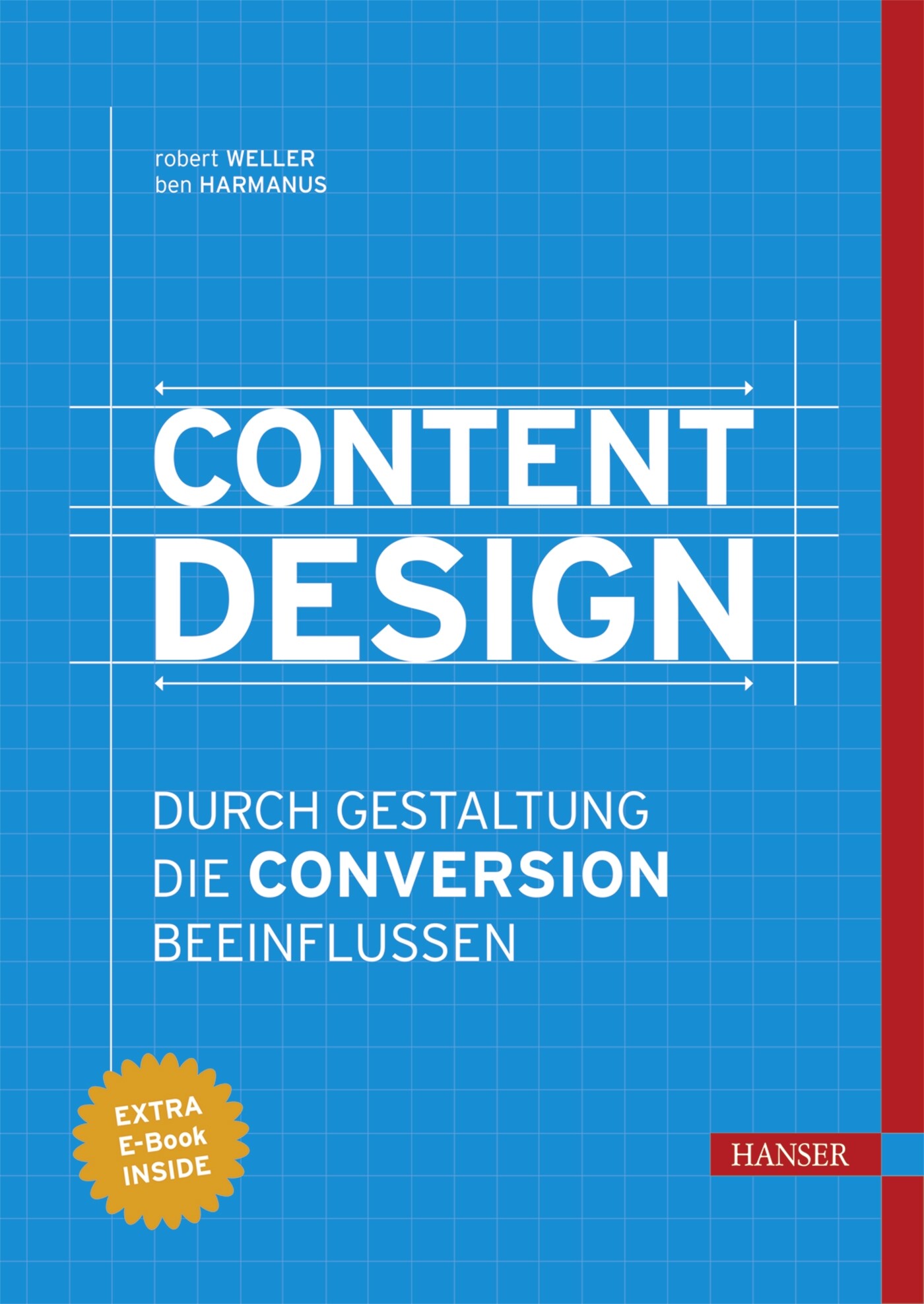
Content Design
Lernen Sie, wie Sie Content und Design zusammenführen, um potenzielle Kunden von Ihrem Angebot zu überzeugen.Die Autoren erklären Ihnen, wie Sie mit psychologischen Triggern aus Besuchern Ihrer Website Newsletter-Abonnenten, Leads und Kunden machen und wie Sie durch Content-Optimierung nachhaltig Ihre Umsätze steigern. Das Buch bietet Ihnen eine Übersicht über die Voraussetzungen für erfolgreiches Content Design sowie eine klar strukturierte Einführung in die Gestaltung und Konzeption digitaler Inhalte – insbesondere Text, Bild und Video. Profitieren Sie nicht nur vom Expertenwissen der Autoren, sondern auch von erfahrenen Marketingverantwortlichen bei Facebook, Zalando, Pixum und LogMeIn. Mithilfe der Tipps zur Content- und Conversion-Optimierung sowie passenden Tool-Empfehlungen haben Sie alles was Sie brauchen, um Ihr eigenes Content Marketing auf den nächsten Level zu heben.Mit ihrem Buch richten sich Robert Weller und Ben Harmanus sowohl an Einsteiger als auch an erfahrene Online-Marketer, die nicht nur einzelne Aufgaben schnell umsetzen, sondern den Zusammenhang von Content und Design in Bezug auf das Marketing in seiner Vielschichtigkeit verstehen wollen.Zahlreiche visuelle Beispiele, bewährte Tipps aus der Marketingpraxis sowie Erfahrungsberichte, Worksheets und Checklisten helfen Ihnen dabei.Aus dem Inhalt:• Voraussetzungen für erfolgreiches Content Design• Grundlagen der Gestaltung• Content – Text, Bild & Video• Design – Landing Pages, E-Mails & Conversion-Elemente• Conversion-Optimierung (inkl. Tool-Tipps)
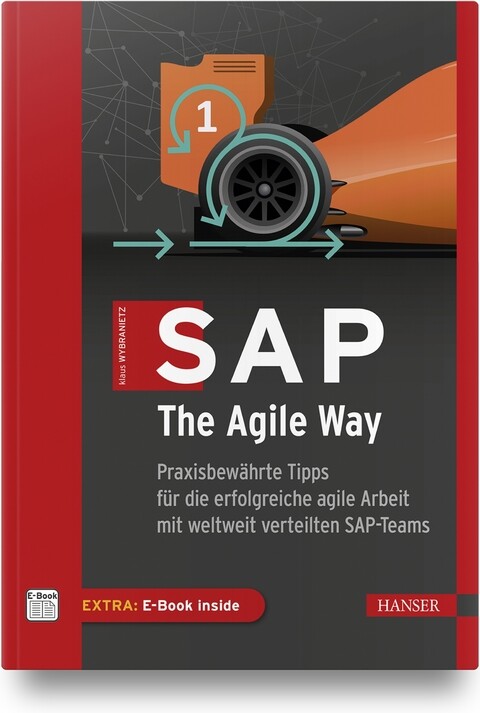
SAP, The Agile Way
Praxisbewährte Tipps für die erfolgreiche agile Arbeit mit weltweit verteilten SAP-Teams.Der weltweit tätige SAP-Berater und Agile Coach Klaus Wybranietz zerlegt in diesem Buch das hartnäckige Vorurteil: »Ja, Scrum ist toll, aber mit SAP funktioniert das nicht.« Er beweist nämlich seit Jahren das Gegenteil: Scrum und SAP können auf einen Nenner gebracht werden – und das sogar sehr erfolgreich. Denn in seinen Projekten für internationale Großkonzerne hat Klaus Wybranietz immer wieder die Erfahrung gemacht: Selbst über den Globus verteilte SAP-Teams können mit Scrum in der halben Zeit dreimal so effektiv sein.In diesem Buch erklärt der Autor die Entwicklungsstufen, über die er SAP-Teams aus dem klassischen Wasserfalldenken heraus und stattdessen hinein in die agile Performance führt. Das fängt beim Teambuilding trotz Superstars an, führt über den Aufbau von gezielten Kompetenzen und hilfreichen Regelwerken bis hin zum Schaffen echter Kundenwerte durch die Anwendung von Kanban-Metriken. Das alles funktioniert seit vielen Jahren auch mit weltweit verteilten SAP-Teams – »Ja, aber …« hat als Argument somit ausgedient.AUS DEM INHALT //- SAP und Scrum – das geht doch nicht?- Die Grundlagen von Scrum- Mit verteilten SAP-Teams remote arbeiten- Mit agilen SAP-Teams starten- Skalierung mit dem Agile Working Model 4 SAP- Praktiken für fortgeschrittene agile SAP-Teams

Pro Cryptography and Cryptanalysis with C++20
Develop strong skills and a passion for writing cryptography algorithms and security schemes/modules using C++ 20 and its new features. You will find the right methods of writing advanced cryptographic algorithms (such as, elliptic curve cryptography algorithms, lattice-based cryptography, searchable encryption, and homomorphic encryption), examine internal cryptographic mechanisms, and discover common ways in which the algorithms could be implemented and used correctly in practice.The authors avoid the complexities of the mathematical background by explaining its mathematical basis in terms that a programmer can easily understand. They show how “bad” cryptography creeps in during implementation and what “good” cryptography should look like. They do so by showing and comparing the advantages and disadvantages based on processing time, execution time, and reliability.WHAT YOU WILL LEARN* Understand where and why cryptography is used and how it gets misused * Discover what modern cryptography algorithms and methods are used for * Design and implement advanced cryptographic mechanisms * See how C++20 and its new features are impacting the future of implementing cryptographic algorithms* Practice the basics of public key cryptography, including ECDSA signatures and more* Find out how most of the algorithms can be brokenWHO THIS BOOK IS FORProfessional programmers, developers, and software engineers who are developing cryptography algorithms and security schemes/modules in C++. Prior C++ programming and IDE experience and some basic experience of cryptography concepts (symmetric and asymmetric) highly recommended.MARIUS IULIAN MIHAILESCU, PHD is CEO at Dapyx Solution Ltd., a company based in Bucharest, Romania and involved in information security- and cryptography-related research projects. He is a lead guest editor for applied cryptography journals and a reviewer for multiple publications with information security and cryptography profiles. He authored and co-authored more than 30 articles in conference proceedings, 25 articles in journals, and three books. For more than six years he has served as a lecturer at well-known national and international universities (University of Bucharest, “Titu Maiorescu” University, Kadir Has University in, Istanbul, Turkey). He has taught courses on programming languages (C#, Java, C++, Haskell), and object-oriented system analysis and design with UML, graphs, databases, cryptography and information security. He served for three years as IT officer at Royal Caribbean Cruises Ltd. where he dealt with IT infrastructure, data security, and satellite communications systems. He received his PhD in 2014 and his thesis was on applied cryptography over biometrics data. He holds two MSc in information security and software engineering.STEFANIA LOREDANA NITA, PHD is a software developer at the Institute of Computer Science of the Romanian Academy and a PhD with her thesis on advanced cryptographic schemes using searchable encryption and homomorphic encryption. She has served more than two years as an assistant lecturer at the University of Bucharest where she taught courses on subjects such as advanced programming techniques, simulation methods, and operating systems. She has authored and co-authored more than 15 workpapers at conferences and journals, and has authored two books on he Haskell programming language. She is a lead guest editor for special issues on information security and cryptography such as Advanced Cryptography and Its Future: Searchable and Homomorphic Encryption. She holds an MSc in software engineering and two BSc in computer science and mathematics.Part I: Foundations1: Introduction2: Cryptography Fundamentals3: Mathematical Background and Its Applicability4: Large Integer Arithmetic5: Floating Point Arithmetic6: New Features in C++207: Secure Coding Guidelines8: Cryptography Libraries in C/C++20Part II: Pro Cryptography9: Elliptic Curve Cryptography10: Lattice-based Cryptography11: earchable Encryption12: Homomorphic Encryption13: (Ring) Learning with Errors Cryptography14: Chaos-based Cryptography15: Big Data Cryptography16:Cloud Computing CryptographyPart III: Pro Cryptanalysis17: Getting Started with Cryptanalysis18: Cryptanalysis Attacks and Techniques19: Linear and Differential Cryptanalysis20: Integral Cryptanalysis21: Brute Force and Buffer Overflow Attacks22: Text Characterization23: Implementation and Practical Approach of Cryptanalysis Methods
Microsoft 365 Portable Genius
POWER UP YOUR PROFICIENCY WITH THIS GENIUS GUIDE TO POPULAR MICROSOFT 365 APPSDo you want to make your Microsoft 365 account a productivity behemoth? Do you want to squeeze every last bit of awesome from Word, Excel, and PowerPoint and learn a little more about Outlook, too? Microsoft 365 Portable Genius has got you covered. A seasoned tech expert and trainer, author Lisa A. Bucki shows you how to build Word documents, Excel workbooks, and PowerPoint presentations the right way, as well as how to use high-impact design techniques to make your documents pop.This book answers 11 key questions about how to make the most of Microsoft 365, providing genius tips as it leads you through the essentials. You’ll learn how to:* Tackle common skills like creating files, adding basic content, navigating in a file, making selections, copying and moving content, and saving files* Build a new Word document by using outlining, bullets and numbering, columns, and other features for creating and enhancing content* Enhance Excel workbook files by organizing data on different sheets, filling entries, creating range names, and entering powerful, accurate formulas* Develop a PowerPoint presentation by choosing the right layout for each slide and adding content to placeholders, and then transform it into an on-screen show with transitions and animations* Add punchy design and branding by using text formatting, themes, and graphics in your files* Use lists, tables, and charts to make data easier to interpret* Create, send, reply to, and organize email in Outlook, as well as add contacts Share file contents on paper or digitally* Check out the Online Bonus Appendix at Wiley for more genius coverage of topics including additional Excel formula review techniques, essential Excel functions, theme colors and fonts changes, and WordArtWhether you have used Office in the past or are new to its subscription successor Microsoft 365, Microsoft 365 Portable Genius provides the expert guidance you need to work smarter in Microsoft 365.LISA A. BUCKI is an author, trainer, and content creator who's been educating others about computers and software since 1990. She's written dozens of books, provided marketing and training services to her clients, and written online tutorials. She is the co-founder of 1x1 Media.Fun, hip, and straightforward, the Portable Genius series gives forward-thinking technology users helpful information in handy, compact books that are easy to navigate and don't skimp on the essentials. Collect the whole series and make the most of your digital lifestyle.About the Author iiiAcknowledgments vIntroduction xiCHAPTER 1 HOW DO I START USING MICROSOFT 365? 2Starting and Exiting an App 4Taking a Look Around 6Reviewing key screen features 6Changing views 8Zooming 10Working with Files 11Creating a blank file 11Exploring templates 12Opening an existing file 14Switching to another file 15Typing in a Word Document 17Making Your First Cell Entries in Excel 19Exploring the Excel screen 19Moving around the sheet 21Adding text and values 22Adding dates and times 23Number formatting on the fly 24Adding Slide Content in PowerPoint 26Making and Working with Selections 27Selecting content in Word 27Selecting content in Excel 28Selecting content in PowerPoint 30Copying or moving a selection 31Refining Your Content 33Spell checking your work 34Using Find and Replace 36Saving and Closing a File 37CHAPTER 2 HOW DO I DEVELOP DOCUMENT CONTENT IN WORD? 40Using Outlining to Organize Your Thoughts 42More on Navigating, Selecting, and Editing in Word 44Creating Bulleted and Numbered Lists 47Working with Tabs and Indent Settings 49Setting tab stops 50Setting indents 52Working with Line, Page, and Section Breaks 54Creating Columns of Text 56Using Review Tools to Improve Your Writing 57Getting word suggestions from the Thesaurus 58Tracking changes and commenting 58CHAPTER 3 HOW DO I MAKE CHANGES IN EXCEL? 62Working with Sheets 64Adding, renaming, and jumping to a sheet 64Moving or copying a sheet 65Cell Editing Basics 66Making changes 66Clearing cell contents 67Using Auto Fill and Filling Series 68Inserting and Deleting Rows, Columns, and Cells 71Working with Column Width and Row Height 73Creating Range Names 75Using the Name box 76Using the New Name dialog box 77Deleting a range name 78Freezing Rows and Columns On-Screen 79CHAPTER 4 HOW DO I DO MATH WITH EXCEL FORMULAS AND FUNCTIONS? 82Entering a Basic Formula 84Typing the formula 84Cell and range references in formulas 85Using the mouse to save time 86Dealing with minor errors 88Learning More About Operators and Order of Precedence 88Reviewing operators in Excel 89Understanding how order of precedence works 91Using parentheses in formulas 93Making a Cell or Range Reference Absolute Rather Than Relative 94Changing the reference type in a formula 94How referencing works when filling, copying, or moving a formula 95Understanding and Using Functions 97Using AutoSum on the Home or Formulas tab 98Typing a function in a formula 101Using the Formulas tab to insert a function 103Using Range Names in Formulas 107CHAPTER 5 HOW DO I CREATE A POWERPOINT PRESENTATION? 110Understanding Slide Layouts 112Adding Slides 114Rearranging and Deleting Slides 116Working with Content Placeholders 117Regular content 117Speaker notes 119Editing Slide Content 120Changing Slide Size or Background 121Preparing and Playing the Slide Show 122Adding transitions 123Adding animations 124Playing the show 125CHAPTER 6 HOW DO I USE FORMATTING TO ENHANCE MY DOCUMENTS? 128Changing the Number or Date Format in Excel 130Using number formats 132Using date and time formats 134Changing Text Formatting 134Applying font formatting 135Applying alignment formatting 139Changing Paragraph and PageFormatting in Word and PowerPoint 142Changing overall line spacing 143Changing spacing before and after paragraphs 143Working with Borders and Shading 146Using borders and shading in Word 146Adding a page border in Word 147Changing cell borders and shading in Excel 148Using Styles 149Understanding Themes 152Reviewing elements of a theme 152Changing themes 153CHAPTER 7 HOW DO I USE GRAPHICS? 156Inserting Simple Graphics 158Shapes 158Pictures 160Icons 164Selecting and Formatting Graphics 165Adding text to shapes 165Changing styles 166Changing sizing and position 168Working with layering, alignment, and rotation 170Working with wrapping in Word 173Creating and Working with SmartArt 173Adding a SmartArt graphic 173Editing and rearranging shapes 176Changing the graphic type and formatting 177Deleting Graphics 177CHAPTER 8 HOW DO I MANAGE LISTS OF INFORMATION? 180Adding a Table in Word or PowerPoint 182Adding the table and making entries 182Adding and deleting rows or columns 183Arranging a List in Excel 184Understanding Excel’s Table Feature 187Converting a range to a table 187Importing or connecting to a list of data 189Resizing a table 192Adding a total row 192Sorting and Filtering Lists and Tables 193Changing Table Styles 197Converting a Table Back to Regular Content 198CHAPTER 9 HOW DO I PRESENT MY DATA IN CHARTS? 200Using Different Chart Types 202Creating a Chart in Excel 203Creating a Chart in Word or PowerPoint 207Changing the Chart Type and Layout 209Formatting Chart Elements 211Changing the Charted Data 213Deleting a Chart 215CHAPTER 10 HOW DO I MANAGE EMAILS AND CONTACTS IN OUTLOOK? 216Adding Your Account 218Creating and Sending Messages 220Receiving, Reading, and Replying to Messages 224Organizing Messages 227Adding Contacts 229CHAPTER 11 HOW DO I PRINT AND SHARE MY CONTENT? 232Creating Headers and Footers 234Changing Page Settings 238Margins 238Orientation and paper size 240Scaling an Excel printout 240Changing Sheet Settings in Excel 241Adding print titles 241Controlling whether gridlines and other features print 243Working with Page Breaks in Excel 243Setting a print area 243Viewing and moving breaks 245Previewing a Printout and Printing 246Sharing Information in Other Ways 247Exporting a PDF 247Using OneDrive 249Index 251

Suchmaschinen-Optimierung für Dummies (2. Auflg.)
Sie haben ein Unternehmen gegründet und Ihre Website geht demnächst online? Sie sind gerüstet für zahlreiche Besucher und hoffen auf hohe Umsätze? Dann ist es Zeit für das Feintuning. Dieses Buch zeigt Ihnen, wie Ihre Website von Google besser gefunden wird und wie Sie bei Google ganz nach oben kommen. Finden Sie die richtigen Suchbegriffe und stimmen Sie Ihre Inhalte darauf ab, optimieren Sie Ihre Snippets und unterstützen Sie den Google-Crawler beim Erfassen der Seiten. Zahlreiche Beispiele und Anekdoten aus der Praxis sorgen nicht nur für ein gutes Ranking, sondern auch für Spaß beim Lesen. Julian Dziki ist Gründer und Geschäftsführer von Seokratie, einer SEO- und Online-Marketing-Agentur in München. Nebenher hält er Vorträge über SEO, schreibt Beiträge für den firmeneigenen SEO-Blog und organisiert SEO-Meetups und -Veranstaltungen in München. Er zertifiziert außerdem beim Bundesverband der digitalen Wirtschaft (BVDW) Fachkräfte für Suchmaschinen-Optimierung.Über den Autor 9Vorwort zur 1 Auflage 23EINLEITUNG25Über dieses Buch 26Was Sie nicht lesen müssen 27Törichte Annahmen über den Leser 27Wie dieses Buch aufgebaut ist 28Teil I: So funktioniert die Welt von Google 28Teil II: Das Suchergebnis optimieren 28Teil III: Content optimieren 28Teil IV: Duplicate Content 28Teil V: Crawling und interne Verlinkung 28Teil VI: Linkbuilding 29Teil VII: Der Top-10-Teil 29Symbole, die in diesem Buch verwendet werden 29Wie es weitergeht 30TEIL I: SO FUNKTIONIERT DIE WELT VON GOOGLE 31KAPITEL 1 DAS PASSIERT WIRKLICH, WENN SIE BEI GOOGLE SUCHEN33Crawling und der Index 34Die Berechnung der Ergebnisse: SERPs und eine gesunde Mischung 34Alle Nutzer zufriedenstellen 35Die Universal Search und der Knowledge Graph 37Die vertikale Suche 37Die Universal Search 38Der Knowledge Graph 38Rankingfaktoren: Wie bewertet Google die Relevanz von Webseiten? 40Onpage-Faktoren: Technik und Inhalte 40Offpage-Faktoren: Backlinks sind wichtig 41Welche Faktoren sind wirklich wichtig? 42KAPITEL 2 WAS SIND KEYWORDS UND WARUM SIND SIE SO WICHTIG?45Der Google-Keyword-Planer 46Welche Keywords sind die richtigen für mich? 50Longtail und Shorthead 51Wo baue ich Keywords ein? 53Das Meta-Keyword-Tag 53KAPITEL 3 DIE GOOGLE-RICHTLINIEN55Das kann die Google Search Console 56So melden Sie sich in der Search Console an 56Benachrichtigungen in der Search Console 58Die Google-Richtlinien im Detail 59»Erstellen Sie Seiten in erster Linie für Nutzer, nicht für Suchmaschinen« 59Allgemeine Anforderungen von Google 60Anforderungen von Google bezüglich Relevanz und Inhalt 61Anforderungen von Google hinsichtlich der Qualität von Webseiten 62Was passiert, wenn ich mich nicht an die Richtlinien halte? 64Wann werde ich benachrichtigt und was muss ich dann tun? 64Offizielle Google-Ressourcen und Möglichkeiten zum Kontakt 66TEIL II: DAS SUCHERGEBNIS OPTIMIEREN 69KAPITEL 4 TITLE UND DESCRIPTION – DER ERSTE EINDRUCK ZÄHLT!71Klick mich! Die Click-Through-Rate oder Klickrate 72Wie Sie Title und Description erstellen 73Wie Sie Title und Description einfügen 73Sieben goldene Regeln für einen guten Title 74Neun goldene Regeln für eine gute Description 75Beispiele für Titles und Descriptions 76Die Site-Abfrage 80Die Klickrate in der Search Console analysieren 81Strukturierte Daten und Rich Snippets 83Darum sollten Sie Rich Snippets für Ihre Webseite generieren 85So generieren Sie Rich Snippets 86URLs von der Indexierung und Archivierung ausschließen 89Die Noindex-Anweisung 89Weitere Anweisungen im Quelltext 90Nofollow 90All/None 91Nosnippet 91Noarchive 92KAPITEL 5 DEN DOMAINNAMEN UND DIE URLS IHRER WEBSITE OPTIMIEREN95Das Protokoll 95HTTP oder HTTPS? Google mag SSL-Verschlüsselung 96So bekommen Sie ein SSL-Zertifikat 96Die Subdomain 96Mit www oder ohne www? 97Wann verwende ich eine eigene Subdomain? 97Der Domainname 98Freie Domains finden 99Bereits vergebene Domains kaufen 101Sind Keyworddomains sinnvoll? 101Die Domainendung 102CNOBI-Domainendungen: COM & Co. 102Länder-TLDs: Die Endung de 103Neue Domainendungen – SHOP oder KAUFEN 103Welche Endung ist die richtige? 104Das Verzeichnis 104Tipps für eine gute Verzeichnisstruktur 105So nicht! Ungünstige Verzeichnisstrukturen 106Die Datei 107Unterstützte Formate bei Google 107HTML5 ist heute Standard 108Die Dateiendung ist nur selten HTML 109Tipps für gute Dateinamen 109Jede URL sollte es nur einmal geben 110TEIL III: CONTENT OPTIMIEREN 111KAPITEL 6 QUALITATIV HOCHWERTIGEN CONTENT ERSTELLEN113Was ist qualitativ hochwertiger Content? 113Die Beweggründe von Google verstehen 114Die Google Quality Rater Guidelines 115Nutzersignale helfen, guten Content zu identifizieren 116Nutzersignale: Short-Klicks 116Wie werden Nutzersignale erfasst? 117Verschiedene Suchintentionen: Information, Navigation oder Transaktion? 118Ganzheitlicher Content: Holistische Ergebnisse schaffen 120Content gut präsentieren 121Nutzergenerierte Inhalte 122Bilder & Videos 123KAPITEL 7 TECHNISCHE ANFORDERUNGEN AN CONTENT127Erwähnung des Keywords im Content 127Die Keyworddichte 127WDF*IDF – Texte nach Kurven schreiben 128Das Keyword in Auszeichnungen und Listen 131H1 bis H6 – So erstellen Sie gute Überschriften für SEO 131Schriftarten und Schriftfarbe 134Ausklappbarer Text oder Text in Tabs versteckt 135Die Textlänge 136Bilder-SEO 138Das Alt-Attribut 139Das Ranking von Bildern in der Google-Bildersuche verbessern 141Hotlinking 142Was sieht Google? 143TEIL IV: DUPLICATE CONTENT BEKÄMPFEN 145KAPITEL 8 DUPLICATE CONTENT AUF DER EIGENEN WEBSITE ÜBERPRÜFEN147Was genau ist Duplicate Content? 147Welches Problem hat Google mit Duplicate Content? 148Wichtig für Google: Gestohlene Inhalte oder Versehen? 149Aggregierte Inhalte 149Keyword-Kannibalisierung 150So identifizieren Sie Duplicate Content 152Bei Google suchen 152Duplicate-Content-Check in der Google Search Console 154Duplicate-Content-Check mit Ryte.com 154Duplicate-Content-Check mit Siteliner und Copyscape 155Den eigenen Content mit Google Alerts überwachen 157Der Sonderfall »wiederkehrende Textbausteine« 158KAPITEL 9 MIT DER 301-WEITERLEITUNG URLS ZUSAMMENFÜHREN161Duplicate Content auf Domainebene 162Die Standarddomain definieren 162So überprüfen Sie, ob eine Weiterleitung besteht 164Sprechende URLs und Weiterleitungen 165So leiten Sie einzelne Duplikate weiter 168KAPITEL 10 MIT DEM CANONICAL-ATTRIBUT ÄHNLICHE SEITEN MARKIEREN171So funktioniert rel="canonical" 172So binden Sie das Canonical-Attribut ein 172Anwendungsfälle von rel="canonical" 174Dynamische URLs 174Inhalte unter mehreren URLs erreichbar 175Inhalte in anderen Formaten 175Inhalte auf anderen Domains 176Überprüfen der Funktionsfähigkeit von rel="canonical" 178Einzelne URLs überprüfen 178Mehrere URLs überprüfen 180Rel-Next und Rel-Prev 181KAPITEL 11 HREFLANG FÜR INTERNATIONALE WEBSITES183So binden Sie hreflang ein 184Referenzierung im Quelltext 184hreflang X-Default 186hreflang-Implementierung über den HTTP-Header 187hreflang-Implementierung über die Sitemap 187So generieren und überprüfen Sie das hreflang-Attribut 189TEIL V: CRAWLING UND INTERNE VERLINKUNG 193KAPITEL 12 DER GOOGLEBOT GEHT UM – SO FUNKTIONIERT CRAWLING195Webcrawler und User Agents 195Das URL-Prüftool 197So reichen Sie eine URL bei Google ein 198Der Bericht »Abdeckung« 198Probleme beim URL-Testen identifizieren 200Crawling-Budget und Crawling-Frequenz 205So können Sie das Crawling Ihrer Website begrenzen 207So können Sie das Crawling von Parameterseiten steuern 207Crawling-Fehler ausfindig machen 211KAPITEL 13 DIE ROBOTS.TXT213Befehle in der robots.txt 213Aussperren oder nicht? 215Die robots.txt in der Search Console überprüfen 217Blockierte Ressourcen in der robots.txt 217KAPITEL 14 XML-SITEMAPS221Technische Grundlagen 221So erstellen Sie eine XML-Sitemap 223Mit den gebräuchlichen Content-Management-Systemen eine Sitemap erstellen 223So erstellen Sie eine Sitemap manuell 224Ihre Sitemap bei Google einreichen 225KAPITEL 15 MOBILE SEO UND LADEGESCHWINDIGKEIT229Typen mobiler Websites 230Responsives Webdesign 231Dynamische Bereitstellung von Inhalten 232Unterschiedliche URLs 233Die mobile Website auf Nutzerfreundlichkeit testen 234Live URL-Test 234Nutzerfreundlichkeit auf Mobilgeräten 235Schnell und einfach 236Die Ladegeschwindigkeit Ihrer Website überprüfen 238Tools für die Messung Ihrer Seitenladegeschwindigkeit 238So machen Sie Ihre Website schneller 240Google Core Web Vitals 241Largest Contentful Paint (LCP) 242First Input Delay (FID) 242Cumulative Layout Shift (CLS) 243So messen Sie die Core Web Vitals Ihrer Website 246Tipps für die Optimierung der Core Web Vitals 248KAPITEL 16 INTERNE VERLINKUNG, PAGERANK UND LINKJUICE249PageRank 249Das Grundprinzip von PageRank 250Der Niedergang des PageRank 251Linkjuice 252So verteilt sich Linkjuice 253Die besten Strategien zur optimalen Verteilung des internen Linkjuice 254Das Reasonable-Surfer-Modell: Prominente Links werden besser gewertet 265Im Fließtext verlinken 267Links auf 404-Seiten und Weiterleitungen 268Broken Links 268Links auf Weiterleitungen 268So finden Sie Broken Links und Weiterleitungen 269KAPITEL 17 DER LINKTEXT BEI INTERNEN LINKS271So erstellen Sie gute interne Links 272Beispiele für gute und schlechte Linktexte 273TEIL VI: BACKLINKS UND LINKBUILDING 277KAPITEL 18 LINKBUILDING: EIN KATZ-UND-MAUS-SPIEL279So entstand Linkbuilding 279Katz-und-Maus-Spiel zwischen SEOs und Google 280Natürliches Linkwachstum simulieren 281Google hält sich bedeckt 281Manuelle Maßnahmen 282Linkbuilding ist oft eine Grauzone 283Links sind nicht mehr der wichtigste Rankingfaktor 284KAPITEL 19 DAS LINKPROFIL ANALYSIEREN 287Backlinks finden 287Backlinkchecker 287Kostenlose Backlinkchecker 288Backlinks in der Google Search Console 289Kostenpflichtige Backlinkchecker 289Wichtige Link-Kennzahlen 290Linkpopularität 290Domainpopularität 291IP-Popularität 293Class-C-Popularität 294Domainendung und der Standort des Servers 295Follow & Nofollow 296PageRank 299Sichtbarkeit 299Trust und einige andere Kennzahlen 302Linktexte auswerten 302Der Linktext bei externen Links 302Natürliche Linktexte und Keyword-Links 303Brand oder Keyword? Vier Arten von Linktexten 304Das richtige Verhältnis 304So werten Sie Linktexte aus 305KAPITEL 20 BACKLINKS, DIE SIE MEHR ODER WENIGER SELBST SETZEN307Ein paar Gedanken zu Nutzen, Aufwand, Risiko 308Webkataloge 310Indizien für schlechte Webkataloge 311Indizien für gute Webkataloge 311Branchenbücher 313Social Bookmarks 314Artikelverzeichnisse 315Presseportale und Pressemitteilungen 315Links aus Blogkommentaren 316Gästebücher 319Internetforen 320Forenlinks und Google 320Die rechtliche Problematik 322Frage-Antwort-Portale 322Wikipedia-Artikel 322Gratisblogs und kostenlose Homepages 324Private Blog Networks und Expired Domains 325Expired Domains 326Ein PBN erstellen und betreiben 328Wie Sie ein Private Blog Network erkennen 329Warum Sie saubere Links aufbauen sollten 330KAPITEL 21 LINKS VON ANDEREN WEBMASTERN333Andere Webmaster um einen Link bitten 333Hub- oder Verteilerseiten anfragen 335Kooperationspartner und Freunde kontaktieren 336Webmaster um Content bitten 337Infografiken anbieten 338Sonstige kreative Ideen 339Linkbaits auslegen 340WordPress-Themes oder Widgets anbieten 341Gastbeiträge schreiben 343Linktausch 345Die Vorteile von Linktausch 346Die Nachteile von Linktausch 347So tauschen Sie Links 348KAPITEL 22 LINKS KAUFEN353Wie Google gekaufte Links erkennen kann 354Linkkauf wurde gemeldet 354Anträge auf Wiederaufnahme auswerten 355Der Algorithmus erkennt Muster 355Spendable Linkkäufer beobachten 355Wie gut sind gekaufte Links? 355Welche Arten von Links kann man kaufen? 356Links im Footer oder in der Sidebar 356Nachträglich in den Content eingefügte Links 358Links in eigens geschriebenen Beiträgen 358Wo Sie Links kaufen können 361Direkt vom Webmaster 361Bei Linkhandelsbörsen 361Aus Excel-Listen und von Linkhändlern 363So erkennen Sie einen schlechten Link 364Die Website als Ganzes betrachten 364Die Inhalte und die Links analysieren 365KAPITEL 23 EIN LINKAUDIT DURCHFÜHREN369Für welche Websites ist ein Linkaudit sinnvoll? 370Die Disavow-Datei 372So sieht eine Disavow-Datei aus 372So laden Sie eine Disavow-Datei hoch 373Zwei Wege zum Linkaudit 374Mit einer Linkliste in Excel arbeiten 374Ein Linkaudit mit den LinkResearchTools durchführen 375Welche Links Sie disavowen sollten 378Einen Antrag auf Wiederaufnahme stellen 381TEIL VII: DER TOP-10-TEIL 383KAPITEL 24 ZEHN TIPPS FÜR GUTE LOKALE RANKINGS 385Erstellen Sie einen Google-My-Business-Eintrag 386Füllen Sie alle Felder so detailliert wie möglich aus 387Laden Sie Fotos und Videos hoch 387Wählen Sie eine gute Adresse 387Sorgen Sie für Local Citations 388Sorgen Sie für eine Telefonnummer mit Ortsvorwahl 388Versuchen Sie, gute Backlinks zu bekommen 388Lassen Sie Ihre Kunden zu sich kommen 389Onpage-SEO nicht vergessen 389Sorgen Sie für Bewertungen auf Google 389KAPITEL 25 ZEHN MARKETING-KANÄLE, DIE IHRE SEO-STRATEGIE UNTERSTÜTZEN391Implementieren Sie SEO in die Prozesse Ihres Unternehmens 391Steigern Sie die Bekanntheit Ihrer Marke 392Schalten Sie Anzeigen mit Google Ads 392Betreiben Sie Social-Media-Marketing 393Kümmern Sie sich um eine benutzerfreundliche Website 393Betreiben Sie E-Mail-Marketing 394Erstellen Sie erstklassige Inhalte 394Betreiben Sie Content-Marketing 394Erzählen Sie Geschichten: Storytelling 395Denken Sie immer zuerst an Ihre User 395KAPITEL 26 SO OPTIMIEREN SIE IHRE WORDPRESS SEITE FÜR SEO397Nehmen Sie Ihr WordPress-Theme genau unter die Lupe 397Installieren Sie ein Caching-Plug-in 398Betreiben Sie Ihre WordPress-Seite mit SSL 399Holen Sie sich einen auf WordPress spezialisierten Webhoster 399Installieren Sie ein SEO-Plug-in 399Schreiben Sie Ihren Content SEO-gerecht 400Achten Sie auf eine gute interne Verlinkung 401Stellen Sie Ihre Permalinks richtig ein 402Wählen Sie Ihre Plug-ins mit Bedacht 403Machen Sie regelmäßig Backups Ihrer Website! 403Stichwortverzeichnis 407

Excel Pivot-Tabellen für Dummies (2. Auflg.)
Pivot-Tabellen haben völlig zu Unrecht den Ruf, kompliziert und nur etwas für Excel-Profis zu sein. Wenn die Daten, die Sie auswerten wollen, in großen Excel-Tabellen vorliegen, sind auch für Sie Pivot-Tabellen ein unverzichtbares Werkzeug. Pivot-Tabellen ermöglichen Ihnen, Daten nach verschiedenen Kriterien auszuwählen, zusammenzufassen und zueinander in Beziehung zu setzen. Plötzlich wird in der Flut der Daten ein System erkennbar, Zusammenhänge werden sichtbar. Wie Sie aus üblichen Excel-Tabellen mit wenigen Mausklicks Pivot-Tabellen machen und worauf Sie bei den Quelldaten und bei der Formatierung achten sollten, erfahren Sie in diesem Buch. Fortgeschrittene Nutzer werden sich über die Einführung in Power Pivot und Power Query und die Themen Datenschnitte, Zeitachsen und berechnete Felder und Elemente freuen. Martin Weiß ist diplomierter Betriebswirt und war mehr als zwanzig Jahre in unterschiedlichen Analysten-Funktionen in Finanz-, Vertriebs- und Marketingabteilungen tätig, Excel gehörte dabei immer zu seinem täglichen Handwerkszeug. Aktuell arbeitet er als funktionaler SAP-Spezialist in der Region München. Darüber hinaus berät und unterstützt er Unternehmen in allen Anwendungsfällen von Excel und betreibt seit mehreren Jahren einen Excel-Blog: www.tabellenexperte.deÜber den Autor 9EINFÜHRUNG19Über dieses Buch 19Was Sie nicht lesen müssen 19Törichte Annahmen über den Leser 20Wie dieses Buch aufgebaut ist 20Teil I: Grundlagen 20Teil II: Das Auge isst mit: Optik und Feintuning 21Teil III: Fortgeschrittene Techniken 21Teil IV: Mit Power in höhere Sphären vordringen 21Teil V: Top-Ten-Teil 21Konventionen in diesem Buch 21Symbole, die in diesem Buch verwendet werden 22Wie es weitergeht 22TEIL I: DIE GRUNDLAGEN 23KAPITEL 1 AUF DIE WELT DER PIVOT-TABELLEN VORBEREITEN 25Das Kreuz mit den Kreuztabellen 25»Saubere« Quelldaten 28Keine Zwischensummen 28Keine Leerspalten und Leerzeilen 28Eindeutige Feldnamen 30Keine Gliederungen 30Formatierte Tabellen 32Eine formatierte Tabelle erstellen 33Der Tabellenentwurf 35Automatische Erweiterung der Tabelle 37Strukturierte Verweise 41Der sich automatisch anpassende und erweiternde Datenbereich 43KAPITEL 2 JETZT WIRD HAND ANGELEGT: PIVOT-TABELLEN ERSTELLEN 47Wo ist der alte Assistent geblieben? 47Wie man heute eine Pivot-Tabelle erstellt 48Der schnelle Weg für Unentschlossene 48Der beste Weg für (zukünftige) Pivot-Profis 50Der Aufbau einer Pivot-Tabelle und die ersten Schritte 51Spielereien mit Wertefeldern 55Teilergebnisse und Gesamtergebnisse 60In die Tiefe bohren (»Drilldown«) 66Den Quellbereich verändern 68Feldlisten, Schaltflächen und Feldkopfzeilen 72Die Feldliste ein- und ausblenden 73Die Plus- und Minus-Schaltflächen ein- und ausblenden 74Die Feldkopfzeilen ein- und ausblenden 75Pivot-Tabellen verschieben 77TEIL II: DAS AUGE ISST MIT: OPTIK UND FEINTUNING 81KAPITEL 3 FORMATIERUNGEN UND GESTALTUNGSMÖGLICHKEITEN 83Standardbeschriftungen ersetzen 83Berichtslayout anpassen 86Leichtes Spiel mit Formatvorlagen 88Vorhandene Formatvorlagen anpassen 91Immer nur die eine 96Zahlenformate ändern 97Sonderfall: Leere Zellen 100Ein starkes Duo: Pivot-Tabellen und bedingte Formatierung 102Wasser hat keine Balken … Pivot-Tabellen schon! 102In der Hitze der Nacht 107Fast wie im Straßenverkehr: Ampeln 112KAPITEL 4 FILTERN, SORTIEREN UND GRUPPIEREN 117Bevor alles zu viel wird: Filter verwenden 117Ein Datenfeld als Filter 118Filter entfernen 120Filtern in den Zeilen- und Spaltenbeschriftungen 121Wertefilter 124Top oder Flop? Hitlisten mithilfe von Filtern erstellen 126Ordnung ins Chaos bringen mit Sortierfunktionen 128Sortierreihenfolge verändern 128Die Feldliste sortieren 132Zusammenführen, was zusammengehört: Gruppieren von Elementen 134Elemente manuell gruppieren 135Automatisches Gruppieren 141Wertefelder gruppieren 144Gruppierungen wieder aufheben 146KAPITEL 5 EIN BILD SAGT MEHR ALS 1000 WORTE 149PivotCharts erstellen 149Ein PivotChart auf Basis einer vorhandenen Pivot-Tabelle erstellen 149Zwei Fliegen mit einer Klappe: PivotChart und Pivot-Tabellegemeinsam erzeugen 153Das PivotChart bekommt ein eigenes Arbeitsblatt 155… und wieder zurück ins PivotTable-Arbeitsblatt 156Besonderheiten eines PivotCharts 156Die Feldschaltflächen 157Die Feldliste 159Pivot-Tabelle und PivotChart: Henne oder Ei? 161Pivot-Tabelle und PivotChart entkoppeln 163Schöner geht’s immer: PivotCharts »aufhübschen« 169Alles eine Frage des Typs 169Wenn’s besonders eilig ist: Schnelllayout 171Farben ändern 172Einen neuen Komplettanstrich verpassen 173TEIL III: FORTGESCHRITTENE TECHNIKEN 175KAPITEL 6 DATENSCHNITTE UND ZEITACHSEN 177Alles in Scheiben zerteilen: Datenschnitte 178Datenschnitte erstellen 178»Ein Ring sie zu knechten …« 183Datenschnitte anpassen 186Datenschnitte löschen 188Schöner geht’s immer: Datenschnitte aufpolieren 190Überschriftenzeile anpassen 191Anordnung und Größe der Elemente anpassen 191Formatvorlagen verwenden 192Mit Fantasie geht noch mehr! 196Zeitachsen 200Einen Zeitraum auswählen 203Zeitfilter löschen 204Andere Zeiteinheiten verwenden 205Zeitachse anpassen 206Etwas Make-up kann nicht schaden 207Schutzmechanismen 210Zellschutz 211Blattschutz 211KAPITEL 7 JETZT WIRD GERECHNET! 213Wertefelder mehrfach auswerten 215Berechnete Felder 220Anlegen von berechneten Feldern 221Verändern von berechneten Feldern 223Für Fortgeschrittene: Excel-Funktionen in berechneten Feldern 225Berechnete Elemente 231Berechnete Elemente anlegen 231Berechnete Elemente verändern 235Berechnete Elemente löschen 236Manchmal nicht unwichtig: Die Lösungsreihenfolge 237Felder und Elemente: Haben Sie noch den Überblick? 238Wenn’s doch mal etwas länger dauert: Layoutaktualisierungen zurückstellen 239Mysteriöser Geselle im Hintergrund: Der Pivot-Tabellen-Cache 241Dubios – die Quelldatei erscheint, obwohl sie weg war 242Pivot-Tabellen ohne Cache speichern 247Besonderheiten bei der gemeinsamen Cache-Nutzung 249Jeder Tabelle ihren eigenen Cache 250Die Geister, die Sie riefen … 251KAPITEL 8 DAS ARMATURENBRETT FÜRS MANAGEMENT 255Wie baut man ein gutes Dashboard? 256Mit einem soliden Fundament fängt alles an 256Weitere Vorüberlegungen 257Schritt für Schritt zum Vertriebs-Dashboard 258Am Anfang steht … ein leeres Blatt 259Die erste Pivot-Tabelle: Umsatz nach Regionen 260Pivot, die zweite: Umsätze nach Verkäufer und Produkt 262Der erste Datenschnitt 263Der zweite Datenschnitt 267Das erste PivotChart 269Das zweite PivotChart 273Die Top-3-Produkte 277Die Top-3-Verkäufer 280Der Feinschliff 282Ausdrucken ist zwar eigentlich nicht Sinn der Sache … 284TEIL IV: MIT POWER IN HÖHERE SPHÄREN VORDRINGEN 287KAPITEL 9 MIT POWER QUERY ZU EINER PERFEKTEN DATENBASIS 289Was ist Power Query? 289Die ersten Schritte 291SVERWEIS war gestern: Aus zwei mach eins mit Power Query! 300Alles im Fluss: Transformationen in Power Query 310Verkehrte Welt: Pivot mal andersherum 315Möglichkeiten der Weiterverarbeitung 320KAPITEL 10 NOCH MEHR DRUCK AUF DEM KESSEL MIT POWER PIVOT 325Power Pivot aktivieren 326Wie bekommt man Daten ins Datenmodell? 328Möglichkeit 1: Beim Erstellen einer Pivot-Tabelle 328Möglichkeit 2: Beim Laden einer Abfrage aus Power Query 329Möglichkeit 3: Direkter Datenimport im Power Pivot-Fenster 330Datenimport leicht gemacht 330Beziehungen helfen nur dem, der sie hat 336Eine Pivot-Tabelle mit mehreren Datenquellen 341Da geht doch noch mehr, oder? 345Weitere Features in Power Pivot 353Zusammenfassung: Wann benutzt man Power Query und wann Power Pivot? 361TEIL V: DER TOP-TEN-TEIL363KAPITEL 11 ZEHN KNIFFE, DIE EIN PIVOT-PROFI KENNEN SOLLTE 365Nix is’ fix: Automatische Spaltenbreiten ein- und ausschalten 365Alle Filter auf einen Schlag entfernen 366Die Funktion PIVOTDATENZUORDNEN 367Tabellenformat versus Kurzformat 368Neuberechnung nicht vergessen 368Wenn die Feldliste verschwunden ist … 369»Welches Schweinderl hätten S’ denn gern?« 369Fehlerwerte loswerden 369Ein Name macht die Orientierung leichter 370Eindeutige Anzahl berechnen 370Stichwortverzeichnis 375

Zoom für Dummies
Sie wollen oder müssen Zoom zur Kommunikation nutzen? Egal ob privat oder geschäftlich, es gibt viele Funktionen, Einstellungen und Tipps, die Ihnen das Leben leichter machen. Phil Simon erklärt Ihnen in diesem Buch alles, was Sie über Chat, Videokonferenzen und das Einbinden von Apps wissen müssen. Egal ob das Erstellen von Einladungen, das Aufzeichnen von Konferenzen oder die Nutzung von Zoom Phones, alles wird ausführlich und leicht verständlich anhand von Screenshots erklärt. So nutzen Sie Zoom entspannt und effizient. Phil Simon ist erfahrener Autor und Unternehmer. Als anerkannter Trainer und Technikexperte unterrichtet er an der Universität und hält Reden in seinem Fachbereich.ÜBER DEN AUTOR7Widmung 7Danksagung des Autors 8EINLEITUNG17Über dieses Buch 19Törichte Annahmen über den Leser 19Symbole, die in diesem Buch verwendet werden 21Wie es weitergeht 21TEIL I: KOMMUNIKATION VIA ZOOM 23KAPITEL 1 DAS PRODUKTPORTFOLIO VON ZOOM25Was ist Zoom? 25Vorteile für heutige Videokonferenzlösungen 27Allgemeine Vorteile von Zoom 29Die wichtigsten Produkte und Services von Zoom 31Produkte von Zoom ohne Einrichtungsaufwand 32Meetings & Chat 32Videowebinare 37Produkte von Zoom mit Einrichtungsaufwand 39Zoom Rooms 39Zoom Phone 42KAPITEL 2 INSTALLATION UND EINRICHTUNG VON ZOOM45Ihre ersten Schritte mit Zoom 45Anlegen eines neuen Zoom-Kontos 46Ändern Ihres Zoom-Abonnements 50Herunterladen und Installieren des Desktop-Clients von Zoom 54Anmelden am Desktop-Client von Zoom 55Vervollständigen Ihres Zoom-Benutzerprofils 56Die Benutzeroberfläche von Zoom 57Die Benutzerverwaltung von Zoom 59Hinzufügen von neuen Benutzern zu Ihrem Zoom-Konto 59Deaktivieren vorhandener Benutzerprofile 61Löschen von Benutzern aus Ihrem Zoom-Konto 62Trennen der Verknüpfung von Benutzern mit Ihrem Zoom-Konto 62Benutzergruppen in Zoom 63Vorteile von Benutzerrollen in Zoom 66Standardrollen in Zoom 66Erstellen neuer Benutzerrollen 67Ändern der Rolle eines Benutzers 68TEIL II: MEETINGS & CHAT 69KAPITEL 3 VIRTUELLE MEETINGS MIT ZOOM71Eine kurze Einführung in Meetings mit Zoom 71Die verschiedenen Rollen in Meetings 72Ihr persönlicher Meeting-Raum 73Drei nützliche Extras für Ihre Meetings 75Veranstalten von Meetings 77Einladen von Teilnehmern in ein laufendes Meeting 78Planen eines zukünftigen Meetings 81Einlassen von Teilnehmern in ein laufendes Meeting 88Teilnehmen an Meetings anderer Benutzer 89Der erste Eindruck zählt 90Verfügbare Optionen während eines Meetings 92Aufzeichnungsoptionen 92Aufzeichnen eines Meetings 92Verwenden eines virtuellen Hintergrunds 93Verwalten von Meeting-Teilnehmern 95Starten von Live-Umfragen 96Verwenden von Breakout-Räumen während eines Meetings 100Freigeben von Bildschirminhalten für Meeting-Teilnehmer 102Nach dem Meeting ist vor dem Meeting 111Anzeigen von Meeting-Transkripten 111Abrufen Ihrer aufgezeichneten Meetings 113KAPITEL 4 CHATTEN IN ZOOM 117Verwalten Ihrer Kontakte in Zoom 118Hinzufügen von Kontakten zu Ihrem Zoom-Verzeichnis 119Entfernen eines Kontakts aus Ihrem Verzeichnis 121Einladen vorhandener Zoom-Kontakte in ein neues Meeting 121Hinzufügen interner Kontakte zu einem laufenden Meeting 122Kontaktspezifische Aktionen 122Statusmitteilungen in Zoom 123Unterscheiden von Statussymbolen 125Ändern Ihres Status in Meetings & Chat 126Anpassen der Benachrichtigungsoptionen 128Chatten in Zoom 129Chat mit einzelnen Kontakten in Zoom 129Gruppenchats in Zoom 131Erstellen von Threads in Chats 134Speichern von Nachrichtenentwürfen 135Bearbeiten und Löschen Ihrer Nachrichten 136Erwähnen eines Teilnehmers in einem Chat 137Einige Extras für Ihre Chatnachrichten 138Hochladen und Freigeben von Dateien in Zoom 141Senden von Screenshots 143Nachrichtenspezifische Aktionen 145Die Suchfunktion von Zoom 145Einfache Suchanfragen in Zoom 145Erweiterte Suchanfragen in Zoom 148Suchanfragen mit Platzhaltern 149TEIL III: ZOOM FÜR FORTGESCHRITTENE 151KAPITEL 5 FUNKTIONEN FÜR PROFIS IN MEETINGS & CHAT153Organisieren von Benutzern in Chatgruppen 154Sinn und Zweck von Chatgruppen 154Erstellen einer neuen Chatgruppe 155Hinzufügen von Benutzern zu Chatgruppen 156Weitere Optionen und nützliche Funktionen in Meetings & Chat 157Kanäle in Zoom 157Anpassen Ihrer Einstellungen für Benachrichtigungen 169Codeausschnitte 172Berichte in Zoom 176Rollenbasierte Berichtsoptionen in Zoom 176Aufrufen von Berichten 178Anpassen Ihrer Berichte 180Exportieren von Berichtsdaten 182KAPITEL 6 APPS VON DRITTANBIETERN FÜR ZOOM183Sinn und Zweck von Drittanbieter-Apps 184Vorteile von Apps in Zoom 184Die Notwendigkeit externer Entwickler 184Der App-Marktplatz von Zoom 185Eine spezifische App für Zoom suchen 187Stöbern nach Apps für Zoom 187Verwalten Ihrer Apps für Zoom 188Installieren einer App für Zoom 189Deinstallieren einer App für Zoom 192Anzeigen der installierten Apps Ihres Unternehmens 192Freigeben von Apps nur für bestimmte Chatgruppen 193Einschränken der App-Installationsoptionen für Mitglieder 194Einige nützliche Apps für Zoom 197Sicherheit von Drittanbieter-Apps 198KAPITEL 7 KOMMUNIKATION MIT PUBLIKUM PER WEBINAR201Ihre ersten Schritte mit Zoom-Webinaren 202Planen Ihres ersten Zoom-Webinars 202Anpassen der Registrierungsoptionen 204Vorbereitungen für Ihr Webinar 206Webinarspezifische Rollen in Zoom 211Drittanbieter-Apps und Integrationen für Zoom-Webinare 215Absagen Ihres Webinars 216Durchführen Ihres Webinars 217Starten Ihres Webinars 217Freigeben und Annotieren von Bildschirminhalten 219Interagieren mit Webinarteilnehmern 221Beenden Ihres Webinars 226Abrufen und Veröffentlichen der Aufzeichnung Ihres Webinars 226Herunterladen Ihres aufgezeichneten Webinars 227Erstellen von Berichten zu Ihrem Webinar 228Löschen Ihrer aufgezeichneten Webinare 230TEIL IV: ZOOM IN UNTERNEHMEN 231KAPITEL 8 SICHERHEIT BEIM ZOOMEN233Herausforderungen für Zoom im Kontext 233Schöpferische Zerstörung 234Massives Wachstum und seine Folgen 234Zoombombing 235Gegenmaßnahmen von Zoom 236Stärkere Präsenz von Datenschutz- und Sicherheitseinstellungen 236Verbesserte Verschlüsselung 237Kenncodes und Warteräume für alle Meetings 239Längere Meeting- und Webinar-IDs 239Zoom-Konfiguration für mehr Datenschutz und Sicherheit 240Regelmäßige Sicherheitsverbesserungen für Zoom 240Aktivieren der Zwei-Faktor-Authentifizierung 242Authentifizieren von Benutzerprofilen 245Verwenden von Kenncodes 248Empfohlene Sicherheitsmaßnahmen von Zoom 252Gesunder Menschenverstand beim Zoomen 253KAPITEL 9 GRUPPENBESPRECHUNGEN MIT ZOOM ROOMS257Die Anfänge immersiver Telepräsenzlösungen 257TelePresence von Cisco Systems 258Halo von Hewlett-Packard 259Gründe für das Scheitern früherer Telepräsenzsysteme 259Zoom Rooms 259Wesentliche Funktionen von Zoom Rooms 260Kosten und Funktionalität 261Geeignete Räumlichkeiten für Zoom Rooms 261Einrichten von Zoom Rooms 261Software 261Hardware 262Beleuchtung 266KAPITEL 10 ANRUFE MIT ZOOM PHONE 267Erste Schritte mit Zoom Phone 267Hinzubuchen von Zoom Phone zu Ihrem Abo 268Einrichten von Zoom Phone für eingehende Anrufe 270Einrichten von Zoom Phone für ausgehende Anrufe 272Grundlegende Funktionen von Zoom Phone 274Anpassen individueller Optionen von Zoom Phone 275Telefonieren mit Zoom Phone 278Weitere Aktionen mit Zoom Phone 282KAPITEL 11 ERFOLG MIT ZOOM IN TEAMS UND UNTERNEHMEN 287Einführung von Zoom ohne Hürden 287Zoom ist sehr benutzerfreundlich 288Zoom dient als Ergänzung, nicht als Ersatz für E-Mail 288Zoom erfordert keine radikale Änderung von Arbeitsabläufen 288Zoom ist eine etablierte Lösung mit großem Benutzerkreis 289Strategien bei der Einführung von Zoom 290Unternehmensweite Strategien 290Individuelle Strategien 292KAPITEL 12 ZUKÜNFTIGE FUNKTIONEN VON ZOOM 295Hochmoderne Technologien 296Augmented Reality 296Virtual Reality 296Künstliche Intelligenz und Maschinelles Lernen 297Spracherkennung 299Bessere Transkripte 299Nützlichere Sprachbefehle 299Übersetzung in Echtzeit 300Weitere Entwicklungen und Verbesserungen 300Robustere Drittanbieter-Apps 301Übernahmen und Partnerschaften 301Höhere Sicherheit 301TEIL V: DER TOP-TEN-TEIL 303KAPITEL 13 ZEHN TIPPS FÜR DIE ERFOLGREICHE NUTZUNG VON ZOOM305Kaufen Sie nicht die Katze im Sack 305Erwägen Sie ein Upgrade Ihres Abonnements 306Erachten Sie die Sicherheit als oberste Priorität 306Halten Sie Zoom auf dem aktuellsten Stand 307Verwenden Sie für Privates ein zweites Zoom-Konto 307Machen Sie sich mit den erweiterten Funktionen von Zoom vertraut 307Proben Sie den Ernstfall 308Erstellen Sie einen Notfallplan für wichtige Meetings 308Rechnen Sie mit Widerstand im Unternehmen 309Übertreiben Sie es nicht mit dem Zoomen 309Stichwortverzeichnis 313

Excel Makros für Dummies (2. Auflg.)
Excel-Makros sind ein Mysterium für Sie? Sie haben das Ziel, selbst Makros zu schreiben? Oder wollen wissen, wie Sie mit Excel Makros wertvolle Zeit sparen können? In dieser aktualisierten Auflage hat Michael Alexander die 70 gebräuchlichsten Excel-Makro-Anwendungen für Sie zusammengestellt. Er beginnt mit einer knappen Einführung in die Makrogrundlagen und VBA, erläutert aber auch, wie Sie Makros anwenden, an Ihre Bedürfnisse anpassen und sie selbst schreiben. So lernen Sie Makros effizient einsetzen und das Fehlerpotenzial manueller Eingaben reduzieren. Michael Alexander ist Microsoft Certified Application Developer und hat mehrere Bücher zu Access und Excel geschrieben. Auf der Seite datapigtechnologies.com gibt er Tipps zu Excel und Access.EINLEITUNG17Über dieses Buch 18Törichte Annahmen über die Leser 18Icons in diesem Buch 19Die Beispieldateien zu diesem Buch 19Wie es weitergeht 20TEIL I: HEILIGES MAKRO, BATMAN! 23KAPITEL 1 MAKROGRUNDLAGEN 25Warum sollten Sie Makros verwenden? 25Grundlagen der Makroaufzeichnung 26Das Makro untersuchen 28Das Makro testen 29Das Makro bearbeiten 29Absolute und relative Makroaufzeichnung im Vergleich 30Makros mit absoluten Verweisen aufzeichnen 30Makros mit relativen Verweisen aufzeichnen 33Weitere Konzepte für die Makroaufzeichnung 35Dateierweiterungen für Arbeitsmappen mit Makros 35Makrosicherheit ab Excel 2010 36Vertrauenswürdige Speicherorte 36Makros in Ihrer persönlichen Makroarbeitsmappe abspeichern 37Ein Makro einer Schaltfläche oder einem anderen Formularsteuerelement zuweisen 38Ein Makro in die Symbolleiste für den Schnellzugriff einfügen 40Makros im Einsatz – Beispiele 41Navigationsschaltflächen erstellen 41Pivot-Tabelle-Daten dynamisch neu anordnen 42Berichte mit einem Klick erstellen 43KAPITEL 2 MACHEN SIE SICH MIT DEM VISUAL-BASIC-EDITOR VERTRAUT45Im Visual-Basic-Editor arbeiten 45Mit dem Projekt-Explorer arbeiten 47Ein neues VBA-Modul einfügen 48Ein VBA-Modul entfernen 50Mit dem Codefenster arbeiten 50Fenster minimieren und maximieren 50VBA-Code in ein Modul einfügen 51Die VBA-Entwicklungsumgebung anpassen 53Die Registerkarte »Editor« 53Die Registerkarte »Editorformat« 56Die Registerkarte »Allgemein« 57Die Registerkarte »Verankern« 58KAPITEL 3 DIE ANATOMIE VON MAKROS59Ein kurzer Überblick über das Excel-Objektmodell 59Objekte verstehen 60Sammlungen 61Eigenschaften verstehen 61Methoden 62Ein kurzer Blick auf Variablen 62Die gängigen Variablentypen 62Ereignisprozeduren verstehen 64Tabellenblattereignisse 65Arbeitsmappenereignisse 67Fehlerbehandlung kurz und bündig 69On Error GoTo IrgendeineSprungmarke 69On Error Resume Next 70On Error GoTo 0 71TEIL II: AUFGABEN IN ARBEITSMAPPEN MIT WENIG ARBEIT ERLEDIGEN 73KAPITEL 4 MAKROS FÜR ARBEITSMAPPEN 75Eine neue Arbeitsmappe aus dem Nichts erstellen 75Wie es funktioniert 76So verwenden Sie es 77Eine Arbeitsmappe speichern, wenn eine bestimmte Zelle geändert wird 77So funktioniert es 78So verwenden Sie es 79Eine Arbeitsmappe vor dem Schließen speichern 80So funktioniert es 80So verwenden Sie es 81Ein Tabellenblatt vor dem Schließen schützen 82So funktioniert es 82So verwenden Sie es 83Beim Öffnen einer Arbeitsmappe den Blattschutz aufheben 84So funktioniert es 84So verwenden Sie es 84Beim Öffnen einer Arbeitsmappe ein bestimmtes Tabellenblatt anzeigen 85So funktioniert es 86So verwenden Sie es 86Eine vom Benutzer ausgewählte Arbeitsmappe öffnen 87So funktioniert es 87So verwenden Sie es 88Feststellen, ob eine Arbeitsmappe bereits geöffnet ist 88So funktioniert es 89So verwenden Sie es 91Überprüfen, ob eine Arbeitsmappe in einem Ordner vorhanden ist 91So funktioniert es 92So verwenden Sie es 93Alle Arbeitsmappen auf einmal schließen 93So funktioniert es 93So verwenden Sie es 94Alle Arbeitsmappen in einem Ordner drucken 94So funktioniert es 95So verwenden Sie es 96Arbeitsmappe erst dann schließen, wenn eine bestimmte Zelle Inhalte besitzt 96So funktioniert es 96So verwenden Sie es 97Backup der aktuellen Arbeitsmappe mit aktuellem Datum erstellen 98So funktioniert es 98So verwenden Sie es 99KAPITEL 5 MAKROS FÜR TABELLENBLÄTTER 101Ein neues Tabellenblatt einfügen und benennen 101So funktioniert es 101So verwenden Sie es 103Alle Tabellenblätter bis auf das aktive löschen 103So funktioniert es 103So verwenden Sie es 105Alle Tabellenblätter bis auf das aktive ausblenden 105So funktioniert es 105So verwenden Sie es 107Alle Tabellenblätter einer Arbeitsmappe einblenden 107So funktioniert es 107So verwenden Sie es 108Tabellenblätter verschieben 109So funktioniert es 109So verwenden Sie es 110Tabellenblätter nach Namen sortieren 110So funktioniert es 111So verwenden Sie es 112Tabellenblätter nach Farben gruppieren 113So funktioniert es 113So verwenden Sie es 115Ein Tabellenblatt in eine neue Arbeitsmappe kopieren 115So funktioniert es 116So verwenden Sie es 116Eine neue Arbeitsmappe für jedes Tabellenblatt erstellen 116So funktioniert es 117So verwenden Sie es 118Bestimmte Tabellenblätter drucken 118So funktioniert es 119So verwenden Sie es 119Alle Tabellenblätter schützen 120So funktioniert es 120So verwenden Sie es 121Den Blattschutz aller Tabellenblätter aufheben 121So funktioniert es 122So verwenden Sie es 123Ein Inhaltsverzeichnis Ihrer Arbeitsmappe erstellen 123So funktioniert es 124So verwenden Sie es 126Mit einem Doppelklick in einem Tabellenblatt rein- und rauszoomen 126So funktioniert es 127So verwenden Sie es 127Die aktive Zeile und Spalte hervorheben 128So funktioniert es 129So verwenden Sie es 129TEIL III: DATENBEARBEITUNG MIT EINEM KLICK 131KAPITEL 6 MAKROS FÜR ZELLEN UND ZELLBEREICHE 133Einen Bereich auswählen und formatieren 134So funktioniert es 134So verwenden Sie es 135Benannte Bereiche erstellen und auswählen 136So funktioniert es 138So verwenden Sie es 138Alle Zellen eines Bereichs in einer Schleife durchlaufen 139So funktioniert es 139So verwenden Sie es 140In einen Bereich leere Zeilen einfügen 140So funktioniert es 140So verwenden Sie es 142Alle Zeilen und Spalten einblenden 142So funktioniert es 142So verwenden Sie es 143Leere Zeilen löschen 143So funktioniert es 143So verwenden Sie es 145Leere Spalten löschen 145So funktioniert es 145So verwenden Sie es 147Den Scrollbereich einschränken 147So funktioniert es 147So verwenden Sie es 148Alle Formeln in einer Arbeitsmappe auswählen und formatieren 149So funktioniert es 149So verwenden Sie es 151Die erste leere Zeile oder Spalte finden und auswählen 152So funktioniert es 152So verwenden Sie es 154KAPITEL 7 MAKROS FÜR DAS BEARBEITEN VON ZELLDATEN 155Einen Zellbereich kopieren und einfügen 156So funktioniert es 156So verwenden Sie es 156Alle Formeln eines Zellbereichs in Werte konvertieren 157So funktioniert es 157So verwenden Sie es 159Den Befehl »Text in Spalten« auf alle Spalten anwenden 159So funktioniert es 160So verwenden Sie es 162Nachstehende Minuszeichen konvertieren 162So funktioniert es 162So verwenden Sie es 164Führende und nachstehende Leerzeichen aller Zellen in einem Bereich entfernen 165So funktioniert es 165So verwenden Sie es 166US-Postleitzahlen auf die ersten fünf Stellen kürzen 167So funktioniert es 167So verwenden Sie es 169Zellen mit führenden Nullen versehen 169So funktioniert es 170So verwenden Sie es 172Leere Zellen durch einen Wert ersetzen 172So funktioniert es 172So verwenden Sie es 174Vor oder nach dem Zellinhalt Text einfügen 174So funktioniert es 175So verwenden Sie es 176Nicht druckbare Zeichen entfernen 177So funktioniert es 177So verwenden Sie es 178Duplikate in einem Datenbereich hervorheben 178So funktioniert es 179So verwenden Sie es 180Alle Zeilen bis auf Zeilen mit Duplikaten ausblenden 180So funktioniert es 181So verwenden Sie es 183Festlegen, in welchen Spalten AutoFilter eingesetzt werden darf 183So funktioniert es 184So verwenden Sie es 185Gefilterte Zeilen in eine neue Arbeitsmappe kopieren 185So funktioniert es 185So verwenden Sie es 186In der Statusleiste die Spalten anzeigen, nach denen gefiltert wird 186So funktioniert es 187So verwenden Sie es 189TEIL IV: BERICHTE, E-MAILS UND EXTERNE DATENQUELLEN MIT MAKROS STEUERN 191KAPITEL 8 DIE ERSTELLUNG VON BERICHTEN AUTOMATISIEREN 193Alle Pivot-Tabellen einer Arbeitsmappe aktualisieren 194So funktioniert es 194So verwenden Sie es 195Eine Liste mit Informationen zu den Pivot-Tabellen einer Arbeitsmappe erstellen 195So funktioniert es 196So verwenden Sie es 199Die Titel aller Datenfelder der Pivot-Tabelle anpassen 199So funktioniert es 199So verwenden Sie es 201Für alle Datenelemente Summe verwenden 201So funktioniert es 202So verwenden Sie es 203Alle Datenelemente als Zahlen formatieren 204So funktioniert es 204So verwenden Sie es 207Alle Datenfelder alphabetisch sortieren 207So funktioniert es 207So verwenden Sie es 209Datenelemente benutzerdefiniert sortieren 209So funktioniert es 209So verwenden Sie es 210Einschränkungen für Pivot-Tabellen festlegen 210So funktioniert es 211So verwenden Sie es 212Einschränkungen für PivotTable-Felder festlegen 213So funktioniert es 213So verwenden Sie es 215Drilldown-Tabellenblätter automatisch entfernen 215So funktioniert es 215So verwenden Sie es 217Eine Pivot-Tabelle für jedes Element des Berichtsfilters drucken 219So funktioniert es 219So verwenden Sie es 221Für jedes Element des Berichtsfilters eine neue Arbeitsmappe erstellen 222So funktioniert es 222So verwenden Sie es 224Die Größe aller Diagramme eines Tabellenblatts ändern 225So funktioniert es 225So verwenden Sie es 226Diagramm platzieren 226So funktioniert es 226So verwenden Sie es 228Verknüpfung zwischen Diagramm und Daten lösen 228So funktioniert es 229So verwenden Sie es 230Alle Diagramme eines Tabellenblatts drucken 230So funktioniert es 230So verwenden Sie es 231KAPITEL 9 E-MAILS MIT EXCEL VERSENDEN 233Die aktive Arbeitsmappe als E-Mail-Anhang senden 233So funktioniert es 234So verwenden Sie es 235Einen bestimmten Zellbereich als E-Mail-Anhang senden 236So funktioniert es 236So verwenden Sie es 238Ein bestimmtes Tabellenblatt als E-Mail-Anhang senden 238So funktioniert es 238So verwenden Sie es 240Mail mit einem Link zu Ihrer Arbeitsmappe senden 240So funktioniert es 241So verwenden Sie es 242E-Mail an alle Adressen in einer Liste mit Kontakten senden 242So funktioniert es 243So verwenden Sie es 244Alle E-Mail-Anhänge in einem Ordner speichern 245So funktioniert es 245So verwenden Sie es 247Bestimmte E-Mail-Anhänge in einem Ordner speichern 247So funktioniert es 247So verwenden Sie es 250KAPITEL 10 EXTERNE DATEN MIT MAKROS BEARBEITEN 251Externe Datenverbindungen verwenden 251Eine Verbindung manuell erstellen 252Datenverbindungen manuell bearbeiten 255Mit Makros dynamische Verbindungen erstellen 258Alle Verbindungen in einer Arbeitsmappe in einer Schleife bearbeiten 260ADO und VBA verwenden, um externe Daten abzurufen 262ADO-Syntax verstehen 262ADO in einen Makro verwenden 264Mit Textdateien arbeiten 267Eine Textdatei öffnen 267Aus der geöffneten Textdatei lesen und in die Datei schreiben 268Praktisches Beispiel: Excel-Nutzung in einer Textdatei protokollieren 268Praktisches Beispiel: Textdatei in einen Bereich importieren 269TEIL V: DER TOP-TEN-TEIL 271KAPITEL 11 ZEHN NÜTZLICHE TIPPS FÜR DEN VISUAL-BASIC-EDITOR 273Kommentarblöcke verwenden 273Mehrere Codezeilen auf einen Rutsch kopieren 275Zwischen Modulen und Prozeduren springen 275Beamen Sie sich zu Ihren Funktionen 275In der richtigen Prozedur bleiben 276Den Code schrittweise ausführen 276Zu einer bestimmten Zeile in Ihrem Code springen 277Die Ausführung Ihres Codes an einer bestimmten Stelle unterbrechen 278Den Anfang und das Ende von Variablenwerten anzeigen 279Die automatische Syntaxüberprüfung ausschalten 280KAPITEL 12 ZEHN ORTE, WO SIE HILFE BEI DER MAKRO-PROGRAMMIERUNG ERHALTEN 283Lassen Sie Excel die Makros für Sie schreiben 283Verwenden Sie die VBA-Hilfedateien 284Stibitzen Sie Code im Internet 284Userforen optimal nutzen 285Besuchen Sie Experten-Blogs 285Suchen Sie auf YouTube nach Schulungsvideos 286Nehmen Sie an Online-Kursen teil 287Vom Office Dev Center lernen 287Analysieren Sie andere Excel-Dateien in Ihrem Unternehmen 287Fragen Sie Ihre Excel-Experten vor Ort 288KAPITEL 13 ZEHN METHODEN ZUR BESCHLEUNIGUNG VON MAKROS289Automatische Neuberechnung abschalten 289Die Bildschirmaktualisierung deaktivieren 290Aktualisierung der Statusleiste abschalten 291Excel anweisen, Ereignisse zu ignorieren 291Seitenwechsel ausblenden 292Die Aktualisierung von Pivot-Tabellen unterdrücken 293Kopieren und Einfügen vermeiden 293Die With-Anweisung verwenden 294Die Methode Select vermeiden 295Zugriffe auf das Tabellenblatt optimieren 296Stichwortverzeichnis 299

CompTIA Security+ Practice Tests
GET READY FOR A CAREER IN IT SECURITY AND EFFICIENTLY PREPARE FOR THE SY0-601 EXAM WITH A SINGLE, COMPREHENSIVE RESOURCECompTIA Security+ Practice Tests: Exam SY0-601, Second Edition efficiently prepares you for the CompTIA Security+ SY0-601 Exam with one practice exam and domain-by-domain questions. With a total of 1,000 practice questions, you'll be as prepared as possible to take Exam SY0-601.Written by accomplished author and IT security expert David Seidl, the 2nd Edition of CompTIA Security+ Practice Tests includes questions covering all five crucial domains and objectives on the SY0-601 exam:* Attacks, Threats, and Vulnerabilities* Architecture and Design* Implementation* Operations and Incident Response* Governance, Risk, and CompliancePerfect for anyone looking to prepare for the SY0-601 Exam, upgrade their skills by earning a high-level security certification (like CASP+, CISSP, or CISA), as well as anyone hoping to get into the IT security field, CompTIA Security+ Practice Tests allows for efficient and comprehensive preparation and study.ABOUT THE AUTHORDAVID SEIDL, CYSA+, CISSP, GPEN, GCIH, is the co-author of CompTIA Security+ Study Guide: Exam SY0-601, CompTIA CySA+ Study Guide: Exam CS0-002, CompTIA CySA+ Practice Tests: Exam CS0-002, and CompTIA PenTest+ Study Guide: Exam PT0-001. David is Vice President for Information Technology and CIO at Miami University. Previously, he led the University of Notre Dame security team as Director of Information Security and has served in a variety of technical and IT security roles. Introduction xixChapter 1 Threats, Attacks, and Vulnerabilities 1Chapter 2 Architecture and Design 45Chapter 3 Implementation 81Chapter 4 Operations and Incident Response 129Chapter 5 Governance, Risk, and Compliance 159Appendix Answers and Explanations 185Index 299

5G Mobile Core Network
Get up to speed on 5G and prepare for the roll out of the next generation of mobile technology. The book begins with an introduction to 5G and the advanced features of 5G networks, where you’ll see what makes it bigger, better, and faster. You will learn 5G NSA and SA packet core design along with some design challenges, taking a practical approach towards design and deployment. Next, you will understand the testing of the 5G packet core and how to automate it. The book concludes with some advanced service provider strategies, including architectural considerations for service providers to enhance their network and provide services to non-public 5G networks.5G Mobile Core Network is intended for those who wish to understand 5G, and also for those who work extensively in a service provider environment either as operators or as vendors performing activities such as network design, deployment, testing, and automation of the network. By the end of this book you will be able to understand the benefits in terms of CAPEX and OPEX while considering one design over another. Consulting engineers will be able to evaluate the design options in terms of 5G use cases, the scale of deployment, performance, efficiency, latency, and other key considerations.WHAT YOU WILL LEARN* Understand the life cycle of a deployment right from pre-deployment phase to post-deployment phase* See use cases of 5G and the various options to design, implement, and deploy them* Examine the deployment of 5G networks to large-scale service providers* Discover the MVNO/MVNE strategies that a service provider can implement in 5GWHO THIS BOOK IS FORAnyone who is curious about 5G and wants to learn more about the technology.Rajaneesh Shetty works as a service provider solution specialist and has 20+ years of experience in delivery of turn-key end-to-end mobility solutions for large customer accounts. He has proven credentials as a trusted advisory for customer delivery and solution architecture, software management, system architecture, test architecture, product management, and pre-sales for telecom products using state-of-the-art technologies. He has an excellent track record of technical leadership and management. Rajaneesh has also worked across regions with many tier-1 service providers as a trusted advisor for their telecom solutions.Apart from this, below are a few of his achievements:* Co-authored and published a book: 4G: Deployment Strategies and Operational Implications* Has many patents pending approval from the US patent office, primarily in the 5G core network domain* Has many 5G-related white papers published in various forums including the IEEE.org forum* CHAPTER1: 5G OVERVIEW* Introduction to 5G as a technology* Understand the different use cases offered by 5G* Advanced features of 5G including slicing and automation* Changes in 5G for radio , core network etc* Overview of the Network functionsNUMBER OF PAGES: 35* CHAPTER2: MOBILE EDGE COMPUTING IN 5G* Provide the need for distributed architecture* Design principles for edge and centralized data centres* Distributed RAN architecture and principles.* Core network design for the edge data centreNUMBER OF PAGES: 30* CHAPTER3: 5G NSA PACKET CORE DESIGN AND DEPLOYMENT STRATEGIES* Evolution of the network from 4G to 5gNSA* The different deployment options for 5G NSAKey tenets of CUPS architecture * Redundancy in NSA* Design principles for NSAPAGES: 50* CHAPTER4: 5G SA PACKET CORE DESIGN AND DEPLOYMENT STRATEGIES* Evolution of the network from 4G to 5g SA* The different deployment options for 5G SA* Key tenets of SBA architecture* Redundancy in 5G SA core* Design principles for 5G SAPAGES: 50* CHAPTER 5: 5G PACKET CORE TESTING STRATEGIES* Testing strategies for 5G NSA core network* Testing strategies for 5G SA core network* Redundancy testingMonitoring and reporting * Network analytics and other key metricsPAGES: 40* CHAPTER 6: AUTOMATION IN 5G* Deployment workflow* Day 0 and Day1 automation considerations* Day 2 Automation considerations.PAGES: 20* CHAPTER 7: SERVICE PROVIDER STRATEGIES* Migration strategy from 4G to 5G* MVNO / MVNE strategies* Cloud strategy (public/private)* Security considerations.PAGES:40

Oracle 19c/20c
- Installation, Administration, Architektur, Infrastruktur- Migration in die Cloud, Einsatz der autonomen Datenbank- In-Memory-Technologie, Data Science, Maschinelles LernenDieses Buch behandelt umfassend die Planung, den Einsatz und die Administration von Oracle-Datenbanken und umfasst das Long Term Release 19c und die Version 20c mit ihren neuen Features. Der Autor vermittelt alle Inhalte, die sowohl für einen Einstieg als auch für die fortgeschrittene Anwendung wichtig sind.Zu den Schwerpunkten gehören eine Darstellung von Public und Private Cloud für Oracle-Datenbanken sowie die In-Memory-Technologie. Das Buch unterstützt Sie bei Vorbereitung und Durchführung der Migration in die Cloud, der Verwaltung von Public und Private Cloud sowie von Datenbanken, die On-Premises laufen. Auch aktuelle Themen wie Data Science und Maschinelles Lernen werden berücksichtigt.Der Autor richtet sich an Datenbankadministratoren, Systemberater und Architekten und nicht zuletzt an Entwickler von Oracle-Applikationen. Dieses Buch ist gleichermaßen auch für Einsteiger gedacht, die bereits grundlegende Kenntnisse in der IT besitzen und beginnen wollen, sich in die Oracle-Welt einzuarbeiten. Es ist Einstieg, Handbuch und Nachschlagewerk für alle, die mit Oracle-Datenbanken arbeiten.Aus dem Inhalt:Installation und KonfigurationOracle DatenbankarchitekturInterne Strukturen und ObjekteAufbau einer DatenbankinfrastrukturBackup und RecoveryUpgrades, Patching und CloningRecovery-Szenarien für ExpertenErweiterte SicherheitsthemenPerformance TuningEngineered SystemsIn-Memory-DatenbankData ScienceMaschinelles LernenGlobal Data ServicesReal Application ClustersEnterprise Manager Cloud ControlMigration in die Oracle CloudAutonome DatenbankLutz Fröhlich ist Diplommathematiker und Oracle Certified Master und arbeitet seit 1993 mit Oracle-Datenbanken. Er ist spezialisiert auf die Themen Performance, Hochverfügbarkeit, Datenreplikation und -Streaming sowie Exadata und arbeitet seit mehreren Jahren in den Bereichen Data Science und Maschinelles Lernen. Er hält regelmäßig Seminare und Vorträge zu diesen und anderen Themen. Seine praktischen Erfahrungen basieren auf Consulting-Tätigkeiten für über 35 internationale Unternehmen in den USA und Europa.

Mac für Dummies (10. Auflg.)
Sie wollen sich einen Mac anschaffen und ihn optimal nutzen können? Oder Sie haben schon einen Mac, wollen aber auf das neue Betriebssystem umsteigen? Dann bildet dieses Buch eine passende Grundlage für den Umgang mit einem Mac. Bob LeVitus zeigt Ihnen alles was Sie im Umgang mit einem Mac wissen müssen. Im Besonderen wird auf das neue Betriebssystem Big Sur eingegangen. Sie lernen wie Sie mit dem Dock umgehen, Safari nutzen und mit den iLife-Programmen arbeiten. Auch für potenzielle Probleme zeigt Ihnen das Buch Möglichkeiten des Troubleshooting und gibt Ihnen hilfreiche Tipps. Bob "Dr. Mac" LeVitus hat über 60 Computerbücher und unzählige Zeitschriftenartikel geschrieben und hält Vorträge über Mac, iPhone und andere Apple-Technologien. Als weltweit bekannter Mac-Guru ist er nicht nur für sein Fachwissen, sondern auch für seinen humorvollen und verständlichen Schreibstil bekannt.EINFÜHRUNG21Über dieses Buch 21Was in diesem Buch nicht zu finden ist 21Konventionen in diesem Buch 22Törichte Annahmen über den Leser 22Symbole, die in diesem Buch verwendet werden 22Wie es weitergeht 23TEIL I: EINFÜHRUNG IN MACOS BIG SUR – DIE GRUNDLAGEN 25KAPITEL 1 DIE GRUNDLAGEN VON MACOS BIG SUR – VORAUSSETZUNGEN: KEINE 27Ein Sicherheitsnetz für absolute Anfänger (oder alle Anwender) 28Starten Sie die Motoren! 28Was Sie beim Start sehen sollten 28Allzeit bereit … oder? 30Korrektes Herunterfahren 30Einige Dinge, die Sie Ihrem Mac definitive nicht antun sollten 31Zeigen und klicken – die Grundlagen 33Help! (Nein, nicht der Beatles-Film!) 35Eine Reise durch den Finder und seinen Schreibtisch 37Anatomie eines Fensters 38Der symbolische Höhepunkt eines Fensters 41Rollen 42(Hyper-)Aktive Fenster 44Dialoge (zwischen Mensch und Maschine) 45Mit Fenstern arbeiten 47Fenster öffnen und schließen 47Fenster und Fensterbereiche skalieren 48Fenster verschieben 49Fenstermanagement 49Menügrundlagen 51… und ewig wechseln die Menüs 51Kontextmenüs: Immer bei der Sache 52Inaktive Befehle erkennen 53Untermenüs 54Unter dem Apfel(menü)baum 54Tastaturkurzbefehle 57KAPITEL 2 IS WAS, DOCK?59Eine kurze Einführung zum Dock 59Die Standardsymbole im Dock 60Die Geheimnisse des Papierkorbs 62Programmmenüs im Dock 64Die Körpersprache des Docks 66Dateien über das Dock öffnen 66Das Dock anpassen 67Dock-Symbole hinzufügen 68Symbole aus dem Dock entfernen 70Das Dock skalieren 70Was sollten Sie in Ihrem Dock ablegen? 70Die Dock-Einstellungen 71KAPITEL 3 DER FINDER UND SEINE SYMBOLE77Finder, Schreibtisch und Symbole – eine Einführung 77Den Schreibtisch erkunden 78Die Symbolleiste in Finder-Fenstern 80Die Natur von Symbolen entschlüsseln 82Die verschiedenen Finder-Symbole 83Aliasse – das Beste seit der Erfindung von geschnittenem Brot 85Alles Ansichtssache – die verschiedenen Darstellungsarten von Finder-Fenstern 87Ordnung schaffen mit dem Menü »Darstellung« 92Das Finder-Menü 94Wie eine Straßenkarte: Das Einblendmenü im Fenster 97Gehe zu … ja, wohin denn eigentlich? 98Finder und Finder-Fenster anpassen 100Ordner in der Seitenleiste 100Die Einstellungen des Finders 101Was das Info-Fenster über Symbole verrät 104Noch tiefer in den Schreibtisch und Finder von Big Sur eintauchen 106Den Schreibtisch mit Stapeln automatisch aufräumen 107Schnellaktionen in Big Sur 109Schneller arbeiten mit Finder-Schnellaktionen 114Vier weitere coole Tricks in Big Sur 116TEIL II: CLEVERER UMGANG MIT BIG SUR 119KAPITEL 4 GANZ WIE SIE WÜNSCHEN121Die Systemeinstellungen 121Die Systemeinstellung »Schreibtisch & Bildschirmschoner« 124Bildschirmschoner einrichten 125Die Systemeinstellung »Allgemein« 127Tastatur, Maus und andere Hardware anpassen 130Die Systemeinstellung »Tastatur« 130Der Bereich »Eingabequellen« 134Die Systemeinstellung »Maus« 135Die Systemeinstellung »Trackpad« 136Die Systemeinstellung »Ton« 137Ändern des Hinweistons 138Aus- und Eingabeoptionen 138KAPITEL 5 DATEIEN UND ORDNER ORGANISIEREN139Die Ordnerstruktur von macOS 140Verschachtelte Ordner 141Von oben nach unten: Der Computer 142Ein Blick in den Programme-Ordner 143Schriften (und vieles mehr) im öffentlichen Library-Ordner 143Der Systemordner: Rühr mich nicht an 144Zu Hause ist es am schönsten 145Ihre persönliche Bibliothek 146Dokumente sichern – bevor es zu spät ist 148Ein typischer Sicherungsvorgang 149Viele Wege führen nach Rom: »Sichern unter« versus »Duplizieren« 154Zu einer vorherigen Version zurückkehren 156Sesam, öffne dich! 157Drag-and-drop 158Ein schneller Blick – die »Übersicht«-Funktion 159Wenn Ihr Mac eine Datei nicht öffnen kann 160Wahl der Waffen 161Ordnung schaffen mit Ordnern 162Dateien versus Ordner 163Besser organisiert mit Unterordnern 164Neue Ordner anlegen 165Aufspringende Ordner 166Intelligente Ordner 167Dateien und Ordner: Die Karten neu mischen 168Dateien und Ordner anordnen 168Mehrere Symbole markieren 169Symbole umbenennen 171Dateien komprimieren 172Objekte löschen 172Das unglaubliche iCloud Drive 173KAPITEL 6 MIT DER ZWISCHENABLAGE ARBEITEN175Dateien und Ordner kopieren 177Einsetzen des Inhalts der Zwischenablage 178Die universelle Zwischenablage von Big Sur 179KAPITEL 7 FÜNF NÜTZLICHE ZEITSPARPROGRAMME181Alles schnell im Blick mit der Übersicht 182Inhalte mit anderen teilen 183Den ganzen Kram wiederfinden – und zwar schnell! 184Den »Suchen«-Befehl verwenden 185Das Spotlight-Menü und sein Tastenkürzel 186Heben Sie ab mit Mission Control 187Kurz und schmerzlos – Mission Control einrichten 187Aktive Ecken 189Spaces in Mission Control – ein Überblick! 189Spaces einrichten 191Mit Spaces arbeiten 192Wichtige Einstellungen effizient steuern 193Wo sich alle Programme tummeln: Das Launchpad 194TEIL III: MEIN MAC MACHT SICH NÜTZLICH 197KAPITEL 8 IHR LEBEN ORGANISIEREN199Die Übersicht behalten mit dem Kalender 200Reine Ansichtssache – die verschiedenen Darstellungsarten in Kalender 200Kalender anlegen 201Kalender löschen 202Ereignisse erstellen und verwalten 202Andere Personen einladen 204Hinweise festlegen 205Ein Mittel gegen das Vergessen: Erinnerungen 206Erinnerungen – eine Einführung 206Tun oder nicht tun: Erinnerungen anlegen 207Listen teilen 208Alles, was Sie über die Mitteilungszentrale wissen müssen 209Mitteilungszentrale anpassen 209Widgets verwalten 211Die Mitteilungszentrale nutzen 213Notizen 213Produktivität im Blick behalten mit Bildschirmzeit 217KAPITEL 9 SIRI 219Was Siri für Sie tun kann 220Mit Siri arbeiten 222Siri personalisieren 223KAPITEL 10 MENSCHEN UND ORTE FINDEN225Karten – Wo geht’s ab? 225Finden Sie Ihre aktuelle Position mit Karten 225Eine Person, einen Ort oder ein Ding finden 226Betrachten, Zoomen und Verschieben 227Karten und Kontakte 229Zeitsparende Helferlein: Favoriten, Zuletzt benutzt und Kontakte 230Reiseführer 230Pfiffige Kartentricks 231Informationen über öffentliche Verkehrsmittel erhalten 233Flyover-Touren und Umsehen 233Flyover-Touren 234Umsehen 234KAPITEL 11 AUS IOS ÜBERNOMMENE ANWENDUNGEN237Den Markt beobachten mit Aktien 237Aktien, Fonds und Indizes hinzufügen und löschen 238Details, Details, Details 240Kurscharts analysieren 240Sprachnotizen aufnehmen mit Sprachmemos 241a Eine Sprachnotiz aufnehmen 242b Eine Sprachnotiz anhören 243Eine Sprachnotiz umbenennen 243Eine Sprachnotiz kürzen 243Lampen, Schlösser und mehr steuern mit Home 244KAPITEL 12 AB INS INTERNET247Eine Internetverbindung herstellen 248Der Internetprovider und Sie 248Eine Safari durch das Web 251Machen Sie sich mit der Symbolleiste vertraut 252Die Safari-Seitenleiste nutzen 254Bevorzugte Adressen als Favoriten speichern 254Lesezeichen in der Seitenleiste anzeigen 255Website-spezifische Einstellungen 256Und was steht auf Ihrer Leseliste? 256Suchen mit Google 257Schützen Sie sich vor Übeltätern (und Werbung) 258Safaris Hilfe-Center 259Audio- und Video-Anrufe mit FaceTime 259KAPITEL 13 KONTAKTE PFLEGEN263Kontakte pflegen 263Kontakte hinzufügen 264Kontakte aus anderen Programmen importieren 265Gruppen erstellen 266Intelligente Gruppen erstellen (basierend auf bestimmten Kriterien) 267Synchronisation von + Kontakten – Ihre Kontakte immer mit dabei 268KAPITEL 14 ÜBER MAIL UND NACHRICHTEN KOMMUNIZIEREN271E-Mails mit Mail senden und empfangen 271Mail einrichten 272Ein kurzer Blick auf die Symbolleiste 273Eine neue Nachricht erstellen 274E-Mail-Versand an einen Kontakt 276E-Mails abrufen und verarbeiten 277Hilfe im Kampf gegen Spam 278Reguläre und intelligente Postfächer 279Reguläre Postfächer 279Intelligente Postfächer 280Einstellungen ändern 281Hier bitte unterschreiben 281Mail-Regeln 282Vorschau und Diashow in Mail 284Das Big-Sur-Duo: Markup und Mail Drop 284Markup 284Mail Drop 284Kommunikation mit Nachrichten 285Gruppentherapie mit Nachrichten 286KAPITEL 15 DEN MAC MIT ANDEREN (FREIWILLIG) TEILEN291Netzwerke und Dateifreigabe – eine Einführung 292Porträt eines Heimnetzwerks 293Drei Möglichkeiten, ein Netzwerk aufzubauen 294Dateifreigabe einrichten 296Zugriffe und Berechtigungen: Wer darf was? 297Benutzer, Gruppen und Gäste 298Benutzer anlegen 299Accounts ändern 302Accounts löschen 303Benutzerrechte einschränken 304Die Standardordnerfreigabe: macOS weiß es am besten 305Freigabe eines Ordners oder einer Disk durch Ändern der Zugriffsrechte 306Ordner freigeben 308Nützliche Einstellungen für die Zugriffsrechte 310Verbindungsaufnahme mit einem entfernten Mac 313Passwort ändern 315Das eigene Passwort am eigenen Mac ändern 315Das Passwort eines anderen Benutzers am eigenen Mac ändern 316Das eigene Passwort von einem anderen Mac aus ändern 317Weitere Formen der Freigabe 317Bildschirmfreigabe 318Internetfreigabe 318Internetfreigabe 319Und noch ein paar Möglichkeiten zur Freigabe 319TEIL IV: KREATIV MIT BIG SUR 321KAPITEL 16 DER MUSIKALISCHE MAC323Apple Music und iTunes Match rocken! 323Einführung in Musik (früher iTunes) 326Der Umgang mit Mediendateien 327Songs hinzufügen 328Internetradio hören 330Alles über Playlists 330Reguläre Playlists erstellen 331Die Mediathek filtern 332Das Filterfeld aktivieren und nutzen 332Den Spaltenbrowser aktivieren und nutzen 333Intelligente Playlists 333Playlists auf CD brennen 334Genius – eine geniale Funktion 335KAPITEL 17 DER MULTIMEDIALE MAC 337Filme und Musik mit dem QuickTime Player abspielen 337Fernsehen 339Bücher auf dem Mac 340E-Books und Hörbücher kaufen 340E-Books lesen 342Podcasts finden und anhören 344Das perfekte Tool zur Selbstinszenierung: Photo Booth 346Bilder und PDFs in Vorschau betrachten und konvertieren 347Medien von einer Kamera oder einem Camcorder importieren 348Digitale Fotos herunterladen 349KAPITEL 18 WORT UND SCHRIFT351Textverarbeitung mit TextEdit 351Ein Dokument erstellen 352Grundlagen der Textverarbeitung 353Grafiken und Texte kombinieren 354Font-Mania 355Die verschiedenen Schriftformate 355Font-Verwaltung mit Schriftsammlung 356KAPITEL 19 EIN LEITFADEN FÜR DEN UMGANG MIT DRUCKERN359Vorbereitungen 359Drucker anschließen und hinzufügen 360Drucker anschließen 360Die Ersteinrichtung 360Drucker mit anderen Anwendern teilen 363Die Seiteneinstellungen vornehmen 363Endlich: Drucken 365Ein Dokument ausdrucken 365Zwischen verschiedenen Druckern wechseln 366Angepasste Einstellungen 366Die eigenen Einstellungen speichern 369Vorschau und PDF-Optionen 369TEIL V: HEGE UND PFLEGE DES MAC 371KAPITEL 20 EIN SICHERHEITSNETZ FÜR IHREN MAC: BACKUPS UND ANDERE SICHERHEITSASPEKTE373Backups zu erstellen, ist (k)eine Kunst 374Backups mit Big Surs exzellenter Time Machine 374Was wird von Time Machine gesichert? 375Wie kann ich meine Daten (oder einen Kontakt, ein Foto, einen Termin und so weiter) zurückholen? 376Manuelle Backups (auf die »brutale« Art) 376Backups mithilfe kommerzieller Backup-Software 377Warum Sie zwei Backup-Sätze benötigen 378Andere Sicherheitsrisiken 378Über Viren und andere Schädlinge 379Firewall: Ja oder nein? 381Software-Updates installieren 383Schutz vor neugierigen Blicken 383Einschränkung der Verbindungen 384Daten verschlüsseln mit FileVault 384Noch mehr Sicherheitsoptionen 385KAPITEL 21 FEHLERBEHEBUNG UNTER MACOS387Über Startlaufwerke und das Booten 387Ein Startlaufwerk finden oder erstellen 388Das Verbotszeichen und was es damit auf sich hat 388Das System vom Recovery-Laufwerk aus starten 389Schritt 1: Die Erste-Hilfe-Funktion starten 390Schritt 2: Sicherer Systemstart 391Schritt 3: Zurücksetzen des PRAM/NVRAM 392Schritt 4: macOS neu installieren 393Schritt 5: Den Mac reparieren lassen (und was Sie davor noch tun können) 393Absturz schon während des Startvorgangs 394Speicher optimieren 394TEIL VI: DER TOP-TEN-TEIL 397KAPITEL 22 ZEHN NÜTZLICHE HEINZELMÄNNCHEN399Rechner 399Der Mac als Gesprächspartner 400Zum Diktat, bitte! Sie sprechen, Ihr Mac tippt 401Mit dem Mac sprechen 402Dem Mac zuhören 402Automatische Automationen 405AppleScript 405Automator 406Energie sparen 408Automatische Anmeldung 409Boot Camp 410AirPlay Mirroring 411Aktivitätsanzeige 411Terminal 413Schlüsselbundverwaltung 413Festplatten-Dienstprogramm 415Erste Hilfe 415Löschen 416KAPITEL 23 NAHEZU ZEHN METHODEN, DIE GESCHWINDIGKEIT ZU STEIGERN417Mit Tastaturkurzbefehlen arbeiten 417Tippen lernen 418Auflösung – mehr als die Antwort auf ein Rätsel 419Einen neuen, schnelleren Mac kaufen 420Davon kann man nie zu viel haben: RAM 421Einen zweiten Bildschirm anschließen 421Das iPad als zweiten Bildschirm verwenden 422Auf ein Solid-State-Drive (SSD) aufrüsten 422Den Speicherplatz erweitern 422Stichwortverzeichnis 427

Coding Art
Finally, a book on creative programming, written directly for artists and designers! Rather than following a computer science curriculum, this book is aimed at creatives who are working in the intersection of design, art, and education. In this book you'll learn to apply computation into the creative process by following a four-step process, and through this, land in the cross section of coding and art, with a focus on practical examples and relevant work structures. You'll follow a real-world use case of computation art and see how it relates back to the four key pillars, and addresses potential pitfalls and challenges in the creative process. All code examples are presented in a fully integrated Processing example library, making it easy for readers to get started. This unique and finely balanced approach between skill acquisition and the creative process and development makes Coding Art a functional reference book for both creative programming and the creative process for professors and students alike. What You’ll Learn Review ideas and approaches from creative programming to different professional domainsWork with computational tools like the Processing languageUnderstand the skills needed to move from static elements to animation to interactionUse interactivity as input to bring creative concepts closer to refinement and depthSimplify and extend the design of aesthetics, rhythms, and smoothness with data structuresLeverage the diversity of art code on other platforms like the web or mobile applicationsUnderstand the end-to-end process of computation art through real world use casesStudy best practices, common pitfalls, and challenges of the creative process Who This Book Is For Thoselooking to see what computation and data can do for their creative expression; learners who want to integrate computation and data into their practices in different perspectives; and those who already know how to program, seeking creativity and inspiration in the context of computation and data. Introduction.- Part I: Creative Coding.- Chapter 1: Idea to Visuals.- Chapter 2: Composition and Structure.- Chapter 3: Refinement and Depth.- Chapter 4: Completion and Production.- Part II: An Example: MOUNTROTHKO.- Chapter 5: Inspiration.- Chapter 6: From idea to completion.- Part III: Coding Practice.- Chapter 7: Dealing with Problems.- Chapter 8: Learning Path.- Chapter 9: Creative Processes.- Conclusion.- Epilogue.

E-Sportler Werden für Dummies Junior
In diesem Buch erfährst du, wie aus "Daddeln" und "Zocken" professioneller E-Sport wird: Welches Spiel, welcher Titel passt zu dir? Wie und wann solltest du trainieren? Wie gehst du mit Niederlagen um? Was kannst du aus Fehlern lernen? Außerdem erfährst du, dass es neben dem Job als Spieler noch weitere Berufe im E-Sport gibt und wie du dich auf diese vorbereiten kannst. Und auch wenn du den E-Sport nicht als Profi betreiben und auch nicht in diesem Bereich arbeiten willst, wirst du beim Spielen einfach besser werden. Denn auch Hobbysportler wollen doch gewinnen, oder? Bestens geeignet für Kinder und Jugendliche ab 10 Jahren. 2016 hat Philip Brülke den 1. Berliner eSport-Club e. V. gegründet, den ersten Breitensportverein für den E-Sport in Berlin. Zuvor arbeitete er in einer E-Sport-Bar und organisierte Turniere und Events. Daneben schreibt Philip Brülke Artikel über Filme, Comics und Videospiele für Online-Magazine und treibt auch ganz traditionell Sport.Marc Helbig ist E-Sport-Trainer, Leiter der Trainerausbildung im eSport-Bund Deutschland und seit 2018 Vorstandsvorsitzender des 1. Berliner eSport-Club e. V. Außerdem leitet er für die Stiftung "Digitale Spielekultur" Workshops für Training im E-Sport und kommentiert freiberuflich E-Sport-Events.EINLEITUNG 7Hallo, zukünftige E-Sportler! 7Über E-Sport 7Über dieses Buch 8Über dich 9Über die Symbole, die wir in diesem Buch verwenden 9KAPITEL 1: EIN ERSTER ÜBERBLICK 10Der Unterschied zwischen Gaming und E-Sport 10Gaming im Allgemeinen 10E-Sport und was ihn ausmacht 11Ist E-Sport eigentlich Sport? 12E-Sport in Deutschland 12Warum es wichtig ist, dass E-Sport zum Sport zählt 13Warum E-Sport ein Sport ist 14Was die Zukunft bringen könnte 15Die Altersfreigabe 16Die verschiedenen Sportarten des E-Sports 17Multiplayer Online Battle Arena (MOBA) 18Echtzeit-Strategiespiele (RTS) 19Sportsimulationen 20Fighting Games 22First Person Shooter (FPS) 23Battle Royale 24Handyspiele (Mobile Games) 25Die größten E-Sport-Titel 26League of Legends (LoL) 27StarCraft II (SC2) 29FIFA 21 30DOTA 2 33Fortnite 34Rocket League 36KAPITEL 2: SO SPIELEN DIE PROFIS 41Entstehung der Profiszene 41Organisationen statt Vereine 42Die Ligen der Welt 44Sponsorings 46Was ist überhaupt Sponsoring? 46Warum Sponsoring so wichtig ist 47Warum ein Unternehmen Sponsoring anbietet 47Übertragungen 48Was bringen Übertragungen? 49Es steckt viel Arbeit in einer Übertragung 50KAPITEL 3: IM E-SPORT GELD VERDIENEN 51Deine Karriere als Spieler 51Jeder fängt klein an 52Was du mitbringen musst 52Der Weg zum Profi 53Das Profidasein 54Deine Karriere als Trainer 55Der Denker und Lenker 55Abwechslung macht den Unterschied 56Wie du zum Trainer wirst 56Deine Karriere als Manager 57Das Wohl der Spieler 57Große Verantwortung 58Wie du zum Manager wirst 59Deine Karriere als Kommentator 59Unterhaltung ist das Wichtigste 60Was du benötigst 60Der Blick hinter die Kamera 62Weitere Karrieremöglichkeiten im E-Sport 62Die Durchführung von Turnieren 62In der E-Sport-Organisation 63Der Streamer 63Einfach mal reinschnuppern 64KAPITEL 4: E-SPORT IN DEINER NÄHE 65Breitensport 65Das ist Breitensport 65Spaß mit E-Sport im Verein 66Vereine in deiner Umgebung finden 68Vereinsmitglied – mehr als nur Training 70Das ist das Ehrenamt 70KAPITEL 5: WIE DU TRAINIERST 72Die Vorbereitung und das Drumherum 73Wie du deinen E-Sport-Titel findest 73Wie du mit einem Titel anfangen kannst 74Spielen und trainieren, nicht daddeln 75Trainieren und Spielen mit Freunden 78Der richtige Zeitpunkt für gutes Training 79Die richtigen Ziele setzen 81Aktives Lernen der Spieltheorie 84Deine Sportgeräte 86Dein Körper 87Während des Trainings 92Wie lange wird gespielt 93Ablauf eines Trainings 93Wann du aufhören musst 94Achte auf deine Ziele 95Aktive Pausen 96Umgang mit Niederlagen 97Fair Play 99Nachbereitung 100Fehleranalyse 101Das Trainingstagebuch 102Abkühlungsphase 103Ausgleichssport 104Dein Start in FIFA 21 106Die Bühne der ganz Großen 106Und los geht‘s 107Die Grundlagen 107Sprinten, dribbeln und passen 108Schuss – Tor – hinein! 109Verteidigung ist der beste Angriff 110Trainiere fleißig und werde zum FIFA-Star 112Dein Start in Rocket League 113Es geht direkt los! 113Deine ersten Schritte! 113Das Einmaleins von Rocket League 114Auf ins Training! 114Willkommen zum Tutorial! 115Schnell, schneller, Rocket League! 115Es gibt noch mehr zu lernen 116Nun das Ganze mit Bewegung 116Hoch hinaus mit dir 117Was es sonst noch zu wissen gibt 117Dein Start in League of Legends 118Auf geht es in die Kluft der Beschwörer! 118Tutorial 1 – die absoluten Grundlagen 118Tutorial 2 – Betrete die Arena 125Tutorial 3 – Gegenstände und wie du sie kaufst 129Die Klassen in League of Legends 133Alle Champions sehen 137Die verschiedenen Positionen auf den Linien 138Die Gegenstände 140Die Augen (Wards) 142Was du sonst noch wissen musst 146Wichtige Wörter 148Über die Autoren 151Zum Wiederfinden 153

E-Mail-Marketing-Tipps
Dieses Buch gibt tolle Tipps und Tricks, wie E-Mail-marketing in der richtigen Weise zu tun. Was sind die Methoden oder Ansätze für gutes E-Mail-marketing, E-Mail-Marketingstrategien und wie kann man seine Gewinne mit E-Mail-marketing und Beziehungsmarketing steigern? Dieses Buch besteht aus 26 Kapiteln und ist in ungefähr 15000 Wörtern verfasst.ContentsWerbung, Nicht Zu Spammen.Effizientes E-Mail Marketing.E-Mail-Marketing-FehlerE-Mail-Marketing-Ansatz.Zusammenführung von E-Mail-Marketing mit anderen Arten von Marketing.E-Mail-Marketing mit E-NewsletterBewertung Ihres E-Mail-Marketings.Holen Sie sich Unterstützung bei Ihrer E-Mail marketing Kampagne.Wie kann Ihr Unternehmen von E-Mail-Marketing profitieren?Ist E-Mail Marketing Das Richtige Für Ihr Unternehmen?.Ist Ihr E-Mail-Marketing Spam?.Funktioniert Ihr E-Mail Marketing?.Marketing Effektiv Mit E-MailOrganisieren Sie Ihre E-Mail-Marketing-Kampagne.Erreichen Ihrer Zielgruppe Im E-Mail Marketing.Subtiles E-Mail-Marketing.Die Reaktion Auf Ihr E-Mail Marketing.Die richtigen Inhalte für Ihr E-Mail Marketing.E-Mail-Marketing Verstehen.Verwenden von Werbung im E-Mail-Marketing.Erstellen von E-Mail-Listen für Marketingkampagnen.Wenn E-Mail-Marketing nicht FunktioniertWenn E-Mail-Marketing Nicht AusreichtWann Beenden Sie Ihre E-Mail-Marketingkampagne.Warum Nicht E-Mail-Marketing?.Mundpropaganda Marketing Von E-Mail Marketing.EinsehenOne of the Best Book on Email MarketingAffiliate Marketing, Website EarningsOpt-In List Building Strategies, AutorespondersSmall Scale-Business, Part time businessWork from home, Part time WorkRelationship Marketing, Internet MarketingMoney Making from email marketingOne of the Best Book on Internet MarketingEines der Besten Bücher über E-Mail-MarketingAffiliate-Marketing, Website-EinnahmenOpt-In-Liste Gebäude-Strategien, AutoresponderKleinbetrieb, TeilzeitbetriebArbeit von zu Hause, TeilzeitarbeitRelationship-Marketing, Internet-MarketingGeld Verdienen mit E-Mail-marketingEines der Besten Bücher über Internet-MarketingHi myself is Avneet Kumar Singla from India. I am Graduate. We are the team of professionals. Each genre is divided in to the category of that professional. We are publishing books with Amazon, Kobo and similar big platforms from quite a time. Thanks

Email Marketing Tips
This book gives great tips and trips on how to do email marketing in right way. What are the methods or approaches of good email marketing, email marketing strategies and how one can increase his/her profits with email marketing?ContentsAdvertising, Not SpammingEfficient email MarketingEmail Marketing ErrorEmail Marketing ApproachBringing Together Email Marketing with other types of MarketingE-Mail Marketing With E NewslettersAppraisal Of Your Email MarketingGet assistance with your email marketing campaignHow your business can get benefit from email Marketing?Is Email Marketing Right For Your Business?Is Your Email Marketing Spam?Does Your Email Marketing Work?Marketing Effectively With EmailOrganize Your Email Marketing CampaignReaching Your Target Group In Email MarketingSubtle Email MarketingThe Reaction To Your Email MarketingThe right content for your email MarketingUnderstanding Email MarketingUsing advertising in email MarketingBuilding email lists for marketing campaignsWhen Email Marketing Doesn't WorkIf Email Marketing Is Not EnoughWhy Not Email Marketing?Word Of Mouth Marketing From Email MarketingMyself Avneet Kumar Singla from India. I had done graduation from Government Rajindra College affiliated to Punjabi University Patiala in India. My hobbies are watching YouTube informational videos, reading, writing and surfing Internet. Thank You for purchasing my book.

Moodle für Dozenten, Lehrer und Ausbilder
Homeschooling und Online-Kurse erfolgreich umsetzen.Die Lern-Plattform Moodle wird weltweit von Schulen, Universitäten und anderen Bildungseinrichtungen genutzt, um jede Art von Online-Kursen zu erstellen. Dabei bietet Moodle Dozenten, Lehrern und Ausbildern alles, was diese zum Unterrichten auf Distanz benötigen. Winfried Seimert zeigt Ihnen in diesem Buch die Möglichkeiten für Ihren Fern-Unterricht auf und geht auf die verschiedenen Bereiche des Programms ein. Sie erfahren anhand eines durchgängigen Beispiels, wie Sie Kurse anlegen, Aufgaben erstellen, Feedback geben und den Arbeitsbereich grafisch mit Bildern oder anderen Elementen aufwerten. So finden Sie für jede Aufgabe die passende Form, um Ihre Schüler interaktiv mit Arbeitsmaterialien zu versorgen. Viele Aktivitäten rund um die Lerninhalte wie die Chatfunktionen, Kalendereinträge, interaktive Übungen, Abstimmungen oder Bewertungen machen Ihren Unterricht lebendig. Zudem erfahren Sie, wie Sie Diskussionen eröffnen, Präsenzunterricht mit E-Learning-Einheiten verknüpfen und zusätzlich die Videoplattform BigBlueButton einbinden.Aus dem Inhalt: Die Vorteile von Moodle kennenlernen und die Grundstruktur verstehenOnline-Kurse einrichten und Lerninhalte bereitstellenVerschiedene Arbeitsmittel wie Textseite, Buch, Link und Datei verwendenAufgaben stellen und ganze Lernpakete schnürenEin Glossar, Wiki und eine Datenbank anlegenTests und Abstimmungen durchführenDie Chat-Funktion nutzen und ein Forum zur Verfügung stellenEine Videokonferenz mit BigBlueButton einbindenFeedback-Fragen anlegenInhaltsverzeichnis & Leseprobe (PDF-Link)

Kotlin
Das umfassende Handbuch - mit Crashkurs für Java-Umsteiger.Die Programmiersprache Kotlin ist das neue Schweizer Taschenmesser in der Softwareentwicklung. Ob Backend-Entwicklung oder mobile Apps, ob objektorientierte Paradigmen oder funktionale Programmierung mit Lambdas: Kotlin vereint die Stärken zahlreicher beliebter Sprachen zu einem modernen Werkzeug für alle Fälle. In diesem umfassenden Handbuch gibt Ihnen Michael Kofler einen Einblick in alle Sprachfeatures von Kotlin und zeigt Ihnen, wie Sie zeitgemäße Software entwickeln. Sie brauchen keine Java-Vorkenntnisse, sollten aber solide Programmiererfahrung mitbringen. Dieses Buch zeigt Ihnen die vielen Vorteile von Kotlin. Nach der Lektüre werden Sie verstehen, warum es in Zukunft für die Android-Entwicklung heißt: Kotlin first!Leseprobe (PDF-Link)
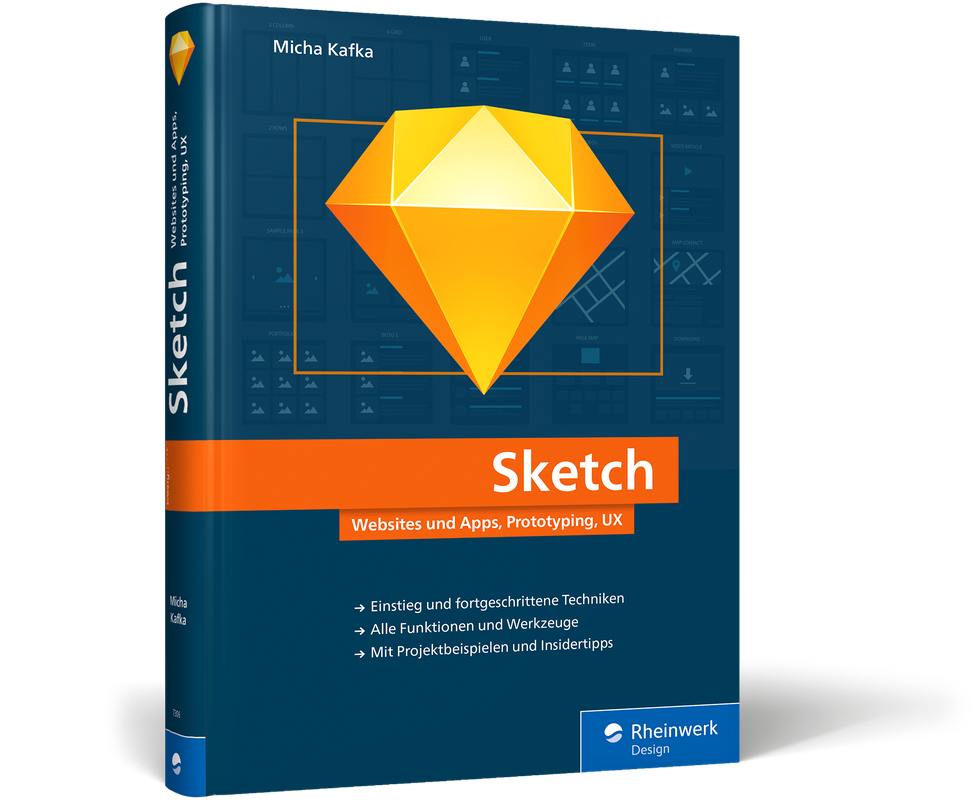
Sketch
Apps und Websites erstellen mit der Sketch-App.Mit der Sketch-App setzen Sie Apps für Web und mobile Geräte effizienter und intuitiver um. Und dieses umfassende Handbuch hilft Ihnen dabei, Sketch in allen Details kennenzulernen und in der Praxis richtig anzuwenden. Mit den Tipps und Workshops von Micha Kafka starten Sie bei App-Design und Webgestaltung richtig durch: vektorbasiertes Arbeiten, Pages und Artboards anlegen, Objekte ausrichten, Farb- und Schriftoptionen nutzen, mit Symbolen arbeiten, mit Sketch Mirror Layouts in Echtzeit testen, Layouts exportieren u.v.m. Immer im Blick: Gutes Design, UX und Usability. So werden Sie als App-Designer und Web-Designer noch besser, sparen Zeit und überzeugen mit modernen Designs.Leseprobe (PDF-Link)