

Computer und IT

Applied Data Science Using PySpark
Discover the capabilities of PySpark and its application in the realm of data science. This comprehensive guide with hand-picked examples of daily use cases will walk you through the end-to-end predictive model-building cycle with the latest techniques and tricks of the trade.Applied Data Science Using PySpark is divided unto six sections which walk you through the book. In section 1, you start with the basics of PySpark focusing on data manipulation. We make you comfortable with the language and then build upon it to introduce you to the mathematical functions available off the shelf. In section 2, you will dive into the art of variable selection where we demonstrate various selection techniques available in PySpark. In section 3, we take you on a journey through machine learning algorithms, implementations, and fine-tuning techniques. We will also talk about different validation metrics and how to use them for picking the best models. Sections 4 and 5 go through machine learning pipelines and various methods available to operationalize the model and serve it through Docker/an API. In the final section, you will cover reusable objects for easy experimentation and learn some tricks that can help you optimize your programs and machine learning pipelines.By the end of this book, you will have seen the flexibility and advantages of PySpark in data science applications. This book is recommended to those who want to unleash the power of parallel computing by simultaneously working with big datasets.WHAT YOU WILL LEARN* Build an end-to-end predictive model* Implement multiple variable selection techniques* Operationalize models* Master multiple algorithms and implementations WHO THIS BOOK IS FORData scientists and machine learning and deep learning engineers who want to learn and use PySpark for real-time analysis of streaming data.RAMCHARAN KAKARLA is currently lead data scientist at Comcast residing in Philadelphia. He is a passionate data science and artificial intelligence advocate with five+ years of experience. He holds a master’s degree from Oklahoma State University with specialization in data mining. Prior to OSU, he received his bachelor’s in electrical and electronics engineering from Sastra University in India. He was born and raised in the coastal town of Kakinada, India. He started his career working as a performance engineer with several Fortune 500 clients including State Farm and British Airways. In his current role he is focused on building data science solutions and frameworks leveraging big data. He has published several papers and posters in the field of predictive analytics. He served as SAS Global Ambassador for the year 2015.SUNDAR KRISHNAN is passionate about artificial intelligence and data science with more than five years of industrial experience. He has tremendous experience in building and deploying customer analytics models and designing machine learning workflow automation. Currently, he is associated with Comcast as a lead data scientist. Sundar was born and raised in Tamil Nadu, India and has a bachelor's degree from Government College of Technology, Coimbatore. He completed his master's at Oklahoma State University, Stillwater. In his spare time, he blogs about his data science works on Medium.CHAPTER 1: SETTING UP THE PYSPARK ENVIRONMENTChapter Goal: Introduce readers to the PySpark environment, walk them through steps to setup the environment and execute some basic operationsNumber of pages: 20Subtopics:1. Setting up your environment & data2. Basic operationsCHAPTER 2: BASIC STATISTICS AND VISUALIZATIONSChapter Goal: Introduce readers to predictive model building framework and help them acclimate with basic data operationsNumber of pages: 30Subtopics:1. Basic Statistics2. data manipulations/feature engineering3. Data visualizations4. Model building frameworkCHAPTER 3: VARIABLE SELECTIONChapter Goal: Illustrate the different variable selection techniques to identify the top variables in a dataset and how they can be implemented using PySpark pipelinesNumber of pages: 40Subtopics:1. Principal Component Analysis2. Weight of Evidence & Information Value3. Chi square selector4. Singular Value Decomposition5. Voting based approachCHAPTER 4: INTRODUCTION TO DIFFERENT SUPERVISED MACHINE ALGORITHMS, IMPLEMENTATIONS & FINE-TUNING TECHNIQUESChapter Goal: Explain and demonstrate supervised machine learning techniques and help the readers to understand the challenges, nuances of model fitting with multiple evaluation metricsNumber of pages: 40Subtopics:1. Supervised:· Linear regression· Logistic regression· Decision Trees· Random Forests· Gradient Boosting· Neural Nets· Support Vector Machine· One Vs Rest Classifier· Naive Bayes2. Model hyperparameter tuning:· L1 & L2 regularization· Elastic netCHAPTER 5: MODEL VALIDATION AND SELECTING THE BEST MODELChapter Goal: Illustrate the different techniques used to validate models, demonstrate which technique should be used for a particular model selection task and finally pick the best model out of the candidate modelsNumber of pages: 30Subtopics:1. Model Validation Statistics:· ROC· Accuracy· Precision· Recall· F1 Score· Misclassification· KS· Decile· Lift & Gain· R square· Adjusted R square· Mean squared errorCHAPTER 6: UNSUPERVISED AND RECOMMENDATION ALGORITHMSChapter Goal: The readers explore a different set of algorithms – Unsupervised and recommendation algorithms and the use case of when to apply themNumber of pages: 30Subtopics:1. Unsupervised:· K-Means· Latent Dirichlet Allocation2. Collaborative filtering using Alternating least squaresCHAPTER 7: END TO END MODELING PIPELINESChapter Goal: Exemplify building the automated model framework and introduce reader to a end to end model building pipeline including experimentation and model trackingNumber of pages: 40Subtopics:1. ML FlowCHAPTER 8: PRODUCTIONALIZING A MACHINE LEARNING MODELChapter Goal: Demonstrate multiple model deployment techniques that can fit and serve variety of real-world use casesNumber of pages: 60Subtopics:1. Model Deployment using hdfs object2. Model Deployment using Docker3. Creating a simple Flask APICHAPTER 9: EXPERIMENTATIONSChapter Goal: The purpose of this chapter is to introduce hypothesis testing and use cases, optimizations for experiment-based data science applicationsNumber of pages: 40Subtopics:1. Hypothesis testing2. Sampling techniquesCHAPTER 10: OTHER TIPS: OPTIONALChapter Goal: This bonus chapter is optional and will offer reader some handy tips and tricks of the tradeNumber of pages: 20Subtopics:1. Tips on when to switch between python and PySpark2. Graph networks

Ontologies with Python
Use ontologies in Python, with the Owlready2 module developed for ontology-oriented programming. You will start with an introduction and refresher on Python and OWL ontologies. Then, you will dive straight into how to access, create, and modify ontologies in Python. Next, you will move on to an overview of semantic constructs and class properties followed by how to perform automatic reasoning. You will also learn about annotations, multilingual texts, and how to add Python methods to OWL classes and ontologies. Using medical terminologies as well as direct access to RDF triples is also covered.Python is one of the most used programming languages, especially in the biomedical field, and formal ontologies are also widely used. However, there are limited resources for the use of ontologies in Python. Owlready2, downloaded more than 60,000 times, is a response to this problem, and this book is the first one on the topic of using ontologies with Python.WHAT YOU WILL LEARN* Use Owlready2 to access and modify OWL ontologies in Python* Publish ontologies on dynamic websites* Perform automatic reasoning in PythonUse well-known ontologies, including DBpedia and Gene Ontology, and terminological resources, such as UMLS (Unified Medical Language System)* Integrate Python methods in OWL ontologiesWHO IS THIS BOOK FORBeginner to experienced readers from biomedical sciences and artificial intelligence fields would find the book useful.Lamy Jean-Baptiste is a senior lecturer at Paris 13 University and a member of the LIMICS, a research lab focused on biomedical informatics. He is also the developer of the Owlready2 Python module that allows access to OWL ontologies. He has developed many research prototypes, and one of them (VCM iconic medical language) has been patented in the US, with three licenses sold to industrial partners.Lamy speaks regularly at artificial intelligence and medical informatics conferences, has written over 50 journal papers, and is a moderator on the Owlready forum on Nabbles. He was awarded the best paper award at MEDINFO 2019, the largest international conference in medical informatics.Chapter 1: Introduction1. Who is this book for?2. Why ontologies?3. Why Python?4. Why Owlready?5. Book outline6. AcknowledgementsChapter 2: Python Language: Adopt a Snake!1. Installing Python2. Starting Python3. Syntax4. Main datatypes5. Conditions (if)6. Loops (for)7. Generators8. Functions (def)9. Classes (class)10. Python modules11. Installing Owlready212. SummaryChapter 3: OWL Ontologies1. An ontology... what does it look like?2. Creating ontologies manually with the Protégé editor3. Example: An ontology of bacteria4. Creating a new ontology• Classes• Disjoints• Partitions • Data properties• Object properties• Restrictions• Union, intersection, and complement• Definitions (equivalent to relations)• Individuals• Other constructs5. Automatic reasoning6. Modeling exercises7. SummaryChapter 4: Accessing Ontologies in Python1. Importing Olwready2. Loading an ontology3. Imported ontologies4. Listing the content of the ontology5. Accessing to entities• Individuals• Relations• Classes• Existential restrictions• Properties6. Searching for entities7. Huge ontologies and disk cache8. Namespaces9. Modifying entity rendering as text10. Local directory of ontologies11. Reloading an ontology in the quadstore12. Example: Creating a dynamic website from an ontology13. SummaryChapter 5: Creating and Modifying Ontologies in Python1. Creating an empty ontology 2. Creating classes3. Creating properties4. Creating individuals5. Modifying entities: Relations and existential restrictions6. Creating entities within a namespace7. Renaming entities (refactoring)8. Multiple definitions and forward declarations9. Destroying entities10. Destroying an ontology11. Saving an ontology12. Importing ontologies13. Synchronization14. Example: Populating an ontology from a CSV file15. SummaryChapter 6: Constructs, Restrictions, Class Properties1. Creating constructs2. Accessing constructs parameters3. Restrictions as class properties4. Defined classes5. Example: Creating the ontology of bacteria in Python6. Example: Populating an ontology with defined classes7. SummaryChapter 7: Automatic Reasoning1. Disjoints2. Open-world assumption3. Reasoning in a closed world, or in a local closed world4. Inconsistent classes and inconsistent ontologies5. Restriction and reasoning on numbers and strings6. SWRL rules7. Example: An ontology-based decision support system8. SummaryChapter 8: Annotations, Multilingual Texts and Full Text Search1. Annotating entities2. Multilingual texts3. Annotating constructs4. Annotating properties and relations5. Creating new annotation classes6. Ontology metadata7. Full text search8. Example: Using DBpedia in Python• Loading DBpedia• A search engine for Dbpedia9. SummaryChapter 9: Using Medical Terminologies with PyMedTermino and UMLS1. UMLS2. Importing terminologies from UMLS3. Loading terminologies after initial importation4. Using ICD105. Using SNOMED CT6. Using UMLS unified concepts (CUI)7. Transcoding between terminologies8. Manipulating sets of concepts9. Importing all terminologies in UMLS10. Example: Linking the ontology of bacteria with UMLS11. Example: A multi-terminology browser12. SummaryChapter 10: Mixing Python and OWL1. Adding Python methods to OWL classes2. Associating a Python module to an ontology• Manual import• Automatic import3. Polymorphism with type inference4. Introspection5. Reading restrictions backward6. Example: using Gene Ontology and managing part-of relations7. Example: A “dating site” for proteins8. SummaryChapter 11: Working with RDF Triples and Worlds1. RDF triples2. Manipulating RDF triples with RDFlib3. Performing SPARQL requests4. Accessing RDF triples with Owlready5. Interrogating the SQLite3 database directly6. Creating several, isolated, world7. SummaryAnnex A: Description logicsAnnex B: Notations for formal ontologiesAnnex C: Reference manual

Samsung Galaxy A21s
Die verständliche Anleitung für Ihr Smartphone:- Alle Funktionen & Einstellungen auf einen Blick- Schritt für Schritt erklärt – mit praktischen TippsMit diesem smarten Praxisbuch gelingt Ihnen der schnelle und sichere Einstieg in Ihr Smartphone. Lernen Sie Ihr Handymodell von Grund auf kennen und beherrschen! Anschauliche Anleitungen, Beispiele und Bilder zeigen Ihnen gut nachvollziehbar, wie Sie Ihr mobiles Gerät optimal handhaben – von der Ersteinrichtung und Personalisierung über die große Funktionsvielfalt bis zu den wichtigsten Anwendungen. Nutzen Sie darüber hinaus die übersichtlichen Spicker-Darstellungen: Damit können Sie jene Bedienungsschritte, die man am häufigsten braucht, aber immer wieder vergisst, auf einen Blick finden und umsetzen. Freuen Sie sich auf viele hilfreiche Tipps und legen Sie ganz einfach los!Aus dem Inhalt:- Alle Bedienelemente des Smartphones auf einen Blick- Ersteinrichtung und Tipps zum Umzug- Google-Konto erstellen und verwalten- Die Benutzeroberfläche Ihres Smartphones personalisieren- Apps aus dem Play Store herunterladen- Kontakte anlegen und im Adressbuch verwalten- Anrufe tätigen und SMS austauschen - Nachrichten über Mail und WhatsApp versenden und empfangen- Uhr, Kalender, Maps und andere praktische Apps nutzen - Fotos sowie Videos aufnehmen, verwalten und teilen- Ins Internet gehen über WLAN und mobile Daten - Updates, Datenschutz und Sicherheit
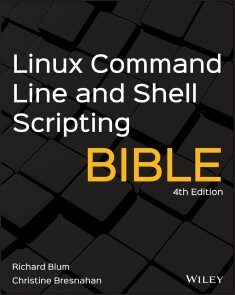
Linux Command Line and Shell Scripting Bible
ADVANCE YOUR UNDERSTANDING OF THE LINUX COMMAND LINE WITH THIS INVALUABLE RESOURCELinux Command Line and Shell Scripting Bible, 4th Edition is the newest installment in the indispensable series known to Linux developers all over the world. Packed with concrete strategies and practical tips, the latest edition includes brand-new content covering:* Understanding the Shell * Writing Simple Script Utilities * Producing Database, Web & Email Scripts * Creating Fun Little Shell Scripts Written by accomplished Linux professionals Christine Bresnahan and Richard Blum, Linux Command Line and Shell Scripting Bible, 4th Edition teaches readers the fundamentals and advanced topics necessary for a comprehensive understanding of shell scripting in Linux. The book is filled with real-world examples and usable scripts, helping readers navigate the challenging Linux environment with ease and convenience.The book is perfect for anyone who uses Linux at home or in the office and will quickly find a place on every Linux enthusiast’s bookshelf.RICHARD BLUM has over three decades of experience working as a system and network administrator. He is the author of several Linux books and is an accomplished online Linux instructor.CHRISTINE BRESNAHAN is an Adjunct Professor at Ivy Tech Community College where she teaches Linux certification and Python classes. She is the author of several Linux books, including the CompTIA Linux+ Study Guide, Fourth Edition.Acknowledgments xiPART I: THE LINUX COMMAND LINE 1CHAPTER 1: STARTING WITH LINUX SHELLS 3Investigating Linux 3Looking into the Linux kernel 4System memory management 5Software program management 6Hardware management 8Filesystem management 8The GNU utilities 9The core GNU utilities 10The shell 10The Linux desktop environment 11The X Window software 12The KDE Plasma desktop 12The GNOME desktop 13Other desktops 15Examining Linux Distributions 17Core Linux distributions 18Specialized Linux distributions 19Summary 20CHAPTER 2: GETTING TO THE SHELL 21Reaching the Command Line 21Console terminals 22Graphical terminals 22Accessing CLI via a Linux Console Terminal 23Accessing CLI via Graphical Terminal Emulation 26Using the GNOME Terminal Emulator 27Accessing GNOME Terminal 27The menu bar 32Using the Konsole Terminal Emulator 36Accessing Konsole 36The menu bar 38Using the xterm Terminal Emulator 42Accessing xterm 43Command-line parameters 44Summary 45CHAPTER 3: BASIC BASH SHELL COMMANDS 47Starting the Shell 47Using the Shell Prompt 48Interacting with the Bash Manual 49Navigating the Filesystem 53Looking at the Linux filesystem 53Traversing directories 57Using absolute directory references 57Using relative directory references 59Listing Files and Directories 60Displaying a basic listing 61Displaying a long listing 63Filtering listing output 64Handling Files 66Creating files 66Copying files 66Using command-line completion 69Linking files 69Renaming files 71Deleting files 73Managing Directories 74Creating directories 74Deleting directories 75Viewing File Contents 77Viewing the file type 77Viewing the whole file 78Using the cat command 78Using the more command 78Using the less command 80Viewing parts of a file 80Using the tail command 80Using the head command 82Summary 82CHAPTER 4: MORE BASH SHELL COMMANDS 85Monitoring Programs 85Peeking at the processes 85Unix-style parameters 86BSD-style parameters 89The GNU long parameters 91Real-time process monitoring 93Stopping processes 95The kill command 95The pkill command 96Monitoring Disk Space 96Mounting media 97The mount command 97The umount command 99Using the df command 100Using the du command 101Working with Data Files 102Sorting data 102Searching for data 106Compressing data 108Archiving data 109Summary 111CHAPTER 5: UNDERSTANDING THE SHELL 113Investigating Shell Types 113Exploring Parent and Child Shell Relationships 117Looking at process lists 121Creatively using subshells 123Investigating background mode 123Putting process lists into the background 125Looking at co-processing 126Understanding External and Built-In Commands 127Looking at external commands 128Looking at built-in commands 129Using the history command 130Using command aliases 134Summary 135CHAPTER 6: USING LINUX ENVIRONMENT VARIABLES 137Exploring Environment Variables 137Looking at global environment variables 138Looking at local environment variables 140Setting User-Defined Variables 141Setting local user-defined variables 141Setting global environment variables 142Removing Environment Variables 144Uncovering Default Shell Environment Variables 145Setting the PATH Environment Variable 150Locating System Environment Variables 152Understanding the login shell process 152Viewing the /etc/profi le file 152Viewing the $HOME startup files 156Understanding the interactive shell process 157Understanding the noninteractive shell process 158Making environment variables persistent 159Learning about Variable Arrays 159Summary 161CHAPTER 7: UNDERSTANDING LINUX FILE PERMISSIONS 163Exploring Linux Security 163The /etc/passwd file 164The /etc/shadow file 165Adding a new user 166Removing a user 169Modifying a user 169usermod 170passwd and chpasswd 170chsh, chfn, and chage 171Using Linux Groups 173The /etc/group file 173Creating new groups 174Modifying groups 175Decoding File Permissions 176Using file permission symbols 176Default file permissions 178Changing Security Settings 179Changing permissions 180Changing ownership 181Sharing Files 182Access Control Lists 184Summary 186CHAPTER 8: MANAGING FILESYSTEMS 189Exploring Linux Filesystems 189Exploring the Linux filesystem evolution 190Looking at the ext filesystem 190Looking at the ext2 filesystem 190Digging into journaling filesystems 191Looking at the ext3 filesystem 191Looking at the ext4 filesystem 191Looking at the JFS filesystem 192Looking at ReiserFS 192Looking at XFS 192Understanding the volume-managing filesystems 192Looking at the ZFS filesystem 193Looking at the Btrfs filesystem 193Looking at the Stratis filesystem 193Working with Filesystems 194Creating partitions 194Looking at the fdisk utility 194Working with gdisk 197The GNU parted command 198Creating a filesystem 199Checking and repairing a filesystem 201Managing Logical Volumes 202Exploring LVM layout 203Physical volume 203Volume group 203Logical volume 203Understanding the LVM in Linux 203Create the PVs 204Create a VG 204Create an LV 205Using the Linux LVM 206Format and mount an LV 206Growing or shrinking your VGs and LVs 206Summary 207CHAPTER 9: INSTALLING SOFTWARE 209Exploring Package Management 209Inspecting the Debian-Based Systems 210Managing packages with apt 211Installing software packages with apt 213Upgrading software with apt 215Uninstalling software with apt 216The apt repositories 218The Red Hat–Based Systems 220Listing installed packages 220Installing software with dnf 221Upgrading software with dnf 223Uninstalling software with dnf 223Dealing with broken dependencies 223RPM repositories 224Managing Software Using Containers 225Using snap containers 225Using flatpak containers 227Installing from Source Code 229Summary 232CHAPTER 10: WORKING WITH EDITORS 235Visiting the vim Editor 235Checking your vim package 236Exploring vim basics 237Editing data 240Copying and pasting 240Searching and substituting 241Navigating the nano Editor 242Exploring the Emacs Editor 244Checking your Emacs package 245Using Emacs on the console 246Exploring the basics of Emacs 247Editing data 248Copying and pasting 249Searching and replacing 249Using buffers in Emacs 250Using windows in console mode Emacs 251Using Emacs in a GUI 252Exploring the KDE Family of Editors 253Looking at the KWrite editor 253Looking at the Kate editor 259Exploring the GNOME Editor 263Starting gedit 264Understanding basic gedit features 265Managing plugins 268Summary 271PART II: SHELL SCRIPTING BASICS 273CHAPTER 11: BASIC SCRIPT BUILDING 275Using Multiple Commands 275Creating a Script File 276Displaying Messages 278Using Variables 279Environment variables 280User variables 281Command substitution 283Redirecting Input and Output 284Output redirection 285Input redirection 285Employing Pipes 287Performing Math 289The expr command 290Using brackets 292A floating-point solution 293The basics of bc 293Using bc in scripts 295Exiting the Script 297Checking the exit status 297The exit command 298Working through a Practical Example 300Summary 301CHAPTER 12: USING STRUCTURED COMMANDS 303Working with the if-then Statement 303Exploring the if-then-else Statement 306Nesting ifs 307Trying the test Command 311Using numeric comparisons 313Using string comparisons 314Looking at string equality 315Looking at string order 316Looking at string size 318Using file comparisons 320Checking directories 320Checking whether an object exists 321Checking for a file 322Checking for read access 324Checking for empty files 325Checking whether you can write to a file 326Checking whether you can run a file 327Checking ownership 328Checking default group membership 329Checking file date 330Considering Compound Testing 331Working with Advanced if-then Features 332Using single parentheses 332Using double parentheses 333Using double brackets 335Considering the case Command 335Working through a Practical Example 337Summary 343CHAPTER 13: MORE STRUCTURED COMMANDS 345Looking at the for Command 345Reading values in a list 346Reading complex values in a list 347Reading a list from a variable 349Reading values from a command 350Changing the field separator 351Reading a directory using wildcards 352Trying the C-Style for Command 354The C language for command 355Using multiple variables 356Exploring the while Command 357Basic while format 357Using multiple test commands 358Using the until Command 359Nesting Loops 361Looping on File Data 364Controlling the Loop 365The break command 365Breaking out of a single loop 365Breaking out of an inner loop 366Breaking out of an outer loop 367The continue command 368Processing the Output of a Loop 371Working through a Few Practical Examples 372Finding executable files 373Creating multiple user accounts 374Summary 375CHAPTER 14: HANDLING USER INPUT 377Passing Parameters 377Reading parameters 377Reading the script name 380Testing parameters 381Using Special Parameter Variables 382Counting parameters 382Grabbing all the data 384Being Shifty 386Working with Options 388Finding your options 388Processing simple options 388Separating options from parameters 389Processing options with values 391Using the getopt command 392Looking at the command format 392Using getopt in your scripts 393Advancing to getopts 395Standardizing Options 398Getting User Input 399Reading basics 399Timing Out 401Reading with no display 402Reading from a file 403Working through a Practical Example 404Summary 408CHAPTER 15: PRESENTING DATA 411Understanding Input and Output 411Standard file descriptors 412STDIN 412STDOUT 413STDERR 414Redirecting errors 414Redirecting errors only 414Redirecting errors and data 415Redirecting Output in Scripts 416Temporary redirections 416Permanent redirections 417Redirecting Input in Scripts 418Creating Your Own Redirection 419Creating output file descriptors 419Redirecting file descriptors 420Creating input file descriptors 421Creating a read/write file descriptor 422Closing file descriptors 423Listing Open File Descriptors 424Suppressing Command Output 426Using Temporary Files 427Creating a local temporary file 427Creating a temporary file in /tmp 428Creating a temporary directory 429Logging Messages 430Working through a Practical Example 431Summary 433CHAPTER 16: SCRIPT CONTROL 435Handling Signals 435Signaling the Bash shell 435Generating signals 436Interrupting a process 436Pausing a process 437Trapping signals 438Trapping a script exit 440Modifying or removing a trap 441Running Scripts in Background Mode 443Running in the background 443Running multiple background jobs 445Running Scripts without a Hang-up 447Controlling the Job 448Viewing jobs 448Restarting stopped jobs 450Being Nice 451Using the nice command 452Using the renice command 453Running like Clockwork 454Scheduling a job using the at command 454Understanding the at command format 454Retrieving job output 455Listing pending jobs 457Removing jobs 457Scheduling regular scripts 458Looking at the cron table 458Building the cron table 459Viewing cron directories 460Looking at the anacron program 460Starting scripts with a new shell 462Working through a Practical Example 463Summary 469PART III: ADVANCED SHELL SCRIPTING 471CHAPTER 17: CREATING FUNCTIONS 473Exploring Basic Script Functions 473Creating a function 474Using functions 474Returning a Value from a Function 477The default exit status 477Using the return command 478Using function output 479Using Variables in Functions 480Passing parameters to a function 480Handling variables in a function 482Global variables 483Local variables 484Investigating Array Variables and Functions 485Passing arrays to functions 485Returning arrays from functions 487Considering Function Recursion 488Creating a Library 489Using Functions on the Command Line 491Creating functions on the command line 491Defining functions in the bashrc file 492Directly defining functions 492Sourcing function files 493Working Through a Practical Example 494Downloading and installing 494Building the library 495The shtool library functions 496Using the library 497Summary 497CHAPTER 18: WRITING SCRIPTS FOR GRAPHICAL DESKTOPS 499Creating Text Menus 499Create the menu layout 499Create the menu functions 501Add the menu logic 502Putting it all together 502Using the select command 504Doing Windows 505The dialog package 506The msgbox widget 507The yesno widget 508The inputbox widget 508The textbox widget 510The menu widget 511The fselect widget 512The dialog options 513Using the dialog command in a script 515Getting Graphic 516The KDE environment 517kdialog widgets 517Using kdialog 519The GNOME environment 521zenity Widgets 521Using zenity in scripts 523Working Through a Practical Example 525Summary 529CHAPTER 19: INTRODUCING SED AND GAWK 531Manipulating Text 531Getting to know the sed editor 532Defining an editor command in the command line 533Using multiple editor commands in the command line 534Reading editor commands from a file 534Getting to know the gawk program 535Visiting the gawk command format 536Reading the program script from the command line 536Using data field variables 537Using multiple commands in the program script 538Reading the program from a file 539Running scripts before processing data 539Running scripts after processing data 540Looking at the sed Editor Basic Commands 542Introducing more substitution options 542Substituting flags 542Replacing characters 543Using addresses 544Addressing the numeric line 544Using text pattern filters 545Grouping commands 546Deleting lines 547Inserting and appending text 549Changing lines 551Transforming characters 552Printing revisited 553Printing lines 554Printing line numbers 555Listing lines 555Using files with sed 556Writing to a file 556Reading data from a file 557Working Through a Practical Example 559Summary 564CHAPTER 20: REGULAR EXPRESSIONS 565Exploring Regular Expressions 565A definition 565Types of regular expressions 567Defining BRE Patterns 567Plain text 567Special characters 569Anchor characters 570Starting at the beginning 570Looking for the ending 571Combining anchors 572The dot character 572Character classes 573Negating character classes 575Using ranges 576Special character classes 577The asterisk 578Trying Out Extended Regular Expressions 579The question mark 579The plus sign 580Using braces 581The pipe symbol 582Grouping expressions 583Working Through Some Practical Examples 584Counting directory files 584Validating a phone number 585Parsing an email address 587Summary 589CHAPTER 21: ADVANCED SED 591Looking at Multiline Commands 591Navigating the next command 592Using the single-line next command 592Combining lines of text 593Navigating the multiline delete command 595Navigating the multiline print command 596Holding Space 598Negating a Command 599Changing the Flow 602Branching 603Testing 605Replacing via a Pattern 606Using the ampersand 606Replacing individual words 607Placing sed Commands in Scripts 608Using wrappers 608Redirecting sed output 609Creating sed Utilities 610Spacing with double lines 610Spacing files that may have blanks 611Numbering lines in a file 612Printing last lines 613Deleting lines 614Deleting consecutive blank lines 615Deleting leading blank lines 616Deleting trailing blank lines 616Removing HTML tags 617Working Through a Practical Example 619Summary 624CHAPTER 22: ADVANCED GAWK K 627Using Variables 627Built-in variables 628The field and record separator variables 628Data variables 631User-defined variables 634Assigning variables in scripts 634Assigning variables on the command line 635Working with Arrays 636Defining array variables 636Iterating through array variables 637Deleting array variables 638Considering Patterns 638Regular expressions 639The matching operator 639Mathematical expressions 640Structured Commands 641The if statement 641The while statement 643The do-while statement 644The for statement 645Printing with Formats 645Using Built-in Functions 648Mathematical functions 649String functions 650Time functions 652Trying Out User-Defined Functions 653Defining a function 653Using your functions 654Creating a function library 654Working Through a Practical Example 655Summary 657CHAPTER 23: WORKING WITH ALTERNATIVE SHELLS 659Considering the Dash Shell 659Looking at the Dash Shell Features 661The Dash command-line parameters 661The Dash environment variables 662Default environment variables 662Positional parameters 663User-defined environment variables 663The Dash built-in commands 664Scripting in Dash 665Creating Dash scripts 665Things that won’t work 665Using arithmetic 666The test command 666The function command 667Exploring the zsh Shell 668Viewing Parts of the zsh shell 668Shell options 669Built-in commands 670Core built-in commands 670Add-in modules 673Viewing, adding, and removing modules 673Scripting with zsh 674Mathematical operations 674Performing calculations 674Mathematical functions 675Structured commands 676Functions 677Working Through a Practical Example 677Summary 678PART IV: CREATING AND MANAGING PRACTICAL SCRIPTS 679CHAPTER 24: WRITING SIMPLE SCRIPT UTILITIES 681Performing Backups 681Backing up files daily 682Obtaining the required functions 682Creating a daily archive location 685Creating a daily backup script 686Running the daily archive script 688Creating an hourly archive script 689Running the hourly archive script 692Managing Account Deletion 693Obtaining the required functions 693Getting the correct account name 693Creating a function to get the correct account name 695Verifying the entered account name 696Determining whether the account exists 698Removing any account processes 699Finding account files 702Removing the account 702Creating the script 703Running the script 708Monitoring Your System 710Obtaining the default shell audit functions 710Obtaining the permission audit functions 714Creating the script 716Running the script 719Summary 721CHAPTER 25: GETTING ORGANIZED 723Understanding Version Control 723Working directory 724Staging area 725Looking at the local repository 725Exploring a remote repository 726Branching 726Cloning 726Using Git for VCS 727Setting Up Your Git Environment 727Committing with Git 732Summary 739Appendix A: Quick Guide to Bash Commands 741Appendix B: Quick Guide to sed and gawk 755Index 767

Cloud-Based Microservices
Use this field guide as you transform your enterprise to combine cloud computing with a microservices architecture.The recent surge in the popularity of microservices in software development is mainly due to the agility it brings and its readiness for the cloud. The move to a microservices architecture on the cloud involves a gradual evolution in software development. Many enterprises are embarking on this journey, and are now looking for architects who are experienced in building microservices-based applications in the cloud.A master architect should be able to understand the business, identify growth hurdles, break a monolith, design microservices, foresee problems, overcome challenges, change processes, decipher CSP services, strategize cloudification, adopt innovations, secure microservices, prototype solutions, and envision the future. CLOUD-BASED MICROSERVICES provides you with the information you need to be successful in such an endeavor.WHAT YOU WILL LEARN* Be familiar with the challenges in microservices architecture and how to overcome them* Plan for a cloud-based architecture* Architect, build, and deploy microservices in the cloud* Know how security, operations, and support change in this architectureWHO THIS BOOK IS FOREngineers, architects, and those in DevSecOps attempting to move their enterprise software to take advantage of microservices and the cloud and be more nimbleCHANDRA RAJASEKHARAIAH has led multi-million dollar enterprise initiatives in cloud-based microservice development. For the past five years, he has also migrated giant enterprise monoliths to microservices-based applications on the cloud. He has more than 20 years of experience in the software engineering industry as a principal, enterprise architect, solutions architect, and software engineer. His experience includes multiple domains—retail, e-commerce, telecommunications, telematics, travel, electronic payments, automobile—and gives him a broad base to draw parallels, abstract problems, and create innovative solutions. He enjoys architecting, delivering, and supporting enterprise products.PREFACEWhat This Book isWhat This Book is NotCHAPTER 1: CASE STUDY: ENERGENCE CO.Managing Production and DistributionHardware and Software InfrastructureMonolithic Software SolutionsGrowth Opportunities and ObjectivesNext StepsFurther Related ReadingSummaryPoints to PonderCHAPTER 2: MICROSERVICES: WHAT AND WHY?OriginsMicroservices Architecture in a NutshellSuccessful Implementation of MicroservicesOrchestration and ChoreographyMicroservices Migration Plan for EnergenceBreaking a Monolith into ModulesBreaking Modules into Sub-modulesEstablishing Microservices ArchitectureAdvantages and Gains with MicroservicesFurther Related ReadingSummaryPoints to PonderCHAPTER 3: ARCHITECTURAL CHALLENGESIdentifying and Classifying ChallengesAC1: Dispersed Business LogicAC2: Lack of Distributed TransactionsOrchestrated DomainsChoreographed DomainsAC3: Inconsistent Dynamic Overall StateChallenges in Exchanging Data between MicroservicesProblems with ShardingAC4: Difficulty in Gathering Composite DataAC5: Difficulty in Debugging Failures and FaultsAC6: The v2 Dread – Difficulty in EvolvingFurther Related ReadingSummaryPoints to PonderCHAPTER 4: OVERCOMING ARCHITECTURAL CHALLENGESService CatalogSagas (Long-Running Transactions)Ignoring ErrorsCompensating Errors InlineCompensating Errors OfflineImplementing SagasMaintaining Global StatesThe Scenario of Dynamic Overall StateIntermittent-Peek OptionAlways-Listening OptionOther Options and Larger QuestionsCentralized ViewObservabilityContract TestingFurther Related ReadingSummaryPoints to PonderCHAPTER 5: PROCESS CHANGESContinuous IntegrationBuild and Integration EnvironmentsAutomated TestingPerformance TestingContinuous DeliveryInfrastructure as CodDevSecOpsFurther Related ReadingSummaryPoints to PonderCHAPTER 6: CLOUDIFICATION – STRATEGYOverall Setup for Microservices in CloudNetworking and ConnectivityRegions and ZonesComputeIntegrationDatabases and Traditional DatastoresSpecial-Purpose DatastoresCost AnalysisSummaryPoints to PonderCHAPTER 7: CLOUDIFICATION – CORE CONCEPTSVirtualization and ContainerizationContainer OrchestrationService MeshesTraffic ControlEstablishing and Securing CommunicationBuilding Overall ObservabilityChallenges and State of the Art of Service MeshesFaaS, aka, ServerlessStorage and Integration ServicesStorage ServicesIntegration ServicesFurther Related ReadingSummaryPoints to PonderCHAPTER 8: SECURING MICROSERVICES ON CLOUDSecuring MicroservicesReducing the Attack SurfaceSecuring ServicesSecuring Outgoing CommunicationSecuring Microservices on CloudAPI Gateways and Load BalancersIAM of CSPsSecuring Inter-Service CommunicationProcessing IntegrityTrusted BinariesTrusted ExecutionAvailabilityDR-Disaster RecoveryMulti-region SolutionsFurther Related ReadingSummaryPoints to PonderCHAPTER 9: MICROSERVICES, HERE AND BEYONDTrendsSupport and OperationsMicroservices on CloudChanging Security LandscapeAlternate ThoughtsMonoliths are Dead, Long Live the MonolithIN CLOSINGBIBLIOGRAPHYAPPENDIXCOMPARING CSPS

Immersive 3D Design Visualization
Discover the methods and techniques required for creating immersive design visualization for industry. This book proposes ways for industry-oriented design visualization from scratch. This includes fundamentals of creative and immersive technology; tools and techniques for architectural visualization; design visualization with Autodesk Maya; PBR integration; and texturing, material design, and integration into UE4 for immersive design visualization.You’ll to dive into design and visualization, from planning to execution. You will start with the basics, such as an introduction to design visualization as well as to the software you will be using. You will next learn to create assets such as virtual worlds and texturing, and integrate them with Unreal Engine 4. Finally, there is a capstone project for you to make your own immersive visualization scene.By the end of the book you’ll be able to create assets for use in industries such as game development, entertainment, architecture, design engineering, and digital education.WHAT YOU WILL LEARN* Gain the fundamentals of immersive design visualization* Master design visualization with Autodesk Maya* Study interactive visualization with UE4* Create your immersive design portfolio WHO THIS BOOK IS FORBeginning-intermediate learners from the fields of animation, visual art, and computer graphics as well as design visualization, game technology, and virtual reality integration.DR. ABHISHEK KUMAR is an assistant professor in the Department of Computer Science at the Institute of Science at Banaras Hindu University. He is an Apple Certified Associate, Adobe Education Trainer, and certified by Autodesk. He is actively involved in course development in animation and design engineering courses for various institutions and universities as they will be a future industry requirement. Dr. Kumar has published a number of research papers indexed in Scopus and Web of Science and covered a wide range of topics in various digital scientific areas (image analysis, visual identity, graphics, digital photography, motion graphics, 3D animation, visual effects, editing, and composition).He holds eight patents in the field of computer science, design and IoT. Dr. Kumar has completed professional studies related to animation, computer graphics, virtual reality, stereoscopy, filmmaking, visual effects, and photography from Norwich University of the Arts, the University of Edinburgh, and Wizcraft MIME and FXPHD, Australia.He is passionate about the media and entertainment industry, and has directed two animation short films. Dr. Kumar has trained more than 50,000 students across the globe from 153 countries (top five: India, Germany, United States, Spain, and Australia). His alumni have worked on movies such as Ra-One, Krissh, Dhoom, Life of Pi, the Avengers series, the Iron Man series, GI Joe 3D, 300, Alvin and the Chipmunks, Prince of Persia, Titanic 3D, the Transformers series, Bahubali 1 and 2, London Has Fallen, Warcraft, Aquaman 3D, Alita, and more.CHAPTER 1: DESIGN FOR CREATIVE AND IMMERSIVE TECHNOLOGY• Scope of this book• Topics covered• Design visualization• Emerging technologies (VR, AR, and MR)CHAPTER 2: TOOLS FOR ARCHITECTURAL VISUALIZATION• MAYA for design visualization• Substance for PBR texturing• Design visualization gamification (UE4)CHAPTER 3: 3D DESIGN WITH AUTODESK MAYA• Basics of modelling• Basics of unwrapping• Basics of Substance PainterCHAPTER 4: INTERACTIVE VISUALIZATION WITH UE4• Interface of UE4• Exploring toolsCHAPTER 5: CREATING VIRTUAL WORLDS• Modelling assetsCHAPTER 6: UNWRAPPING OUR ASSETS• Introduction to unwrapping• Unwrapping assetsCHAPTER 7: LIGHTMAP ANALYSIS AND CORRECTION• Creating Lightmap UVs• Static vs. dynamic lighting• Lightmap analysis, correction, and padding• Shader analysis and tweakingCHAPTER 8: PBR INTEGRATED TEXTURING• Importing and baking maps• Texturing various assetsCHAPTER 9: MATERIAL DESIGN AND INTEGRATION• Exporting for UE4• Importing into UE4• Material setupCHAPTER 10: REAL-TIME/EMISSIVE MATERIALS• Emissive workflow in Substance Painter• Emissive workflow in UE4CHAPTER 11: INTERACTION DESIGN IN VR ENGINE• Importing 3D assets• Object properties editorCHAPTER 12: UNREAL® ENGINE 4 FOR LEVEL DESIGN• Creating level• Documenting problems and errorsCHAPTER 13: DESIGN VISUALIZATION CAPSTONE PROJECT: TESTING AND FIXING ERRORS• Fixing errorsCHAPTER 14: DESIGN VISUALIZATION CAPSTONE PROJECT: AESTHETIC DEVELOPMENT• Completing level design• Lighting our sceneCHAPTER 15: IMMERSIVE DESIGN PORTFOLIO• Cleaning up• Testing with VR headsets• Thoughts and suggestions

Handbuch moderner Softwarearchitektur
SOFTWAREARCHITEKTUR ZEITGEMÄSS UND PRAGMATISCH GEPLANT * Architektonische Muster: Das technische Fundament für viele architektonische Entscheidungen * Komponenten: Identifizierung, Kopplung, Kohäsion, Partitionierung und Granularität * Architekturstile wie Microkernel, SOA, Microservices u.v.m. und ihre architektonischen Eigenschaften * Softwarearchitektur als Engineering-Disziplin: mit wiederhol- und messbaren Ergebnissen zu stabilen Architekturen Mark Richards und Neal Ford — Praktiker mit Erfahrung aus erster Hand, die seit Jahren das Thema Softwarearchitektur unterrichten —, betrachten Softwarearchitektur vor dem Hintergrund der Entwicklungen, Innovationen und Herausforderungen des letzten Jahrzehnts. Sie konzentrieren sich auf Architekturprinzipien, die für alle Technologie-Stacks gelten. Angehende und erfahrene Architekten finden in diesem Buch umfassende Informationen zu architektonischen Merkmalen und Architekturstilen, zur Bestimmung von Komponenten, zur Diagrammerstellung und Präsentation, zu evolutionärer Architektur und vielen weiteren Themen. Die Autoren verstehen Softwarearchitektur als Engineering-Disziplin: mit wiederhol- und messbaren Ergebnissen und konkreten Kennzahlen für stabile Softwarearchitekturen.
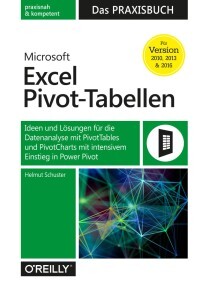
Microsoft Excel Pivot-Tabellen - Das Praxisbuch
Von ABC-Analyse bis Zeitachse: Mit PivotTables und Power Pivot alle Daten im Griff* Für Excel 2010–2019 und Excel 365* Mit vielen Praxisbeispielen aus dem Arbeitsalltag* Inkl. kostenloser Übungsdateien zum DownloadFür die Analyse größerer Datenmengen in Excel sind Pivot-Tabellen ein besonders leistungsfähiges Werkzeug. Das Buch zeigt, wie Excel-Anwender*innen mit Vorkenntnissen bei ihrer täglichen Arbeit von PivotTables profitieren können. Außerdem richtet sich das Buch an Anwender*innen, die PivotTables bereits nutzen, jedoch darüber hinaus verstehen wollen, wie diese richtig funktionieren, um gezielt professionelle Lösungen zu modellieren.Ein eigenes Kapitel widmet sich dem Tool Power Pivot, mit welchem Sie große Datenmengen aus mehreren Quellen importieren und analysieren können. Anhand praktischer Beispiele wie der Projektfinanzsteuerung, der Qualitätsanalyse oder der Personalstrukturanalyse lernen Sie die Funktionsweise von PivotTables und PivotCharts in Excel 2010 bis 2019 sowie 365 kennen, verstehen und gewinnbringend einzusetzen.Aus dem Inhalt:- Tipps für den PivotTable-Schnellstart- Planen und Vorbereiten- Daten aufbereiten und auswerten- Mit Daten jonglieren- Projektfinanzsteuerung- Stundenabweichungsanalyse- ABC-Analyse mit PivotTables- Personalkosten- und Personalstrukturanalyse- Umsatzanalysen mit Plan-Ist-Vergleichen- Datenmodelle und Beziehungen- Datenauswertung mit Power PivotHelmut Schuster ist Diplom-Betriebswirt und seit mehr als 30 Jahren als Trainer und Berater im Bereich betriebswirtschaftliche Anwendungen mit Office tätig. Er ist Spezialist für Planung, Budgetierung, Prognosen und Analysen mit Microsoft Excel und Power BI. Darüber hinaus hat er als Co-Autor zahlreiche IT-Fachbücher, u. a. "Excel 2016 – Das Handbuch", veröffentlicht. Außerdem ist er ausgebildeter psychologischer Coach und lässt dieses Know-how in die Trainings- und Projektprozesse nutzbringend einfließen.

IP Address Management
REDISCOVER FUNDAMENTAL AND ADVANCED TOPICS IN IPAM, DNS, DHCP AND OTHER CORE NETWORKING TECHNOLOGIES WITH THIS UPDATED ONE-STOP REFERENCEThe thoroughly revised second edition of IP Address Management is the definitive reference for working with core IP management technologies, like address allocation, assignment, and network navigation via DNS. Accomplished professionals and authors Timothy Rooney and Michael Dooley offer readers coverage of recent IPAM developments in the world of cloud computing, Internet of Things (IoT), and security, as well as a comprehensive treatment of foundational concepts in IPAM.The new edition addresses the way that IPAM needs and methods have evolved since the publication of the first edition. The book covers the impact of mainstream use of private and public cloud services, the maturation of IPv6 implementations, new DNS security approaches, and the proliferation of IoT devices. The authors have also reorganized the flow of the book, with much of the technical reference material appearing at the end and making for a smoother and simpler reading experience.The 2nd edition of IP Address Management also covers topics like such as:* Discussions about the fundamentals of Internet Protocol Address Management (IPAM), including IP addressing, address allocation and assignment, DHCP, and DNS* An examination of IPAM practices, including core processes and tasks, deployment strategies, IPAM security best-practices, and DNS security approaches* A treatment of IPAM in the modern context, including how to adapt to cloud computing, the Internet of Things, IPv6, and new trends in IPAM* A one-stop reference for IPAM topics, including IP addressing, DHCP, DNS, IPv6, and DNS securityPerfect for IP network engineers and managers, network planners, network architects, and security engineers, the second edition of IP Address Management also belongs on the bookshelves of senior undergraduate and graduate students studying in networking, information technology, and computer security-related courses and programs.MICHAEL DOOLEY is Vice President of Operations for BT Diamond IP division. He has over 20 years of experience managing and developing enterprise-scale software products. His professional expertise includes IP addressing, DHCP, and DNS. He is co-author of IPv6 Deployment and Management and DNS Security Management. TIMOTHY ROONEY is the Product Manager for BT Diamond IP product development and has led the market introduction of NetControl, IPControl, Sapphire Appliances, and ImageControl, four next-gen IP management systems. He is co-author of Introduction to IP Address Management, IP Address Management Principles and Practice, IPv6 Deployment and Management, and DNS Security Management.Preface xixAcknowledgments xxiiiAbout the Authors xxvPart I IPAM Introduction 11 INTRODUCTION 3IP Networking Overview 3IP Routing 6IP Addresses 7Protocol Layering 12OSI and TCP/IP Layers 14TCP/UDP Ports 15Intra-Link Communications 15Are We on the Same Link? 17Limiting Broadcast Domains 18Interlink Communications 19Worldwide IP Communications 20Dynamic Routing 22Routers and Subnets 24Assigning IP addresses 25The Human Element 26Why Manage IP Space? 26Basic IPAM Approaches 27Early History 27Today’s IP Networks and IP Management Challenges 282 IP ADDRESSING 31Internet Protocol History 31The Internet Protocol, Take 1 32Class-Based Addressing 32Internet Growing Pains 35Private Address Space 38Classless Addressing 40Special Use IPv4 Addresses 40The Internet Protocol, Take 2 41IPv6 Address Types and Structure 42IPv6 Address Notation 43Address Structure 45IPv6 Address Allocations 462000::/3 – Global Unicast Address Space 47fc00::/7 – Unique Local Address Space 47fe80::/10 – Link Local Address Space 47ff00::/8 – Multicast Address Space 48Special Use IPv6 Addresses 48IPv4–IPv6 Coexistence 493 IP ADDRESS ASSIGNMENT 51Address Planning 51Regional Internet Registries 51RIR Address Allocation 53Address Allocation Efficiency 54Multi-Homing and IP Address Space 55Endpoint Address Allocation 58Server-based Address Allocation Using DHCP 58DHCP Servers and Address Assignment 61Device Identification by Class 62DHCP Options 62DHCP for IPv6 (DHCPv6) 62DHCP Comparison IPv4 vs. IPv6 63DHCPv6 Address Assignment 64DHCPv6 Prefix Delegation 65Device Unique Identifiers (DUIDs) 66Identity Associations (IAs) 66DHCPv6 Options 67IPv6 Address Autoconfiguration 67Neighbor Discovery 68Modified EUI-64 Interface Identifiers 69Opaque Interface IDs 69Reserved Interface IDs 72Duplicate Address Detection (DAD) 724 NAVIGATING THE INTERNET WITH DNS 75Domain Hierarchy 75Name Resolution 76Resource Records 80Zones and Domains 81Dissemination of Zone Information 83Reverse Domains 84IPv6 Reverse Domains 89Additional Zones 91Root Hints 91Localhost Zones 92DNS Update 925 IPAM TECHNOLOGY APPLICATIONS 93DHCP Applications 93Device Type Specific Configuration 94Broadband Subscriber Provisioning 95Related Lease Assignment or Limitation Applications 101Pre-Boot Execution Environment (PXE) clients 102PPP/RADIUS Environments 103Mobile IP 104Popular DNS Applications 105Host Name and IP Address Resolution 106A – IPv4 Address Record 107AAAA – IPv6 address record 107PTR – Pointer Record 107Alias Host Name Resolutions 108CNAME – Canonical Name Record 108Network Services Location 108SRV – Services Location Record 109Textual Information Lookup 110TXT – Text Record 110Many More Applications 110PART II IPAM MECHANICS 1116 IP MANAGEMENT CORE TASKS 113IPAM Is Foundational 113Impacts of Inadequate IPAM Practice 114IPAM Is Core to Network Management 115FCAPS Summary 116Configuration Management 117Address Allocation Considerations 118Address Allocation Tasks 120IP Address Assignment 133Address Deletion Tasks 135Address Renumbering or Movement Tasks 136Network Services Configuration 140Fault Management 143Monitoring and Fault Detection 143Troubleshooting and Fault Resolution 144Accounting Management 147Inventory Assurance 147Performance Management 151Services Monitoring 151Address Capacity Management 152Auditing and Reporting 152Security Management 153ITIL® Process Mappings 153ITIL Practice Areas 154Conclusion 1627 IPV6 DEPLOYMENT 163IPv6 Deployment Process Overview 164IPv6Address Plan Objectives 165IPv6 Address Plan Examples 166Case 1 166Observations 168Case 2 169Observations 169General IPv6 Address Plan Guidelines 170ULA Considerations 171Renumbering Impacts 172IPv4–IPv6 Coexistence Technologies 173Dual Stack Approach 173Dual Stack Deployment 174DNS Considerations 174DHCP Considerations 175Tunneling Approaches 176Tunneling Scenarios for IPv6 Packets over IPv4 Networks 176Dual-Stack Lite 177Lightweight 4over6 181Mapping of Address and Port with Encapsulation (MAP-E) 181Additional Tunneling Approaches 183Translation Approaches 184IP/ICMP Translation 185Address Translation 186Packet Fragmentation Considerations 187IP Header Translation Algorithm 188Bump in the Host (BIH) 189Network Address Translation for IPv6–IPv4 (NAT64) 192NAT64 and DNS64 193464XLAT 195Mapping of Address and Port with Translation (MAP-T) 195Other Translation Techniques 196Planning Your IPv6 Deployment Process 1978 IPAM FOR THE INTERNET OF THINGS 201IoT Architectures 2016LoWPAN 203Summary 2099 IPAM IN THE CLOUD 211IPAM VNFs 212Cloud IPAM Concepts 212IP Initialization Process 212IP Initialization Implementation 213DHCP Method 214Private Cloud Static Method 216Public Cloud Static Method 218Cloud Automation with APIs 218Multi-Cloud IPAM 220Private Cloud Automation 221Public Cloud Automation 223IPAM Automation Benefits 223Unifying IPAM Automation 224Streamlined Subnet Allocation Workflow 226Workflow Realization 230Tips for Defining Workflows 233Automation Scenarios 234Intra-IPAM Automation 234DHCP Server Configuration 235DNS Server Configuration 236Subnet Assignment 236IP Address Assignment Request 236Extra-IPAM Workflow Examples 237Regional Internet Registry Reporting 237Router Configuration Provisioning 238Customer Provisioning 238Asset Inventory Integration 238Trouble Ticket Creation 239Summary 239PART III IPAM AND SECURITY 24110 IPAM SERVICES SECURITY 243Securing DHCP 244DHCP Service Availability 244DHCP Server/OS Attacks 244DHCP Server/OS Attack Mitigation 245DHCP Service Threats 245DHCP Threat Mitigation 246DHCP Authentication and Encryption 247DNS Infrastructure Risks and Attacks 248DNS Service Availability 249DNS Server/OS Attacks 249DNS Server/OS Attack Mitigation 250DNS Service Denial 250Distributed Denial of Service 251Bogus Domain Queries 251Pseudorandom Subdomain Attacks 252Denial of Service Mitigation 253Reflector Style Attacks 253Reflector Attack Mitigation 254Authoritative Poisoning 254Authoritative Poisoning Mitigation 255Resolver Redirection Attacks 256Resolver Attack Defenses 256Securing DNS Transactions 257Cache Poisoning Style Attacks 257Cache Poisoning Mitigation 259DNSSEC Overview 259The DNSSEC Resolution Process 260Negative Trust Anchors 262DNSSEC Deployment 263Last Mile Protection 264DNS Cookies 264DNS Encryption 264DNS Over TLS (DoT) 264DNS Over HTTPS (DoH) 265Encryption Beyond the Last Mile 26711 IPAM AND NETWORK SECURITY 269Securing Network Access 269Discriminatory Address Assignment with DHCP 269DHCP Lease Query 274Alternative Access Control Approaches 275Layer 2 Switch Alerting 275802.1X 276Securing the Network Using IPAM 277IP-Based Security Policies (ACLs, etc.) 277Malware Detection Using DNS 277Malware Proliferation Techniques 278Phishing 279Spear Phishing 279Software Downloads 279File Sharing 279Email Attachments 280Watering Hole Attack 280Replication 280Brute Force 280Malware Examples 280Malware Mitigation 281DNS Firewall 282DNS Firewall Policy Precedence 284Logging Configuration 285Other Attacks that Leverage DNS 285Network Reconnaissance 285Network Reconnaissance Defenses 286DNS Rebinding Attack 287Data Exfiltration 287Data Exfiltration Mitigation 287DNS as Data Transport (Tunneling) 288Advanced Persistent Threats 289Advanced Persistent Threats Mitigation 29012 IPAM AND YOUR INTERNET PRESENCE 291IP Address Space Integrity 291PublicizingYour Public Namespace 292Domain Registries and Registrars 292DNS Hosting Providers 294Signing Your Public Namespace 295DNSSEC Zone Signing 295Key Rollover 296Prepublish Rollover 297Dual Signature Rollover 298Algorithm Rollover 299Key Security 301Enhancing Internet Application Encryption Integrity 302DNS-Based Authentication of Named Entities (DANE) 303Securing Email with DNS 305Email and DNS 305DNS Block Listing 306Sender Policy Framework (SPF) 307Domain Keys Identified Mail (DKIM) 307Domain-Based Message Authentication, Reporting, and Conformance (DMARC) 308PART IV IPAM IN PRACTICE 31113 IPAM USE CASE 313Introduction 313IPv4 Address Allocation 316First-Level Allocation 317Second-Layer Allocation 318Address Allocation Layer 3 320Core Address Space 323External Extensions of Address Space 323Allocation Trade-Offs and Tracking 324IPAM Worldwide’s Public IPv4 Address Space 325IPAM Worldwide’s IPv6 Allocations 326External Extensions Address Space 329IP Address Tracking 332DNS and IP Address Management 33414 IPAM DEPLOYMENT STRATEGIES 337General Deployment Principles for DHCP/DNS 337Disaster Recovery/Business Continuity 338DHCP Deployment 339DHCP Server Platforms 339DHCP Servers 339Virtualized DHCP Deployment 339DHCP Appliances 339DHCP Deployment Approaches 340Centralized DHCP Server Deployment 340Distributed DHCP Server Deployment 342DHCP Services Deployment Design Considerations 344DHCP Deployment on Edge Devices 347DNS Deployment 348DNS Trust Sectors 349External DNS Trust Sector 350Extranet DNS Trust Sector 355Recursive DNS Trust Sector 357Internal DNS Trust Sector 361Deploying DNS Servers with Anycast Addresses 362Anycast Addressing Benefits 362Anycast Caveats 364Configuring Anycast Addressing 365IPAM Deployment Summary 366High Availability 366Multiple Vendors 366Sizing and Scalability 367Load Balancers 367Lab Deployment 36715 THE BUSINESS CASE FOR IPAM 369IPAM Business Benefits 369Automation 370Outage Reduction 370Rapid Trouble Resolution 370Accurate IPAM Inventory and Reporting 371Expanded IP Services 371Distributed Administration 371Enhanced Security 371Business Case Overview 372Business Case Cost Basis 373Address Block Management 374Subnet Management 381IP Address Assignment – Moves, Adds, and Changes 383Inventory Assurance 386Address Capacity Management 387Auditing and Reporting 392Server Upgrade Management 392Outage and Security Recovery Costs 393IPAM System Administration Costs 396Cost Basis Summary 399Savings with IPAM Deployment 399Business Case Expenses 403Netting it Out: Business Case Results 403Conclusion 40516 IPAM EVOLUTION/TRENDS 407Security Advancements 407Intent-Based Networking 409Artificial Intelligence Applied to IPAM 410IP Address Capacity Management 412DNS Query and Response Analytics 412DNS Malware Detection 413Network Address Intrusions 413IPAM Administration Activity Analysis 414AI Summary 414Edge Computing 414Identifier/Locator Networking 415InformationCentric Networking 416PART V IPAM REFERENCE 41917 IP ADDRESSING REFERENCE 421IP Version 4 421The IPv4 Header 421IP Version 6 423The IPv6 Header 423IPv6 Multicast Addressing 424Flags 425Special Case Multicast Addresses 429Solicited Node Multicast Address 429Node Information Query Address 429IPv6 Addresses with Embedded IPv4 Addresses 430Reserved Subnet Anycast Addresses 43018 DHCP REFERENCE 433DHCPv6 Protocol 433DHCPv6 Packet Format 433DHCPv6 Message Types 433DHCPv6 Failover Overview 437DHCPv6 Options 439DHCP for IPv4 454DHCP Packet Format 454DHCPv4 Message Types 456DHCP Options 47419 DNS REFERENCE 475DNS Message Format 475Encoding of Domain Names 475Name Compression 476InternationalizedDomain Names 478DNS Message Format 479Message Header 480Question Section 482Answer Section 485Authority Section 487Additional Section 487DNS Update Messages 487DNS Extensions (EDNS0) 489The DNS Resolution Process Revisited 494DNS Resolution Privacy Extension 501DNS Resolver Configuration 502DNS Applications and Resource Records 504Resource Record Format 504Host Name and IP Address Resolution 506A – IPv4 Address Record 506AAAA – IPv6 Address Record 506PTR – Pointer Record 507Alias Host and Domain Name Resolutions 507CNAME – Canonical Name Record 507DNAME – Domain Alias Record 508Network Services Location 508SRV – Services Location Record 508AFSDB – DCE or AFS Server Record (Experimental) 509WKS – Well Known Service Record (Historic) 510Host and Textual Information Lookup 510TXT – Text Record 510HINFO – Host Information Record 510DNS Protocol Operational Record Types 512SOA – Start of Authority Record 512NS – Name Server Record 513Dynamic DNS Update Uniqueness Validation 514DHCID – Dynamic Host Configuration Identifier Record 514Telephone Number Resolution 515NAPTR – Naming Authority Pointer Record 517Email and Anti-spam Management 518Email and DNS 519MX – Mail Exchanger Record 519Allow or Block Listing 523Sender Policy Framework (SPF) 523SPF – Sender Policy Framework Formatting for a TXT Record 524Mechanisms 524Modifiers 526Macros 527Macro Examples 528Sender ID (Historical) 528Domain Keys Identified Mail (DKIM) 529DKIM Signature Email Header Field 530DKIM TXT Record 531DMARC TXT Record 532Historic Email Resource Record Types 533MR – Mail Rename Record 533MB – Mailbox Record 533MG – Mail Group Member Record 534MINFO – Mailbox/Mailing List Information 534Security Applications 534Securing Name Resolution – DNSSEC Resource Record Types 534DNSKEY – DNS Key Record 534DS – Delegation Signer Record 536NSEC – Next Secure Record 536NSEC3 – NSEC3 Record 537NSEC3PARAM – NSEC3 Parameters Record 538RRSIG – Resource Record Set Signature Record 539Other Security-oriented DNS Resource Record Types 540TA – Trust Authority Record 540CERT – Certificate Record 540IPSECKEY – Public Key for IPSec Record 541KEY – Key Record 542KX – Key Exchanger Record 543SIG – Signature Record 543SSHFP – Secure Shell Fingerprint Record 544Geographical Location Lookup 544GPOS – Geographical Position Record 544LOC – Location Resource Record 545Non-IP Host-Address Lookups 545ISDN – Integrated Services Digital Network Record (Experimental) 545NSAP – Network Service Access Point Record 545NSAP-PTR – Network Service Access Point Reverse Record 546PX – Pointer for X.400 546X25 – X.25 PSDN Address Record (Experimental) 546RT – Route Through 547The Null Record Type 547NULL 547Experimental Name-Address Lookup Records 547IPv6 Address Chaining – The A6 Record (Experimental) 547APL – Address Prefix List Record (Experimental) 548DNS Resource Record Summary 54920 RFC REFERENCE 555Glossary 583Bibliography 585Index 601

C++20 for Lazy Programmers
Ready to learn programming with less effort and more fun? Then do it the lazy way! C++20 for Lazy Programmers uses humor and fun to make you actually willing to read and eager to do the projects as you master the popular and powerful C++ language. Along the way it includes many features from the new C++20 standard, such as ranges, spans, format strings, the “spaceship” operator, and concepts (template parameter requirements), and provides brief introductions to modules and coroutines.With this unique method, you’ll stretch your abilities with a variety of projects, including your own C++ arcade game. You'll construct your own classes, templates, and abstract data types. After reading and using this book you’ll be ready to build real-world C++ applications and game projects on your own.WHAT YOU WILL LEARN:* The brand-new C++20 standard* Programming graphics and games with the SDL library, using SSDL, the "Simple SDL" wrapper library* How to use the most common C++ compilers -- Visual Studio for Windows, and g++ (with Unix or MinGW) -- and their associated debuggers* “Anti-bugging” for easy fixes to common problems * Sound practices for becoming a productive programmer* How to make your own big projects, including a C++-based arcade game * The built-in Standard Template Library (STL) functions and classes for easy and efficient programming* Powerful data types including strings, stacks, vectors, and linked lists -- not by reading about them but by building them -- preparing you further for a career in programmingWHO THIS BOOK IS FORAll who are new to C++, either self-learners or students in college-level courses.WILL BRIGGS, PhD is a professor of computer science at the University of Lynchburg in Virginia. He has 20+ years of experience teaching C++, 12 of them using earlier drafts of this book, and about as many years teaching other languages including C, LISP, Pascal, PHP, PROLOG, and Python. His primary focus is teaching of late while also active in research in artificial intelligence.Introduction 1-11 Getting started 1-91.1 A simple program 1-91.2 Creating an SSDL project 1-121.3 Shapes and the functions that draw them 1-271.4 consts and colors 1-351.5 Text 1-37Prominent examples from this chapter: a drawing of a bug's head; a neatly printed poem.2 Images and sound 2-432.1 Images and changing window characteristics 2-432.2 Multiple images together 2-482.3 Adding transparency with GIMP 2-502.4 Sound 2-54Example: a slide show (Your yard gnome's travel pics).3 Math: types, operations, consts, and math functions 3-563.1 Variables 3-563.2 const, constexpr, constinit 3-573.3 Math operators 3-593.4 Built-in functions and casting 3-62Examples: diver on a diving board; a 5-pointed star.C++20 updates: constexpr, constinit.After this chapter, constexpr/constinit show up in most examples.4 Mouse, and if 4-674.1 Mouse functions 4-674.2 if 4-694.3 Boolean values and variables 4-734.4 A hidden-object game 4-75Example: The hidden-object game.5 Loops and text input 5-795.1 Keyboard input 5-795.2 while and do-while 5-815.3 for loops 5-855.4 chars and cctype 5-905.5 switch 5-94Examples: the Monty Hall problem; menus.6 Algorithms and the development process 6-976.1 Adventures in robotic cooking 6-976.2 Writing a program from start to finish 6-100Example: a bullseye pattern.7 Functions 7-1067.1 Functions that return values 7-1067.2 Functions that return nothing 7-1097.3 Global variables and why they're evil 7-1117.4 How to write a function in four easy steps (and call it in one) 7-1137.5 Why have functions, anyway? 7-117Example: a multi-frame comic (illustrates code reuse).8 Functions (Continued) 8-1268.1 Random numbers 8-1268.2 Boolean functions 8-1318.3 Multiple values provided: using & parameters 8-1338.4 Identifier scope 8-1388.5 A final note on algorithms 8-140Examples: various functions using random number generation.9 Using the debugger 9-1419.1 A flawed program 9-1419.2 Breakpoints and watched variables 9-1459.3 Fixing the stripes 9-1459.4 Going into functions 9-1499.4 Fixing the stars 9-1499.4 Wrap-up 9-1509.4 Other debugging techniques 9-1539.4 More on antibugging 9-156Example: a national flag.10 Arrays and enum class 10-15910.1 Arrays 10-15910.2 Arrays as function parameters 10-16010.3 enum class 10-16610.4 Multidimensional arrays 10-166Examples: monthly temperatures, checkers, tic-tac-toe.C++20 update: using enum class (which significantly improves the usefulness of enum class).11 Animation with structs and sprites 11-17311.1 struct 11-17311.2 Making a movie with struct and while 11-17611.3 Sprites 11-182Examples: bouncing balls; a video aquarium.C++20 update: designated initializers for structs.12 Building your own arcade game: input, collisions, and putting it all together 12-18812.1 Determining input states 12-18812.2 Events 12-19012.3 Cooldowns and lifetimes 12-19112.4 Collisions 12-19412.5 The big game 12-195Examples: an arcade game, and the student's own game.13 Standard I/O and file operations 13-20413.1 Standard I/O programs in Visual C++ and g++ 13-20413.2 File I/O (optional) 13-210Examples: various programs reading/writing text files.Except for Chapter 21 (virtual functions), this and subsequent chapters use standard console I/O, not the SSDL graphics library.If used for a course, this chapter likely ends the first semester, so if students are going into a class with a different textbook, they are ready for the console I/O it will certainly require them to know.14 Character arrays and dynamic memory (pointers) 14-22114.1 Character arrays 14-22114.2 Dynamic allocation of arrays. 14-22414.3 Using the * notation 14-228Examples: C's string functions, written as examples or offered as exercises; code with new and deleteC++20 updates: array size deduction in new expressions.15 Classes: the basics 15-23215.1 Writing classes 15-23215.2 Constructors 15-23515.3 const objects, const member functions... 15-23915.4 ...and const parameters 15-24115.5 Multiple constructors 15-24115.6 Default parameters for code reuse 15-24415.7 Date program (so far) 15-245Examples: the Date class; the student's own Time class.16 Classes, continued 16-24816.1 inline functions for efficiency 16-24816.2 Access functions 16-24916.3 static members, inline, and constexpr/constinit 16-25016.4 Separate compilation and include files 16-25216.5 Multiple-file projects in Microsoft Visual C++ 16-25716.7 Multiple-file projects in g++ 16-25916.8 Final Date program 16-264Examples: the Date class; the student's own Time class, continued.C++20 updates: constexpr/consteval member functions; constexpr/constinit data members and their interaction with static.17 Operators, and destructors 17-26817.1 The basic string class 17-26817.2 Destructors 17-27017.3 == and != operators 17-27117.3 Other comparison operators, using the spaceship operator 17-27117.4 Assignment operators and *this 17-27317.5 Arithmetic operators 17-27517.6 [] and () operators 17-27917.7 >> and

Core Blender Development
Learn the essential source code of Blender and its unique build system. This book provides the inner workings of the Blender C-based source code, and will be indispensable for those wanting to contribute to this important open-source project.Blender is an open-source 3D modeling and rendering software package used in the production of assets for animated projects, 3D printing, games, and even scientific visualization. This book goes in depth and discusses the primary modules related to the GUI and the geometric modeling work. You'll start by learning how to reverse engineer geometric operators, and from there move on to the main features of the source code and how to apply them. When done, you'll have the necessary foundation for exploration in other modules of the Blender source code.Lack of software engineering knowledge, such as experience with large cross-platform code base, remains insurmountable for many new developers. While the Blender site includes much useful information, it is not detailed enough. Core Blender Development breaks down the barriers to entry for open-source development in 3-D modeling.WHAT YOU’LL LEARN* Find the code for various functions and editors in Blender* Track down bugs, and contribute new functionality to the Blender code base* Examine the .blend file and how it stores Blender state* Understand the Blender core code base beyond the community website documentation* Review the explicit code traces and source files of descriptions of the code baseWHO THIS BOOK IS FORPrimarily for novice to intermediate level developers and programmers with an interest in Blender, graphics, and visualization, who likely don’t have experience of reverse engineering a large code base.Brad Hollister holds a PhD from the University of California Santa Cruz in computer science, and has extensive software development experience both professionally and in the areas of open source, including BRL-CAD, VTK, and SCIRun. His research includes scientific visualization, virtual reality simulation for training, and computer graphics. Dr. Hollister is also faculty adviser for the Open Source Mozilla Campus Club at the California State University Dominguez Hills.Chapter 1. A First Encounter with Blender’s Source CodeChapter goal: To outline the Blender source tree, and provide an execution trace of how Blender registers geometric manipulation operators, and the execution of a few of the associated callbacks.• The Blender Projecto Discusses where Blender source code is hosted and how developers can find help online.• The Blender Source Treeo Listing of the modules included in Blender, and what each module does• The Blender CMake Build Systemo How Blender makes uses of the CMake build system, and how various modules can be included or excluded from a build• Some High-Level Geometric Modelling Tools & Their Operatorso Discusses how operators are registered in the C codeo Describes where primitive creation and geometric editing operators are registered and how to determine their callbacks• The Model-View-Controller Architecture of Blendero Explains the rationale for the general architecture of Blender and its history• Roadmap for the Remaining Booko What is “core” Blender? What this book covers and what it does not coverChapter 2. The Blend File FormatChapter goal: Explains the persistent data model and related data structures of the .blend file• What Does the .blend File Contain?o High-level description & purpose of the .blend file• Byte Layout of the .blend File• Backwards Compatibility of the .blend File• Blender DNA and the Data Modelo Shows how the contents of the .blend file map to DNA (data structures) and the data model and internal API• The Dependency GraphChapter 3. GHOST and the Main Event LoopChapter goal: Dissects the global host module (GHOST) and points out the high-level main event loop in the window manager module• Blender’s cross-platform support for multiple windowing and operating systems: gHOSTo Overview of the source files in the gHOST module• Trace of the Initialization Routines• GHOST and the Event Loop• Differences Between Linux, MS Windows, and MacOS buildsChapter 4. BlendLib & UtilitiesChapter goal: Discusses the suite of functions provided by the internal utilities libraries of Blender• The Math Utilitieso Explanation of the math utilities used throughout core Blender• The File Utilities• The global context and blendlibChapter 5. Blender Embedded Python EngineChapter goal: Describes the connection between Python API and the internal compiled code of the embedded (extended) interpreter• How Python is Embedded in a C Programo Preliminaries on embedded Python• How Blender Embeds Pythono UI dependencieso Associated source files & important module (externally linked) functionso Startup and initialization• The Data API & RNA generated codeChapter 6. Blender User Interface ComponentsChapter goal: Describes the internal graphical user-interface of Blender and how Blender uses OpenGL to draw and manage its custom UI• Internal UI APIo Describes Windows, Other UI Elements, and Events• How to construct simple UI Elements in C.• Hierarchy of UI Elements.• Trace of Window Updates and Drawing in C codeChapter 7. BMesh Data Structure and the bmesh ModuleChapter goal: Describes the bmesh data structure and how the associated geometric operators update its data.• BMesh Designo How BMesh stores geometry data? vertices edges topology etc.o How BMesh updates data?o How BMesh is linked to Python scripting modules via RNA (Data API)?o Trace of a Hypothetical BMesh update with the following operators Bevel Extrude Knife Cut etc.• Associated source code (modules and files) of bmesh• How BMesh is serialized in the .blend file?• Associated DNA structures and BMeshChapter 8. Adding a Custom Editor ModuleChapter goal: A details set of steps to add a new module to the Blender code base. Provides both an all C-code implementation of an editor, and then an implementation that uses Python to produce the same GUI components. The parallel views further reinforce the material from Chapters 5 & 6.• A Basic Window in Co Adding operators and buttons in C• Adding Operators and Buttons in Pythono How these UI elements map to C functions in core Blender• Adding Source Files for a New Editoro CMake additions for proper system build with a new module (editor)Chapter 9. Beyond Core Blender DevelopmentChapter goal: Suggests approaches to reverse engineering and developing non-Core Blender• Modifiers and Other Editors• Cycles Rendering• Physics Simulation

LibreOffice 7
Einfacher Einstieg in die kostenlose Alternative zu Microsoft Office Textverarbeitung, Tabellenkalkulation, Datenbankverwaltung, Präsentations- und Zeichenprogramm Schritt für Schritt erklärt Mit praxisnahen Beispielen zum besseren Verständnis Das freie und kostenlose Bürosoftware-Paket LibreOffice 7 bietet Ihnen alles, was Sie auch mit anderen gängigen Office-Paketen machen können. Alle Dateien in den verbreiteten Formaten lassen sich damit öffnen und abspeichern, so dass es auch keinerlei Probleme beim Bearbeiten von Dateien anderer Office-Programme gibt, insbesondere von Word- und Excel-Dokumenten. Mit diesem Buch erhalten Sie als Ein- oder Umsteiger einen umfassenden Überblick über alle wichtigen Programmfunktionen.Der Autor Winfried Seimert zeigt Ihnen anhand vieler Beispiele die vielseitigen Möglichkeiten aller LibreOffice-Programme: Textdokumente mit Writer verfassen, Tabellenkalkulationen mit Calc, Präsentationen mit Impress, Zeichnungen mit Draw oder Datenverwaltung mithilfe von Base. So lernen Sie wichtige Einsatzbereiche von LibreOffice kennen wie zum Beispiel Briefe formatieren, Diagramme erstellen, Formeln darstellen, Präsentationsfolien erstellen oder eine Adress-Datenbank füttern und abfragen. Dieses Wissen wird Ihnen Ihre tägliche Arbeit sehr erleichtern. Aus dem Inhalt: Basiswissen LibreOffice Textdokumente mit Writer Tabellenkalkulationen mit Calc Formeln mit Math Präsentationen mit Impress Zeichnungen mit Draw Datenbanken mit BaseWinfried Seimert ist IT-Dozent, Consultant und Autor zahlreicher Fachbücher insbesondere zu den Themen Software und Betriebssysteme. Dabei hat er immer den Komfort des Anwenders im Blick und erklärt entsprechend praxisnah. So erfreuen sich seine Bücher aufgrund ihrer durchdachten Struktur bereits seit Mitte der neunziger Jahre großer Beliebtheit.

PHP 8 Quick Scripting Reference
This pocket reference has been updated with the new PHP 8 release. It is a condensed, code-rich scripting and syntax handbook for the PHP scripting language. You won’t find any technical jargon, bloated samples, drawn-out history lessons or witty stories in this book. What you will find is a web scripting language reference that is concise, to the point, and highly accessible. The book is packed with useful information and is a must-have for any PHP programmer or web developer. In it, you will find a concise reference to the PHP 8 scripting language syntax. It includes short, simple, and focused code examples; a well-laid-out table of contents; and a comprehensive index allowing easy review.PHP 8 Quick Scripting Reference presents the essentials of PHP in a well-organized format, including new features in PHP 8 such as the just in time (JIT) compiler, union types, nullsafe operator, null coalescing assignment operator, match expressions, named arguments, throw expressions, static return type, non-capturing catches, reclassified engine warnings and constructor property promotion.WHAT YOU WILL LEARN* Discover what is new in PHP 8 and how to get started with it* Work with variables, operators, strings, arrays, conditionals, loops, and other constructs* Group and reuse code with functions, methods, and namespaces* Use object-oriented features such as classes, inheritance, abstract classes, and interfaces* Import files and retrieve user dataMake use of type declarations and type conversions * Test variables, create references, and use overloading methods* Store user data with cookies and sessions* Deal with errors through error handling, exception handling, and assertionsWHO THIS BOOK IS FORExperienced PHP programmers and web developers who may be new to PHP.Mikael Olsson is a professional web entrepreneur, programmer, and author. He works for an R&D company in Finland where he specializes in software development. In his spare time he writes books and creates websites that summarize various fields of interest. The books he writes are focused on teaching their subject in the most efficient way possible, by explaining only what is relevant and practical without any unnecessary repetition or theory.1. Using PHP2. Variables3. Operators4. Strings5. Arrays6. Conditionals7. Loops8. Functions9. Class10. Inheritance11. Access Levels12. Static13. Constants14. Interface15. Abstracts16. Traits17. Importing Files18. Type Declarations19. Type Conversions20. Variable Testing21. Overloading22. Magic Methods23. User Input24. Cookies25. Sessions26. Namespaces27. References28. Advanced Variables29. Error Handling30. Exception Handling31. Assertions

Untersuchung von transienten Interferenzeffekten in einem Freistrahlwindkanal für Automobile
Der Fahrzeugwindkanal gehört in der Automobilindustrie zu den teuersten und meistgenutzten Prüfständen, seine Strömungsvorgänge sind hochkomplex und teilweise immer noch unklar. Christoph Schönleber verbessert mit seiner Studie das grundlegende Verständnis der Strömungsvorgänge im Windkanal und gibt Empfehlungen, wie Fehlmessungen durch Anregung von Instabilitäten verhindert werden können. Für seine Untersuchungen hat er unterschiedliche messtechnische Werkzeuge und Methoden verknüpft und durch den Einsatz von numerischer Simulation bestätigt. Stand der Technik und theoretische Grundlagen.- Prüfstände und Simulationsumgebung.- Experimentelle und simulative Ergebnisse sowie deren Bewertung und Diskussion.
C++ All-in-One For Dummies
GET READY FOR C++20 WITH ALL YOU NEED TO KNOW FOR COMPLETE MASTERY!Your comprehensive and updated guide to one of the world’s most popular programming languages is here! Whether you’re a novice or expert, you’ll find what you need to get going with the latest features of C++20. The workhorse of programming languages, C++ gives you the utmost control of data usage and interface and resource allocation. If your job involves data, proficiency in C++ means you’re indispensable!This edition gives you 8 books in 1 for total C++ mastery. Inside, internationally renowned expert John Paul Mueller takes you from the fundamentals of working with objects and classes to writing applications that use paradigms not normally associated with C++, such as those used for functional programming strategies. The book also includes online resources such as source code. You discover how to use a C++ GNU compiler to build applications and even how to use your mobile device for coding.* Conquer advanced programming and troubleshooting * Streamline your code with lambda expressions* Use C++ where you need it: for gaming, enterprise applications, and Web services* Uncover object secrets including the use of design patterns * Discover how to use functional programming techniques to make code concise and easy to readIf you want to be your organization’s C++ guru, C++ All-In-One for Dummies is where it’s at!JOHN PAUL MUELLER has produced 116 books and more than 600 articles on a range of topics that include functional programming techniques, application devel- opment using C++, and machine learning methodologies. INTRODUCTION 1About This Book 1Foolish Assumptions 4Icons Used in This Book 4Beyond the Book 5Where to Go from Here 6BOOK 1: GETTING STARTED WITH C++ 7CHAPTER 1: CONFIGURING YOUR DESKTOP SYSTEM 9Obtaining a Copy of C++ 20 10Obtaining Code::Blocks 11Installing Code::Blocks 12Working with Windows 12Working with Mac OS X 13Using the standard Linux installation 14Using the graphical Linux installation 15Touring the Essential Code::Blocks Features 17Starting Code::Blocks for the first time 18Opening the sample projects 19Viewing the essential windows 20Using Other IDEs 25CHAPTER 2: CONFIGURING YOUR MOBILE SYSTEM 27Obtaining CppDroid 28Understanding why CppDroid is such a great choice 29Getting your copy of CppDroid 31Ensuring you get a good install 32Considering Other Alternatives 32Working with C4Droid 33Getting multiple language support with AIDE 33Using web-based IDEs 34Touring the Essential CppDroid Features 35Getting started with CppDroid 35Accessing an example 37Working with a simple online project 37Accessing your source code 38Considering differences with the desktop environment 39Obtaining CppDroid Help 40Working with the Help documentation 40Getting community support 41Using the free examples 42Accessing the tutorials 43CHAPTER 3: CREATING YOUR FIRST C++ APPLICATION 45Code::Blocks Creating a Project 46Understanding projects 46Defining your first project 47Building and executing your first application 52Typing the Code 53Starting with Main 55Showing Information 55Doing some math 60Tabbing your output 66Let Your Application Run Away 67CHAPTER 4: STORING DATA IN C++ 69Putting Your Data Places: Variables 70Creating an integer variable 70Declaring multiple variables 73Changing values 74Setting one variable equal to another 74Initializing a variable 75Creating a great name for yourself 76Manipulating Integer Variables 78Adding integer variables 78Subtracting integer variables 82Multiplying integer variables 84Dividing integer variables 86Characters 88Null character 89Nonprintable and other cool characters 89Strings 93Getting a part of a string 94Changing part of a string 95Adding onto a string 96Adding two strings 97Making Decisions Using Conditional Operators 98Telling the Truth with Boolean Variables 100Reading from the Console 102CHAPTER 5: DIRECTING THE APPLICATION FLOW 105Doing This or Doing That 106Evaluating Conditions in C++ 107Finding the right C++ operators 108Combining multiple evaluations 110Including Evaluations in C++ Conditional Statements 111Deciding what if and also what else 112Going further with the else and if 113Repeating Actions with Statements That Loop 115Understanding how computers use loops 116Looping situations 116Looping for 117Performing a simple for loop 118Using multiple initialization variables 123Working with ranges 126Placing a condition within the declaration 128Letting C++ determine the type 129Looping while 130Doing while 132Breaking and continuing 133Breaking 134Continuing 135Nesting loops 136CHAPTER 6: DIVIDING YOUR WORK WITH FUNCTIONS 139Dividing Your Work 139Calling a Function 144Passing a variable 146Passing multiple variables 147Writing Your Own Functions 148Defining the AddOne() function 149Seeing how AddOne() is called 150Taking the AddOne() Function apart 150Considering the AddOne() parameter 151Understanding the AddOne() name and type 152Improving On the Basic Function 153Using multiple parameters or no parameters 153Returning nothing 156Keeping your variables local 157Forward references and function prototypes 159Writing two versions of the same function 161Calling All String Functions 163Inserting a string into a string 163Removing parts of a string 164Replacing parts of a string 164Using the string functions together 164Understanding main() 165CHAPTER 7: SPLITTING UP SOURCE CODE FILES 169Creating Multiple Source Files 170Adding a new source code file 170Removing an existing source code file 173Creating a project with multiple existing files 173Getting multiple files to interact 177Sharing with Header Files 179Adding the header only once 182Using angle brackets or quotes 182Sharing Variables among Source Files 183Using the Mysterious Header Wrappers 185CHAPTER 8: REFERRING TO YOUR DATA THROUGH POINTERS 187Understanding the Changes in Pointers for C++ 20 188Avoiding broken code 188Considering the issues 189Writing cleaner and less bug-prone code 191Heaping and Stacking the Variables 192Getting a variable’s address 196Changing a variable by using a pointer 198Pointing at a string 200Pointing to something else 203Tips on pointer variables 204Creating New Raw Pointers 205Using new 206Using an initializer 208Freeing Raw Pointers 209Working with Smart Pointers 211Creating smart pointers using std::unique_ptr and std::shared_ptr 212Defining nullable values using std::optional and std::nullopt 216Passing Pointer Variables to Functions 218Returning Pointer Variables from Functions 221PART 2: UNDERSTANDING OBJECTS AND CLASSES 225CHAPTER 1: WORKING WITH CLASSES 227Understanding Objects and Classes 227Classifying classes and objects 230Describing methods and data 231Implementing a class 232Separating method code 237The parts of a class 240Working with a Class 241Accessing members 241Using classes and raw pointers 244Using classes and smart pointers 248Passing objects to functions 249Using const parameters in functions 251Using the this pointer 252Overloading methods 256Starting and Ending with Constructors and Destructors 259Starting with constructors 259Ending with destructors 260Sampling constructors and destructors 260Adding parameters to constructors 263Building Hierarchies of Classes 264Creating a hierarchy in C++ 265Understanding types of inheritance 266Creating and Using Object Aliases 267CHAPTER 2: USING ADVANCED C++ FEATURES 269Filling Your Code with Comments 270Converting Types 272Understanding how int and string conversions work 272Seeing int and string conversions in action 273Considering other conversion issues 276Reading from the Console 277Understanding Preprocessor Directives 282Understanding the basics of preprocessing 282Creating constants and macros with #define 283Performing conditional compilation 286Exercising the basic preprocessor directives 288Using Constants 292Using Switch Statements 295Supercharging enums with Classes 298Working with Random Numbers 300Storing Data in Arrays 302Declaring and accessing an array 303Arrays of pointers 304Passing arrays to functions 306Adding and subtracting pointers 307CHAPTER 3: PLANNING AND BUILDING OBJECTS 309Recognizing Objects 310Observing the Mailboxes class 312Observing the Mailbox class 314Finding other objects 315Encapsulating Objects 316Considering the Application Programming Interface 316Understanding properties 316Choosing between private and protected 318Defining a process 318Implementing properties 319Building Hierarchies 322Establishing a hierarchy 322Protecting members when inheriting 324Overriding methods 330Specializing with polymorphism 332Getting abstract about things 333CHAPTER 4: BUILDING WITH DESIGN PATTERNS 335Delving Into Pattern History 336Introducing a Simple Pattern: the Singleton 337Using an existing pattern 337Creating a singleton pattern class 338Watching an Instance with an Observer 341Understanding the observer pattern 341Defining an observer pattern class 343Observers and the Standard C++ Library 346Automatically adding an observer 347Mediating with a Pattern 349Defining the mediator pattern scenario 350Outlining the car example 351Creating the car example 354BOOK 3: UNDERSTANDING FUNCTIONAL PROGRAMMING 367CHAPTER 1: CONSIDERING FUNCTIONAL PROGRAMMING 369Understanding How Functional Programming Differs 370Defining an Impure Language 373Considering the requirements 373Understanding the C++ functional limitations 374Seeing Data as Immutable 375Working with immutable variables 376Working with immutability in classes and structures 377Creating constant expressions 378Considering the Effects of State 381Eliminating Side Effects 382Contrasting declarations and functions 383Associating functions with side effects 384Removing side effects 385Creating a declarative C++ example 387Understanding the Role of auto 388Passing Functions to Functions 390Seeing a simple example of function input 391Using transforms 393Using Lambda Expressions for Implementation 394CHAPTER 2: WORKING WITH LAMBDA EXPRESSIONS 397Creating More Readable and Concise C++ Code 398Defining the Essential Lambda Expression 399Defining the parts of a lambda expression 399Relying on computer detection of return type 401Using the auto keyword with lambda expressions 404Using lambda expressions as macros 405Developing with Lambda Expressions 406Using lambda expressions with classes and structures 407Working with the capture clause 408Sorting data using a lambda expression 411Specifying that the lambda expression throws exceptions 413CHAPTER 3: ADVANCED LAMBDA EXPRESSIONS 415Considering the C++ 20 Lambda Extensions 416Defining an immediate function 416Using = and this in captures 417Finding other changes 418Working in Unevaluated Contexts 418Using Assignable Stateless Lambda Expressions 420Dealing with Pack Expansions 422Considering the template 422Processing the variables using recursion 423Processing the variables using a lambda expression 424BOOK 4: FIXING PROBLEMS 427CHAPTER 1: DEALING WITH BUGS 429It’s Not a Bug It’s a Feature! 430Make Your Application Features Look Like Features 431Anticipating (Almost) Everything 432Considering menus 432Dealing with textual input 435Performing string processing 437Avoiding Mistakes, Plain and Simple 441CHAPTER 2: DEBUGGING AN APPLICATION 443Programming with Debuggers 444Running the debugger 446Recognizing the parts of the Code::Blocks debugger 453Debugging with Different Tools 455Debugging a Code::Blocks Application with Command-Line Arguments 456CHAPTER 3: STOPPING AND INSPECTING YOUR CODE 457Setting and Disabling Breakpoints 458Setting a breakpoint in Code::Blocks 459Enabling and disabling breakpoints 460Watching, Inspecting, and Changing Variables 463Watching the variables 465Changing values 466CHAPTER 4: TRAVELING ABOUT THE STACK 469Stacking Your Data 470Moving about the stack 471Storing local variables 473Debugging with Advanced Features 475Viewing threads 475Tracing through assembly code 475BOOK 5: ADVANCED PROGRAMMING 479CHAPTER 1: WORKING WITH ARRAYS, POINTERS, AND REFERENCES 481Building Up Arrays 482Declaring arrays 482Arrays and pointers 484Using multidimensional arrays 488Arrays and command-line parameters 492Allocating an array on the heap 494Deleting an array from the heap 494Storing arrays of pointers and arrays of arrays 495Building constant arrays 498Pointing with Pointers 498Becoming horribly complex 499Pointers to functions 505Pointing a variable to a method 506Pointing to static methods 509Referring to References 510Reference variables 510Returning a reference from a function 511CHAPTER 2: CREATING DATA STRUCTURES 515Working with Data 515The great variable roundup 516Expressing variables from either side 518Casting a spell on your data 520Comparing casting and converting 521Casting safely with C++ 523Structuring Your Data 529Structures as component data types 531Equating structures 531Returning compound data types 532Naming Your Space 534Creating a namespace 534Employing using namespace 535Using variables 537Using part of a namespace 538CHAPTER 3: CONSTRUCTORS, DESTRUCTORS, AND EXCEPTIONS 541Constructing and Destructing Objects 542Overloading constructors 542Initializing members 543Adding a default constructor 548Functional constructors 550Calling one constructor from another 553Copying instances with copy constructors 555When constructors go bad 557Destroying your instances 558Virtually inheriting destructors 560Programming the Exceptions to the Rule 563Creating a basic try catch block 563Using multiple catch blocks 565Throwing direct instances 566Catching any exception 567Rethrowing an exception 568Using a standard category 570CHAPTER 4: ADVANCED CLASS USAGE 571Inherently Inheriting Correctly 572Morphing your inheritance 572Avoiding polymorphism 573Adjusting access 574Avoiding variable naming conflicts 575Using class-based access adjustment 576Returning something different, virtually speaking 577Multiple inheritance 581Virtual inheritance 584Friend classes and functions 588Using Classes and Types within Classes 591Nesting a class 591Types within classes 597CHAPTER 5: CREATING CLASSES WITH TEMPLATES 601Templatizing a Class 602Considering types 602Defining the need for templates 602Creating and using a template 605Understanding the template keyword 607Going Beyond the Basics 609Separating a template from the function code 609Including static members in a template 611Parameterizing a Template 612Putting different types in the parameter 613Including multiple parameters 616Working with non-type parameters 619Typedefing a Template 622Deriving Templates 623Deriving classes from a class template 623Deriving a class template from a class 626Deriving a class template from a class template 627Templatizing a Function 630Overloading and function templates 632Templatizing a method 635CHAPTER 6: PROGRAMMING WITH THE STANDARD LIBRARY 637Architecting the Standard Library 638Containing Your Classes 638Storing in a vector 639Working with std::array 642Mapping your data 643Containing instances, pointers, or references 644Working with copies 648Comparing instances 649Iterating through a container 655A map of pairs in your hand 658The Great Container Showdown 658Associating and storing with a set 658Unionizing and intersecting sets 662Listing with list 664Stacking the deque 669Waiting in line with stacks and queues 670Copying Containers 673Creating and Using Dynamic Arrays 675Working with Unordered Data 677Using std::unordered_set to create an unordered set 677Manipulating unordered sets 677Working with Ranges 679BOOK 6: READING AND WRITING FILES 681CHAPTER 1: FILING INFORMATION WITH THE STREAMS LIBRARY 683Seeing a Need for Streams 684Programming with the Streams Library 686Getting the right header file 686Opening a file 687Reading from a file 690Reading and writing a file 691Working with containers 692Handling Errors When Opening a File 693Flagging the ios Flags 695CHAPTER 2: WRITING WITH OUTPUT STREAMS 697Inserting with the
Programming Kotlin Applications
LEARN TO PROGRAM WITH KOTLIN, ONE OF THE FASTEST-GROWING PROGRAMMING LANGUAGES AVAILABLE TODAYProgramming Kotlin Applications: Building Mobile and Server-Side Applications with Kotlin drops readers into the fast lane for learning to develop with the Kotlin programming language. Authored by accomplished cloud consultant and technology professional Brett McLaughlin, Programming Kotlin Applications provides readers with the pragmatic and practical advice they need to build their very first Kotlin applications.Designed to give readers a thorough understanding of Kotlin that goes beyond mere mobile programming, this book will help you:* Learn how to develop your first Kotlin project* Understand how Kotlin securely protects and stores information* Advocate for using Kotlin in your own professional and personal environments* Understand Kotlin's goals and how to use it as its best* Know when to avoid using KotlinProgramming Kotlin Applications is written in a highly approachable and accessible way without the fluff and unrealistic samples that characterize some of its competitor guides. Perfect for developers familiar with another object-oriented programming language like Java or Ruby, or for people who want to advance their skillset in the Kotlin environment, this book is an indispensable addition to any programmer’s library.About the author BRETT MCLAUGHLIN has over two decades of experience working and writing in technology. He focuses on cloud and enterprise computing and has become a recognized and trusted name in helping organizations migrate to the cloud, especially with Amazon Web Services. He has led large-scale cloud migrations for NASA's Earth Science program as well as the RockCreek Group's financial platform. He is a sought-after speaker, author, and educator. Visit us at wrox.com for free code samples. Introduction xxvCHAPTER 1: OBJECTS ALL THE WAY DOWN 1Kotlin: A New Programming Language 1What is Kotlin? 2What Does Kotlin Add to Java? 3Kotlin is Object-Oriented 3Interlude: Set Up Your Kotlin Environment 4Install Kotlin (and an IDE) 4Install IntelliJ 5Create Your Kotlin Program 8Compile and Run Your Kotlin Program 9Fix Any Errors as They Appear 10Install Kotlin (and Use the Command Line) 10Command-Line Kotlin on Windows 10Command-Line Kotlin on Mac OS X 11Command-Line Kotlin on UNIX-Based Systems 12Verify Your Command-Line Installation 12Creating Useful Objects 13Pass In Values to an Object Using Its Constructor 13Print an Object with toString() 14Terminology Update: Functions and Methods 15Print an Object (and Do It with Shorthand) 15Override the toString() Method 16All Data is Not a Property Value 17Initialize an Object and Change a Variable 19Initialize a Class with a Block 19Kotlin Auto-Generates Getters and Setters 20Terminology Update: Getters, Setters, Mutators, Accessors 20Constants Can’t Change (Sort of) 21CHAPTER 2: IT’S HARD TO BREAK KOTLIN 25Upgrade Your Kotlin Class Game 25Name a File According to Its Class 26Organize Your Classes with Packages 27Put Person in a Package 28Classes: The Ultimate Type in Kotlin 31Kotlin Has a Large Number of Types 31Numbers in Kotlin 31Letters and Things 32Truth or Fiction 33Types Aren’t Interchangeable (Part 1) 33You Must Initialize Your Properties 34Types Aren’t Interchangeable (Part 2) 35You Can Explicitly Tell Kotlin What Type to Use 36Try to Anticipate How Types Will Be Used 37It’s Easy to Break Kotlin (Sort of) 37Overriding Property Accessors and Mutators 37Custom-Set Properties Can’t Be in a Primary Constructor 38Move Properties Out of Your Primary Constructors 38Initialize Properties Immediately 39Try to Avoid Overusing Names 41Override Mutators for Certain Properties 41Classes Can Have Custom Behavior 43Define a Custom Method on Your Class 43Every Property Must Be Initialized 44Assign an Uninitialized Property a Dummy Value 45Tell Kotlin You’ll Initialize a Property Later 45Assign Your Property the Return Value from a Function 46Sometimes You Don’t Need a Property! 47TYPE SAFETY CHANGES EVERYTHING 49Writing Code is Rarely Linear 49CHAPTER 3: KOTLIN IS EXTREMELY CLASSY 51Objects, Classes, and Kotlin 51All Classes Need an equals(x) Method 52Equals(x) is Used to Compare Two Objects 52Override equals(x) to Make It Meaningful 54Every Object is a Particular Type 56A Brief Introduction to Null 58Every Object Instance Needs a Unique hashCode() 59All Classes Inherit from Any 59Always Override hashCode() and equals(x) 61Default Hash Codes Are Based on Memory Location 63Use Hash Codes to Come Up with Hash Codes 63Searching (and Other Things) Depend on Useful and Fast equals(x) and hashCode() 64Multiple Properties to Differentiate Them in hashCode() 65Use == over equals(x) for Speed 66A Quick Speed Check on hashCode() 66Basic Class Methods Are Really Important 67CHAPTER 4: INHERITANCE MATTERS 69Good Classes Are Not Always Complex Classes 69Keep It Simple, Stupid 70Keep It Flexible, Stupid 71Classes Can Define Default Values for Properties 73Constructors Can Accept Default Values 74Kotlin Expects Arguments in Order 74Specify Arguments by Name 74Change the Order of Arguments (If You Need) 75Secondary Constructors Provide Additional Construction Options 76Secondary Constructors Come Second 76Secondary Constructors Can Assign Property Values 77You Can Assign null to a Property . . . Sometimes 79null Properties Can Cause Problems 81Handle Dependent Values with Custom Mutators 82Set Dependent Values in a Custom Mutator 82All Property Assignments Use the Property’s Mutator 83Nullable Values Can Be Set to null! 84Limit Access to Dependent Values 86When Possible, Calculate Dependent Values 87You Can Avoid Parentheses with a Read-Only Property 88Need Specifics? Consider a Subclass 91Any is the Base Class for Everything in Kotlin 91{ . . . } Is Shorthand for Collapsed Code 93A Class Must Be Open for Subclassing 94Terminology: Subclass, Inherit, Base Class, and More 95A Subclass Must Follow Its Superclass’s Rules 96A Subclass Gets Behavior from All of Its Superclasses 96Your Subclass Should Be Different Than Your Superclass 97Subclass Constructors Often Add Arguments 97Don’t Make Mutable What Isn’t Mutable 98Sometimes Objects Don’t Exactly Map to the Real World 99Generally, Objects Should Map to the Real World 99CHAPTER 5: LISTS AND SETS AND MAPS, OH MY! 101Lists Are Just a Collection of Things 101Kotlin Lists: One Type of Collection 101Collection is a Factory for Collection Objects 102Collection is Automatically Available to Your Code 104Mutating a Mutable List 105Getting Properties from a Mutable List 105Lists (and Collections) Can Be Typed 106Give Your Lists Types 107Iterate over Your Lists 108Kotlin Tries to Figure Out What You Mean 111Lists Are Ordered and Can Repeat 111Order Gives You Ordered Access 112Lists Can Contain Duplicate Items 112Sets: Unordered but Unique 113In Sets, Ordering is Not Guaranteed 114When Does Order Matter? 115Sort Lists (and Sets) on the Fly 115Sets: No Duplicates, No Matter What 116Sets “Swallow Up” Duplicates 116Sets Use equals(x) to Determine Existing Membership 116Using a Set? Check equals(x) 119Iterators Aren’t (Always) Mutable 119Maps: When a Single Value Isn’t Enough 119Maps Are Created by Factories 120Use Keys to Find Values 120How Do You Want Your Value? 121Filter a Collection by . . . Anything 121Filter Based on a Certain Criterion 122Filter Has a Number of Useful Variations 123Collections: For Primitive and Custom Types 123Add a Collection to Person 124Allow Collections to Be Added to Collection Properties 126Sets and MutableSets Aren’t the Same 127Collection Properties Are Just Collections 128CHAPTER 6: THE FUTURE (IN KOTLIN) IS GENERIC 129Generics Allow Deferring of a Type 129Collections Are Generic 129Parameterized Types Are Available Throughout a Class 130Generic: What Exactly Does It Refer To? 131Generics Try to Infer a Type When Possible 132Kotlin Looks for Matching Types 132Kotlin Looks for the Narrowest Type 132Sometimes Type Inference is Wrong 133Don’t Assume You Know Object Intent 133Kotlin Doesn’t Tell You the Generic Type 134Just Tell Kotlin What You Want! 134Covariance: A Study in Types and Assignment 134What about Generic Types? 135Some Languages Take Extra Work to Be Covariant 137Kotlin Actually Takes Extra Work to Be Covariant, Too 137Sometimes You Have to Make Explicit What is Obvious 137Covariant Types Limit the Input Type as Well as the Output Type 137Covariance is Really about Making Inheritance Work the Way You Expect 138Contravariance: Building Consumers from Generic Types 138Contravariance: Limiting What Comes Out Rather Than What Comes In 139Contravariance Works from a Base Class Down to a Subclass 141Contravariant Classes Can’t Return a Generic Type 141Does Any of This Really Matter? 142Unsafevariance: Learning The Rules, then Breaking Them 142Typeprojection Lets You Deal with Base Classes 143Variance Can Affect Functions, Not Just Classes 143Type Projection Tells Kotlin to Allow Subclasses as Input for a Base Class 144Producers Can’t Consume and Consumers Can’t Produce 145Variance Can’t Solve Every Problem 145CHAPTER 7: FLYING THROUGH CONTROL STRUCTURES 147Control Structures Are the Bread and Butter of Programming 147If and Else: The Great Decision Point 148!! Ensures Non-Nullable Values 148Control Structures Affect the Flow of Your Code 149if and else Follow a Basic Structure 150Expressions and if Statements 151Use the Results of an if Statement Directly 152Kotlin Has No Ternary Operator 153A Block Evaluates to the Last Statement in That Block 153if Statements That Are Assigned Must Have else Blocks 154When is Kotlin’s Version of Switch 154Each Comparison or Condition is a Code Block 155Handle Everything Else with an else Block 156Each Branch Can Support a Range 157Each Branch Usually Has a Partial Expression 158Branch Conditions Are Checked Sequentially 159Branch Conditions Are Just Expressions 159When Can Be Evaluated as a Statement, Too 160For is for Looping 161For in Kotlin Requires an Iterator 162You Do Less, Kotlin Does More 163For Has Requirements for Iteration 163You Can Grab Indices Instead of Objects with for 164Use While to Execute until a Condition is False 167While is All about a Boolean Condition 167A Wrinkle in while: Multiple Operators, One Variable 168Combine Control Structures for More Interesting Solutions 169Do . . . While Always Runs Once 170Every do . . . while Loop Can Be Written as a while Loop 170If Something Must Happen, Use do . . . while 171do . . . while Can Be a Performance Consideration 175Get Out of a Loop Immediately with Break 176Break Skips What’s Left in a Loop 176You Can Use a Label with break 177Go to the Next Iteration Immediately with Continue 178Continue Works with Labels as Well 179If versus continue: Mostly Style over Substance 179Return Returns 180CHAPTER 8: DATA CLASSES 183Classes in the Real World Are Varied but Well Explored 183Many Classes Share Common Characteristics 183Common Characteristics Result in Common Usage 185A Data Class Takes the Work Out of a Class Focused on Data 185Data Classes Handle the Basics of Data for You 185The Basics of Data Includes hashCode() and equals(x) 186Destructuring Data through Declarations 188Grab the Property Values from a Class Instance 188Destructuring Declarations Aren’t Particularly Clever 189Kotlin is Using componentN() Methods to Make Declarations Work 190You Can Add componentN() Methods to Any Class 191If You Can Use a Data Class, You Should 192You Can “Copy” an Object or Make a Copy Of an Object 192Using = Doesn’t Actually Make a Copy 192If You Want a Real Copy, Use copy() 193Data Classes Require Several Things from You 194Data Classes Require Parameters and val or var 194Data Classes Cannot Be Abstract, Open, Sealed, or Inner 195Data Classes Add Special Behavior to Generated Code 195You Can Override Compiler-Generated Versions of Many Standard Methods 196Supertype Class Functions Take Precedence 196Data Classes Only Generate Code for Constructor Parameters 197Only Constructor Parameters Are Used in equals() 199Data Classes Are Best Left Alone 200CHAPTER 9: ENUMS AND SEALED, MORE SPECIALTY CLASSES 203Strings Are Terrible as Static Type Representations 203Strings Are Terrible Type Representations 204Capitalization Creates Comparison Problems 205This Problem Occurs All the Time 206String Constants Can Help . . . Some 206Companion Objects Are Single Instance 207Constants Must Be Singular 208Companion Objects Are Singletons 209Companion Objects Are Still Objects 210You Can Use Companion Objects without Their Names 211Using a Companion Object’s Name is Optional 211Using a Companion Object’s Name is Stylistic 213Companion Object Names Are Hard 214You Can Skip the Companion Object Name Altogether 215Enums Define Constants and Provide Type Safety 216Enums Classes Provide Type-Safe Values 216Enums Classes Are Still Classes 218Enums Give You the Name and Position of Constants 219Each Constant in an enum is an Object 219Each Constant Can Override Class-Level Behavior 220Sealed Classes Are Type-Safe Class Hierarchies 221Enums and Class Hierarchies Work for Shared Behavior 222Sealed Classes Address Fixed Options and Non-Shared Behavior 222Sealed Classes Don’t Have Shared Behavior 223Sealed Classes Have a Fixed Number of Subclasses 224Subclasses of a Sealed Class Don’t Always Define Behavior 225when Requires All Sealed Subclasses to Be Handled 225when Expressions Must Be Exhaustive for Sealed Classes 226else Clauses Usually Don’t Work for Sealed Classes 228else Clauses Hide Unimplemented Subclass Behavior 229CHAPTER 10: FUNCTIONS AND FUNCTIONS AND FUNCTIONS 233Revisiting the Syntax of a Function 233Functions Follow a Basic Formula 233Function Arguments Also Have a Pattern 235Default Values in Constructors Are Inherited 237Default Values in Functions Are Inherited 238Default Values in Functions Cannot Be Overridden 239Default Values Can Affect Calling Functions 239Calling Functions Using Named Arguments is Flexible 241Function Arguments Can’t Be Null Unless You Say So 241Functions Follow Flexible Rules 243Functions Actually Return Unit by Default 243Functions Can Be Single Expressions 244Single-Expression Functions Don’t Have Curly Braces 245Single-Expression Functions Don’t Use the return Keyword 246Single-Expression Functions Can Infer a Return Type 246Type Widening Results in the Widest Type Being Returned 248Functions Can Take Variable Numbers of Arguments 249A vararg Argument Can Be Treated Like an Array 251Functions in Kotlin have Scope 251Local Functions Are Functions Inside Functions 252Member Functions Are Defined in a Class 252Extension Functions Extend Existing Behavior without Inheritance 253Extend an Existing Closed Class Using Dot Notation 253this Gives You Access to the Extension Class 255Function Literals: Lambdas and Anonymous Functions 257Anonymous Functions Don’t Have Names 257You Can Assign a Function to a Variable 258Executable Code Makes for an “Executable” Variable 259Higher-Order Functions Accept Functions as Arguments 260The Result of a Function is Not a Function 260Function Notation Focuses on Input and Output 261You Can Define a Function Inline 263Lambda Expressions Are Functions with Less Syntax 264You Can Omit Parameters Altogether 266Lambda Expressions Use it for Single Parameters 266It Makes Lambdas Work More Smoothly 267Lambda Expressions Return the Last Execution Result 267Trailing Functions as Arguments to Other Functions 268Lots of Functions, Lots of Room for Problems 268CHAPTER 11: SPEAKING IDIOMATIC KOTLIN 271Scope Functions Provide Context to Code 271Use Let to Provide Immediate Access to an Instance 272let Gives You it to Access an Instance 273The Scoped Code Blocks Are Actually Lambdas 274let and Other Scope functions Are Largely about Convenience 275You Can Chain Scoped Function Calls 275An Outer it “Hides” an Inner it 276Chaining Scope Functions and Nesting Scope Functions Are Not the Same 277Nesting Scope Functions Requires Care in Naming 277Chaining Scope Functions is Simpler and Cleaner 278Prefer Chaining over Nesting 279Many Chained Functions Start with a Nested Function 280You Can Scope Functions to Non-Null Results 280Accepting null Values Isn’t a Great Idea 282Scope Functions Give You Null Options 282Scope Functions Work on Other Functions . . . In Very Particular Ways 284With is a Scope Function for Processing an Instance 287with Uses this as Its Object Reference 287A this Reference is Always Available 288with Returns the Result of the Lambda 289Run is a Code Runner and Scope Function 289Choosing a Scope Function is a Matter of Style and Preference 290run Doesn’t Have to Operate on an Object Instance 291Apply Has a Context Object but No Return Value 292apply Operates Upon an Instance 292apply Returns the Context Object, Not the Lambda Result 293?: is Kotlin’s Elvis Operator 293Also Gives You an Instance . . . but Operates on the Instance First 294also is Just Another Scope Function 295also Executes before Assignment 296Scope Functions Summary 298CHAPTER 12: INHERITANCE, ONE MORE TIME, WITH FEELING 303Abstract Classes Require a Later Implementation 303Abstract Classes Cannot Be Instantiated 304Abstract Classes Define a Contract with Subclasses 306Abstract Classes Can Define Concrete Properties and Functions 308Subclasses Fulfill the Contract Written by an Abstract Class 310Subclasses Should Vary Behavior 310The Contract Allows for Uniform Treatment of Subclasses 311Interfaces Define Behavior but Have No Body 313Interfaces and Abstract Classes Are Similar 315Interfaces Cannot Maintain State 316A Class’s State is the Values of Its Properties 317An Interface Can Have Fixed Values 317Interfaces Can Define Function Bodies 318Interfaces Allow Multiple Forms of Implementation 319A Class Can Implement Multiple Interfaces 320Interface Property Names Can Get Confusing 321Interfaces Can Decorate a Class 321Delegation Offers Another Option for Extending Behavior 322Abstract Classes Move from Generic to Specific 322More Specificity Means More Inheritance 324Delegating to a Property 326Delegation Occurs at Instantiation 329Inheritance Requires Forethought and Afterthought 330CHAPTER 13: KOTLIN: THE NEXT STEP 331Programming Kotlin for Android 331Kotlin for Android is Still Just Kotlin 331Move from Concept to Example 333Kotlin and Java Are Great Companions 333Your IDE is a Key Component 333Kotlin is Compiled to Bytecode for the Java Virtual Machine 335Gradle Gives You Project Build Capabilities 335When Kotlin Questions Still Exist 335Use the Internet to Supplement Your Own Needs and Learning Style 336Now What? 337Index 339

Modern PyQt
Dive into GUI application development and create useful applications for practical and relevant topics in the fields of business, computer science, and research. This book uses a realistic approach to help get you started designing and building the applications you need while learning new tools along the way.PyQt has a vast collection of tools that you can use to create GUIs, many of which seem to go unexplored. In Modern PyQt, you will go beyond some of the fundamental topics of GUI development in order to begin building useful desktop applications. Through extensive examples and hands-on projects, you will explore how to make applications for data analysis and visualization using graphs, computer vision with OpenCV and PyQt, the basics of networking, handling databases with SQL, and more!Whether you are looking for new ideas to practice your skills as a programmer or you have a specific goal in mind and need some help to get your ideas off the ground, there is something in Modern PyQt for you!WHAT YOU WILL LEARN* Create cross-platform GUIs with Python and PyQt.* Understand the important PyQt classes, widgets, and concepts needed for building interactive and practical applications. * Find out how to embed useful Python modules into your applications to create more advanced GUIs. * Build useful applications that you can improve or make into something completely new with Python and PyQt.WHO THIS BOOK IS FORIntermediate level programmers or above in Python. GUI developers with some experience designing GUIs. Even if they have never used PyQt before, the concepts learned from other toolkits, such as Tkinter or wxPython, can be carried over for developing applications with using PyQt.Joshua Willman began using Python in 2015 when he needed to build neural networks using machine learning libraries for image classification. While building large image data sets for his research, he needed to build a GUI that would simplify the workload and labeling process, which introduced him to PyQt. Since then, he has tried to dive into everything that is Python. He currently works as a Python developer, building projects to help others learn more about coding in Python for game development, AI and machine learning, and programming using micro-controllers. More recently, he set up the site redhuli.io to explore his and others’ interests in utilizing programming for creativity.He is also the author of Beginning PyQt: A Hands-on Approach to GUI Programming.
Fog, Edge, and Pervasive Computing in Intelligent IoT Driven Applications
A PRACTICAL GUIDE TO THE DESIGN, IMPLEMENTATION, EVALUATION, AND DEPLOYMENT OF EMERGING TECHNOLOGIES FOR INTELLIGENT IOT APPLICATIONSWith the rapid development in artificially intelligent and hybrid technologies, IoT, edge, fog-driven, and pervasive computing techniques are becoming important parts of our daily lives. This book focuses on recent advances, roles, and benefits of these technologies, describing the latest intelligent systems from a practical point of view. Fog, Edge, and Pervasive Computing in Intelligent IoT Driven Applications is also valuable for engineers and professionals trying to solve practical, economic, or technical problems. With a uniquely practical approach spanning multiple fields of interest, contributors cover theory, applications, and design methodologies for intelligent systems. These technologies are rapidly transforming engineering, industry, and agriculture by enabling real-time processing of data via computational, resource-oriented metaheuristics and machine learning algorithms. As edge/fog computing and associated technologies are implemented far and wide, we are now able to solve previously intractable problems. With chapters contributed by experts in the field, this book:* Describes Machine Learning frameworks and algorithms for edge, fog, and pervasive computing* Considers probabilistic storage systems and proven optimization techniques for intelligent IoT* Covers 5G edge network slicing and virtual network systems that utilize new networking capacity* Explores resource provisioning and bandwidth allocation for edge, fog, and pervasive mobile applications* Presents emerging applications of intelligent IoT, including smart farming, factory automation, marketing automation, medical diagnosis, and moreResearchers, graduate students, and practitioners working in the intelligent systems domain will appreciate this book’s practical orientation and comprehensive coverage. Intelligent IoT is revolutionizing every industry and field today, and Fog, Edge, and Pervasive Computing in Intelligent IoT Driven Applications provides the background, orientation, and inspiration needed to begin.DEEPAK GUPTA, PHD, is an Assistant Professor in the Department of Computer Science and Engineering at the Maharaja Agrasen Institute of Technology, Delhi, India. He has published 158 papers and 3 patents. He is associated with numerous professional bodies, including IEEE, ISTE, IAENG, and IACSIT. He is the convener and organizer of the ICICC, ICDAM Springer Conference Series. ADITYA KHAMPARIA, PHD, is Associate Professor of Computer Science at Lovely Professional University, Punjab, India. He has published more than 45 scientific research publications and is a member of CSI, IET, ISTE, IAENG, ACM and IACSIT. About the Editors xviiList of Contributors xixPreface xxvAcknowledgments xxxiii1 FOG, EDGE AND PERVASIVE COMPUTING IN INTELLIGENT INTERNET OF THINGS DRIVEN APPLICATIONS IN HEALTHCARE: CHALLENGES, LIMITATIONS AND FUTURE USE 1Afroj Alam, Sahar Qazi, Naiyar Iqbal, and Khalid Raza1.1 Introduction 11.2 Why Fog, Edge, and Pervasive Computing? 31.3 Technologies Related to Fog and Edge Computing 61.4 Concept of Intelligent IoT Application in Smart (Fog) Computing Era 91.5 The Hierarchical Architecture of Fog/Edge Computing 121.6 Applications of Fog, Edge and Pervasive Computing in IoT-based Healthcare 151.7 Issues, Challenges, and Opportunity 171.7.1 Security and Privacy Issues 181.7.2 Resource Management 191.7.3 Programming Platform 191.8 Conclusion 20Bibliography 202 FUTURE OPPORTUNISTIC FOG/EDGE COMPUTATIONAL MODELS AND THEIR LIMITATIONS 27Sonia Singla, Naveen Kumar Bhati, and S. Aswath2.1 Introduction 282.2 What are the Benefits of Edge and Fog Computing for the Mechanical Web of Things (IoT)? 322.3 Disadvantages 342.4 Challenges 342.5 Role in Health Care 352.6 Blockchain and Fog, Edge Computing 382.7 How Blockchain will Illuminate Human Services Issues 402.8 Uses of Blockchain in the Future 412.9 Uses of Blockchain in Health Care 422.10 Edge Computing Segmental Analysis 422.11 Uses of Fog Computing 432.12 Analytics in Fog Computing 442.13 Conclusion 44Bibliography 443 AUTOMATING ELICITATION TECHNIQUE SELECTION USING MACHINE LEARNING 47Hatim M. Elhassan Ibrahim Dafallaa, Nazir Ahmad, Mohammed Burhanur Rehman, Iqrar Ahmad, and Rizwan khan3.1 Introduction 473.2 Related Work 483.3 Model: Requirement Elicitation Technique Selection Model 523.3.1 Determining Key Attributes 543.3.2 Selection Attributes 543.3.2.1 Analyst Experience 553.3.2.2 Number of Stakeholders 553.3.2.3 Technique Time 563.3.2.4 Level of Information 563.3.3 Selection Attributes Dataset 563.3.3.1 Mapping the Selection Attributes 573.3.4 k-nearest Neighbor Algorithm Application 573.4 Analysis and Results 603.5 The Error Rate 613.6 Validation 613.6.1 Discussion of the Results of the Experiment 623.7 Conclusion 62Bibliography 654 MACHINE LEARNING FRAMEWORKS AND ALGORITHMS FOR FOG AND EDGE COMPUTING 67Murali Mallikarjuna Rao Perumalla, Sanjay Kumar Singh, Aditya Khamparia, Anjali Goyal, and Ashish Mishra4.1 Introduction 684.1.1 Fog Computing and Edge Computing 684.1.2 Pervasive Computing 684.2 Overview of Machine Learning Frameworks for Fog and Edge Computing 694.2.1 TensorFlow 694.2.2 Keras 704.2.3 PyTorch 704.2.4 TensorFlow Lite 704.2.4.1 Use Pre-train Models 704.2.4.2 Convert the Model 704.2.4.3 On-device Inference 714.2.4.4 Model Optimization 714.2.5 Machine Learning and Deep Learning Techniques 714.2.5.1 Supervised, Unsupervised and Reinforcement Learning 714.2.5.2 Machine Learning, Deep Learning Techniques 724.2.5.3 Deep Learning Techniques 754.2.5.4 Efficient Deep Learning Algorithms for Inference 774.2.6 Pros and Cons of ML Algorithms for Fog and Edge Computing 784.2.6.1 Advantages using ML Algorithms 784.2.6.2 Disadvantages of using ML Algorithms 794.2.7 Hybrid ML Model for Smart IoT Applications 794.2.7.1 Multi-Task Learning 794.2.7.2 Ensemble Learning 804.2.8 Possible Applications in Fog Era using Machine Learning 814.2.8.1 Computer Vision 814.2.8.2 ML- Assisted Healthcare Monitoring System 814.2.8.3 Smart Homes 814.2.8.4 Behavior Analyses 824.2.8.5 Monitoring in Remote Areas and Industries 824.2.8.6 Self-Driving Cars 82Bibliography 825 INTEGRATED CLOUD BASED LIBRARY MANAGEMENT IN INTELLIGENT IOT DRIVEN APPLICATIONS 85Md Robiul Alam Robel, Subrato Bharati, Prajoy Podder, and M. Rubaiyat Hossain Mondal5.1 Introduction 865.1.1 Execution Plan for the Mobile Application 865.1.2 Main Contribution 865.2 Understanding Library Management 875.3 Integration of Mobile Platform with the Physical Library- Brief Concept 885.4 Database (Cloud Based) - A Must have Component for Library Automation 885.5 IoT Driven Mobile Based Library Management - General Concept 895.6 IoT Involved Real Time GUI (Cross Platform) Available to User 935.7 IoT Challenges 985.7.1 Infrastructure Challenges 995.7.2 Security Challenges 995.7.3 Societal Challenges 1005.7.4 Commercial Challenges 1015.8 Conclusion 102Bibliography 1046 A SYSTEMATIC AND STRUCTURED REVIEW OF INTELLIGENT SYSTEMS FOR DIAGNOSIS OF RENAL CANCER 105Nikita, Harsh Sadawarti, Balwinder Kaur, and Jimmy Singla6.1 Introduction 1066.2 Related Works 1076.3 Conclusion 119Bibliography 1197 LOCATION DRIVEN EDGE ASSISTED DEVICE AND SOLUTIONS FOR INTELLIGENT TRANSPORTATION 123Saravjeet Singh and Jaiteg Singh7.1 Introduction to Fog and Edge Computing 1247.1.1 Need for Fog and Edge Computing 1247.1.2 Fog Computing 1257.1.2.1 Application Areas of Fog Computing 1257.1.3 Edge Computing 1267.1.3.1 Advantages of Edge Computing 1277.1.3.2 Application Areas of Fog Computing 1297.2 Introduction to Transportation System 1297.3 Route Finding Process 1317.3.1 Challenges Associated with Land Navigation and Routing Process 1327.4 Edge Architecture for Route Finding 1337.5 Technique Used 1357.6 Algorithms Used for the Location Identification and Route Finding Process 1377.6.1 Location Identification 1377.6.2 Path Generation Technique 1387.7 Results and Discussions 1407.7.1 Output 1407.7.2 Benefits of Edge-based Routing 1437.8 Conclusion 145Bibliography 1468 DESIGN AND SIMULATION OF MEMS FOR AUTOMOBILE CONDITION MONITORING USING COMSOL MULTIPHYSICS SIMULATOR 149Natasha Tiwari, Anil Kumar, Pallavi Asthana, Sumita Mishra, and Bramah Hazela8.1 Introduction 1498.2 Related Work 1518.3 Vehicle Condition Monitoring through Acoustic Emission 1518.4 Piezo-resistive Micro Electromechanical Sensors for Monitoring the Faults Through AE 1528.5 Designing of MEM Sensor 1538.6 Experimental Setup 1538.6.1 FFT Analysis of Automotive Diesel Engine Sound Recording using MATLAB 1558.6.2 Design of MEMS Sensor using COMSOL Multiphysics 1558.6.3 Electrostatic Study Steps for the Optimized Tri-plate Comb Structure 1568.7 Result and Discussions 1578.8 Conclusion 158Bibliography 1589 IOT DRIVEN HEALTHCARE MONITORING SYSTEM 161Md Robiul Alam Robel, Subrato Bharati, Prajoy Podder, and M. Rubaiyat Hossain Mondal9.1 Introduction 1619.1.1 Complementary Aspects of Cloud IoT in Healthcare Applications 1629.1.2 Main Contribution 1649.2 General Concept for IoT Based Healthcare System 1649.3 View of the Overall IoT Healthcare System- Tiers Explained 1659.4 A Brief Design of the IoT Healthcare Architecture-individual Block Explanation 1669.5 Models/Frameworks for IoT use in Healthcare 1689.6 IoT e-Health System Model 1719.7 Process Flow for the Overall Model 1729.8 Conclusion 173Bibliography 17510 FOG COMPUTING AS FUTURE PERSPECTIVE IN VEHICULAR AD HOC NETWORKS 177Harjit Singh, Dr. Vijay Laxmi, Dr. Arun Malik, and Dr. Isha10.1 Introduction 17810.2 Future VANET: Primary Issues and Specifications 18010.3 Fog Computing 18110.3.1 Fog Computing Concept 18310.3.2 Fog Technology Characterization 18310.4 Related Works in Cloud and Fog Computing 18510.5 Fog and Cloud Computing-based Technology Applications in VANET 18610.6 Challenges of Fog Computing in VANET 18810.7 Issues of Fog Computing in VANET 18910.8 Conclusion 190Bibliography 19111 AN OVERVIEW TO DESIGN AN EFFICIENT AND SECURE FOG-ASSISTED DATA COLLECTION METHOD IN THE INTERNET OF THINGS 193Sofia, Arun Malik, Isha, and Aditya Khamparia11.1 Introduction 19311.2 Related Works 19411.3 Overview of the Chapter 19611.4 Data Collection in the IoT 19711.5 Fog Computing 19711.5.1 Why fog Computing for Data Collection in IoT? 19711.5.2 Architecture of Fog Computing 20011.5.3 Features of Fog Computing 20011.5.4 Threats of Fog Computing 20211.5.5 Applications of Fog Computing with the IoT 20311.6 Requirements for Designing a Data Collection Method 20411.7 Conclusion 206Bibliography 20612 ROLE OF FOG COMPUTING PLATFORM IN ANALYTICS OF INTERNET OF THINGS- ISSUES, CHALLENGES AND OPPORTUNITIES 209Mamoon Rashid and Umer Iqbal Wani12.1 Introduction to Fog Computing 20912.1.1 Hierarchical Fog Computing Architecture 21012.1.2 Layered Fog Computing Architecture 21212.1.3 Comparison of Fog and Cloud Computing 21312.2 Introduction to Internet of Things 21412.2.1 Overview of Internet of Things 21412.3 Conceptual Architecture of Internet of Things 21612.4 Relationship between Internet of Things and Fog Computing 21712.5 Use of Fog Analytics in Internet of Things 21812.6 Conclusion 218Bibliography 21813 A MEDICAL DIAGNOSIS OF URETHRAL STRICTURE USING INTUITIONISTIC FUZZY SETS 221Prabjot Kaur and Maria Jamal13.1 Introduction 22113.2 Preliminaries 22313.2.1 Introduction 22313.2.2 Fuzzy Sets 22313.2.3 Intuitionistic Fuzzy Sets 22413.2.4 Intuitionistic Fuzzy Relation 22413.2.5 Max-Min-Max Composition 22413.2.6 Linguistic Variable 22413.2.7 Distance Measure In Intuitionistic Fuzzy Sets 22413.2.7.1 The Hamming Distance 22413.2.7.2 Normalized Hamming Distance 22413.2.7.3 Compliment of an Intuitionistic Fuzzy Set Matrix 22513.2.7.4 Revised Max-Min Average Composition of A and B (A Φ B) 22513.3 Max-Min-Max Algorithm for Disease Diagnosis 22513.4 Case Study 22613.5 Intuitionistic Fuzzy Max-Min Average Algorithm for Disease Diagnosis 22713.6 Result 22813.7 Code for Calculation 22913.8 Conclusion 23313.9 Acknowledgement 234Bibliography 23414 SECURITY ATTACKS IN INTERNET OF THINGS 237Rajit Nair, Preeti Sharma, and Dileep Kumar Singh14.1 Introduction 23814.2 Reference Model of Internet of Things (IoT) 23814.3 IoT Communication Protocol 24614.4 IoT Security 24714.4.1 Physical Attack 24814.4.2 Network Attack 25214.4.3 Software Attack 25414.4.4 Encryption Attack 25514.5 Security Challenges in IoT 25614.5.1 Cryptographic Strategies 25614.5.2 Key Administration 25614.5.3 Denial of Service 25614.5.4 Authentication and Access Control 25714.6 Conclusion 257Bibliography 25715 FOG INTEGRATED NOVEL ARCHITECTURE FOR TELEHEALTH SERVICES WITH SWIFT MEDICAL DELIVERY 263Inderpreet Kaur, Kamaljit Singh Saini, and Jaiteg Singh Khaira15.1 Introduction 26415.2 Associated Work and Dimensions 26615.3 Need of Security in Telemedicine Domain and Internet of Things (IoT) 26715.3.1 Analytics Reports 26815.4 Fog Integrated Architecture for Telehealth Delivery 26815.5 Research Dimensions 26915.5.1 Benchmark Datasets 26915.6 Research Methodology and Implementation on Software Defined Networking 27015.6.1 Key Tools and Frameworks for IoT, Fog Computing and Edge Computing 27415.6.2 Simulation Analysis 27615.7 Conclusion 282Bibliography 28216 FRUIT FLY OPTIMIZATION ALGORITHM FOR INTELLIGENT IOT APPLICATIONS 287Satinder Singh Mohar, Sonia Goyal, and Ranjit Kaur16.1 An Introduction to the Internet of Things 28716.2 Background of the IoT 28816.2.1 Evolution of the IoT 28816.2.2 Elements Involved in IoT Communication 28816.3 Applications of the IoT 28916.3.1 Industrial 29016.3.2 Smart Parking 29016.3.3 Health Care 29016.3.4 Smart Offices and Homes 29016.3.5 Augment Maps 29116.3.6 Environment Monitoring 29116.3.7 Agriculture 29116.4 Challenges in the IoT 29116.4.1 Addressing Schemes 29116.4.2 Energy Consumption 29216.4.3 Transmission Media 29216.4.4 Security 29216.4.5 Quality of Service (QoS) 29216.5 Introduction to Optimization 29316.6 Classification of Optimization Algorithms 29316.6.1 Particle Swarm Optimization (PSO) Algorithm 29316.6.2 Genetic Algorithms 29416.6.3 Heuristic Algorithms 29416.6.4 Bio-inspired Algorithms 29416.6.5 Evolutionary Algorithms (EA) 29416.7 Network Optimization and IoT 29516.8 Network Parameters optimized by Different Optimization Algorithms 29516.8.1 Load Balancing 29516.8.2 Maximizing Network Lifetime 29516.8.3 Link Failure Management 29616.8.4 Quality of the Link 29616.8.5 Energy Efficiency 29616.8.6 Node Deployment 29616.9 Fruit Fly Optimization Algorithm 29716.9.1 Steps Involved in FOA 29716.9.2 Flow Chart of Fruit Fly Optimization Algorithm 29816.10 Applicability of FOA in IoT Applications 30016.10.1 Cloud Service Distribution in Fog Computing 30016.10.2 Cluster Head Selection in IoT 30016.10.3 Load Balancing in IoT 30016.10.4 Quality of Service in Web Services 30016.10.5 Electronics Health Records in Cloud Computing 30116.10.6 Intrusion Detection System in Network 30116.10.7 Node Capture Attack in WSN 30116.10.8 Node Deployment in WSN 30216.11 Node Deployment Using Fruit Fly Optimization Algorithm 30216.12 Conclusion 304Bibliography 30417 OPTIMIZATION TECHNIQUES FOR INTELLIGENT IOT APPLICATIONS 311Priyanka Pattnaik, Subhashree Mishra, and Bhabani Shankar Prasad Mishra17.1 Cuckoo Search 31217.1.1 Introduction to Cuckoo 31217.1.2 Natural Cuckoo 31217.1.3 Artificial Cuckoo Search 31317.1.4 Cuckoo Search Algorithm 31317.1.5 Cuckoo Search Variants 31417.1.6 Discrete Cuckoo Search 31417.1.7 Binary Cuckoo Search 31417.1.8 Chaotic Cuckoo Search 31617.1.9 Parallel Cuckoo Search 31717.1.10 Application of Cuckoo Search 31717.2 Glow Worm Algorithm 31717.2.1 Introduction to Glow Worm 31717.2.2 Glow Worm Swarm Optimization Algorithm (GSO) 31717.3 Wasp Swarm Optimization 32117.3.1 Introduction to Wasp Swarm and Wasp Swarm Algorithm (WSO) 32117.3.2 Fish Swarm Optimization (FSO) 32217.3.3 Fruit Fly Optimization (FLO) 32217.3.4 Cockroach Swarm Optimization 32417.3.5 Bumblebee Algorithm 32417.3.6 Dolphin Echolocation 32517.3.7 Shuffled Frog-leaping Algorithm 32617.3.8 Paddy Field Algorithm 32717.4 Real World Applications Area 328Summary 329Bibliography 32918 OPTIMIZATION TECHNIQUES FOR INTELLIGENT IOT APPLICATIONS IN TRANSPORT PROCESSES 333Muzafer Saračević, Zoran Lončarević, and Adnan Hasanović18.1 Introduction 33318.2 Related Works 33518.3 TSP Optimization Techniques 33618.4 Implementation and Testing of Proposed Solution 33818.5 Experimental Results 34218.5.1 Example Test with 50 Cities 34318.5.2 Example Test with 100 Cities 34418.6 Conclusion and Further Works 346Bibliography 34719 ROLE OF INTELLIGENT IOT APPLICATIONS IN FOG PARADIGM: ISSUES, CHALLENGES AND FUTURE OPPORTUNITIES 351Priyanka Rajan Kumar and Sonia Goel19.1 Fog Computing 35219.1.1 Need of Fog computing 35219.1.2 Architecture of Fog Computing 35319.1.3 Fog Computing Reference Architecture 35419.1.4 Processing on Fog 35519.2 Concept of Intelligent IoT Applications in Smart Computing Era 35519.3 Components of Edge and Fog Driven Algorithm 35619.4 Working of Edge and Fog Driven Algorithms 35719.5 Future Opportunistic Fog/Edge Computational Models 36019.5.1 Future Opportunistic Techniques 36119.6 Challenges of Fog Computing for Intelligent IoT Applications 36119.7 Applications of Cloud Based Computing for Smart Devices 363Bibliography 36420 SECURITY AND PRIVACY ISSUES IN FOG/EDGE/PERVASIVE COMPUTING 369Shweta Kaushik and Charu Gandhi20.1 Introduction to Data Security and Privacy in Fog Computing 37020.2 Data Protection/ Security 37520.3 Great Security Practices In Fog Processing Condition 37720.4 Developing Patterns in Security and Privacy 38120.5 Conclusion 385Bibliography 38521 FOG AND EDGE DRIVEN SECURITY & PRIVACY ISSUES IN IOT DEVICES 389Deepak Kumar Sharma, Aarti Goel, and Pragun Mangla21.1 Introduction to Fog Computing 39021.1.1 Architecture of Fog 39021.1.2 Benefits of Fog Computing 39221.1.3 Applications of Fog with IoT 39321.1.4 Major Challenges for Fog with IoT 39421.1.5 Security and Privacy Issues in Fog Computing 39521.2 Introduction to Edge Computing 39921.2.1 Architecture and Working 40021.2.2 Applications and use Cases 40021.2.3 Characteristics of Edge Computing 40321.2.4 Challenges of Edge Computing 40421.2.5 How to Protect Devices “On the Edge”? 40521.2.6 Comparison with Fog Computing 405Bibliography 406Index 409

PowerShell 7 for IT Professionals
TAKE ADVANTAGE OF EVERYTHING MICROSOFT’S NEW POWERSHELL 7 HAS TO OFFERPowerShell 7 for IT Pros is your guide to using PowerShell 7, the open source, cross-platform version of Windows PowerShell. Windows IT professionals can begin setting up automation in PowerShell 7, which features many improvements over the early version of PowerShell Core and Windows PowerShell. PowerShell 7 users can enjoy the high level of compatibility with the Windows PowerShell modules they rely on today. This book shows IT professionals—especially Windows administrators and developers—how to use PowerShell7 to engage in their most important tasks, such as managing networking, using AD/DNS/DHCP, leveraging Azure, and more.To make it easy to learn everything PowerShell 7 has to offer, this book includes robust examples, each containing sample code so readers can follow along. Scripts are based on PowerShell 7 running on Windows 10 19H1 or later and Windows Server 2019.• Learn to navigate the PowerShell 7 administrative environment• Use PowerShell 7 to automate networking, Active Directory, Windows storage, shared data, and more• Run Windows Update, IIS, Hyper-V, and WMI and CIM cmdlets within PowerShell 7• Understand how to handle reporting in the new PowerShell 7 environmentPowerShell 7 for IT Pros provides exclusive coverage of using PowerShell with both cloud-based systems and virtualized environments (Hyper V and Azure). Written by PowerShell veteran Thomas Lee, this is the only book you’ll need to get started with PowerShell 7.THOMAS LEE is an IT consultant/trainer/writer who holds numerous Microsoft certifications. He has been awarded Microsoft's MVP award 17 times. He has written numerous books on TCP/IP and PowerShell. Thomas currently helps clients to deliver training and build training courses. He continues to give back to the community as Group Administrator for the PowerShell forum on Spiceworks, where he is also a Site Moderator. Foreword xiiiIntroduction xxxiiiCHAPTER 1 SETTING UP A POWERSHELL 7 ENVIRONMENT 1What is New in PowerShell 7 2Systems Used in This Book and Chapter 3Installing PowerShell 7 5Installing and Configuring VS Code 14Using the PowerShell Gallery 21Creating a Local PowerShellGet Repository 24Creating a Code-Signing Environment 30Summary 35CHAPTER 2 POWERSHELL 7 COMPATIBILITY WITH WINDOWS POWERSHELL 37Examining PowerShell Modules 38Introducing the Compatibility Solution 48Things That Do Not Work with PowerShell 7 51Summary 54CHAPTER 3 MANAGING ACTIVE DIRECTORY 55Systems Used in This Chapter 58Establishing a Forest Root Domain 60Installing a Replica DC 66Installing a Child Domain 70Configuring a Cross-Forest Trust 75Managing AD Users, Computers, and OUs 86Adding Users to AD via a CSV 96Configuring Just Enough Administration (JEA) 100Summary 109CHAPTER 4 MANAGING NETWORKING 111Systems Used in This Chapter 112Configuring IP Addressing 113Testing Network Connectivity 117Installing the DHCP Service 121Configuring DHCP Scopes 124Configuring DHCP Failover 128Configuring the DNS Service 133Configuring DNS Zones and Resource Records 138Summary 144CHAPTER 5 MANAGING STORAGE 145Systems Used in This Chapter 146Managing Disks and Volumes 147Managing NTFS Permissions 154Managing Storage Replica 163Managing Filestore Quotas 175Managing File Screening 183Summary 190CHAPTER 6 MANAGING SHARED DATA 191Systems Used in This Chapter 193Setting Up and Securing an SMB File Server 194Creating and Securing SMB Shares 198Creating and Using an iSCSI Target 207Setting Up a Clustered Scale-Out File Server 218Summary 229CHAPTER 7 MANAGING PRINTING 231Systems Used in This Chapter 232Installing and Sharing Printers 233Publishing a Printer in AD 238Changing the Spool Folder 240Printing a Test Page 245Creating a Printer Pool 248Summary 249CHAPTER 8 MANAGING HYPER-V 251Systems Used in This Chapter 253Installing and Configuring Hyper-V 254Creating a Hyper-V VM 257Using PowerShell Direct 262Configuring VM Networking 265Configuring VM Hardware 271Implementing Nested Virtualization 277Using VM Checkpoints 282Using VM Replication 291Managing VM Movement 305Measuring VM Resource Usage 311Summary 314CHAPTER 9 USING WMI WITH CIM CMDLETS 315Exploring WMI Namespaces 320Exploring WMI Classes 328Getting Local and Remote Objects 330Invoking WMI Methods 334Managing WMI Events 339Implementing Permanent WMI Event Handling 347Summary 355CHAPTER 10 REPORTING 357Systems Used in This Chapter 358Reporting on AD Users and Computers 359Managing Filesystem Reporting 365Collecting Performance Information Using PLA 374Reporting on PLA Performance Data 379Creating a Performance Monitoring Graph 382Creating a System Diagnostics Report 385Reporting on Printer Usage 387Creating a Hyper-V Status Report 390Reviewing Event Logs 395Summary 402Index 403
Home Server
Das eigene Netzwerk mit Intel NUC oder Raspberry Pi - so richten Sie Ihren Heimserver ein.Mit einer eigenen Schaltzentrale in Ihrem Heimnetzwerk sorgen Sie dafür, dass Sie zuverlässig alle Ihre Daten und Dienste jederzeit im Zugriff haben. Wie Sie einen solchen Home Server einfach und günstig mit dem Raspberry Pi oder dem Intel NUC einrichten, zeigt Ihnen Dennis Rühmer in seinem neuen Leitfaden. Auf 800 Seiten lernen Sie alles, was Sie brauchen, mit vielen Anleitungen und Hinweisen zu Sicherheit und Telefonie. Ob Sie auf Ihre eigene Cloud von überall zugreifen wollen, ob Sie einen privaten Chat-Dienst einrichten möchten, Musik und Videos im eigenen Netzwerk gestreamt werden sollen, oder ob Sie einen zuverlässigen VPN-Server brauchen: Sie werden überrascht sein, wie Sie mit ein wenig Hardware und dem Wissen aus diesem Buch ein leistungsstarkes System zu Hause aufbauen können.Leseprobe (PDF-Link)
Machine Learning für Zeitreihen
Einstieg in Regressions-, ARIMA- und Deep Learning-Verfahren mit Python.Daten über Vorgänge werden in der verarbeitenden Industrie, der Logistik oder im Finanzsektor im Sekundentakt aufgezeichnet: der Verlauf eines Aktienkurses, die Verkaufszahlen eines Produkts, die Sensordaten einer Turbine. Solche Daten informieren nicht nur über isolierte Zustände; sie sind wie Filme, die den Verlauf eines Vorgangs mit einer Serie einzelner Bilder nachzeichnen. Intelligente Algorithmen können die Muster dieser Verläufe analysieren, sie anlernen und über das Beobachtungsfenster hinaus fortschreiben: Zustände in der Zukunft werden prognostizierbar.Das Buch bietet eine leicht verständliche Einführung in die Konzepte und die Praxis der Zeitreihenanalyse. Es zeigt, wie bewährte und neuere Lernalgorithmen arbeiten und wie sie sich mit Python anlernen und produktiv einsetzen lassen.An einer Vielzahl von Anwendungsbeispielen werden die Vorbereitung der Daten, der Anlern- und Schätzprozess Schritt für Schritt erklärt.Aus dem Inhalt:- Zeitreihendaten mit pandas aufbereiten, fehlende Daten imputieren, mit Datumsangaben arbeiten- Grundprinzipien maschinellen Lernens: Konzepte und Umsetzung mit Python und Scikit-Learn- Feature-Preprocessing: Standardisierung, Dimensionsreduktion, Verarbeitung kategorialer Daten- ARIMA-Modelle zur Analyse univariater Zeitreihen: Vorbereitung, Anlernen und Prognose mit Python und Statsmodels- Komplexe Zeitreihen mit Deep-Learning-Verfahren analysieren: Rekurrente und konvolutionale Netze verstehen und mit Python und TensorFlow 2 aufbauen und anlernen- Mit Zeifenstern arbeitenVorkenntnisse in Machine-Learning-Verfahren sind nicht notwendig. Grundlegende Statistik- und Python-Kenntnisse sollten vorhanden sein.Der komplette Code im Buch sowie die Beispieldateien sind über ein GitHub-Repository verfügbar.
Android-Apps entwickeln mit Java (9. Auflg.)
Aktuell zu Android Studio 4 - ihr Einstieg in die Android-Programmierung in 9. Auflage 2020.Ihr Einstieg in die App-Entwicklung mit Android Studio. Hier lernen Sie auf besonders einfache und unterhaltsame Weise, wie Sie mit Java für Android-Geräte entwickeln – z. B. ein eigenes Spiel mit allem Drum und Dran. Für Ihre App setzen Sie Animationen, Sounds, Bewegungssensoren und die Kamera ein und erstellen schicke Layouts, Online-Bestenlisten und angesagte Features für die Smartwatch. Alles ganz aktuell zu Android Studio 4. Grundkenntnisse in der Programmierung sollten Sie mitbringen, Ihr Java-Wissen frischen Sie in einem Crashkurs ganz schnell auf – dann kann nichts mehr schief gehen auf Ihrem Weg zur ersten Android-App.Leseprobe (PDF-Link)
Skalierbare Container-Infrastrukturen (3. Auflg.)
Das Handbuch für Administratoren. Die Referenz für DevOps-Teams und Admins in 3. Auflage 2020.Virtualisierung hat die nächste Evolutionsstufe erreicht – hochskalierbare, automatisierte und ausfallsichere Container-Umgebungen. Leistungsfähige IaaS/IaC-Mechanismen rollen Ihre virtuelle Infrastruktur auf Knopfdruck vollautomatisiert aus und provisionieren Cluster und Applikationen in jedem gewünschten Versionsstand. Mit GitOps-basierten, vollautomatisierten CI/CD-Pipelines, automatischer Skalierung von Applikationen und Cluster-Nodes on-demand, flexiblen Service-Meshes und Serverless-Architekturen sowie intelligenten Operatoren machen Sie Ihre Infrastruktur fit für die Zukunft.Die dritte, komplett überarbeitete Auflage der bewährten Container-Referenz liefert Ihnen tiefes, fundiertes Profi-Know-how und praxiserprobte Anleitungen. Sorgen Sie dafür, dass Ihr Unternehmen dank der aktuellsten Container-Technologien auf Basis von Kubernetes und OpenShift wettbewerbsfähig bleibt und bereits jetzt zukünftigen Anforderungen an Skalierbarkeit, Flexibilität, Hochverfügbarkeit und Planungssicherheit gewachsen ist!Container-Engines und Tools: CRI-O, Podman, Buildah, Skopeo und DockerProfessionelle Container-Orchestrierung mit Kubernetes und OpenShift, Vollautomation mit IaaS/IaC, intelligente Operatoren selbst erstellen und einsetzenService Meshes, Serverless-Architekturen und Integration von IDM-LösungenGitOps-basierte und vollautomatisierte Pipelines für maximale EffizienzStorage-Provisioner, containerisierte SDS-Lösungen, Security, Logging, Monitoring, Custom Metrics, Autoscaler und vieles mehr.Leseprobe (PDF-Link)

Dein iPhone 12
iPhone 12, iPhone 12 Pro, iPhone 12 Pro Max, iPhone 12 mini - einfach alles können. Inklusive Insidertipps zum aktuellen iOS 14.Die iPhone-iOS-Kombination bietet so viele Möglichkeiten, dass es nicht immer leichtfällt, den Überblick zu behalten. Dieses Buch des iPhone-Experten Philip Kiefer ist Ihr Kompass durch den Funktionsdschungel.Er erklärt leicht verständlich alle wichtigen Optionen der neuen iPhone-Modelle 12, 12 mini, 12 Pro und 12 Pro Max sowie der aktuellen iOS-Version 14: Sie nutzen die neue App-Mediathek, um Ihre Apps clever zu verwalten und wiederzufinden, senden Nachrichten, sind mit Safari im Internet unterwegs, mailen, fotografieren, telefonieren, tauschen Daten aus.Zudem bekommen Sie Infos zu vielen hilfreichen Apps und wie Sie Ihr iPhone vor ungewollten Zugriffen schützen können.Aus dem Inhalt:Ihr neues iPhone und iOS 14 kennenlernenIhr neues iPhone in Betrieb nehmen und clever bedienenApp Store, App-Mediathek und Co.: Apps finden, installieren, verwaltenMit dem iPhone telefonieren und chattenBehalten Sie mit dem iPhone Ihre Kontakte, Termine und Aufgaben im GriffIhre Befehle ausführen und Fragen beantworten: das kann SiriSo surfen Sie mit Ihrem iPhone 12 im InternetE-Mails senden und empfangen – das geht auch mit dem iPhoneMusik, Filme und weitere Medieninhalte auf dem iPhone abspielenMit der iPhone-Kamera tolle Fotos und Videos aufnehmenDas iPhone als hilfreicher Begleiter für unterwegsDie besten Apps für Shopping, Finanzen, Büro und mehrDaten sichern und austauschen – was Sie dazu wissen müssenVon Akku bis Zurücksetzen: alles zu Wartung und SicherheitInhalt & Leseprobe (PDF-Link)