

Computer und IT

Benutzerzentrierte Unternehmensarchitekturen
Unternehmensarchitektur-Management unterstützt die Planung und Durchführung von Geschäftstransformation. Existierende Ansätze können in portfolio- und projekt-orientierte Ansätze eingeteilt werden. Die Synthese dieser Ansätze bietet das Beste aus beiden Welten. Das Buch stellt den kombinierten Ansatz vor.Der Inhalt gliedert sich in ausgewählte Best-Practice-Szenarien. Der Fokus liegt jeweils auf dem Thema Benutzererfahrung – ein Schwerpunkt, der in Transformationsprojekten oftmals vernachlässigt wird.Zur Evaluierung von Unternehmensarchitekturen aus Sicht der Benutzer steht unter ww.omilab.org/usercentricassessment ein Online-Service zur Verfügung.DIE HERAUSGEBERO. UNIV.-PROF. PROF.H.C. DR. DIMITRIS KARAGIANNIS ist an der Universität Wien tätig, wo er die Forschungsgruppe Knowledge Engineering der Fakultät für Informatik leitet.DR. CHRISTOPH MOSER ist Produktmanager von ADOIT, der von Analystenhäusern als Leader eingestuften EA-Suite.DR. ANKE HELMES ist als Senior Management Consultant bei der BOC Gruppe tätig und trägt die Regionalverantwortung für den süddeutschen Raum.Geschäftstransformation – Eine Notwendigkeit.- Das Zusammenspiel zwischen TOGAF®, ArchiMate® und EA-Szenarien.- Transformationsportfolio-Management.- Capability-Portfolio-Management.- Applikationsportfolio-Management.- Datenportfolio-Management.- Technologieportfolio-Management.- Compliance-Portfolio-Management.- Benutzererfahrung als Wegweiser in der Geschäftstransformation.

Designing Internet of Things Solutions with Microsoft Azure
Build a strong and efficient IoT solution at industrial and enterprise level by mastering industrial IoT using Microsoft Azure. This book focuses on the development of the industrial Internet of Things (IIoT) paradigm, discussing various architectures, as well as providing nine case studies employing IoT in common industrial domains including medical, supply chain, finance, and smart homes.The book starts by giving you an overview of the basic concepts of IoT, after which you will go through the various offerings of the Microsoft Azure IoT platform and its services. Next, you will get hands-on experience of IoT applications in various industries to give you a better picture of industrial solutions and how you should take your industry forward. As you progress through the chapters, you will learn real-time applications in IoT in agriculture, supply chain, financial services, retail, and transportation. Towards the end, you will gain knowledge to identify and analyze IoT security and privacy risks along with a detailed sample project.The book fills an important gap in the learning of IoT and its practical use case in your industry. Therefore, this is a practical guide that helps you discover the technologies and use cases for IIoT. By the end of this book, you will be able to build industrial IoT solution in Microsoft Azure with sensors, stream analytics, and serverless technologies.WHAT YOU WILL LEARN* Provision, configure, and connect devices with Microsoft Azure IoT hubStream analytics using structural data and non-structural data such as images * Use stream analytics, serverless technology, and IoT SaaS offerings* Work with common sensors and IoT devicesWHO THIS BOOK IS FORIoT architects, developers, and stakeholders working with the industrial Internet of Things.NIRNAY BANSAL is certified solution architect and working at Microsoft Corp, Redmond, WA since 2015. He graduated in computer science from BITS, Pilani and MBA from Louisiana State University (S). He has been working for over 15 years on large and complex IT projects. He is a technical specialist in providing architecture, development, and consultancy, using Microsoft technologies including Microsoft Azure. Among his past clients are Frontier communication, Fidelity, PricewaterHouseCoopers and Dell.Nirnay is one of the well-known experts when it comes to designing cloud-based solution and data scenarios. Additionally, he participates in public events as speaker for Code Camps. Along with various Microsoft certifications, he is a Microsoft Certified Trainer (MCT) and a certified Solution Architect from IASA. He is Co-founder and CTO of Mobile application development company www.TechValens.com, helping small to mid size client across the globe.He loves trekking and skating. He spends his spare time and holidays with wife Dharna, son Neev along with his father Rajkishore and mother Kusumlata in the India.You can contact Nirnay through his Twitter handle @nirnaybansal, on LinkedIn at www.linkedin.com/in/nirnaybansal or by sending him an e-mail at nirnaybansal@gmail.comCHAPTER 1: BASIC IOT CONCEPTS 15This chapter provides overview of exciting and relevant technical areas essential to professionals in the IoT industry. Chapter provides an introduction to Internet of Things (IoT) and covers the concepts, hardware, and platforms of an IoT solution available in the market.IntroductionBuilding blocksDesign PrinciplesIoT Devices and SensorsIoT PlatformsIndustrial IoTCHAPTER 2: MICROSOFT AZURE IOT PLATFORM 20This chapter introduces with various offerings of Microsoft Azure IoT platform and its service offerings. Reader will learn various solution architecture suiting with different business needs, like single and bi-directional communication Architecture.IntroductionIoT ServicesArchitectCHAPTER 3: STREAMING IOT DATA TO MICROSOFT AZURE 20This chapter provides hands-on experience registering and configuring device, setting up IoT environment and invoking messages. Students will learn to stream data (ingesting the telemetry) from simulated device to IoT hub.Manage IoT hubDevice registrationStream structural data and non-structural dataStoring dataLab - Using simulated deviceCHAPTER 4: IOT APPLICATIONS IN MANUFACTURING 25This chapter introduces possible real-time applications of IoT in Manufacturing business. Managers will learn How to run an IoT enabled Manufacturing business using Microsoft Azure. Developers will gain hands-on experience in Stream Analytics by analyzing stream of data in real-time using a SQL-like language. This makes it possible for monitor asset, detecting anomalies, checking conditions and displaying real-time data for preventive maintenance.IntroductionApplicationsLab - Asset Monitoring and Preventive maintenanceCHAPTER 5: IOT APPLICATIONS IN AGRICULTURE 25This chapter introduces possible real-time applications of IoT in Agriculture business. Managers will learn How to run an IoT enabled Agriculture business using Microsoft Azure. Developers will gain hands-on experience on getting information from various sensors. We will focus on the most common ones like the humidity, temperature and Location sensor.IntroductionApplicationsLab - Working with sensorsCHAPTER 6: IOT APPLICATIONS IN ENERGY 25This chapter introduces possible real-time applications of IoT in Energy business. Managers will learn How to run an IoT enabled Energy business using Microsoft Azure. Developers will gain hands-on experience of analyzing most common nonstructural data source like images from drone camera.IntroductionApplicationsLab - Camera-mounted dronesIoT enabled solar panelsCHAPTER 7: IOT APPLICATIONS IN HOME AUTOMATION AND SMART HOMES 25This chapter introduces possible real-time applications of IoT in smart home business. Managers will learn How to run an IoT enabled home automation business using Microsoft Azure. Developers will gain hands-on experience with the smart smoke detector, smart lock and like.IntroductionApplicationsLab - Working with Personal assistants like Amazon’s EchoCHAPTER 8: IOT APPLICATIONS IN SUPPLY CHAIN 25This chapter introduces possible real-time applications of IoT in supply chain business. Managers will learn How to run an IoT enabled home supply chain business using Microsoft Azure. Developers will gain hands-on experience of inventories tracking using structured data of RFID tag systems.SUB -TOPICSIntroductionApplicationsLab - Working with Radio-frequency identification (RFID)CHAPTER 9: IOT APPLICATIONS IN FINANCIAL SERVICES 25This chapter introduces possible real-time applications of IoT in financial services business. Managers will learn How to run an IoT enabled security system in financial services business using Microsoft Azure. Developers will gain hands-on experience of building real-time face recognition and weapon recognition security system.SUB -TOPICSIntroductionApplicationsLab - IoT as vehicle for greater securityCHAPTER 10: IOT APPLICATIONS IN HEALTHCARE 25This chapter introduces possible real-time applications of IoT in healthcare services business. Managers will learn How to run an IoT enabled patient care in healthcare business using Microsoft Azure. Developers will gain hands-on experience of working with wearable devices.SUB -TOPICSIntroductionApplicationsLab - audio devices and WearablesCHAPTER 11: IOT APPLICATIONS IN RETAIL 25This chapter introduces possible real-time applications of IoT in Retail business. Managers will learn How to run an IoT enabled Retail business using Microsoft Azure. Developers will gain hands-on experience querying and visualizing data and learn visual analytics using use case of Retail businesses.SUB -TOPICSIntroductionApplicationsLab - Visual analyticsCHAPTER 12: IOT APPLICATIONS IN TRANSPORTATION 25This chapter introduces possible real-time applications of IoT in transportation business. Managers will learn How to run an IoT enabled transportation business using Microsoft Azure. Developers will gain hands-on experience working with offline devices due to no signal zones and how to get data in batch.SUB -TOPICSIntroductionApplicationsLab - logistics monitoring and routingCHAPTER 13: RISK 10In this chapter, reader will gain knowledge to identify and analyze IoT security and privacy risks, and concept design secure hardware and software. Learn how to design a secure system.SUB -TOPICSPrivacySafetyIoT Standards & RegulationsSAMPLE PROJECT 2Sample project for you to engage fully in the process of designing an IoT solution, from initial analysis to planning out the product, design, and implement.CONCLUSION 1INDEX 3
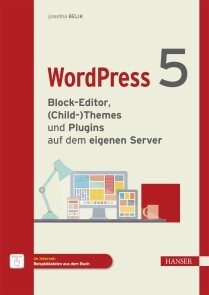
WordPress 5
WORDPRESS 5 // - Zeigt das Anpassen und Erweitern von WordPress 5 an Ihre Bedürfnisse - Erklärt detailliert das Arbeiten mit dem neuen Block-Editor (Gutenberg) - Behandelt ausführlich die Benutzerverwaltung - Bietet Lösungsansätze für mehrsprachige Websites - Ist auch für EinsteigerInnen ohne Programmierkenntnisse geeignet WordPress 5 – Block-Editor, (Child-)Themes und Plugins auf dem eigenen Server« führt Sie vom Installieren von WordPress ab Version 5.2 auf dem eigenen Server als CMS-Basis für eine dynamische Website bis hin zum Erstellen eines site-spezifischen Plugins sowie Definieren und Anwenden von Menüs und Widgets. Neben dem individuellen Anpassen eines bestehenden Themes mit dem Customizer und dem Arbeiten mit Child-Themes wird auch das Entwickeln eines neuen responsiven Themes (u. a. mit One-Page-Layout) nach dem Mobile-first-Ansatz lokal auf XAMPP thematisiert. Weitere Themen sind die Erreichbarkeit der Website über die Domain bei Installation von WordPress in einem Unterordner, die Migration eines Blogs bzw. einer Website von WordPress.com auf den eigenen Server, SEO sowie Problematik und Optionen bei mehrsprachigen Websites. Auch der neue Block-Editor (Gutenberg) wird detailliert vorgestellt und individuell angepasst. Dadurch ist das Buch sowohl für den Einsteiger interessant als auch für den Hobby-Programmierer und den Profi, der tiefer in die WordPress-Welt der Widgets, Themes, Template Tags, Loops, Menüs und Blöcke eintauchen und ein eigenes Theme entwickeln möchte. AUS DEM INHALT // Anpassen des Themes mit dem Customizer/Arbeiten mit Child-Themes/Grundlegende Einstellungen/ Migration von WordPress.com auf den eigenen Server/Navigationsmenüs und Menüpositionen/Neues Responsive Theme entwickeln (One-Page-Layout)/Site-spezifisches Plugin erstellen/Umstellung von HTTP auf HTTPS/Widgets und Widgetbereiche

Raku Fundamentals
Gain the skills to begin developing Raku applications from the ground up in this hands-on compact book, which includes a foreword from Larry Wall, creator of Perl. You’ll learn enough to get started building with Raku, using Raku's gradual typing, handy object orientated features, powerful parsing capabilities, and human-usable concurrency. This book has been updated to include the latest version of Raku based upon the Perl 6.d major version which includes over 3,400 new commits in its specification.After a short introduction, each chapter develops a small example project, explaining the Raku features used. When the example is done, you’ll explore another aspect, such as optimizing further for readability or testing the code. Along the way you’ll see Raku basics, such as variables and scoping; subroutines; classes and objects; regexes; and code testing.When you’ve mastered the basics, Raku Fundamentals moves onto more advanced topics to give you a deeper understanding of the language. You’ll learn, amongst other things, how to work with persistent storage, how to generate good error messages, and how to write tricky applications such as a file and directory usage graph and a Unicode search tool.WHAT YOU WILL LEARN* Get coding with latest version of Raku* Work on several hands-on examples and projectsIntegrate Python libraries into your Raku-based programs * Parse INI files using regexes and grammars* Build a date-time converter * Carry out refactoring and other automated testsWHO THIS BOOK IS FORIf you already know one or more programming languages, and want to learn about Raku, then this book is for you. MORITZ LENZ is a Perl 6, now Raku, core developer. He has contributed significantly to the official test suite, the Rakudo Perl compiler, and is the initiator of the official Raku documentation project. He has also authored several modules, and runs infrastructure for the Raku community. In his day job, he develops Perl 5 and Python code, and maintains a continuous delivery system for his employer.1. What is Raku?1.1 Perl 5, the Older Sister1.2 Library Availability1.3 Why Should I Use Raku?2. Running Rakudo Raku2.1 Installers2.2 Docker2.3 Building from Source2.4 Testing your Rakudo Star Installation3. Formatting a Sudoku Puzzle3.1 Making the Sudoku Playable3.2 Shortcuts, Constants, and more Shortcuts3.3 IO and other Tragedies3.4 Get Creative!4. Datetime Conversion for the Command Line4.1 Libraries To The Rescue4.2 DateTime Formatting4.3 Looking the Other Way4.4 Dealing With Time4.5 Tighten Your Seat Belt4.6 MAIN magic4.7 Automatic Tests4.8 Summary5. Testing say()5.1 Summary6. Silent Cron, a Cron Wrapper6.1 Running Commands Asynchronously6.2 Implementing Timeouts6.3 More on Promises6.4 Possible Extensions6.5 Refactoring and Automated TestsRefactoringMocking and TestingImproving Reliability and TimingInstalling a Module6.6 Summary7. Stateful Silent Cron7.1 Persistent Storage7.2 Developing the Storage Backend7.3 Using the Storage Backend7.4 Room for Expansion7.5 Summary8. Review of the Raku Basics8.1 Variables and Scoping8.2 Subroutines8.3 Classes and Objects8.4 Concurrency8.5 Outlook9. Parsing INI files using Regexes and Grammars9.1 Regex BasicsCharacter ClassesQuantifiersAlternatives9.2 Parsing the INI primitives9.3 Putting Things Together9.4 Backtracking9.5 Grammars9.6 Extracting Data from the Match9.7 Generating Good Error MessagesFailure is NormalDetecting Harmful FailureProviding ContextShortcuts for Parsing Matching Pairs9.8 Write Your Own Grammars9.9 Summary10. A File and Directory Usage Graph10.1 Reading File Sizes10.2 Generating a Tree Map10.3 Flame Graphs10.4 Functional Refactorings10.5 More Language Support for Functional Programming10.6 More Improvements10.7 Explore!10.8 Summary11. A Unicode Search Tool11.1 Code Points, Grapheme Clusters and Bytes11.2 Numbers11.3 Other Unicode Properties11.4 Collation11.5 Summary12. Plotting Using Inline::Python and Matplotlib13. What's Next?
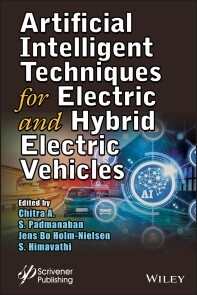
Artificial Intelligent Techniques for Electric and Hybrid Electric Vehicles
ELECTRIC VEHICLES ARE CHANGING TRANSPORTATION DRAMATICALLY AND THIS UNIQUE BOOK MERGES THE MANY DISCIPLINES THAT CONTRIBUTE RESEARCH TO MAKE EV POSSIBLE, SO THE READER IS INFORMED ABOUT ALL THE UNDERLYING SCIENCE AND TECHNOLOGIES DRIVING THE CHANGE.An emission-free mobility system is the only way to save the world from the greenhouse effect and other ecological issues. This belief has led to a tremendous growth in the demand for electric vehicles (EV) and hybrid electric vehicles (HEV), which are predicted to have a promising future based on the goals fixed by the European Commission's Horizon 2020 program.This book brings together the research that has been carried out in the EV/HEV sector and the leading role of advanced optimization techniques with artificial intelligence (AI). This is achieved by compiling the findings of various studies in the electrical, electronics, computer, and mechanical domains for the EV/HEV system. In addition to acting as a hub for information on these research findings, the book also addresses the challenges in the EV/HEV sector and provides proven solutions that involve the most promising AI techniques. Since the commercialization of EVs/HEVs still remains a challenge in industries in terms of performance and cost, these are the two tradeoffs which need to be researched in order to arrive at an optimal solution. Therefore, this book focuses on the convergence of various technologies involved in EVs/HEVs. Since all countries will gradually shift from conventional internal combustion (IC) engine-based vehicles to EVs/HEVs in the near future, it also serves as a useful reliable resource for multidisciplinary researchers and industry teams.CHITRA A. received her PhD from Pondicherry University and is now an associate professor in the School of Electrical Engineering, at Vellore Institute of Technology, Vellore, India. She has published many papers in SCI journals and her research areas include PV-based systems, neural networks, induction motor drives, reliability analysis of multilevel inverters, and electrical vehicles. SANJEEVIKUMAR PADMANABAN obtained his PhD from the University of Bologna, Italy, in 2012, and since 2018, he has been a faculty member in the Department of Energy Technology, Aalborg University, Esbjerg, Denmark. He has authored more than 300 scientific papers. JENS BO HOLM-NIELSEN currently works at the Department of Energy Technology, Aalborg University and is Head of the Esbjerg Energy Section. He has executed many large-scale European Union and United Nations projects in research aspects of bioenergy, biorefinery processes, the full chain of biogas and green engineering. He has authored more than 100 scientific papers. S. HIMAVATHI received her PhD degree in the area of fuzzy modelling from Anna University, Chennai, India in 2003. Currently, she is a professor in the Department of Electrical and Electronics Engineering, Pondicherry Engineering College, Pondicherry, India. Preface xiii1 IOT-BASED BATTERY MANAGEMENT SYSTEM FOR HYBRID ELECTRIC VEHICLE 1P. Sivaraman and C. Sharmeela1.1 Introduction 11.2 Battery Configurations 31.3 Types of Batteries for HEV and EV 51.4 Functional Blocks of BMS 61.4.1 Components of BMS System 71.5 IoT-Based Battery Monitoring System 11References 142 A NOBLE CONTROL APPROACH FOR BRUSHLESS DIRECT CURRENT MOTOR DRIVE USING ARTIFICIAL INTELLIGENCE FOR OPTIMUM OPERATION OF THE ELECTRIC VEHICLE 17Upama Das, Pabitra Kumar Biswas and Chiranjit Sain2.1 Introduction 182.2 Introduction of Electric Vehicle 192.2.1 Historical Background of Electric Vehicle 192.2.2 Advantages of Electric Vehicle 202.2.2.1 Environmental 202.2.2.2 Mechanical 202.2.2.3 Energy Efficiency 202.2.2.4 Cost of Charging Electric Vehicles 212.2.2.5 The Grid Stabilization 212.2.2.6 Range 212.2.2.7 Heating of EVs 222.2.3 Artificial Intelligence 222.2.4 Basics of Artificial Intelligence 232.2.5 Advantages of Artificial Intelligence in Electric Vehicle 242.3 Brushless DC Motor 242.4 Mathematical Representation Brushless DC Motor 252.5 Closed-Loop Model of BLDC Motor Drive 302.5.1 P-I Controller & I-P Controller 312.6 PID Controller 322.7 Fuzzy Control 332.8 Auto-Tuning Type Fuzzy PID Controller 342.9 Genetic Algorithm 352.10 Artificial Neural Network-Based Controller 362.11 BLDC Motor Speed Controller With ANN-Based PID Controller 372.11.1 PID Controller-Based on Neuro Action 382.11.2 ANN-Based on PID Controller 382.12 Analysis of Different Speed Controllers 392.13 Conclusion 41References 423 OPTIMIZATION TECHNIQUES USED IN ACTIVE MAGNETIC BEARING SYSTEM FOR ELECTRIC VEHICLES 49Suraj Gupta, Pabitra Kumar Biswas, Sukanta Debnath and Jonathan Laldingliana3.1 Introduction 503.2 Basic Components of an Active Magnetic Bearing (AMB) 543.2.1 Electromagnet Actuator 543.2.2 Rotor 543.2.3 Controller 553.2.3.1 Position Controller 563.2.3.2 Current Controller 563.2.4 Sensors 563.2.4.1 Position Sensor 563.2.4.2 Current Sensor 573.2.5 Power Amplifier 573.3 Active Magnetic Bearing in Electric Vehicles System 583.4 Control Strategies of Active Magnetic Bearing for Electric Vehicles System 593.4.1 Fuzzy Logic Controller (FLC) 593.4.1.1 Designing of Fuzzy Logic Controller (FLC) Using MATLAB 603.4.2 Artificial Neural Network (ANN) 633.4.2.1 Artificial Neural Network Using MATLAB 633.4.3 Particle Swarm Optimization (PSO) 673.4.4 Particle Swarm Optimization (PSO) Algorithm 683.4.4.1 Implementation of Particle Swarm Optimization for Electric Vehicles System 703.5 Conclusion 71References 724 SMALL-SIGNAL MODELLING ANALYSIS OF THREE-PHASE POWER CONVERTERS FOR EV APPLICATIONS 77Mohamed G. Hussien, Sanjeevikumar Padmanaban, Abd El-Wahab Hassan and Jens Bo Holm-Nielsen4.1 Introduction 774.2 Overall System Modelling 794.2.1 PMSM Dynamic Model 794.2.2 VSI-Fed SPMSM Mathematical Model 804.3 Mathematical Analysis and Derivation of the Small-Signal Model 864.3.1 The Small-Signal Model of the System 864.3.2 Small-Signal Model Transfer Functions 874.3.3 Bode Diagram Verification 964.4 Conclusion 100References 1005 ENERGY MANAGEMENT OF HYBRID ENERGY STORAGE SYSTEM IN PHEV WITH VARIOUS DRIVING MODE 103S. Arun Mozhi, S. Charles Raja, M. Saravanan and J. Jeslin Drusila Nesamalar5.1 Introduction 1045.1.1 Architecture of PHEV 1045.1.2 Energy Storage System 1055.2 Problem Description and Formulation 1065.2.1 Problem Description 1065.2.2 Objective 1065.2.3 Problem Formulation 1065.3 Modeling of HESS 1075.4 Results and Discussion 1085.4.1 Case 1: Gradual Acceleration of Vehicle 1085.4.2 Case 2: Gradual Deceleration of Vehicle 1095.4.3 Case 3: Unsystematic Acceleration and Deceleration of Vehicle 1105.5 Conclusion 111References 1126 RELIABILITY APPROACH FOR THE POWER SEMICONDUCTOR DEVICES IN EV APPLICATIONS 115Krishnachaitanya, D., Chitra, A. and Biswas, S.S.6.1 Introduction 1156.2 Conventional Methods for Prediction of Reliability for Power Converters 1166.3 Calculation Process of the Electronic Component 1186.4 Reliability Prediction for MOSFETs 1196.5 Example: Reliability Prediction for Power Semiconductor Device 1216.6 Example: Reliability Prediction for Resistor 1226.7 Conclusions 123References 1237 MODELING, SIMULATION AND ANALYSIS OF DRIVE CYCLES FOR PMSM-BASED HEV WITH OPTIMAL BATTERY TYPE 125Chitra, A., Srivastava, Shivam, Gupta, Anish, Sinha, Rishu, Biswas, S.S. and Vanishree, J.7.1 Introduction 1267.2 Modeling of Hybrid Electric Vehicle 1277.2.1 Architectures Available for HEV 1287.3 Series—Parallel Hybrid Architecture 1297.4 Analysis With Different Drive Cycles 1297.4.1 Acceleration Drive Cycle 1307.4.1.1 For 30% State of Charge 1307.4.1.2 For 60% State of Charge 1317.4.1.3 For 90% State of Charge 1317.5 Cruising Drive Cycle 1327.6 Deceleration Drive Cycle 1327.6.1 For 30% State of Charge 1347.6.2 For 60% State of Charge 1367.6.3 For 90% State of Charge 1377.7 Analysis of Battery Types 1397.8 Conclusion 140References 1418 MODIFIED FIREFLY-BASED MAXIMUM POWER POINT TRACKING ALGORITHM FOR PV SYSTEMS UNDER PARTIAL SHADING CONDITIONS 143Chitra, A., Yogitha, G., Karthik Sivaramakrishnan, Razia Sultana, W. and Sanjeevikumar, P.8.1 Introduction 1438.2 System Block Diagram Specifications 1468.3 Photovoltaic System Modeling 1488.4 Boost Converter Design 1508.5 Incremental Conductance Algorithm 1528.6 Under Partial Shading Conditions 1538.7 Firefly Algorithm 1548.8 Implementation Procedure 1568.9 Modified Firefly Logic 1578.10 Results and Discussions 1598.11 Conclusion 162References 1629 INDUCTION MOTOR CONTROL SCHEMES FOR HYBRID ELECTRIC VEHICLES/ELECTRIC VEHICLES 165Sarin, M.V., Chitra, A., Sanjeevikumar, P. and Venkadesan, A.9.1 Introduction 1669.2 Control Schemes of IM 1679.2.1 Scalar Control 1679.3 Vector Control 1689.4 Modeling of Induction Machine 1699.5 Controller Design 1749.6 Simulations and Results 1759.7 Conclusions 176References 17710 INTELLIGENT HYBRID BATTERY MANAGEMENT SYSTEM FOR ELECTRIC VEHICLE 179Rajalakshmi, M. and Razia Sultana, W.10.1 Introduction 17910.2 Energy Storage System (ESS) 18110.2.1 Lithium-Ion Batteries 18310.2.1.1 Lithium Battery Challenges 18310.2.2 Lithium–Ion Cell Modeling 18410.2.3 Nickel-Metal Hydride Batteries 18610.2.4 Lead-Acid Batteries 18710.2.5 Ultracapacitors (UC) 18710.2.5.1 Ultracapacitor Equivalent Circuit 18710.2.6 Other Battery Technologies 18910.3 Battery Management System 19010.3.1 Need for BMS 19110.3.2 BMS Components 19210.3.3 BMS Architecture/Topology 19310.3.4 SOC/SOH Determination 19310.3.5 Cell Balancing Algorithms 19710.3.6 Data Communication 19710.3.7 The Logic and Safety Control 19810.3.7.1 Power Up/Down Control 19810.3.7.2 Charging and Discharging Control 19910.4 Intelligent Battery Management System 19910.4.1 Rule-Based Control 20110.4.2 Optimization-Based Control 20110.4.3 AI-Based Control 20210.4.4 Traffic (Look Ahead Method)-Based Control 20310.5 Conclusion 203References 20311 A COMPREHENSIVE STUDY ON VARIOUS TOPOLOGIES OF PERMANENT MAGNET MOTOR DRIVES FOR ELECTRIC VEHICLES APPLICATION 207Chiranjit Sain, Atanu Banerjee and Pabitra Kumar Biswas11.1 Introduction 20811.2 Proposed Design Considerations of PMSM for Electric Vehicle 20911.3 Impact of Digital Controllers 21111.3.1 DSP-Based Digital Controller 21211.3.2 FPGA-Based Digital Controller 21211.4 Electric Vehicles Smart Infrastructure 21211.5 Conclusion 214References 21512 A NEW APPROACH FOR FLUX COMPUTATION USING INTELLIGENT TECHNIQUE FOR DIRECT FLUX ORIENTED CONTROL OF ASYNCHRONOUS MOTOR 219A. Venkadesan, K. Sedhuraman, S. Himavathi and A. Chitra12.1 Introduction 22012.2 Direct Field-Oriented Control of IM Drive 22112.3 Conventional Flux Estimator 22212.4 Rotor Flux Estimator Using CFBP-NN 22312.5 Comparison of Proposed CFBP-NN With Existing CFBP-NN for Flux Estimation 22412.6 Performance Study of Proposed CFBP-NN Using MATLAB/SIMULINK 22512.7 Practical Implementation Aspects of CFBP-NN-Based Flux Estimator 22912.8 Conclusion 231References 23113 A REVIEW ON ISOLATED DC–DC CONVERTERS USED IN RENEWABLE POWER GENERATION APPLICATIONS 233Ingilala Jagadeesh and V. Indragandhi13.1 Introduction 23313.2 Isolated DC–DC Converter for Electric Vehicle Applications 23413.3 Three-Phase DC–DC Converter 23813.4 Conclusion 238References 23914 BASICS OF VECTOR CONTROL OF ASYNCHRONOUS INDUCTION MOTOR AND INTRODUCTION TO FUZZY CONTROLLER 241S.S. Biswas14.1 Introduction 24114.2 Dynamics of Separately Excited DC Machine 24314.3 Clarke and Park Transforms 24414.4 Model Explanation 25114.5 Motor Parameters 25214.6 PI Regulators Tuning 25414.7 Future Scope to Include Fuzzy Control in Place of PI Controller 25614.8 Conclusion 257References 258Index 259
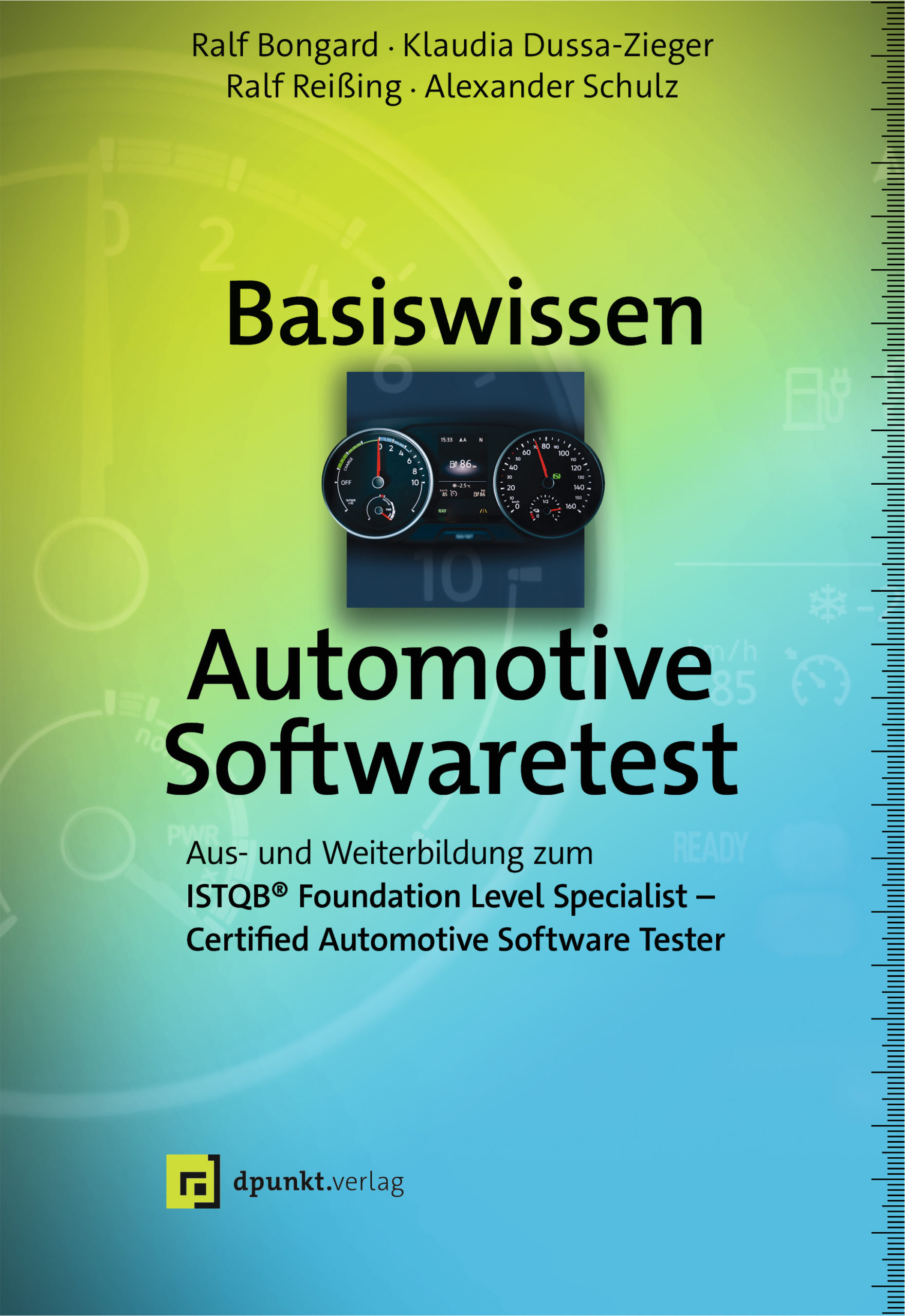
Basiswissen Automotive Softwaretest
Kompaktes Grundlagenwerk für den Certified Automotive Software Tester.Das Buch gibt einen fundierten Überblick über die Besonderheiten von Softwaretests im automobilen Umfeld und vermittelt das notwendige Praxiswissen für den Automotive Software Tester. Es erläutert ausführlich, wie bei der Auswahl von angemessenen Testverfahren die grundlegenden Anforderungen der relevanten Normen und Standards wie Automotive SPICE, ISO 26262 und AUTOSAR berücksichtigt werden.Auch auf das Testen in virtuellen Testumgebungen wird im Detail eingegangen. Zur Vertiefung finden sich im Anhang weiterführende Informationen zu ISO 26262 und Automotive SPICE.»Basiswissen Automotive Softwaretest« eignet sich mit vielen erläuternden Beispielen gleichermaßen für das Selbststudium, zur Vorbereitung auf die Zertifizierung sowie als kompaktes Basiswerk zum Thema in der Praxis und an Hochschulen.Über die Autoren:Ralf Bongard ist Geschäftsführer und Trainer der ISARTAL akademie und war über 15 Jahre in der Automobilindustrie als Entwickler und Projektleiter sowie als Consultant für Anforderungs- und Testmanagement tätig. Er ist Mitglied des GTB und stellvertretender Leiter der GTB- Arbeitsgruppe „Certified Automotive Software Tester“.Klaudia Dussa-Zieger ist leitende Beraterin bei der imbus AG und verfügt über 20 Jahre Berufserfahrung in den Bereichen Softwaretest, Testmanagement und Testprozessberatung. Seit 2018 ist sie die Vorsitzende des GTB.Prof. Dr. Ralf Reißing ist Informatiker und seit über 17 Jahren im Automobilbereich tätig - aktuell als Professor für Automobilinformatik an der Hochschule Coburg. Er ist Gründer und Leiter des Steinbeis-Transferzentrums Automotive Software Engineering sowie Mitglied des GTB.Alexander Schulz arbeitet bei der BMW Group in der Fahrzeugentwicklung im Bereich der Funktionssicherheit. Er ist seit 2012 schwerpunktmäßig im Bereich der Funktionalen Sicherheit nach IEC 61508 und ISO 26262 tätig.Alle Autoren dieses Buchs waren aktiv an der Entwicklung des Lehrplans zum „ISTQB Certified Automotive Software Tester“ beteiligt.

Practical Blockchains and Cryptocurrencies
Create cryptocurrency and blockchain applications by examining the key algorithms and concepts pertaining to blockchains, transaction processing, mining, distributed consensus, and anonymous currencies. In this book, you’ll develop a fully functional cryptocurrency from scratch in the Python language. PRACTICAL BLOCKCHAINS AND CRYPTOCURRENCIES is a reference for development of blockchain applications and provides you with rigorous information on cryptography and the theory underlying blockchains.This book consists of small chapters that focus on particular topics. You’ll start with a short history of money. Next, you will survey the bitcoin and altcoin ecosystem before delving into cryptographic hash functions, symmetric encryption, public key cryptography, and digital signatures. All the mathematics required to develop blockchain applications is covered. The emphasis is on providing a lucid and rigorous exposition on the nature and working of these constructs.The next major segment of the book discusses the key concepts and algorithms required to develop blockchain and cryptocurrency applications. There are expositions on blockchain construction, Merkle trees, peer-to-peer networks, cryptocurrency addresses, transactions, and mining. You’ll take a deep dive into the formation of consensus in distributed systems.In this book you’ll develop a fully functional cryptocurrency called Helium from scratch in Python. The language requirements are modest since it is presumed that most readers will not be acquainted with Python. The entire source code and unit test code is included in this book.PRACTICAL BLOCKCHAINS AND CRYPTOCURRENCIES interleaves theory and Helium program code chapters in order to demonstrate the practical application of theory in working Helium program code.WHAT YOU WILL LEARN* Gain the mathematical foundations as well as the concepts and algorithms of blockchains and cryptocurrencies* Implement a cryptocurrency from scratch in Python* Master the design of distributed blockchain applications WHO THIS BOOK IS FORAnyone interested in creating cryptocurrency and blockchain applicationsKARAN SINGH GAREWAL is an attorney at law in Canada. He has over 20 years of software development experience in C, C++, Go, JavaScript, Node, Ruby/Rails, Python/Django, Vue, PostgresSQL, MySQL, and Cassandra. His current interests are in financial engineering and real-time algorithmic trading systems. He is developing a neural network cryptocurrency trading platform on a C++, Go, Cassandra, and Vue stack.CHAPTER 1: THE HISTORY OF MONEY AND ALTERNATE CURRENCIESChapter Goal: Explain the historical evolution of money and alternate currencies prior to bitcoinSub-Topics1. Characteristics of money2. Gold and silver backed currencies3. Gold standard and fiat currencies4. Alternate currencies prior to bitcoin (Liberty coin, etc.)5. Bitcoin6. The Darknet7. Future evolution of cryptocurrenciesCHAPTER 2: BITCOIN AND ALTCOINSChapter Goal: Discussion of bitcoin and altcoins in circulation and their properties and their raison d’etre.Sub-Topics1. Introduction2. Bitcoin3. Ethereum4. Monero5. Ripple6. Stellar, Tron, and other cryptocurrenciesCHAPTER 3: CRYPTOGRAPHIC HASH FUNCTIONSChapter Goal: Explain cryptographic hash functions, their characteristics, and why they are important in blockchain and cryptocurrency application development.Sub-Topics1. Introduction2. Cryptographic hash functions3. The collision free property of cryptographic hash functions4. Proving the tamper free property5. The irreversible property6. The unique range property7. Hash pointers and data structures8. Proving authenticity with crytpographic hashes9. The SHA-256 cryptographic hash10. Common cryptographic hash functionsCHAPTER 4: SYMMETRIC ENCRYPTIONChapter Goal: Explain what symmetric encryption is and it’s deficiency in secure key distributionSub-Topics:1. Introduction2. How symmetric encryption works3. The key distribution problem4. Common symmetric encryption algorithmsCHAPTER 5: PUBLIC KEY CRYPTOGRAPHYChapter Goal: Explain what public key cryptography is and how it worksSub-Topics:1. Introduction2. Algorithms to generate public private key pairs3. RSA and elliptic curve cryptography4. Using public–private key pairs for encryption and decryption5. Identity formation and proof with public keys6. Generating globally unique IDsCHAPTER 6: DIGITAL SIGNATURESChapter Goal: Show how the digital signature algorithm is implemented and how it can be used to prove authorship and authenticity of documentsSub-Topics:1. Introduction2. Creating digital signatures3. Proving authorship and authenticity of documentsCHAPTER 7: BLOCKCHAIN CONSTRUCTIONChapter Goal: Discuss properties of a blockchain and how to create a blockchainSub-Topics:1. Introduction2. Properties of blockchain3. How to create a blockchain4. The bitcoin blockchain5. Scalability issues in blockchain6. Blockchain databases7. The genesis block8. Creating a simple cryptocurrencyCHAPTER 8: THE MERKLE TREE ALGORITHMChapter Goal: A discussion of the Merkle tree algorithm along with source code implementationsSub-Topics:1. Introduction2. Implementation of the Merkle tree algorithmCHAPTER 9: TOPOLOGY OF CRYPTOCURRENCY NETWORKSChapter Goal: What is a peer-to-peer network and the use of such P2P networks in blockchain applications to broadcast and verify transactions.Sub-Topics:1. Introduction2. Peer-to-peer networks3. Node identity and supernodes4. The bitcoin blockchain5. Block and transaction propagationCHAPTER 10: CRYPTOCURRENCY PARAMETERS AND CONFIGURATIONChapter Goal: Enumerate some common configuration parameters that are used when creating a cryptocurrency and their implications.Sub-Topics:1. Introduction2. Common cryptocurrency parametersCHAPTER 11: CRYPTOCURRENCY ADDRESSESChapter Goal: Creating and using cryptocurrency addressesSub-Topics:1. Introduction2. How to make a cryptocurrency address3. How bitcoin uses addresses4. Key generation algorithms5. Hierarchical deterministic key generationCHAPTER 12: CRYPTOCURRENCY TRANSACTIONSChapter Goal: How transactions are implemented and broadcast in a cryptocurrency network.Sub-Topics:1. Introduction2. Transaction mechanics3. Canonical transaction structures4. Broadcasting transactions5. Transaction validation6. How bitcoin implements transactions7. Locking and unlocking transactions8. Transaction feesCHAPTER 13: CRYPTOCURRENCY STORAGEChapter Goal: Discuss methods for storing cryptocurrenciesSub-Topics:1. Introduction2. Cold storage and hot storage3. Wallets and local storage4. Storage on the blockchain5. Online wallets6. ExchangesCHAPTER 14: MININGChapter Goal: Explain how blocks are mined in a cryptocurrency networkSub-Topics:1. Introduction2. How mining works3. Incentives for block formation4. Bitcoin mining5. Chainstate database6. Proof of work and the difficulty number7. Energy consumption8. ASIC resistant mining9. Mining attacks10. Proof of stake and virtual mining11. Hash power computationsCHAPTER 15: THE BITCOIN DISTRIBUTED CONSENSUS ALGORITHMChapter Goal: Discussion of the distributed consensus algorithm in bitcoinSub-Topics:1. Introduction2. Consensus formation in bitcoin3. Blockchain forks4. Double spend resolution in the bitcoin networkCHAPTER 16: ALTERNATE DISTRIBUTED CONSENSUS ALGORITHMSChapter Goal: Discussion of distributed consensus algorithm that is not based on bitcoin’s proof of work algorithmSub-Topics:1. Introduction2. Proof of stake distributed consensus3. Delegated proof of stake4. Proof of weight algorithms5. The Byzantine Generals problem6. Byzantine Fault tolerance7. Federated Byzantine agreement algorithm8. Proof of weight, DAGs, and other algorithmsCHAPTER 17: WORKING AT SCALEChapter Goal: How to build blockchain and cryptocurrency applications that scaleSub-Topics:1. Introduction2. Scalability in the bitcoin network3. Subchains4. The lightening network5. Sharded networks6. Other solutionsCHAPTER 18: ANONYMOUS CRYPTOCURRENCY NETWORKSChapter Goal: Discussion of anonymity in cryptocurrency networksSub-Topics:1. Introduction2. Why bitcoin is not an anonymous currency3. Some simple precautions for bitcoin transactions4. Mixers5. Implementing anonymity for a cryptocurrency6. Using TorCHAPTER 19: DESIGNING A CRYPTOCURRENCYChapter Goal: Architecture and logical design principles in cryptocurrency creationSub-Topics:1. Introduction2. Network architectures3. Blockchain specification and implementation4. Database implementation5. Transaction specification6. Selecting a distributed consensus algorithm7. The mining algorithm8. The money supply9. The velocity of money10. Creating the genesis block11. Founder’s reserve12. Language selection13. Bon voyageAPPENDIX: INSTALLING AND USING A BITCOIN NODEChapter Goal: Install a full Bitcoin node on a Linux machine

Reinforcement Learning
In uralten Spielen wie Schach oder Go können sich die brillantesten Spieler verbessern, indem sie die von einer Maschine produzierten Strategien studieren. Robotische Systeme üben ihre Bewegungen selbst. In Arcade Games erreichen lernfähige Agenten innerhalb weniger Stunden übermenschliches Niveau. Wie funktionieren diese spektakulären Algorithmen des bestärkenden Lernens? Mit gut verständlichen Erklärungen und übersichtlichen Beispielen in Java und Greenfoot können Sie sich die Prinzipien des bestärkenden Lernens aneignen und in eigenen intelligenten Agenten anwenden. Greenfoot (M.Kölling, King’s College London) und das Hamster-Modell (D.Bohles, Universität Oldenburg) sind einfache aber auch mächtige didaktische Werkzeuge, die entwickelt wurden, um Grundkonzepte der Programmierung zu vermitteln. Wir werden Figuren wie den Java-Hamster zu lernfähigen Agenten machen, die eigenständig ihre Umgebung erkunden.Nach seinem Studium der Informatik und Philosophie mit Schwerpunkt künstliche Intelligenz und maschinelles Lernen an der Humboldt-Universität in Berlin und einigen Jahren als Projektingenieur ist Uwe Lorenz derzeit als Gymnasiallehrer für Informatik und Mathematik tätig. Seit seinem Erstkontakt mit Computern Ende der 80er Jahre hat ihn das Thema Künstliche Intelligenz nicht mehr losgelassen.Bestärkendes Lernen als Teilgebiet des Maschinellen Lernens.-Grundbegriffe des Bestärkenden Lernens.-Optimale Entscheidungen in einem bekannten Umweltsystem.-Dynamische Programmierung.- rekursive Tiefensuche.-Entscheiden und Lernen in einem unbekannten Umweltsystem.-Q- und Sarsa Learning, Eignungspfade, Dyna-Q.-Policy Gradient und Actor Critic.- Monte Carlo-Evaluationen und Monte Carlo-Baumsuche (MCTS).-Künstliche neuronalen Netze als Schätzer für Zustandsbewertungen und Handlungspreferenzen.-Werden digitale Agenten bald intelligenter als Menschen sein?.-Leitbilder in der K.I..

Private Cloud und Home Server mit Synology NAS
Musik, Fotos, Videos und Dokumente zentral speichern und mit anderen teilenBenutzer verwalten, Backups erstellen und Daten vor unerlaubten Zugriffen schützenFortgeschrittene Themen wie Konfiguration von Firewall und VPN, Einrichtung eines Webservers und Einsatz von NextcloudZahlreiche Schritt-für-Schritt-Anleitungen und Praxis-Tipps Mit diesem Buch lernen Sie umfassend alles, was Sie brauchen, um Ihr Synology NAS an Ihre persönlichen Bedürfnisse anzupassen und das Potenzial Ihres Geräts voll auszuschöpfen. Dabei gibt der Autor Ihnen zahlreiche praktische Tipps an die Hand. So können Sie all Ihre Dateien wie Musik, Videos und Fotos zentral sichern und effektiv verwalten. Andreas Hofmann stellt die verschiedenen NAS-Modelle vor, so dass Sie wissen, welches für Sie am besten geeignet ist. In leicht nachvollziehbaren Schritten erläutert er detailliert, wie Sie Ihr NAS in Betrieb nehmen und mit dem DiskStation Manager (DSM) konfigurieren. Anhand einfacher Schritt-für-Schritt-Anleitungen zeigt er Ihnen, wie Sie Ihr NAS als Private Cloud und Home Server optimal einrichten: Dateien sichern, verwalten und mit anderen teilen, Benutzer verwalten, Fernzugriff einrichten, automatische Backups erstellen sowie Office-Dokumente und Multimedia-Dateien freigeben und mit dem SmartTV und anderen Geräten wiedergeben. Für alle, die noch tiefer in die Welt von Synology NAS eintauchen möchten, geht der Autor auf weiterführende Themen wie Datensicherheit und die Überwachung und Optimierung des Betriebs ein und zeigt Ihnen die Konfiguration abseits der grafischen Benutzeroberfläche für die Einrichtung eines eigenen Webservers und der beliebten Cloud-Lösung Nextcloud. Aus dem Inhalt: Kaufberatung und InbetriebnahmeDiskStation Manager (DSM) im DetailDateien zentral verwalten mit der File StationRAID-Konfiguration und automatische BackupsDateifreigabe und Fernzugriff via App, FTP u.v.m.Datensicherheit, Virenschutz und FirewallFotos organisieren und teilen mit der Photo StationMusik zentral verwalten mit der Audio StationFilme katalogisieren und streamen mit der Video StationOffice-Dokumente, Kalender, Adressbuch und Notizen verwaltenE-Mail-Server einrichtenZentrales Download-ManagementVideoüberwachung mit der Surveillance StationZugriff per KommandozeileWebserver, Datenbanken, Wordpress und MediaWikiNextcloudSpeicher erweitern und NAS migrieren blog.viking-studios.net

The Read Aloud Cloud
WHAT IS “THE CLOUD”? IS IT HERE OR THERE? SHOULD IT BE ALLOWED? SHOULD I EVEN CARE?Have you ever imagined the internet as a giant Rube Goldberg machine? Or the fast-evolving cloud computing space as a literal jungle filled with prehistoric beasts? Does a data breach look like a neo-noir nightmare full of turned-up coat collars and rain-soaked alleys? Wouldn’t all these vital concepts be easier to understand if they looked as interesting as they are? And wouldn’t they be more memorable if we could explain them in rhyme? Whether you’re a kid or an adult, the answer is: YES!The medicine in this spoonful of sugar is a sneaky-informative tour through the past, present and future of cloud computing, from mainframes to serverless and from the Internet of Things to artificial intelligence. Forrest is a professional explainer whose highly-rated conference talks and viral cartoon graphics have been teaching engineers to cloud for years. He knows that a picture is worth a thousand words. But he has plenty of words, too.Your hotel key, your boarding pass,The card you swipe to pay for gas,The smart TV atop the bar,The entertainment in your car,Your doorbell, toothbrush, thermostat,The vacuum that attacked your cat,They all connect the cloud and you.Maybe they shouldn't, but they do.As a graduation gift (call it “Oh the Places You’ll Go” for engineering students), a cubicle conversation starter, or just a delightfully nerdy bedtime story for your kids, “The Read-Aloud Cloud” will be the definitive introduction to the technologies that everyone uses and nobody understands. You can even read it silently if you want. But good luck with that.FORREST BRAZEAL has worked in the tech industry for more than a decade. He's installed software updates during a live cataract surgery and designed robots that perform machine learning on pizza, all while keeping his trademark sense of humor. In 2015, he began drawing a weekly webcomic about his life in the cloud which now reaches more than one hundred thousand regular readers. Forrest regularly interviews the biggest names in cloud computing through his "Think FaaS" podcast and his "Serverless Superheroes" blog series. An original AWS Serverless Hero, Forrest speaks regularly on business and technology at conferences, universities, and private events around the world. CHAPTER 1: WHAT IS THE CLOUDVisual language: minimalist. Cartoon characters on white background. Images are goofy and memorable, such as a Roomba chasing a cat Content: Covers the ubiquity of the cloud in real life (connected/smart home devices, online services, etc) and sets the tone for why we should care that a book is dedicated to this topic. Asks the big questions that will be answered throughout the text: What is the cloud? How does it work? Why should I care? Now that I know that, what should I do?CHAPTER 2: EVOLUTION OF THE CLOUD (A PREHISTORY)Visual language: This section will take place in a prehistoric jungle. Tangled vines, volcanoes, dinosaurs, etc. Content: Covers the background of computing, from mainframes through the client/server era up to virtualizationCHAPTER 3: THE INTERNET: A SERIES OF TUBESVisual language: A steampunk mad scientist’s laboratory, with lots of Rube Goldberg-esque tubes and gears Content: Covers the basics of how data gets from you to the cloud and back again, including remote servers, DNS, IP, etc.CHAPTER 4: CLOUD ARCHITECTUREVisual language: A construction job site. Bricks and mortar. Think Bob the Builder Content: Covers the core building blocks of cloud architecture. Cloud storage, databases, compute. High availability, scalability, and elasticity. Explains why these things are desirable and, in some cases, revolutionary.CHAPTER 5: CLOUD SECURITYVisual language: Noir (black and white, heavy shadows, stark silhouettes) Content: Covers some of the key risks associated with placing your data in the cloud, both personally and professionally. Uses a fictionalized breach to illustrate what can go wrongCHAPTER 6: THE INTERNET OF THINGSVisual language: Cubist, non-representational Content: Explains the Internet of Things, including why a smart device isn’t always better (lower security, risk of it not being supported)CHAPTER 7: ARTIFICIAL INTELLIGENCEVisual language: Used future. Think Blade Runner or Terminator. Red-eyed robots, smog, and neon Content: Covers some basics of how the cloud accelerates AI and machine learning through the centralization of data. Gives examples of when that’s good and when it can be bad (for example, reinforcing conscious or unconscious biases)CHAPTER 8: WHAT NOW?Visual language: Minimalist (same as the opening section; ties everything together) Content: Looks ahead to the future of the cloud, particularly increasing levels of abstraction like serverless, voice programming, and automation. Strikes a hopeful tone and finishes by encouraging the reader to go out and build a better cloud.

Machine Learning für Softwareentwickler
* Eine Einführung in das maschinelle Lernen für Entwickler * Alle wesentlichen Ideen, Werkzeuge und Konzepte des supervised Learning, von neuronalen Netzen und des Deep Learning werden präsentiert * Der gesamte Programmcode ist in Python geschrieben

Das ultimative DAX-Handbuch
Die DAX-Referenz von den DAX-Koryphäen* Meistern Sie die Formelsprache von Power Pivot, Power BI und Microsoft Analysis Services.* Mit vielen praxisnahen Beispielen für den praktischen Einsatz* inkl. kostenlosem Zusatzmaterial wie einer Beispieldatenbank und Power BI-Modellen für alle BeispieleDie bekannten DAX-Experten Marco Russo und Alberto Ferrari führen Sie mit diesem Leitfaden tief in die Formelsprache DAX (Data Analysis Expressions) ein und helfen Ihnen dabei, alles von einfachen Tabellenfunktionen bis zu komplexer Code- und Modelloptimierung zu beherrschen. Erfahren Sie genau, was unter der Haube passiert, wenn Sie einen DAX-Ausdruck ausführen, und nutzen Sie dieses Wissen, um schnelle, robuste Codes zu schreiben.Diese Ausgabe konzentriert sich auf Beispiele, die Sie mit der kostenlosen Power BI Desktop-Version erstellen und ausführen können, und hilft Ihnen, die leistungsstarke Syntax von Variablen (VAR) in Power BI, Excel oder Analysis Services optimal zu nutzen.Marco Russo und Alberto Ferrari sind die Gründer von sqlbi.com und veröffentlichen dort regelmäßig Artikel über Microsoft Power Pivot, Power BI, DAX und SQL Server Analysis Services. Beide Autoren beraten Unternehmen zu BI und sprechen häufig auf bedeutenden internationalen Konferenzen wie Microsoft Ignite, PASS Summit und SQLBits.

Java Challenge
Ihr persönlicher Java-Coach !* Ihr Java-Trainingsbuch mit Musterlösungen* Lernen Sie Tipps und Kniffe vom Java-Experten kennen* Erweitern Sie Ihr Java-Knowhow in praxisrelevanten BereichenDieses Buch bietet Ihnen ein breit gefächertes Spektrumvon über 100 Übungsaufgaben und Programmierpuzzlesinklusive Lösungen zum Knobeln und Erweitern IhrerKenntnisse zu unterschiedlichen praxisrelevantenThemengebieten wie Arrays, Datenstrukturen, Rekursion,Date and Time API usw.Jedes Themengebiet wird in einem eigenen Kapitelbehandelt, das zunächst mit einer Einführung in dieGrundlagen beginnt. Danach finden sich zumeist10 bis 15 Übungsaufgaben verschiedenerSchwierigkeitsgrade, sodass von Anfänger bisFortgeschrittenen immer etwas dabei ist undsich die Programmierkenntnisse effektiv verbessernlassen. Dabei helfen am Kapitelabschluss insbesonderedetaillierte Musterlösungen inklusive der genutztenAlgorithmen zu allen Aufgaben. Vielfach werdenzudem alternative Lösungswege aufgezeigt, aberauch mögliche Fallstricke und typische Fehlerthematisiert.Abgerundet wird das Buch durch zwei Anhänge.Einer gibt einen Überblick in wesentliche Neuerungenvon Java 8. Der zweite beschäftigt sich mit derJShell, die zum Ausprobieren der Codeschnipselund Beispiele des Buchs oftmals hilfreich ist.Dipl.-Inform. Michael Inden ist Oracle-zertifizierter Java-Entwickler. Nach seinem Studium in Oldenburg hat er bei diversen internationalen Firmen in verschiedenen Rollen etwa als Softwareentwickler und -architekt, als Consultant, Teamleiter, CTO und Leiter Academy sowie Trainer gearbeitet. Zurzeit ist er freiberuflich in Zürich tätig.Michael Inden hat über zwanzig Jahre Berufserfahrung beim Entwurf komplexer Softwaresysteme gesammelt, an diversen Fortbildungen und mehreren Java-One-Konferenzen teilgenommen. Sein besonderes Interesse gilt dem Design qualitativ hochwertiger Applikationen mit ergonomischen GUIs sowie dem Coaching. Sein Wissen gibt er gerne als Trainer in internen und externen Schulungen und auf Konferenzen weiter, etwa bei der Java User Group Switzerland, bei der JAX/W-JAX, ch.open und den IT-Tagen.

Android Apps Security
Gain the information you need to design secure, useful, high-performing apps that expose end-users to as little risk as possible. This book shows you how to best design and develop Android apps with security in mind: explore concepts that you can use to secure apps and how you can use and incorporate these security features into your apps.WHAT YOU WILL LEARN* Identify data that should be secured* Use the Android APIs to ensure confidentiality and integrity of data* Build secure apps for the enterprise* Implement Public Key Infrastructure and encryption APIs in apps* Master owners, access control lists, and permissions to allow user control over app properties* Manage authentication, transport layer encryption, and server-side securityWHO THIS BOOK IS FORExperienced Android app developers.Sheran Gunasekera is a security researcher and software developer with more than 13 years of information security experience. He is director of research and development for ZenConsult Pte. Ltd., where he oversees security research in both the personal computer and mobile device platforms. Sheran has been very active in BlackBerry and mobile Java security research and was the author of the whitepaper that revealed the inner workings of the first corporate-sanctioned malware application deployed to its subscribers by the UAE telecommunications operator Etisalat. He has spoken at many security conferences in the Middle East, Europe and Asia Pacific regions and also provides training on malware analysis for mobile devices and secure software development for both web and mobile devices. He also writes articles and publishes research on his security-related blog.1. Introduction.- 2. Recap of Secure Development Principles.- 3. Changes in Security Architecture.- 4. Security when Building Apps to Scale.- 5. Testing the Security of Your App (this covers pentesting and bug bounties).- 6. The Toolbag.- 7. Rooting an Android phone. 8. Looking at your App's Data through a Root shell.- Bypassing SSL Pinning (the holy grail of hacking apps).- 10. Reverse Engineering Android Apps.- 11. Incident Response.

Practical Smart Device Design and Construction
With the rapid development of the Internet of Things, a gap has emerged in skills versus knowledge in an industry typically segmented into hardware versus software. Practitioners are now expected to possess capabilities across the spectrum of hardware and software skills to create these smart devices.This book explores these skill sets in an instructive way, beginning at the foundations of what makes “smart” technology smart, addressing the basics of hardware and hardware design, software, user experiences, and culminating in the considerations and means of building a fully formed smart device, capable of being used in a commercial capacity, versus a DIY project.Practical Smart Device Design and Construction includes a set of starter projects designed to encourage the novice to build and learn from doing. Each project also includes a summary guiding you where to go next, and how to tie the practical, hands-on experience together with what they have learned to take the next step on their own.WHAT YOU'LL LEARN* Practical smart device design and construction considerations such as size, power consumption, wiring needs, analog vs digital, and sensor types and uses* Methods and tools for creating their own designs such as circuit board designs; and wiring and prototyping tools* Hands-on guidance through their own prototype projects and building it alongside the projects in this book* Software considerations for speed versus ease, security, and basics of programming and data analytics for smart devicesWHO THIS BOOK IS FORThose with some technical skills, or at least a familiarity with technical topics, who are looking for the means and skills to start experimenting with combined hardware and software projects in order to gain familiarity and comfort with the smart device space. Chris Harrold is a 25 year veteran of IT, starting from help-desk and tech support through to leading technology organizations and departments. Throughout that career he has been privileged to witness one of the most exciting times in technology as the rapid pace of innovation and growth has driven technology from the realm of the corporation into the hands of the consumer. This has also spawned a rise in the creation of smart devices – devices that extend our own abilities and reach through the application of technology.As a maker and creator, this ability to build things that can do tasks is innately exciting to Chris, and so he has stayed close to the smart device space, and has learned and built numerous things in that time. It is that process of building my skills in hardware, engineering, and product design that prompted Chris to write this book. While there is no way to convey a career of learning and study in a single book, his aim in writing this is to help others like Chris get started in the smart device space, by giving them the basic background, context, tools, and guidance to build on as they take their own projects to the next level.PRACTICAL SMART DEVICE DESIGN AND CONSTRUCTIONPART 1: SMARTChapter 1: A Brief History of Smart ThingsChapter 2: The DYI Smart EraChapter 3: Beyond the HypePART 2: SMART HARDWAREChapter 4: EE for the total n00bChapter 5: Advanced Circuit ComponentsChapter 6: Circuit Building LabPART 3: SMART SOFTWAREChapter 7: Touch, Taste, See, Hear, SmellChapter 8: The Small ComputerChapter 9: Smart Device Building LabPART 4: PERFORMANCEChapter 10: Your First Circuit BoardChapter 11: Your first good PCB

String Algorithms in C
Implement practical data structures and algorithms for text search and discover how it is used inside other larger applications. This unique in-depth guide explains string algorithms using the C programming language. String Algorithms in C teaches you the following algorithms and how to use them: classical exact search algorithms; tries and compact tries; suffix trees and arrays; approximative pattern searches; and more.In this book, author Thomas Mailund provides a library with all the algorithms and applicable source code that you can use in your own programs. There are implementations of all the algorithms presented in this book so there are plenty of examples.You’ll understand that string algorithms are used in various applications such as image processing, computer vision, text analytics processing from data science to web applications, information retrieval from databases, network security, and much more.WHAT YOU WILL LEARNUse classical exact search algorithms including naive search, borders/border search, Knuth-Morris-Pratt, and Boyer-Moor with or without Horspool * Search in trees, use tries and compact tries, and work with the Aho-Carasick algorithmProcess suffix trees including the use and development of McCreight’s algorithm * Work with suffix arrays including binary searches; sorting naive constructions; suffix tree construction; skew algorithms; and the Borrows-Wheeler transform (BWT)Deal with enhanced suffix arrays including longest common prefix (LCP) * Carry out approximative pattern searches among suffix trees and approximative BWT searches WHO THIS BOOK IS FORThose with at least some prior programming experience with C or Assembly and have at least prior experience with programming algorithms.Thomas Mailund is an associate professor in bioinformatics at Aarhus University, Denmark. He has a background in math and computer science, including experience programming and teaching in the C and R programming languages. For the last decade, his main focus has been on genetics and evolutionary studies, particularly comparative genomics, speciation, and gene flow between emerging species. 1. Introduction.-2. Classical Algorithms for Exact Search3. Suffix Trees4. Suffix Arrays5. Approximate Search6. ConclusionsAppendix A: VectorsAppendix B: ListsAppendix C: Queues

SAP S/4HANA
»Schnell« und »einfach« soll sie sein, die neue SAP Business Suite 4 SAP HANA. In unserem Bestseller erfahren Sie, was Sie erwartet: Ulf Koglin erläutert Funktionen, Nutzen und Technologie des zukünftigen SAP-Standardsystems. Informieren Sie sich, ob die Cloud- oder On-Premise-Lösung besser zu Ihren Anforderungen passt und welche Optionen Ihnen bei der Implementierung zur Verfügung stehen. Als Entscheider, Berater oder einfach Interessierter finden Sie Antworten auf Ihre Fragen rund um SAP S/4HANA. Aus dem Inhalt: Digitale Transformation, KI und RoboticPrinciple of OneDie Datenbank SAP HANAEigenentwicklungen für SAP S/4HANA SAP Fiori und die UX-StrategieDeployment in der Cloud oder On-PremiseSimplification ListGreenfield, Brownfield, BluefieldSAP Cloud PlatformAnalysewerkzeuge, z.B. SAP Analytics CloudGeschäftspartnerkonzept (Business Partner) Einleitung ... 13 1. Konzepte von SAP S/4HANA ... 21 1.1 ... Digitale Transformation und intelligentes Unternehmen ... 23 1.2 ... Anforderungen an moderne IT-Systeme ... 31 1.3 ... Lösungsansätze in und mit SAP S/4HANA ... 42 1.4 ... Zusammenfassung ... 57 2. SAP S/4HANA - die technische Konzeption ... 59 2.1 ... Die SAP HANA Platform ... 60 2.2 ... Entwicklung unter SAP S/4HANA ... 70 2.3 ... Analysewerkzeuge von SAP HANA ... 90 2.4 ... SAP Fiori ... 99 2.5 ... SAP Cloud Platform ... 108 2.6 ... Künstliche Intelligenz ... 128 2.7 ... Zusammenfassung ... 137 3. Prinzipien des Redesigns ... 139 3.1 ... Das Principle of One ... 140 3.2 ... Wie wirkt sich das Redesign auf die Systemarchitektur aus? ... 142 3.3 ... Welche Auswirkungen gibt es auf die Funktionen? ... 149 3.4 ... Kontinuität beim Datenzugriff mit Compatibility Views ... 153 3.5 ... Was bewirkt die neue User-Interface-Strategie? ... 155 3.6 ... Die Simplification List als Hilfswerkzeug ... 161 3.7 ... Zusammenfassung ... 165 4. SAP S/4HANA Finance ... 167 4.1 ... Konzeptionelle Änderungen ... 168 4.2 ... Neue Funktionen in SAP S/4HANA Finance ... 179 4.3 ... Geänderte Funktionen in SAP S/4HANA Finance ... 191 4.4 ... Central Finance ... 202 4.5 ... Fiori-Apps und das Rollenkonzept ... 206 4.6 ... Zusammenfassung ... 212 5. SAP S/4HANA in der Logistik ... 215 5.1 ... Änderungen in der Architektur ... 216 5.2 ... Funktionale Neuerungen für die Logistik ... 227 5.3 ... Neue Konzepte in der Logistik ... 237 5.4 ... Zusammenfassung ... 261 6. Umstellungsszenarien und prototypischer Ablauf einer Migration ... 263 6.1 ... Feststellen der Ausgangssituation und des Migrationsweges ... 264 6.2 ... Prüfen der Systemvoraussetzungen ... 273 6.3 ... Vorbereiten des Systems auf SAP HANA ... 274 6.4 ... Durchführung der Migration und unterstützende Werkzeuge ... 278 6.5 ... Konfiguration der Benutzeroberfläche ... 286 6.6 ... Zusammenfassung ... 294 7. Praxisbeispiele: Einführung von SAP S/4HANA ... 299 7.1 ... SAP-S/4HANA-Neuimplementierung mit einer Masterlösung am Beispiel des Bistums Limburg ... 300 7.2 ... Systemkonsolidierung am Beispiel der ELKB ... 311 7.3 ... Beispielvorgehen für eine Konvertierungsprojekt ... 320 7.4 ... Projektbeispiele für den SAP-Fiori-Einsatz ... 388 7.5 ... Zusammenfassung ... 405 8. Erfolgsfaktoren für die Umstellung auf SAP S/4HANA ... 409 8.1 ... Vorprojekte für die SAP-S/4HANA-Umstellung ... 410 8.2 ... Entwicklung eines »Umstellungsfahrplans« als notwendiger Erfolgsfaktor ... 413 8.3 ... Welche Erfolgsfaktoren wirken in den Phasen? ... 424 8.4 ... Ausgewählte Werkzeuge für die Unterstützung der Umstellung ... 449 8.5 ... Zusammenfassung ... 465 Ausblick ... 469 Die Autoren ... 475 Index ... 479

Zoom
Mit Zoom, der umfangreichen Videokonferenz-Software, können Sie sich mit Kollegen per Online-Meetings abstimmen und produktiv arbeiten. Christine Peyton und Andre Möller zeigen Ihnen Schritt für Schritt die vielfältigen Funktionen, die sichere Verwendung und alle Einsatzmöglichkeiten: vom ersten Videochat und der gemeinsamen Arbeit im Team bis zu hilfreichen Tipps für effizientes Homeoffice. Aus dem Inhalt: Versionen und AngeboteDie Funktionen im ÜberblickVoraussetzungen und ProblemeVideokonferenzen, aber richtig!Teamwork: gemeinsam an Dokumenten arbeitenPräsentieren Sie Ihr ProjektAls Moderator ein Meeting leitenEin Seminar für viele: WebinareZoom auf dem Smartphone Über dieses Buch ... 9 1. Was ist Zoom? ... 11 Wann wird Zoom eingesetzt? ... 13 2. Die verschiedenen Versionen und Angebote ... 15 Die Basic-Variante ... 16 Die Pro-Variante ... 17 Die Business-Variante ... 18 Die Enterprise-Variante ... 19 Zoom-Webinare ... 19 Die Leistungen im Überblick ... 19 3. Die Funktionen im Überblick ... 21 Die Funktionen für den Teilnehmer ... 21 Zusammenarbeit über das Whiteboard ... 23 Die Funktionen zur Freigabe ... 24 Die Funktionen und Optionen des Hosts ... 25 Mehr Funktionen mit einem Pro-Abo ... 28 Zoom als Chat und Kontaktbörse ... 30 Webinare ... 30 Zoom erweitern ... 31 4. Hardware-Voraussetzungen und Hardware-Probleme ... 33 Computer/Laptop ... 33 Smartphones und Tablets ... 34 Zusätzliche Lautsprecher/Mikrofon -- ja, bitte! ... 34 Kamera ... 35 Kontrollieren und testen ... 35 5. Sich bei einer Videokonferenz richtig verhalten ... 45 6. So nehmen Sie aktiv an einer Konferenz teil ... 51 Sie erhalten eine Einladung zu einer Konferenz ... 51 Die Einladung als Terminanfrage ... 59 Per Link oder über die Meeting-ID in die Konferenz gehen ... 62 Die verschiedenen Ansichten ausprobieren ... 66 In der Konferenz: sprechen, sehen und gesehen werden ... 74 Geben Sie Feedback ... 82 Noch kein Alteisen: der gute alte Chat ... 84 Arbeit in Kleingruppen: Breakout-Rooms ... 90 Ein flottes Hintergrundbild für Ihre Videoaufnahme ... 93 Laden Sie zum Meeting ein ... 100 7. Teamwork für Dokumente ... 103 Die Tools zum Annotieren auf dem Whiteboard ... 104 So nutzen Sie die Tools ... 106 Die komplexe Fenstersteuerung bei der Bildschirmfreigabe ... 111 Excel und Co. in der Bildschirmfreigabe ... 116 Sie sind am Zug: die Bearbeitung eines Dokuments übernehmen ... 119 8. So präsentieren Sie Ihr Projekt ... 125 Den eigenen Bildschirm freigeben ... 126 Bildschirmelemente und Funktionen bei der Bildschirmfreigabe ... 129 Annotierungen während Ihrer Freigabe ... 133 Die Bildschirmsteuerung pausieren, abgeben und zurückholen ... 138 Mehrere Bildschirmfreigaben gleichzeitig ... 140 So wird's professionell: eine PowerPoint-Bildschirmpräsentation ... 142 Zur Erinnerung: das Meeting als Video aufzeichnen ... 152 Weitere Freigabemöglichkeiten ... 158 9. Als Moderator eine Konferenz starten und leiten ... 161 Bei Zoom registrieren und die Software downloaden ... 161 Einladung zu einem Ad-hoc-Meeting ... 168 Wer darf was: die Rechte der Teilnehmer kontrollieren ... 174 Breakout-Room erstellen ... 183 So planen Sie eine zukünftige Konferenz ... 188 Meetings im Webportal planen und starten ... 195 Zusammenspiel zwischen Outlook und Zoom ... 201 Ihr Zoom-Profil mit einem individuellen Bild ... 204 10. Werden Sie ein Pro ... 207 Ein Upgrade durchführen ... 207 Pro kündigen -- wieder Amateur werden ... 212 Die Benutzerverwaltung: Wer gehört zu Ihnen? ... 214 So akzeptieren Sie die Einladung zu einem Zoom-Konto ... 223 Cloud-Aufzeichnungen ... 227 Die persönliche Meeting-ID und persönliche Meetingräume ... 234 Veranstaltungen mit registrierten Benutzern ... 242 11. Kontakte pflegen und chatten mit Zoom ... 253 Kontaktanfragen beantworten ... 258 Chatten mit Pfiff ... 259 Ihr persönlicher Chat-Bereich ... 265 Verfügbarkeiten ... 266 Keine Ingenieurskunst -- Kanäle anlegen ... 269 Meetings mit Kontakten oder Gruppen starten ... 272 12. Die Zoom-Einstellungen ... 275 Die Einladung zum Meeting ... 275 Wie beginnt das Meeting? ... 276 Welche Rechte haben die Teilnehmer im Meeting? ... 277 Wer darf aufzeichnen? ... 279 Sonstige wichtige Einstellungen ... 279 Sicherheit ... 280 Einstellungen in der Software ... 281 13. Zoom als App ... 283 Sie sind eingeladen ... 287 Ein Chat in der App ... 294 Stichwortverzeichnis ... 299

Das Buch für Ideensucher
Wie schaffen Sie es, sich Ihre Kreativität im Alltag und zwischen engen Zeitplänen zu bewahren? Was Ihnen dabei helfen wird, sind neue Denkanstöße und Impulse für eine erfolgreiche Ideensuche! Nach 13 Jahren als Texter und Creative Director bei Jung von Matt verrät Philipp Barth nun die inspirierendsten Methoden, mit denen es Ihnen gelingen wird, (wieder) leichter auf gute Ideen zu kommen. Ein Buch aus der Praxis für die Praxis! Aus dem Inhalt: Aller Anfang ist schwer: Keine Angst vor dem weißen BlattIdeenfindung über das BriefingDer Blick über den TellerrandIdeen kommen aus Dir selbstAuch der Zufall hat IdeenIdeen-Techniken für den täglichen Einsatz- Die Berater-Technik- Die Abweichen-vom-Gewöhnlichen-Technik- Die DNA-der-Marke-Technik- Die Flow-Technik- Die Chaos- und Ordnung-Technik- Die Andere-Perspektive-Technik- Die Schlagzeilen-Technik- Die Zeitdruck-Technik- Die Neues-entsteht-durch-Neues-Technik- Die Design-Thinking-Technik- Die Akkordeon-Technik- Die Bullshit-Technik- Die Ping-Pong-Technik- Immer wieder wichtig: Die Brainstorming- und Brainwriting-Technik10 Tipps für Ideensucher- Halte die Augen offen- Kompliziert verliert. Vereinfache- Riskier was- Sei hartnäckig- Sei ehrgeizig- Haushalte mit Deiner Kreativkraft- Bring deinen Ideen Wertschätzung entgegen- Sei ein Stehaufmännchen- Geh Deinen eigenen Weg- Glaube an Dich selbstIdeen bewerten und präsentierenMotivationsschub: Was tun, wenn man absolut keine Idee hat?Kreativ bleiben: Wie man den Biss behält Ideen muss man haben. Der Treibstoff, der die Menschheit voranbringt. ... 7 Die richtige Einstellung finden. So sind Sie bereit für große Ideen. ... 27 Die Kunst, einfach anzufangen. Wie Sie, ohne Zeit zu verlieren, loslegen. ... 65 Ideen kommen von allen Seiten. Wie Sie sich von außen Unterstützung holen. ... 89 Kreativtechniken für die Praxis. So kommen Sie auf Ideen. ... 119 Storytelling-Techniken. So kommen Sie auf Ideen für Geschichten. ... 211 Tipps für Ideensucher. So werden Sie leichter fündig. ... 235 10 Leitsätze für mehr Kreativität. Anregungen für Ideensucher. ... 249 Ideen präsentieren. So entfalten Ideen Ihre Kraft. ... 277 Nachhaltig erfolgreich sein. So etablieren Sie Ihre eigene Ideenkultur. ... 289 Index ... 299

Exploring C++20
Discover everything you need to know about C++ in a logical progression of small lessons that you can work through as quickly or as slowly as you need. This book divides C++ up into bite-sized chunks that will help you learn the language one step at a time. Fully updated to include C++20, it assumes no familiarity with C++ or any other C-based language.Exploring C++20 acknowledges that C++ can be a complicated language, so rather than baffle you with complex chapters explaining functions, classes, and statements in isolation you’ll focus on how to achieve results. By learning a little bit of this and a little of that you’ll soon have amassed enough knowledge to be writing non-trivial programs and will have built a solid foundation of experience that puts those previously baffling concepts into context.In this fully-revised third edition of Exploring C++, you’ll learn how to use the standard library early in the book. Next, you’ll work with operators, objects, and data-sources in increasingly realistic situations. Finally, you’ll start putting the pieces together to create sophisticated programs of your own design confident that you’ve built a firm base of experience from which to grow.WHAT YOU WILL LEARN* Grasp the basics, including compound statements, modules, and moreWork with custom types and see how to use them * Write useful algorithms, functions, and more* Discover the latest C++ 20 features, including concepts, modules, and ranges* Apply your skills to projects that include a fixed-point numbers and body-mass index applicationsCarry out generic programming and apply it in a practical project * Exploit multiple inheritance, traits/policies, overloaded functions, and metaprogrammingWHO THIS BOOK IS FORExperienced programmers who may have little or no experience with C++ who want an accelerated learning guide to C++20 so they can hit the ground running.Ray Lischner has a bachelor's degree in computer science from Caltech and a master's in computer science from Oregon State University. He worked as a software developer for a dozen years, at big and small companies across the US, using PL/I, C, C++, Delphi, Smalltalk, and various assembly languages on both large and small systems. He has been self-employed as a consultant, trainer, and author for the last ten years. Ray taught computer science at Oregon State University for several years and specialized in teaching introductory computer programming. He taught courses in C and C++ and software engineering.Part I: The Basics.-1. Honing your tools.-2. Reading C++ Code.-3. Integer Expressions.-4. Strings.-5. Simple Input.-6. Error Messages.-7. For Loops.-8. Formatted Output.-9. Arrays and Vectors.-10. Algorithms and Ranges.-11. Increment and Decrement.-12. Conditions and Logic.-13. Compound Statements.-14. Introduction to File I/O.-15. The Map Data Structure.-16. Type Synonyms.-17. Characters.-18. Character Categories.-19. Case-Folding.-20. Writing Functions.-21. Function Arguments.-22. Using Ranges.-23. Using Iterators.-24. Unnamed Functioins.-25. Overloading Function Names.-26. Big and Little Numbers.-27. Very Big and Very Little Numbers.-28. Documentation.- 29. Project 1: Body-Mass IndexPart II: Custom Types.-30. Custom Types.-31. Overloading Operators.-32. Custom I/O Operators.-33. Assignment and Initialization.-34. Writing Classes.- 35. More About Member Functions.-36. Access Levels.-37. Understanding Object-Oriented Programming.-38. Inheritance.-39. Virtual Functions.-40. Classes and Types.-41. Declarations and Definitions.- 42. Modules.-43. Old-Fashioned "Modules".-44. Function Objects.-45. Useful Algorithms.-46. More About Iterators.-47. Ranges, Views and Adaptors.-48. Exceptions.-49. More Operators.-50. Project 2: Fixed-Point Numbers.-Part III: Generic Programming.-51. Function Templates.-52. Class Templates.-53. Template Specialization.-54. Partial Template Specialization.-55. Template Constraints.-56. Names and Namespaces.-57. Containers.-58. Locales and Facets.-59. International Characters.-60. TextI/O.-61. Project3: Currency Type.-Part IV: Real Programming.-62. Pointers.-63. Regular Expressions.-64. Moving Data with Rvalue References.-65. Smart Pointers.-66. Files and File Names.-67. Working with Bits.-68. Enumerations.-69. Multiple Inheritance.-70. Concepts, Traits and Policies.-71. Names, Namespaces, and Templates.-72. Overloaded Functions and Operators.-73. Programming at Compile Time.-74. Project 4: Calculator.

Practical Numerical C Programming
Master the C code appropriate for numerical methods and computational modeling, including syntax, loops, subroutines, and files. Then, this hands-on book dives into financial applications using regression models, product moment correlation coefficients, and asset pricing.Next, Practical Numerical C Programming covers applications for engineering/business such as supermarket stock reordering simulation as well as flight information boards at airports and controlling a power plant. Finally, the book concludes with some physics including building simulation models for energy and pendulum motion. Along the way, you’ll learn center-of-mass calculations, Brownian motion, and more.After reading and using this book, you'll come away with pragmatic case studies of actual applications using C code at work. Source code is freely available and includes the latest C20 standard release.WHAT YOU WILL LEARN* Apply regression techniques to find the pattern for depreciation of the value of cars over a period of years* Work with the product moment correlation coefficient technique to illustrate the accuracy (or otherwise) of regression techniques* Use the past stock values of an asset to predict what its future values may be using Monte Carlo methods* Simulate the buying of supermarket stock by shoppers and check the remaining stock: if it is too low print a message to reorder the stock* Create a file of arrivals for an airport and send data to the airport’s display boards to show the current situation for the incoming flights* Simulate the patterns of particles moving in gases or solids WHO THIS BOOK IS FORProgrammers and computational modelers with at least some prior experience with programming in C as well as programming in general.Philip Joyce has 28 years experience as a software engineer – working on control of steel production, control of oil refineries, communications software (pre-Internet), office products (server software), and computer control of airports. Programming in Assembler, COBOL, Coral66, C, and C++. Mentor to new graduates in the company. He also has a MSc in computational physics (including augmented matrix techniques and Monte Carlo techniques using Fortran) - Salford University 1996. Chartered scientist, chartered physicist, member of the Institute of Physics (member of the higher education group).Chapter 1 Review of CReview of C and SDK with reference to the topics in this book.Reminds the reader of C syntax.Use loops, subroutines, file access.Create typical programs in C using SDK ExercisesPART 1 – FINANCIAL APPLICATIONSChapter 2 Regression:Use regression techniques to find the pattern for depreciation of the value of cars over a period of years.Program written will create graphical displays to illustrate the topic.ExercisesChapter 3 Product Moment Correlation Coefficient (PMCC):Use this technique to illustrate the accuracy (or otherwise) of regression techniques.ExercisesChapter 4 : Asset PricingUse the past stock values of an Asset to predict what its future values may be using Monte Carlo methods.Graphics displays to illustrate the topic.ExercisesPART 2 – ENGINEERING/INDUSTRIAL/COMMERCIAL APPLICATIONSChapter 5: Supermarket Stock Reordering SimulationCreate a file of stock for a supermarket. Simulate the buying of stock by shoppers. Check the remaining stock. If it is too low print a message to reorder the stock.ExercisesChapter 6: Flight Information Boards at AirportsCreate a file of arrivals for an airport. Send data to the airport’s display boards to show the current situation for the incoming flights. Update a flight and refresh the information to the display boards.ExercisesChapter 6 : Power Plant ControlProgram receives messages about pressures, temperatures, flow rates etc for a power plant. The program checks for values outside safety ranges and acts upon any problem values by sending messages to both the gauges and the managers responsible for them.ExercisesPART 3 – PHYSICS APPLICATIONSChapter 8 Potential Energy and Kinetic Energy SimulationUse formulas for Potential Energy and Kinetic Energy to show how one falls at the same rate as the other rises.ExercisesChapter 9 Pendulum Simulation Use formulas for the motion of a pendulum to create a graph to illustrate the mathematical relationship on a graph .ExercisesChapter 10: Centre of Mass CalculationCalculate the centre of mass of unusually-shaped objects.ExercisesChapter 11 : Brownian MotionSimulate the patterns of particles moving in gases or solids.Graphical displays to illustrate the topic.ExercisesChapter 12 Vacancy Model of Atoms Moving in SolidsDemonstrate the Vacancy Model of atoms moving in solids where they can move into empty sites within the solid. Graphical displays will show the movement of the atoms within a 2D site.ExercisesAPPENDICESA. C Programming Code GuideB. Answers to exercisesThese could be contained in an included CD which could also contain some data files the students could use in their examples
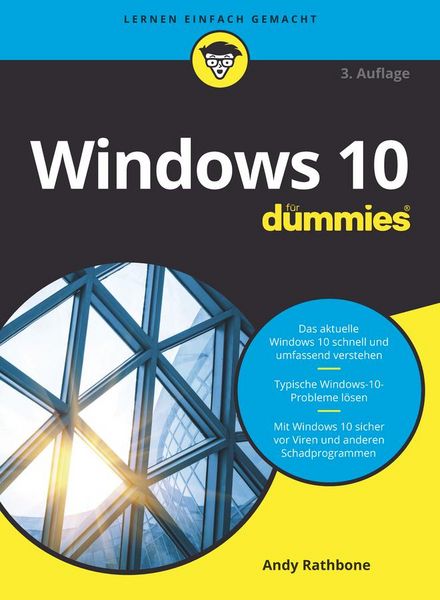
Windows 10 für Dummies (3. Auflg.)
Windows 10 hält Ihren PC am Laufen: Es verwaltet Ihre Dateien und bietet eine Plattform für alle wichtigen Programme und Anwendungen. Kurz gesagt, es ist die Schaltstelle Ihres Computers. Mit diesem Buch lernen Sie Windows 10 richtig kennen, aktuell zum 2004 Update aus 2020. Mit den leicht nachvollziehbaren Schritt-für-Schritt-Anleitungen und vielen wertvollen Tipps richten Sie Ihren Computer so ein, wie es für Sie am besten passt. Andy Rathbone informiert Sie umfassend. Und auch wenn mal etwas nicht so läuft wie erhofft, finden Sie in diesem Buch eine schnelle und verständliche Lösung. Es werden keine Vorkenntnisse vorausgesetzt.Andy Rathbone ist einer der Urväter der "... für Dummies"-Reihe und hat zahlreiche Bücher für PC-Anwender geschrieben. Er versteht es, komplexe Themen leicht verständlich zu erklären und seine Bücher mit der richtigen Dosis Humor zu würzen.ÜBER DEN AUTOR9Danksagung 9EINFÜHRUNG21Über dieses Buch 21Wie Sie mit diesem Buch arbeiten 22Tablet-PCs bleiben nicht außen vor 23Törichte Annahmen über den Leser 24Wie dieses Buch aufgebaut ist 24Teil I: Windows-10-Grundlagen 24Teil II: Apps, Programme und Dateien 24Teil III: Ab ins Internet 24Teil IV: Die Windows-Werkstatt 25Teil V: Musik, Fotos und Filme 25Teil VI: Hilfe! 25Teil VII: Der Top-Ten-Teil 25Symbole, die in diesem Buch verwendet werden 26Wie es weitergeht 26TEIL I: WINDOWS-10-GRUNDLAGEN 27KAPITEL 1 WAS GENAU IST WINDOWS 10?29Was ist Windows und warum benutzen Sie es? 29Was ist neu in Windows 10? 32Was ist nun wirklich dran an Windows 10? 35Warum verändert sich Windows 10 ständig? 36Läuft Windows 10 auf Ihrem Computer? 37Die verschiedenen Varianten von Windows 10 38KAPITEL 2 WIR STARTEN MIT DEM STARTMENÜ39Willkommen in der Welt von Windows 40Benutzerkonten verstehen 42Ihr Konto schützen 42Mit einem Microsoft-Konto anmelden 45Das Startmenü erforschen 46Zwischen Tablet- und Desktopmodus hin- und herschalten 50Eine App über das Startmenü starten 51Geöffnete Apps anzeigen und schließen 52Eine App im Startmenü ausfindig machen 54Apps »für umsonst« 55Kacheln im Startmenü hinzufügen oder daraus entfernen 58Das Startmenü passend machen 59Windows beenden 64Eine kurze Pause einlegen 65Den Computer ausschalten 66KAPITEL 3 DER TRADITIONELLE DESKTOP 69Desktop und Startmenü entdecken 70Mit dem Desktop arbeiten 71Apps über das Startmenü aufrufen 73Den Desktop aufpeppen 74Den Tabletmodus ein- und ausschalten 76Mit der Taskleiste arbeiten 79Fenster zu einem Symbol in der Taskleiste schrumpfen 81Die Sprunglisten der Taskleiste als Sprungbrett verwenden 82Auf die sensiblen Stellen der Taskleiste klicken 82Das Info-Center einblenden 85Die Taskleiste an Ihre Anforderungen anpassen 87Virtuelle Desktops einrichten 90Programme leichter ausfindig machen 93KAPITEL 4 DIE VIELFALT DER FENSTERTECHNIKEN95Ein typisches Desktopfenster in seine Bestandteile zerlegen 96Fenster am Kragen packen 97Mit der Adressleiste in Ordnerfenstern navigieren 99Befehle im Menüband ausfindig machen 100Mit der Bildlaufleiste im Ordnerfenster blättern 104Alles im Rahmen 106Fenster auf dem Desktop arrangieren 107Ein Fenster oben auf dem Stapel ablegen 107Ein Fenster von hier nach da verschieben 107Die Fenstergröße maximieren 108Ein Fenster vergrößern oder verkleinern 109Zwei Fenster nebeneinander positionieren 109Bitte stets dieselbe Fenstergröße! 110KAPITEL 5 SPEICHERORTE – INTERN, EXTERN UND ÜBER DEN WOLKEN111Der digitale Aktenschrank 112Was es mit den Ordnern auf sich hat 116Einen Blick auf Laufwerke, in Ordner und andere Speichermedien riskieren 117Was tummelt sich auf einem Laufwerk? 117Einen neuen Ordner anlegen 121Dateien und Ordner umbenennen 123Mehrere Dateien oder Ordner auswählen 124Dateien oder Ordner loswerden 125Dateien und Ordner kopieren oder verschieben 126Details zu Dateien und Ordnern anzeigen 128Auf CDs und DVDs schreiben 131Die richtigen Rohlinge verwenden 132Dateien auf oder von CDs oder DVDs kopieren 133Mit Speichersticks und Speicherkarten hantieren 136OneDrive – Ihre Ablage in den Wolken 137OneDrive einrichten 138Die OneDrive-Einstellungen ändern 141Dateien in OneDrive öffnen und speichern 143Die Funktion »Dateien bei Bedarf« einrichten 144Vom Webbrowser aus auf OneDrive-Dateien zugreifen 147TEIL II: APPS, PROGRAMME UND DATEIEN 149KAPITEL 6 MIT PROGRAMMEN, APPS UND DOKUMENTEN JONGLIEREN151Apps oder Programme starten 152Dokumente öffnen 154Dokumente speichern 156Welches Programm öffnet welche Datei? 158Im Microsoft Store shoppen 161Neue Apps aus dem Store downloaden 162Apps deinstallieren 165Apps aktualisieren 165Der bequeme Weg der Verknüpfungen 166Alles, was Sie über Ausschneiden, Kopieren und Einfügen wissen müssen 167Auf die Schnelle ausschneiden, kopieren und einfügen 168Elemente zum Ausschneiden oder Kopieren auswählen 168Ausgewählte Elemente ausschneiden oder kopieren 170Ausgeschnittene oder kopierte Elemente einfügen 172KAPITEL 7 GESUCHT UND GEFUNDEN175Aktuell geöffnete Apps und Programme aufstöbern 175Aktuell geöffnete Fenster aufspüren 177Nach Apps, Programmen, Einstellungen oder Dateien suchen 178Mit Cortana suchen 181Cortana Fragen stellen 181Nach einer Datei in einem Ordner suchen 183Verloren geglaubte Bilder aufspüren 186Andere Computer im Netzwerk aufspüren 186KAPITEL 8 IHRE ARBEIT DRUCKEN UND SCANNEN189In Apps drucken 189Vom Desktop aus drucken 191Druckseiten einrichten 193Druckereinstellungen anpassen 195Einen Druckauftrag abbrechen 197Eine Webseite drucken 198Druckerprobleme beheben 199Die Scanner-App verwenden 201TEIL III: AB INS INTERNET 205KAPITEL 9 UNTERWEGS IM WEB207Sinn und Zweck von ISPs 208Eine drahtlose Verbindung zum Internet herstellen 209Mit Microsoft Edge im Web surfen 212Von Webseite zu Webseite springen 214Eine Startseite für Microsoft Edge festlegen 215Lieblingssites erneut besuchen 217Im Internet fündig werden 218Mehr Infos auf einer Website aufspüren 219Informationen aus dem Internet speichern 220Eine Webseite speichern 220Text speichern 220Ein Bild speichern 220Ein Programm, einen Song oder einen anderen Dateityp herunterladen 221KAPITEL 10 SOZIALE KONTAKTE PFLEGEN223Ihre Konten in Windows einbinden 223Die Mail-App kennenlernen 225Die Ansichten, Menüs und Konten der Mail-App erkunden 226Eine E-Mail-Nachricht schreiben und senden 229Eine empfangene Mail lesen 231Dateien per Mail senden und empfangen 233Kontakte in der Kontakte-App pflegen 236Kontakte hinzufügen 237Kontakte löschen oder bearbeiten 239Termine in der Kalender-App verwalten 239KAPITEL 11 SICHERES ARBEITEN AM COMPUTER UND IM INTERNET243Die Sicherheitsabfragen verstehen 243Auf der sicheren Seite mit Windows-Sicherheit 244Viren meiden und entfernen 247Phishing unterbinden 249Mit den Familienoptionen den elektronischen Jugendschutz einrichten 251TEIL IV: DIE WINDOWS-WERKSTATT 255KAPITEL 12 WINDOWS ANPASSEN257Den richtigen Schalter finden 258Die Einstellungen-App 259System 260Geräte 267Telefon 271Netzwerk und Internet 272Personalisierung 273Apps 277Konten 280Zeit und Sprache 281Spielen 281Erleichterte Bedienung 281Suche 283Datenschutz 283Update und Sicherheit 284KAPITEL 13 WINDOWS HEGEN UND PFLEGEN285Daten mit dem Dateiversionsverlauf retten 286Technische Daten über Ihren Computer anzeigen 290Platz auf der Festplatte freiräumen 292Mit Gerätetreibern hantieren 294KAPITEL 14 EINEN RECHNER MIT ANDEREN TEILEN297Benutzerkonten verstehen lernen 298Ein Benutzerkonto ändern oder ein neues erstellen 299Schnell zwischen verschiedenen Benutzern wechseln 305Mit dem Profilbild Profil zeigen 307Kennwörter und sonstige Sicherheitsvorkehrungen 309Mit Windows Hello anmelden 310KAPITEL 15 COMPUTER IN EINEM NETZWERK VERBINDEN313Die Netzwerkkomponenten kennenlernen 314Ein kleines Netzwerk einrichten 316Netzwerkkomponenten besorgen 316Einen drahtlosen Router einrichten 317Windows für eine Verbindung mit einem Netzwerk einrichten 318Dateien in einem Netzwerk freigeben 320Ein privates Heimnetzwerk einrichten 321Dateien und Ordner im privaten Netzwerk teilen 324Auf das zugreifen, was andere teilen 326Einen Drucker im Netzwerk teilen 328Mit Umgebungsfreigabe teilen 328TEIL V: MUSIK, FOTOS UND FILME 333KAPITEL 16 MUSIK ABSPIELEN UND KOPIEREN 335Musik mit der Groove-Musik-App abspielen 335Musik mit Windows Media Player abspielen 339Die Medienbibliothek von Windows Media Player auffüllen 341Die Medienbibliothek von Windows Media Player erkunden 345Musikdateien abspielen 348Die aktuelle Wiedergabe steuern 349CDs abspielen 351DVDs abspielen 351Videos und TV-Aufzeichnungen wiedergeben 352Mit Wiedergabelisten arbeiten 353CDs auf Ihren Computer rippen 355Musik-CDs brennen 356KAPITEL 17 DIGITALE FOTOSCHÄTZE359Ihr Computer – der digitale Schuhkarton 360Fotos mit der Kamera-App aufnehmen 363Ihr Smartphone mit Ihrem PC koppeln 365Fotos in der Fotos-App anschauen und bearbeiten 366Fotosammlungen anzeigen 367Fotoalben anzeigen 370Eine Diashow präsentieren 373Fotos auf CD oder DVD kopieren 373TEIL VI: HILFE! 375KAPITEL 18 WENN GAR NICHTS MEHR GEHT … 377Zwischen Tablet- und Desktopmodus hin- und herschalten 378Die magischen Wartungsfunktionen von Windows 379Den PC wiederherstellen 379Daten aus dem Dateiversionsverlauf wiederherstellen 383Windows fragt ständig nach Berechtigungen 388Gelöschte Dateien aus dem Papierkorb fischen 389Kaputte Apps reparieren 390Chaos in den Einstellungen 391Kennwort vergessen 393Rechner eingefroren 394KAPITEL 19 SELTSAME FEHLERMELDUNGEN397Microsoft-Konto hinzufügen 397Wählen Sie eine Aktion für … 398Wollten Sie die App wechseln? 399Möchten Sie zulassen, dass durch diese App Änderungen an Ihrem Gerät vorgenommen werden? 400Möchten Sie die Änderungen an Unbenannt speichern? 401Wie soll dieses Element geöffnet werden? 401Bedrohungen gefunden 402Wie soll diese Datei geöffnet werden? 403Positionseinstellungen sind deaktiviert 404Schließen Sie das Laufwerk wieder an. 404Zugriff auf den Zielordner nicht möglich 405KAPITEL 20 VON EINEM ALTEN RECHNER AUF EINEN WINDOWS-10-COMPUTER UMZIEHEN407Eine externe Firma für den Umzug engagieren 408PCmover von Laplink 408Eine Werkstatt besuchen 409Den Umzug selbst durchführen 410KAPITEL 21 HILFE BEIM WINDOWS-HILFESYSTEM ANFORDERN415Tipps von Windows 10 415Support kontaktieren 416Kostenloser Microsoft-Support 418TEIL VII: DER TOP-TEN-TEIL 421KAPITEL 22 DIE TOP TEN DER NERVIGSTEN WINDOWS-FUNKTIONEN (UND WAS SIE DAGEGEN TUN KÖNNEN)423Windows 10 verändert sich laufend 423Weg mit den Apps 424Apps aus dem Startmenü und vom Rechner entfernen 424Desktop-Programme statt Apps für das Öffnen von Dateien bestimmen 426Weg mit dem Desktop 426Ich will kein Microsoft-Konto 427Weg mit der Kennworteingabe beim Sperrbildschirm 428Die Taskleiste soll nicht verschwinden 429Fenster nebeneinander ausrichten 429Die lästigen Berechtigungsanfragen 430Welche Windows-Version hab’ ich denn? 430Die Taste »Druck« will nicht 431Stichwortverzeichnis 435
WordPress für Dummies (3. Auflg.)
Gestalten Sie mit WordPress Ihre Website - auch wenn Sie keinerlei Vorkenntnisse haben! Profitieren Sie von Tausenden meist kostenlosen Design-Vorlagen, den WordPress-Themes. WordPress begann als einfache Weblog-Software und ist inzwischen das beliebteste System zur Gestaltung von Webseiten überhaupt. Dieser Entwicklung trägt dieses Buch Rechnung: Hier finden Sie Rat und Hilfe - als Blogger, als Webdesigner, als Anfänger und als Umsteiger. Schritt für Schritt erfahren Sie, wie Sie Ihre Website oder Ihren Blog aufbauen, Bilder und Videos einbinden und vieles mehr. Lisa Sabin-Wilson ist Mitinhaberin von WebDevStudios, einer Webagentur, die sich auf die Entwicklung von WordPress-Plugins und WordPress-Themes spezialisiert hat. Sie hält Vorträge zu WordPress und ist auch Autorin von "Webdesign mit WordPress für Dummies", einem WordPress-Buch für fortgeschrittene WordPress-Nutzer. VORWORT 9 Über die Autorin 9 Widmung 10 EINLEITUNG21 Über dieses Buch 21 Törichte Annahmen über den Leser 22 Symbole, die in diesem Buch verwendet werden 23 Wie es weitergeht 23 TEIL I: EINFÜHRUNG IN WORDPRESS 25 KAPITEL 1 DAS KANN WORDPRESS FÜR SIE TUN27 Die Leistungen von WordPress 27 Schnell und einfach einrichten 28 Den Funktionsumfang von WordPress erweitern 29 In der Community mitwirken 30 Eine WordPress-Plattform auswählen 31 Die gehostete Version von WordPress.com 32 Die selbst gehostete Version von WordPress.org 33 KAPITEL 2 WORDPRESS-GRUNDLAGEN 35 WordPress im Rampenlicht 35 Kleiner Einblick in die WordPress-Technologie 36 Archivierung Ihrer Veröffentlichungen 37 Austausch mit Ihren Lesern über Blogkommentare 38 Ihre Leser auf dem Laufenden halten 39 Trackbacks 41 Der Umgang mit Kommentar- und Trackback-Spam 42 Der Einsatz von WordPress als Content-Management-System 42 Unterschiede zwischen Website und Blog 42 Beispiele: Blog im Unterschied zu Website 43 Vor dem Start 45 TEIL II: WORDPRESS EINRICHTEN 47 KAPITEL 3 DAS BASISLAGER FÜR DEN BLOG EINRICHTEN 49 Ihre Domain einrichten 49 Domainnamenerweiterungen 50 Was kostet ein Domainname? 51 Ihren Domainnamen registrieren 51 Eine Heimat für Ihre Website finden 52 Hilfe beim Hosten von WordPress 53 Umgang mit Speicherplatz und Bandbreite 54 Die SFTP-Grundlagen 56 SFTP für Ihren Web-Account einrichten 57 Kostenlose und einfach bedienbare SFTP-Programme 60 Via SFTP mit dem Webserver verbinden 60 Dateien von A nach B übertragen 63 Dateien per SFTP bearbeiten 64 Dateizugriffsrechte ändern 65 WordPress installieren 67 Vorinstallierte WordPress-Versionen 67 WordPress von Hand installieren 67 Die MySQL-Datenbank einrichten 68 Die WordPress-Dateien hochladen 70 Der letzte Schritt: Das Installationsskript ausführen 72 KAPITEL 4 DAS WORDPRESS.ORG-DASHBOARD NUTZEN79 Im Dashboard anmelden 80 Das Dashboard nutzen 81 Auf einen Blick 82 Aktivität 83 Schneller Entwurf 84 WordPress-Veranstaltungen und Neuigkeiten 85 Das Dashboard nach Ihren Wünschen anordnen 85 Dashboard-Module entfernen 86 Die Inlinedokumentation und die Hilfe nutzen 87 Einstellungen im Dashboard vornehmen 88 Die Einstellungen anpassen 89 Allgemein 89 Schreiben 93 Lesen 94 Diskussion 96 Medien 101 Permalinks 103 Datenschutz 103 Ihr persönliches Profil erstellen 104 Das Format Ihrer Website einstellen 107 Beiträge 107 Medien 108 Seiten 108 Kommentare 109 Design 109 Plugins 110 Benutzer 110 Werkzeuge 111 KAPITEL 5 DIE REDAKTIONELLE ARBEIT AUFNEHMEN113 Themen in Kategorien einordnen 113 Den Namen einer Kategorie ändern 114 Neue Kategorien erstellen 116 Die Adresse von Beiträgen bearbeiten: Permalinks 119 Beitragslinks aufhübschen 119 Permalinks selbst anpassen 121 Die Funktionsfähigkeit der Permalinks auf Ihrem Server sicherstellen 122 Die umfangreichen WordPress-RSS-Optionen verwenden 124 Den ersten Beitrag schreiben 126 Einen Blogbeitrag verfassen 126 Einen Blogbeitrag formatieren 127 Andere Blocktypen erstellen 129 Beiträge mit Bildern, Videos und Sound aufpeppen 130 Feinschliff des Beitrags 131 Den Beitrag veröffentlichen 133 Beiträge bearbeiten 135 Wer spricht über Ihre Website? 136 Kommentare und Trackbacks verwalten 136 Kommentare und Trackbacks moderieren 138 Spam mit Akismet bekämpfen 138 TEIL III: WORDPRESS ERWEITERN 139 KAPITEL 6 MEDIENDATEIEN VERWALTEN: BILDER, AUDIOUND VIDEODATEIEN141 Bilder in Ihre Beiträge einfügen 141 Formatierung und Einstellungen für Bilder festlegen 143 Bilder bearbeiten 144 Eine Fotogalerie einfügen 145 Videos in Blogbeiträge einfügen 147 Audiodateien in Beiträge einfügen 149 Mediendateien verwalten 150 KAPITEL 7 WORDPRESS-PLUGINS OPTIMAL NUTZEN153 Was sind Plugins? 154 Die Plugins-Seite 155 Plugins mit einem Klick aktualisieren 157 Die mit WordPress ausgelieferten Plugins 159 Akismet einbinden 159 Hello Dolly 163 Die Grundlagen der Verwendung von Plugins 163 Plugins von Hand installieren 165 Die Dateien finden und herunterladen 165 Die Installationshinweise lesen 168 Plugins hochladen und aktivieren 168 Ein neues Plugin hochladen 169 Das Plugin aktivieren 171 Plugin-Optionen einstellen 171 Plugins deinstallieren 172 Die Open-Source-Umgebung verstehen 173 KAPITEL 8 WORDPRESS-THEMES FINDEN UND INSTALLIEREN175 Mit kostenlosen Themes loslegen 175 Kostenlose Themes finden 176 Unsichere Themes meiden 178 Themes in der Vorschau betrachten 178 Themes herunterladen 179 Ein neues Theme aktivieren 180 Themes vom Dashboard aus durchsuchen und installieren 182 Entscheidung für kommerzielle Themes 184 TEIL IV: WORDPRESS ANPASSEN 187 KAPITEL 9 THEMES UND TEMPLATES VERSTEHEN189 WordPress-Themes verwenden: Die Grundlagen 190 Anatomie eines Stylesheets 193 Template-Tags, Werte und Parameter 195 Die Grundlagen 196 Parameter verwenden 197 Häufig verwendete Tags anpassen 198 Neue Widget-Bereiche erstellen 198 Ihr Widget registrieren 199 Neue Widgets in Ihrer Seite anzeigen 200 Die Anpassung mit Funktionen vereinfachen 200 Häufige Probleme beheben 201 Der Hauptindex und die Schleife 201 Das Kopfzeilen-Template 204 Das Seitenleisten-Template 208 Das Fußzeilen-Template 208 Weitere Template-Dateien 209 Blog-Beiträge mit Template-Tags individualisieren 210 Ein Theme zusammensetzen 211 Die Templates verbinden 211 Zusätzliche Stylesheets verwenden 219 KAPITEL 10 WORDPRESS-THEMES ANPASSEN221 Die Header-Grafik ändern 222 Die Bildabmessungen beachten 223 Eine Kopfzeilengrafik hochladen 223 Ihr Theme mit CSS personalisieren 225 CSS-Selektoren 226 CSS-IDs und -Klassen 226 CSS-Eigenschaften und -Werte 228 Grundlegende HTML-Techniken für Ihre Site 228 Grundelemente für ein individuelles Erscheinungsbild der Site anpassen 229 Schriftfamilie, -farbe- und -größe ändern 229Rahmen gestalterisch einsetzen 232Weitere Ressourcen 232Fortgeschrittene Theme-Entwicklung 232Einen guten Ausgangspunkt finden 233Das Theme an Ihre Bedürfnisse anpassen 233Neue Template-Dateien hinzufügen 234Templates mit Namensparametern erstellen 234Template-Parts erstellen und verwenden 236Inhaltsspezifische Standard-Templates 240Seiten-Templates einsetzen 242Deaktivierte Theme-Features hinzuschalten 243Benutzerdefinierte Navigationsmenüs hinzuschalten 244Benutzerdefinierte Beitragstypen hinzuschalten 251Unterstützung für Beitragsformate hinzufügen 258KAPITEL 11 PARENT- UND CHILD-THEMES NUTZEN269Themes mit Child-Themes anpassen 269Ein Child-Theme erzeugen 270Den Stil eines Parent-Themes laden 272Das Parent-Theme gestalten 274Bilder in Child-Themes verwenden 275Die Theme-Struktur durch Child-Themes verändern 278Übergeordnete Template-Dateien außer Kraft setzen 279Neue Template-Dateien hinzufügen 279Template-Dateien entfernen 280Die Theme-Funktionen verändern 281Ein Parent-Theme vorbereiten 282KAPITEL 12 WORDPRESS ALS CONTENT-MANAGEMENT-SYSTEM (CMS) 285Die Startseite Ihrer Website erstellen 286Eine statische Seite erzeugen 288Eine statische Seite als Startseite festlegen 290Der Seite einen Webseitenlook zuweisen 291Einen Blog in Ihre Website einfügen 292Eine leere Seite für den Blog erstellen 293Die neue Seite als Blogseite definieren 293Benutzerdefinierte Seitenvorlagen für unterschiedliche Layouts und Stile erstellen 294Das Standard-Seiten-Template (page.php) öffnen 294Ein neues Seiten-Template erstellen 295Zwei Seiten-Templates vergleichen 297Inhalte aus einer einzigen Kategorie holen 297Ein näherer Blick auf einige Parameter 298Das Tag WP_Query(); hinzufügen 298Unterschiedliche Seitenleisten- und Fußzeilen-Templates erstellen 300Benutzerdefinierte Stile für Beiträge auf der Startseite, Kategorien und Schlagwörter erstellen 301Ihre WordPress-Site für Suchmaschinen optimieren 303Keywords in die Website einfügen 303Beitrags- und Seitentitel für den Suchmaschinen-Erfolg optimieren 304Für Ihre Leser schreiben 305Suchmaschinentaugliche Kategorien erstellen 305Bilder mit dem -Tag versehen 306KAPITEL 13 MEHRERE SITES MIT WORDPRESS HOSTEN 307Vorüberlegungen zum Webhosting 307Die WordPress-Netzwerkfunktion aktivieren 309DNS (Domain Name Server) 311Apache mod_rewrite 311Virtual Host 312PHP (PHP Hypertext Processor) 312Das Netzwerk in Ihrer Site installieren 313Das Dashboard-Menü »Netzwerkverwaltung« 315Ihr Netzwerk verwalten 317Einstellungen 318Websites 323Benutzer 326Themes 328Plugins 329Aktualisierungen 331Spam-Registrierungen und Splogs bekämpfen 331Splogger mit Einstellungen und Code erkennen 331Plugins zur Spam-Bekämpfung 332KAPITEL 14 UPGRADE, SICHERUNG UND UMZUG333Benachrichtigung über verfügbare Upgrades 334Sicherung Ihrer Daten 335WordPress automatisch aktualisieren 336WordPress manuell aktualisieren 338Eine vorhandene Website nach WordPress migrieren 339Warum umziehen? 340Vorbereitung auf den großen Umzug 340Templates konvertieren 342Mit der Website nach WordPress umziehen 342Import aus Blogger 343Import aus LiveJournal 345Import aus Movable Type und TypePad 346Import aus Tumblr 348Import aus WordPress 349Import aus einem RSS-Feed 350Andere Importressourcen finden 351Mit Ihrer Website zu einem anderen Hosting-Service umziehen 352Manueller Umzug 352Datensicherung und Umzug mit einem Plugin 354TEIL V: DER TOP-TEN-TEIL 355KAPITEL 15 ZEHN BELIEBTE WORDPRESS-PLUGINS357AppPresser – Mobile App Framework 357Jetpack 358All in One SEO Pack 361Redirection 361BackupBuddy 361WP-Print 362WP Super Cache 363WooCommerce 363Google XML Sitemaps 364Sucuri Sitecheck Malware Scanner 364KAPITEL 16 ZEHN KOSTENLOSE WORDPRESS-THEMES365Hybrid Core 365Hestia 366Responsive 366P2 367Annotum Base 368Blackbird 368Esquire 369Nisarg 370WP-Creativix 370Optics 370Stichwortverzeichnis 375

Raspberry Pi Full Stack
This book will take you on a whirlwind tour of full-stack web application development using Raspberry Pi. You will learn how to build an application from the ground up.You will gain experience and know-how of technologies including:- The Linux operating system and command line.- The Python programming language.- The Raspberry Pi General Purpose Input Output pins (GPIOs).- The Nginx web server.- Flask Python web application microframework.- JQuery and CSS for creating user interfaces.- Dealing with time zones.- Creating charts with Plotly and Google Charts.- Data logging with Google Sheet.- Developing applets with IFTTT.- Securing your application with SSL.- Receiving SMS notifications to your phone using Twilio.This book will also teach you how to set up a remote wireless Arduino sensor node and collect data from it. Your Raspberry Pi web application will be able to process Arduino node data in the same way it processes data from its onboard sensor.Raspberry Pi Full Stack will teach you many skills essential to building Web and Internet of Things applications.The application you will build in this project is a platform that you can extend upon. This is just the start of what you can do with a Raspberry Pi and the software and hardware components that you will learn about.This book is supported by the author via a dedicated discussion space.Dr. Peter Dalmaris is an educator, an electrical engineer and Maker. Creator of online video courses on DIY electronics andauthor of several technical books. As a Chief Tech Explorer since 2013 at Tech Explorations, the company he founded in Sydney, Australia, Peter's mission is to explore technology and help educate the world.