

Knowhow

SAP S/4HANA Financial Accounting Configuration
Upgrade your knowledge to learn S/4HANA, the latest version of the SAP ERP system, with its built-in intelligent technologies, including AI, machine learning, and advanced analytics.Since the first edition of this book published as SAP ERP Financial and Controlling: Configuration and Use Management, the perspective has changed significantly as S/4HANA now comes with new features, such as FIORI (new GUI), which focuses on flexible app style development and interactivity with mobile phones. It also has a universal journal, which helps in data integration in a single location, such as centralized processing, and is faster than ECC S/3. It merges FI & CO efficiently, which enables document posting in the Controlling area setup. General Ledger Accounts (FI) and Cost Element (CO) are mapped together in a way that cost elements (both primary and secondary) are part of G/L accounts. And a mandatory setup of customer-vendor integration with business partners is included vs the earlier ECC creation with separate vendor master and customer master.This updated edition presents new features in SAP S/4HANA, with in-depth coverage of the FI syllabus in SAP S/4HANA. A practical and hands-on approach includes scenarios with real-life examples and practical illustrations. There is no unnecessary jargon in this configuration and end-user manual.WHAT YOU WILL LEARN* Configure SAP FI as a pro in S/4* Master core aspects of Financial Accounting and Controlling* Integrate SAP Financial with other SAP modules* Gain a thorough hands-on experience with IMG (Implementation Guide)* Understand and explain the functionalities of SAP FIWHO THIS BOOK IS FORFI consultants, trainers, developers, accountants, and SAP FI support organizations will find the book an excellent reference guide. Beginners without prior FI configuration experience will find the step-by-step illustrations to be practical and great hands-on experience.ANDREW OKUNGBOWA is an accountant and a business advisor with 20+ years of experience solving complex business issues. He is an acclaimed author of several books in accounting and finance. He also co-founded Spoxio App, a sports app design for sports professionals, sports enthusiasts, and fans to network on a mobile app.Andrew holds a combined bachelor’s degree in accounting and IT, a master’s degree in Investment and Finance, and an associate status with the Institute of Financial Accountants. He has over 15 years of experience in SAP FI/CO consulting and over 20 years of accounting and finance experience in a number of FTSE 100/250 companies in the UK and abroad.Andrew has sat on the board of several companies in the UK, such as Changing Lives Housing Trust, and Twenty-Fifth Avenue Ltd.Chapter 1: Organizational Unit.-Chapter 2: Defining Chart of Accounts.-Chapter 3: Document Control.-Chapter 4: Tolerance Group.-Chapter 5: Creating General Ledger (G/L).-Chapter 6: Clearing Open Items.-Chapter 7: Maintaining Currency Types & Currency Pairs.-Chapter 8: GR/IR Clearing.-Chapter 9: House Bank.-Chapter 10: Tax on Sale/Purchase.-Chapter 11: Cash Journal.-Chapter 12: Financial Statement Versions (FSV).-Chapter 13: Integration of FI with Other SAP S4 HANA Modules.-Chapter 14: Accounts Receivable & Accounts Payable.-Chapter 15: Defining Dunning Procedure.-Chapter 16: ISpecial G/L Transactions.-Chapter 17: Ledgers.

WordPress 6 Schnelleinstieg
Blogs und Webseiten erstellen Dieses Buch ermöglicht Ihnen einen schnellen und einfachen Einstieg in die Website-Erstellung mit WordPress.Mit der 5-Minuten-Installationsanleitung richten Sie WordPress auch ohne Vorkenntnisse schnell und einfach auf Ihrem eigenen Webspace ein. Bebilderte Anleitungen zeigen Ihnen Schritt für Schritt die Verwendung des Gutenberg-Editors mit seinen umfangreichen Gestaltungsmöglichkeiten. So erstellen Sie ganz einfach Beiträge und Seiten, fügen Bilder, Buttons und Videos ein, erstellen eigene Vorlagen und vieles mehr. Darüber hinaus lernen Sie, wie Sie das Design Ihrer Website oder Ihres Blogs mit Themes und Full Site Editing individuell anpassen und den Funktionsumfang von WordPress mit nützlichen Plugins erweitern.Tipps und Tricks zu fortgeschrittenen Themen wie Rechteverwaltung und Sicherheit, Performanceoptimierung und das Umziehen einer WordPress-Installation auf einen anderen Server runden diese praktische Einführung ab.Aktuell zu WordPress Version 6.Aus dem Inhalt:WordPress installieren und einrichtenGrundlegende Einstellungen und BenutzerrollenBeiträge und Seiten erstellen mit dem Gutenberg-EditorWebdesign individuell anpassen mit Themes und Full Site Editing (FSE)Funktionsumfang erweitern mit nützlichen PluginsDatenschutz und Sicherheit, Performance-Optimierung, BarrierefreiheitAutoren:Vladimir Simovic arbeitet seit 2000 mit HTML und CSS und seit Januar 2004 mit WordPress. Er ist geschäftsführender Gesellschafter der Webagentur perun.net webwork gmbh, die umfangreiche Dienstleistungen rund um WordPress und Webdesign anbietet. Als freiberuflicher Autor hat er diverse Fachbücher und Fachartikel publiziert.Dipl.-Geogr. Thordis Bonfranchi-Simovic arbeitet seit Januar 2004 mit WordPress. Seit 2008 arbeitet sie bei der perun.net webwork gmbh, die umfangreiche Dienstleistungen rund um WordPress und Webdesign anbietet.Leseprobe PDF-Datei

Raspberry Pi - dein Einstieg
Der vielseitige Linux-Computer für Smarthome, Entertainment, Experimente. Ihre Lösung für Office, Multimedia, Entertainment und Smarthome. Der Raspberry Pi ist ein kreditkartengroßer, kostengünstiger Computer, der an Ihren Fernseher und eine Tastatur angeschlossen wird. Er ist ein leistungsfähiger kleiner Computer, der für Elektronikprojekte und für viele Dinge verwendet werden kann, die auch Ihr Desktop-PC erledigt, wie Tabellenkalkulationen, Textverarbeitung, Surfen im Internet und Spiele. Nutzen Sie Ihren Raspi als auf ihre Bedürfnisse abgestimmte Smarthome-Zentrale oder als Mediaplayer – der Computer spielt auch hochauflösende Videos ab.Das Autorenteam stellt die verschiedenen Modelle des Raspberry Pi vor und erläutert ihre jeweiligen Einsatzgebiete. Es geht auf den Betrieb mit Linux und anderen Betriebssystemen ein und begleitet Sie bei den ersten Schritten in der Programmiersprache Python.Die Autoren:Matt Richardson ist Executive Director der Raspberry Pi Foundation und verantwortlich für deren gemeinnützige Arbeit in Nordamerika. Er ist Absolvent des Interactive Telecommunications Program der New York University. Zu den Highlights seiner Arbeit gehören die Descriptive Camera (eine Kamera, die anstelle eines Fotos eine Textbeschreibung ausgibt) und The Enough Already (ein DIY-Gerät, das Prominente zum Schweigen bringt). Matts Arbeiten wurden im Nevada Museum of Art, beim Internationalen Fotofestival in Rom und bei der Mailänder Designwoche ausgestellt und haben die Aufmerksamkeit von The New York Times, Wired und New York Magazine auf sich gezogen.Shawn Wallace lebt in Providence, RI, und entwickelt bei Unruly Studios kreative Coding-Tools für junge Menschen. Er ist der Erfinder von Fluxly, Cryptozoologic und dem Fluxamasynth. Zuvor half erdas FabLab in Providence zu gründen, schrieb und redigierte Bücher für O'Reilly und Maker Media und entwarf Elektronik für Modern Device.Wolfram Donat ist ein Ingenieur, Maker und Autor, der Dinge mit dem Raspberry Pi baut, seit er vor ach so vielen Monden sein erstes Modell 1A+ geliefert bekam. Derzeit ist er Softwarearchitekt bei Arc Machines, Inc. und verwendet den Pi (unter anderem), um intelligente Schweißmaschinen zu bauen und zu steuern. Dies ist sein vierter Streifzug durch Bücher über den Raspberry Pi und seine Verwendung.

Cloud Native Applications with Docker and Kubernetes
This book takes developers on a journey into the cloud with Docker and Kubernetes. It walks you through the basics of Docker containers, how they are built, run, and published, and how the Kubernetes system allows you to use containers to better manage a cloud native application. Additionally, it walks you through various issues in cloud architecture, and how to design a cloud architecture that will work with your application and your team.The book takes a unique approach, getting you immersed in each subject with tutorials, then building up your technical knowledge, and finally backing up and thinking about more big-picture issues. Part one introduces Docker, building and working with Docker images, and covering best practices for Docker Containers. Part two covers the practicalities of "cloud native” and managing a Kubernetes application, including a full working example. The last part covers the design of cloud and microservice architectures, including the use of enterprise message queues, multi-site configurations and the common values that such architectures follow.This approach accelerates learning and keeps you moving forward without leaving you behind. The appendices also contain a wealth of worthwhile reference material for routine cloud application management.WHAT YOU WILL LEARN* Understand Docker and containerization* Gain insight into what Kubernetes is* Master essential cloud architecture design principles* Design and implement notes for building cloud architecturesWHO THIS BOOK IS FORPrimarily developers who are moving to the cloud and want to get a sense of the environment they are getting into, and developers who want to move into a larger role of cloud architecture. Jonathan Bartlett is a senior software developer for McElroy Manufacturing. In his career he has served as senior developer and cloud architect roles for several companies in the biking industry, the music industry, the housing industry, and the medical industry. Jonathan has also taught computer science at the college and high school levels. In his spare time he writes for MindMatters.ai and also writes research papers on artificial intelligence, mathematics, and the applications of information theory to other sciences. Chapter 1. Introduction - what they should expect from the book.PART 1: DOCKERChapter 2. Docker Under the Hood - introduction to the history and technology behind Docker. I find that really understanding Docker containers well requires a brief knowledge of their history and implementation.Chapter 3. A Docker Interactive Tutorial - the basics of building and working with Docker imagesChapter 4. Best Practices for Docker Containers - general tips, Debian vs Alpine, etc.PART 2: KUBERNETESChapter 5. The Cloud Native Philosophy - a general intro to the goals behind “Cloud Native” and KubernetesChapter 6. Getting Started with Kubernetes - showing how to deploy a simple system on Kubernetes with the Kubernetes dashboardChapter 7. Managing Kubernetes with kubectl - an introduction to the kubectl toolChapter 8. The Kubernetes environment - now that the user has some hands-on with Kubernetes, we introduce the components themselvesChapter 9. Basic Kubernetes Management - how to work with YAML filesChapter 10. A Full Kubernetes Cloud Example - full Kubernetes code for a cluster for a Message Board systemChapter 11. Going Further in Kubernetes - a brief introduction to other parts of KubernetesPART 3: CLOUD ARCHITECTUREChapter 12. Cloud Architecture Introduction - why architecting mattersChapter 13. Basic Cloud Architectures - basic architectural diagrams for the most common situationsChapter 14. Microservice Architectures - what microservices are, why they are important, and how to build such an architectureChapter 15. Enterprise Message Queues - what message queues are and how they make micro service architectures more flexible and resilientChapter 16. Architecting Data Stores - various database (and other data store) optionsChapter 17. Multi-Site Configurations - introducing terminology and through processes behind multi-site configurationsChapter 18. Architecture Values - a discussion of common themes for cloud architecturesChapter 19. ConclusionAPPENDICES:1. Navigating the Linux Command Shell2. Installing Applications3. Common kubectl commands4. Kubernetes Storage Options5. Kubernetes Pod Scheduling6. Troubleshooting Kubernetes Clusters

Solution Architecture Patterns for Enterprise
Gain a deeper understanding of how distributed systems work, as well as which applications and systems are used for specific business domains or industries. This book provides a set of solution architecture patterns that were developed based on the author’s experience building enterprise software systems for hundreds of different organizations across the globe. The architecture diagrams (patterns) and examples allow you to not only grasp the concepts, but to build working projects.Solution Architecture Patterns for Enterprise starts with an introduction to the concepts of enterprise software systems and solution architecture and later moves to individual solution architecture patterns used in real-world enterprises. Subsequent sections cover various industry-specific solution architecture patterns that can be used to build domain-specific software systems. The book concludes with a view of what the future holds for solution architecture, including likely new developments in the field.This book will help enterprise software architects and engineers to design and implement real-world enterprise software systems using best practices and techniques adopted by organizations across the globe. It provides software architecture blueprints to build domain-specific enterprise software systems. If you are working on any digital transformation project or initiative, you will find this book useful, as it provides quick reference on architecture and implementation to get started with your work.WHAT YOU WILL LEARN* Understand the key elements of enterprise software systems and how to design and implement them* Master different approaches to build real-world software applications* Build domain specific enterprise software systems* Use open-source tools to build enterprise software systemsWHO THIS BOOK IS FORSoftware Developers, software architect, solution architects, and enterprise architects.Chanaka Fernando has been working in the enterprise software domain for more than a decade designing, implementing, and supporting large-scale applications and systems across different industries including healthcare, financial services, education, and telecommunications to name a few. He is also the author of the book Designing Microservices Platforms with NATS, published in 2021. He has contributed to several open-source projects as a project lead, developer, and architect while working at WSO2, which is an open-source software company. Chanaka holds a bachelor’s degree from the University of Moratuwa, Sri Lanka in engineering, where he specialized in electronics and telecommunication engineering.Chanaka started a GitHub project to share his experiences, and that repository has gained a lot of traction within the open-source community. That success has motivated him to write a book on the topic, going into greater detail with practical examples.Chapter 1: Introduction to Enterprise Software SystemsChapter Goal: Provides an introduction to the key elements of enterprise software systems and how these systems are built in the real world.● What are enterprises?● How software is used in enterprises?● Characteristics of Enterprise Software Systems● Practical examples of enterprise systemsChapter 2: Introduction to Solution ArchitectureChapter Goal: Introduces the concept of architecture of an enterprise software system and how solution architecture plays a major role in building such systems● What is software architecture?● What in Enterprise architecture and TOGAF?● Key components of solution architecture● Importance of deployment architecture● Why patterns are useful when building solutions for enterprisesChapter 3: The Emerging Field of Solution EngineeringChapter Goal: Provides a detailed view of technical skills and abilities required for a solution architect to become successful in the domain● Key tasks of a solution engineer● How to become a solution architect● Why is solution engineering critical for enterprises?Chapter 4: Building Enterprise Software Systems with Microservices ArchitectureChapter Goal: Provides a set of architecture patterns and examples that can be used to build enterprise software systems following a microservices architecture based approach● Introduction to microservices architecture● Microservices with Service Mesh● Microservices without Service Mesh● Securing Microservices with Open Policy Agent● Governing Microservices with APIsChapter 5: Building Enterprise Software Systems with Hybrid Integration PlatformsChapter Goal: Provides a detailed view of using integration platforms to build enterprise software systems with examples using open source software● Why do you need integration for enterprise software systems?● Why is API Management critical for enterprise software systems?● SOA governance to API Management pattern● API-led connectivity pattern for enterprise● Hybrid Integration pattern with API management● How to use anti-corruption layer pattern to migrate legacy applications in enterpriseChapter 6: Designing Enterprise Platforms with Event-driven Architecture PatternsChapter Goal: Introduce the event-driven architecture and explain how it can be used in designing enterprise software systems● Introduction to event-driven architecture● Kafka based event driven architecture for enterprise● Change Data Capture patternChapter 7: Securing Enterprise Software SystemsChapter Goal: Provides a detailed introduction to security of the enterprise software systems and discusses several approaches to implement security with examples.● Introduction to security of enterprise applications● Centralized identity and access management pattern● Cloud application security pattern● API based security pattern● Security Federation pattern● Microservices security patternChapter 8: Implementing Observability for Enterprise Software SystemsChapter Goal: Discuss the approaches to implement observability and monitoring for enterprise software systems so that failures can be mitigated within given SLAs● What is observability?● Tools available for observability● Log based observability● Agent based observability● Data visualization and monitoringChapter 9: Designing Next-Gen Enterprise Software Systems with Cloud-Native ArchitectureChapter Goal: Introduce the concept of cloud-native architecture and provide details on moving enterprise platforms to cloud-native architecture to get benefitted from the cloud movement● Introducing cloud-native concept● Micro Architecture Pattern● Cloud migration with strangler pattern● Container based deployment pattern● Multi cloud deployment patternChapter 10: How to use Artificial Intelligence and Machine Learning within Enterprise SystemsChapter Goal: Discuss the possibilities of using AI and ML to improve the business impact of enterprise software systems● Introduction to AI and ML● Collecting data to apply AI and ML● Analyzing data with AI and ML● Taking action based on outputChapter 11: Industry Specific Architecture Patterns to Enterprise Software SystemsChapter Goal: Provide details on industry specific solution architecture patterns with examples so that developers and architects can use these as a reference when building enterprise systems● Enterprise platform for transportation industry● Enterprise platform for telecommunication industry● Enterprise platform for retail industry● Enterprise platform for education industry● Enterprise platform for automotive industry● Enterprise platform for healthcare industry● Enterprise platform for energy industry● Enterprise platform for hospitality industryChapter 12: Future Trends for Enterprise Software SystemsChapter Goal: Discuss the new trends in the enterprise software world and how solution architecture patterns can help you to keep up with the changing technology● The cloud movement● The no code and low code platforms● Serverless and SaaS solutions

Beginning SharePoint Communication Sites
Understand SharePoint communication sites and create one on your own using SharePoint Home, available in Microsoft 365. This revised edition covers the new features in SharePoint communication sites and demonstrate how to effectively use them. You will also learn how to create a digital experience using SharePoint communication sites.This updated edition includes a new chapter on information management and governance, along with new topics such as seamless integration between Teams, using Power Automate and SharePoint Communication sites in tandem, and performing project and operations management activities with communication sites.Author Charles Waghmare starts by walking you through SharePoint communication sites and how to create them. Next, you’ll explore various use cases to understand the benefits of communicating through SharePoint communication sites. Further, you will learn collaborative applications like Teams and its integration with SharePoint, followed by details of compliance and governance . You will then integrate communication sites with Microsoft 365 products for better end user collaboration. Finally, you will discover how to perform your day-to-day operations tasks using communication sites.After reading this book, you will be able to create and manage SharePoint communication sites and improve ways to communicate and collaborate within your organization.WHAT YOU WILL LEARN* Create an information and communication strategy for your organization * Explore digital ways of working * Easily collaborate with shared information * Create visually appealing communication sites to manage your day-to-day project work Efficiently manage organizational information with compliance * Create centralized departmental repositories with SharePoint communication sites * Learn to automate internal processes using SharePoint communication and M365 services WHO THIS BOOK IS FORIT workers who use SharePoint and who are involved in internal communication management, evangelism, digital transformation, social media, and intranet design.CHARLES DAVID WAGHMARE has worked for Shell since 2019 as a Business Analyst in the Microsoft 365 space. Before that, he worked at Capgemini for eight years in various roles, including Yammer Community Manager and manager of the Drupal-based Enterprise Knowledge Management system. He also developed a knowledge management platform for the Digital Customer Experience (DCX) organization using SharePoint Online to manage Client references and knowledge assets related to Artificial Intelligence and customer experience (CX), using Microsoft Azure Chatbots to automate processes, develop proactive conversations with users, and create new use cases.Charles has also worked for ATOS (erstwhile SIEMENS Information Systems limited) for five years. During his tenure there, he was Community Manager of SAP-based communities, where he utilized Technoweb 2.0 – a Yammer-like platform and on-premises SharePoint. Also, Charles was global rollout manager for a structured document-management system built in on-premises SharePoint.Charles loves reading motivational books, his favorite being The Monk who sold his Ferrari. He is pursuing an executive MBA degree from SP Jain School of Global Management (graduation March 2023).CHAPTER 1: SHAREPOINT AND COMMUNICATION SITES: AN INTRODUCTION· Introducing SharePoint Online with Modern experience· Advantages and Disadvantages of SharePoint Online with Modern experience· SharePoint Communication sites with new Features· Differences Among the Hub, Communication, and Team Sites· Exploring Communication Sites· Steps to Create SharePoint Communication Sites· SummaryCHAPTER 2: EFFECTIVELY COMMUNICATE AND COLLABORATE USING· Communication and Collaboration· Communication and Collaboration Use New Cases· Execute Campaigns Using Communication Sites· SharePoint Communication Sites for Leadership Communication· SummaryCHAPTER 3: BUILD COLLABORATIVE EXPERIENCES FOR END USERS ................41· Introducing Teams· Why Use Teams?· Teams versus SharePoint· Attaching Files in Teams from SharePoint· SharePoint communication sites and Teams Integration· Difference between Teams SharePoint site and Sharepoint with modern experience· Manually Save Email and Upload it Into a SharePoint Site for email archiving· Map a OneDrive to a SharePoint Library· Use the Open with Explorer Feature in Microsoft Edge· explore Teams and SharePoint communication site files upload functionality· SummaryCHAPTER 4: CREATE DIGITAL INTRANETS· Create Visually Captivating Digital Intranets· Create End User Experiences with Communication Sites· Seven Steps to Building an Intranet Using SharePoint Communication Sites· SummaryCHAPTER 5: INFORMATION MANAGEMENT (IM) COMPLIANCE AND GOVERNANCEWhat is Information management and why governance is necessary· Introduction to IM Life cycle· Perform IM compliance in Sharepoint communication sites· Label records in SharePoint communication sites· Decommission and deactivate SharePoint communication sites· Manage metadata for effective IMCHAPTER 6 INTEGRATING SHAREPOINT COMMUNICATION SITES WITH THE MICROSOFT 365 PRODUCTS· SharePoint Communication Sites with Microsoft Forms· SharePoint Communication Sites and Power Apps .· Microsoft Teams and SharePoint Communication Sites· Power Automate and SharePoint Communication SitesCHAPTER 7: USE COMMUNICATION SITES FOR PROJECT MANAGEMENT· General introduction to Project management methodology· Project management Using SharePoint Communication Siteso Identify the Purpose of Projecto Third Party access for customerso Define the Community Roleso Perform Engagement Activitieso Measure the Success of the Project Outcomeso SummaryCHAPTER 7: OPERATIONS MANAGEMENT USING COMMUNICATION SITES· Understanding Operations Management· Helpful Arguments for Sharing Knowledge related to Operations Management· Constituents of Operations Management· The Operations Management Cycle· Operations Management with SharePoint Communication Sites· Structured Document Management System· Ask Expert: Ask and You Shall Receive· Create an Experience of Operations Management community by Using Features of Communication SitesSummaryCHAPTER 8: CREATE NEW HORIZONS OF DIGITAL COMMUNICATION· Understanding New ways of Digital Communication· Using SharePoint Communication Sites for Digital Communicationo Use Power Automateo Use Teams for User Collaborationo Use Webparts Effectively· Summary

Everyday Enterprise Architecture
Discover what needs to happen in enterprise-architecture practice—and not just its outcomes, but also the activities from which those outcomes would arise. This book reveals how business and enterprise architects can deliver fast solutions to an always-on-the-go business world.To begin, you'll review a new technique called "context-space mapping," which provides a structured method for sense-making across the entire context of an enterprise. Throughout the book, you'll concentrate on the routine practices_ _that underpin each of the architecture disciplines.Working step-by-step through a real 10-day architecture project, this book explores the activities that underpin the strategy, structures and solutions in the real-time turmoil of an enterprise architect’s everyday work. You'll explore how and why and when the various documents, artefacts and items of ‘theory-stuff’ come into the practice – all those mainstream methods, frameworks, models, metamodels and other information sources.In the end, Everyday Enterprise Architecture will help you develop the skills, judgment, and awareness to keep enhancing the value of your architectural projects.WHAT YOU'LL LEARN* Work on architectures at "business-speed"* Adapt architectures for different tasks* Gather, use, and manage architectural informationWHO THIS BOOK IS FOREnterprise and business architects.Tom Graves has been an independent consultant for more than four decades, in business transformation, enterprise architecture and knowledge management. His clients in Europe, Australasia and the Americas cover a broad range of industries including banking, utilities, manufacturing, logistics, engineering, media telecoms, research, defence and government. He has a special interest in architectures beyond IT, and integration between IT-based and non-IT-based services.Chapter 1: IntroductionCHAPTER GOAL: DESCRIBE THE PURPOSE OF THE BOOK, HOW TO USE IT, AND WHAT THE VARIOUS ELEMENTS ARENO OF PAGES 4SUB -TOPICS1. Main project: How to use architecture ideas and activities to describe what actually happens in a real enterprise-architecture project, and the business-reasons and business-value for each of those activities2. Secondary project: Worked-example3. Application: How to adapt each chapter’s content to our own workChapter 2: Day 1: Get StartedCHAPTER GOAL: SHOW HOW TO GET STARTED ON A PROJECT, AND SUMMARISE HOW THE ALLOCATED TEN DAYS WILL BE USEDNO OF PAGES 16SUB -TOPICS1 Do an initial assessment2 Show how to use the project-diary and other tools3 Show how to do an initial assessment4 Show how to apply any ‘lessons-learned’ in our own projectsChapter 3: Day 2: Purpose, scope and contextCHAPTER GOAL: SET UP AND START THE MAIN AND SECONDARY PROJECTSNO OF PAGES: 16SUB - TOPICS1 Introduce the main project as exploring ‘the architecture of architecture’2 Show how to use the step-by-step action-task sequence3 Introduce the secondary project: customer-breakdown at a bank4 Show how to use the same step-by-step-step sequence for the bank contentChapter 4: Day 3: What’s going on?CHAPTER GOAL: LEARN HOW TO DO AN ARCHITECTURE-ASSESSMENTNO OF PAGES : 18SUB - TOPICS:1 Explore how to do a ‘to-be’ (futures) assessment2 Explore how to do an ‘as-was’ (past) assessment3 Explore how to identify issues that need to be addressed4 Learn how to cope with the challenges and stresses of the workChapter 5: Day 4: What do we want?CHAPTER GOAL: LEARN HOW TO ESTABLISH A BASELINENO OF PAGES: 12SUB - TOPICS:1 Explore how to do an ‘as-is’ (present) assessment2 How to do social-enquiry with stakeholders3 How to tackle the politics of architecture4 Architecture as decision-support for stakeholders, not decision-makingChapter 6: Day 5: What’s the difference?CHAPTER GOAL: HOW TO IDENTIFY GAPS WHERE CHANGE IS NEEDEDNO OF PAGES 14SUB -TOPICS1 Identify and build the skillsets needed for comparison-assessments2 How to do comparisons to identify gaps (including hidden-gaps)3 How to prioritise gaps and derive requirements4 How and why to avoid the temptation to rush to ‘solutions’Chapter 7: Day 6: How do we get from here to there?CHAPTER GOAL: GUIDING THE TRANSITION TO SOLUTION-DESIGNNO OF PAGES 10SUB -TOPICS1 How to identify the roles and specialisms needed for solution-design2 How to identify, work with and hand over to the change-team3 How to refine and simplify change-requirements4 Politics reminder: architecture is decision-support, not decision-makingChapter 8: Day 7: Step-by-step detailsCHAPTER GOAL: LEARN THE RELATIVE ROLES AND RELATIONS BETWEEN ARCHITECTURE AND DESIGNNO OF PAGES 12SUB -TOPICS1 Role of architect as generalist, to connect specialists together2 How to develop and use sense-making skills3 Role of architect to assist in finding missing-detail4 How to identify common missing-detail (system-failure, timescale, decommission)Chapter 9: Day 8: Putting it into practiceCHAPTER GOAL: WHAT TO DO WHEN THE STAKEHOLDERS THEMSELVES ARE THE SOLUTIONSNO OF PAGES 14SUB -TOPICS1 How to design a change-programme for stakeholders2 How to deliver and guide a change-programme for stakeholders3 How to guide stakeholders in sensemaking and decision-making4 Introduce sense-making tools such as context-space mappingChapter 10: Day 9: What did we achieve?CHAPTER GOAL: HOW TO DO AND USE AN AFTER-ACTION REVIEWNO OF PAGES 12SUB -TOPICS1 Purpose and value of an after-action review2 Elements of an after-action review3 How to do and document an after-action review4 How to derive new change-tasks from an after-action reviewChapter 11: Day 10: How To Review and LearnCHAPTER GOAL: HOW TO REVIEW AND LEARN FROM OUR OWN PROJECTSNO OF PAGES 10SUB -TOPICS1 Reprise on how to do and assess an after-action review2 How to derive our own insights from work done with others3 How to apply and test those insights for our own architecture-practice4 How to derive and enact change-tasks for our own continuous-improvementAppendix 1: The architecture information-storesCHAPTER GOAL: HOW TO CAPTURE, RETRIEVE AND REUSE ARCHITECTURAL INFORMATIONNO OF PAGES 6SUB -TOPICS1 Identify types, roles and uses of architecture-information2 Identify how and why to store each type of architectural information3 Identify how to retrieve and reuse each type of architectural information4 Identify how and when to delete architectural informationAppendix 2: More on context-space mappingCHAPTER GOAL: PRESENT CONTEXT-SPACE MAPPING AS A SENSEMAKING TOOL FOR ARCHITECTURENO OF PAGES 18SUB -TOPICS1 Describe purpose and underlying principles for context-space mapping2 Explore how context-space mapping works as a sensemaking method3 Provide detailed worked-examples of context-space mapping4 Show outcomes and value of context-space mapping in sensemakingAppendix 3: ResourcesCHAPTER GOAL: PROVIDE ADDITIONAL SUPPORT FOR THE PRACTICES IN THIS BOOKNO OF PAGES 2SUB -TOPICS1 Example books and other publications2 Websites and other online resources
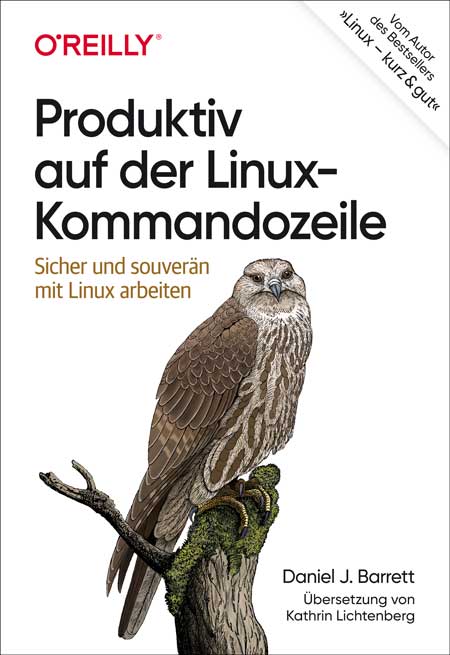
Produktiv auf der Linux-Kommandozeile
Sicher und souverän mit Linux arbeitenSouverän unterwegs auf der Kommandozeile: Dieses praktische Buch hilft Ihnen dabei, schneller, intelligenter und effizienter zu arbeiten. Sie erfahren, wie Sie komplexe Befehle erzeugen und ausführen, die echte Probleme lösen, Informationen abrufen, verarbeiten und lästige Aufgaben automatisieren.Sie werden außerdem verstehen, was hinter dem Shell-Prompt passiert. Ganz gleich, welche Befehle Sie im Einzelnen einsetzen: Sie werden Ihren Linux-Alltag problemlos meistern und sich mit solidem Wissen für den Arbeitsmarkt qualifizieren.Sie entwickeln gute bis fortgeschrittene Fähigkeiten auf der Kommandozeile und lernen dabei, wie Sie:Befehle auswählen oder konstruieren, die schnell Ihre Arbeitsaufgaben erledigen - effizient Befehle ausführen und mit Leichtigkeit durch das Linux-Dateisystem navigierenaus einfacheren Befehlen komplexe und leistungsstarke Befehle zusammensetzenTextdateien umbauen und sie wie Datenbanken abfragen, um geschäftliche Aufgaben zu lösendie Point-and-Click-Funktionen von Linux auf der Kommandozeile kontrollierenAutor:Daniel J. BarrettDaniel J. Barrett unterrichtet seit mehr als 30 Jahren Linux und verwandte Technologien im geschäftlichen wie im akademischen Umfeld. Der Autor von O’Reillys Linux kurz & gut und Koautor von Linux Security Cookbook sowie SSH, The Secure Shell: The Definitive Guide ist darüber hinaus Softwareentwickler, Heavy-Metal-Sänger, Systemadministrator, Universitätsdozent, Webdesigner und Komiker. Er arbeitet bei Google.Zielgruppe:Systemadministrator*innenEntwickler*innenMitarbeitende im Site Reliability Engineeringambitionierte User*innen

Technik der IP-Netze (5. Auflage)
Internet-Kommunikation in Theorie und EinsatzIn IP-Netzen laufen komplexe Vorgänge bei der Übermittlung von Daten in Form von IP-Paketen ab. Das massive Internet-Wachstum und die dabei entstandenen Anforderungen haben zu zahlreichen Entwicklungen geführt – hervorzuheben sind u. a. das Internetprotokoll IPv6, die Techniken MPLS und GMPLS, mehrere Arten von Virtual Networks, Distributed Layer 2/3 Switching und »Internet of Things«.Neu in der 5. Auflage sind der von der IETF vorgeschlagene Standard QUIC, ein Abschnitt zu Network-Time-Protokollen sowie eine Einführung in Software Defined Networking (SDN).Das Buch enthält eine systematische Darstellung der TCP/IP-Protokollfamilie sowie von Routing-Prinzipien in klassischen IP- wie auch in IPv6-Netzen. Es erläutert außerdem die Konzepte zum Aufbau von IP-Netzen auf der Basis unterschiedlicher Netztechnologien speziell im Hinblick auf Virtual Networks sowie der Unterstützung der Mobilität. Zudem wird umfangreich auf die technologischen Grundlagen des »Internet of Things« eingegangen.Es eignet sich nicht nur als Lehrbuch für Studierende unterschiedlicher Fachrichtungen sowie für Neueinsteiger, sondern auch als Nachschlagewerk für den Praktiker. Im Buch sind die relevanten Quellen ins Internet verlinkt, sodass es sich auch als »Informations-Hub« für das Selbststudium einsetzen lässt.Autoren:Prof. Dr.-Ing. Anatol Badach war Professor im Fachbereich Angewandte Informatik der Hochschule Fulda. Seine Schwerpunkte in Lehre und Forschung waren Rechnerkommunikation, Netzwerktechnologien und Multiservice Networking. Er ist Autor mehrerer Fachbücher.Dr. Erwin Hoffmann ist Netzwerk- und Systemberater mit den Schwerpunkten Unix, Prozessmanagement und ITIL. Neben dieser Beratungstätigkeit ist er aktives Mitglied der GUUG und entwickelt eigene (Public Domain) Software.Leseprobe (PDF-Link)

Landschaftsfotos nach Plan
Beeindruckende Landschaftsfotos mit Himmelsereignissen durch Planung mit PhotoPills und anderen ToolsDurch die gezielte Planung von Landschaftsaufnahmen lässt sich die Quote an herausragenden Bildern enorm steigern. So können Sie Ereignisse wie Sonnen- und Mondfinsternisse, Meteoritenschauern oder spezielle Konstellationen mit Mond, Sonne und Milchstraße nutzen, um Bilder mit Wow-Faktor zu kreieren.Das Buch führt anhand mehrerer Planungstools, in dessen Zentrum die App PhotoPills steht, durch den kompletten Prozess, erläutert die einzelnen Werkzeuge im Detail und zeigt mit zahlreichen Praxisbeispielen die Möglichkeiten und das Potenzial von geplanten Aufnahmen auf.Lernen Sie, wie Sie PhotoPills und andere Tools einsetzen, um komplexe Konstellationen von Himmelsereignissen für spektakuläre Aufnahmen von Landschaften und Stadtlandschaften zu kreieren. Erweitern Sie Ihr Repertoire und lernen Sie eine neue Art zu fotografieren kennen.Über den Autor:Salke Hartung ist promovierter Informatiker und seit mehr als 10 Jahren Landschaftsfotograf aus Passion. Seine Schwerpunkte sind die Fotografie von Stadtlandschaften sowie die Nachtfotografie. Er ist Administrator der Facebook-Gruppe „Landschaftsfotografie mit Anspruch“, Betreiber des Facebook-Projekts RAWcketScience und wurde im Januar 2022 zum „PhotoPiller of the Month“ gekürt. www.salkehartung.de
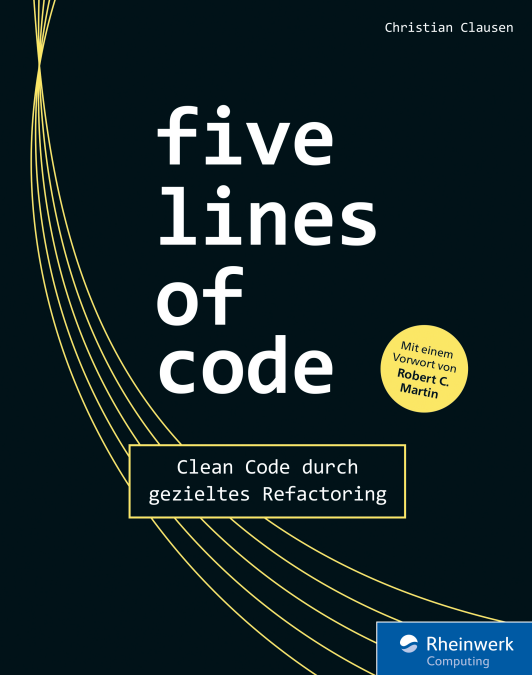
Five Lines of Code
Clean Code durch gezieltes RefactoringRefactoring ist die Kunst, bestehenden Code so zu verbessern, dass der Wert von Software langfristig erhalten bleibt. Das Ergebnis des Vorgangs ist als Clean Code bekannt – aber wie kommen Sie dahin? Christian Clausen legt hier eine ganz neuartige Schule des Refactorings vor, die Sie Schritt für Schritt anleitet. Der Vorgang wird dazu in klare Regeln und Aufgaben gefasst, ohne Nuancen und Intuition über Bord zu werfen. So erreichen Sie mehr, als offensichtliche Code Smells zu beseitigen. Die Beispiele sind in TypeScript gehalten; das Vorgehen eignet sich für alle OOP-Sprachen.Aus dem Inhalt:Anzeichen für Verbesserungsbedarf im CodeCode in sicheren Schritten verbessern – auch, wenn Sie ihn nicht verstehenOptimierungen und Wiederverwendbarkeit sinnvoll abwägenGute Compiler-PraxisViele Patterns und Methoden für das konkrete VorgehenWie man Code schreibt, der ohne Kommentare auskommtBest Pracitces aus realen ProjektenAutor:Christian Clausen ist Agile Coach mit einem Beratungsschwerpunkt auf der technischen Seite der Softwareentwicklung.

Collaborative UX Design (2. Auflg.)
UX Design im Fokus der Produktentwicklung. 2. aktualisierte und erweiterte Auflage.Software wird zunehmend in cross-funktionalen Teams konzipiert. Die einzelnen Mitglieder eines zeitlich überdauernd zusammenarbeitenden Teams bringen Expertise aus verschiedenen Bereichen in gemeinsame Workshops zur Produktgestaltung ein.Die Autoren vermitteln kompakt und leicht verständlich ein fundiertes Grundwissen zu kollaborativen Methoden des UX Designs. Sie beschreiben die Auswahl und den Einsatz von disziplinübergreifenden UX-Methoden und illustrieren deren Verzahnung in einem auf Workshops basierenden Vorgehensmodell. Der dargestellte kollaborative Ansatz ist in menschzentrierten Entwicklungsmodellen, Design Thinking und Lean UX verwurzelt und stellt ein agiles, hypothesenbasiertes Vorgehen in den Vordergrund. Die fachliche Darstellung wird anhand eines durchgehenden Praxisprojekts illustriert, bei dem ein Team einen Problemlösungsprozess durchläuft, der im Vorgehensmodell auf acht inhaltlich aufeinander bezogene UX-Workshops abgebildet wird: Scoping, Research, Synthese, Ideation, Konzept, Prototyping, Validierung und zuletzt Roadmap.Auf einer das Buch begleitenden Website finden Sie Vorlagen zur Anwendung der im Buch angesprochenen Methoden sowie ein Glossar.Über die Autoren:Toni Steimle ist Ökonom und leitet mit der Ergosign Switzerland AG einen führenden UX-Design-Dienstleister. Er lehrt an der Hochschule Rapperswil, an der Hochschule Olten und der Universität Basel rund um Themen des User Experience Design. Seine Arbeitsschwerpunkte sind Vorgehensmodelle der Softwareentwicklung, User-Experience-Strategien, Kreativität und digitale Märkte.Dieter Wallach ist promovierter Kognitionswissenschaftler und prägte als UX-Pionier und Hochschullehrer die deutschsprachige User-Experience-Szene mit. Er ist Gründer und Co-Geschäftsführer der Ergosign GmbH. Er erhielt Rufe an die Universität Würzburg und an die Hochschulen Heilbronn, Trier und Kaiserslautern. Dieter Wallach forscht und lehrt als Professor für Human-Computer Interaction und Usability Engineering im Fachbereich Informatik und Mikrosystemtechnik an der Hochschule Kaiserslautern.

Cloud Computing nach der Datenschutz-Grundverordnung
Rechtliche Fragen und typische Probleme verständlich erklärt: Amazon Web Services, Google, Microsoft & Clouds anderer Anbieter in der Praxis.Cloud-Anwendungen von Anbietern wie Amazon Web Services (AWS), Google oder Microsoft werden von vielen Unternehmen, Organisationen und privaten Anwendern genutzt. Hierbei steht ihnen ein äußerst vielfältiges und umfangreiches Produktportfolio der jeweiligen Anbieter zur Verfügung. Datenschutz war in diesem Zusammenhang schon immer ein Thema, aber durch die europäische Datenschutz-Grundverordnung werden Verantwortliche nunmehr verstärkt in die Pflicht genommen. Bei Datenschutzverstößen drohen mitunter hohe Bußgelder sowie nicht absehbare Haftungsfolgen.Dieser Praxisleitfaden beschreibt die rechtlichen Fragen und typischen Probleme im Zusammenhang mit der Nutzung der von Cloud-Providern bereitgestellten Anwendungen im Allgemeinen wie beispielsweise Auswahl, Vorbereitung und konkrete rechtliche Umsetzung einer Auslagerung von Daten und Prozessen in eine Cloud, aber auch Fragen eines Exits, wie eine Datenmigration. Er geht aber auch ganz konkret auf einzelne Anwendungen ein und unterstützt hierzu mit konkreten Empfehlungen und Checklisten. Es werden keine Vorkenntnisse im Datenschutz oder in Bezug auf Cloud-Anwendungen vorausgesetzt.Autor:Dr. Thorsten Hennrich ist Rechtsanwalt mit den Schwerpunkten Informationstechnologie- und Datenschutzrecht. Er ist ein technikaffiner Jurist, der „beide Welten“ bestens kennt: als Rechtsanwalt im IT- und Datenschutzrecht, als Leiter der Rechtsabteilung eines Cloud-Anbieters sowie als langjähriger Geschäftsführer eines Cloud- und IT-Infrastruktur-Anbieters mit Rechenzentren in Frankfurt am Main und Amsterdam. Er blickt auf über 20 Jahre umfassende Praxiserfahrung zurück.Zielgruppe:IT-Verantwortlicheleitende AngestellteDatenschutzbeauftragteMitglieder der Geschäftsleitung

Introduction to Photoshop
This full-color book is an essential guide to getting started with Adobe Photoshop. It's packed with tutorials, illustrations, and practical exercises to help you make sense of this complex and powerful software.You'll start with the basics of Photoshop, including an overview of its myriad tools and other options. Next, you will learn about some of the common tasks that can be performed in Photoshop, such as how to touch up images and basic applications in photography. You'll also be walked through how to leverage Photoshop for special and 3D effects. Each and every technique author Kevin Wilson presents is illustrated step-by-step using screenshots with concise, easy to follow text. Downloadable sample photoshop files and images are also provided, to help you work your way through the book.Whether you are a graphic design student, a photographer, or just a keen computer user, this book will provide you with a firm grasp of the underpinning foundations of Photoshop and equip you with the skills needed to unleash its full power.WHAT YOU WILL LEARN* Understand Photoshop's many tools* Use Photoshop to execute common image manipulation tasks * Touch up photographs and other images in Photoshop* Remove lens distortion and make photos look more professionalWHO THIS BOOK IS FORStudents, those interested in starting graphic design, and photographers looking to enhance, clean up and manipulate their photos. No experience with image-manipulation software is needed.With over 20 years’ experience in the computer industry, Kevin Wilson has made a career out of technology and showing others how to use it. After earning a master's degree in computer science, software engineering, and multimedia systems, Kevin has held various positions in the IT industry including graphic & web design, digital film & photography, programming & software engineering, developing & managing corporate networks, building computer systems, and IT support. He currently teaches computer science at college and works as an IT trainer in England while researching for his PhD. CHAPTER 1: GETTING STARTED WITH PHOTOSHOPSub –Topics• Introduction• Downloading Photoshop• Opening a Blank Project• Using a Template or Mockup• Opening a Saved Project• Menus• The Toolbox & Options Bar Pen Tool Crop Tool Slice Tool Move Tool Marquee Tool Lasso Tool Quick Selection Tool Eraser Text Tool Retouch Tool Healing Tools Custom Shapes Pencils & Brushes Eye Dropper• Panels Opening & Closing Panels Layers PanelCHAPTER 2: COMMON TASKSSub – Topics:• Import Images• Change Image Size• Rotate an Image• Crop an Image• Content Aware Crop• Adjust an Image Hue and Saturation levels Shadows and Highlights• Free Transform Tool• Text Tool• Shapes• Brushes• Automated Actions• Batch ProcessingCHAPTER 3: TOUCHING UP IMAGESSub - Topics:• Burn Tool• Dodge Tool• Heal Tool• Spot Healing Tool• Content Aware Move Tool• Clone Stamp Tool• Magnetic Lasso Tool• Quick Selection Tool• Magic WandCHAPTER 4: USING LAYERSSub - Topics:• The Layers Concept• Create an Image Collage• Selection & Free Transform• Layer Styles• Add Text• Format Text• Smart Objects• Adjustment Layers• Auto-align LayersCHAPTER 5: SPECIAL EFFECTSSub - Topics:• Filters• Radial Blur• Stylize Filters• Filter Gallery• Lighting Effects• Combining PhotosCHAPTER 6: 3D EFFECTSSub - Topics:• Creating 3D Objects 3D Postcard 3D Extrusion 3D Shape from Preset Add some 3D Text• Navigating 3D• Moving Around your Object• Inserting 3D Models• Build your SceneCHAPTER 7: PHOTOSHOP FOR PHOTOGRAPHYSub - Topics:• Import Photos• Camera RAW Reading a Histogram Adjusting a Photo Levelling Photos & Removing Lens DistortionCHAPTER 8: DIGITAL IMAGES & RESOLUTIONSub - Topics:• Image Types Bitmap Images Vector Images• Resolution Image Dimensions Image Resolution Image CompressionCOMMON IMAGE FORMATSAPPENDIXTOOL CHEAT SHEET

arc42 in Aktion
Der Praxiseinsatz von arc42 - dem Template für SoftwarearchitekturenSie finden konkrete Maßnahmen und Praktiken, um arc42 sowohl zur effektiven Kommunikation und Dokumentation wie auch zur Konstruktion und Entwicklung von Systemen anzuwenden.Unmittelbarer Nutzen für die tägliche ArbeitSoftwarearchitekten und -entwickler ziehen daraus unmittelbaren Nutzen für ihre tägliche Arbeit.

Instagram-Marketing für Unternehmen
* EINE PROFESSIONELLE SOCIAL-MEDIA-STRATEGIE ENTWICKELN UND UMSETZEN* RELEVANTEN CONTENT FÜR STORIES, REELS UND POSTS ERSTELLEN* ERFOLGREICH MIT INFLUENCERN ARBEITEN UND EFFEKTIVE WERBUNG AUF INSTAGRAM SCHALTEN* RECHTLICHE ANFORDERUNGEN FÜR UNTERNEHMEN BERÜCKSICHTIGENAuf Instagram ist die Marken- und Kaufaffinität der Nutzer besonders hoch. Beiträge von Unternehmen und Institutionen werden hier regelmäßig mit Aufmerksamkeit belohnt und inspirieren die Nutzer zu weiteren Handlungen - sei es der Kauf eines Produktes, die Umsetzung einer Idee oder die Spende für ein wichtiges Hilfsprojekt. Doch wie erschließen Sie sich das Potenzial, das Instagram für Ihr Unternehmen bietet?In diesem umfassenden Leitfaden zeigt Kristina Kobilke praxisnah, wie Unternehmen eine erfolgreiche Instagram-Strategie entwickeln und umsetzen: von der Bestandsaufnahme in Form eines Social-Media-Audits und der Zielgruppenanalyse über die Definition sinnvoller Ziele und dazu passendem Content bis hin zur Auswertung Ihrer Maßnahmen.Sie zeigt anhand vieler Beispiele, wie Sie Inhalte und Formate kreieren, die Aufmerksamkeit wecken und Interesse generieren, sei es mit Carousel-Posts, Stories oder Reels. Darüber hinaus erfahren Sie, wie Sie Ihre individuelle Bildsprache und Tonalität zum Ausdruck bringen, Inhalte vorausplanen und welche Maßnahmen geeignet sind, um Ihre Community aufzubauen und nachhaltig an sich zu binden.Umfangreiche Kapitel zu Influencer-Marketing und Werbung auf Instagram erläutern, wie Sie Meinungsführer erreichen, Ihre Bekanntheit erhöhen und Ihren Umsatz steigern. Für alle Themen stellt die Autorin zudem zahlreiche ergänzende Apps und nützliche Tools vor.AUS DEM INHALT:* Wichtigste Kanäle und Formate der App* Datenschutz und Impressum* Instagram-Strategie entwickeln:* Audit & Analyse* Unternehmensmission und -vision* Ziele und Zielgruppen* Bildsprache und Tonalität * Kennzahlen und KPIs* Community Management* Ressourcen- und Budgetplanung* Erfolgsmessung und Monitoring* Strategie umsetzen und Inhalte erstellen:* Konkrete Ideen für Posts, Reels und Stories* Redaktionsplan erstellen* Beiträge vorausplanen* Eine Community aufbauen * Influencer-Marketing: Strategie, Umsetzung, Bewertung* Werbung schalten: Ad-Formate, Targeting-Optionen, KampagnenKristina Kobilke ist digitale Marketingstrategin, Trainerin und Fachautorin aus Hamburg und bereits seit 23 Jahren im Digitalen Marketing aktiv. Mit ihren Trainings, Vorträgen, Webinaren und Fachpublikationen hilft sie Unternehmen, Agenturen und Marken dabei, integrierte Marketing- und Kommunikationsstrategien in einer digitalisierten Welt zu entwickeln. Seit 2012 ist eines ihrer Schwerpunktthemen die digitale Markenkommunikation über Visual Social Media, insbesondere Instagram. Ihr erstes Fachbuch dazu ist bereits im Jahr 2014 erschienen. Kristina Kobilke ist zudem Dozentin an verschiedenen Akademien, wie unter anderem der Akademie für Publizistik in Hamburg, Lehrende an der Leuphana Professional School sowie Teil des Storywerk.Berlin Experten-Teams, das insbesondere NGOs in Content-Marketing und Storytelling unterstützt. Vor ihrer Selbständigkeit war sie über 13 Jahre digitale Vermarktungsexpertin beim Internetpionier AOL Deutschland sowie beim Medienhaus Gruner + Jahr

Beginning Salesforce DX
Refer to the practical guidance provided in this book to develop Salesforce custom applications in a more agile, collaborative, and resilient way using Salesforce Developer Experience (DX).You will learn how to use the Salesforce Command Line Interface (CLI) to simplify working with projects, metadata, data and orgs. The CLI integrates with your development tools of choice such as Visual Studio Code, and CI/CD tools to implement DevOps pipelines. Readers will also gain an understanding of the package development model, which improves application quality and maintainability by grouping metadata into highly cohesive, loosely coupled containers.Salesforce DX supports application development throughout the entire development lifecycle where a version control system, rather than a Salesforce org, is the source of truth. It became generally available in late 2017 and has now reached a stage of feature richness and stability that it is becoming more widely adopted.Beginning Salesforce DX provides development teams with practical, how-to examples of using Salesforce DX that go beyond the Salesforce documentation. Commands and their parameters are described, including any gotchas, and the outcome of the commands on a Salesforce org is explained.WHAT YOU WILL LEARN• How to setup a Salesforce DX development environment• Understand the key Salesforce DX concepts and the Salesforce CLI• Work with Dev Hubs, projects, orgs, metadata and version control systems• Improve quality with test users and test data• Bootstrap pro-code development with templates• Apply Salesforce DX to an end-to-end package development projectWHO THIS BOOK IS FORInternal teams developing custom Salesforce applications for an individual customer, or those creating commercial applications for distribution via the Salesforce AppExchange enterprise marketplace. All team disciplines will benefit from understanding and applying Salesforce DX, including pro-code, low-code and no-code developers, testers, release managers, DevOps engineers and administrators. A secondary audience includes those needing to understand key concepts when establishing or evolving an organisation’s application lifecycle management capability, such as capability leaders, architects, consultants and business analysts.After graduating from Lancaster University with a degree in Electrical and Electronic Engineering, Ivan spent the first 15 years of his career in the aerospace and defense industry, designing, writing and testing safety-critical embedded software.During the second half of his career, he held several C-level technology and product leadership roles, helping B2B software companies bring innovative new solutions to market. Domains included games software development tools, information management and security, mobile network optimization, mobile network renewable energy, public cloud application development and artificial intelligence.More recently, Ivan has focused on creating products that are built on or that integrate with, Salesforce. He has launched five Salesforce AppExchange apps, including his own, and an AI platform that integrates with Service Cloud to provide customer service automation.Ivan then joined Salesforce as a Senior Program Architect in Australia, working with some of their largest and most complex multi-cloud customers on enterprise transformation projects to help accelerate their time to value.In September 2022, Ivan joined Provar Testing as their Chief Technology Officer in the UK. Provar provides an end-to-end test automation solution designed especially for Salesforce.Ivan enjoys running, walking his two dogs, supporting his local rugby union team and listening to his extensive vinyl collection in his spare time.FORWARDINTRODUCTIONPART ICHAPTER 1. HOW TO INSTALL THE SALESFORCE DX DEVELOPMENT TOOLSETCHAPTER 2. INTRODUCTION TO THE CORE SALESFORCE DX TOOLS AND CONCEPTSCHAPTER 3. OVERVIEW OF THE DEVELOPMENT MODELS THAT SFDX SUPPORTSCHAPTER 4. SAMPLE PROJECT DEVELOPMENT LIFECYCLE WALKTHROUGHPART IICHAPTER 5. CUSTOMIZING SERVICE CLOUDCHAPTER 6. CUSTOMIZING LIGHTNING SERVICE CONSOLECHAPTER 7. CUSTOMIZING LIGHTNING COMMUNITYCHAPTER 8. CUSTOMIZING LIGHTNING KNOWLEDGECHAPTER 9. CUSTOMIZING OMNI-CHANNELCHAPTER 10. CUSTOMIZING MESSAGINGCHAPTER 11. CUSTOMIZING CHATCHAPTER 12. SUMMARY

Geschichte vor Ort und im virtuellen Raum
Die Arbeit in einer Gedenkstätte ist vielgestaltig und interdisziplinär: Sie umfasst Ausstellungen, historisch-politische Bildung, Forschung und nicht zuletzt die Arbeit mit Zeitzeuginnen und Zeitzeugen, die dem Publikum an diesem Ort ihre ganz persönliche Geschichte nahebringen. Der Band gibt Einblicke in die verschiedenen Arbeitsbereiche der Gedenkstätte in der ehemaligen zentralen Untersuchungshaftanstalt des Ministeriums für Staatssicherheit der DDR in Berlin-Hohenschönhausen. Neue Forschungsergebnisse zur Repressionsgeschichte in der SBZ/DDR werden ebenso vorgestellt wie Ausstellungsentwürfe und didaktische Konzepte zur Vermittlung von Wissen und Werten. Die Digitalisierung spielt in diesem Bereich der Erinnerungskultur schon jetzt eine zentrale Rolle, was sich im vorliegenden Band spiegelt.DR. ANDREAS NEUMANN ist wissenschaftlicher Mitarbeiter an der Gedenkstätte Berlin-Hohenschönhausen.JÖRG VON BILAVSKY war bis 2020 Leiter des Bereichs Bildung und Vermittlung in der Gedenkstätte Berlin-Hohenschönhausen.Ausstellung.-Bildung/Pädagogik.- Technische Unterstützung von Gedenkstättenführungen. Entwicklung und Implementierung eines Media Guides.- Das digitale Ausstellungsprojekt „Stasi in Berlin. Überwachung und Repression in Ost und West“.- Bildung/Pädagogik.- Virtuelle Begegnungen im Schulunterricht - Webbasierte historisch-politische Bildungsarbeit durch das Koordinierende Zeitzeugenbüro.- Histories2gether: Tandemseminare zu politischer Verfolgung damals und heute.-Lernpotentiale von VR aus geschichtsdidaktischer und medienpädagogischer Perspektive.- Chatbots in der historisch-politischen Bildung - Digitale Vermittlungsstrategien zum Umgang mit heterogenen Lern- und Besuchergruppen.- Forschung.- Herausforderung Big Data. Das Datenbankprojekt des Forschungsverbundes „Daten politischer Verfolgung“.- Politische Haft in der DDR. Das Datenbankprojekt des Forschungsverbundes „Daten politischer Verfolgung“.- Der antisemitisch aufgeladene Trotzkismus-Vorwurf. Ein Beitrag zur Feindbildkonstruktion im Stalinismus.

Künstliche Intelligenz heute
Künstliche Intelligenz wird schon heute in vielen Unternehmen angewendet. Und es werden immer mehr. Schon bald werden KI-Anwender starke Wettbewerbsvorteile erzielen, weil sie bessere Produkte anbieten, die haltbarer sind, effizienter produziert wurden und wahrscheinlich auch nachhaltiger sein werden. Diese Unternehmen haben also gleich mehrere Vorteile. Aber: Dies sind nur selten deutsche Unternehmen. Und es sind noch seltener deutsche Startups. In diesem Buch spricht Gunnar Brune mit Anwendern, Forschern und Investoren aus Wirtschaft, Medizin und Wissenschaft, um zu zeigen, wie Machine Learning und Künstliche Intelligenz erfolgreich und oft überraschend einfach zum Einsatz kommen (Applied AI). Die Lektüre bietet Informationen, Ansätze und Inspiration für den nutzbringenden Einsatz von Künstlicher Intelligenz heute.GUNNAR BRUNE ist Strategieberater und Autor für Wirtschaftsthemen. Gemeinsam mit dem Netzwerk AI.HAMBURG unterstützt er die Anwendung von Künstlicher Intelligenz in der Wirtschaft, damit deren strategische Chancen genutzt werden können.Einführung in die Welt aktueller Anwendungen Künstlicher Intelligenz.- Applied AI und das AI-Paradox.- Mit Künstlicher Intelligenz mehr Market Intelligence generieren.- Mehr Qualität, geringere Kosten, höhere Effizienz. KI in der Produktion von Nahrungsmitteln.- Mit Enthusiasmus für Daten kann jeder Mehrwert für Unternehmen und Mitarbeitende schaffen.- Mit Künstlicher Intelligenz besseren Content produzieren.- Künstliche Intelligenz und der Mensch – together forever.- Mit Künstlicher Intelligenz das Wissen der Chefärzte konservieren.- Mit KI-Unterstützung kann man Krebs spezifischer therapieren und Nebenwirkungen vermeiden.- Künstliche Intelligenz: Wir erkunden eine Terra Incognita für das Marketing.- In Fußball, Wirtschaft und Gesellschaft: Neue Algorithmen lösen Probleme, die man vorher auf diese Art nicht lösen konnte.- Der Umgang mit lernenden Maschinensystemen und Künstlicher Intelligenz ist eine wichtige Bildungsaufgabe.- Mit Künstlicher Intelligenz lassen sich wie nie zuvor technische Verfahren und Produkte optimieren.-Mehr Impact für Künstliche Intelligenz mit mehr KI-Startups aus Deutschland.- Künstliche Intelligenz anwenden. Jetzt.

Digitales Zeichnen
Dieses Handbuch bietet eine solide, zeitgemäße zeichnerische Grundlagenausbildung: Es ermöglicht Anfängern, mit digitalen Mitteln ein sicheres zeichnerisches Nivau zu erreichen, und bietet erfahrenen Gestaltern neue Herausforderungen und praktische Tipps. Themen sind zum Beispiel Strichstärken einschätzen, Schraffieren, Emotionen erzeugen durch Licht und Schatten, Tonwerte aufbauen, Tiefenwirkungen erzeugen und vieles mehr. Aber es wird nicht nur am Schreibtisch gezeichnet, der Autor nimmt Sie außerdem mit zu seinen Studien unterwegs und zeigt Ihnen, wie Sie auf dem Pad dynamisch, lebendig und doch präzise zeichnen. Lassen Sie sich durch die vielen attraktiven Zeichnungen und Skizzen des Buchs inspirieren! Aus dem Inhalt: Analoges und digitales ArbeitenZeichnerische Grundlagen: Sehen und zeichnen. Strichführung. Funktion der Schraffur. Zeichnen im FormatZeichnen vor Ort: Die Wirkung der Hintergrundfläche. Verschiedene Arten von Schraffur. Tonwerte zeichnen. Plastisch zeichnen. Farbig zeichnen mit dem Kalt-Warm-Kontrast/dem Qualitätskontrast. Der BildschwerpunktPorträtzeichnen, Menschen zeichnen: Lange Posen, kurze PosenZeichnen unterwegs: Proportionen. Die Wirkung von Tangenten. Anschnitte zeichnen. Tiefenwirkung. Perspektivisch zeichnen, FormkontrasteZeichnen im Alltag: Das tägliche Üben. Extra-Übungen. Extra-Tipps Einleitung ... 13 TEIL I. Technische Grundlagen ... 19 1. Analoges und digitales Arbeiten ... 21 Warum wir zeichnen ... 23 Welche Berufe nutzen Zeichnungen? ... 26 Geschichte des digitalen Zeichnens ... 29 Traditionelles und digitales Zeichnen ... 32 Fazit ... 34 2. Kleine Materialkunde ... 35 Analoge Materialien ... 37 Digitale Materialien ... 38 Software ... 41 Fazit ... 43 Teil II. Zeichnerische Grundlagen ... 45 3. Sehen und Zeichnen ... 47 Das Konturenzeichnen ... 48 Sehen statt Wissen ... 50 Die Koordination von Auge und Hand ... 51 Tutorial ... 53 Fazit ... 57 4. Strichführung ... 59 Der Fluss der Linien ... 60 Spontaneität und Kontrolle ... 61 Fehler überarbeiten ... 62 Strichstärken variieren ... 63 Tutorial ... 65 Fazit ... 68 5. Funktionen der Schraffur ... 69 Volumen ... 70 Licht und Schatten ... 71 lokale Farben ... 74 Tutorial ... 74 Fazit ... 77 6. zeichnen im Format ... 79 Verschiedene Darstellungsgrößen ... 80 Die Wahl des passenden Formats ... 81 Die vollständige Abbildung ... 82 Zentriert zeichnen ... 82 Tutorial ... 83 Fazit ... 87 Teil III. Zeichnen vor Ort ... 89 7. Die Wirkung der Hintergrundfläche ... 91 Verschiedene Arten der Komposition ... 92 Tutorial ... 94 Fazit ... 98 8. Verschiedene arten der Schraffur ... 99 Einfache Schraffur ... 100 Kreuzschraffur ... 101 Alternative Schraffuren ... 102 Negativ schraffieren ... 104 Von der Linie zur Fläche: das Schummern ... 104 Praxis ... 104 Tutorial ... 105 Fazit ... 109 9. Tonwerte Zeichnen ... 111 Farben und Tonwerte ... 112 Die wesentlichen Tonwerte ... 113 Schicht für Schicht schraffieren ... 114 Formen berücksichtigen ... 116 Tutorial ... 116 Fazit ... 118 10. Plastisch Zeichnen ... 121 Die Illusion von Räumlichkeit ... 122 Tutorial ... 126 Fazit ... 129 11. Farbig Zeichnen mit dem Kalt-Warm-Kontrast ... 131 Der Kalt-Warm-Kontrast ... 132 Anwendung ... 133 Tutorial ... 135 Fazit ... 140 12. Der Bildschwerpunkt ... 141 Die Wirkung eines Bildschwerpunkts ... 142 Das Platzieren des Schwerpunkts ... 143 Mittel der Betonung ... 144 Tutorial ... 146 Fazit ... 149 13. Porträtzeichnen, Teil 1 ... 151 Größenverhältnisse ... 152 Das Porträtzeichnen in der Praxis ... 154 Tutorial ... 157 Fazit ... 160 14. Porträtzeichnen, Teil 2 ... 161 Checkpunkte Dreiviertel-Ansicht ... 162 Proportionen übertreiben ... 164 Tutorial ... 166 Fazit ... 169 Teil IV. Zeichnen unterwegs ... 171 15. Proportionen ... 173 Der innere Dialog, Teil 2 ... 174 Strecken, Flächen und Winkel ... 175 Proportionen messen ... 176 Vom Einfachen zum Detaillierten ... 176 Tutorial ... 178 Fazit ... 182 16. Die Wirkung von Tangenten ... 183 Erscheinungsformen von Tangenten ... 184 Warum Tangenten ungünstig sind ... 185 Wie sich Tangenten vermeiden lassen ... 185 Tutorial ... 187 Fazit ... 189 17. Anschnitte zeichnen ... 191 Offene und geschlossene Kompositionen ... 192 Die Wirkung von Anschnitten ... 193 Negative Formen beachten ... 195 Der Einsatz von Anschnitten ... 196 Tutorial ... 199 Fazit ... 201 18. Tiefenwirkung ... 203 Lage und Größe ... 204 Details nehmen in der Entfernung ab ... 207 Tiefenwirkung durch verschiedene Strichstärken ... 208 Tutorial ... 208 Fazit ... 212 19. Perspektivisches Zeichnen ... 213 Linearperspektive ... 214 Wirkung unterschiedlicher Augenhöhen ... 215 Praktische Anwendung ... 216 Bewusster Umgang ... 217 Zwei ergänzende Tipps ... 218 Tutorial ... 219 Fazit ... 221 20. Weitere Aspekte der Schraffur ... 223 Teilbereiche schraffieren ... 224 Die Dynamik variieren ... 225 Schraffur überschreitet die Form ... 226 Schraffur und komplexe Texturen ... 226 Tutorial ... 227 Fazit ... 229 21. Menschen Zeichnen, Teil 1: Lange Posen ... 231 Über das Aktzeichnen ... 232 Proportionen ... 234 Typische Schwierigkeiten ... 234 Tutorial ... 236 Fazit ... 239 22. Menschen Zeichnen, Teil 2: Kurze Posen ... 241 Kleidung zeichnen ... 242 Tutorial ... 244 Fazit ... 247 23. Menschen Zeichnen, Teil 3: im Park und im Café ... 251 Zeichnen in der Öffentlichkeit ... 252 Die Zeit einteilen ... 253 Die Szene zeichnen ... 254 Tutorial ... 255 Fazit ... 260 24. Farbig Zeichnen mit dem Qualitätskontrast ... 261 Der Qualitätskontrast ... 262 Tutorial ... 264 Fazit ... 267 25. Formkontraste ... 269 Formkontraste ... 270 Formkontraste in der Praxis ... 273 Tutorial ... 274 Fazit ... 277 Teil V. Zeichnen im Alltag ... 279 26. Das tägliche Üben ... 281 Eine Gewohnheit entwickeln ... 282 Kreative Beschränkungen ... 284 Widerstände ... 284 Flow ... 286 Zeichnungen im Dialog ... 288 Der eigene Stil ... 289 Zeichnen nach Fotos ... 290 Fazit ... 292 27. Extra-Übungen (+ Galerie) ... 293 Zeichnen mit der »falschen« Hand ... 295 Fühlen und zeichnen ... 295 Kreisende Linien ... 296 Sequenz zeichnen ... 296 Motive Kombinieren ... 296 freies Linienspiel ... 297 Fazit und Galerie ... 297 28. Extra-Tipps ... 303 Frei gestaltbare Elemente ... 304 Sich wiederholende Details weglassen ... 304 Ellipsen zeichnen ... 305 Texturen wölben ... 307 Flecken und Sprenkel ... 307 Tiefenwirkung durch Verdrehen ... 308 Strichrichtung ... 308 Bestandteile zeichnen ... 309 Fazit ... 309 Teil VI. ANHÄNGE ... 311 Weiterführende Informationen ... 311 Vielen Dank! ... 312 Über den Autor ... 313 Die in diesem Buch vertretenen Künstlerinnen und Künstler ... 314 Index ... 315

Bleisatz
Das war längst schon überfällig: Im Land Johannes Gutenbergs gibt es endlich wieder ein Buch, das uns mit Anleitungen, Anekdoten und liebevollen Details die »schwarze Kunst« nahebringt. Es beginnt mit einem Rundgang durch die Druckwerkstatt: Werkzeuge, Arbeitsmethoden und der Workflow des Bleisetzens werden anhand von aktuellem Fotomaterial gezeigt. Danach bietet es einen Überblick über klassische Druckschriften, Papier, Farbe, Weiterverarbeitung und Veredelungen und natürlich, nicht zu vergessen, das Drucken in all seinen Details. Dieses Buch ist unerlässlich für alle Designer*innen, die ihren Beruf lieben und die Ursprünge ihrer Kunst verstehen möchten! Aus dem Inhalt: In der Werkstatt: Regale, Kästen und WerkzeugeSchriften im Bleisatz: Brotschriften, Steckschriften, PlakatschriftenBlick in die Schriftgeschichte, die wichtigsten Schriftschöpfer, bekannte Schriftgießereien, die wichtigsten BleisatzschriftenSetzen mit Plan: Arbeitsvorbereitung, Arbeitsplatz, Glatter Satz, komplexe Formen, Tabellen, Auszeichnungen, Korrekturen, AblegenDruckformen bauenPapier und PapierherstellungFarbe und HilfsstoffeDie DruckpresseWeiterverarbeitung: Bindearten, Rillen, Falzen, Beschneiden, VeredelnMit Glossar, Bezugsquellen, Hinweisen zu Foren, Museen und Netzwerken Statt eines Vorworts ... 10 1. In der Werkstatt ... 12 Organisation der Werkstatt ... 14 In der Welt der Zwölfteilung ... 21 Schriften im Bleisatz ... 22 Schrift im Detail ... 28 Schrift »kaufen« ... 34 Linien, Rahmen, Schmuck ... 37 Das Blindmaterial ... 40 Rückblick: Lebenswelten in der Schwarzen Zunft ... 44 2. Schriften über Schriften ... 48 Druckschriften damals und heute ... 50 Blick in die Geschichte ... 52 Die wichtigsten Schriftschöpfer ... 58 Die DIN-Klassifikation ... 64 Bleisatzschriften -- eine Auswahl ... 72 Schriftgiessereien ... 81 Einblick: Gebrochene Schriften -- die Geschichte eines typografischen Opferbashings ... 86 3. Setzen mit Plan ... 90 Unsere »Laborratte« ... 92 Wie anfangen? ... 94 Arbeitsvorbereitung ... 95 Es kann losgehen ... 106 Glatter Satz -- die Grundlage für alles ... 112 Auszeichnungen ... 122 Komplexe Formen ... 126 Weitere Satzformen ... 134 Korrekturen ... 142 Ablegen will gelernt sein ... 144 Einblick: Von Matern und flüssigem Blei -- der Schriftguss ... 146 Einblick: Birne, Ahorn, Maulbeerbaum -- wie entstehen Holzschriften? ... 148 4. Druckformen bauen ... 150 Vom Umbruch zur fertigen Kolumne ... 152 Der Klebeumbruch als Arbeitshilfe ... 154 Mehr als Lettern: Klischees ... 159 Mehrfarbige Formen ... 164 Mehrseitige Formen ... 166 Von der Kolumne zur Druckform ... 172 Überblick: Setzmaschinen -- die eisernen Kollegen ... 178 5. Papier und mehr ... 182 Papyrus -- Pergament -- Papier ... 184 Papierherstellung ... 185 Papierarten ... 189 Papier berechnen ... 191 Papier für den Druck ... 192 Einblick: Pressendrucke, Buchkunst, artists' books -- ... 194 6. Farbe und Hilfsstoffe ... 198 So sehen wir Farbe ... 200 Farben im Buchdruck ... 203 Einblick: Experimentelle Gestaltung -- Dafi Kühne ... 212 7. Die Druckpresse ... 216 Drucken, Drucken, Pressen ... 218 Vier Druckprinzipien ... 219 Der Hochdruck im Detail ... 221 Tiegeldruckmaschinen ... 226 Tiegeldruckprinzipien ... 230 Zylinderdruckmaschinen ... 232 Die Werkzeuge des Druckers ... 237 Drucken -- ein Zusammenspiel ... 241 Maschinen wollen Pflege ... 242 Einblick: Einmal um die Welt mit Stop in den USA -- das Hamilton Wood Type&Printing Museum ... 244 8. Es werde gedruckt! ... 248 Die Arbeit an der Druckpresse ... 250 Der Aufzug ... 253 Die Zurichtung ... 263 Einrichtbogen, Standbogen, Auflage ... 268 Der Fortdruck ... 272 Von Druckfehlerteufeln ... 275 Druckveredelungen ... 282 Ausblick: Bleisatz in der Pädagogik -- Freinet, Akkordeon und Makulaturen. ... 284 9. Weiterverarbeitung ... 288 Die Buchbinderei ... 290 Ein Druckprodukt »fertig machen« ... 295 Weitere Verarbeitungstechniken ... 301 Anhang ... 304 Making of -- die Schriften dieses Buches ... 305 Bildquellen und Dank ... 306 Nachweise und Literatur ... 307 Netzwerke, Recherchen, Museen und Bezugsquellen ... 310 Kleines Wörterbuch Deutsch -- Englisch ... 312 Glossar/Index ... 313

Arduino-Workshops (2. Auflg.)
Eine praktische Einführung mit 65 Projekten in aktualisierter 2. Auflage.In »Arduino-Workshops« erfahren Sie, wie diese Add-ons funktionieren und wie man sie einsetzt. Sie starten mit einem Überblick über das Arduino-System und gehen dann rasch zu den verschiedenen elektronischen Komponenten und Konzepten über. Zahlreiche Beispielprojekte vertiefen das Gelernte Schritt für Schritt und helfen Ihnen, dieses Wissen anzuwenden. Je tiefer Sie in die Materie eindringen, desto raffinierter und anspruchsvoller werden die Projekte.Unter den 65 Projekten des Buches finden sich nützliche Dinge wie:ein digitales Thermometer mit LCD-Anzeigeein GPS-Logger, der Daten Ihrer Reise für Google Maps aufzeichnetein handliches Testgerät zum Messen von Batteriespannungeneine Tastatursperre, die nur mit Geheimcode aufgehoben werden kannAußerdem lernen Sie, Spielzeug und Spiele zu entwickeln, beispielsweise:eine elektronische Version des klassischen sechsseitigen Würfelsein binäres Quiz, das Ihre Fähigkeiten zur Umwandlung von Zahlen testetein Fahrzeug mit Fernbedienung und Kollisionserkennung»Arduino-Workshops« führt Sie in die Welt der Mikroelektronik ein und lehrt Sie die Tricks und Design-Prinzipien eines erfahrenen Profis.Über den Autor:John Boxall ist seit über 26 Jahren in den Bereichen Elektronikdesign, Vertrieb und E-Commerce tätig. In seiner Freizeit schreibt er Arduino-Tutorials und veröffentlicht regelmäßig Reviews zu Arduino-Projekten und -Zubehör bei www.tronixstuff.com.

Detektion von magnetischen Störungen der elektrischen Fahrzeugkomponenten auf Basis einer Mustererkennung am Beispiel eines automatisierten Fahrzeugpositionierungssystems
Matthias Hisung stellt ein neuartiges Assistenzsystem zur automatisierten Fahrzeugpositionierung für das induktive Laden (APIC) vor. Darüber hinaus wird eine neue Methode zur Detektion von magnetischen Störungen (MDMS) durch elektrische Fahrzeugkomponenten auf Basis einer Mustererkennung eingeführt. Das Assistenzsystem lässt sich hierbei auf unterschiedliche Fahrzeugtypen anwenden und übernimmt für die fahrende Person die Aufgabe der Positionierung, um eine Komfortsteigerung zu erzielen. Durch die neuartige Methode wird eine deutliche Verbesserung der Positionsermittlung und damit einhergehend eine Erhöhung des Positionierungsradius für das induktive Laden ermöglicht. Fahrerassistenzsystem zur automatisierten Fahrzeugpositionierung.- Analyse der elektrischen Fahrzeugkomponenten.- Mustererkennung zur Detektion von magnetischen Störungen.- Ergebnisse der Detektion von magnetischen Störungen.

How to Create a Web3 Startup
Web3 is the next evolution for the World Wide Web based on Blockchain technology. This book will equip entrepreneurs with the best preparation for the megatrend of Web3 by reviewing its core concepts such as DAOs, tokens, dApps, and Ethereum.With Web2, much of the valuable data and wealth has been concentrated with a handful of mega tech operators like Apple, Facebook, Google and Amazon. This has made it difficult for startups to get an edge. It has also meant that users have had little choice but to give up their value data for free. Web3 aims to upend this model using a decentralized approach that is on the blockchain and crypto. This allows for users to become stakeholders in the ecosystem.Along with exploring core concepts of Web3 like DAOs, tokens, dApps, and Ethereum, this book will also examine the main categories that are poised for enormous opportunities. They include infrastructure, consumer apps, enterpriseapps, and the metaverse. For each of these, I will have use cases of successful companies. How To Create a Web3 Startup covers the unique funding strategies, the toolsets needed, the talent required, the go-to-market approaches, and challenges faced.WHAT YOU'LL LEARN* Work with the dev stack components* Examine the success factors for infrastructure, consumer, enterprise, verticals, and the Metaverse* Understand the risks of Web3, like the regulatory structure and security breachesWHO THIS BOOK IS FORStartup entrepreneurs and those looking to work in the Web3 industry.Tom Taulli has been developing software since the 1980s. In college, he started his first company, which focused on the development of e-learning systems. He created other companies as well, including Hypermart.net that was sold to InfoSpace in 1996. Along the way, Tom has written columns for online publications such as BusinessWeek.com, TechWeb.com, and Bloomberg.com. He also writes posts on Artificial Intelligence for Forbes.com and is the advisor to various companies in the space. You can reach Tom on Twitter (@ttaulli) or through his website (Taulli.com) where he has an online course on AI.Chapter 1: Why Web3?.- Chapter 2: Core Technology.- Chapter 3: The Web3 Tech Stack.- Chapter 4: The Web3 Team.- Chapter 5: Decentralized Autonomous Organizations (DAOs).- Chapter 6: NFTs, Gaming and Social Networks.- Chapter 7: DeFi.- Chapter 8: The Metaverse.- Chapter 9: Taxes and Regulations. Glossary.