

Computer und IT

Shell-Programmierung
Dieses umfassende Handbuch bietet alles, was Sie zur Shell-Programmierung wissen müssen. Behandelt werden: Variablen, Parameter und Argumente, Kontrollstrukturen, Terminal-Eingabe und -Ausgabe, Funktionen, Signale, Scripts und Prozesse, reguläre Ausdrücke, Fehlersuche und Debugging. Weiter geht's mit den wertvollen Helfern grep, sed und awk. Eine umfangreiche Linux-UNIX-Referenz bietet alle grundlegenden Kommandos in übersichtlicher Form. Das komplette Werk enthält zahlreiche Praxisbeispiele, ist modular zu lesen und hervorragend als Nachschlagewerk geeignet. Die aktuelle Auflage wurde erweitert und beschreibt nun auch die zsh: Damit eignet sich das Buch bestens für die Linux-Praxis! Aus dem Inhalt: Variablen, Parameter und ArgumenteKontrollstrukturen, Terminal-Eingabe und -AusgabeFunktionen und SignaleFehlersuche und DebuggingReguläre Ausdrücke und grepDer Stream-Editor sedawk-ProgrammierungGUIs mit zenityAuswertung von Messdaten mit gnuplotFür die PraxisLinux/UNIX-KommandoreferenzShellbefehle und BuiltinsBeispiele zur Systemadministration, Backup und CGI-ScriptsÜbungsaufgaben und Lösungen Materialien zum Buch ... 23 Vorwort ... 25 Vorwort des Gutachters: Die Shell -- Fluch oder Segen? ... 29 1. Einführung ... 31 1.1 ... Was sollten Sie wissen? ... 31 1.2 ... Was ist eine Shell? ... 34 1.3 ... Hauptanwendungsgebiet ... 37 1.4 ... Kommando, Programm oder Shellscript? ... 40 1.5 ... Die Shell-Vielfalt ... 43 1.6 ... Betriebssysteme ... 48 1.7 ... Crashkurs: einfacher Umgang mit der Kommandozeile ... 49 1.8 ... Shellscripts schreiben und ausführen ... 63 1.9 ... Vom Shellscript zum Prozess ... 83 1.10 ... Datenstrom ... 86 1.11 ... Die Z-Shell ... 105 1.12 ... Empfehlung ... 117 1.13 ... Übungen ... 117 2. Variablen ... 119 2.1 ... Grundlagen ... 119 2.2 ... Zahlen ... 125 2.3 ... Zeichenketten ... 136 2.4 ... Quotings und Kommando-Substitution ... 148 2.5 ... Arrays ... 154 2.6 ... Variablen exportieren ... 163 2.7 ... Umgebungsvariablen eines Prozesses ... 168 2.8 ... Shell-Variablen ... 169 2.9 ... Automatische Variablen der Shell ... 175 2.10 ... Übungen ... 180 3. Parameter und Argumente ... 183 3.1 ... Einführung ... 183 3.2 ... Kommandozeilenparameter $1 bis $9 ... 183 3.3 ... Besondere Parameter ... 184 3.4 ... Der Befehl shift ... 188 3.5 ... Argumente und Leerzeichen ... 190 3.6 ... Argumente jenseits von $9 ... 190 3.7 ... Argumente setzen mit set und Kommando-Substitution ... 192 3.8 ... getopts -- Kommandozeilenoptionen auswerten ... 196 3.9 ... Vorgabewerte für Variablen (Parameter-Expansion) ... 198 3.10 ... Substring-Expansion ... 202 3.11 ... Aufgaben ... 202 4. Kontrollstrukturen ... 203 4.1 ... Bedingte Anweisung mit if ... 203 4.2 ... Die else-Alternative für eine if-Verzweigung ... 212 4.3 ... Mehrfache Alternative mit elif ... 214 4.4 ... Das Kommando test ... 216 4.5 ... Status von Dateien erfragen ... 228 4.6 ... Logische Verknüpfung von Ausdrücken ... 232 4.7 ... Short-Circuit-Tests -- ergebnisabhängige Befehlsausführung ... 237 4.8 ... Die Anweisung case ... 241 4.9 ... Schleifen ... 249 4.10 ... Kontrollierte Sprünge ... 266 4.11 ... Endlosschleifen ... 270 4.12 ... Aufgaben ... 272 5. Terminal-Ein- und -Ausgabe ... 273 5.1 ... Von Terminals zu Pseudo-Terminals ... 273 5.2 ... Ausgabe ... 276 5.3 ... Eingabe ... 291 5.4 ... Umlenken mit dem Befehl exec ... 317 5.5 ... Filedescriptoren ... 320 5.6 ... Named Pipes ... 327 5.7 ... Menüs mit select ... 329 5.8 ... Aufgaben ... 334 6. Funktionen ... 337 6.1 ... Allgemeine Definition ... 337 6.2 ... Funktionen, die Funktionen aufrufen ... 344 6.3 ... Parameterübergabe ... 347 6.4 ... Rückgabewert aus einer Funktion ... 350 6.5 ... Lokale kontra globale Variablen ... 355 6.6 ... alias und unalias ... 359 6.7 ... Autoload (Korn-Shell und Z-Shell) ... 362 6.8 ... Besonderheiten bei der Z-Shell ... 363 6.9 ... Aufgaben ... 364 7. Signale ... 365 7.1 ... Grundlagen zu den Signalen ... 365 7.2 ... Signale senden -- kill ... 370 7.3 ... Eine Fallgrube für Signale -- trap ... 371 7.4 ... Aufgabe ... 381 8. Rund um die Ausführung von Scripts und Prozessen ... 383 8.1 ... Prozessprioritäten ... 383 8.2 ... Warten auf andere Prozesse ... 384 8.3 ... Hintergrundprozess wieder hervorholen ... 385 8.4 ... Hintergrundprozess schützen ... 386 8.5 ... Subshells ... 387 8.6 ... Mehrere Scripts verbinden und ausführen (Kommunikation zwischen Scripts) ... 389 8.7 ... Jobverwaltung ... 396 8.8 ... Shellscripts zeitgesteuert ausführen ... 399 8.9 ... Startprozess- und Profildaten der Shell ... 404 8.10 ... Ein Shellscript bei der Ausführung ... 411 8.11 ... Shellscripts optimieren ... 413 8.12 ... Aufgaben ... 415 9. Nützliche Funktionen ... 417 9.1 ... Der Befehl eval ... 417 9.2 ... xargs ... 420 9.3 ... dirname und basename ... 422 9.4 ... umask ... 423 9.5 ... ulimit (Builtin) ... 424 9.6 ... time ... 426 9.7 ... typeset ... 427 9.8 ... Aufgabe ... 428 10. Fehlersuche und Debugging ... 429 10.1 ... Strategien zum Vermeiden von Fehlern ... 429 10.2 ... Fehlerarten ... 433 10.3 ... Fehlersuche ... 434 10.4 ... Fehlerbehandlung ... 443 11. Reguläre Ausdrücke und grep ... 445 11.1 ... Reguläre Ausdrücke -- die Theorie ... 445 11.2 ... grep ... 449 11.3 ... Aufgaben ... 462 12. Der Stream-Editor sed ... 463 12.1 ... Funktions- und Anwendungsweise von sed ... 463 12.2 ... Der sed-Befehl ... 467 12.3 ... Adressen ... 468 12.4 ... Kommandos, Substitutionsflags und Optionen von sed ... 469 12.5 ... sed-Scripts ... 487 12.6 ... Aufgaben ... 489 13. awk-Programmierung ... 491 13.1 ... Einführung und Grundlagen von awk ... 491 13.2 ... Aufruf von awk-Programmen ... 494 13.3 ... Grundlegende awk-Programme und -Elemente ... 499 13.4 ... Muster (bzw. Adressen) von awk-Scripts ... 505 13.5 ... Die Komponenten von awk-Scripts ... 513 13.6 ... Funktionen ... 534 13.7 ... Empfehlung ... 549 13.8 ... Aufgaben ... 549 14. Linux/UNIX-Kommandoreferenz ... 551 14.1 ... Kurzübersicht ... 552 14.2 ... Dateiorientierte Kommandos ... 561 14.3 ... Verzeichnisorientierte Kommandos ... 583 14.4 ... Verwaltung von Benutzern und Gruppen ... 584 14.5 ... Programm- und Prozessverwaltung ... 588 14.6 ... Speicherplatzinformationen ... 596 14.7 ... Dateisystemkommandos ... 598 14.8 ... Archivierung und Backup ... 610 14.9 ... Systeminformationen ... 625 14.10 ... Systemkommandos ... 626 14.11 ... Druckeradministration ... 628 14.12 ... Hardwareabfragen ... 629 14.13 ... Netzwerkbefehle ... 631 14.14 ... Benutzerkommunikation ... 649 14.15 ... Bildschirm- und Terminalkommandos ... 651 14.16 ... Online-Hilfen ... 653 14.17 ... Alles rund um PostScript-Kommandos ... 655 14.18 ... Gemischte Kommandos ... 656 15. Die Praxis ... 657 15.1 ... Alltägliche Lösungen ... 658 15.2 ... Datei-Utilitys ... 662 15.3 ... Systemadministration ... 675 15.4 ... Backup-Strategien ... 701 15.5 ... Systemstart -- Init-System ... 717 15.6 ... Das World Wide Web und HTML ... 725 15.7 ... CGI (Common Gateway Interface) ... 736 16. GUIs und Grafiken ... 751 16.1 ... dialog, Zenity und YAD ... 751 16.2 ... dialog -- Abfragen und Informationen ... 752 16.3 ... Zenity ... 763 16.4 ... YAD ... 768 16.5 ... gnuplot -- Visualisierung von Messdaten ... 776 16.6 ... Aufgaben ... 803 Anhang ... 805 A ... Befehle (Übersichtstabellen) ... 805 B ... Lösungen der Übungsaufgaben ... 829 C ... Trivia ... 849 Index ... 851

Spektrum Kompakt - Mensch und Maschine
Der Film Ex Machina war 2014 Sciencefction und ist es noch. Aber würden Sie es merken, ob dieses Editorial von mir stammt – oder von einer künstlichen Intelligenz, die es zusammenfügt aus Wörtern, Satzbausteinen, vielleicht ganzen Absätzen, die sie während des Lernprozesses durchforstet hat? Und was lernen wiederum wir Menschen aus den Ergebnissen und Erfahrungen der KI-Forschung über die Funktionsweise unseres Gehirns? Wo sich Neurowissenschaften, Informatik und auch Philosophie treffen, entstehen spannende Fragen – und Antworten.
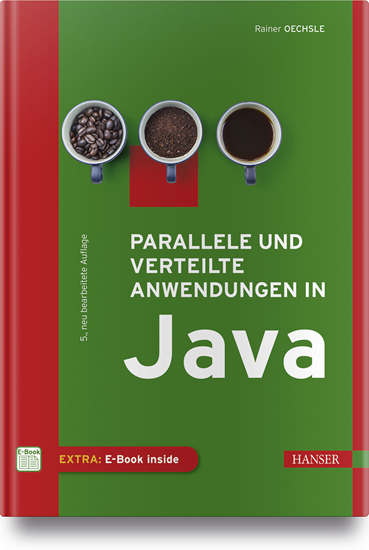
Parallele und verteilte Anwendungen in Java
Für Nutzer ist es selbstverständlich, dass sie mehrere Programme gleichzeitig verwenden können oder dass Programme so komplex sind, dass sie auf mehrere Rechner zugreifen müssen. Aber wie werden solche Anwendungen programmiert?Das vorliegende Standardwerk zu Parallelität und Verteilung behandelt als Lehrbuch zwei eng miteinander verknüpfte Basisthemen der Informatik: die Programmierung paralleler (nebenläufiger) und verteilter Anwendungen.Das Lehrbuch wendet sich an Studierende der Informatik, ingenieurwissenschaftliche Studiengänge mit Grundkenntnissen in Java (Objektorientierung) sowie Softwareentwickler.Es werden zunächst anhand zahlreicher Beispiele grundlegende Synchronisationskonzepte für die Programmierung paralleler Abläufe präsentiert.Neben den "klassischen" Synchronisationsmechanismen von Java werden auch die Konzepte aus der Java-Concurrency-Klassenbibliothek vorgestellt.Weiteres Basiswissen etwa über grafische Benutzeroberflächen, das MVC-Entwurfsmuster oder Rechnernetze, wird im Buch anschaulich und praxisnah vermittelt.Aus dem Inhalt:• Grundlegende Synchronisationskonzepte• Fortgeschrittene Synchronisationskonzepte• Parallelität und grafische Benutzeroberflächen• Anwendungen mit Sockets• Anwendungen mit RMI• Webbasierte Anwendungen mit Servlets und JSP
Rust
Grundlagen und fortgeschrittene Techniken.Dieses Buch vermittelt Anwendungsentwicklern Theorie und Praxis der Sprache Rust und zeigt, wo sie gewinnbringend in neuen Projekten verwendet und wie sie sich in bestehende Projekte gut integrieren lässt.Es illustriert alle Inhalte mit zahlreichen Rust-Beispielen. Nach einer Einführung in die Grundlagen, Nebenläufigkeit und das Testen mit Rust kommt der praktische Teil.Anhand einer Webapplikation und ihrer Aufteilung in Microservices werden die Vorteile und Eigenheiten der Sprache Rust anschaulich vermittelt. Systemnahe Programmierung, die Kommunikation mit Sprachen wie Java, aber auch die Verwendung von WebAssembly werden ebenfalls betrachtet.Nach der Lektüre dieses Buchs können Sie produktiv in Rust programmieren und haben neben den Grundlagen ein gutes Verständnis für typische Anwendungsbereiche der Sprache wie WebAssembly, Systemnahe Programmierung oder Einbindung in bestehende Umgebungen über Language Bindings.
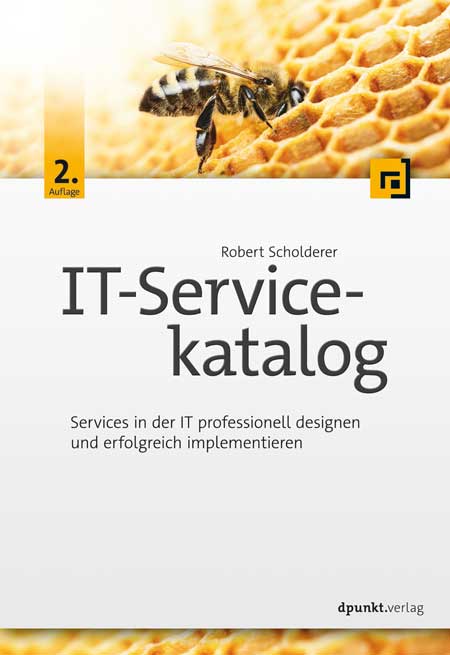
IT-Servicekatalog (2. Auflage)
Services in der IT professionell designen und erfolgreich implementieren.Ein IT-Servicekatalog beschreibt vorkonfektionierte IT-Services, die ein Dienstleister seinen Servicenehmern anbietet. Er ist das zentrale Hilfsmittel, damit für einen optimierten IT-Betrieb wiederkehrende Anforderungen von Servicenehmern einheitlich verarbeitet werden können.Das Buch »IT-Servicekatalog« bietet einen praxisorientierten Leitfaden zur Erstellung oder Optimierung eines Servicekatalogs. Dabei werden auf Basis von bewährten Praxislösungen aus über 100 Servicekatalogen relevante Themen wie Servicepreis, Kennzahlen, Katalogorganisation und Orderprozesse behandelt. Des Weiteren wird mit CECAR (Customer Enabled Catalogue ARchitecture) ein Konzept vorgestellt, mit dem Servicekatalog-Manager einen Servicekatalog erstellen und verwalten können. Dabei werden über den Plan-Do-Check-Act-Zyklus zielgerichtete Managementstrategien, Designmodelle, Reifegradbeurteilung und Servicekatalog-Management eingeordnet.Neu hinzugekommen in der 2. Auflage sind die Themen Serviceschnitt mit Service-Mining, die Verantwortlichkeiten des Service Owners sowie Modellierungsmethoden für IT-Self-Services.Über den Autor:Dr. Robert Scholderer befasst sich seit 1996 mit IT-Services. In seiner Karriere verhandelte er über 1.000 SLAs. Seit 2006 erstellte er über 100 IT-Servicekataloge mit 4.000 IT-Services und hat ein einzigartiges Wissen aufgebaut, wofür er mehrfach den Innovationspreis in Baden-Württemberg erhielt. Seit 2015 zählt sein SOUSIS-Modell offiziell zu den vier internationalen IT-Standards für SLAs. Als Trainer bildet er im deutschsprachigen Raum Service-Level-Manager und Service-Catalogue-Man.

R - kurz & gut
Die praktische Kurzeinführung und Referenz für die Statistik-Software R* Konkurrenzlos günstig und kompakt* Für Studium, Wissenschaft und die Datenanalyse in Unternehmen* Deckt den kompletten Datenzyklus ab: Datenerzeugung, das Einlesen und Speichern, Bearbeiten und Aufbereiten der Daten, die graphische Darstellung und die statistische AuswertungIn Zeiten von Data Mining und künstlicher Intelligenz ist die Verarbeitung großer Datenmengen ein Thema, dessen Bedeutung enorm zugenommen hat. Die beliebte Open-Source-Software R ist eine Programmiersprache und Arbeitsumgebung, die auf die numerische und graphische Datenanalyse spezialisiert ist. Dieses Buch hat das Ziel, Sie schnell und effizient mit R vertraut zu machen und Ihnen die prinzipielle Funktionsweise und die Möglichkeiten, die diese Sprache bietet, zu vermitteln.R – kurz & gut richtet sich an diejenigen, die sich bereits mit statistischen Grundbegriffen auskennen und möglichst schnell mit R produktiv starten möchten. Das Buch bietet eine Einführung in die Arbeit mit der Entwicklungsumgebung und vermittelt einen Überblick über die R-Syntax. Eine kompakte Referenz der zentralen statistischen und programmatischen Funktionen, die zum Basispaket von R gehören, ermöglichen Ihnen ein schnelles Nachschlagen.Jörg Staudemeyer ist IT-Consultant im Ruhestand, aber weiterhin aktiv als Berater und Autor. Während seiner langjährigen Beratertätigkeit im Kontext kommerzieller Großprojekte hatte er Gelegenheit, Erfahrungen in diversen Bereichen der Informationstechnik, insbesondere aber im Java-Umfeld zu sammeln. Ralf C. Staudemeyer ist Professor für IT-Sicherheit an der Hochschule Schmalkalden. Er verfügt über langjährige internationale Erfahrung in Forschung, Lehre und Anwendung. Seine Forschungsschwerpunkte liegen in den Bereichen Computernetzwerke, Maschinelles Lernen, IT-Sicherheit und Datenschutz.

C# 10 - kurz & gut
Konkurrenzlos knapp, aber vollständig: Alle Sprachfeatures von C# 10* Schneller Einstieg in C# 10 für erfahrene Programmierer:innen* Das handliche Format macht das Buch zum idealen Begleiter für alle, die mit C# programmieren* Auch in der Neuauflage eine zuverlässige Referenz der renommierten Autoren Joseph und Ben AlbahariIdeal für vielbeschäftigte Programmierer:innen, die eine knappe und zugleich verständliche Beschreibung von C# 10 und LINQ suchen: C# 10 – kurz & gut gibt Ihnen genau das Wissen an die Hand, das Sie benötigen, um schnell effektiv mit C# 10 arbeiten zu können.Wer schon mit Java, C++ oder einer früheren Version von C# vertraut ist, trifft mit C# 10 – kurz & gut die optimale Wahl: Kein anderes Buch und keine Online-Ressource bietet so viel Inhalt auf so wenig Raum. Konzentriert auf das Wesentliche und sehr praxisorientiert, behandelt dieses Taschenbuch mehr Themen als viele der großen C#-Kompendien. So deckt es auch fortgeschrittene Themen ab wie das Überladen von Operatoren, Typ-Constraints, Iteratoren, nullbare Typen, Closures und asynchrone Funktionen.Diese aktualisierte 7. Auflage wurde um die wichtigsten neuen Features der C#-Version 10 ergänzt.Joseph Albahari entwirft Enterprise-Anwendungen auf .NET und auf anderen Plattformen und hat in der Telekommunikation sowie im Gesundheits- und im Bildungswesen gearbeitet. Neben einer Reihe von O'Reilly-Büchern hat er auch LINQPad, das beliebten Query-Tool für LINQ, geschrieben. Ben Albahari ist Mitbegründer von Auditionist, einer Casting-Website für Schauspieler in Großbritannien. Er war fünf Jahre lang Programm-Manager bei Microsoft, wo er an mehreren Projekten arbeitete, darunter am .NET Compact Framework und an ADO.NET. Er ist Mitbegründer von Genamics, einem Tools-Anbieter für C#- und J++-Programmierer, der Software für DNA- und Proteinsequenz-Analysen entwickelt. Bei einer Reihe von O'Reilly-Büchern zu C# war er Co-Autor.

Digitalization and Control of Industrial Cyber-Physical Systems
Industrial cyber-physical systems operate simultaneously in the physical and digital worlds of business and are now a cornerstone of the fourth industrial revolution. Increasingly, these systems are becoming the way forward for academics and industrialists alike. The very essence of these systems, however, is often misunderstood or misinterpreted. This book thus sheds light on the problem areas surrounding cyber-physical systems and provides the reader with the key principles for understanding and illustrating them.Presented using a pedagogical approach, with numerous examples of applications, this book is the culmination of more than ten years of study by the Intelligent Manufacturing and Services Systems (IMS2) French research group, part of the MACS (Modeling, Analysis and Control of Dynamic Systems) research group at the CNRS. It is intended both for engineers who are interested in emerging industrial developments and for master’s level students wishing to learn about the industrial systems of the future. OLIVIER CARDIN is a lecturer in Industrial Engineering at the IUT de Nantes, Nantes University, France.WILLIAM DERIGENT is a Professor in Industrial Engineering at the University of Lorraine, France.DAMIEN TRENTESAUX is a Professor in Industrial Engineering at the Université Polytechnique Hauts-de-France, France.Foreword xiiiAndré THOMASIntroduction xviiOlivier CARDIN, William DERIGENT and Damien TRENTESAUXPART 1 CONCEPTUALIZING INDUSTRIAL CYBER-PHYSICAL SYSTEMS 1CHAPTER 1 GENERAL CONCEPTS 3Olivier CARDIN and Damien TRENTESAUX1.1 Industry at the heart of society 31.2 Industrial world in search of a new model 41.3 Cyber-physical systems 61.4 From cyber-physical systems to industrial cyber-physical systems 81.5 Perspectives on the study of industrial cyber-physical systems 111.6 References 15CHAPTER 2 MOVING TOWARDS A SUSTAINABLE MODEL: SOCIETAL, ECONOMIC AND ENVIRONMENTAL 17Patrick MARTIN, Maroua NOUIRI and Ali SIADAT2.1 Industry of the future and sustainable development 172.2 Contribution of ICPS to the social dimension 182.2.1 Background 182.2.2 Cognitive aspects 212.2.3 Health and safety aspects at work 222.3 Contribution of ICPS to the environmental dimension 282.3.1 Objectives and expectations 282.3.2 Example of application 292.4 Contribution of ICPS to the economic dimension 302.5 Conclusion 322.6 References 32PART 2 SENSING AND DISTRIBUTING INFORMATION WITHIN INDUSTRIAL CYBER-PHYSICAL SYSTEMS 37CHAPTER 3 INFORMATION FLOW IN INDUSTRIAL CYBER-PHYSICAL SYSTEMS 39Thierry BERGER and Yves SALLEZ3.1 Introduction 393.2 Information and decision loops when using an ICPS 393.3 Decision-making processes within the loops of an ICPS 413.3.1 Nature of decision-making processes 413.3.2 Nature of information 423.3.3 Approach to studying the informational loops of the cyber part of an ICPS 433.4 Elements for the implementation of loops 453.4.1 Generic architecture 453.4.2 Link to decision-making processes and the nature of the information 483.5 Illustrative examples 483.5.1 Example from rail transport 493.5.2 Example from the manufacturing sector 503.6 Conclusion 523.7 References 52CHAPTER 4 THE INTELLIGENT PRODUCT CONCEPT 55William DERIGENT4.1 The intelligent product, a leading-edge concept in industrial cyber-physical systems 554.2 Definitions of the intelligent product concept 564.3 Developments in the concept of intelligent products 594.3.1 Group 1: product-driven systems (PDS) 614.3.2 Group 2: product lifecycle information management (PLIM) 634.4 Conclusions and perspectives on the intelligent product 664.5 References 67PART 3 DIGITALIZING AT THE SERVICE OF INDUSTRIAL CYBER-PHYSICAL SYSTEMS 71CHAPTER 5 VIRTUALIZING RESOURCES, PRODUCTS AND THE INFORMATION SYSTEM 73Theodor BORANGIU, Silviu RĂILEANU and Octavian MORARIU5.1 Virtualization – the technology for industrial cyber-physical systems 735.2 Virtualization in the industrial environment 745.3 Shop floor virtualization of resource and product workloads 785.3.1 Resource and product virtualization through shop floor profiles 785.3.2 Virtualization of collaborative product and resource workloads 835.4 MES virtualization in the cloud (vMES) 895.5 Perspectives offered by virtualization to industry of the future 945.6 References 95CHAPTER 6 CYBERSECURITY OF INDUSTRIAL CYBER-PHYSICAL SYSTEMS 97Antoine GALLAIS and Youcef IMINE6.1 What are the risks involved? 986.1.1 Unavailability of systems 986.1.2 Loss of confidentiality or integrity 1016.1.3 Bypassing access and authentication controls 1046.2 What means of protection? 1056.2.1 Ensuring availability 1056.2.2 Ensuring confidentiality 1076.2.3 Implementing authentication mechanisms 1086.2.4 Controlling access, permissions and logging 1096.3 Conclusion 1126.4 References 114PART 4 CONTROLLING INDUSTRIAL CYBER-PHYSICAL SYSTEMS117CHAPTER 7 INDUSTRIAL AGENTS: FROM THE HOLONIC PARADIGM TO INDUSTRIAL CYBER-PHYSICAL SYSTEMS 119Paulo LEITÃO, Stamatis KARNOUSKOS and Armando Walter COLOMBO7.1 Overview of multi-agent systems and holonics 1207.1.1 Multi-agent systems 1207.1.2 Holonic paradigm 1227.2 Industrial agents 1247.2.1 Definition and characteristics 1247.2.2 Interfacing with physical assets 1267.3 Industrial agents for realizing industrial cyber-physical systems 1277.3.1 Supporting the development of intelligent products, machines and systems within cyber-physical systems 1277.3.2 Implementing an industrial multi-agent system as ICPS 1297.4 Discussion and future directions 1307.5 References 131CHAPTER 8 HOLONIC CONTROL ARCHITECTURES 135Olivier CARDIN, William DERIGENT and Damien TRENTESAUX8.1 Introduction 1358.2 HCA fundamentals 1368.3 HCAs in the physical part of ICPS 1378.4 Dynamic architectures, towards a reconfiguration of the physical part from the cyber part of ICPS 1408.5 HCAs and Big Data 1438.6 HCAs and digital twin: towards the digitization of architectures 1448.7 References 145PART 5 LEARNING AND INTERACTING WITH INDUSTRIAL CYBER-PHYSICAL SYSTEMS 149CHAPTER 9 BIG DATA ANALYTICS AND MACHINE LEARNING FOR INDUSTRIAL CYBER-PHYSICAL SYSTEMS 151Yasamin ESLAMI, Mario LEZOCHE and Philippe THOMAS9.1 Introduction 1519.2 Data massification in industrial cyber-physical systems 1539.3 Big Data and multi-relational data mining (MRDM) 1549.3.1 Formal concept analysis (FCA) 1549.3.2 Relational concept analysis (RCA) 1579.4 Machine learning 1609.4.1 Basics of machine learning 1609.4.2 Multilayer perceptron (MLP) 1609.5 Illustrative example 1659.6 Conclusion 1679.7 References 167CHAPTER 10 HUMAN–INDUSTRIAL CYBER-PHYSICAL SYSTEM INTEGRATION: DESIGN AND EVALUATION METHODS 171Marie-Pierre PACAUX-LEMOINE and Frank FLEMISCH10.1 Introduction 17110.2 Design methods 17510.3 Method of integrating HICPS 17610.3.1 Descending phase 17710.3.2 Ascending phase 18010.4 Summary and conclusion 18510.5 References 186PART 6 TRANSFORMING INDUSTRIES WITH INDUSTRIAL CYBER-PHYSICAL SYSTEMS 189CHAPTER 11 IMPACT OF INDUSTRIAL CYBER-PHYSICAL SYSTEMS ON RECONFIGURABLE MANUFACTURING SYSTEMS 191Catherine DA CUNHA and Nathalie KLEMENT11.1 Context 19111.1.1 Developments 19211.1.2 Issues 19311.1.3 Resources 19311.2 Reconfiguration 19411.2.1 Implementation and decision levels 19411.2.2 Information systems 19511.2.3 Adaptation in the context of CPPS/RMS 19611.2.4 Where and when to reconfigure? 19711.3 Modeling 19711.3.1 Data collection 19811.3.2 Simulation platforms 19911.4 Ergonomics/cognitive aspects 20011.5 Operation of the information system 20111.5.1 Operational level: procurement 20111.5.2 Responding to disruptions 20211.5.3 Decision support 20311.6 Illustrative example 20311.7 References 205CHAPTER 12 IMPACT OF INDUSTRIAL CYBER-PHYSICAL SYSTEMS ON GLOBAL AND INTERCONNECTED LOGISTICS 207Shenle PAN, Mariam LAFKIHI and Eric BALLOT12.1 Logistics and its challenges 20712.2 Contemporary logistics systems and organizations 20812.2.1 Intra-site logistics 20912.2.2 Intra-urban logistics 21012.2.3 Inter-site inter-city logistics 21112.3 The Physical Internet as a modern and promising logistics organization 21212.3.1 Concept and definition 21212.3.2 Topologies of networks of networks 21312.4 Perspectives of ICPS applications in interconnected logistics: the example of the Physical Internet 21512.4.1 Modeling the Physical Internet by ICPS: the example of routing 21612.4.2 Exploiting ICPS: the data-driven approach and the digital twin-driven approach 21912.5 Conclusion 22112.6 References 222CHAPTER 13 IMPACT OF INDUSTRIAL CYBER-PHYSICAL SYSTEMS ON TRANSPORTATION 225John MBULI and Damien TRENTESAUX13.1 Introduction 22513.1.1 Pull forces 22613.1.2 Complexity factors of the transportation sector 22713.1.3 Push forces 22813.2 The impact of ICPS on transportation 22913.3 Rail transportation service: an illustrative example 23113.3.1 The physical space of SUPERFLO 23313.3.2 The human fleet supervisor 23513.3.3 The cyber space of SUPERFLO 23613.3.4 Evaluation of the proposed model and industrial expectations 23613.4 Concluding remarks 23813.5 Acknowledgments 23913.6 References 239CHAPTER 14 IMPACTS OF INDUSTRIAL CYBER-PHYSICAL SYSTEMS ON THE BUILDING TRADES 243William DERIGENT and Laurent JOBLOT14.1 General introduction 24314.2 The place of BIM in Construction 4.0 24514.3 Examples of transformations in the construction sector 24714.3.1 Control: real-time site management 24814.3.2 Learning and interacting: virtual reality and machine learning 24914.3.3 Capturing and distributing: use of wireless technologies (RFID and WSN) 25114.3.4 Digitalizing: digitalizing technologies for BIM 25214.4 Example of ICPS in construction 25414.5 Achieving the digital transformation of businesses 25514.6 References 257CHAPTER 15 IMPACT OF INDUSTRIAL CYBER-PHYSICAL SYSTEMS ON THE HEALTH SYSTEM 261Franck FONTANILI and Maria DI MASCOLO15.1 Introduction 26115.1.1 The health system and its specificities 26115.1.2 The digital evolution of healthcare production and health 26315.2 HCPS in the literature 26315.2.1 HCPS for medical monitoring 26615.2.2 HCPS for well-being and prevention 26615.2.3 HCPS for organizational monitoring of patient pathways 26715.2.4 Sensors for monitoring patients and resources 26815.3 The contribution of a digital twin in an HCPS 27015.3.1 General principle of digital twins in health 27015.3.2 A proposal for an HCPS based on a digital twin of patient pathways in the hospital 27115.4 Conclusion 27415.5 References 275PART 7 ENVISIONING THE INDUSTRIAL CYBER-PHYSICAL SYSTEMS OF THE FUTURE 279CHAPTER 16 ETHICS AND RESPONSIBILITY OF INDUSTRIAL CYBER-PHYSICAL SYSTEMS 281Sylvie JONAS and Françoise LAMNABHI-LAGARRIGUE16.1 Introduction 28116.2 Ethics and ICPS 28316.2.1 Data management and protection 28416.2.2 Control in the design of algorithms 28516.3 Liability and ICPS 28816.3.1 Existing liability regimes applied to ICPS 28916.3.2 Proposals for changes in liability regimes 29116.4 References 294CHAPTER 17 TEACHING AND LEARNING ICPS: LESSONS LEARNED AND BEST PRACTICES 297Bilal AHMAD, Freeha AZMAT, Armando Walter COLOMBO and Gerrit JAN VELTINK17.1 Introduction 29717.2 University of Warwick – Bachelor-level curriculum 29917.2.1 ICPS education: Fusion of computer science and engineering 30017.2.2 Key enabling technologies in the ICPS curriculum 30117.2.3 Pedagogical principles: teaching ICPS modules 30117.3 University of Applied Sciences Emden/Leer – master’s-level curriculum 30217.3.1 ICPS education: fusion of computer science, electrical and mechatronics engineering 30317.3.2 Key enabling technologies in the ICPS curriculum 30517.3.3 Pedagogical principles: teaching ICPS modules 30717.4 Conclusion 30817.5 References 309Conclusion 313William DERIGENT, Olivier CARDIN and Damien TRENTESAUXList of Authors 317Index 321

Maike Jarsetz' Digitale Dunkelkammer (2. Auflg.)
Ihr Guide durch den Dschungel der Bildbearbeitung mit Photoshop und Lightroom. 2. aktualisierte Auflage.Mit diesem Buch wendet sich Maike Jarsetz an alle, die ihre Fotos mit Photoshop und Lightroom entwickeln, optimieren und perfektionieren wollen. Sie führt Sie durch das Dickicht der Bildbearbeitung und schärft Ihren Blick auf das Motiv und seinen Korrekturbedarf. Sie zeigt Ihnen, wie Sie das volle Potenzial der Bildentwicklung in Lightroom oder Camera Raw ausschöpfen und mit Photoshop über die Grenzen der Bildentwicklung hinausgehen. Aufgrund seiner tiefgehenden Grundlagenkapitel und zahlreichen Schritt-für-Schritt-Workshops in unterschiedlichsten Schwierigkeitsgraden ist dieses Buch eine Hohe Schule der Bildbearbeitung und eignet sich sowohl für Einsteiger:innen als auch für Profis!Schon bei der Bildentwicklung geht es nicht um die reine Aufzählung der Regler und Software-Funktionen, sondern um die richtige Korrekturreihenfolge, eine motivspezifische Bildoptimierung und effektive Workflow-Ansätze. Photoshop- und Lightroom-Anwender:innen profitieren aufgrund der Parallelität der Funktionen davon gleichermaßen und gelangen mithilfe des Buchs sicher zum perfekten Bildergebnis.Wenn die Grenzen der Bildentwicklung erreicht sind, folgt für viele Motive noch die Einzelbildbearbeitung in Photoshop. Aufwendige Retuschen, haarkleine Freistellungen oder Filtertechniken werden zunächst in ihrer Funktionsweise erläutert und dann in Beispielworkshops schrittweise zum Ziel geführt. Das Buch spannt den Bogen von den ersten Entwicklungsschritten über Photoshop-Schlüsseltechniken, wie Ebenen und Masken, bis hin zu diffizilen Motiv-Ausarbeitungen, eigenen Looks und mobiler Bildbearbeitung. So erlernen Sie in Theorie und Praxis erprobte Korrekturtechniken ebenso wie fortgeschrittene Funktionen und Kniffe, mit denen Sie das Beste aus Ihren Bildern herausholen.Zur Autorin:Die Hamburgerin Maike Jarsetz ist ausgebildete Fotografin und arbeitet als Designerin, Autorin und Trainerin im Bereich Fotografie und Bildbearbeitung. Sie gilt als ausgewiesene Expertin für Adobe Photoshop und Adobe Lightroom. Auf vielen Veranstaltungen der Fotografie- und Bildbearbeiter-Szene ist sie mit Präsentationen und Vorträgen vertreten. In ihren Vorträgen, Büchern und Artikeln verknüpft die gelernte Fotografin aktuelles Software-Knowhow mit ihren beruflichen Wurzeln. 2005 erschien ihr erstes Photoshop-Buch für digitale Fotografie. Seitdem finden sich ihre Bücher und Videotrainings zu Photoshop, Lightroom und Bildbearbeitungsworkflows beständig auf den Bestsellerlisten. Im Internet findet man sie unter www.jarsetz.comZu den ausführlichen Video-Tutorials von Maike Jarsetz im heise Shop:Bildbearbeitung in Lightroom und Photoshop: Natürlich schöne Porträts Bildentwicklung von NaturfotosFür Abonnenten jeweils nur 9,90 Euro!

Das Richtige digitalisieren
Dieses Buch verschafft Entscheidungsträgern eine sehr fundierte Vorstellung von der strategischen Veränderungskraft der Digitalisierung. Sie verstehendie strategischen Chancen und Notwendigkeiten des digitalen Zeitalters insgesamt und somit auch für ihr Unternehmen bzw. ihren Verantwortungsbereich viel besser. Das Verständnis, dass Digitalisierung die hohe Zeit der Strategie ist, wird geschärft und Neugier für die Gestaltung der Zukunft geweckt. Dank eines Grundverständnis zu den Wirkweisen und -kräften der digitalen Schlüsseltechnologien können die darin liegenden Chancen viel besser erkannt und genutzt werden. Aus den skizzierten Entwicklungen der ausgewählten Ökosysteme können die Leserinnen und Leser die Herausforderungen an die eigene Industrie und das eigene Unternehmens viel besser ableiten. Sie erhalten eine Vielzahl von Impulsen, Anregungen und Beispielen zur Gestaltung der eigenen digitalen Strategie. Und er / sie versteht, welcher Mindset bzw welche neue Einstellung zur Nutzung der Chancen erforderlich ist - bei sich selbst wie auch bei allen Kollegen / innen.Dr. Markus Pertlwieser ist ein erfahrener Senior-Manager und Stratege. Er ist ein ausgewiesener Experte für digitale Geschäftsmodelle und der Plattform-Ökonomie. Er hat über viele Jahre Unternehmens- und Innovationsstrategien entwickelt und umgesetzt, und hat in seiner Karriere eine Vielzahl von Produktinnovationen und neuen Dienstleistungen verantwortet.Von 2008 bis 2020 war er in unterschiedlichen Führungspositionen bei der Deutschen Bank tätig. In den Jahren 2015 bis 2020 war er Global Chief Digital Officer (CDO) für das Privat- und Firmenkundengeschäft sowie Mitglied des Vorstandes der DB Privat- und Firmenkundenbank AG (DB PFK AG). Zusätzlich zu seiner Aufgabe als CDO und Vorstand leitete er zwei Jahre die Gesellschafterversammlung der Verimi GmbH, einer industrieübergreifenden Identitäts-Plattform.In den Jahren 2001 bis 2008 arbeitete er für die Unternehmensberatung McKinsey & Company. Er verantwortete die Beratung von Kunden in der Bank- und Versicherungsbranche und war als Associate Principle Mitglied der Führungsgruppe im Bereich Financial Services.Markus Pertlwieser hat Wirtschaftsingenieurwesen an der Universität Karlsruhe studiert und 2004 an der Universität Kassel zum Thema Aktienrückkaufprogramme in Deutschland promoviert.Er ist Mitglied des FinTechRats des Bundesministeriums der Finanzen, im Digital-Beirat von Eintracht Frankfurt in Beiräten diverser FinTechs und Start-ups aus dem Bereich der Plattform-Ökonomie. Zudem arbeitet er als Industrial Advisor im Bereich Private Equity.Wirtschaft: Digitale Plattformen erfordern neue Strategien.- Technologie: Neue Schlüsseltechnologien bilden das infrastrukturelle Rückgrat.- Gesellschaft: Die Partizipation am Wert der eigenen Daten ist viel mehr als eine ökonomische Frage.- Mit SmartCar, SmartHome und SmartFactory aufs globale Spielfeld der Plattform-Ökonomie.- Bedrohlicher Rückstand in nahezu allen Schlüsseltechnologien und Kerninfrastrukturen.- Was es jetzt braucht für ein die Zukunft gestaltendes Deutschland 4.0.- Purpose, Beidhändigkeit und Strategie im digitalen Zeitalter.- Die digitale Strategie für das Kerngeschäft - be relevant, be smart und go beyond!.- Die digitale Strategie für den Aufbau neuer Geschäftsfelder - it is a corporate venture!.- Kannibalisieren Sie sich!.- Der digitale Pionier und Innovator als gefragte Führungskraft und gefeierter Held.- Ein neues Selbst- und Rollenverständnis.- Neu trainierte Fähigkeiten und ein neues Mindset.

Power Purchase Agreements
In diesem essential werden Power Purchase Agreements nach verschiedenen Kriterien, wie Lieferrichtung, Preisregime oder Anlagenart kategorisiert. Außerdem wird auf die Besonderheit des fluktuierenden Einspeiseverhaltens von Erneuerbaren Energien eingegangen. Insbesondere dieses Verhalten hat Auswirkungen auf die Bepreisung derartiger Verträge. Bei der Beschreibung der Bepreisung wird insbesondere die Capture Rate näher vorgestellt. Ein weiterer wesentlicher Punkt ist die Bewirtschaftung von PPAs, also den Prozessen während der Belieferung. Den Abschluss bildet ein Exkurs zu Herkunftsnachweisen, die in Power Purchase Agreements in der Regel mit übertragen werden.
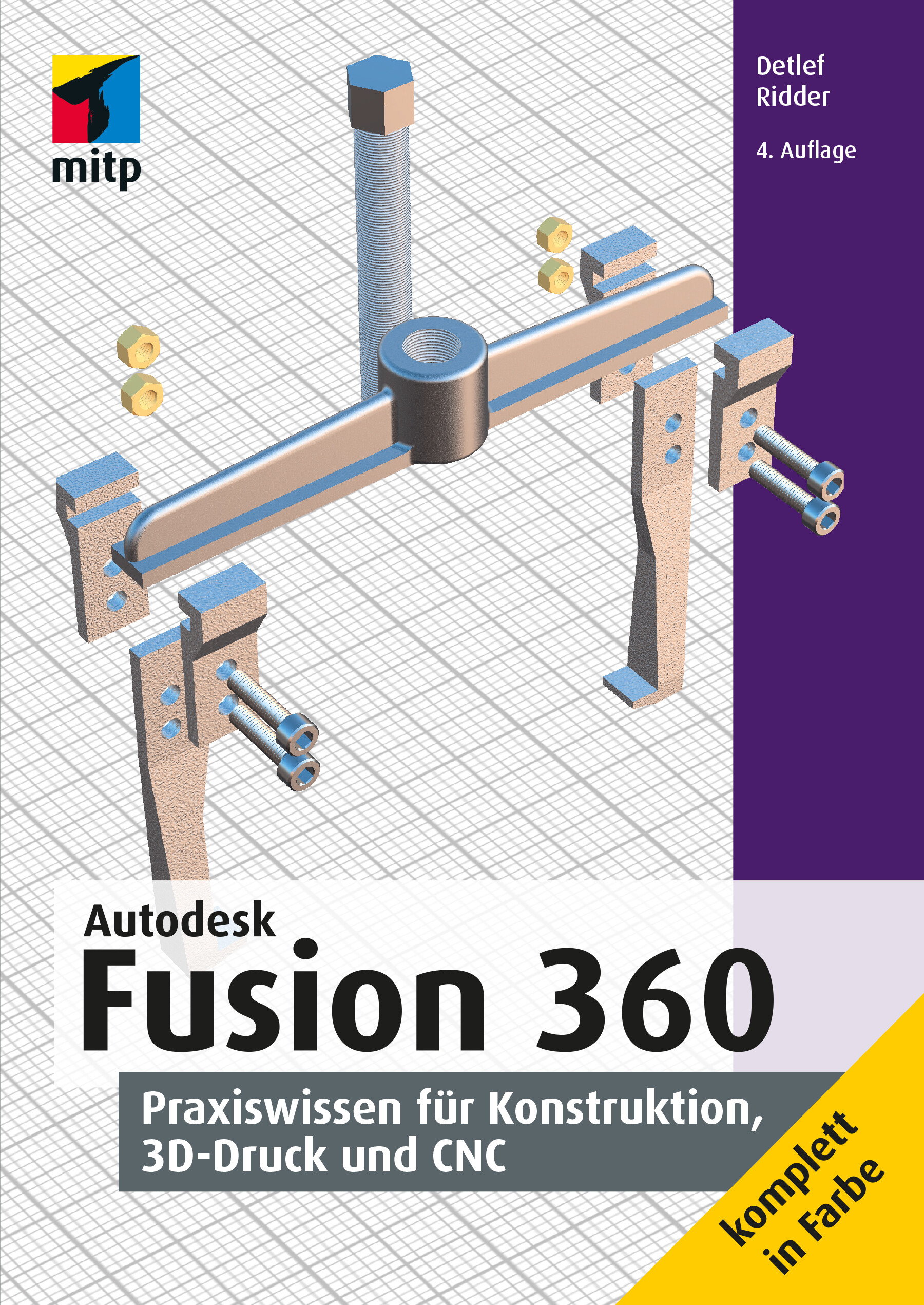
Autodesk Fusion 360 (4. Auflg.)
Praxiswissen für Konstruktion, 3D-Druck und CNC. 4. Auflage 2022.Mit dem cloudbasierten CAD/CAM-Programmsystem Fusion 360 lassen sich schnell und einfach professionelle 3D-Modelle und 2D-Fertigungszeichnungen erstellen und für CNC-Bearbeitungen und 3D-Druck vorbereiten.Dieses Buch bietet eine praktische Einführung in die wichtigsten Funktionen der umfangreichen Software. Dabei setzt der Autor folgende Themenschwerpunkte:3D-Modelle zweidimensional skizzieren und aus der Skizze heraus erzeugenVolumenkörper-, Flächen-, Freiform- und Netzmodellierung2D-Fertigungszeichnungen mit Beschriftung und Stücklisten ableitenBauteile und Baugruppen rendern, animieren und Mechanismen simulierenErstellen von Fertigungsdaten für 3D-Drucker und CNC-Bearbeitungsmaschinen3D-Druck und CNC-Bearbeitungen (wie CNC-Fräsen, CNC-Drehen und Laserschneiden)Elektronik-Schaltpläne entwerfen und Leiterplatten-Layouts in 2D und 3D ableitenAlle Funktionen und Arbeitsweisen werden Schritt für Schritt demonstriert und eingeübt. Zahlreiche praktische Beispiele helfen, die verschiedenen Techniken nachzuvollziehen und zu verinnerlichen. Nach der Lektüre dieses Buches sind Sie bestens gerüstet, individuelle 3D-Modelle sowie die entsprechenden Fertigungsdaten zu erstellen und eigene Projekte umzusetzen.Aus dem Inhalt: Installation und BenutzeroberflächeSkizzenerstellung3D-Modellierung mit Volumen, Flächen, Freiform-Elementen und NetzenAbleiten von ZeichnungenSimulationBaugruppen mit GelenkenAnimieren und RendernBlechkonstruktionen3D-Druck und CNC-Bearbeitungen (Fräsen, Drehen, Bohren und Schneiden)Schaltplan-Entwurf und Leiterplatten-Layout (2D/3D)Zahlreiche praktische BeispieleÜber den Autor:Detlef Ridder hat langjährige Erfahrung im Bereich CAD und bereits zahlreiche Bücher zu AutoCAD, Inventor, Revit und ArchiCAD veröffentlicht. Er gibt Schulungen zu diesen Programmen und zu CNC und weiß daher, welche Themen für Einsteiger besonders wichtig sind.Leseprobe (PDF-Link)

Storytelling für Unternehmen
Storytelling als Basis für modernes Content Marketing Wirkung und Erzählformate guter Geschichten Zahlreiche anschauliche Beispiele und praktische Checklisten zur Ideenfindung Storytelling ist für Marketingabteilungen ein wesentliches Fundament in der Kundenkommunikation über alte und neue Kanäle wie PR, Content Marketing und Social Media. Marken wie Red Bull, Apple, Coca-Cola, Dove oder airbnb sind heutzutage in aller Munde, wenn es um Brand Storytelling geht. Doch was genau machen sie anders, als wir es von der traditionellen Unternehmenskommunikation kennen? Was können Sie von ihnen lernen? Anhand konkreter Beispiele erfahren Sie in diesem Buch, wie Storytelling erfolgreich im Marketing und in der Unternehmensführung eingesetzt werden kann. Im ersten Teil des Buches lernen Sie detailliert, welche Bestandteile eine gute Geschichte enthalten sollte, und erfahren, wie Sie für Ihr Unternehmen Helden und Heldinnen, Konflikte, ein Happy End und letztendlich Ihre eigene Rolle in einer Geschichte finden - passend zu Ihrer Unternehmensstrategie und -vision. Der zweite Teil des Buches erläutert, wie Sie Ihre Geschichten optimal an Ihr Publikum bringen. Die Autorin zeigt im dritten Teil des Buches, dass Storytelling nicht nur ein Thema für Lifestyle-Produkte wie Energy-Drinks und Smartphones ist. Geschichten bieten gerade für technische oder Nischen-Themen oder auch im B2B-Bereich enormes Potenzial, das meist einfacher zu nutzen ist als angenommen. Darüber hinaus ist Storytelling nicht nur ein Tool für die Kommunikation nach außen. Sie erfahren, inwiefern es auch für Employer Branding und Leadership generell von großer Bedeutung ist, um Mitarbeiter und Mitarbeiterinnen zu finden, zu halten und zu motivieren. In jedem Kapitel finden Sie detaillierte Fragestellungen zur Ideenfindung, die Sie dabei unterstützen, Ihre eigene Story zu finden. Zusätzlich geben Interviews mit Entrepreneuren, Agenturen und Storytelling-Verantwortlichen in Unternehmen ganz persönliche Eindrücke in die Praxis. Aus dem Inhalt: Teil I: Was ist eine Geschichte? Heldenreise Vision - Ziel der Heldenreise Konflikte - Hindernisse der Helden und Heldinnen Unternehmen als Mentor und Mentorin Kunden, Kundinnen und Mitarbeitende in der Helden-Rolle Unternehmen als Held und Heldin Teil II: Wie werden Geschichten erzählt? Der zentrale Charakter Aufmerksamkeit bekommen, halten und belohnen Transmedia-Strategien Visuelles Storytelling Storytelling mit Daten Teil III: Welche weiteren Anlässe für Storytelling gibt es? Storytelling für Technik- und B2B-Themen Employer Branding Leadership Storytelling Teil IV: Wie finden Unternehmen Geschichten? Storylistening Checklisten zur Ideenfindung Miriam Rupp ist Gründerin und Geschäftsführerin von Mashup Communications, einer Berliner Agentur für PR und Storytelling. Innerhalb der letzten 15 Jahre hat sie insgesamt über 250 Kampagnen begleitet und immer wieder neue Geschichten ans Publikum gebracht.
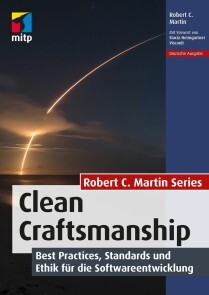
Clean Craftsmanship
* Aus der Feder des legendären Softwareentwicklers Robert C. Martin (»Uncle Bob«), Autor des Bestsellers Clean Code * Standards und ethische Grundsätze für die Entwicklung von zuverlässiger und vertrauenswürdiger Software * Mit fünf Kerndisziplinen zu besserem und nachhaltigerem Code: Test-Driven Development (TDD), Refactoring, einfaches Design, kollaborative Entwicklung und Akzeptanztests Software Craftsmanship ist kein Beruf, sondern eine Berufung. Der legendäre Softwareentwickler Robert C. Martin (»Uncle Bob«) gibt Ihnen mit diesem Buch einen pragmatischen und praktischen Leitfaden für die Praktiken an die Hand, die für die Softwareentwicklung essenziell sind. Uncle Bob erläutert die Methoden, Standards und ethischen Grundsätze, die es Ihnen ermöglichen, robusten und effektiven Code zu schreiben, auf den Sie stolz sein können. Er erörtert wichtige Standards für die Softwareentwicklung, zeigt auf, wie sich die Erwartungen, die andere an Entwickler stellen, von ihren eigenen unterscheiden, und hilft Ihnen dabei, beide Vorstellungen in Einklang zu bringen. Zum Abschluss geht er auf die Berufsethik für die professionelle Programmierung ein und erläutert die Prinzipien, denen alle Entwickler folgen sollten, um sicheren, nachhaltigen und wartbaren Code zu gewährleisten. Mit den Methoden und Konzepten aus diesem Buch können sowohl Programmierer als auch ihre Manager konsequent Code liefern, der Vertrauen schafft, statt es zu untergraben - bei Usern und gleichermaßen der gesamten Gesellschaft, die auf Software angewiesen ist. Aus dem Inhalt * Auf dem Weg zum »Polarstern« der Software Craftsmanship: wissen, wie man gut programmiert * Praktische Anleitungen zur Anwendung von fünf Kerndisziplinen: testgetriebene Entwicklung (TDD), Refactoring, einfaches Design, kollaborative Entwicklung und Akzeptanztests * Wie Entwickler und Teams Produktivität, Qualität und Courage fördern können * Die wahre Bedeutung von Integrität und Teamarbeit sowie zehn spezifische Grundsätze, denen jeder professionelle Softwareentwickler folgen sollte »Zum richtigen Zeitpunkt eine Erinnerung an die ständig zunehmende Komplexität unserer programmatischen Welt und daran, dass wir es dem Vermächtnis der Menschheit - und uns selbst - schuldig sind, ethische Entwicklung zu betreiben.« - Aus dem Vorwort von Stacia Heimgartner Viscardi, CST & Agile Mentorin Robert C. Martin (»Uncle Bob«) ist bereits seit 1970 als Programmierer tätig. Neben seiner Beraterfirma Uncle Bob Consulting, LLC gründete er gemeinsam mit seinem Sohn Micah Martin auch das Unternehmen The Clean Coders, LLC. Er hat zahlreiche Artikel in verschiedenen Zeitschriften veröffentlicht und hält regelmäßig Vorträge auf internationalen Konferenzen. Zu seinen bekanntesten Büchern zählen Clean Code, Clean Coder und Clean Architecture.

Excel-VBA für Dummies (4. Auflg.)
Um noch mehr aus Excel herauszuholen, sind Kenntnisse der VBA-Programmierung von großem Vorteil: Dann können Sie Excel auf Ihre Bedürfnisse zuschneiden und langweilige Routinearbeiten automatisieren. Dieses Buch zeigt Ihnen zunächst den Umgang mit dem VBA-Editor und gibt einen Einblick in die wichtigsten Programmiertechniken, wie Sie Fehler beseitigen, Range-Objekte einsetzen und den Programmfluss steuern. Lernen Sie dann die vielfältigen Programmiermöglichkeiten kennen. Alle Beispielprogramme und Arbeitsblätter stehen zum Download zur Verfügung. Sie werden staunen: Mit VBA können Sie sich selbst Dialogboxen, Werkzeugleisten und Menüs schneidern. Und das schon nach kurzer Zeit! Michael Alexander ist Microsoft Certified Application Developer und hat mehrere Bücher zu Access und Excel geschrieben.Dick Kusleika hilft Anwendern seit mehr als 25 Jahren in Online-Foren, Blogs, Büchern und auf Konferenzen, das Beste aus den Microsoft-Office-Produkten herauszuholen.Über den Autor 9EINFÜHRUNG25Über dieses Buch 25Konventionen in diesem Buch 26Makrosicherheit 27Törichte Annahmen über die Leser 28Symbole, die in diesem Buch verwendet werden 29Wie es weitergeht 29TEIL I: EXCEL VBA – DIE ERSTEN SCHRITTE31KAPITEL 1 VBA KENNENLERNEN 33Die VBA-Grundlagen verstehen 33Wissen, was mit VBA möglich ist 34Text einfügen 35Eine häufig ausgeführte Aufgabe automatisieren 35Automatisierung wiederholter Operationen 35Einen benutzerdefinierten Befehl anlegen 35Eine benutzerdefinierte Schaltfläche erstellen 36Neue Funktionen für die Arbeitsmappe entwickeln 36Benutzerdefinierte Add-Ins für Excel erstellen 36Das meiste aus VBA herausholen 36Wissen, was VBA am besten kann 36Erkennen, welche Nachteile die Verwendung von VBA mit sich bringt 37VBA-Konzepte verstehen 38Sicherstellen der Excel-Kompatibilität 40KAPITEL 2 EINFACHE MAKROS ERSTELLEN 41Die Registerkarte »Entwicklertools« anzeigen 41Ein Makro erstellen 42Die Umgebung vorbereiten 42Ein Makro aufzeichnen 43Das Makro ausführen 45Ein Makro im Visual Basic-Editor anzeigen 46Das Makro abändern 48Arbeitsmappen speichern, die Makros enthalten 49Makro-Sicherheit verstehen 50TEIL II: DIE ZUSAMMENARBEIT VON VBA UND EXCEL 53KAPITEL 3 DER VISUAL BASIC-EDITOR 55Den Visual Basic-Editor kennenlernen 55Den VBE aktivieren 55VBE-Komponenten erforschen 56Arbeiten im Projekt-Explorer 58Ein neues VBA-Modul hinzufügen 59Arbeiten im Codebereich 60Fenster minimieren und maximieren 60Die Bestandteile eines Moduls erkunden 61VBA-Code in ein Modul einfügen 61Code direkt eingeben 62Verwendung des Makro-Rekorders 65VBA-Code kopieren 67Anpassung des VBE 68Die Registerkarte »Editor« 68Die Registerkarte »Editorformat« 70Die Registerkarte »Allgemein« 71Die Registerkarte »Verankern« 72KAPITEL 4 EINFÜHRUNG IN DAS EXCEL-OBJEKTMODELL 73Arbeiten mit dem Excel-Objektmodell 73Die Objekthierarchie verstehen 74Auf Objekte verweisen 75In Objekteigenschaften und Methoden eintauchen 78Objekteigenschaften festlegen 80Mit Objektmethoden Aktionen unternehmen 81Objekte reagieren auf Ereignisse 83VBA-Ressourcen zu weiterführenden Informationen 83Das VBA-Hilfesystem verwenden 83Den Objektkatalog verwenden 84Automatische Auflistung von Eigenschaften und Methoden 85KAPITEL 5 SUB-UND FUNKTIONSPROZEDUREN IN VBA 87Sub-Prozeduren im Vergleich zu Funktionsprozeduren 87Einen Blick auf Sub-Prozeduren werfen 88Einen Blick auf Funktionsprozeduren werfen 88Namen für Sub-Prozeduren und Funktionsprozeduren 89Sub-Prozeduren ausführen 90Die Sub-Prozedur direkt ausführen 92Die Prozedur vom Dialogfeld Makro aus ausführen 92Ein Makro mithilfe einer Tastenkombination ausführen 93Die Prozedur über eine Schaltfläche oder eine Form ausführen 94Die Prozedur von einer anderen Prozedur aus ausführen 96Die Prozedur vom Direktfenster aus ausführen 97Funktionsprozeduren ausführen 97Die Funktionsprozedur aus einer Sub-Prozedur aufrufen 98Aufruf der Funktion im Direktfenster 98Aufruf einer Funktion von einer Formel in einer Tabelle aus 99KAPITEL 6 MIT DEM MAKRO-REKORDER ARBEITEN 103Grundlagen der Aufzeichnung 103Vorbereitung auf die Aufzeichnung 105Zwischen relativem und absolutem Modus wählen 105Aufzeichnung im absoluten Modus 106Aufzeichnung im relativen Modus 107Dem Makro-Rekorder bei der Arbeit zusehen 109Aufzeichnungsoptionen für Ihr Makro angeben 110Code aufräumen, den der Makro-Rekorder aufgezeichnet hat 112TEIL III: PROGRAMMIERKONZEPTE 115KAPITEL 7 WICHTIGE ELEMENTE DER SPRACHE VBA 117Kommentare in Ihrem VBA-Code 117Variablen, Konstanten und Datentypen 119Variablen verstehen 119Was sind die Datentypen in VBA? 121Variablen deklarieren und ihnen einen Gültigkeitsbereich zuweisen 122Mit Konstanten arbeiten 127Vorgefertigte Konstanten verwenden 128Mit Zeichenfolgen arbeiten 129Mit Datumswerten arbeiten 130Zuweisungsbefehle verwenden 131Beispiele für den Zuweisungsbefehl 131Das Gleichheitszeichen 132Hilfreiche Operatoren 132Arrays 133Arrays deklarieren 134Mehrdimensionale Arrays 134Dynamische Arrays 135Die Verwendung von Zeilenmarken (Labels) 136KAPITEL 8 MIT RANGE-OBJEKTEN ARBEITEN 137Auf »Range«-Objekte verweisen 137Auf einen Bereich mithilfe von Eigenschaften verweisen 139Die »Cells«-Eigenschaft 139Die »Offset«-Eigenschaft 140Die »Resize«-Eigenschaft 141Mit Eigenschaften des »Range«-Objekts arbeiten 141Die »Value«-Eigenschaft 142Die »Text«-Eigenschaft 143Die »Count«-Eigenschaft 143Die »Column«-und die »Row«-Eigenschaft 143Die »Address«-Eigenschaft 144Die »HasFormula«-Eigenschaft 144Die »Font«-Eigenschaft 145Die »Interior«-Eigenschaft 146Die »Formula«-Eigenschaft 147Die »NumberFormat«-Eigenschaft 148Aktionen mit Methoden des »Range«-Objekts unternehmen 148Die »Select«-Methode 149Die Methoden »Copy« und »Paste« 149Die »Clear«-Methode 150Die »Delete«-Methode 150KAPITEL 9 VBA-UND ARBEITSBLATTFUNKTIONEN 151Funktionen verstehen 151Eingebaute VBA-Funktionen verwenden 152Arbeiten mit Datum und Uhrzeit 152Arbeiten mit Zeichenfolgen 154Objekte und Daten identifizieren 155VBA-Funktionen, die mehr tun, als einen Wert zurückzugeben 156VBA-Funktionen finden 156Arbeitsblattfunktionen in VBA verwenden 159Beispiele für Arbeitsblattfunktionen 160Eingabe von Arbeitsblattfunktionen 162Weitere Informationen über die Verwendung von Arbeitsblattfunktionen 163Benutzerdefinierte Funktionen verwenden 164KAPITEL 10 STEUERUNG DES PROGRAMMABLAUFS UND ENTSCHEIDUNGEN 165Schwimmen mit dem Strom 165Die »GoTo«-Anweisung 166Entscheidungen, Entscheidungen! 168Die »If-Then «-Struktur 168Die »Select Case«-Struktur 172Ihr Code für eine Schleife 175»For-Next «-Schleifen 175»Do While«-Schleifen 180»Do Until«-Schleifen 181»For Each-Next «-Schleifen für Collections ausführen 181KAPITEL 11 AUTOMATISCHE PROZEDUREN UND EREIGNISSE 185Vorbereitung auf das große Ereignis 185Lernen, wann Sie Ereignisprozeduren einsetzen 187Programmierung von Prozeduren zur Ereignisverarbeitung 188Wissen, wo man den Ereigniscode einfügt 188Eine Prozedur zur Ereignisverarbeitung schreiben 189»Workbook«-Ereignisse auslösen 190Das »Open«-Ereignis für eine Arbeitsmappe 191Das »BeforeClose«-Ereignis für eine Arbeitsmappe 193Das »BeforeSave«-Ereignis für eine Arbeitsmappe 194Aktivierungsereignisse verwenden 195Aktivierungs-und Deaktivierungsereignisse in einem Arbeitsblatt 195Aktivierungs-und Deaktivierungsereignisse in einer Arbeitsmappe 196Arbeitsmappen-Aktivierungsereignisse 197Programmierung von Arbeitsblattereignissen 198Das »BeforeDoubleClick«-Ereignis 198Das »BeforeRightClick«-Ereignis 198Das »Change«-Ereignis 199Ereignisse verstehen, die keinen Objekten zugeordnet sind 201Das »OnTime«-Ereignis 201Tastenaktionen 203KAPITEL 12 TECHNIKEN ZUR FEHLERVERARBEITUNG 205Fehlertypen 205Ein fehlerhaftes Beispielmakro 206Nicht ganz perfekte Makros 207Das Makro noch perfekter machen 208Verabschieden Sie sich von der Perfektion! 209Alternative Wege der Fehlerverarbeitung 210Noch einmal die Prozedur »EnterSquareRoot« 210Fehler mit der »On-Error «-Anweisung abfangen 211Fehlerverarbeitung: die Details 212Fortsetzung nach einem Fehler 212Fehlerverarbeitung im Überblick 214Ein beabsichtigter Fehler 214KAPITEL 13 TECHNIKEN, MIT DENEN SIE FEHLER LOSWERDEN 217Verschiedene Fehlerarten 217Programmierfehler identifizieren 219Debugging-Techniken 220Ihren Code überprüfen 220Die »MsgBox«-Funktion verwenden 220»Debug.Print«-Anweisungen einfügen 222Verwendung des VBA-Debuggers 222Debugging-Tools verwenden 223Haltepunkte in Ihrem Code setzen 223Das Überwachungsfenster verwenden 226Das Lokal-Fenster 228Tipps, wie Sie weniger Programmierfehler machen 229KAPITEL 14 VBA-PROGRAMMIERBEISPIELE 231Mit Bereichen arbeiten 231Einen Bereich kopieren 232Einen variablen Bereich kopieren 233Auswahl bis zum Ende einer Zeile oder Spalte 235Eine Zeile oder Spalte auswählen 236Einen Bereich verschieben 236Einen Bereich effizient durchlaufen 236Einen Bereich effizient durchlaufen (Teil II) 238Einen Zellwert anfordern 239Den Auswahltyp bestimmen 240Eine Mehrfachauswahl erkennen 240Excel-Einstellungen abändern 241Boolesche Einstellungen ändern 241Nicht-boolesche Einstellungen ändern 242Diagramme 242»AddChart« im Vergleich zu »AddChart2« 243Den Diagrammtyp ändern 245Die »ChartObjects«-Collection durchlaufen 245Diagrammeigenschaften ändern 246Diagrammformatierungen anwenden 246VBA-Geschwindigkeitstipps 248Die Bildschirmaktualisierung abschalten 248Die automatische Berechnung ausschalten 249Lästige Warnungen deaktivieren 249Objektreferenzen vereinfachen 251Variablentypen deklarieren 251Die »With-End With«-Struktur 252KAPITEL 15 EINFACHE DIALOGFELDER 253In VBA mit dem Benutzer interagieren 253Meldungen mit der »MsgBox«-Funktion anzeigen 254Ein einfaches Meldungsfeld anzeigen 255Eine Antwort aus einem Meldungsfeld erhalten 256Meldungsfelder anpassen 257Daten mit der Funktion »InputBox« abfragen 260Die Syntax von »InputBox« verstehen 260Die Funktion »InputBox« verwenden 260Die Methode »InputBox« verwenden 262Den Benutzer eine Datei oder einen Ordner auswählen lassen 263Eine »GetOpenFilename«-Anweisung erstellen 264Eine Datei mit »GetOpenFilename« auswählen 264Pfad und Dateinamen mit »GetSaveAsFilename« ermitteln 266Einen Ordnernamen ermitteln 267Eingebaute Excel-Dialogfelder anzeigen 267TEIL IV: KOMMUNIKATION MIT IHREN BENUTZERN 271KAPITEL 16 USERFORM-GRUNDLAGEN 273Erkennen, wann man ein UserForm braucht 273UserForms erstellen: ein Überblick 275Mit UserForms arbeiten 276Ein neues UserForm einfügen 276Einem UserForm Steuerelemente hinzufügen 277Die Eigenschaften eines UserForm-Steuerelements ändern 277Den Codebereich für ein UserForm anzeigen 279Ein UserForm anzeigen 279Informationen aus einem UserForm verarbeiten 280Ein UserForm-Beispiel 280Das UserForm erstellen 281Die Befehlsschaltflächen hinzufügen 281Optionsfelder einfügen 283Prozeduren zur Ereignisverarbeitung einfügen 284Ein Makro anlegen, das das Dialogfeld anzeigt 286Das Makro für den Benutzer bereitstellen 286Das Makro testen 288KAPITEL 17 USERFORM-STEUERELEMENTE VERWENDEN 291Steuerelemente im Dialogfeld – die ersten Schritte 291Steuerelemente hinzufügen 292Eigenschaften von Steuerelementen – Grundlagen 293Details zu den Steuerelementen in einem Dialogfeld kennenlernen 295Das »CheckBox«-Steuerelement – Kontrollkästchen 296Das »ComboBox«-Steuerelement – Kombinationsfeld 296Das »CommandButton«-Steuerelement – Befehlsschaltfläche 297Das »Frame«-Steuerelement – Rahmen 298Das »Image«-Steuerelement (Bildfeld) 298Das »Label«-Steuerelement (Bezeichnungsfeld) 299Das »ListBox«-Steuerelement (Listenfeld) 300Das »MultiPage«-Steuerelement – Multiseiten 301Das »OptionButton«-Steuerelement – Optionsfelder 302Das »RefEdit«-Steuerelement 302Das »ScrollBar«-Steuerelement – Bildlaufleiste 303Das »SpinButton«-Steuerelement – Drehfeld 304Das »TabStrip«-Steuerelement – Register 305Das »TextBox«-Steuerelement – Textfeld 305Das »ToggleButton«-Steuerelement – Umschaltfeld 306Die Arbeit mit Steuerelementen in Dialogfeldern 306Steuerelemente verschieben und ihre Größe ändern 307Steuerelemente ausrichten und Abstände einhalten 307Tastaturbenutzern helfen 308Ein UserForm testen 310Dialogfeld-Ästhetik 310KAPITEL 18 USERFORMS – TECHNIKEN UND TRICKS 311Dialogfelder verwenden 311Ein UserForm-Beispiel 312Das Dialogfeld erstellen 312Code für die Anzeige des Dialogfelds 315Das Makro bereitstellen 315Ihr Dialogfeld ausprobieren 316Prozeduren zur Ereignisverarbeitung einfügen 316Die Daten auswerten 318Jetzt funktioniert das Dialogfeld 319Beispiel für ein Listenfeld-Steuerelement 319Ein Listenfeld füllen 320Das ausgewählte Element bestimmen 321Mehrfachauswahlen bestimmen 322Einen Bereich auswählen 323Mehrere Gruppen von Optionsfeldern verwenden 325Ein Drehfeld und ein Textfeld verwenden 326Ein UserForm als Fortschrittsanzeige verwenden 328Ein Dialogfeld als Fortschrittsanzeige einrichten 329Die Prozeduren 330Wie dieses Beispiel funktioniert 331Ein nicht modales Dialogfeld mit Registerkarten erstellen 332Ein Diagramm in einem UserForm anzeigen 334Eine Checkliste für Dialogfelder 335KAPITEL 19 ZUGRIFF AUF IHRE MAKROS ÜBER DIE BENUTZEROBERFLÄCHE 337Das Menüband anpassen 337Das Menüband manuell anpassen 338Dem Menüband ein Makro hinzufügen 340Anpassung des Menübands mit XML 340Die Excel-Benutzeroberfläche mit VBA anpassen 345Befehle zur Registerkarte »Add-Ins « des Menübands hinzufügen 346Dem Kontextmenü »Cell« einen neuen Eintrag hinzufügen 347Anpassungen automatisch hinzufügen 349Kontextmenüs und das Single Document Interface verstehen 349TEIL V: DAS GROẞE GANZE 351KAPITEL 20 ARBEITSBLATTFUNKTIONEN ERSTELLEN 353Vereinfachen Sie mit benutzerdefinierten Funktionen Ihre Arbeit 353Grundlagen der VBA-Funktionen 354Funktionen schreiben 355Mit Funktionsargumenten arbeiten 356Eine Funktion ohne Argumente 356Eine Funktion mit einem Argument 357Eine Funktion mit zwei Argumenten 359Eine Funktion mit einem Bereichsargument 360Eine Funktion mit einem optionalen Argument 362Wrapper-Funktionen 364Die »NumberFormat«-Funktion 364Die »ExtractElement«-Funktion 364Die »SayIt«-Funktion 365Die »IsLike«-Funktion 366Funktionen, die ein Array zurückgeben 36Ein Array mit Monatsnamen zurückgeben 366Eine sortierte Liste zurückgeben 367Das Dialogfeld »Funktion einfügen« verwenden 369Die Funktionsbeschreibung anzeigen 369Argumentbeschreibungen 371KAPITEL 21 ADD-INS IN EXCEL ERSTELLEN 373Was ist ein Add-In? 373Gründe für die Erstellung von Add-Ins 374Die Arbeit mit Add-Ins 375Add-In-Grundlagen 376Sehen Sie sich ein Beispiel für ein Add-In an 377Einrichtung der Arbeitsmappe 377Die Arbeitsmappe testen 379Beschreibende Informationen hinzufügen 380Den VBA-Code schützen 381Das Add-In anlegen 381Das Add-In öffnen 382Das Add-In weitergeben 383Das Add-In ändern 383TEIL VI: DER TOP-TEN-TEIL 385KAPITEL 22 ZEHN NÜTZLICHE TIPPS FÜR DEN VISUAL BASIC-EDITOR 387Kommentarblöcke verwenden 387Mehrere Codezeilen kopieren 389Zwischen Modulen und Prozeduren springen 389Beamen Sie sich zu Ihren Funktionen 389In der richtigen Prozedur bleiben 390Den Code schrittweise ausführen 391Zu einer bestimmten Codezeile springen 392Die Codeausführung an einer bestimmten Stelle unterbrechen 392Den Anfang und das Ende des Variablenwerts anzeigen 393Die automatische Syntaxüberprüfung ausschalten 394KAPITEL 23 RESSOURCEN MIT HILFE ZU VBA 397Lassen Sie Excel die Makros für Sie schreiben 397Nutzen Sie das Hilfesystem 398Stibitzen Sie Code im Internet 398Userforen optimal nutzen 399Besuchen Sie Experten-Blogs 400Suchen Sie auf YouTube nach Schulungsvideos 400Nehmen Sie an Onlinekursen teil 401Vom Office Dev Center lernen 401Analysieren Sie andere Excel-Dateien in Ihrem Unternehmen 401Fragen Sie die Excel-Experten vor Ort 402KAPITEL 24 ZEHN DINGE, DIE SIE BEHERZIGEN ODER VERMEIDEN SOLLTEN 403Deklarieren Sie alle Variablen 403Verwechseln Sie Passwörter nicht mit Sicherheit 404Bereinigen Sie Ihren Code 404Schreiben Sie nicht alles in eine Prozedur 405Denken Sie daran, dass es noch andere Software gibt 405Gehen Sie nicht davon aus, dass alle Benutzer Makros aktivieren 405Gewöhnen Sie sich an, zu experimentieren 405Gehen Sie nicht davon aus, dass Ihr Code in anderen Excel-Versionen funktioniert 406Denken Sie immer an Ihre Benutzer 406Vergessen Sie die Datensicherung nicht! 406Abbildungsverzeichnis 407Stichwortverzeichnis 415

Electronic Governance
Noch nie sind die technologischen Entwicklungen und die Veränderungen der Märkte so rasant verlaufen wie heutzutage. Die Digitalisierung von Wirtschaft und Gesellschaft stehen dabei erst am Anfang. Viele Menschen beobachten die Entwicklungen misstrauisch. Sie können mit den in Verbindung stehenden Methoden und Begriffen kaum etwas anfangen. Dieses Buch schafft Abhilfe, in dem es umfassend und verständlich aufklärt und erklärt. Beispiele aus Theorie und Praxis veranschaulichen die Inhalte. Die Beherrschung der zugehörigen Komplexitäten ist noch nicht gelungen, wie z.B. die lange Liste gescheiterter Digitalisierungsvorhaben anschaulich belegt. Es geht darum, die Unternehmen zukunftsfest zu machen und die Beschäftigten zu befähigen. Hierfür braucht es einer Art digitaler bzw. technisierter „Leitplanken“, die mit einer „Electronic Governance“ entwickelt und spezifiziert werden. Es handelt sich um ein Steuerungs- und Regelungssystem, welches Organisationen und ihre Beschäftigten in Zeiten der Digitalisierung erfolgreich in die Zukunft führt. PROF. DR. ANDREAS SCHMID lehrt und forscht an der Hochschule Hannover. Er hat zahlreiche (IT-) Projekte und Organisationen evaluiert. Electronic Governance.- Digitalisierung.-Scheitern von Digitalisierungsprojekten.- Disruption.-(Digitale) Strategie.- (Digitales) Geschäftsmodell.-Industrie 4.0.- Robotic Process Automation.- Agilität.-Elektronische Akte.- Design Thinking.-Customer Journey.-Blockchain.-Kryptowährungen.- Künstliche Intelligenz.- Big Data inklusive Praxisbeispiel.

Samsung Galaxy S22/ S22+
Die verständliche Anleitung für Ihr Smartphone:- Alle Funktionen & Einstellungen auf einen Blick- Schritt für Schritt erklärt – mit praktischen TippsMit diesem smarten Praxisbuch gelingt Ihnen der schnelle und sichere Einstieg in Ihr Smartphone. Lernen Sie die Samsung Galaxy S22-Modelle kennen und beherrschen! Anschauliche Anleitungen, Beispiele und Bilder zeigen Ihnen gut nachvollziehbar, wie Sie Ihr mobiles Gerät optimal handhaben – von der Ersteinrichtung und Personalisierung über die große Funktionsvielfalt bis zu den wichtigsten Anwendungen. Nutzen Sie darüber hinaus die übersichtlichen Spicker-Darstellungen: Damit können Sie jene Bedienungsschritte, die man am häufigsten braucht, aber immer wieder vergisst, auf einen Blick finden und umsetzen. Freuen Sie sich auf viele hilfreiche Tipps und legen Sie ganz einfach los!Aus dem Inhalt:- Alle Bedienelemente der Samsung Galaxy S22-Modelle auf einen Blick- Ersteinrichtung und Tipps zum Umzug- Google-Konto erstellen und verwalten- Die Benutzeroberfläche Ihres Smartphones personalisieren- Apps aus dem Play Store herunterladen- Kontakte anlegen und im Adressbuch verwalten- Anrufe tätigen und SMS austauschen - Nachrichten über Mail und WhatsApp versenden und empfangen- Uhr, Kalender, Maps und andere praktische Apps nutzen - Fotos sowie Videos aufnehmen, verwalten und teilen- Ins Internet gehen über WLAN und mobile Daten - Updates, Datenschutz und Sicherheit

Cybersecurity in Smart Homes
Smart homes use Internet-connected devices, artificial intelligence, protocols and numerous technologies to enable people to remotely monitor their home, as well as manage various systems within it via the Internet using a smartphone or a computer. A smart home is programmed to act autonomously to improve comfort levels, save energy and potentially ensure safety; the result is a better way of life. Innovative solutions continue to be developed by researchers and engineers and thus smart home technologies are constantly evolving. By the same token, cybercrime is also becoming more prevalent. Indeed, a smart home system is made up of connected devices that cybercriminals can infiltrate to access private information, commit cyber vandalism or infect devices using botnets. This book addresses cyber attacks such as sniffing, port scanning, address spoofing, session hijacking, ransomware and denial of service. It presents, analyzes and discusses the various aspects of cybersecurity as well as solutions proposed by the research community to counter the risks. Cybersecurity in Smart Homes is intended for people who wish to understand the architectures, protocols and different technologies used in smart homes.RIDA KHATOUN is Associate Professor at Telecom ParisTech, France. His current research interests are focused on cybersecurity in areas such as connected cars, cloud computing and the Internet of Things, as well as cybersecurity architectures, intrusion detection systems and blockchain technology.CHAPTER 1 HOME AUTOMATION SOLUTIONS FOR SECUREWSN 1Corinna SCHMITT and Marvin WEBER1.1 Introduction 21.2 Background 41.2.1 SecureWSN 41.2.2 Communication standards 81.2.3 The monitor-analyse-plan-execute-knowledge model 121.2.4 Hardware and libraries 141.3 Design decisions 151.3.1 Requirements 161.3.2 HAIFA architecture 181.3.3 WebMaDa integration 291.4 Implementation 301.4.1 CoMaDa integration 301.4.2 HAIFA’s ZigBee Gateway 481.4.3 WebMaDa integration 551.4.4 Uploading HA data to WebMaDa 561.4.5 Sending HA messages from WebMaDa to CoMaDa 591.4.6 WebMaDa’s frontend 621.5 Evaluation of HAIFA 641.5.1 Actuator interoperability (R1) 651.5.2 Rule-based automation (R2) 651.5.3 Node hardware interoperability (R3) 681.5.4 CoMaDa and WebMaDa management (R4) 681.6 Summary and conclusions 681.7 Acknowledgements 691.8 References 70CHAPTER 2 SMART HOME DEVICE SECURITY: A SURVEY OF SMART HOME AUTHENTICATION METHODS WITH A FOCUS ON MUTUAL AUTHENTICATION AND KEY MANAGEMENT PRACTICES 75Robinson RAJU and Melody MOH2.1 Introduction 752.2 Smart home – introduction and technologies 772.2.1 Smart home – introduction 772.2.2 Smart home devices – categories 792.3 Smart home security 802.3.1 Threats 812.3.2 Vulnerabilities 822.3.3 IoT communication protocols 842.3.4 Enhancements to IoT communication protocols 862.3.5 IoT security architectures 872.4 Smart home authentication mechanisms 912.4.1 Stages of defining an authentication protocol for IoT 922.4.2 Taxonomy of authentication schemes for IoT 932.5 A primer on mutual authentication and key management terminologies 962.5.1 X.509 certificate 972.5.2 CoAP and DTLS 992.5.3 Tls 1.3 1012.5.4 Key management fundamentals 1022.6 Mutual authentication in smart home systems 1042.6.1 Device and user onboarding 1052.6.2 Flow of user authentication and authorization 1062.6.3 Examples of mutual authentication schemes 1072.7 Challenges and open research issues 1122.8 Conclusion 1132.9 References 114CHAPTER 3 SRAM PHYSICALLY UNCLONABLE FUNCTIONS FOR SMART HOME IOT TELEHEALTH ENVIRONMENTS 125Fayez GEBALI and Mohammad MAMUN3.1 Introduction 1263.2 Related literature 1293.3 System design considerations 1303.4 Silicon physically unclonable functions (PUF) 1313.4.1 Mutual authentication and key exchange using PUF 1323.4.2 Fuzzy extractor 1333.5 Convolutional encoding and Viterbi decoding the SRAM words 1333.6 CMOS SRAM PUF construction 1363.6.1 SRAM PUF statistical model 1383.6.2 Extracting the SRAM cell statistical parameters 1413.6.3 Obtaining the golden SRAM PUF memory content 1423.6.4 Bit error rate (BER) 1423.6.5 Signal-to-noise ratio (SNR) for SRAM PUF 1433.7 Algorithms for issuing CRP 1443.7.1 Algorithm #1: single-challenge 1443.7.2 Algorithm #2: repeated challenge 1473.7.3 Algorithm #3: repeated challenge with bit selection 1483.8 Security of PUF-based IoT devices 1503.9 Conclusions 1513.10 Acknowledgements 1513.11 References 151CHAPTER 4 IOT NETWORK SECURITY IN SMART HOMES 155Manju LATA and Vikas KUMAR4.1 Introduction 1564.2 IoT and smart home security 1594.3 IoT network security 1644.4 Prevailing standards and initiatives 1694.5 Conclusion 1724.6 References 172CHAPTER 5 IOT IN A NEW AGE OF UNIFIED AND ZERO-TRUST NETWORKS AND INCREASED PRIVACY PROTECTION 177Sava ZXIVANOVICH, Branislav TODOROVIC, Jean Pierre LORRÉ, Darko TRIFUNOVIC, Adrian KOTELBA, Ramin SADRE and Axel LEGAY5.1 Introduction 1785.2 Internet of Things 1795.3 IoT security and privacy challenges 1825.3.1 Security challenges 1835.3.2 Privacy challenges 1845.4 Literature review 1875.5 Security and privacy protection with a zero-trust approach 1905.6 Case study: secure and private interactive intelligent conversational 1935.6.1 LinTO technical characteristics 1945.6.2 Use case 1955.6.3 Use case mapping on the reference architecture 1975.7 Discussion 1975.8 Conclusion 1985.9 Acknowledgements 1995.10 References 199CHAPTER 6 IOT, DEEP LEARNING AND CYBERSECURITY IN SMART HOMES: A SURVEY 203Mirna ATIEH, Omar MOHAMMAD, Ali SABRA and Nehme RMAYTI6.1 Introduction 2036.2 Problems encountered 2056.3 State of the art 2076.3.1 IoT overview 2076.3.2 History 2086.3.3 Literature review 2086.3.4 Advantages, disadvantages and challenges 2096.4 IoT architecture 2126.4.1 Sensing layer 2136.4.2 Network layer 2136.4.3 Service layer 2136.4.4 Application–interface layer 2136.5 IoT security 2146.5.1 Security in the sensing layer 2146.5.2 Security in the network layer 2156.5.3 Security in the service layer 2156.5.4 Security in the application–interface layer: 2166.5.5 Cross-layer threats 2166.5.6 Security attacks 2166.5.7 Security requirements in IOT 2186.5.8 Security solutions for IOT 2196.6 Artificial intelligence, machine learning and deep learning 2216.6.1 Artificial intelligence 2226.6.2 Machine learning 2226.6.3 Deep learning 2246.6.4 Deep learning vs machine learning 2256.7 Smart homes 2276.7.1 Human activity recognition in smart homes 2276.7.2 Neural network algorithm for human activity recognition 2286.7.3 Deep neural networks used in human activity recognition 2306.8 Anomaly detection in smart homes 2336.8.1 What are anomalies? 2336.8.2 Types of anomaly 2336.8.3 Categories of anomaly detection techniques 2336.8.4 Related work of anomaly detection in smart homes 2346.9 Conclusion 2376.10 References 238CHAPTER 7 STIKI: A MUTUAL AUTHENTICATION PROTOCOL FOR CONSTRAINED SENSOR DEVICES 245Corinna SCHMITT, Severin SIFFERT and Burkhard STILLER7.1 Introduction 2467.2 Definitions and history of IoT 2487.3 IoT-related security concerns 2517.3.1 Security analysis guidelines 2537.3.2 Security analysis by threat models 2557.3.3 sTiki’s security expectations 2567.4 Background knowledge for sTiki 2587.4.1 Application dependencies for sTiki 2587.4.2 Inspiring resource-efficient security protocols 2607.5 The sTiki protocol 2647.5.1 Design decisions taken 2667.5.2 Implementation of sTiki’s components 2677.6 sTiki’s evaluation 2707.6.1 Secured communication between aggregator and server 2717.6.2 Secured communication between collector and aggregator 2757.6.3 Communication costs 2767.6.4 Integration into an existing system 2777.6.5 Comparison to existing approaches 2787.7 Summary and conclusions 2797.8 Acknowledgements 2807.9 References 281List of Authors 287Index 289

Java Design Patterns
Use the step-by-step approach of this book to learn and implement design patterns in real-world applications. It focuses on classical design patterns with Java 17 and Eclipse (2021-09). In addition to Gang of Four (GoF) design patterns, the book covers popular and alternative design patterns and includes criticisms of design patterns in a chapter on anti-patterns.The book is divided into four parts. Part one covers the SOLID design principles and the Simple Factory pattern. Part two covers the 23 (GoF) design patterns, including the creational patterns, structural patterns, and behavioral patterns. Part three covers alternative design patterns, including the Null Object pattern, and the model-view-controller (MVC) pattern. Part four covers criticisms of design patterns with a quick overview of anti-patterns. It also includes a chapter on FAQs on design patterns.The book also includes a chapter on FAQs on design patterns. Each pattern is explained with real-world examples and the pros and cons of each of the design patterns are discussed. The book concludes with FAQs that can help you prepare for a job interview.WHAT YOU WILL LEARN* Know the SOLID design principles in depth* Implement the 23 design patterns from the GoFApply the Null Object pattern, Simple Factory pattern, and the MVC pattern* Know the criticism of design patterns * Understand the anti-patterns* Verify your understanding through Q&A sessions* Select an alternative to these patterns by comparing their pros and consWHO THIS BOOK IS FORSoftware developers, architects, and programmersVASKARAN SARCAR obtained his Master of Engineering degree in software engineering from Jadavpur University, Kolkata (India), and an MCA from Vidyasagar University, Midnapore (India). He has more than 12 years of experience in education and the IT industry. He devoted his early years (2005-2007) to teaching at various engineering colleges, and later he joined HP India PPS R&D Hub Bangalore. He worked there until August 2019. At the time of his retirement from HP, he was a Senior Software Engineer and Team Lead at HP. To follow his dream and passion, he is now an independent full-time author. He has written more than 10 books on Java and C# such as Design Patterns in C# (2nd edition), Getting Started with Advanced C#, Interactive C#, Interactive Object-Oriented Programming in Java (2nd edition), and Java Design Patterns (2nd edition).Part-I: FoundationChapter 1: SOLID PrinciplesChapter Goal: To discuss all the 5 fundamental design principles-SRP, OCP, LSP, ISP, and DIPSub - Topics SRP, OCP, LSP, ISP, and DIPChapter 2: Simple Factory PatternChapter Goal: To discuss the simple factory pattern a real-life example and a computer world example. The chapter ends with a concrete implementation and its corresponding output. It is the foundation for the factory method pattern and abstract factory pattern in Part II.Part-II: Gang of Four Design Patterns2.A: Creational PatternsChapter 3: Factory Method PatternChapter Goal: To discuss the factory method pattern with the GoF definition and the core concept behind that with a real-life example and a computer world example. The chapter ends with a concrete implementation and its corresponding output.Chapter 4: Abstract Factory PatternChapter Goal: To discuss the abstract factory pattern with the GoF definition and the core concept behind that with a real-life example and a computer world example. The chapter ends with a concrete implementation and its corresponding output.Chapter 5: Prototype PatternChapter Goal: To discuss the prototype pattern with the GoF definition and the core concept behind that with a real-life example and a computer world example. The chapter ends with a concrete implementation and its corresponding output.Chapter 6: Builder PatternChapter Goal: To discuss the builder pattern with the GoF definition and the core concept behind that with a real-life example and a computer world example. The chapter ends with a concrete implementation and its corresponding output.Chapter 7: Singleton PatternChapter Goal: To discuss the singleton pattern with the GoF definition and the core concept behind that with a real-life example and a computer world example. The chapter ends with a concrete implementation and its corresponding output.2.B: Structural PatternsChapter 8: Proxy PatternChapter Goal: To discuss the proxy pattern with the GoF definition and the core concept behind that with a real-life example and a computer world example. The chapter ends with a concrete implementation and its corresponding output.Chapter 9: Decorator PatternChapter Goal: To discuss the decorator pattern with the GoF definition and the core concept behind that with a real-life example and a computer world example. The chapter ends with a concrete implementation and its corresponding output.Chapter 10: Adapter PatternChapter Goal: To discuss the adapter pattern with the GoF definition and the core concept behind that with a real-life example and a computer world example. The chapter ends with a concrete implementation and its corresponding output.Chapter 11: Facade PatternChapter Goal: To discuss the facade pattern with the GoF definition and the core concept behind that with a real-life example and a computer world example. The chapter ends with a concrete implementation and its corresponding output.Chapter 12: Flyweight PatternChapter Goal: To discuss the flyweight pattern with the GoF definition and the core concept behind that with a real-life example and a computer world example. The chapter ends with a concrete implementation and its corresponding output.Chapter 13: Composite PatternChapter Goal: To discuss the composite pattern with the GoF definition and the core concept behind that with a real-life example and a computer world example. The chapter ends with a concrete implementation and its corresponding output.Chapter 14: Bridge PatternChapter Goal: To discuss the bridge pattern with the GoF definition and the core concept behind that with a real-life example and a computer world example. The chapter ends with a concrete implementation and its corresponding output.2.C: Behavioral PatternsChapter 15: Visitor PatternChapter Goal: To discuss the visitor pattern with the GoF definition and the core concept behind that with a real-life example and a computer world example. The chapter ends with a concrete implementation and its corresponding output.Chapter 16: Observer PatternChapter Goal: To discuss the observer pattern with the GoF definition and the core concept behind that with a real-life example and a computer world example. The chapter ends with a concrete implementation and its corresponding output.Chapter 17: Strategy PatternChapter Goal: To discuss the strategy pattern with the GoF definition and the core concept behind that with a real-life example and a computer world example. The chapter ends with a concrete implementation and its corresponding output.Chapter 18: Template Method PatternChapter Goal: To discuss the template method pattern with the GoF definition and the core concept behind that with a real-life example and a computer world example. The chapter ends with a concrete implementation and its corresponding output.Chapter 19: Command PatternChapter Goal: To discuss the command pattern with the GoF definition and the core concept behind that with a real-life example and a computer world example. The chapter ends with a concrete implementation and its corresponding output.Chapter 20: Iterator PatternChapter Goal: To discuss the iterator pattern with the GoF definition and the core concept behind that with a real-life example and a computer world example. The chapter ends with a concrete implementation and its corresponding output.Chapter 21: Memento PatternChapter Goal: To discuss the memento pattern with the GoF definition and the core concept behind that with a real-life example and a computer world example. The chapter ends with a concrete implementation and its corresponding output.Chapter 22: State PatternChapter Goal: To discuss the state pattern with the GoF definition and the core concept behind that with a real-life example and a computer world example. The chapter ends with a concrete implementation and its corresponding output.Chapter 23: Mediator PatternChapter Goal: To discuss the mediator pattern with the GoF definition and the core concept behind that with a real-life example and a computer world example. The chapter ends with a concrete implementation and its corresponding output.Chapter 24: Chain of Responsibility PatternChapter Goal: To discuss the chain of responsibility pattern with the GoF definition and the core concept behind that with a real-life example and a computer world example. The chapter ends with a concrete implementation and its corresponding output.Chapter 25: Interpreter PatternChapter Goal: To discuss the interpreter pattern with the GoF definition and the core concept behind that with a real-life example and a computer world example. The chapter ends with a concrete implementation and its corresponding output.Part-II: Additional Design PatternsChapter 26: Null Object PatternChapter Goal: To discuss the null object pattern with the GoF definition and the core concept behind that with a real-life example and a computer world example. The chapter ends with a concrete implementation and its corresponding output.Chapter 27: MVC PatternChapter Goal: To discuss the MVC pattern with the GoF definition and the core concept behind that with a real-life example and a computer world example. The chapter ends with a concrete implementation and its corresponding output.Part-III: Final talks on Design PatternsChapter 28: Criticism to Design PatternsChapter Goal: To discuss the criticism to design patternsChapter 29: Brief overview of Anti-PatternsChapter Goal: To discuss the anti-patternsChapter 30: FAQChapter Goal: This chapter will consist of the frequently asked questions to help readers with a quick revision. This chapter will also clear the doubts that may arise among similar patterns.

Excel 2021 - Stufe 1
- Tabellen, Diagramme und Formeln gezielt nutzen- Anschauliche Anleitungen, Übungen und Beispiele- Von Dozentinnen geschrieben - mit praktischen AnwendertippsLernen Sie Excel 2021 – den unverzichtbaren Helfer für Beruf, Alltag oder Studium – von Grund auf kennen und beherrschen! Dieses Handbuch ist wie ein Kurs aufgebaut und führt Einsteiger systematisch in die Grundlagen der Tabellenkalkulation ein. Anwender mit ersten Vorkenntnissen können das Handbuch als praktisches Nachschlagewerk nutzen. Die Autorinnen leiten Sie von der effizienten Dateneingabe über die Formatierung von Text und Zahlen bis hin zum Einsatz von Formeln und Funktionen. Auch das Erstellen von professionellen Diagrammen wird Ihnen schon bald genauso leicht fallen wie der Umgang mit Funktionen, z. B. SUMME, WENN, ANZAHL, ANZAHL2 und SVERWEIS. Anschauliche Beispiele und gut nachvollziehbare Schritt-für-Schritt-Anleitungen helfen Ihnen dabei, auch komplexe Aufgaben zu verstehen und umzusetzen. Profitieren Sie zudem von den zahlreichen Praxistipps der erfahrenen Dozentinnen. Mit Excel haben Sie Ihre Zahlen im Griff!Aus dem Inhalt:- Arbeitsmappen anlegen und intelligente Tabellen nutzen- Tipps zur cleveren Dateneingabe und -bearbeitung- Reihen erzeugen, z. B. Zahlenfolgen oder Wochentage - Tabellen gestalten und Formatvorlagen einsetzen- Daten verwalten, sortieren und filtern- Tabellen drucken (Druckbereiche, Seitenlayout usw. festlegen)- Berechnungen mit Formeln und nützlichen Auswertungsfunktionen- Relative und feste Zellbezüge in Formeln- Weitere wichtige Funktionen: WENN, WENNS, SVERWEIS und viele mehr- Diagramme erstellen, formatieren und ändern- Eigene Vorlagen anfertigen und Tabellen im Team teilen

IT-Systeme wirtschaftlich verstehen und gestalten
Der Einsatz von IT-Systemen ist omnipräsent. Im Gegensatz zur Verbreitung der Systeme werden die Wirkungen der Systeme für Individuen, Unternehmen oder Gesellschaften selten betrachtet. Damit dürften viele Nutzer und Unternehmen von der Wirkung der Investition überrascht werden. Die Gefahr fehlerhafter Investitionen nimmt zu und mögliche Potenziale der IT bleiben ungenutzt. Das Buch vermittelt wissenschaftlich fundiertes Wissen über die Wirkung und Wirtschaftlichkeit von IT-Systemen. Aufbauend auf Grundlagen aus der Organisationslehre, Soziologie, Entscheidungstheorie, Kosten- und Leistungsrechnung wird diskutiert, welche Phänomene durch IT-Systeme induziert werden. Die mannigfaltigen Wirkungen von IT-Systemen sowie Verfahren zur Wirkungsermittlung werden beschrieben. Sämtliche Aspekte für ein holistisches Wirkungsmanagement von IT-Systemen von der Projektskizze bis zur Umsetzung in der Realität werden in einem neuen Ansatz integriert.
Adrenalin-Junkies und Formular-Zombies (2. Auflage)
Verhaltensweisen, die Ihre Projekte erfolgreich machen oder zum Scheitern verurteilen!Die Mitglieder der Atlantic Systems Guild, Verfasser von Bestsellern wie „Der Termin“, „Happy to Work Here“, „Wien wartet auf Dich!“ und vielen mehr, haben Tausende von Projekten unter die Lupe genommen und beschreiben hier typische Verhaltensweisen – schädliche wie nützliche.Sie zeigen, wie man mit Schönreden, Management nach Gemütslage oder Endlosdebatten Projekte in Schwierigkeiten bringen kann. Dagegen lässt sich die Arbeit der Entwicklungsteams mit Nicht lange schnacken, dem großen Basar, Natürlicher Autorität und – nicht zu vergessen – Essen++ erfolgreich fördern.„Brillant aufschlussreich. In einem Moment denkt man: ‚Verflixt, ich mache das ... wir sind erledigt‘, gefolgt von der Gewissheit: ‚Ich bin nicht der Einzige. Es gibt Hoffnung!‘“Howard Look · Vizepräsident, Software, Pixar Animation Studios„Ein weiteres Meisterwerk von den Leuten, die Peopleware entwickelt haben. Jeder, der schon das eine oder andere Softwareprojekt überlebt hat, wird sicherlich viele dieser Muster wiedererkennen und aus den meisten von ihnen lernen können. Adrenalin-Junkies und Formular-Zombies ist eine wahre Freude.“Joel Spolsky · Autor von „Joel on Software“Leseprobe (PDF-Link)
Selbstorganisation braucht Führung (3. Auflage)
Die einfachen Geheimnisse agilen ManagementsDurch die Herausforderungen der Digitalisierung ist das Thema »Agilität« an die Spitze der Management-Agenda gerückt. Waren selbstorganisierte Arbeitsweisen bis vor wenigen Jahren noch eine Grassroots-Bewegung, so kommen die Initiativen zur agilen Transformation ganzer Organisationen heute von oben, aus den Führungs- und Vorstandsetagen. Vielen Managern ist klargeworden, dass sie Agilität selbst leben müssen und durch ihr eigenes Verhalten maßgeblich fördern. Nur, wie geht das?Führungskräfte müssen immer wieder auf das System einwirken, damit es die nächste Entwicklungsstufe der Selbstorganisation erreichen kann. Das funktioniert nicht durch Mikromanagement oder Delegation von Veränderung. Es bedeutet: konsequente Arbeit an der eigenen Haltung, Vorbild sein im Verhalten und die Wahrnehmung von Mitarbeitern als Menschen – nicht als Ressourcen.Boris Gloger und Dieter Rösner entwerfen keine agile Führungslehre, sondern leiten zur Selbstreflexion an. Sie erzählen von eigenen und beobachteten Krisen, vom eigenen Scheitern und dem Erkennen, wie Selbstorganisation entsteht. Daraus leiten sie ein modernes Führungsverständnis für eine Kultur des Gelingens ab.Aus dem Inhalt:Warum Führen heute so schwierig istWie Selbstorganisation funktioniertMensch, Modell, Manager: Agilität als Kultur des GelingensWelche Strukturen die Selbstorganisation anregenVom Anreizsystem zum AnerkennungssystemLeseprobe (PDF-Link)Autoren:Boris Gloger ist in der DACH-Region der bekannteste Proponent von Agilität. An seinen Ideen zum agilen Management orientieren sich nationale und internationale Unternehmen, die er mit den Teams der borisgloger consulting GmbH durch tiefgreifende Transformationen lotst.Dieter Rösner ist Partner der VECTIS Unternehmensberatung in Nürnberg. Seit mehr als 30 Jahren begleitet und coacht er Führungskräfte in Veränderungsphasen und ermutigt sie zu ihrem eigenen Weg.

Clean Craftsmanship (Deutsche Ausgabe)
Practices, Standards und Ethik für die Softwareentwicklung - die deutsche Ausgabe mit einem Vorwort von Stacia Heimgartner Viscardi.Software Craftsmanship ist kein Beruf, sondern eine Berufung. In diesem Buch bringt der legendäre Robert C. Martin (»Uncle Bob«) die Methoden, Standards und ethischen Grundsätze für die Softwareentwicklung zusammen, die es Ihnen ermöglichen, robusten und effektiven Code zu schreiben, auf den Sie stolz sein können.Uncle Bob gibt Ihnen mit diesem Buch einen pragmatischen und praktischen Leitfaden für die grundlegenden Praktiken der Softwareentwicklung an die Hand. Er erörtert wichtige Standards, zeigt auf, wie sich die Erwartungen anderer an Entwickler von ihren eigenen unterscheiden, und hilft Ihnen dabei, beide Vorstellungen in Einklang zu bringen. Zum Abschluss geht er auf die Berufsethik für die professionelle Programmierung ein und erläutert die Prinzipien, denen alle Entwickler folgen sollten – für ihre Kollegen, die User und vor allem für sich selbst.Mit den Methoden und Konzepten aus diesem Buch können sowohl Programmierer als auch ihre Manager konsequent Code liefern, der Vertrauen schafft, statt es zu untergraben – bei Usern und gleichermaßen in der gesamten Gesellschaft, die auf Software angewiesen ist.Auf dem Weg zum »Polarstern« der Software Craftsmanship: zu wissen, wie man gut programmiertPraktische, spezifische Anleitungen zur Anwendung von fünf Kerndisziplinen: testgetriebene Entwicklung (TDD), Refactoring, einfaches Design, kollaborative Entwicklung und AkzeptanztestsWie Entwickler und Teams Produktivität, Qualität und Courage fördern könnenDie wahre Bedeutung von Integrität und Teamarbeit unter Entwicklern und zehn spezifische Prinzipien, denen jeder professionelle Softwareentwickler folgen sollte»[Eine] zeitgemäße und bescheidene Mahnung an die ständig wachsende Komplexität unserer modernen Welt und daran, dass wir es dem Vermächtnis der Menschheit – und uns selbst – schuldig sind, Software ethisch zu entwickeln. Nehmen Sie sich die Zeit, Clean Craftsmanship zu lesen […]. Lassen Sie dieses Buch Ihr alter Freund sein – Ihr Uncle Bob, Ihr Wegweiser –, während Sie sich mit Neugier und Mut einen Weg durch diese Welt bahnen.«– Aus dem Vorwort von Stacia Heimgartner Viscardi, CST & Agile MentorinÜber den Autor:Robert C. Martin (»Uncle Bob«) ist bereits seit 1970 als Programmierer tätig. Neben seiner Beraterfirma Uncle Bob Consulting, LLC gründete er gemeinsam mit seinem Sohn Micah Martin auch das Unternehmen The Clean Coders, LLC. Er hat zahlreiche Artikel in verschiedenen Zeitschriften veröffentlicht und hält regelmäßig Vorträge auf internationalen Konferenzen. Zu seinen bekanntesten Büchern zählen Clean Code, Clean Coder und Clean Architecture.