

Computer und IT

Operating AI
A HOLISTIC AND REAL-WORLD APPROACH TO OPERATIONALIZING ARTIFICIAL INTELLIGENCE IN YOUR COMPANYIn Operating AI, Director of Technology and Architecture at Ericsson AB, Ulrika Jägare, delivers an eye-opening new discussion of how to introduce your organization to artificial intelligence by balancing data engineering, model development, and AI operations. You'll learn the importance of embracing an AI operational mindset to successfully operate AI and lead AI initiatives through the entire lifecycle, including key areas such as; data mesh, data fabric, aspects of security, data privacy, data rights and IPR related to data and AI models.In the book, you’ll also discover:* How to reduce the risk of entering bias in our artificial intelligence solutions and how to approach explainable AI (XAI)* The importance of efficient and reproduceable data pipelines, including how to manage your company's data* An operational perspective on the development of AI models using the MLOps (Machine Learning Operations) approach, including how to deploy, run and monitor models and ML pipelines in production using CI/CD/CT techniques, that generates value in the real world* Key competences and toolsets in AI development, deployment and operations* What to consider when operating different types of AI business modelsWith a strong emphasis on deployment and operations of trustworthy and reliable AI solutions that operate well in the real world—and not just the lab—Operating AI is a must-read for business leaders looking for ways to operationalize an AI business model that actually makes money, from the concept phase to running in a live production environment.ULRIKA JÄGARE is the MSc. Director of Technology and Architecture at Ericsson AB. She has over 10 years of experience in data, analytics, and machine learning/artificial intelligence and over 20 years’ experience in telecommunications.Foreword xiiIntroduction xvCHAPTER 1 BALANCING THE AI INVESTMENT 1Defining AI and Related Concepts 3Operational Readiness and Why It Matters 8Applying an Operational Mind- set from the Start 12The Operational Challenge 15Strategy, People, and Technology Considerations 19Strategic Success Factors in Operating AI 20People and Mind- sets 23The Technology Perspective 28CHAPTER 2 DATA ENGINEERING FOCUSED ON AI 31Know Your Data 32Know the Data Structure 32Know the Data Records 34Know the Business Data Oddities 35Know the Data Origin 36Know the Data Collection Scope 37The Data Pipeline 38Types of Data Pipeline Solutions 41Data Quality in Data Pipelines 44The Data Quality Approach in AI/ML 45Scaling Data for AI 49Key Capabilities for Scaling Data 51Introducing a Data Mesh 53When You Have No Data 55The Role of a Data Fabric 56Why a Data Fabric Matters in AI/ML 58Key Competences and Skillsets in Data Engineering 60CHAPTER 3 EMBRACING MLOPS 71MLOps as a Concept 72From ML Models to ML Pipelines 76The ML Pipeline 78Adopt a Continuous Learning Approach 84The Maturity of Your AI/ML Capability 86Level 0— Model Focus and No MLOps 88Level 1— Pipelines Rather than Models 89Level 2— Leveraging Continuous Learning 90The Model Training Environment 91Enabling ML Experimentation 92Using a Simulator for Model Training 94Environmental Impact of Training AI Models 96Considering the AI/ML Functional Technology Stack 97Key Competences and Toolsets in MLOps 103Clarifying Similarities and Differences 106MLOps Toolsets 107CHAPTER 4 DEPLOYMENT WITH AI OPERATIONS IN MIND 115Model Serving in Practice 117Feature Stores 118Deploying, Serving, and Inferencing Models at Scale 121The ML Inference Pipeline 123Model Serving Architecture Components 125Considerations Regarding Toolsets for Model Serving 129The Industrialization of AI 129The Importance of a Cultural Shift 139CHAPTER 5 OPERATING AI IS DIFFERENT FROM OPERATING SOFTWARE 143Model Monitoring 144Ensuring Efficient ML Model Monitoring 145Model Scoring in Production 146Retraining in Production Using Continuous Training 151Data Aspects Related to Model Retraining 155Understanding Different Retraining Techniques 156Deployment after Retraining 159Disadvantages of Retraining Models Frequently 159Diagnosing and Managing Model Performance Issues in Operations 161Issues with Data Processing 162Issues with Data Schema Change 163Data Loss at the Source 165Models Are Broken Upstream 166Monitoring Data Quality and Integrity 167Monitoring the Model Calls 167Monitoring the Data Schema 168Detecting Any Missing Data 168Validating the Feature Values 169Monitor the Feature Processing 170Model Monitoring for Stakeholders 171Ensuring Stakeholder Collaboration for Model Success 173Toolsets for Model Monitoring in Production 175CHAPTER 6 AI IS ALL ABOUT TRUST 181Anonymizing Data 182Data Anonymization Techniques 185Pros and Cons of Data Anonymization 187Explainable AI 189Complex AI Models Are Harder to Understand 190What Is Interpretability? 191The Need for Interpretability in Different Phases 192Reducing Bias in Practice 194Rights to the Data and AI Models 199Data Ownership 200Who Owns What in a Trained AI Model? 202Balancing the IP Approach for AI Models 205The Role of AI Model Training 206Addressing IP Ownership in AI Results 207Legal Aspects of AI Techniques 208Operational Governance of Data and AI 210CHAPTER 7 ACHIEVING BUSINESS VALUE FROM AI 215The Challenge of Leveraging Value from AI 216Productivity 216Reliability 217Risk 218People 219Top Management and AI Business Realization 219Measuring AI Business Value 223Measuring AI Value in Nonrevenue Terms 227Operating Different AI Business Models 229Operating Artificial Intelligence as a Service 230Operating Embedded AI Solutions 236Operating a Hybrid AI Business Model 239Index 241

Develop and Operate Your LoRaWAN IoT Nodes
LoRaWAN has developed excellently as a communication solution in the IoT. The Things Network (TTN) has contributed to this. The Things Network was upgraded to The Things Stack Community Edition (TTS (CE)). The TTN V2 clusters were closed towards the end of 2021.In this book, I will show you the necessary steps to operate LoRaWAN nodes using TTS (CE) and maybe extend the network of gateways with an own gateway. Meanwhile, there are even LoRaWAN gateways suitable for mobile use with which you can connect to the TTN server via your cell phone.I present several commercial LoRaWAN nodes and new, low-cost and battery-powered hardware for building autonomous LoRaWAN nodes.Registering LoRaWAN nodes and gateways in the TTS (CE), providing the collected data via MQTT and visualization via Node-RED, Cayenne, Thingspeak, and Datacake enable complex IoT projects and completely new applications at very low cost.This book will enable you to provide and visualize data collected with battery-powered sensors (LoRaWAN nodes) wirelessly on the Internet. You will learn the basics for smart city and IoT applications that enable, for example, the measurement of air quality, water levels, snow depths, the determination of free parking spaces (smart parking), and the intelligent control of street lighting (smart lighting), among others.Dr. Claus Kühnel studied information technology at the Technical University of Dresden. He has developed embedded systems for laboratory diagnostic devices, among others. In this interdisciplinary field he came in touch with the maker scene. Passionate about new technologies around microcontrollers, he is the author of numerous articles and books on microcontroller hardware and software in Germany and abroad.

Practical Forensic Analysis of Artifacts on iOS and Android Devices
Leverage foundational concepts and practical skills in mobile device forensics to perform forensically sound criminal investigations involving the most complex mobile devices currently available on the market. Using modern tools and techniques, this book shows you how to conduct a structured investigation process to determine the nature of the crime and to produce results that are useful in criminal proceedings.You’ll walkthrough the various phases of the mobile forensics process for both Android and iOS-based devices, including forensically extracting, collecting, and analyzing data and producing and disseminating reports. Practical cases and labs involving specialized hardware and software illustrate practical application and performance of data acquisition (including deleted data) and the analysis of extracted information. You'll also gain an advanced understanding of computer forensics, focusing on mobile devices and other devices not classifiable as laptops, desktops, or servers.This book is your pathway to developing the critical thinking, analytical reasoning, and technical writing skills necessary to effectively work in a junior-level digital forensic or cybersecurity analyst role.WHAT YOU'LL LEARN* Acquire and investigate data from mobile devices using forensically sound, industry-standard tools* Understand the relationship between mobile and desktop devices in criminal and corporate investigations* Analyze backup files and artifacts for forensic evidenceWHO THIS BOOK IS FORForensic examiners with little or basic experience in mobile forensics or open source solutions for mobile forensics. The book will also be useful to anyone seeking a deeper understanding of mobile internals.MOHAMMED MOREB, Ph.D. in Electrical and Computer Engineering. Expertise in Cybercrimes & Digital Evidence Analysis, specifically focusing on Information and Network Security, with a strong publication track record, work for both conceptual and practical wich built during works as a system developer and administrator for the data center for more than 10 years, config, install, and admin enterprise system related to all security configuration, he improved his academic path with the international certificate such as CCNA, MCAD, MCSE; Academically he teaches the graduate-level courses such as Information and Network Security course, Mobile Forensics course, Advanced Research Methods, Computer Network Analysis and Design, and Artificial Intelligence Strategy for Business Leaders.Dr. Moreb recently founded a new framework and methodology specialized in software engineering for machine learning in health informatics named SEMLHI which investigates the interaction between software engineering and machine learning within the context of health systems. The SEMLHI framework includes four modules (software, machine learning, machine learning algorithms, and health informatics data) that organize the tasks in the framework using a SEMLHI methodology, thereby enabling researchers and developers to analyze health informatics software from an engineering perspective and providing developers with a new road map for designing health applications with system functions and software implementations.CHAPTER 1Introduction to Mobile Forensic Analysis* The Importance of Mobile Forensic Analysis* Understanding mobile forensics* Challenges in mobile forensics* Tools used for mobile forensics* The mobile phone evidence extraction process* Examination and analysis* Rules of evidence* Practical Mobile Forensic* SummaryCHAPTER 2INTRODUCTION TO IOS FORENSICSIOS Boot Process* IOS Architecture * IOS Security * Understanding Jailbreaking* Data Acquisition from iOS Devices* Data Acquisition from iOS Backups* iOS Data Analysis and Recovery* Mobile Forensics Investigation Challenges on iOS iOS Forensic Tools* SummaryCHAPTER 3INTRODUCTION TO ANDROID FORENSICS* Understanding Android* Application framework* Android runtime* Linux Kernel* Android Forensic Setup and Pre-Data Extraction Techniques* Android Data Extraction Techniques* Android Data Analysis and Recovery* Android App rooting process and techniques * SummaryCHAPTER 4FORENSIC INVESTIGATIONS OF POPULAR APPLICATIONS ON ANDROID AND IOS PLATFORMS* Introduction* Case & Investigator Details* Investigations of Facebook Messenger and WhatsApp applicationsDetails of the device seized for examination* Results and Analysis* SummaryCHAPTER 5FORENSIC ANALYSIS OF TELEGRAM MESSENGER ON IOS AND ANDROID SMARTPHONES CASE STUDY* Introduction* Literature Review* Methodology and Experiment Setup* Evidences Acquisition* Evidences Processing and Analysis* Results* SummaryCHAPTER 6DETECTING PRIVATE DATA LEAKS OVER MOBILE APPLICATIONS USING MOBILE FORENSIC TECHNIQUES* Introduction* Legal Issues Regarding the Local Electronic Crimes Law & Mobile Forensics * Details of the reporting agency and tools used in the examination* Description of steps taken during examination * Chain of custody documentation * Details of findings or issues identified* Evidence recovered during the examination, ranging from chat messages * Images captured during the examination* Examination and analysis information* SummaryCHAPTER 7IMPACT OF IPHONE JAILBREAKING ON USER DATA INTEGRITY IN MOBILE FORENSICSIntroductionMobile ForensicsUser Data Integrity in Mobile ForensicsJailbreaking’s affect on iOSData acquisitionLogical acquisitionFilesystem acquisitionExperiment Details and ToolsResultsData ExtractionExtracted data before jailbreakExtracted data after jailbreakSummaryCHAPTER 8THE IMPACT OF CRYPTOCURRENCY MINING ON MOBILE DEVICES* Introduction * Cryptocurrency mining* Measurement and work mechanism* Tools, programs, and applications used in cryptocurrency miningExperiment and analogy by iPhone 6s* Experiment and analogy by LG g5* Results and Analysis* SummaryCHAPTER 9MOBILE FORENSIC INVESTIGATION FOR WHATSAPP* Introduction* WhatsApp Architecture* WhatsApp Experiment* Tools used in the seizure process* Analysis Stage* Examination on a backup taken by iTunes* Examination on a backup taken from the connected device* Forensic Tools comparison* SummaryCHAPTER 10Cloud Computing Forensics: Dropbox Case Study* Introduction* Cloud Computing Forensics* Cloud forensic challengesDropbox cloud storage* Implementation Details* Seating Tools and Environment* Magnet axiom forensics program * MobileEdit express forensics tool* FinalMobile forensics tool* Results and Analysis* Programs and tools* Experiments* SummaryCHAPTER 11MALWARE FORENSICS FOR VOLATILE AND NONVOLATILE MEMORY IN MOBILE DEVICES* Introduction* Mobile Malware Forensic* Smartphone Volatile Memory* Mobile Devices Case Details* Development and Experiment* Logical acquisition using Axiom processPhysical acquisition output in finalmobile forensics* Investigating from the non-volatile memory* Evaluate Forensic tools usage in this case* SummaryCHAPTER 12MOBILE FORENSIC FOR KEYLOGGER ARTIFACT* Introduction* Mobile KeyLogger* Methodology and case study setup* Mobile Malware and Spyware* Evidence recovered during the examination* Evidence recovered using Magnet ACQUIRE* Examination and analysis KeyLogger result* SummaryCHAPTER 13DIGITAL EVIDENCE IDENTIFICATION METHODS FOR MOBILE DEVICES WITH FACEBOOK MESSENGER* Introduction* Mobile messenger appsMobile operating system architecture* Experiment Tools* Evidence and scene security* Evidence isolation* Data Acquisition* FBM Data analysis using Magnet AXIOM Examine* FBM Data analysis using Belkasoft* FBM Data analysis using DB Browser for SQLiteRecover deleted evidence from SQLite Property Lists* Reporting* Summary

Cryptography and Cryptanalysis in Java
Here is your in-depth guide to cryptography and cryptanalysis in Java. This book includes challenging cryptographic solutions that are implemented in Java 17 and Jakarta EE 10. It provides a robust introduction to Java 17's new features and updates, a roadmap for Jakarta EE 10 security mechanisms, a unique presentation of the "hot points" (advantages and disadvantages) from the Java Cryptography Architecture (JCA), and more.The book dives into the classical simple cryptosystems that form the basis of modern cryptography, with fully working solutions (encryption/decryption operations). Pseudo-random generators are discussed as well as real-life implementations. Hash functions are covered along with practical cryptanalysis methods and attacks, asymmetric and symmetric encryption systems, signature and identification schemes.The book wraps up with a presentation of lattice-based cryptography and the NTRU framework library. Modern encryption schemes for cloud and big data environments (homomorphic encryption and searchable encryption) also are included. After reading and using this book, you will be proficient with crypto algorithms and know how to apply them to problems you may encounter.WHAT YOU WILL LEARN* Develop programming skills for writing cryptography algorithms in Java* Dive into security schemes and modules using Java* Explore “good” vs “bad” cryptography based on processing execution times and reliability* Play with pseudo-random generators, hash functions, etc.* Leverage lattice-based cryptography methods, the NTRU framework library, and moreWHO THIS BOOK IS FORThose who want to learn and leverage cryptography and cryptanalysis using Java. Some prior Java and/or algorithm programming exposure is highly recommended.STEFANIA LOREDANA NITA, PhD, is a software developer at the Institute of Computer Science of the Romanian Academy and a PhD with her thesis on advanced cryptographic schemes using searchable encryption and homomorphic encryption. She has served more than two years as an assistant lecturer at the University of Bucharest where she taught courses on subjects such as advanced programming techniques, simulation methods, and operating systems. She has authored and co-authored more than 15 work papers for conferences and journals, and has authored two books on he Haskell programming language. She is a lead guest editor for special issues on information security and cryptography such as advanced cryptography and its future: searchable and homomorphic encryption. She holds an MSc in software engineering and two BSc in computer science and mathematics.MARIUS IULIAN MIHAILESCU, PhD is CEO at Dapyx Solution Ltd., a company based in Bucharest, Romania. He is involved in information security- and cryptography-related research projects. He is a lead guest editor for applied cryptography journals and a reviewer for multiple publications with information security and cryptography profiles. He authored and co-authored more than 30 articles for conference proceedings, 25 articles in journals, and three books. For more than six years he has served as a lecturer at well-known national and international universities (University of Bucharest, “Titu Maiorescu” University, Kadir Has University in, Istanbul, Turkey). He has taught courses on programming languages (C#, Java, C++, Haskell), and object-oriented system analysis and design with UML, graphs, databases, cryptography, and information security. He served for three years as IT officer at Royal Caribbean Cruises Ltd. where he dealt with IT infrastructure, data security, and satellite communications systems. He received his PhD in 2014 and his thesis was on applied cryptography over biometric data. He holds two MSc in information security and software engineering.Chapter 01 – IntroductionChapter 02 – JDK 17: Java 17 New FeaturesChapter 03 – Road to Jakarta EE10 and Security MechanismsChapter 04 – Java Cryptography Architecture (java.security.*)Chapter 05 – Classical Cryptography5.1. Some Simple Cryptosystems5.1.1. Shift Cipher (Caesar)5.1.2. Substitution Cipher5.1.3. Affine Cipher5.1.4. Vigenere Cipher5.1.5. Hill Cipher5.1.6. Transposition Cipher5.1.7. Columnar Transposition Cipher5.1.8. Rail Fence Cipher5.1.9. Stream Ciphers5.2. Cryptanalysis5.2.1. Cryptanalysis of Caesar5.2.2. Cryptanalysis of Affine Cipher5.2.3. Cryptanalysis of Substitution Cipher5.2.4. Cryptanalysis of Vigenere Cipher5.2.5. Known Plaintext Attack on the Hill CipherChapter 06. Formal Techniques for Cryptography6.1. Galois Fields6.2. Elliptic CurvesChapter 07. Pseudo-random GeneratorsChapter 08. Hash Functions8.1. MessageDigest Java Class8.2. Common Hash Functions8.2.1. SHA-3 Keccak Hash Functions8.2.2. SHA-2 Cryptography Hash Functions Family8.2.2.1. SHA-5128.2.2.2. SHA-384 8.2.2.3. SHA-2568.2.2.4. SHA-2248.2.3. MD Hash Functions8.2.3.1. MD28.2.3.2. MD48.2.3.3. MD5 8.2.3.4. MD68.2.4. RIPEMD8.2.5. SWIFT8.2.6. WHIRLPOOL8.2.7. BLAKE8.2.8. Collisions Hash Functions 8.2.9. Birthday AttackChapter 09 – Symmetric Encryption Algorithms9.1. Case Study: The Data Encryption Standard (DES)9.1.1. Linear and Differential Cryptanalysis for DES9.2. Advanced Encryption Standard (AES)Chapter 10 – Asymmetric Encryption Schemes10.1. RSA10.2. El Gamal10.3. Merkle-Hellman Knapsack System10.4. McEliece SystemChapter 11 – Signature Schemes11.1. Digital Signature Standard11.2. El Gamal Signature 11.3. Undeniable SignaturesChapter 12 – Identification SchemesChapter 13 – Lattice-based Cryptography and NTRUChapter 14 – Modern/Advanced Encryption Schemes14.1. Homomorphic Encryption14.2. Searchable EncryptionChapter 15 – Cryptography Tools

The Definitive Guide to Security in Jakarta EE
Refer to this definitive and authoritative book to understand the Jakarta EE Security Spec, with Jakarta Authentication & Authorization as its underlying official foundation. Jakarta EE Security implementations are discussed, such as Soteria and Open Liberty, along with the build-in modules and Jakarta EE Security third-party modules, such as Payara Yubikey & OIDC, and OmniFaces JWT-Auth.The book discusses Jakarta EE Security in relation to SE underpinnings and provides a detailed explanation of how client-cert authentication over HTTPS takes place, how certifications work, and how LDAP-like names are mapped to caller/user names. General (web) security best practices are presented, such as not storing passwords in plaintext, using HTTPS, sanitizing inputs to DB queries, encoding output, and explanations of various (web) attacks and common vulnerabilities are included.Practical examples of securing applications discuss common needs such as letting users explicitly log in, sign up, verify email safely, explicitly log in to access protected pages, and go direct to the log in page. Common issues are covered such as abandoning an authentication dialog halfway and later accessing protected pages again.WHAT YOU WILL LEARN* Know what Jakarta/Java EE security includes and how to get started learning and using this technology for today's and tomorrow's enterprise Java applications* Secure applications: traditional server-side web apps built with JSF (Faces) as well as applications based on client-side frameworks (such as Angular) and JAX-RS* Work with the daunting number of security APIs in Jakarta EE* Understand how EE security evolvedWHO THIS BOOK IS FORJava developers using Jakarta EE and writing applications that need to be secured (every application). Basic knowledge of Servlets and CDI is assumed. Library writers and component providers who wish to provide additional authentication mechanisms for Jakarta EE also will find the book useful.ARJAN TIJMS was a JSF (JSR 372) and Security API (JSR 375) EG member, and is currently project lead for a number of Jakarta projects, including Jakarta- Security, Authentication, Authorization, and Faces and Expression Language. He is the co-creator of the popular OmniFaces library for JSF that was a 2015 Duke’s Choice Award winner, and is the author of two books: The Definitive Guide to JSF- and Pro CDI 2 in Java EE 8. Arjan holds an MSc degree in computer science from the University of Leiden, The Netherlands. He has been involved with Jakarta EE Security since 2010, has created a set of tests that most well-known vendors use (IBM, Oracle, Red Hat) to improve their offerings, was part of the JSR 375 (EE Security) EG, and has been the main architect of the security API and its initial RI implementation Soteria. Arjan has also written and certified the MicroProfile JWT implementation for Payara. He was mentored by Sun's (later Oracle's) security expert Ron Monzillo. He wrote a large series of blog posts about EE Security that have attracted a lot of views.WERNER KEIL is a cloud architect, Eclipse RCP, and a microservice expert for a large bank. He helps Global 500 Enterprises across industries and leading IT vendors. He worked for over 30 years as an IT manager, PM, coach, and SW architect and consultant for the finance, mobile, media, transport, and public sectors. Werner develops enterprise systems using Java, Java/Jakarta EE, Oracle, IBM, Spring or Microsoft technologies, JavaScript, Node, Angular, and dynamic or functional languages. He is a Committer at Apache Foundation, and Eclipse Foundation, a Babel Language Champion, UOMo Project Lead, and active member of the Java Community Process in JSRs such as 321 (Trusted Java), 344 (JSF 2.2), 354 (Money, also Maintenance Lead), 358/364 (JCP.next), 362 (Portlet 3), 363 (Unit-API 1), 365 (CDI 2), 366 (Java EE 8), 375 (Java EE Security), 380 (Bean Validation 2), and 385 (Unit-API 2, also Spec Lead), and was the longest serving Individual Member of the Executive Committee for nine years in a row until 2017. Werner is currently the Community representative in the Jakarta EE Specification Committee. He was among the first five Jakarta EE Ambassadors when it was founded as Java EE Guardians, and is a member of its Leadership Council.TEO BAIS is a Software Development Manager, Scrum Master, and Programmer who contributes to the prosperity of the (software) community in several ways. He is the founder and leader of Utrecht Java User Group, which counts over 2600 members and has hosted over 45 events and amazing speakers (among others, James Gosling, Uncle Bob, and over 20 Java Champions), and is running 3 programs: Devoxx4kids, Speaker Incubator and uJCP. Teo served JSR-385 (JSR of the Year 2019) as an EG Member and was nominated as JCP Participant of the Year in 2019. Teo Bais enjoys sharing his knowledge as a public speaker to help others achieve their goals in career and life.1: Security History2: Jakarta EE Foundations3: Jakarta Authentication4: Jakarta Authorization5: Jakarta Security6: Java SE Underpinnings7: EE Implementations8: MicroProfile JWTAppendix A: Spring SecurityAppendix B: Apache ShiroAppendix C: Identity Management

ALT LibreOffice 24 - Praxiswissen für Ein- und Umsteiger
Einfacher Einstieg in die kostenlose Alternative zu Microsoft Office Textverarbeitung, Tabellenkalkulation, Datenbankverwaltung, Präsentations- und Zeichenprogramm Schritt für Schritt erklärt Mit praxisnahen Beispielen zum besseren Verständnis Das freie und kostenlose Bürosoftware-Paket LibreOffice 7.3 bietet Ihnen alles, was Sie auch mit anderen gängigen Office-Paketen machen können. Mit diesem Buch erhalten Sie als Ein- oder Umsteiger einen umfassenden Überblick über alle wichtigen und praxisrelevanten Programmfunktionen. Der Autor Winfried Seimert zeigt Ihnen anhand vieler Beispiele die verschiedenartigen Anwendungsmöglichkeiten aller LibreOffice-Programme: Textdokumente mit Writer verfassen, Tabellenkalkulationen mit Calc, Präsentationen mit Impress, Zeichnungen mit Draw und Datenverwaltung mithilfe von Base. So lernen Sie wichtige Einsatzbereiche von LibreOffice kennen wie zum Beispiel Briefe formatieren, Formeln darstellen, Diagramme und Präsentationsfolien erstellen sowie eine Adress-Datenbank füttern und abfragen. Alle Dateien in den verbreiteten Formaten anderer Office-Programme wie Word, Excel und Co. lassen sich mit LibreOffice öffnen, bearbeiten und abspeichern, so dass Sie problemlos mit diesen Dateien arbeiten können. Mit dem Wissen aus diesem Buch wird Ihnen die tägliche Arbeit mit LibreOffice leichtfallen.Aus dem Inhalt: Basiswissen LibreOffice Textdokumente mit Writer Tabellenkalkulationen mit Calc Präsentationen mit Impress Formeln mit Math Zeichnungen mit Draw Datenbanken mit Base Winfried Seimert ist IT-Dozent, Consultant und Autor zahlreicher Fachbücher insbesondere zu den Themen Software und Betriebssysteme. Dabei hat er immer den Komfort des Anwenders im Blick und erklärt entsprechend praxisnah. So erfreuen sich seine Bücher aufgrund ihrer durchdachten Struktur bereits seit Mitte der neunziger Jahre großer Beliebtheit.DE Winfried Seimert ist IT-Dozent, Consultant und Autor zahlreicher Fachbücher insbesondere zu den Themen Software und Betriebssysteme. Dabei hat er immer den Komfort des Anwenders im Blick und erklärt entsprechend praxisnah. So erfreuen sich seine Bücher aufgrund ihrer durchdachten Struktur bereits seit Mitte der neunziger Jahre großer Beliebtheit.

Kerberos
FRAGEN ZU KERBEROS? HIER GIBT ES ANTWORTEN! * Das deutsche Standardwerk zu Kerberos * Seit Jahren bewährt und vielerorts im Einsatz * Komplett überarbeitete zweite Auflage * Als Begleitliteratur für Schulungen und fürs Selbststudium geeignet Wer als Administrator eine heterogene Netzwerkumgebung mit einheitlicher Benutzerverwaltung betreiben soll, kommt an Netzwerkdiensten wie LDAP und Kerberos nicht vorbei. Dieses Buch behandelt zunächst die theoretischen Grundlagen von Kerberos und erklärt dabei auch fortgeschrittene Themen wie PKINIT, FAST, Principal-Aliase, KDC-Referrals und die aus Microsofts Active Directory bekannten Erweiterungen Protocol Transition und Constrained Delegation. Die darauf folgenden Praxiskapitel beschreiben den Aufbau und die Verwaltung von Kerberos in Linux- und Windows-Infrastrukturen. Außerdem werden die Integration von Linux-Betriebssystemen und Einbindung grundlegender Netzwerkdienste unter Linux erläutert. Dabei werden auch folgende Themengebiete im Hinblick auf Kerberos behandelt: - LDAP - NFSv4 - SMB (Samba) - Web-Technologien (Apache Webserver, Squid Webproxy, Keycloak) - PKINIT und Smartcards - Zweifaktor-Authentisierung mit Kerberos - Kerberos in Microsoft Active Directory (AD) - Kerberos in Samba 4 - Kerberos in FreeIPA - Kerberos in Hadoop-Umgebungen (Secure Mode) - Linux-AD-Integration Für eine erfolgreiche Einführung von Kerberos ist das Verständnis seiner Funktionsweise unerlässlich. Dieses Verständnis ist gleichermaßen für die "Kerberisierung", also die Einbindung Kerberos-fähiger Anwendungen, notwendig. Aus diesem Grund werden die theoretischen Themen sehr gründlich behandelt. Um das theoretisch Gelernte schnell umzusetzen und selbst auszuprobieren, beschreibt das Buch außerdem eine konkrete Beispielumgebung, die auf CentOS 8, Windows 10 und Windows Server 2019 basiert. Die 2. Auflage wurde komplett überarbeitet und enthält folgende neue Themen: Squid Webproxy, Web Single Sign-on mit Keycloak, Zweifaktor-Authentisierung, FreeIPA, Samba 4, Kerberos bei Hadoop.
Kerberos (2. Auflage)
Single Sign-on in gemischten Linux/Windows-UmgebungenWer als Administrator eine heterogene Netzwerkumgebung mit einheitlicher Benutzerverwaltung betreiben soll, kommt an Netzwerkdiensten wie LDAP und Kerberos nicht vorbei.Dieses Buch behandelt zunächst die theoretischen Grundlagen von Kerberos und erklärt dabei auch fortgeschrittene Themen wie PKINIT, FAST, Principal-Aliase, KDC-Referrals und die aus Microsofts Active Directory bekannten Erweiterungen Protocol Transition und Constrained Delegation.Die darauf folgenden Praxiskapitel beschreiben den Aufbau und die Verwaltung von Kerberos in Linux- und Windows-Infrastrukturen. Außerdem werden die Integration von Linux-Betriebssystemen und Einbindung grundlegender Netzwerkdienste unter Linux erläutert. Dabei werden auch folgende Themengebiete im Hinblick auf Kerberos behandelt:Verzeichnisdienst LDAPDateidienste NFSv4 und SMB (Samba)Web-Dienste (Apache, Squid)Kerberos in Verbindung mit Web Single Sign-on (Keycloak)PKINIT und SmartcardsZweifaktor-Authentisierung mit KerberosKerberos in Microsoft Active Directory (AD), Samba 4 und FreeIPALinux-AD-IntegrationFür eine erfolgreiche Einführung von Kerberos ist das Verständnis seiner Funktionsweise unerlässlich. Dieses Verständnis ist gleichermaßen für die »Kerberisierung«, also die Einbindung Kerberos-fähiger Anwendungen, notwendig. Aus diesem Grund werden die theoretischen Themen sehr gründlich behandelt.Um das theoretisch Gelernte schnell umzusetzen und selbst auszuprobieren, beschreibt das Buch außerdem eine konkrete Beispielumgebung, die auf CentOS 8, Windows 10 und Windows Server 2019 basiert.Die 2. Auflage wurde komplett überarbeitet und enthält folgende neue Themen: Squid Webproxy, Web Single Sign-on mit Keycloak, Zweifaktor-Authentisierung, FreeIPA, Samba 4.Autoren:Mark Pröhl und Daniel Kobras sind als IT-Berater bei Puzzle ITC Deutschland tätig. Neben manch anderem beruflichen Steckenpferd wie Automatisierung, Container-Plattformen oder Dateidiensten landen sie doch stets wieder beim gemeinsamen Thema Kerberos und Single Sign-on, vor allem in heterogenen Umgebungen. Seit weit mehr als einem Jahrzehnt teilen sie ihr Wissen dazu auch regelmäßig in Schulungen und Workshops.
Data Science mit AWS
End-to-End-Pipelines für Continuous Machine Learning implementieren Mit diesem Buch lernen Machine-Learning- und KI-Praktiker:innen, wie sie erfolgreich Data-Science-Projekte mit Amazon Web Services erstellen und in den produktiven Einsatz bringen. Das praxisorientierte Handbuch stellt den KI- und Machine-Learning-Stack von Amazon vor, der Data Science, Data Engineering und Anwendungsentwicklung umfasst. Chris Fregly und Antje Barth zeigen Ihnen, wie Sie ML-Pipelines in der Cloud anlegen und die Ergebnisse innerhalb von Minuten in Anwendungen integrieren. Sie erfahren zudem, wie Sie Kosten senken können und die Performance Ihrer Anwendungen optimieren.Aus dem Inhalt: Wenden Sie den KI- und ML-Stack von Amazon auf reale Use Cases an, insbesondere aus den Bereichen Natural Language Processing, Computer Vision, Betrugserkennung oder dialogfähige GeräteNutzen Sie AutoML, um sich wiederholende Aufgaben mit Amazon SageMaker Autopilot zu automatisierenTauchen Sie tief in den kompletten Lebenszyklus einer NLP-Modellentwicklung auf BERT-Basis ein und lernen Sie dabei, wie Sie Daten einlesen und analysieren sowie Modelle trainieren und deployenBündeln Sie alle Teilschritte eines Workflows zu einer wiederverwendbaren MLOps-PipelineVerwenden Sie Amazon Kinesis und Amazon Managed Streaming for Apache Kafka für Echtzeit-ML, Anomalieerkennung und Streaming-AnalysenProfitieren Sie von bewährten Sicherheitspraktiken für das Identitäts- und Zugriffsmanagement, die Authentifizierung und AutorisierungAutoren: Chris Fregly ist Principal Developer Advocate für KI und Machine Learning bei AWS in San Francisco. Er spricht regelmäßig auf Konferenzen auf der ganzen Welt zu KI und Machine Learning, unter anderem bei der O'Reilly AI Superstream Series. Zuvor hat er PipelineAI gegründet, war Solutions Engineer bei Databricks und Software Engineer bei Netflix. In den letzten zehn Jahren hat er sich auf den Aufbau von KI- und Machine-Learning-Pipelines mit AWS konzentriert. Antje Barth ist Senior Developer Advocate für KI und Machine Learning bei AWS in Düsseldorf. Sie ist Mitbegründerin der Düsseldorfer Gruppe von „Women in Big Data“ und spricht häufig auf KI- und Machine Learning-Konferenzen und Meetups auf der ganzen Welt. Außerdem leitet und kuratiert sie Inhalte für O'Reilly-AI-Superstream-Veranstaltungen. Zuvor war sie als Software Engineer bei Cisco und MapR tätig und beschäftigte sich mit Infrastrukturen für Rechenzentren, Big Data und KI-Anwendungen.Zielgruppe: Data ScientistsData EngineersMachine Learning Engineers
Teach Yourself VISUALLY Microsoft 365
A FAST-PACED, USEFUL, AND EASY INTRODUCTION TO MICROSOFT 365For those who need the show as well as the tell, Teach Yourself VISUALLYMicrosoft 365 is the visual walkthrough to Microsoft’s latest suite of office products that will get you up-to-speed faster than any other resource on the market. This book offers image- and screenshot-rich tutorials alongside step-by-step instructions so you can see what you need to do to make the most of Microsoft 365. From getting a grip on the most basic Microsoft 365 functions to the advanced, new features known only by power users, the book provides you with the tools you need to make your work more streamlined and efficient. You’ll also get:* Up to date—and visually supported—guidance on the major Office apps that are part of Microsoft 365: Word, Excel, PowerPoint, Outlook, and Access* Full-color, two-page tutorials that get you up and running fast* Easy-to-read instructions and stepwise advice to accompany the informative and crystal-clear imagesIdeal for people using Microsoft 365 for the very first time, Teach Yourself VISUALLY Microsoft 365 is also a can’t-miss resource for long-time users of the software suite who need an introduction to the latest version and Office veterans seeking a refresher on what Microsoft 365 is capable of. PART I MICROSOFT 365 FEATURESCHAPTER 1 MICROSOFT 365 BASICSStart and Exit Microsoft 365 Apps 4Explore the App Window 6Work with Backstage View 7Change the Color Scheme 8Search for a Ribbon Command 10Work with the Ribbon 12Customize the Quick Access Toolbar 14Using a Microsoft 365 App with a Touch Screen 16CHAPTER 2 WORKING WITH FILESCreate a New File 18Save a File 20Open a File 22Print a File 24Select Data 26CHAPTER 3 MICROSOFT 365 GRAPHICS TOOLSInsert a Picture from Your PC 28Insert an Online Picture 30Resize and Move Graphic Objects 32Understanding Graphics Modification Techniques 34CHAPTER 4 WORKING WITH MICROSOFT 365 FILES ONLINEMicrosoft 365 and the Cloud 36Sign In to Microsoft 365 38Share a Document from Microsoft 365 40Sign In to OneDrive 42Using an Online App in OneDrive 44Open a Document in a Desktop App from OneDrive 46Upload a Document to OneDrive 48Share a Document Using OneDrive 50PART II WORDCHAPTER 5 ADDING TEXTChange Word’s Views 54Type and Edit Text 56Insert Quick Parts 58Insert Symbols 60CHAPTER 6 FORMATTING TEXTChange the Font, Size, and Color 62Align Text 66Set Line Spacing 67Indent Text 68Set Tabs 70Set Margins 72Create Lists 74Copy Formatting 76Clear Formatting 77Format with Styles 78Using a Template 80CHAPTER 7 ADDING EXTRA TOUCHESInsert an Online Video 82Assign a Theme 84Add Borders 86Create Columns 88Insert a Table 90Apply Table Styles 92Insert Table Rows or Columns 93Add Headers and Footers 94Insert Footnotes and Endnotes 96CHAPTER 8 REVIEWING DOCUMENTSWork in Read Mode View 98Find and Replace Text 102Navigate Document Content 104Check Spelling and Grammar 106Customize AutoCorrect 108Using Word’s Thesaurus and Dictionary 110Translate Text 112Track and Review Document Changes 114Lock and Unlock Tracking 116Combine Reviewers’ Changes 118Work with Comments 120PART III EXCELCHAPTER 9 BUILDING SPREADSHEETSEnter Cell Data 124Select Cells 126Using AutoFill for Faster Data Entry 128Turn On Text Wrapping 130Center Data Across Columns 131Adjust Cell Alignment 132Change the Font and Size 134Change Number Formats 136Increase or Decrease Decimals 137Add Cell Borders and Shading 138Format Data with Styles 140Apply Conditional Formatting 142Insert Rows and Columns 144Resize Columns and Rows 146Freeze Column and Row Titles On‐Screen 147Name a Range 148Clear or Delete Cells 150CHAPTER 10 WORKSHEET BASICSAdd a Worksheet 152Rename a Worksheet 153Change Page Setup Options 154Move or Copy Worksheets 156Delete a Worksheet 157Find and Replace Data 158Create a Table 160Filter or Sort Table Information 162Analyze Data Quickly 164Understanding Data Analysis Choices 165Insert a Note 166CHAPTER 11 WORKING WITH FORMULAS AND FUNCTIONSUnderstanding Formulas 168Create a Formula 170Apply Absolute and Relative Cell References 172Understanding Functions 174Insert a Function 176Total Cells with AutoSum 178CHAPTER 12 WORKING WITH CHARTSCreate a Chart 180Move and Resize Charts 182Change the Chart Type 184Change the Chart Style 185Change the Chart Layout 186Add Chart Elements 187Format Chart Elements 188Change the Chart Data 189Using Sparklines to View Data Trends 190Understanding PivotTables 192Create a PivotTable 194Create a PivotChart 196Insert a PivotTable Slicer 198PART IV POWERPOINTCHAPTER 13 CREATING A PRESENTATIONCreate a New Presentation 202Create a Photo Album Presentation 204Change PowerPoint Views 206Insert Slides 208Change the Slide Layout 210Change the Slide Size 212CHAPTER 14 POPULATING PRESENTATION SLIDESAdd and Edit Slide Text 214Change the Font, Size, and Color 216Apply a Theme 220Set Line Spacing 221Align Text 222Add a Text Box to a Slide 223Add a Table to a Slide 224Add a Chart to a Slide 226Add a Video Clip to a Slide 228Move a Slide Object 230Resize a Slide Object 231CHAPTER 15 ASSEMBLING AND PRESENTING A SLIDESHOWReorganize Slides 232Reuse a Slide 234Organize Slides into Sections 236Define Slide Transitions 238Add Animation Effects 240Create a Custom Animation 242Record Narration 244Insert a Background Song 245Create Speaker Notes 246Rehearse a Slideshow 248Run a Slideshow 250PART V ACCESSCHAPTER 16 DATABASE BASICSUnderstanding Database Basics 256Create a Database Based on a Template 258Create a Blank Database 260Create a New Table 262Change Table Views 264Add a Field to a Table 266Delete a Field from a Table 267Hide a Field in a Table 268Move a Field in a Table 269Create a Form 270Change Form Views 272Move a Field in a Form 273Delete a Field in a Form 274Format Form Fields 275CHAPTER 17 ADDING, FINDING, AND QUERYING DATAAdd Records to a Table 276Add a Record Using a Form 278Navigate Records Using a Form 280Search for a Record Using a Form 281Delete a Record from a Table 282Delete a Record Using a Form 283Sort Records 284Filter Records 286Perform a Simple Query 288Create a Report 292PART VI OUTLOOKCHAPTER 18 ORGANIZING WITH OUTLOOKNavigate in Outlook 298Schedule an Appointment 300Create a New Contact 302Create a New Task 304Add a Note 306Customize the Navigation Bar 308Peek at Appointments and Tasks 310CHAPTER 19 E-MAILING WITH OUTLOOKCompose and Send a Message 312Send a File Attachment 314Read an Incoming Message 315Reply to or Forward a Message 316Add a Sender to Your Outlook Contacts 318Delete a Message 319Screen Junk E‐Mail 320Create a Message Rule 322Index 324
MCA Microsoft Certified Associate Azure Administrator Study Guide
LEARN WHAT IT TAKES TO BE AN AZURE ADMINISTRATOR AND EFFICIENTLY PREPARE FOR EXAM AZ-104 WITH THIS AUTHORITATIVE RESOURCEMCA Microsoft 365 Azure Administrator Study Guide: Exam AZ-104 prepares readers to take the AZ-104 Exam and to fully understand the role of a Microsoft 365 Azure Administrator. The book takes a practical and straightforward approach to Microsoft Azure, ensuring that you understand both the realities of working as an Administrator and the techniques and skills necessary to succeed on the AZ-104 Exam.In addition to providing you with access to the online Sybex test bank that includes hundreds of practice questions, flashcards, and a glossary of terms, the study guide comprehensively explains all the following topics:* How to manage Azure subscriptions and resources* Implementing and managing storage* Deploying and managing virtual machines* Managing and configuring virtual networks* How to Manage identitiesPerfect for anyone considering a career as a Microsoft Azure Administrator or preparing for the AZ-104 Exam, MCA Microsoft 365 Azure Administrator Study Guide: Exam AZ-104 also belongs on the bookshelves of practicing administrators who wish to brush up on the fundamentals of their profession.RITHIN SKARIA is a cloud evangelist, speaker, consultant, and a published author with an interest in cloud architecture design and optimization. With a decade of experience managing, implementing, and designing IT infrastructure solutions for public and private clouds, he is currently working with Microsoft as a Customer Engineer, focusing on Azure solutions. Rithin has over 18 certifications in different technologies such as Azure, Linux, Microsoft 365, and Kubernetes; he is also a Microsoft Certified Trainer. Rithin has been recognized has one of the engagement leads for his contributionsto the Microsoft Worldwide Open Source Community. He has presented at various events and conferences, including Microsoft Spark.INTRODUCTION ASSESSMENT TEST XXIIIxxxCHAPTER 1 IDENTITY: AZURE ACTIVE DIRECTORY 1Azure Active Directory 2Benefits 2Concepts 4Azure AD vs. Active Directory Domain Services 4Azure AD: Licensing 5Custom Domains in Azure AD 7Users and Groups 8User Accounts 8Group Accounts 26Azure AD Roles 36Azure AD Join 37Benefits 37Connection Options 38Self- Service Password Reset 39Enabling SSPR 39Authentication Methods 40Managing Multiple Directories 42Summary 43Exam Essentials 44Review Questions 45CHAPTER 2 COMPLIANCE AND CLOUD GOVERNANCE 49Azure Regions 50Facts 51Regional Pairs 52Azure Accounts and Subscriptions 53Azure Accounts 54Azure Subscriptions 54Azure Cost Management 57Plan and Control Expenses 58Cost Saving Techniques 59Resource Groups 60Management Groups 65Azure Policy 68Implementing Azure Policy 69Implementing Initiatives 77Role- Based Access Control 79Concepts 80Azure RBAC Roles 82Custom RBAC Roles 84Role Assignment 91Resource Locks 95Configuring Locks 97Resource Tags 99Use Cases 99Applying Tags 100Summary 102Exam Essentials 102Review Questions 104CHAPTER 3 VIRTUAL NETWORKING 109Virtual Networks 110VNet Concepts 111Address Space 111Subnets 111Regions 111Subscription 112IP Addressing 113Static and Dynamic Addressing 113Private IP Addresses 113Public IP Address 116Network Routes 118System Routes 119User- Defined Routes 119Service Endpoints 125Supported Services 127Private Endpoint 127Azure DNS 129Record Management 131Private DNS Zones 133Network Security Groups 137NSG Concepts 137NSG Effective Rules 141Azure Firewall 142Azure Firewall Rules 142Implementing Azure Firewall 144Summary 145Exam Essentials 146Review Questions 148CHAPTER 4 INTERSITE CONNECTIVITY 153Azure- to- Azure Connectivity 154Internet 155Virtual Network Peering 156VPN Gateway 165Virtual Network Peering vs. VPN Gateway 177Azure to On- Premises Connectivity 178VPN Gateways 178ExpressRoute Connections 189Intersite Connectivity Architecture 193Virtual WAN 196Summary 197Exam Essentials 198Review Questions 199CHAPTER 5 NETWORK TRAFFIC MANAGEMENT 203Availability Options 204Availability Sets 205Availability Zones 207Service Level Agreement 208Azure Load Balancer 208Types of Load Balancers 209Load Balancer SKUs 212Configuring Load Balancer 212Implementing Azure Load Balancer 214Azure Application Gateway 221Request Handling Process 222Routing Methods 223Configuring Application Gateway 224Implementing Application Gateway 226Azure Front Door 235Azure Traffic Manager 237Comparing the Load Balancing Solutions 239Summary 239Exam Essentials 240Review Questions 241CHAPTER 6 AZURE STORAGE 245Azure Storage Account 246Azure Storage Services 247Azure Blob Storage 247Azure Files 248Azure Queues 249Azure Tables 249Azure Disks 249Storage Replication 250Locally Redundant Storage 250Zone Redundant Storage 251Georedundant Storage 252Geo- zone- Redundant Storage 253Storage Account Types 255Storage Account Endpoints 256Accessing Storage 256Custom Domain Configuration 256Securing Storage Endpoints 257Azure Blob Storage 258Blob Containers 259Blob Access Tiers 259Blob Lifecycle Management 260Uploading Blobs 261Storage Security 268Authorization Options 268Shared Access Signatures 269Storage Service Encryption 275Azure Files and File Sync 276Azure Files vs. Azure Blobs 276Managing File Shares 277Mapping File Shares 279File Share Snapshots 282Azure File Sync 285Managing Storage 288Azure Storage Explorer 289AzCopy 291Import/Export Service 297Summary 299Exam Essentials 300Review Questions 302CHAPTER 7 AZURE VIRTUAL MACHINES 307Virtual Machine Planning 309Virtual Network 309Name 309Location and Pricing 310Size 311Storage 312Operating System 315Chapter 8Deploying Virtual Machines 315Connecting to Virtual Machines 320Windows Connections 320Linux Connections 324Azure Bastion 329Availability of Virtual Machines 334Scaling Concepts 335Vertical Scaling 335Horizontal Scaling 336Virtual Machine Scale Sets 336Implementing a Scale Set 337Autoscaling 340Summary 342Exam Essentials 342Review Questions 343Automation, Deployment, and Configuration of Resources 349Azure Resource Manager 350ARM Templates 352Template Design 352Template Modes 354Template Sections 355Composing Templates 361Exporting Templates 370Configuring Virtual Hard Disk Templates 374Create a VM from a VHD 375Virtual Machine Extensions 376Custom Script Extension 378Desired State Configuration 379Summary 380Exam Essentials 381Review Questions 382CHAPTER 9 PAAS COMPUTE OPTIONS 387Azure App Service Plans 388Pricing Tiers 389Scaling 391Azure App Services 396Continuous Deployment 400Deployment Slots 402Securing App Service 405Custom Domains 408Backup 409Container Instances 411Docker 412Azure Container Instances 415Container Groups 421Azure Kubernetes Service 422Terminology 424Cluster Components 425Networking 426Storage 429Cluster Upgrade 431Scaling 432Summary 438Exam Essentials 439Review Questions 440CHAPTER 10 DATA PROTECTION 445File and Folder Backups 446Azure Backup 446Creating Recovery Services Vault 447Configuring a Recovery Services Vault 448Virtual Machine Data Protection 451Virtual Machine Snapshots 452Azure Backup 453Azure Backup Server 463Azure Site Recovery 466Summary 469Exam Essentials 470Review Questions 471CHAPTER 11 MONITORING RESOURCES 475Azure Monitor 476Metrics 477Logs 478Data Sources 479Activity Log 480Azure Alerts 482Creating Alert Rules 483Alert States 484Action Groups 484Log Analytics 492Workspace 493Data Sources 493Agents Configuration 496Query Language 497Network Watcher 502IP Flow Verify 503Next Hop 503Effective Security Rules 505VPN Troubleshoot 505Packet Capture 506Connection Troubleshoot 506NSG Flow Logs 507Topology 509Summary 509Exam Essentials 510Review Questions 511Appendix Answers to the Review Questions 515Chapter 1: Identity: Azure Active Directory 516Chapter 2: Compliance and Cloud Governance 517Chapter 3: Virtual Networking 519Chapter 4: Intersite Connectivity 520Chapter 5: Network Traffic Management 521Chapter 6: Azure Storage 522Chapter 7: Azure Virtual Machines 524Chapter 8: Automation, Deployment, and Configuration of Resources 526Chapter 9: PaaS Compute Options 528Chapter 10: Data Protection 529Chapter 11: Monitoring Resources 530Index 533Exercise 1.1 Viewing Users in Your Directory 9Exercise 1.2 Creating Users in Azure AD 14Exercise 1.3 Modifying and Deleting Users 16Exercise 1.4 Performing Bulk Operations 20Exercise 1.5 Viewing Groups in Azure AD 27Exercise 1.6 Adding Security Groups to Azure AD 29Exercise 1.7 Adding Microsoft 365 Groups in Azure AD 32Exercise 2.1 Creating a Resource Group from the Azure Portal 61Exercise 2.2 Listing Resource Groups from the Azure Portal 63Exercise 2.3 Deleting Resource Groups from the Azure Portal 64Exercise 2.3 Implementing a Custom Policy 73Exercise 2.4 Creating a Custom Role Using PowerShell 87Exercise 2.5 Assigning Roles from the Azure Portal 91Exercise 3.1 Creating Virtual Networks 114Exercise 3.2 Creating Virtual Networks Using Azure PowerShell 116Exercise 3.3 Creating Public IP Addresses 117Exercise 3.4 Creating a Route Table 121Exercise 3.5 Creating a Custom Route 122Exercise 3.6 Associating a Routing Table to a Subnet 124Exercise 3.7 Creating an Azure DNS Zone 130Exercise 3.8 Adding Records to an Azure DNS Zone 132Exercise 3.9 Creating a Private DNS Zone and Validating Resolution 134Exercise 3.10 Creating NSG and NSG Rules 139Exercise 4.1 Implementing Virtual Network Peering in the Azure Portal 159Exercise 4.2 Implementing the Virtual Network to Virtual Network VPN in the Azure Portal 173Exercise 4.3 Implementing a P2S VPN in the Azure Portal 183Exercise 5.1 Implementing Load Balancing in Azure 215Exercise 5.2 Implementing Azure Application Gateway 227Exercise 6.1 Uploading Blobs 262Exercise 6.2 Working with SAS Keys 273Exercise 6.3 Working with AzCopy 294Exercise 7.1 Creating a Windows Virtual Machine 316Exercise 7.2 Connecting to a Windows VM Using RDP 321Exercise 7.3 Connecting to a Linux VM Using a Password 325Exercise 7.4 Connecting to Linux VM Using SSH Keys 327Exercise 7.5 Connecting to Linux VM Using SSH Keys 329Exercise 8.1 Composing an ARM Template 362Exercise 9.1 Creating an App Service Plan 392Exercise 9.2 Creating an App Service Plan 397Exercise 9.3 Building and Running Containers in Azure 416Exercise 9.4 Running Applications in an AKS Cluster 435Exercise 10.1 Implementing a VM Backup 455Exercise 11.1 Creating Alerts 486Exercise 11.2 Ingesting Logs to the Log Analytics Workspace 497ntroduction xxiiiAssessment Test xxxChapter 1 Identity: Azure Active Directory 1Chapter 2 Compliance and Cloud Governance 49Chapter 3 Virtual Networking 109Chapter 4 Intersite Connectivity 153Chapter 5 Network Traffic Management 203Chapter 6 Azure Storage 245Chapter 7 Azure Virtual Machines 307Chapter 8 Automation, Deployment, and Configuration of Resources 349Chapter 9 PaaS Compute Options 387Chapter 10 Data Protection 445Chapter 11 Monitoring Resources 475APPENDIX ANSWERS TO THE REVIEW QUESTIONS 515Chapter 1: Identity: Azure Active Directory 516Chapter 2: Compliance and Cloud Governance 517Chapter 3: Virtual Networking 519Chapter 4: Intersite Connectivity 520Chapter 5: Network Traffic Management 521Chapter 6: Azure Storage 522Chapter 7: Azure Virtual Machines 524Chapter 8: Automation, Deployment, and Configuration of Resources 526Chapter 9: PaaS Compute Options 528Chapter 10: Data Protection 529Chapter 11: Monitoring Resources 530Index 533TABLE OF EXERCISESExercise 1.1 Viewing Users in Your Directory 9Exercise 1.2 Creating Users in Azure AD 14Exercise 1.3 Modifying and Deleting Users 16Exercise 1.4 Performing Bulk Operations 20Exercise 1.5 Viewing Groups in Azure AD 27Exercise 1.6 Adding Security Groups to Azure AD 29Exercise 1.7 Adding Microsoft 365 Groups in Azure AD 32Exercise 2.1 Creating a Resource Group from the Azure Portal 61Exercise 2.2 Listing Resource Groups from the Azure Portal 63Exercise 2.3 Deleting Resource Groups from the Azure Portal 64Exercise 2.3 Implementing a Custom Policy . 73Exercise 2.4 Creating a Custom Role Using PowerShell 87Exercise 2.5 Assigning Roles from the Azure Portal 91Exercise 3.1 Creating Virtual Networks 114Exercise 3.2 Creating Virtual Networks Using Azure PowerShell 116Exercise 3.3 Creating Public IP Addresses 117Exercise 3.4 Creating a Route Table 121Exercise 3.5 Creating a Custom Route 122Exercise 3.6 Associating a Routing Table to a Subnet 124Exercise 3.7 Creating an Azure DNS Zone 130Exercise 3.8 Adding Records to an Azure DNS Zone 132Exercise 3.9 Creating a Private DNS Zone and Validating Resolution 134Exercise 3.10 Creating NSG and NSG Rules 139Exercise 4.1 Implementing Virtual Network Peering in the Azure Portal 159Exercise 4.2 Implementing the Virtual Network to Virtual Network VPN in the Azure Portal 173Exercise 4.3 Implementing a P2S VPN in the Azure Portal 183Exercise 5.1 Implementing Load Balancing in Azure 215Exercise 5.2 Implementing Azure Application Gateway 227Exercise 6.1 Uploading Blobs 262Exercise 6.2 Working with SAS Keys 273Exercise 6.3 Working with AzCopy 294Exercise 7.1 Creating a Windows Virtual Machine 316Exercise 7.2 Connecting to a Windows VM Using RDP 321Exercise 7.3 Connecting to a Linux VM Using a Password 325Exercise 7.4 Connecting to Linux VM Using SSH Keys 327Exercise 7.5 Connecting to Linux VM Using SSH Keys 329Exercise 8.1 Composing an ARM Template 362Exercise 9.1 Creating an App Service Plan 392Exercise 9.2 Creating an App Service Plan 397Exercise 9.3 Building and Running Containers in Azure 416Exercise 9.4 Running Applications in an AKS Cluster 435Exercise 10.1 Implementing a VM Backup 455Exercise 11.1 Creating Alerts 486Exercise 11.2 Ingesting Logs to the Log Analytics Workspace 497
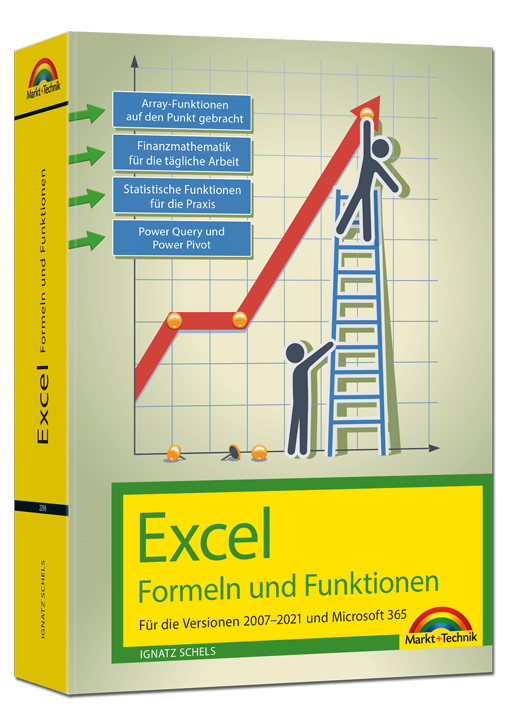
Excel 2021 – Formeln und Funktionen
Für die Versionen 2007-2021 und Microsoft 365Dieses umfassende Handbuch hält auch in der aktuellen Neuauflage eine erstklassige Sammlung von Formeln, Funktionen und Tipps für engagierte Excel-User bereit und ist für alle Excel-Versionen ab 2007 und Microsoft 365 bestens geeignet. Ob Sie komplexe Was-wäre-wenn-Analysen durchführen, mehrere Diagrammtypen kombinieren oder mit Steuerelementen und Formularen arbeiten: Die jeweilige Formel oder Funktion wird verständlich erklärt und anhand gut nachvollziehbarer Praxisbeispiele veranschaulicht.Zudem werden die neuen und geänderten Funktionen von Excel 2019 sowie 2021 sowie Microsoft 365 detailliert vorgestellt und erleichtern Ihnen damit den Umstieg auf die aktuelle Version.Autor: Ignatz Schels ist Technik-Informatiker und zertifizierter Projekt-Fachmann (GPM/IPMA). Er leitet IT-Spezialseminare mit den Schwerpunkten "Excel und Access im Controlling und Projektmanagement" und "VBA-Programmierung". Sein Spezialgebiet ist die Optimierung von Unternehmensprozessen im ERP- und Microsoft Office-Umfeld. Mit über 50 Fachbüchern, darunter einige Bestseller, ist er einer der erfolgreichsten IT-Autoren.
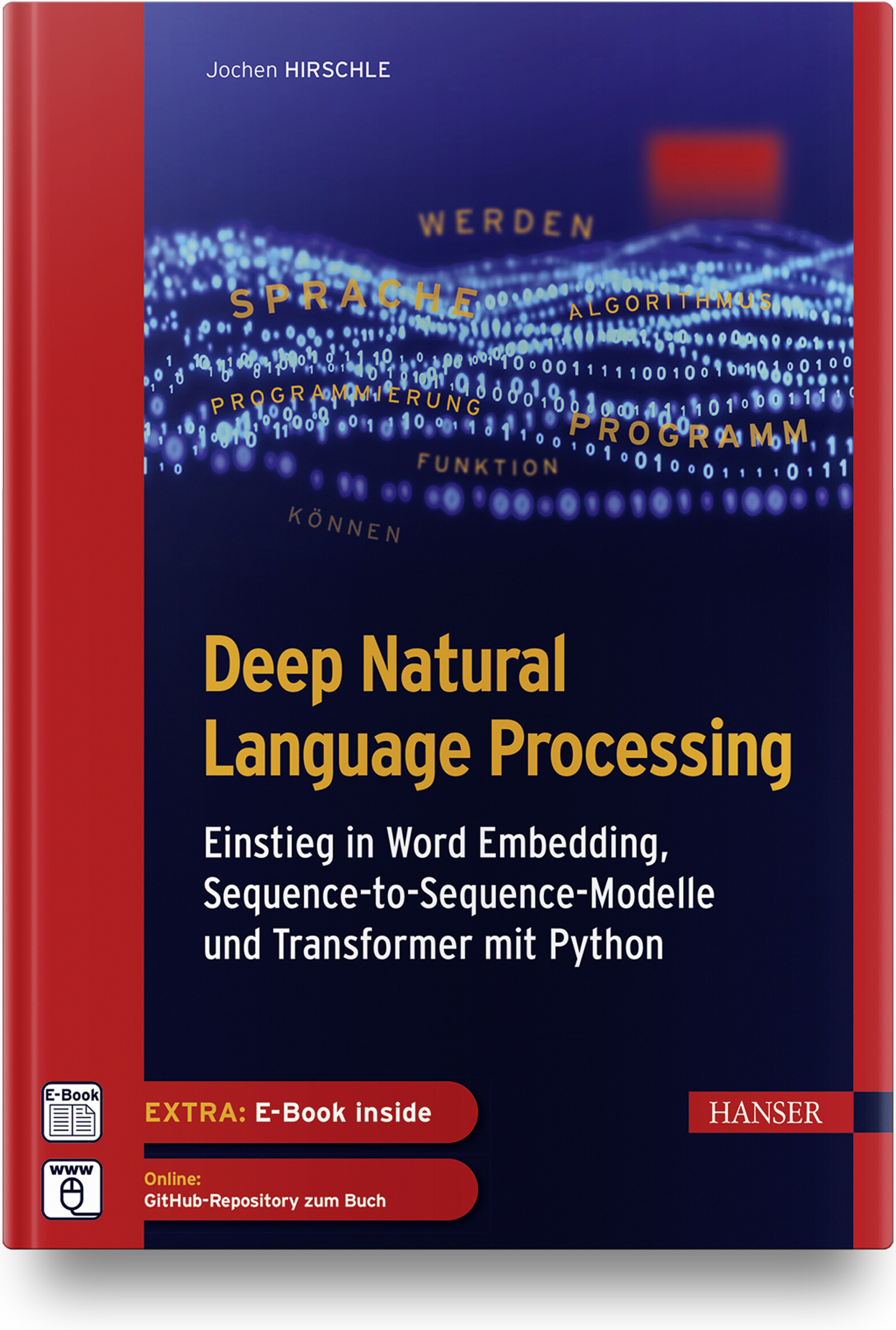
Deep Natural Language Processing
Einstieg in Word Embedding, Sequence-to-Sequence-Modelle und Transformer mit PythonDas Buch bietet eine leicht verständliche Einführung in Machine-Learning-Algorithmen im Allgemeinen und in die Verarbeitung von Textdaten mit Deep-Learning-Verfahren im Besonderen. Es veranschaulicht die theoretischen Konzepte bewährter und neuerer NLP-Ansätze und führt in die praktische Umsetzung ein.Im Fokus stehen insbesondere folgende Verfahren:Vektorisierung von Wörtern mit Word EmbeddingVerarbeitung von Texten mit rekurrenten und konvolutionalen neuronalen Netzen.Aufbau von Sequence-to-Sequence-Modellen zur Übersetzung und für Textzusammenfassungen.Arbeit mit der Transformers-Bibliothek und Hugging Face.Anhand praktischer Anwendungen (Klassizierung von Texten, Rechtschreibkorrektur, Übersetzung, Frage-Antwort-System) wird gezeigt, wie sich Textdaten vorbereiten und effektive Lernmodelle mit Bibliotheken wie Transformers, TensorFlow/Keras und Scikit-Learn aufbauen, trainieren und produktiv einsetzen lassen.Über den Autor:Dr. Jochen Hirschle ist IT-Trainer und Consultant für Machine Learning und Deep Learning in Braunschweig. Er ist erfahrener Programmierer in Python und Java und war als Wissenschaftler und Dozent an den Universitäten in Köln, Innsbruck und Frankfurt tätig. Er kennt die Fallstricke der statistischen Datenanalyse und die Tricks maschinellen Lernens aus seiner langjährigen Praxis und er weiß, wie sich komplexe Sachverhalte einfach erklären lassen.Leseprobe (PDF-Link)
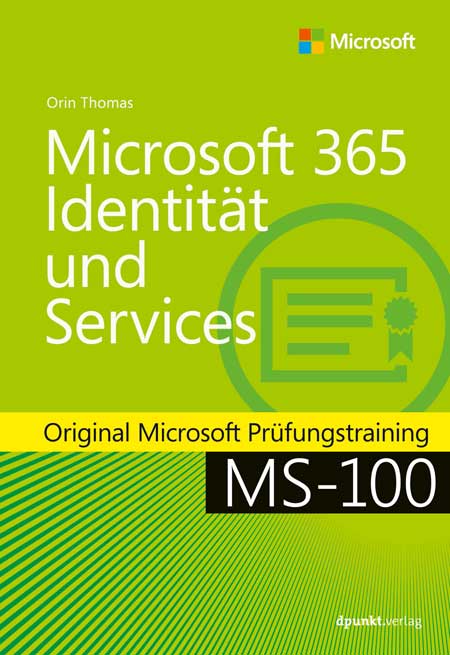
Microsoft 365 Identität und Services
Original Microsoft Prüfungstraining MS-100: mit dem Original zum Erfolg!Bereiten Sie sich auf die Microsoft-Prüfung MS-100 vor und zeigen Sie, dass Sie die Fähigkeiten und Kenntnisse besitzen, die für die effektive Entwicklung, Bereitstellung, Verwaltung und Sicherung von Microsoft 365-Diensten erforderlich sind. Das Prüfungstraining wurde für erfahrene IT-Profis entwickelt und konzentriert sich auf kritisches Denken und Entscheidungsfähigkeit, die für den Erfolg auf dem Microsoft Certified Expert-Level erforderlich sind.Das Training ist entsprechend der in der Prüfung bewerteten Fähigkeiten aufgebaut. Es enthält strategische Was-wäre-wenn-Szenarien und behandelt die folgenden Themenbereiche:Entwerfen und Implementieren von Microsoft 365-DienstenVerwalten von Benutzeridentitäten und -rollenVerwalten von Zugriff und AuthentifizierungPlanen von Office 365-Arbeitslasten und -AnwendungenDie Prüfung MS-100:Diese Prüfung konzentriert sich auf das Wissen, das erforderlich ist für:die Verwaltung von Domänendie Planung einer Microsoft 365-Implementierung#die Einrichtung und Verwaltung von Microsoft 365-Tenancy und -Abonnementsdie Planung der Benutzer- und Datenmigrationden Entwurf einer Identitätsstrategiedie Planung und Verwaltung der Identitätssynchronisierung mit Azure AD Connectdie Verwaltung von Azure AD-Identitäten und -Benutzerrollendie Verwaltung der Authentifizierungdie Implementierung von MFA, die Konfiguration des Anwendungszugriffsdie Implementierung des Zugriffs für externe Benutzer von Microsoft 365-Workloadsdie Planung der Bereitstellung von Office 365-Workloads und -AnwendungenDie Microsoft-Zertifizierung:Mit dem Bestehen dieser Prüfung und der Prüfung MS-101 Microsoft 365 Mobilität und Sicherheit sowie dem Erwerb einer Microsoft 365 Workload-Administrator-Zertifizierung oder der MCSE Productivity-Zertifizierung erfüllen Sie die Anforderungen für die Zertifizierung zum Microsoft 365 Certified Enterprise Administrator Expert. Damit weisen Sie nach, dass Sie in der Lage sind, Microsoft 365-Dienste zu bewerten, zu planen, zu migrieren, bereitzustellen und zu verwalten.Zusatzmaterial: URL-Liste (PDF-Link)
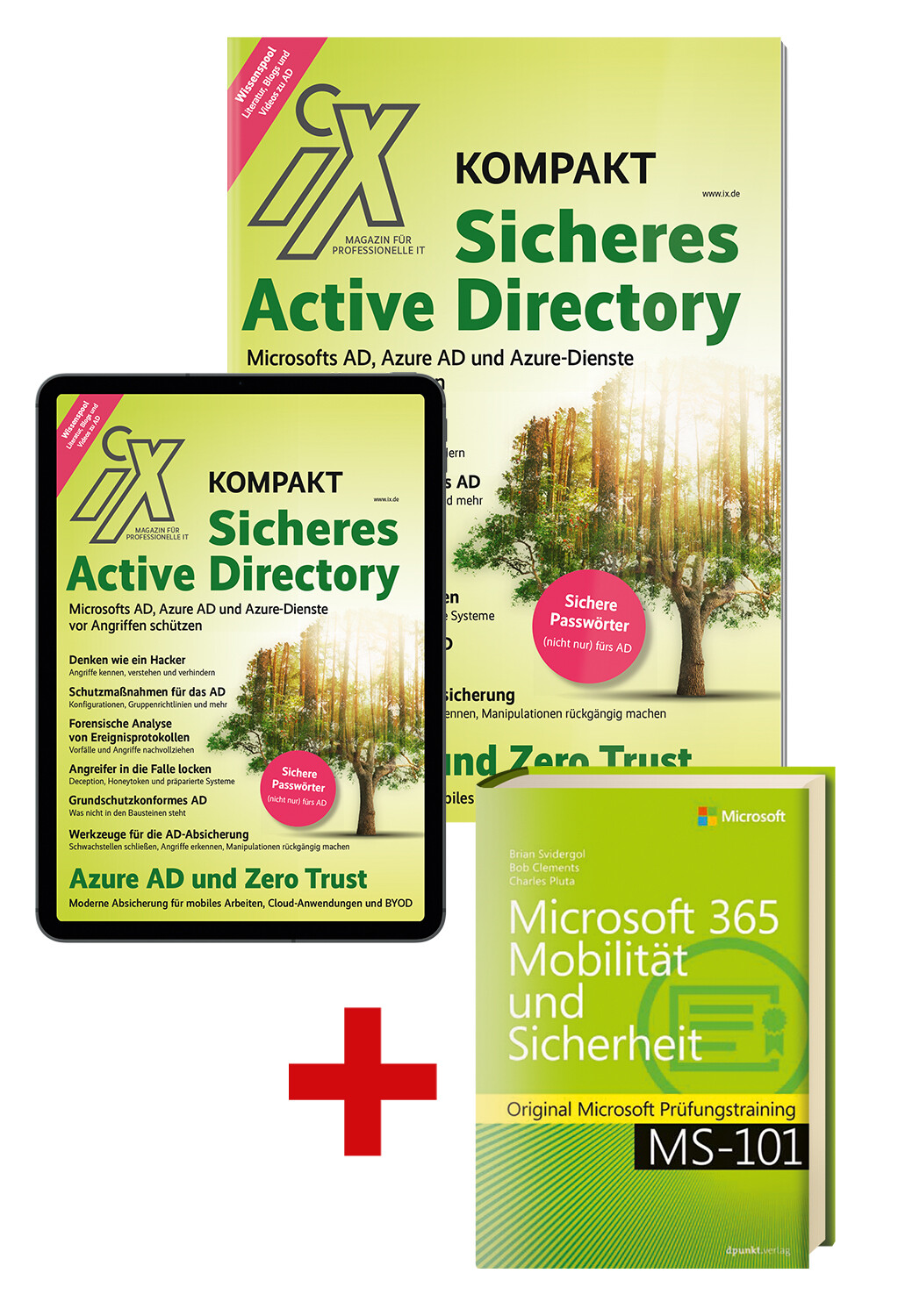
Superbundle: iX kompakt Sicheres Active Directory (Heft + PDF + Buch)
Das neue Sonderheft der iX-Redaktion zum kritischen Thema "Sicheres Active Directory" versammelt alle in iX erschienenen themenbezogenen Artikel der letzten Monate in aktualisierter überarbeiteter Form in einem Heft.Komplett im Set: gedrucktes Heft + digitale Ausgabe + Fachbuch zur Microsoft-Zertifizierung mit 17,99 Euro Ersparnis!"Das Heft behandelt die Sicherheit von Active Directory, der zentralen Komponente von typischen On-Premises-Netzwerken, sowie von Azure Active Directory, dem Identitätsdienst bei Microsofts Cloud. Beschrieben werden Grundlagen, das Vorgehen von Eindringlingen – und wie man Angriffe verhindert, erkennt und untersucht. Es eignet sich damit sehr gut für Administratoren und Sicherheitsverantwortliche, die Microsoft-Produkte lokal oder in der Cloud nutzen. Mit diesem Wissen können sie Ransomware und andere Angriffe abwehren."- Frank Ully, Head of Research bei der Oneconsult AG, München, leitet zahlreiche iX-Workshops zur Active-Directory-Sicherheit und ist Autor vieler wichtiger Artikel dieses SonderheftsDer komplette Inhalt im Überblick:Grundlagen Microsofts Active Directory ist der am meisten genutzte Verzeichnisdienst weltweit – kein Wunder, lassen sich damit die Ressourcen eines Unternehmens äußerst komfortabel verwalten. Das macht das AD aber auch zu einem beliebten Angriffsziel. Wer verstehen will, wie Cyberkriminelle den zentralen Dienst angreifen und wie man ihn absichert, muss wissen, wie das AD grundlegend funktioniert. (Seite 7) Angriffsszenarien Durch Fehler bei der Konfiguration, mangelnde Härtung oder zu großzügige Rechtevergabe im Active Directory entstehen Einfallstore für Angriffe. Cyberkriminellen kann es dann gelingen, das gesamte AD zu übernehmen, um ihre kriminellen Ziele zu verfolgen. Nur wer weiß, wie die Kriminellen vorgehen und wie die verbreiteten Angriffe funktionieren, kann sich davor schützen. (Seite 41) Abwehrstrategien Es gibt viele Ansätze, das AD vor Angreifern zu schützen. Die Bandbreite reicht von präventiven Maßnahmen mit Windows-Bordmitteln und Drittanbietertools über Sicherheitsaudits bis hin zu grundlegenden Sicherheitsvorkehrungen, etwa nach IT-Grundschutz. Gelingt den Kriminellen trotzdem der Zugriff, muss der Angriff so schnell wie möglich entdeckt, forensisch aufbereitet und analysiert werden. (Seite 79) Azure AD Wenn Unternehmen Microsoft 365 oder andere Dienste aus der Azure-Cloud einsetzen, nutzen sie den Cloud-Identitätsdienst Azure AD – vielleicht ohne sich dessen überhaupt bewusst zu sein. Wie beim On-Premises Active Directory können auch hier mangelnde Härtung und Fehlkonfigurationen dazu führen, dass Angreifer einzelne Identitäten, Ressourcen oder gar das komplette Azure AD kompromittieren – und schlimmstenfalls darüber Zugriff auf das lokale AD erlangen. (Seite 135) Grundlagen 8 Ressourcenmanagement Komfortable IT-Schaltzentrale mit Schwachpunkten 16 Strukturüberblick Ein Verzeichnisdienst für alle(s) 24 Informationsbeschaffung Was jeder Domänenbenutzer alles sieht 32 Wissenspool Ausgewählte Quellen und Werkzeuge zur Sicherheit von Active Directory 36 Wörterverzeichnis Das Active-Directory-Glossar Angriffsszenarien 42 Passwörter und Hashes Wie Angreifer die Domäne kompromittieren 49 Berechtigungen Wie Angreifer sich im Active Directory Zugriff verschaffen 56 Rechtevergabe Wie Angreifer Tickets, Delegierung und Trusts missbrauchen 64 Inter-Forest und Persistenz Wie Angreifer sich über einen AD-Forest hinaus ausbreiten und festsetzen 72 NTML-Schwachstelle PetitPotam und weitere Wege, die Kontrolle über das AD zu übernehmen Abwehrstrategien 80 Gruppenrichtlinien und mehr Wie Administratoren ihr Active Directory absichern 86 Selbstaudits AD-Härtungsmaßnahmen jenseits von Group Policies 93 Incident Response und Forensik Angreifer durch Logs enttarnen 99 Deception Wie Angreifer in die Falle gelockt werden 107 Zugangsdaten Passwortsicherheit (nicht nur) im Active Directory 114 IT-Grundschutz Active Directory grundschutzkonform absichern 121 Marktübersicht Tools für die Absicherung von Microsofts Active Directory 128 IT-Forensik Angriffsspuren analysieren Azure AD 136 Grundlagen Das Azure Active Directory und Azure-Dienste 142 Angriffsvektoren Angriffe auf das Azure Active Directory und auf Azure-Dienste 152 Schutzmaßnahmen Azure Active Directory und Azure-Dienste absichern 159 Zugriffsmanagement Azure Active Directory und Zero Trust 165 Forensik und Logging Angriffe auf das Azure AD entdecken und nachvollziehen Sonstiges 3 Editorial 155 Impressum 155 Inserentenverzeichnis-> Infos zum Fachbuch im Superbundle:Microsoft 365 Mobilität und Sicherheit, ISBN 9783864908958, Einzelpreis EUR 49,90Original Microsoft Prüfungstraining MS-101: mit dem Original zum Erfolg!Bereiten Sie sich auf die Microsoft-Prüfung MS-101 vor und zeigen Sie, dass Sie die erforderlichen Fähigkeiten und Kenntnisse für die Verwaltung von Mobilität und Sicherheit in Microsoft 365 sowie die damit verbundenen Verwaltungsaufgaben in der Praxis beherrschen. Dieses Prüfungstraining wurde für erfahrene IT-Profis entwickelt und konzentriert sich auf das kritische Denken und den Scharfsinn bei der Entscheidungsfindung, die für den Erfolg auf der Ebene des Microsoft Certified Expert (MCE) erforderlich sind.Die Microsoft-Zertifizierung:Das Bestehen dieser Prüfung und der Prüfung MS-100 sowie der Erwerb einer Microsoft 365 Workload-Administrator-Zertifizierung oder der MCSE-Productivity-Zertifizierung erfüllt Ihre Anforderungen für die Zertifizierung zu Microsoft 365 Certified: Enterprise Administrator Expert. Damit weisen Sie nach, dass Sie in der Lage sind, Microsoft 365-Dienste zu bewerten, zu planen, zu migrieren, bereitzustellen und zu verwalten.Inhalt (PDF-Link)Leseprobe, Kapitel 1 (PDF-Link)
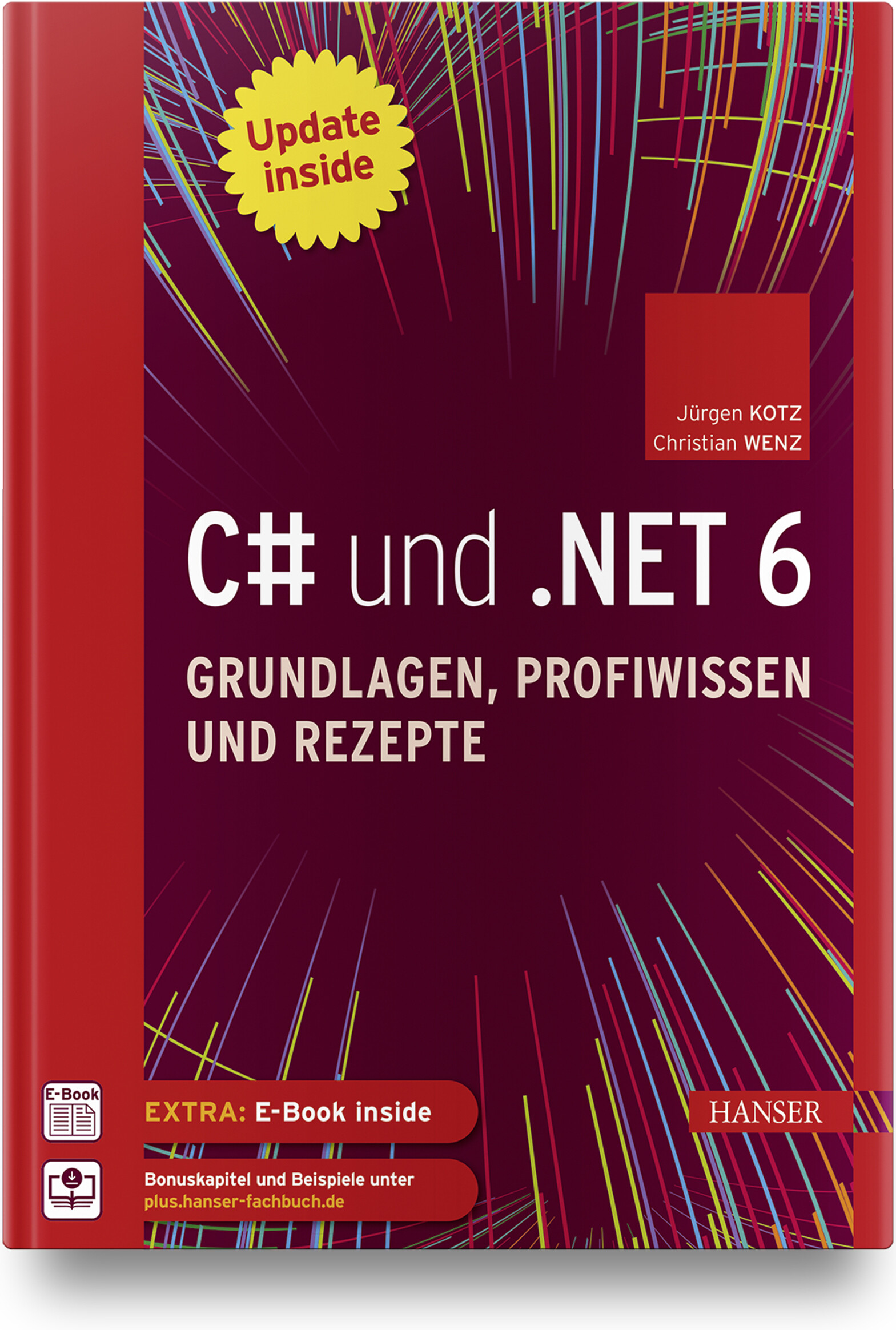
C# und .NET 6 - Grundlagen, Profiwissen und Rezepte
Dieser komplett überarbeitete Klassiker der C#-/.NET-Programmierung bietet Ihnen Know-how und zahlreiche Rezepte, mit denen Sie häufig auftretende Probleme meistern. Einsteiger erhalten ein umfangreiches Tutorial zu den Grundlagen der C# 10-Programmierung mit Visual Studio 2022, dem Profi liefert es fortgeschrittene Programmiertechniken zu allen wesentlichen Einsatzgebieten der Programmierung mit .NET 6. Zum sofortigen Ausprobieren finden Sie am Ende eines jeden Kapitels hochwertige Lösungen für nahezu jedes Problem. Das Buch gliedert sich in einen Grundlagenteil zur Programmierung, eine Einführung in die Desktop-Programmierung (WPF, MAUI (Multi-platform App UI), einen Technologieteil zu fortgeschrittenen Themen sowie einen komplett neuen Teil zur Web-Programmierung (ASP.NET Core, MVC, Razor, Web-API, Blazor). Es ist der ideale Begleiter für Ihre tägliche Arbeit und zugleich – dank der erfrischenden und unterhaltsamen Darstellung – eine spannende Lektüre, die Lust macht, Projekte auch in der Freizeit umzusetzen.Aus dem Inhalt:Grundlagen der SpracheOOP-KonzepteArrays, Strings, FunktionenEinführung in LINQNeuerungen in C#Einführung in WPFWPF Controls, WPF-DatenbindungAsynchrone Programmierung & Task Parallel LibraryDebugging, Fehlersuche und -behandlungEntity Framework CoreWebanwendungen und APIs mit ASP.NET CoreSingle-Page Applications (SPAs mit BlazorAusblick auf .NET MAUI Leseprobe (PDF)Autoren: Jürgen Kotz arbeitet seit über 20 Jahren als freiberuflicher Trainer, Berater, Entwickler und Autor. Mit .NET beschäftigt er sich seit der ersten Beta-Version. Mit seiner Firma PrimeTime Software in München entwickelt er .NET-Projekte und führt Schulungen in diesem Umfeld durch. Seine Hauptthemen sind dabei die Entwicklung von REST- bzw. SOAP-basierten Services und der Datenzugriff mittels Entity Framework. Darüber hinaus hat er zahlreiche Fachbücher und -artikel geschrieben. Christian Wenz arbeitet als Berater, Trainer und Autor mit Schwerpunkt auf Webtechnologien und ist Autor oder Co-Autor von über 100 Computerbüchern. Er schreibt regelmäßig Beiträge für verschiedene IT-Magazine und hält Vorträge auf Konferenzen rund um den Globus. In seiner täglichen Arbeit ist er einer der Gründer der Webagentur Arrabiata Solutions mit Büros in München und London.
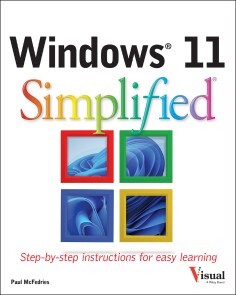
Windows 11 Simplified
LEARN WINDOWS 11 QUICKLY, EASILY, AND WITH EXPERT HELP FROM A TECH EDUCATION MASTERWindows 11 Simplified is your from-scratch beginner’s guide to the ins and outs of the latest version of Windows. It’s fully updated to include all the coolest new features of Windows 11 and offers a highly visual roadmap – complete with tons of screenshots and illustrations – to Windows 11 mastery. You’ll get up to speed on the basic, and not-so-basic, features of Windows 11 with plain-English instructions and step-by-step screenshots that walk you through every technique you need to know to make Windows 11 do what you want it to do. You’ll learn to navigate the user interface, work with and manage files, create user accounts, and practice using the tools that make Windows 11 the most user-friendly and powerful version of the famous operating system yet. You’ll also discover how to:* Master the basics, as well as a bunch of power-user tools, with easy-to-follow instructions* Learn your way around the interface, File Explorer, the Settings app, and more* Navigate the web, send emails, access online media, and chat with friends and family* Customize windows to look and feel exactly the way you want it toWith the right help, learning a new operating system can be fun, straightforward, and exciting. This book is perfect for everyone from those with no Windows experience at all to users of previous versions who just need a heads-up on the latest features. If you’re ready to become a Windows 11 master, Windows 11 Simplified is the easiest and fastest way to do it. CHAPTER 1 GETTING STARTED WITH WINDOWSExplore the Screen 4Explore the Start Menu 5Start and Close an App 6Connect to Your Wireless Network 8Put Windows to Sleep 10Restart or Shut Down Windows 11Switch to a Microsoft Account 12Install an App 16Switch Between Running Apps 18Arrange Running Apps 20Uninstall an App 22CHAPTER 2 CUSTOMIZING WINDOWSPin an App to the Start Menu 26Open the Settings App 28Change the Lock Screen Background 30Choose a Lock Screen Status App 32Customize Syncing Between Devices 34Access an App’s Features 36Pin an App to the Taskbar 38Change the Theme 40Adjust the Volume 42Set the Time Zone 43Configure Windows to Work with Multiple Monitors 44Customize the Taskbar 46CHAPTER 3 SURFING THE WEBOpen a Web Page 50Open a Web Page in a Tab 52Navigate Web Pages 54Find Text on a Page 55Navigate with the History List 56Change Your Startup Page 58Save Favorite Web Pages 60Take Advantage of the Favorites Bar 62Share a Web Page 64Search for Sites 66Download a File 68CHAPTER 4 SENDING AND RECEIVING EMAILLaunch the Mail App 72Configure Mail Settings 73Configure an Email Account 74Send an Email Message 76Format the Message Text 78Add a File Attachment 80Save a Draft of a Message 82Receive and Read Email Messages 84Reply to a Message 86Forward a Message 88Open and Save an Attachment 90Delete a Message 92Create a Folder for Saving Messages 94CHAPTER 5 GETTING SOCIAL WITH WINDOWSCreate a Contact 98Add Your Google Account 100Add Your iCloud Account 102View a Contact 104Edit a Contact 106Assign a Photo to a Contact 108Add Extra Fields to a Contact 110Filter the Contacts List 112Combine Multiple Profiles for a Contact 114View Your Calendar 116Add an Event to Your Calendar 118Create a Recurring Event 120Add an Event Reminder 121CHAPTER 6 PERFORMING DAY‐TO‐DAY TASKS WITH APPSSearch Your PC 124Write a Note 126Make a To‐Do List 128Configure Skype 130Call Someone Using Skype 132Display a Location on a Map 134Get Directions to a Location 136Check Your Weather Forecast 138Check Another City’s Weather Forecast 140CHAPTER 7 WORKING WITH IMAGESImport Images from a Digital Camera 144Scan an Image 146Navigate the Pictures Folder 148View Your Images 150Start a Slideshow 152Set an Image as the Desktop Background 153Repair an Image 154Add a Photo Effect 156Crop an Image 158Rotate an Image 160Delete an Image 161CHAPTER 8 WORKING WITH MULTIMEDIAImport Videos from a Digital Camera 164Navigate the Videos Folder 166Watch a Video 168Edit a Video 170Make a Movie 174Play a Music CD 178Copy Tracks from a Music CD 182Navigate the Music Folder 184Play Music 186Create a Playlist 188CHAPTER 9 EDITING DOCUMENTSCreate and Save a Document 192Open a Document 194Change the Text Font 196Find Text 198Replace Text 200Insert Special Symbols 202Make a Copy of a Document 204Create a OneNote Notebook 206Add Pages and Sections to a Notebook 208Add Text Notes 210Add an Image to a Notebook Page 212Work with Notebook Lists 214CHAPTER 10 WORKING WITH FILESSelect a File 218Change the File View 220Preview a File 221Copy a File 222Move a File 223Rename a File 224Create a New File 225Delete a File 226Restore a Deleted File 227Add a File to Your OneDrive 228Extract Files from a Compressed Folder 230CHAPTER 11 IMPLEMENTING SECURITYUnderstanding Windows Security 234Check for Security Problems 236Create a Picture Password 238Sign In with a PIN 242Set Up a Fingerprint Sign‐In 244Lock Your Computer 246Configure Your PC to Lock Automatically 248Browse the Web Privately 250CHAPTER 12 MAKING WINDOWS MORE ACCESSIBLEIncrease the Text Size 254Magnify Screen Areas 256Have Screen Text Read to You 258Change to a High‐Contrast Theme 260Apply a Color Filter 262Flash the Screen During Audio Notifications 264Make the Keyboard More Accessible 266Control Windows Via Voice 268

Vertrieb mit SAP S/4HANA
Sie suchen praxisnahes und wirklich konkretes Wissen zu SAP S/4HANA Sales? Tauchen Sie mit diesem Buch tief in Organisationsstrukturen, Stammdaten, Funktionen und Prozesse des Vertriebs ein. Von der Vorverkaufsphase bis zum Zahlungseingang: Anhand von Beispielen lernen Sie, mit SAP S/4HANA im Vertrieb zu arbeiten. Auch das Zusammenspiel mit Produktion, Materialwirtschaft und Finanzwesen wird fundiert erklärt. Und natürlich macht das Buch Sie mit SAP Fiori, dem neuen Geschäftspartnerkonzept, Embedded Analytics sowie der Migration nach SAP S/4HANA vertraut. Projektteammitglieder und Projektleitung, (Junior-)Beraterinnen und Key-User finden in diesem Buch Antworten auf ihre Fragen. Aus dem Inhalt: Organisationsstrukturen und StammdatenBearbeitung von BelegenPreisfindung und NachrichtenfindungVersandterminierungVerfügbarkeitsprüfungCross-SellingReklamationsabwicklungTerminauftragsabwicklungFakturierungspläneKundeneinzelfertigung und ProduktfertigungReporting und Analysen mit SAP S/4HANA Embedded AnalyticsEinsatz von SAP Fiori im Vertrieb Einleitung ... 19 Teil I. Grundlagen des Vertriebs mit SAP S/4HANA ... 31 1. Überblick über SAP S/4HANA ... 33 1.1 ... Die In-Memory-Technologie und SAP HANA als Datenbank ... 34 1.2 ... Architektur von SAP HANA ... 37 1.3 ... Grundlegende Konzepte von SAP S/4HANA ... 40 1.4 ... User Experience ... 47 1.5 ... Integration in andere Bereiche ... 50 2. Organisationseinheiten ... 53 2.1 ... Mandant ... 53 2.2 ... Buchungskreis ... 54 2.3 ... Werk ... 55 2.4 ... Lagerort ... 55 2.5 ... Vertriebsbereich ... 56 2.6 ... Verkaufsbüro und Verkäufergruppe ... 58 2.7 ... Organisationseinheiten im Versand ... 59 2.8 ... Organisationsstrukturen im Controlling ... 59 3. Stammdaten ... 61 3.1 ... Geschäftspartner (Business Partner) ... 61 3.2 ... Materialstamm ... 68 3.3 ... Konditionen ... 74 3.4 ... Nachrichten ... 75 3.5 ... Absprachen ... 76 Teil II. Vertriebsfunktionen in SAP S/4HANA ... 79 4. Grundlegende Vertriebsfunktionen ... 81 4.1 ... Verfügbarkeitsprüfung ... 81 4.2 ... Versandterminierung ... 103 4.3 ... Preisfindung ... 111 4.4 ... Nachrichtenfindung ... 128 4.5 ... Chargenfindung ... 142 4.6 ... Serialnummern ... 154 5. Spezielle Vertriebsfunktionen ... 165 5.1 ... Materialfindung ... 165 5.2 ... Materiallistung und -ausschluss ... 181 5.3 ... Dynamischer Produktvorschlag ... 187 5.4 ... Kreditmanagement ... 197 5.5 ... Bonusabwicklung ... 216 5.6 ... Vertriebsstücklisten ... 221 5.7 ... Dynamische Workflows ... 227 6. Integration in das Rechnungswesen ... 241 6.1 ... Betriebswirtschaftliche Grundlagen ... 241 6.2 ... Funktionen in SAP S/4HANA ... 242 6.3 ... Szenarien ... 245 6.4 ... Beispiel für das Szenario anonyme Massenfertigung ... 252 Teil III. Vertriebsprozesse in SAP S/4HANA ... 259 7. Der Verkaufsbeleg ... 261 7.1 ... Belegstruktur ... 261 7.2 ... Vertriebsprozess ... 269 8. Terminauftragsabwicklung ... 277 8.1 ... Kundenanfrage ... 278 8.2 ... Kundenangebot ... 279 8.3 ... Terminauftrag ... 280 8.4 ... Lieferungsbearbeitung ... 281 8.5 ... Fakturierung ... 290 8.6 ... Beispiel für die Terminauftragsabwicklung ... 296 9. Streckenauftragsabwicklung ... 311 9.1 ... Betriebswirtschaftliche Grundlagen ... 311 9.2 ... Streckenauftragsabwicklung in SAP S/4HANA ... 313 9.3 ... Beispiel für den Prozess der Streckenabwicklung ... 317 10. Konsignationsabwicklung ... 325 10.1 ... Betriebswirtschaftliche Grundlagen ... 325 10.2 ... Konsignationsabwicklung mit SAP S/4HANA ... 326 10.3 ... Beispiel für die Konsignationsabwicklung ... 329 11. Fakturierungspläne und Anzahlungsabwicklung ... 333 11.1 ... Betriebswirtschaftliche Grundlagen ... 333 11.2 ... Fakturierungspläne in SAP S/4HANA ... 336 11.3 ... Beispiel eines Fakturierungsplans mit Anzahlungen ... 341 11.4 ... Anzahlungsabwicklung mit Belegkonditionen ... 351 11.5 ... Beispiel einer Anzahlungsabwicklung mit Konditionen ... 354 12. Leihgut- und Mietabwicklung ... 359 12.1 ... Betriebswirtschaftliche Grundlagen ... 359 12.2 ... Leihgutabwicklung ... 360 12.3 ... Beispiel des Customizings von Leihgutabwicklung und Mietgeschäft ... 361 13. Retourenabwicklung ... 371 13.1 ... Betriebswirtschaftliche Grundlagen ... 371 13.2 ... Retourenabwicklung in SAP S/4HANA ... 373 13.3 ... Beispiel einer Retourenabwicklung ... 379 13.4 ... Erweiterte Retourenabwicklung für Kundenretouren ... 384 13.5 ... Beispiel einer erweiterten Retourenabwicklung ... 387 14. Gut- und Lastschriften ... 393 14.1 ... Betriebswirtschaftliche Grundlagen ... 393 14.2 ... Gut- und Lastschriften in SAP S/4HANA ... 394 14.3 ... Beispiel einer Gutschriftsabwicklung ... 397 15. Zentrale Reklamationsbearbeitung ... 405 15.1 ... Betriebswirtschaftliche Grundlagen ... 405 15.2 ... Reklamationsbearbeitung in SAP S/4HANA ... 406 15.3 ... Beispiel für einen Austausch ... 408 15.4 ... Beispiel für eine Gutschrift ... 415 16. Rahmenverträge ... 421 16.1 ... Betriebswirtschaftliche Grundlagen ... 421 16.2 ... Rahmenverträge in SAP S/4HANA ... 422 16.3 ... Beispiel eines allgemeinen Wertkontrakts ... 426 17. Cross-Company-Geschäfte ... 435 17.1 ... Betriebswirtschaftliche Grundlagen ... 435 17.2 ... Cross-Company-Konzept in SAP S/4HANA ... 437 17.3 ... Beispiel für den buchungsübergreifenden Verkauf ... 449 18. Reporting mit SAP S/4HANA Embedded Analytics ... 459 18.1 ... Embedded Analytics in SAP S/4HANA ... 459 18.2 ... Unterschiede zu SAP Business Warehouse ... 469 18.3 ... Unterschiede zum Logistikinformationssystem ... 471 18.4 ... Kennzahlen für den Vertrieb ... 473 18.5 ... Neues Dashboard in der SAP Analytics Cloud ... 478 18.6 ... Integration von SAP BusinessObjects ... 478 18.7 ... Integration in die Prozesse ... 484 Teil IV. Gestaltung von Wertschöpfungsketten in SAP S/4HANA ... 485 19. Lagerverkauf mit Chargenfertigung ... 487 19.1 ... Produkte und Märkte ... 487 19.2 ... Organisationsstruktur ... 487 19.3 ... Prozessbeschreibung ... 488 19.4 ... Beispiel eines Lagerverkaufs mit Chargenfertigung ... 493 20. Vorplanung ohne Endmontage ... 507 20.1 ... Produkte und Märkte ... 507 20.2 ... Organisationsstruktur ... 508 20.3 ... Prozessbeschreibung ... 509 20.4 ... Beispiel einer gesamten Wertschöpfungskette ... 517 21. Kundeneinzelfertigung ... 541 21.1 ... Produkte und Märkte ... 541 21.2 ... Organisationsstruktur ... 542 21.3 ... Prozessbeschreibung ... 542 21.4 ... Beispiel für Auftragsabwicklung und Controlling einer Kundeneinzelfertigung ... 552 22. Projektfertigung ... 571 22.1 ... Produkte und Märkte ... 572 22.2 ... Organisationsstruktur ... 572 22.3 ... Prozessbeschreibung ... 573 22.4 ... Beispiel einer Projektfertigung ... 585 23. Weitere Szenarien ... 609 23.1 ... Losfertigung ... 610 23.2 ... Anonyme Lagerfertigung mit Bruttoplanung ... 610 23.3 ... Kombination von Losfertigung und anonymer Lagerfertigung ... 611 23.4 ... Vorplanung mit Endmontage ... 612 23.5 ... Kundeneinzelfertigung mit Verrechnung gegen die Vorplanung ... 613 23.6 ... Variantenkonfiguration ... 614 23.7 ... Fazit ... 616 Teil V. Technologien und systemübergreifende Geschäftsprozesse ... 617 24. Integrationstechnologie ... 619 24.1 ... SAP Business Client ... 619 24.2 ... SAP Business Technology Platform ... 620 24.3 ... Vergleich zwischen SAP Integration Suite und SAP Process Orchestration ... 642 25. SAP Fiori Launchpad ... 647 25.1 ... Installation ... 649 25.2 ... Vertriebsrollenspezifische Einstellungen im SAP Fiori Launchpad ... 660 26. Übergreifende Geschäftsprozesse ... 671 26.1 ... SAP Extended Warehouse Management ... 672 26.2 ... SAP S/4HANA International Trade ... 679 26.3 ... SAP Transportation Management ... 682 27. CRM mit SAP Customer Experience ... 689 27.1 ... Komponenten von SAP Customer Experience ... 690 27.2 ... Customer Journey ... 691 27.3 ... Stammdaten in SAP Customer Experience ... 691 27.4 ... SAP Marketing Cloud ... 693 27.5 ... SAP Sales Cloud ... 695 27.6 ... SAP Service Cloud und SAP Subscription Billing ... 700 27.7 ... SAP Commerce Cloud ... 701 27.8 ... SAP Customer Data Cloud ... 706 27.9 ... Weitere Prozesse und Funktionen in SAP Customer Experience ... 707 28. Unternehmensübergreifende Auftragsabwicklung ... 711 28.1 ... Prozessbeschreibung ... 712 28.2 ... Beispiel für die unternehmensübergreifende Auftragsabwicklung ... 717 29. Migration von SAP ERP nach SAP S/4HANA ... 739 29.1 ... Migrationswerkzeuge ... 741 29.2 ... Customizing ... 744 29.3 ... Umgang mit Eigenentwicklungen und Programmen ... 745 29.4 ... Datenmigration ... 749 Teil VI. Notwendigkeit von Organisationsentwicklung ... 757 30. Auswirkungen der Unternehmenskultur ... 759 30.1 ... Fehlerkultur ... 761 30.2 ... Silodenken ... 764 30.3 ... Entscheidungsfindung ... 767 31. Change Management ... 771 31.1 ... Entwicklungsauftrag des Change Managements ... 772 31.2 ... Systemische Beratung ... 776 32. Zusammenfassung und Ausblick ... 783 Anhang ... 789 A ... Transaktionen und Menüpfade ... 789 B ... Glossar ... 807 C ... Literaturempfehlungen ... 817 Das Autorenteam ... 819 Index ... 821
Practical Guide to Salesforce Experience Cloud
Whether you are brand new to the world of digital experiences on the Salesforce platform or you are looking to take your Experience Cloud (previously "Community Cloud") knowledge to the next level, this detailed guide will help you build and manage a Salesforce site by leveraging the declarative power of the platform with clicks, not code.Each Salesforce site/community is a part of a widespread ecosystem, with thousands of sites and millions of users active today on Experience Cloud. Through valuable social and business tools, this online platform enables companies to empower and equip their customers, partners, and employees in new, powerful ways.Author Philip Weinmeister, Salesforce MVP and the only recipient of the “Community Cloud MVP” Trailblazer award from Salesforce, leads you through the ins and outs of Salesforce Experience Cloud and provides you with an array of best practices to deliver top-notch business portals on the Salesforce platform.This completely revised edition updates all content to reflect the new "experience-centric" branding and a slew of platform updates from the last few years (including screenshots, terminology, features, etc.). Net new content includes Salesforce CMS, the Experience Cloud Consultant certification exam, and Mobile Publisher, among other topics.The book takes you through the entire process: from planning and designing a site to configuration/build, setup, and administration, all the way to deployment. Detailed explanations are provided for key components, templates, and features such as Experience Builder, Audience Targeting, Lightning Bolts, and much more.WHAT YOU WILL LEARN* Plan and design a site using Experience Cloud* Conceptualize how employees, partners, and customers use and benefit from Salesforce sites* Use Experience Builder and Lightning components within an Experience Builder template* Apply topics and knowledge articles to a site to increase value and adoption* Build and display rich content within a site using Salesforce CMS* Create dynamic and personalized user experiences with audience targeting* Build, export, and import unique templates with the Lightning Bolt solution framework* Provide site data for members or site managersWHO THIS BOOK IS FORSalesforce administrators, developers, functional architects, business analysts, and site/community managers.PHIL WEINMEISTER is a Salesforce MVP and VP of Product Management at 7Summits, where he is focused on building innovative components, apps, and bolts that enable impactful, transformative communities on the Salesforce platform. He is 18x Salesforce certified and has delivered numerous Sales Cloud, Service Cloud, and (primarily) Community Cloud solutions to a variety of organizations on Salesforce since 2010. Phil authored Practical Salesforce.com Development Without Code (Apress, 2015) and received an average rating of almost 5 stars on Amazon.com. He has been a Salesforce MVP since 2015 and, in 2017, was was named the first-ever “Community Cloud MVP” at the Lightning Bolt Trailblazer awards at Dreamforce.A graduate of Carnegie Mellon University, with a double major in business administration/IT and Spanish, Phil now resides in Powder Springs, Georgia, USA. He spends most of his “free” time with his gorgeous, sweet wife, Amy, and his children, Tariku, Sophie, Max, and Lyla. When he’s not trying to make his kids laugh, cheering on the Arizona Cardinals, or rap-battling his wife, Phil enjoys traveling, playing various sports, and growing in his walk with Jesus.Stay updated on Phil’s most recent insights and blog posts by following him on Twitter (@PhilWeinmeister).Chapter 1: Why Digital Experiences on the Salesforce Platform? (REVISED)Chapter 2: Planning and Preparing for Success with Experience Cloud (REVISED)Chapter 3: Experience Cloud Licenses and Member Groups: Employees, Partners,and Customers (REVISED)Chapter 4: Experience Cloud Template Types: Tabs, Visualforce, and Lightning (REVISED)Chapter 5: Experience Builder (REVISED)Chapter 6: Experience Pages and Components (REVISED)Chapter 7: Experience Setup, Administration, and Workspaces (REVISED)Chapter 8: Access, Sharing, and Visibility in Experiences (REVISED)Chapter 9: Topics in Experiences (REVISED)Chapter 10: Knowledge (Articles) in Experiences (REVISED)Chapter 11: Process Automation in Experiences (REVISED)Chapter 12: Experience Audience Targeting and Personalization (REVISED)Chapter 13: Lightning Bolt for Experience Cloud (REVISED)Chapter 14: Salesforce CMS (Content) in Experiences (NEW)Chapter 15: B2B and B2C Commerce within Experience Cloud (NEW)Chapter 16: The Community/Experience Cloud Consultant Certification Exam (NEW)Chapter 17: The Best of the Rest: Additional Experience Cloud Topics

Xiaomi Redmi Note 11 - alle Modelle
Die verständliche Anleitung für Ihr Smartphone:- Alle Funktionen & Einstellungen auf einen Blick- Schritt für Schritt erklärt – mit praktischen TippsMit diesem smarten Praxisbuch gelingt Ihnen der schnelle und sichere Einstieg in Ihr Smartphone. Lernen Sie die Xiaomi Redmi Note 11-Modelle von Grund auf kennen und beherrschen! Anschauliche Anleitungen, Beispiele und Bilder zeigen Ihnen gut nachvollziehbar, wie Sie Ihr mobiles Gerät optimal handhaben – von der Ersteinrichtung und Personalisierung über die große Funktionsvielfalt bis zu den wichtigsten Anwendungen . Nutzen Sie darüber hinaus die übersichtlichen Spicker-Darstellungen : Damit können Sie jene Bedienungsschritte, die man am häufigsten braucht, aber immer wieder vergisst, auf einen Blick finden und umsetzen. Freuen Sie sich auf viele hilfreiche Tipps und legen Sie ganz einfach los! Aus dem Inhalt: - Alle Bedienelemente der Xiaomi-Redmi-Note-11-Modelle - Ersteinrichtung und Tipps zum Umzug - Google-Konto erstellen und verwalten - Die Benutzeroberfläche Ihres Smartphones personalisieren - Apps aus dem Play Store herunterladen - Kontakte anlegen und im Adressbuch verwalten - Anrufe tätigen und SMS austauschen - Nachrichten über Mail und WhatsApp versenden und empfangen - Uhr, Kalender, Maps und andere praktische Apps nutzen - Fotos sowie Videos aufnehmen, verwalten und teilen - Ins Internet gehen über WLAN und mobile Daten - Updates, Datenschutz und Sicherheit

Vermittlung von BIM in der Hochschullehre
In Bezug auf das Bauwesen lässt sich Building Information Modeling (BIM) als ein wichtiger Impulsgeber für den stattfindenden Digitalisierungsprozess benennen. Studierende der baurelevanten Fachdisziplinen müssen daher auf den sicheren Umgang mit dieser Methode vorbereitet werden. Das vorliegende Positionspapier definiert die wichtigsten Lehrinhalte zur Vermittlung von Kenntnissen, Fertigkeiten und Kompetenzen im Bereich BIM, die an den deutschen Fachhochschulen in den Baustudiengängen Berücksichtigung finden sollten. Neben den allgemeinen BIM-Lehrinhalten behandelt das Positionspapier insbesondere die Anforderungen an BIM im Fachgebiet Baubetrieb.

Umweltinformationssysteme - Wie trägt die Digitalisierung zur Nachhaltigkeit bei?
Der neueste Stand der Forschung und Entwicklung auf dem Gebiet der Umweltinformatik (UI) und umweltbezogener IT-Anwendungsbereiche wird in diesem Tagungsband präsentiert und kritisch diskutiert. Dies umfasst sowohl Konzepte und Anwendungen von Umweltinformationssystemen als auch Technologien, die moderne Umweltinformationssysteme unterstützen und ermöglichen.Entwicklung von Lösungen zur Digitalisierung in der Umweltverwaltung.- Innovative Standards für Datendienste und -modelle.- Digitalisierung für nachhaltiges Leben und Arbeiten sowie für eine nachhaltige Landwirtschaft.- Intelligente Erfassung und Verarbeitung von Daten.- Innovative Modellierung und Entscheidungsunterstützung.
Microsoft Teams (2. Auflage)
Microsoft Teams. Die verständliche Anleitung. In 2., aktualisierter Auflage (April 2022)Teamwork, Collaboration, Homeoffice? Mit diesem verständlichen und umfassenden Einstieg setzen Sie Microsoft Teams gekonnt in vollem Umfang ein. Schritt für Schritt lernen Sie die Möglichkeiten der Software kennen – damit Sie sicher mit Ihren Kollegen in Kontakt treten. Vom einfachen Chat über größere Videokonferenzen und Aufgabeneinteilungen bis hin zur gemeinsamen Arbeit an Dateien und Projekten. Erfahren Sie, wie Sie Ihr Homeoffice professionell und effizient gestalten. Nicole Enders gibt Ihnen in diesem Ratgeber wertvolle Tipps und Tricks für die tägliche Arbeit mit Microsoft Teams an die Hand.Aus dem InhaltWas ist und was kann Teams?Teams richtig einrichtenMit Kollegen chatten und telefonierenDokumente teilenGemeinsam an Dokumenten arbeitenEffizient im HomeofficeTeamarbeit übersichtlich gestaltenProduktive Besprechungen durchführenEin Intranet für die TeamarbeitGovernance – den Überblick behaltenEinsatz anderer Microsoft-365-DiensteMicrosoft Teams im BildungssektorLeseprobe (PDF-Link)
Theoretische Informatik (5. Auflage)
Das Buch führt umfassend in das Gebiet der theoretischen Informatik ein und behandelt den Stoffumfang, der für das Bachelor-Studium an Universitäten und Hochschulen in den Fächern Informatik und Informationstechnik benötigt wird. Die Darstellung und das didaktische Konzept verfolgen das Ziel, einen durchweg praxisnahen Zugang zu den mitunter sehr theoretisch geprägten Themen zu schaffen. Theoretische Informatik muss nicht trocken sein! Sie kann Spaß machen und genau dies versucht das Buch zu vermitteln. Die verschiedenen Methoden und Verfahren werden anhand konkreter Beispiele eingeführt und durch zahlreiche Querverbindungen wird gezeigt, wie die fundamentalen Ergebnisse der theoretischen Informatik die moderne Informationstechnologie prägen. Das Buch behandelt die Themengebiete: Logik und Deduktion, Automatentheorie, formale Sprachen, Entscheidbarkeitstheorie, Berechenbarkeitstheorie und Komplexitätstheorie. Die Lehrinhalte aller Kapitel werden durch zahlreiche Übungsaufgaben komplettiert, so dass sich die Lektüre neben der Verwendung als studienbegleitendes Lehrbuch auch bestens zum Selbststudium eignet. Aus dem Inhalt: Grundlagen der theoretischen InformatikMathematische GrundlagenLogik und DeduktionFormale SprachenEndliche AutomatenBerechenbarkeitstheorieKomplexitätstheorie Leseprobe (PDF)Autor: Prof. Dr. Dirk W. Hoffmann ist Dozent an der Fakultät für Informatik und Wirtschaftsinformatik der Hochschule Karlsruhe – Technik und Wirtschaft.