

Computer und IT
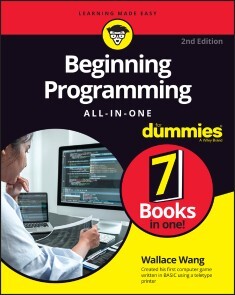
Beginning Programming All-in-One For Dummies
LET THERE BE CODE!Beginning Programming All-in-One For Dummies offers one guide packed with 7 books to teach you programming across multiple languages. Coding can seem complex and convoluted, but Dummies makes it simple and easy to understand. You’ll learn all about the principles of programming, algorithms, data structures, debugging programs, unique applications of programming and more while learning about some of the most popular programming languages used today. Move confidently forward in your computer science coursework or straight into the workforce. You’ll come away with a rock-solid foundation in the programming basics, using data, coding for the web, and building killer apps.* Learn the basics of coding, including writing and compiling code, using algorithms, and data structures* Get comfortable with the syntax of several different programming languages* Wrap your mind around interesting programming opportunities such as conducting biological experiments within a computer or programming a video game engine* Develop cross-platform applications for desktop and mobile devicesThis essential guide takes the complexity and convolution out of programming for beginners and arms you with the knowledge you need to follow where the code takes you. WALLACE WANG specializes in making complex topics understandable. His assorted For Dummies tech books have sold nearly half a million copies. He has a master’s degree in computer science along with side hustles in stand-up comedy and screenwriting because life is too short to focus on just one thing.INTRODUCTION 1About This Book 1Foolish Assumptions 2Icons Used in This Book 2Beyond the Book 3Where to Go from Here 3BOOK 1: GETTING STARTED WITH PROGRAMMING 5CHAPTER 1: GETTING STARTED PROGRAMMING A COMPUTER 7How Computer Programming Works 8Identifying the problem 8Defining the steps 9The History of Computer Programming 10Talking to a processor in machine language 11Using assembly language as a shortcut to machine language 12Hiding the details of a computer with a high-level language 15Combining the best of both worlds with the C programming language 15Weighing the pros and cons of programming languages 16Figuring Out Programming 18Desire beats technical training every time 19Picking a computer and an operating system 19Writing programs with an editor 21Converting source code with an assembler or compiler 23Translating source code with an interpreter 25Combining a compiler with an interpreter to create p-code 25Taking the time to understand 26CHAPTER 2: DIFFERENT METHODS FOR WRITING PROGRAMS 29Spaghetti Programming 31Structured Programming 34The three parts of structured programming 34Top-down programming 36Event-Driven Programming 38Designing a user interface 41Writing event handlers 42Writing your program 44Object-Oriented Programming 44Isolating data 46Simplifying modifications 47Using Protocol-Oriented Programming 49Design Patterns 50CHAPTER 3: TYPES OF PROGRAMMING LANGUAGES 53Your First Language 54BASICally disrespected 55Visual programming with Scratch 56Programming robots with LEGO Mindstorms 57Learning object-oriented programming with Alice 57Programming a killer robot 58Curly-Bracket Languages 60Learning programming with C 60Adding object-oriented programming with C++ 62Gaining true portability with Java 63Programming more safely with C# 64Choosing a curly-bracket language 66Artificial Intelligence Languages 67Scripting Languages 71Automating a program 72Customizing a program 73Transferring data among multiple programs 74Creating stand-alone programs 74Database Programming Languages 75Comparing Programming Languages 76CHAPTER 4: PROGRAMMING TOOLS 77Choosing a Compiler 78Defining your needs for a compiler 79Evaluating the technical features of a compiler 80Finding an Interpreter 84Compiling to a Virtual Machine 86Writing a Program with an Editor 88Stand-alone editors 88Integrated development environments 90Fixing a Program with a Debugger 91Stepping line-by-line 92Watching variables 95Saving Time with Third-Party Components 96Optimizing a Program with a Profiler 97Managing Source Code 97Creating a Help File 99Installing a Program 99Dissecting Programs with a Disassembler 99BOOK 2: PROGRAMMING BASICS 101CHAPTER 1: HOW PROGRAMS WORK 103Using Keywords as Building Blocks 105Organizing a Program 108Dividing a Program into Subprograms 109Dividing a Program into Objects 113Creating a User Interface 115CHAPTER 2: VARIABLES, DATA TYPES, AND CONSTANTS 119Declaring Variables 120Variable naming conventions 121Creating variables in a command 122Declaring the data type of a variable 124Using Different Data Types 126Storing Data in a Variable 130Retrieving Data from a Variable 132Using Constant Values 133Defining the Scope of a Variable 135Handling global variables with care 136Restricting scope to a module 137Isolating variables in a subprogram 138Passing data among subprograms 139CHAPTER 3: MANIPULATING DATA 141Storing Data with the Assignment Operator 142Using Math to Manipulate Numbers 143Organizing equations with operator precedence 144Using built-in math functions 146Manipulating Strings 147Finding Strings with Regular Expressions 148Pattern-matching with the single character (.) wildcard 149Pattern-matching for specific characters 149Pattern-matching with the multiple-character (*) and plus (+) wildcards 150Pattern-matching with ranges 151Using Comparison Operators 153Using Boolean Operators 156Using the Not operator 156Using the And operator 157Using the Or operator 158Using the Xor operator 159Converting Data Types 160CHAPTER 4: MAKING DECISIONS BY BRANCHING 163Picking One Choice with the IF-THEN Statement 164Picking Two Choices with the IF-THEN-ELSE Statement 166Picking Three or More Choices with the IF-THEN-ELSEIF Statement 168Checking a condition for each set of commands 168Offering three or more choices 170Playing with Multiple Boolean Operators 171Making Multiple Choices with the SELECT CASE Statement 174Matching multiple values in a SELECT CASE statement 177Checking a range of values 178Comparing values 179CHAPTER 5: REPEATING COMMANDS BY LOOPING 181Looping a Fixed Number of Times with the FOR-NEXT Loop 182Using a FOR-NEXT loop variable 183Counting by a different range 185Counting by different increments 186Counting backward 187Counting over arrays and other items 188Looping Zero or More Times with the WHILE Loop 189Looping at Least Once with the DO Loop 192Playing with Nested Loops 193Prematurely Exiting from a Loop 195Checking Your Loops 195CHAPTER 6: BREAKING A LARGE PROGRAM INTO SUBPROGRAMS 197Creating and Using Subprograms 199Creating a subprogram 200“Calling” a subprogram 201Passing Parameters 203Passing parameters by reference 206Storing values in a subprogram name 210Repeating a Subprogram with Recursion 212CHAPTER 7: BREAKING A LARGE PROGRAM INTO OBJECTS 215How Object-Oriented Programming Works 216Encapsulation Isolates Data and Subprograms 219Shielding data inside an object 221Grouping methods inside of an object 221Protecting code from other programmers 222Sharing Code with Inheritance 223Polymorphism: Modifying Code without Changing Its Name 226Design Patterns 228Object-Oriented Languages 230Hybrid languages 231Pure languages 231Disadvantages of object-oriented programming 232Real-Life Programming Examples 233Defining an object with a class 233Creating an object from a class 236Running methods stored in an object 236Inheriting an object 238Using method overloading to rewrite an inherited subprogram 239CHAPTER 8: READING AND SAVING FILES 243Storing Data in Text Files 243Creating a text file 246Reading a text file 247Storing Fixed-Size Data in Random-Access Files 250Writing data 251Reading data 252Storing Varying-Size Data in Untyped Files 253Writing data 254Reading data 255Using Database Files 257Looking at the structure of a database 257Connecting to a database 259CHAPTER 9: DOCUMENTING YOUR PROGRAM 263Adding Comments to Source Code 264Identifying the two types of comments 265Describing code and algorithms 268Documentation 270Debugging 271Writing Software Documentation 272Documentation types 272Documentation tools 274Help files 275CHAPTER 10: PRINCIPLES OF USER INTERFACE DESIGN 277The Evolution of User Interfaces 278Command-line interface 278Menus 278Graphical user interface 280Elements of a User Interface 281Displaying commands to a user interface 281Giving data to the user interface 284Showing information back to the user 288Organizing a user interface 290Designing a User Interface 291Know the user 291Hide/disable unusable options 292Tolerate mistakes 293Be consistent 294Give the user freedom to customize the user interface 295Make navigation easy 295CHAPTER 11: DEBUGGING AND TESTING 297Common Types of Programming Errors 297Debugging with Comments and Print Statements 300Breakpoints, Stepping, and Watching 302Stepping through code 304Watching variables 305Testing Code 306Unit tests 307Integration tests 308User interface testing 309BOOK 3: DATA STRUCTURES 311CHAPTER 1: STRUCTURES AND ARRAYS 313Using Structures 314Storing data 315Retrieving data 315Using an Array 316Defining the size 317Storing data 320Retrieving data 321Working with Resizable Arrays 321BASIC 322C# 323Swift 323Working with Multidimensional Arrays 323Creating a multidimensional array 324Storing and retrieving data 325Using Structures with Arrays 325Drawbacks of Arrays 327Data types 328Searching and sorting 328Adding and deleting 329Identifying the location of data in an array 330CHAPTER 2: SETS AND LINKED LISTS 333Using Sets 334Adding and deleting data in a set 335Checking for membership 336Avoiding duplicate data 337Manipulating two sets 337Using Linked Lists 342Creating a linked list 343Modifying a linked list 344Creating a double linked list 345Drawbacks of Sets and Linked Lists 346Problems with pointers 347Problems with accessing data 347CHAPTER 3: COLLECTIONS AND DICTIONARIES 351Using a Collection 352Adding data to a collection 352Deleting data from a collection 354Identifying data with keys 355Searching and retrieving data 356Using Dictionaries 358Adding data to a dictionary 358Searching and retrieving data from a dictionary 359Understanding Hash Tables 360Converting keys with a hash function 360Hash function collisions 362CHAPTER 4: STACKS, QUEUES, AND DEQUES 367Using Stacks 368Adding data to a stack 369Removing data from a stack 370Counting and searching a stack 371Using Queues 372Adding data to a queue 373Removing data from a queue 374Counting and searching a queue 375Using Deques 376CHAPTER 5: GRAPHS AND TREES 381Understanding Graphs 383Types of graphs 384Uses for graphs 385Creating Trees 386Ordered trees 387Binary trees 388B-trees 389Taking Action on Trees 390Traversing a tree to search for data 390Adding new data 392Deleting data 393Pruning and grafting sub-trees 394BOOK 4: ALGORITHMS 397CHAPTER 1: SORTING ALGORITHMS 399Using Bubble Sort 400Using Selection Sort 402Using Insertion Sort 403Using Shell Sort 405Using Heap Sort 406Using Merge Sort 410Using Quick Sort 411Comparing Sorting Algorithms 412CHAPTER 2: SEARCHING ALGORITHMS 415Sequential Search 416Backward or forward searching 417Block searching 418Binary searching 419Interpolation searching 420Using Indexes 422Creating an index 422Clustered and unclustered indexes 423Problems with indexes 424Adversarial Search 424Depth versus time 426Alpha-beta pruning 426Looking up a library of good moves 427CHAPTER 3: STRING SEARCHING 429Sequential Text Search 430The Boyer-Moore algorithm 431The Rabin–Karp algorithm 431The Shift Or algorithm 433The finite automaton algorithm 435Searching with Regular Expressions 436Searching for single character patterns 436Searching for multiple character patterns 437Searching for alternate patterns 438Searching Phonetically 438CHAPTER 4: DATA COMPRESSION ALGORITHMS 441Lossless Data Compression Algorithms 442Run-length encoding 442The Burrows–Wheeler transform algorithm 442Dictionary encoding 445Lossy Data Compression 449CHAPTER 5: ENCRYPTION ALGORITHMS 451How Encryption Works 451The Basics of Encryption 453Stream ciphers 456Block ciphers 457Symmetric/Asymmetric Encryption Algorithms 459Cracking Encryption 463Brute-force attacks 463Dictionary attacks 464Plaintext and ciphertext attacks 466BOOK 5: WEB PROGRAMMING 469CHAPTER 1: HYPERTEXT MARKUP LANGUAGE 471The Structure of an HTML Document 472Creating a title 472Creating the body text 472Aligning text 474Emphasizing text 475Adding color 476Changing the font size 477Adding comments 478Adding Graphics 478Defining the Background 479Creating Hyperlinks 480Defining an anchor point 480Linking to an anchor point 480Making Tables 481Defining a table 481Defining a table heading 482Creating table rows and data 483Displaying a table caption, header, and footer 484CHAPTER 2: CSS 487The Structure of a Stylesheet 488Creating Style Classes 489Separating Styles in Files 491Cascading Stylesheets 493CHAPTER 3: JAVASCRIPT 495The Structure of a JavaScript Program 496Creating Comments 497Declaring Variables 498Using Operators 498Increment and decrement operators 500Assignment operators 501Branching Statements 501Looping Statements 503Creating Functions 504Using Arrays 505Designing User Interfaces 505Creating dialog boxes 505Creating windows 507CHAPTER 4: PHP 509Examining the Structure of a PHP Program 510Creating Comments 510Declaring Variables 511Using Operators 512Increment and decrement operators 513Assignment operators 515Branching Statements 515Looping Statements 517Creating Functions 518Using Arrays 519Creating Objects 520CHAPTER 5: RUBY 523The Structure of a Ruby Program 524Creating Comments 524Declaring Variables 525Using Operators 526Branching Statements 528Looping Statements 530Creating Functions 531Using Data Structures 532Creating Objects 534BOOK 6: PROGRAMMING LANGUAGE SYNTAX 537CHAPTER 1: C AND C++ 539Looking at the Structure of a C/C++ Program 540Creating Comments 541Declaring Variables 542Declaring string data types 542Declaring integer data types 543Declaring floating-point data types 544Declaring Boolean values 545Using Operators 545Increment and decrement operators 546Assignment operators 548Branching Statements 548Looping Statements 550Creating Functions 551Data Structures 553Creating a structure 553Creating enumerations 554Creating an array 554Using Objects 555CHAPTER 2: JAVA AND C# 557Looking at the Structure of a Java/C# Program 558Creating Comments 559Declaring Variables 559Declaring string data types 560Declaring integer data types 560Declaring floating-point data types 561Declaring Boolean variables 562Using Operators 562Increment and decrement operators 564Assignment operators 564Branching Statements 565Looping Statements 568Creating Functions 569Data Structures 571Creating a C# structure 571Creating an array 572Creating a Java linked list 573Creating C# data structures 574Using Objects 574CHAPTER 3: PERL AND PYTHON 577Reviewing the Structure of a Perl or Python Program 578Creating Comments 579Defining Variables 580Using Operators 580Increment and decrement operators 582Assignment operators 583Branching Statements 584Looping Statements 586Creating Functions 588Making Data Structures 588Perl data structures 589Python data structures 590Using Objects 592CHAPTER 4: KOTLIN 595Looking at the Structure of a Kotlin Program 596Creating Comments 596Declaring Variables 597Declaring string data types 597Declaring integer data types 598Declaring floating-point data types 599Declaring Boolean values 599Declaring Constants 600Using Operators 600Branching Statements 601Looping Statements 605Creating Functions 606Creating Data Structures 608Creating a list 609Creating an array 610Creating a set 610Creating Objects 611CHAPTER 5: SWIFT AND SWIFTUI 613Considering the Structure of a Swift Program 614Understanding SwiftUI 614Creating a SwiftUI user interface 616Understanding SwiftUI state variables 616Creating Comments 618Declaring Variables 618Declaring string data types 619Declaring integer data types 620Declaring decimal data types 620Declaring Boolean values 621Declaring Constants 621Using Operators 622Branching Statements 623Looping Statements 627Creating Functions 628Data Structures 630Creating an array 630Creating a dictionary 632Creating a set 633Creating Objects 634CHAPTER 6: FLUTTER AND DART 637Working with Flutter 638Understanding the structure of a Flutter program 638Working with widgets in Flutter 639Aligning widgets in rows and columns 642Understanding the Dart Language 645Creating comments 645Declaring variables 646Using operators 646Using branching statements 649Using looping statements 650Creating functions 652Creating data structures 653Using objects 656BOOK 7: APPLICATIONS 657CHAPTER 1: DATABASE MANAGEMENT 659Understanding the Basics of Databases 659Free-form databases 660Flat-file databases 661Relational databases 663Manipulating Data 667Writing database commands 669The SQL language 670Data integrity 671Data mining 672Database Programming 672CHAPTER 2: BIOINFORMATICS 675The Basics of Bioinformatics 676Representing molecules 676Manipulating molecules in a computer 677Database Searches 679Bioinformatics Programming 681CHAPTER 3: COMPUTER SECURITY 685Stopping Malware 686Viruses 687Worms 687Trojan horses 688Spyware 689Distributed denial-of-service attacks 690Stopping Hackers 691Intrusion detection systems 692Rootkit detectors 693Forensics 694Secure Computing 695Patching as an afterthought 695Security in coding 696Security by design 697CHAPTER 4: ARTIFICIAL INTELLIGENCE 699Problem Solving 700Game-playing 701Natural language processing 702Speech recognition 704Image recognition 705Machine Learning 706Bayesian probability 707Neural networks 707Applications of Artificial Intelligence 710CHAPTER 5: MOBILE AND WEARABLE COMPUTING 711Understanding the Different Generations of Computing 712Giving Data to the User 714Getting Data from the User 716Tracking Motion and Location 717Tracking Real-Time Health Data 718Looking to the Future of Augmented Reality and Wearable Computers 718CHAPTER 6: GAME ENGINES 721Understanding Game Engines 722Picking a Game Engine 723Programming a Game Engine 724Exploring the Future Uses of Game Engines 726Filmmaking 726Architecture and engineering simulations 727Marketing and advertising 728CHAPTER 7: THE FUTURE OF COMPUTER PROGRAMMING 731Picking a Programming Language 732Picking an Operating System 733Doing Cross-Platform Programming 735The portability of C 735Cross-platform languages 736Virtual machines 737Software as a service 738Data science 739Website programming 740Macro programming 740Robotics programming 741Blockchain programming 742Defining Your Future in Programming 743Teaching yourself other languages 743Combining other interests besides programming 744Getting experience and knowledge 744Index 747

Samsung Galaxy A53 5G
Die verständliche Anleitung für Ihr Smartphone:- Alle Funktionen & Einstellungen auf einen Blick- Schritt für Schritt erklärt – mit praktischen TippsMit diesem smarten Praxisbuch gelingt Ihnen der schnelle und sichere Einstieg in Ihr Smartphone. Lernen Sie das Samsung Galaxy A53 kennen und beherrschen! Anschauliche Anleitungen, Beispiele und Bilder zeigen Ihnen gut nachvollziehbar, wie Sie Ihr mobiles Gerät optimal handhaben – von der Ersteinrichtung und Personalisierung über die große Funktionsvielfalt bis zu den wichtigsten Anwendungen. Nutzen Sie darüber hinaus die übersichtlichen Spicker-Darstellungen: Damit können Sie jene Bedienungsschritte, die man am häufigsten braucht, aber immer wieder vergisst, auf einen Blick finden und umsetzen. Freuen Sie sich auf viele hilfreiche Tipps und legen Sie ganz einfach los! Aus dem Inhalt:- Alle Bedienelemente des Samsung Galaxy A53 auf einen Blick- Ersteinrichtung und Tipps zum Umzug- Google-Konto erstellen und verwalten- Die Benutzeroberfläche Ihres Smartphones personalisieren- Apps aus dem Play Store herunterladen- Kontakte anlegen und im Adressbuch verwalten- Anrufe tätigen und SMS austauschen - Nachrichten über Mail und WhatsApp versenden und empfangen- Uhr, Kalender, Maps und andere praktische Apps nutzen - Fotos sowie Videos aufnehmen, verwalten und teilen- Ins Internet gehen über WLAN und mobile Daten - Updates, Datenschutz und Sicherheit

Samsung Galaxy A13
Die verständliche Anleitung für Ihr Smartphone:- Alle Funktionen & Einstellungen auf einen Blick- Schritt für Schritt erklärt – mit praktischen TippsMit diesem smarten Praxisbuch gelingt Ihnen der schnelle und sichere Einstieg in Ihr Smartphone. Lernen Sie Ihr Handymodell von Grund auf kennen und beherrschen! Anschauliche Anleitungen, Beispiele und Bilder zeigen Ihnen gut nachvollziehbar, wie Sie Ihr mobiles Gerät optimal handhaben – von der Ersteinrichtung und Personalisierung über die große Funktionsvielfalt bis zu den wichtigsten Anwendungen. Nutzen Sie darüber hinaus die übersichtlichen Spicker-Darstellungen: Damit können Sie jene Bedienungsschritte, die man am häufigsten braucht, aber immer wieder vergisst, auf einen Blick finden und umsetzen. Freuen Sie sich auf viele hilfreiche Tipps und legen Sie ganz einfach los!Aus dem Inhalt:- Alle Bedienelemente des Smartphones auf einen Blick- Ersteinrichtung und Tipps zum Umzug- Google-Konto erstellen und verwalten- Die Benutzeroberfläche Ihres Smartphones personalisieren- Apps aus dem Play Store herunterladen- Kontakte anlegen und im Adressbuch verwalten- Anrufe tätigen und SMS austauschen - Nachrichten über Mail und WhatsApp versenden und empfangen- Uhr, Kalender, Maps und andere praktische Apps nutzen - Fotos sowie Videos aufnehmen, verwalten und teilen- Ins Internet gehen über WLAN und mobile Daten - Updates, Datenschutz und Sicherheit
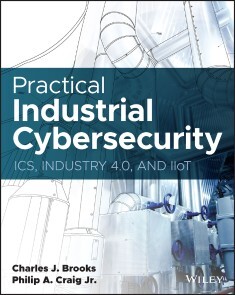
Practical Industrial Cybersecurity
A PRACTICAL ROADMAP TO PROTECTING AGAINST CYBERATTACKS IN INDUSTRIAL ENVIRONMENTSIn Practical Industrial Cybersecurity: ICS, Industry 4.0, and IIoT, veteran electronics and computer security author Charles J. Brooks and electrical grid cybersecurity expert Philip Craig deliver an authoritative and robust discussion of how to meet modern industrial cybersecurity challenges. The book outlines the tools and techniques used by practitioners in the industry today, as well as the foundations of the professional cybersecurity skillset required to succeed on the SANS Global Industrial Cyber Security Professional (GICSP) exam. Full of hands-on explanations and practical guidance, this book also includes:* Comprehensive coverage consistent with the National Institute of Standards and Technology guidelines for establishing secure industrial control systems (ICS)* Rigorous explorations of ICS architecture, module and element hardening, security assessment, security governance, risk management, and morePractical Industrial Cybersecurity is an indispensable read for anyone preparing for the Global Industrial Cyber Security Professional (GICSP) exam offered by the Global Information Assurance Certification (GIAC). It also belongs on the bookshelves of cybersecurity personnel at industrial process control and utility companies. Practical Industrial Cybersecurity provides key insights to the Purdue ANSI/ISA 95 Industrial Network Security reference model and how it is implemented from the production floor level to the Internet connection of the corporate network. It is a valuable tool for professionals already working in the ICS/Utility network environment, IT cybersecurity personnel transitioning to the OT network environment, and those looking for a rewarding entry point into the cybersecurity field. CHARLES J. BROOKS is the co-Owner and Vice President of Educational Technologies Group Inc and the co-Owner of eITPrep LLP. He oversees research and product development at those organizations and has authored several books, including the A+ Certification Training Guide and The Complete Introductory Computer Course. For the past eight years Charles has been lecturing and providing Instructor training for cybersecurity teachers throughout the U.S. and abroad. His latest projects have been associated with IT and OT cybersecurity courses and hands-on lab activities that include Cybersecurity Essentials — Concepts & Practices; Cybersecurity Essentials – Environments & Testing; and Industrial Network Cybersecurity.PHILIP A. CRAIG JR is the founder of BlackByte Cyber Security, LLC, a consultancy formed to develop new cybersecurity tools and tactics for use in U.S Critical Infrastructure. He oversees research and product development for the U.S. Department of Energy (DOE), the Defense Advanced Research Projects Agency (DARPA), and the National Rural Electric Cooperative Association (NRECA), as well as providing expert knowledge in next generation signal isolation techniques to protect automated controls in energy generation, transmission, and distribution systems. Mr. Craig has authored regulation for both the Nuclear Regulatory Commission (NRC) and National Energy Reliability Corporation (NERC) and is an active cyber responder in federal partnerships for incident response. Introduction xxiiiCHAPTER 1 INDUSTRIAL CONTROL SYSTEMS 1Introduction 2Basic Process Control Systems 3Closed- Loop Control Systems 5Industrial Process Controllers 6Supervisory Control and Data Acquisition Systems 20System Telemetry 21Utility Networks 23OT/IT Network Integration 25Industrial Safety and Protection Systems 28Safety Instrument Systems 29Review Questions 39Exam Questions 41CHAPTER 2 ICS ARCHITECTURE 43Introduction 44Network Transmission Media 45Copper Cabling 45Fiber- Optic Cabling 46Industrial Network Media Standards 49Ethernet Connectivity 52External Network Communications 53Transmission Media Vulnerabilities 55Field Device Architecture 56PLC I/O Sections 58PLC Implementations 62Industrial Sensors 63Final Control Elements/Actuators 71Relays 73Process Units 76Industrial Network Protocols 79Common Industrial Protocols 79EtherNet/IP Protocol 79Modbus 80ProfiNet/ProfiBus 81Dnp3 82Iccp 83Opc 83BACnet 83Enterprise Network Protocols 84Tcp/ip 84Dynamic Host Configuration Protocol 89Review Questions 90Exam Questions 91CHAPTER 3 SECURE ICS ARCHITECTURE 95Introduction 96Boundary Protection 97Firewalls 98Proxies 104Security Topologies 105Network Switches 106Routers 108Security Zoning Models 109Flat Network Topologies 113Network Segmentation 122Controlling Intersegment Data Movement 128Tunneling 128Wireless Networking 129Wireless Sensors 131Wireless Gateways 134Modems 135Review Questions 137Exam Questions 139CHAPTER 4 ICS MODULE AND ELEMENT HARDENING 143Introduction 145Endpoint Security and Hardening 145User Workstation Hardening 145BIOS Security Subsystems 147Additional Outer Perimeter Access Hardening 148Mobile Device Protection 154OS Security/Hardening 155File System Security 156Operating System Security Choices 160Linux SystemV vs Systemd 160Hardening Operating Systems 162Common Operating System Security Tools 162Virtualization 169Application Software Security 172Software Exploitation 172Information Leakage 173Applying Software Updates and Patches 174Database Hardening 174SQL Injection 175Anti-Malware 177Antivirus 178Anti-spyware 178Anti- Malware: Sanitization 181Embedded Device Security 182Meters 184Network Hardening 189OT/IT Network Security 189Server Security 191Hardening the Server OS 193Logical Server Access Control 194Hardening Network Connectivity Devices 196Review Questions 201Exam Questions 202CHAPTER 5 CYBERSECURITY ESSENTIALS FOR ICS 205Introduction 207Basic Security Tenets 208Confidentiality, Integrity, and Availability 208Availability in ICS Networks 209Nonrepudiation 210Principle of Least Privilege 211Separation of Duties 211Vulnerability and Threat Identification 212Nation- States 213Cyberterrorists 213Cybercriminals 214Insider Threats 216Events, Incidents, and Attacks 217Threat Vectors 217Weaponization 230Delivery 230Exploitation 231Installation 232Command and Control 233Actions on Objectives 233Attack Methods 234Unauthorized Access 251Cryptographics 260Encryption 262Digital Certificates 264Public Key Infrastructure 264Hashing 266Resource Constraints 267Review Questions 268Exam Questions 268CHAPTER 6 PHYSICAL SECURITY 271Introduction 272Infrastructure Security 273Access Control 274Physical Security Controls 276Authentication Systems 278Remote Access Monitoring and Automated Access Control Systems 286Intrusion Detection and Reporting Systems 289Security Controllers 290Video Surveillance Systems 295Cameras 297IP Cameras 297Pan- Tilt- Zoom Cameras 298Physical Security for ICS 306Industrial Processes/Generating Facilities 307Control Center/Company Offices 307Nerc Cip-006-1 309Review Questions 311Exam Questions 312CHAPTER 7 ACCESS MANAGEMENT 315Introduction 316Access Control Models 317Mandatory Access Control 317Discretionary Access Control 318Role- Based Access Control 318Rule- Based Access Control 319Attribute- Based Access Control 319Context- Based Access Control 320Key Security Components within Access Controls 320Directory Services 321Active Directory 321Linux Directory Services 324Application Runtime and Execution Control 326User Access Management 326Establishing User and Group Accounts 328Group Account Security 330Network Authentication Options 331Establishing Resource Controls 332ICS Access Control 334Remote ICS Access Control 336Access Control for Cloud Systems 340Review Questions 343Exam Questions 344CHAPTER 8 ICS SECURITY GOVERNANCE AND RISK MANAGEMENT 347Introduction 348Security Policies and Procedure Development 348Requirements 349Exceptions and Exemptions 350Standards 351ICS Security Policies 356Risk Management 357Asset Identification 358Risk Assessment 359Risk Identification Vulnerability Assessment 362Impact Assessment 363ICS Risk Assessments 364Risk Mitigation 366Nerc Cip-008 367Review Questions 369Exam Questions 370CHAPTER 9 ICS SECURITY ASSESSMENTS 373Introduction 374Security Assessments 374ICS Device Testing 376Vulnerability 376Supply Chain 377Communication Robustness Testing 382Fuzzing 382ICS Penetration Testing 384The Pentest Process 385Security Testing Tools 392Packet Sniffers 392Network Enumeration/Port Scanning 393Port Scanning 395Vulnerability Scanning 395Review Questions 401Exam Questions 402CHAPTER 10 ICS SECURITY MONITORING AND INCIDENT RESPONSE 405Introduction 407ICS Lifecycle Challenges 408Change Management 408Establishing a Security Baseline 409Change Management Documentation 411Configuration Change Management 412Controlling Patch Distribution and Installation for Systems 414Monitoring 419Event Monitoring 420Network Monitoring 421Security Monitoring 423Logging and Auditing 424Event Logging 425Incident Management 433The Incident Response Lifecycle 434Preparation 435Incident Response 442Recovery 445Post- Incident Activities 446Review Questions 449Exam Questions 450CHAPTER 11 DISASTER RECOVERY AND BUSINESS CONTINUITY 453Introduction 454Business Continuity Plans 455System Redundancy 455Local Virtualized Storage 459System Backup and Restoration 462Backup Options 463Backup Media Rotation 466Securing Backup Media 467Other BCP Considerations 467Disaster Recovery 469Planning 470Documenting the Disaster Recovery Plan 472The Disaster Response/Recovery Team 473Nerc Cip-009-6 475Review Questions 477Exam Questions 478APPENDIX A GICSP OBJECTIVE MAP 481ICS410.1 ICS: Global Industrial Cybersecurity Professional (GICSP) Objectives 482Overview 482ICS410.2: Architecture and Field Devices 483ICS410.3: Communications and Protocols 484ICS410.4: Supervisory Systems 485ICS410.5: Security Governance 485APPENDIX B GLOSSARY 487APPENDIX C STANDARDS AND REFERENCES 533Reference Links 536APPENDIX D REVIEW AND EXAM QUESTION ANSWERS 539Chapter 1: Industrial Control Systems 540Review Question Answers 540Exam Question Answers 541Chapter 2: ICS Architecture 542Review Question Answers 542Exam Question Answers 544Chapter 3: Secure ICS Architecture 545Review Question Answers 545Exam Question Answers 547Chapter 4: ICS Modules and Element Hardening 548Review Question Answers 548Exam Question Answers 550Chapter 5: Cybersecurity Essentials for ICS 551Review Question Answers 551Exam Question Answers 553Chapter 6: Physical Security 554Review Question Answers 554Exam Question Answers 556Chapter 7: Access Management 556Review Question Answers 556Exam Question Answers 558Chapter 8: ICS Security Governance and Risk Management 559Review Question Answers 559Exam Question Answers 560Chapter 9: ICS Security Assessments 561Review Question Answers 561Exam Question Answers 563Chapter 10: ICS Security Monitoring and Incident Response 564Review Question Answers 564Exam Question Answers 565Chapter 11: Disaster Recovery and Business Continuity 567Review Question Answers 567Exam Question Answers 568Index 571

Selbstorganisation braucht Führung
SELBSTORGANISATION BRAUCHT FÜHRUNG // - Erfahren Sie, warum agile Unternehmenskulturen mehr und vor allem echte Führung brauchen - Schaffen Sie mit einfachen Werkzeugen die Rahmenbedingungen für die Selbstorganisation Ihres Teams - Lernen Sie aus den Erfahrungen, Erfolgen und Misserfolgen der Autoren als Manager - Nutzen Sie die Tipps und Übungen, um Ihr persönliches Führungsverständnis zu formen - Neue Themen in der 3. Auflage: Legitimation, Mut, Remote-Führung und selbstbestimmte Gehälter - Ihr exklusiver Vorteil: E-Book inside beim Kauf des gedruckten Buches Durch die Herausforderungen der Digitalisierung ist das Thema »Agilität« an die Spitze der Management-Agenda gerückt. Waren selbstorganisierte Arbeitsweisen bis vor wenigen Jahren noch eine Grassroots-Bewegung, so kommen die Initiativen zur agilen Transformation ganzer Organisationen heute von oben, aus den Führungs- und Vorstandsetagen. Vielen Managern ist klargeworden, dass sie Agilität selbst leben müssen und durch ihr eigenes Verhalten maßgeblich fördern. Nur, wie geht das? Führungskräfte müssen immer wieder auf das System einwirken, damit es die nächste Entwicklungsstufe der Selbstorganisation erreichen kann. Das funktioniert nicht durch Mikromanagement oder Delegation von Veränderung. Es bedeutet: konsequente Arbeit an der eigenen Haltung, Vorbild sein im Verhalten und die Wahrnehmung von Mitarbeitern als Menschen – nicht als Ressourcen. Boris Gloger und Dieter Rösner entwerfen keine agile Führungslehre, sondern leiten zur Selbstreflexion an. Sie erzählen von eigenen und beobachteten Krisen, vom eigenen Scheitern und dem Erkennen, wie Selbstorganisation entsteht. Daraus leiten sie ein modernes Führungsverständnis für eine Kultur des Gelingens ab. AUS DEM INHALT // Warum Führen heute so schwierig ist/Wie Selbstorganisation funktioniert/Mensch, Modell, Manager: Agilität als Kultur des Gelingens/Welche Strukturen die Selbstorganisation anregen/Vom Anreizsystem zum Anerkennungssystem
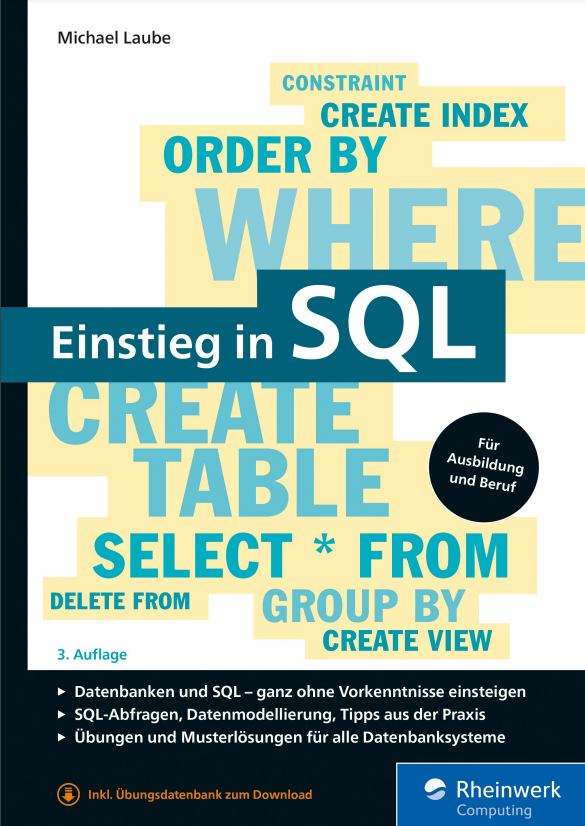
Einstieg in SQL (3. Auflage)
Die 3. aktualisierte und überarbeitete Auflage. Jetzt vorbestellen!Den leichten Einstieg in SQL und die Modellierung von Daten finden Sie hier! Schritt für Schritt führt Sie dieser Leitfaden durch die SQL-Kommandos und macht Sie mit allen wichtigen Befehlen vertraut. Auf diesem Fundament aufbauend lernen Sie, wie Sie Ihre Daten richtig modellieren, verknüpfen und bearbeiten. Mit diesen Anleitungen wird die Datenmodellierung mit SQL einfach und unkompliziert: So schaffen Sie Ordnung und sorgen für performante Abfragen.Aus dem Inhalt: Eine kurze Einführung in Tabellen und SQLGrundfunktionen der Tabellenabfrage: SELECT und WHEREZeilen einfügen, ändern und löschen: INSERT, UPDATE und DELETETabellen anlegen: CREATE TABLEMengenoperationenDatenbanken modellieren und optimierenDatenmodelle in Tabellen überführenBeziehungen zwischen Tabellen: JOINsTransaktionenSkalarfunktionen und BedingungslogikSpaltenwerte gruppieren: GROUP BYAbfragen in virtuellen Tabellen speichern: VIEWsLeseprobe (PDF-Link)Autor: Michael Laube arbeitet schon seit vielen Jahren mit relationalen Datenbanken und SQL. Mit dieser Erfahrung aus der Praxis zeigt er Ihnen, was alles in der Abfragesprache steckt und wie Sie Probleme bei der Datenbankentwicklung elegant lösen.
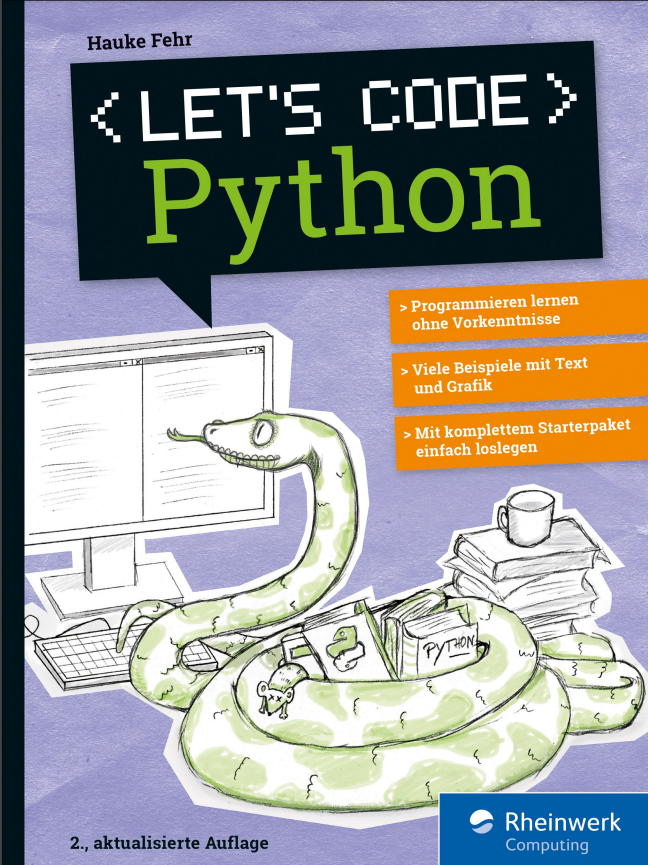
Let's code Python (2. Auflage)
Programmieren lernen mit PythonPython macht Spaß! Steige einfach ohne Vorkenntnisse ein und lerne programmieren. Schritt für Schritt, mit eigenen kleinen Programmen und Spielen, selbst gebauten Kreaturen, Grafik und mehreren Leveln. Das Buch und die besonders übersichtliche Entwicklungsumgebung TigerJython bieten Jugendlichen wie Erwachsenen viele Hilfen beim Lernen. Neue Sprachelemente werden ausführlich vorgestellt, mit farbigen Hervorhebungen und Erklärungen direkt am Code.Aus dem Inhalt: Installation und erste SchritteQuiz, Vokabeltrainer, Würfel-PokerEin Grafik-Framework benutzenDateien bearbeiten und speichernMathematische Graphen und DiagrammeSpiele nachprogrammieren: Breakout, Tic Tac Toe und mehrSelbst gebaute KreaturenMulti-Level-SpieleLeseprobe (PDF)Autor: Hauke Fehr programmiert seit über 30 Jahren mit verschiedenen Sprachen für verschiedene Zwecke. Die Wissenvermittlung liegt ihm dabei besonders am Herzen.
Git (2. Auflage)
Git gehört zum unverzichtbaren Handwerkszeug aller IT-Profis und darf in keiner Toolbox fehlen. Dabei macht es keinen Unterschied, ob Sie Konfigurationsdateien versionieren wollen, an Open-Source-Projekten mitarbeiten oder im Team komplexe Anwendungen entwickeln: Git sorgt dafür, dass Sie den Überblick behalten. Daher lernen Sie hier nicht nur, wie Sie Änderungen einchecken und fremde Repositorien klonen, sondern erfahren, wie Git Ihnen den Arbeitsalltag leichter macht. Aus dem Inhalt: Git in zehn Minuten: der SchnelleinstiegInstallation und EinrichtungGrundlagen: Repos, Commits, Branches, MergingGitLab: Projekte lokal hostenGitHub: der Marktplatz für SoftwareprojekteGitHub-Alternativen: Bitbucket, Azure DevOps Services, GitoliteArbeitstechniken: History, Feature Branches, Stashing, Hooks und mehrWorkflows: So nutzen Sie Git effektivBest Practices und TroubleshootingKommandoreferenz

C++ mit Visual Studio 2022 und Windows Forms-Anwendungen
Dieses Buch stellt C++ umfassend dar. Zahlreiche Beispiele veranschaulichen die Theorie. Dabei werden die Neuerungen von C++11, C++14 und C++17 von Anfang an integriert und ihre Vorteile gezeigt. Im Unterschied zu den allermeisten anderen C++-Büchern werden Windows-Programme mit einer grafischen Benutzeroberfläche entwickelt.Dieses Buch ist ein Lehrbuch, das sich an Studenten von Fachhochschulen und Universitäten richtet. Da es keine Vorkenntnisse voraussetzt, ist es auch zum Selbststudium geeignet. Es entstand aus zahlreichen Vorlesungen und Firmenseminaren. Der Aufbau, die Beispiele und Übungsaufgaben sind erprobt und bewährt.Und es ist gleichzeitig auch ein Fachbuch, das erfahrene C++-Programmierer auf den Stand von C++17 bringt. Es zeigt, wie die zahlreichen Neuerungen selbst elementare Programmiertechniken einfacher und sicherer machen. Dazu kommen neue Konzepte, die bessere und effizientere Lösungen als noch vor einigen Jahren ermöglichen. Viele dieser neuen Möglichkeiten sind in der industriellen Praxis noch nicht verbreitet.Übungsaufgaben ermöglichen dem Leser, das Gelernte zu vertiefen. Lösungen stehen auf www.rkaiser.de zum Download bereit.Dieses Buch erscheint in zwei weitgehend identischen Ausgaben:• In der vorliegenden Ausgabe werden Programme mit einer grafischen Benutzeroberfläche geschrieben, in denen alle Ein- und Aus-gaben über eine Windows-Benutzeroberfläche erfolgen.• In der anderen Ausgabe „C++ mit Visual Studio 2019“ (ISBN 978-3-662-594759) werden C++-Programme ohne eine grafische Benutzeroberfläche geschrieben. Alle Ein- und Ausgaben erfolgen mit cin und cout über die Konsole.Nach seinem Mathematikstudium an der Universität Tübingen war RICHARD KAISER einige Jahre in der Lehrerausbildung tätig, Trainer in der Industrie, Software-Entwickler (vor allem für technische Anwendungen) und Leiter der Software-Abteilung. Seit 1991 ist er Professor an der Dualen Hochschule Baden-Württemberg (Lörrach), wo er vor allem Vorlesungen über Programmiersprachen (C/C++/C#) und Mathematik hält. In den letzten Jahren hat er viele Seminare über C++ und C# für Firmen durchgeführt.Die Entwicklungsumgebung.- Steuerelemente für die Benutzeroberfläche.- Elementare Datentypen und Anweisungen in C und C++.- Sie Stringklassen string und wstring.- Arrays und Container.- Einfache selbstdefinierte Datentypen.- Zeiger, Strings und dynamisch erzeugte Variablen.- Überladene Funktionen und Operatoren.- Objektorientierte Programmierung.- Namensbereiche.- Exception-Handling.- Containerklassen der C++-Standardbibliothek.- Dateibearbeitung mit den Stream-Klassen.- Funktionsobjekte und Lambda-Ausdrücke.- Templates und STL.- C++11 Smart Pointer: shared_ptr, unique_ptr und weak_ptr.- Literatur.- Index.

Materialwirtschaft mit SAP S/4HANA
Ob Disposition, Einkauf, Bestandsführung oder Rechnungsprüfung: Dieser praktische Ratgeber stellt Ihnen alle wichtigen Funktionen von MM in SAP S/4HANA ausführlich vor und zeigt Ihnen, wie Sie sie in der Praxis einsetzen. Dabei lernen Sie natürlich auch das neue Geschäftspartnerkonzept und die SAP-Fiori-Apps für die Materialwirtschaft kennen. Dank ausführlicher Schritt-für-Schritt-Anleitungen und vieler Screenshots finden Sie sich schnell im neuen System zurecht, und Sie können das Buch damit zur Einarbeitung wie auch zum Nachschlagen nutzen. Aus dem Inhalt: Material- und LieferantenstammdatenGeschäftspartnerEinkaufsinfosatz, Orderbuch und QuotierungVerbrauchsgesteuerte DispositionSpezielle EinkaufsprozesseWareneingang und WarenausgangUmlagerung, Umbuchung und ReservierungSonderbestände, Bestandsbewertung und InventurRechnungserfassung, Abweichungen und RechnungssperreNachbelastung, Nebenkosten und GutschriftAutomatisierte RechnungsprüfungWE/RE-KontenpflegeAuswertungen Einleitung ... 17 1. Einführung in SAP Fiori ... 21 1.1 ... SAP Fiori Apps Reference Library ... 21 1.2 ... Kachelgruppen im SAP Fiori Launchpad ... 25 1.3 ... Das eigene SAP Fiori Launchpad einrichten ... 26 2. Unternehmensstruktur ... 33 2.1 ... Mandant ... 33 2.2 ... Controlling ... 34 2.3 ... Finanzbuchhaltung ... 36 2.4 ... Logistik allgemein ... 37 2.5 ... Materialwirtschaft ... 39 2.6 ... Logistics Execution System ... 41 3. Stammdaten ... 43 3.1 ... Produktstammsatz ... 43 3.2 ... Produktverwaltung ... 56 3.3 ... Charge ... 85 3.4 ... Geschäftspartner ... 88 3.5 ... Konditionen ... 93 3.6 ... Quotierung ... 95 3.7 ... Orderbuch ... 98 3.8 ... Einkaufsinfosatz ... 99 4. Beschaffungsprozess im Überblick ... 105 4.1 ... Beschaffungsprozess ... 105 4.2 ... Einkauf ... 106 4.3 ... Bestandsführung ... 115 4.4 ... Logistische Rechnungsprüfung ... 127 5. Grundlagen der verbrauchsgesteuerten Disposition ... 139 5.1 ... Verbrauchsgesteuerte Disposition ... 139 5.2 ... Übersicht der Dispositionsverfahren ... 162 5.3 ... Planungslauf ... 169 5.4 ... Disposition mit Prognose ... 204 5.5 ... Automatische Lieferplaneinteilung und Quotierung ... 217 5.6 ... Ausgewählte Parametereinstellungen im Customizing ... 221 6. Einkauf ... 223 6.1 ... Aufbau von Einkaufsbelegen ... 225 6.2 ... Arbeiten im SAP-System vereinfachen ... 239 6.3 ... Einkaufsbeleg ... 247 6.4 ... Belegtypen ... 249 6.5 ... Belegarten ... 252 6.6 ... Positionstyp ... 302 6.7 ... Kontierungstyp ... 310 6.8 ... Bezugsquellenermittlung ... 319 6.9 ... Geschäftsvorfälle in der operativen Beschaffung ... 334 6.10 ... Bestätigungssteuerung ... 365 6.11 ... Lieferantenbewertung ... 372 6.12 ... Preisfindung ... 380 6.13 ... Textarten im Einkaufsbeleg ... 387 6.14 ... Nachrichten ... 392 6.15 ... Freigabeprozess ... 402 6.16 ... Bestellanforderung in Bestellung überführen ... 407 7. Bestandsführung und Inventur ... 417 7.1 ... Wareneingang ... 418 7.2 ... Umlagerungen und Umbuchungen ... 444 7.3 ... Reservierung ... 469 7.4 ... Warenausgang ... 489 7.5 ... Bestandsfortschreibung und -auswertung ... 498 7.6 ... Materialbewertung ... 504 7.7 ... Inventurbewertung ... 524 7.8 ... Automatische Kontenfindung ... 549 7.9 ... Verschiedene Einstellmöglichkeiten ... 582 7.10 ... Schnittstelle zu WM und QM ... 587 8. Logistik-Rechnungsprüfung ... 589 8.1 ... Einführung in die Logistik-Rechnungsprüfung ... 591 8.2 ... Rechnungserfassung ... 592 8.3 ... Auswertungen: Liste der Lieferantenrechnungen ... 663 8.4 ... Abweichungen ... 665 8.5 ... Sperren und Freigaben ... 673 8.6 ... Gutschrift, Nachbelastung und Nebenkosten ... 679 9. Auswertungen ... 687 9.1 ... Die SAP-Fiori-App »Meine Einkaufsbelegpositionen« ... 688 9.2 ... Die SAP-Fiori-App »Bestellpositionen nach Kontierung« ... 702 9.3 ... Die SAP-Fiori-App »Bestellpositionen überwachen« ... 706 9.4 ... Die SAP-Fiori-App »Übersicht Kreditorenbuchhaltung« ... 712 Anhang ... 715 A ... Glossar ... 715 B ... Literaturverzeichnis ... 723 Das Autorenteam ... 725 Index ... 727

Vertrieb mit SAP S/4HANA - Customizing
Komplexe Projekte erfordern besondere Sorgfalt! Mit diesem Leitfaden sind Sie bestens für das Customizing von SAP S/4HANA Sales gerüstet. Sie erfahren, wie Sie Kundenstammdaten und Konditionen anlegen, und lernen die Konfiguration aller relevanten Bereiche des Vertriebs Schritt für Schritt kennen. Von Belegen über Preisfindung und Verfügbarkeitsprüfung bis hin zu besonderen Apps für Auswertungen werden alle notwendigen Einstellungen erklärt. Aus dem Inhalt: Organisationsstrukturen und StammdatenVerkauf, Lieferung, FakturierungPreisfindung, Naturalrabatt und BonuskaufKontierung und KalkulationVerfügbarkeitsprüfung und BedarfsübergabeVersand und TransportNachrichtensteuerungMaterialeingabe und ProduktvorschlagCross-SellingPartnerfindungUnvollständigkeitsprüfungFSCM (Financial Supply Chain Management)Auswertungen Einleitung ... 13 Teil I. Einführung in den Vertrieb mit SAP S/4HANA ... 21 1. Organisationsstruktur ... 23 1.1 ... Buchungskreis ... 26 1.2 ... Verkaufsorganisation ... 30 1.3 ... Vertriebsweg ... 36 1.4 ... Sparte ... 39 1.5 ... Vertriebsbereich ... 43 1.6 ... Verkaufsbüro und Verkäufergruppe ... 44 1.7 ... Weitere wichtige Organisationseinheiten im SAP-System ... 48 1.8 ... Konsistenzprüfung ... 60 1.9 ... Zusammenfassung ... 62 2. Stammdaten für den Vertrieb ... 65 2.1 ... SAP-Geschäftspartnerkonzept und -attribute ... 65 2.2 ... Geschäftspartner allgemein ... 77 2.3 ... Geschäftspartner mit der Rolle »Kunde« ... 81 2.4 ... Kundenhierarchie ... 91 2.5 ... Materialstamm ... 95 2.6 ... Weitere wichtige Stammsätze ... 105 2.7 ... Zusammenfassung ... 109 Teil II. Vertriebsprozesse -- Verkauf, Versand und Fakturierung ... 111 3. Verkauf ... 113 3.1 ... Auftragsabwicklung im Vertrieb ... 114 3.2 ... Auftragsarten ... 120 3.3 ... Positionstypen ... 136 3.4 ... Einteilungstypen ... 146 3.5 ... Belegfluss und Kopiersteuerung ... 150 3.6 ... Leihgutabwicklung ... 153 3.7 ... Retourenabwicklung ... 159 3.8 ... Zusammenfassung ... 167 4. Versand ... 169 4.1 ... Lieferarten und Lieferbelege ... 170 4.2 ... Kommissionierung ... 181 4.3 ... Verpacken und Gruppieren von Lieferungen ... 184 4.4 ... Versand- und Transportterminierung ... 188 4.5 ... Routendefinition und Routenfindung ... 193 4.6 ... Warenausgang ... 203 4.7 ... Zusammenfassung ... 206 5. Fakturierung ... 207 5.1 ... Fakturaarten ... 208 5.2 ... Zahlungskarten ... 222 5.3 ... Bonusabwicklung ... 227 5.4 ... Interne Verrechnung ... 250 5.5 ... Fakturierungspläne ... 257 5.6 ... Steuerermittlung und Steuerfindung ... 268 5.7 ... Zusammenfassung ... 272 Teil III. Vertriebsfunktionen in SAP S/4HANA ... 275 6. Preisfindung ... 277 6.1 ... Steuerung der Preisfindung ... 278 6.2 ... Weitere Einstellungen ... 303 6.3 ... Konditionsausschluss ... 311 6.4 ... Zusammenfassung ... 314 7. Verfügbarkeitsprüfung und Bedarfsübergabe ... 315 7.1 ... Bedarfsübergabe ... 316 7.2 ... Verfügbarkeitsprüfung nach ATP-Logik ... 325 7.3 ... Verfügbarkeitsprüfung gegen Kontingente ... 336 7.4 ... Rückstandsbearbeitung ... 347 7.5 ... Regelbasiertes Verfahren der Verfügbarkeitsprüfung ... 352 7.6 ... Zusammenfassung ... 354 8. Weitere wichtige Grundfunktionen ... 357 8.1 ... Naturalrabatt ... 357 8.2 ... Bonuskauf ... 368 8.3 ... Materialeingabe ... 378 8.4 ... Dynamischer Produktvorschlag ... 392 8.5 ... Cross-Selling ... 403 8.6 ... Chargen und Serialnummern ... 414 8.7 ... Ausgabesteuerung und Nachrichtenfindung ... 432 8.8 ... Unvollständigkeitsprüfung ... 460 8.9 ... Partnerfindung ... 468 8.10 ... Textsteuerung ... 474 8.11 ... Erlöskontenfindung ... 482 Teil IV. Kreditrisikoüberwachung, Reporting und ABAP ... 495 9. SAP Credit Management ... 497 9.1 ... Customizing und Prozessablauf ... 498 9.2 ... Zusammenfassung ... 510 10. Auswertungen ... 511 10.1 ... SAP Fiori: Launchpad und Apps ... 512 10.2 ... Transaktionen im SAP GUI ... 521 10.3 ... Zusammenfassung ... 531 11. ABAP -- Grundlagen und Debugging ... 533 11.1 ... Einführung ... 534 11.2 ... Datendeklaration und Schlüsselwörter ... 542 11.3 ... Funktionsbausteine, BAPIs und User-Exits ... 548 11.4 ... Debugging ... 554 11.5 ... Zusammenfassung ... 560 12. Zusammenfassung ... 561 Anhang ... 563 A. Glossar ... 565 B. Wichtige Transaktionen und Apps ... 573 C. Buchempfehlungen ... 609 Das Team ... 611 Index ... 613

Let's code Python
Python macht Spaß! Steige einfach in die Programmierung ein: Mit eigenen kleinen Programmen und Spielen, selbst gebauten Kreaturen, Grafik und mehreren Leveln. Mit der Entwicklungsumgebung TigerJython ist es besonders einfach, zügig loszulegen. Sie bietet viele Hilfen eigens für Anfänger und für den Fall, dass du mal einen Fehler finden musst. Ohne Vorkenntnisse lernst du Python in überschaubaren Projekten kennen. Neue Sprachelemente werden ausführlich vorgestellt, mit farbigen Hervorhebungen und Erklärungen direkt am Code. Aus dem Inhalt: Installation und erste SchritteQuiz, Vokabeltrainer, Würfel-PokerFehler finden leicht gemachtEin Grafik-Framework benutzenEin Roboter, der zeichnen kannDateien bearbeiten und speichernMathematische Graphen und DiagrammeSpiele nachprogrammieren: Breakout, Tic Tac Toe und mehrSelbst gebaute KreaturenMulti-Level-Spiele Liebe Leserin, lieber Leser, ... 2 Materialien zum Buch ... 13 1. Programme schreiben -- wie geht das? ... 15 2. Wie funktionieren Computer überhaupt? ... 19 Innenleben eines PCs ... 19 Eingabe, Verarbeitung, Ausgabe ... 20 Bits und Bytes ... 22 Prozessortakt -- wie schnell läuft mein PC? ... 24 3. Python -- die Programmiersprache ... 25 Maschinensprache -- die Muttersprache des Prozessors ... 25 Interpreter und Compiler ... 26 Python -- einfach und universell ... 27 Jython -- was ist das? ... 28 TigerJython -- deine Lernumgebung ... 29 4. TigerJython installieren -- einfacher geht's nicht ... 31 Installation unter Windows ... 31 Installation auf dem Mac ... 33 Installation unter Linux ... 35 5. Die ersten Schritte -- Python im Dialog ... 37 Direkte Befehle -- die Konsole ... 38 Ausgabe mit Zahlen ... 38 Die Syntax muss stimmen ... 43 Zeichenketten statt Zahlen ... 44 6. Variablen -- jetzt wird es flexibel ... 47 Variablennamen ... 49 Der »input«-Befehl -- Eingaben zum Verarbeiten ... 51 7. Programme schreiben -- es geht los! ... 55 Ein Programm in TigerJython eingeben ... 55 Das allererste Programm: Ein Zahlenzaubertrick ... 56 Zweites Programm: Ein Umrechner ... 58 Programme speichern ... 60 Eingabe, Verarbeitung, Ausgabe -- diesmal mit Text ... 61 Rechner mit Rest ... 62 Das magische Quadrat ... 64 Variation: Magisches Quadrat mit fester Summe ... 67 8. Bedingungen -- was passiert, wenn ...? ... 71 »if«-Abfragen in Python ... 72 »if« mit »else« ... 75 Mehrere Bedingungen verknüpfen ... 77 »elif« -- »else if« ... 78 »if« -- »else« im Überblick ... 80 Wahr und falsch beim Verknüpfen ... 82 Programm: Eintrittsprüfung ... 83 9. Befehle und Module ... 85 Was sind Module? ... 85 Das Modul »math« ... 86 Das Modul »random« ... 90 Roulette ... 91 Programm: Entscheidungshilfe ... 92 10. Schleifen -- Wiederholungen machen Programme stark ... 95 Die Zählschleife mit »repeat« ... 96 Würfeln ohne Ende ... 98 Schleifen verschachteln ... 102 Die »while«-Schleife ... 103 Würfelpoker ... 105 Klassisches Zahlenraten ... 107 Das kleine Einmaleins ... 111 Mehr Möglichkeiten für »while«-Schleifen ... 116 Primzahlentester ... 118 Das Probeverfahren ... 118 Das Schachrätsel ... 123 Zins und Zinseszins ... 125 11. Listig -- mit Listen arbeiten ... 127 Zeichenketten sind Listen ... 127 Listen in Python ... 130 Wochentag nachschlagen ... 132 Listen per Programm erzeugen ... 133 Die »for«-Schleife mit einer Liste ... 134 Mehr Befehle, Methoden und Funktionen für Listen ... 137 Ein Lottozahlen-Tipp ... 140 Das Lottospiel: Selbst tippen und gewinnen ... 144 Mehrdimensionale Listen ... 148 Zusammenfassung: Listen ... 151 12. Die Schildkröte -- ein grafischer Roboter ... 153 Die Schildkröte steuern ... 154 Weitere Turtle-Befehle ... 161 Grafik mit Koordinaten ... 165 Funktionsgraphen programmieren ... 167 Zufallsbilder erstellen ... 169 Variationen: Zufallsmuster ... 171 Eingebaute Funktionen nutzen ... 173 13. Funktionen selber schreiben ... 175 Was sind Funktionen noch mal genau? ... 175 Eigene Funktionen schreiben ... 176 Eigene Funktion »zahlwort« ... 180 Ein eigenes Modul erstellen ... 184 Zeichnen mit Funktionen ... 186 Rekursive Funktionen ... 188 14. Sound programmieren ... 193 Sound in Python abspielen ... 193 Was sind denn eigentlich Klangdateien? ... 193 WAV-Dateien abspielen ... 195 MP3-Dateien abspielen ... 196 Eigene Musik machen ... 196 Sprachsynthese -- lass den Computer sprechen! ... 198 15. Objekte programmieren ... 201 Was sind Objekte? ... 202 Objekte in Python ... 202 Klassen und Instanzen ... 205 Objekte für alles ... 210 16. Eigene Objekte definieren ... 213 Die Funktion »__init__« ... 214 Eigene Methoden definieren ... 217 Die Funktion »__str__« ... 218 Ableitung und Vererbung -- ein Supertoaster ... 221 17. gamegrid -- Spiele bauen mit Objekten ... 225 Ein Spielfeld erzeugen ... 226 Actor -- jetzt kommen die Figuren ins Spiel ... 230 Der Fisch soll leben ... 232 Spielfiguren mit Eigenleben ... 234 Das Spielfeld kontrolliert den Takt ... 237 Die Steuerungsleiste in gamegrid ... 242 18. Steuerung und Ereignisse in gamegrid ... 245 Erweiterung der Spielidee ... 249 Kollision -- Interaktion zwischen Spielfiguren ... 251 Klang hinzufügen ... 256 Ein Spiel braucht Gegner ... 257 19. Breakball -- ein neues Spiel ... 265 Das Spielprinzip ... 265 Elemente des Programms ... 266 Erster Schritt: Spielfeld und Ball ... 266 Zweiter Schritt: Das Brett ... 271 Dritter Schritt: Die Blöcke ... 275 Die Spielsteuerung ... 280 20. Space Attack -- ein Klassiker ... 287 Das Spielprinzip ... 287 Technik: Was brauchen wir? ... 287 Das Spielfeld ... 288 Das Raumschiff ... 288 Jetzt wird geschossen ... 290 Die Aliens ... 294 Erweiterungen ... 304 Weiterer Ausbau: Deine Aufgabe ... 307 21. Flappy Ball -- geschicktes Hüpfen ... 309 Die Spielidee ... 309 Benötigte Elemente ... 309 Das Spielfeld ... 310 Der Ball ... 310 Die Ballsteuerung mit der Maus ... 312 Die Balken als Spielgegner ... 315 Das Spiel erweitern und verbessern ... 321 Weitere Ideen ... 323 22. Tic Tac Toe -- Brettspiele mit gamegrid ... 325 Das Spielprinzip ... 325 Welche Elemente werden benötigt? ... 326 Das Spielfeld ... 326 Auf die Maus reagieren ... 328 Die Spielverwaltung ... 331 Ein Objekt für die Spieldaten ... 332 Erweiterungen von Tic Tac Toe ... 340 Der Computer als Gegner ... 340 Am einfachsten: Die Zufallsmethode ... 341 Cleverer: Die doppelte Prüfmethode ... 345 Echte KI: Die Minimax-Methode ... 349 23. Wie geht es weiter? ... 351 Mit TigerJython weitermachen ... 352 Andere Python-Systeme ... 354 Andere Programmiersprachen? ... 355 Index ... 357

SAP-Testmanagement
Entwickeln Sie eine maßgeschneiderte Teststrategie! So vermeiden Sie Überraschungen bei der Einführung und dem Upgrade von SAP-Software. Erfahren Sie, wie Sie Ihre Tests mit der neuen, ganzheitlichen Test Suite des SAP Solution Managers planen, vorbereiten, durchführen und im Anschluss evaluieren. Lernen Sie darüber hinaus Automatisierungstools kennen, die Ihr Testmanagement auf die nächste Stufe heben. Durch die starke Praxisnähe können Sie das Buch als begleitendes Nachschlagewerk und Anleitung für Ihren Projektalltag verwenden. Aus dem Inhalt: Teststrategie findenTests planen, durchführen, auswertenTestfallerstellungSAP Solution ManagerTester-ArbeitsvorratTestautomatisierungÄnderungseinflussanalyse mit BPCA und SEAFocused Build und Focused InsightsCBTAeCATT Einleitung ... 15 TEIL I. Testen in Theorie und Praxis ... 19 1. Testen im SAP-Umfeld ... 21 1.1 ... Testen von Standardsoftware ... 22 1.2 ... Testaktivitäten im Lebenszyklus von SAP-Lösungen ... 25 2. Der grundlegende Testprozess ... 31 2.1 ... Testplanung ... 32 2.2 ... Testentwurf ... 34 2.3 ... Testdurchführung ... 37 2.4 ... Abschluss der Testaktivitäten ... 41 2.5 ... Bewertung und Optimierung des Testprozesses ... 43 2.6 ... Testüberwachung und -steuerung ... 46 3. Testorganisation ... 49 3.1 ... Rollen ... 50 3.2 ... Organisationsaufbau ... 61 4. Dimensionen von SAP-Softwaretests ... 67 4.1 ... Teststufen ... 68 4.2 ... Qualitätsmerkmale ... 72 4.3 ... Testtiefe ... 78 4.4 ... Sonstige Tests ... 81 5. Testfallerstellung ... 83 5.1 ... Testmethoden ... 83 5.2 ... Genereller Aufbau von Testfällen ... 93 5.3 ... Testdaten ... 98 5.4 ... Risikoorientiertes Testen ... 101 5.5 ... Testautomatisierung ... 103 5.6 ... Testfallentwurfsspezifikation ... 105 5.7 ... Lebenszyklus von Testfällen ... 110 6. Testwerkzeuge ... 113 6.1 ... Werkzeuge für das Testmanagement ... 113 6.2 ... Optimierung der Effektivität und Effizienz von Tests ... 120 6.3 ... Unterstützung der Testvorbereitung ... 124 6.4 ... Werkzeuge für weitere Testarten ... 126 6.5 ... Werkzeugauswahl ... 129 7. Teststrategie und Testkonzept ... 135 7.1 ... Testrichtlinie ... 136 7.2 ... Teststrategie ... 138 7.3 ... Testkonzept ... 141 7.4 ... Stufentestkonzept ... 142 8. Die Testwerkzeugstrategie von SAP ... 145 8.1 ... Die Rolle von Testaktivitäten im Application Lifecycle Management für SAP-Lösungen ... 146 8.2 ... Testwerkzeuge von SAP ... 154 TEIL II. Testen mit dem SAP Solution Manager ... 161 9. Einführung in das Testmanagement mit dem SAP Solution Manager ... 163 9.1 ... Einführung in den SAP Solution Manager ... 164 9.2 ... Die Rolle von Focused Build und Focused Insights für das Testen ... 171 9.3 ... Der Testprozess mit der Test-Suite im Überblick ... 175 9.4 ... Technische Grundkonfiguration ... 181 9.5 ... Benutzer und Geschäftspartner ... 207 10. Testvorbereitung und Testfallerstellung mit dem SAP Solution Manager ... 213 10.1 ... Prozessmanagement im SAP Solution Manager ... 214 10.2 ... Dokumentenbasierte Testfälle ... 240 10.3 ... Testschritt-Designer ... 249 11. Testplanung mit dem SAP Solution Manager ... 263 11.1 ... Erstellung von Testplänen, Testpaketen und Testsequenzen ... 264 11.2 ... Bearbeitung von Testplänen und Testpaketen ... 281 12. Testausführung mit dem SAP Solution Manager ... 293 12.1 ... Die App »Meine Aufgaben - Tester-Arbeitsvorrat« ... 294 12.2 ... Die App »Meine Testausführungen« ... 309 13. Testauswertung ... 317 13.1 ... Vollständigkeits- und Lückenreports ... 319 13.2 ... Testausführungsanalyse ... 322 13.3 ... Status- und Fortschrittsanalyse ... 333 13.4 ... Übersichten und Dashboards ... 337 14. Individualisieren des Testprozesses mit dem SAP Solution Manager ... 353 14.1 ... Defect Management ... 354 14.2 ... Berechtigungskonzept ... 367 14.3 ... Digitale Signaturen ... 377 14.4 ... Geschäftspartner ... 384 14.5 ... Integration in das Change Request Management ... 386 14.6 ... Integration in das Projektmanagement ... 395 TEIL III. Werkzeuge zur Automatisierung und Verbesserung von Tests ... 399 15. Änderungseinflussanalyse ... 401 15.1 ... Business Process Change Analyzer ... 402 15.2 ... Scope and Effort Analyzer ... 435 16. Testautomatisierung ... 445 16.1 ... Einstieg in die Testautomatisierung ... 446 16.2 ... Testautomatisierungs-Framework ... 453 16.3 ... eCATT ... 456 16.4 ... CBTA ... 460 16.5 ... Tricentis Test Automation for SAP ... 470 17. Weitere Testwerkzeuge ... 483 17.1 ... Statische Analyse mit dem ABAP Test Cockpit ... 484 17.2 ... Testmanagement in agilen Projekten mit Focused Build ... 494 17.3 ... Testmanagement mit SAP Cloud ALM ... 499 Die Autoren ... 505 Index ... 506

Convert
Website conversions are elusive. Hard to obtain and harder to sustain. From Ecommerce to bookings or lead generation sites, we are in the game to optimise our websites in order to maximise the ad spend.What do we do when results aren't there, when agencies don't know what's failing and businesess need to revise their site from a different optic? This book will give you an all-around idea of what's needed to find it out. What's at play and what are the things that you and your team haven't considered but are extremely relevant in order to bring conversions back.Jim Martin lives in Auckland where he is the Founder of a Conversion Optimisation Consultancy: Align Digital. Has spent the past decade diving into Digital Marketing where he was in charge of running all from paid ads, SEO, branding and website design; working both in-house and for agencies.
Werde ein Data Head
Data Science, Machine Learning und Statistik verstehen und datenintensive Jobs meistern. Fundierte Datenkompetenz für den Arbeitsplatz entwickeln – auch ohne Programmierkenntnisse.Dieses Buch ist ein umfassender Leitfaden für das Verständnis von Datenanalyse am Arbeitsplatz. Alex Gutman und Jordan Goldmeier lüften den Vorhang der Data Science und geben Ihnen die Sprache und die Werkzeuge an die Hand, die Sie benötigen, um informiert mitreden zu können, kritisch über die Auswertung von Daten zu sprechen und die richtigen Fragen zu stellen. Dank dieses Buchs kann jede:r ein Data Head werden und aktiv an Data Science, Statistik und Machine Learning teilnehmen – auch ohne einen technischen Background.In diesem unterhaltsamen und gut verständlichen Buch werden die aktuellen, zum Teil komplexen Data-Science- und Statistik-Konzepte anhand einfacher Beispiele und Analogien veranschaulicht. Sie lernen statistisches Denken, das Vermeiden häufiger Fallstricke bei der Interpretation von Daten, und Sie erfahren, was es mit Machine Learning, Textanalyse, Deep Learning und künstlicher Intelligenz wirklich auf sich hat. Wenn Sie in Ihrem Unternehmen konkret mit Daten arbeiten, Führungskraft oder angehender Data Scientist sind, zeigt Ihnen dieses Buch, wie Sie ein echter Data Head werden.Die Autoren:Alex J. Gutman ist Data Scientist, Unternehmenstrainer und Accredited Professional Statistician®. Sein beruflicher Schwerpunkt liegt auf statistischem und maschinellem Lernen, und er verfügt über umfangreiche Erfahrungen als Data Scientist für das US-Verteidigungsministerium und zwei Fortune-50-Unternehmen. Seinen Doktortitel in angewandter Mathematik erhielt er vom Air Force Institute of Technology.Jordan Goldmeier ist ein international anerkannter Analytik- und Datenvisualisierungs-Experte, Autor und Redner. Er wurde sieben Mal mit dem Microsoft Most Valuable Professional Award ausgezeichnet und hat Mitglieder von Pentagon und Fortune-500-Unternehmen in Analytik unterrichtet. Er ist Autor der Bücher Advanced Excel Essentials und Dashboards for Excel.
STM32 - Das umfassende Praxisbuch (2. Auflg.)
ARM-Microcontroller programmieren für Embedded Systems - Das umfassende PraxisbuchMit diesem Buch erhalten Sie einen umfassenden Praxiseinstieg für die Softwareentwicklung für Embedded Systems mit der ARM-Mikrocontrollerfamilie STM32F4xx der Firma STMicroelectronics (STM). Für die Programmierung wird die Sprache C eingesetzt.Der Autor behandelt die wichtigsten Peripherie-Komponenten, dazu gehören digitale und analoge I/O-Ports (GPIOs), Timer und Counter, serielle Schnittstellen (USARTs/UARTs, SPI und I2C), ADCs und DACs, RTC (Echtzeit-Uhr) sowie Direct Memory Access (DMA).Die Programmierung dieser Komponenten zeigt der Autor anhand einfacher praktischer Anwendungsbeispiele wie z.B. die Abfrage von Uhrzeit und Datum von einer externen RTC (über I2C) sowie deren Anzeige über SPI auf einfachen Displays. Dabei entsteht im Verlauf des Buchs eine Bibliothek, deren Funktionen für eigene Projekte auf einfache Weise eingesetzt werden können.Als Entwicklungsumgebung wird STM32CubeIDE von STM verwendet. Außerdem kommt das Evaluierungsboard NUCLEO-64 für den STM32F446 zum Einsatz. Der Autor legt Wert darauf, alles »bare-metal« zu programmieren und verzichtet darauf, die HAL-Bibliothek einzusetzen. Diese Vorgehensweise erleichtert Ihnen auch den Umstieg auf Mikrocontroller anderer Hersteller. Grundlegende Kenntnisse der Programmiersprache C werden vorausgesetzt. Dennoch wird auf einige Aspekte eingegangen, die in der Bare-metal-Programmierung von Mikrocontrollern möglicherweise wichtiger sind als in der Entwicklung herkömmlicher PC-basierter Software.Aus dem Inhalt: Typische GPIO-Anwendungen (Input/Output/Alternative Funktionen)Timer: Systick/Basic/General Purpose/Advanced Control TimerPWM: Dimmen von LEDs mit TimernA/D- und D/A-WandlungSerielle Kommunikation mit UARTs/USARTs/I2C/SPIPorterweiterung mit I2C (PCF8574)/Ansteuerung von LC-Displays7-Segment-Anzeigen über SPI (MAX7219)Einsatz einer externen Echtzeituhr (RTC) DS3231 über I2CAutor: Ralf Jesse ist Diplom-Ingenieur der Elektrotechnik mit mehr als 30 Jahren beruflicher Praxis im Einsatz von Mikroprozessoren und -controllern. Nach ersten Erfahrungen als Entwicklungsingenieur in einem Maschinenbau-Unternehmen folgten mehr als 20 Jahre als Software-Ingenieur in einem großen japanischen Konzern.

Step into the Metaverse
AN INCISIVE GLIMPSE INTO THE FUTURE OF THE INTERNETIn Step into the Metaverse: How the Immersive Internet Will Unlock a Trillion-Dollar Social Economy, future tech strategist, entrepreneur, and thought leader Dr. Mark van Rijmenam delivers a startlingly insightful discussion about how the world as we know it will fundamentally change as the physical and the digital worlds merge into the metaverse, impacting the everyday experiences of people, companies, and societies. The author maps out the extraordinary opportunities and challenges facing business leaders, consumers, regulators, policymakers, and other metaverse stakeholders trying to navigate the future of the Internet.In the metaverse, you can be who you want to be, where you want to be, and companies and consumers are only restricted by their own creativity how they can benefit from the immersive internet. With engaging commentary on issues ranging from avatars, identity and digital fashion to non-fungible tokens (NFTs), blockchain and the economics of the metaverse, this book also offers:* Discussions on the importance of an open and interoperable metaverse build on the web 3.0 paradigm if we want to reign in the control of Big Tech over our identity, data and lives.* Explorations of the enormous—and largely untapped—potential for metaverse entertainment, including gaming, music, media, and sports and how brands can engage with their customers in novel ways and how digital twins will change how we work and innovate.* Considerations related to the dangers of an always-on, immersive internet, including data breaches, avatar imposters, mental health issues, corporate and state surveillance, and the need for metaverse law.A fascinating read you won’t be able to put down, Step into the Metaverse belongs in the hands of executives, managers, and other business leaders who play a role in digital transformation or execution. It's also an invaluable resource for anyone interested in the future of technology, the internet, and social interaction.MARK VAN RIJMENAM, PHD, is The Digital Speaker. He is a future tech strategist who thinks about how emerging technologies change organisations, society and the metaverse. Van Rijmenam is an international keynote speaker, 4x author and entrepreneur. About the Author ixForeword xPreface xii2032 xivIntroduction xxiiiCHAPTER 1: THE FUTURE IS IMMERSIVE 1From Web 1.0 to Web 3.0 1From AR to VR to XR 8What Can the Metaverse Become? 12Six Characteristics of the Metaverse 17Interoperability 18Decentralization 20Persistency 22Spatiality 24Community-Driven 25Self- Sovereignty 26An Open Metaverse Means Freedom 30An Endless Blue Ocean 31CHAPTER 2: CREATING AN OPEN METAVERSE 35Open vs. Closed 35The Hybrid Web 41An Open Economic System 44CHAPTER 3: BE WHO YOU WANT TO BE 47The Rise of the Avatars 47Digital Fashion 55iCommerce 62A Cambrian Explosion of Identity 65CHAPTER 4: BE WHERE YOU WANT TO BE 67Virtual Worlds 67Gaming in the Metaverse 74Sports in the Metaverse 77Media and Entertainment in the Metaverse 80Education in the Metaverse 83Power to the Creators 86CHAPTER 5: UNBOUNDED CREATIVITY FOR BRANDS 89Beyond flash 89The Power of an Immersive Community 92Endless New Touchpoints 94Continuous and Real- Time Insights 95Increased Sustainability 96Virtual World Considerations 97The Era of Experience Marketing 98Creativity, Community, and Co- Creation 102CHAPTER 6: EXPONENTIAL ENTERPRISE CONNECTIVITY 107A Changing World 107The Future of Immersive Work 110The Metaverse Job Market 114How to Get Started 117Digital Twins 117The Role of Governments 125CHAPTER 7: THE CREATOR ECONOMY 129A Vibrant Metaverse Economy 129Why Tokens Matter 133Challenges of NFTs 138Digital Real Estate 143Economic Mechanisms 146From DeFi to MetaFi 150CHAPTER 8: DIGITALISM IN THE METAVERSE 155Technology Is Neutral 155Dangers of the Metaverse 156The Datafication of Everything 157Privacy Is an Illusion 158Abuse, Harassment, and Illegal Content 159Imposter Avatars 160Data Security 161Increased Inequality 162Bad Bots Controlling the Web 162Increased Polarization 163Biased AI 164Health Issues 165Verification, Education, and Regulation 165Verification 166Education 168Regulation 169Surveillance or Empowerment 171CHAPTER 9: THE FUTURE OF THE METAVERSE 175BCI: The Future of Immersive Experiences 175A Renaissance of Art, Creativity, and Innovation 178Epilogue 183Acknowledgments 186References 189Index 215

Cybersecurity and Local Government
CYBERSECURITY AND LOCAL GOVERNMENTLEARN TO SECURE YOUR LOCAL GOVERNMENT’S NETWORKS WITH THIS ONE-OF-A-KIND RESOURCEIn Cybersecurity and Local Government, a distinguished team of researchers delivers an insightful exploration of cybersecurity at the level of local government. The book makes a compelling argument that every local government official, elected or otherwise, must be reasonably knowledgeable about cybersecurity concepts and provide appropriate support for it within their governments. It also lays out a straightforward roadmap to achieving those objectives, from an overview of cybersecurity definitions to descriptions of the most common security challenges faced by local governments. The accomplished authors specifically address the recent surge in ransomware attacks and how they might affect local governments, along with advice as to how to avoid and respond to these threats. They also discuss the cybersecurity law, cybersecurity policies that local government should adopt, the future of cybersecurity, challenges posed by Internet of Things, and much more. Throughout, the authors provide relevant field examples, case studies of actual local governments, and examples of policies to guide readers in their own application of the concepts discussed within. Cybersecurity and Local Government also offers:* A thorough introduction to cybersecurity generally, including definitions of key cybersecurity terms and a high-level overview of the subject for non-technologists.* A comprehensive exploration of critical information for local elected and top appointed officials, including the typical frequencies and types of cyberattacks.* Practical discussions of the current state of local government cybersecurity, with a review of relevant literature from 2000 to 2021.* In-depth examinations of operational cybersecurity policies, procedures and practices, with recommended best practices.Perfect for local elected and top appointed officials and staff as well as local citizens, Cybersecurity and Local Government will also earn a place in the libraries of those studying or working in local government with an interest in cybersecurity. DONALD F. NORRIS, PHD, is Professor Emeritus of Public Policy at the University of Maryland, Baltimore County (UMBC), USA. Before retiring from UMBC in 2017, he was Director of the Maryland Institute for Policy Analysis and Research for 27 years and Director of the UMBC School of Public Policy for 10 years.LAURA K. MATECZUN, JD, is a PhD student at the University of Maryland, Baltimore County (UMBC), USA. Her research is focused on local government cybersecurity. Laura has received a Graduate Certificate in Cybersecurity Strategy & Policy from UMBC.RICHARD F. FORNO, PHD, is Principal Lecturer at the University of Maryland, Baltimore County (UMBC), USA. He is Assistant Director of UMBC’s Center for Cybersecurity.Preface ixAbout the Authors xi1 Why Local Government Cybersecurity? 12 What is Cybersecurity? 173 Cybersecurity 101 for Local Governments 274 What the Literature Says About Local Government Cybersecurity 475 Cyberattacks: Targetting Local Government 676 Managing Local Government Cybersecurity 857 Cybersecurity Policies for Local Government 1138 People: The Root of The Problem 1439 The NIST Cybersecurity Framework Demystified 15110 Cybersecurity Law and Regulation for Local Government 16711 Important Questions to Ask 18712 The Future of Local Government Cybersecurity 20113 Summary and Recommendations 227Index 235
STM32
Programmierung der wichtigsten Peripherie-Komponenten des STM32F4xx-Chips Digitale und analoge I/O-Ports (GPIOs), Timer und Counter, serielle Schnittstellen (USARTs/UARTs, SPI und I2C), ADCs und DACs, Direct Memory Access (DMA) Zahlreiche praktische Anwendungsbeispiele Dieses Buch bietet einen umfassenden Praxiseinstieg in die Softwareentwicklung für Embedded Systems mit der ARM-Mikrocontrollerfamilie STM32F4xx der Firma STMicroelectronics (STM). Für die Programmierung wird die Sprache C eingesetzt. Der Autor behandelt die wichtigsten Peripherie-Komponenten, dazu gehören digitale und analoge I/O-Ports (GPIOs), Timer und Counter, serielle Schnittstellen (USARTs/UARTs, SPI und I2C), ADCs und DACs, RTC (Echtzeit-Uhr) sowie Direct Memory Access (DMA). Anhand einfacher Beispiele zeigt der Autor den praktischen Einsatz dieser Komponenten. Hierzu zählen die Abfrage von Uhrzeit und Datum von einer externen RTC (über I2C) sowie deren Anzeige über SPI auf einfachen Displays. Im Verlauf des Buchs entsteht so eine Bibliothek, deren Funktionen für eigene Projekte auf einfache Weise eingesetzt werden können. Die Beispiele werden auf dem Evaluierungsboard NUCLEO-64 mit dem STM32F446 unter Einsatz der STM32CubeIDE-Entwicklungsumgebung entwickelt und getestet. Grundlegende Kenntnisse der Programmiersprache C werden vorausgesetzt. Alle Beispiele folgen dem MISRA-C-Standard, dessen Anwendung in der Automobilindustrie vorgeschrieben ist. Dieser wird in einem separaten Kapitel vorgestellt und sorgt für gut verständlichen und somit leicht zu pflegenden Code. Der Fokus liegt auf der »baremetal«-Programmierung, was den Umstieg auf Mikrocontroller anderer Hersteller erleichtert. Auf den Einsatz der HAL-Bibliothek wird ausdrücklich verzichtet. Aus dem Inhalt: Typische GPIO-Anwendungen (Input/Output/Alternative Funktionen) Timer: Systick/Basic/General Purpose/Advanced Control Timer PWM: Dimmen von LEDs mit Timern A/D- und D/A-Wandlung Serielle Kommunikation mit UARTs/USARTs/I2C/SPI Porterweiterung mit I2C (PCF8574)/Ansteuerung von LC-Displays 7-Segment-Anzeigen über SPI (MAX7219) Einsatz einer externen Echtzeituhr (RTC) DS3231 über I2C Ralf Jesse ist Diplom-Ingenieur der Elektrotechnik mit mehr als 30 Jahren beruflicher Praxis im Einsatz von Mikroprozessoren und -controllern. Nach ersten Erfahrungen als Entwicklungsingenieur in einem Maschinenbau-Unternehmen folgten mehr als 20 Jahre als Software-Ingenieur in einem großen japanischen Konzern.

The Salesforce Consultant's Guide
Break down the art and science of Salesforce consulting. This book will help you refine your consulting skills on the Salesforce platform. Author Heather Negley, a seasoned consultant who has completed over 30 Salesforce delivery projects in the past nine years, equips Salesforce professionals with detailed explanations on the stages of a project and the skills you need for each stage. You will learn the type of roles on a project, so that you can plan your career path.If you need help managing clients, this book teaches you how to effectively work with and advise people. You will go through the following main sections to round out your skills and service offerings:* The best learning and community resources, including mentoring programs* Tips on how to get job experience* The evolution of software development* Project roles* The parts of a project* Consulting skillsThe consulting skills section of the book breaks down each skill and explains the parts of the project to which you should apply your skills and real-world examples. Topics include client management, communication, emotional intelligence, critical thinking, and avoiding cognitive biases.WHAT YOU WILL LEARN* Identify patterns in your projects through archetype identification* Watch out for specific risks common to project types* Choose the best consulting tool from your toolbox, depending on the problem that you encounterWHO THIS BOOK IS FORPeople who work as Salesforce administrators for their industry and want to make a move into consulting. It is an excellent choice for someone who is interested in project work and likes to work with people to help them make decisions.HEATHER NEGLEY is an independent Salesforce consultant currently working with Simplus. She also mentors and coaches Salesforce professionals on consulting best practices. She is a results-driven, senior leader with over 25 years of software, automation, and web experience in the private sector, nonprofits, and government. She is Salesforce and PMP certified and has worked on dozens of Salesforce implementations as a technology lead, project manager, business analyst, change manager, and solution and business architect.INTRODUCTIONPART 1: EXPERIENCECHAPTER 1: NO EXPERIENCECHAPTER 2: EXPERIENCEPART 2: PREPARING FOR A SOFTWARE PROJECTCHAPTER 3: SOFTWARE DEVELOPMENT LIFECYCLE FRAMEWORKCHAPTER 4: ROLES ON A PROJECTCHAPTER 5: SALES AND STAFFINGPART 3: STAGES OF A PROJECTCHAPTER 6: PRE-PROJECT RAMP UPCHAPTER 7: KICKOFF AND DISCOVERYCHAPTER 8: DEVELOPMENTCHAPTER 9: USER ACCEPTANCE TESTINGPART 4: CONSULTING SKILLSCHAPTER 10: COMMUNICATIONCHAPTER 11: CRITICAL THINKINGCHAPTER 12: CLIENT MANAGEMENT

Fahrermodell zur realitätsnahen Erprobung von Handschaltgetrieben an Antriebsstrangprüfständen
Die von Daniel Trost vorgestellte Methodik ermöglicht die Erfassung und Darstellung des Fahrereinflusses auf die Belastung von Antriebsstrangkomponenten bei Versuchsfahrten. Hierfür wertet der Autor Messdaten aus Probandenstudien aus und bewertet diese im Rahmen einer nachfolgenden Dimensionsreduktion und Clusteranalyse mithilfe charakteristischer Kenngrößen. Der Einfluss des Fahrers wird durch das erstellte Fahrermodell am Prüfstand berücksichtigt, was die Realitätsnähe von Prüfstandsversuchen maßgeblich erhöht. Bewertung der Schaltqualität.- Identifizierung von Fahrertypen.- Modellbildung und Simulation.- Fahrermodell.

Python Challenges
Augment your knowledge of Python with this entertaining learning guide, which features 100 exercises and programming puzzles and solutions. Python Challenges will help prepare you for your next exam or a job interview, and covers numerous practical topics such as strings, data structures, recursion, arrays, and more.Each topic is addressed in its own separate chapter, starting with an introduction to the basics and followed by 10 to 15 exercises of various degrees of difficulty, helping you to improve your programming skills effectively. Detailed sample solutions, including the algorithms used for all tasks, are included to maximize your understanding of each area. Author MICHAEL INDEN also describes alternative solutions and analyzes possible pitfalls and typical errors.Three appendices round out the book: the first covers the Python command line interpreter, which is often helpful for trying out the code snippets and examples in the book, followed by an overview of Pytest for unit testing and checking the solutions. The last explains the O notation for estimating performance.After reading this book, you'll be prepared to take the next step in your career or tackle your next personal project. All source code is freely available for download via the Apress website.WHAT YOU WILL LEARNImprove your Python knowledge by solving enjoyable but challenging programming puzzles * Solve mathematical problems, recursions, strings, arrays and more* Manage data processing and data structures like lists, sets, maps* Handle advanced recursion as well as binary trees, sorting and searching* Gamify key fundamentals for fun and easier reinforcementWHO THIS BOOK IS FOR:Programmers, software developers who are either professionals or makers, as well as students and teachers. At least some prior experience with the Python programming is recommended.Michael Inden is an Oracle-certified Java developer with over 20 years of professional experience designing complex software systems for international companies. There, he has worked in various roles such as SW developer, SW architect, consultant, team leader, CTO, head of academy, and trainer. Currently, he is working as a freelancer.His special interests are creating high-quality applications with ergonomic GUIs, developing and solving programming puzzles, and coaching. He likes to pass on his knowledge and has led various courses and talks, both internally and externally, as well as at conferences such as JAX/W-JAX, JAX London, and Oracle Code One.Besides, he is also an author of technical books. His german books, among others "Der Weg zum Java-Profi", Java Challenge", "Python Challenge" are all published by dpunkt.verlag.1. Introduction.- Part I - Fundamentals.- 2. Mathematical Problems.- 3. Recursion.- 4. Strings.- 5. Basic Data Structures: Lists, Sets, and Dictionaries.- 6. Arrays.- Part II - More Advanced and Tricky Topics.- 7. Recursion Advanced.- 8. Binary Trees.- 9. Searching and Sorting.- 10. Conclusion and Supplementary Material.- Part III - Appendices.- Appendix A. Short Introduction to Pytest.- Appendix B. Short Introduction to Decorators.- Appendix C. Quick Start O-Notation.- Appendix D. Short Introduction to Python 3.10.- Bibliography.

Informationssicherheit
Dieses Buch erklärt die wichtigsten Fachbegriffe und Inhalte und ordnet diese den entsprechenden Bereichen zu. Einbezogen werden auch scheinbare Randgebiete, die für die Informationssicherheit ebenfalls eine Rolle spielen. So wird der Themenkomplex Safety und Privacy hinsichtlich seiner Gemeinsamkeiten und Unterschiede beleuchtet. Das Buch zeigt aktuell verwendete Angriffsmuster und wie man sich dagegen schützen kann. Schutz muss dabei sowohl auf technischer Ebene (z. B. durch den Einsatz von Kryptographie) als auch auf organisatorischer und personeller Ebene (z. B. durch entsprechende Managementsysteme und Awareness-Schulungen) erfolgen. Wie lässt sich feststellen, wie sicher Daten sind? Wie lassen sich relevante Bedrohungen finden, gegen die man sich schützen muss? Wie verlaufen Risikoanalysen?

Payara Micro Revealed
Develop, configure, and deploy Java cloud-native applications using Payara Micro. This book demystifies Java cloud-native application development using standard Microprofile APIs and covers Payara-specific features such as automatic clustering and application initialization performance improvements. You will learn how to improve startup performance by taking advantage of class data sharing, and configure cloud-native applications via standard development tools such as Maven and Gradle. The book also clarifies how to develop functionality necessary in a cloud environment, such as health checks and request tracing, using MicroProfile APIs.The book begins by showing how to develop microservices using RESTful web services, followed by how to create microservice clients using MicroProfile and the REST client API. Dependency Injection via Jakarta Context and Dependency Injection (CDI) is also covered. Various approaches to application configuration are covered as well, including property files, environment variables, and system properties. You will learn to configure fault tolerance and high availability, generate system and custom application metrics, and generate health checks to automatically improve overall application health. You will know how to trace the flow of a request across service boundaries with OpenTracing. You will be able to make future maintenance easily through generating documentation, including how to automatically update documentation as your code is updated. Additionally, you will learn how to secure cloud applications and to automatically cluster applications and improve application startup performance.WHAT YOU WILL LEARN* Develop microservices using standard Java APIs* Implement cloud functionality such as request tracing and health checks* Deploy applications as thin archives and as uber archives* Configure applications via Maven and Gradle* Generate custom metrics for capacity planning and proactive discovery of issues* Implement features in support of high availability and fault tolerance* Secure your applications with Jason Web Tokens* Take advantage of Payara’s own cloud platform for easy deploymentWHO THIS BOOK IS FORJava developers who wish to develop cloud-native applications and microservices, and Java EE application developers who wish to transition to developing cloud-native applications that are lightweight and easily deployedDAVID HEFFELFINGER is an independent consultant at Ensode Technology, LLC (ensode.com). He has authored several books on Jakarta EE and related technologies. He is a frequent speaker at tech conferences such as JavaOne and Oracle Code One. David has served on the JavaOne content committee on multiple occasions. He was named one of 39 Java leaders and experts to follow on Twitter, where you can find him under the handle @ensode.1. Jakarta EE, MicroProfile, Payara, and the Cloud2. Developing Microservices using Payara Micro3. Developing Microservice Clients4. Contexts and Dependency Injection5. Application Configuration6. Metrics7. High Availability and Fault Tolerance8. Health Checks9. Request Tracing10. Documenting Web Services11. Security with Jason Web Tokens12. Payara Micro Specific Features13. Payara Cloud