

Computer und IT

Java für Kids (8. Auflage)
Die Programmiersprache Java lernen ohne Vorkenntnisse. Kleine Spiele programmieren und sich Schritt für Schritt mit Java vertraut machen. Mit Fragen und Aufgaben am Ende jedes Kapitels.Java - wer denkt da nicht an eine Insel, auf der es heiß und feucht ist, mit Vulkanen, viel Wald und seltenen Tieren? Du nicht? Du denkst an eine Programmiersprache? Dann bist du hier richtig! In diesem Buch erfährst du, dass diese Sprache einiges zu bieten hat, und mit der Entwicklungsumgebung Eclipse schaffst du den Einstieg in Java spielend!Hans-Georg Schumann zeigt dir, wie du mit Java erste Programme schreibst und welche Zutaten du dazu benötigst: Variablen, Kontrollstrukturen, Klassen und mehr. Schritt für Schritt werden die Quelltexte umfangreicher bis hin zur objektorientierten Programmierung und dem Einsatz von Java-Komponenten. Schnell hast du ein erstes Lotto-Spiel programmiert, dein Programm mit Buttons und Häkchen professionell ausgestattet und den Rechner dazu gebracht, Quizfragen zu stellen. Du kannst mit Java aber auch bunte Grafiken erstellen oder Figuren animieren. Zudem macht das Programmieren von Spielen wie Hang-Man oder Stein-Schere-Papier nicht nur dir als Programmierer oder Programmiererin großen Spaß.Das ist auch nicht so kompliziert, wie es sich anhört! Denn alles wird genau erklärt und am Ende der Kapitel noch einmal zusammengefasst.Über den Autor:Hans-Georg Schumann war Informatik- und Mathematiklehrer an einer Gesamtschule. Er hat viele erfolgreiche Bücher in der mitp-Buchreihe »... für Kids« geschrieben.

Reflexion und Subversion
Die ehemals den Massenmedien vorbehaltene Funktion, die Gesellschaft zu reflektieren und diese gesellschaftlichen Selbstbeschreibungen auch gesellschaftsweit bekannt zu machen, kann heute auch von Social-Media-Plattformen erfüllt werden, wenn die Nutzer*innen dort die Gesellschaft beschreiben und diese Beiträge massenhaft verbreitet werden. Gleichzeitig unterscheiden sich die in den Social Media verbreiteten Gesellschaftsbeschreibungen enorm von jenen herkömmlicher Massenmedien – nicht zuletzt aufgrund der technischen Infrastrukturen der Plattformen. Aus Perspektive der sozialen Systemtheorie werden am Beispiel von Twitter Gemeinsamkeiten und Differenzen zwischen diesen beiden Formen gesellschaftlicher Selbstreflexion herausgearbeitet. Vor allem aber soll die Analyse die grundsätzlich divergenten Wirkungen aufzeigen, welche die (Selbst-)Reflexion der Gesellschaft nach sich ziehen kann, wenn diese einerseits gesellschaftliche Komplexität als einheitliche Realität greifbar macht und damit der Selbstvergewisserung dient, andererseits genauso die Kritik und das Hinterfragen des Bestehenden erlaubt.SAMUEL BREIDENBACH ist akademischer Mitarbeiter am Fachgebiet Angewandte Medienwissenschaften der Brandenburgischen Technischen Universität.Massenmedien und Öffentlichkeit als Selbstbeobachtung der Gesellschaft.- (Selbst-)Reflexion der Gesellschaft in Twitter.- Datenbasierte Beobachtung von Twitter-Diskursen.- Twitter als Massenmedium und Öffentlichkeitsraum.-Strategien und Methoden des digitalen Protest.

Artificial Intelligence in Industry 4.0 and 5G Technology
ARTIFICIAL INTELLIGENCE IN INDUSTRY 4.0 AND 5G TECHNOLOGYEXPLORES INNOVATIVE AND VALUE-ADDED SOLUTIONS FOR APPLICATION PROBLEMS IN THE COMMERCIAL, BUSINESS, AND INDUSTRY SECTORSAs the pace of Artificial Intelligence (AI) technology innovation continues to accelerate, identifying the appropriate AI capabilities to embed in key decision processes has never been more critical to establishing competitive advantage. New and emerging analytics tools and technologies can be configured to optimize business value, change how an organization gains insights, and significantly improve the decision-making process across the enterprise.Artificial Intelligence in Industry 4.0 and 5G Technology helps readers solve real-world technological engineering optimization problems using evolutionary and swarm intelligence, mathematical programming, multi-objective optimization, and other cutting-edge intelligent optimization methods. Contributions from leading experts in the field present original research on both the theoretical and practical aspects of implementing new AI techniques in a variety of sectors, including Big Data analytics, smart manufacturing, renewable energy, smart cities, robotics, and the Internet of Things (IoT).* Presents detailed information on meta-heuristic applications with a focus on technology and engineering sectors such as smart manufacturing, smart production, innovative cities, and 5G networks.* Offers insights into the use of metaheuristic strategies to solve optimization problems in business, economics, finance, and industry where uncertainty is a factor.* Provides guidance on implementing metaheuristics in different applications and hybrid technological systems.* Describes various AI approaches utilizing hybrid meta-heuristics optimization algorithms, including meta-search engines for innovative research and hyper-heuristics algorithms for performance measurement.Artificial Intelligence in Industry 4.0 and 5G Technology is a valuable resource for IT specialists, industry professionals, managers and executives, researchers, scientists, engineers, and advanced students an up-to-date reference to innovative computing, uncertainty management, and optimization approaches.PANDIAN VASANT is Research Associate at MERLIN Research Centre, TDTU, HCMC, Vietnam, and Editor in Chief of International Journal of Energy Optimization and Engineering (IJEOE). He holds PhD in Computational Intelligence (UNEM, Costa Rica), MSc (University Malaysia Sabah, Malaysia, Engineering Mathematics) and BSc (Hons, Second Class Upper) in Mathematics (University of Malaya, Malaysia). He has co-authored research articles in journals, conference proceedings, presentations, special issues Guest Editor, chapters and General Chair of EAI International Conference on Computer Science and Engineering in Penang, Malaysia (2016) and Bangkok, Thailand (2018).ELIAS MUNAPO, PhD, currently heads the Department of Business Statistics and Operations research at North West University-Mafikeng, South Africa. He has published 50+ articles and contributed to five chapters on industrial engineering and management texts.J. JOSHUA THOMAS is an Associate Professor at UOW Malaysia KDU Penang University College. He obtained his PhD (Intelligent Systems Techniques) from University Sains Malaysia, Penang and master’s degree from Madurai Kamaraj University, India. He is working with Deep Learning algorithms, specially targeting on Graph Convolutional Neural Networks (GCNN) and Bi-directional Recurrent Neural Networks (RNN) for drug target interaction and image tagging with embedded natural language processing. His work involves experimental research with software prototypes and mathematical modelling and design.GERHARD-WILLIAM WEBER, PhD, is Professor and Chair of Marketing and Economic Engineering at Poznan University of Technology, Poland. He is also an Adjunct Professor at Department of Industrial and Systems Engineering, College of Engineering at Istinye University, Istanbul, Turkey.List of Contributors xvPreface xixProfile of Editors xxviiAcknowledgments xxx1 DYNAMIC KEY-BASED BIOMETRIC END-USER AUTHENTICATION PROPOSAL FOR IOT IN INDUSTRY 4.0 1Subhash Mondal, Swapnoj Banerjee, Soumodipto Halder, and Diganta Sengupta1.1 Introduction 11.2 Literature Review 21.3 Proposed Framework 51.3.1 Enrolment Phase 51.3.2 Authentication Phase 71.3.2.1 Pre-processing 71.3.2.2 Minutiae Extraction and False Minutiae Removal 121.3.2.3 Key Generation from extracted Minutiae points 131.3.2.4 Encrypting the Biometric Fingerprint Image Using AES 141.4 Comparative Analysis 181.5 Conclusion 19References 192 DECISION SUPPORT METHODOLOGY FOR SCHEDULING ORDERS IN ADDITIVE MANUFACTURING 25Juan Jesús Tello Rodríguez and Lopez-I Fernando2.1 Introduction 252.2 The Additive Manufacturing Process 262.3 Some Background 282.4 Proposed Approach 302.4.1 A Mathematical Model for the Initial Printing Scheduling 322.4.1.1 Considerations 322.4.1.2 Sets 322.4.2 Parameters 332.4.2.1 Orders 332.4.2.2 Parts 332.4.2.3 Printing Machines 332.4.2.4 Process 332.4.3 Decision Variables 332.4.4 Optimization Criteria 332.4.5 Constrains 342.5 Results 352.5.1 Orders 352.6 Conclusions 39References 393 SIGNIFICANCE OF CONSUMING 5G-BUILT ARTIFICIAL INTELLIGENCE IN SMART CITIES 43Y. Bevish Jinila, Cinthia Joy, J. Joshua Thomas, and S. Prayla Shyry3.1 Introduction 433.2 Background and RelatedWork 473.3 Challenges in Smart Cities 493.3.1 Data Acquisition 493.3.2 Data Analysis 503.3.3 Data Security and Privacy 503.3.4 Data Dissemination 503.4 Need for AI and Data Analytics 503.5 Applications of AI in Smart Cities 513.5.1 Road Condition Monitoring 513.5.2 Driver Behavior Monitoring 523.5.3 AI-Enabled Automatic Parking 533.5.4 Waste Management 533.5.5 Smart Governance 533.5.6 Smart Healthcare 543.5.7 Smart Grid 543.5.8 Smart Agriculture 553.6 AI-based Modeling for Smart Cities 553.6.1 Smart Cities Deployment Model 553.6.2 AI-Based Predictive Analytics 573.6.3 Pre-processing 583.6.4 Feature Selection 583.6.5 Artificial Intelligence Model 583.7 Conclusion 60References 604 NEURAL NETWORK APPROACH TO SEGMENTATION OF ECONOMIC INFRASTRUCTURE OBJECTS ON HIGH-RESOLUTION SATELLITE IMAGES 63Vladimir A. Kozub, Alexander B. Murynin, Igor S. Litvinchev, Ivan A. Matveev, and Pandian Vasant4.1 Introduction 634.2 Methodology for Constructing a Digital Terrain Model 644.3 Image Segmentation Problem 654.4 Segmentation Quality Assessment 674.5 Existing Segmentation Methods and Algorithms 684.6 Classical Methods 694.7 Neural Network Methods 724.7.1 Semantic Segmentation of Objects in Satellite Images 744.8 Segmentation with Neural Networks 764.9 Convolutional Neural Networks 794.10 Batch Normalization 834.11 Residual Blocks 844.12 Training of Neural Networks 854.13 Loss Functions 854.14 Optimization 864.15 Numerical Experiments 884.16 Description of the Training Set 884.17 Class Analysis 904.18 Augmentation 904.19 NN Architecture 924.20 Training and Results 934.21 Conclusion 97Acknowledgments 97References 975 THE IMPACT OF DATA SECURITY ON THE INTERNET OF THINGS 101Joshua E. Chukwuere and Boitumelo Molefe5.1 Introduction 1015.2 Background of the Study 1025.3 Problem Statement 1035.4 Research Questions 1035.5 Literature Review 1035.5.1 The Data Security on IoT 1035.5.2 The Security Threats and Awareness of Data Security on IoT 1055.5.3 The DifferentWays to Assist with Keeping Your IoT Device Safer from Security Threats 1055.6 Research Methodology 1065.6.1 Population and Sampling 1065.6.2 Data Collection 1075.6.3 Reliability and Validity 1085.7 Chapter Results and Discussions 1085.7.1 The Demographic Information 1095.7.1.1 Age, Ethnic Group, and Ownership of a Smart Device 1095.7.2 Awareness of Users About Data Security of the Internet of Things 1095.7.3 The Security Threats that are Affecting the Internet of Things Devices 1115.7.3.1 The Architecture of IoT Devices 1125.7.3.2 The botnets Attack 1125.7.4 The Effects of Security Threats on IoT Devices that are Affecting Users 1125.7.4.1 The Slowness or Malfunctioning of the IoT Device 1125.7.4.2 The Trust of Users on IoT 1135.7.4.3 The Safety of Users 1135.7.4.4 The Guaranteed Duration of IoT Devices 1145.7.5 DifferentWays to Assist with Keeping IoT Smart Devices Safer from Security Threats 1145.7.5.1 The Change Default Passwords 1145.7.5.2 The Easy or Common Passwords 1145.7.5.3 On the Importance of Reading Privacy Policies 1145.7.5.4 The Bluetooth and Wi-Fi of IoT Devices 1155.7.5.5 The VPN on IoT 1155.7.5.6 The Physical Restriction 1155.7.5.7 Two-Factor Authentication 1165.7.5.8 The Biometric Authentication 1165.8 Answers to the Chapter Questions 1165.8.1 Objective 1: Awareness on Users About Data Security of Internet of Things (IoT) 1165.8.2 Objective 2: Determine the Security Threats that are Involved in the Internet of Things (IoT) 1175.8.3 Objective 3: The Effects of Security Threats on IoT Devices that are Affecting Users 1175.8.4 Objective 4: DifferentWays to Assist with Keeping IoT Devices Safer from Security Threats 1175.8.5 Other Descriptive Analysis (Mean) 1185.8.5.1 Mean 1 – Awareness on Users About Data Security on IoT 1185.8.5.2 The Effects of Security Threats on IoT Devices that are Affecting Users 1185.8.5.3 DifferentWays to Assist with Keeping an IoT Device Safer 1225.9 Chapter Recommendations 1225.10 Conclusion 122References 1246 SUSTAINABLE RENEWABLE ENERGY AND WASTE MANAGEMENT ON WEATHERING CORPORATE POLLUTION 129Choo K. Chin and Deng H. Xiang6.1 Introduction 1296.2 Literature Review 1316.2.1 Energy Efficiency 1356.2.2 Waste Minimization 1366.2.3 Water Consumption 1376.2.4 Eco-Procurement 1376.2.5 Communication 1386.2.6 Awareness 1386.2.7 Sustainable and Renewable Energy Development 1386.3 Conceptual Framework 1396.4 Conclusion 1396.4.1 Energy Efficiency 1406.4.2 Waste Minimization 1406.4.3 Water Consumption 1406.4.4 Eco-Procurement 1416.4.5 Communication 1416.4.6 Sustainable and Renewable Energy Development 141Acknowledgment 142References 1427 ADAM ADAPTIVE OPTIMIZATION METHOD FOR NEURAL NETWORK MODELS REGRESSION IN IMAGE RECOGNITION TASKS 147Denis Y. Nartsev, Alexander N. Gneushev, and Ivan A. Matveev7.1 Introduction 1477.2 Problem Statement 1497.3 Modifications of the Adam Optimization Method for Training a Regression Model 1517.4 Computational Experiments 1557.4.1 Model for Evaluating the Eye Image Blurring Degree 1557.4.2 Facial Rotation Angle Estimation Model 1587.5 Conclusion 160Acknowledgments 161References 1618 APPLICATION OF INTEGER PROGRAMMING IN ALLOCATING ENERGY RESOURCES IN RURAL AFRICA 165Elias Munapo8.1 Introduction 1658.1.1 Applications of the QAP 1658.2 Quadratic Assignment Problem Formulation 1668.2.1 Koopmans–Beckmann Formulation 1668.3 Current Linearization Technique 1678.3.1 The General Quadratic Binary Problem 1678.3.2 Linearizing the Quadratic Binary Problem 1698.3.2.1 Variable Substitution 1698.3.2.2 Justification 1698.3.3 Number of Variables and Constraints in the Linearized Model 1708.3.4 Linearized Quadratic Binary Problem 1718.3.5 Reducing the Number of Extra Constraints in the Linear Model 1718.3.6 The General Binary Linear (BLP) Model 1718.3.6.1 Convex Quadratic Programming Model 1728.3.6.2 Transforming Binary Linear Programming (BLP) Into a Convex/Concave Quadratic Programming Problem 1728.3.6.3 Equivalence 1738.4 Algorithm 1748.4.1 Making the Model Linear 1758.5 Conclusions 176References 1769 FEASIBILITY OF DRONES AS THE NEXT STEP IN INNOVATIVE SOLUTION FOR EMERGING SOCIETY 179Sadia S. Ali, Rajbir Kaur, and Haidar Abbas9.1 Introduction 1799.1.1 Technology and Business 1819.1.2 Technological Revolution of the Twenty-first Century 1819.2 An Overview of Drone Technology and Its Future Prospects in Indian Market 1829.2.1 Utilities 1839.2.1.1 Delivery 1839.2.1.2 Media/Photography 1839.2.1.3 Agriculture 1849.2.1.4 Contingency and Disaster Management Scenarios 1849.2.1.5 Civil and Military Services: Search and Rescue, Surveillance,Weather, and Traffic Monitoring, Firefighting 1859.2.2 Complexities Involved 1859.2.3 Drones in Indian Business Scenario 1869.3 Literature Review 1879.3.1 Absorption and Diffusion of New Technology 1889.3.2 Leadership for Innovation 1889.3.3 Social and Economic Environment 1899.3.4 Customer Perceptions 1909.3.5 Alliances with Other National and International Organizations 1909.3.6 Other Influencers 1919.4 Methodology 1919.5 Discussion 1939.5.1 Market Module 1959.5.2 Technology Module 1969.5.3 Commercial Module 1989.6 Conclusions 199References 20010 DESIGNING A DISTRIBUTION NETWORK FOR A SODA COMPANY: FORMULATION AND EFFICIENT SOLUTION PROCEDURE 209Isidro Soria-Arguello, Rafael Torres-Esobar, and Pandian Vasant10.1 Introduction 20910.2 New Distribution System 21110.3 The Mathematical Model to Design the Distribution Network 21410.4 Solution Technique 21610.4.1 Lagrangian Relaxation 21610.4.2 Methods for Finding the Value of Lagrange Multipliers 21610.4.3 Selecting the Solution Method 21610.4.4 Used Notation 21710.4.5 Proposed Relaxations of the Distribution Model 21810.4.5.1 Relaxation 1 21810.4.5.2 Relaxation 2 21910.4.6 Selection of the Best Lagrangian Relaxation 21910.5 Heuristic Algorithm to Restore Feasibility 22010.6 Numerical Analysis 22210.6.1 Scenario 2020 22310.6.2 Scenario 2021 22410.6.3 Scenario 2022 22510.6.4 Scenario 2023 22610.7 Conclusions 228References 22811 MACHINE LEARNING AND MCDM APPROACH TO CHARACTERIZE STUDENT ATTRITION IN HIGHER EDUCATION 231Arrieta-M Luisa F and Lopez-I Fernando11.1 Introduction 23111.1.1 Background 23211.2 Proposed Approach 23311.3 Case Study 23411.3.1 Intelligent Phase 23411.3.2 Design Phase 23511.3.3 Choice Phase 23611.4 Results 23811.5 Conclusion 240References 24012 A CONCISE REVIEW ON RECENT OPTIMIZATION AND DEEP LEARNING APPLICATIONS IN BLOCKCHAIN TECHNOLOGY 243Timothy Ganesan, Irraivan Elamvazuthi, Pandian Vasant, and J. Joshua Thomas12.1 Background 24312.2 Computational Optimization Frameworks 24612.3 Internet of Things (IoT) Systems 24812.4 Smart Grids Data Systems 25012.5 Supply Chain Management 25212.6 Healthcare Data Management Systems 25512.7 Outlook 257References 25813 INVENTORY ROUTING PROBLEM WITH FUZZY DEMAND AND DELIVERIES WITH PRIORITY 267Paulina A. Avila-Torres and Nancy M. Arratia-Martinez13.1 Introduction 26713.2 Problem Description 27013.3 Mathematical Formulation 27313.4 Computational Experiments 27513.4.1 Numerical Example 27613.4.1.1 The Inventory Routing Problem Under Certainty 27913.4.1.2 The Inventory Routing Problem Under Uncertainty in the Consumption Rate of Product 27913.5 Conclusions and FutureWork 280References 28114 COMPARISON OF DEFUZZIFICATION METHODS FOR PROJECT SELECTION 283Nancy M. Arratia-Martinez, Paulina A. Avila-Torres, and Lopez-I Fernando14.1 Introduction 28314.2 Problem Description 28614.3 Mathematical Model 28614.3.1 Sets and Parameters 28714.3.2 Decision Variables 28714.3.3 Objective Functions 28714.4 Constraints 28814.5 Methods of Defuzzification and Solution Algorithm 28914.5.1 k-Preference Method 28914.5.2 Integral Value 29114.5.3 SAUGMECON Algorithm 29114.6 Results 29214.6.1 Results of k-Preference Method 29214.6.2 Results of Integral Value Method 29514.7 Conclusions 299References 30015 RE-IDENTIFICATION-BASED MODELS FOR MULTIPLE OBJECT TRACKING 303Alexey D. Grigorev, Alexander N. Gneushev, and Igor S. Litvinchev15.1 Introduction 30315.2 Multiple Object Tracking Problem 30515.3 Decomposition of Tracking into Filtering and Assignment Tasks 30615.4 Cost Matrix Adjustment in Assignment Problem Based on Re-Identification with Pre-Filtering of Descriptors by Quality 31015.5 Computational Experiments 31315.6 Conclusion 315Acknowledgments 315References 316Index 319

Word 2021 - Das Kompendium
Alles was es über Word 2021 zu wissen gibtIn diesem umfangreichen Kompendium werden alle hilfreichen Funktionen für Ihr effizientes Arbeiten mit Word 2021 bzw. Word für Microsoft 365 umfänglich erläutert. Sie gestalten kreative Layouts für Ihre Briefe, Texte oder Formulare und vereinfachen Ihre Arbeitsabläufe mit Formatvorlagen, Feldfunktionen, Makros und gemeinsamem Arbeiten mehrerer Personen gleichzeitig an einem Dokument. So haben Sie Ihre Textverarbeitung jederzeit im Griff, statt sich von ihr beherrschen zu lassen. Neben den bekannten Funktionen werden auch die Neuheiten der aktuellen Word-Version vorgestellt, sodass dieses Nachschlagewerk sowohl für den Einsteiger in die Microsoft-Textverarbeitung geeignet ist als auch für den mit Word schon vertrauten Anwender nützliche Tipps bereithält.Aus dem Inhalt:Word 2021 – die richtigen EinstellungenWord-Oberfläche selbst gestaltenDie Arbeit mit DokumentenTexte bearbeiten, gestalten und prüfenElemente einfügenTabellen gestalten und einbauenPraktisch: Top-BriefeSchnelles Arbeiten – fast wie von selbstWord im Austausch-ProgrammIm Team arbeitenInteressante FelderMakros einsetzenFormulare erstellenAutor:Rainer Schwabe ist seit MS Office 97 langjähriger Word- und Excel-Buchautor bei renommierten Verlagen. Seine Bücher wurden ins Englische, Türkische, Niederländische und Russische übersetzt. Er war Redakteur und freier Autor bei verschiedenen Computer- und Finanzzeitschriften. Mittlerweile gibt er bundesweit zahlreiche praxisbezogene Firmenschulungen. Er sammelt akribisch Tipps und Tricks über Word und Excel.

DevOps in Python
Take advantage of Python to automate complex systems with readable code. This new edition will help you move from operations/system administration into easy-to-learn coding.You'll start by writing command-line scripts and automating simple DevOps-style tasks followed by creating reliable and fast unit tests designed to avoid incidents caused by buggy automation. You’ll then move on to more advanced cases, like using Jupyter as an auditable remote-control panel and writing Ansible and Salt extensions.The updated information in this book covers best practices for deploying and updating Python applications. This includes Docker, modern Python packaging, and internal Python package repositories. You'll also see how to use the AWS API, and the Kubernetes API, and how to automate Docker container image building and running. Finally, you'll work with Terraform from Python to allow more flexible templating and customization of environments.WHAT YOU'LL LEARN* Understand operating system automation with Python* Package Python applications* Use Python as a DevOps console* Review Cloud automation with PythonWHO THIS BOOK IS FORDevOps engineer. Site Reliability Engineer, or similar (including Platform, Production, and Systems), and whose organization uses Python.Moshe has been involved in the Linux community since 1998, helping in Linux “installation parties”. Moshe has been programming Python since 1999 and has contributed to the core Python interpreter. Moshe has been a DevOps/SRE since before those terms existed, caring deeply about software reliability, build reproducibility, and other such things. They have worked in companies as small as three people and as big as tens of thousands – usually in someplace around where software meets system administration.Chapter 1 (Installing Python)Different ways to install Python:• Compiling from source• OS packages• pyenvCHAPTER 2 (PACKAGING) (31 PAGES – 11 NEW PAGES)How pip works and how to build packages.The following sections need to changeSection about pip (adds 4 pages)• Add explanation about how the resolver works• Explain pip-compilePoetry and pipenv (changes 2 pages, adds 2 pages)• Needs to be separated into two sections• Poetry section updated to reflect changes in Poetry• Pipenv section updated to reflect changes in Pipenv4setup.py and wheel (rewritten, changes 1 page, adds 2 pages)• python -m build and setup.cfg• Add details about binary wheels and manylinux• Show a complete exampleChapter 3: Interactive usageHow to use the interactive interpreter, other text-mode interactive consoles, and Jupyter.CHAPTER 4: OS AUTOMATION (16 PAGES – 4 NEW PAGES)Automating OS-related things like files and processes.Section about files (2 pages added)• Cover using struct to parse binary data• Cover pathlibNew section: low-level networking (2 pages) Cover socket, socket options, and how it relatesto TCP networking.5 CHAPTER 5: TESTING (30 PAGES – 10 NEW PAGES)Writing unit tests for DevOps code.Section about testing files (4 pages added)• Improve performance of file testing using tmpfs and preloading libraries• Add information about temporary directory context managerSection about testing networking (4 pages added)• Show how to test httpx with the WSGI support• Show how to test low-level socket networking with DISection about testing processes (2 pages changed)• Mention run and Popen• Show how to write tests with DI on run and Popen6 Chapter 6: Text manipulationHow to work with text: searching, modifiying, formatting, etc.CHAPTER 7: REQUESTS -> HTTPX (REWRITTEN – 10 NEW PAGES)• Focus on httpx instead• Cover async usageChapter 8: CryptographySymmetric and asymmetric encryption and digital signatures, and how to use them in DevOpscode.Chapter 9: ParamikoUsing paramiko to automate SSH use.Chapter 10: Salt StackUsing salt stack and writing new modules.Chapter 11: AnsibleUsing ansible and writing new modules.CHAPTER 12: DOCKER (5 NEW PAGES)• CLEAN UP EXAMPLES – THEY ARE HARD TO READ• SHOW COMPLETE EXAMPLE OF LAYERING, NOT JUST TALK IN THEORY• SHOW COMPLETE EXAMPLE OF RUNNING, NOT JUST TALK IN THEORY• ADD SECTION ABOUT HOW TO BUILD CONTAINERS FOR PYTHON APPLICATIONSChapter 13: AWSAutomating AWS using the boto3 library.NEW: CHAPTER 14: KUBERNETES (10 PAGES)CHAPTER GOAL: LEARN HOW TO AUTOMATE K8S WITH PYTHON AND HOW TO RUN PYTHON APPLICATIONS ON K8S• PACKAGING PYTHON APPLICATIONS FOR KUBERNETES– USING SECRETS– THINKING IN PODS• AUTOMATING K8S FROM PYTHON USING THE REST API• Writing k8s operators with PythonNEW: CHAPTER 15: TERRAFORM (5 PAGES)• USING THE TERRAFORM PYTHON CDK• GENERATING TERRAFORM JSON FROM PYTHON

Fusion 360 für Maker (2. Auflg.)
Modelle für 3D-Druck und CNC entwerfen. Dieses Buch eröffnet Ihnen die Welt der 3D-Modellierung am Bildschirm. Die 2. Auflage des erfolgreichen Buchs wurde sorgfältig aktualisiert. Mit Autodesk Fusion 360 können auch Neulinge Modelle für ihre Herstellung im 3D-Drucker oder in der CNC-Fräse vorbereiten. Die Fusion-360-Software ist das richtige Werkzeug, um aus Ideen Modelle zu entwerfen, sie zu überprüfen und sie anzufertigen. Lydia Sloan Cline zeigt, wie Sie mit Fusion 360 massive, hohle, natürlich-organische und parametrisch angelegte Projekte umsetzen. In praxisnahen Einsteigertutorials werden auch Modellierungs-Einsteigern die Grundlagen von Fusion 360 unterhaltsam vermittelt.Die Software ist sowohl für Studierende als auch für kleine Unternehmen kostenfrei verfügbar.Zur Autorin:Lydia Sloan Cline kam ursprünglich über ihre Arbeit als Architektin mit 3D-Modellierung in Berührung. Sie unterrichtet Kurse zu 3D-Druck, Zeichnen sowie zur digitalen Modellierung und Fertigung am Johnson County Community College in Overland Park, Kansas. Cline veröffentlichte bisher acht Bücher zu diesen Themen. Nebenbei engagiert sie sich in den örtlichen Makerspaces und sorgt dafür, dass ihrer kleinen Herde von CNC-Fräsen und 3D-Druckern nicht die Arbeit ausgeht.

Arena der Illusionen
Durch die Augmented-Reality-Brille hat jeder seine eigene Sicht auf die Welt.Ein Journalist wird kaltblütig in seiner Wohnung ermordet. Die Ermittlungen führen die Heidelberger Oberkommissarin Sara März in eine Welt der Illusionen. Im Alltag haben sich Augmented-Reality-Brillen zwar überall durchgesetzt, doch in den neuen Spielarenen werden die Grenzen zwischen Fantasie und Realität neu definiert.Was, wenn auch außerhalb der Arenen Gegenstände angezeigt werden, die ohne Brillen nicht existieren? Wer profitiert davon? Wird es Sara gelingen, das Rätsel zu lösen, bevor sie selbst einer tödlichen Täuschung zum Opfer fällt?Zielgruppe: Technisch InteressierteScience-Fiction-Leser*innenKrimi-Leser*innenAutor: Ulf Fildebrandt, 1972 in Stadthagen geboren, begann ungefähr zeitgleich mit dem Programmieren von Computern und dem Lesen von Science-Fiction und Fantasy. Da Software einen sicheren Broterwerb versprach, anders als die Schriftstellerei, studierte er Informatik.Erst in den letzten Jahren fand er zum Schreiben zurück, zunächst mit einem Buch über die Entwicklung von Software. Beflügelt von diesem Erfolg schrieb er den Roman „Dunkelwärts“, der 2014 veröffentlicht wurde. Darauf folgten Romane im Weltenkreis, einer Fantasy-Reihe, und auch etliche Kurzgeschichten in der c't, EXODUS und andere Zeitschriften.

SQL – kurz & gut (3. Auflage)
Wenn Sie SQL bei Ihrer täglichen Arbeit als Datenanalyst:in, Data Scientist oder Data Engineer verwenden, ist dieses beliebte Taschenbuch das ideale Nachschlagewerk für Sie. Beschrieben werden die wichtigsten Funktionen von SQL und deren Einsatz in Microsoft SQL Server, MySQL, Oracle Database, PostgreSQL und SQLite. Zahlreiche Beispiele verdeutlichen zudem die vielfältigen Möglichkeiten der Sprache.In dieser aktualisierten und deutlich erweiterten Ausgabe zeigt Alice Zhao, wie diese fünf Datenbankmanagementsysteme die SQL-Syntax für Abfragen und für Änderungen an einer Datenbank implementieren. Sie finden Näheres zu Datentypen und Konvertierungen, zur Syntax regulärer Ausdrücke, zu Fensterfunktionen, Pivoting und Unpivoting und vieles mehr.Schlagen Sie schnell nach, wie Sie bestimmte Aufgaben mit SQL ausführenNutzen Sie die Syntaxbeispiele des Buchs für Ihre eigenen AbfragenPassen Sie SQL-Abfragen so an, dass sie auf den fünf verbreitetsten Datenbankmanagementsystemen funktionierenNeu: Verbinden Sie Python und R mit einer relationalen DatenbankNeu: Erhalten Sie in dem Kapitel »Wie mache ich …?« Antworten auf häufig gestellte Fragen zu SQLZielgruppe:Data ScientistsDatenanalyst*innenalle, die mit Daten und SQL zu tun habenAutorin:Alice Zhao ist Data Scientist und liebt es, komplexe Dinge leicht verständlich zu erklären. Als Senior Data Scientist bei Metis und als Mitbegründerin von Best Fit Analytics hat sie zahlreiche Kurse zu SQL, Python und R gegeben. Ihre sehr gut bewerteten technischen Tutorials auf YouTube sind dafür bekannt, gleichermaßen praktisch, unterhaltsam und visuell ansprechend zu sein.In ihrem Blog „A Dash of Data“ schreibt sie über Analytics und Popkultur. Ihre Arbeit wurde bereits in der Huffington Post, Thrillist und Working Mother veröffentlicht. Sie hat auf einer Vielzahl von Konferenzen über Themen wie Natural Language Processing und Datenvisualisierung gesprochen und hat einen Master of Science in Analytics und einen Bachelor of Science in Elektrotechnik erworben, beide von der Northwestern University.
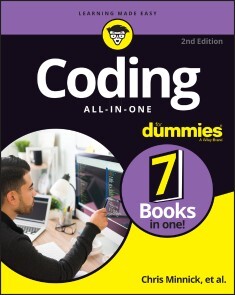
Coding All-in-One For Dummies
THE GO-TO GUIDE FOR LEARNING CODING FROM THE GROUND-UPAdding some coding know-how to your skills can help launch a new career or bolster an old one. Coding All-in-One For Dummies offers an ideal starting place for learning the languages that make technology go. This edition gets you started with a helpful explanation of how coding works and how it’s applied in the real-world before setting you on a path toward writing code for web building, mobile application development, and data analysis. Add coding to your skillset for your existing career, or begin the exciting transition into life as a professional developer—Dummies makes it easy.* Learn coding basics and how to apply them * Analyze data and automate routine tasks on the job * Get the foundation you need to launch a career as a coder * Add HTML, JavaScript, and Python know-how to your resume This book serves up insight on the basics of coding, designed to be easy to follow, even if you’ve never written a line of code in your life. You can do this.This All-in-One includes work by expert coders and coding educators, including CHRIS MINNICK AND EVA HOLLAND coauthors of Coding with JavaScript For Dummies; NIKHIL ABRAHAM, author of Coding For Dummies and Getting a Coding Job For Dummies;JOHN PAUL MUELLER AND LUCA MASSARON, coauthors of Python for Data Science For Dummies and Machine Learning For Dummies; and BARRY BURD, author of Flutter For Dummies.INTRODUCTION 1About This Book 2Foolish Assumptions 2Icons Used in This Book 3Beyond the Book 4Where to Go from Here 4BOOK 1: GETTING STARTED WITH CODING 5CHAPTER 1: WHAT IS CODING? 7Defining What Code Is 8Following instructions 8Writing code with some Angry Birds 9Understanding What Coding Can Do for You 10Eating the world with software 10Coding on the job 12Scratching your own itch (and becoming rich and famous) 13Surveying the Types of Programming Languages 13Comparing low-level and high-level programming languages 14Contrasting compiled code and interpreted code 15Programming for the web 16Taking a Tour of a Web App Built with Code 16Defining the app’s purpose and scope 16Standing on the shoulders of giants 17CHAPTER 2: PROGRAMMING FOR THE WEB 19Displaying Web Pages on Your Desktop and Mobile Device 20Hacking your favorite news website 20Understanding how the World Wide Web works 23Watching out for your frontend and backend 24Defining web and mobile applications 25Coding Web Applications 26Starting with HTML, CSS, and JavaScript 26Adding logic with Python, Ruby, or PHP 27Coding Mobile Applications 28Building mobile web apps 29Building native mobile apps 30Deploying Web Applications in the Cloud 31CHAPTER 3: BECOMING A PROGRAMMER 33Writing Code Using a Process 34Researching what you want to build 35Designing your app 36Coding your app 37Debugging your code 38Picking Tools for the Job 39Working offline 39Working online with CodeSandbox.io 40BOOK 2: BASIC WEB CODING 43CHAPTER 1: EXPLORING BASIC HTML 45What Does HTML Do? 46Understanding HTML Structure 47Identifying elements 47Featuring your best attribute 49Standing head, title, and body above the rest 50Getting Familiar with Common HTML Tasks and Elements 52Writing headlines 53Organizing text in paragraphs 54Linking to your (heart’s) content 55Adding images 56Styling Me Pretty 58Highlighting with bold, italics, underline, and strikethrough 58Raising and lowering text with superscript and subscript 59Building Your First Website Using HTML 60CHAPTER 2: GETTING MORE OUT OF HTML 63Organizing Content on the Page 64Listing Data 66Creating ordered and unordered lists 66Nesting lists 67Putting Data in Tables 68Basic table structuring 69Stretching table columns and rows 70Aligning tables and cells 72Filling Out Forms 75Understanding how forms work 75Creating basic forms 76Practicing More with HTML 78CHAPTER 3: GETTING STYLISH WITH CSS 79What Does CSS Do? 79CSS Structure 81Choosing the element to style 81My property has value 83Hacking the CSS on your favorite website 84Common CSS Tasks and Selectors 86Font gymnastics: Size, color, style, family, and decoration 86Customizing links 90Adding background images and styling foreground images 93Getting Stylish 97Adding CSS to your HTML 97Practicing with CSS 99CHAPTER 4: NEXT STEPS WITH CSS 101Styling (More) Elements on Your Page 102Styling lists 102Designing tables 105Selecting Elements to Style 107Styling specific elements 107Naming HTML elements 112Aligning and Laying Out Your Elements 113Organizing data on the page 114Shaping the div 116Understanding the box model 117Positioning the boxes 119Writing More Advanced CSS 122CHAPTER 5: RESPONSIVE LAYOUTS WITH FLEXBOX 123Introducing Responsive Design 124The web is mobile 124Why are so many sites mobile-unfriendly? 124Introducing mobile-first design 124Making responsive web pages with the viewport meta tag 125Using Flexbox 128Creating boxes 129Thinking in one dimension 130Using multi-line containers 133Make no assumptions 134Aligning on the cross-axis 134Aligning on the main axis 136Modifying flexible boxes 137Changing the order of items 139Experimenting with Flexbox 140CHAPTER 6: STYLING WITH BOOTSTRAP 143Figuring Out What Bootstrap Does 144Installing Bootstrap 145Understanding the Layout Options 147Lining up on the grid system 147Dragging and dropping to a website 150Using predefined templates 151Adapting layout for mobile, tablet, and desktop 151Coding Basic Web Page Elements 153Designing buttons 153Navigating with toolbars 155Adding icons 157Practicing with Bootstrap 158BOOK 3: ADVANCED WEB CODING 159CHAPTER 1: WHAT IS JAVASCRIPT? 161What Is JavaScript? 161The Eich-man cometh 162Mocha-licious 163We need more effects! 163JavaScript Grows Up 164Dynamic scripting language 165What does JavaScript do? 166Why JavaScript? 167JavaScript is easy to learn! 168JavaScript is everywhere! 169JavaScript is powerful! 172JavaScript is in demand! 172CHAPTER 2: WRITING YOUR FIRST JAVASCRIPT PROGRAM 173Setting Up Your Development Environment 173Downloading and installing Chrome 174Downloading and installing a code editor 174Reading JavaScript Code 181Running JavaScript in the Browser Window 182Using JavaScript in an HTML event attribute 182Using JavaScript in a script element 183Including external JavaScript files 185Using the JavaScript Developer Console 188Commenting Your Code 189Single-line comments 190Multi-line comments 190Using comments to prevent code execution 191CHAPTER 3: WORKING WITH VARIABLES 193Understanding Variables 193Initializing Variables 195Understanding Global and Local Scope 197Naming Variables 199Creating Constants Using the const Keyword 201Working with Data Types 202Number data type 202bigInt data type 205String data type 205Boolean data type 208NaN data type 209Undefined data type 210Symbol data type 210CHAPTER 4: UNDERSTANDING ARRAYS 211Making a List 211Array Fundamentals 213Arrays are zero-indexed 213Arrays can store any type of data 214Creating Arrays 215Using the new keyword method 215Array literal 215Populating Arrays 215Understanding Multidimensional Arrays 216Accessing Array Elements 218Looping through arrays 219Array properties 220Array methods 220Using array methods 222CHAPTER 5: WORKING WITH OPERATORS, EXPRESSIONS, AND STATEMENTS 225Express Yourself 226Hello, Operator 226Operator precedence 226Using parentheses 227Types of Operators 230Assignment operators 230Comparison operators 231Arithmetic operators 231String operator 234Bitwise operators 234Logical operators 236Special operators 237Combining operators 239CHAPTER 6: GETTING INTO THE FLOW WITH LOOPS AND BRANCHES 241Branching Out 241if else statements 242Switch statements 243Here We Go: Loop De Loop 246for loops 246for in loops 248while loops 251do while loops 252break and continue statements 253CHAPTER 7: GETTING FUNCTIONAL 255Understanding the Function of Functions 255Using Function Terminology 257Defining a function 257Function head 257Function body 257Calling a function 258Defining parameters and passing arguments 258Returning a value 258The Benefits of Using Functions 258Writing Functions 262Returning Values 263Passing and Using Arguments 264Passing arguments by value 265Passing arguments by reference 267Calling a function without all the arguments 267Setting default parameter values 267Calling a function with more arguments than parameters 268Getting into arguments with the arguments object 268Understanding Function Scope 269Creating Anonymous Functions 270Knowing the differences between anonymous and named functions 270Arrow functions 270Doing it Again with Recursion 271Functions within Functions 273CHAPTER 8: MAKING AND USING OBJECTS 275Object of My Desire 275Creating Objects 277Defining objects with object literals 277Defining objects with a constructor function 278Making objects with class 279Using Object.create 280Retrieving and Setting Object Properties 280Using dot notation 281Using square bracket notation 281Deleting Properties 283Working with Methods 284Using this 286An Object-Oriented Way to Become Wealthy: Inheritance 287Creating an object using inheritance 288Modifying an object type 289CHAPTER 9: CONTROLLING THE BROWSER WITH THE WINDOW OBJECT 291Understanding the Browser Environment 291The user interface 292Loader 293HTML parsing 294CSS parsing 294JavaScript parsing 294Layout and rendering 295Investigating the BOM 295The Navigator object 295The Window object 298Using the Window object’s methods 304CHAPTER 10: MANIPULATING DOCUMENTS WITH THE DOM 307Understanding the DOM 307Understanding Node Relationships 309Using the Document Object’s Properties and Methods 314Using the Element Object’s Properties and Methods 316Working with the Contents of Elements 319innerHTML 319Setting attributes 320Getting Elements by ID, Tag Name, or Class 320getElementById 321getElementsByTagName 322getElementsByClassName 322Using the Attribute Object’s Properties 324Creating and Appending Elements 325Removing Elements 325CHAPTER 11: USING EVENTS IN JAVASCRIPT 327Knowing Your Events 327Handling Events 329Using inline event handlers 330Event handling using element properties 331Event handling using addEventListener 332Stopping propagation 336CHAPTER 12: INTEGRATING INPUT AND OUTPUT 339Understanding HTML Forms 339The form element 340The label element 341The input element 342The select element 344The textarea element 344The button element 344Working with the Form Object 345Using Form properties 345Using the Form object’s methods 347Accessing form elements 348Getting and setting form element values 349Validating user input 351CHAPTER 13: UNDERSTANDING CALLBACKS AND CLOSURES 355What Are Callbacks? 355Passing functions as arguments 356Writing functions with callbacks 356Using named callback functions 357Understanding Closures 360Using Closures 363CHAPTER 14: EMBRACING AJAX AND JSON 367Working behind the Scenes with AJAX 367AJAX examples 368Viewing AJAX in action 370Using the XMLHttpRequest object 373Working with the same-origin policy 375Using CORS, the silver bullet for AJAX requests 377Putting Objects in Motion with JSON 378BOOK 4: CREATING MOBILE APPS 383CHAPTER 1: WHAT IS FLUTTER? 385All About Hardware and Software 385Where Does Flutter Fit In? 389Cross-platform development 390A quick-and-easy development cycle 394A great way to think about app development 396Enough New Terminology! What’s Next? 400CHAPTER 2: SETTING UP YOUR COMPUTER FOR MOBILE APP DEVELOPMENT 401The Stuff You Need 401What to Do 403Getting and installing the stuff 403For Mac users only 406Configuring Android Studio 407Running your first app 408Dealing with the Devil’s Details 413On installing Android Studio 414On launching Android Studio for the first time 414On adding virtual devices 415On installing Flutter 416Divisiveness Among Devices 418Running apps on an Android device 418Testing apps on a physical device 419Using Android Studio 424Starting up 425The main window 425Running This Book’s Sample Programs 429Enjoying reruns 431If you’re finicky 432CHAPTER 3: “HELLO” FROM FLUTTER 433First Things First: Creating a Flutter Project 434What’s it all about? 436A constructor’s parameters 440A note about punctuation 442Don’t relent — simply indent 442Classes, Objects, and Widgets 444A brief treatise on “within-ness” 446The documentation is your friend 447Making Things Look Nicer 448Creating a scaffold 451Adding visual tweaks 453Dart’s enum feature 454Hello from sunny California! 454Adding another widget 456Centering the text (Part 1) 459Centering the text (Part 2) 461Displaying an image 464Hey, Wait a Minute 468CHAPTER 4: HELLO AGAIN 469Creating and Using a Function 470The function declaration 471A function call 472Parameters and the return value 472Programming in Dart: The Small Stuff 475Statements and declarations 475Dart’s typing feature 476Literals, variables, and expressions 477Two for the price of one 480Dart’s var keyword 483Built-in types 484Types that aren’t built-in 486Using import declarations 487Creating Function Declaration Variations 487Type names in function declarations 490Naming your parameters 491What about the build function? 492More Fun to Come! 493CHAPTER 5: MAKING THINGS HAPPEN 495Let’s All Press a Floating Action Button 495Stateless widgets and stateful widgets 498Widgets have methods 498Pay no attention to the framework behind the curtain 500Enhancing Your App 509More parameters, please 512The override annotation 514What does mean? 515Anonymous functions 516What belongs where 519Names that start with an underscore 524Whew! 525CHAPTER 6: LAYING THINGS OUT 527Understanding the Big Picture 528Creating bite-size pieces of code 531Creating a parameter list 533Living color 534Adding padding 535Your humble servant, the Column widget 537The SizedBox widget 539Your friend, the Container widget 539Nesting Rows and Columns 545Introducing More Levels of Nesting 546Using the Expanded Widget 549Expanded versus unexpanded 552Expanded widget saves the day 555Flexing some muscles 560How Big Is My Device? 562CHAPTER 7: INTERACTING WITH THE USER 567A Simple Switch 568Dart’s const keyword 571Compatible or NOT? 572Wait For It! 574How Much Do You Love Flutter? 576Dealing with Text Fields 581Callouts 1 and 2 582Callout 3 585Callout 4 586Callout 5 590Creating Radio Buttons 590Creating an enum 593Building the radio group 593Displaying the user’s choice 595Creating a Drop-Down Button 596Building the drop-down button 600The little Reset button 601Making a map 602Onward and Upward 603CHAPTER 8: NAVIGATION, LISTS, AND OTHER GOODIES 605Extending a Dart Class 605Navigating from One Page to Another 608An icon on a button 612Pushing and popping 612Passing Data from the Source to a Destination 613Passing Data Back to the Source 618Dart’s async and await keywords 621Taking control of the app bar’s Back button 623Passing Data in Both Directions 624Creating Named Routes 629Creating a List 633The ListView widget 634Creating list items one-by-one 639Making loops with Dart 643Fetching Data from the Internet 646Using a public API 647Sending an URL to a server 650Making sense of a JSON response 651What’s Next? 652CHAPTER 9: MOVING RIGHT ALONG 653Setting the Stage for Flutter Animation 653Moving Along a Straight Line 659Bouncing Around 664Animating Size and Color Changes 666Moving Along a Curve 668Dragging Things Around 670Tearing Things Up 673BOOK 5: GETTING STARTED WITH PYTHON 675CHAPTER 1: WRAPPING YOUR HEAD AROUND PYTHON 677What Does Python Do? 678Defining Python Structure 679Understanding the Zen of Python 679Styling and spacing 680Coding Common Python Tasks and Commands 681Defining data types and variables 681Computing simple and advanced math 682Using strings and special characters 684Deciding with conditionals: if, elif, else 685Input and output 686Shaping Your Strings 687Dot notation with upper(), lower(), capitalize(), and strip() 687String formatting with % 688CHAPTER 2: INSTALLING A PYTHON DISTRIBUTION 689Using Anaconda 690Getting Anaconda 690Defining why Anaconda is used in this book 691Installing Anaconda on Linux 692Installing Anaconda on macOS X 693Installing Anaconda on Windows 694Downloading the Data Sets and Example Code 696Starting Anaconda Navigator 697Using Jupyter Notebook 697Defining the code repository 699Understanding the data sets used in this book 704CHAPTER 3: WORKING WITH REAL DATA 707Uploading, Streaming, and Sampling Data 708Uploading small amounts of data into memory 709Streaming large amounts of data into memory 710Generating variations on image data 711Sampling data in different ways 712Accessing Data in Structured Flat-File Form 714Reading from a text file 714Reading CSV-delimited format 715Reading Excel and other Microsoft Office files 718Sending Data in Unstructured File Form 719Managing Data from Relational Databases 722Interacting with Data from NoSQL Databases 724Accessing Data from the Web 725Accessing XML data 725Using read_xml 727BOOK 6: DATA ANALYSIS WITH PYTHON 729CHAPTER 1: CONDITIONING YOUR DATA 731Juggling between NumPy and pandas 732Knowing when to use NumPy 732Knowing when to use pandas 732Validating Your Data 733Figuring out what’s in your data 734Removing duplicates 737Creating a data map and data plan 738Manipulating Categorical Variables 740Creating categorical variables 741Renaming levels 742Combining levels 743Dealing with Dates in Your Data 744Formatting date and time values 745Using the right time transformation 745Dealing with Missing Data 747Finding the missing data 747Encoding missingness 748Imputing missing data 749Slicing and Dicing: Filtering and Selecting Data 750Slicing rows 750Slicing columns 751Dicing 752Concatenating and Transforming 752Adding new cases and variables 753Removing data 754Sorting and shuffling 755Aggregating Data at Any Level 757CHAPTER 2: SHAPING DATA 759Working with HTML Pages 760Parsing XML and HTML 760Using XPath for data extraction 761Working with Raw Text 763Dealing with Unicode 763Stemming and removing stop words 764Introducing regular expressions 766Using the Bag of Words Model and Beyond 768Understanding the bag of words model 769Working with n-grams 771Implementing TF-IDF transformations 772Working with Graph Data 774Understanding the adjacency matrix 775Using NetworkX basics 775CHAPTER 3: GETTING A CRASH COURSE IN MATPLOTLIB 779Starting with a Graph 780Defining the plot 780Drawing multiple lines and plots 781Saving your work 782Setting the Axis, Ticks, Grids 783Getting the axes 783Formatting the axes 784Adding grids 785Defining the Line Appearance 786Working with line styles 786Using colors 787Adding markers 789Using Labels, Annotations, and Legends 790Adding labels 791Annotating the chart 792Creating a legend 793CHAPTER 4: VISUALIZING THE DATA 795Choosing the Right Graph 796Showing parts of a whole with pie charts 796Creating comparisons with bar charts 797Showing distributions using histograms 799Depicting groups using box plots 800Seeing data patterns using scatterplots 802Creating Advanced Scatterplots 803Depicting groups 803Showing correlations 804Plotting Time Series 806Representing time on axes 806Plotting trends over time 807Visualizing Graphs 809Developing undirected graphs 809Developing directed graphs 811BOOK 7: CAREER BUILDING WITH CODING 813CHAPTER 1: EXPLORING CODING CAREER PATHS 815Augmenting Your Existing Job 816Creative design 816Content and editorial 817Human resources 818Product management 819Sales and marketing 820Legal 821Finding a New Coding Job 822Frontend web development 823Backend web development 824Mobile application development 826Data analysis 827CHAPTER 2: EXPLORING UNDERGRADUATE AND GRADUATE DEGREES 829Getting a College Degree 830College computer science curriculum 831Doing extracurricular activities 833Two-year versus four-year school 834Enrolling in an Advanced Degree Program 836Graduate school computer science curriculum 837Performing research 838Interning to Build Credibility 839Types of internship programs 839Securing an internship 840CHAPTER 3: TRAINING ON THE JOB 843Taking a Work Project to the Next Level 844Learning on the Job and After Work 845Training on the job 846Learning after work 846Freelancing to Build Confidence and Skills 848Transitioning to a New Role 849Assessing your current role 850Networking with developers 850Identifying roles that match your interest and skills 851CHAPTER 4: CODING CAREER MYTHS 853You Must Be Good at Math 853You Must Have Studied Engineering 854You Can Learn Coding in a Few Weeks 855You Need a Great Idea to Start Coding 855Ruby Is Better than Python 856Only College Graduates Receive Coding Offers 856You Must Have Experience 857Tech Companies Don’t Hire Women or Minorities 858The Highest Paying Coding Jobs Are in San Francisco 859Your Previous Experience Isn’t Relevant 860Index 861

Network Programming with Go Language
Dive into key topics in network architecture implemented with the Google-backed open source Go programming language. Networking topics such as data serialization, application level protocols, character sets and encodings are discussed and demonstrated in Go. This book has been updated to the Go version 1.18 which includes modules, generics, and fuzzing along with updated and additional examples.Beyond the fundamentals, Network Programming with Go, Second Edition covers key networking and security issues such as HTTP protocol changes, validation and templates, remote procedure call (RPC) and REST comparison, and more. Additionally, authors Ronald Petty and Jan Newmarch guide you in building and connecting to a complete web server based on Go. Along the way, use of a Go web toolkit (Gorilla) will be employed.This book can serve as both an essential learning guide and reference on networking concepts and implementation in Go. Free source code is available on Github for this book under Creative Commons open source license.WHAT YOU WILL LEARN* Perform network programming with Go (including JSON and RPC)* Understand Gorilla, the Golang web toolkit, and how to use it* Implement a microservice architecture with Go* Leverage Go features such as generics, fuzzing* Master syscalls and how to employ them with GoWHO THIS BOOK IS FORAnyone interested in learning networking concepts implemented in modern Go. Basic knowledge in Go is assumed, however, the content and examples in this book are approachable with modest development experience in other languages.JAN NEWMARCH, Ph.d., is Head of Higher Education (ICT), Box Hill Institute, Adjunct Senior Research Fellow, Faculty of IT, Monash University, and Adjunct Lecturer, School of Computing and Mathematics Charles Sturt University.RONALD PETTY is a Principal Consultant at RX-M LLC. His programming expertise is in open source languages like Go, Ruby and more. He currently is working on a number of Go code projects on Github.1: Architectural Layers2: Overview of the Go Language3: Socket-Level Programming4: Data Serialization5: Application-Level Protocols6: Managing Character Sets and Encodings7: Security8: HTTP9: Templates10: A Complete Web Server11: HTML12: XML13: Remote Procedure Call14: REST15: WebSockets16: Gorilla17: TestingAppendix A: FuzzingAppendix B: Generics

Beginning Data Science in R 4
Discover best practices for data analysis and software development in R and start on the path to becoming a fully-fledged data scientist. Updated for the R 4.0 release, this book teaches you techniques for both data manipulation and visualization and shows you the best way for developing new software packages for R.Beginning Data Science in R 4, Second Edition details how data science is a combination of statistics, computational science, and machine learning. You’ll see how to efficiently structure and mine data to extract useful patterns and build mathematical models. This requires computational methods and programming, and R is an ideal programming language for this.Modern data analysis requires computational skills and usually a minimum of programming. After reading and using this book, you'll have what you need to get started with R programming with data science applications. Source code will be available to support your next projects as well.Source code is available at github.com/Apress/beg-data-science-r4.WHAT YOU WILL LEARN* Perform data science and analytics using statistics and the R programming language* Visualize and explore data, including working with large data sets found in big data* Build an R package* Test and check your code* Practice version control* Profile and optimize your codeWHO THIS BOOK IS FORThose with some data science or analytics background, but not necessarily experience with the R programming language.Thomas Mailund is an associate professor in bioinformatics at Aarhus University, Denmark. His background is in math and computer science but for the last decade his main focus has been on genetics and evolutionary studies, particularly comparative genomics, speciation, and gene flow between emerging species.1. Introduction to R programming.2. Reproducible analysis.3. Data manipulation.4. Visualizing and exploring data.5. Working with large data sets.6. Supervised learning.7. Unsupervised learning.8. More R programming.9. Advanced R programming.10. Object oriented programming.11. Building an R package.12. Testing and checking.13. Version control.14. Profiling and optimizing.

Java Schnelleinstieg
* JAVA PROGRAMMIEREN LERNEN OHNE VORKENNTNISSE* ALLE GRUNDLAGEN FÜR DEN PROFESSIONELLEN EINSATZ* EINFACHE PRAXISBEISPIELE UND ÜBUNGSAUFGABENMit diesem Buch gelingt Ihnen der einfache Einstieg in die Java-Programmierung.Alle Grundlagen werden in 14 Kapiteln anschaulich und leicht nachvollziehbar anhand von Codebeispielen erläutert. Übungsaufgaben am Ende der Kapitel helfen Ihnen, das neu gewonnene Wissen schnell praktisch anzuwenden und zu vertiefen.Der Autor führt Sie Schritt für Schritt in die Welt der Programmierung ein: von den Grundlagen über Objektorientierung und die Entwicklung von Anwendungen mit grafischer Benutzungsoberfläche bis zum Programmieren von REST-Schnittstellen. Dabei lernen Sie ebenfalls, was guten Programmierstil ausmacht und wie man Fehler in Programmtexten finden und von vornherein vermeiden kann.So sind Sie perfekt auf den Einsatz von Java im professionellen Umfeld vorbereitet.AUS DEM INHALT:* Alle Grundlagen einfach erläutert* Objektorientierte Programmierung* Einsatz von Open-Source-Bibliotheken* Grafische Benutzungsoberflächen (GUI)* Einsatz von Datenbanken* Entwicklung von REST-Schnittstellen* Fehlerbehandlung und Debugging* Professioneller Programmierstil* Programmcode, Lösungen und Glossar zum DownloadDaniel Braun ist promovierter Informatiker und forscht und lehrt im Bereich betrieblicher Informationssysteme. Er ist Maintainer einer Open-Source-Java-Bibliothek und Autor verschiedener Programmierbücher.

Software Defined Networks
SOFTWARE DEFINED NETWORKSSOFTWARE DEFINED NETWORKING SUGGESTS AN ALTERNATIVE WORLDVIEW, ONE THAT COMES WITH A NEW SOFTWARE STACK TO WHICH THIS BOOK IS ORGANIZED, WITH THE GOAL OF PRESENTING A TOP-TO-BOTTOM TOUR OF SDN WITHOUT LEAVING ANY SIGNIFICANT GAPS THAT THE READER MIGHT SUSPECT CAN ONLY BE FILLED WITH MAGIC OR PROPRIETARY CODE.Software defined networking (SDN) is an architecture designed to make a network more flexible and easier to manage. SDN has been widely adopted across data centers, WANs, and access networks and serves as a foundational element of a comprehensive intent-based networking (IBN) architecture. Although SDN has so far been limited to automated provisioning and configuration, IBN now adds “translation” and “assurance” so that the complete network cycle can be automated, continuously aligning the network to business needs. In 14 chapters, this book provides a comprehensive understanding of an SDN-based network as a scalable distributed system running on commodity hardware. The reader will have a one-stop reference looking into the applications, architectures, functionalities, virtualization, security, and privacy challenges connected to SDN. AUDIENCEResearchers in software, IT, and electronic engineering as well as industry engineers and technologists working in areas such as network virtualization, Python network programming, CISCO ACI, software defined network, and cloud computing. ANAND NAYYAR, PHD, received his PhD in Computer Science from Desh Bhagat University in 2017 and is currently an assistant professor, Vice-Chairman (Research) and Director (IoT and Intelligent Systems Lab) in the School of Computer Science, Duy Tan University, Da Nang, Vietnam. A Certified Professional with 100+ Professional certificates from CISCO, Microsoft, Oracle, Google, Beingcert, EXIN, GAQM, Cyberoam, and many more, he has published more than 150 research articles and ISI journals, edited 30+ books, and has 60 patents to his credit.BHAWNA SINGLA, PHD, received her PhD from Thapar University, Patiala, India and is currently a professor in the Computer Science and Engineering Department, PIET College of Engineering and Technology, Samalkha, Panipat, India. She has more than 18 years of academic experience and has published more than 35 research papers in international journals/conferences and edited books. PREETI NAGRATH, PHD, is an associate professor in Bharati Vidyapeeth’s College of Engineering. She has more than 16 years of academic experience and has published more than 60 research papers in SCI-indexed journals. Preface xxi1 INTRODUCTION TO SOFTWARE DEFINED NETWORKING 1Subhra Priyadarshini Biswal and Sanjeev Patel1.1 Introduction 21.2 Terminology and Architecture 51.2.1 Infrastructure Layer 91.2.2 Southbound Interfaces Layer 111.2.3 Network Hypervisors Layer 111.2.4 Controller Layer 121.2.5 Northbound Interfaces 131.3 The Role of Network Operating Systems 141.4 SDN Versus NFV 161.5 The Role of NFV into SDN-Based IoT Systems 171.6 Challenges and Future Directions 191.7 Applications of SDN in IT Industries 211.8 Conclusion and Future Scope 23References 242 SOFTWARE-DEFINED NETWORKS: PERSPECTIVES AND APPLICATIONS 29Inderjeet Kaur, Anupama Sharma, Amita Agnihotri and Charu Agarwal2.1 Introduction 302.2 SDN Architecture 322.2.1 Key Takeaways of SDN Architecture 352.2.2 Open Flow 362.3 Functionalities of SDN 392.3.1 SDN Benefits 402.4 SDN vs. Traditional Hardware-Based Network 412.5 Load Balancing in SDN 442.5.1 SDN-Based Load Balancer in Cloud Computing 472.5.2 SDN Without Cloud Computing 492.6 SDN Security 492.6.1 Security Threats and Attacks 512.7 SDN Applications 532.8 Research Directions 552.9 Conclusion 55References 563 SOFTWARE-DEFINED NETWORKS AND ITS APPLICATIONS 63Rajender Kumar, Alankrita Aggarwal, Karun Handa, Punit Soni and Mukesh Kumar3.1 Introduction 643.2 SDN vs Traditional Networks 653.3 SDN Working: A Functional Overview 673.4 Components and Implementation Architecture 683.4.1 Components of an SDN 683.4.1.1 SDN Application 683.4.1.2 SDN Controller 693.4.1.3 SDN Datapath 693.4.1.4 SDN Control to Data-Plane Interface (CDPI) 693.4.1.5 SDN Northbound Interfaces (NBI) 693.4.1.6 SDN Control Plane: Incorporated-Hierarchical-Distributed 693.4.1.7 Controller Placement 703.4.1.8 OpenFlow and Open Source in SDN Architecture 703.4.2 SDN Design 703.4.2.1 Northward APIs 713.4.2.2 Southward APIs 713.4.2.3 Orchestrator 713.4.2.4 Controller 713.4.2.5 Compute 713.5 Implementation Architecture 723.6 Pros and Cons of SDN 723.6.1 SDN Misconceptions 733.6.2 Pros of SDN 733.6.2.1 Centralized Network Provisioning 733.6.2.2 Holistic Enterprise Management 733.6.2.3 More Granular Security 743.6.2.4 Lower Operating Costs 743.6.2.5 Hardware-Savings and Reduced Capital Expenditures 743.6.2.6 Cloud Abstraction 753.6.2.7 Guaranteed Content Delivery 753.6.3 Cons of SDN 753.6.3.1 Latency 753.6.3.2 Maintenance 753.6.3.3 Complexity 753.6.3.4 Configuration 763.6.3.5 Device Security 763.7 SDN Applications 763.7.1 SDN Environment for Applications 763.7.1.1 Internal SDN Applications 773.7.1.2 External SDN Applications 773.7.1.3 Security Services 773.7.1.4 Network Monitoring and Intelligence 773.7.1.5 Data Transmission Management 783.7.1.6 Content Availability 783.7.1.7 Guideline and Compliance-Bound Applications 783.7.1.8 Elite Applications 793.7.1.9 Circulated Application Control and Cloud Integration 793.7.2 Common Application of SDN in Enterprise Networks 793.7.2.1 Further Developed Security 803.7.2.2 Diminished Working Expenses 803.7.2.3 A Superior Client Experience 813.7.3 SDN Drives in the Enterprise 813.7.3.1 Bringing Together and Improving on the Administration Plane 813.7.3.2 Accomplishing Programmability of the Control Plane 813.7.3.3 Simple Client Onboarding 823.7.3.4 Simple Endpoint Security 823.7.3.5 Simple Traffic Checking 823.7.3.6 SES Client Onboarding 833.7.3.7 Client Onboarding 833.7.3.8 SES Simple Endpoint Security: Distinguishing Dubious Traffic 833.7.3.9 SES Simple Traffic Observing 843.7.3.10 Synopsis 843.7.4 SDN Stream Sending (SDN) 843.7.4.1 Proactive Versus Reactive Versus Hybrid 843.7.4.2 DMN 853.7.4.3 SD-WAN 853.7.4.4 SD-LAN 853.7.4.5 Security Using the SDN Worldview 853.7.5 Security Utilizing the SDN Paradigm 863.7.6 Gathering Data Delivery Using SDN 873.7.7 Relationship of SDN to NFV 873.8 Future Research Directions of SDN 883.9 Conclusion & Future Scope 89References 904 LATENCY-BASED ROUTING FOR SDN-OPENFLOW NETWORKS 97Hima Bindu Valiveti, Meenakshi K, Swaraja K, Jagannadha Swamy Tata, Chaitanya Duggineni, Swetha Namburu and Sri Indrani Kotamraju4.1 Introduction to Generations of Networks 984.2 Features of 5G Systems 994.3 Software-Defined Networking (SDN) 1024.4 Proposed Work 1054.4.1 Path Selection Algorithm 1064.4.2 Optimized Path Selection 1064.4.2.1 Forwarding Node Selection 1064.4.2.2 Priority Scheduling 1084.4.2.3 Priority Classification 1084.5 Experimentation and Results 1094.5.1 Implementation of Traffic Streaming 1094.6 Performance Analysis 1134.7 Conclusion and Future Scope 116References 1165 QOS IMPROVEMENT EVALUATION WITH AN EFFECTIVE SWITCH ASSIGNMENT TO THE CONTROLLER IN REAL-TIME SDN ENVIRONMENT 119Jehad Ali and Byeong-hee Roh5.1 Introduction 1205.1.1 Objectives 1215.2 Architecture of SDN 1215.2.1 Data Plane 1235.2.2 Southbound (SB) APIs 1235.2.3 NB API 1245.2.4 Management Plane 1255.2.5 Control Plane 1255.3 Controller Placement Effect on the QoS 1255.4 Communication between the Control and Data Planes 1265.5 Related Works 1285.6 Parameters for Computing E2E Delay 1295.6.1 Path Discovery Delay (PD) 1295.6.2 Actual Delay (AD) 1295.7 Clustering Based on the Latency of the Emulated Mininet Network 1305.8 Results and Discussion 1315.9 Conclusion and Future Directions 133References 1346 AN INSIGHT INTO TRAFFIC ENGINEERING IN SOFTWARE-DEFINED NETWORKS 137Prabu U. and Geetha V.6.1 Introduction 1386.2 Related Works 1426.3 Review on Traffic Engineering Techniques in SDN 1456.4 Review on Traffic Engineering Techniques in Hybrid SDN 1636.5 Review on Traffic Matrix Estimation and Measurement Techniques in SDN 1696.6 Analysis and Research Direction 1776.7 Conclusion and Future Scope 179References 1797 NETWORK FUNCTIONS VIRTUALIZATION AND SDN 191Priyanka Kujur and Sanjeev Patel7.1 Introduction 1927.2 Types of Virtualizations 1947.2.1 Server Virtualization 1947.2.2 Network Virtualization 1957.2.3 Application Virtualization 1957.2.4 Desktop Virtualization 1977.2.5 Storage Virtualization 1977.3 Wireless Network Virtualization 1987.3.1 Radio Spectrum Resources 1987.3.2 Wireless Network Infrastructure 1997.3.3 Wireless Virtual Resources 2007.3.3.1 Spectrum-Level Slicing 2007.3.3.2 Infrastructure-Level Slicing 2007.3.3.3 Network-Level Slicing 2007.3.3.4 Flow-Level Slicing 2007.3.4 Wireless Virtualization Controller 2017.4 Network Functions Virtualization and Software-Defined Network 2017.4.1 Network Virtualization 2017.4.2 Network Functions Virtualization 2017.4.2.1 Network Functions Virtualization Infrastructure 2027.4.2.2 Virtual Network Functions 2037.4.2.3 Network Functions Virtualization Management and Orchestration 2037.4.2.4 NFV Challenges 2047.4.3 Benefits of NFV 2047.4.3.1 Coexistence of Dissimilar Network 2047.4.3.2 Encouraging Network Innovation 2047.4.3.3 Deployment of Agile Network Capabilities 2047.4.3.4 Provisioning of Independent and Diverse Networks 2057.4.3.5 Resource Optimization 2057.4.3.6 Deployment of Distinct Network Services 2057.4.4 Software-Defined Networking (SDN) 2057.4.4.1 Traditional Networks 2057.4.4.2 Need for New Network Architecture 2067.4.4.3 Introduction to SDN 2067.4.4.4 SDN Implementation 2087.4.4.5 SDN Design 2087.4.4.6 SDN Operation 2097.4.5 Open Flow 2107.4.5.1 Open Flow Architecture 2117.4.5.2 Defining Flow in Open Flow 2127.4.5.3 Flow and Group Table 2137.4.6 SDN Benefits 2147.4.6.1 Centralized Network 2147.4.6.2 Programmability of the Network 2147.4.6.3 Rise of Virtualization 2147.4.6.4 Lower Operating Cost 2157.4.6.5 Device Configuration and Troubleshooting 2157.4.7 SDN Challenges 2157.4.7.1 Reliability 2157.4.7.2 Scalability 2157.4.7.3 Performance Under Latency Constraints 2167.4.7.4 Use of Low-Level Interface Between the Controller and the Network Device 2167.4.7.5 Controller Placement Problem 2167.4.7.6 Security 2177.4.8 SDN versus Traditional Network 2177.4.9 Network Function Virtualization versus SDN 2187.5 SDN Architecture 2197.5.1 Data Plane 2197.5.2 Control Plane 2207.5.3 Application Layer 2207.6 Software-Defined Networking Application 2207.6.1 Adaptive Routing 2207.6.2 Load Balancing 2217.6.3 Boundless Roaming 2217.6.4 Network Maintenance 2227.6.5 Network Security 2227.6.6 SDN for Cloud Computing 2227.6.7 Internet of Things 2247.7 Conclusion and Future Scope 224References 2258 SDN-ENABLED NETWORK VIRTUALIZATION AND ITS APPLICATIONS 231Anil Kumar Rangsietti and Siva Sairam Prasad Kodali8.1 Introduction 2328.2 Traditional Cloud Data Centers 2348.2.1 SDN for Enabling Innovative Traffic Engineering Tasks in Cloud Data Centers 2368.2.1.1 Optimal Routing Mechanisms 2368.2.1.2 Flexible Traffic Steering During Network Failure Recovery 2388.2.1.3 Improved Topology Management Mechanisms 2388.2.1.4 Innovative Traffic Analysis and Monitoring Mechanisms 2398.2.1.5 General Challenges in Adopting SDN 2398.2.2 SDN Role in Flexible Network Virtualization 2418.2.2.1 Sharing of Physical Infrastructure and Enforcing Multiple Customer Policies 2428.2.2.2 Strict Customer Policies Enforcement and Service Level Agreements (SLA) Guarantee 2438.2.2.3 Failures of Devices or Links 2438.2.2.4 Optimal Utilization of Cloud Resources 2448.3 Importance of SDN in Network Function Virtualization (NFV) 2458.3.1 Network Service Chaining (NSC) 2488.3.2 Importance of NFs Placement in a Cloud Environment 2498.3.3 Importance of NF Placement and Scaling in NSC 2518.4 SDN and Network Virtualization Role in Evolution of Next-Generation Wi-Fi and Mobile Networks 2538.4.1 Software-Defined Solutions for Enterprise Wireless LANs (WLANs) 2538.4.1.1 Software-Defined APs 2548.4.1.2 SDN Switches and Controller 2568.4.2 Software-Defined Mobile Networks and Telecommunication Clouds 2588.4.3 Necessity and Importance of Telecommunication Clouds 2598.4.3.1 SDN- and NFV-Enabled Cloud Environments 2608.4.3.2 Lightweight Virtualization Technologies 2618.4.3.3 Novel Application Architecture, Such as Cloud Native Applications and Microservices 2638.5 SDN and NFV Role in 5G and Smart Cities 2648.5.1 SDN and NFV Role in Designing Deployment Environment for IoT Applications 2658.5.2 Cloud-Fog-Edge Computing Environments 2668.5.3 SDN- and NFV-Enabled 5G and Network Slicing Deployment 2698.6 Conclusions and Future Scope 271References 2729 SOFTWARE-DEFINED NETWORKING: RECENT DEVELOPMENTS AND POTENTIAL SYNERGIES 279Jasminder Kaur Sandhu, Bhawna Singla, Meena Pundir, Sanjeev Rao and Anil Kumar Verma9.1 Introduction 2809.2 Characteristics of Software-Defined Networking 2829.2.1 Open Standards and Vendor Neutral 2829.2.2 Centrally Managed 2839.2.3 Decoupled 2839.2.4 Dynamic/Agile 2839.2.5 Flow-Based Management 2839.2.6 Programmable 2839.3 Applications of Software-Defined Networking 2849.3.1 Specific Purposes 2849.3.1.1 Network Management 2849.3.1.2 Middle-Box 2849.3.2 Security 2859.3.3 Networks 2859.3.3.1 Optical Network 2869.3.3.2 Home Network 2869.3.3.3 Wireless Network 2869.4 Security Issues in Software-Defined Networking 2879.4.1 Authentication and Authorization 2879.4.2 Access Control and Accountability 2889.4.3 Threats from Applications 2899.4.4 Threats Due to Scalability 2899.4.5 Denial of Service (DoS) Attacks 2909.4.6 Challenges in Distributed Control Plane 2909.5 Potential Attacks in Software-Defined Networking 2919.5.1 Spoofing 2919.5.2 ARP Spoofing 2919.5.2.1 IP Spoofing 2939.5.3 Tampering 2939.5.4 Repudiation 2949.5.5 Information Disclosure 2959.5.6 DoS 2959.5.7 Elevation of Privilege 2969.6 Solutions to Security Issues and Attacks in Software-Defined Networking 2979.6.1 Spoofing 2979.6.1.1 ARP Spoofing 2979.6.1.2 IP Spoofing 3019.6.2 Tampering 3019.6.3 Repudiation 3019.6.3.1 Nonrepudiation Verification 3019.6.3.2 Accountability 3029.6.4 Information Disclosure 3029.6.4.1 Scanning-Based Solutions 3029.6.4.2 Information Disclosure Countermeasure 3029.6.5 Denial of Service (DoS) 3029.6.6 Elevation of Privilege 3039.7 Software-Defined Networking Framework 3039.7.1 Global Flow Table 3049.7.2 VNGuard 3049.8 Security Enhancement Using the Software-Defined Networking Framework 3059.8.1 SDN Firewall 3059.8.2 Access Control 3079.8.3 Intrusion Detection System/Intrusion Prevention System (IDS/IPS) 3079.8.4 SDN Policies 3079.8.5 Monitoring and Auditing 3089.8.6 Privacy Protection 3089.8.7 SDN WiFi Networks 3089.8.8 Mobile SDN 3099.8.9 BYOD 3099.8.10 SDN Open Labs 3099.9 Open Challenge 3109.9.1 Interaction Between Different Controllers and Switches 3109.9.2 Controller Security 3109.9.3 Managing Heterogenous Controllers 3109.9.4 Standard Protocol for Controller 3119.9.5 Standard Protocol Between Control and Management Plane 3119.9.6 Managing the Load Between Controllers 3119.10 Recommended Best Practices 3119.10.1 Authentication 3129.10.2 Access Control 3129.10.3 Data Confidentiality 3129.10.4 Nonrepudiation 3129.10.5 Data Integrity 3139.10.6 Communication Security 3139.10.7 Privacy 3139.10.8 Availability 3139.11 Conclusion and Future Scope 314References 31510 SECURITY CHALLENGES AND ANALYSIS FOR SDN-BASED NETWORKS 321Priyanka Kujur, Subhra Priyadarshini Biswal and Sanjeev Patel10.1 Introduction 32210.2 Threat Model 32510.2.1 Spoofing 32510.2.2 Tampering 32510.2.3 Repudiation 32510.2.4 Information Disclosure 32510.2.5 Denial of Service 32610.2.6 Elevation of Privileges 32610.2.7 Threats in SDN Networks 32610.2.7.1 Attack Surface in SDN 32610.2.7.2 Security Issues in SDN 32710.2.7.3 Addressing SDN Security Matters 32810.2.7.4 Attack to the SDN Architecture 32810.2.8 Policy-Based SDN Security Architecture 33010.3 Control Plane Security of SDN 33110.3.1 Application Coexistence 33110.3.2 Flow Constraints vs. Flow Circuits 33210.3.3 An Application Permission Model 33210.3.4 Application Accountability 33210.3.5 Toward a Security-Enhanced Control Layer 33210.4 Security Analysis 33210.5 Network-Wide Security in SDN 33310.5.1 Security Systems Development 33410.5.2 Flow Sampling 33510.5.3 Traffic Monitoring 33610.5.4 Access Control 33710.5.5 Content Inspection 33710.5.6 Network Resilience 33810.5.7 Security Middle Boxes 33910.5.8 Security Challenges in SDN 33910.6 SDN-Based Virtual and Cloud Networks Security 34010.6.1 Virtual Networks Security 34010.6.2 Cloud Networks Security 34010.7 SDN-Based Secure IoT Frameworks 34110.8 Conclusion and Future Scope 341References 34211 A NOVEL SECURE SDN ARCHITECTURE FOR RELIABLE DATA TRANSMISSION IN 5G NETWORKS 347J. Sathiamoorthy, Usha M. and R. Bhagavath Nishant11.1 Introduction 34811.1.1 Organization of the Chapter 35211.2 Related Work 35211.3 SDN-5G Networks—What Does the Future Hold? 35611.4 Layers in SDN-5G Networks 35811.5 Security Threats 35911.5.1 Control Plane 36011.5.2 Data Plane 36111.5.3 Application Plane 36111.6 SDN-5G Networks—Possible Attacks and Threats 36211.6.1 Distributed Denial of Services (DDoS) 36211.6.2 Solution for DDoS—To Analyze User’s Behavior via Detection Through Entropy 36311.6.3 Solution for Packet Sniffing 36311.6.4 Steps in the Handshake Process 36411.6.5 ARP Spoofing Attack 36511.6.5.1 ARP Authentication 36511.6.5.2 Operating System Patching 36511.6.5.3 API Exploitation 36611.6.5.4 Password Guessing or Brute Force 36611. 7 Proposed Methodology 36711.7.1 Strong Security Architecture for SDN-Based 5G Networks 36711.8 Security Analysis 37311.8.1 IP Spoofing 37311.8.2 MITM Attack 37911.8.3 Replay Attack 37911.9 Conclusion and Future Scope 388References 38812 SECURITY AND PRIVACY ISSUES IN 5G/6G-ASSISTED SOFTWARE-DEFINED NETWORKS 391Durbadal Chattaraj and Ashok Kumar Das12.1 Introduction 39212.1.1 SDN Applications 39412.1.2 Security and Privacy Issues in SDN 39612.1.3 Chapter Contributions 39712.1.4 Chapter Organization 39712.2 Security and Functionality Requirements in SDN 39812.3 Network and Threat Models 39912.3.1 Network Model 39912.3.2 Adversary Model 40212.4 Taxonomy of Security Protocols in SDN 40512.5 Security Solutions in SDN 40612.5.1 Authentication 40712.5.2 Access Control 40812.5.3 Key Management 40912.5.4 Intrusion Detection 41012.5.5 Blockchain-Based Security Solution 41212.6 Comparative Analysis 41312.6.1 Comparative Analysis on Communication and Computational Costs 41412.6.2 Comparative Analysis on Security Features 41512.7 Conclusion and Future Scopes 419References 42013 EVOLVING REQUIREMENTS AND APPLICATION OF SDN AND IOT IN THE CONTEXT OF INDUSTRY 4.0, BLOCKCHAIN AND ARTIFICIAL INTELLIGENCE 427Sunil Kr. Singh, Sunil Kr Sharma, Dipesh Singla and Shabeg Singh Gill13.1 Introduction 42813.2 Objectives of the Chapter 43013.3 Organization of the Chapter 43113.4 Software-Defined Network Architecture 43113.4.1 SDN Planes 43413.4.1.1 Control Plane 43413.4.1.2 Data Plane 43413.4.1.3 Application/Management Plane 43513.4.2 QoS: Quality of Service 43613.4.2.1 Jitter 43613.4.2.2 Packet Loss 43613.4.2.3 Bandwidth 43713.4.2.4 Latency 43713.4.3 OpenQoS 43713.4.4 Secondnet 43813.4.5 OpenQFlow 44013.4.6 CloudNaaS 44113.4.7 Scalable QoS and Automated Control for Network Convergence 44213.5 Security 44213.5.1 Fresco 44213.5.2 NetFuse 44313.5.3 Scalability 44413.5.4 DIFANE 44413.5.5 DevoFlow 44513.5.6 Maestro 44513.5.7 Load Balancing 44613.5.8 AsterX 44613.5.9 OpenFlow-Based Server Load Balancing Gone Wild 44713.6 Software-Defined Network (SDN) With IoT 44713.7 SDN-Based IoT Architecture 44813.7.1 IoT’s Architecture With Software Programming Functions 44913.7.2 SDN Controllers 44913.7.3 Gateways/Routers 45113.7.4 Sinks 45213.7.5 Data Center 45213.7.6 Design Principles 45313.7.7 Dynamic Deployment of Security Policies 45413.8 Role of SDN and IoT in Industry 4.0 45613.8.1 Industry 4.0 Explained 45713.8.1.1 Mass Customization 45713.8.1.2 Flexibility 45713.8.1.3 Additive Manufacturing 45713.8.1.4 Better Decision Making 45813.8.1.5 Simulation and Digital Twins 45813.8.1.6 Integrated Supply Chain 45813.8.1.7 Energy Management 45813.8.1.8 Creating Value from Big Data 45913.8.1.9 Cyber-Physical Systems 45913.8.2 Brokerage Services 46213.8.3 Man4Ware 46413.8.4 Security 46613.8.5 Additional Advanced Service Alternatives 46713.8.6 Interconnection and Integration Between IoT and Industry 4.0 46713.9 Work in Related Domains of IoT 46813.10 IoT Computing and Management With SDN 47013.10.1 Edge Computing 47013.10.2 Convergence of NFV and Edge Computing 47113.10.3 Use of Artificial Intelligence (AI) in Software-Defined Networks (SDN) 47213.10.4 SDN Network Structure and OpenFlow (OF) Protocol 47313.11 Scope of Blockchain to Secure IoT Using SDN 47413.11.1 The Architecture of Blockchain-Based SDN 47513.11.2 Workflow of BC-SDN and Smart Contracts 47713.11.2.1 Key Components of Workflow 47813.12 SDN in Various Emerging Areas of IoT 48113.13 Conclusion and Future Scope 486References 48914 SDN-BASED CLOUD COMBINING EDGE COMPUTING FOR IOT INFRASTRUCTURE 497Jyoti Snehi, Manish Snehi, Devendra Prasad, Sarita Simaiya, Isha Kansal and Vidhu Baggan14.1 Introduction 49814.1.1 Architecture of SDN vs. Traditional Networks 50314.1.2 SDN/NFV Tiers 50414.1.3 Objective of Chapter 50914.1.4 Organization of Chapter 50914.2 Challenges with SDN-Based Cloud and NFV Technologies for IoT 51014.3 Literature Survey 51914.4 Knowledge-Driven SDN-Based IoT Architecture That Leverages Edge Cloud 52614.5 Discussion and Future Recommendation 53214.6 Conclusion 533References 533Index 541
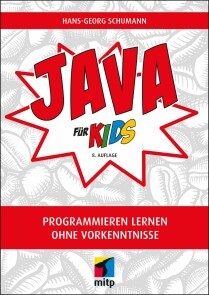
Java für Kids
* EINFACHER EINSTIEG IN DIE JAVA-PROGRAMMIERUNG MIT VIELEN PROFI-TIPPS* ZAHLREICHE KLEINE SPIELE PROGRAMMIEREN LERNEN MIT SCHRITT-FÜR-SCHRITT-ANLEITUNGEN* MIT FRAGEN UND AUFGABEN AM ENDE JEDES KAPITELS SOWIE HILFREICHEN SPICKZETTELN ZUM DOWNLOADJava - wer denkt da nicht an eine Insel, auf der es heiß und feucht ist, mit Vulkanen, viel Wald und seltenen Tieren? Du nicht? Du denkst an eine Programmiersprache? Dann bist du hier richtig! In diesem Buch erfährst du, wie du deinem Computer Befehle gibst und unter anderem kleine Spiele programmierst - und er dann tut, was du möchtest.Hans-Georg Schumann zeigt dir, wie du mit Java erste Programme schreibst und welche Zutaten du dazu benötigst: Variablen, Kontrollstrukturen, Klassen und mehr. Schritt für Schritt werden die Quelltexte umfangreicher bis hin zur objektorientierten Programmierung. So schaffst du den Einstieg in Java zusammen mit der Entwicklungsumgebung Eclipse spielend leicht!Schnell hast du ein erstes Lotto-Spiel programmiert, dein Programm mit Buttons und Häkchen professionell ausgestattet und den Rechner dazu gebracht, Quizfragen zu stellen. Du erfährst aber auch, wie du mit Java bunte Grafiken erstellst oder Figuren animierst, also zum Laufen bringst. Zudem macht das Programmieren von Spielen wie Hangman oder Stein-Schere-Papier nicht nur dir als Programmierer oder Programmiererin großen Spaß, sondern auch allen Spielern und Spielerinnen.Programmieren mit Java ist nicht so kompliziert, wie es sich anhört! Denn alles wird genau erklärt und am Ende der Kapitel noch einmal zusammengefasst.AUS DEM INHALT:* Was eine Entwicklungsumgebung ist und wie du z.B. mit Eclipse programmierst* Objekte, Klassen und Pakete kennenlernen* Lleine Spiele entwickeln: Zufallszahlen und Zahlenraten* Grundlagen objektorientierter Programmierung* Optische Gestaltung mit Swing* Ein Quiz-Spiel und Hangman programmieren* Buttons und andere Komponenten als Diagnosehilfe einsetzen* Eine Figur zum Laufen bringen* Zahlreiche Ideen für die Spieleprogrammierung: Von Stein-Schere-Papier bis zur spannenden Käferjagd* Ausführlicher Anhang zur Installation und FehlersucheZUM DOWNLOAD UNTER WWW.MITP.DE/0520:* alle Projekte aus dem Buch* Lösungen zu den Fragen und Aufgaben im Buch* Hilfreiche Spickzettel zum AusdruckenHans-Georg Schumann war Informatik- und Mathematiklehrer an einer Gesamtschule. Er hat bereits viele erfolgreiche Bücher in der mitp-Buchreihe »... für Kids« geschrieben.

SAP S/4 HANA-Systeme in Hyperscaler Clouds
Dieses Buch hilft Ihnen bei der Architektur, dem Setup, der Installation und dem Betrieb von SAP S/4HANA-Systemen in der Public Cloud von Amazon, Microsoft und Google. Blue-Prints, Beispielarchitekturen und konkrete Handlungsanweisungen helfen bei der Erreichung Ihres Ziels.ANDRÉ BÖGELSACK arbeitet als Principal Director bei der Firma Accenture in der Schweiz und berät Kunden aller Industrien bei der Nutzung von Hyperscaler Services für den Betrieb von SAP-Systemen. Er wurde in Informatik über das Thema SAP promoviert und ist weithin in der SAP Community und bei den Hyperscalern bekannt.ELENA WOLZ studierte Wirtschaftsinformatik an der Technischen Universität München. Als Produktverantwortliche für SAP S/4HANA am SAP University Competence Center München beschäftigt sie sich zentral mit der Bereitstellung von SAP S/4HANA-Systemen. Weiterhin begleitete sie ganzheitlich ein S/4HANA Deployment-Projekt in Hyperscaler-Cloud-Umgebung.JOHANNES RANK leitet die Basis am SAP University Competence Center in München und verantwortet seit vielen Jahren den Betrieb von SAP S/4HANA-Systemen in Cloud- und On-Premise Umgebungen.JESSICA TISCHBIEREK übernimmt seit Herbst 2021 die Rolle als SAP GTM Lead EMEA bei Google Cloud mit Standort München. Sie hat zuvor seit 2018 bei Google Cloud im Pre-Sales Umfeld als Customer Engineer Specialist for SAP on Google Cloud Kunden bei ihrer Cloud Transformation beraten. Dabei arbeitet sie mit globalen Unternehmen und Partnern zusammen.DHIRAJ KUMAR arbeitet als Manager bei Accenture in Indien und leitet mit seinem Team die Ausführung der Migrationen von sehr großen und komplexen SAP-Landschaften. Sein Fokus sind der Einsatz von neuartigen Methoden für die Bereitstellung von SAP.UTPAL CHAKRABORTY arbeitet als Manager bei der Accenture GmbH in Deutschland und hat mehrjährige Erfahrung beim Betrieb und der Migration von SAP-Systemen in die Cloud. Er arbeitet branchenübergreifend und hat bereits die SAP-Systeme einer Vielzahl von Kunden in die Cloud gehoben.Einleitung und Einführung zu Hyperscaler Clouds - SAP S/4HANA-Systeme in den Hyperscaler Clouds - Konzepte und Architekturen für SAP S/4HANA-Systeme auf Amazon Web Services – AWS - Konzepte und Architekturen für SAP S/4HANA-Systeme auf Microsoft Azure - Konzepte und Architekturen für SAP S/4HANA-Systeme auf Google Cloud - Installation und Provisionierung von SAP S/4HANA-Systemen auf den Hyperscaler Clouds - Zusammenfassung und Ausblick

Android Tablets & Smartphones (5. Auflage)
Der Ratgeber für Einsteiger & Senioren. 5. aktualisierte Auflage des Bestsellers. Mit großer Schrift und in Farbe.Android Tablets und Smartphones erfreuen sich großer Beliebtheit. Die handlichen und leistungsfähigen Geräte mit dem Betriebssystem Android sind unglaublich praktisch. Doch ihre Bedienung kann zunächst ungewohnt sein – insbesondere für weniger geübte Nutzerinnen und Nutzer.Mit diesem praktischen Ratgeber finden Sie sich schnell zurecht. Schritt für Schritt können Sie nachvollziehen, wie Sie Ihr Handy oder Ihr Tablet mit Android einrichten, wie Sie surfen, Fotos machen, Kurznachrichten und E-Mails verschicken, die Einsatzmöglichkeiten Ihres Geräts durch neue Apps erweitern und vieles mehr.Dieses Buch beschreibt die Bedienung von Smartphones und TabletPCs mit den Android-Versionen 6 bis 11.Aus dem Inhalt: Ihr Android-Gerät kennenlernenIhr Gerät bedienenApps kaufen & verwaltenSurfen & InternetE-Mail-GrundlagenTermine & NotizenFotos machen & bearbeitenE-Books lesenMusik hörenVideos anschauenTelefonieren & SkypeGeräte-Einstellungen anpassenSicherheitsempfehlungenGlossarZielgrupe: Senior*innenEinsteiger*innenSpäteinsteiger*innenalle Nutzer*innen von Android-GerätenAutor: Günter Born ist seit vielen Jahren Autor erfolgreicher Einsteigerbücher für Senioren. Er versteht es, auch komplexe Inhalte verständlich und nachvollziehbar zu beschreiben.

Android Smartphones und Tablets für Senioren für Dummies
Sie besitzen ein neues Smartphone oder ein neues Tablet und wissen nicht so recht, wie Sie damit starten sollen? Oder wollen Sie einfach die Möglichkeiten Ihres Geräts besser nutzen? Dann hilft Ihnen dieses Buch. Sandra Weber erklärt Ihnen, wie Sie Ihr Gerät einrichten, Telefon, WhatsApp und Co. nutzen, weitere Apps und Anwendungen finden und wie so Ihr Smartphone auch Ihre Fitness unterstützt. Außerdem berät Sie die Autorin, wie Sie sicher im Internet unterwegs sind. Mit diesem übersichtlichen Buch in Großdruck werden Sie noch mehr Freude an Ihrem Android-Gerät haben. Sandra Weber ist Informatikerin und Computerlinguistik-Expertin. Mit zusätzlicher Qualifikation in Erwachsenenpädagogik bietet sie seit 1996 Computer- und Internetkurse für Erwachsene an.Über die Autorin 9EINFÜHRUNG21Über dieses Buch 22Törichte Annahmen über den Leser und die Leserin 22Konventionen in diesem Buch 23Wie dieses Buch aufgebaut ist 23Teil I: Erste Einrichtung und Start der Installation 23Teil II: Erste Schritte mit den vorhandenen Apps 24Teil III: Neue Apps finden, installieren und nutzen 24Teil IV: Weitere Apps zur Kommunikation 25Teil V: Nützliche Tipps (nicht nur) für die ältere Generation 25Symbole, die in diesem Buch verwendet werden 26Wie es weitergeht 26TEIL I: STARTEN UND EINRICHTUNG – ERSTE SCHRITTE 27KAPITEL 1 ERSTE SCHRITTE UND VORBEREITUNG 29Erste Schritte nach dem Kauf 29Das Gerät auspacken 30Die SIM-Karte 31Sim-Karteeinlegen 32PIN und PUK 35Anschlüsse und Kopfhörer 35Bedienung am Gerät: Anschalten und Lautstärke 36Sperrbildschirm und Startbildschirm 37Exkurs SIM-Karte freischalten 38Die Freischaltung durchführen 38KAPITEL 2 ERSTE EINRICHTUNG DES GERÄTES 41Erste Schritte der Einrichtung 41Aufladen und starten 41Hier eine kurze Übersicht für den Start: 42Sprache und WLAN 43Anmeldung bei Google 49Daten von einem alten Gerät wiederherstellen 50Auswahl von Suchanbietern 51Eine Sperre des Telefons einrichten 52Google Assistent und Zugang des Herstellers 53Die Einrichtung ist abgeschlossen 53KAPITEL 3 ERSTE BEDIENUNG UND EINSTELLUNGEN 55Die Verbindung zum Internet herstellen 56Eine neue WLAN-Verbindung einrichten 57Bedienung mit Symbolen und Gesten 60Die Hauptsymbole unten 60Die Bedienung per Gesten 62Die Oberflächen des Gerätes 63Apps vom Hauptschirm oder aus der Liste entfernen 65Nützliche Schnelleinstellungen 65Apps und Widgets 66Die Apps auf dem Gerät 66Die Widgets auf dem Gerät 67Einstellung von Schriftgröße, Ruhezustand und Helligkeit 68TEIL II: DIE EINFACHE BEDIENUNG GRUNDLEGENDER APPS 71KAPITEL 4 DIE TELEFON-FUNKTION 73Einen Anruf annehmen 73Einen Anruf selbst starten 78Funktionen während des Gesprächs 80Kalender 81Halten und Anruf hinzufügen 81Memo, Stumm und Kontakte 82Tastatur und Lautsprecher 82Einen Anruf selbst auflegen 83KAPITEL 5 KONTAKTE / ADRESSBUCH NUTZEN 85Kontakte 85Starten Sie die App ›Kontakte‹ 86Die eigene Nummer nachschlagen 87Einen neuen Kontakt hinzufügen 87Namen eintragen 90Kontakte bearbeiten 91Kontakte löschen 92Kontakte zum Favoriten machen 93Ein Foto dem Kontakt zuweisen 94KAPITEL 6 SCHICKEN SIE KURZNACHRICHTEN (SMS) IN DIE WELT 99Die App ›SMS‹ / Nachrichten 99Eine Nachricht empfangen 100Auf eine SMS antworten 102Eine neue SMS verschicken 104Eine SMS an einen nicht gespeicherten Kontakt 104Eine SMS an einen gespeicherten Kontakt 105Eine SMS oder einen Verlauf mehrerer SMS löschen 107Eine einzelne Nachricht löschen 107Mehrere Nachrichten löschen 109Dialog vollständig löschen 110KAPITEL 7 INTERNET: SURFEN IM NETZ 111Suchen Sie im Internet per Google-Zeile 111Eine Suche per Texteingabe 112Suchen Sie im Internet per Spracheingabe 113Suchen Sie per Foto ein Bild oder einen Gegenstand 116Die Internet-App des Smartphones oder Tablets 118Das kann der Browser 118Starten Sie den Browser 119Internetadressen in den Browser eingeben 121Die Startseite im Browser 123KAPITEL 8 E-MAIL MIT DER APP ›GMAIL‹ 125Die App ›Gmail‹ 125Die eigene E-Mail-Adresse 126Die App ›Gmail‹ finden 126Eine E-Mail empfangen 128Meldungen von der App 129Eine E-Mail beantworten 130Eine neue E-Mail schreiben 130Eine E-Mail schreiben an einen nicht gespeicherten Kontakt 131Eine E-Mail mit Anhang versenden 134Einen Anhang selbst öffnen 136Einen Entwurf speichern und wieder öffnen 137Smileys in die E-Mail einfügen 140Videokonferenz mit Google Meet 140KAPITEL 9 DIE FUNKTION ›KAMERA‹ 143Nutzen Sie die Kamera 143Machen Sie ein erstes Foto: 145Einstellungen der Kamera 146Machen Sie ein erstes Video 147Panorama und andere Symbole 148Weitere Funktionen 148Einstellung Blitz 149Weitere Einstellungen 149Machen Sie ein erstes Selfie 150Versenden Sie ein Foto 150TEIL III: NEUE APPS FINDEN, INSTALLIEREN UND NUTZEN 153KAPITEL 10 NEUE APPS FINDEN UND INSTALLIEREN 155Die App ›Play Store‹ 155Eine neue App finden und installieren 159Eine kostenlose App erkennen 161Updates überprüfen und installieren 162Die Guthabenkarte für den Play Store 164Guthaben aufladen für den Kauf im Play Store 165KAPITEL 11 APPS IM GERÄT FINDEN UND ANORDNEN 167Wo finden Sie alle Apps? 167Wechseln Sie zwischen Startbildschirm und allen Apps 170Legen Sie nützliche Apps auf den Startbildschirm 170Verschieben Sie Apps auf den nächsten Bildschirm 171Sortieren Sie Apps in Ordnern 172Apps aus Ordnern entfernen 173Ordner löschen 173Eine App dauerhaft vom Gerät entfernen 174Ein Widget auf den Startbildschirm legen 174Den Hintergrund nach Belieben ändern 176KAPITEL 12 NÜTZLICHE APPS 179Die Wetter-App ›wetteronline‹ 179Einstellungen der App ›wetteronline‹ 181Nutzung des ›WetterRadars‹ in der App ›wetteronline‹ 183Weitere Nutzungsmöglichkeiten der Wetter-App 184Der Routenplaner ›Google Maps‹ 185Details der App ›Google Maps‹ 189Die eigene Adresse speichern 190Schneller Start zum eigenen Zuhause 191Weitere Adressen speichern 191Der Google Kalender 194KAPITEL 13 UNTERHALTUNG UND INFORMATION: MUSIK, VIDEOS, MEDIATHEKEN 197YouTube: Musik im Internet 197Musik finden mit YouTube 198YouTube: Videos im Internet 201Mediatheken als eigene App 202Die ARD-Mediathek 202Hörsendung auf Abruf: Podcast 206Der Weg zur App ›Google Podcasts‹: 207Optionen für einen Podcast einstellen 209Einen Podcast anhören 210TEIL IV: WEITERE APPS ZUR KOMMUNIKATION UND INFORMATION 213KAPITEL 14 E-MAIL MIT GMX ODER WEB.DE 215Die Apps GMX und Web.de 215Die eigene E-Mail-Adresse 216Holen Sie die passende App auf das Gerät 217Richten Sie die neue E-Mail-App ein 219Eine E-Mail empfangen 224Eine E-Mail beantworten 225Eine neue E-Mail schreiben 226Eine E-Mail an einen nicht gespeicherten Kontakt schreiben 226Eine E-Mail mit Anhang versenden 229Einen Anhang selbst öffnen 230Einen Entwurf speichern und wieder öffnen 232Smileys in die E-Maileinfügen 234KAPITEL 15 NACHRICHTEN PER MESSENGER UND VIDEOGESPRÄCHE 237Die Apps ›Signal‹ und ›WhatsApp‹ 237Richten Sie den neuen Messenger zur Benutzung ein 240Eine Nachricht empfangen 242Auf eine Nachricht bei ›Signal‹ oder ›WhatsApp‹ antworten 243Eine neue Nachricht verschicken 245Eine erste Nachricht an einen Kontakt in ›Signal‹ oder ›WhatsApp‹ senden 246Eine Nachricht als Sprachaufnahme versenden 247Senden Sie ein Foto oder Video mit dem Messenger 248Ein neues Foto machen und direkt versenden 248Eine Nachricht oder einen Verlauf mehrerer Nachrichten löschen 249Eine einzelne Nachricht löschen 249Mehrere Nachrichten bei ›Signal‹ oder ›WhatsApp‹ löschen 251Dialog bei ›Signal‹ oder ›WhatsApp‹ vollständig löschen 252Gruppen einrichten und nutzen 254Messenger für ein Videogespräch nutzen 256KAPITEL 16 TEILEN SIE IHRE BILDER ODER VIDEOS 259Das Symbol Teilen 259Teilen Sie ein erstes Foto 260Setzen Sie eine Bildunterschrift unter das Foto 263Viele Apps sind zum Teilen auswählbar 264TEIL V: NÜTZLICHE APPS, (NICHT NUR) FÜR DIE ÄLTERE GENERATION 267KAPITEL 17 QR-CODE UND NOTIZEN NUTZEN 269Der QR-Code-Scanner 269Setzen Sie die App ›Notizen‹ ein 276Der erste Start der App ›Notizen‹ 278Weitere Notizen: Liste, Handschrift, Diktat, Foto 281KAPITEL 18 APPS RUND UM DIE GESUNDHEIT 289Eine Schrittzähler-App 289Die Schrittzähler-App suchen und installieren 290Die Schrittzähler-App einrichten 291Das Hörgerät per App einstellen 294Die Installation der App ›Signia‹ 295Die Einrichtung der App ›Signia‹ 296Die Nutzung der App ›Signia‹ 298Glukosewerte kontrollieren mit ›Freestyle Libre‹ 301Die Freestyle Libre-App 302Einstellungen der App beim Start 306KAPITEL 19 KLEINER HELFER DES ALLTAGS 309Die Wecker-App 309Eine Weckzeit einstellen und anpassen 310Weitere Funktionen der Uhr als Stoppuhr oder Timer 312Das Lexikon ›Wikipedia‹ 313Wikipedia installieren 314Das Lexikon ›Wikipedia‹ benutzen 317Google Übersetzer 320Richten Sie die neue App ›Google Übersetzer‹ ein 321Nutzen Sie den Übersetzer 322Aussprache üben 323KAPITEL 20 REISE UND ÖFFENTLICHE VERKEHRSMITTEL 325Die App ›DB Navigator‹ 326›DB Navigator‹ installieren 326Suchen Sie eine neue Zugverbindung 329Ein elektronisches Ticket kaufen 332Ein Kundenkonto erstmalig einrichten 335KAPITEL 21 TIPPS UND TRICKS 341Die beleuchtete Lupe 342Erinnerung an Medikamente: App ›Mediteo‹ 345Rollstuhlgerechte Orte finden 347Tipps für das Abstellen von Benachrichtigungen 349Das Guthaben des Telefons aufladen 351Spiele und Zeitvertreib 353Kreuzworträtsel 353Kartenspiel Solitär 354Stichwortverzeichnis 357
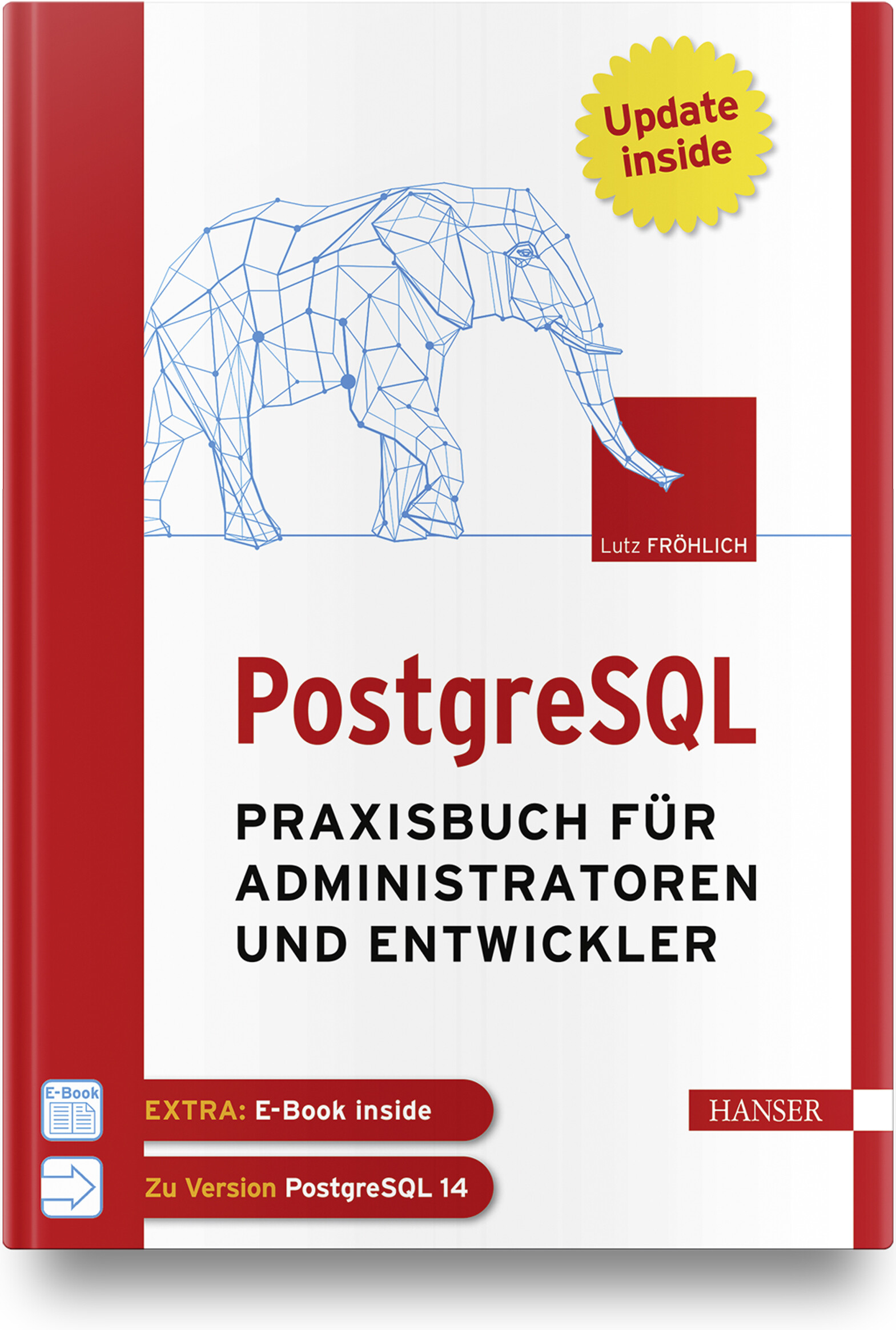
PostgreSQL
Praxisbuch für Administratoren und EntwicklerWenn Sie als Administrator, Entwickler oder IT-/System-Architekt PostgreSQL professionell und erfolgreich in der Praxis einsetzen wollen, finden Sie in diesem Arbeitsbuch die richtige Unterstützung. Administratoren bietet es Anleitung beim täglichen Datenbankbetrieb sowie detaillierte Informationen und Praxistipps zu Themen wie Backup and Recovery, Sicherheit und Überwachung, Performance Tuning oder Hochverfügbarkeit. Einen weiteren Schwerpunkt bildet die Replikation von und nach anderen Datenbanksystemen. IT-Architekten, System-Designer und IT-Manager erfahren, wie PostgreSQL kostengünstig in eine bestehende IT-Infrastruktur platziert werden kann und effektiv mit anderen Datenbanksystemen, wie z. B. Oracle, zusammenarbeitet. Entwickler lernen, wie robuste und performante Datenbankapplikationen erstellt werden und erhalten außerdem einen praktischen Leitfaden für den Umstieg von Oracle auf PostgreSQL. Eigene Kapitel widmen sich den Themen PostgreSQL für Data Science und maschinelles Lernen.Aus dem Inhalt: Konfiguration von Cluster und DatenbankDie Architektur von PostgreSQLHot Standby, Streaming Replication und Logical ReplicationTuning von Datenbanken und SQL-AnweisungenParallelisierung und PartitionierungEntwicklung von Applikationen für PostgreSQLIndexe einsetzenTextverarbeitungReplikation zwischen PostgreSQL und OracleData Science und MLPostgreSQL in der CloudLeseprobe (PDF-Link)Autor: Lutz Fröhlich ist Diplom-Mathematiker und freiberuflicher IT-Berater. Er beschäftigt sich seit 30 Jahren mit Datenbanken und schöpft seine praktischen Erfahrungen aus langjährigen Consulting-Tätigkeiten in den USA und in Europa. Seine Spezialgebiete sind Performance, Hochverfügbarkeit, Exadata sowie Daten-Replikation und Streaming. Er arbeitet seit mehreren Jahren in den Bereichen Data Science und maschinelles Lernen und hält regelmäßig Seminare und Vorträge zu diesen und anderen Themen.

Parallele und verteilte Anwendungen in Java (6. Auflage)
Heutzutage ist es selbstverständlich, mehrere Programme gleichzeitig zu verwenden oder so komplexe Programme zu nutzen, dass sie auf mehrere Rechner zugreifen müssen. Aber wie werden solche Anwendungen programmiert?Das vorliegende Standardwerk zu Parallelität und Verteilung behandelt als Lehrbuch zwei eng miteinander verknüpfte Basisthemen der Informatik: die Programmierung paralleler (nebenläufiger) und verteilter Anwendungen.Es werden zunächst anhand zahlreicher Beispiele grundlegende Synchronisationskonzepte für die Programmierung paralleler Abläufe präsentiert. Neben den „klassischen“ Synchronisationsmechanismen von Java werden auch die Konzepte aus der Java-Concurrency-Klassenbibliothek vorgestellt. Weiteres Basiswissen etwa über grafische Benutzeroberflächen, das MVC-Entwurfsmuster oder Rechnernetze, wird im Buch anschaulich und praxisnah vermittelt.Aus dem Inhalt:Grundlegende SynchronisationskonzepteFortgeschrittene SynchronisationskonzepteParallelität und grafische BenutzeroberflächenAnwendungen mit SocketsAnwendungen mit RMIWebbasierte Anwendungen mit Servlets und JSF.Leseprobe (PDF-Link)Das Lehrbuch wendet sich an Studierende der Informatik, ingenieurwissenschaftliche Studiengänge mit Grundkenntnissen in Java (Objektorientierung) sowie Softwareentwickler:innen. Alle Programme des Buches stehen auf den Webseiten puva.hochschule-trier.de und plus.hanser-fachbuch.de zum Download zur Verfügung.Autor:Prof. Dr. Rainer Oechsle lehrt an der Hochschule Trier am Fachbereich Informatik und vertritt die Fachgebiete parallele, verteilte und mobile Software-Systeme.

Einstieg in die Regelungstechnik mit Python (4. Auflage)
Die 4., überarbeitete und erweiterte Auflage dieses Lehrbuchs bietet eine systemorientierte Einführung in das Fachgebiet der Regelungstechnik. Die wesentlichen Grundlagen werden anhand vielfältiger praktischer Beispiele behandelt, die in der Programmiersprache Python umgesetzt sind. Nach einer kurzen Einführung in Python und in die Software-Pakete NumPy, SciPy und Control, werden die theoretischen Grundlagen der Regelungstechnik behandelt. Im Vordergrund steht die praxisnahe Vermittlung des Stoffes und nicht eine möglichst umfangreiche Aneinanderreihung von Analyse- und Syntheseverfahren. Ziel ist die schnelle Befähigung zur Berechnung und erfolgreichen praktischen Realisierung eines Reglers. Es werden nur die dafür notwendigen mathematischen Grundlagen vermittelt. Übungsaufgaben runden die Inhalte ab. Die vierte Auflage wurde um Entwurfsverfahren für integralwirkende Strecken, Strecken mit Totzeit sowie um die numerische Optimierung von Regelkreisen erweitert. Hinzugefügt wurde das Thema Modellreduktion und um ein Beispiel ergänzt wurde der Zustandsreglerentwurf.Leseprobe (PDF-Link)Autor: Prof. Dr.-Ing. Hans-Werner Philippsen unterrichtet Regelungstechnik an der Hochschule Bremen. Seine Arbeitsgebiete umfassen die Regelung von mechatronischen Systemen, Fahrzeugregelungen sowie Vorgehensmodelle für die Regelungstechnik.

Microsoft 365 - das umfassende Handbuch (6. Auflg.)
Microsoft 365 für Administratoren, 6. aktualisierte AuflageDas Standardwerk für die Administration von Microsoft 365! Mit den erprobten Anleitungen dieses umfassenden Handbuchs administrieren Sie die Daten Ihres Unternehmens sicher in der Cloud. Ob Sie die Microsoft 365-Dienste in Ihre bestehende IT-Infrastruktur integrieren wollen oder Ihre Nutzerdaten in die Microsoft-Cloud migrieren möchten: Markus Widl, Technologieberater für Microsoft 365, zeigt Ihnen von der Active-Directory-Integration bis zur Automation von wiederkehrenden Aufgaben mit der PowerShell die besten Lösungen bei der Arbeit mit Microsoft 365. Getestete Skripte und ein großes Referenz-Poster inklusive.Aus dem Inhalt:Was ist Microsoft 365?GrundkonfigurationArbeit mit der PowerShellIdentitäten und Active-Directory-SynchronisierungOffice, Project und VisioOneDrive for Business Online, Skype for Business OnlineAzure Rights Management ServicesExchange Online, SharePoint OnlineMicrosoft TeamsDelve und MyAnalyticsWeitere Dienste: Yammer, Planer, Sway, Teams, Mobile Device ManagementLeseprobe (PDF-Link)Zum Autor:Markus Widl arbeitet seit mehr als 20 Jahren als Berater, Entwickler und Trainer in der IT. Sein Fokus liegt auf Cloudtechnologien wie Microsoft 365 und Azure.

Produktentwicklung mit SAP Recipe Development
Von der Produktidee über die Verwaltung von Spezifikationen und Inhaltsstoffen bis hin zur Etikettierung und Übergabe an die Produktion: In diesem Buch erfahren Sie, welche Funktionen in SAP Recipe Development zur Verfügung stehen. Die Autorin veranschaulicht, wie Sie SAP Recipe Development erfolgreich in Ihre Systemlandschaft einbinden und die passenden Customizing-Einstellungen finden. Auch die Umstellung auf SAP S/4HANA wird behandelt. Aus dem Inhalt: Produktentwicklung in der ProzessindustrieIntegration in QM, PP und PSICF-Services, Transporte, StandardrollenStammdatenSpezifikationFormeln und BerechnungsergebnisseHerstellverfahren und ProzesseEtikettierungReports, Hilfsmittel und TabellenSAP ERP vs. SAP S/4HANASAP Recipe Management vs. SAP Recipe Development Vorwort ... 19 Einleitung ... 21 1. Technische Voraussetzungen und Grundkonfiguration ... 27 1.1 ... Verfügbarkeit ... 28 1.2 ... Softwarekomponente ... 29 1.3 ... Relevante Server ... 30 1.4 ... Business Functions ... 33 1.5 ... Switch BC-Sets ... 35 1.6 ... OData-Services und ICF-Services ... 37 1.7 ... Transporte ... 41 1.8 ... Standardinhalte generieren ... 42 1.9 ... Standardrollen ... 50 1.10 ... ALE-Verteilung ... 51 1.11 ... Zusammenfassung ... 58 2. Stammdaten ... 59 2.1 ... Stammdaten von SAP Recipe Development ... 60 2.2 ... Stammdaten angrenzender SAP-Komponenten ... 71 2.3 ... Zusammenfassung ... 78 3. Spezifikation -- Funktionsumfang und grundlegende Stammdatenobjekte ... 79 3.1 ... Funktionsumfang ... 80 3.2 ... Phrasenverwaltung ... 105 3.3 ... Merkmal ... 112 3.4 ... Klasse ... 126 3.5 ... Zusammenfassung ... 131 4. Spezifikation -- Customizing ... 133 4.1 ... Spezifikationstypen ... 134 4.2 ... Spezifikationsarten ... 138 4.3 ... Berechtigungsgruppen ... 144 4.4 ... Identifikatoren ... 147 4.5 ... Stoffnatur ... 152 4.6 ... Materialzuordnung ... 154 4.7 ... Beziehungen ... 156 4.8 ... Komponentenarten ... 158 4.9 ... Ausnahmewerte ... 163 4.10 ... Verwendung und Verwendungsprofile ... 167 4.11 ... Bewertungsart ... 172 4.12 ... Eigenschaftsbaum ... 183 4.13 ... Änderungsdienst ... 196 4.14 ... Kopfstatus ... 197 4.15 ... Vererbung und Kopie ... 203 4.16 ... Funktionen im Menü definieren ... 208 4.17 ... Ausgabemethoden ... 210 4.18 ... Daten für das Rezept ... 211 4.19 ... Spezifikationssuche ... 215 4.20 ... Zusammenfassung ... 217 5. Grundlagen des Rezepts ... 219 5.1 ... Funktionsumfang ... 219 5.2 ... Formel, Berechnungsergebnisse und Prozess ... 256 5.3 ... Rezeptarten ... 260 5.4 ... Rezeptzwecke definieren ... 268 5.5 ... Allgemeine Einstellungen ... 269 5.6 ... Berechtigungsgruppen ... 274 5.7 ... Funktionen in der Rezeptentwicklung ausblenden ... 276 5.8 ... Status ... 277 5.9 ... Vorgabenprüfung ... 284 5.10 ... Massenänderung ... 284 5.11 ... Eigenschaftsspezifikation ... 290 5.12 ... Rezeptsuche ... 295 5.13 ... Zusammenfassung ... 300 6. Formel und Berechnungsergebnisse ... 301 6.1 ... Formel ... 301 6.2 ... Berechnungsergebnisse ... 326 6.3 ... Darstellung der Berechnungsergebnisse ... 354 6.4 ... Zusammenfassung ... 362 7. Herstellverfahren in der Sicht »Prozess« ... 363 7.1 ... Prozessgrundlagen ... 363 7.2 ... Prozesselemente ... 364 7.3 ... Ausrüstungsanforderung ... 375 7.4 ... Prozessparameter ... 377 7.5 ... Prozessbaustein ... 380 7.6 ... Zusammenfassung ... 390 8. Etikett ... 391 8.1 ... Überblick über das Etikett ... 391 8.2 ... Grund-Customizing ... 399 8.3 ... Inhaltsstoffetikett ... 411 8.4 ... Qualitatives Etikett ... 418 8.5 ... Komponentenetikett ... 422 8.6 ... Packungsetikett ... 434 8.7 ... XML-Export ... 439 8.8 ... Zusammenfassung ... 441 9. Vorgabenprüfung ... 443 9.1 ... Allgemeines ... 444 9.2 ... Grundkonfiguration ... 444 9.3 ... Vorgaben für Nährstoffe/quantitative Komponenten ... 455 9.4 ... Vorgaben für qualitative Komponenten ... 458 9.5 ... Vorgaben für Listenstoffe ... 462 9.6 ... Stoffgruppen ... 466 9.7 ... Vorgabenschnellbearbeitung ... 468 9.8 ... Ausführung der Vorgabenprüfung ... 469 9.9 ... Prüfergebnisse ... 475 9.10 ... Zusammenfassung ... 478 10. SAP Recipe Development unter SAP ERP und SAP S/4HANA -- Unterschiede ... 481 10.1 ... Benutzeroberfläche ... 481 10.2 ... Spezifikation ... 484 10.3 ... Rezept ... 493 10.4 ... Zusammenfassung ... 496 11. Integration von SAP Recipe Development mit anderen SAPKomponenten ... 497 11.1 ... Materialstamm ... 497 11.2 ... Produktion ... 504 11.3 ... Qualitätsmanagement ... 536 11.4 ... Projektsystem ... 544 11.5 ... Zusammenfassung ... 546 12. Migration der Produktentwicklung nach SAP S/4HANA ... 547 12.1 ... Wechsel nach SAP S/4HANA auf der Basis von SAP Recipe Management ... 547 12.2 ... Wechsel nach SAP S/4HANA auf der Basis von SAP Recipe Development ... 557 12.3 ... Zusammenfassung ... 557 Glossar ... 559 Die Autorin ... 565 Index ... 567

Microsoft 365
Das Standardwerk für die Administration von Microsoft 365. Mit den erprobten Anleitungen und dem fundierten Fachwissen dieses umfassenden Handbuchs administrieren Sie die Daten Ihres Unternehmens sicher in der Cloud. Egal ob Sie Microsoft 365 in Ihre bestehende IT-Infrastruktur integrieren wollen oder Ihre Nutzerdaten in die Microsoft-Dienste migrieren möchten: Markus Widl, Technologieberater für Microsoft 365, zeigt Ihnen von der Active-Directory-Integration bis zur Automation von wiederkehrenden Aufgaben mit der PowerShell die besten Lösungen bei der Administration von Microsoft 365. Getestete Skripte und ein großes Referenz-Poster inklusive. Aus dem Inhalt: Was ist Microsoft 365?GrundkonfigurationMicrosoft PowerShellIdentitäten und Active-Directory-SynchronisationOffice, Project und VisioOneDrive for Business OnlineAzure Rights Management ServicesExchange Online, SharePoint OnlineMicrosoft TeamsMicrosoft-365-GruppenDelve und MyAnalyticsYammer, Planer, Sway, Teams, Mobile Device Management, Kaizala Geleitwort ... 25 Vorwort ... 27 1. Was ist Microsoft 365? ... 31 1.1 ... Warum Microsoft 365? ... 31 1.2 ... Microsoft 365 und Office 365 ... 32 1.3 ... Einsatzszenarien ... 34 1.4 ... Rechenzentrumsregionen ... 41 1.5 ... Sicherheit in den Rechenzentren ... 45 1.6 ... Systemvoraussetzungen ... 49 1.7 ... Lizenzierung ... 54 1.8 ... FastTrack Center ... 68 1.9 ... So geht es weiter ... 71 2. Grundkonfiguration ... 73 2.1 ... Einen Microsoft 365-Mandanten anlegen ... 73 2.2 ... Microsoft 365-Portal und Microsoft 365 Admin Center ... 76 2.3 ... Abonnements ... 86 2.4 ... Domänenverwaltung ... 89 2.5 ... Benutzerverwaltung ... 100 2.6 ... Berichte ... 116 2.7 ... Dienststatus ... 117 2.8 ... Nachrichtencenter ... 118 2.9 ... Problembehebung ... 118 2.10 ... So geht es weiter ... 123 3. Microsoft PowerShell ... 125 3.1 ... Wozu PowerShell? ... 125 3.2 ... Start der PowerShell ... 127 3.3 ... Kernkomponenten der PowerShell ... 131 3.4 ... Cmdlets ... 135 3.5 ... Aliasse ... 140 3.6 ... Klassen und Objekte ... 142 3.7 ... Pipeline ... 150 3.8 ... Wichtige Cmdlets ... 153 3.9 ... Variablen ... 161 3.10 ... Funktionen und Filter ... 162 3.11 ... Skripte ... 165 3.12 ... Snap-ins und Module ... 176 3.13 ... PowerShell-Remoting ... 177 3.14 ... PowerShell und Microsoft 365 ... 179 3.15 ... PowerShell und Active Directory ... 217 3.16 ... So geht es weiter ... 220 4. Identitäten und Active Directory-Synchronisierung ... 221 4.1 ... Verschiedene Identitäten ... 221 4.2 ... Szenarien zur Active Directory-Integration ... 223 4.3 ... Synchronisierung mit AAD Connect ... 238 4.4 ... Synchronisierung mit AAD Connect Cloud Sync ... 281 4.5 ... Identitätsverbund ... 289 4.6 ... So geht es weiter ... 313 5. Office ... 315 5.1 ... Welches Office-Paket? ... 315 5.2 ... Systemvoraussetzungen ... 318 5.3 ... Administrationsübersicht ... 319 5.4 ... Installation unter Windows ... 322 5.5 ... Kompatibilität mit Add-ins und VBA-Code ... 362 5.6 ... Installation unter macOS ... 365 5.7 ... Office für das Web ... 367 5.8 ... Office auf Mobilgeräten ... 373 5.9 ... Richtlinienverwaltung ... 374 5.10 ... So geht es weiter ... 380 6. Exchange Online ... 381 6.1 ... Was ist Exchange Online? ... 382 6.2 ... Administrationsübersicht ... 387 6.3 ... PowerShell mit Exchange Online ... 393 6.4 ... Clients ... 396 6.5 ... Allgemeine Verwaltung ... 404 6.6 ... Archivierung ... 428 6.7 ... Nachrichtenfluss ... 453 6.8 ... Sicherheit ... 466 6.9 ... Exchange-Migration ... 501 6.10 ... Vollständige Exchange-Hybridkonfiguration ... 542 6.11 ... Migration öffentlicher Ordner ... 578 6.12 ... Migration anderer Postfacharten ... 580 6.13 ... SMTP-Relay ... 585 6.14 ... So geht es weiter ... 590 7. SharePoint Online ... 591 7.1 ... Was ist SharePoint Online? ... 591 7.2 ... Administrationsübersicht ... 598 7.3 ... PowerShell mit SharePoint Online ... 600 7.4 ... SharePoint-Architektur ... 601 7.5 ... Berechtigungen ... 650 7.6 ... Suche ... 679 7.7 ... Benutzerprofile ... 680 7.8 ... Terminologiespeicher ... 684 7.9 ... Dokumentcenter ... 688 7.10 ... InfoPath Forms Services ... 691 7.11 ... Business Connectivity Services (BCS) ... 692 7.12 ... Mobiler Zugriff ... 693 7.13 ... Datensicherheit ... 694 7.14 ... SharePoint Online-Migration ... 699 7.15 ... Hybridumgebungen ... 707 7.16 ... So geht es weiter ... 725 8. OneDrive for Business ... 727 8.1 ... Was ist OneDrive for Business? ... 727 8.2 ... Lizenzüberblick ... 732 8.3 ... Einschränkungen ... 733 8.4 ... Administrationsübersicht ... 733 8.5 ... PowerShell mit OneDrive for Business ... 734 8.6 ... Synchronisierung einrichten ... 735 8.7 ... OneDrive-Konfiguration ... 743 8.8 ... Dateien wiederherstellen ... 763 8.9 ... Virus- und Schadcodeerkennung ... 765 8.10 ... Integration mit lokaler SharePoint-Umgebung ... 766 8.11 ... Migration ... 767 8.12 ... Clients ... 767 8.13 ... So geht es weiter ... 768 9. Microsoft 365-Gruppen ... 769 9.1 ... Was sind Microsoft 365-Gruppen? ... 769 9.2 ... Gruppenverwaltung ... 777 9.3 ... Gruppen in Exchange-Hybridkonfigurationen ... 805 9.4 ... So geht es weiter ... 807 10. Microsoft Teams ... 809 10.1 ... Was ist Microsoft Teams? ... 809 10.2 ... Lizenzüberblick ... 824 10.3 ... Administrationsübersicht ... 836 10.4 ... PowerShell mit Teams ... 841 10.5 ... Architektur ... 842 10.6 ... Technische Vorbereitungen ... 887 10.7 ... Verwalten von Teams ... 891 10.8 ... Verwalten von Benutzern ... 897 10.9 ... Richtlinien und Einstellungen ... 899 10.10 ... Governance ... 926 10.11 ... Clients ... 970 10.12 ... Telefonie ... 976 10.13 ... Audiokonferenzen ... 1059 10.14 ... Konferenzraumsysteme ... 1063 10.15 ... Analysen und Berichte ... 1064 10.16 ... Qualitätsanalyse ... 1065 10.17 ... Multi-Geo für Benutzer und Teams ... 1068 10.18 ... So geht es weiter ... 1069 11. Microsoft Viva ... 1071 11.1 ... Die Microsoft Viva-Plattform ... 1071 11.2 ... Viva Connections ... 1073 11.3 ... Viva Insights ... 1081 11.4 ... Viva Topics ... 1087 11.5 ... Viva Learning ... 1094 11.6 ... So geht es weiter ... 1103 12. Sicherheit ... 1105 12.1 ... Allgemein ... 1105 12.2 ... Identitäten ... 1116 12.3 ... Daten ... 1144 12.4 ... Geräte ... 1169 12.5 ... So geht es weiter ... 1170 13. Compliance und Datenschutz ... 1171 13.1 ... Microsoft 365 Compliance Center ... 1171 13.2 ... Berechtigungen und Rollen ... 1174 13.3 ... Compliance-Manager ... 1174 13.4 ... Aufbewahrung ... 1176 13.5 ... Datenklassifizierung ... 1205 13.6 ... Überwachungsprotokoll ... 1218 13.7 ... eDiscovery ... 1222 13.8 ... Kommunikationscompliance ... 1229 13.9 ... Verhinderung von Datenverlust ... 1230 13.10 ... Informationsbarrieren ... 1235 13.11 ... Azure AD-Zugriffsüberprüfungen ... 1236 13.12 ... Weitere Compliance-Dienste ... 1238 13.13 ... Typen vertraulicher Informationen ... 1240 13.14 ... So geht es weiter ... 1241 14. Geräteverwaltung ... 1243 14.1 ... Geräte im Azure Active Directory ... 1243 14.2 ... Microsoft Endpoint Manager ... 1252 14.3 ... Microsoft Intune ... 1254 14.4 ... Windows Autopilot ... 1258 14.5 ... So geht es weiter ... 1268 15. Weitere Anwendungen und Dienste ... 1269 15.1 ... Dienste und Anwendungen ... 1269 15.2 ... Power-Plattform ... 1289 15.3 ... So geht es weiter ... 1294 16. Evergreen ... 1295 16.1 ... Was bedeutet Evergreen? ... 1296 16.2 ... Wichtige Fragestellungen ... 1300 16.3 ... Entwicklung und Veröffentlichung ... 1302 16.4 ... Ende ... 1322 Index ... 1323

Excel im Controlling
Verbessern Sie Ihr Controlling mit Excel! Dieses umfassende Handbuch bietet Ihnen die richtigen Lösungen und Werkzeuge dazu. Stephan Nelles zeigt Ihnen die besten Methoden und Techniken, wie Sie Excel so effizient wie möglich im Controlling einsetzen können. Profitieren Sie von den erfolgreich erprobten Lösungen im Buch und rücken Sie Ihren Aufgaben im Controlling mit maßgeschneiderten Excel-Tools zu Leibe. Das Buch ist aktuell zu Excel 2021 und Excel 365, eignet sich aber auch für alle älteren Versionen. Aus dem Inhalt: Die besten Funktionen für ControllerSystematische Arbeitsabläufe entwickelnNützliche Makros für ControllerDaten aus ERP, Datev und SAP importierenDaten mit Power Query bereinigenMit Pivot-Tabellen Daten flexibel filternBusiness Intelligence mit PowerPivot und OLAP-CubesOperatives ControllingMarkt- und WettbewerbsanalysenUnternehmenssteuerung und KennzahlenBedingte KalkulationenVBA-Programmierung Vorwort ... 29 1. Neuerungen in Excel ... 33 2. Tipps, Tricks und Tastenkürzel -- zeitsparende Techniken für Controller ... 43 2.1 ... Daten effizient eingeben ... 43 2.2 ... Kopieren, Ausschneiden und Einfügen von Daten ... 48 2.3 ... Formelzusammenhänge erkennen ... 51 2.4 ... Cursorsteuerung und Bewegen in Tabellen ... 53 2.5 ... Zellbereiche markieren ... 55 2.6 ... Zahlen- und andere Formate schnell zuweisen ... 56 2.7 ... Inhalte löschen ... 57 2.8 ... Diagramme erstellen und bearbeiten ... 57 2.9 ... AutoFilter und Bearbeitung von sichtbaren Zellen ... 58 2.10 ... Erweiterte Filterfunktionen in Microsoft 365 ... 59 2.11 ... Weitere nützliche Tastenkombinationen ... 61 2.12 ... Tabellenansichten in der Webversion von Excel nutzen ... 62 2.13 ... Kommentare, Notizen und Chat in Excel ... 63 3. xlSMILE -- Excel-Lösungen mit System ... 67 3.1 ... Simplify -- Big Data nutzen und Datenmüll entfernen ... 67 3.2 ... Model -- systematisch arbeiten und Reports automatisieren ... 68 3.3 ... Integrate -- Layouts entwickeln und Tabellen und Diagramme anwenden ... 69 3.4 ... Lead -- Benutzer führen und Fehleingaben verhindern ... 70 3.5 ... Explain -- informieren und zusammenfassen ... 71 4. Daten importieren und bereinigen ... 73 4.1 ... Textkonvertierungs-Assistent ... 75 4.2 ... Transaktionsdaten in einer CSV-Datei auswerten ... 84 4.3 ... Importieren von externen Daten mit Power Pivot ... 96 5. Datenbereinigung mit Power Query effizienter gestalten ... 99 5.1 ... Wozu ist Power Query eigentlich gedacht? ... 99 5.2 ... CSV-Dateien mit Power Query importieren ... 100 5.3 ... Einfache Schritte der Datenbereinigung ausführen ... 105 5.4 ... Verbindungen zu anderen Datenquellen ... 110 5.5 ... Gruppieren und Spalten berechnen ... 122 5.6 ... Bedingte Berechnungen in Spalten ... 126 5.7 ... Power Query als Ersatz für Textfunktionen in Excel ... 128 5.8 ... Weitere Optionen beim Erstellen von Spalten und Gruppierungsmerkmalen ... 133 5.9 ... Suchtabellen durch Anfügen von Abfragen erzeugen ... 138 5.10 ... Alle Excel-Dateien eines Ordners importieren und bereinigen ... 144 5.11 ... Alltäglicher Datensalat -- Power-Query-Lösungen für den Alltag ... 148 5.12 ... Individuelle Datentypen in Power Query erstellen ... 163 6. Unternehmensdaten prüfen und analysieren ... 181 6.1 ... Standardsortierung und benutzerdefiniertes Sortieren ... 181 6.2 ... AutoFilter und Datenschnitte ... 186 6.3 ... Vorteile des erweiterten Filters ... 191 6.4 ... Erweiterter Filter mit einem VBA-Makro ... 200 6.5 ... Verwendung von Datenbankfunktionen ... 203 6.6 ... Konsolidierung von Daten ... 216 7. Dynamische Reports erstellen ... 231 7.1 ... Das 5-Minuten-Datenmodell ... 231 7.2 ... Bestandteile eines Datenmodells ... 233 7.3 ... Datenmodell für einen Forecast erstellen ... 239 7.4 ... Datenmodell zur Kalkulation der optimalen Bestellmenge ... 266 7.5 ... Rollierende Berichte ... 271 8. Wichtige Kalkulationsfunktionen für Controller ... 277 8.1 ... Berechnungen mit Datumsbezug ... 278 8.2 ... Berechnungen mit Zeitangaben ... 293 8.3 ... Arbeiten mit Verweisen und Matrizen ... 296 8.4 ... Funktionen zur Dynamisierung von Tabellen ... 314 8.5 ... Berechnung von Rangfolgen ... 330 8.6 ... Berechnung von Mittelwerten ... 337 8.7 ... Runden von Daten ... 341 8.8 ... Textfunktionen zur Bereinigung und Strukturierung von Daten ... 345 8.9 ... Fehlerunterdrückung ... 351 8.10 ... Einsatz von logischen Funktionen ... 357 8.11 ... Berechnungen mit »LET()« erstellen -- Funktionsweise und Nutzen ... 361 8.12 ... Wie viel VBA benötigen Controller nach der Einführung von »LAMBDA()« noch? ... 372 9. Neue dynamische Matrixfunktionen in Excel für Microsoft 365 ... 387 9.1 ... Das Control-Shift-Enter-Beben ... 388 9.2 ... Neue Optionen für die Erstellung dynamischer Datenmodelle ... 414 10. Bedingte Kalkulationen in Datenanalysen ... 423 10.1 ... Kalkulationen ohne Bedingungen ... 424 10.2 ... Kalkulationen mit einer Bedingung ... 426 10.3 ... Bereichsnamen -- der schnelle Zugriff auf Datenbereiche ... 429 10.4 ... Fehlervermeidung bei der Eingabe von Bedingungen -- die Datenüberprüfung ... 435 10.5 ... Bedingte Kalkulationen mit mehr als einer Bedingung ... 439 10.6 ... Vorteile von »SUMMENPRODUKT()« gegenüber anderen Funktionen zur bedingten Kalkulation ... 447 10.7 ... Multiplikation von Textwerten mit »SUMMENPRODUKT()« ... 448 10.8 ... Bedingte Kalkulation mit ODER im Tabellenblatt »Report_III« ... 449 10.9 ... Ausschluss von Datensätzen bei bedingten Kalkulationen ... 449 10.10 ... Häufigkeiten schnell berechnen ... 451 10.11 ... Mittelwerte ohne Nullwerte berechnen ... 453 10.12 ... Mittelwert bei #DIV/0! ... 454 10.13 ... Fallbeispiel zur bedingten Kalkulation ... 456 11. Pivottabellen und -diagramme ... 461 11.1 ... Vorbereitung der Basisdaten für eine Pivottabelle ... 462 11.2 ... Pivottabellen erstellen ... 466 11.3 ... Pivotcache und Speicherbedarf ... 484 11.4 ... Visuelle interaktive Analyse von Daten ... 485 11.5 ... Zeitbezogene Auswertungen von Pivottabellen mit Zeitachsen ... 493 11.6 ... Filtern von Daten in einer Pivottabelle ... 495 11.7 ... Gruppierungen in Pivottabellen ... 496 11.8 ... Weiterverarbeitung von Daten aus Pivottabellen ... 520 11.9 ... Personaldaten mithilfe von Pivottabellen konsolidieren ... 527 11.10 ... Grundlegendes zu PivotCharts ... 535 11.11 ... Zusammenfassung: Pivottabellen und PivotCharts ... 546 12. Business Intelligence mit Power Pivot ... 549 12.1 ... Arbeiten auf der Self-BI-Baustelle ... 550 12.2 ... Inhaltliches und Organisatorisches zu den Beispielen ... 551 12.3 ... Die Power-Pivot-Oberfläche im Überblick ... 552 12.4 ... Logische Beziehungen statt »SVERWEIS()« und Co. ... 557 12.5 ... Berechnete Spalten und berechnete Felder unterscheiden ... 560 12.6 ... Eine berechnete Spalte erstellen ... 561 12.7 ... Eine Power-Pivot-Tabelle in Excel erstellen ... 563 12.8 ... Mehr Übersichtlichkeit herstellen ... 565 12.9 ... Referenztabellen einbinden ... 567 12.10 ... Einbinden von Daten aus anderen Datenquellen ... 570 12.11 ... Typische Erkennungszeichen für fehlende logische Beziehungen in Datenmodellen ... 572 12.12 ... Tabellen der Arbeitsmappe in das Datenmodell einbinden ... 575 12.13 ... Tabellen des Datenmodells ausblenden ... 578 12.14 ... Berechnete Felder in Power-Pivot-Tabellen verwenden ... 580 12.15 ... Bearbeiten von Measures ... 585 12.16 ... Bedingte Kalkulationen mit »CALCULATE()« ... 587 12.17 ... Datenschnitte und Zeitachsen ... 591 12.18 ... Wie DAX-Funktionen arbeiten ... 596 12.19 ... Verwendung von Zeitintelligenz-Funktionen in einem Datenmodell ... 603 12.20 ... Vorjahresvergleiche mit »SAMEPERIODLASTYEAR()« erstellen ... 606 12.21 ... Individuelle Zeitintervalle mit »DATEADD()« berechnen ... 607 12.22 ... Bedingte Formatierungen und Diagramme in Power-Pivot-Reports ... 609 13. Excel als Planungswerkzeug ... 613 13.1 ... Wettbewerberanalyse ... 613 13.2 ... Potenzialanalyse ... 620 13.3 ... Portfolioanalyse ... 625 13.4 ... Stärken-Schwächen-Analyse ... 630 13.5 ... Absatzplanung ... 636 13.6 ... Prognosen erstellen ... 654 13.7 ... Personalplanung ... 661 13.8 ... Liquiditätsplanung ... 678 13.9 ... Marktanalyse und Absatzplanung ... 685 14. Operatives Controlling mit Excel ... 693 14.1 ... Betriebsabrechnungsbogen ... 693 14.2 ... Divisionskalkulation ... 703 14.3 ... Zuschlagskalkulation ... 706 14.4 ... Äquivalenzziffernrechnung ... 709 14.5 ... Prozesskostenrechnung ... 711 14.6 ... Deckungsbeitragsrechnung ... 715 14.7 ... Dynamische Break-even-Analyse ... 716 14.8 ... Mehrstufige Deckungsbeitragsrechnung ... 725 14.9 ... Planen von Kosten und Erlösen mithilfe von Szenarien ... 726 14.10 ... Produktkalkulation mit Deckungsbeitragsrechnung ... 731 14.11 ... Eigenfertigung oder Fremdbezug (make or buy) ... 745 14.12 ... Zinsen, Tilgung, Annuitäten für Darlehen berechnen ... 748 14.13 ... Abschreibungen ... 753 14.14 ... Methoden der Investitionsrechnung ... 756 14.15 ... Customer Lifetime Value ... 770 14.16 ... Kundenscoring ... 784 14.17 ... Personalstrukturanalyse ... 786 14.18 ... Arbeitszeitanalyse ... 792 14.19 ... Reisekostenabrechnung ... 795 14.20 ... Lieferantenbewertung ... 799 15. Unternehmenssteuerung und Kennzahlen ... 813 15.1 ... Zielkostenmanagement (Target Costing) ... 814 15.2 ... Cashflow ... 824 15.3 ... Free Cashflow ... 827 15.4 ... Discounted Cashflow ... 828 15.5 ... Gewichtete durchschnittliche Gesamtkapitalkosten nach Steuern ... 829 15.6 ... Shareholder-Value ... 830 15.7 ... Economic Value Added -- EVA® ... 835 15.8 ... Market Value Added -- MVA ... 837 15.9 ... Bilanzkennzahlen ... 838 15.10 ... GuV-Gliederung ... 847 15.11 ... Beispieldatei GuV -- Bilanz -- Kapitalfluss ... 852 15.12 ... Return on Investment und DuPont-Schema ... 856 15.13 ... Messung der Mitarbeiterzufriedenheit ... 859 15.14 ... Selbstbewertung nach EFQM ... 875 16. Reporting mit Diagrammen und Tabellen ... 891 16.1 ... Grundlagen ... 891 16.2 ... Das Standarddiagramm in Excel ... 893 16.3 ... Wichtige Gestaltungsregeln ... 898 16.4 ... Umgang mit Farben ... 902 16.5 ... Auswahl des richtigen Diagrammtyps ... 903 16.6 ... Die neuen Diagrammtypen seit Excel 2016 ... 921 16.7 ... Allgemeine Formatierungsregeln ... 935 16.8 ... Elemente und Gestaltungsregeln für Dashboards ... 936 16.9 ... Infografiken seit Excel 2016 ... 938 16.10 ... Piktogramme und Fotos ... 939 16.11 ... 3D-Karten ... 943 16.12 ... Power View ... 944 16.13 ... Kombinationen aus Tabellen und Diagramm erstellen ... 947 16.14 ... Dynamische Diagramme ... 949 16.15 ... Spezielle Diagrammtypen ... 954 16.16 ... Spezielle Formatierungen im Diagramm ... 966 16.17 ... Diagramme in Tabellenblättern ... 974 16.18 ... Dashboards erstellen ... 988 16.19 ... Übernahme in PowerPoint ... 996 16.20 ... Übernahme in Word ... 1004 17. Automatisierung mit Makros -- VBA für Controller ... 1005 17.1 ... Wie alles anfängt -- die Aufzeichnung eines Makros ... 1007 17.2 ... Makros über Schaltflächen aufrufen ... 1015 17.3 ... Quellcode im Editor bereinigen ... 1019 17.4 ... Bereiche adressieren ... 1023 17.5 ... Arbeiten mit Variablen ... 1027 17.6 ... Umgang mit Programmfehlern ... 1031 17.7 ... Kopieren, Verschieben und Filtern von Daten ... 1034 17.8 ... Zugriff auf Dateien über VBA-Makros ... 1047 17.9 ... Fallbeispiel: CSV-Import und Datenaktualisierung für einen Forecast ... 1054 17.10 ... Flusskontrolle mit »If ... Then ... Else« ... 1057 17.11 ... Programmierung von Schleifen in VBA ... 1063 17.12 ... Formeln und Funktionen in VBA-Makros ... 1075 17.13 ... Gestaltung von Dialogen in VBA ... 1079 17.14 ... Benutzerdefinierte Funktionen ... 1088 17.15 ... Die Beispiele aus dem Buch zum Herunterladen ... 1096 Index ... 1097