

Computer und IT

Getting Started with Ethereum
Get started with blockchain development with this step-by-step guide. This book takes you all the way from installing requisite software through writing, testing, and deploying smart contracts.Getting Started with Ethereum delves into technologies most closely associated with Ethereum, such as IPFS, Filecoin, ENS, Chainlink, Truffle, Ganache, OpenZeppelin, Pinata, Fleek, Infura, Metamask, and Opensea. Author Davi Bauer walks you through project creation, how to compile projects and contracts, configure networks, and deploy smart contracts on blockchains. He then covers smart contracts, including deploying and verifying them. This book approaches blockchain in a way that allows you to focus on the topic that most interests you, covering Ethereum-related technologies broadly and not just focusing on Solidity.This hands-on guide offers a practical rather than conceptual approach get you coding. Upon completing this book, you will be able to confidently develop and deploy smart contracts on blockchains.Source code can be found at https://github.com/Apress/getting-started-ethereum.WHAT YOU WILL LEARN* Understand tokenization of assets, including NFTs, using Ethereum* Host censorship-resistant applications using IPFS* Deploy on second-layer blockchains using Polygon* Deploy smart contracts with multiple technologies around EthereumWHO IS THIS BOOK FOROff-chain developers who want to migrate to on-chain development starting with the Ethereum blockchain and the technologies around it. Prior programming knowledge and conceptual understanding of blockchain is necessary. Davi Pedro Bauer has over 20 years of experience in the IT sector with experience in analysis and systems development. He has been working with agile methods since 2009, where he participated in agile adoption programs in multidisciplinary teams, supporting the implementation of processes and practices such as Scrum and Kanban, as well as the launch of new digital products for web and mobile platforms. Since 2016, he has been studying topics related to Blockchain, such as cryptocurrencies, asset tokenization, smart contracts, and decentralized applications (DApps), and since 2019, he has been working with DevSecOps from code to infrastructure. ● Pre requirements○ Install Blockchain Dev Kit Extension on VS Code■ Installing the extension○ Install Truffle■ Installing Truffle■ Checking Truffle installation○ Install Ganache CLI■ Installing Ganache■ Starting Ganache locally○ Install DockerChapter 1: MetaMask○ Install and Setup MetaMask Wallet■ Installing the wallet■ Configuring the wallet■ Accessing your wallet■ Discovering your wallet addressChapter 2: Infura○ Create an account on Infura■ Creating a new account■ Setting up your Infura projectChapter 3: Solidity○ Get started with Solidity project on VS Code■ Creating a new project■ Compiling the project■ Deploying to development BlockchainChapter 4: ERC20 Tokens○ Write a simple ERC20 token using OpenZeppelin■ Preparing the environment■ Writing the contract■ Setting the Solidity compiler version■ Compiling the contract■ Verifying the result○ Deploy ERC20 token to ganache development Blockchain■ Preparing the migration■ Writing the contract■ Starting the Blockchain■ Configuring the Blockchain network■ Deploying the contract■ Adding the token to a wallet○ Create an ERC20 token with fixed supply■ Creating the project■ Writing the contract■ Starting Ganache development Blockchain■ Migrating the contract■ Configuring MetaMask■ Adding the token■ Transferring tokens between accounts○ Deploy ERC20 token to Testnet using Infura■ Installing the pre-requirements■ Setting up your Infura project■ Setting up your Smart Contract■ Configuring the private key■ Deploying the Smart Contract■ Checking your wallet balance■ Verifying the Smart Contract on Etherscan○ Deploy ERC20 token to Polygon Testnet (Layer 2)■ Installing the pre-requirements■ Adding Polygon Mumbai to MetaMask networks■ Activating the Polygon add-on on Infura■ Setting up your Infura project■ Setting up your Smart Contract■ Configuring the network (using Matic endpoint)■ Configuring the network (using Infura endpoint)■ Configuring the private key■ Deploying the Smart Contract■ Checking your wallet balance■ Verifying the Smart Contract on Polygan Scan○ Deploy ERC20 Token to Polygon Mainnet (Layer 2)■ Adding Polygon Mainnet to MetaMask networks■ Configuring the network (using Infura endpoint)■ Deploying the Smart Contract■ Checking your wallet balance■ Verifying the Smart Contract on polyganscanChapter 5: Unit Tests for Smart Contracts○ Write Unit Tests for ERC20 Smart Contracts■ Creating a new unit test file■ Writing test for the contract total supply■ Writing test asserting for the contract balanceChapter 6: ERC721- Non-Fungible Tokens○ Create your art NFT using Ganache and OpenZeppelin■ Creating the project■ Configuring the wallet■ Configuring the network■ Configuring the solidity compiler■ Configuring the private key■ Creating the badge image■ Adding the badge to your local IPFS■ Pinning the badge to a remote IPFS node■ Creating the badge metadata■ Compiling the Smart Contract■ Migrating the Smart Contract■ Instantiate the Smart Contract■ Awarding badge to a wallet■ Checking badge on Etherscan■ Adding the NFT token to your wallet○ Sell your art NFT on Opensea■ Connecting to OpenSea■ Viewing your badge■ Listing your badge for sale■ Exploring listing detailsChapter 7: Faucets○ Get Test Ether From Faucet on Ropsten Network■ Accessing the faucet■ Waiting for the transaction○ Get Test Ether From Faucet on Rinkeby Testnet■ Preparing for funding■ Funding your wallet■ Checking your wallet○ Get Test MATIC From Faucet on Mumbai Testnet■ Preparing for funding■ Funding your wallet■ Checking your wallet○ Get Test MATIC From Faucet on Mainnet■ Preparing for funding■ Funding your wallet■ Checking your walletChapter 8: IPFS - InterPlanetary File System○ Create Your IPFS Node■ Installing the node■ Configuring the node■ Testing the node■ Exploring your IPFS node○ Add Files to IPFS■ Adding the file■ Viewing the file content on the console■ Checking the file in the web ui■ Viewing the file content in the browser○ Setup IPFS Browser Extension■ Installing the browser extension■ Configuring the node type■ Starting an external node■ Importing a file○ Pin and Unpin IPFS Files on Local Node■ Starting your local node■ Adding file to your node■ Checking the file was added■ Verifying your file was pinned■ Unpinning your file■ Pinning your file manually○ Pin and Unpin Files on Remote Node using Pinata■ Setting up API Keys on Pinata■ Setting up Pinata as a remove service on your terminal■ Adding a new file to your local IPFS node■ Pinning your file to the remote IPFS node■ Unpinning your file from the remote IPFS node○ Host Your Site on IPFS Using Fleek■ Login on Fleek■ Cloning your existing repository■ Installing Fleek■ Initializing Fleek■ Deploying your siteChapter 9: Filecoin○ How to preserve files on Filecoin local node■ Creating the project■ Configuring truffle■ Adding an image to be preserved■ Installing dependencies■ Starting local endpoints■ Preserving files to FilecoinChapter 10: ENS - Ethereum Name Service○ Register your ENS to Receive any Crypto, Token or NFT on Your Wallet■ Searching your domain name■ Request to register■ Managing your registration name■ Checking the name resolutionChapter 11: Chainlink○ Get Crypto Prices Inside Smart Contracts using Chainlink Oracles■ Creating the project■ Creating the Smart Contract■ Creating the migration■ Setting up your Infura project■ Configuring the wallet■ Configuring the network■ Configuring the solidity compiler■ Configuring the private key■ Compiling the Smart Contract■ Deploying the Smart Contract■ Getting the price information from the Smart ContractChapter 12: Nethereum○ Get Ether Balance using Nethereum■ Creating the project■ Installing web3■ Creating the method■ Getting the balance

Java EE to Jakarta EE 10 Recipes
Take a problem-solution approach for programming enterprise Java or Java EE applications and microservices for cloud-based solutions, enterprise database applications, and even small business web applications. _Java EE to Jakarta EE 10 Recipes_ provides effective, practical, and proven code snippets that you can immediately use to accomplish just about any task that you may encounter. You can feel confident using the reliable solutions that are demonstrated in this book in your personal or corporate environment.Java EE was made open source under the Eclipse Foundation, and Jakarta EE is the new name for what used to be termed the Java Platform, Enterprise Edition. This book helps you rejuvenate your Java expertise and put the platform’s latest capabilities to use for quickly developing robust applications. If you are new to Jakarta EE, this book will help you learn the features of the platform and benefit from one of the most widely used and powerful technologies available for cloud-native enterprise application development today.Examples in this book highlight Jakarta EE’s capabilities, helping you to build streamlined and reliable applications using the latest in Java technologies. The book takes a problem-solution approach in which each section introduces a common programming problem, showing you how to solve that problem in the best possible way using the latest features in Jakarta EE. Solutions in the form of working code examples are presented that you can download and use immediately in your own projects. Clear descriptions are provided to help you understand and learn to build further on the solutions provided.This is the ideal book for the code-focused programmer interested in keeping up with the future of enterprise development on the Java Platform.WHAT YOU WILL LEARN* Develop enterprise java applications using the latest open-source Jakarta EE platform* Create great-looking user interfaces using Jakarta Servlets, Jakarta Server Pages, Jakarta Server Faces and the Eclipse Krazo framework (an implementation of Jakarta MVC)* Build database applications using Jakarta NoSQL, Jakarta Persistence, and Jakarta Enterprise Beans.* Develop enterprise grade applications using Context & Dependency Injection, and Jakarta RESTFul web services* Automate testing through cohesive test suites built on Arquillian for Jakarta EE applications* Build loosely coupled distributed applications using Jakarta Messaging* Deploy microservices applications in cloud environments using Docker* Secure applications utilizing the Jakarta EE Security APIWHO THIS BOOK IS FORJava developers interested in quickly finding effective and proven solutions without reading through a lengthy manual and scrubbing for techniques.Josh Juneau is a professional application developer who enjoys working with database technology and learning new languages. He is a seasoned professional in Java SE and Java EE development, and brings strong database experience to the table as well. His interest in Java for developing web-based solutions has led to a passion of Java technology as a whole, including other languages on the JVM. In his spare time, Josh enjoys spending time with his wife and five wonderful children at his home in rural Illinois.Tarun Telang is an experienced Software Engineer with expertise in Web, Mobile & Cloud-based enterprise software solution development for world-renowned software companies including Microsoft, Oracle, SAP, BlackBerry, and Polycom. He is a hands-on technologist with 15+ years of IT industry experience with a strong business understanding and the ability to architect complex software solutions. He has been presenting in conferences related to software technology, writing technical articles and blogs since more than 10 years now. Tarun has also done 1 year of teaching for topics like Database Concepts, Data Structures & Programming Languages to Computer Science Engineering students. he has these certifications: Oracle Certified Programmer for Java 6.0 Platform, SAP Certified Development Consultant for NetWeaver 04 Java Web Application Development, SAP Certified Application Management Expert for End-to-End Root Cause Analysis - Solution Manager 4.0, and NASBA Certification on Remote Work.Revision Notes from AuthorBased on the book preview, below is the list of changes/updates I see relevant for the next revisions of this book - Jakarta EE 10 Recipes.----------------------------------Introduction:* Adding following details for Jakarta EE 9, 9.1 and 10 releases like timelines and theme.* Updating instructions for enabling Jakarta EE support using NetBeans IDE* Adding instructions for using the following IDE for building Jakarta EE applications.* Eclipse IDE* Visual Studio Code* Providing instructions for installing the following build tools for Jakarta EE* Maven* GradleAll Chapters:* Rename to chapter title Servlets and Jakarta Server Pages* Updating terminologies as below:* JavaServer Pages(JSP) to Jakarta Server Pages* JavaServer Faces(JSF) to Jakarta Faces,* JavaMail to Jakarta Mail* …* Reworking and verifying the code examples by performing the following modifications* Updating import statements in all code samples from javax.* to jakarta.*.* Updating code to make use of the latest Java 11 features* Updating instructions for enabling Jakarta EE support using NetBeans IDE* Adding instructions for using the following IDE as well for building Jakarta EE applications.* Eclipse IDE* Visual Studio Code* Ensuring the code can be executed in the latest releases of the following servers* Open Liberty, WildFly and GlassFish servers as are the flag bearers for Jakarta EE compliance.* Also verifying the code with other servers based on their availability with support for latest functionality like Payara or Apache TomEE or Oracle Weblogic and provide any specific instructions in case applicable.Note: As I would dig deeper into the content will be able to suggest more pointsChapter 1: Servlets and JavaServer Pages* Rename to chapter title Servlets1-8 (Adding content about - Improving performance with server push)* Adding a recipe for adding a user authentication to Servlets.* Adding a recipe for defining servlet behaviour based on user authorization* Adding more recipes for the following topics* session tracking andHandling cookies* HTTP Session handling* Servlet Filters / URL Redirections* . Move JSP related recipes to a separate chapterNew Chapter 2: Creating a New Chapter on Jakarta Server Pages* Adding recipes for the following topics* Handling file uploads* Add recipe for Implementing Internationalization* Managed Bean 2.0Chapter 2: JavaServer Faces Fundamentals* Rename to chapter title Jakarta Faces Fundamentals* Updating code as per Jakarta Faces 4.0 specification* Adding recipes for the following topics* Externalizing strings using resource bundlesChapter 3: Advanced JavaServer Faces* Rename to chapter title Advanced Jakarta FacesChapter 4: Eclipse Krazo* renaming it to Jakarta MVC and updating it with content for Jakarta MVC.Chapter 5: JDBC with Jakarta EE* Adding a Chapter with recipes on Jakarta TransactionsChapter 6: Object-Relational Mapping* Adding sections about migrating from Hibernate ORM 5.5 to Jakarta Persistence.Chapter 7: Jakarta NoSQL* Add recipes related to working with graph databases (like neo4j).Chapter 8: Enterprise JavaBeans* Updating recipes as Jakarta Enterprise Beans 4.0 specifications.Chapter 9: Java Persistence Query Language* Rename chapter title to Jakarta Persistence Query LanguageChapter 10: Bean Validation* Updating recipes as per Jakarta Bean validation 3.0 standard* Adding recipes about Migration from Hibernate ValidatorChapter 11: Contexts and Dependency Injection* Updates based on the latest CDI support* Adding recipes related to* Interceptor bindingsDecorators* Firing EventsChapter 12: Java Message ServiceRename to Jakarta MessagingUpdating recipes as per Jakarta Messaging 3.0Chapter 13: RESTful Web ServicesAdding a Chapter on migrating from Spring would also make sense as the upcoming release of Spring Framework 6 will align with Jakarta EE starting Q3 2021Add recipes for* Handling various status codes in HTTP responses.Chapter 14: WebSockets and JSONContent on WebSockets would be better suited after chapter* Restructuring sections on Web Sockets from Chapter 14 to Chapter 2 after HTTP/2 Server Push in Servlets changes* Adding a chapter on Jakarta ConcurrencyChapter 15: SecurityRename to Jakarta SecurityAdding recipes for* The authentication mechanism for Client-Cert and Digest* Support for OpenID, OAuth and JWTChapter 16: Concurrency and Batch* Updating recipes as per Jakarta Concurrency 3.0Chapter 17: Deploying to Containers* Adding topics related to running microservices targeted at smaller runtimes as per Jakarta Core Profile standard1. Servlets and Java Server Pages2. JavaServer Faces Fundamentals3. Advanced JavaServer Faces4. Eclipse Krazo5. JDBC With Jakarta EE6. Object-Relational Mapping7. Jakarta NoSQL8. Enterprise JavaBeans9. Java Persistence Query Language10. Bean Validation11. Contexts and Dependency Injection12. Java Message Service13. RESTful Web Services14. WebSockets and JSON15. Security16. Concurrency and Batch17. Deploying to Containers

Excel Formeln und Funktionen für Dummies (5. Auflg.)
In Excel gibt es mehr als 400 Funktionen. Aber welche der vielen Funktionen erleichtert Ihnen Ihre Arbeit? Wie setzen Sie die Funktionen richtig ein? Wie lautet die Syntax? Dieses Buch stellt Excel-Einsteigern die 150 nützlichsten Excel-Funktionen ausführlich vor. Sie lernen, wie Sie Formeln richtig für Statistiken einsetzen, Prognosen erstellen, Wahrscheinlichkeiten berechnen und vieles mehr. Einige Funktionen erleichtern den Alltag mit Excel und lassen Sie schneller erreichen, was Sie eigentlich wollen. Der richtige Gebrauch der Funktionen wird Ihnen anhand von Beispielen verdeutlicht. Ken Bluttman arbeitet seit über 25 Jahren als Software-Entwickler. Er ist spezialisiert auf VBA-Programmierung in Microsoft Office.Über den Autor 9Einführung 21TEIL I: LOS GEHT’S 23Kapitel 1: Grundlegendes zu Excel, Formeln und Funktionen 25Kapitel 2: Mit den Tools für Funktionen Zeit sparen 57Kapitel 3: Was es mit Matrixformeln und Matrixfunktionen auf sich hat 75Kapitel 4: Auch Formeln können irren 85TEIL II: SICH REICH RECHNEN 103Kapitel 5: Alles über Darlehen und Zinssätze 105Kapitel 6: Investieren Sie Ihr Geld! 123Kapitel 7: Das kleine Einmaleins der mathematischen Funktionen 141Kapitel 8: Das große Einmaleins der mathematischen Funktionen 159TEIL III: MIT STATISTIKEN JONGLIEREN 181Kapitel 9: Funktionen aus der beschreibenden Statistik 183Kapitel 10: Signifikanztests verwenden 223Kapitel 11: Prognosen und Wahrscheinlichkeiten 233TEIL IV: DIE DATENVIELFALT FEST IM GRIFF 253Kapitel 12: Mit Datumsfunktionen auf dem Laufenden bleiben 255Kapitel 13: Mit den Zeitfunktionen die Zeit im Griff haben 275Kapitel 14: Verweise, logische Werte und Bezüge in Funktionen 285Kapitel 15: Informationsfunktionen 321Kapitel 16: Textfunktionen 335Kapitel 17: Daten mit Datenbankfunktionen zusammenfassen 361TEIL V: DER TOP-TEN-TEIL 377Kapitel 18: Zehn Tipps zum Arbeiten mit Formeln 379Kapitel 19: Zehn Möglichkeiten, mit Excel ausgefallene Dinge zu tun 393Kapitel 20: Zehn wirklich coole Funktionen 399Stichwortverzeichnis 407

Android-Apps programmieren lernen für Dummies
Sie wollen programmieren lernen, um eigene Apps für Ihr Android-Gerät zu entwickeln? Dann sind Sie hier richtig. Dieses Buch ist drei Bücher in einem: Sie lernen Java, begreifen die objektorientierte Programmierung und erhalten eine Einführung in die Android-App-Entwicklung. Wichtige Themen wie die Ansteuerung des Displays oder der Umgang mit der Grafik, den Sensoren und GPS werden Ihnen an kleinen Apps vorgeführt. Nebenher erfahren Sie noch so einiges über die Spieleprogrammierung und sogar, wie Sie JSON-Daten aus dem Internet in eine App einbinden. Freuen Sie sich auf die spannende Reise, die vor Ihnen liegt!Arnold Willemer ist Programmierer und Administrator mit mehr als 30 Jahren Berufserfahrung und Dozent an der Hochschule Flensburg. Er hat mehrere erfolgreiche Computer-Bücher geschrieben, die sich durch ihre Verständlichkeit und ihren lockeren Stil auszeichnen.

Microsoft 365 Zusammenarbeiten in der Cloud für Dummies
Das neue Microsoft 365 bietet die Chance für eine völlig neue Art der digitalen Zusammenarbeit. Flexibel und mobil. Neugierig geworden? Dann greifen Sie zu diesem Buch! Es legt die Grundlagen und erklärt Zusammenhänge und Hintergründe: Betreten Sie durch Microsoft Teams eine neue Welt und kommunizieren Sie punktgenau. Finden Sie heraus, wie Sie auf SharePoint und OneDrive Dateien organisieren und wie Sie mit Outlook, To Do und Planner Aufgaben überwachen. Da ganze Anwendungsszenarien - wie zum Beispiel das Onboarding von neuen Mitarbeitern - beschrieben werden, bekommen Sie eine gute Vorstellung davon, wie die einzelnen Komponenten ineinandergreifen. Sigrid Hess ist Trainerin, Beraterin und Fachautorin zur Digitalisierung und zu Microsoft-Programmen. Sie lebt in Friedrichshafen und hat bereits drei Fachbücher, eine Lehrunterlage und zahlreiche Fachartikel verfasst.Arno Burger ist Trainer und Berater für Arbeitsorganisation, systemischer Coach, Autor und YouTuber. Sein Schwerpunkt liegt auf dem Umgang mit Informationen und Zeit. Er lebt in Gauting bei München.
Scrum mit User Stories (4. Auflage)
Scrum als Framework für die Agile Softwareentwicklung erfreut sich zunehmender Beliebtheit. Kombiniert mit User Stories wird daraus ein unschlagbares Doppel. Scrum definiert mit Hilfe einfacher Regeln und klarer Verantwortlichkeiten einen Rahmen für agile Softwareprojekte. User Stories beschreiben Anforderungen aus Sicht des Anwendenden und liefern einen greifbaren Mehrwert.Dieses Buch erklärt die Grundlagen beider Konzepte und beschreibt, wie Sie User Stories in die Elemente und Abläufe von Scrum einbinden. Angefangen vom Schreiben und Priorisieren eines User-Story-basierten Product Backlog bis hin zur User-Story-getriebenen Sprint- und Releaseplanung lernen Sie alles, was für den erfolgreichen Einsatz von User Stories in Ihrem Scrum-Projekt wichtig ist.Das neue Kapitel „Mobiles Arbeiten“ beschäftigt sich mit den Anforderungen und Möglichkeiten des agilen Arbeitens in mobilen Kontexten. Es beschreibt unsere Erfahrungen beim Arbeiten mit mobilen Scrum-Teams und liefert Tipps und Ideen für das Führen solcher Teams.„Egal, ob man Scrum und User Stories einsetzt oder nicht: Mit diesem Buch lernt wohl jeder noch etwas dazu.“Steffen Gemkow, ObjectFabAus dem Inhalt: EinführungBeispiel: Scrumcoaches.comDie Grundlagen von ScrumUser StoriesAgiles SchätzenAgiles PlanenUser Stories für das Product BacklogUser Story MappingSprint-PlanungSprint-DurchführungUser Stories AkzeptanztestenSprint-RetrospektiveAgile ReleaseplanungMobiles ArbeitenVerticals – SCRUM@OTTOGlossarLeseprobe (PDF-Link)Autor: Ralf Wirdemann ist erfahrener Software-Coach mit dem Schwerpunkt agile Softwareentwicklung. Er hat Scrum bereits in einer Reihe von Projekten eingeführt. Er ist Autor zahlreicher Fachartikel und gefragter Sprecher auf Konferenzen.
Enterprise Architecture Management - einfach und effektiv (3. Auflage)
Ein praktischer Leitfaden für die Einführung von EAMEnterprise Architecture Management (EAM) muss zum Enabler und Absicherer der digitalen Transformation werden. Unternehmensarchitekten müssen dafür sorgen, dass Unternehmen in der volatilen Welt auf Basis belastbarer Informationen entscheidungs- und handlungsfähig bleiben.Enterprise Architecture Management (EAM) in einem Unternehmen einzuführen, ist eine komplexe Aufgabe. Entscheidend für den Erfolg sind ein klares Zielbild und eine Nutzen stiftende, machbare erste Einführungsstufe. Es gilt, zugeschnitten auf die Bedürfnisse der Stakeholder, diese bei ihrer täglichen Arbeit zu entlasten und ihnen zu helfen, die persönlichen Ziele zu erreichen.Genau dabei unterstützt Sie dieser Praxisleitfaden. Er hat zwei Schwerpunkte: Einerseits vermittelt er eine ganzheitliche Sicht auf das Enterprise Architecture Management, seine Ziele und seinen Nutzen. Aus der Praxis abgeleitete Einsatzszenarien liefern Business- und IT-Verantwortlichen und IT-Strategen nachvollziehbare Argumente, um ihr Unternehmen von der Notwendigkeit von EAM zu überzeugen.Zudem erfahren Sie ganz konkret, wie Sie EAM Schritt für Schritt in Ihrem Unternehmen einführen.Aus dem Inhalt:EinleitungBusiness Architecture 4 DigitalizationEAM-Leitfaden für den CIOEAM Best PracticesZoom in die Best-Practice-UnternehmensstrukturEinsatzszenarien für EAM im operativen IT-Management, strategischen IT-Management und Business-IT-Alignment sowie zur Unterstützung der Weiterentwicklung des GeschäftsSchritt-für-Schritt-AnleitungenGlossarAutor:Inge Hanschke, Dipl.-Inf., ist Geschäftsführerin der Lean42 GmbH. In über 30 Berufsjahren hat sie als Managerin bei Anwenderunternehmen, in einem ERP-Produkthaus und bei Dienstleistern konsequent ganzheitliche Lean-Lösungen für den digitalen Wandel und zur Absicherung des Geschäftsbetriebs gestaltet. „Einfach&effektiv“ ist hierbei immer ihr Motto.

Voice over IP - Die Technik (5. Auflage)
Neu in der 5. Auflage: Web Real-Time Communication, Peer-to-Peer VoIP, VoIP und Emergency Services, VoIP und Software-Defined NetworkingVoice over IP (VoIP) hat sich etabliert. Nicht nur für Internet-Telefonie, sondern auch für Multimedia-Kommunikation gibt es inzwischen zahlreiche VoIP-Anwendungen, die sowohl Firmen als auch Privatanwender einsetzen können. Die auf dem Konzept von WebRTC (Web Real-Time Communication) basierenden Lösungen ermöglichen Telearbeit und dienen folglich als technische Basis für das Home-Office.Lernen Sie mit diesem Buch die Grundlagen, Standards und Protokolle für das Telefonieren und die Multimedia-Kommunikation über das Internet kennen. Hier finden Sie eine umfassende und mit über 350 Abbildungen illustrierte Darstellung von VoIP und anderen mit VoIP-verwandten Ideen. Damit werden Sie die Sprachkommunikation über IP-Netze verstehen, diese zu nutzen wissen und selbst neue VoIP-Anwendungen konzipieren und entwickeln können.Die erweiterte 5. Auflage erläutert die aktuellen Entwicklungen – insbesondere neue Anwendungen von VoIP mit SIP – und wurde ergänzt um die mit VoIP-verwandten Themen wie z. B.: Einsatz von WebRTC, VoIP in Netzwerken mit privaten IP-Adressen, Unterstützung der Benutzermobilität, VoIP-Peering, SIP Security. Leseprobe (PDF)Autor:Prof. Dr.-Ing. Anatol Badach war Professor im Fachbereich Angewandte Informatik der Hochschule Fulda. Seine Schwerpunkte in Lehre und Forschung waren Rechnerkommunikation, Netzwerktechnologien und Multiservice Networking (u. a. VoIP). Er ist Autor mehrerer Fachbücher und beschäftigt sich mit den Themen Internet of Things, Software-Defined Networking sowie Network Slicing and Programmability.
Windows 365 For Dummies
SHIFT YOUR PC TO THE CLOUD AND LIBERATE YOURSELF FROM YOUR DESKMicrosoft’s newest cloud-based operating system allows you to access your PC from any device. Windows 365 For Dummies teaches you the ins and outs of this game-changing OS. You’ll learn how to make the most of Windows 365—get your work done, share documents and data, monitor storage space, and do it all with increased security. Oh, and did we mention you can do it from literally anywhere? Dummies will help you wrap your mind around cloud computing with Windows 365, so you can pick up with your files, data, and settings right where you left off, no matter where you are.* Learn what a cloud PC is so you can access, edit, and share files from any device—even Apple devices* Free yourself from the constraints of a physical computer and make work more flexible* Ease the transition to Windows 365—get going with this new OS right away* Discover powerful productivity-enhancing features and collaboration toolsThis is the perfect Dummies guide for anyone moving to Windows 365 who needs to learn just what makes a cloud PC so unique and how to take advantage of all it offers. ROSEMARIE WITHEE is the president of Portal Integrators and founder of Scrum Now. Rosemarie is the author of Microsoft Teams For Dummies and other Dummies titles.KEN WITHEE works for Microsoft and is part of the Azure team. Previously, he was a SharePoint consultant, and he has authored several books on Microsoft products. INTRODUCTION 1About This Book 2Foolish Assumptions 3Icons Used in This Book 3Beyond the Book 4Where to Go from Here 4PART 1: WINDOWS 365 ISN’T THE WINDOWS YOU GREW UP WITH 5CHAPTER 1: GETTING FAMILIAR WITH THE FUTURE OF WINDOWS 7Meeting the Cloud PC 7No, really, what is Windows 365? 9Looking at a real-world example 10Always on, always available, and just how you left it 11How Windows 365 Differs from Previous Windows 12Jumping off the upgrade merry-go-round 13Keeping your knowledge and moving to the cloud 14Building a Mental Model of a Cloud PC 15Freeing up Administrators and Information Technology Teams 16Getting Comfortable with Microsoft Branding 17Questions (and Answers) Likely on Your Mind 18CHAPTER 2: WRANGLING REQUIREMENTS FOR WINDOWS 365 21Figuring Out the Requirements Big Picture 21Making Sure Your Physical Device Makes the Grade 22Plugging into the Online World 25Windows 365 Business versus Windows 365 Enterprise Requirements 27Understanding Subscription and Account Requirements 28Checking Whether Your Geographic Region Is Supported (Yet) 28CHAPTER 3: GETTING UP AND RUNNING WITH WINDOWS 365 29Up and Running with Windows 365 in Five Minutes Flat 30Signing up for Microsoft 365 30Signing up for Windows 365 33Assigning yourself a license to your new cloud PC 37Finding the Windows 365 Administration Center 38Signing In to Your New Cloud PC 39CHAPTER 4: DO MORE WITH THE WINDOWS 365 CLIENT APP 43Getting Familiar with the Windows 365 Remote Desktop Client Application 43Installing the Windows 365 Client on Windows 45Installing the Microsoft Remote Desktop for Mac 51Installing the Windows 365 Client on your iPhone or iPad 54Installing the Windows 365 Client on Your Android Phone or Tablet 57CHAPTER 5: ONE DESKTOP FROM ANY DEVICE 61Performing a Reality Check on Your New Cloud PC 62Opening Your Cloud PC from a Web Browser 62Making your cloud PC feel like it is running locally 65Benefits of using your web browser 67Opening the Windows 365 Remote Desktop Client 67Web Browser vs the Windows 365 Remote Desktop Client 70Using Your Phone in a Pinch (pun intended) 71Peeking under the Covers of Your Cloud PC 73Windows Hybrid: Keeping a Foot in Each World 74PART 2: GETTING THE MOST OUT OF WINDOWS 365 77CHAPTER 6: PERSONALIZING YOUR DESKTOP 79Finding the Best Place to Start 79Taking a trip around your desktop 81Getting comfortable with the Start menu and the Taskbar 83Staying informed with notifications 84Making Your Desktop Your Own 86Picking a memorable background 86Selecting a theme to match your personality 88Customizing the Start menu to increase your productivity 89Security Habits Worth Adopting 91CHAPTER 7: EXPANDING THE REACH OF YOUR CLOUD PC 93Introducing Your Cloud PC to Your Peripherals 94How your cloud PC views peripheral devices 95Putting type to paper with printing 98Using a USB drive with your cloud PC, aka sneaker-net 99Working with Your Cloud PC from Your Tablet or Phone 100Traveling with Your Cloud PC 100Your physical computer as a gateway to your cloud PC 101Keeping your meetings organized across time zones 102CHAPTER 8: DIGGING INTO SOFTWARE APPLICATIONS IN WINDOWS 365 107Discovering Programs Already Installed on Your Cloud PC 108Finding our dear friends, the Office apps 108Using Media Player to view videos 110Content-generation apps 111Oldie but goodie apps 114Getting Comfortable with Apps on Your Physical Computer versus Your Cloud Computer 114Finding and Installing Software on Your Cloud PC 116Installing apps from the store 116Installing Apps from Other Sources 118Cleaning Up and Uninstalling Apps 120PART 3: GETTING WORK DONE WITH MICROSOFT 365 123CHAPTER 9: WORKING WITH DOCUMENTS AND FOLDERS 125Finding Microsoft Office 126Creating a new Excel spreadsheet from the Office app 127Working in full-screen mode when creating a new document 129Saving a document 131Copying and pasting 131Closing a document 132Getting Familiar with Windows in Windows 365 133Looking at Files and Folders 133Moving and copying files 134Creating folders 135Organizing files 135Sharing documents with others 137Deleting and recovering documents and folders 137Getting files from your physical computer to your cloud PC 138Getting Comfortable with Backups in the Metaverse 140Making sure you don’t lose work 141Keeping your cloud PC safe and backed up 141CHAPTER 10: USING MICROSOFT TEAMS TO STAY CONNECTED 143Wrapping Your Head around Microsoft Teams 144Getting Familiar with Teams Terminology 146Getting Started with the Teams App 147Taking a Quick Spin around Teams 147Activity 148Chat 149Teams 149Calendar 150Calls 151Files 151Instant Messaging in Teams 152Sending Messages in Channels 154Creating a New Channel 154Configuring a Channel 157Adding Moderators 161Moving from a Channel to a Chat 162Starting a Private Chat 162Adding Multiple People to a Chat 163Giving a Chat a Title 164Pinning a Chat to the Top of the List 164Sending More Than Text When Chatting 165Adding a File 165CHAPTER 11: MANAGING CONTENT WITH SHAREPOINT AND ONEDRIVE 167Finding SharePoint in Microsoft 365 168Exploring Your SharePoint Team Site 171Finding your way around 172Uploading documents 173Sharing your team site 174Requesting a SharePoint Site 176Getting Your Documents into SharePoint 177Uploading a single document 177Uploading multiple documents 177Sharing Your Documents 179Recovering Deleted Documents 180Uploading Documents into a Folder 181Saving Stuff with OneDrive 183Creating or Uploading Documents in Your OneDrive 184Discovering How SharePoint and Teams Work Together 185CHAPTER 12: GETTING THE MOST OUT OF MICROSOFT 365 187Taking a Spin around Your Microsoft 365 Subscription 188Rediscovering an Old Friend in Microsoft Office 189Learning about Common Microsoft 365 Apps 190Finding Control with the Power Platform 192Creating Apps across the Microsoft Cloud with Power Apps 193Introducing Power Apps 193Signing into Power Apps 193Getting familiar with Power Apps 194Building your first Power App 196Sharing your PowerApp 199Building Workflows with Power Automate 200Understanding Workflow 200Introducing Microsoft Power Automate 201Signing into Microsoft Power Automate 201Getting familiar with Power Automate 201Building your first flow 204PART 4: MAINTAINING YOUR SYSTEM 209CHAPTER 13: KEEPING YOUR SYSTEM AND APPS UP TO DATE 211Learning Your Way around Windows Update 211Diving into Advanced Options 213Keeping all Microsoft software updated 213Taking a look at additional options 215Understanding the Windows Insider Program 219Keeping All Your Software Apps Updated 220CHAPTER 14: STAYING SAFE IN A VIRTUAL WORLD 221Keeping Track of Your Account and Credentials 222Finding your account settings 222Adding an additional Microsoft 365 account to your cloud PC 224Managing Windows Credentials with Credential Manager 226Credentials in your web browser 227Credentials on your physical device versus your cloud PC 228Changing your photo icon on your cloud PC 230Using the Windows Security App 231Getting Familiar with Security Best Practices 233Staying in Sync with Backups 234Advanced Security with Windows 365 Enterprise 235CHAPTER 15: TROUBLESHOOTING WHEN WINDOWS WON’T COOPERATE 237Working through Problems with the Setup Process 238Azure Active Directory limits adding new devices 238Multifactor authentication causes problems 238Figuring Out Why You Can’t Connect to Your Cloud PC 240An Easy Solution to Problems with Your Physical Device 242Keeping Up to Date with Known Issues 243Recovering Deleted Files 243Rebooting a Cloud PC 246Finding Help within Your Cloud PC 247Crashing in the Cloud 248Resetting Your Cloud PC 249Restoring Your Cloud PC to an Earlier State 250PART 5: IMPLEMENTATION AND ADMINISTRATION FOR ORGANIZATIONS 253CHAPTER 16: GETTING COMFORTABLE WITH NETWORKING IN A CLOUD-FIRST WORLD 255Getting Familiar with Computer Networks 256Networking is all about sending messages 256Making messages reliable 257Sending and receiving messages to and from your cloud PC 258Creating a Local Network 259Peering into the Internet 259Taking a Look at the Microsoft Network 260Viewing Networking from Your Cloud PC Point of View 261CHAPTER 17: MOVING FORWARD INTO THE FUTURE OF WINDOWS 263Deciding Whether Embracing a Cloud PC Strategy Is Right for Your Organization 264Sprinting into Windows 365 264Determining your goals 265Gathering any required approvals 266Confirming requirements for physical devices 266Checking everyone’s Internet connectivity 267Checking the status of Microsoft 365 in your organization 268Figuring out licensing 268Create everyone’s cloud PC 270Have a “sign in” party 270Change the look and feel to make environments less confusing 271Move everyone into their new cloud PC 271Keeping an eye on new features 271Some Tips for Enterprises 272CHAPTER 18: UNLEASHING YOUR INNER ADMINISTRATOR 273Getting a Handle on Cloud PC Management 274Finding and exploring the Windows 365 administration center 274Taking a look at the Microsoft 365 administration center 278Digging into the heart of Microsoft services with Azure administration 279Discovering administration centers for SharePoint and Teams 280Manage Cloud PCs from the Cloud 282Getting Help from Microsoft 283Keeping Windows 365 Business and Enterprise Plans in Mind 283PART 6: THE PART OF TENS 285CHAPTER 19: TEN REASONS WINDOWS 365 IS THE FUTURE OS 287Microsoft Is Committed to a Cloud-First World 287The Same Thing Happened with Office 288Windows Needs to Be Cloud-First to Provide the Value We Expect in the Future 289Security Is More Important Now Than Ever 290Mundane IT Tasks Can Be Removed 290Improved Efficiency by Having a Single Computer Accessible from Anywhere 291The State of the Computer and Your Work Are Always as You Left Them 291Basic Computer Hardware Is Becoming a Commodity 292Internet Connections Are Improving Globally 293People Are Distributed and Will Interact and Interface Through the Metaverse 293CHAPTER 20: TOP TEN REASONS TO CONVINCE YOUR BOSS TO MOVE TO WINDOWS 365 295You Have Embraced the Post-Covid World and Your Physical Location Isn’t Tied to the Office 296You Want to Be Your Most Productive Self and If That Means Doing a Little Bit of Work on Your iPad While the Kids Are Doing Homework, Then So Be It 296You Want Your IT People to Help You with More Important Things, Like How to Use the Company ERP Software 297You Don’t Want to Lose Your Work Again by Spilling Coffee or Water on Your Keyboard 298Microsoft, Not Your Boss, Is Responsible for Your PC Now 299You Really Prefer Using a Mac Even Though Windows Is Used at Work 300You Need to Use Your Laptop When on the Move and You Want to Still Be Productive by Accessing Your Work Computer 300You Won’t Have to Bug Your Boss with Ordering a New Computer Every Few Years 301Your Boss Will Get the Benefits of a Cloud PC Too So They Might Want to Convince Their Boss 301Your Boss Can Offload the Risk of the Computer to Microsoft 302Index 303
Mastering Microsoft Teams
GET THE MOST OUT OF MICROSOFT TEAMS WITH THIS COMPREHENSIVE AND INSIGHTFUL RESOURCEMastering Microsoft Teams: Creating a Hub for Successful Teamwork in Office 365 shows readers how to communicate intelligently and effectively within Microsoft’s powerful Office 365. This book covers all the topics required for a full and comprehensive understanding of collaborating within the Microsoft suite of software, including:* Architecture * Implementing Teams * Teams and Channels * Chats, Calls and Meetings * Extending Teams with Custom Apps * Conferencing * Security and Compliance * Best Practices for Organizational Success Written for IT administrators, managers, supervisors, and team members who participate or want to participate in a Microsoft Teams environment, Mastering Microsoft Teams introduces readers to the architecture and structure of the software before showing, in a straightforward and simple way, how to optimize the collaboration experience.CHRISTINA WHEELER is a Microsoft® MVP and is a Director of Innovation at Core BTS. She’s also a technical trainer specializing in Power Platform, Business Intelligence, Modern Workplace, SharePoint, and Microsoft® Teams®. Christina has over 15 years of experience in the industry and is a sought-after speaker at technical conferences and workshops around the world.JOHNNY LOPEZ is a Microsoft® MVP, Microsoft® Certified Trainer, and a Principal Consultant on the Core BTS Modern Workplace team. He is a passionate evangelist who delivers his professional experiences, technical expertise, and real-world Microsoft® 365 content services and Power Platform experience to the technology communities. Johnny has been working in the SharePoint community for the last 10+ years. Introduction xvCHAPTER 1 GETTING TO KNOW MICROSOFT TEAMS 1Overview of Microsoft Teams 1Key Benefits of Microsoft Teams 2Teams for Work 3Teams for Home 10Teams for Education 11Microsoft Teams Collaboration and Acknowledgment 17Environmental Readiness and User Adoption 18Teams Adoption 18Teams Architecture 21Teams and Microsoft 365 21The Bottom Line 22CHAPTER 2 TEAMS, CHANNELS, CHATS, AND APPS 25Overview of Teams, Channels, Chats, and Apps 25Teams and Channels 25Chats 33Teams Apps 37Best Practices 40Team Membership and Roles 41Creating and Managing Teams 42Org-wideTeams 43Team Settings 45Best Practices 56Working with Channels 59Creating Channels 59Channel Moderation 59Sending Messages in a Channel 60Sending Announcements in a Channel 60Cross-Post a Channel Conversation 63Best Practices 63Teams Templates 66User Presence in Microsoft Teams 70Status Duration Setting 70The Bottom Line 72CHAPTER 3 MEETINGS AND CONFERENCING 73Overview of Meetings and Conferencing 73Meetings and Conferencing Prerequisites 74Meetings in Teams 74Private Meetings vs. Channel Meetings 74Scheduling a Meeting 78Joining a Meeting 83Using Video in Microsoft Teams 87Recording a Meeting 91Meeting Notes 93Meeting Etiquette and Tips 94Calls in Teams 95Turn a Chat into a Call 95Adding Additional People to Call Started from Chat 96See Your Call History 97Recommendations and Tips 98Live Events 98Event Group Roles 98Live Event Permissions 100Scheduling 101Production 101Streaming Platform 102Enterprise Content Delivery Network 103Attendee Experience 103Live Event Usage Report 103Webinars 103Breakout Rooms 104Audio Conferencing 105What Is Audio Conferencing? 105Conferencing Bridges and Phone Numbers 105The Bottom Line 105CHAPTER 4 EXTENDING TEAMS WITH APPS 107Teams App Platform 107Core Workloads and Extensible Platform 107Types of Apps in Microsoft Teams 108Understanding Apps in Teams 109Teams App Capabilities 109Apps Scope 117Personal Apps 117Microsoft Apps 117Third-PartyApps 118Extending with Custom Apps 121Teams App Templates 121Power Platform (Low/No Code) 133Microsoft Teams App Development Platform 146The Bottom Line 147CHAPTER 5 ADMINISTERING TEAMS 149Teams Administrator Roles 149Teams Admin Center 150Teams Menu 150Teams Policies 154Update Policies 157Teams Templates 157Template Policies 159Meetings Menu 160Conference Bridges 161Meeting Policies 161Meeting Settings 166Live Events 168Messaging Policies Menu 169Users Menu 171Guest Access and External Access 171Teams Settings 172Teams Apps Menu 176Manage Apps 176Permission Policies 177Setup Policies 180Customize Store 181Analytics & Reports Menu 187The Bottom Line 188CHAPTER 6 SECURITY, COMPLIANCE, AND GOVERNANCE 191Security 191Identity Models and Authentication 191Multi-Factor Authentication 192Safe Links 192Compliance and Governance 195Information Retention 196Information Barriers 197Retention Policies 198Retention Policies for Microsoft Teams 199Communication Compliance 200Communication Compliance in Microsoft Teams 201Policy-Based Recording for Calls and Meetings 204Sensitivity Labels 205Data Loss Prevention 212Privacy and Microsoft Teams 218Data Location in Microsoft Teams 218The Bottom Line 219APPENDIX A ACCESSING TEAMS 221Microsoft Teams App 221Browser Client 221Desktop Client 225Mobile Client 230APPENDIX B THE BOTTOM LINE 235Chapter 1: Getting to Know Microsoft Teams 235Chapter 2: Teams, Channels, Chats, and Apps 236Chapter 3: Meetings and Conferencing 237Chapter 4: Extending Teams with Apps 239Chapter 5: Administering Teams 239Chapter 6: Security, Compliance, and Governance 240Index 241
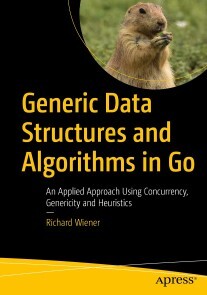
Generic Data Structures and Algorithms in Go
Advance your understanding of generic data structures and algorithms and their applications using Go and the effective use of concurrency. You are invited on a journey that aims to improve your programming and problem-solving skills. This book takes you to the next step by showing how to get your programs to work efficiently as well as correctly.As you explore many data structures and the algorithms and applications associated with them, you'll focus on the trade-offs between speed and storage and the benefits of deploying concurrency when appropriate. This book will demonstrate the huge increases in application performance that are possible. The presentation of classic data structures and techniques of algorithm design (greedy, divide and conquer, branch-and-bound to name a few) provides an essential foundation and toolkit for problem solving. But this book goes further by presenting heuristic algorithms and their implementations for solving computationally intractable combinatoric optimization problems such as the travelling salesperson problem. Simulated annealing and genetic algorithms are among the techniques used.The consistent style of coding used throughout this book exploits Go’s ability to implement abstract, generic and constrained generic data types without the use of classes. Although some familiarity with Go is assumed, this book should advance your ability to use Go to tackle server-side applications, games, machine learning, information retrieval and other application domains where speed and storage efficiency is essential.WHAT YOU'LL LEARN* Explore classical data structures and algorithms aimed at making your applications run faster or require less storage* Use the new generic features of Go to build reusable data structures* Utilize concurrency for maximizing application performance* See the power of heuristic algorithms for computationally intractable problems* Enhance and improve your Go programming skillsWHO THIS BOOK IS FORPracticing Go software developers and students who wish to advance their programming and problem-solving skills and experience the excitement and see the benefits of using generic data structures and algorithms that utilize concurrency whenever possible.RICHARD WIENER, PH.D. authored or co-authored 22 professional, software development and computer-science textbooks published by Wiley, Addison-Wesley, Prentice-Hall, Cambridge University Press and Thompson. Served as founding Editor-in-Chief of the Journal of Object-Oriented Programming for 12 years and later, founding Editor-in-Chief of the Journal of Object Technology for 9 years. Worked as Associate Professor of Computer Science at the University of Colorado, Colorado Springs (UCCS) from 1977-2012. Served as Department Chair during last four years at UCCS. Served as consultant and software developer for IBM, HP, Boeing, Textronix, DEC and many other companies. Presented industry short-courses all over the world from 1980 to 2006. Earned BS and MS in Electrical Engineering from City University of New York and Ph.D. from Polytechnic Institute of New York.1. A Tour Of Generics and Concurrency In Go2. Algorithm Efficiency – Sorting and Searching3. Abstract Data Types: OOP Without Classes in Go4. ADT In Action: Game Of Life5. Stacks6. Queues and Lists7. Hash Tables8. Binary Trees9. Binary Search Tree10. AVL Trees11. Heap Trees12. Red Black Trees13. Expression Trees14. Ecological Simulation With Concurrency15. Dynamic Programming16. Graph Structures17. Travelling Salesperson Problem18. Branch and Bound Solution to TSP19. Simulated Annealing Heuristic Solution to TSP20. Genetic Algorithm for TSP21. Neural Networks and Machine Learning.

Blockchain-Implementierung in eine Automotive Supply Chain
In der Automotive-Branche ist eine schnell agierende und perfekt abgestimmte Supply Chain ein entscheidender Vorteil gegenüber dem Wettbewerb. Durch die Implementierung der Blockchain-Technologie lässt sich die Geschwindigkeits- und Transparenzerhöhung gewährleisten. Dieses essentiell simuliert eine Supply Chain an verschiedenen Instanzen, in der die Blockchain exemplarisch genutzt wird und dadurch die Supply-Chain-Abläufe automatisiert werden.Als Studierende und Absolventen der Universität Duisburg-Essen am Lehrstuhl der Transportsysteme und -logistik im Studiengang der Technischen Logistik haben die Autoren durch das natürliche Interesse an aktuellen Forschungsfeldern wie die Blockchain Technologie die Weichen für darauf aufbauende Abschlussarbeiten in diesem Themenfeld legen können. Unter der Betreuung von DR.-ING. ALEXANDER GOUDZ forsch(t)en sowohl YILMAZ als auch SANCHEZ-GONZALEZ im Rahmen ihrer Masterarbeit zum Thema der Blockchain Technologie weiter, während sich MEYHÖFER mit der Umsetzung der Logistik 4.0 im ÖPNV befasste.

Voice over IP - Die Technik
Neu in der 5. Auflage: Web Real-Time Communication, Peer-to-Peer VoIP, VoIP und Emergency Services, VoIP und Software-Defined Networking- Lernen Sie die technischen Grundlagen von VoIP kennen und beherrschen- Erfahren Sie mehr über neue VoIP-basierte Systemlösungen und deren Einsatzmöglichkeiten- Verschaffen Sie sich einen detaillierten Überblick über alle Standards und Protokolle- Profitieren Sie von der umfassenden Praxis- und Lehrerfahrung des Autors- Ihr exklusiver Vorteil: E-Book inside beim Kauf des gedruckten BuchesVoice over IP (VoIP) hat sich etabliert. Nicht nur für Internet-Telefonie, sondern auch für Multimedia-Kommunikation gibt es inzwischen zahlreiche VoIP-Anwendungen, die sowohl Firmen als auch Privatanwender einsetzen können. Die auf dem Konzept von WebRTC (Web Real-Time Communication) basierenden Lösungen ermöglichen Telearbeit und dienen folglich als technische Basis für das Home-Office.Lernen Sie mit diesem Buch die Grundlagen, Standards und Protokolle für das Telefonieren und die Multimedia-Kommunikation über das Internet kennen. Hier finden Sie eine umfassende und mit über 350 Abbildungen illustrierte Darstellung von VoIP und anderen mit VoIP-verwandten Ideen. Damit werden Sie die Sprachkommunikation über IP-Netze verstehen, diese zu nutzen wissen und selbst neue VoIP-Anwendungen konzipieren und entwickeln können.Die erweiterte 5. Auflage erläutert die aktuellen Entwicklungen – insbesondere neue Anwendungen von VoIP mit SIP – und wurde ergänzt um die mit VoIP-verwandten Themen wie z. B.: Einsatz von WebRTC, VoIP in Netzwerken mit privaten IP-Adressen, Unterstützung der Benutzermobilität, VoIP-Peering, SIP Security. Prof. Dr.-Ing. Anatol Badach war Professor im Fachbereich Angewandte Informatik der Hochschule Fulda. Seine Schwerpunkte in Lehre und Forschung waren Rechnerkommunikation, Netzwerktechnologien und Multiservice Networking (u. a. VoIP). Er ist Autor mehrerer Fachbücher und beschäftigt sich mit den Themen Internet of Things, Software-Defined Networking sowie Network Slicing and Programmability.

Scrum mit User Stories
- Erfahren Sie, wie Sie Anforderungen im Sinne des Kunden mit Hilfe von User Stories beschreiben und im Product Backlog verwalten. - Lesen Sie, wie User Stories den Flow eines Scrum-Projekts steuern und das Team bei der Entwicklung werthaltiger Software leiten. - Lernen Sie, wie Sie die Geschäftsregeln einer User Story als Akzeptanztests beschreiben und so die Basis für akzeptanzgetriebene Entwicklung schaffen. - Erlernen Sie die Anwendung von Story Maps als neue Methode zur ganzheitlichen Anforderungsanalyse. - Lernen Sie, wie Sie Scrum in mobilen Arbeitsumgebungen einführen und dem Team über die ersten Hürden hinweghelfen. - Ihr exklusiver Vorteil: E-Book inside beim Kauf des gedruckten Buches Scrum als Framework für die Agile Softwareentwicklung erfreut sich zunehmender Beliebtheit. Kombiniert mit User Stories wird daraus ein unschlagbares Doppel. Scrum definiert mit Hilfe einfacher Regeln und klarer Verantwortlichkeiten einen Rahmen für agile Softwareprojekte. User Stories beschreiben Anforderungen aus Sicht des Anwendenden und liefern einen greifbaren Mehrwert. Dieses Buch erklärt die Grundlagen beider Konzepte und beschreibt, wie Sie User Stories in die Elemente und Abläufe von Scrum einbinden. Angefangen vom Schreiben und Priorisieren eines User-Story-basierten Product Backlog bis hin zur User-Story-getriebenen Sprint- und Releaseplanung lernen Sie alles, was für den erfolgreichen Einsatz von User Stories in Ihrem Scrum-Projekt wichtig ist. Das neue Kapitel „Mobiles Arbeiten“ beschäftigt sich mit den Anforderungen und Möglichkeiten des agilen Arbeitens in mobilen Kontexten. Es beschreibt unsere Erfahrungen beim Arbeiten mit mobilen Scrum-Teams und liefert Tipps und Ideen für das Führen solcher Teams. „Egal, ob man Scrum und User Stories einsetzt oder nicht: Mit diesem Buch lernt wohl jeder noch etwas dazu.“ Steffen Gemkow, ObjectFab AUS DEM INHALT // - Einführung - Beispiel: Scrumcoaches.com - Die Grundlagen von Scrum - User Stories - Agiles Schätzen - Agiles Planen - User Stories für das Product Backlog - User Story Mapping - Sprint-Planung - Sprint-Durchführung - User Stories Akzeptanztesten - Sprint-Retrospektive - Agile Releaseplanung - Mobiles Arbeiten - Verticals – SCRUM@OTTO - Glossar

Samsung Galaxy A33 5G
Die verständliche Anleitung für Ihr Smartphone:- Alle Funktionen & Einstellungen auf einen Blick- Schritt für Schritt erklärt – mit praktischen TippsMit diesem smarten Praxisbuch gelingt Ihnen der schnelle und sichere Einstieg in Ihr Smartphone. Lernen Sie das Samsung Galaxy A33 5G von Grund auf kennen und beherrschen! Anschauliche Anleitungen, Beispiele und Bilder zeigen Ihnen gut nachvollziehbar, wie Sie Ihr mobiles Gerät optimal handhaben – von der Ersteinrichtung und Personalisierung über die große Funktionsvielfalt bis zu den wichtigsten Anwendungen. Nutzen Sie darüber hinaus die übersichtlichen Spicker-Darstellungen: Damit können Sie jene Bedienungsschritte, die man am häufigsten braucht, aber immer wieder vergisst, auf einen Blick finden und umsetzen. Freuen Sie sich auf viele hilfreiche Tipps und legen Sie ganz einfach los!Aus dem Inhalt:- Alle Bedienelemente des Samsung Galaxy A33 5G auf einen Blick- Ersteinrichtung und Tipps zum Umzug- Google-Konto erstellen und verwalten- Die Benutzeroberfläche Ihres Smartphones personalisieren- Apps aus dem Play Store herunterladen- Kontakte anlegen und im Adressbuch verwalten- Anrufe tätigen und SMS austauschen- Nachrichten über Mail und WhatsApp versenden und empfangen- Uhr, Kalender, Maps und andere praktische Apps nutzen- Fotos sowie Videos aufnehmen, verwalten und teilen- Ins Internet gehen über WLAN und mobile Daten- Updates, Datenschutz und Sicherheit

Deine SAP-Karriere
Du möchtest professionell in die SAP-Welt einsteigen? Du fragst dich, was man als Berater oder ABAP-Entwicklerin mitbringen muss? Dann ist dieses Buch genau das richtige für dich! Das Autorenteam erklärt, was das Besondere bei der SAP-Beratung ist, und führt dich in die wichtigsten Arbeitsbereiche im SAP-Umfeld ein. Damit steht deiner SAP-Karriere nichts mehr im Weg! Aus dem Inhalt: Nutzen und Einsatzgebiete der SAP-SoftwareSAP-Beratung als Spielart der IT-BeratungSAP-Prozessberatung: Finanzen und LogistikArbeitsumfeld SAP-BasisadministrationSAP-Entwicklung: ABAP und SAPUI5SAP-Projektmanagement: klassisch vs. agilSoft-Skills entwickelnTipps und Tricks für Einstieg und AufstiegEntwicklungsmöglichkeiten erkennen und umsetzenBerufswechsel und QuereinstiegSelbstständig, angestellt oder …? Einleitung ... 13 1. Deine SAP-Grundausbildung ... 21 1.1 ... Das Produktportfolio von SAP ... 23 1.2 ... Cloud- vs. On-Premise-Lösungen ... 43 1.3 ... Grundlagenwissen zu ERP-Systemen ... 51 1.4 ... Branchenlösungen ... 59 1.5 ... Zusammenfassung ... 63 2. Aufgaben und Anforderungen der SAP-Beratung ... 65 2.1 ... IT-Beratung in der Wirtschaft ... 65 2.2 ... Die Beratungsgrundausstattung ... 67 2.3 ... Der Arbeitsmarkt ... 93 2.4 ... Zusammenfassung ... 99 3. Dein Einstieg in die SAP-Prozessberatung ... 101 3.1 ... Customizing ... 103 3.2 ... Organisationsebenen im SAP-System ... 105 3.3 ... Prozessberatung im Vertrieb ... 107 3.4 ... Prozessberatung in der Materialwirtschaft und Beschaffung ... 119 3.5 ... Prozessberatung in der Produktion ... 134 3.6 ... Prozessberatung in der Instandhaltung ... 146 3.7 ... Prozessberatung in der Finanzbuchhaltung ... 148 3.8 ... Prozessberatung im Controlling ... 151 3.9 ... Zusammenfassung ... 157 4. End-to-End-Prozesse im SAP-System ... 159 4.1 ... Der Nutzen von End-to-End-Prozessen ... 160 4.2 ... Procure-to-Pay ... 163 4.3 ... Plan-to-Produce ... 166 4.4 ... Order-to-Cash ... 170 4.5 ... Weitere End-to-End-Prozesse ... 173 4.6 ... Zusammenfassung ... 176 5. Die Arbeit in der SAP-Programmierung ... 177 5.1 ... Das nötige Werkzeug ... 179 5.2 ... Dreisystemlandschaft und Transportschiene ... 200 5.3 ... Daten und Datenmodelle ... 206 5.4 ... Modularisierung ... 212 5.5 ... Lern- und Übungsangebot für den Einstieg in die SAP-Programmierung ... 218 5.6 ... Zusammenfassung ... 221 6. Aufgaben der SAP-Basis- und -Technologieberatung ... 223 6.1 ... Grundlagen der SAP-Basis-Administration ... 224 6.2 ... Housekeeping und Monitoring (tägliche Aufgaben) ... 229 6.3 ... Wartungsarbeiten (sporadische Aufgaben) ... 239 6.4 ... Zusammenfassung ... 243 7. Herausforderungen des Projektmanagements ... 245 7.1 ... Von kleinen Programmierprojekten zu großen ERP-Implementierungen ... 246 7.2 ... Klassisches vs. agiles Projektmanagement ... 247 7.3 ... Zusammenfassung ... 255 8. Abläufe im SAP-Support ... 257 8.1 ... Arbeitsteilung im SAP-Support ... 258 8.2 ... Tickets ... 262 8.3 ... Priorität und Impact ... 265 8.4 ... Service Level Agreements ... 266 8.5 ... Ticketsystem ... 270 8.6 ... Typische Support-Fälle ... 272 8.7 ... Zusammenfassung ... 280 9. Erstelle Deinen Karriereentwicklungsplan! ... 283 9.1 ... Deine Karriereoptionen in der SAP-Beratung ... 284 9.2 ... Karriereentwicklung und eigene Stärken ... 288 9.3 ... Deinen Karriereentwicklungsplanung entwickeln ... 299 9.4 ... Deine eigene Marke ... 316 9.5 ... Karrierewechsel und Quereinstieg ... 319 9.6 ... Zusammenfassung ... 322 10. Erfahrungsberichte ... 325 10.1 ... Hendrik Haas - Head of Cloud Success Services SAP Deutschland SE & Co. KG ... 325 10.2 ... Frank Lütjering - Bereichsleiter SAP Consulting & Solutions bei GOD mbH ... 330 10.3 ... Gerlinde Zibulski - Chief Development Architect für Security bei SAP SE ... 337 10.4 ... Cecile Franz - Senior Business & Integration Arch Analyst bei Accenture Technology Solutions GmbH ... 340 10.5 ... Andreas Restlé - Managing Consultant bei Indico Solutions GmbH ... 347 10.6 ... René Preß - Business Process Consultant Integrations bei Ottobock SE & Co. KGaA ... 349 10.7 ... Dr. Lothar Schwarz - selbstständiger SAP-Berater und -Trainer ... 354 10.8 ... Zusammenfassung ... 368 11. Essentials ... 369 11.1 ... Jobbeschreibung »SAP-Berater*in« ... 369 11.2 ... Vor- und Nachteile des Jobs ... 370 11.3 ... Das macht eine*n SAP-Berater*in wertvoll ... 371 11.4 ... Mögliche Aufgabengebiete in der SAP-Beratung ... 372 11.5 ... Beratung ohne Erfahrung - geht das? ... 373 11.6 ... So wird etwas aus Dir! ... 375 11.7 ... Die drei Ebenen des Jobs ... 376 11.8 ... Zusammenfassung ... 378 Das Autorenteam ... 381 Index ... 383

Verfügbarkeitsprüfung mit SAP
Bestandstransparenz, Liefertreue und die Optimierung von Durchlaufzeiten sind zentrale Wettbewerbsvorteile – besonders in globalen Lieferketten! Dieses Buch führt Sie sachkundig in die verschiedenen SAP-Lösungen für die Verfügbarkeitsprüfung (ATP) ein und erklärt deren Funktionen, Konfiguration und Integration. Neben den bewährten Lösungen von SAP ERP und SAP APO lernen Sie die neue erweiterte Verfügbarkeitsprüfung (aATP) in SAP S/4HANA kennen. Sie erfahren, wie Sie Produktion, Beschaffung und Vertrieb nahtlos steuern und so die Planungssicherheit erhöhen. Aus dem Inhalt: RückstandsbearbeitungFehlteilemanagementATP-VerfügbarkeitsprüfungBasismethoden und erweiterte OptionenRegelbasierte VerfügbarkeitsprüfungStreckenabwicklungVerfügbarkeitsprüfung gegen ProduktionRundung und SicherheitsbeständeBesonderheiten in SAP APOProduktverfügbarkeit (PAC)KontingentierungAlternativen-basierte Bestätigung (ABC) Einleitung ... 19 TEIL I. Grundlagen der Verfügbarkeitsprüfung mit SAP ... 29 1. Betriebswirtschaftlicher Hintergrund ... 31 1.1 ... Dispositionsstrategien ... 33 1.2 ... Verfügbarkeitsprüfung im Unternehmen ... 36 1.3 ... Implementierung der Verfügbarkeitsprüfung ... 41 1.4 ... Zusammenfassung ... 44 2. Verfügbarkeitsprüfung mit SAP ... 45 2.1 ... Systeme und Lösungen ... 45 2.2 ... Integration mit SAP CRM und SAP Customer Experience ... 51 2.3 ... Anwendungsszenarien und Beispielarchitekturen ... 54 2.4 ... Zusammenfassung ... 57 3. Anwendungsbereiche und Prozessintegration ... 59 3.1 ... Durchführung der Verfügbarkeitsprüfung ... 59 3.2 ... Verfügbarkeitsprüfung im Vertrieb ... 60 3.3 ... Verfügbarkeitsprüfung in der Produktion ... 72 3.4 ... Verfügbarkeitsprüfung in der Materialwirtschaft ... 77 3.5 ... Zusammenfassung ... 82 TEIL II. Verfügbarkeitsprüfung mit SAP ERP ... 83 4. Stamm- und Bewegungsdaten in SAP ERP ... 85 4.1 ... Stammdaten ... 85 4.2 ... Bewegungsdaten ... 90 4.3 ... Zusammenfassung ... 127 5. Parameter der Verfügbarkeitsprüfung in SAP ERP ... 129 5.1 ... Prüfgruppe ... 129 5.2 ... Prüfregel ... 136 5.3 ... Prüfumfang ... 139 5.4 ... Einteilungstyp ... 151 5.5 ... Bedarfsklasse und Bedarfsartenfindung ... 153 5.6 ... Sperrlogik ... 163 5.7 ... Transport- und Versandterminierung ... 165 5.8 ... Zusammenfassung ... 173 6. Prüfmethoden in SAP ERP ... 175 6.1 ... Überblick ... 176 6.2 ... ATP-Verfügbarkeitsprüfung ... 177 6.3 ... Verfügbarkeitsprüfung gegen Vorplanung ... 192 6.4 ... Verfügbarkeitsprüfung gegen Kontingente ... 222 6.5 ... Montageabwicklung ... 236 6.6 ... Zusammenfassung ... 240 7. Fehlteilemanagement in SAP ERP ... 241 7.1 ... Kostenoptimales Bestandsniveau ... 241 7.2 ... Fehlteileidentifizierung ... 243 7.3 ... Fehlteileauswertung ... 247 7.4 ... Fehlteileinformationsmeldung ... 250 7.5 ... Zusammenfassung ... 257 8. Rückstandsbearbeitung in SAP ERP ... 259 8.1 ... Negative Prüfungsergebnisse ... 259 8.2 ... Manuelle Rückstandsbearbeitung ... 261 8.3 ... Neuterminierung ... 265 8.4 ... Zusammenfassung ... 271 TEIL III. Verfügbarkeitsprüfung mit SAP S/4HANA ... 273 9. Einführung in die Verfügbarkeitsprüfung mit SAP S/4HANA ... 275 9.1 ... Standard-Verfügbarkeitsprüfung in SAP S/4HANA ... 276 9.2 ... Erweiterte Verfügbarkeitsprüfung (aATP) in SAP S/4HANA ... 278 9.3 ... Zusammenspiel der einzelnen Funktionen der erweiterten Verfügbarkeitsprüfung ... 291 9.4 ... Merkmalskataloge in der erweiterten Verfügbarkeitsprüfung ... 293 9.5 ... Zusammenfassung ... 294 10. Kontingentierung ... 295 10.1 ... Customizing zur Nutzung der Kontingentierung ... 296 10.2 ... SAP-Fiori-Apps für die Kontingentierung ... 298 10.3 ... Kontingentierung konfigurieren ... 300 10.4 ... Kontingentierungsplandaten verwalten ... 302 10.5 ... Kontingentierungssequenzen verwalten ... 304 10.6 ... Produkte zur Kontingentierung zuordnen ... 307 10.7 ... Kontingentierungsübersicht ... 308 10.8 ... SAP-Beispiel für die Kontingentierung ... 309 10.9 ... Zusammenfassung ... 319 11. Verfügbarkeitsschutz ... 321 11.1 ... Customizing zur Nutzung des Verfügbarkeitsschutzes ... 321 11.2 ... SAP-Fiori-Apps für den Verfügbarkeitsschutz ... 322 11.3 ... Grundlagen des Verfügbarkeitsschutzes ... 323 11.4 ... Konfiguration des Verfügbarkeitsschutzes ... 328 11.5 ... SAP-Beispiel für den Verfügbarkeitsschutz ... 333 11.6 ... Zusammenfassung ... 340 12. Alternativenbasierte Bestätigung ... 341 12.1 ... Customizing zur Aktivierung der alternativenbasierten Bestätigung ... 342 12.2 ... SAP-Fiori-Apps zur Konfiguration der alternativenbasierten Bestätigung ... 343 12.3 ... Grundlagen der Werks- und Lagerortersetzung ... 344 12.4 ... Grundlagen der Produktersetzung ... 355 12.5 ... Die alternativenbasierte Bestätigung konfigurieren ... 356 12.6 ... SAP-Beispiel für die alternativenbasierte Bestätigung ... 361 12.7 ... Zusammenfassung ... 365 13. Rückstandsbearbeitung ... 367 13.1 ... SAP-Fiori-Apps für die Rückstandsbearbeitung ... 368 13.2 ... Grundlagen der Rückstandsbearbeitung in SAP S/4HANA ... 369 13.3 ... Konfiguration der Rückstandsbearbeitung ... 375 13.4 ... SAP-Beispiel für die Rückstandsbearbeitung ... 384 13.5 ... Manuelle Freigabe von Lieferungen ... 387 13.6 ... Zusammenfassung ... 390 TEIL IV. Verfügbarkeitsprüfung mit SAP APO ... 391 14. SAP-APO-Systemintegration ... 393 14.1 ... Core Interface (CIF-Schnittstelle) ... 394 14.2 ... Schnittstellenkonfiguration ... 396 14.3 ... Integrationsmodelle ... 400 14.4 ... Zusammenfassung ... 410 15. Parameter der Verfügbarkeitsprüfung in SAP APO ... 411 15.1 ... Grundlagen ... 411 15.2 ... Prüfvorschrift ... 413 15.3 ... Allgemeine Customizing-Einstellungen ... 428 15.4 ... Zusammenfassung ... 434 16. Prüfmethoden in SAP APO ... 435 16.1 ... Grundlagen ... 435 16.2 ... Produktverfügbarkeitsprüfung ... 436 16.3 ... Kontingentierung ... 458 16.4 ... Prüfung gegen Vorplanung ... 480 16.5 ... Zusammenfassung ... 490 17. Erweiterte Prüfmethoden in SAP APO ... 493 17.1 ... Kombination von Basismethoden ... 493 17.2 ... Regelbasierte Verfügbarkeitsprüfung ... 498 17.3 ... Streckenabwicklung ... 537 17.4 ... Prüfung gegen die Produktion ... 543 17.5 ... Zusammenfassung ... 564 18. Zusatzfunktionen der Verfügbarkeitsprüfung in SAP APO ... 565 18.1 ... Mehrpositionen-Einzellieferlokation ... 565 18.2 ... Konsolidierung in einer Konsolidierungslokation ... 570 18.3 ... Sicherheitsbestände in der Verfügbarkeitsprüfung berücksichtigen ... 578 18.4 ... Rundung in der Verfügbarkeitsprüfung ... 585 18.5 ... Korrelationsrechnung ... 599 18.6 ... Zusammenfassung ... 603 19. Ergebnis und Analyse der Verfügbarkeitsprüfung ... 605 19.1 ... Ergebnisdarstellung ... 605 19.2 ... Simulation ... 612 19.3 ... Verfügbarkeitsübersichten ... 614 19.4 ... ATP-Alerts ... 615 19.5 ... Analyse ... 617 19.6 ... Zusammenfassung ... 625 20. Rückstandsbearbeitung in SAP APO ... 627 20.1 ... Rückstandsbearbeitung im Hintergrund ... 627 20.2 ... Interaktive Rückstandsbearbeitung ... 646 20.3 ... Ereignisgesteuerte Mengenzuordnung ... 648 20.4 ... Zusammenfassung ... 660 21. Transport- und Versandterminierung in SAP APO ... 661 21.1 ... Grundlagen ... 661 21.2 ... Terminierung mit Konditionstechnik ... 671 21.3 ... Terminierung mit der konfigurierbaren Prozessterminierung ... 674 21.4 ... Terminierung mit SNP-Stammdaten ... 682 21.5 ... Terminierung mit der dynamischen Routenfindung ... 683 21.6 ... Simulation der Transport- und Versandterminierung ... 685 21.7 ... Zusammenfassung ... 689 Die Autoren ... 691 Index ... 693

Git und SAP
Nutzen Sie das moderne Versionsmanagement für Ihre SAP-Projekte! In diesem Buch erfahren Sie, wie Git in die Entwicklungsumgebungen für SAPUI5 oder ABAP integriert ist. Sie lernen, wie Sie Git-Befehle direkt in SAP Business Application Studio, ABAP Development Tools oder SAP Web IDE absetzen, Repositorys klonen und Branches verwalten. Ihre Entwicklungsteams werden nicht mehr anders arbeiten wollen! Aus dem Inhalt: So funktioniert GitAnbieter von Git-ClientsCloud- und On-Premise-DeploymentabapGitGit in der SAPUI5-EntwicklungGit in der Cloud-EntwicklungGit in der SAP-HANA-EntwicklungSAP Business Application StudioVisual Studio CodeABAP Development ToolsSAP Web IDE for SAP HANASAP Continuous Integration and DeliveryIntegration mit Jenkins und Azure DevOps Einführung ... 13 1. Einführung in Git ... 17 1.1 ... Herkunft von Git ... 18 1.2 ... Vergleich mit anderen Versionsverwaltungssystemen ... 19 1.3 ... Verteilte Entwicklung mit Git ... 26 1.4 ... Git im SAP-Umfeld ... 28 1.5 ... Git in DevOps-Projekten ... 38 1.6 ... Zusammenfassung ... 44 2. Technische Grundlagen ... 45 2.1 ... Lokales und Remote-Repository ... 46 2.2 ... Die wichtigsten Git-Befehle ... 53 2.3 ... Git-CLI ... 70 2.4 ... Das Arbeiten mit dem Git-CLI ... 73 2.5 ... Konflikte lösen ... 95 2.6 ... Weitere hilfreiche Befehle ... 99 3. Deployment-Optionen und Anbieter von Git-Clients ... 103 3.1 ... Cloud- oder On-Premise-Deployment ... 104 3.2 ... SAP Git Service in der Neo-Umgebung ... 110 3.3 ... GitHub ... 121 3.4 ... Bitbucket ... 129 3.5 ... GitLab ... 134 3.6 ... Ein On-Premise-Git-Repository über den Cloud Connector an die SAP BTP anbinden ... 140 4. Git in der SAPUI5-Entwicklung ... 149 4.1 ... Erstellen eines Git-Repositorys ... 150 4.2 ... Einbindung in die SAP Web IDE ... 152 4.3 ... Einbindung in SAP Business Application Studio ... 160 4.4 ... Einbindung in Visual Studio Code ... 169 5. Git in der ABAP-Entwicklung ... 177 5.1 ... abapGit ... 177 5.2 ... Einbindung in Eclipse ... 207 6. Git in der Cloud-Entwicklung ... 217 6.1 ... Einführung in das SAP Cloud Application Programming Model ... 218 6.2 ... Einbindung in SAP Business Application Studio ... 220 6.3 ... Einbindung in Visual Studio Code ... 230 7. Git in der SAP-HANA-Entwicklung ... 241 7.1 ... Einführung in SAP HANA XSA ... 241 7.2 ... Einbindung in die SAP Web IDE für SAP HANA ... 243 7.3 ... Einbindung in SAP Business Application Studio ... 258 8. Continuous Delivery und Continuous Integration ... 271 8.1 ... Einführung ... 271 8.2 ... SAP Continuous Integration and Delivery ... 285 8.3 ... Integration mit weiteren Tools ... 311 8.4 ... Zusammenfassung ... 328 Anhang ... 331 A ... Die wichtigsten Git-Befehle ... 331 Die Autoren ... 335 Index ... 337

Icinga
Monitoring – Grundlagen und PraxisNach der Einführung in die Komponenten einer Icinga-Umgebung, den wichtigsten Begriffen, der Installation und der Bedienoberfläche Icinga Web 2 folgt der praktische Einstieg in die Überwachung mit Icinga. Anhand einer fiktiven Firma wird die Einarbeitung in die Konfigurationssprache Icinga DSL gezeigt.Zentraler Punkt in diesem Buch ist die Überwachung von Linux- und Windows-Systemen mit dem Icinga-Agenten sowie generell die verteilte Überwachung mit Einsatz von Satelliten-Systemen. An praktischen Beispielen werden die erworbenen Icinga-DSL-Kenntnisse weiter vertieft: Plugins gängiger Netzwerkdienste, Einsatz von Datenbanken wie PostgreSQL, MariaDB, Oracle oder Microsoft SQL und die Einbeziehung von Virtualisierungsplattformen. Weitere Kapitel über Benachrichtigung und Abhängigkeiten, den Icinga-Director als grafikgestütztes Konfigurations-Tool, über Hochverfügbarkeit und Logmanagement, über das Modellieren von Businessprozessen und die Integration der Erfassung und Darstellung zeitlicher Verläufe runden dieses Buch ab.Autor:Lennart Betz arbeitet als Consultant und Trainer bei der Nürnberger NETWAYS GmbH. Seine Hauptarbeitsgebiete sind Planung, Aufbau und Betreuung von Monitoringlösungen, Konfigurationsmanagement und weitere Automatisierungsthemen. Schon früh während seines Mathematikstudiums beschäftigte er sich mit Freier Software und verfolgt dies auch seit dem Abschluss in seiner beruflichen Tätigkeit konsequent weiter.

SQL - kurz & gut (3. Auflg.)
Wenn Sie SQL bei Ihrer täglichen Arbeit als Datenanalyst:in, Data Scientist oder Data Engineer verwenden, ist dieses beliebte Taschenbuch das ideale Nachschlagewerk für Sie. Beschrieben werden die wichtigsten Funktionen von SQL und deren Einsatz in Microsoft SQL Server, MySQL, Oracle Database, PostgreSQL und SQLite. Zahlreiche Beispiele verdeutlichen zudem die vielfältigen Möglichkeiten der Sprache.In dieser aktualisierten und deutlich erweiterten Ausgabe zeigt Alice Zhao, wie diese fünf Datenbankmanagementsysteme die SQL-Syntax für Abfragen und für Änderungen an einer Datenbank implementieren. Sie finden Näheres zu Datentypen und Konvertierungen, zur Syntax regulärer Ausdrücke, zu Fensterfunktionen, Pivoting und Unpivoting und vieles mehr.- Schlagen Sie schnell nach, wie Sie bestimmte Aufgaben mit SQL ausführen- Nutzen Sie die Syntaxbeispiele des Buchs für Ihre eigenen Abfragen- Passen Sie SQL-Abfragen so an, dass sie auf den fünf verbreitetsten Datenbankmanagementsystemen funktionieren- Neu: Verbinden Sie Python und R mit einer relationalen Datenbank- Neu: Erhalten Sie in dem Kapitel »Wie mache ich …?« Antworten auf häufig gestellte Fragen zu SQLZielgruppe:Data ScientistsDatenanalyst*innenalle, die mit Daten und SQL zu tun habenAutorin:Alice Zhao ist Data Scientist und liebt es, komplexe Dinge leicht verständlich zu erklären. Als Senior Data Scientist bei Metis und als Mitbegründerin von Best Fit Analytics hat sie zahlreiche Kurse zu SQL, Python und R gegeben. Ihre sehr gut bewerteten technischen Tutorials auf YouTube sind dafür bekannt, gleichermaßen praktisch, unterhaltsam und visuell ansprechend zu sein.In ihrem Blog „A Dash of Data“ schreibt sie über Analytics und Popkultur. Ihre Arbeit wurde bereits in der Huffington Post, Thrillist und Working Mother veröffentlicht. Sie hat auf einer Vielzahl von Konferenzen über Themen wie Natural Language Processing und Datenvisualisierung gesprochen und hat einen Master of Science in Analytics und einen Bachelor of Science in Elektrotechnik erworben, beide von der Northwestern University.

Android Tablets & Smartphones
OHNE VORWISSEN ANDROID TABLETS ODER SMARTPHONES SICHER BEDIENEN * Erfolgsautor Günter Born behandelt die typischen Fragen von Einsteigern und Senioren * Alle Bedienungsfragen in verständlichen Schritt-für-Schritt-Anleitungen erklärt * Komplett in Farbe, übersichtlich gestaltet und mit größerer Schrift * Der Bestseller deckt jetzt Android 11 ab und sensibilisiert für Sicherheitsfragen Mit diesem praktischen Ratgeber finden Sie sich schnell zurecht und können Schritt für Schritt nachvollziehen, wie Sie Ihr Android-Handy oder -Tablet einrichten, wie Sie surfen, Fotos machen, Kurznachrichten und E-Mails verschicken, die Einsatzmöglichkeiten Ihres Geräts durch neue Apps erweitern und vieles mehr. Schwerpunkt ist die Bedienung von Smartphones und Tablet-PCs mit den Android-Versionen 9 bis 11. Das Buch kann jedoch auch für Geräte mit älteren Android-Versionen genutzt werden, denn vieles ist hier sehr ähnlich.

C++ Lernen und professionell anwenden
Für Studium, Ausbildung und BerufSie möchten die Programmiersprache C++ erlernen und sind Anfänger? Dann ist dieses Buch richtig für Sie! Es richtet sich besonders an alle, die C++ in Studium, Ausbildung oder Beruf lernen und keine Vorkenntnisse in der Programmierung mit C++ haben.Die Ausrichtung des Studiengangs spielt dabei keine Rolle. Alle Themen werden fachunabhängig erläutert. Die Übungen und praktischen Beispiele decken viele unterschiedliche Anwendungsbereiche ab, so dass Sie auf die verschiedensten Aufgaben optimal vorbereitet sind.Sie lernen die elementaren Sprachkonzepte von C++ und werden schrittweise bis zur Entwicklung professioneller C++-Programme geführt. In den Beispielen zeigen die Autoren die ganze Breite des Anwendungsspektrums auf. Dabei basiert die Sprachbeschreibung auf dem ISO-Standard, der von allen gängigen Compilern unterstützt wird (Visual C++, GNU C++ etc.).Für den professionellen Einsatz sind in den hinteren Kapiteln Themen wie Smart Pointer, Multithreading und Algorithmen der Standard-Template-Library beschrieben. Die Übungen in jedem Kapitel helfen Ihnen, Ihr Wissen zu festigen und sich auf Prüfungen vorzubereiten.Aus dem Inhalt:Datentypen KontrollstrukturenOperatorenMakrosFunktionenVektorenStringsMatrizenReferenzen und ZeigerSpeicherreservierung zur LaufzeitDynamische Arrays und Move-SemantikKlassenVererbung und PolymorphieException-HandlingDateiverarbeitung und portabler Zugriff auf das DateisystemTemplates und ContainerSmart PointerMultithreadingAlgorithmen der StandardbibliothekUmfassendes GlossarÜber die Autoren:Prof. Dr. Ulla Kirch unterrichtet an der FH München und Dr. Peter Prinz ist Software-Entwickler. Sie haben bereits zahlreiche Bücher zu C und C++ geschrieben.

Code That Fits in Your Head
Heuristik in der Softwareentwicklung. Komplexität reduzieren | Legacy Code beherrschen | Performance optimieren.Techniken und Konzepte für nachhaltige Softwareentwicklung sowie sauberen und wartbaren Code Reduktion von Komplexität, strukturierte Arbeitsabläufe und effiziente Fehlerbehandlung. Mit Auszügen aus einem vollständigen Beispielprojekt inklusive Code zum Download.»Mark Seemann ist dafür bekannt, komplexe Konzepte anschaulich und präzise zu erläutern. In diesem Buch kondensiert er seine weitreichende Erfahrung in der Softwareentwicklung zu praktischen, pragmatischen Techniken für nachhaltigen und gut lesbaren Code. Dieses Buch ist ein Must Read für jeden Programmierer.«– Scott Wlaschin, Autor von »Domain Modeling Made Functional«Dieses Buch ist ein praktischer Leitfaden für das Schreiben von nachhaltigem Programmcode und die Reduktion von Komplexität. So können Sie verhindern, dass Softwareprojekte langfristig außer Kontrolle geraten.Mark Seemann unterstützt seit Jahrzehnten Softwareentwickler-Teams bei der erfolgreichen Umsetzung ihrer Projekte. In diesem Buch begleitet er Sie von den ersten Codezeilen bis zum Deployment und zeigt Ihnen, wie Sie im Entwicklungsprozess effizient und nachhaltig bleiben, wenn Sie neue Funktionalitäten implementieren. Dabei legt er auch Wert auf Fehlerbehandlung und disziplinübergreifende Themen. Er gibt Ihnen wertvolle Hinweise, Techniken und Arbeitsabläufe für alle wichtigen Kernprobleme an die Hand: von der Verwendung von Checklisten bis zur Teamarbeit, von Kapselung bis zur verteilten Programmierung, von API-Design bis zu Unit Testing.Seemann veranschaulicht seine Konzepte anhand von Codebeispielen aus einem vollständigen Projektbeispiel in C#. Der Code ist so geschrieben, dass er gut verständlich für jeden ist, der eine objektorientierte Programmiersprache verwendet, einschließlich Java, C++ und Python. Der gesamte Code steht zur weiteren Erkundung zum Download bereit.Wenn Sie jemals negative Erfahrungen bei der Umsetzung von Softwareprojekten oder mit schlecht wartbarem Legacy Code gemacht haben, wird dieses Praxisbuch Ihnen helfen, solchen Schwierigkeiten ab sofort aus dem Weg zu gehen.Über den Autor:Mark Seemann ist in der Softwareentwicklung tätig und beschäftigt sich mit funktionaler Programmierung, objektorientierter Entwicklung und Softwareentwicklung im Allgemeinen. Er hat bereits zwei Bücher und zahlreiche Artikel und Blogbeiträge zu verwandten Themen veröffentlicht. Obwohl er hauptsächlich als .NET-Entwickler tätig ist, nutzt er eine große Bandbreite von Technologien als Ressource, einschließlich Haskell und verschiedene Design-Pattern-Bücher.

Android Smartphone Fotografie für Dummies
Sie möchten hochwertige Bilder mit Ihrem Android-Smartphone aufnehmen? In diesem Buch erfahren Sie, wie Sie mit der Kamera, die Sie jeden Tag dabei haben, beeindruckende Fotos schießen. Mark Hemmings bringt Ihnen die Grundprinzipien der Fotografie bei und zeigt Ihnen, wie Sie dieses Wissen auf Außenaufnahmen, Actionfotos, Portraits und in Videos anwenden. Außerdem erfahren Sie alles über die Möglichkeiten der Bildbearbeitung und bekommen praktische Tipps, wie Sie Ihre Aufnahmen organisieren und Fotos online teilen.Autor: Mark Hemmings ist ein international anerkannter professioneller Fotograf und Ausbilder. Er ist auf der ganzen Welt unterwegs und leitet Fotografie-Workshops in Asien, Europa, dem Nahen Osten und Nordamerika. Außerdem bietet er Online-Fotokurse an.