

Computer und IT

Maschinelles Lernen mit R
Wie bringt man Computern das Lernen aus Daten bei?Diese praxisorientierte Einführung vermittelt anhand zahlreicher Beispiele die Grundlagen des maschinellen Lernens mit R, H2O und Keras. Sie werden in die Lage versetzt, den jeweils zielführenden Ansatz auszuwählen und auf eigene Fragestellungen wie Bild-Klassifizierung oder Vorhersagen anzuwenden. Da fehlerhafte Daten den Lernerfolg gefährden können, wird der Datenvorbereitung und -analyse besondere Aufmerksamkeit gewidmet. R stellt hierfür hochentwickelte und wissenschaftlich fundierte Analyse-Bibliotheken zur Verfügung, deren Funktionsweise und Anwendung gezeigt werden. Sie erfahren, für welche Anwendungsfälle statistische Verfahren wie Regression, Klassifikation, Faktoren-, Cluster- und Zeitreihenanalyse ausreichen und wann Sie besser mit neuronalen Netzen wie z. B. CNNs oder RNNs arbeiten sollten. Hier kommen das Framework H20 sowie Keras zum Einsatz. Anhand von Beispielen wird gezeigt, wie Sie Stolpersteine beim Lernvorgang analysieren oder von vornherein vermeiden können. Darüber hinaus erfahren Sie, unter welchen Umständen Sie die Ergebnisse des maschinellen Lernens weiterverwenden können und wie Sie dabei vorgehen.Leseprobe (PDF-Link)Autor:Prof. Dr. Uli Schell lehrt seit 1997 an der Hochschule Kaiserslautern. Er ist stellvertretender Direktor des „Chinesisch-Deutschen Kollegs für Intelligente Produktion“ an der Shanghai DianJi University sowie Leiter der Technischen Akademie Südwest Kaiserslautern. Zuvor war er Software-Entwickler und Methoden-Berater bei BBC und der SAP AG.
Windows Server 2022 & Powershell All-in-One For Dummies
ALL THE ESSENTIALS FOR ADMINISTERING WINDOWS SERVER 2022 IN ONE BOOKLooking for a little help installing, configuring, securing, or running a network running Windows Server 2022? Windows Server 2022 & PowerShell All-in-One For Dummies delivers a thorough guide to network administration in a single, convenient book. Whether you need to start from scratch and install a new server or want to jump right into a more advanced topiclike managing security or working in Windows PowerShellyou'll find what you need right here. In this 8-books-in-1 compilation, you'll:* Learn what you need to install and set up a brand-new Windows server installation* Configure your Windows Server and customize its settings based on your needs and preferences* Discover how to install, configure, and work with ContainersThe perfect book for server and system admins looking for a quick reference on Windows Server operation, this book is also a great resource for networking newcomers learning their way around the server software they'll encounter daily. SARA PERROTT is a senior cybersecurity risk manager in the financial services industry and an instructor at Bellevue College. She is the author of Windows Server 2019 & PowerShell All-in-One For Dummies and coauthor of multiple study guides for the AWS Certified SysOps Administrator exam.Introduction 1BOOK 1: INSTALLING AND SETTING UP WINDOWS SERVER 2022 5Chapter 1: An Overview of Windows Server 2022 7Chapter 2: Using Boot Diagnostics 19Chapter 3: Performing the Basic Installation 33Chapter 4: Performing Initial Configuration Tasks 45BOOK 2: CONFIGURING WINDOWS SERVER 2022 73Chapter 1: Configuring Server Roles and Features 75Chapter 2: Configuring Server Hardware 103Chapter 3: Using the Settings Menu 145Chapter 4: Working with Workgroups 155Chapter 5: Promoting Your Server to Domain Controller 171Chapter 6: Managing DNS and DHCP with IP Address Management 203BOOK 3: ADMINISTERING WINDOWS SERVER 2022 217Chapter 1: An Overview of the Tools Menu in Server Manager 219Chapter 2: Setting Group Policy 233Chapter 3: Configuring the Registry 247Chapter 4: Working with Active Directory 263Chapter 5: Performing Standard Maintenance 279Chapter 6: Working at the Command Line 313Chapter 7: Working with PowerShell 325BOOK 4: CONFIGURING NETWORKING IN WINDOWS SERVER 2022 339Chapter 1: Overview of Windows Server 2022 NetworkingChapter 2: Performing Basic Network Tasks 359Chapter 3: Accomplishing Advanced Network Tasks 371Chapter 4: Diagnosing and Repairing Network Connection Problems 389BOOK 5: MANAGING SECURITY WITH WINDOWS SERVER 2022 401Chapter 1: Understanding Windows Server 2022 Security 403Chapter 2: Configuring Shared Resources 419Chapter 3: Configuring Operating System Security 439Chapter 4: Working with the Internet 457Chapter 5: Understanding Digital Certificates 471Chapter 6: Installing and Configuring AD CS 479Chapter 7: Securing Your DNS Infrastructure 499BOOK 6: WORKING WITH WINDOWS POWERSHELL 513Chapter 1: Introducing PowerShell 515Chapter 2: Understanding the NET Framework 547Chapter 3: Working with Scripts and Cmdlets 555Chapter 4: Creating Your Own Scripts and Advanced Functions 565Chapter 5: PowerShell Desired State Configuration 581BOOK 7: INSTALLING AND ADMINISTERING HYPER-V 593Chapter 1: What Is Hyper-V? 595Chapter 2: Virtual Machines 607Chapter 3: Virtual Networking 619Chapter 4: Virtual Storage 637Chapter 5: High Availability in Hyper-V 651BOOK 8: INSTALLING, CONFIGURING, AND USING CONTAINERS 667Chapter 1: Introduction to Containers in Windows Server 2022 669Chapter 2: Docker and Docker Hub 675Chapter 3: Installing Containers on Windows Server 2022 685Chapter 4: Configuring Docker and Containers on Windows Server 2022 695Chapter 5: Managing Container Images 705Chapter 6: Container Networking 715Chapter 7: Container Storage 725Index 733
Microsoft Project Fundamentals
GET A FIRM GRIP ON ONE OF THE MOST POPULAR PROJECT MANAGEMENT APPLICATIONS ON THE MARKET TODAYIn Microsoft Project Fundamentals: Microsoft Project Standard 2021, Professional 2021, and Project Online Editions, accomplished project management leader Teresa Stover delivers a hands-on introduction to Microsoft’s popular project management software filled with real-world examples and plain-language guidance. The book walks you through how to plan, schedule, manage resources, track progress, and more. In the book, you’ll:* Learn principles and best practices of project management while mastering Microsoft Project capabilities, calculations, and views* Understand how task durations, dependencies, and date constraints power the project schedule* Manage human, equipment, and material resources, including availability, cost, and task assignments* Adjust the project to optimize for the project finish date, budget, and resource allocation* Use Microsoft Project to manage waterfall or agile projectsIdeal for anyone seeking to unlock the potential of Microsoft’s leading project management software for their own project work, Microsoft Project Fundamentals is an essential resource for those new to Microsoft Project and project management, as well as previous users and seasoned project professionals looking for a refresher in the latest features of the newest version of Microsoft Project. TERESA S. STOVER is a project management consultant and award-winning author of 15 books. She has consulted with the Microsoft Project team since version 4 and has served as the project manager for projects ranging from online help system development and instructional design to needs assessments and content management.Introduction xivPART I: MANAGE YOUR PROJECTS WITH MICROSOFT PROJECT 1LESSON 1: PROJECT MANAGEMENT BASICS 3Projects and Project Managers 4What Is a Project? 4What Is a Project Manager? 5The Project Triangle 6Project Processes 7Initiating 7Planning 7Executing 8Monitoring and Controlling 8Closing 8Project Management Methodologies 9Waterfall Project Management 9Agile Project Management 10Other Methodologies 10More About Project Management 11Key Terms 11Review Questions 13LESSON 2: INTRODUCING MICROSOFT PROJECT 17How Microsoft Project Helps 18Manage the Schedule 18Calculate Costs 19Balance Resources 20Communicate Progress 21Respond to Changes 21Microsoft Project Solutions 22Touring the Microsoft Project App 24Browse Task and Resource Views 25Browse Reports 26Click Through the Ribbons 26Go Backstage 27Get Help with Project 29Help Within Project 29Help Outside Project 31Key Terms 32Review Questions 33PART II: PLAN YOUR PROJECT 35LESSON 3: ESTABLISH A STRONG FOUNDATION 37Initiate the Project 38Identify the Stakeholders and Project Sponsor 39Authorize the Project Charter 39Start Planning 40Collect Requirements 41Define the Scope 42Organize Project Plan Documents 43Key Terms 45Review Questions 46LESSON 4: SET UP THE PROJECT AND TASKS 47Start a New Project Plan 48Create a New Blank Project 48Copy an Existing Similar Project 49Adapt a Project Template 50Set the Project Start Date 51Enter Task Names 53Where Do Task Names Come From? 54Name Your Tasks 55Explore Task Views 56Work with Tasks in the Task Sheet 57Work with Tasks on the Task Board 60Sequence Tasks 62Reorder Tasks in the Task Sheet 62Reorder Tasks on the Task Board 63Organize the Task Outline 63Key Terms 67Review Questions 68LESSON 5: BUILD THE SCHEDULE 69Decide on Automatic Scheduling 70Change All Tasks to Automatic Scheduling 71Set Any New Tasks to Automatic Scheduling 72Switch from Automatic to Manual Scheduling 72Switch from Manual to Automatic Scheduling 72Get to Know the Gantt Chart 73Enter Task Durations 75Enter Durations in the Gantt Chart 76View Durations on the Task Board 77Set Milestones 79Link Dependent Tasks 80Set Up Task Dependencies 81View Dependencies on a Task Board 82Schedule Sprints for an Agile Project 83Add Sprints to Your Project 84Add Tasks to Your Sprints 85Modify Sprint Information 86Identify Any Hardwired Dates 87Enter Deadline Reminders 89Use Project and Task Calendars 90Review and Change the Project Calendar 91Apply a Task Calendar 91Key Terms 92Review Questions 93LESSON 6: SET UP RESOURCES 97Add Resources to the Plan 98Define Human and Equipment Resources 99Define Material Resources 99Define Cost Resources 100Enter Resource Costs 101Specify Work Resource Costs 102Specify Material Resource Costs 103Specify Cost Resource Costs 103Refine Resource Unit Availability 104Change Resource Units 105Specify Differing Availability Over Time 105Customize Resource Calendars 106Switch the Base Calendar 108Change the Work Week in a Resource Calendar 108Specify an Exception to a Resource Calendar 110Key Terms 112Review Questions 113LESSON 7: ASSIGN RESOURCES TO TASKS 115Assign Work Resources to Tasks 116Assign Material Resources to Tasks 118Assign Cost Resources to Tasks 120Review Resource Assignments 122See Task Costs from Assignments 125Review Task Costs 126Review Task Costs on an Agile Planning Board 127Review the Overall Project Cost Estimate 127Change Assignments 128Replace a Resource Assignment 129Add or Remove a Resource Assignment 129Change Duration on Tasks with Assignments 132Key Terms 133Review Questions 134LESSON 8: CHECK AND ADJUST THE PROJECT 137Check the Project Finish Date 138Review the Project Finish Date 139Bring In the Project Finish Date 142Check Costs 145Review the Total Project Cost 145Reduce Costs 146Check Resource Assignments 153Resolve Overallocations in a Task Sheet 154Resolve Assignment Problems in Team Planner 155Set the Project Baseline 157Key Terms 159Review Questions 161PART III: MONITOR AND CONTROL YOUR PROJECT 163LESSON 9: TRACK PROJECT INFORMATION 165Collect Progress Information 167Enter Actuals in a Waterfall Project 168Enter Progress as Expected 168Enter Different Types of Progress Information 169Distinguish Baseline, Scheduled, and Actual Values 170Update Status in an Agile Project 172Enter Progress on the Task Board 172Enter Progress in the Task Board Sheet 173Specify Percent Complete on the Task Board 174Enter Progress on the Current Sprint 176Move Tasks from One Sprint to Another 177Respond to Changes 178Check the Project Finish Date 178Check the Project Cost 179Check Resource Allocations 179Key Terms 180Review Questions 181LESSON 10: VIEW PROJECT INFORMATION 183See the Data You Need 184Zoom a View In or Out 184Adjust the Timescale 185Show a Specific Outline Level 186Sort Project Information 187Group Project Information 188Filter Project Information 188Highlight Project Information 189Change Columns in a Sheet View 190Add a Column 190Move a Column 192Hide a Column 192Print a View 193Work with More Views 194Browse Graphical Views 195Browse Combination Views 199Key Terms 202Review Questions 204LESSON 11: CUSTOMIZE PROJECT INFORMATION 207Customize a Sheet View 208Customize a Gantt View 210Customize a Board View 212Modify Board View Columns 212Modify Task Cards 213Set Options and Preferences 214Key Terms 215Review Questions 216LESSON 12: REPORT PROJECT INFORMATION 219Work with Reports 220Run a Report 221Adjust the Design of a Report 222Work with Dashboards 223Create a New Report or Dashboard 224Print a Report 226Key Terms 228Review Questions 229PART IV: CLOSE YOUR PROJECT 231LESSON 13: OBTAIN PROJECT ACCEPTANCE 233Present the Project to the Sponsor 234Secure Official Project Sign-Off 236Complete Final Refinements 236Have the Sponsor Sign Off on the Project 238Celebrate With Your Team 238Key Terms 239Review Questions 240LESSON 14: RETAIN PROJECT HISTORY 241Document Lessons Learned 242Identify the Information You Can Use 243Gather Lessons Learned 243Document and Share the Lessons Learned 244Archive Project History 245Clean Up Your Project Plan 245Add Key Documents to the Project Plan 247Organize the Archive File Structure 247Key Terms 248Review Questions 249Appendix Answers to the Review Questions 251Index 263

Praxiswissen Joomla! 4 - Das Kompendium
Das bewährte Standardwerk zu Joomla! jetzt aktualisiert auf Version 4Sie möchten Schritt für Schritt und ohne langwieriges Ausprobieren eine eigene Website mit Joomla! aufsetzen? Dann ist dieser praxisorientierte Leitfaden zur Joomla!-Version 4 genau das Richtige für Sie. Tim Schürmann führt Sie anhand eines Beispielprojekts in den Aufbau und die Pflege eines Webauftritts ein und behandelt dabei das komplette Joomla!-Themenspektrum von den Grundlagen bis hin zum Profiwissen. Sie erfahren, wie Sie Joomla! installieren, Bilder und Texte verwalten, Ihrer Webpräsenz mit Templates ein unverwechselbares Look-and-feel geben und Ihre Website um zusätzliche Funktionen wie einen Kalender, Kommentarmöglichkeiten oder eine eigene Erweiterung ergänzen. Kapitel zu Suchmaschinenoptimierung, Barrierefreiheit und Datenbankpflege runden das Handbuch ab. Es deckt umfassend die in Joomla! enthaltenen Funktionen ab und eignet sich daher sowohl als Einstieg als auch als Nachschlagewerk.Zielgruppe: Webentwickler*innenalle, die mit Joomla! eine eigene Webpräsenz aufbauen möchtenAutor: Tim Schürmann ist selbständiger Diplom-Informatiker und derzeit hauptsächlich als freier Autor unterwegs. Seine zahlreichen Artikel erscheinen in führenden Zeitschriften und wurden in mehrere Sprachen übersetzt. Er hat bereits einige erfolgreiche Bücher geschrieben, darunter mehrere Auflagen von Praxiswissen Joomla! oder WordPress komplett – Das Kompendium für Websites und Blogs (O’Reilly Verlag). Die Entwicklung von Joomla! verfolgt er nicht nur seit dessen Anfängen, er folterte das Content-Management-System selbstverständlich auch schon in der Praxis mit schwer verdaulichen Inhalten. Seine Steckenpferde sind die Programmierung, Algorithmen, freie Software, Computergeschichte, Schokoladeneis und der ganz alltägliche Wahnsinn.

Introducing Software Verification with Dafny Language
Get introduced to software verification and proving correctness using the Microsoft Research-backed programming language, Dafny. While some other books on this topic are quite mathematically rigorous, this book will use as little mathematical symbols and rigor as possible, and explain every concept using plain English. It's the perfect primer for software programmers and developers with C# and other programming language skills.Writing correct software can be hard, so you'll learn the concept of computation and software verification. Then, apply these concepts and techniques to confidently write bug-free code that is easy to understand. Source code will be available throughout the book and freely available via GitHub.After reading and using this book you'll be able write correct, big free software source code applicable no matter which platform and programming language you use.WHAT YOU WILL LEARN* Discover the Microsoft Research-backed Dafny programming language* Explore Hoare logic, imperative and functional programs* Work with pre- and post-conditions* Use data types, pattern matching, and classes* Dive into verification examples for potential re-use for your own projectsWHO THIS BOOK IS FORSoftware developers and programmers with at least prior, basic programming experience. No specific language needed. It is also for those with very basic mathematical experience (function, variables).BORO SITNIKOVSKI has over ten years of experience working professionally as a software engineer. He started programming with assembly on an Intel x86 at the age of ten. While in high school, he won several prizes in competitive programming, varying from 4th, 3rd, and 1st place. He is an informatics graduate - his bachelor’s thesis was titled “Programming in Haskell using algebraic data structures”, and his master’s thesis was titled “Formal verification of Instruction Sets in Virtual Machines”. He has also published a few papers on software verification. Other research interests of his include programming languages, mathematics, logic, algorithms, and writing correct software. He is a strong believer in the open-source philosophy and contributes to various open-source projects. In his spare time, he enjoys some time off with his family.Introduction: Languages and SystemsChapter 1: Our First ProgramChapter 2: LogicChapter 3: ComputationChapter 4: Mathematical FoundationsChapter 5: ProofsChapter 6: SpecificationsChapter 7: Mathematical InductionChapter 8: Verification ExercisesChapter 9: Implementing a Formal SystemConclusionBibliographyAppendix A: Gödel’s Theorems

Access für Einsteiger - für die Versionen 2021, 2019, 2016, 2013 & Microsoft 365
Für die Versionen 2021, 2019, 2016, 2013, 2010 & Microsoft 365.- Von der Planung bis zur fertigen Datenbank- Abfrage- und Auswertungstechniken- Formulare und Berichte- Mit praxisnahen Tipps und Beispielen zum DownloadLernen Sie Access von Grund auf verstehen und sicher nutzen! Leicht nachvollziehbare Anleitungen und anschauliche Beispiele helfen Ihnen dabei, Datenbanken anzupassen sowie selbst neu zu konzipieren. Systematisch erläutert die Autorin den Entwurf einer Tabelle und das Erstellen von Beziehungen zwischen Tabellen. Sie zeigt Ihnen, wie Sie Daten eingeben und verschiedene Abfragetechniken anwenden. Erfahren Sie, wie Sie mit Formularen, Steuerelementen und Makros eine benutzerfreundliche Oberfläche gestalten und professionelle Berichte drucken. Als Übungsbeispiel erstellen Sie selbst eine Datenbank zur Verwaltung von Kunden und erfassen deren Bestellungen. Mit Aufgaben am Ende jedes einzelnen Kapitels können Sie das Gelernte verinnerlichen und praktisch umsetzen.Profitieren Sie von Inge Baumeisters Know-how sowie ihrer langjährigen Erfahrung als Dozentin in der Erwachsenenbildung und werden Sie Schritt für Schritt zum Access-Könner!Aus dem Inhalt:- Aufbau und Planung einer Datenbank - Tabellen und Beziehungen- Tabellenentwurf und Datentypen- Daten eingeben, filtern und sortieren- Abfragetechniken und eine kleine Einführung in SQL- Formulare zur komfortablen Benutzerführung gestalten- Professionelle Berichte drucken- Steuerelemente einsetzen- Makros erstellen und nutzen- Datenimport und -export- Dokumentation und Wartung von Datenbanken

Salesforce Platform Governance Method
Accelerate your Salesforce implementation to provide benefits to your business more rapidly while maintaining control and improving quality.Salesforce has become one of the most influential business tools in our modern age. What started as the world's most comprehensive customer relationship management (CRM) system available in the market place has now morphed over the years into an ecosystem of tools and services that enable you to run your entire business platform.This book gives you a method (a set of governance processes) that provides a complete view of how to govern and manage any Salesforce implementation. It breaks the architectural components of the Salesforce platform into manageable sections, allowing you to navigate and understand how to govern your Salesforce implementation in a consistent manner with an approach that is structured, repeatable, and clearly defined.Salesforce Platform Governance Method is divided into nine distinct phases which have been chosen based on how the Salesforce platform is architected. This is relevant today because every organization that implements Salesforce will face the same issues around governance, integration, development, and security and the majority of organizations will find, through trial and error, a solution to govern these components. This book will help Salesforce professionals and enterprise organizations as well as small and mid-sized businesses (SMBs) navigate these topics and ultimately have a successful and fully integrated, secure Salesforce implementation.WHAT YOU WILL LEARN* Govern the application architecture on the Salesforce platform, including general architecture, localization and global deployments, workflow and process, formulas and files, and social* Govern the data architecture, including design and data optimization, performance, predictive and actual data volumes, and data movement* Govern the identity and access management aspects of the application and Salesforce platform* Govern the low-level platform capabilities delivered through Lightning, Visualforce, and Apex* Handle community implementations that bring specific features into the Salesforce platform for consideration and governance* Create checklists for the governance steps, laid out in the method, and for any tooling recommendations that can help simplify the process of governanceWHO THIS BOOK IS FORPeople responsible for maintaining a Salesforce SaaS instance or developing changes for that Salesforce instance. Readers should have a basic understanding of the Salesforce platform and a desire to introduce a level of control around the changes being made, reduce issues on their Salesforce instance, and improve quality while increasing the throughput of changes they want to introduce into the platform.LEE HARDING, formerly a Senior Program Architect at Salesforce, is the Technology Director at Harwoods Group, a large automotive retail company in the United Kingdom. Harwoods are using Salesforce's technology at the heart of their digital transformation and considers it a key enabler for their business in the future. Over the past 35 years in IT, Lee has used his skills and experience to help large and small enterprises deliver their business transformations. Lee has handled big transformational programs, involving tens of thousands of users and has helped customers get the most out of their investment in the Salesforce Cloud technologies. Using his experience in large-scale transformation projects Lee has helped many businesses accelerate their implementations and see the benefits sooner, rather than later. Having a broad knowledge base and a keen interest in technology and its governance, Lee has been able to help customers navigate the pros and cons of technology decisions and keeps an open mind as to how technology can benefit his customers at the earliest opportunity, while instilling the right processes to help his customers be successful.LEE BAYLISS, a Senior Program Architect at Salesforce, has worked in the IT industry for over 25 years and has held various positions in operations, engineering, product design, technical leadership, and various lead architect positions for large service providers such as DXC (formerly, EDS/HPES). During Lee’s extensive career in IT, he has worked across many industry sectors, including manufacturing, oil exploration, financial services, and health life sciences. Working with various enterprise businesses, Lee has amassed a wealth of experience delivering IT solutions ranging from lightweight projects to large scale business transformations. For the last 3 years, Lee has been working for Salesforce, a company which is diverse in nature, focused on customer success. Salesforce has created a huge ecosystem of products and services that can propel SME businesses to become trailblazers in their field. At Salesforce, Lee finds himself in a unique position providing guidance on all of the things that large (and small) organizations struggle with—how to implement the Salesforce platform and its components successfully, how to control all the moving parts, and how to drive value throughout the business in a world where digital transformation is a success imperative.CHAPTER 1: THE SALESFORCE LIGHTNING PLATFORM GOVERNANCE METHODThe content of this Chapter introduces the reader to the concepts of governance and how they need to construct their teams and processes to facilitate governance within their organisation. Additionally, the structure of our governance method is described, which sets the structure for the remainder of the book. The book is essentially split into two sections. The first section is the governance method, whilst the second section is the resources needed to perform the governance.Resource BaseKey PointsBasic StructureAdapting the SLPGMArchitecture GovernanceProcess ManagementScoping the Application Governance CyclePlatform TeamCHAPTER 2: APPLICATION ARCHITECTURE (PHASE A)Describes the method by which the application architecture is governed on the Salesforce platform. Areas covered are general architecture, localisation and global deployments, workflow and process, formulas and files and social.ObjectivesApproachInputsStepsOutputsCHAPTER 3: DATA ARCHITECTURE (PHASE B)Describes the method by which the data architecture is governed. Areas covered are design and data optimization, performance, predictive and actual data volumes and data movement.ObjectivesApproachInputsStepsOutputsCHAPTER 4: IDENTITY & ACCESS MANAGEMENT (PHASE C)This Chapter will focus on the governance of the identity and access management aspects of the application and Salesforce platform. These will form part of the technical standards and policies, but it is possible for an application to seek changes to these. For example, A Connected App (external to Salesforce) may be required that can only support a specific authentication solution, which is not part of the technical standards.ObjectivesApproachInputsStepsOutputsCHAPTER 5: SHARING & VISIBILITY (PHASE D)The Salesforce platform is very flexible and as such allows a “developer” to create applications with very little development experience. Obviously the more experience the developer, the more comprehensive the application can be. Salesforce has specifically focused on the ability to create applications and change configuration through “clicks”, negating in the majority of cases the need to actually write “code”. Creating applications and changing configuration via “clicks” is known as Declarative and the Salesforce platform has provided a significant amount of functionality and tailoring capability just through the declarative route. Declarative changes are stored in the metadata of the Org, and as such can be extracted (there are some limitations) and therefore analysed and governed. The approach to this phase is to describe how to take those declarative changes and assess them against the technical standards and policies.ObjectivesApproachInputsStepsOutputsCHAPTER 6: INTEGRATION (PHASE E)Salesforce provides numerous solutions to integration and the right solution will very much depend upon what the requirements are that underpin the integration. However, fundamentally this phase is looking to compare the integration techniques that are part of the technical standards and policies with those that have been used. Then, determine those that have been used, have they been used correctly.ObjectivesApproachInputsStepsOutputsCHAPTER 7: APEX, VISUALFORCE & LIGHTNING (PHASE F)On a shared platform, it is important that every developer takes maximum advantage of the platform to reduce the impact their application has on the overall platform. The phase focuses on governing the low-level platform capabilities delivered through Lightning, Visualforce and Apex.ObjectivesApproachInputsStepsOutputsCHAPTER 8: COMMUNITIES (PHASE G)This phase targets Community implementations specifically, which bring specific features into the Salesforce platform for consideration and governance. As Communities can target Customers, Employees and Partners it is important that any data held within the core Salesforce instance from which the Community is delivered is secured. Therefore, Communities brings about specific sharing capabilities and other considerations that should be reviewed.ObjectivesApproachInputsStepsOutputsCHAPTER 9: MOBILE SOLUTIONS (PHASE H)This phase targets the governance of deploying Salesforce to a mobile device. This will include the configuration and source code, any customization used and security implications.ObjectivesApproachInputsStepsOutputsCHAPTER 10: DEVELOPMENT LIFECYCLE & DEPLOYMENT (PHASE I)The development lifecycle will be well defined in terms of the environments and tooling and the “route to live” that an application will take. The purpose of this phase is to have a means of governing this. In the main, this should not change regularly, but within the enterprise it is not unimaginable that additional Salesforce instances may arise, or that external parties are engaged. In these scenarios, the organization will want to determine whether these situations are adhering to the standards.ObjectivesApproachInputsStepsOutputsCHAPTER 11: RESOURCE BASEThe Resource Base provides the reference material for all of the governance phases. This material is distilled to provide distinct references against which governance is simplified. Additionally, the Resource Base will form the basis for the documentation to support the development within the Salesforce platform. The purpose being, the reference material informs the developers on how to develop, as well as providing a reference to which governance can be performed. The subsequent Chapters within the Resource Base section have a consistent layout, which details the guidelines and best practices from Salesforce as well as a checklist to facilitate the governance process. In addition, any tooling that could be used to help accelerate the governance process is highlighted.OverviewCHAPTER 12: APPLICATION ARCHITECTURE (PHASE A) RESOURCE BASEGuidelines and best practices from Salesforce. Checklist for the governance steps laid out in the method and any tooling recommendations that can help simplify the process of governance.Guidelines & Best PracticesStandardsChecklistsToolingCHAPTER 13: DATA ARCHITECTURE (PHASE B) RESOURCE BASEGuidelines and best practices from Salesforce. Checklist for the governance steps laid out in the method and any tooling recommendations that can help simplify the process of governance.Guidelines & Best PracticesStandardsChecklistsToolingCHAPTER 14: IDENTITY & ACCESS MANAGEMENT (PHASE C) RESOURCE BASEGuidelines and best practices from Salesforce. Checklist for the governance steps laid out in the method and any tooling recommendations that can help simplify the process of governance.Guidelines & Best PracticesStandardsChecklistsToolingCHAPTER 15: SHARING & VISIBILITY (PHASE D) RESOURCE BASEGuidelines and best practices from Salesforce. Checklist for the governance steps laid out in the method and any tooling recommendations that can help simplify the process of governance.Guidelines & Best PracticesStandardsChecklistsToolingCHAPTER 16: INTEGRATION (PHASE E) RESOURCE BASEGuidelines and best practices from Salesforce. Checklist for the governance steps laid out in the method and any tooling recommendations that can help simplify the process of governance.Guidelines & Best PracticesStandardsChecklistsToolingCHAPTER 17: APEX, VISUALFORCE & LIGHTNING (PHASE F) RESOURCE BASEGuidelines and best practices from Salesforce. Checklist for the governance steps laid out in the method and any tooling recommendations that can help simplify the process of governance.Guidelines & Best PracticesStandardsChecklistsToolingCHAPTER 18: COMMUNITIES (PHASE G) RESOURCE BASEGuidelines and best practices from Salesforce. Checklist for the governance steps laid out in the method and any tooling recommendations that can help simplify the process of governance.Guidelines & Best PracticesStandardsChecklistsToolingCHAPTER 19: MOBILE SOLUTIONS (PHASE H) RESOURCE BASEGuidelines and best practices from Salesforce. Checklist for the governance steps laid out in the method and any tooling recommendations that can help simplify the process of governance.Guidelines & Best PracticesStandardsChecklistsToolingCHAPTER 20: DEVELOPMENT LIFECYCLE & DEPLOYMENT (PHASE I) RESOURCE BASEGuidelines and best practices from Salesforce. Checklist for the governance steps laid out in the method and any tooling recommendations that can help simplify the process of governance.Guidelines & Best PracticesStandardsChecklistsTooling

Java 17 Recipes
Quickly find solutions to dozens of common programming problems encountered while building Java applications, with recipes presented in the popular problem-solution format. Look up the programming problem that you want to resolve. Read the solution. Apply the solution directly in your own code. Problem solved!Java 17 Recipes is updated to reflect changes in specification and implementation since the Java 9 edition of this book. Java 17 is the next long-term support release (LTS) of the core Java Standard Edition (SE) version 17 which also includes some of the features from previous short term support (STS) releases of Java 16 and previous versions.This new edition covers of some of the newest features, APIs, and more such as pattern matching for switch, Restore Always-Strict-Floating-Point-Semantics, enhanced pseudo-random number generators, the vector API, sealed classes, and enhancements in the use of String. Source code for all recipes is available in a dedicated GitHub repository.This must-have reference belongs in your library.WHAT YOU WILL LEARN* Look up solutions to everyday problems involving Java SE 17 LTS and other recent releases* Develop Java SE applications using the latest in Java SE technology* Incorporate Java major features introduced in versions 17, 16, and 15 into your codeWHO THIS BOOK IS FORProgrammers and developers with some prior Java experience.JOSH JUNEAU has been developing software and enterprise applications since the early days of Java EE. Application and database development have been his focus since the start of his career. He became an Oracle database administrator and adopted the PL/SQL language for performing administrative tasks and developing applications for the Oracle database. In an effort to build more complex solutions, he began to incorporate Java into his PL/SQL applications and later developed standalone and web applications with Java. Josh wrote his early Java web applications utilizing JDBC and servlets or JSP to work with backend databases. Later, he began to incorporate frameworks into his enterprise solutions, such as Java EE and JBoss Seam. Today, he primarily develops enterprise web solutions utilizing Java EE and other technologies. He also includes the use of alternative languages, such as Jython and Groovy, for some of his projects. Over the years, Josh has dabbled in many different programming languages, including alternative languages for the JVM, in particular. In 2006, Josh began devoting time to the Jython Project as editor and publisher of the Jython Monthly newsletter. In late 2008, he began a podcast dedicated to the Jython programming language. Josh was the lead author for The Definitive Guide to Jython, Oracle PL/SQL Recipes, and Java 7 Recipes, and a solo author of Java EE 7 Recipes and Introducing Java EE 7, which were all published by Apress. He works as an application developer and system analyst at Fermi National Accelerator Laboratory, and he also writes technical articles for Oracle and OTN. He was a member of the JSR 372 and JSR 378 expert groups, and is an active member of the Java Community, helping to lead the Chicago Java User Group’s Adopt-a-JSR effort. When not coding or writing, Josh enjoys spending time with his wonderful wife and five children, especially swimming, fishing, playing ball, and watching movies. To hear more from Josh, follow him on Twitter at @javajuneau.LUCIANO MANELLI earned a PhD in computer science from the IT department, University of Bari-Aldo Moro. His PhD focused on grid computing and formal methods, and he published the results in international publications. Luciano obtained several certificates in the IT sector, and, in 2014, began working for the Port Network Authority of the Ionian Sea–Port of Taranto, after working for 13 years for InfoCamere SCpA. He has worked mainly in the design, analysis, and development of large software systems; research and development; testing; and production with roles of increasing responsibility in several areas over the years. Luciano has developed a great capability to make decisions in a technical and business context and is mainly interested in project management and business process management. In his current position, he deals with port community systems and software innovation. Additionally, he has written several IT books and is a contract professor at the Polytechnic of Bari (foundations of computer science), and at the University of Bari-Aldo Moro (programming for web, computer science, and computer lab).1. Getting Started with Java 172. Java 17 Enhancements3. Strings4. Numbers and Dates5. Object-Oriented Java6. Lambda Expressions7. Data Structures and Collections8. Input and Output9. Exceptions and Logging10. Concurrency11. Debugging and Unit Testing12. Unicode, Internationalization, and Currency Codes13. Working with Databases14. JavaFX Fundamentals15. Graphics with JavaFX16. Media with JavaFX17. Java Web Applications18. Nashorn and Scripting19. E-mail20. JSON and XML Processing21. Networking22. Java Modularity

Mastering ARKit
Embark on a journey to build an augmented reality world. This book puts theory into practical application by building unique augmented reality apps specific to each chapter’s topic.You’ll learn to engineer successful, well-designed, and comprehensive augmented reality applications for Apple devices. First, uncover the foundation of augmented reality on Apple platforms. Understand the building blocks and inner workings of the technologies that power augmented reality. Then, learn about building AR apps using ARKit, SceneKit, SpriteKit, RealityKit, and RealityComposer.You’ll study augmented reality app business models, designs, and content for the ultimate user experience. Plus, you’ll cover the theories and practicalities of ARKit APIs such as surface detection, working with world maps, body motion capture, face tracking, object scanning and detecting, people occlusion, and more. Chapter by chapter, this book helps you to become an advanced augmented reality engineer.By the end of the book, you’ll have the necessary mental models and tools to engineer delightful experiences in Apple’s augmented reality platforms.WHAT YOU'LL LEARN* Build AR apps with SceneKit, SpriteKit, RealityKit, and RealityComposer* Understand the business models that support augmented reality* Incorporate surface detection, computer vision, and body motion capture in your appsWHO THIS BOOK IS FORiOS developers who want to expand their knowledge of ARKit. They should have a solid foundation in the Swift programming language and understand the basics of navigating Xcode.JAYVEN NHAN has worked with the biggest international and national enterprises in health care, financial banking, and entertainment streaming industries. He has published books and over 30 App Store apps. Jayven is an Apple scholar who contributes his best work to passion, fitness training, and nutrition. Passion makes problem-solving an enjoyment. Outside of coding, you may find him listening to audiobooks and podcasts, reading, or learning from YouTube videos.MASTERING ARKITCHAPTER 1: FOUNDATION* Why Augmented Reality?* Why ARKit?* Introduction to ARKit: Under the Hood (includes matrixes)* Graphics Frameworks for ARKit* Session Lifecycles and Tracking Quality* Designing an Augmented Reality Experience* Augmented Reality Experience Prototyping CHAPTER 2: BUILDING WITH ARKIT AND SCENEKIT* Building Your First ARKit App with SceneKit* Understanding and Implementing 3D Objects* Detecting Horizontal Planes and Adding 3D Objects with SceneKit* Understanding Physics by Launching a Rocketship* Light Estimation with Ambient Intensity and Color Temperature* Working with 2D Image Recognition* Saving and Restoring World-mapping Data to Create a Persistence AR Experience* Working with Real Time Vision/Core ML (Using Hand Gestures to Control a Robot CHAPTER 3: AR CONTENT CREATION* Creating 3D Assets* Creating Immersive Audio Experiences CHAPTER 4: BUILDING WITH ARKIT AND SPRITEKIT* Working with SpriteKit and ARKit CHAPTER 5: BUILDING WITH ARKIT, REALITYKIT AND REALITYCOMPOSER* Building Shared Experiences* Face Tracking* Reality Composer: Creating AR Content CHAPTER 6: TRACKING, DETECTION, SCANNING, AND CAPTURE* Simultaneously Integrate Face-Tracking and World Tracking* Object Scanning* Object Detection* Body Motion Capture* People Occlusion CHAPTER 7: ADVANCED* Create System Wide Accessible AR Content: Quick Look with USDZ* Advancing Quick Look with custom logic integrations.* Working with SwiftUI and ARKit* Record Augmented Reality Experiences with ReplayKit

Introducing Blockchain with Java
Create your own crypto currency by implementing blockchain technology using Java. This step-by-step guide will teach you how to create a user interface using Java FX and implement SQLite DB using JDBC Driver for the blockchain.INTRODUCING BLOCKCHAIN WITH JAVA includes numerous exercises and test questions to help you solidify what you have learned as you progress through the book, and provides ideas on expanding the codebase to make it your own. You will have access to a fully-functioning repository with Java code.Upon completing this book, you will have the knowledge necessary to program your own blockchains with Java and you will have a completed project for your portfolio.WHAT YOU WILL LEARN* Know the most important theoretical concepts of the blockchain* Code the blockchain in Java* Create a user interface with JavaFX* Implement SQLite DB using JDBC Driver* Create a P2P multi-threaded app * Create your own cryptocurrency app with full functionality* Implement blockchain technology on a P2P network from scratch using Java, JavaFX, and SQLWHO THIS BOOK IS FORAnyone with a basic level knowledge of: Java or similar object-oriented programming language, FXML or HTML or similar markup language, and SQLSPIRO BUZHAROVSKI is a full-stack software developer in the IT sector. He has a degree in mechanical engineering and has worked as an engineer in the oil and gas sector for more than six years. His interests include Java frameworks, blockchain, and the latest high-tech trends. Inspiration for this book came while working as a technical reviewer on the Apress book by Boro Sitnikovski, Introducing Blockchain with Lisp: Implement and Extend Blockchains with the Racket Language.1. Introduction to Blockchain . . . . . . . .1.1. Motivation and basic definitions . .1.2. Encryption . . . . . . . . . . . . . . .1.2.1. Functions . . . . . . . . . . . .1.2.2. Symmetric-key algorithm . .1.2.3. Asymmetric-key algorithm .1.3. Hashing . . . . . . . . . . . . . . . . .1.4. Smart contracts . . . . . . . . . . . .1.5. Bitcoin . . . . . . . . . . . . . . . . . .1.6. Example workflows . . . . . . . . . .Summary . . . . . . . . . . . . . . . . . . .2. Blockchain Core - Model . . . . . . . .2.1 Block.java . .2.2. Transaction.java . . . . . . . . . . . . . . .2.3. Wallet.java . . . . . . . . . . . . . . . . .Summary . . . . . . . . . . . . . . . . .3. Database Setup. . . . . . . .3.1. SQLite Database Browser Quick Setup .3.2. Blockchain.db3.3. Wallet.db . . . . . . . . . . . . . . . . . .3.4 JDBC Driver for SQLite setup3.5 Writing your App init() method.Summary . . . . . . . . . . . . . . . . . . .4. Service Layer Implementation. . . . . .4.1. BlockData.java44.2. WalletData.javaSummary . . . . . . . . . . . . . . . . .5. UI – View Layer. . . . . .5.1. SceneBuilder Quick Setup5.2. Creating Your Views3.2.1. MainWindow.fxml . . . . . . . . . . . . . . . .3.2.2. AddNewTransactionWindow.fxml . . . . . . . . . . . . . . . .5.3. Creating Your View Controllers5.3.1 MainWindowController.java5.3.1 AddNewTransactionController.javaSummary . . . . . . . . . . . . . . . . .6. Network Handlers – Networking Layer. . . . . .6.1. UI Thread6.2. Peer Client Thread6.3. Peer Server Handler – Multithreading requests 6.3.1 Peer Request Thread6.4. Mining ThreadSummary . . . . . . . . . . . . . . . . .

Raspberry Pi 400 Schnelleinstieg
Der Raspberry Pi 400 ist ein minimalistischer „All-in-one“-PC zu einem unschlagbaren Preis. Die gesamte Technik ist in der Tastatur verbaut und die gesamte Software auf einer SD-Karte gespeichert. Mit diesem Buch erhalten Sie eine einfache und kompakte Einführung für den Einsatz des Raspberry Pi 400 und erfahren alles, was Sie brauchen, um mit dem Betriebssystem, der Arbeitsumgebung und der Software zu arbeiten. Herbert Hertramph zeigt Schritt für Schritt, wie Sie den Raspberry Pi 400 einrichten, um ihn im Alltag, Homeoffice oder für das Homeschooling optimal einzusetzen. Außerdem erhalten Sie jede Menge Tipps und Tricks für Streaming, Fotobearbeitung und vieles mehr. Alle notwendigen Linux-Grundlagen werden für Ein- und Umsteiger ganz einfach erläutert. Der Autor erklärt die Vorteile des Systems und geht besonders auf Sicherheit und Backups ein. Mit diesem Buch werden Sie die Möglichkeiten des Raspberry Pi 400 voll ausschöpfen und den Mini-PC optimal an die eigenen Bedürfnisse anpassen.Aus dem Inhalt:Linux-GrundlagenRaspberry Pi 400 einrichtenArbeiten mit LibreOffice, GoogleOffice, Microsoft und iWorksBackup und SynchronisationFernzugriff und SicherheitPi-AppsWeitere BetriebssystemeMit der Kommandozeile arbeiten Über den Autor:Herbert Hertramph ist am Institut für Psychologie und Pädagogik der Universität Ulm als Sozialwissenschaftler mit aktuellen Fragestellungen des digitalen Lehrens und Lernens befasst.

Excel 2021 Alles-in-einem-Band für Dummies
Dieses Buch lässt keine Excel-Wünsche offen: Es beschreibt grundlegende Excel-Funktionen, wie das Erstellen und Bearbeiten von Arbeitsblättern, aber auch das Teilen und Überarbeiten von Dokumenten oder das Bearbeiten von Makros mit Visual Basic. Darüber hinaus: Arbeitsblätter formatieren und schützen, Formeln erstellen, Daten importieren, in Diagrammen darstellen und mit Statistikfunktionen auswerten, Pivot-Tabellen erzeugen, Was-wäre-wenn-Szenarien und Webabfragen durchführen, Datenbankfunktionen nutzen, Makros erstellen und ausführen, Excel in Verbindung mit Power BI nutzen und noch vieles mehr. Mit diesem Buch suchen Sie nicht mehr endlos nach Excel-Funktionen, sondern haben mehr Zeit für Ihre Projekte! Paul McFedries verbringt die meiste Zeit seines Lebens damit, Computerbücher zu schreiben. Er hat an über 160 Publikationen zu Themen wie Windows 10, Microsoft Office, Apple Gadgets und Amazon Alexa mitgewirkt.Greg Harvey schrieb vor mehr als zwanzig Jahren sein erstes Computerbuch und die Liste seiner Bestseller wurde immer länger, unter anderem gehen alle Ausgaben von »Excel für Dummies« auf sein Konto.Über die Autoren 13Einführung 29BUCH I: EXCEL- GRUNDLAGEN 37Kapitel 1: Excel – Der erste Eindruck 39Kapitel 2: Excel anpassen 69BUCH II: DESIGN VON ARBEITSBLÄTTERN 105Kapitel 1: Arbeitsblätter erstellen 107Kapitel 2: Arbeitsblätter formatieren 163Kapitel 3: Arbeitsblätter bearbeiten und prüfen 223Kapitel 4: Arbeitsblätter verwalten 267Kapitel 5: Arbeitsblätter drucken 305BUCH III: FORMELN UND FUNKTIONEN 333Kapitel 1: Einfache Formeln erstellen 335Kapitel 2: Logische Funktionen und Fehlersuche 379Kapitel 3: Datums- und Zeitformeln 405Kapitel 4: Abgezockte Finanzformeln 419Kapitel 5: Mathematische und statistische Formeln 435Kapitel 6: Nachschlage- , Informations- und Textformeln 453BUCH IV: ARBEITSBLÄTTER GEMEINSAM BEARBEITEN 481Kapitel 1: Arbeitsmappen und Arbeitsblattdaten schützen 483Kapitel 2: Arbeitsmappen für die Veröffentlichung vorbereiten 503Kapitel 3: Arbeitsmappen und Arbeitsblattdaten gemeinsam nutzen 515BUCH V: DIAGRAMME UND GRAFIKEN 543Kapitel 1: Diagramme für Arbeitsblattdaten 545Kapitel 2: Grafikobjekte hinzufügen 579BUCH VI: DATENVERWALTUNG 607Kapitel 1: Datentabellen erstellen und pflegen 609Kapitel 2: Tabellen filtern und abfragen 631BUCH VII: DATENANALYSE 665Kapitel 1: Was- wäre- wenn- Szenarien 667Kapitel 2: Durchführung einer groß angelegten Datenanalyse 691BUCH VIII: MAKROS UND VBA 735Kapitel 1: Makros aufzeichnen und ausführen 737Kapitel 2: VBA- Programmierung 751Abbildungsverzeichnis 775Stichwortverzeichnis 787
Excel Macros For Dummies
SAVE TIME AND BECOME AN EXCEL WIZARD WITH THE WORLD’S LEADING EXCEL MACRO GUIDEDo you love Excel and all the things you can do with it, but wish you could just work…faster? Excel macros—automated workflows that save you time and energy—might be just what you need. In Excel Macros For Dummies, you’ll learn over 70 of the most productive, time-saving macros in less time than it takes to back up the files on your computer! Every chapter in the book gives you practical info and exercises you can put to work immediately, alongside step-by-step instructions and guidance on how to customize Excel to fit your every need. Inside, you’ll find:* Automations that take your Excel productivity to the next level, and beyond* Fully updated macros compatible with the newest version of Excel included in Microsoft 365* Careful explanations of the basics as well as tips for the advanced userWith something for everyone, Excel Macros For Dummies is the productivity supercharger you’ve been waiting for. Grab a copy today! DICK KUSLEIKA has been helping users get the most out of Microsoft Office products for more than 25 years through online forums, blogging, books, and conferences.Introduction 1PART 1: HOLY MACRO BATMAN! 7Chapter 1: Macro Fundamentals 9Chapter 2: Getting Cozy with the Visual Basic Editor 29Chapter 3: The Anatomy of Macros 43PART 2: MAKING SHORT WORK OF WORKBOOK TASKS 57Chapter 4: Working with Workbooks 59Chapter 5: Working with Worksheets 81PART 3: ONE-TOUCH DATA MANIPULATION 107Chapter 6: Feeling at Home on the Range 109Chapter 7: Manipulating Data with Macros 129PART 4: MACRO-CHARGING REPORTS AND EMAILS 163Chapter 8: Automating Common Reporting Tasks 165Chapter 9: Sending Emails from Excel 199Chapter 10: Wrangling External Data with Macros 217PART 5: PART OF TENS 235Chapter 11: Ten Handy Visual Basic Editor Tips 237Chapter 12: Ten Places to Turn for Macro Help 247Chapter 13: Ten Ways to Speed Up Your Macros 253Index 263

Introducing .NET 6
Welcome to .NET 6, Microsoft’s unified framework that converges the best of the modern and traditional .NET Framework. This book will introduce you to the new aspects of Microsoft’s fully supported .NET 6 Framework and will teach you how to get the most out of it. You will learn about the progress to one unified .NET, including MAUI and the revival of desktop development. You will dive into Roslyn, Blazor, CLI, Containers, Cloud, and much more, using a “framework first” learning approach. You will begin by learning what each tool is, its practical uses, and how to apply it and then you will try it out on your own for learning reinforcement. And, of course, there will be plenty of code samples using C# 10.INTRODUCING .NET 6 is aimed at .NET developers, both junior developers and those coming from the .NET framework, who want to understand everything the modern framework has to offer, besides the obvious programming languages. While you will still see a lot of fabulous C# 10 throughout the book, the focus of this learning is all about .NET and its tooling.WHAT YOU WILL LEARN* Become a more versatile developer by knowing the variety of options available to you in the .NET 6 framework and its powerful tooling* Know the different front-end frameworks .NET offers, such as UWP, WPF, and WinForms, and how they stack up to each other* Understand the different communication protocols, such as REST and gRPC, for your back-end services* Discover the secrets of cloud-native development, such as serverless computing with Azure Functions and deploying containers to Azure Container Services* Master the command line, take your skill set to the cloud, and containerize your .NET 6 appWHO THIS BOOK IS FORBoth students and more experienced developers, C# developers who want to learn more about the framework they use, developers who want to be more productive by diving deeper into the tooling that .NET 6 brings to the fold, developers who need to make technical decisions. A working knowledge of C# is recommended to follow the examples used in the book.NICO VERMEIR is an Microsoft MVP in the field of Windows development. He works as a Solution Architect at Inetum-Realdolmen Belgium and spends a lot of time keeping up with the rapidly changing world of technology. He loves talking about and using the newest and experimental technologies in the .NET stack. Nico founded MADN, a user group focusing on front end development in .NET. He regularly presents on the topic of .NET.CHAPTER 1: A TOUR OF.NET 6CHAPTER 2: RUNTIMES AND DESKTOP PACKSCHAPTER 3: COMMAND LINE INTERFACECHAPTER 4: DESKTOP DEVELOPMENTCHAPTER 5: BLAZORCHAPTER 6: MAUICHAPTER 7: ASP.NET CORECHAPTER 8: MICROSOFT AZURECHAPTER 9: APPLICATION ARCHITECTURECHAPTER 10: .NET COMPILER PLATFORMCHAPTER 11: ADVANCED .NET 6
Microsoft Excel 365 Bible
YOUR PERSONAL, HANDS-ON GUIDE TO THE LATEST AND MOST USEFUL FEATURES IN MICROSOFT EXCEL 365Excel 365 is Microsoft’s latest cloud-based version of its world-famous spreadsheet app. Powerful and user-friendly, it’s an ideal solution for businesses and people looking to make sense of—and draw intelligence from—their data.The Excel 365 Bible carries over the best content from the best-selling Excel 2019 Bible while reflecting how a new generation uses Excel in Excel 365. The authoring team with their decades of Excel and business intelligence experience and recognition from the Excel community as Excel MVPs delivers an accessible and authoritative roadmap to Excel 365. Interested in the basics? You’ll learn to create spreadsheets and workbooks and navigate the user interface. If you’re ready for more advanced topics you can skip right to the material on creating visualizations, crafting custom functions, and using Visual Basic for Applications to script automations.You’ll also get:* Over 900 pages of powerful tips, tricks, and strategies to unlock the full potential of Microsoft Excel 365* Guidance on how to import, manage, and analyze large amounts of data* Advice on how to craft predictions and "What-If Analyses" based on data you already havePerfect for anyone new to Excel, as well as experts and advanced users, the Excel 365 Bible is your comprehensive, go-to guide for everything you need to know about the world’s most popular, easy-to-use spreadsheet software.MICHAEL ALEXANDER is a senior consultant at Slalom Consulting with more than 15 year’s experience in data management and reporting. He is the author of more than a dozen books on business analysis using Microsoft Excel, and has been named Microsoft Excel MVP for his contributions to the Excel community.DICK KUSLEIKA has been working with Microsoft Office for more than 20 years. He was formerly a Microsoft MVP, having been awarded 12 consecutive years. Dick has written several books about Excel and Access. Introduction xxxixPART I: GETTING STARTED WITH EXCEL 1Chapter 1: Introducing Excel 3Chapter 2: Entering and Editing Worksheet Data 27Chapter 3: Performing Basic Worksheet Operations 53Chapter 4: Working with Excel Ranges and Tables 73Chapter 5: Formatting Worksheets 121Chapter 6: Understanding Excel Files and Templates 157Chapter 7: Printing Your Work 177Chapter 8: Customizing the Excel User Interface 199PART II: WORKING WITH FORMULAS AND FUNCTIONS 209Chapter 9: Introducing Formulas and Functions 211Chapter 10: Understanding and Using Array Formulas 247Chapter 11: Using Formulas for Common Mathematical Operations 271Chapter 12: Using Formulas to Manipulate Text 285Chapter 13: Using Formulas with Dates and Times 301Chapter 14: Using Formulas for Conditional Analysis 329Chapter 15: Using Formulas for Matching and Lookups 347Chapter 16: Using Formulas with Tables and Conditional Formatting 365Chapter 17: Making Your Formulas Error-Free 379PART III: CREATING CHARTS AND OTHER VISUALIZATIONS 399Chapter 18: Getting Started with Excel Charts 401Chapter 19: Using Advanced Charting Techniques 441Chapter 20: Creating Sparkline Graphics 475Chapter 21: Visualizing with Custom Number Formats and Shapes 489PART IV: MANAGING AND ANALYZING DATA 519Chapter 22: Importing and Cleaning Data 521Chapter 23: Using Data Validation 553Chapter 24: Creating and Using Worksheet Outlines 567Chapter 25: Linking and Consolidating Worksheets 577Chapter 26: Introducing PivotTables 595Chapter 27: Analyzing Data with PivotTables 617Chapter 28: Performing Spreadsheet What-If Analysis 651Chapter 29: Analyzing Data Using Goal Seeking and Solver 675Chapter 30: Analyzing Data with the Analysis ToolPak 697Chapter 31: Protecting Your Work 709PART V: UNDERSTANDING POWER PIVOT AND POWER QUERY 721Chapter 32: Introducing Power Pivot 723Chapter 33: Working Directly with the Internal Data Model 747Chapter 34: Adding Formulas to Power Pivot 757Chapter 35: Introducing Power Query 777Chapter 36: Transforming Data with Power Query 805Chapter 37: Making Queries Work Together 837Chapter 38: Enhancing Power Query Productivity 855PART VI: AUTOMATING EXCEL 867Chapter 39: Introducing Visual Basic for Applications 869Chapter 40: Creating Custom Worksheet Functions 899Chapter 41: Creating UserForms 913Chapter 42: Using UserForm Controls in a Worksheet 935Chapter 43: Working with Excel Events 949Chapter 44: Seeing Some VBA Examples 963Chapter 45: Creating Custom Excel Add-Ins 979Index 989
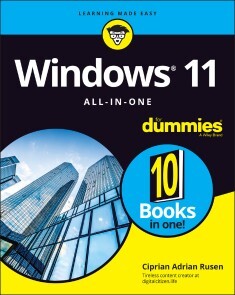
Windows 11 All-in-One For Dummies
GET MORE OUT OF YOUR WINDOWS 11 COMPUTER WITH EASY-TO-FOLLOW ADVICEPowering 75% of the PCs on the planet, Microsoft Windows is capable of extraordinary things. And you don’t need to be a computer scientist to explore the nooks and crannies of the operating system! With Windows 11 All-in-One For Dummies, anyone can discover how to dig into Microsoft’s ubiquitous operating system and get the most out of the latest version. From securing and protecting your most personal information to socializing and sharing on social media platforms and making your Windows PC your own through personalization, this book offers step-by-step instructions to unlocking Windows 11’s most useful secrets.With handy info from 10 books included in the beginner-to-advanced learning path contained within, this guide walks you through how to:* Install, set up, and customize your Windows 11 PC in a way that makes sense just for you * Use the built-in apps, or download your own, to power some of Windows 11’s most useful features * Navigate the Windows 11 system settings to keep your system running smoothly Perfect for anyone who’s looked at their Windows PC and wondered, “I wonder what else it can do?”, Windows 11 All-in-One For Dummies delivers all the tweaks, tips, and troubleshooting tricks you’ll need to make your Windows 11 PC do more than you ever thought possible.CIPRIAN ADRIAN RUSEN is cofounder of Digital Citizen (digitalcitizen.life), a tech blog that posts how-to articles on consumer technologies. Ciprian is also co-author of Windows 10 All-in-One For Dummies, 4th Edition and author of Windows 10 At Work For Dummies.INTRODUCTION 1About This Book 1Foolish Assumptions 2Icons Used in This Book 2Beyond the Book 3Where to Go from Here 4BOOK 1: GETTING STARTED WITH WINDOWS 11 5CHAPTER 1: INTRODUCING WINDOWS 11 7Taking Your First Look at Windows 11 8Hardware and Software 9Must You Run Windows? 10Understanding Important Terminology 13Buying a Windows 11 Computer 17Looking inside your PC 20Secure boot, TPM, and Windows 11 23Tablets 24Displays 28Managing disks and drives 29Connecting your PC to other devices 32Video, sound, and multimedia 35Ultrabooks and convertibles 37What You Might Not Like about Windows 11 38CHAPTER 2: SEEING WHAT’S NEW IN WINDOWS 11 39Rolling Back to Windows 10 40Microsoft’s Design Philosophy behind Windows 11 42Understanding the Types of Windows 11 Apps 43Seeing What’s New for the Windows Crowd 45A new Start menu and taskbar 46Increased role for Settings 46Improved performance 47Better gaming 48Improved Microsoft Edge 50Less Cortana 51Improved security 52Fine-tuned virtual desktops 53Improved window snapping and grouping 54Widgets are back 54Other apps and improvements 55CHAPTER 3: WINDOWS 11 VERSIONS 57Windows 11 Editions 58Buying the right edition, the first time 60Narrowing the choices 6164-bit is the new normal 62Which Version of Windows Are You Running? 63BOOK 2: PERSONALIZING WINDOWS 67CHAPTER 1: GETTING AROUND IN WINDOWS 69Navigating around the Desktop 70Using Windows 11 on Tablets and Touchscreens 74Shut Down, Sleep, Restart, Sign Out, Lock, Sleep 75Taking Screen Shots 78Keyboard Shortcuts 79CHAPTER 2: LOGGING INTO WINDOWS 11 83Working with the Lock Screen 84Signing in 85Changing the picture for the lock screen 85Adding and removing apps on the lock screen 89Logging in without a Password 90Creating a PIN 90Windows Hello 92Bypassing Passwords 94CHAPTER 3: HANDLING NOTIFICATIONS AND QUICK ACTIONS 97What, Exactly, Is a Notification? 98Using the Notification Center 99Disabling Notifications 101Enabling Focus Assist 102Using Quick Actions 104CHAPTER 4: MANAGING USER ACCOUNTS 107Understanding Why You Need Separate User Accounts 108Choosing Account Types 109What’s a standard account? 109What’s an administrator account? 110Choosing between standard and administrator accounts 110Knowing What’s Good and Bad about Microsoft Accounts 112Adding Accounts in Windows 11 113Adding a user with a Microsoft account 114Adding a local (offline) account 115Adding a Child Account 118Changing Other Users’ Settings 119Setting a standard account as administrator 119Modifying the settings of other accounts 120Switching Users 124CHAPTER 5: UNDERSTANDING MICROSOFT ACCOUNTS 127Realizing Which Accounts Are Microsoft Accounts 128Deciding Whether You Want a Microsoft Account 129Setting Up a Microsoft Account 131Creating an Outlook.com account 132Making any email address a Microsoft account 133Discontinuing Your Microsoft Account 136Taking Care of Your Microsoft Account 137Controlling Which Windows 11 Settings Get Synchronized 137CHAPTER 6: PROTECTING YOUR PRIVACY 139Realizing Why You Should Care about Privacy 140Handling Your Privacy in Windows 11 142Limiting diagnostics and feedback data collection 143Viewing the diagnostic data sent to Microsoft 145Knowing What Connections Windows Prefers 146Seeing Fewer Ads in Windows 11 147Controlling Location Tracking 149Blocking all location tracking in Windows 11 152Blocking location tracking in an app 153Minimizing Privacy Intrusion 154BOOK 3: WORKING ON THE DESKTOP 155CHAPTER 1: RUNNING YOUR DESKTOP FROM START TO FINISH 157Working with the Desktop 158Changing the background 159Switching Windows 11 themes 161Battling dark mode and light mode 162Setting Up Your Display 163Switching the night light on and off 163Enabling HDR and auto HDR 164Setting the screen resolution 166Changing the size of text, apps, and other items 167Adjusting the refresh rate 168Using magnification 170Working with a Mouse and a Touchpad 170Snapping app windows 171Configuring the mouse 173Setting up the trackpad 174Using Virtual Desktops 175Moving apps between virtual desktops 176Managing Icons and Shortcuts 177Creating shortcuts 178Arranging icons on the desktop 180The Recycle Bin 181CHAPTER 2: PERSONALIZING THE START MENU 183Touring the Start Menu 184Modifying the Start Menu 185Adding, moving and removing pinned apps 186Changing your picture 188Personalizing the Recommended section 189Adding and removing Start menu folders 190Moving the Start menu and taskbar to the left 191CHAPTER 3: EXPLORING SEARCH AND THE TASKBAR 193Searching in Windows 11 194Searching is the fastest way to start apps 196Filtering search results to find what you need 198Starting apps as admin from a Windows search 199Searching your entire PC 200Touring the Windows 11 Taskbar 202Using the taskbar 203Using jump lists and other taskbar tricks 203Pinning apps to the taskbar 205Adding and removing taskbar items 207CHAPTER 4: WORKING WITH FILES AND FOLDERS 209Using File Explorer 210Navigating File Explorer 210Viewing and opening your file and folders 212Creating and managing files and folders 215Searching for files 217Sorting and grouping files and folders 218Displaying file extensions 219Viewing hidden files 221Pinning items to and removing items from Quick Access 222Enabling and disabling check boxes for files and folders 222Sharing files 224Working with ZIP Files 225Creating a ZIP file 226Extracting a ZIP file 227Right-Clicking in Windows 11 228CHAPTER 5: CONNECTING TO THE INTERNET AND BROWSING THE WEB 231Connecting to the Internet 232Connecting a desktop PC to the network 232Connecting your laptop or tablet to Wi-Fi 233Connecting to hidden Wi-Fi 234Using Microsoft Edge 236Familiarizing yourself with Microsoft Edge 237Enabling vertical tabs in Microsoft Edge 238InPrivate browsing with Microsoft Edge 239Adding extensions to Microsoft Edge 241Using Other Web Browsers 243Changing the Default Browser in Windows 11 243CHAPTER 6: CALLING ON CORTANA 247The Cortana Backstory 247Setting up Cortana 248Turning on Voice Activation for Cortana 250Using Cortana 251Exploring Cortana’s Settings 253Useful or Fun Commands for Cortana 255CHAPTER 7: MAINTAINING YOUR DRIVES 257Using Maintenance Tools for Your Computer Drives 258Formatting drives 258Freeing up storage space with Storage Sense 260Running an error check on a drive 261Defragmenting a drive 263Maintaining solid-state drives 264Accessing the Health Report 265BOOK 4: USING WINDOWS APPS 267CHAPTER 1: USING THE MAIL AND CALENDAR APPS 269Choosing Mail and Calendar Apps 271Comparing email apps 272Comparing calendar apps 275Choosing the right package 277Using the Mail App 277Creating an email message 281Searching for email in the Mail app 284Mail Settings 284Adding a new email account 284Setting extra options 286Avoiding Calendar App Collisions 287Adding calendar items 290Struggling with the Calendar app’s shortcomings 291CHAPTER 2: KEEPING TRACK OF PEOPLE 293Alternatives to the People App 294The Contact List in Windows 11 294Adding Contacts in the People App 295Adding accounts to People 295Editing a contact 299Adding a contact 301CHAPTER 3: WORKING WITH PHOTOS 303Viewing Pictures with the Photos App 304Adding Photos 306Importing pictures from a camera or an external drive 307Adding folders to the Photos app 308Editing Photos 309Switching to Light Mode in the Photos App 312Working with Albums 313CHAPTER 4: NOTE-TAKING WITH ONENOTE 315Getting Started in OneNote with or without a Pen 316Adding Notebooks, Sections, and Pages 318Adding Content to a OneNote Page 322Sending Sites from Microsoft Edge to OneNote 325Configuring OneNote’s Settings 326CHAPTER 5: STORING IN ONEDRIVE 329What Is OneDrive? 330Setting Up a OneDrive Account 331The Four States of OneDrive Data 334Adding Files and Folders to OneDrive 339Changing the States of OneDrive Data 342Sharing OneDrive Files and Folders 343CHAPTER 6: COMMUNICATING WITH SKYPE 345Signing Up with Skype 346Adding a Contact 350Testing Your Skype Settings 351Improving Skype’s Settings 353Making Individual and Group Calls 355Recording Calls 356CHAPTER 7: USING WIDGETS 359Working with Widgets 360Customizing Widgets 361Adding Widgets 363CHAPTER 8: HANDLING MUSIC, MOVIES, AND VIDEOS 365Getting Your Groove Music On 366Choosing where Groove Music looks for music 368Creating playlists in Groove Music 370Playing Videos and Music with Windows Media Player 371Ripping Music from Your Old CDs 373Setting Up Spotify 375Creating Your Own Videos 377Using the Movies & TV App 379CHAPTER 9: PLAYING GAMES 381Searching the Microsoft Store for Games 382Enabling Game Mode 384Using the Xbox Game Bar 386Setting the Default Graphics Card 388Bringing Back the Classics 389BOOK 5: MANAGING APPS 393CHAPTER 1: NAVIGATING THE MICROSOFT STORE 395Understanding What a Windows 11 App Can Do 396Browsing the Microsoft Store 398Installing Apps from the Microsoft Store 402Uninstalling Windows 11 Apps 403CHAPTER 2: USING BUILT-IN APPLICATIONS 405Checking Out the New Clock App 406Getting Weather Forecasts 408Editing Text Files with Notepad 409Writing with WordPad 411Doing Math with Calculator 414Checking Out the New Paint App 416Creating Sticky Notes 417Keeping Track of Tasks with Microsoft To Do 418Navigating with Maps 419CHAPTER 3: GETTING APPS FROM THE WEB 423Finding Safe Places to Download Desktop Apps 424Checking Apps for Malware 426Uninstalling Desktop Apps or Programs 428CHAPTER 4: KEEPING APPS AND DRIVERS UP TO DATE 431Updating Your Microsoft Store Apps 432Updating Programs and Desktop Apps 434Updating Drivers 437BOOK 6: SHARING, SOCIALIZING, AND WORKING ONLINE 441CHAPTER 1: BEING SOCIAL ON FACEBOOK AND TWITTER 443Getting Started with Facebook 443Choosing the Facebook App or Facebook.com 444Signing up for a Facebook account 446Building a great Timeline 453Downloading your Facebook data 457Using the other Facebook apps for Windows 459Getting Started with Twitter 460Understanding Twitter 461Setting up a Twitter account 464Tweeting for beginners 469CHAPTER 2: MASTERING TOOLS FOR REMOTE WORK 473Getting Started with LinkedIn 474Signing up for LinkedIn 475Understanding LinkedIn basics 479Using LinkedIn apps for Windows and mobile devices 480Video Conferencing with Zoom 481Downloading and installing Zoom 482Setting up a Zoom account 483Signing into Zoom cloud meetings 485Scheduling a Zoom meeting 486Joining a Zoom meeting 488Contacting Others through Teams 489Getting started with Microsoft Teams 489Chatting from Windows 11 490Starting a meeting from Windows 11 492Accessing the full Microsoft Teams experience 493Working Remotely with Windows 11 494Enabling remote desktop connections 495Connecting with Remote Desktop Connection 496Connecting a second monitor 498Installing a webcam 499Adding clocks to the taskbar 500BOOK 7: CONTROLLING YOUR SYSTEM 503CHAPTER 1: NAVIGATING WINDOWS SETTINGS AND LANGUAGES 505Understanding the Settings App 506Exploring the Control Panel 509Putting Shortcuts to Settings on Your Desktop 511God Mode (Still) Works in Windows 11 514Using Search to Quickly Find Settings 516Installing New Languages in Windows 11 517CHAPTER 2: MANAGING WINDOWS UPDATES 521Understanding the Terminology 522Installing Updates for Windows 11 524Postponing Windows 11 Updates 525Getting Updates for Office 526Stopping Updates from Rebooting Your PC 527Getting Information about and Removing Updates 528The Case against Windows Automatic Update 530Blocking Windows 11 updates 531When is it a good time to unblock updates? 532CHAPTER 3: TROUBLESHOOTING AND GETTING HELP 535Troubleshooting the Easy Way 536Troubleshooting the Hard Way 537Tackling installation problems 537Problems with installing updates 539Using Windows Terminal 545Experimenting with Windows Sandbox 547Tricks to Using Microsoft Support 548The problems with Windows Help & Learning 549Managing your expectations of Windows Help & Learning 549Snapping Your Problems 551Recording a Video of Your Problems 552Connecting to Remote Assistance 555Understanding the interaction 555Making the connection 556Troubleshooting Remote Assistance 561Getting Better Help Online 562CHAPTER 4: STORING IN STORAGE SPACES 565Understanding the Virtualization of Storage 566Setting Up Storage Spaces 568Working with Storage Spaces 572Storage Space Strategies 574CHAPTER 5: WORKING WITH PRINTERS 575Installing a Printer 576Attaching a local printer 577Installing a network printer 578Using the Print Queue 581Displaying a print queue 582Pausing and resuming a print queue 583Pausing, restarting, and resuming a document 583Canceling a document 584Troubleshooting Printing 585Removing a printer 587Stopping a print job you’ve sent by mistake 587CHAPTER 6: WORKING WITH USB AND BLUETOOTH DEVICES 589Connecting USB Devices 590Configuring AutoPlay for removable devices 591Removing USB devices 592Connecting Bluetooth Devices 594Unpairing Bluetooth Devices 596BOOK 8: MAINTAINING WINDOWS 599CHAPTER 1: BACKING UP DATA 601Finding Windows 7’s Backup Options in Windows 11 602The Future of Reliable Storage Is in the Cloud 603Backing Up and Restoring Files with File History 603Setting up File History 604Checking whether File History backed up your data 605Restoring data from File History 606Changing File History settings 608Storing to and through the Cloud 611Considering cloud storage privacy concerns 612Reaping the benefits of backup and storage in the cloud 613Choosing an online backup and sharing service 614CHAPTER 2: RESETTING WINDOWS TO A WORKING STATE 617Resuscitating Malfunctioning Windows 11 PCs 618Resetting Your Windows 11 PC 620Resetting Your PC to Factory Settings 623Restoring to an Earlier Point 625Enabling System Protection 626Creating a restore point 628Rolling back to a restore point 628CHAPTER 3: TROUBLESHOOTING WITH SAFE MODE 633Working in Safe Mode 634Accessing safe mode 634Using safe mode for troubleshooting 637Entering the Windows Recovery Environment 638CHAPTER 4: MONITORING WINDOWS 641Viewing Events 641Using Event Viewer 642Events worthy — and not worthy — of viewing 644Gauging System Reliability 645CHAPTER 5: MANAGING RUNNING APPS, PROCESSES, AND STARTUP APPS 651Using Task Manager 652Starting Task Manager 653Viewing running apps and processes 653Dealing with Misbehaving Apps 656Killing apps that don’t respond 656Keeping an eye on performance 657Getting More Info from Task Manager 659Viewing App History 659Managing startup programs 660Checking out details and services 663Managing Startup Apps from Settings 665BOOK 9: SECURING WINDOWS 667CHAPTER 1: SPIES, SPAMS, AND SCAMS ARE OUT TO GET YOU 669Understanding the Hazards — and the Hoaxes 670The primary infection vectors 671Zombies and botnets 673Phishing 675419 scams 680I’m from Microsoft, and I’m here to help 6830day exploits 684Staying Informed 685Relying on reliable sources 686Ditching the hoaxes 686Is My Computer Infected? 688Evaluating telltale signs 689Where did that message come from? 689What to do next 691Shunning scareware 693Getting Protected 694Protecting against malware 695Stop using Java and Flash 696Using your credit card safely online 697Defending your privacy 698Reducing spam 700Dealing with Data Breaches 702CHAPTER 2: FIGHTING VIRUSES AND OTHER MALWARE 705Basic Windows Security Do’s and Don’ts 706Making Sense of Malware 710Deciphering Browsers’ Inscrutable Warnings 713Google Chrome 713Mozilla Firefox 715Microsoft Edge 715CHAPTER 3: RUNNING BUILT-IN SECURITY PROGRAMS 717Working with Windows Security 718Adjusting Windows Security 720Running Windows Security manually 722Controlling Folder Access 724Judging SmartScreen 726Booting Securely with UEFI 729A brief history of BIOS 730How UEFI is different from and better than BIOS 731How Windows 11 uses UEFI 732Controlling User Account Control 733Poking at Windows Defender Firewall 735Understanding Defender Firewall basic features 736Speaking your firewall’s lingo 737Peeking into your firewall 738Making inbound exceptions 739CHAPTER 4: ENHANCING YOUR SECURITY 743Encrypting Your PC with BitLocker 744Managing Your Passwords 747Using password managers 747My recommendations 747Rockin’ RoboForm 748Liking Bitwarden 749Fighting Back at Tough Scumware 751Securing Your Communication with VPN 752What’s a VPN? 752Setting up a VPN in Windows 11 754Which paid VPN services should you consider? 756BOOK 10: ENHANCING WINDOWS 757CHAPTER 1: LINKING ANDROID TO WINDOWS 759Making Windows Talk to Your Android Device 760Trying Samsung DeX 762Linking an Android Smartphone to a PC 763Using the Your Phone app 765Removing your Android device from the Your Phone app 767Turning a Smartphone into a PC Webcam 768CHAPTER 2: USING YOUR IPHONE WITH WINDOWS 771Installing iTunes on Windows 11 772Setting up iTunes 773Synchronizing the iPhone with Windows 11 774Installing iCloud on Windows 11 776Controlling Windows from an iPhone or iPad 778CHAPTER 3: WRANGLING E-BOOK FILES 781Working with E-Book Files 782Introducing popular e-book formats 782Reading e-book files on your PC 783Organizing your e-book files with calibre 784Getting e-Books from Your PC to Your Kindle 787Emailing books from your PC to your Kindle 787Receiving emailed books from a friend 789CHAPTER 4: GETTING STARTED WITH GMAIL AND OTHER GOOGLE APPS 791Introducing Google’s Ecosystem 793Setting Up Gmail 796Sending and Reading Emails from Gmail 798Moving an Existing Account to Gmail 799Adding Google Drive to File Explorer 802Using Google Apps to View and Edit Files 804CHAPTER 5: USING OUTLOOK.COM AND MICROSOFT 365 809Using Outlook.com 810Sweeping emails in Outlook.com 812Bringing some sanity to your Outlook.com inbox 814Handling Outlook.com Failures 815The Office App and Microsoft 365 817Using the Free Office Web Apps 818CHAPTER 6: DISCOVERING THE BEST FREE WINDOWS ADD-ONS 821Windows Apps You Absolutely Must Have 821VLC Media Player 822Bitwarden 823Recuva 824The Best of the Rest — All Free 825Ninite 825Revo Uninstaller 826Paint.NET 8277-Zip 828qBittorrent 829Dropbox, Google Drive, OneDrive, or 829Other interesting free software 830You may not need to buy Microsoft Office 831Don’t Pay for Software You Don’t Need! 832Windows 11 has all the antivirus software you need 833Windows 11 doesn’t need a disk defragger 833Windows 11 doesn’t need a disk partitioner 833Windows 11 doesn’t need a registry cleaner 834Windows 11 doesn’t need a backup program 835Don’t turn off services or hack your registry 835Index 837

Games mit Roblox
* ALLES, WAS DU FÜR DEINE EIGENEN ROBLOX-SPIELE WISSEN MUSST* EINFÜHRUNG IN ROBLOX STUDIO, PROGRAMMIERUNG MIT LUA, SPIELPHYSIK, BENUTZUNGSOBERFLÄCHEN, ANIMATIONEN UND VIELES MEHR* MIT EINFACHEN SCHRITT-FÜR-SCHRITT-ANLEITUNGEN, TIPPS UND ÜBUNGSAUFGABENDER OFFIZIELLE ROBLOX-GUIDE ist der perfekte Begleiter für angehende Spieleentwickler, die Games für Roblox erstellen möchten. In diesem Buch erfährst du alles, was du brauchst, um spannende und erfolgreiche Spiele zu erstellen, die von Menschen auf der ganzen Welt gerne gespielt werden. Dafür brauchst du keine Vorkenntnisse.Leicht verständliche Schritt-für-Schritt-Anleitungen führen dich durch alle wichtigen Aufgaben bei der Spieleentwicklung mit Roblox Studio. Du lernst anhand vieler Beispiele, wie du die Möglichkeiten der kostenlosen Spiel-Engine voll ausschöpfst. Praktische Tipps helfen dir, Problemen von Anfang an aus dem Weg zu gehen und mit FAQs, Testfragen und Übungen am Ende jedes Kapitels festigst du dein Wissen.Wenn du dieses Buch gelesen hast, bist du ein echter Experte in der Roblox-Spieleentwicklung.AUS DEM INHALT:* Erste Schritte mit Roblox Studio* Einführung in die Programmierung mit Lua* Workflow bei der Spieleentwicklung* Spielphysik, Licht und Atmosphäre, Sounds und Effekte, Landschaften generieren* Models, Meshparts, Texturen und Import von Objekten* Programmierung von Spielmechanik, Animationen, Kamerabewegungen und grafischen Benutzungsoberflächen* Entwicklung für mobile Geräte und Konsolen* Geld verdienen: Consumables, einmalige Käufe, Premium-Version, neue Spieler gewinnen und WerbungFÜR PC UND MACRoblox hat die Mission, Menschen auf der ganzen Welt durch Spiele zu verbinden. Dabei ermöglicht es Roblox allen, der eigenen Fantasie freien Lauf zu lassen, etwas Neues zu erschaffen und Spaß mit Freunden zu haben, während sie Millionen von immersiven 3D-Welten erforschen. Roblox wird von einer internationalen Community von mehr als zwei Millionen Entwicklern gestaltet, die mit Roblox Studio ihre eigenen immersiven Multiplayer-Spiele erschaffen, und gehört zu den beliebtesten Online-Plattformen für Kinder und Jugendliche unter 18 Jahren, gemessen an den monatlichen Besucherzahlen und der Spielzeit (ComScore).

Beginning DevOps on AWS for iOS Development
Apply the principles of DevOps in software development—automated builds, automated tests, and continuous deployment and delivery—to iOS application development on Amazon Web Services (AWS) cloud. This book provides detailed walkthroughs and example source code is provided for the concepts discussed so you can put theory into practical application.You'll start by building a basic iOS application and then dive deep into key AWS Developer tools and services to see how they can be used in iOS application development. Then review the details of the integration of these fully managed AWS services with open-source tools such as Jenkins and Fastlane that allow developers to get the best of both worlds and further help to enhance and increase agility in the development lifecycle of iOS apps.You'll also investigate the Amazon EC2 Mac instance, which allows you to run XCode in a cloud environment for the first time to leverage the flexibility, elasticity, and scale of AWS. It also allows for seamless integration of XCode with fully managed AWS Services from source code control to application deployment. Finally, the book covers how a fully managed Continuous Integration Continuous Deployment (CICD) pipeline can be used to orchestrate all the different components of iOS application development to achieve a fully automated development lifecycle.Get started building your iOS applications using a fully automated process on the AWS Cloud today!WHAT YOU'LL LEARN* Build an iOS application using AWS DevOps tools* Incorporate continuous deployment in your iOS application development* Integrate AWS tooling with Xcode and open source tools such as Jenkins and FastlaneWHO THIS BOOK IS FORiOS application developers wanting to incorporate DevOps and Cloud Architecture into their development process.ABDULLAHI OLAOYE works at Amazon Web Services (AWS) as a Cloud Architect where he is a technical leader and specializes in DevOps and Cloud Architecture. He obtained a Master of Science in Computer Networking from Wichita State University, Kansas, USA and a Bachelor of Engineering from All Nations University, Ghana. As a DevOps and Cloud expert, he works at the forefront of Cloud innovations by assisting Enterprises of different scale in designing, building scalable IT solutions that solves business challenges and in running their workloads on AWS Cloud by helping automate deployments and providing architectural guidance following best practices.Abdullahi has authored and contributed to numerous technical AWS public content such as AWS Blog posts, whitepaper and AWS Prescriptive guidance covering topics from Continuous deployment at scale to general architecture patterns.He is very passionate about Cloud Computing, and he holds Seven AWS Certifications which include the AWS Certified Solutions Architect Professional and AWS Certified DevOps Engineer Professional. He is also a Google Cloud Certified Associate Cloud Engineer. In his spare time, he enjoys listening to history podcasts and traveling. You can follow him on LinkedIn and Github at https://github.com/abdulolaChapter 1: Overview of DevOps and Continuous Deployment• What is DevOps• Principles of DevOps• Continuous Integration• Continuous DeploymentChapter 2: Overview of iOS application development• iOS development environment• Building with Xcode• Automation with fastlaneChapter 3: Core Amazon Web Services (AWS) Concepts• What is Cloud Computing and AWS• Introduction to Core AWS Services• The value proposition of AWSChapter 4: DevOps on AWS• Continuous Integration• Continuous Delivery• Microservices• Infrastructure as Code• Monitoring and LoggingChapter 5: Amazon EC2 Mac Build Server• iOS development at scale without EC2 Mac build server• Deploying EC2 Mac Server• Connecting to your EC2 Mac Server• Monitoring for EC2 macOS• Other Cloud-based Mac build server OfferingsChapter 6: Setup Development tools on the Build server• Apple developer Command-line tools• Setting up Xcode• Setting up Jenkins• Setting up FastlaneChapter 7: Source Control with AWS Code Commit• Git fundamentals• Creating an AWS CodeCommit repository• Approval Rules in AWS CodeCommit• Security in AWS CodeCommit• Monitoring an AWS CodeCommit RepositoryChapter 8: Automated build with Jenkins• Introduction to Jenkins Plugins• Jenkins git Plugin• Integrate an AWS CodeCommit Repository with Jenkins• iOS application build on Jenkins• Managing build artifactsChapter 9: Automated Testing with AWS Device Farm• Introduction to AWS Device Farm• Setting up a Device Farm Project and Test Runs• Integrate Device Farm with Jenkins• Automating AWS Device FarmChapter 10: Automated Deployment• Integrate Jenkins and Fastlane for Continuous Integration• Automate Code Signing• Automate Appstore deploymentsChapter 11 - Pipeline Orchestration with AWS CodePipeline• Creating a CICD Pipeline with AWS CodePipeline• Integrating AWS CodeCommit to Pipeline• Integrating Jenkins to Pipeline for Building• Integrate AWS Device Farm to Pipeline for Testing• Adding an automated Deployment stage• Monitoring AWS CodePipelineChapter 12 – Multi AWS Environment Pipeline Deployment• Why need a Cross-Account Pipeline Deployment• Prerequisites of a Cross-Account Pipeline• Creating a Pipeline with AWS CodeCommit in a different account• Creating a Pipeline with AWS Device Farm in a different accountAudience: Beginning

Smarte Services mit künstlicher Intelligenz
In diesem Buch erfährt der Leser, wie smarte Services mit künstlicher Intelligenz realisierbar sind und wie eine digitale Transformation gelingt, mit der sich die Kundenorientierung, Wettbewerbsfähigkeit, Widerstandsfähigkeit, Agilität und Nachhaltigkeit von Unternehmen verbessern lässt. Was sind smarte Services und wie sehen sie in der Praxis aus? Was beinhalten die dafür erforderlichen Komponenten Internet of Things, Data Lake und Advanced Analytics? Wofür lässt sich die künstliche Intelligenz einsetzen und wie erfolgt das in der Praxis? Wie entsteht Digital Trust? Wie lässt sich der digitale Reifegrad von Unternehmen ermitteln? Welches Vorgehen hat sich für die digitale Transformation in der Praxis bewährt? Wofür wird ein digitales Ecosystem benötigt und wie kann es aussehen? Was wird unter „New Work“ verstanden? Wie arbeiten datengetriebene Unternehmen und welche Vorteile hat das? Was ist ein Digital Use Case? Wie läuft ein Use-Case-Entwicklungs-Workshop ab? Wie lässt sich ein Digital Use Case strukturiert beschreiben? Welche interessanten, innovativen Beispiele für Digital Use Cases gibt es? Wie erfolgt ein Proof of Concept? Wie lassen sich die Kernprozesse Order to Cash (O2C), Procure to Pay (P2P), Design to Operate (D2O), Recruit to Retire (R2R) und Awareness to Advocacy (A2A) digitalisieren? Welche neuen digitalen Technologien und in ihrem Zusammenhang angewandte Verfahren existieren?DER AUTORDR.-ING. EGMONT FOTH war nach dem Studium der Informationstechnik und einer Promotion in der Nachrichtentechnik in zahlreichen Führungsfunktionen in der Industrie tätig. Seit 2017 hat er bei SPIE, dem unabhängigen europäischen Marktführer für Multitechnik-Dienstleistungen in den Bereichen Energie und Kommunikation, als Mitglied der Geschäftsleitung sowie CIO & CTO für Deutschland und Zentraleuropa den Einkauf, die Informationstechnologie, das Geschäftsprozessmanagement und die Digitalisierung verantwortet. Er ist Autor mehrerer Fachbücher und mehrfacher Preisträger der von Computerwoche und CIO-Magazin organisierten Wahl zum CIO des Jahres. 2017 gewann er mit seinem Team für SPIE den Digital Leader Award in der Kategorie "Spark Collaboration" und 2019 erhielt SPIE für die mit einem umfassenden Digital Ecosystem implementierte Digitalisierungsstrategie als Zweiter in der Kategorie "Strategy" erneut den Digital Leader Award. Eine Kontaktaufnahme mit ihm ist über seine Website www.changeprojekte.de möglich.Einleitung - Smarte Services - Digitale Transformation von Unternehmen - Digital Use Cases - Digitalisierung von Kernprozessen - Neue digitale Technologien und angewandte Verfahren - Schlusswort
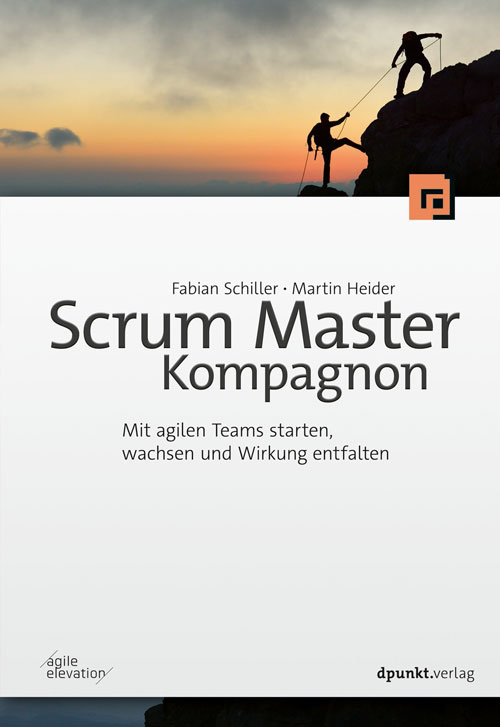
Scrum Master Kompagnon
Mit agilen Teams starten, wachsen und Wirkung entfalten Scrum Master zu sein, ist nicht nur einer der herausforderndsten Jobs der Welt, sondern gleichzeitig einer der spannendsten und interessantesten. Dabei gibt es nicht den einen Tätigkeitsbereich des Scrum Masters, sondern es existieren – je nach Unternehmen und Kontext – viele verschiedene: Aufgaben als Trainer, als Coach, als Moderator, als Teammitglied und als Veränderungskraft in der Organisation. Der Scrum Master Kompagnon setzt den Fokus auf die Kernkompetenz des Scrum Masters: die Begleitung und Unterstützung eines Scrum-Teams. Dabei orientiert sich die Struktur des Buches an den typischen Entwicklungsphasen des Teams und dem Lebenszyklus der Zusammenarbeit zwischen Scrum Master und Team sowie Product Owner und Stakeholdern. Es werden relevante theoretische Modelle und Konzepte vorgestellt, die in den jeweiligen Prozessphasen hilfreich sein können, sowie ganz praktische und durchführbare Interventionen präsentiert.Die Themen im Einzelnen: Verantwortlichkeiten und Wirksamkeit als Scrum MasterGute Rahmenbedingungen für TeamarbeitTeams kennenlernen und startenTeams begleitenTeams verabschiedenOrganisationsstrukturen und -kulturPersönliche WeiterentwicklungZahlreiche Praxisbeispiele und Erfahrungsberichte sowie mehr als 20 konkrete Workshop-Designs machen das Buch zu einem unverzichtbaren Begleiter jedes Scrum Masters. Autor: Martin Heider hat über 10 Jahre Erfahrung in agiler Produktentwicklung in verschiedensten Branchen und Rollen. Er ist Co-Creator verschiedener Community-Intitiativen, wie Agile Coach Camp, Play4Agile, Coach Reflection Day sowie Agile Monday in Nürnberg. Als selbständiger Agile Coach und Trainer begleitet er Organisationen, Teams und Einzelpersonen. Ein besonderes Anliegen ist ihm die Aus- und Weiterbildung von wirkungsvollen Scrum Mastern. So war er bereits 2014 Mitbegründer der ersten berufsbegleitenden Scrum-Master-Ausbildung in Deutschland. Fabian Schiller hat über 10 Jahre Erfahrung in agiler Produktentwicklung in verschiedensten Branchen und Rollen. Derzeit arbeitet er selbständig als Coach und Trainer und berät vom 30 Mann Startup bis zum Großkonzern seine Kunden bei der Weiterentwicklung der Organisation und agiler Methoden. Er ist Sprecher auf nationalen und internationalen Konferenzen und einer der Gründer der CoReDay- (Coach Reflection Day-)Bewegung zur kontinuierlichen Weiterentwicklung von Scrum Mastern und Agile Coaches.Zielgruppe: Scrum MasterAgile CoachesTrainer*innenWorkshop-Leiter*innen
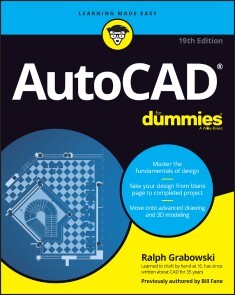
AutoCAD For Dummies
YOU’RE ONE STEP AWAY FROM CREATING CRYSTAL-CLEAR COMPUTER-AIDED DRAFTS IN AUTOCADEver started an AutoCAD project, only to give up when you couldn’t quite get the hang of it? Or do you have a project coming up that would really benefit from a few meticulously created drawings? Then you need the latest edition of AutoCAD For Dummies, the world’s bestselling retail book about the wildly popular program. With coverage of all the important updates to AutoCAD released since 2019, this book walks you through the very basics of pixels, vectors, lines, text, and more, before moving on to more advanced step-by-step tutorials on three-dimensional drawings and models. Already know the fundamentals? Then skip right to the part you need! From blocks to parametrics, it’s all right here at your fingertips. You’ll also find:* In-depth explanations of how to create and store your drawings on the web* Stepwise instructions on creating your very first AutoCAD drawing, from product installation and project creation to the final touches* An exploration of system variables you can tweak to get the best performance from AutoCADPerfect for the AutoCAD newbie just trying to find their way around the interface for the first time, AutoCAD For Dummies is also a must-read reference for the experienced user looking to get acquainted with the program’s latest features and essential drawing tips. Grab a copy today! RALPH GRABOWSKI is editor of upFront.eZine, a weekly e-newsletter that reports on the business of computer-aided design. He is the author of more than 240 books and e-books on CAD and other topics, and his renowned WorldCAD Access industry blog is widely respected in the industry.INTRODUCTION 1About This Book 2Foolish Assumptions 3Conventions Used in This Book 3Using the command line 3Using aliases 4Icons Used in This Book 4Beyond the Book 5Where to Go from Here 6PART 1: GETTING STARTED WITH AUTOCAD 7CHAPTER 1: INTRODUCING AUTOCAD AND AUTOCAD LT 9Launching AutoCAD 10Drawing in AutoCAD 11Understanding Pixels and Vectors 14The Cartesian Coordinate System 15CHAPTER 2: THE GRAND TOUR OF AUTOCAD 17Looking at AutoCAD’s Drawing Screen 18For your information 21Making choices from the Application menu 22Unraveling the Ribbon 24Getting with the Program 27Looking for Mr Status Bar 28Using Dynamic Input 28Let your fingers do the talking: The command line 29The key(board) to AutoCAD success 30Keeping tabs on palettes 34Down the main stretch: The drawing area 34Fun with F1 35CHAPTER 3: A LAP AROUND THE CAD TRACK 37A Simple Setup 38Drawing a (Base) Plate 43Taking a Closer Look with Zoom and Pan 52Modifying to Make It Merrier 53Crossing your hatches 53Now that’s a stretch 54Following the Plot 57Plotting the drawing 57Today’s layer forecast: Freezing 60CHAPTER 4: SETUP FOR SUCCESS 61A Setup Roadmap 62Choosing your units 62Weighing up your scales 65Thinking about paper 68Defending your border 69A Template for Success 69Making the Most of Model Space 72Setting your units 72Making the drawing area snap-py (and grid-dy) 73Setting linetype, text, and dimension scales 76Entering drawing properties 77Making Templates Your Own 77CHAPTER 5: A ZOOM WITH A VIEW 83Panning and Zooming with Glass and Hand 84The wheel deal 84Navigating a drawing 85Zoom, Zoom, Zoom 87A View by Any Other Name 88Degenerating and Regenerating 91PART 2: LET THERE BE LINES 93CHAPTER 6: ALONG THE STRAIGHT AND NARROW 95Drawing for Success 96Introducing the Straight-Line Drawing Commands 97Drawing Lines and Polylines 98Toeing the line 99Connecting the lines with polyline 100Squaring Off with Rectangles 105Choosing Sides with POLygon 106CHAPTER 7: DANGEROUS CURVES AHEAD 109Throwing Curves 109Going Full Circle 110Arc-y-ology 112Solar Ellipses 114Splines: Sketchy, Sinuous Curves 115Donuts: Circles with a Difference 117Revision Clouds on the Horizon 118Scoring Points 120CHAPTER 8: PRECISELINESS IS NEXT TO CADLINESS 123Controlling Precision 124Understanding the AutoCAD Coordinate Systems 127Keyboard capers: Coordinate input 128Introducing user coordinate systems 128Drawing by numbers 129Grabbing an Object and Making It Snappy 131Grabbing points with object snap overrides 132Snap goes the cursor 134Running with object snaps 135Other Practical Precision Procedures 137CHAPTER 9: MANAGE YOUR PROPERTIES 141Using Properties with Objects 142Using the ByLayer approach 142Changing properties 144Working with Layers 146Accumulating properties 148Creating new layers 149Manipulating layers 156Scaling an object’s linetype 158Using Named Objects 159Using AutoCAD DesignCenter 161CHAPTER 10: GRABBING ONTO OBJECT SELECTION 163Commanding and Selecting 164Command-first editing 164Selection-first editing 164Direct-object editing 164Choosing an editing style 165Selecting Objects 166One-by-one selection 167Selection boxes left and right 167Tying up object selection 169Perfecting Selecting 170AutoCAD Groupies 173Object Selection: Now You See It 173CHAPTER 11: EDIT FOR CREDIT 175Assembling Your AutoCAD Toolkit 175The Big Three: Move, COpy, and Stretch 178Base points and displacements 178Move 180COpy 181Copy between drawings 182Stretch 183More Manipulations 186Mirror, mirror on the monitor 186ROtate 188SCale 189-ARray 190Offset 192Slicing, Dicing, and Splicing 194TRim and EXtend 194BReak 196Fillet, CHAmfer, and BLEND 197Join 200Other editing commands 202Getting a Grip 203When Editing Goes Bad 206Dare to Compare 207CHAPTER 12: PLANNING FOR PAPER 209Setting Up a Layout in Paper Space 212The layout two-step 212Put it on my tabs 215Any Old Viewport in a Layout 216Up and down the detail viewport scales 216Keeping track of where you’re at 218Practice Makes Perfect 219Clever Paper Space Tricks 219PART 3: IF DRAWINGS COULD TALK 221CHAPTER 13: TEXT WITH CHARACTER 223Getting Ready to Write 224Creating Simply Stylish Text 226Font follies 227Get in style 228Taking Your Text to New Heights 230Plotted text height 230Calculating non-annotative AutoCAD text height 231Entering Text 232Using the Same Old Line 232Saying More in Multiline Text 235Making it with mText 235mText dons a mask 238Insert Field 239Doing a number on your mText lists 239Line up in columns — now! 242Modifying mText 243Turning On Annotative Objects 244Gather Round the Tables 247Tables have style, too 247Creating and editing tables 249Take Me to Your Leader 251Electing a leader 251Multi options for multileaders 254CHAPTER 14: ENTERING NEW DIMENSIONS 255Adding Dimensions to a Drawing 256Dimensioning the Legacy Way 257A Field Guide to Dimensions 260Self-centered 263Quick, dimension! 263Where, oh where, do my dimensions go? 264The Latest Styles in Dimensioning 266Creating dimension styles 269Adjusting style settings 271Changing styles 274Scaling Dimensions for Output 275Editing Dimensions 278Editing dimension geometry 278Editing dimension text 280Controlling and editing dimension associativity 281And the Correct Layer Is 282CHAPTER 15: DOWN THE HATCH! 283Creating Hatches 284Hatching Its Own Layer 287Using the Hatches Tab 287Scaling Hatches 290Scaling the easy way 291Annotative versus non-annotative 292Pushing the Boundaries of Hatch 292Adding style 293Hatches from scratch 294Editing Hatch Objects 296CHAPTER 16: THE PLOT THICKENS 299You Say “Printing,” I Say “Plotting” 300The Plot Quickens 300Plotting success in 16 steps 300Getting with the system 304Configuring your printer 305Preview one, two 307Instead of fit, scale it 307Plotting the Layout of the Land 309Plotting Lineweights and Colors 311Plotting with style 311Plotting through thick and thin 316Plotting in color 320It’s a (Page) Setup! 321Continuing the Plot Dialog 322The Plot Sickens 325PART 4: ADVANCING WITH AUTOCAD 327CHAPTER 17: THE ABCS OF BLOCKS 329Rocking with Blocks 330Creating Block Definitions 332Inserting Blocks 336Attributes: Fill-in-the-Blank Blocks 340Creating attribute definitions 341Defining blocks that contain attribute definitions 343Inserting blocks that contain attribute definitions 343Editing attribute values 344Extracting data 344Exploding Blocks 345Purging Unused Block Definitions 345CHAPTER 18: EVERYTHING FROM ARRAYS TO XREFS 347Arraying Associatively 349Comparing the old and new ARray commands 350Hip, hip, array! 351Associatively editing 356Going External 358Becoming attached to your xrefs 360Layer-palooza 362Editing an external reference file 362Forging an xref path 363Managing xrefs 365Blocks, Xrefs, and Drawing Organization 366Mastering the Raster 367Attaching a raster image 369Maintaining your image 370You Say PDF; I Say DWF 371Theme and Variations: Dynamic Blocks 373Now you see it 373Lights! Parameters! Actions! 377Manipulating dynamic blocks 379CHAPTER 19: CALL THE PARAMETRICS! 381Maintaining Design Intent 382Defining terms 384Forget about drawing with precision! 385Constrain yourself 386Understanding Geometric Constraints 386Applying a little more constraint 388Using inferred constraints 393You AutoConstrain yourself! 394Understanding Dimensional Constraints 395Practice a little constraint 396Making your drawing even smarter 398Using Parameters Manager 400Dimensions or constraints? Have it both ways! 403Lunchtime! 406CHAPTER 20: DRAWING ON THE INTERNET 407The Internet and AutoCAD: An Overview 407You send me 408Prepare it with eTransmit 408Rapid eTransmit 409Increasing cloudiness 411Bad reception? 411Help from Reference Manager 412The Drawing Protection Racket 413Outgoing! 414Autodesk weather forecast: Increasing cloud 414Your head planted firmly in the cloud 416AutoCAD Web and Mobile 417PART 5: ON A 3D SPREE 419CHAPTER 21: IT’S A 3D WORLD AFTER ALL 421The 3.5 Kinds of 3D Digital Models 422Tools of the 3D Trade 424Warp speed ahead 425Entering the third dimension 425Untying the Ribbon and opening some palettes 426Modeling from Above 428Using 3D coordinate input 428Using point filters 429Object snaps and object snap tracking 429Changing Work Planes 430Displaying the UCS icon 430Adjusting the UCS 431Orbit à go-go 437Taking a spin around the cube 438Grabbing the SteeringWheels 440Visualizing 3D Objects 440On a Render Bender 442CHAPTER 22: FROM DRAWINGS TO MODELS 443Is 3D for Me? 444Getting Your 3D Bearings 445Creating a better 3D template 445Seeing the world from new viewpoints 450From Drawing to Modeling in 3D 451Drawing basic 3D objects 452Gaining a solid foundation 453Drawing solid primitives 454Adding the Third Dimension to 2D Objects 455Adding thickness to a 2D object 455Extruding open and closed objects 455Pressing and pulling closed boundaries 456Lofting open and closed objects 456Sweeping open and closed objects along a path 457Revolving open or closed objects around an axis 458Modifying 3D Objects 458Selecting subobjects 459Working with gizmos 459More 3D variants of 2D commands 460Editing solids 461CHAPTER 23: IT’S SHOWTIME! 465Get the 2D Out of Here! 466A different point of view 470Additional 3D tricks 471AutoCAD’s top model 472Visualizing the Digital World 474Adding Lights 475Default lighting 475User-defined lights 476Sunlight 479Creating and Applying Materials 479Defining a Background 482Rendering a 3D Model 484CHAPTER 24: AUTOCAD PLAYS WELL WITH OTHERS 485Get Out of Here! 485Making a splash with PNG 486PDF to the rescue 488What the DWF? 4893D print 490But wait! There’s more! 491Open Up and Let Me In! 491Editing other drawing file formats 491PDF editing 491Translation, Please! 494The Importance of Being DWG 495PART 6: THE PART OF TENS 497CHAPTER 25: TEN AUTOCAD RESOURCES 499Autodesk Discussion Groups 499Autodesk’s Own Blogs 499Autodesk University 500Autodesk Channel on YouTube 500World Wide (CAD) Web 500Your Local Authorized Training Center 501Your Local User Group 501Autodesk User Groups International 502Books 502Autodesk Feedback Community 502CHAPTER 26: TEN SYSTEM VARIABLES TO MAKE YOUR AUTOCAD LIFE EASIER 503Aperture 504Dimassoc 505Menubar 505Mirrtext 505Osnapz 506Pickbox 506Rememberfolders 507Rollovertips And Tooltips 507Taskbar 508Visretain 508And the Bonus Round 508CHAPTER 27: TEN AUTOCAD SECRETS 511Sheet Sets 511Custom Tool Palettes 512Ribbon Customization 512Toolsets 512Programming Languages 512Vertical Versions 513Language Packs 513Multiple Projects or Clients 514Data Extraction and Linking 514Untying the Ribbon and Drawings 514Index 515
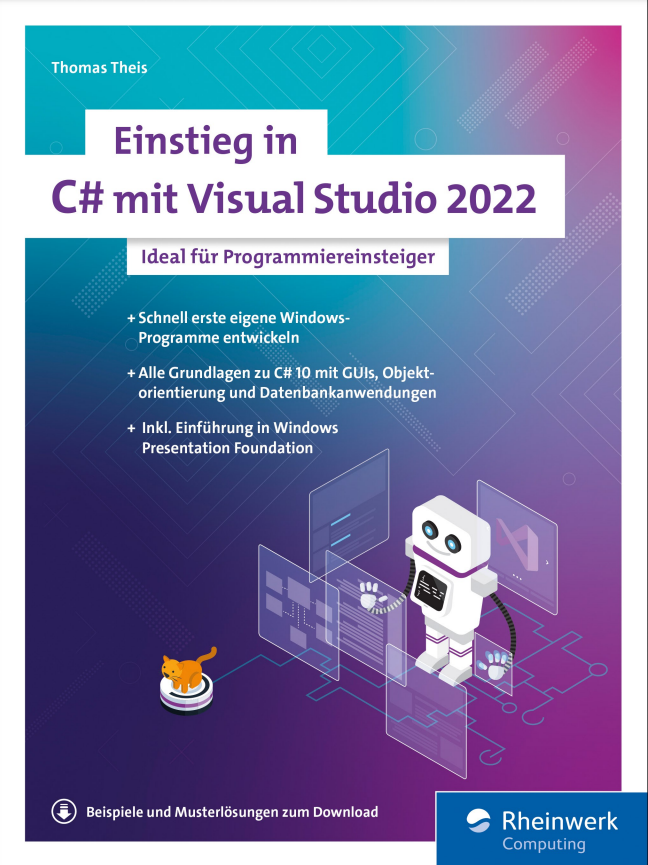
Einstieg in C# mit Visual Studio 2022
Ideal für ProgrammiereinsteigerC#-Programmierung leicht gemacht! An einfach nachvollziehbaren Beispielen lernen Sie alle wichtigen Themen rund um die Programmierung mit C#. Thomas Theis ist spezialisiert darauf, gerade Anfängern einen guten Einstieg zu ermöglichen. Das gelingt ihm dank anschaulicher Beispiele und klar verständlicher Sprache. Dieses Buch führt Sie von der Installation von Visual Studio 2022 zu den Sprachgrundlagen und stellt Ihnen objektorientierte Programmierung, Fehlerbehandlung, das Erstellen von Datenbankanwendungen sowie die Entwicklung von GUIs einsteigergerecht vor.Aus dem Inhalt:Einführung in Visual Studio 2022C#-SprachgrundlagenObjektorientiert programmierenGUIs entwickelnProgrammieren mit der WPFDatenbankanwendungenZeichnen mit GDI+Leseprobe (PDF)Autor:Thomas Theis, Dipl.-Ing. für Technische Informatik, verfügt über langjährige Erfahrung als EDV-Dozent, unter anderem an der Fachhochschule Aachen.

Windows 11
- PC, Laptop und Tablet von Anfang an sicher bedienen- Von A wie Apps bis Z wie Zwischenablage- Praktische Anleitungen mit zahlreichen AbbildungenLernen Sie das neue Windows 11 von Microsoft Schritt für Schritt kennen und werden Sie sicher im Umgang mit PC, Laptop und Tablet! Dieses Handbuch führt Sie systematisch und leicht nachvollziehbar durch alle wesentlichen Funktionen und Techniken. Für Einsteiger ist es ein hilfreicher Ratgeber, versierte Anwender nutzen es als praktisches Nachschlagewerk im Arbeitsalltag. Die Autorinnen starten mit der grundlegenden Bedienung Ihres Computers und gehen mit anschaulichen Anleitungen zu komplexen Themen über, z. B. individuelle Anpassungen der Benutzeroberfläche, Datenorganisation und -sicherung sowie Sicherheit und Datenschutz. Startmenü, Explorer und der Cloud-Speicher OneDrive sind Ihnen schon bald genauso vertraut wie der Umgang mit den vielen kostenlosen Apps, u. a. Kalender, Mail, Fotos und der Internetbrowser Edge. Dank der Tipps der erfahrenen Dozentinnen werden Sie schnell rundum fit in Windows 11.Aus dem Inhalt:- Was ist neu in Windows 11?- Grundlegende Bedienungs- und Eingabetechniken- So nutzen Sie Startmenü, Taskleiste und Info-Center- Die Benutzeroberfläche individuell anpassen- Apps mit wenigen Klicks installieren und deinstallieren- Dateien speichern und übersichtlich in Ordnern verwalten- Kommunikation mit den Apps Mail, Teams und Kontakte - Mit Microsoft Edge im Internet surfen- Bilder mit der App Fotos organisieren und bearbeiten- Datensicherung mit dem Cloud-Speicher OneDrive- Wichtige Einstellungen zu Sicherheit und Datenschutz

Clean ABAP
Schluss mit unleserlichen ABAP-Programmen! Dieses offizielle Begleitbuch zum Repository »Clean ABAP« auf GitHub zeigt Ihnen, wie Sie intuitiv verständlichen und leicht zu wartenden Code schreiben. Gespickt mit Best Practices zu Namenskonventionen, Kommentaren und Formatierungen, ist dieser Leitfaden unverzichtbar für den Programmieralltag. Aus dem Inhalt: Klassen und InterfacesMethodenNamen von ObjektenVariablen und LiteraleInterne TabellenKontrollflussKommentareFormatierungFehlerbehandlungUnit-TestsPaketeClean ABAP im Team umsetzen Einleitung ... 17 1. Einführung ... 23 1.1 ... Was ist Clean ABAP? ... 23 1.2 ... Wie kann ich mit Clean ABAP anfangen? ... 26 1.3 ... Wie gehe ich mit Legacy-Code um? ... 28 1.4 ... Wie kann ich Code automatisch prüfen? ... 30 1.5 ... Wie steht Clean ABAP im Verhältnis zu anderen Programmierleitfäden? ... 32 1.6 ... Wie kann ich mich in der Clean-ABAP-Community engagieren? ... 33 1.7 ... Zusammenfassung ... 34 2. Die Programmiersprache ABAP ... 35 2.1 ... Legacy-Code ... 35 2.2 ... Performance ... 38 2.3 ... Objektorientierte vs. prozedurale Programmierung ... 41 2.4 ... Funktionale vs. prozedurale Sprachkonstrukte ... 49 2.5 ... Obsolete Sprachelemente ... 52 2.6 ... Entwurfsmuster ... 54 2.7 ... Zusammenfassung ... 56 3. Klassen und Interfaces ... 59 3.1 ... Objektorientierung ... 59 3.2 ... Geltungsbereich und Sichtbarkeit ... 90 3.3 ... Konstruktoren ... 99 3.4 ... Zusammenfassung ... 111 4. Methoden ... 113 4.1 ... Objektorientierte Programmierung ... 113 4.2 ... Parameter ... 121 4.3 ... Methodeninhalt ... 137 4.4 ... Methoden aufrufen ... 148 4.5 ... Zusammenfassung ... 153 5. Namen ... 155 5.1 ... Gute Namen ... 155 5.2 ... Eigenheiten von ABAP ... 162 5.3 ... Affixe: Präfixe, Suffixe und Infixe ... 163 5.4 ... Mit Legacy-Code umgehen ... 166 5.5 ... Zusammenfassung ... 167 6. Variablen und Literale ... 169 6.1 ... Variablen ... 170 6.2 ... Konstanten ... 177 6.3 ... Zeichenketten ... 186 6.4 ... Boolesche Ausdrücke ... 188 6.5 ... Reguläre Ausdrücke ... 191 6.6 ... Das Schlüsselwort REDUCE ... 193 6.7 ... Zusammenfassung ... 196 7. Interne Tabellen ... 197 7.1 ... Die richtige Tabellenart verwenden ... 198 7.2 ... DEFAULT KEY vermeiden ... 200 7.3 ... Zeilen hinzufügen mit INSERT INTO TABLE und APPEND TO ... 201 7.4 ... Prüfen, ob eine Tabelle eine bestimmte Zeile enthält ... 202 7.5 ... Tabelleninhalte abfragen ... 204 7.6 ... Die Anweisung LOOP AT ... WHERE ... und verschachtelte IF-Anweisungen ... 206 7.7 ... Unnötige Tabellenabfragen identifizieren ... 207 7.8 ... Tabellenzeilen blockweise und Zeile für Zeile bearbeiten ... 208 7.9 ... DESCRIBE TABLE und die Funktion LINES ... 209 7.10 ... Zusammenfassung ... 210 8. Kontrollfluss ... 211 8.1 ... Das Schlüsselwort IF ... 212 8.2 ... Schachtelungstiefe ... 217 8.3 ... Bedingungen ... 218 8.4 ... Das Schlüsselwort CASE ... 225 8.5 ... Die Anweisung DO 1 TIMES ... 229 8.6 ... Zusammenfassung ... 233 9. Kommentare ... 235 9.1 ... Präziser Code benötigt keine Kommentare ... 235 9.2 ... Kommentare richtig platzieren und verwenden ... 238 9.3 ... Kommentare, die Sie vermeiden sollten ... 239 9.4 ... FIXME-, TODO- und XXX-Kommentare ... 242 9.5 ... Spezielle Kommentare: ABAP Doc, Pragmas und Pseudokommentare ... 244 9.6 ... Zusammenfassung ... 245 10. Formatierung ... 247 10.1 ... Einen konsistenten Stil verfolgen ... 248 10.2 ... Den Code fürs Lesen optimieren ... 249 10.3 ... Der Pretty Printer ... 250 10.4 ... Wie viele Anweisungen pro Zeile? ... 252 10.5 ... Zeilenlänge ... 252 10.6 ... Code straffen ... 254 10.7 ... Leerzeilen ... 255 10.8 ... Zuweisungen ausrichten ... 256 10.9 ... Variablendeklarationen ausrichten ... 257 10.10 ... Wohin mit den Klammern? ... 257 10.11 ... Methodenparameter formatieren ... 258 10.12 ... Zusammenfassung ... 263 11. Fehlerbehandlung ... 265 11.1 ... Nachrichten ... 265 11.2 ... Rückgabewerte ... 269 11.3 ... Ausnahmen ... 274 11.4 ... Ausnahmen auslösen und behandeln ... 284 11.5 ... Zusammenfassung ... 291 12. Unit Tests ... 293 12.1 ... Testklassen ... 294 12.2 ... Testmethoden ... 304 12.3 ... Die getestete Klasse ... 309 12.4 ... Namen von Testklassen und -methoden ... 310 12.5 ... Assertions ... 313 12.6 ... Test-Doubles ... 325 12.7 ... Test-Seams ... 337 12.8 ... Konzepte zum Umgang mit Unit Tests ... 339 12.9 ... Zusammenfassung ... 343 13. Pakete ... 345 13.1 ... Allgemeine Paketkonzepte ... 345 13.2 ... Paketkonzept in ABAP ... 347 13.3 ... Optionen für das Paketdesign ... 353 13.4 ... Paketprüfungen ... 358 13.5 ... Konsequenzen einer mangelhaften oder fehlenden Paketstrategie ... 367 13.6 ... Zusammenfassung ... 368 14. Wie Sie Clean ABAP umsetzen ... 369 14.1 ... Gemeinsames Verständnis der Teammitglieder ... 370 14.2 ... Den Broken-Window-Effekt angehen ... 374 14.3 ... Code-Reviews und Lernen ... 378 14.4 ... Clean Code Advisor ... 382 14.5 ... Lerntechniken ... 382 14.6 ... Continuous Learning in funktionsübergreifenden Teams ... 387 14.7 ... Zusammenfassung ... 390 Das Autorenteam ... 391 Index ... 393