

Computer und IT
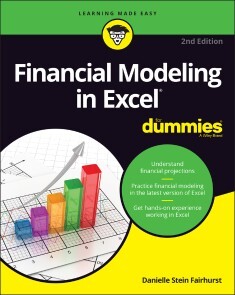
Financial Modeling in Excel For Dummies
TURN YOUR FINANCIAL DATA INTO INSIGHTFUL DECISIONS WITH THIS STRAIGHTFORWARD GUIDE TO FINANCIAL MODELING WITH EXCELInterested in learning how to build practical financial models and forecasts but concerned that you don’t have the math skills or technical know-how? We’ve got you covered! Financial decision-making has never been easier than with Financial Modeling in Excel For Dummies. Whether you work at a mom-and-pop retail store or a multinational corporation, you can learn how to build budgets, project your profits into the future, model capital depreciation, value your assets, and more.You’ll learn by doing as this book walks you through practical, hands-on exercises to help you build powerful models using just a regular version of Excel, which you’ve probably already got on your PC. You’ll also:* Master the tools and strategies that help you draw insights from numbers and data you’ve already got * Build a successful financial model from scratch, or work with and modify an existing one to your liking * Create new and unexpected business strategies with the ideas and conclusions you generate with scenario analysis Don’t go buying specialized software or hiring that expensive consultant when you don’t need either one. If you’ve got this book and a working version of Microsoft Excel, you’ve got all the tools you need to build sophisticated and useful financial models in no time!DANIELLE STEIN FAIRHURSTis a Sydney-based financial modeling consultant who helps her clients create meaningful financial models for business analysis. She is regularly engaged around Australia and globally as a speaker and course facilitator. She received the Microsoft MVP Award in 2021 in recognition of her technical expertise and contributions to the community.INTRODUCTION 1About This Book 1Foolish Assumptions 2Icons Used in This Book 2Beyond the Book 3Where to Go from Here 3PART 1: GETTING STARTED WITH FINANCIAL MODELING 5CHAPTER 1: INTRODUCING FINANCIAL MODELING 7Defining Financial Modeling 7What it is 8Who uses it 9Why it matters 10Looking at Examples of Financial Models 10Project finance models 11Pricing models 12Integrated financial statement models 12Valuation models 12Reporting models 13CHAPTER 2: GETTING ACQUAINTED WITH EXCEL 15Making Sense of the Different Versions of Excel 15A rundown of recent Excel versions 16Focusing on file formats 23Defining Modern Excel 23Recognizing the Dangers of Using Excel 25Capacity 26Lack of discipline 27Errors 28Looking at Alternatives and Supplements to Excel 31CHAPTER 3: PLANNING AND DESIGNING YOUR FINANCIAL MODEL 35Identifying the Problem That Your Financial Model Needs to Solve 35Designing How the Problem’s Answer Will Look 39Gathering Data to Put in Your Model 45Documenting the Limitations of Your Model 46Considering the Layout and Design of Your Model 47Structuring your model: What goes where 49Defining inputs, calculations, and output blocks 50Determining your audience 51CHAPTER 4: BUILDING A FINANCIAL MODEL BY THE RULEBOOK 53Document Your Assumptions 53Create Dynamic Formulas Using Links 59Only Enter Data Once 61Model with Consistent Formulas 62Build in Error Checks 64Allowing tolerance for error 66Applying conditional formatting to an error check 67Format and Label for Clarity 68CHAPTER 5: USING SOMEONE ELSE’S FINANCIAL MODEL 71Considering Templates for Building a Financial Model 72Why templates can be appealing 72What’s wrong with using templates 72Why you should build your own model 74Inheriting a File: What to Check For 75Meeting a model for the first time 76Inspecting the workbook 77Using Audit Tools to Find and Correct Errors 84Checking a model for accuracy 85Making sense of the formulas 88Sharing and Version Control 95PART 2: DIVING DEEP INTO EXCEL 97CHAPTER 6: EXCEL TOOLS AND TECHNIQUES FOR FINANCIAL MODELING 99Referencing Cells 100Relative cell referencing 101Absolute cell referencing 103Mixed cell referencing 106Naming Ranges 109Understanding why you may want to use a named range 109Creating a named range 110Finding and using named ranges 111Editing or deleting a named range 113Dynamic Ranges 113Linking in Excel 114Internal links 115External links 117Using Shortcuts 120Restricting and Validating Data 123Restricting user data entry 124Creating drop-down boxes with data validations 125Protecting and locking cells 126Goal Seeking 127Limiting project costs with a goal seek 128Calculating a break-even point with a goal seek 129CHAPTER 7: USING FUNCTIONS IN EXCEL 131Identifying the Difference between a Formula and a Function 131Finding the Function You Need 132Getting Familiar with the Most Important Functions 133SUM 134MAX and MIN 135AVERAGE 139COUNT and COUNTA 140ROUND, ROUNDUP, and ROUNDDOWN 146IF 153COUNTIF and SUMIF 156Reporting sales with SUMIF 158VLOOKUP, HLOOKUP, and XLOOKUP 161Being Aware of Advanced Functions and Functionality 170CHAPTER 8: APPLYING SCENARIOS TO YOUR FINANCIAL MODEL 173Identifying the Differences among Types of Analysis 174Building Drop-Down Scenarios 175Using data validations to model profitability scenarios 175Applying formulas to scenarios 178Applying Sensitivity Analysis with Data Tables 181Setting up the calculation 181Building a data table with one input 182Building a data table with two inputs 184Applying probability weightings to your data table 186Using Scenario Manager to Model Loan Calculations 189Setting up the model 189Applying Scenario Manager 191CHAPTER 9: CHARTING AND PRESENTING MODEL OUTPUT 195Deciding Which Data to Display 196Conveying Your Message by Charting Scenarios 198Deciding Which Type of Chart to Use 200Line charts 201Bar charts 206Combo charts 209Pie charts 211Charts in newer versions of Excel 214Dynamic Charting 219Building the chart on formula-driven data 219Linking the chart titles to formulas 220Creating dynamic text 221Preparing a Presentation 225PART 3: BUILDING YOUR FINANCIAL MODEL 227CHAPTER 10: BUILDING AN INTEGRATED FINANCIAL STATEMENTS MODEL 229Getting to Know the Case Study 230Entering Assumptions 231Revenue assumptions 232Expense assumptions 233Other assumptions 234Calculating Revenue 234Projecting sales volume 235Projecting dollar sales 237Calculating Expenses 238Staff costs 238Other costs 239Depreciation and amortization 240Building the Income Statement 243Building the Cash Flow Statement 248Building the Balance Sheet 252Building Scenarios 258Entering your scenario assumptions 258Building a drop-down box 259Building the scenario functionality 260CHAPTER 11: BUILDING A DISCOUNTED CASH FLOW VALUATION 263Understanding How the Discounted Cash Flow Valuation Works 264Step 1: Calculating Free Cash Flow to Firm 265Step 2: Calculating Weighted Average Cost of Capital 268Step 3: Finding the Terminal Value 269Discounting Cash Flows and Valuation 270CHAPTER 12: BUDGETING FOR CAPITAL EXPENDITURE AND DEPRECIATION 273Getting Started 274Making a reusable budget model template 274Creating dynamic titles 277Output 1: Calculating Cash Required for Budgeted Asset Purchases 277Output 2: Calculating Budgeted Depreciation 282Useful life 283Written-down date 284The depreciation schedule for the current year 285Depreciation in prior periods 287Output 3: Calculating the Written-Down Value of Assets for the Balance Sheet 288PART 4: THE PART OF TENS 291CHAPTER 13: TEN STRATEGIES FOR REDUCING ERROR 293Using the Enter Key 293Checking Your Work 294Checking It Again 295Getting Someone Else to Check Your Work 296Documenting Assumptions 297Documenting Methodology with a Flowchart 297Stress-Testing with Sensitivity Analysis 298Conducting a Scenario Analysis 299Taking Note of Excel Error Values 300Including Error Checks 302CHAPTER 14: TEN COMMON PITFALLS TO AVOID 303The Numbers Don’t Add Up 303You’re Getting #REF! Errors 304You Have Circular References 304The Model Has Too Much Detail 307The File Size Is Out of Control 307Your Model Is Full of “Spaghetti” Links 309The Formulas Are Unnecessarily Long and Complicated 311No One Is Paying Attention to the Model 312You Don’t Want to Let Go 313Someone Messes Up Your Model 313Index 315

Microsoft 365 - Das Praxisbuch für Anwender (2. Auflg.)
Die Zusammenarbeit mit Teams, SharePoint Online, OneDrive for Business, Outlook und Co. Sie stehen vor der Aufgabe, Microsoft 365 in Ihrem Team für die Online-Zusammenarbeit einzuführen, oder nutzen es bereits als Anwender? Dieses Praxisbuch unterstützt Sie dabei als Anleitung, Ratgeber und Nachschlagewerk. Microsoft 365- und SharePoint-Expertin Melanie Schmidt zeigt Ihnen in diesem Buch, welche Anwendungen wie Teams, SharePoint Online und OneDrive for Business Ihnen mit Microsoft 365 im Unternehmen zur Verfügung gestellt werden, wofür Sie welche App nutzen und worin ihre Unterschiede bestehen. Sie lernen nicht nur das Microsoft 365-Portal kennen, sondern erkunden die bereitgestellten Tools und deren Einsatz anhand von einfachen Schritt-für-Schritt-Anleitungen und vielen Praxisbeispielen, sodass Sie die für Sie relevanten Anwendungen schnell auswählen und meistern können. Mit zahlreichen nützlichen Tipps und Empfehlungen steht Ihnen die Autorin beim Einsatz von Microsoft 365 im Unternehmen zur Seite, ganz gleich, ob am Windows-PC, Mac, Smartphone oder Tablet, im Büro, im Homeoffice oder von unterwegs, sodass Sie effektiv und erfolgreich am Arbeitsplatz 4.0 mit Ihrem Team, Ihrer Arbeitsgruppe, Ihrer Abteilung oder Ihrem Fachbereich zusammenarbeiten können. Zielgruppe: Anwender*innenBerater*innenTrainer*innenAutorin: Melanie Schmidt ist seit 1991 in der IT-Branche tätig. Sie arbeitet freiberuflich als Business Consultant für Microsoft 365 und SharePoint für zahlreiche IT-Dienstleister und Kunden. Außerdem verfasst sie anwenderspezifische Fachbücher und Videotrainings für Microsoft-Produkte, in denen sie ihr Praxiswissen an alle Anwendergruppen weitergibt.

Java 17 for Absolute Beginners
Write your first code in Java 17 using simple, step-by-step examples that model real-word objects and events, making learning easy. With Java 17 for Absolute Beginners you’ll be able to pick up the concepts without fuss. It teaches Java development in language anyone can understand, giving you the best possible start.You’ll see clear code descriptions and layout so that you can get your code running as soon as possible. Author Iuliana Cosmina focuses on practical knowledge and getting you up to speed quickly—all the bits and pieces a novice needs to get started programming in Java.First, you’ll discover what type of language Java is, what it is good for, and how it is executed. With the theory out of the way, you’ll install Java, choose an editor such as IntelliJ IDEA, and write your first simple Java program. Along the way you’ll compile and execute this program so it can run on any platform that supports Java. As part of this tutorial you’ll see how to write high-quality code by following conventions and respecting well-known programming principles, making your projects more professional and efficient.Java 17 for Absolute Beginners gives you all you need to start your Java programming journey. No experience necessary. After reading this book, you'll come away with the basics to get started writing programs in Java.WHAT YOU WILL LEARN* Get started with Java 17 from scratchUse data types, operators, and the stream API * Install and use the IntelliJ IDEA and the Gradle build tool* Exchange data using the new JSON APIs * Play with images using multi-resolution APIs* Implement the publish-subscribe architectureWHO THIS BOOK IS FORThose who are new to programming and who want to start with Java.IULIANA COSMINA is currently a software engineer for NCR Edinburgh. She has been writing Java code since 2002 and contributed to various types of applications such as experimental search engines, ERPs, track and trace, and banking. During her career, she has been a teacher, a team leader, software architect, DevOps professional, and software manager. She is a Spring-certified Professional, as defined by Pivotal, the makers of Spring Framework, Boot, and other tools, and considers Spring the best Java framework to work with. When she is not programming, she spends her time reading, blogging, learning to play piano, travelling, hiking, or biking.Chapter 1: An Introduction to Java- When every version was released, how were they called and what were the particularities- What is Java, how it is executed, what type of language it is and what is it good for-Chapter 2: Preparing your development environment- Installing Java, choosing an editor, choosing a build tool-Chapter 3: Getting your feet wet- Writing a simple program, compile and execute- Adding a dependency of somebody else’s code through dependencies of existing libraries- Mention best tools for java and most used frameworks like SpringChapter 4: Java syntax- what is a package, module- class- enums- interface ( private methods & default methods)- class, constructor, methods… etc- removal of _Chapter 5: Data Types- primitive, object types (emphasis on String, Collections, Calendar API)- String – compact Strings- Collections: Immutable collections, factory methods for Collections(JEP 269)- mention Generics- optional – enhancements- threads, futures – CompletableFuture (JEP 266)Chapter 6: Operators- unary, binary, ternary, logic, and the diamond operator (used in conjunction with anonymous inner classes)Chapter 7: Controlling the flow- if, loops- try catch (try with resources with managed variables)- recursionChapter 8: The Stream API- streams , optional to Stream, enhancementsChapter 9: Debugging , testing and documenting- what is a break point- loggers : unified JVM logging (JEP 264)- mocks and stubs- jmc, jps, jcmd – JDK utilities- The new Doclet API- the JShell Command Line Tool- accessing the process API- @Deprecated enhancements (JEP 277)Chapter 10: Making your application interactive- request data with System.in- Swing- Web applications (use the new HTTP client)- JavaFX UI (JEP 253)- Internationalization (JEP 267)Chapter 11: Writing files- storing data to files, reading it from them- serialization to Binary, XML, JSON, YML (JEP290)- playing with images – multi-resolution APIChapter 12: Publish-Subscribe Framework- reactive streamsChapter 13: Garbage Collection- JEP 214,248,271,291
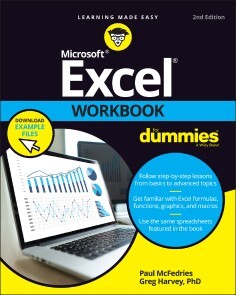
Excel Workbook For Dummies
GET PRACTICAL WALKTHROUGHS FOR THE MOST USEFUL EXCEL FEATURESLooking for easy-to-understand, practical guidance on how to go from Excel newbie to number crunching pro? Excel Workbook For Dummies is the hands-on tutorial you've been waiting for.This step-by-step guide is packed with exercises that walk you through the basic and advanced functions and formulas included in Excel. At your own speed, you'll learn how to enter data, format your spreadsheet, and apply the mathematical and statistical capabilities of the program.Work through the book from start to finish or, if you'd prefer, jump right to the section that's giving you trouble, whether that's data visualization, macros, analysis, or anything else. You can also:* Brush up on and practice time-saving keyboard shortcuts for popular commands and actions* Get a handle on multi-functional and practical pivot tables with intuitive practice exercises* Learn to secure your data with spreadsheet password protectionsPerfect for new users of Excel, Excel Workbook For Dummies is also the ideal resource for those who know their way around a spreadsheet but need a refresher on some of the more advanced features of this powerful program.PAUL MCFEDRIES has published over 100 books, with topics ranging from Windows 10 to Microsoft Office, Apple gadgets, and Amazon Alexa. He is the author of the recently released Excel Data Analysis For Dummies and Google’s G Suite For Dummies.GREG HARVEY, PHD was author of over 30 For Dummies titles covering Excel. Introduction 1PART 1: BUILDING WORKSHEETS 5Chapter 1: Getting Familiar with the Excel Interface 7Chapter 2: Entering the Worksheet Data 21Chapter 3: Formatting the Worksheet 37Chapter 4: Printing Worksheet Reports 59Chapter 5: Modifying the Worksheet 79PART 2: USING FORMULAS AND FUNCTIONS 101Chapter 6: Building Formulas 103Chapter 7: Copying and Correcting Formulas 123Chapter 8: Creating Date and Time Formulas 145Chapter 9: Financial Formulas and Functions 155Chapter 10: Using Math Functions 167Chapter 11: Using Common Statistical Functions 179Chapter 12: Using Lookup Functions 187Chapter 13: Using Logical Functions 197Chapter 14: Text Formulas and Functions 209PART 3: WORKING WITH GRAPHICS 217Chapter 15: Charting Worksheet Data 219Chapter 16: Adding Graphics to Worksheets 231PART 4: MANAGING AND SECURING DATA 249Chapter 17: Building and Maintaining Tables 251Chapter 18: Protecting Workbooks and Worksheet Data 271PART 5: DOING DATA ANALYSIS 283Chapter 19: Performing What-If Analysis 285Chapter 20: Generating PivotTables 299PART 6: MACROS AND VISUAL BASIC FOR APPLICATIONS 315Chapter 21: Using Macros 317Chapter 22: Using the Visual Basic Editor 327PART 7: THE PART OF TENS 341Chapter 23: Top Ten Features in Excel 343Chapter 24: Top Ten Tips for Using Excel Like a Pro 347Index 355

Nature-Inspired Optimization Algorithms with Java
Gain insight into the world of nature-inspired optimization techniques and algorithms. This book will prepare you to apply different nature-inspired optimization techniques to solve problems using Java.You'll start with an introduction to the hidden algorithms that nature uses and find the approximate solutions to optimization problems. You'll then see how living creatures such as fish and birds are able to perform computation to solve specific optimization tasks. This book also covers various nature-inspired algorithms by reviewing code examples for each one followed by crisp and clear explanations of the algorithm using Java code. You'll examine the use of each algorithm in specific industry scenarios such as fleet scheduling in supply chain management, and shop floor management in industrial and manufacturing applications.Nature-Inspired Optimization Algorithms with Java is your pathway to understanding a variety of optimization problems that exist in various industries and domains and it will develop an ability to apply nature-inspired algorithms to find approximate solutions to them.WHAT YOU'LL LEARN* Study optimization and its problems* Examine nature-inspired algorithms such as Particle Swarm, Gray wolf, etc.* See how nature-inspired algorithms are being used to solve optimization problems* Use Java for solving the different nature-inspired algorithms with real-world examplesWHO THIS BOOK IS FORSoftware developers/architects who are looking to hone their skills in area of problem solving related to optimization with Java.Shashank Jain has been working in the IT industry for about 20 years, mainly in areas of cloud computing and distributed systems. He has a keen interest in virtualization techniques, security, and complex systems. Shashank has 32 software patents (many yet to be published) in the area of cloud computing, IoT, and machine learning. He is a speaker at multiple reputed cloud conferences. Shashank holds Sun, Microsoft, and Linux kernel certifications. He is also the author of the book "Linux Containers and Virtualization" published by Apress.1. Intro to Optimization Problems2. Nature Inspired Optimization Methods3. Birdsa. Particle swarm Optimizationb. Cuckoo search algorithmc. Pigeon inspired optimization4. Mammalsa. Grey wolf optimizerb. Lion Pride optimizerc. Cat swarm optimizationd. Bat algorithme. Monkey algorithm5. Insectsa. Ant colony optimizationb. Artificial Bee colonyc. Grasshopper optimizationd. Pigeon inspired algorithme. Social spider optimizationf. Mosquito host seeking optimization6. Sea Creaturesa. Whale optimization algorithmb. Artificial fish swarm algorithmc. Fish school search7. Simple Organismsa. Bacteria foraging optimizationb. Slime mould optimization

Introducing Qt 6
Get started quickly with Qt, the popular open source C++ framework for building C++-based applications and games. This book will have you building both fully functional desktop and mobile applications in no time, including some simple game applications.Introducing Qt 6 begins by guiding you in setting up your tools and environment, and then walks you through the first "baby steps" of Qt framework. Next, you'll learn the basics of how project and app structure are set up using Qt. Then, you’ll begin your first real hands-on projects using Qt, including a task and problem management application and two games.As you progress, you can enhance these apps and games using additional Qt components and features. The book then delves into advanced topics in Qt, learning above and beyond what the Qt docs can offer, including local storage, C++ integration, deployment to Windows and Android, custom components and how to work with them.Upon completing this book, you'll come away knowing how to build a C++ application from design to deployment, top to bottom. And, you'll have actual application and game examples that you can apply to your own work or hobby.WHAT YOU WILL LEARN* Learn to build your first applications and games using Qt 6 framework* Design, create, build and deploy your first Qt applications or games as finished products* Explore local storage integration in theory and practice* Cover deployment on Windows and on Android* Integrate with C++ language to leverage additional functionality* Dive into Custom Components and how to work with them* Explore different project structures and moreWHO THIS BOOK IS FORSoftware programmers, developers who are new to C++ or the Qt framework. Some prior programming experience though may be helpful.Ben Cöppicus is a software developer, trainer, and author specializing in native C++ development as well as some web development. He builds mostly web, mobile and desktop applications. It is his hope that his work and writing can help you learn new things, experience the wonderful world of programming and maybe make you a better programmer, developer as well. Part 11. IntroductionPart 2 - Content2. Setting up the Tools3. First Baby Steps with Qt4. Explaining the Basics of Project and App Structure5. First Real Projects6. Taskmaster7. Hang-Man Game8. Rock, Paper, Scissors GamePart 3 - Components, Features and Things9. Components10. Features11. Writing Diagrams in Qt12. Advanced Topics in Qt

Software-Architekturen dokumentieren und kommunizieren
Dokumentation wird oft als lästige Pflicht angesehen und in vielen Softwareprojekten stark vernachlässigt, die Architektur wird manchmal überhaupt nicht beschrieben. Damit das in Ihren Projekten nicht passiert, schlägt dieses Buch praxiserprobte und schlankere Bestandteile für eine wirkungsvolle Architekturdokumentation vor.Anhand eines durchgängigen Beispiels erfahren Sie, wie Sie architekturrelevante Einflussfaktoren erfassen und Ihre Softwarelösung angemessen und ohne Ballast festhalten. Sie lernen nicht nur die Vorgehensweise für das Dokumentieren während des Entwickelns kennen, sondern auch, wie Sie bestehende Systeme im Nachhinein beschreiben. Neben der Methodik diskutiert das Buch auch typische Formate und Werkzeuge wie Wikis, UML-Werkzeuge unter anderem, mit denen Sie Architekturdokumentation erfassen, verwalten und verbreiten kann.Checklisten und Übungsaufgaben geben Ihnen die nötige Sicherheit, um die Architekturdokumentation zu einem integralen Bestandteil Ihres Softwarevorhabens zu machen. Autor:Stefan Zörner arbeitet als Softwarearchitekt und Berater bei embarc in Hamburg. Er wirkt bei Entwurfs- und Umsetzungsfragen mit, unterstützt beim Festhalten von Architektur und beleuchteten Lösungsansätzen in Bewertungen. Sein Wissen und seine Erfahrung teilt er regelmäßig in Vorträgen, Artikeln und Workshops.

Practical C++ Design
Go from competent C++ developer to skilled designer or architect using this book as your personal C++ design master class. Updated for the C++20 standard, this title will guide you through the design and implementation of an engaging case study that forms the backdrop for learning the art of applying design patterns and modern C++ techniques to create a high quality, robust application.Starting with a quick exploration of the requirements for building the application, you'll delve into selecting an appropriate architecture, eventually designing and implementing all of the necessary modules to meet the project’s requirements. By the conclusion of Practical C++ Design, you'll have constructed a fully functioning calculator capable of building and executing on any platform that supports both Qt and C++20. Access to the complete source code will help speed your learning.Utilize the Model-View-Controller pattern as the basis for the architecture of the calculator; the observer pattern to design an event system; the singleton pattern as you design the calculator’s central data repository, a reusable stack; the command pattern to design a command system supporting unlimited undo/redo; the abstract factory pattern to build a cross-platform plugin infrastructure for extensibility; coroutines to implement a command line interface with a lazy tokenizer; and more.After reading and using this book, you’ll have begun the transition from C++ programmer to architect.WHAT YOU WILL LEARN* Read a specification document and translate it into a practical C++ design using some of the latest language features from C++20* Understand trade-offs in selecting between alternative design scenarios* Gain practical experience in applying design patterns to realistic development scenarios* Learn how to effectively use language elements of modern C++ to create a lasting design* Develop a complete C++ program from a blank canvas through to a fully functioning, cross platform application* Read, modify, and extend existing, high quality code* Learn the fundamentals of API design, including class, module, and plugin interfacesWHO THIS BOOK IS FORThe experienced C++ developer ready to take the next step to becoming a skilled C++ designer.ADAM B. SINGER graduated first in his class at the Georgia Institute of Technology in 1999 with a bachelors degree in chemical engineering. He subsequently attended the Massachusetts Institute of Technology on a National Defense, Science, and Engineering Graduate Fellowship. He graduated from MIT with a Ph.D. in chemical engineering in 2004 after defending his thesis titled Global Dynamic Optimization. Since graduation, Adam has been a member of the research and engineering staff at an oil and gas major, where he has worked in software development, design, and project management in areas such as optimization, reservoir simulation, decision support under uncertainty, basin modeling, well log modeling, and stratigraphy. He has also served on and chaired committees designing in-house training in the areas of technical software development and computational and applied mathematics. He currently holds a research supervisory position. Adam additionally held the title of adjunct assistant professor in the Department of Computational and Applied Mathematics at Rice University from 2007-2012. In both 2006 and 2007, he taught a graduate level course, CAAM 520, on computational science. The course focused on the design and implementation of high performance parallel programs.Preface (5 pages)The preface details my motivation for writing the book, the target audience for the book, thegeneral structure of the book, and how to contact the author. Of particular importance is therationale behind choosing the case study, the target language (C++), and the GUI toolkit (Qt).Chapter 1: Defining the Case Study (6 pages)The first chapter describes, in detail, the case study to be examine in the book. The chapterdiscusses requirements in the abstract and then transitions to the calculator’s specific requirements.This sets the stage for the remainder of the book, which describes, in detail, the design andimplementation of the calculator, pdCalc, proposed in Chapter 1.1. A Brief Introduction2. A Few Words About Requirements3. Reverse Polish Notation (RPN)4. The Calculator’s Requirements5. The Source Code1The advice, information, and conclusions discussed in this book are those of the author and have not beenendorsed by, or reflect the opinions or practices of, ExxonMobil Corporation or its affiliates.5Chapter 2: Decomposition (18 pages)In this chapter, I explain the elements of a good decomposition and strategies for decomposing aproblem into manageable pieces. Subsequently, an architecture for pdCalc is selected, the calculatoris modularized, and use cases are used to develop interfaces for the high level calculator modules.The four high level modules are the stack, the command dispatcher, the user interface (subdividedinto a command line interface and a graphic user interface), and a plugin manager.1. The Elements of a Good Decomposition2. Selecting An Architecture3. Interfaces4. Assessment of Our Current Design5. Next StepsChapter 3: The Stack (20 pages)The stack is the first module discussed in detail. The stack is the fundamental data repositoryof the calculator. As part of the calculator’s design and implementation, the singleton pattern isexplored. The stack also affords the first opportunity to discuss an event system for the calculator,which provides a backdrop for exploration of the observer pattern, including the design andimplementation of reusable publisher and observer abstract classes.1. Decomposition of the Stack Module2. The Stack Class3. Adding Events4. A Quick Note on TestingChapter 4: The Command Dispatcher (32 pages)This chapter describes the design and implementation of the command dispatcher, the module ofthe calculator responsible for the creation, storage, and execution of commands. Of particular notein this chapter is the exposition on the command pattern and how it can be used to implement apractical undo/redo framework. In addition to exploring a traditional deep hierarchy method forimplementing commands, a C++11 alternative using lambda expressions and the standard functiontemplate are presented as a modern alternative design.1. The Decomposition of the Command Dispatcher2. The Command Class3. The Command Repository4. The Command Manager5. The Command Dispatcher6. Revisiting Earlier Decisions6Chapter 5: The Command Line Interface (14 pages)This chapter marks an important milestone, the creation of the first user executable program.In addition to building a simple command line interface, we’ll explore how to create an abstractsoftware interface suitable for both a command line interface and a graphical user interface. Withinthe context of the command line interface, we’ll learn techniques for simple parsing and tokenizingof input text streams.1. The User Interface Abstraction2. The Concrete CLI Class3. Tying It Together: A Working ProgramChapter 6: The Graphical User Interface (24 pages)In this chapter, we build the Qt-based graphical user interface for the calculator. Here, we’llexamine different strategies for building GUIs, abstraction of GUI elements, and modularization ofthe overall GUI design. Included in the discussion is design for the separation of on-screen widgetsfrom look-and-feel.1. Requirements2. Building GUIs3. Modularization4. A Working Program5. A Microsoft Windows Build NoteChapter 7: Plugins (38 pages)In this chapter, I describe how to build a cross-platform plugin system. This system includes theabstract interface for C++ plugins as well as the operating system specific mechanics involved withloading plugins and executing plugin functions. In the concrete case of the plugin loader, I explainthe many build tricks that can be used to handle cross-platform code and demonstrate how theabstract factory pattern provides an elegant design solution to this problem.1. What Is a Plugin?2. Problem 1: The Plugin Interface3. Problem 2: Loading Plugins4. Problem 3: Retrofitting pdCalc5. Incorporating Plugins6. A Concrete Plugin7. Next Steps7Chapter 8: New Requirements (24 pages)Any developer who has ever worked on a production software project quickly learns that newrequirements are always added late in the development cycle. In this chapter, we explore theaddition of new user requests after the original requirements have already been satisfied. Thediscussion progresses from fully implemented solutions to design only solutions to vague ideas forthe reader to explore on her own.1. Fully Designed New Features2. Designs Toward a More Useful Calculator3. Some Interesting Extensions for Self-ExplorationAppendix A: Acquiring, Building, and Executing pdCalc (4 pages)This appendix explains how to download the source code from GitHub and how to build the casestudy on Linux and Windows. Once the program is built, readers will want to execute the codeand its included test suite; execution instructions are therefore provided.1. Getting The Source Code2. Dependencies3. Building pdCalc4. Executing pdCalcAppendix B: Organization of the Source Code (6 pages)This appendix simply explains the organization of the source tree for pdCalc. This appendix isuseful for finding the locations for the source files referenced in the text.1. The src Directory2. The test DirectoryReferences (2 pages)This section lists twenty-nine references cited in the book.Index (3 pages)This section is a complete index for the book.

Hands-On Guide to AgileOps
Discover the best practices for transforming cloud and infrastructure operations by using Agile, Scrum, Kanban, Scrumban and Spotify models. This book will help you gain an in-depth understanding of these processes so that you can apply them to your own work.The book begins by offering an overview of current processes and methods used in IT Operations using ITIL and IT4IT. The Authors provide a background of the Agile, Scrum, Kanban, SaFe, Scrumban, and Spotify models used in software development. You’ll then gain in-depth guidance and best practices to implement Agile in the Operations world. You’ll see how Agile, Site Reliability Engineering and DevOps work in tandem to provide the foundation for modern day infrastructure and cloud operations. The book also offers a comparison of various agile processes and their suitability to the infrastructure and cloud operations world.After completing this is hands-on guide, you’ll know how to adopt Agile, DevOps and SRE and select the most suitable processes for your organization to achieve higher reliability, agility and lower costs while running cloud and infrastructure operations.WHAT YOU WILL LEARN* Understand how cloud computing and microservices architecture are changing operations dynamics* Understand ITIL, IT4IT, and Lean* Learn how Site Reliability Engineering, Agile and DevOps work in tandem* Leverage Agile, Scrum, Kanban, Scrumban, and Spotify models to run cloud operations* Use Site Reliability techniques along with Agile and DevOps* Study the different agile frameworks (Spotify, SAFe, LeSS, DAD, Nexus), their purpose, benefits and implementation approaches.* Learn a step-by-step process to identify and implement these frameworks in your organizationWHO THIS BOOK IS FORInfrastructure architects, DevOps architects, Agile practitioners, DevSecOps Experts, Product Managers/Scrum Masters, DevOps Engineers.NAVIN SABHAWAL, currently is the Chief Architect and Head of Strategy for Autonomics, named ‘DRYiCE’ at HCL Technologies. He is responsible for innovation, presales, and delivery of award-winning autonomics platforms for HCL Technologies.He is an innovator, thought leader, author and a consultant in areas of AI and Machine Learning, Cloud Computing, Big Data Analytics, Software Product Development, Engineering and R&D. He is responsible for IP Development & Service Delivery in the Areas of AI and Machine Learning, Automation products, Cloud Computing, Public Cloud AWS, Microsoft Azure, VMWare Private Cloud, Microsoft Private Cloud, Data Center Automation, Analytics for IT Operations, IT Service Management.RAMINDER RATHORE , an enthusiastic IT Practitioner with close to about two decades of work experience ranging from research and development to product management, to enabling organizations towards digitalization through agile ways of working. She currently leads the DevOps Centre of Excellence (CoE) at HCL Technologies, Canada.She holds a Master’s degree in Computer Science and is certified in a couple of areas on IBM Rational tools, Microsoft Azure, Scrum and ITIL methodologies. She started her career as a developer and progressed into product lifecycle management and consulting. She has been driving enterprise transformative programs on Automation (CI/CD), Cloud and DevOps for multiple customers. She has strong expertise in analyzing ecosystems, designing transformation roadmaps with milestones, building, and implementing accelerators / tools that drive end to end product traceability with agility and resiliency.UDITA AGRAWAL , an agile and automation transformation expert with over seventeen years of work experience, working with HCL Technologies. She holds a Master's degree in Business Administration in Information Technology and is also a PMP certified professional. She has wide experience in managing and leading engagements across different domains that includes Java, Data science and Automation. She is a passionate consultant running digital transformation programs for various customers. She also delivers enablement sessions on Agile and DevOps and works closely with product teams to practice agile methods. She also runs workshops on planning and implementing automated pipelines using various tools that includes COTS and open-source tools.Chapter 1: IntroductionCHAPTER GOAL: UNDERSTANDING THE AGILE JOURNEY AND THE NEED TO BRIDGE DEVELOPMENT AND OPERATIONS AREANO OF PAGES 17SUB -TOPICS1. Agile History2. Evolving software teams3. Bridging the gap4. Complementing Agile5. Agile in InfraOps6. Agile ManifestoChapter 2: Traditional Infrastructure OperationsCHAPTER GOAL: QUICK BRIEF ON TRADITIONAL ITSM APPROACH AND THE NEED TO TRANSITION TO AGILE OPERATIONS.No of pages: 20SUB - TOPICS1. ITSM and its phase2. Drawbacks3. Need to changeChapter 3: Agile and DevOpsCHAPTER GOAL: INTRODUCE CORE CONCEPTS TO AGILE AND DEVOPS AND UNDERSTAND ITS RELEVANCE IN THE PRODUCT LIFECYCLE.NO OF PAGES : 13SUB - TOPICS:1. When to adopt Agile2. Agile principles and values3. Scaling Agile with DevOps4. When to adopt DevOps5. DevOps in product lifecycleChapter 4: Factors leading to Agile OperationsCHAPTER GOAL: GET TO LEARN THE FACTORS THAT ARE MOTIVATING ORGANIZATIONS TO TRANSITION THEIR INFRASTRUCTURE OPERATIONS TO AGILE OPERATIONSNO OF PAGES: 29SUB - TOPICS:1.Shift towards Agile2.Benefits with Agility3.Cloud Computing4. Microservices5. Deployment patterns6. Shift left testing7. Changes in architectureChapter 5: Introduction to Agile MethodsCHAPTER GOAL: Introduce agile methods, roles, ceremonies and best practicesNO OF PAGES: 40SUB - TOPICS:1. Scrum2. Kanban3. ScrumbanChapter 6: Introduction to Agile FrameworksChapter Goal: INTRODUCE AGILE FRAMEWORKS, ROLES, AND STUDY THEIR COMPARISON.NO. OF PAGES : 47SUB - TOPICS:1. Agile ITSM2. IT4IT3. Lean IT4. SAFe5. Spotify6. LeSS7. Nexus8. DAD9. Site Reliability EngineeringChapter 7: Using Agile for Infrastructure OperationsCHAPTER GOAL:WITH THE BASIC UNDERSTANDING ON AGILE, THIS CHAPTER FOCUSES ON THE STRATEGY FOR ADOPTING AGILE IN INFRASTRUCTURE OPERATIONS SPACE.NO. OF PAGES : 22SUB - TOPICS:1. Adopting the right agile method2. Identify the right tools3. Upskill teams4. Redefine roles and responsibilities5. Continuously monitoring team performance6. Pilot-Expand-SustainChapter 8: Infrastructure as CodeCHAPTER GOAL:LEARN HOW TO LEVERAGE AGILE METHODS WHILE IMPLEMENTING INFRASTRUCTURE AS CODE PIPELINES AND EXTEND ITS INTEGRATION WITH DEVELOPMENT PIPELINES.NO. OF PAGES : 21SUB - TOPICS:1. Getting started with Scrum2. Estimating stories3. Defining acceptance criteria4. Integrating IaC with development pipelines5. IaC ExampleChapter 9: Success PathCHAPTER GOAL:THIS CHAPTER SHARES THE JOURNEY OF AN IMAGINARY COMPANY ON HOW THEY TRANSITION INTO AGILE OPS WITH A WELL-DEFINED TRANSFORMATION MAP AND MILESTONES.NO. OF PAGES : 7SUB - TOPICS:1. Enterprise Alpha2. New operating model3. OutcomesChapter 10: Learnings and Way forwardCHAPTER GOAL:AS ORGANIZATIONS ADOPT AGILE, THEY ALSO NEED TO PLAN FOR THE TRENDING TECHNOLOGIES THAT WILL BENEFIT THEM. THIS LAST CHAPTER SUMMARIZES THE LEARNINGS FROM THE EARLIER CHAPTERS AND SHARES UPCOMING TRENDS AND NEXT STEPS TO CONSIDER.NO. OF PAGES : 6SUB - TOPICS:1. Our Learnings2. Emerging Trends3. Next Steps
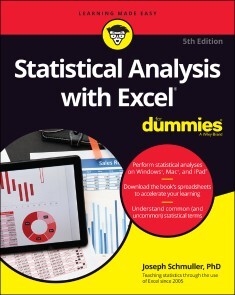
Statistical Analysis with Excel For Dummies
BECOME A STATS SUPERSTAR BY USING EXCEL TO REVEAL THE POWERFUL SECRETS OF STATISTICSMicrosoft Excel offers numerous possibilities for statistical analysis—and you don’t have to be a math wizard to unlock them. In Statistical Analysis with Excel For Dummies, fully updated for the 2021 version of Excel, you’ll hit the ground running with straightforward techniques and practical guidance to unlock the power of statistics in Excel.Bypass unnecessary jargon and skip right to mastering formulas, functions, charts, probabilities, distributions, and correlations. Written for professionals and students without a background in statistics or math, you’ll learn to create, interpret, and translate statistics—and have fun doing it!In this book you’ll find out how to:* Understand, describe, and summarize any kind of data, from sports stats to sales figures * Confidently draw conclusions from your analyses, make accurate predictions, and calculate correlations * Model the probabilities of future outcomes based on past data * Perform statistical analysis on any platform: Windows, Mac, or iPad * Access additional resources and practice templates through Dummies.com For anyone who’s ever wanted to unleash the full potential of statistical analysis in Excel—and impress your colleagues or classmates along the way—Statistical Analysis with Excel For Dummies walks you through the foundational concepts of analyzing statistics and the step-by-step methods you use to apply them.JOSEPH SCHMULLER works on the Digital & Enterprise Architecture Team at Availity. He has taught statistics at the undergraduate and graduate levels. He has created and delivered courses for LinkedIn Learning, and he is the author of all previous editions of Statistical Analysis with Excel For Dummies.INTRODUCTION 1About This Book 2What’s New in This Edition 2What’s New in Excel (Microsoft 365) 3Foolish Assumptions 3Icons Used in This Book 4Where to Go from Here 5Beyond This Book 5PART 1: GETTING STARTED WITH STATISTICAL ANALYSIS WITH EXCEL: A MARRIAGE MADE IN HEAVEN 7CHAPTER 1: EVALUATING DATA IN THE REAL WORLD 9The Statistical (and Related) Notions You Just Have to Know 9Samples and populations 10Variables: Dependent and independent 11Types of data 12A little probability 13Inferential Statistics: Testing Hypotheses 14Null and alternative hypotheses 15Two types of error 16Some Excel Fundamentals 18Autofilling cells 22Referencing cells 25CHAPTER 2: UNDERSTANDING EXCEL’S STATISTICAL CAPABILITIES 29Getting Started 30Setting Up for Statistics 32Worksheet functions 32Quickly accessing statistical functions 36Array functions 38What’s in a name? An array of possibilities 41Creating Your Own Array Formulas 50Using data analysis tools 51Additional data analysis tool packages 56Accessing Commonly Used Functions 58The New Analyze Data Tool 59Data from Pictures! 60PART 2: DESCRIBING DATA 63CHAPTER 3: SHOW-AND-TELL: GRAPHING DATA 65Why Use Graphs? 65Examining Some Fundamentals 67Gauging Excel’s Graphics (Chartics?) Capabilities 68Becoming a Columnist 69Stacking the Columns 73Slicing the Pie 74A word from the wise 76Drawing the Line 77Adding a Spark 80Passing the Bar 82The Plot Thickens 84Finding Another Use for the Scatter Chart 88CHAPTER 4: FINDING YOUR CENTER 91Means: The Lore of Averages 91Calculating the mean 92AVERAGE and AVERAGEA 93AVERAGEIF and AVERAGEIFS 95TRIMMEAN 99Other means to an end 100Medians: Caught in the Middle 102Finding the median 102MEDIAN 103Statistics à la Mode 104Finding the mode 104MODE.SNGL and MODE.MULT 104CHAPTER 5: DEVIATING FROM THE AVERAGE 107Measuring Variation 108Averaging squared deviations: Variance and how to calculate it 108VAR.P and VARPA 111Sample variance 113VAR.S and VARA 114Back to the Roots: Standard Deviation 114Population standard deviation 115STDEV.P and STDEVPA 115Sample standard deviation 116STDEV.S and STDEVA 116The missing functions: STDEVIF and STDEVIFS 117Related Functions 121DEVSQ 121Average deviation 122AVEDEV 123CHAPTER 6: MEETING STANDARDS AND STANDINGS 125Catching Some Z’s 126Characteristics of z-scores 126Bonds versus the Bambino 127Exam scores 128STANDARDIZE 128Where Do You Stand? 131RANK.EQ and RANK.AVG 131LARGE and SMALL 133PERCENTILE.INC and PERCENTILE.EXC 134PERCENTRANK.INC and PERCENTRANK.EXC 137Data analysis tool: Rank and Percentile 138CHAPTER 7: SUMMARIZING IT ALL 141Counting Out 141COUNT, COUNTA, COUNTBLANK, COUNTIF, COUNTIFS 141The Long and Short of It 144MAX, MAXA, MIN, and MINA 144Getting Esoteric 145SKEW and SKEW.P 146KURT 148Tuning In the Frequency 150FREQUENCY 150Data analysis tool: Histogram 152Can You Give Me a Description? 154Data analysis tool: Descriptive Statistics 154Be Quick About It! 156Instant Statistics 159CHAPTER 8: WHAT’S NORMAL? 161Hitting the Curve 161Digging deeper 162Parameters of a normal distribution 163NORM.DIST 165NORM.INV 167A Distinguished Member of the Family 168NORM.S.DIST 169NORM.S.INV 170PHI and GAUSS 170Graphing a Standard Normal Distribution 171PART 3: DRAWING CONCLUSIONS FROM DATA 173CHAPTER 9: THE CONFIDENCE GAME: ESTIMATION 175Understanding Sampling Distributions 176An EXTREMELY Important Idea: The Central Limit Theorem 177(Approximately) simulating the Central Limit Theorem 178The Limits of Confidence 183Finding confidence limits for a mean 183CONFIDENCE.NORM 186Fit to a t 187CONFIDENCE.T 188CHAPTER 10: ONE-SAMPLE HYPOTHESIS TESTING 189Hypotheses, Tests, and Errors 190Hypothesis Tests and Sampling Distributions 191Catching Some Z’s Again 193Z.TEST 196t for One 197T.DIST, T.DIST.RT, and T.DIST.2T 198T.INV and T.INV.2T 200Visualizing a t-Distribution 201Testing a Variance 203CHISQ.DIST and CHISQ.DIST.RT 205CHISQ.INV and CHISQ.INV.RT 206Visualizing a Chi-Square Distribution 208CHAPTER 11: TWO-SAMPLE HYPOTHESIS TESTING 211Hypotheses Built for Two 211Sampling Distributions Revisited 212Applying the Central Limit Theorem 213Z’s once more 215Data analysis tool: z-Test: Two Sample for Means 216t for Two 219Like peas in a pod: Equal variances 220Like p’s and q’s: Unequal variances 221T.TEST 222Data analysis tool: t-Test: Two Sample 223A Matched Set: Hypothesis Testing for Paired Samples 227T.TEST for matched samples 228Data analysis tool: t-Test: Paired Two Sample for Means 230t-tests on the iPad with StatPlus 232Testing Two Variances 235Using F in conjunction with t 237F.TEST 238F.DIST and F.DIST.RT 240F.INV and F.INV.RT 241Data analysis tool: F-test: Two Sample for Variances 242Visualizing the F-Distribution 244CHAPTER 12: TESTING MORE THAN TWO SAMPLES 247Testing More than Two 247A thorny problem 248A solution 249Meaningful relationships 253After the F-test 254Data analysis tool: Anova: Single Factor 258Comparing the means 260Another Kind of Hypothesis, Another Kind of Test 262Working with repeated measures ANOVA 262Getting trendy 264Data analysis tool: Anova: Two-Factor Without Replication 268Analyzing trend 271ANOVA on the iPad 272ANOVA on the iPad: Another Way 274Repeated Measures ANOVA on the iPad 277CHAPTER 13: SLIGHTLY MORE COMPLICATED TESTING 281Cracking the Combinations 281Breaking down the variances 282Data analysis tool: Anova: Two-Factor Without Replication 284Cracking the Combinations Again 286Rows and columns 286Interactions 287The analysis 288Data analysis tool: Anova: Two-Factor With Replication 289Two Kinds of Variables — at Once 292Using Excel with a Mixed Design 293Graphing the Results 298After the ANOVA 300Two-Factor ANOVA on the iPad 300CHAPTER 14: REGRESSION: LINEAR AND MULTIPLE 303The Plot of Scatter 303Graphing a line 305Regression: What a Line! 307Using regression for forecasting 309Variation around the regression line 309Testing hypotheses about regression 311Worksheet Functions for Regression 317SLOPE, INTERCEPT, STEYX 318FORECAST.LINEAR 319Array function: TREND 319Array function: LINEST 323Data Analysis Tool: Regression 325Working with tabled output 327Opting for graphical output 329Juggling Many Relationships at Once: Multiple Regression 330Excel Tools for Multiple Regression 331TREND revisited 331LINEST revisited 333Regression data analysis tool revisited 336Regression Analysis on the iPad 338CHAPTER 15: CORRELATION: THE RISE AND FALL OF RELATIONSHIPS 341Scatterplots Again 341Understanding Correlation 342Correlation and Regression 345Testing Hypotheses about Correlation 347Is a correlation coefficient greater than zero? 348Do two correlation coefficients differ? 349Worksheet Functions for Correlation 350CORREL and PEARSON 350RSQ 351COVARIANCE.P and COVARIANCE.S 352Data Analysis Tool: Correlation 353Tabled output 354Multiple correlation 355Partial correlation 356Semipartial correlation 357Data Analysis Tool: Covariance 358Using Excel to Test Hypotheses about Correlation 358Worksheet functions: FISHER, FISHERINV 359Correlation Analysis on the iPad 360CHAPTER 16: IT’S ABOUT TIME 363A Series and Its Components 363A Moving Experience 364Lining up the trend 365Data analysis tool: Moving Average 365How to Be a Smoothie, Exponentially 368One-Click Forecasting 369Working with Time Series on the iPad 374CHAPTER 17: NONPARAMETRIC STATISTICS 379Independent Samples 380Two samples: Mann-Whitney U test 380More than two samples: Kruskal-Wallis one-way ANOVA 382Matched Samples 383Two samples: Wilcoxon matched-pairs signed ranks 384More than two samples: Friedman two-way ANOVA 386More than two samples: Cochran’s Q 387Correlation: Spearman’s rS 389A Heads-Up 391PART 4: PROBABILITY 393CHAPTER 18: INTRODUCING PROBABILITY 395What Is Probability? 395Experiments, trials, events, and sample spaces 396Sample spaces and probability 396Compound Events 397Union and intersection 397Intersection, again 398Conditional Probability 399Working with the probabilities 400The foundation of hypothesis testing 400Large Sample Spaces 400Permutations 401Combinations 402Worksheet Functions 403FACT 403PERMUT and PERMUTIONA 403COMBIN and COMBINA 404Random Variables: Discrete and Continuous 405Probability Distributions and Density Functions 405The Binomial Distribution 407Worksheet Functions 409BINOM.DIST and BINOM.DIST.RANGE 409NEGBINOM.DIST 411Hypothesis Testing with the Binomial Distribution 412BINOM.INV 413More on hypothesis testing 414The Hypergeometric Distribution 415HYPGEOM.DIST 416CHAPTER 19: MORE ON PROBABILITY 419Discovering Beta 419BETA.DIST 421BETA.INV 423Poisson 424POISSON.DIST 425Working with Gamma 427The gamma function and GAMMA 427The gamma distribution and GAMMA.DIST 428GAMMA.INV 430Exponential 431EXPON.DIST 431CHAPTER 20: USING PROBABILITY: MODELING AND SIMULATION 433Modeling a Distribution 434Plunging into the Poisson distribution 434Visualizing the Poisson distribution 435Working with the Poisson distribution 436Using POISSON.DIST again 437Testing the model’s fit 437A word about CHISQ.TEST 440Playing ball with a model 441A Simulating Discussion 444Taking a chance: The Monte Carlo method 444Loading the dice 444Data analysis tool: Random Number Generation 445Simulating the Central limit Theorem 448Simulating a business 452CHAPTER 21: ESTIMATING PROBABILITY: LOGISTIC REGRESSION 457Working Your Way Through Logistic Regression 458Mining with XLMiner 460PART 5: THE PART OF TENS 465CHAPTER 22: TEN (12, ACTUALLY) STATISTICAL AND GRAPHICAL TIPS AND TRAPS 467Significant Doesn’t Always Mean Important 467Trying to Not Reject a Null Hypothesis Has a Number of Implications 468Regression Isn’t Always Linear 468Extrapolating Beyond a Sample Scatterplot Is a Bad Idea 469Examine the Variability Around a Regression Line 469A Sample Can Be Too Large 470Consumers: Know Your Axes 470Graphing a Categorical Variable as a Quantitative Variable Is Just Plain Wrong 471Whenever Appropriate, Include Variability in Your Graph 472Be Careful When Relating Statistics Textbook Concepts to Excel 472It’s Always a Good Idea to Use Named Ranges in Excel 472Statistical Analysis with Excel on the iPad Is Pretty Good! 473CHAPTER 23: TEN TOPICS (THIRTEEN, ACTUALLY) THAT JUST DON’T FIT ELSEWHERE 475Graphing the Standard Error of the Mean 475Probabilities and Distributions 479PROB 479WEIBULL.DIST 479Drawing Samples 480Testing Independence: The True Use of CHISQ.TEST 481Logarithmica Esoterica 484What is a logarithm? 484What is e? 486LOGNORM.DIST 489LOGNORM.INV 490Array Function: LOGEST 491Array Function: GROWTH 494The logs of Gamma 497Sorting Data 498PART 6: APPENDICES 501APPENDIX A: WHEN YOUR DATA LIVE ELSEWHERE 503APPENDIX B: TIPS FOR TEACHERS (AND LEARNERS) 507Augmenting Analyses Is a Good Thing 507Understanding ANOVA 508Revisiting regression 510Simulating Data Is Also a Good Thing 512When All You Have Is a Graph 514APPENDIX C: MORE ON EXCEL GRAPHICS 515Tasting the Bubbly 515Taking Stock 516Scratching the Surface 518On the Radar 519Growing a Treemap and Bursting Some Sun 520Building a Histogram 521Ordering Columns: Pareto 522Of Boxes and Whiskers 5233D Maps 524Filled Maps 527APPENDIX D: THE ANALYSIS OF COVARIANCE 529Covariance: A Closer Look 529Why You Analyze Covariance 530How You Analyze Covariance 531ANCOVA in Excel 532Method 1: ANOVA 533Method 2: Regression 537After the ANCOVA 540And One More Thing 542Index 545
Communicating in Risk, Crisis, and High Stress Situations: Evidence-Based Strategies and Practice
COMMUNICATING IN R!SK, CRISIS, AND HIGH STRESS SITUATIONSLEARN THE UNIFYING PRINCIPLES BEHIND RISK, CRISIS, AND HIGH STRESS COMMUNICATION WITH THIS STATE-OF-THE-ART REFERENCE WRITTEN BY A MAJOR LEADER IN THE FIELDCommunicating in Risk, Crisis, and High Stress Situations: Evidence-Based Strategies and Practice is about communicating with people in the most challenging circumstances: high stress situations characterized by high risks and high stakes. The ability to communicate effectively in a high stress situation is an essential communication competency for managers, engineers, scientists, and professionals in every field who can be thrust into demanding situations complicated by stress. Whether you are confronting an external crisis, an internal emergency, or leading organizational change, this book was written for you. Communicating in Risk, Crisis, and High Stress Situations brings together in one resource proven scientific research with practical, hands-on guidance from a world leader in the field. The book covers such critical topics as trust, stakeholder engagement, misinformation, messaging, and audience perceptions in the context of stress. This book is uniquely readable, thorough, and useful, thanks to features that include:* Evidence-based theories and concepts that underlie and guide practice* Tools and guidelines for practical and effective planning and application* Experience-based advice for facing challenges posed by mainstream and social media * Provocative case studies that bring home the key principles and strategies* Illuminating case diaries that use the author’s breadth and depth of experience to create extraordinary learning opportunitiesThe book is a necessity for managers, engineers, scientists, and others who must communicate difficult technical concepts to a concerned public. It also belongs on the bookshelves of leaders and communicators in public and private sector organizations looking for a one-stop reference and evidence-based practical guide for communicating effectively in emotionally charged situations. Written by a highly successful academic, consultant, and trainer, the book is also designed as a resource for training and education. VINCENT T. COVELLO, PHD, is a leading expert in risk, crisis, and high stress communications. He is currently Director of the Center for Risk Communication in New York City, an organization that applies evidence-based knowledge to a wide range of high concern, high stakes situations. He has served as a senior adviser to the World Health Organization, the US Department of Health and Human Services, the US Environmental Protection Agency, the US Department of Agriculture, the US Centers for Disease Control and Prevention, and other national and international organizations. Over the past 40 years, Dr. Covello has published more than 150 scientific articles on risk, crisis, and high stress communications.A Note from the Series Editor xiiiAcknowledgments xvAuthor Biography xvii1 THE CRITICAL ROLE OF RISK, HIGH CONCERN, AND CRISIS COMMUNICATION 11.1 Case Diary: A Collision of Facts and Perceptions 21.2 What Will Readers Find in This Book? 31.3 Why You Will Use This Book 41.4 The Need for This Book – Now 51.4.1 New Literature, New Research 51.4.2 Changes in the Communications Landscape 61.4.3 Changes in Journalism and the Perception of Facts 71.4.4 Changes in Laws, Regulations, and Societal Expectations 71.4.5 Changes in Concerns about Health, Safety, and the Environment 71.4.6 Changes in Levels of Trust 71.4.7 Changes in the Global Political Environment 81.4.8 The COVID- 19 Pandemic and the Changed Communication Landscape 82 CORE CONCEPTS 112.1 Case Diary: Recognizing Change as a High Concern Issue 112.2 Defining the Concept and Term Risk 132.3 Defining the Concept and Term Risk Communication 142.4 Risk Communication and Its Relationship to Risk Analysis 172.5 Defining the Concepts and Terms High Concern and High Concern Communication 192.6 Defining the Concept and Term Crisis 222.7 Defining the Concept and Term Crisis Communication 242.8 Chapter Resources 25Endnotes 313 AN OVERVIEW OF RISK COMMUNICATION 333.1 Case Diary: Complex Issues Destroy Homes 333.2 Challenges and Difficulties Faced in Communicating Risk Information 353.2.1 Characteristics and Limitations of Scientific and Technical Data about Risks 353.2.2 Characteristics and Limitations of Spokespersons in Communicating Information about Risks 353.2.2.1 Case Study: “Go Hard, Go Early”: Risk Communication Lessons from New Zealand’s Response to COVID-19 373.2.3 Characteristics and Limitations of Risk Management Regulations and Standards 413.2.3.1 Debates and Disagreements 413.2.3.2 Limited Resources for Risk Assessment and Management 413.2.3.3 Underestimating the Difficulty of and Need for Risk Communication 423.2.3.4 Lack of Coordination and Collaboration 423.2.4 Characteristics and Limitations of Traditional Media Channels in Communicating Information about Risks 423.2.5 Characteristics and Limitations of Social Media Channels in Communicating Information about Risks 433.2.6 Characteristics and Limitations of People in their Ability to Evaluate and Interpret Risk Information 443.3 Changes in How the Brain Processes Information Under Conditions of High Stress 483.4 Risk Communication Theory 493.4.1 Trust Determination Theory 493.4.2 Negative Dominance Theory 503.4.3 Mental Noise Theory 503.4.4 Risk Perception Theory 503.5 Risk Communication Principles and Guidelines 553.5.1 Principle 1. Accept and Involve All Interested and Affected Persons as Legitimate Partners 553.5.2 Principle 2. Plan Carefully and Evaluate Performance 553.5.3 Principle 3. Listen to Your Audience 573.5.4 Principle 4. Be Honest, Frank, and Open 573.5.5 Principle 5. Coordinate and Collaborate with Other Credible Sources 583.5.6 Principle 6. Meet the Needs of Traditional and Social Media 583.5.7 Principle 7. Speak Clearly and with Compassion 583.6 Key Takeaway Concepts and Conclusions from this Overview Chapter 593.7 Chapter Resources 59Endnotes 664 DEVELOPMENT OF RISK COMMUNICATION THEORY AND PRACTICE 694.1 Case Diary: Origin Story 694.2 Introduction 704.2.1 Historical Phase 1: Presenting Risk Numbers 714.2.2 Historical Phase 2: Listening and Planning 714.2.3 Historical Phase 3: Stakeholder Engagement 724.2.4 Covello and Sandman’s Four Stages of Risk Communication 724.2.4.1 Stage 1: Ignore the Public 734.2.4.2 Stage 2: Explaining Risk Data Better 734.2.4.3 Stage 3: Stakeholder Engagement 774.2.4.4 Stage 4: Empowerment 784.3 Summary 794.4 Chapter Resources 79Endnotes 835 STAKEHOLDER ENGAGEMENT AND EMPOWERMENT 875.1 Case Diary: A Town Hall Public Meeting Goes Very Wrong 875.2 Introduction 895.3 Levels of Stakeholder Engagement 915.3.1 Types of Stakeholder Engagement 935.4 Benefits of Stakeholder Engagement 955.5 Limitations and Challenges of Stakeholder Engagement 965.6 Techniques and Approaches for Effective Stakeholder Engagement 975.7 Meetings with Stakeholders 1005.7.1 Town Hall Meetings 1015.7.2 Open House Meetings/Information Workshops 1025.7.3 Tips for Meetings with Stakeholders 1025.8 Chapter Resources 104Endnotes 1076 COMMUNICATING IN A CRISIS 1116.1 Case Diary: The Challenge of Partnership in a Crisis 1126.2 The Three Phases of a Crisis 1136.3 Communication in the Precrisis Preparedness Phase 1156.3.1 Precrisis Communication Activity: Identifying Potential Crises 1176.3.2 Case Study: The 2010 BP Deepwater Horizon Oil Spill 1186.3.3 Precrisis Communication Activity: Identify Goals and Objectives 1206.3.4 Precrisis Communication Activity: Develop a Crisis Communication Plan 1216.3.5 Precrisis Communication Activity: Identify, Train, and Test Crisis Communication Spokespersons 1246.3.6 Precrisis Communication Activity: Engaging Stakeholders 1246.3.7 Precrisis Communication Activity: Identifying Stakeholders’ Questions and Concerns 1266.3.8 Drafting Messages for Anticipated Stakeholder Questions and Concerns 1266.3.9 Precrisis Communication Activity: Conducting Exercises to Test the Crisis Communication Plan 1286.3.10 Precrisis Communication Activity: Incident Command System (ICS) and the Joint Information Center (JIC) 1296.4 Communications in the Crisis Response Phase 1306.4.1 Case Study: Lac-Mégantic Rail Tragedy 1346.4.2 Disaster and Emergency Warnings 1366.4.2.1 Designing Effective Warnings 1376.4.2.2 Steps in the Disaster and Emergency Warning Process 1376.5 Communicating Effectively about Blame, Accountability, and Responsibility 1396.6 Communicating an Apology 1406.6.1 Case Study: Maple Leaf Foods and the Listeria Food Contamination Crisis 1416.6.2 Case Study: Southwest Airlines Apology 1446.7 Communications in the Postcrisis Recovery Phase 1456.7.1 Case Study and Case Diary: New York City’s Communication Trials by Fire, from West Nile to 9/11 1466.7.2 Case Study: Johnson & Johnson and the Tylenol Tampering Case 1476.7.3 Case Study: Flint, Michigan and Contaminated Drinking Water 1496.8 Chapter Resources 151Endnotes 1597 FOUNDATIONAL PRINCIPLES: PERCEPTIONS, BIASES, AND INFORMATION FILTERS 1657.1 Case Diary: “A” Is for “Apples” 1657.2 Message Perception and Reception in High Concern Situations 1687.3 Message Filter Theory: A Set of Principles Drawn from the Behavioral and Neuroscience Literature 1697.4 Case Study: COVID- 19 and Risk Perception Factors 1717.4.1 Social Amplification Filters 1737.4.2 Mental Shortcut Filters 1747.4.3 Knowledge and Belief Filters 1767.4.4 Personality Filters 1777.4.5 Negative Dominance/Loss Aversion Filters 1777.5 Message Filters and the Brain 1797.6 Message Filters, Perceptions, and Models of Human Behavior 1797.7 Message Filters, Perceptions, and Persuasion 1807.8 Message Filters, Perceptions, and Ethics 1817.9 Message Filters and the Issue of Acceptable Risk 1827.9.1 Factors in Determining Acceptable Risk 1837.9.2 Strategies for Addressing Acceptable Risk 1847.10 The Message is in the Mind of the Receiver 1867.11 Chapter Resources 186Endnotes 1928 FOUNDATIONAL PRINCIPLES: TRUST, CULTURE, AND WORLDVIEWS 1978.1 Case Diary: A Disease Outbreak in Africa 1988.2 Trust Determination 2008.3 Characteristics and Attributes of Trust 2018.3.1 Trust and First Impressions 2038.3.2 Loss of Trust 2048.3.3 Gaining Trust 2068.3.3.1 Gaining Trust through Stakeholder Engagement 2068.3.3.2 Gaining Trust through Trust Transference 2068.3.3.3 Gaining Trust through Actions and Behavior 2078.4 Case Study: Trust and the Chernobyl Nuclear Power Plant Accident 2078.5 Case Diary: The Fukushima Japan Nuclear Power Plant Accident 2088.6 Gaining Trust in High- Stakes Negotiations 2108.7 Case Diary: Gaining Trust and the SARS Outbreak in Hong Kong 2118.8 Trust and Culture 2128.9 Cultural Competency 2128.9.1 Different Communication Styles 2138.9.2 Different Attitudes and Approaches toward Conflict 2148.9.3 Different Nonverbal Communication 2148.9.4 Different Attitudes and Approaches to Decision Making 2148.9.5 Different Attitudes and Approaches toward Information Disclosure 2158.9.6 Different Attitudes and Approaches to Knowing 2158.9.7 Different Attitudes and Approaches toward Conversation and Discourse 2158.9.8 Different Attitudes and Approaches toward the Use of Humor 2158.10 Risk Perceptions, Trust, and Cultural Theory 2158.11 Risk Perceptions, Trust, and Worldviews 2178.12 Case Diary: Fame, Family, and Fear in Public Health Communications 2188.13 Chapter Resources 221Endnotes 2279 BEST PRACTICES FOR MESSAGE DEVELOPMENT IN HIGH CONCERN SITUATIONS 2319.1 Case Diary: Mapping Through a Maze of COVID Confusion 2319.2 Introduction 2329.3 Crafting Messages in the Context of Stress and High Concern Decision- Making 2339.3.1 Trust Determination and Messaging in High-Stress Situations 2339.3.1.1 The CCO Best Practice 2339.3.2 Impaired Comprehension and Messaging in High-Stress Situations 2349.3.3 Negative Dominance and Messaging in High-Stress Situations 2349.3.4 Emotional Impact and Messaging in High-Stress Situations 2359.3.4.1 Case Study: Hoarding Toilet Paper at the Outset of the 2020 COVID-19 Pandemic 2369.4 Message Mapping 2389.4.1 Benefits of Message Maps 2389.4.2 Message Maps and the Brain 2419.4.3 The Development of Message Mapping 2439.4.4 Case Study: Message Maps and Asbestos 2449.4.5 Steps in Developing a Message Map 2459.4.5.1 Step 1: Identify, Profile, and Prioritize Key Stakeholders 2459.4.5.2 Step 2: Develop Lists of Stakeholder Questions and Concerns 2489.4.5.3 Case Study: Stakeholder Questions, Terrorism, and Disasters 2499.4.5.4 Step 3: Develop Key Messages 2499.4.5.5 Step 4: Develop Supporting Information 2529.4.5.6 Step 5: Testing the Message Map 2539.4.5.7 Step 6: Repurpose Maps through Appropriate Information Channels 2549.5 Summary 2549.6 Chapter Resources 255Endnotes 263Appendices 265Appendix 9.1 265Appendix 9.2 267Appendix 9.3 277Appendix 9.4 28010 Communicating Numbers, Statistics, and Technical Information about a Risk or Threat 28510.1 Case Diary: A Civil Action 28510.2 Introduction 28810.3 Case Study: Numbers, Statistics, and COVID-19 28910.4 Brain Processes That Filter How Technical Information about Risk or Threat Is Received and Understood 29210.4.1 Risk and Threat Perception Filters 29310.4.2 Thought Processing Filters 29410.4.3 Mental Model Filters 29410.4.4 Emotional Filters 29510.4.5 Motivational Filters 29510.5 Challenges in Explaining Technical Information About a Risk or Threat 29610.6 Framing 29710.7 Technical Jargon 29810.8 Information Clarity 29910.9 Units of Measurement 30010.10 Case Study: Risk Numbers, Risk Statistics, and the Challenger Accident 30310.11 Comparisons 30410.12 Lessons Learned 30810.13 Chapter Resources 308Endnotes 31511 EVALUATING RISK, HIGH CONCERN, AND CRISIS COMMUNICATIONS 32111.1 Case Diary: Finding the Road to Rio 32111.1.1 The Mosquito Front 32211.1.2 The Citizen Front 32211.1.3 The Olympic Athlete and Visitor Front 32311.1.4 Communication Strategy: The Citizen Front 32311.1.5 Communication Strategy: Olympic Athlete and Visitor Front 32311.2 Introduction 32411.3 Benefits of Evaluation 32611.4 Evaluation Practices for Risk, High Concern, and Crisis Communication 32711.5 Case Studies of Evaluation Comparison to Best Practice: Hurricane Katrina, COVID-19and Vaccination Hesitancy, and Outbreak of COVID-19 in Wuhan, China 32911.5.1 Hurricane Katrina 32911.5.2 COVID-19 and Vaccination Hesitancy 33011.5.3 Outbreak of COVID-19 in Wuhan, China 33011.6 Barriers and Challenges to Evaluation 33211.6.1 Differences in Values 33211.6.2 Differences in Goals 33211.6.3 Competition for Resources 33211.6.4 Ability to Learn from Results 33311.7 Evaluation Measures 33811.7.1 Process/Implementation Evaluation Measures 33811.7.2 Outcome/Impact Evaluation Measures 33911.7.3 Formative Evaluation Measures 34011.8 An Integrated Approach to Evaluation 34111.9 Resource: Case Study of Focus Group Testing of Mosquito-Control Messages, Florida, 2018–2019 34211.10 Evaluation Tools 34711.11 Chapter Resources 348Endnotes 35312 COMMUNICATING WITH MAINSTREAM NEWS MEDIA 35712.1 Case Diary: A High Stakes Chess Game with a News Media Outlet 35712.2 Introduction 35912.3 Characteristics of the Mainstream News Media 36112.3.1 Content 36112.3.2 Clarity 36212.3.3 Avoiding Prejudice 36212.3.4 Topicality 36212.3.5 Diversity 36312.3.6 Subject Matter Expertise 36312.3.7 Resources 36312.3.8 Career Advancement 36412.3.9 Watchdogs 36412.3.10 Amplifiers 36412.3.11 Skepticism 36412.3.12 Source Dependency 36512.3.13 Professionalism and Independence 36512.3.14 Covering Uncertainty 36612.3.15 Legal Constraints 36612.3.16 Special Populations 36612.3.17 Competition 36612.3.18 Confidentiality and Protection of Sources 36712.3.19 Deadlines 36712.3.20 Trust 36712.3.21 Storytelling 36812.3.22 Balance and Controversy 36812.4 Guidelines and Best Practices for Interacting with Mainstream News Media 36812.5 The Media Interview 37012.6 Lessons and Trends 37512.7 Case Diary: A Ten-Round Exercise 37712.8 Chapter Resources 378Endnotes 38113 Social Media and the Changing Landscape for Risk, High Concern, and Crisis Communication 38513.1 Case Diary: Myth-Busting: Mission Impossible? 38513.2 Introduction 38713.3 Benefits of Social Media Outlets for Risk, High Concern, and Crisis Communication 38913.3.1 Speed 38913.3.2 Access 39013.3.3 Reach 39013.3.4 Amplification 39013.3.5 Transparency 39013.3.6 Understanding 39013.3.7 Changes in Behaviors 39113.3.8 Relationship Building 39113.3.9 Timeliness 39113.3.10 Hyperlocal Specificity 39113.3.11 Listening and Feedback 39213.3.12 Taking Advantage of the Benefits of Social Media 39213.4 Challenges of Social Media for Risk, High Concern, and Crisis Communication 39313.4.1 Rising Expectations 39313.4.2 Repostings/Redistribution 39313.4.3 Permanent Storage 39413.4.4 Hacking/Security 39413.4.5 Rise and Fall of Social Media Platforms 39413.4.6 Resources 39413.4.7 Privacy and Confidentiality 39413.4.8 Cognitive Overload 39513.4.9 Players on the Field 39513.4.10 Misinformation, Disinformation, and Rumors 39513.5 Case Study: Social Media and the 2007 and 2011 Shooter Incidents at Virginia Polytechnic Institute and State University (Virginia Tech) 39713.6 Case Study: Social Media and the 2013 Southern Alberta/Calgary Flood 39813.7 Best Practices for Using Social Media in Risk, High Concern, and Crisis Situations 40013.7.1 Create a Social Media Plan 40013.7.2 Staff Appropriately for Social Media Communication 40013.7.3 Ensure Continuous Updating 40113.7.4 Identify Your Partners 40113.7.5 Assess and Reassess Your Selection of Platforms 40113.7.6 Create and Maintain as Many Social Media Accounts as You and Your Stakeholders Need 40113.7.7 Be Prepared for the Special Social Media Requirements and Pressures in a Crisis 40113.7.8 Provide Guidance for Employees and Engage Them in the Process 40213.7.9 Don’t Skip Evaluation 40313.8 Case Diary: Social Media and the Negative Power of“Junk”Information about Risks and Threats 40313.9 Lessons Learned and Trends 40413.10 Chapter Resources 404Endnotes 408Index 411
Office For Seniors For Dummies
SEND EMAILS, STAY ON TOP OF YOUR FINANCES, AND MANAGE YOUR EVERYDAY LIFE WITH THIS NO-EXPERIENCE-NECESSARY OFFICE 2021 HANDBOOKMicrosoft Office offers huge benefits to people of all ages. The popular software suite has always made creating to-do lists, sending emails, drafting documents, and processing spreadsheets a breeze, and the updates and upgrades found in Office 2021 make those tasks even easier. Office For Seniors For Dummies offers step-by-step instructions to learn every part of Office 2021, including Word, Excel, and PowerPoint. This trusted guide starts at the very beginning, showing you how to start each application and understand the interface. It walks you through the most commonly used functions of each program and explains how to apply it in your everyday life. Written in large, crystal-clear type and full of helpful images and screenshots, the book also demonstrates how to:* Stay in touch with friends and family using Office 2021's built-in communications tools, including Outlook* Keep your finances up to date with functional spreadsheets in Excel* Take advantage of existing Office templates for things like budgets, letters, faxes, and moreYou don't have to be a computer scientist to get the most out of Office 2021. Let this handy guide clarify and demystify some of the most practical and user-friendly applications available today. FAITHE WEMPEN, M.A., is a Microsoft Office Master Instructor who has been writing and teaching about Microsoft Office for more than 25 years. She is an adjunct professor of Computer Information Technology with more than 150 books to her credit, including Computers For Seniors For Dummies and Outlook For Dummies, as well as a CompTIA A+ certified computer technician.INTRODUCTION 1About This Book 1Foolish Assumptions 3Icons Used in This Book 3Beyond the Book 4Where to Go from Here 4PART 1: GETTING STARTED WITH OFFICE 5CHAPTER 1: THE TWO-DOLLAR TOUR 7Start an Office Application 8Start a New Document 9Explore the Office Ribbon and Tabs 10Understand the File Menu (Backstage View) 15Create a Document 16Type Text 17Insert a Picture 19Move Around in a Document 20Select Content 22Zoom In and Out 24Change the View 25CHAPTER 2: EXPLORING THE COMMON FEATURES OF OFFICE APPLICATIONS 27Edit Text 28Move and Copy Content 29Choose Fonts and Font Sizes 33Apply Text Formatting 36Use the Mini Toolbar 38Work with Themes 39Check Your Spelling and Grammar 43CHAPTER 3: OPENING, SAVING, AND PRINTING FILES 49Save Your Work 50The Basic Save 50Changing the Save Location 52Choosing a File Type 57Open a Previously Saved File 57Change the File Listing View 59Email Your Work to Others 60Emailing a Link to a Document 61Emailing a Copy of a Document 63Share Your Work in Other Formats 65Print Your Work 68Recover Lost Work 70PART 2: WORD 73CHAPTER 4: COMPOSING YOUR THOUGHTS IN WORD 75Examine the Word Interface 76Move Around and Select Text 77Choose Paper Size and Orientation 79Set Margins 80Select the Right Screen View 82Align and Indent Paragraphs 84Change Line Spacing 90Create Bulleted and Numbered Lists 92CHAPTER 5: DRESSING UP YOUR DOCUMENTS 95Apply Styles and Style Sets 96Insert Pictures 101Size and Format a Picture 105Position a Picture 106Add a Page Border 108Apply a Background Color to a Page 110Create Tables 112Format a Table 115CHAPTER 6: TAKING WORD TO THE NEXT LEVEL 117Number the Pages 118Use Headers and Footers 120Insert Cover Pages and Other Building Blocks 123Print an Envelope 125Perform a Mail Merge 127Insert the Date and Time 133PART 3: EXCEL 135CHAPTER 7: CREATING BASIC SPREADSHEETS IN EXCEL 137Understand Excel’s Unique Features 138Get Familiar with Spreadsheet Structure 140Move the Cell Cursor 140Select a Range 142Type and Edit Cell Contents 145Insert and Delete Rows, Columns, and Cells 147Work with Worksheets 151CHAPTER 8: DOING THE MATH: FORMULAS AND FUNCTIONS 155Learn How Formulas Are Structured 156Write Formulas That Reference Cells 156Move and Copy Cell Content 157Reference a Cell on Another Sheet 159Understand Functions 160Take a Tour of Some Basic Functions 163Explore Financial Functions 165CHAPTER 9: CREATING VISUAL INTEREST WITH FORMATTING AND CHARTS 169Adjust Row Height and Column Width 170Wrap Text in a Cell 172Apply Gridlines or Borders 172Apply Fill Color 176Format Text in Cells 177Format the Spreadsheet as a Whole 179Create a Basic Chart 181Identify the Parts of a Chart 183Format a Chart 185CHAPTER 10: USING EXCEL AS A DATABASE 189Understand Databases 190Prepare a List for a Mail Merge 190Store Data in a Table 191Sort a Table 193Filter Data in a Table 196Split a Column’s Content 199Merge the Contents of Columns 201PART 4: OUTLOOK 205CHAPTER 11: MANAGING EMAIL WITH OUTLOOK 207Set Up Outlook for the First Time 208Set Up Additional Mail Accounts 209Troubleshoot Mail Setup Problems 210Take a Quick Tour of Outlook’s Mail Feature 214Choose a Ribbon Layout 216Receive and Read Your Mail 216View and Download Photos and Other Attachments 218Reply to a Message 219Forward a Message 221Compose a Message 221Attach a File to a Message 224Avoid Frauds, Scams, and Viruses 226CHAPTER 12: MANAGING THE DETAILS: CONTACTS, NOTES, AND TASKS 229Store Contact Information 230Edit and Delete Contacts 233Choose How the Contacts List Appears 235Use the Contacts List 235Create Notes 238Categorize Notes 240Use Tasks and the To-Do List 243Update the Status of a Task 246Set a Task Reminder 247CHAPTER 13: YOUR BUSY LIFE: USING THE CALENDAR 249View Your Calendar 250Create and Delete a Calendar Event 252Set an Event to Recur 254Configure Event Reminders 255Add Holidays 257Print a Hard Copy of Your Calendar 258PART 5: POWERPOINT 261CHAPTER 14: GETTING STARTED WITH POWERPOINT 263Explore the PowerPoint Interface 264Work with PowerPoint Files 266Understand PowerPoint Views 266Create New Slides 268Use Slide Placeholders 270Turn Text AutoFit Off or On 271Change Slide Layouts 273Move or Resize Slide Content 274Manually Place Text on a Slide 275Navigate and Select Text 276Select Content 277CHAPTER 15: DRESSING UP YOUR PRESENTATIONS 279Understand and Apply Themes and Variants 280Change the Presentation Colors 281Edit Slide Masters 283Format Text Boxes and Placeholders 284Insert Pictures 286Create a Photo Album Presentation 290CHAPTER 16: ADDING MOVEMENT AND SOUND 293Animate Objects on a Slide 294Add Slide Transition Effects 301Set Slides to Automatically Advance 302Add a Musical Soundtrack 303CHAPTER 17: PRESENTING THE SHOW 305Display a Slide Show On-Screen 306Use the Slide Show Tools 308Print Copies of a Presentation 311Package a Presentation for Distribution 313Make a Video of the Presentation 316PART 6: GOING DEEPER WITH OFFICE 319CHAPTER 18: INTEGRATING OFFICE WITH OTHER APPS 321Use Microsoft Money in Excel to Track Bank Accounts 322Subscribe to a Google Calendar in Outlook 324Import a Google Calendar Into Outlook 327Access Gmail Contacts in Outlook 329Integrating Office with iCloud 332Share Content Between Google Apps and Office Apps 337Include Online Videos in PowerPoint Presentations 339CHAPTER 19: CUSTOMIZING OFFICE APPLICATIONS 341Customize the Quick Access Toolbar 342Customize the Ribbon 346Customize the Status Bar 349Set Options in Word, Excel, and PowerPoint 351Set Outlook Options 352CHAPTER 20: TROUBLESHOOTING COMMON PROBLEMS 355Recover Lost Work 356Repair a Malfunctioning App 357Fix Inconsistent Formatting in Word 360Improve an Ugly Presentation in PowerPoint 363Fix Formula Errors in Excel 364Pick the Right Function in Excel 365Minimize Document File Size 367Move Outlook Data Files to Another PC 368Index 373

Windows 10 Troubleshooting
Troubleshoot Windows 10 the way the experts do, whatever device or form factor you are using. Focus on the problems that most commonly plague PC users and fix each one with a step-by-step approach that helps you understand the cause, solution, and tools required.Windows 10 is constantly evolving and changing and a great many aspects of the operating system, including many associated with troubleshooting and repair, have been changed, removed, replaced, or expanded since the first edition of this book was published. This new edition is updated with a dedicated chapter on using scripting tools for troubleshooting along with numerous updates on Windows device and update installation, Microsoft Sysinternals Suite, and Troubleshooting malware attacks. Additionally, there is extensive coverage of the technical diagnosis and troubleshooting tools you need from Event Viewer to Recovery Console.This book will help you discover the connections between different hardware and software in your devices, and how their bonds with external hardware, networks, and the Internet are more inter-dependent than you think. You will also learn how to support the increasing volume of home workers, and make sure they can stay online and active on PCs from your own organization or their own devices.If you are fed up with those nagging, day-to-day issues, want to avoid costly repairs, or just want to learn more about how PCs work, _Windows 10 Troubleshooting_ is your ideal one-stop guide to the Windows 10 operating system.What You Will Learn* Understand your PC’s ecosystem and how to connect the dots, so you can successfully track problems to their source* Support home workers using PCs from your organization and family devices, and keep workers productive and online* Make your PC safe and secure for family and everyone in your workplace, and ensure that data is kept secure from loss or attack* Understand the threat from malware and viruses and a range of approaches to dealing with them, depending on the situation* Know tips and tricks for researching difficult problems, including third-party tools and useful web resourcesWHO THIS BOOK IS FORAnyone using Windows 10 on a desktop, laptop, or hybrid deviceMIKE HALSEY has been a Microsoft MVP (Most Valuable Professional) awardee since 2011 and is a recognized technical expert. As the author of Windows 7, 8, and 10 troubleshooting books and associated video courses, he is well versed in the problems and issues that PC users, IT pros, and system administrators face when administering and maintaining all aspects of a PC ecosystem.Mike understands that some subjects can be intimidating for some people and that everybody is different, so he approaches each subject area in straightforward and easy-to-understand ways.Mike is originally from the UK, but now lives in the south of France with his rescue border collies, Evan and Robbie. You can contact Mike on Twitter @MikeHalsey.Part 1: Getting Started with Windows TroubleshootingChapter 1: Introducing Troubleshooting in Windows 10The Three Seashells…The Problems We EncounterHardware ProblemsSoftware and App ProblemsNetworking ProblemsStartup ProblemsOS Installation and Update Problems“Prevention Is Better Than Cure”The Security and Maintenance CenterAutomatically Check for Solutions to ProblemsWindows Reliability HistoryWindows Automatic MaintenanceManaging Diagnostic Feedback and PrivacyRecovery OptionsWindows’ Security SystemsWindows Defender Anti-malwareWindows FirewallWindows SmartScreenUACUser Account ManagementAdministrators vs. Standard UsersLocal Accounts vs. Microsoft AccountsAzure ADUser Identity and Sign-In ManagementAn Introduction to Family SafetyManaging and Deleting User AccountsChapter 2: Building a Safe and Secure OSCreating a Recovery DriveBacking Up and Restoring Windows 10.ResetSystem Image BackupCreating a System Image Backup.Restoring a System Image BackupUsing Windows System RestoreConfiguring System RestoreUsing the Windows 10 Media Creation ToolSetting Up and Managing OneDriveBacking Up Your Files with OneDriveUsing OneDrive Personal and OneDrive ProfessionalRestoring Deleted and Previous Versions of FilesChapter 3: Configuring Windows 10The Settings AppSystem > StorageSystem > Default AppsSystem > AboutDevices > Printers & Scanners / Connected DevicesDevices > AutoPlayNetwork & InternetAccountsTime & LanguageUpd^ Windows UpdateUpdate & Security > Windows Defender / BackupUpdate & Security > ActivationUpdate & Security > For DevelopersIntroducing the Control PanelManaging the Virtual Memory, Paging FileManaging Remote Connections to the PCMoving the Shell User Folders.Creating, Managing, and Deleting PartitionsManaging Startup AppsChapter 4: Fixing Windows 10 QuicklyThe Disk Cleanup WizardManaging EdgeCleaning Temporary and Other Files from EdgeResetting - EdgeResetting the Windows Store and Store AppsDefragmenting Your Hard DisksManaging Running Apps and Services with Task ManagerManaging win32 App CompatibilityUsing the System File CheckerMicrosoft Answers, Service Status Site, and Being a TwitChapter 5: Understanding Tasks and EventsThe Windows Event ViewerIntroducing the Microsoft Management ConsoleThe Main Events ViewMaking Sense of Error LogsCreating Custom Event ViewsCreating Event SubscriptionsAttaching a Task to an EventSaving, Exporting, and Importing Event InformationChapter 6: Understanding PC HardwareBIOS and UEFIBIOS Virus/Malware AttackResetting BIOS and UEFI FirmwarePower SuppliesJump-Starting a PCThe MotherboardThe Rear Panel Connectors and CablesMemoryHard Disks, SSDs, M.2, and PCIe DrivesExpansion CardsMonitors and CablingKeyboards and MiceChapter 7: Diagnosing and Repairing Problem Hardware and PeripheralsGetting USB Devices to Work ReliablyInstalling and Managing Bluetooth DevicesInstalling and Configuring PrintersInstalling Different Types of PrinterFinding the Name or IP Address of a PrinterManaging Printing PoliciesHave You Tried [Not] Turning It Off and On Again?Chapter 8: Troubleshooting StartupHave You Tried Turning It Off and On Again?Using Startup RepairThe Windows Recovery Options MenuUsing the Command Prompt to Repair Windows StartupChapter 9: Troubleshooting NetworksThe Network and Sharing CenterConfiguring Network ConnectionsManaging Network AdaptersManaging Network Connections in the Settings AppSetting Up and Managing Your RouterTroubleshooting Wi-Fi Connection ProblemsRecovering Lost Wi-Fi PasswordsChapter 10: Troubleshoot and Manage EdgeManaging EdgeManaging Permissions, Security and Privacy in EdgeManaging Temporary and Other Files in EdgeUsing the Edge Task Manager to Manage Running Web AppsResetting EdgeOther Useful Settings in EdgePart 2: Becoming a Proficient TroubleshooterChapter 11: Dealing with Common Windows AnnoyancesIncorrect File AssociationsSetting Disk and File PermissionsManaging Audio DevicesTroubleshooting Windows ActivationTroubleshooting and Resetting Windows UpdateTroubleshooting Power Loss During an Update InstallationManaging and Resetting Windows SearchTroubleshooting Slow StartupWindows 10 Hangs on StartupWindows 10 Shuts Down SlowlyWindows Fails to Sleep/Resume from Sleep.Gaining Access After Bitlocker LockoutTroubleshooting Touch Screen ProblemsUSB Type-C and Thunderbolt ProblemsNo Picture on Desktop PC Monitor or TVDisappearing and Conflicting DrivesUnderstanding the BSODChapter 12: Remote HelpThe Problem Steps RecorderRecording an App with Game DVRQuick AssistWindows Remote AssistanceSending and Responding to a Remote Assistance RequestSending Unsolicited Remote Assistance OffersRemote DesktopChapter 13: Repairing Windows Startup ProblemsManually Repairing Windows StartupRepairing BIOS Startup FilesRepairing UEFI Startup FilesAdditional Repair Commands for BIOS and UEFIRecreating or Moving the Boot PartitionStep 1a: Create a New Boot Partition (Command Prompt)Step 1b: Create a New Boot Partition (Disk Management Console)Step 2: Create the New Boot FilesSetting Up and Managing Dual/Multiboot SystemsSecure BootBitlocker and Dual-Boot SystemsManaging Boot Systems with BCDEditBCDEdit IdentifiersBCDEdit Data FormatsExamples of BCDEdit UseEffecting Repairs on the Boot Partition StructuresChapter 14: Networks and Internet ConnectionsChecking the Status of a Network ConnectionDisplaying Information About Wi-Fi NetworksCreating Wi-Fi HotspotsPrioritizing Network ConnectionsDiagnosing Network Connection ProblemsGetting Network Diagnostic Reports from the Event ViewerSee the Status of Your Connection with the Performance Monitor.See What’s Using Your Bandwidth with the Resource MonitorTroubleshooting in the Network and Sharing CenterChanging a Network Type Between Private and PublicSetting Advanced Network Configuration OptionsUsing and Managing Ad-Hoc NetworksHOSTS, LMHOSTS and WINSUsing Authentication TechnologiesUnderstanding TCP/IPOSI Network LayersIPv4 vs IPv6 AddressingDCHPDNSUsing TCP/IP Management ToolsPingTraceRTIPConfigNetshManaging User ProfilesRoaming ProfilesAzure and AD Domain Profiles and SettingsChapter 15: Managing Device Drivers and PC ResourcesDeciphering the Device ManagerIdentifying and Installing Unknown DevicesInstalling Legacy HardwareForcibly installing a Device DriverUninstalling and Deleting Device DriversBlocking Device Driver and Device App InstallationFinding Device Driver Details and InformationTroubleshooting Device DriversBacking Up and Restoring the Driver StoreManaging Driver PropertiesChapter 16: Windows Update and System UpgradesDeferring Updates in Windows 10Long-Term Servicing ChannelChoosing How Updates Are DeliveredUninstalling and Blocking UpdatesTroubleshooting and Repairing Windows UpdateWindows Upgrades and the Reset ImageThe Windows Insider Programme (for Business)Chapter 17: Maintaining App and Web Site CompatibilityMaintaining Compatibility with Win32 AppsManaging Web Site and Intranet CompatibilityUsing Edge in IE Compatibility ModeManaging Security in EdgeInstalling and Managing Browser Plug-ins in EdgeSynchronizing Settings in EdgeSetting Your Default Web BrowserInstalling, Removing, Managing and Using Progressive Web AppsUsing the Software Compatibility TroubleshooterDPI ScalingProgram Compatibility AssistantMicrosoft Application Compatibility ToolkitShimsStandard User AnalyzerChapter 18: Managing Security and PrivacyCreating a Strong Password?Using Two-Factor AuthenticationTFA for Microsoft ServicesTFA for Third-Party ServicesMicrosoft TFA AppGoogle TFA AppManaging Safety and Privacy for ChildrenUsing the Credential ManagerManaging Passwords in EdgeManaging Encryption in Windows 10Using the EFSManaging EFS Encryption with Cipher.exeManaging Device EncryptionEncrypting Your PC with BitlockerManaging a TPM on Your PC and in Windows 10Managing Bitlocker Encryption on Your PCUsing Bitlocker To GoChapter 19: Malware and VirusesHow to Defend Against MalwareSo What Is This Malware Stuff Anyway?Viruses and WormsSpywareAdwareTrojansBotsRootkits / BootkitsBackdoorsRansomwareSpam and Phishing EmailDefending PCs Against MalwareDefending Your Files Against RansomwareSecure BootTrusted BootUsing EncryptionApp ContainersIdentifying a Malware AttackHow Malware Infects PCsHow Malware Infects NetworksIdentifying External AttacksIdentifying Internal AttacksTraining Staff for VigilanceManually Removing Malware from a PCFirst Steps – IsolationIdentifying the Running ProcessesDeactivating the MalwareTest and RetestFinishing UpRemoving RootkitsUsing BCDEdit to Repair Malware DamageUsing Third-Party Tools to Remove MalwareMalware Protection CenterBaseline Security AmalyzerMicrosoft DaRTWindows Defender OfflineESET Online (and Offline) ScannerNorton Bootable Recovery ToolSophos Bootable AntivirusKaspersky Rescue DiskKaspersky Ransomware DecryptorAVG Bootkit RemoverF-Secure Rescue CDTrend Micro Rescue DiskMcAfee Free ToolsD7IIRKillJunkware/Adware Removal ToolsMicrosoft SysInternals SuiteResearching Virus Removal OnlineChapter 20: Using Virtualization to Protect PCsCreating and Managing VMs in Hyper-VManaging Networks in Hyper-VCreating Backups of VMs in Hyper-VBooting and Repurposing Your PC from a VMCreating a VHDAdding a VHD to the Boot MenuVirtual Switches in Hyper-VCreating a Virtual SwitchManaging a Virtual SwitchManaging Hyper-V with PowerShellTroubleshooting Hyper-V ConnectionsPart 3: Mastering Windows 10 TroubleshootingChapter 21: Bomb-Proofing Your PCCreating a Robust Backup StrategyLock Down Your PCs with Group PolicyUsing the Group Policy EditorConfiguring a GPOUsing Server-Side Group PoliciesAdvanced Usage of Group PolicyUsing the Group Policy Management ConsoleActivating and Configuring the GPMCUsing the GPMCTroubleshooting Group Policy IssuesManaging Windows ServicesManage Your Local Security PolicyManaging Advanced Firewall PolicyChapter 22: Microsoft SysinternalsFile and Disk UtilitiesAccessChksAccessEnumContigDisk2VhdDiskExtDiskmonDiskViewEFSDumpMoveFile and PendMovesNTFSInfoPsFileSDeleteShareEnumSigcheckNetworking UtilitiesPSPingPsToolsTCPViewWhoIsProcess UtilitiesAutoRunsHandleListDLLsPortmonProcDumpProcess ExplorerProcess MonitorPSExecPsKillPsListPsServicePsSuspendShellRunasVMMapSecurity UtilitiesLogonSessionsPsLoggedOnPsLogListSysmon/Sysmon64System Information UtilitiesHandleLiveKdLoadOrderRAMMapMiscellaneous UtilitiesRegDelNullRegistry UsageRegJumpChapter 23: Best Practice in the WorkplaceManaging Power and BatteriesManaging Users and BYOD PCsMDMGroup PolicyBackups Best PracticeDeployment and Recovery Best PracticeManaging External and Network HardwareChapter 24: Managing BYOD HardwareManaging VPNs and Secure ConnectionsWorkplace JoinConnecting to an Exchange or ActiveSync AccountConnecting to Office 365 or Microsoft AzureWork FoldersChapter 25: Getting Advanced InformationThe Task ManagerThe Performance MonitorData Collector SetsThe Resource MonitorThe Computer Management ConsoleSystem InformationDXDiagChapter 26: The Registry in DepthRegistry FilesRegistry Keys and ValuesHKEY_CLASSES_ROOT (HKCR)HKEY_CURRENT_USER (HKCU)HKEY_LOCAL_MACHINE (HKLM)HKEY_USERS (HKU)HKEY_CURRENT_CONFIG (HKCC)HKEY_PERFORMANCE_DATARegistry Value TypesThe Registry EditorBacking Up and Restoring the RegistryCreating and Modifying Registry KeysEditing Other Users’ Registry DatabasesConnecting to a Remote RegistryUsing PowerShellUsing Group PolicyComparing RegistriesREGINI.EXEEditing the Registry with PowerShellScanRegEdit the Registry from the Recovery PanelThird-Party Registry UtilitiesChapter 27: Using Scripting Tools for TroubleshootingUsing the Windows Command LineUseful Command Line Tools for TroubleshootingUsing the Command Line from the Recovery ConsoleTroubleshooting Using PowerShellGetting Started with PowerShellUsing the Event Log in PowerShellGathering Detailed Reports and InformationManaging AppsManaging Running ProcessesManaging the RegistryManaging Windows UpdateManaging ServicesAdditional Troubleshooting with PowerShellThe Windows TerminalInstalling and Using the Windows TerminalChapter 28: Windows 10 File Structure in DepthThe Windows 10 File and Folder StructureRoot Windows FoldersWin32 and Store App FoldersWindows Operating System FoldersUser Account FoldersWindows Log FoldersWindows Temporary File FoldersWindows File TypesManaging the Shell User FoldersFile System Tools and UtilitiesFile Management from the Command LineHow File Systems Handle Files DifferentlyTroubleshooting File and Folder PermissionsACLs, DACLs, and PermissionsNTFS InheritanceUsign GroupsEffective AccessTaking OwnershipAuditingTroubleshooting File and Folder SharingChapter 29: Researching Difficult ProblemsReading the Windows Log FilesLog Text FilesReading .xml and .etl FilesReading .dmp filesSearching the Internet for SolutionsAnswers.Microsoft.comSupport.Microsoft.comTechnet.Microsoft.com and MSDN.Microsoft.comOther Microsoft and Third-Party Support SitesHardware Driver and Support SitesThird-Party Support ToolsChapter 30: Troubleshooting Difficult Problems“Mike Halsey’s Holistic Troubleshooting Agency”Gauging Both Internal and External FactorsUsing Troubleshooting Tools TogetherTroubleshooting and Repairing HardwareMinimal Boot Configuration and Jumpstarting PCsChapter 31: Installation and RestoreTroubleshooting the Windows 10 UpgradeInstalling Windows 10Obtaining Up-to-Date Installation MediaCreating Customized Installation MediaNondestructively Reinstalling Windows 10Windows 10 SysPrep

Computer Vision and Augmented Reality in iOS
Learn how computer vision works, how augmented reality renders digital graphics into the physical world via an iPhone’s camera, and how to incorporate these technologies into your own apps. This book shows you how to take full advantage of computer vision technologies.Interacting with other people online usually involves user-generated images and videos; whether it be “memes”, short videos, or heavily-modified images. Before smart phones, generating this content required a professional using high-level image and video editing software. Not any more.This book will teach you to use computer vision in the most popular ways, such as for facial recognition, image to text analysis and, of course, recording a video of a dancing hot dog in your living room. Starting with the history of computer vision, image and video processing fundamentals, and an introduction to developing augmented reality applications, you’ll learn to incorporate computer vision both in the content you create and the apps you develop for end users.Computer Vision and Augmented Reality in iOS reveals how every user with access to the Internet and a smart phone can easily generate heavily-modified images and videos.WHAT YOU'LL LEARN* Incorporate mathematics related to computer vision into your apps* Host computer vision models remotely for mobile use* Implement visual-inertial state estimation algorithms for mobile augmented realityWHO THIS BOOK IS FORProfessionals or post graduate students in software development or engineering who have a basic understanding of how software development works and are interested in implementing computer vision into their development. It's recommended that readers already have a working knowledge of C++ and Swift. AHMED BEKHIT is the Co-Founder and Chief Technology Officer at Magic Studio; a software company based in Boca Raton, Florida that focuses on developing cutting edge video processing and streaming technologies. In the early days of Ahmed’s career in Software Engineering, he was awarded the Apple WWDC Scholarship three times in a row and was also titled “Apple’s Whiz Kid” by the Wall Street Journal at the age of 15. As of today, Ahmed has been writing software for over a decade. He also regulary contributes to the open-source community and has been known for creating ARVideoKit; an iOS framework that renders ARKit content to capture videos, GIFs, and live photos with augmented reality components. Ahmed has developed and published independent iOS applications that have reached over three million users.1. Brief History of Computer VisionThis chapter will focus on the history of computer vision, what it is, the importance of it and its applications.a. What is Computer Vision?b. Why do we need it?c. The evolution of Computer Visiond. Computer Vision Applications2. Introduction to Augmented RealityThis chapter will introduce Augmented Reality and its different applications to the reader.a. What is augmented reality?b. How does it work?c. How can I use this technology?3. Image and Video Processing FundamentalsThis chapter will go over fundamental mathematics and algorithms that will be used throughout the book.a. Math overviewb. Computer Vision basicsc. Standard algorithmsd. Implementing standard algorithms using OpenCV4. Building Computer Vision Applications using OpenCV & Vision FrameworkThis chapter will cover various Computer Vision applications and how to implement them.a. Face Detection / Recognitionb. Body Detection / Trackingc. Image to Text Analysis5. Building Custom ModelsThis chapter will cover developing custom Computer Vision models / algorithms.a. Custom Object Trackingb. Custom Barcode Generator / Reader (similar to Snapchat Codes aka Snapcodes)6. Augmented Reality using OpenCVThis chapter will cover the two main approaches used in the Augmented Reality industry; marker-based & marker-less AR.a. Marker-based Augmented Realityb. Marker-less Augmented Reality using Visual Inertial Estimation on a Phone7. Augmented Reality using ARKit & OpenCVThis chapter will cover how to use both ARKit and OpenCV technologies simultaneously.a. Using Body Tracking with ARKitb. Using Face Detection with ARKit
WPF 4.5 und XAML
Grafische Benutzeroberflächen für Windows inkl. Entwicklung von Windows Store Apps Mit der Windows Presentation Foundation verfügen .NET-Entwickler über ein mächtiges und flexibles Instrument zur Entwicklung moderner Desktop-Applikationen – von der einfachen Oberfläche bis hin zur geschäftlichen Anwendung. Diese Bandbreite gibt den Rahmen für dieses Buch vor: Jörg Wegener beschreibt detailliert die zentralen Elemente der WPF 4.5, ihre zugrunde liegenden Konzepte und die in WPF implementierte Beschreibungssprache XAML. Zahlreiche Beispiele zeigen Ihnen den professionellen Einsatz des Frameworks in Situationen, mit denen Sie als Entwickler tagtäglich konfrontiert sind. Einen Schwerpunkt dieser Neuauflage bilden die Neuerungen von WPF 4.5 und Visual Studio 2012. Hier geht es u.a. um die Entwicklung von Apps für Windows 8 mit XAML und der Windows Runtime. Außerdem neu hinzugekommen sind die Themen: Eingabesteuerung via Maus, Tastatur und Touchscreen; das Entwurfsmuster Model-View-View-Model; Installation und Aktualisierung von Anwendungen beim Kunden; Gestaltung mit Expression Blend. Aus dem Inhalt: Einführung in WPF&XAMLLayout&SteuerelementeAufbau von AnwendungenStyles, TemplatesDaten&Datenbindungen2D-Grafik&Multimedia3D-Grafik, AnimationenIndividuelle AnpassungenEingabesteuerung in WPFWPF&Windows FormsDokumente&DruckenMehrsprachigkeit Browseranwendungen MVVM-EntwurfsmusterWindows Store Apps&WinRTAnwendungen installieren&verteilenExpression BlendAutor: Jörg Wegener hat mit seiner Firma Identage Business Services GmbH bereits zahlreiche Projekte begleitet, darunter auch internationale aus den Branchen der Telekommunikation, Energiewirtschaft und Buchhaltung. Er unterstützt seine Kunden u.a. in der richtigen Auswahl der Technologie, Architektur und Vorgehensweisen und arbeitet bevorzugt mit der Windows Presentation Foundation.
Cloud-Native Microservices with Apache Pulsar
Apply different enterprise integration and processing strategies available with Pulsar, Apache's multi-tenant, high-performance, cloud-native messaging and streaming platform. This book is a comprehensive guide that examines using Pulsar Java libraries to build distributed applications with message-driven architecture.You'll begin with an introduction to Apache Pulsar architecture. The first few chapters build a foundation of message-driven architecture. Next, you'll perform a setup of all the required Pulsar components. The book also covers work with Apache Pulsar client library to build producers and consumers for the discussed patterns.You'll then explore the transformation, filter, resiliency, and tracing capabilities available with Pulsar. Moving forward, the book will discuss best practices when building message schemas and demonstrate integration patterns using microservices. Security is an important aspect of any application; the book will cover authentication and authorization in Apache Pulsar such as Transport Layer Security (TLS), OAuth 2.0, and JSON Web Token (JWT). The final chapters will cover Apache Pulsar deployment in Kubernetes. You'll build microservices and serverless components such as AWS Lambda integrated with Apache Pulsar on Kubernetes.After completing the book, you'll be able to comfortably work with the large set of out-of-the-box integration options offered by Apache Pulsar.WHAT YOU'LL LEARN* Examine the important Apache Pulsar components * Build applications using Apache Pulsar client libraries* Use Apache Pulsar effectively with microservices* Deploy Apache Pulsar to the cloudWHO THIS BOOK IS FORCloud architects and software developers who build systems in the cloud-native technologies.RAHUL SHARMA is a software developer with around 17 years of experience in Java/J2EE and Python applications. Being an open-source enthusiast, he has contributed to various projects like Apache Crunch, and so on. In his career, he has worked with companies of various sizes, from enterprises to start-ups. He has worked on Kubernetes and microservices extensively for enterprises.MOHAMMAD ATYAB is a software developer with more than 13 years of developing products. He has worked in various languages primarily Java/J2EE, Python, C++. He has a passion of building products and has created web based scalable applications in chat bots, ecommerce, marketing and financial domains. He has worked in large enterprises as well as startups and worked extensively in the areas of Big Data and AI.DATA PROCESSING WITH APACHE PULSARChapter 1: Introduction to Apache PulsarChapter 2: Working with MessagesChapter 3: Working with Pulsar FunctionsChapter 4: Schema RegistryChapter 5: Build Microservices using PulsarChapter 6: Pulsar ConnectersChapter 7: Pulsar SecurityChapter 8: Deploy Pulsar on Kubernetes
Customer Experience visualisieren und verstehen (2. Auflg.)
Durch Journeys, Service Blueprints und Diagramme zu einer erfolgreichen Kundenausrichtung Mapping-Techniken unterstützen Unternehmen dabei, den Status quo, wichtige Zusammenhänge, aber vor allem Sicht und Bedürfnisse ihrer Kund:innen zu verstehen und zu dokumentieren. So entsteht ein teamübergreifendes Verständnis - beispielsweise auch von Multi-Channel-Plattformen oder Produkt-Ökosystemen. Zielgruppe: Produktmanager*innen und alle, die an der Entwicklung von Produkten und Dienstleistungen beteiligt sind. Autor: James Kalbach vermittelt in diesem Standardwerk die Grundlagen dieser Mapping-Techniken - beispielsweise, welche Aspekte und Dimensionen visualisiert werden können - und beschreibt den Praxiseinsatz von Service Blueprints, Customer Journey Maps, Experience Maps, Mentalen Modellen oder Ökosystem-Modellen.

Agilität neu denken (2. Auflg.)
Mit Flight Levels zu echter Business-Agilität. 2. aktualisierte und erweiterte Auflage.Alle agilen Register sind gezogen und trotzdem kommen neue Produkte nicht schneller auf den Markt? Die Konkurrenz überholt links und rechts, während die eigenen Innovationsprozesse ins Stocken geraten?Wenn Ihnen diese Situation bekannt vorkommt, dann lesen Sie die Geschichte eines Unternehmens, das die agile Transformation mustergültig vorbereitet hat. 600 Mitarbeiterinnen und Mitarbeitern wurde ein agiles Mindset antrainiert, crossfunktionale Teams und die schönsten Boards installiert, Abhängigkeiten konsequent eliminiert und Standup-Meetings streng getimeboxt. Mit dem Ergebnis: Die Time-to-Market der Produkte wurde schlechter – von Business-Agilität keine Spur.Klaus Leopold zeigt in Wort und Illustration, was bei vielen agilen Transformationen falsch läuft und warum die ersehnten Verbesserungen ausbleiben. Sie erfahren aber auch, wie man aus der Sackgasse wieder herauskommt und was Sie mithilfe des Flight-Levels-Denkmodells tun können, um erst gar nicht in die Sackgasse einzubiegen und das Ziel »mehr Business-Agilität« doch noch zu erreichen.In der 2. Auflage finden Sie eine erweiterte und aktualisierte Erklärung des Flight-Levels-Denkmodells. Mit diesem Modell zeigt Klaus Leopold Unternehmen weltweit, wie sie die Fallen der lokalen Optimierung und Skalierungsblaupausen umgehen können und wo sich stattdessen die Hebel für echte, individuelle Business-Agilität verbergen.So viel vorab: Starten Sie nicht mit der Agilisierung von Teams – das spart Nerven und sehr viel Geld!Über den Autor:Dr. Klaus Leopold ist Informatiker und unterstützt als Topmanagement-Berater seit mehr als zehn Jahren Unternehmen auf der ganzen Welt dabei, sich agil am Markt zu bewegen. Das Flight-Levels-Modell hat Klaus entwickelt, weil er in der Praxis von agilen Transformationen immer wieder ein Phänomen beobachtet: Zwar werden Teams „agilisiert“, aber diese lokalen Optimierungen ergeben in Summe kein agiles Business. Mit seinen Büchern „Agilität neu denken“, „Kanban in der Praxis“ und als Co-Autor des Standardwerks „Kanban in der IT“ zeigt er auf, wie man diesen Irrtum von Anfang an vermeidet und was bei der Ausrichtung einer Organisation auf den Markt für echte Wendigkeit sorgt.

Stylish F# 6
Why just get by in F# when you can program in style. This book goes beyond syntax and into design. It provides F# developers with best practices, guidance, and advice to write beautiful, maintainable, and correct code. This second edition, fully updated for .NET 6 and F# 6, includes all new coverage of anonymous records, the task {} computation expression, and the relationship between types and modules.Stylish F# 6 covers every design decision that a developer makes in constructing F# programs, helping you make the most educated and valuable design choices at every stage of code development. You will learn about the design of types and function signatures, the benefits of immutability, and the uses of partial function application. You will understand best practices for writing APIs to be used by F#, C#, and other languages. Each carefully vetted design choice is supported with compelling examples, illustrations, and rationales.WHAT YOU WILL LEARN* Know why, when, and how to code in immutable style* Use collection functions, piping, and function composition to build working software quickly* Be aware of the techniques available to bring error handling into the mainstream of program logic* Optimize F# code for maximum performance* Identify and implement opportunities to use function injection to improve program design* Appreciate the methods available to handle unknown data values* Understand asynchronous and parallel programming in F#, and how it differs from C# asynchronous programming* Exploit records and anonymous records as low-overhead, easily comparable containers for structured dataWHO THIS BOOK IS FORAny developer who writes F# code and wants to write it betterKIT EASON is a software developer and educator with more than 20 years of experience. He has been programming in F# since 2011 and is employed at Perpetuum Ltd., working on an extensive network of energy-harvesting vibration sensors fitted to railway rolling stock and infrastructure. Kit is an avid F# user who is passionate about teaching others. He has contributed to several publications, including Apress books Beginning F# and F# Deep Dives. He often teaches on the topic of F# and his popular videos appear on Udemy and Pluralsight. Chapter 1: The Sense of StyleChapter 2: Designing Functions Using TypesChapter 3: Missing DataChapter 4: Working Effectively with Collection FunctionsChapter 5: Immutability and MutationChapter 6: Pattern MatchingChapter 7: Record TypesChapter 8: ClassesChapter 9: Programming With FunctionsChapter 10: Asynchronous and Parallel ProgrammingChapter 11: Railway Oriented ProgrammingChapter 12: PerformanceChapter 13: Layout and NamingChapter 14: Summary

Natural Language Processing Projects
Leverage machine learning and deep learning techniques to build fully-fledged natural language processing (NLP) projects. Projects throughout this book grow in complexity and showcase methodologies, optimizing tips, and tricks to solve various business problems. You will use modern Python libraries and algorithms to build end-to-end NLP projects.The book starts with an overview of natural language processing (NLP) and artificial intelligence to provide a quick refresher on algorithms. Next, it covers end-to-end NLP projects beginning with traditional algorithms and projects such as customer review sentiment and emotion detection, topic modeling, and document clustering. From there, it delves into e-commerce related projects such as product categorization using the description of the product, a search engine to retrieve the relevant content, and a content-based recommendation system to enhance user experience. Moving forward, it explains how to build systems to find similar sentences using contextual embedding, summarizing huge documents using recurrent neural networks (RNN), automatic word suggestion using long short-term memory networks (LSTM), and how to build a chatbot using transfer learning. It concludes with an exploration of next-generation AI and algorithms in the research space.By the end of this book, you will have the knowledge needed to solve various business problems using NLP techniques.WHAT YOU WILL LEARN* Implement full-fledged intelligent NLP applications with Python* Translate real-world business problem on text data with NLP techniques* Leverage machine learning and deep learning techniques to perform smart language processing* Gain hands-on experience implementing end-to-end search engine information retrieval, text summarization, chatbots, text generation, document clustering and product classification, and moreWHO THIS BOOK IS FORData scientists, machine learning engineers, and deep learning professionals looking to build natural language applications using PythonAKSHAY R KULKARNIis a renowned AI and machine learning (ML) evangelist and thought leader. He has consulted with Fortune 500 and global enterprises to drive AI and data science-led strategic transformations. Akshay has experience building and scaling AI and ML businesses and creating significant impact. He is currently Manager of Data Science & AI at Publicis Sapient on their core data science and AI team where he is part of strategy and transformation interventions through AI. He manages high-priority growth initiatives around data science and works on AI engagements by applying state-of-the-art techniques. He is a Google Developers Expert–Machine Learning, published author of books on NLP and deep learning, and a regular speaker at major AI and data science conferences (including Strata, O’Reilly AI Conf, and GIDS). Akshay is a visiting faculty member for some of the top graduate institutes in India. In 2019, he was featured as one of Top40 under 40 Data Scientists in India. In his spare time, he enjoys reading, writing, and coding, and help aspiring data scientists. He lives in Bangalore with his family.ADARSHA SHIVANANDA is a senior data scientist on Indegene's Product and Technology team where he works on building machine learning and artificial intelligence (AI) capabilities for pharma products. He aims to build a pool of exceptional data scientists within and outside of the organization to solve problems through training programs, and always wants to stay ahead of the curve. Previously, he worked with Tredence Analytics and IQVIA. Adarsha has worked extensively in the pharma, healthcare, retail, and marketing domains. He lives in Bangalore and loves to read and teach data science.ANOOSH KULKARNI is a data scientist and senior consultant focused on artificial intelligence (AI). He has worked with global clients across multiple domains and helped them solve their business problems using machine learning (ML), natural language processing (NLP), and deep learning. Presently, he is working with Subex AI labs. Previously, he was a data scientist at one of the leading ecommerce companies in the UAE. Anoosh is passionate about guiding and mentoring people in their data science journey. He leads data science/machine learning meet ups in Bangalore and helps aspiring data scientists navigate their careers. He also conducts ML/AI workshops at universities and is actively involved in conducting webinars, talks, and sessions on AI and data science. He lives in Bangalore with his family. Chapter 1: Natural Language Processing & Artificial Intelligence OverviewChapter Goal: This is an introductory chapter. This chapter provides a quick refresher of the topics to be covered in this book. Since this book teaches projects surrounding a specific area of technology, we will provide a brief introduction to the key concepts required for these projects. We will not be working on a specific project, rather discuss some important concepts without going into details. The depth on each of these topics will be covered in the specific chaptersNo of pages: 25Sub - Topics:1. Artificial intelligence paradigm2. NLP and AI life cycle3. NLP concepts (TF-IDF, word embeddings, many more)4. Machine learning concepts (supervised learning, classification, unsupervised learning)5. Deep learning concepts (CNN, RNN, LSTM)Chapter 2: Product360 - Sentiment, Emotion & Trend Capturing SystemChapter Goal: Sentiment analysis involves finding the polarity of a sentence and labels it as positive, negative or neutral. Emotion detection involves identifying emotions(sad, anger, happy, etc) from the sentences. Data is extracted from social media like Twitter, Facebook etc. and Ecommerce website, processed and analyzed using different NLP techniques will provide a 360 degree view of that product which enables better decision making. This chapter introduces sentiment analysis to the reader and the various techniques that can be used to analyze text. We will apply sentiment, emotion and trend analysis on reviews data for any E-commerce website like Amazon, Zomato, and IMDb, etc. which contains millions of customer reviews and star ratings. For this task, we will use Python libraries such as Vader, Textblob, etc.No of pages: 30Sub - Topics1. Text mining and various available libraries.2. Data preprocessing.3. Data cleaning tricks, optimized feature engineering4. EDA5. Sentiment analysis6. Emotion and trend analysisChapter 3: TED Talks Segmentation & Topics Extraction Using Machine LearningChapter Goal: Document clustering is an unsupervised learning process for grouping documents. For example, there are number of e-books and they have to be grouped to build a structure around them saves time while finding the books. Articles grouping, product clustering are the other few examples. Once we identify the clusters, it is important to understand the properties of clusters. So, Topic modeling is performed to extract topics from a set of documents and articles to understand the content of the documents using keywords and be able to tag the articles or documents using those topics.In this chapter will see how to group TED talks based on description using various clustering techniques like K-Means and Hierarchical clustering. Then we will perform topic modeling using Latent Dirichlet Allocation (LDA) to understand what defines each cluster. Important libraries include Gensim, NLTK, Scikit-learn and word2vec for this problem. We will use over 100k articles from different American publications.No of pages: 30Sub - Topics1. Data understanding and pre-processing2. Computing TF-IDF3. K-Means and hierarchical clustering4. Evaluation and visualization5. Topic modeling using Latent Dirichlet AllocationChapter 4: Enhancing E-commerce Through Advanced Search Engine and Recommendation SystemChapter Goal: An information retrieval system will search product descriptions based on a search query text and gives the results. Search engines are the most common and best use case of information retrieval models. The concept of information retrieval started from a string or word comparison, but it won’t be accurate as it doesn’t capture semantics. Advanced deep learning techniques made information retrieval work more accurately.Recommender systems are everywhere and used to create a personalized recommendations to increase the user experience. There are many types of recommender systems from collaborative filtering to graph-based. But the one dependent on Natural language processing is content-based recommender systems. It leverages the content of the item or the demographics of the user to recommend and this information is purely in the form of text. In this chapter, we will use advanced deep learning and word embedding techniques to search and recommend items/products to customers and libraries like SciKit-learn, NLTK, Keras, Word2vec, etc. We will use Flipkart e-commerce sample data which has the product name and its description.No of pages: 30Sub - Topics:1. Information retrieval, word embeddings for IR, similarity scoring.2. Content-based recommendation systems working3. Data understanding and preprocessing4. Search engine using word embeddings5. Recommender system using KNNChapter 5: E-Commerce Product Categorization Model Using Deep learningChapter Goal: Most of the time, classification problems won’t be binary rather they will be multiclass. For example, categorizing the retail products based on the description, categorizing the call center complaints, etc. Complexity increases as the number of classes increases. Let’s solve this problem by using deep learning techniques. We leverage deep neural networks using the Keras library. Feature engineering techniques like TF-IDF and word embeddings are considered. We will use product description data for an E-commerce company to categorize the products.No of pages: 25Sub - Topics:1. Text pre-processing2. Text to features using TF-IDF and word embeddings3. Multi-class classification using deep neural networks4. Parameter tuning and optimizationChapter 6: Movie Genre TaggingChapter Goal: Categorizing movies into genres is one of the classic AI problems. Online movie booking platforms, review websites like IMDB would tag movies into respective genres. The genre can be action, adventure, comedy, romance and so on.Our goal here is to tag possible movie genres given the description of the movie. Machine/model has to predict all possible classes(genres) the movie would belong to. We have solved simple multi-class classification but, in this chapter, let's explore how to solve a multi-label learning and classification problem.No of pages: 25Sub - Topics:1. Text processing2. Data preparation for modeling3. Text to features4. Multi-label classification using different algorithms5. Parameter tuning and evaluationChapter 7: Content Recommendation for the Marketing CampaignChapter Goal: A content recommendation engine collects and analyzes data based on users' behavior on marketing content. This data is then used to offer personalized and relevant marketing materials. We can tailor the subjects of the emails based on historical interactions. We will use deep learning techniques using Keras along with word embeddings.No of pages: 25Sub - Topics: 1. Why content recommendation2. Feature engineering3. Open rate to find the right contentChapter 8: Quora Question Pair SimilarityChapter Goal: Over 100 million people visit Quora every month, so it's no surprise that many people ask similarly worded questions. Multiple questions with the same intent can cause seekers to spend more time finding the best answer to their question and make writers feel they need to answer multiple versions of the same question. The goal of this chapter is to predict which of the provided pairs of questions contain two questions with the same meaning using advanced deep learning techniques. Keras will be used to find the similarity score.No of pages: 25Sub - Topics:1. Why predicting the similar questions?2. Text pre processing3. Word embeddings4. Finding similar questionsChapter 9: Resume Parsing & Shortlisting with Machine LearningChapter Goal: In the recruitment industry, millions of people are uploading resumes and applying for jobs every day on thousands of employment platforms. Businesses have their openings listed on these platforms and job seekers come to apply. Every business has a dedicated recruitment team that manually goes through the applicant's resumes and extracts relevant data to see if they are a fit. To automate this task, this project tries to converts an unstructured form of resume data into a structured format. It's a model that analyses and extracts resume data, returns the machine-readable output and ranks the top resume’s that are best match to the given job description. This helps to store and analyze data automatically.No of pages: 25Sub - Topics:1. Resume parsing using various NLP techniques2. NER3. Shortlisting and ranking resumesChapter 10: Building Chatbot Using Transfer learningChapter Goal: Question Answering (QA) System - also termed as “Chatbot” is very useful as most of the deep learning-related problems can be modeled as a question answering problem. Consequently, the field is one of the most researched fields in computer science today. The last few years have seen considerable developments and improvement in the state of the art, much of which can be credited to the upcoming of deep learning. In this chapter, we will build end to end QA system using NLTK, modern deep learning algorithms, and transfer learning.No of pages: 25Sub - Topics:1. Q&A system explained2. Q&A architecture3. Natural Language Understanding4. Learn possible approaches and algorithms5. How to use transfer learning6. Fine Tuning and optimizing the network7. End to end implementation and evaluationChapter 11: Summarization System Using RNNChapter Goal: With the ever-growing data, reading the whole document is just time-consuming. We need to summarize the huge text corpus to make life easier. Text summarization is the process of creating a short summary of a longer document with accurate meaning. It’s widely used in headlines generation, summarizing the reviews, etc. There are many approaches to solve this problem like feature-based, graph-based, using sentence embeddings, etc. Abstractive methods like deep learning and reinforcement learning are providing excellent results since it generates an entirely new sentence which captures the meaning of source document. In this chapter, we will discuss all these Extractive and Abstractive methods to summarize the text. We will be using NLTK, Gensim, SciKit-learn, and Keras libraries.No of pages: 30Sub - Topics:1. Text summarization using Extractive methods2. Abstractive methods3. Text summarization using deep learning4. Text summarization using reinforcement learningChapter 12: Automated Text Generation Using LSTM and EncodersChapter Goal: Text Generation is a type of Language Modelling problem. Language Modelling is the core problem for several natural language processing tasks such as speech to text, conversational system, and text summarization. A trained language model learns the likelihood of occurrence of a word based on the previous sequence of words used in the text. Language models can be operated at the character level, n-gram level, sentence level, or even paragraph level. In this chapter, we will create a language model for generating natural language text by implement and training state-of-the-art recurrent neural network. We will use the Python programming language for this purpose. The objective of this model is to generate new text, given that some input text is present. We will start building the architecture. We will be using NLTK, Gensim, SciKit-learn and Keras libraries.No of pages: 25Sub - Topics: 1. Text generation concepts and application2. Text generation architecture3. Text preprocessing and feature engineering4. Building the LSTM network model5. Seq2Seq modelsChapter 13: Future of NLP & Next-Gen Artificial IntelligenceChapter Goal: In this chapter, let's summarize what we learned so far in this book. We started from basics, traditional tasks to advanced text generation problems. We implemented and explored how deep learning is perfect for natural language understanding. We learned classification, information retrieval systems, Q&A systems, and also text generation. We will also explore why deep learning and other next-gen AI algorithms like GANS, Capsule networks, Differentiable Neural Computers, Unsupervised/Semi-supervised Deep Learning, Attention Networks, Transfer Learning, Deep Reinforcement Learning, Meta-Learning, is uniquely suited to NLP or their short comes, and how these algorithms would evolve and give state-of-the-art results in a slew of tasks under NLU and NLG.No of pages: 12Sub - Topics:1. What did we learn2. Future of NLP3. Next-Gen learning algorithms for NLP4. Deep reinforcement learning5. What are the current challenges in NLP?6. Research directions to solve the challenges7. Current research in the NLP world
Java Challenges
Expand your knowledge of Java with this entertaining learning guide, which features 100+ exercises and programming challenges. Java Challenges will prepare you for your next exam or job interview, and covers many practical topics, such as strings, arrays, data structures, recursion, and date and time. The APIs and other material included in this book are Java 17 compatible.Each topic is addressed in its own separate chapter, starting with an introduction to the basics and followed by multiple exercises of varying degrees of difficulty, helping you to improve your programming skills effectively. Detailed sample solutions, including the algorithms used for all tasks, are included to maximize your understanding of each area.Author MICHAEL INDEN also describes alternative solutions and analyzes possible pitfalls and typical errors. Three appendices round out the book: one covering JShell, which is often helpful for trying out the code snippets and examples in the book, followed by an introduction to JUnit 5 for unit testing and verifying solutions, while the final appendix explains O-notation for estimating performance.After reading this book, you'll be prepared to take the next step in your career or tackle your next personal project. All source code is freely available for download via the Apress website.WHAT YOU WILL LEARN* Improve your Java knowledge by solving enjoyable but challenging programming puzzles* Solve mathematical problems, recursions, strings, arrays and more* Manage data processing and data structures like lists, sets, maps* Handle advanced recursion as well as binary trees, sorting and searching* Gamify key fundamentals for fun and easier reinforcementWHO THIS BOOK IS FORProfessional software developers, makers, as well as computer science teachers and students. At least some prior experience with Java programming is recommended.Michael Inden is an Oracle-certified Java developer with over 20 years of professional experience designing complex software systems for international companies. There, he has worked in various roles such as SW developer, SW architect, consultant, team leader, CTO, head of academy, and trainer. Currently, he is working as a freelancer.His special interests are creating high-quality applications with ergonomic GUIs, developing and solving programming puzzles, and coaching. He likes to pass on his knowledge and has led various courses and talks, both internally and externally, as well as at conferences such as JAX/W-JAX, JAX London, and Oracle Code One.Besides, he is also an author of technical books. His german books, among others "Der Weg zum Java-Profi", Java Challenge", "Python Challenge" are all published by dpunkt.verlag. 1 Introduction ................................................ 11.1 Structure of the chapters ...................................... 11.2 Basic structure of the Eclipse project ............................ 31.3 Basic framework for unit tests .................................. 41.4 Note on programming style .................................... 51.5 Trying out the examples and solutions........................... 9I Fundamentals 112 Mathematical problems ...................................... 132.1 Introduction.................................................. 132.1.1 Roman numerals....................................... 172.1.2 Number Games ........................................ 182.2 Exercises ................................................... 212.2.1 Exercise 1: Basic Arithmetic (★✩✩✩✩) ................... 212.2.2 Exercise 2: Number as text (★★✩✩✩) .................... 222.2.3 Exercise 3: Perfect numbers (★★✩✩✩) ................... 222.2.4 Exercise 4: Prime Numbers (★★✩✩✩) ................... 232.2.5 Exercise 5: Prime number pairs (★★✩✩✩) ................ 232.2.6 Exercise 6: Checksum (★★✩✩✩) ........................ 232.2.7 Exercise 7: Roman numbers (★★★★✩) .................. 242.2.8 Exercise 8: Combinatorics (★★✩✩✩) .................... 242.2.9 Exercise 9: Armstrong Numbers (★★✩✩✩) ............... 252.2.10 Exercise 10: Max Change Calculator (★★★★✩) ........... 252.2.11 Exercise 11: Related Numbers (★★✩✩✩)................. 262.2.12 Exercise 12: Prime factorization (★★★✩✩)................ 262.3 Solutions .................................................... 272.3.1 Solution 1: Basic Arithmetic (★✩✩✩✩) ................... 272.3.2 Solution 2: Number as text (★★✩✩✩) .................... 302.3.3 Solution 3: Perfect numbers (★★✩✩✩) ................... 322.3.4 Solution 4: Prime Numbers (★★✩✩✩) .................... 342.3.5 Solution 5: Prime number pairs (★★✩✩✩) ................ 36vi Inhaltsverzeichnis2.3.6 Solution 6: Checksum (★★✩✩✩) ........................ 402.3.7 Solution 7: Roman numbers (★★★★✩) ................... 412.3.8 Solution 8: Combinatorics (★★✩✩✩) ..................... 462.3.9 Solution 9: Armstrong Numbers (★★✩✩✩) ................ 492.3.10 Solution 10: Max Change Calculator (★★★★✩) ............ 522.3.11 Solution 11: Related Numbers (★★✩✩✩) ................. 542.3.12 Solution 12: Prime factorization (★★★✩✩) ................ 553 Recursion .................................................. 593.1 Introduction.................................................. 593.1.1 Mathematical examples ................................. 593.1.2 Algorithmic examples ................................... 633.1.3 Steps when multiplying the digits of a number.............. 673.1.4 Typical problems ....................................... 683.2 Exercises ................................................... 713.2.1 Exercise 1: Fibonacci (★★✩✩✩) ......................... 713.2.2 Exercise 2: Process digits (★★✩✩✩) ..................... 713.2.3 Exercise 3: GCD (★★✩✩✩) ............................. 723.2.4 Exercise 4: Reverse String (★★✩✩✩) .................... 733.2.5 Exercise 5: Array Sum (★★✩✩✩) ........................ 733.2.6 Exercise 6: Array Min (★★✩✩✩) ......................... 733.2.7 Exercise 7: Conversions (★★✩✩✩) ...................... 743.2.8 Exercise 8: Exponential Function (★★✩✩✩)............... 753.2.9 Exercise 9: Pascal’s triangle (★★✩✩✩) ................... 763.2.10 Exercise 10: Number palindromes (★★★★✩).............. 763.2.11 Exercise 11: Permutations (★★★✩✩) .................... 773.2.12 Exercise 12: Count Substrings (★★✩✩✩) ................. 773.2.13 Exercise 13: Ruler (★★✩✩✩) ........................... 783.3 Solutions .................................................... 793.3.1 Solution 1: Fibonacci (★★✩✩✩) ......................... 793.3.2 Solution 2: Process digits (★★✩✩✩) ..................... 813.3.3 Solution 3: GCD (★★✩✩✩) ............................. 823.3.4 Solution 4: Reverse String (★★✩✩✩) .................... 853.3.5 Solution 5: Array Sum (★★✩✩✩) ........................ 863.3.6 Solution 6: Array Min (★★✩✩✩) ......................... 873.3.7 Solution 7: Conversions (★★✩✩✩)....................... 883.3.8 Solution 8: Exponential Function (★★✩✩✩) ............... 923.3.9 Solution 9: Pascal’s triangle (★★✩✩✩) ................... 953.3.10 Solution 10: Number palindromes (★★★★✩) .............. 983.3.11 Solution 11: Permutations (★★★✩✩) ..................... 1013.3.12 Solution 12: Count Substrings (★★✩✩✩) ................. 1043.3.13 Solution 13: Ruler (★★✩✩✩) ............................ 108Inhaltsverzeichnis vii4 Strings ..................................................... 1114.1 Introduction.................................................. 1114.1.1 The class String ..................................... 1124.1.2 The classes StringBuffer and StringBuilder ........ 1134.1.3 Class Character ..................................... 1144.1.4 Examples related to Character and String ............. 1154.2 Exercises ................................................... 1184.2.1 Exercise 1: Number conversions (★★✩✩✩) ............... 1184.2.2 Exercise 2: Joiner (★✩✩✩✩) ............................ 1184.2.3 Exercise 3: Reverse String (★★✩✩✩) .................... 1194.2.4 Exercise 4: Palindrome (★★★✩✩) ....................... 1194.2.5 Exercise 5: No Duplicate Chars (★★★✩✩) ................ 1204.2.6 Exercise 6: Remove Duplicate Letters (★★★✩✩) .......... 1204.2.7 Exercise 7: Capitalize (★★✩✩✩) ........................ 1214.2.8 Exercise 8: Rotation (★★✩✩✩) .......................... 1224.2.9 Exercise 9: Well formed braces (★★✩✩✩) ................ 1224.2.10 Exercise 10: Anagram (★★✩✩✩) ........................ 1234.2.11 Exercise 11: Morse Code (★★✩✩✩) ..................... 1234.2.12 Exercise 12: Pattern Checker (★★★✩✩) .................. 1244.2.13 Exercise 13: Tennis score (★★★✩✩) ..................... 1244.2.14 Exercise 14: Version numbers (★★✩✩✩) ................. 1254.2.15 Exercise 15: Conversion strToLong (★★✩✩✩) ........... 1254.2.16 Exercise 16: Print Tower (★★★✩✩) ...................... 1264.3 Solutions .................................................... 1274.3.1 Solution 1: Number conversions (★★✩✩✩) ............... 1274.3.2 Solution 2: Joiner (★✩✩✩✩) ............................ 1304.3.3 Solution 3: Reverse String (★★✩✩✩) .................... 1324.3.4 Solution 4: Palindrome (★★★✩✩)........................ 1344.3.5 Solution 5: No Duplicate Chars (★★★✩✩) ................ 1374.3.6 Solution 6: Remove Duplicate Letters (★★★✩✩) ........... 1384.3.7 Solution 7: Capitalize (★★✩✩✩) ......................... 1404.3.8 Solution 8: Rotation (★★✩✩✩) .......................... 1444.3.9 Solution 9: Well formed braces (★★✩✩✩) ................ 1454.3.10 Solution 10: Anagram (★★✩✩✩) ........................ 1474.3.11 Solution 11: Morse Code (★★✩✩✩)...................... 1484.3.12 Solution 12: Pattern Checker (★★★✩✩) .................. 1504.3.13 Solution 13: Tennis score (★★★✩✩) ..................... 1524.3.14 Solution 14: Version numbers (★★✩✩✩).................. 1564.3.15 Solution 15: Conversion strToLong (★★✩✩✩) ........... 1584.3.16 Solution 16: Print Tower (★★★✩✩)....................... 161viii Inhaltsverzeichnis5 Arrays ...................................................... 1655.1 Introduction.................................................. 1655.1.1 One-dimensional arrays ................................. 1665.1.2 Multidimensional arrays ................................. 1765.1.3 Typical errors .......................................... 1835.2 Exercises ................................................... 1845.2.1 Exercise 1: Even before odd numbers (★★✩✩✩) .......... 1845.2.2 Exercise 2: Flip (★★✩✩✩) .............................. 1845.2.3 Exercise 3: Palindrome (★★✩✩✩) ....................... 1845.2.4 Exercise 4: Inplace Rotate (★★★✩✩) .................... 1855.2.5 Exercise 5: Jewels Board Init (★★★✩✩) .................. 1855.2.6 Exercise 6: Jewels Board Erase Diamonds (★★★★✩) ...... 1875.2.7 Exercise 7: Spiral Traversal (★★★★✩) .................... 1885.2.8 Exercise 8: Add One to Array As Number (★★✩✩✩) ....... 1885.2.9 Exercise 9: Sudoku Checker (★★★✩✩)................... 1895.2.10 Exercise 10: Flood-Fill (★★✩✩✩) ........................ 1905.2.11 Exercise 11: Array Merge (★★✩✩✩) ..................... 1915.2.12 Exercise 12: Array Min and Max (★★✩✩✩) ............... 1915.2.13 Exercise 13: Array Split (★★★✩✩) ....................... 1925.2.14 Exercise 14: Minesweeper Board (★★★✩✩) .............. 1935.3 Solutions .................................................... 1955.3.1 Solution 1: Even before odd numbers (★★✩✩✩) ........... 1955.3.2 Solution 2: Flip (★★✩✩✩) .............................. 1995.3.3 Solution 3: Palindrome (★★✩✩✩)........................ 2035.3.4 Solution 4: Inplace Rotate (★★★✩✩) ..................... 2055.3.5 Solution 5: Jewels Board Init (★★★✩✩) .................. 2095.3.6 Solution 6: Jewels Board Erase Diamonds (★★★★✩) ...... 2165.3.7 Solution 7: Spiral Traversal (★★★★✩) .................... 2255.3.8 Solution 8: Add One to Array As Number (★★✩✩✩) ........ 2305.3.9 Solution 9: Sudoku Checker (★★★✩✩) ................... 2325.3.10 Solution 10: Flood-Fill (★★✩✩✩) ........................ 2385.3.11 Solution 11: Array Merge (★★✩✩✩)...................... 2425.3.12 Solution 12: Array Min and Max (★★✩✩✩) ................ 2465.3.13 Solution 13: Array Split (★★★✩✩) ....................... 2495.3.14 Solution 14: Minesweeper Board (★★★✩✩) ............... 254Inhaltsverzeichnis ix6 Date processing ............................................ 2616.1 Introduction.................................................. 2616.1.1 The enumerations DayOfWeek and Month ................ 2616.1.2 The classes LocalDate, LocalTime and LocalDateTime 2626.1.3 The class ZonedDateTime ............................. 2646.1.4 The class ZoneId ..................................... 2656.1.5 Class Duration....................................... 2666.1.6 The class Period ..................................... 2676.1.7 Date arithmetic ........................................ 2686.1.8 Formatting and parsing ................................. 2706.2 Exercises ................................................... 2726.2.1 Exercise 1: Leap Years (★✩✩✩✩) ....................... 2726.2.2 Exercise 2: Basic knowledge Date-API (★★✩✩✩).......... 2726.2.3 Exercise 3: Length of Month (★★✩✩✩) ................... 2736.2.4 Exercise 4: Time Zones (★★✩✩✩) ....................... 2736.2.5 Exercise 5: Time Zone Calculation (★★✩✩✩) ............. 2736.2.6 Exercise 6: Calculations with LocalDate ................. 2746.2.7 Exercise 7: Calendar output (★★★✩✩) ................... 2746.2.8 Exercise 8: Weekdays (★✩✩✩✩) ........................ 2756.2.9 Exercise 9: Sundays and leap years (★★✩✩✩) ............ 2766.2.10 Exercise 10: TemporalAdjuster (★★★✩✩)................. 2766.2.11 Exercise 11: NthWeekdayAdjuster (★★★✩✩) ............. 2776.2.12 Exercise 12: Payday-TemporalAdjuster (★★★✩✩) ......... 2776.2.13 Exercise 13: Formatting and Parsing (★★✩✩✩) ........... 2786.2.14 Exercise 14: Fault Tolerant Parsing (★★✩✩✩) ............. 2786.3 Solutions .................................................... 2796.3.1 Solution 1: Leap Years (★✩✩✩✩) ........................ 2796.3.2 Solution 2: Basic knowledge Date-API (★★✩✩✩) .......... 2806.3.3 Solution 3: Length of Month (★★✩✩✩) ................... 2816.3.4 Solution 4: Time Zones (★★✩✩✩) ....................... 2826.3.5 Solution 5: Time Zone Calculation (★★✩✩✩).............. 2836.3.6 Solution 6: Calculations with LocalDate ................. 2846.3.7 Solution 7: Calendar output (★★★✩✩) ................... 2866.3.8 Solution 8: Weekdays (★✩✩✩✩) ........................ 2896.3.9 Solution 9: Sundays and leap years (★★✩✩✩) ............ 2926.3.10 Solution 10: TemporalAdjuster (★★★✩✩) ................. 2946.3.11 Solution 11: NthWeekdayAdjuster (★★★✩✩) .............. 2956.3.12 Solution 12: Payday-TemporalAdjuster (★★★✩✩) .......... 2976.3.13 Solution 13: Formatting and Parsing (★★✩✩✩) ............ 3016.3.14 Solution 14: Fault Tolerant Parsing (★★✩✩✩) ............. 302x Inhaltsverzeichnis7 Basic data structures: lists, sets, and maps ................... 3057.1 Introduction.................................................. 3057.1.1 The interface Collection.............................. 3057.1.2 Lists and the interface List ......................... 3067.1.3 Sets and the interface Set .............................. 3077.1.4 Key-value mappings and the interface map ................ 3077.1.5 The stack as LIFO data structure ......................... 3087.1.6 The queue as FIFO data structure........................ 3097.2 Exercises ................................................... 3117.2.1 Exercise 1: Set operations (★★✩✩✩) .................... 3117.2.2 Exercise 2: List Reverse (★★✩✩✩) ...................... 3117.2.3 Exercise 3: Remove Duplicates (★★✩✩✩) ................ 3127.2.4 Exercise 4: Maximum Profit (★★★✩✩) ................... 3127.2.5 Exercise 5: Longest sequence (★★★✩✩) ................. 3137.2.6 Exercise 6: Own stack (★★✩✩✩) ........................ 3137.2.7 Exercise 7: Well-formed braces (★★✩✩✩) ................ 3137.2.8 Exercise 8: Check Magic Triangle (★★★✩✩) .............. 3147.2.9 Exercise 9: Pascal’s triangle (★★★✩✩) ................... 3147.2.10 Exercise 10: Most Frequent Elements (★★✩✩✩) .......... 3157.2.11 Exercise 11: Addition of digits (★★★✩✩) ................. 3157.2.12 Exercise 12: Compound Key (★★✩✩✩) .................. 3167.2.13 Exercise 13: List Merge (★★✩✩✩) ....................... 3167.2.14 Exercise 14: Excel Magic Select (★★✩✩✩) ............... 3177.3 Solutions .................................................... 3187.3.1 Solution 1: Set operations (★★✩✩✩) ..................... 3187.3.2 Solution 2: List Reverse (★★✩✩✩)....................... 3237.3.3 Solution 3: Remove Duplicates (★★✩✩✩) ................ 3267.3.4 Solution 4: Maximum Profit (★★★✩✩) .................... 3277.3.5 Solution 5: Longest sequence (★★★✩✩) ................. 3307.3.6 Solution 6: Own stack (★★✩✩✩) ........................ 3337.3.7 Solution 7: Well-formed braces (★★✩✩✩) ................ 3357.3.8 Solution 8: Check Magic Triangle (★★★✩✩)............... 3407.3.9 Solution 9: Pascal’s triangle (★★★✩✩) ................... 3447.3.10 Solution 10: Most Frequent Elements (★★✩✩✩) ........... 3467.3.11 Solution 11: Addition of digits (★★★✩✩) .................. 3487.3.12 Solution 12: Compound Key (★★✩✩✩) ................... 3527.3.13 Solution 13: List Merge (★★✩✩✩) ....................... 3547.3.14 Solution 14: Excel Magic Select (★★✩✩✩)................ 356Inhaltsverzeichnis xiII More advanced and tricky topics 3618 Advanced recursion ......................................... 3638.1 Memoization ................................................. 3638.1.1 Memoization for Fibonacci numbers ...................... 3638.1.2 Memoization for Pascal’s triangle ......................... 3658.2 Backtracking ................................................. 3688.2.1 n-queens problem ...................................... 3688.3 Exercises ................................................... 3728.3.1 Exercise 1: Towers of Hanoi (★★★✩✩) ................... 3728.3.2 Exercise 2: Edit Distance (★★★★✩) ..................... 3738.3.3 Exercise 3: Longest Common Subsequence (★★★✩✩) ..... 3738.3.4 Exercise 4: Way out of labyrinth (★★★✩✩) ................ 3748.3.5 Exercise 5: Sudoku Solver (★★★★✩) .................... 3758.3.6 Exercise 6: Math Operator Checker (★★★★✩) ............ 3768.3.7 Exercise 7: Water Bucket Problem (★★★✩✩) ............. 3778.3.8 Exercise 8: All palindrome substrings (★★★★✩) ........... 3788.3.9 Exercise 9: n-queens problem (★★★✩✩) ................. 3788.4 Solutions .................................................... 3798.4.1 Solution 1: Towers of Hanoi (★★★✩✩) ................... 3798.4.2 Solution 2: Edit Distance (★★★★✩) ...................... 3858.4.3 Solution 3: Longest Common Subsequence (★★★✩✩) ..... 3918.4.4 Solution 4: Way out of labyrinth (★★★✩✩) ................ 3948.4.5 Solution 5: Sudoku Solver (★★★★✩) ..................... 3978.4.6 Solution 6: Math Operator Checker (★★★★✩) ............. 4058.4.7 Solution 7: Water Bucket Problem (★★★✩✩) .............. 4108.4.8 Solution 8: All palindrome substrings (★★★★✩) ........... 4138.4.9 Solution 9: n-queens problem (★★★✩✩).................. 4179 Binary trees ................................................ 4259.1 Introduction.................................................. 4259.1.1 Structure, terminology and examples of use ............... 4259.1.2 Binary trees ........................................... 4269.1.3 Binary trees with order: binary search trees ............... 4279.1.4 Traversals ............................................. 4299.1.5 Balanced trees and other properties ...................... 4329.1.6 Trees for the examples and exercises ..................... 4349.2 Exercises ................................................... 4369.2.1 Exercise 1: Tree Traversal (★★✩✩✩) ..................... 4369.2.2 Exercise 2: In-, Pre- und Postorder iterative (★★★★✩)...... 4369.2.3 Exercise 3: Tree Height (★★✩✩✩) ....................... 4369.2.4 Exercise 4: Lowest Common Ancestor (★★★✩✩) .......... 4379.2.5 Exercise 5: Breadth-First (★★★✩✩) ...................... 437xii Inhaltsverzeichnis9.2.6 Exercise 6: Level Sum (★★★★✩) ........................ 4389.2.7 Exercise 7: Tree Rotate (★★★✩✩) ....................... 4389.2.8 Exercise 8: Reconstruction (★★★✩✩) .................... 4399.2.9 Exercise 9: Math Evaluation (★★✩✩✩) ................... 4399.2.10 Exercsie 10: Symmetry (★★✩✩✩) ....................... 4409.2.11 Exercise 11: Check Binary Search Tree (★★✩✩✩) ......... 4419.2.12 Exercise 12: Completeness (★★★★★) ................... 4419.2.13 Exercise 13: Tree Printer (★★★★★) ...................... 4439.3 Solutions .................................................... 4469.3.1 Solution 1: Tree Traversal (★★✩✩✩) ..................... 4469.3.2 Solution 2: In-, Pre- und Postorder iterative (★★★★✩) ...... 4489.3.3 Solution 3: Tree Height (★★✩✩✩) ....................... 4569.3.4 Solution 4: Lowest Common Ancestor (★★★✩✩) .......... 4579.3.5 Solution 5: Breadth-First (★★★✩✩) ...................... 4619.3.6 Solution 6: Level Sum (★★★★✩) ........................ 4639.3.7 Solution 7: Tree Rotate (★★★✩✩) ....................... 4679.3.8 Solution 8: Reconstruction (★★★✩✩) .................... 4709.3.9 Solution 9: Math Evaluation (★★✩✩✩) ................... 4769.3.10 Solution 10: Symmetry (★★✩✩✩) ....................... 4779.3.11 Solution 11: Check Binary Search Tree (★★✩✩✩) ......... 4819.3.12 Solution 12: Completeness (★★★★★) .................... 4839.3.13 Solution 13: Tree Printer (★★★★★) ...................... 49310 Searching and sorting ....................................... 50310.1 Introduction Search ........................................... 50310.1.1 Searching in Collections and Arrays ...................... 50310.1.2 Binary search with binarySearch() .................... 50510.2 Introduction Sort ............................................. 50610.2.1 Insertion Sort .......................................... 50610.2.2 Selection Sort ......................................... 50810.2.3 Merge Sort ............................................ 51010.2.4 Quick Sort ............................................ 51110.2.5 Bucket Sort ........................................... 51410.2.6 Final Thoughts ........................................ 51510.3 Exercises ................................................... 51610.3.1 Exercise 1: Contains All (★★✩✩✩)....................... 51610.3.2 Exercise 2: Partitioning (★★★✩✩) ....................... 51610.3.3 Exercise 3: Binary Search (★★✩✩✩)..................... 51710.3.4 Exercise 4: Insertion Sort (★★✩✩✩) ..................... 51710.3.5 Exercise 5: Selection Sort (★★✩✩✩) ..................... 51810.3.6 Exercise 6: Quick Sort (★★★✩✩) ........................ 51810.3.7 Exercise 7: Bucket Sort (★★✩✩✩) ....................... 51910.3.8 Exercise 8: Search in rotated data (★★★★✩).............. 519Inhaltsverzeichnis xiii10.4 Solutions .................................................... 52110.4.1 Solution 1: Contains All (★★✩✩✩) ....................... 52110.4.2 Solution 2: Partitioning (★★★✩✩) ........................ 52210.4.3 Solution 3: Binary Search (★★✩✩✩) ..................... 52410.4.4 Solution 4: Insertion Sort (★★✩✩✩)...................... 52810.4.5 Solution 5: Selection Sort (★★✩✩✩) ..................... 52910.4.6 Solution 6: Quick Sort (★★★✩✩) ........................ 53010.4.7 Solution 7: Bucket Sort (★★✩✩✩) ....................... 53210.4.8 Solution 8: Search in rotated data (★★★★✩) .............. 53411 Conclusion and supplementary literature ..................... 54111.1 Conclusion .................................................. 54111.1.1 Lessons learned per chapter ............................ 54111.1.2 Noteworthy ............................................ 54311.2 Puzzles ..................................................... 54411.2.1 Gold bags – detect the fake ............................. 54511.2.2 Horse race – determine fastest three horses ............... 54611.3 Supplementary literature ...................................... 549III Appendix 553A Quick start JShell ........................................... 555A.1 Java + REPL => jshell ...................................... 555B Short introduction JUnit 5 ................................... 561B.1 Writing and running tests ...................................... 561B.1.1 Example: A first unit test ................................ 561B.1.2 Fundamentals of writing and running tests................. 562B.1.3 Handling expected exceptions with assertThrows() ...... 565B.2 Parameterized tests with JUnit 5 ............................... 566C Quick start O-notation ....................................... 569C.1 Estimations with the O-notation ................................ 569C.1.1 Complexity classes ..................................... 570C.1.2 Complexity and program running time .................... 572

Beginning iOS Game Center and GameKit
Create fun and polished games and gamify your apps with GameKit and Game Center. This fully updated new edition of Kyle Richter’s classic can help you reach new customers through social integrations, multiplayer, and achievements. Quickly add a level of polish to your apps that used to take weeks of hard work and late nights.Implementing a leaderboard and achievement system has never been so simple! Gone are the days of writing and maintaining your own server. You'll also see how to easily add advanced networking concepts like VoIP support in hours, not days. Game Center is heavily pushed and promoted by Apple. By adding Game Center into your game, not only do you gain access to polished and professional features but your app will see a boost in downloads and sharing.Expeditiously implement a plethora of advanced social networking concepts into your apps. Create custom Game Center Manager classes that can be rapidly deployed into any of your new or existing projects. And jump right over pitfalls commonly encountered by new and experienced Game Center developers. Become a Game Center development champ!WHAT YOU'LL LEARN* Build a reusable Game Center manager class that can be quickly used in future projects* Integrate Game Kit and Game Center leaderboards and Achievements into your project* Add real time and turned based multiplayer functionality to your game* Implement a real time voice chat systemWHO THIS BOOK IS FORExperienced developers who already have a basic understanding of iOS development but haven’t yet had a chance to work with GameKit technology will benefit from this book.Kyle Richter started writing code in the early 90's on the Commodore 64, and soon after progressed to a Mac SE. Since then he has been dedicated to working exclusively with Apple products. Kyle is currently the CEO of MartianCraft LLC a custom mobile software development shop. Kyle has been running software development companies since 2004. His company was behind the release of the first iOS trivia game, as well as the first mobile game to support true non-local multiplayer. His companies have been named to the Inc 5000 fastest growing companies in the world on three separate occasions. Kyle has worked on notable project for some of the largest brands in the world. He is also a frequent speaker on software development and entrepreneurship speaking at more than two hundred events across the globe. In his spare time he enjoys traveling, backcountry hiking, scuba diving, and cooking. He can be found on twitter @kylerichter.Beau Bolle has been tinkering with technology as long as he can remember and has over 20 years of professional software development experience. He’s worked on a wide variety of clients from startups to Fortune 500 companies on an even wider variety of projects including audio tools; social media apps; e-commerce, bug tracking, source control, and CRM systems; and enterprise apps. As CTO of MartianCraft, he is dedicated to creating an environment that fosters creativity and enables people to do their best work. In his free time, Beau enjoys traveling, camping, and hiking. He’s an avid tabletop gamer and has recently taken up leatherworking.CHAPTER 1: GETTING STARTED WITH GAME KIT AND GAME CENTERGame Kit and Game Center a HistoryGame Center Benefits and MarketingGame Kit: An OverviewSample Game: UFOsUFOs: Examining the Source CodeGetting Started with iTunes ConnectCHAPTER 2: GAME CENTER: SETTING UP AND GETTING STARTEDGame Center from the user perspectiveTesting for Game CenterAuthenticating with Game CenterThe SandboxWatching for Status ChangesWorking with GKLocalPlayerRetrieving a Friends ListFriend List AvatarsWorking with PlayersCHAPTER 3: LEADERBOARDSWhy a Leaderboard?An Overview of Leaderboards in Game CenterConfiguring a Leaderboard in iTunes ConnectPosting a ScoreSetting a Default LeaderboardAdding Score Posting to UFOsHandling Failures When Submitting a ScorePresenting a LeaderboardCustomizing the LeaderboardMapping a Player IDLocal Player ScoreA Better ApproachCHAPTER 4: ACHIEVEMENTSWhy Achievements?An Overview of Achievements in Game CenterConfiguring Achievements in iTunes ConnectResetting AchievementsAdding Achievement HooksCHAPTER 5: MATCHMAKING AND INVITATIONSWhy Add Matchmaking and Invitations to Your App?Common Matchmaking ScenariosCreating a New Match RequestPresenting Match GUIHandling Incoming InvitationsAuto-MatchingMatching ProgrammaticallyAdding a Player to a MatchiOS 5ReinvitesPlayer GroupsPlayer AttributesPlayer ActivityUsing Your Own Server (Hosted Matches)CHAPTER 6: THE PEER PICKERBenefits of the Peer PickerReal-World ExamplesWorking with SessionsPresenting a Peer PickerAdvanced GKSession InteractionThe Peer Picker DelegateSummaryCHAPTER 7: NETWORK DESIGN OVERVIEWThree Types of NetworksLess Common NetworksReliable Data vs. Unreliable DataSending Only What Is NeededPrediction and ExtrapolationFormatting MessagesPreventing Cheating and Preventing Timeout-Related DisconnectionsWhat to Do When All Else FailsCHAPTER 8: EXCHANGING DATAModifying a Single-Player GameSetting Up Our Engine for MultiplayerPutting Everything TogetherDisconnectionsCHAPTER 9: TURNED-BASED GAMING WITH GAME CENTERA New Sample ProjectGKTurnedBasedMatchmakerViewControllerStarting a New GameMaking the First MoveContinuing a Game in ProgressEnding a MatchQuitting and ForfeitingProgrammatic MatchesGKTurnBasedEventHandlerCHAPTER 10: VOICE CHATVoice Chat for Game CenterVoice Chat for Game KitPutting It TogetherCHAPTER 11: IN-APP PURCHASE WITH STOREKITSetting Up Your App in iTunes ConnectAdding Products to Your AppPurchasing a ProductSubscriptions and RenewalsTest Accounts and Testing PurchasesSubmitting a Purchase GUI ScreenshotDeveloper ApprovalReceiptsTying Everything Together in UFOs

Python Unit Test Automation
Learn how to automate unit tests of Python 3 with automation libraries, such as doctest, unittest, nose, nose2, pytest, and selenium. This book explores important concepts in software test automation and demonstrates how to automate, organize, and execute unit tests with Python. It also introduces readers to the concepts of web browser automation and logging.This new edition starts with an introduction to Python 3. Next, it covers doctest and pydoc. This is followed by a discussion on unittest, a framework that comes packaged with Python 3 itself. There is a dedicated section on creating test suites, followed by an explanation of how nose2 provides automatic test module discovery. Moving forward, you will learn about pytest, the most popular third-party library and testrunner for Python. You will see how to write and execute tests with pytest. You’ll also learn to discover tests automatically with pytest.This edition features two brand new chapters, the first of which focuses on the basics of web browser automation with Selenium. You’ll learn how to use Selenium with unittest to write test cases for browser automation and use the Selenium IDE with web browsers such as Chrome and Firefox. You’ll then explore logging frameworks such as Python’s built-in logger and the third-party framework loguru.The book concludes with an exploration of test-driven development with pytest, during which you will execute a small project using TDD methodology.WHAT YOU WILL LEARN* Start testing with doctest and unittest* Understand the idea of unit testing* Get started with nose 2 and pytest* Learn how to use logger and loguru* Work with Selenium and test driven developmentWHO THIS BOOK IS FORPython developers, software testers, open source enthusiasts, and contributors to the Python community. Ashwin Pajankar holds a Master of Technology from IIIT Hyderabad, and has over 25 years of programming experience. He started his journey in programming and electronics with BASIC programming language and is now proficient in Assembly programming, C, C++, Java, Shell Scripting, and Python. Other technical experience includes single board computers such as Raspberry Pi and Banana Pro, and Arduino. He is currently a freelance online instructor teaching programming bootcamps to more than 60,000 students from tech companies and colleges. His Youtube channel has an audience of 10000 subscribers and he has published more than 15 books on programming and electronics with many international publications.Chapter 1: Introduction to PythonChapter Goal: Brief intro into Python 3No of pagesSub -Topics1. History of Python2. Features3. Python 34. Installation5. Running a Python program6. IDEsChapter 2: GettingSstarted with Unit TestingChapter Goal: Brief acquaintance with the subject of the book and some hands onNo of pages:Sub - Topics:1. Software Testing concepts2. Docstrings3. pydoc4. DoctestChapter 3: UnittestChapter Goal: Getting to understand the Unittest frameworkNo of pages:Sub - Topics:1. xUnit2. Using unittest3. Test discovery4. Coding conventions for unittest5. Assertions in unittest6. Other useful methods7. Failing a test8. Advanced functionalitya) More command line optionsb) Test suitec) AssertRaisesWarnChapter 4: Nose and Nose 2Chapter Goal: Concepts of Nose and Nose 2No of pages:Sub - Topics:1. Introduction to nose2. Fixtures3. Testing Tools4. Reports5. Running unittests and doctests6. Advantages and disadvantages7. Introduction to nose 28. Advanced topics in nose 2a) Running tests and conventionsb) Parameterized testsc) Generating reportChapter 5: pytestChapter Goal: work with pytest1. Introduction to pytest2. Fixtures3. Command line optionsChapter 6: TestifyChapter Goal: work with testify1. Fixtures2. Advanced featuresChapter 7: Logging in PythonChapter Goal: work with logging1. Logger2. LoguruChapter 8: Additional TopicsChapter Goal: work with testify1. Naming conventions2. TDD with Python3. Selenium with pytest and logger
Diagnosis and Fault-tolerant Control Volume 2
This book presents recent advances in fault diagnosis and fault-tolerant control of dynamic processes. Its impetus derives from the need for an overview of the challenges of the fault diagnosis technique and sustainable control, especially for those demanding systems that require reliability, availability, maintainability, and safety to ensure efficient operations. Moreover, the need for a high degree of tolerance with respect to possible faults represents a further key point, primarily for complex systems, as modeling and control are inherently challenging, and maintenance is both expensive and safety-critical.Diagnosis and Fault-tolerant Control 2 also presents and compares different fault diagnosis and fault-tolerant schemes, using well established, innovative strategies for modeling the behavior of the dynamic process under investigation. An updated treatise of diagnosis and fault-tolerant control is addressed with the use of essential and advanced methods including signal-based, model-based and data-driven techniques. Another key feature is the application of these methods for dealing with robustness and reliability. VICENC PUIG is Professor of Automatic Control at the Universitat Politècnica de Catalunya (UPC), Spain. He has published more than 80 journal articles and more than 350 articles in international conference/workshop proceedings related to diagnosis and faulttolerant control.SILVIO SIMANI is Professor of Automatic Control in the Engineering Department of Ferrara University, Italy. He has published about 260 journal and conference papers, several book chapters and four monographs on fault diagnosis and sustainable control topics.CHAPTER 1 NONLINEAR METHODS FOR FAULT DIAGNOSIS 1Silvio Simani and Paolo Castaldi1.1. Introduction 11.2. Fault diagnosis tasks 21.2.1. Residual generation task 51.2.2. Residual evaluation task 81.3. Model-based fault diagnosis 91.3.1. Parity space relations 91.3.2. Observer-based approaches 121.3.3. Nonlinear filtering methods 141.3.4. Nonlinear geometric approach strategy 171.4. Data-driven fault diagnosis 201.4.1. Online identification methods 211.4.2. Machine learning approaches to fault diagnosis 241.5. Model-based and data-driven integrated fault diagnosis 341.6. Robust fault diagnosis problem 421.7. Summary 471.8. References 48CHAPTER 2 LINEAR PARAMETER VARYING METHODS 57Mickael Rodrigues, Habib Hamdi and Didier Theilliol2.1. Introduction 572.2. Preliminaries: a classical approach 602.3. Problem statement 622.4. Robust active fault-tolerant control design 652.4.1. Robust observer-based FTC design 652.4.2. Stability analysis 682.5. Application: an anaerobic bioreactor 752.6. Conclusion 812.7. References 81CHAPTER 3 FUZZY AND NEURAL NETWORK APPROACHES 85Marcin Witczak, Marcin Pazera, Norbert Kukurowski and Marcin Mrugalski3.1. Introduction 853.2. Fuzzy model design 873.2.1. Takagi–Sugeno systems 873.2.2. Generation of TS models via nonlinear embedding 883.3. Neural model design 903.3.1. Recurrent neural network 903.3.2. Identification of the neural model uncertainty 933.4. Fault estimation and diagnosis 943.4.1. Actuator fault estimation using neural networks 943.4.2. Sensor and actuator fault estimation using fuzzy logic 973.5. Fault-tolerant control 1013.5.1. An overview of the fault-tolerant scheme 1013.5.2. Robust fault estimation and control 1033.5.3. Derivation of a robust invariant set 1063.5.4. Efficient predictive FTC 1063.6. Illustrative examples 1103.6.1. Sensor and actuator fault estimation example 1103.6.2. Fault-tolerant control example 1133.7. Conclusion 1153.8. Acknowledgment 1163.9. References 116CHAPTER 4 MODEL PREDICTIVE CONTROL METHODS 121Krzysztof Patan4.1. Introduction 1214.2. Idea of MPC 1224.3. Robustness of MPC 1254.4. Neural-network-based robust MPC 1264.4.1. Neural network models 1274.4.2. Nonlinear MPC 1304.4.3. Approximate MPC 1304.4.4. Robust nonlinear MPC 1324.4.5. Robust approximate MPC 1324.5. Robust control of a pneumatic servo 1344.5.1. Robust nonlinear neural-network-based MPC 1354.5.2. Robust approximate neural-network-based MPC 1394.6. Conclusion 1404.7. References 140CHAPTER 5 NONLINEAR MODELING FOR FAULT-TOLERANT CONTROL 143Silvio Simani and Paolo Castaldi5.1. Introduction 1435.1.1. Joint fault diagnosis and control 1475.1.2. Nonlinear adaptive fault estimators 1495.1.3. Fuzzy fault-tolerant control 1615.1.4. Recursive adaptive control 1645.1.5. Sustainable control 1745.2. Fault-tolerant control strategies 1755.2.1. Fault tolerance and compensation 1775.3. Fault diagnosis and tolerant control 1805.3.1. Fault-tolerant control design 1835.4. Summary 1865.5. References 187CHAPTER 6 VIRTUAL SENSORS AND ACTUATORS 193Damiano Rotondo and Vicenç Puig6.1. Introduction 1936.2. Problem statement 1946.3. Virtual sensors and virtual actuators 1986.4. LMI-based design 2026.5. Additional considerations 2056.6. Application example 2086.6.1. Virtual actuator 2096.6.2. Virtual sensors 2106.7. Conclusion 2126.8. References 212CHAPTER 7 CONCLUSIONS 215Vicenç Puig and Silvio Simani7.1. Introduction 2157.2. Closing remarks 2197.3. References 229CHAPTER 8 OPEN RESEARCH ISSUES 241Vicenç Puig and Silvio Simani8.1. Further works and open problems 2418.1.1. Sustainable control design objectives 2438.1.2. Sustainable control concepts and approaches 2478.1.3. Sustainable control approaches and working methods 2498.1.4. Sustainable control design ambition 2538.1.5. Sustainable control innovation potentials 2588.1.6. Sustainable control expected impacts 2598.2. Summary 2618.3. References 262List of Authors 265Index 267Summary of Volume 1 271