

Software

Windows 11
- PC, Laptop und Tablet von Anfang an sicher bedienen- Von A wie Apps bis Z wie Zwischenablage- Praktische Anleitungen mit zahlreichen AbbildungenLernen Sie das neue Windows 11 von Microsoft Schritt für Schritt kennen und werden Sie sicher im Umgang mit PC, Laptop und Tablet! Dieses Handbuch führt Sie systematisch und leicht nachvollziehbar durch alle wesentlichen Funktionen und Techniken. Für Einsteiger ist es ein hilfreicher Ratgeber, versierte Anwender nutzen es als praktisches Nachschlagewerk im Arbeitsalltag. Die Autorinnen starten mit der grundlegenden Bedienung Ihres Computers und gehen mit anschaulichen Anleitungen zu komplexen Themen über, z. B. individuelle Anpassungen der Benutzeroberfläche, Datenorganisation und -sicherung sowie Sicherheit und Datenschutz. Startmenü, Explorer und der Cloud-Speicher OneDrive sind Ihnen schon bald genauso vertraut wie der Umgang mit den vielen kostenlosen Apps, u. a. Kalender, Mail, Fotos und der Internetbrowser Edge. Dank der Tipps der erfahrenen Dozentinnen werden Sie schnell rundum fit in Windows 11.Aus dem Inhalt:- Was ist neu in Windows 11?- Grundlegende Bedienungs- und Eingabetechniken- So nutzen Sie Startmenü, Taskleiste und Info-Center- Die Benutzeroberfläche individuell anpassen- Apps mit wenigen Klicks installieren und deinstallieren- Dateien speichern und übersichtlich in Ordnern verwalten- Kommunikation mit den Apps Mail, Teams und Kontakte - Mit Microsoft Edge im Internet surfen- Bilder mit der App Fotos organisieren und bearbeiten- Datensicherung mit dem Cloud-Speicher OneDrive- Wichtige Einstellungen zu Sicherheit und Datenschutz

Clean ABAP
Schluss mit unleserlichen ABAP-Programmen! Dieses offizielle Begleitbuch zum Repository »Clean ABAP« auf GitHub zeigt Ihnen, wie Sie intuitiv verständlichen und leicht zu wartenden Code schreiben. Gespickt mit Best Practices zu Namenskonventionen, Kommentaren und Formatierungen, ist dieser Leitfaden unverzichtbar für den Programmieralltag. Aus dem Inhalt: Klassen und InterfacesMethodenNamen von ObjektenVariablen und LiteraleInterne TabellenKontrollflussKommentareFormatierungFehlerbehandlungUnit-TestsPaketeClean ABAP im Team umsetzen Einleitung ... 17 1. Einführung ... 23 1.1 ... Was ist Clean ABAP? ... 23 1.2 ... Wie kann ich mit Clean ABAP anfangen? ... 26 1.3 ... Wie gehe ich mit Legacy-Code um? ... 28 1.4 ... Wie kann ich Code automatisch prüfen? ... 30 1.5 ... Wie steht Clean ABAP im Verhältnis zu anderen Programmierleitfäden? ... 32 1.6 ... Wie kann ich mich in der Clean-ABAP-Community engagieren? ... 33 1.7 ... Zusammenfassung ... 34 2. Die Programmiersprache ABAP ... 35 2.1 ... Legacy-Code ... 35 2.2 ... Performance ... 38 2.3 ... Objektorientierte vs. prozedurale Programmierung ... 41 2.4 ... Funktionale vs. prozedurale Sprachkonstrukte ... 49 2.5 ... Obsolete Sprachelemente ... 52 2.6 ... Entwurfsmuster ... 54 2.7 ... Zusammenfassung ... 56 3. Klassen und Interfaces ... 59 3.1 ... Objektorientierung ... 59 3.2 ... Geltungsbereich und Sichtbarkeit ... 90 3.3 ... Konstruktoren ... 99 3.4 ... Zusammenfassung ... 111 4. Methoden ... 113 4.1 ... Objektorientierte Programmierung ... 113 4.2 ... Parameter ... 121 4.3 ... Methodeninhalt ... 137 4.4 ... Methoden aufrufen ... 148 4.5 ... Zusammenfassung ... 153 5. Namen ... 155 5.1 ... Gute Namen ... 155 5.2 ... Eigenheiten von ABAP ... 162 5.3 ... Affixe: Präfixe, Suffixe und Infixe ... 163 5.4 ... Mit Legacy-Code umgehen ... 166 5.5 ... Zusammenfassung ... 167 6. Variablen und Literale ... 169 6.1 ... Variablen ... 170 6.2 ... Konstanten ... 177 6.3 ... Zeichenketten ... 186 6.4 ... Boolesche Ausdrücke ... 188 6.5 ... Reguläre Ausdrücke ... 191 6.6 ... Das Schlüsselwort REDUCE ... 193 6.7 ... Zusammenfassung ... 196 7. Interne Tabellen ... 197 7.1 ... Die richtige Tabellenart verwenden ... 198 7.2 ... DEFAULT KEY vermeiden ... 200 7.3 ... Zeilen hinzufügen mit INSERT INTO TABLE und APPEND TO ... 201 7.4 ... Prüfen, ob eine Tabelle eine bestimmte Zeile enthält ... 202 7.5 ... Tabelleninhalte abfragen ... 204 7.6 ... Die Anweisung LOOP AT ... WHERE ... und verschachtelte IF-Anweisungen ... 206 7.7 ... Unnötige Tabellenabfragen identifizieren ... 207 7.8 ... Tabellenzeilen blockweise und Zeile für Zeile bearbeiten ... 208 7.9 ... DESCRIBE TABLE und die Funktion LINES ... 209 7.10 ... Zusammenfassung ... 210 8. Kontrollfluss ... 211 8.1 ... Das Schlüsselwort IF ... 212 8.2 ... Schachtelungstiefe ... 217 8.3 ... Bedingungen ... 218 8.4 ... Das Schlüsselwort CASE ... 225 8.5 ... Die Anweisung DO 1 TIMES ... 229 8.6 ... Zusammenfassung ... 233 9. Kommentare ... 235 9.1 ... Präziser Code benötigt keine Kommentare ... 235 9.2 ... Kommentare richtig platzieren und verwenden ... 238 9.3 ... Kommentare, die Sie vermeiden sollten ... 239 9.4 ... FIXME-, TODO- und XXX-Kommentare ... 242 9.5 ... Spezielle Kommentare: ABAP Doc, Pragmas und Pseudokommentare ... 244 9.6 ... Zusammenfassung ... 245 10. Formatierung ... 247 10.1 ... Einen konsistenten Stil verfolgen ... 248 10.2 ... Den Code fürs Lesen optimieren ... 249 10.3 ... Der Pretty Printer ... 250 10.4 ... Wie viele Anweisungen pro Zeile? ... 252 10.5 ... Zeilenlänge ... 252 10.6 ... Code straffen ... 254 10.7 ... Leerzeilen ... 255 10.8 ... Zuweisungen ausrichten ... 256 10.9 ... Variablendeklarationen ausrichten ... 257 10.10 ... Wohin mit den Klammern? ... 257 10.11 ... Methodenparameter formatieren ... 258 10.12 ... Zusammenfassung ... 263 11. Fehlerbehandlung ... 265 11.1 ... Nachrichten ... 265 11.2 ... Rückgabewerte ... 269 11.3 ... Ausnahmen ... 274 11.4 ... Ausnahmen auslösen und behandeln ... 284 11.5 ... Zusammenfassung ... 291 12. Unit Tests ... 293 12.1 ... Testklassen ... 294 12.2 ... Testmethoden ... 304 12.3 ... Die getestete Klasse ... 309 12.4 ... Namen von Testklassen und -methoden ... 310 12.5 ... Assertions ... 313 12.6 ... Test-Doubles ... 325 12.7 ... Test-Seams ... 337 12.8 ... Konzepte zum Umgang mit Unit Tests ... 339 12.9 ... Zusammenfassung ... 343 13. Pakete ... 345 13.1 ... Allgemeine Paketkonzepte ... 345 13.2 ... Paketkonzept in ABAP ... 347 13.3 ... Optionen für das Paketdesign ... 353 13.4 ... Paketprüfungen ... 358 13.5 ... Konsequenzen einer mangelhaften oder fehlenden Paketstrategie ... 367 13.6 ... Zusammenfassung ... 368 14. Wie Sie Clean ABAP umsetzen ... 369 14.1 ... Gemeinsames Verständnis der Teammitglieder ... 370 14.2 ... Den Broken-Window-Effekt angehen ... 374 14.3 ... Code-Reviews und Lernen ... 378 14.4 ... Clean Code Advisor ... 382 14.5 ... Lerntechniken ... 382 14.6 ... Continuous Learning in funktionsübergreifenden Teams ... 387 14.7 ... Zusammenfassung ... 390 Das Autorenteam ... 391 Index ... 393
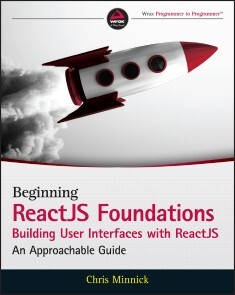
Beginning ReactJS Foundations Building User Interfaces with ReactJS
QUICKLY LEARN THE MOST WIDELY USED FRONT-END DEVELOPMENT LANGUAGE WITH EASE AND CONFIDENCEReact JS Foundations: Building User Interfaces with ReactJS - An Approachable Guide walks readers through the fundamental concepts of programming with the explosively popular front-end tool known as React JS. Written by an accomplished full-stack engineer, speaker, and community organizer, React JS Foundations teaches readers how to understand React and how to begin building applications with it. The book:* Explains and clarifies technical terminology with relevant and modern examples to assist people new to programming understand the language* Helps experienced programmers quickly get up to speed with React* Is stocked throughout with practical and applicable examples of day-to-day React workPerfect for beginner, intermediate, and advanced programmers alike, React JS Foundations will quickly bring you up to speed on one of the most useful and widely used front-end languages on the web today. You can start building your first application today. ABOUT THE AUTHORCHRIS MINNICK is an accomplished author, trainer, and web developer with experience working on web and mobile projects with both small and large companies. The companion website at www.reactjsfoundations.com provides code listings for each chapter, plus examples and downloads that can be used to test out the various ReactJS techniques in the book. Introduction XxviiCHAPTER 1: HELLO, WORLD! 1React without a Build Toolchain 1Interactive “Hello, World” with Create React App and JSX 7Summary 9CHAPTER 2: THE FOUNDATION OF REACT 11What’s in a Name? 11UI Layer 12Virtual DOM 13The Philosophy of React 14Thinking in Components 15Composition vs. Inheritance 15React Is Declarative 16React Is Idiomatic 17Why Learn React? 17React vs.... 18React vs. Angular 18React vs. Vue 19What React Is Not 19React Is Not a Web Server 20React Is Not a Programming Language 20React Is Not a Database Server 21React Is Not a Development Environment 21React Is Not the Perfect Solution to Every Problem 21Summary 21CHAPTER 3: JSX 23JSX Is Not HTML 23What Is JSX? 30How JSX Works 30Transpiler . . . Huh? 31Compilation vs. Transpilation 31JSX Transform 31Introducing Babel 31Eliminating Browser Incompatibilities 33Syntax Basics of JSX 33JSX Is JavaScript XML 33Beware of Reserved Words 33JSX Uses camelCase 33Preface Custom Attributes in DOM Elements with data-34JSX Boolean Attributes 34Use Curly Braces to Include Literal JavaScript 35Remember to Use Double Curly Braces with Objects 35Put Comments in Curly Braces 35When to Use JavaScript in JSX 36Conditionals in JSX 36Conditional Rendering with if/else and Element Variables 36Conditional Rendering with the && Operator 37Conditional Rendering with the Conditional Operator 38Expressions in JSX 38Using Children in JSX 40React Fragments 40Summary 41CHAPTER 4: ALL ABOUT COMPONENTS 43What Is a Component? 43Components vs. Elements 44Components Define Elements 44Elements Invoke Components 45Built-in Components 47HTML Element Components 47Attributes vs. Props 52Passing Props 52Accessing Props 52Standard HTML Attributes 54Non-Standard Attributes 56Custom Attributes 56User-DefinedComponents 56Types of Components 56Class Components 57Stepping through a React Class Component 68React.Component 68Importing React.Component 68The Class Header 69The Constructor Function 69Managing State in Class Components 71The Render Function 73Creating and Using Props 74Function Components 76What Are Function Components? 79How to Write Function Components 79Optimizations and Function Component Shortcuts 80Managing State in Function Components 83Differences between Function and Class Components 84React Component Children 84this.props.children 85Manipulating Children 86React.Children 86isValidElement 87cloneElement 87The Component Lifecycle 89Mounting 90constructor() 90static getDerivedStateFromProps 90render 90componentDidMount() 90Updating 90shouldComponentUpdate 91getSnapshotBeforeUpdate 91componentDidUpdate 92Unmounting 92componentWillUnmount 92Error Handling 92getDerivedStateFromError 92componentDidCatch 92Improving Performance and Avoiding Errors 92Avoiding Memory Leaks 93React.PureComponent 96React.memo 97React.StrictMode 98Rendering Components 98Rendering with ReactDOM 98Virtual DOM 100Other Rendering Engines 101React Native 101ReactDOMServer 102React Konsul 103react-pdf 103Component Terminology 103Summary 104CHAPTER 5: REACT DEVTOOLS 105Installation and Getting Started 105Inspecting Components 107Working with the Component Tree 108Searching for Components 110Using the Search Input Box 110Using Regular Expressions 110Filtering Components 112Selecting Components 114Editing Component Data in DevTools 114Working with Additional DevTools Functionality 118Profiling 119Summary 121CHAPTER 6: REACT DATA FLOW 123One-WayData Flow 123Understanding One-WayData Flow 124Why One-WayData Flow? 125Props 126Components Receive Props 126Props Can Be Any Data Type 126Props Are Read-Only 127Validating Incoming Props with PropTypes 129What Is PropTypes? 130Getting Started with PropTypes 131What Can PropTypes Validate? 133Default Props 141React State 145What Is state? 146Initializing state 146Initializing state in Class Components 146Initializing State in Function Components 147The Difference between state and props 149Updating state 149Updating a Class Component’s state with setState 150Updating state with Function Components 154What to Put in State 161Building the Reminders App 161What Not to Put in State 168Where to Put State 168Lifting State Up 170About the key Prop 177Filtering the Reminders 183Implementing the isComplete Changing Functionality 188Converting to Class Components 190Summary 198CHAPTER 7: EVENTS 199How Events Work in React 199What Is SyntheticEvent? 201Using Event Listener Attributes 202The Event Object 203Supported Events 204Event Handler Functions 211Writing Inline Event Handlers 211Writing Event Handlers in Function Components 212Writing Event Handlers in Class Components 213Binding Event Handler Functions 214Using bind 215Using Arrow Functions 216Passing Data to Event Handlers 218Summary 219CHAPTER 8: FORMS 221Forms Have State 221Controlled Inputs vs. Uncontrolled Inputs 222Updating a Controlled Input 223Controlling an Input in a Function Component 224Controlling an Input in a Class Component 224Lifting Up Input State 226Using Uncontrolled Inputs 228Using Different Form Elements 229Controlling the Input Element 230Controlling a textarea 230Controlling a Select Element 231Preventing Default Actions 231Summary 232CHAPTER 9: REFS 233What Refs Are 233How to Create a Ref in a Class Component 234How to Create a Ref in a Function Component 234Using Refs 234Creating a Callback Ref 236When to Use Refs 238When Not to Use Refs 238Examples 239Managing Focus 239Automatically Selecting Text 239Controlling Media Playback 241Setting Scroll Position 241Summary 242CHAPTER 10: STYLING REACT 243The Importance of Styles 243Importing CSS into the HTML File 244Using Plain Old CSS in Components 245Writing Inline Styles 247JavaScript Style Syntax 248Why to Use Inline Styles 249Why Not to Use Inline Styles 249Improving Inline Styles with Style Modules 249CSS Modules 250Naming CSS Module Files 251Advanced CSS Modules Functionality 252Global Classes 252Class Composition 252CSS-in- JS and Styled Components 253Summary 255CHAPTER 11: INTRODUCING HOOKS 257What Are Hooks? 257Why Were Hooks Introduced? 257Rules of Hooks 259The Built-in Hooks 259Managing State with useState 260Setting the Initial State 262Using the Setter Function 262Passing a Value to a Setter 263Passing a Function to a Setter 263Setter Function Value Comparison 264Hooking into the Lifecycle with useEffect 264Using the Default useEffect Behavior 265Cleaning Up After Effects 265Customizing useEffect 266Running Asynchronous Code with useEffect 270Subscribing to Global Data with useContext 272Combining Logic and State with useReducer 273Memoized Callbacks with useCallback 275Caching Computed Values with useMemo 278Solving Unnecessary Renders 278Solving Performance Problems 279Accessing Children Imperatively with useRef 279Customizing Exposed Values with useImperativeHandle 280Updating the DOM Synchronously with useLayoutEffect 281Writing Custom Hooks 281Labeling Custom Hooks with useDebugValue 283Finding and Using Custom Hooks 285use-http 285react-fetch-hook 286axios-hooks 286react-hook- form 286@rehooks/local-storage 287use-local- storage- state 287Other Fun Hooks 288Lists of Hooks 288Summary 288CHAPTER 12: ROUTING 289What Is Routing? 289How Routing Works in React 291Using React Router 293Installing and Importing react-router- dom 293The Router Component 294Selecting a Router 294Using the Router Component 295Linking to Routes 296Internal Linking with Link 296Internal Navigation with NavLink 298Automatic Linking with Redirect 302Creating Routes 302Restricting Path Matching 304Using URL Parameters 304The component Prop 305Render Props 306Switching Routes 307Rendering a Default Route 308Routing with Redirect 308Behind the Scenes: location, history, and match 309The history Object 310The location Object 313The match Object 313React Router Hooks 317useHistory 317useLocation 317useParams 317useRouteMatch 317Summary 318CHAPTER 13: ERROR BOUNDARIES 319The Best Laid Plans 319What Is an Error Boundary? 320Implementing an Error Boundary 323Building Your Own ErrorBoundary Component 323getDerivedStateFromErrors Is a Static Method 324getDerivedStateFromErrors Runs During the Render Phase 325getDerivedStateFromErrors Receives the Error as a Parameter 325getDerivedStateFromErrors Should Return an Object for Updating State 325Testing Your Boundary 326Logging Errors with ComponentDidCatch() 327Using a Logging Service 328Resetting the State 333Installing a Pre-Built ErrorBoundary Component 334What Can’t an Error Boundary Catch? 336Catching Errors in Error Boundaries with try/catch 336Catching Errors in Event Handlers with react-error- boundary 337Summary 338CHAPTER 14: DEPLOYING REACT 339What Is Deployment? 339Building an App 339Running the build Script 340Examining the build Directory 340The Built index.html 341The static Directory 342asset-manifest. json 342What’s in a Name? 343How Is a Deployed App Different? 343Development Mode vs. Production 343Putting It on the Web 344Web Server Hosting 344Node Hosting 345Deploying with Netlify 345Enabling Routing with Netlify 347Enabling Custom Domains and HTTPS 348Summary 349CHAPTER 15: INITIALIZE A REACT PROJECT FROM SCRATCH 351Building Your Own Toolchain 351Initializing Your Project 352The HTML Document 352The Main JavaScript File 353The Root Component 353Running in the Browser 354How Webpack Works 357Loaders 358Plugins 358Automating Your Build Process 358Making an HTML Template 359Development Server and Hot Reloading 360Testing Tools 360Installing and Configuring ESLint 360ESLint Configuration 361How to Fix Errors 362Testing with Jest 363Creating NPM Scripts 364Structuring Your Source Directory 365Grouping by File Type 366Grouping by Features 367Summary 367CHAPTER 16: FETCHING AND CACHING DATA 369Asynchronous Code: It’s All About Timing 369JavaScript Never Sleeps 370Where to Run Async Code in React 374Ways to Fetch 376Getting Data with Fetch 377Getting Data with Axios 377Using Web Storage 379Two Types of Web Storage 379When to Use Web Storage 380When Not to Use Web Storage 380Web Storage Is Synchronous 380Working with localStorage 381Storing Data with localStorage 381Reading Data from localStorage 382Removing Data from localStorage 384Summary 385CHAPTER 17: CONTEXT API 387What Is Prop Drilling? 387How Context API Solves the Problem 388Creating a Context 388Creating a Provider 389Consuming a Context 390Using Context in a Class Component 390Using Context in a Function Component 391Common Use Cases for Context 391When Not to Use Context 392Composition as an Alternative to Context 392Example App: User Preferences 396Summary 398CHAPTER 18: REACT PORTALS 399What Is a Portal? 399How to Make a Portal 399Why Not Just Render Multiple Component Trees? 403Common Use Cases 403Rendering and Interacting with a Modal Dialog 404Managing Keyboard Focus with Modals 409Summary 411CHAPTER 19: ACCESSIBILITY IN REACT 413Why Is Accessibility Important? 413Accessibility Basics 414Web Content Accessibility Guidelines (WCAG) 414Web Accessibility Initiative –Accessible Rich Internet Applications (WAI-ARIA) 415Implementing Accessibility in React Components 415ARIA Attributes in React 416Semantic HTML 416Form Accessibility 417Focus Control in React 418Skip Links 418Managing Focus Programmatically 419Media Queries in React 420Media Queries in Included CSS 421Using useMediaQuery 422Summary 422CHAPTER 20: GOING FURTHER 425Testing 425Mocha 426Enzyme 426Chai 427Assert 427Expect 428Should 428Karma 428Nightwatch.js 428Server-SideRendering 429Flux 430Redux 430GraphQL 432Apollo 433React Native 434Next.js 434Gatsby 434People to Follow 435Useful Links and Resources 435Summary 436Index 437

Der Weg zum Python-Profi
Ein Best-Practice-Buch für sauberes Programmieren. Der Brückenschlag zu einer anderen Ebene der Python-Programmierung.Sie haben ein grundlegendes Python-Programmiertutorial absolviert oder bereits erste Erfahrungen im Programmieren. Was ist der nächste Schritt auf dem Weg zur fähigen, kompetenten Softwareentwickler:in? Der Weg zum Python Profi ist mehr als eine bloße Sammlung meisterhafter Tipps für das Schreiben von sauberem Code. Es zeigt Ihnen, wie Sie die Kommandozeile bedienen und andere professionelle Tools wie Code-Formatierer, Type Checkers, Linters und Versionskontrolle verwenden können. Al Sweigart führt Sie durch bewährte Praktiken für die Einrichtung Ihrer Entwicklungsumgebung, die Benennung von Variablen und die Verbesserung der Lesbarkeit und geht dann auf Dokumentation, Organisation, Leistungsmessung, objektorientiertes Design und sogar Big-O-Algorithmus-Analyse ein. Die Hinweise und Anleitungen des Buchs werden Ihre Programmierfähigkeiten deutlich verbessern - nicht nur in Python, sondern in jeder Sprache.Sie werden lernen:wie Sie Pythons automatisches Formatierungswerkzeug Black für sauberen Code verwendenwie Sie häufige Fehlerquellen erkennen und sie mit Static analyzers aufspürenwie Sie die Dateien in Ihren Code-Projekten mit dem Cookiecutter-Template-Tool strukturierenerschließen Sie sich funktionale Programmiertechniken wie Lambda- und Funktionen höherer Ordnungwie Sie die Geschwindigkeit Ihres Codes mit den in Python integrierten Modulen timeit und cProfile verbessern könnenwie Sie Ihre Kommentare und Dokumentationsstrings informativ gestalten und wie oft Sie sie schreiben solltenAutor: Al Sweigart arbeitet als Softwareentwickler und bringt Jugendlichen und Erwachsenen das Programmieren bei. Er ist Autor mehrerer Bücher für Einsteiger, u.a. „Eigene Spiele programmieren mit Python“.
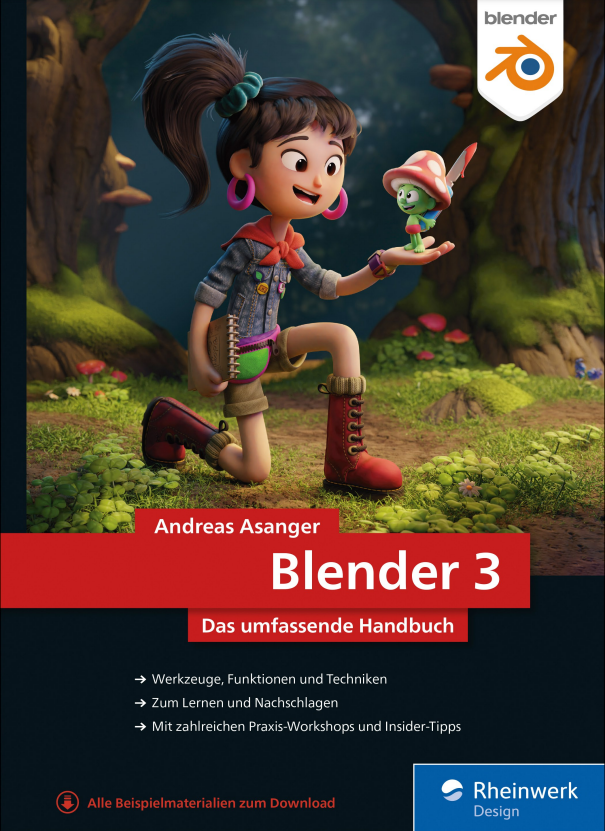
Blender 3
Das umfassende Handbuch. Blender verstehen und anwenden – aktuell zum großen Update 3!Das große Handbuch zu allen wichtigen Funktionen von Blender 3. Dieses Buch bietet einen soliden Einstieg in die 3D-Software und in die Grundlagen des 3D-Designs. Aber es geht noch weiter: Es begleitet Sie vom Modelling über Texturing und Shading, die Beleuchtung, Rigging und Animation bis hin zu Simulation, Rendering und Postproduktion. In Schritt-für-Schritt-Anleitungen konstruieren, texturieren und animieren Sie Ihre eigenen 3D-Objekte und setzen das Gelernte direkt in die Praxis um. Das verlässliche Lern- und Nachschlagewerk für alle Anwender! Aus dem Inhalt: Arbeitsoberfläche, Navigation und ObjekteModelling und SculptingShading, Texturing und MappingLichtquellen, Kameras und TrackingAnimationen mit Keyframes, Pfaden und DrivernPartikelsysteme, Haare und KollisionenRauch, Feuer und FlüssigkeitenDie neuen Geometry Nodes2D-Animationen mit Grease PencilRendering mit Eevee und CyclesCompositing, Schnitt und TonImport und Export Leseprobe (PDF-Link)Autor: Andreas Asanger ist als technischer Redakteur und Medienentwickler in den Bereichen Grafik, Visualisierung und 3D-Animation tätig.

Beginning Scala 3
Learn the latest version of Scala through simple, practical examples. This book introduces you to the Scala programming language, its object-oriented and functional programming characteristics, and then guides you through Scala constructs and libraries that allow you to assemble small components into high-performance, scalable systems.Beginning Scala 3 explores new Scala 3 language features such as Top-level declarations, Creator applications, Extension methods to add extra functionality to existing types, and Enums. You will also learn new ways to manipulate types via Union types, intersection, literal, and opaque type aliases. Additionally, you’ll see how Implicits are replaced by given and using clauses.After reading this book, you will understand why Scala is judiciously used for critical business applications by leading companies such as Twitter, LinkedIn, Foursquare, the Guardian, Morgan Stanley, Credit Suisse, UBS, and HSBC – and you will be able to use it in your own projects.WHAT YOU WILL LEARN* Get started with Scala 3 or Scala language programming in general* Understand how to utilitze OOP in Scala* Perform functional programming in Scala* Master the use of Scala collections, traits and implicits* Leverage Java and Scala interopability* Employ Scala for DSL programming* Use patterns and best practices in ScalaWHO THIS BOOK IS FORThose with a background in Java and/or Kotlin who are new to Scala. This book is also for those with some prior Scala experience who want to learn Scala version 3.DAVID POLLAK has been writing commercial software since 1977. He wrote the award-winning Mesa spreadsheet, which in 1992 was the first real-time spreadsheet. Wall Street companies traded billions of dollars a day through Mesa. In 1996, David sold his company to CMP Media and became CTO of CMP Media's NetGuide Live and was one of the first large-scale users of Java and WebLogic to power an Internet site. In 1998, David released Integer, the world's first browser-accessible, multiuser spreadsheet. Since 2000, David has been consulting for companies including Hewlett-Packard, Pretzel Logic/WebGain, BankServ, Twitter, and SAP. David has been using Scala since 2006 and is the lead developer of the Lift Web framework.VISHAL LAYKA is the chief technology officer of Star Protocol. He is involved in the architecture, design, and implementation of distributed business systems, and his focus is on consulting and training with the JVM languages. His language proficiencies include Java, Groovy, Scala, and Haskell. Vishal is also the lead author of Beginning Groovy, Grails, and Griffon (Apress, 2012). When he needs a break from technology, Vishal reads eclectically from calculus to star formation.ANDRES SACCO has been a professional developer since 2007, working with a variety of languages, including Java, Scala, PHP, NodeJs, and Kotlin. Most of his background is in Java and the libraries or frameworks associated with it, but since 2016, he has utilized Scala as well, depending on the situation. He is focused on researching new technologies to improve the performance, stability, and quality of the applications he develops.BEGINNING SCALA 3 (3E)1. Getting started with Scala2. Basics of Scala3. OOP in Scala4. Functional programming in Scala5. Pattern matching6. Scala Collections7. Traits8. Types and Implicits9. Scala and Java Interoperability10. SBT11. Building web applications with Scala12. DSL13. Scala Best practices

Learn JavaFX 17
This unique in-depth tutorial shows you how to start developing rich-client desktop applications using your Java skills and provides comprehensive coverage of JavaFX 17's features. Each chapter starts with an introduction to the topic at hand, followed by a step-by-step discussion of the topic with small snippets of code. The book contains numerous figures aiding readers in visualizing the GUI that is built at every step in the discussion. This book has been revised to include JavaFX 17 and earlier releases since previous edition.It starts with an introduction to JavaFX and its history. It lists the system requirements and the steps to start developing JavaFX applications. It shows you how to create a Hello World application in JavaFX, explaining every line of code in the process. Later in the book, authors Kishori Sharan and Peter Späth discuss advanced topics such as 2D and 3D graphics, charts, FXML, advanced controls, and printing. Some of the advanced controls such as TableView, and WebView are covered at length in separate chapters.This book provides complete and comprehensive coverage of JavaFX 17 features; uses an incremental approach to teach JavaFX, assuming no prior GUI knowledge; includes code snippets, complete programs, and pictures; covers MVC patterns using JavaFX; and covers advanced topics such as FXML, effects, transformations, charts, images, canvas, audio and video, DnD, and more. So, after reading and using this book, you'll come away with a comprehensive introduction to the JavaFX APIs.WHAT YOU WILL LEARN* How to build JavaFX User Interfaces and Java clients* What are properties, bindings, observable collections, stages, scenes; how to use these* How to play with colors, styling nodes and event handling* How to add user interactivity (mouse, keyboard, DnD)* How to do tables, trees and tree tables* How to do 2D shapes, text nodes, 3D shapes* How to apply effects, transformations, animations, images* How to draw; play audio and videoWHO IS THIS BOOK FOR:Developers new to the JavaFX platform. Some prior Java experience is recommended.KISHORI SHARAN has earned a Master of Science in Computer Information Systems degree from Troy State University, Alabama. He is a Sun Certified Java 2 programmer. He has vast experience in providing training to professional developers in Java, JSP, EJB, and Web technology. He possesses over ten years of experience in implementing enterprise level Java application.PETER SPÄTH graduated in 2002 as a physicist and soon afterward became an IT consultant, mainly for Java-related projects. In 2016, he decided to concentrate on writing books on various aspects, but with a main focus on software development. With two books about graphics and sound processing, three books on Android app development, and a beginner’s book on Jakarta EE development, the author continues his effort in writing software development-related literature.Chapter 1. Getting Started with JavaFXChapter 2. Properties and BindingsChapter 3. Observable CollectionsChapter 4. Managing StagesChapter 5. Making ScenesChapter 6. Understanding NodesChapter 7. Playing with ColorsChapter 8. Styling NodesChapter 9. Event HandlingChapter 10. Understanding Layout PanesChapter 11. Model-View-Controller PatternChapter 12. Understanding ControlsChapter 13. Understanding TableViewChapter 14. Understanding TreeViewChapter 15. Understanding TreeTableViewChapter 16. Browsing Web PagesChapter 17. Understanding 2D ShapesChapter 18. Understanding Text NodesChapter 19. Understanding 3D ShapesChapter 20. Applying EffectsChapter 21. Understanding TransformationsChapter 22. Understanding AnimationChapter 24. Understanding ImagesChapter 25. Drawing on a CanvasChapter 26. Understanding Drag-and-DropChapter 27. Understanding Concurrency in JavaFXChapter 28. Playing Audios and VideosChapter 29. Understanding FXMLChapter 30. Printing
Excel Power Pivot & Power Query For Dummies
LEARN TO CRUNCH HUGE AMOUNTS OF DATA WITH POWERPIVOT AND POWER QUERYDo you have a ton of data you need to make sense of? Microsoft’s Excel program can handle amazingly large data sets, but you’ll need to get familiar with PowerPivot and Power Query to get started. And that’s where Dummies comes in. With step-by-step instructions—accompanied by ample screenshots—Excel PowerPivot & Power Query For Dummies will teach you how to save time, simplify your processes, and enhance your data analysis and reporting. Use Power Query to discover, connect to, and import your organization’s data. Then use PowerPivot to model it in Excel. You’ll also learn to:* Make use of databases to store large amounts of data* Use custom functions to extend and enhance Power Query* Add the functionality of formulas to PowerPivot and publish data to SharePointIf you’re expected to wrangle, interpret, and report on large amounts of data, Excel PowerPivot & Power Query For Dummies gives you the tools you need to get up to speed quickly. MICHAEL ALEXANDER is a senior consultant at Slalom Consulting with more than 15 years’ experience in data management and reporting. He is the author of more than a dozen books on business analysis using Microsoft Excel and has been named Microsoft Excel MVP for his contributions to the Excel community.INTRODUCTION1About This Book 2Foolish Assumptions 3Icons Used in This Book 3Beyond the Book 4Where to Go from Here 4PART 1: SUPERCHARGED REPORTING WITH POWER PIVOT 5CHAPTER 1: THINKING LIKE A DATABASE 7Exploring the Limits of Excel and How Databases Help 7Scalability 8Transparency of analytical processes 9Separation of data and presentation 10Getting to Know Database Terminology 11Databases 11Tables 11Records, fields, and values 12Queries 13Understanding Relationships 13CHAPTER 2: INTRODUCING POWER PIVOT 17Understanding the Power Pivot Internal Data Model 18Linking Excel Tables to Power Pivot 20Preparing Excel tables 21Adding Excel Tables to the data model 22Creating relationships between Power Pivot tables 24Managing existing relationships 26Using the Power Pivot data model in reporting 27CHAPTER 3: THE PIVOTAL PIVOT TABLE 29Introducing the Pivot Table 30Defining the Four Areas of a Pivot Table 30Values area 30Row area 31Column area 31Filter area 32Creating Your First Pivot Table 33Changing and rearranging a pivot table 36Adding a report filter 37Keeping the pivot table fresh 38Customizing Pivot Table Reports 40Changing the pivot table layout 40Customizing field names 41Applying numeric formats to data fields 42Changing summary calculations 43Suppressing subtotals 44Showing and hiding data items 47Hiding or showing items without data 49Sorting the pivot table 51Understanding Slicers 52Creating a Standard Slicer 54Getting Fancy with Slicer Customizations 56Size and placement 56Data item columns 57Miscellaneous slicer settings 58Controlling Multiple Pivot Tables with One Slicer 58Creating a Timeline Slicer 59CHAPTER 4: USING EXTERNAL DATA WITH POWER PIVOT 63Loading Data from Relational Databases 64Loading data from SQL Server 64Loading data from Microsoft Access databases 70Loading data from other relational database systems 72Loading Data from Flat Files 75Loading data from external Excel files 76Loading data from text files 78Loading data from the Clipboard 81Loading Data from Other Data Sources 82Refreshing and Managing External Data Connections 83Manually refreshing Power Pivot data 83Setting up automatic refreshing 84Preventing Refresh All 85Editing the data connection 86CHAPTER 5: WORKING DIRECTLY WITH THE INTERNAL DATA MODEL 89Directly Feeding the Internal Data Model 89Managing Relationships in the Internal Data Model 95Managing Queries and Connections 96Creating a New Pivot Table Using the Internal Data Model 97Filling the Internal Data Model with Multiple External Data Tables 98CHAPTER 6: ADDING FORMULAS TO POWER PIVOT 103Enhancing Power Pivot Data with Calculated Columns 103Creating your first calculated column 104Formatting calculated columns 105Referencing calculated columns in other calculations 106Hiding calculated columns from end users 107Utilizing DAX to Create Calculated Columns 108Identifying DAX functions that are safe for calculated columns 108Building DAX-driven calculated columns 110Month sorting in Power Pivot–driven pivot tables 112Referencing fields from other tables 113Nesting functions 115Understanding Calculated Measures 116Creating a calculated measure 116Editing and deleting calculated measures 118Free Your Data with Cube Functions 119CHAPTER 7: DIVING INTO DAX 121DAX Language Fundamentals 121Using DAX operators 125Applying conditional logic in DAX 126Working with DAX aggregate functions 128Exploring iterator functions and row context 129Understanding Filter Context 133Getting context transitions with the CALCULATE function 135Adding flexibility with the FILTER function 137PART 2: WRANGLING DATA WITH POWER QUERY 141CHAPTER 8: INTRODUCING POWER QUERY 143Power Query Basics 144Starting the query 144Understanding query steps 150Refreshing Power Query data 152Managing existing queries 153Understanding Column-Level Actions 155Understanding Table Actions 157CHAPTER 9: POWER QUERY CONNECTION TYPES 159Importing Data from Files 160Getting data from Excel workbooks 160Getting data from CSV and text files 161Getting data from PDF files 163Getting data from folders 164Importing Data from Database Systems 165A connection for every database type 165Getting data from other data systems 167Walk-through: Getting data from a database 168Managing Data Source Settings 170Data Profiling with Power Query 171Data Profiling options 172Data Profiling quick actions 173CHAPTER 10: TRANSFORMING YOUR WAY TO BETTER DATA 175Completing Common Transformation Tasks 176Removing duplicate records 176Filling in blank fields 178Concatenating columns 179Changing case 181Finding and replacing specific text 181Trimming and cleaning text 183Extracting the left, right, and middle values 184Splitting columns using character markers 187Pivoting and unpivoting fields 189Creating Custom Columns 193Concatenating with a custom column 195Understanding data type conversions 196Spicing up custom columns with functions 197Adding conditional logic to custom columns 199Grouping and Aggregating Data 201Working with Custom Data Types 203CHAPTER 11: MAKING QUERIES WORK TOGETHER 207Reusing Query Steps 208Understanding the Append Feature 211Creating the needed base queries 212Appending the data 213Understanding the Merge Feature 216Understanding Power Query joins 216Merging queries 217Understanding Fuzzy Match 221CHAPTER 12: EXTENDING POWER QUERY WITH CUSTOM FUNCTIONS 225Creating and Using a Basic Custom Function 225Creating a Function to Merge Data from Multiple Excel Files 229Creating Parameter Queries 236Preparing for a parameter query 236Creating the base query 238Creating the parameter query 239PART 3: THE PART OF TENS 243CHAPTER 13: TEN WAYS TO IMPROVE POWER PIVOT PERFORMANCE 245Limit the Number of Rows and Columns in Your Data Model Tables 246Use Views Instead of Tables 246Avoid Multi-Level Relationships 246Let the Back-End Database Servers Do the Crunching 247Beware of Columns with Many Unique Values 248Limit the Number of Slicers in a Report 248Create Slicers Only on Dimension Fields 249Disable the Cross-Filter Behavior for Certain Slicers 250Use Calculated Measures Instead of Calculated Columns 250Upgrade to 64-Bit Excel 251CHAPTER 14: TEN TIPS FOR WORKING WITH POWER QUERY 253Getting Quick Information from the Queries & Connections Pane 253Organizing Queries in Groups 254Selecting Columns in Queries Faster 255Renaming Query Steps 256Quickly Creating Reference Tables 257Viewing Query Dependencies 258Setting a Default Load Behavior 259Preventing Automatic Data Type Changes 259Disabling Privacy Settings to Improve Performance 261Disabling Relationship Detection 261Index 263
Office 2021 All-in-One For Dummies
SAY HELLO TO OFFICE PRODUCTIVITY WITH THIS ONE-STOP REFERENCEWith Office 2021 All-in-One For Dummies, you can get up and running with Microsoft's legendary software suite. This update covers all the tweaks you can find in the latest version of Word, Excel, PowerPoint, Outlook, and Teams. You'll also learn how to make these apps work harder for you, because we dig deep into the tips and features that casual Office users might not know about. This edition also offers expanded coverage of Teams and other collaborative tools, so you can nail working from home, or just get a few of those meetings out of the way without having to leave your desk. How can you quickly give documents the same format in Word? What was that one useful Excel function, again? And how does setting up a meeting on Teams work? Office 2021 All-in-One For Dummies serves up quick and simple answers to these questions, along with hundreds of other answers you're expected to know when you work in Office.* Learn how Microsoft Office works and get the most out of Word, Excel, PowerPoint, Outlook, and Teams* Make amazing charts and graphs that you can plug into your documents, spreadsheets, and presentations* Get better at working collaboratively with file sharing options and other neat features* Do more, faster with expert tips and guidance on the full suite of Office software for 2021Whether you're new to Office or just need a refresher for the newest updates, the nine mini-books inside are your keys to getting stuff done. PETER WEVERKA is a long-time For Dummies technology author who’s written some of the series’ top-selling titles, including Office 365 All-in-One For Dummies.INTRODUCTION 1BOOK 1: COMMON MICROSOFT OFFICE TASKS 5Chapter 1: Office Nuts and Bolts 7Chapter 2: Wrestling with the Text 27Chapter 3: Speed Techniques Worth Knowing About 47BOOK 2: WORD 2021 55Chapter 1: Speed Techniques for Using Word 57Chapter 2: Laying Out Text and Pages 77Chapter 3: Word Styles 103Chapter 4: Constructing the Perfect Table 121Chapter 5: Taking Advantage of the Proofing Tools 145Chapter 6: Desktop Publishing with Word 165Chapter 7: Getting Word's Help with Office Chores 183Chapter 8: Tools for Reports and Scholarly Papers 203BOOK 3: EXCEL 2021 227Chapter 1: Up and Running with Excel 229Chapter 2: Refining Your Worksheet 247Chapter 3: Formulas and Functions for Crunching Numbers 261Chapter 4: Making a Worksheet Easier to Read and Understand 293Chapter 5: Advanced Techniques for Analyzing Data 311BOOK 4: POWERPOINT 2021 329Chapter 1: Getting Started in PowerPoint 331Chapter 2: Fashioning a Look for Your Presentation 353Chapter 3: Entering the Text 367Chapter 4: Making Your Presentations Livelier 385Chapter 5: Delivering a Presentation 401BOOK 5: OUTLOOK 2021 421Chapter 1: Outlook Basics 423Chapter 2: Maintaining the People App 435Chapter 3: Handling Your Email 445Chapter 4: Managing Your Time and Schedule 467BOOK 6: ACCESS 2021 479Chapter 1: Introducing Access 481Chapter 2: Building Your Database Tables 497Chapter 3: Entering the Data 525Chapter 4: Sorting, Querying, and Filtering for Data 535Chapter 5: Presenting Data in a Report 557BOOK 7: PUBLISHER 2021 563Chapter 1: Introducing Publisher 565Chapter 2: Refining a Publication 577Chapter 3: Putting on the Finishing Touches 589BOOK 8: WORKING WITH CHARTS AND GRAPHICS 601Chapter 1: Creating a Chart 603Chapter 2: Making a SmartArt Diagram 623Chapter 3: Handling Graphics and Photos 643Chapter 4: Drawing and Manipulating Lines, Shapes, and Other Objects 659BOOK 9: OFFICE 2021: ONE STEP BEYOND 693Chapter 1: Customizing an Office Program 695Chapter 2: Ways of Distributing Your Work 709BOOK 10: FILE SHARING AND COLLABORATING 717Chapter 1: Up and Running on OneDrive 719Chapter 2: File Sharing and Collaborating 731INDEX 739
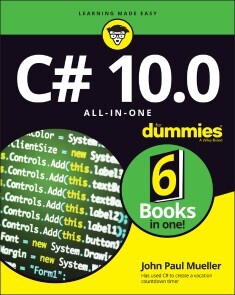
C# 10.0 All-in-One For Dummies
LOOK SHARP—LEARN OR REFRESH YOUR C# SKILLS WITH THE LATEST VERSIONC# is one of the most popular programming languages, and frequent updates help it keep pace as the world of coding changes. You can keep pace too, thanks to C# 10.0 All-in-One For Dummies, where you'll learn the basics of the language itself, how to code in Visual Studio, and how to take advantage of the new features in the latest release. At every stage of your career, you'll need to know the cutting-edge trends and techniques that clients want. This book has your back, with info on object-oriented programming, writing secure code, building web applications, and more. The six standalone mini-books you'll find inside this all-in-one will take you through the changes to C# and the practical applications and dev tools that you need to know. New features covered include records, init only setters, top-level statements, pattern matching enhancements, fit and finish features, and a lot more. Plus, this version is packed with more examples and code snippets, so you can sharply see C# in action!* Learn the very basics of C# programming, even if you have no prior experience* Refresh your knowledge of the language and learn how to use the new features in the 10.0 version release* Read six mini-books on hot coding topics like object-oriented programming, Visual Studio, and Windows 10 development* Enhance your employability and join the 6.5-million-strong community of C# developersYou need an easy-to-read C# guide that will help you understand the incoming updates, and this For Dummies reference is it. JOHN PAUL MUELLER is an author and technical editor with experience in application development, database management, machine learning, and deep learning. He has written hundreds of books and articles helping everyday people learn everything from networking to database management.INTRODUCTION 1About This Book 1Foolish Assumptions 2Icons Used in This Book 3Beyond the Book 3Where to Go from Here 4BOOK 1: THE BASICS OF C# PROGRAMMING 5CHAPTER 1: CREATING YOUR FIRST C# CONSOLE APPLICATION 7Getting a Handle on Computer Languages, C#, and NET 8What’s a program? 8What’s C#? 9What’s NET? 9What is Visual Studio 2022? 10Creating Your First Console Application 11Creating the source program 11Taking it out for a test drive 17Making Your Console App Do Something 17Reviewing Your Console Application 18The program framework 19Comments 19The meat of the program 19Replacing All that Ceremonial Code: Top-Level Statements 20Introducing the Toolbox Trick 21Saving code in the Toolbox 22Reusing code from the Toolbox 22Interacting with C# Online 23Working with Jupyter Notebook: The Short Version 23CHAPTER 2: LIVING WITH VARIABILITY — DECLARING VALUE-TYPE VARIABLES 25Declaring a Variable 26What’s an int? 27Rules for declaring variables 28Variations on a theme: Different types of int 28Representing Fractions 30Handling Floating-Point Variables 31Declaring a floating-point variable 31Examining some limitations of floating-point variables 32Using the Decimal Type: Is It an Integer or a Float? 34Declaring a decimal 35Comparing decimals, integers, and floating-point types 35Examining the bool Type: Is It Logical? 36Checking Out Character Types 36The char variable type 36Special chars 37The string type 37What’s a Value Type? 39Comparing string and char 40Calculating Leap Years: DateTime 41Declaring Numeric Constants 43Changing Types: The Cast 44Letting the C# Compiler Infer Data Types 46CHAPTER 3: PULLING STRINGS 49The Union Is Indivisible, and So Are Strings 50Performing Common Operations on a String 51Comparing Strings 52Equality for all strings: The Compare() method 52Would you like your compares with or without case? 56What If I Want to Switch Case? 56Distinguishing between all-uppercase and all-lowercase strings 56Converting a string to upper- or lowercase 57Looping through a String 58Searching Strings 59Can I find it? 59Is my string empty? 60Using advanced pattern matching 60Getting Input from Users in Console Applications 61Trimming excess white space 62Parsing numeric input 62Handling a series of numbers 64Joining an array of strings into one string 66Controlling Output Manually 67Using the Trim() and Pad() methods 67Using the Concatenate() method 69Go Ahead and Split() that concatenate program 71Formatting Your Strings Precisely 72Using the String.Format() method 72Using the interpolation method 77StringBuilder: Manipulating Strings More Efficiently 77CHAPTER 4: SMOOTH OPERATORS 81Performing Arithmetic 81Simple operators 82Operating orders 82The assignment operator 84The increment operator 84Performing Logical Comparisons — Is That Logical? 85Comparing floating-point numbers: Is your float bigger than mine? 86Compounding the confusion with compound logical operations 87Matching Expression Types at TrackDownAMate.com 89Calculating the type of an operation 89Assigning types 91Changing how an operator works: Operator overloading 92CHAPTER 5: GETTING INTO THE PROGRAM FLOW 95Branching Out with if and switch 96Introducing the if statement 97Examining the else statement 100Avoiding even the else 101Nesting if statements 102Running the switchboard 104Here We Go Loop-the-Loop 110Looping for a while 111Doing the do while loop 114Breaking up is easy to do 115Looping until you get it right 116Focusing on scope rules 120Looping a Specified Number of Times with for 120A for loop example 121Why do you need another loop? 122Nesting loops 123CHAPTER 6: LINING UP YOUR DUCKS WITH COLLECTIONS 125The C# Array 126The argument for the array 126The fixed-value array 127The variable-length array 129Initializing an array 132Processing Arrays by Using foreach 133Working with foreach loops in a standard way 133Relying on GetEnumerator support 134Sorting Arrays of Data 136Using var for Arrays 139Loosening Up with C# Collections 140Understanding Collection Syntax 141Figuring out 142Going generic 142Using Lists 143Instantiating an empty list 143Creating a list of type int 144Converting between lists and arrays 144Searching lists 144Performing other list tasks 145Using Dictionaries 145Creating a dictionary 145Searching a dictionary 146Iterating a dictionary 146Array and Collection Initializers 147Initializing arrays 148Initializing collections 148Using Sets 149Performing special set tasks 149Creating a set 150Adding items to a set 150Performing a union 151Performing an intersection 152Performing a difference 153CHAPTER 7: STEPPING THROUGH COLLECTIONS 155Iterating through a Directory of Files 156Using the LoopThroughFiles program 156Getting started 157Obtaining the initial input 157Creating a list of files 159Formatting the output lines 160Displaying the hexadecimal output 161Running from inside Visual Studio 163Iterating foreach Collections: Iterators 164Accessing a collection: The general problem 164Letting C# access data foreach container 167Accessing Collections the Array Way: Indexers 169Indexer format 169An indexer program example 170Looping Around the Iterator Block 173Creating the required iterator block framework 174Iterating days of the month: A first example 176What a collection is, really 177Iterator syntax gives up so easily 178Iterator blocks of all shapes and sizes 180CHAPTER 8: BUYING GENERIC 187Writing a New Prescription: Generics 188Generics are type-safe 188Generics are efficient 189Classy Generics: Writing Your Own 190Shipping packages at OOPs 190Queuing at OOPs: PriorityQueue 191Unwrapping the package 194Touring Main() 196Writing generic code the easy way 197Saving PriorityQueue for last 198Using a (nongeneric) Simple Factory class 201Understanding Variance in Generics 205Contravariance 206Covariance 208CHAPTER 9: SOME EXCEPTIONAL EXCEPTIONS 209Using an Exceptional Error-Reporting Mechanism 210About try blocks 211About catch blocks 211About finally blocks 212What happens when an exception is thrown 213Throwing Exceptions Yourself 215Can I Get an Exceptional Example? 216Working with Custom Exceptions 220Planning Your Exception-Handling Strategy 221Some questions to guide your planning 221Guidelines for code that handles errors well 222How to find out which methods throw which exceptions 223Grabbing Your Last Chance to Catch an Exception 225Throwing Expressions 226CHAPTER 10: CREATING LISTS OF ITEMS WITH ENUMERATIONS 229Seeing Enumerations in the Real World 230Working with Enumerations 231Using the enum keyword 231Creating enumerations with initializers 233Specifying an enumeration data type 234Creating Enumerated Flags 235Defining Enumerated Switches 237Working with Enumeration Methods 238BOOK 2: OBJECT-ORIENTED C# PROGRAMMING 241CHAPTER 1: SHOWING SOME CLASS 243A Quick Overview of Object-Oriented Programming 244Considering OOP basics 244Extending classes to meet other needs 244Keeping objects safe 245Working with objects 246Defining a Class and an Object 246Defining a class 247What’s the object? 249Accessing the Members of an Object 250Working with Object-Based Code 250Using the traditional approach 250Using the C# 9.0 approach 252Discriminating between Objects 253Can You Give Me References? 254Classes That Contain Classes Are the Happiest Classes in the World 256Generating Static in Class Members 257Defining const and readonly Data Members 259CHAPTER 2: WE HAVE OUR METHODS 261Defining and Using a Method 262Method Examples for Your Files 263Understanding the problem 264Working with standard coding methods 265Applying a refactoring approach 268Working with local functions 271Having Arguments with Methods 273Passing an argument to a method 273Passing multiple arguments to methods 274Matching argument definitions with usage 276Overloading a method doesn’t mean giving it too much to do 276Implementing default arguments 278Using the Call-by-Reference Feature 280Defining a Method with No Return Value 281Returning Multiple Values Using Tuples 282Using a tuple 283Relying on the Create() method 284Creating tuples with more than two items 284CHAPTER 3: LET ME SAY THIS ABOUT THIS 287Passing an Object to a Method 288Comparing Static and Instance Methods 290Employing static properties and methods effectively 291Employing instance properties and methods effectively 293Expanding a method’s full name 295Accessing the Current Object 296What is the this keyword? 298When is the this keyword explicit? 299Using Local Functions 300Creating a basic local function 300Using attributes with local functions 301CHAPTER 4: HOLDING A CLASS RESPONSIBLE 303Restricting Access to Class Members 303A public example of public BankAccount 304Jumping ahead — other levels of security 306Why You Should Worry about Access Control 307Accessor methods 308Working with init-only setters 309Access control to the rescue — an example 311Defining Class Properties 313Static properties 315Properties with side effects 315Accessors with access levels 316Using Target Typing for Your Convenience 316Dealing with Covariant Return Types 319Getting Your Objects Off to a Good Start — Constructors 320The C#-Provided Constructor 321Replacing the Default Constructor 322Constructing something 324Initializing an object directly with an initializer 326Seeing that construction stuff with initializers 326Initializing an object without a constructor 327Using Expression-Bodied Members 329Creating expression-bodied methods 329Defining expression-bodied properties 329Defining expression-bodied constructors and destructors 330Defining expression-bodied property accessors 330Defining expression-bodied event accessors 331CHAPTER 5: INHERITANCE: IS THAT ALL I GET? 333Why You Need Inheritance 334Inheriting from a BankAccount Class (a More Complex Example) 335Working with the basic update 336Tracking the BankAccount and SavingsAccount classes features 339IS_A versus HAS_A — I’m So Confused_A 342The IS_A relationship 342Gaining access to BankAccount by using containment 343The HAS_A relationship 345When to IS_A and When to HAS_A 346Other Features That Support Inheritance 346Substitutable classes 346Invalid casts at runtime 347Avoiding invalid conversions with the is operator 348Avoiding invalid conversions with the as operator 349CHAPTER 6: POLY-WHAT-ISM? 353Overloading an Inherited Method 354It’s a simple case of method overloading 354Different class, different method 355Peek-a-boo — hiding a base class method 355Polymorphism 361Using the declared type every time (Is that so wrong?) 362Using is to access a hidden method polymorphically 364Declaring a method virtual and overriding it 365Getting the most benefit from polymorphism 368C# During Its Abstract Period 368Class factoring 369The abstract class: Left with nothing but a concept 373How do you use an abstract class? 374Creating an abstract object — not! 377Sealing a Class 377CHAPTER 7: INTERFACING WITH THE INTERFACE 379Introducing CAN_BE_USED_AS 379Knowing What an Interface Is 381How to implement an interface 382Using the newer C# 8.0 additions 383How to name your interface 386Why C# includes interfaces 386Mixing inheritance and interface implementation 387And he-e-e-re’s the payoff 387Using an Interface 388As a method return type 389As the base type of an array or collection 389As a more general type of object reference 390Using the C# Predefined Interface Types 390Looking at a Program That CAN_BE_USED_AS an Example 391Creating your own interface at home in your spare time 391Implementing the incomparable I Comparable interface 392Creating a list of students 394Testing everything using Main() 395Unifying Class Hierarchies 396Hiding Behind an Interface 399Inheriting an Interface 401Using Interfaces to Manage Change in Object-Oriented Programs 402Making flexible dependencies through interfaces 403Abstract or concrete: When to use an abstract class and when to use an interface 404Doing HAS_A with interfaces 405CHAPTER 8: DELEGATING THOSE IMPORTANT EVENTS 407E.T., Phone Home — The Callback Problem 408Defining a Delegate 408Pass Me the Code, Please — Examples 411Delegating the task 411First, a simple example 412Considering the Action, Func, and Predicate delegate types 413A More Real-World Example 415Putting the app together 416Setting the properties and adding event handlers 418Looking at the workhorse code 419Shh! Keep It Quiet — Anonymous Methods 421Defining the basic anonymous method 421Using static anonymous methods 422Working with lambda discard parameters 424Stuff Happens — C# Events 424The Observer design pattern 425What’s an event? Publish/Subscribe 425How a publisher advertises its events 426How subscribers subscribe to an event 427How to publish an event 427How to pass extra information to an event handler 428A recommended way to raise your events 429How observers “handle” an event 430CHAPTER 9: CAN I USE YOUR NAMESPACE IN THE LIBRARY? 433Dividing a Single Program into Multiple Source Files 434Working with Global using Statements 435Dividing a Single Program into Multiple Assemblies 437Executable or library? 437Assemblies 437Executables 438Class libraries 439Putting Your Classes into Class Libraries 439Creating the projects for a class library 439Creating a stand-alone class library 440Adding a second project to an existing solution 442Creating the code for the library 445Using a test application to test a library 446Going Beyond Public and Private: More Access Keywords 448Internal: For CIA eyes only 448Protected: Sharing with subclasses 451Putting Classes into Namespaces 453Declaring a namespace 454Using file-scoped namespaces 456Relating namespaces to the access keyword story 456Using fully qualified names 458Working with partial classes 459Working with Partial Methods 463Defining what partial methods do 463Creating a partial method 464CHAPTER 10: IMPROVING PRODUCTIVITY WITH NAMED AND OPTIONAL PARAMETERS 465Exploring Optional Parameters 466Working with optional value parameters 466Avoiding optional reference types 468Looking at Named Parameters 470Using Alternative Methods to Return Values 470Output (out) parameters 471Working with out variables 471Returning values by reference 472Dealing with null Parameters 473CHAPTER 11: INTERACTING WITH STRUCTURES 475Comparing Structures to Classes 476Considering struct limits 476Understanding the value type difference 477Determining when to use struct versus class 477Creating Structures 478Defining a basic struct 478Including common struct elements 479Using supplemental struct elements 482Working with Read-only Structures 485Working with Reference Structures 487Using Structures as Records 489Managing a single record 489Adding structures to arrays 489Overriding methods 490Using the New Record Type 491Comparing records to structures and classes 491Working with a record 492Using the positional syntax for property definition 493Understanding value equality 494Creating safe changes: Nondestructive mutation 494Using the field keyword 495BOOK 3: DESIGNING FOR C# 497CHAPTER 1: WRITING SECURE CODE 499Designing Secure Software 500Determining what to protect 500Documenting the components of the program 501Decomposing components into functions 502Identifying potential threats in functions 502Building Secure Windows Applications 503Authentication using Windows logon 503Encrypting information 507Deployment security 507Using System.Security 508CHAPTER 2: ACCESSING DATA 509Getting to Know System.Data 510How the Data Classes Fit into the Framework 512Getting to Your Data 512Using the System.Data Namespace 513Setting up a sample database schema 513Creating the data access project 514Connecting to a data source 514Working with the visual tools 519Writing data code 521CHAPTER 3: FISHING THE FILE STREAM 525Going Where the Fish Are: The File Stream 525Streams 526Readers and writers 527StreamWriting for Old Walter 528Using the stream: An example 529Using some better fishing gear: The using statement 534Pulling Them Out of the Stream: Using StreamReader 537More Readers and Writers 539Exploring More Streams than Lewis and Clark 541CHAPTER 4: ACCESSING THE INTERNET 543Getting to Know System.Net 544How Net Classes Fit into the Framework 545Understanding the System.Net subordinate namespaces 545Working with the System.Net classes 548Using the System.Net Namespace 549Checking the network status 549Downloading a file from the Internet 551Emailing a status report 553Logging network activity 556CHAPTER 5: CREATING IMAGES 559Getting to Know System.Drawing 560Graphics 561Pens 562Brushes 563Text 563How the Drawing Classes Fit into the Framework 564Using the System.Drawing Namespace 565Getting started 565Setting up the project 567Handling the score 567Creating an event connection 569Drawing the board 570Printing the score 572Starting a new game 574CHAPTER 6: PROGRAMMING DYNAMICALLY! 575Shifting C# Toward Dynamic Typing 576Employing Dynamic Programming Techniques 578Putting Dynamic to Use 580Classic examples 580Making static operations dynamic 581Understanding what’s happening under the covers 581Running with the Dynamic Language Runtime 582Using Static Anonymous Functions 585BOOK 4: A TOUR OF VISUAL STUDIO 587CHAPTER 1: GETTING STARTED WITH VISUAL STUDIO 589Versioning the Versions 590An overview of Visual Studio 2022 updates 590Community edition 592Professional edition 594Enterprise edition 594MSDN 595Installing Visual Studio 596Breaking Down the Projects 597Exploring the Create a New Project dialog box 600Understanding solutions and projects 601CHAPTER 2: USING THE INTERFACE 603Designing in the Designer 604Universal Windows Platform (UWP) application 604Windows Presentation Foundation (WPF) 607Windows Forms 609Data View 609Paneling the Studio 610Solution Explorer 610Properties 613The Toolbox 614Server Explorer 615Class View 617Coding in the Code Editor 618Exercising the Code Editor 618Exploring the auxiliary windows 619Using the Tools of the Trade 621The Tools menu 622Building 623Using the Debugger as an Aid to Learning 623Stepping through code 623Going to a particular code location 624Watching application data 625Viewing application internals 626CHAPTER 3: CUSTOMIZING VISUAL STUDIO 627Setting Options 628Environment 629Language 630Neat stuff 631Creating Your Own Templates 632Developing a project template 632Developing an item template 635BOOK 5: WINDOWS DEVELOPMENT WITH WPF 639CHAPTER 1: INTRODUCING WPF 641Understanding What WPF Can Do 642Introducing XAML 643Diving In! Creating Your First WPF Application 644Declaring an application-scoped resource 647Making the application do something 648Whatever XAML Can Do, C# Can Do Better! 650CHAPTER 2: UNDERSTANDING THE BASICS OF WPF 653Using WPF to Lay Out Your Application 654Arranging Elements with Layout Panels 655The Stack panel 656The Wrap panel 660The Dock panel 661Canvas 662The Grid 662Putting it all together with a simple data entry form 669Exploring Common XAML Controls 672Display-only controls 672Basic input controls 674List-based controls 677CHAPTER 3: DATA BINDING IN WPF 681Getting to Know Dependency Properties 682Exploring the Binding Modes 683Investigating the Binding Object 683Defining a binding with XAML 684Defining a binding with C# 686Editing, Validating, Converting, and Visualizing Your Data 687Validating data 693Converting your data 697Finding Out More about WPF Data Binding 705CHAPTER 4: PRACTICAL WPF 707Commanding Attention 708Traditional event handling 708ICommand 709Routed commands 710Using Built-In Commands 711Using Custom Commands 713Defining the interface 713Creating the window binding 714Ensuring that the command can execute 714Performing the task 715Using Routed Commands 717Defining the Command class 717Making the namespace accessible 718Adding the command bindings 718Developing a user interface 718Developing the custom command code-behind 719CHAPTER 5: PROGRAMMING FOR WINDOWS 10 AND ABOVE 721What is the Universal Windows Platform (UWP)? 722Devices Supported by the UWP 725Creating Your Own UWP App 726Configuring Developer Mode 726Defining the project 732Creating an interface 734Adding some background code 738Choosing a test device 739Working with NET Core Applications 740BOOK 6: WEB DEVELOPMENT WITH ASP.NET 743CHAPTER 1: CREATING A BASIC ASP.NET CORE APP 745Understanding the ASP.NET Core Templates 746Starting with nothing using ASP.NET Core Empty 746Creating a basic app using the ASP.NET Core Web App 748Fumbling around with HTTPS-enabled sites 749Building in business logic using ASP.NET Core App (Model-View-Controller) 751Developing a programming interface using ASP.NETCore Web API 752An overview of those other weird templates 753Developing a Basic Web App 754Creating the project 754Considering the development process 756Adding web content 757Making some basic changes to the first page 759CHAPTER 2: EMPLOYING THE RAZOR MARKUP LANGUAGE 761Avoiding Nicks from Razor 762Comparing Razor to its predecessors 762Considering the actual file layout 763Understanding the syntax rules for C# 766Working with some Razor basics 767Creating Variables 770Keeping Things Logical 771Starting simply by using if 771Sleeping at the switch 771Implementing Loops 772Creating an array 772Performing tasks a specific number of times using for 773Processing an unknown number of times using for each and while 773CHAPTER 3: GENERATING AND CONSUMING DATA 775Understanding Why These Projects Are Important 776Serialized Data Isn’t for Breakfast 777Developing a Data Generator and API 778Creating the WeatherForecast project 778Making the data believable 781Looking at the API configuration 783Checking the API for functionality 784Creating a Consumer Website 786Creating the RetrieveWeatherForecast project 786Developing a user interface 787Getting and deserializing the data 789Seeing the application in action 793Index 795
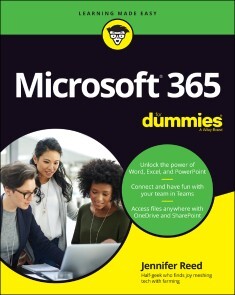
Microsoft 365 For Dummies
AMP UP YOUR COLLABORATION SKILLS AND ROCK THE MODERN WORKPLACE BY HARNESSING THE POWER OF MICROSOFT 365 WITH THIS ONE-STOP GUIDE TO THE WORLD'S LEADING PRODUCTIVITY PLATFORMThe Microsoft 365 productivity solution for the workplace is a cloud-based service with many features for effective and secure collaboration virtually or in person. Whether you start your day with meetings in Teams, respond to Outlook emails, create documents with Office apps, or even automate your work with artificial intelligence, Microsoft 365 has you covered. But first, you must unlock the potential of this powerful solution to showcase your ability to keep up with the modern workplace and make an impact in your organization. To do that, you need Microsoft 365 For Dummies!This book walks you through the steps to get your work done anytime, anywhere, on any device, with Microsoft Teams as the central hub. Discover how to chat online in real time; conduct online meetings; co-author documents in the cloud; develop no-code applications; and even prioritize your well-being. The insights and step-by-step guidance in Microsoft 365 For Dummies will help you stay connected and engaged with your colleagues.* Level up your teamwork game with the latest meeting and collaboration best practices from Microsoft Teams * Stretch your use of Office apps (Word, Excel, PowerPoint, Outlook, and OneNote) by infusing artificial intelligence into your everyday tasks * Save time (and look really smart) by automating your work with the Power Platform apps * Take a break from work and focus on your health and well-being at home or in the office Whether you’re a Microsoft 365 newbie or a superuser looking for details on what's new, Microsoft 365 For Dummies is the friendly and authoritative how-to book you need. Discover the benefits of cloud technology today!JENNIFER REED is Founder of Cloud61, a firm offering IT consulting products and services. She is the author of Office 365 For Dummies, Migrating to Office 365 For Dummies, Office 365 Backup For Dummies, and Office 365 for Higher Education. She recently launched a startup (www.hydrojennfarms.com) aimed at promoting locally grown food and regenerative farming practices using modern technologies like Microsoft 365.INTRODUCTION 1About This Book 1Foolish Assumptions 2Icons Used in This Book 2Beyond the Book 3Where to Go from Here 3PART 1: KEEPING UP WITH MICROSOFT 365 5CHAPTER 1: WHAT’S IN IT FOR YOU: OVERVIEW OF FEATURES 7Tasting the Flavors of Microsoft 365 8Understanding the versions for home 9Exploring the options for the workplace 9Honing in on the Workplace Features 11Reining in the apps and services 11No, the robots have not taken over 12Connecting the dots to get work done 13CHAPTER 2: WORK, MEET LIFE: THE NEW WORLD OF WORK 17Going Native, Digitally 18How to get your colleague’s attention 18Turn back the hands of time with version history 20Prioritizing Self-Care and Well-Being 21Viva la vida loca! 21Taming the “too-connected” beast 22Calling it a day with Virtual Commute 24PART 2: REIMAGINING TEAMWORK 25CHAPTER 3: UNLOCKING DIGITAL COLLABORATION 27There’s a Purpose for That App 28Office 365 versus Microsoft 365: What’s the diff? 28Installing the Office 365 apps 29The right tools for the right purpose 30Connecting Experiences Across Apps 32The lowdown on connected experiences 32Look Ma, no hands! Using the Dictation feature 34CHAPTER 4: ZOOMING IN ON TEAMS 37Getting to Know Teams 38Touring the Teams interface 38Co-authoring documents in Teams 41Don’t get ghosted — use Read Receipts 42Reading instead of listening to voicemail 43Creating a Humanistic Workplace 44To hide or not to hide the kids (or pets) 45The many ways to see each other 46Eat chips without being annoying 48CHAPTER 5: ROCKING YOUR MEETING LIKE A BOSS 51The Things You Do Before 52Get meeting insights from Outlook 52Chat with attendees to prep 54Preload agenda and documents 56The Stuff You Do During 57Present like a pro with one monitor 57Reporting live from your home office! 58Follow along with live captions or live transcriptions 60The Actions to Take After 62Play back the meeting 63Track action items 63Continue to engage via chat 64CHAPTER 6: FACILITATING MEETINGS AND BREAKOUT SESSIONS 67The Basics of Teams Meetings 68Scheduling a meeting 69Calling for an impromptu meeting 70Joining a meeting 71Meeting within a Meeting with Breakout Rooms 72Creating Breakout rooms 73Starting the breakout session 75Rejoining the main session 76CHAPTER 7: ALL ABOUT WEBINARS AND LIVE EVENTS 79Calling the Shots with a Webinar 80Preparing for a webinar 80Creating the webinar event 81Delivering the webinar 85So, You Want to be a Producer 86Getting ready to produce a live event 86Scheduling a live event 87Producing the live event 88PART 3: MODERNIZING THE WORKPLACE WITH OFFICE APPS 91CHAPTER 8: GETTING THE MOST OUT OF WORD 93It’s Alive! Your Document, That Is 94Jazz it up with pictures 94Your screen is paper, draw on it 97Immerse yourself in your reading 99Becoming a Better Writer 100Make your writing so much better 101Support your facts with Researcher 103That Time When Word Helped Your Career 104Sprucing up your resume 104Smashing the language barrier 105CHAPTER 9: STEPPING UP YOUR EXCEL CHOPS 107Excelling in Excel 108Everyday Excel tasks 108Get it all sorted out 110Talk to your team from your workbook 111Taking a Shortcut to Completing Tasks 114Get to know Office Scripts 114Stop the repetition; create a script 114Run and share your script 116So, You’re a Data Analyst Now? 118Around the world with data types 119Giving yourself permission to be curious 121You’ve got questions, Excel has answers 123CHAPTER 10: WOWING YOUR AUDIENCE WITH POWERPOINT 125More than Just the Basics of PowerPoint 126Navigating the web and desktop apps 127Have an interesting topic? There’s’ a deck for that! 128The Art of Creating a Deck 131Be artsy (even when you’re not) with Designer 131Mastering the Slide Master 133Reuse, recycle decks with templates 134The Science of Presenting a Deck 135Practice with AI makes perfect 135Give a unique experience with Live Presentations 138Experiencing Live Presentations as an audience 141CHAPTER 11: GOING DIGITAL WITH ONENOTE 145Exploring Basic Functions 146Understanding the different versions 146Getting around the user interface 149Creating a new notebook 150Moving a notebook to a new location 152Stepping Up the Notetaking Game 153Tagging content for later use 154Viewing and restoring page versions 155Sharing your notebook 156CHAPTER 12: STAYING CONNECTED WITH OUTLOOK 159The Not-Just-Basic of Outlook 160Just a few words will do 162My thoughts exactly: When AI reads minds 164Ask questions, naturally 167Schedule Management with the Calendar 168Click to meet from an email 168Color your world with categories 169Don’t get between your colleagues and their lunch 171Outlook Out of the Ball Park 173Sliding into a Teams chat from Outlook 173Notes and Sticky Notes integration 174Play my emails, please 175PART 4: STORING YOUR DATA IN THE CLOUD 177CHAPTER 13: CENTRALIZING DATA IN SHAREPOINT 179Getting to Know SharePoint Online 180No-code website in a flash? Yes you can! 181Who let the dogs in? Setting permissions 184The Wonders of Microsoft Lists 187Creating and editing a List 187A view for different points of view 189Never miss an update with alerts 191The Marvels of Document Libraries 192Contributing to a document library 192Help, I changed my mind! Versioning to the rescue 193CHAPTER 14: GOODBYE HARD DRIVE, HELLO ONEDRIVE 197Storing and Syncing Files in OneDrive 198Ready, get set, sync! Using the sync app 198What’s in a name? Work or School versus Home 201What’s the diff? OneDrive versus SharePoint 202The Many Ways to Share Files 204May I have a quick link, please? 204Managing access before it gets out of hand 206PART 5: GIVING POWER TO THE PEOPLE LIKE YOU AND ME 209CHAPTER 15: UNDERSTANDING THE POWER PLATFORM 211What Is the Power Platform? 212Creating Workflows with Power Automate 213Getting to Know Power Apps 214Telling a Story with Data in Power BI 217Advanced Concepts 218Meet the AI Builder 219About the Microsoft Dataverse 219CHAPTER 16: CREATING A POWER-AUTOMATED APPROVAL PROCESS 221Gathering What You need 222Nailing the scenario 222Building the library 223Picking the template 224All Systems Go, Let’s Flow! 226Building the flow, making the connections 226Testing the workflow 230Checking for approvals in Teams 231Turning off the flow 232CHAPTER 17: DEVELOPING YOUR FIRST APP WITH POWER APPS 233Before Building the App 234Creating the list to hold data 235Managing access to the list 236Fine-tuning the properties of the list 238Specifying the survey questions 240Building the App 243Designing the app 244Connecting the data source 244Building the Survey screen 247Adding buttons and labels to the form 250Building the Welcome screen 253Building the Thank You screen 255Finalizing the Survey screen 255Launching the App 256Saving and sharing the app 257Updating the app 257Reviewing the data 258CHAPTER 18: DASHBOARDING WITH POWER BI 259Understanding Power BI Concepts 260What’s in it for you? 261How Power BI is licensed 261It’s the elements, dear Watson 262Exploring a Sample Data Set 263Navigating the Power BI Service 263Loading the dataset 266Interacting with the dashboard 267PART 6: BEING YOUR OWN IT DEPARTMENT 271CHAPTER 19: GETTING UP CLOSE AND PERSONAL 273Let’s Get Personal 274Paint a thousand words with your picture 274Spice things up with a custom cover photo 276Don’t be shy, toot your own horn 276IT Tasks You’re Empowered to Do 277Updating your security information 278Changing your password 279Self-service password reset 280CHAPTER 20: REINING IN YOUR DEVICES 283Managing Your Devices 284Securing your devices 284Auditing and disabling devices 285Checking for impossible travel 287You Have Left the Building — Virtually 288Signing out from devices all at once 288Disconnecting a BYOD 289PART 7: THE PART OF TENS 293CHAPTER 21: TEN MORE APPS THAT GET THE WORK DONE 295People 296MyAnalytics 296Kaizala 297Stream 298Whiteboard 298Lists 299Forms 300Yammer 301Sway 302Planner 302CHAPTER 22: TEN WAYS TO ROCK DELVE 305Know Thyself with MyAnalytics 306Delve Away, Your Docs Are Safe 306Delve Consumes OneDrive and SharePoint data 307The Search Is On for People and Docs 308Act On a Document 309Favorite Documents for Later Use 309Group Documents in a Board 310Documents-at-a-Glance with Cards 311Popularity Contest for Documents 311Get to Know Your Colleagues 311CHAPTER 23: TEN MICROSOFT 365 REMOTE WORK TIPS 313Set Lunch Hours and Enjoy Your Meal 314Chill and Decompress: Go Meditate 315Start Your Zero-Carbon Commute 315Keep Your Promises with Help from AI 316Work Late but Let Others Not 316Make Your Meeting Worth Their Time 317Wrap It Up in Five Minutes 317Say Thanks with Praise 318Your Status Is Not Complicated 318Give a Heads Up with Signatures 319Index 321

Go programmieren für Dummies
Go ist eine der neueren Programmiersprachen, die Softwareentwickler in ihrer Werkzeugkiste haben sollten. Die Sprache wurde mit dem Ziel entwickelt, besonders gut lesbar, benutzerfreundlich und effizient zu sein, und ist eine gute Wahl für Entwickler, die Anwendungen für die Cloud erstellen. Dieses Buch zeigt Ihnen die ersten Schritte in Go. Steigen Sie ein und beginnen Sie mit dem Schreiben von Code, der Daten aus der Cloud holt und sie in die Hände der Benutzer legt.Wei-Meng Lee ist Gründer des Unternehmens Developer Learning Solutions, das Schulungen zu den neuesten mobilen Technologien anbietet. Nach dem Motto »Learning by Doing« legt er in seinen Kursen besonderen Wert auf Praxisorientierung und schafft es dank seiner langjährigen Erfahrung, komplexe Technologietrends verständlich zu erklären. Wei-Meng Lee schreibt regelmäßig für Online- und Printpublikationen und ist Autor mehrerer Bücher.

Excel Tipps und Tricks für Dummies (4. Auflg.)
Erfahren Sie, wie Sie mit Excel noch schneller, besser und effizienter arbeiten! Zeigen Sie im Excel-Alltag richtiges Fachwissen. Verwenden Sie gelungene Mixturen aus raffinierten Formeln und Funktionen. Holen Sie zum Beispiel mehr aus WENN-Funktionen heraus, ohne dass es ein ABER gibt. Nutzen Sie im Programm Verborgenes. Dieses Buch zeigt Ihnen neben vielen Tipps, Tricks und Tastenkombinationen auch Top-Secrets für den direkten Einsatz, die nicht jeder kennt und im Geheimen schlummern.Rainer Schwabe sammelt akribisch Excel-Tipps, schreibt regelmäßig Excel-Artikel für Computerzeitschriften wie die c't und ist renommierter Autor zahlreicher Office-Bücher. Er führt bundesweit Schulungen durch und ist ein gefragter Ansprechpartner für Unternehmen, wenn es um praxisbezogene Lösungen in Excel geht.

Pro Go
Best-selling author Adam Freeman explains how to get the most from Go, starting from the basics and building up to the most advanced and sophisticated features. You will learn how Go builds on a simple and consistent type system to create a comprehensive and productive development experience that produces fast and robust applications that run across platforms.Go, also known as Golang, is the concise and efficient programming language designed by Google for creating high-performance, cross-platform applications. Go combines strong static types with simple syntax and a comprehensive standard library to increase programmer productivity, while still supporting features such as concurrent/parallel programming.Each topic is covered in a clear, concise, no-nonsense approach that is packed with the details you need to learn to be truly effective. Chapters include common problems and how to avoid them.WHAT YOU WILL LEARN* Gain a solid understanding of the Go language and tools* Gain in-depth knowledge of the Go standard library* Use Go for concurrent/parallel tasks* Use Go for client- and server-side development WHO THIS BOOK IS FORExperienced developers who want to use Go to create applicationsADAM FREEMAN is an experienced IT professional who has held senior positions in a range of companies, most recently serving as chief technology officer and chief operating officer of a global bank. Now retired, he spends his time writing and long-distance running.Part 1 - Understanding the Go Language1. Your First Go App2. Putting Go in Context3. Using the Go Tools4. Basic Types, Values, and Pointers5. Operations and Conversions6. Flow Control7. Using Arrays, Slice, and Maps8. Defining and Using Functions9. Using Function Types10. Defining Structs11. Using Methods and Interfaces12. Creating and Using Packages13. Type and Interface Composition14. Using Goroutines and Channels15. Error HandlingPart 2 - Using the Go Standard Library16. String Processing and Regular Expressions 17. Formatting and Scanning Strings 18. Math Functions and Data Sorting 19. Dates, Times, and Durations 20. Reading and Writing Data 21. Working with JSON Data 22. Working with Files 23. Using HTML and Text Templates 24. Creating HTTP Servers 25. Creating HTTP Clients 26. Working with Databases 27. Using Reflection 28. Using Reflection, Part 2 29. Using Reflection, Part 3 30. Coordinating Goroutines 31. Unit Testing, Benchmarking, and LoggingPart 3 - Applying Go32. Creating a Web Platform33. Middleware, Templates, and Handlers34. Actions, Sessions, and Authorization 35. SportsStore: A Real Application 36. SportsStore: Cart and Database 37. SportsStore: Checkout and Administration 38. SportsStore: Finishing and Deployment
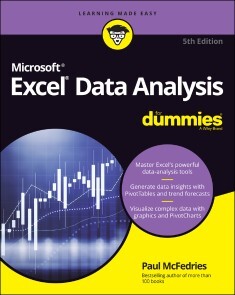
Excel Data Analysis For Dummies
TURN JUMBLES OF NUMBERS INTO GRAPHICS, INSIGHTS, AND ANSWERS WITH EXCELWith Microsoft Excel, you can, well, excel at data analysis. And Excel Data Analysis For Dummies can help, with clear and easy explanations of the mountain of features for creating, visualizing, and analyzing data. PivotTables, charts, what-if analysis, statistical functions—it's all in here, with examples and ideas for Excel users of all skill levels. This latest edition covers the most recent updates to Excel and Microsoft 365. You'll beef up your data skills and learn powerful techniques for turning numbers into knowledge. For students, researchers, and business professionals, Excel is the spreadsheet and data application of choice—and Dummies is the best choice for learning how to make those numbers sing.* Learn how to use Excel's built-in data analysis features and write your own functions to explore patterns in your data* Create striking charts and visualizations, and discover multiple ways to tell the stories hidden in the numbers* Clean up large datasets and identify statistical operations that will answer your questions* Perform financial calculations, database operations, and more—without leaving ExcelExcel Data Analysis For Dummies is the go-to resource for Excel users who are looking for better ways to crunch the numbers. PAUL MCFEDRIES is the owner of Logophilia Limited, a successful technical writing firm. He has 25 years’ experience writing instructional computer books and is the author of over 100 books that have sold a combined 4 million copies worldwide.Introduction 1PART 1: GETTING STARTED WITH DATA ANALYSIS 5Chapter 1: Learning Basic Data-Analysis Techniques 7Chapter 2: Working with Data-Analysis Tools 31Chapter 3: Introducing Excel Tables 55Chapter 4: Grabbing Data from External Sources 77Chapter 5: Analyzing Table Data with Functions 99PART 2: ANALYZING DATA USING PIVOTTABLES AND PIVOTCHARTS 113Chapter 6: Creating and Using PivotTables 115Chapter 7: Performing PivotTable Calculations 137Chapter 8: Building PivotCharts 161PART 3: DISCOVERING ADVANCED DATA-ANALYSIS TOOLS 181Chapter 9: Dealing with Data Models 183Chapter 10: Tracking Trends and Making Forecasts 203Chapter 11: Analyzing Data Using Statistics 227Chapter 12: Analyzing Data Using Descriptive Statistics 245Chapter 13: Analyzing Data Using Inferential Statistics 261PART 4: THE PART OF TENS 279Chapter 14: Ten Things You Ought to Know about Statistics 281Chapter 15: Ten Ways to Analyze Financial Data 293Chapter 16: Ten Ways to Raise Your PivotTable Game 303Appendix: Glossary of Data Analysis and Excel Terms 317Index 327
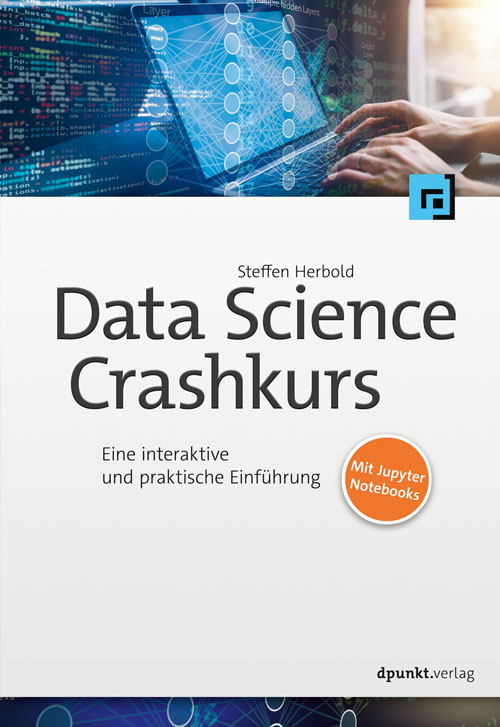
Data-Science-Crashkurs
Eine interaktive und praktische Einführung: Data Science praxisnah erklärt»Data Science Crashkurs« bietet einen praxisnahen Einstieg in Data Science, angereichert mit interaktiven Elementen, der die Breite der Möglichkeiten der Datenanalyse aufzeigt. Dieses Buch geht tief genug, um Vorteile, Nachteile und Risiken zu verstehen, aber steigt dennoch nicht zu tief in die zugrunde liegende Mathematik ein. Es wird nicht nur erklärt, wofür wichtige Begriffe wie Big Data, maschinelles Lernen oder Klassifikation stehen, sondern auch anschaulich mit zahlreichen Beispielen aufgezeigt, wie Daten analysiert werden. Ein breiter Überblick über Analysemethoden vermittelt das nötige Wissen, um in eigenen Projekten geeignete Methoden auszuwählen und anzuwenden, um das gewünschte Ergebnis zu erreichen. Der benötigte Python-Quelltext, der z.B. zur Durchführung von Analysen oder zur Erstellung von Visualisierungen verwendet wird, ist in Form von Jupyter-Notebooks frei verfügbar. Zielgruppe: Data ScientistsDatenanalyst*innenDaten- und InformationsverantwortlicheStudierende der Informatik und Wirtschaftsinformatik Autor: Dr. Steffen Herbold ist Professor für Methoden und Anwendungen maschinellen Lernens am Institut für Software und Systems Engineering der Technischen Universität Clausthal, wo er die Forschungsgruppe AI Engineering leitet. Zuvor hat er an der Universität Göttingen promoviert und habilitiert und am Karlsruher Institut für Technologie einen Lehrstuhl vertreten. In der Forschung beschäftigt er sich mit der Entwicklung und Qualitätssicherung der Lösung von Problemen durch maschinelles Lernen, z.B. zur effizienteren Softwareentwicklung, der Prognose von Ernteerträgen oder auch der Erkennung von aeroakustischen Geräuschquellen.
Microsoft Project For Dummies
BLOW PAST THE JARGON AND GET HANDS-ON, PRACTICAL GUIDANCE ON MANAGING ANY PROJECT WITH MICROSOFT PROJECTLean. Agile. Hybrid. It seems that project management these days comes with more confusing buzzwords than ever. But you can make managing your next project simple and straightforward with help from Microsoft Project For Dummies.This book unpacks Microsoft’s bestselling project management platform and walks you through every important feature, step-by-step, until you’re ready to take on virtually any project, no matter the size. From getting set up for the first time to creating tasks, managing resources and working with time management features, you’ll learn everything you need to know about managing a project in Microsoft’s iconic software.You’ll also find:* Totally updated guidance that applies to both the desktop version and Microsoft’s new subscription-based Microsoft Project Online * Helpful information on integrating Agile practices and techniques into your project * “Golden rules” that keep a project on-track and on-time * Ways to effectively manage your resources with Microsoft Project’s built-in functionality Managing a project, big or small, is no easy task. Luckily, Microsoft Project For Dummies can take a lot of the hassle out of your day-to-day life. Learn how to take advantage of this powerful software today!CYNTHIA SNYDER DIONISIO is a project anagement consultant with a passion for curriculum design and online training. Author of Microsoft Project 2019 For Dummies, she’s helped thousands of employees find success in their project management careers.INTRODUCTION 1About This Book 1What’s Not in This Book 2Foolish Assumptions 2Icons Used in This Book 3Beyond the Book 3Where to Go from Here 4PART 1: GETTING STARTED WITH PROJECT 5CHAPTER 1: PROJECT MANAGEMENT, MS PROJECT, AND YOU 7Project Management Evolution 8What’s in a Name: Projects, Project Management, and Project Managers 9Project managers and Scrum masters 10The role of the project manager 11The role of the Scrum master 12Introducing Microsoft Project 13Getting to Know You 14Navigating Ribbon tabs and the Ribbon 17Displaying more tools 20Tell Me What You Want to Do 22CHAPTER 2: STARTING THE PROJECT 23Creating the Project Charter 24Introducing the Work Breakdown Structure (WBS) 26Organizing the Work 27Starting the Project 28Entering project information 29Entering the WBS 31Indenting and outdenting (a.k.a promoting and demoting) 32Entering tasks 33Weighing manual scheduling versus automatic scheduling 35Inserting one project into another 37Inserting hyperlinks 38CHAPTER 3: BECOMING A TASK MASTER41Creating Summary Tasks and Subtasks 41How many levels can you go? 43The project summary task 43Moving Tasks Up, Down, and All Around 45Moving tasks with the drag-and-drop method 45Moving tasks with the cut-and-paste method 46Now You See It, Now You Don’t: Collapsing and Expanding the Task Outline 47Showing Up Again and Again: Recurring Tasks 48Setting Milestones 50Deleting Tasks and Using Inactive Tasks 51Making a Task Note 52CHAPTER 4: THE CODEPENDENT NATURE OF TASKS55How Tasks Become Dependent 56Dependent tasks: Which comes first? 56Dependency types 57Allowing for Murphy’s Law: Lag and lead time 59Setting the Dependency Connection 60Adding the dependency link 60Words to the wise 62Understanding that things change: Deleting dependencies 64CHAPTER 5: ESTIMATING TASK TIME67You’re in It for the Duration 68Tasks come in all flavors: Identifying task types 68Effort-driven tasks: 1 + 1 = ½ 71Estimating Effort and Duration 72Estimating techniques 72Setting the task duration 74Controlling Timing with Constraints 76Understanding how constraints work 76Establishing constraints 76Setting a deadline 78Starting and Pausing Tasks 79Entering the task’s start date 80Taking a break: Splitting tasks 81CHAPTER 6: CHECK OUT THIS VIEW!83A Project with a View 83Navigating tabs and views 84Scrolling around 86Reaching a specific spot in your plan 87More Detail about Views 88Home base: Gantt Chart view 88Resourceful views: Resource Sheet and Team Planner 89Getting your timing down with the Timeline 90Going with the flow: Network Diagram view 91Calling up Calendar view 91Customizing Views 92Working with view panes 93Modifying Network Diagram view 98Resetting the view 100PART 2: MANAGING RESOURCES 103CHAPTER 7: CREATING RESOURCES 105Resources: People, Places, and Things 105Becoming Resource-Full 106Understanding resources 106Resource types: Work, material, and cost 107How resources affect task timing 108Estimating resource requirements 109The Birth of a Resource 110Creating one resource at a time 110Identifying resources before you know their names 112Many hands make light work 113Managing Resource Availability 113Estimating and setting availability 114When a resource comes and goes 115Sharing Resources 116Skimming from resource pools 116Importing resources from Outlook 119CHAPTER 8: WORKING WITH CALENDARS121Mastering Base, Project, Resource, and Task Calendars 122Setting the base calendar for a project 122Understanding the four calendar types 122How calendars work 123How one calendar relates to another 123Scheduling with Calendar Options and Working Times 124Setting calendar options 125Setting exceptions to working times 126Working with Task Calendars and Resource Calendars 128Setting resource calendars 129Making a change to a resource’s calendar 130Creating a Custom Calendar Template 132Sharing Copies of Calendars 134CHAPTER 9: ASSIGNING RESOURCES 137Finding the Right Resource 137Needed: One good resource willing to work 138Custom fields: It’s a skill 139Making a Useful Assignation 140Determining material and cost-resource units 140Making assignments 141Shaping the contour that’s right for you 145Benefitting from a Helpful Planner 147CHAPTER 10: DETERMINING A PROJECT’S COST149How Do Costs Accrue? 150Adding up the costs 150When will these costs hit the bottom line? 151Specifying Cost Information in the Project 152You can’t avoid fixed costs 153Entering hourly, overtime, and cost-per-use rates 154Assigning material resources 156PART 3: BEFORE YOU BASELINE 159CHAPTER 11: FINE-TUNING YOUR PLAN 161Everything Filters to the Bottom Line 161Setting predesigned filters 162Putting AutoFilter to work 163Creating do-it-yourself filters 166Gathering Information in Groups 167Applying predefined groups 169Devising your own groups 169Figuring Out What’s Driving the Project 171Inspecting tasks 172Handling task warnings, suggestions, and problems 173CHAPTER 12: NEGOTIATING PROJECT CONSTRAINTS175It’s about Time 176Applying contingency reserve 176Completing a task in less time 177Getting What You Want for Less 180The Resource Recourse 181Checking resource availability 181Deleting or modifying a resource assignment 183Beating overallocations with quick-and-dirty rescheduling 184Finding help 184Leveling resources 185Rescheduling the Project 188CHAPTER 13: MAKING THE PROJECT LOOK GOOD189Looking Good! 190Formatting the Gantt Chart 190Formatting taskbars 190Zeroing in on critical issues 194Restyling the Gantt chart 194Formatting Network Diagram Boxes 195Adjusting the Layout 197Modifying Gridlines 199Recognizing When a Picture Can Say It All 201Creating a Custom Text Field 202CHAPTER 14: IT ALL BEGINS WITH A BASELINE 207All about Baselines 208Saving a baseline 208Saving more than one baseline 210Clearing and resetting a baseline 211In the Interim 212Saving an interim plan 213Clearing and resetting an interim plan 214PART 4: STAYING ON TRACK 217CHAPTER 15: ON THE RIGHT TRACK 219Tracking Views 220Setting the status date 220Tracking status with the Task sheet 221Using the Tracking table 221Tracking buttons 222Determining the percent complete 223Tracking status with Task Usage view 224Tracking status with Resource Usage view 224Uh-oh — you’re in overtime 225Specifying remaining durations for auto-scheduled tasks 226Entering fixed-cost updates 227Moving a Task 228Update Project: Sweeping Changes 230Tracking Materials 232Tracking More than One Project 233CHAPTER 16: PROJECT VIEWS: OBSERVING PROGRESS235Seeing Where Tasks Stand 236Baseline versus actual progress 236Lines of progress 236Delving into the Detail 240Tracking Progress Using Earned Value Management 242Viewing the Earned Value table 244Earned value options 244Calculating behind the Scenes 246An abundance of critical paths 246CHAPTER 17: YOU’RE BEHIND — NOW WHAT?249Using Project with Risk and Issue Logs 249Documenting issues 250Printing interim plans and baselines 250What-If Scenarios 251Sorting tasks 252Filtering 253Examining the critical path 254Using resource leveling (again) 255Determining which factors are driving the timing of a task 256How Adding People or Time Affects the Project 257Hurrying up and making modifications 257Throwing resources at the problem 258Shifting dependencies and task timing 259When All Else Fails 261Taking the time you need 261Finding ways to cut corners 262CHAPTER 18: SPREADING THE NEWS: REPORTING 265Generating Standard Reports 266What’s available on the Report tab 266Dashboard reports 267Creating New Reports 268Gaining a new perspective on data with visual reports 270Creating a visual report 270Fine-Tuning a Report 271Dragging, dropping, and sizing 272Looking good! 273Spiffing Things Up 274Calling the Printer! 276Working with Page Setup 277Getting a preview 279Finalizing your print options 280Working on the Timeline 281Adding tasks to the Timeline 281Customizing the Timeline 283Copying the Timeline 283PART 5: WORKING WITH SPRINTS PROJECTS 285CHAPTER 19: SETTING UP A SPRINTS PROJECT 287Creating a Sprints Project 287Enjoying a Whole New View 290The Task Board and Task Board sheet 291The Sprint Planning Board and Sprint Planning sheet 292The Current Sprint Board and Current Sprint sheet 293The Backlog Board and the Backlog sheet 293Adding Information to Tasks 294Prioritizing Tasks 296Inserting a Sprints Project into a Plan-Driven Project 296CHAPTER 20: TRACKING A SPRINTS PROJECT 299Viewing Your Sprints Project Data 299Using filters to focus 300Using tables to arrange data 300Being a groupie 302Sorting tasks 302Creating Sprints Reports 303CHAPTER 21: GETTING BETTER ALL THE TIME 307Reviewing the Project 308Learning from your mistakes 308Fine-tuning communication 309Comparing Versions of a Project 310Building on Success 312Creating a template 312Mastering the Organizer 314PART 6: THE PART OF TENS 317CHAPTER 22: TEN GOLDEN RULES OF PROJECT MANAGEMENT 319Roll with It 319Put Your Ducks in a Row 320Expect the Unexpected 321Don’t Put Off until Tomorrow 322Delegate, Delegate, Delegate 322Document It 323Keep the Team in the Loop 323Measure Success 324Maintain a Flexible Strategy 325Learn from Your Mistakes 325CHAPTER 23: TEN COOL SHORTCUTS IN PROJECT 327Task Information 327Resource Information 328Frequently Used Functions 329Subtasks 330Quick Selections 330Fill Down 331Navigation 331Hours to Years 331Timeline Shortcuts 331Quick Undo 332Glossary 333Index 341

Numerical Methods Using Java
Implement numerical algorithms in Java using NM Dev, an object-oriented and high-performance programming library for mathematics.You’ll see how it can help you easily create a solution for your complex engineering problem by quickly putting together classes.Numerical Methods Using Java covers a wide range of topics, including chapters on linear algebra, root finding, curve fitting, differentiation and integration, solving differential equations, random numbers and simulation, a whole suite of unconstrained and constrained optimization algorithms, statistics, regression and time series analysis. The mathematical concepts behind the algorithms are clearly explained, with plenty of code examples and illustrations to help even beginners get started.WHAT YOU WILL LEARN* Program in Java using a high-performance numerical library* Learn the mathematics for a wide range of numerical computing algorithms* Convert ideas and equations into code* Put together algorithms and classes to build your own engineering solution* Build solvers for industrial optimization problems* Do data analysis using basic and advanced statisticsWHO THIS BOOK IS FORProgrammers, data scientists, and analysts with prior experience with programming in any language, especially Java.HAKSUN LI, PHD, is founder of NM Group, a scientific and mathematical research company. He has the vision of “Making the World Better Using Mathematics”. Under his leadership, the firm serves worldwide brokerage houses and funds, multinational corporations and very high net worth individuals. Haksun is an expert in options trading, asset allocation, portfolio optimization and fixed-income product pricing. He has coded up a variety of numerical software, including SuanShu (a library of numerical methods), NM Dev (a library of numerical methods), AlgoQuant (a library for financial analytics), NMRMS (a portfolio management system for equities), and supercurve (a fixed-income options pricing system). Prior to this, Haksun was a quantitative trader/quantitative analyst with multiple investment banks. He has worked in New York, London, Tokyo, and Singapore.Additionally, Haksun is the vice dean of the Big Data Finance and Investment Institute of Fudan University, China. He was an adjunct professor with multiple universities. He has taught at the National University of Singapore (mathematics), Nanyang Technological University (business school), Fudan University (economics), as well as Hong Kong University of Science and Technology (mathematics). Dr. Haksun Li has a B.S. and M.S. in pure and financial mathematics from the University of Chicago, and an M.S. and a PhD in computer science and engineering from the University of Michigan, Ann Arbor.Table of ContentsAbout the Authors...........................................................................................................iPreface............................................................................................................................ii1. Why Java?..............................................................................................................61.1. Java in 2020.....................................................................................................61.2. Java vs. C++....................................................................................................61.3. Java vs. Python................................................................................................61.4. Java in the future .............................................................................................62. Data Structures.......................................................................................................72.1. Function...........................................................................................................72.2. Polynomial ......................................................................................................73. Linear Algebra .......................................................................................................83.1. Vector and Matrix ...........................................................................................83.1.1. Vector Properties .....................................................................................83.1.2. Element-wise Operations.........................................................................83.1.3. Norm ........................................................................................................93.1.4. Inner product and angle ...........................................................................93.2. Matrix............................................................................................................103.3. Determinant, Transpose and Inverse.............................................................103.4. Diagonal Matrices and Diagonal of a Matrix................................................103.5. Eigenvalues and Eigenvectors.......................................................................103.5.1. Householder Tridiagonalization and QR Factorization Methods..........103.5.2. Transformation to Hessenberg Form (Nonsymmetric Matrices)...........104. Finding Roots of Single Variable Equations .......................................................114.1. Bracketing Methods ......................................................................................114.1.1. Bisection Method ...................................................................................114.2. Open Methods...............................................................................................114.2.1. Fixed-Point Method ...............................................................................114.2.2. Newton’s Method (Newton-Raphson Method) .....................................114.2.3. Secant Method .......................................................................................114.2.4. Brent’s Method ......................................................................................115. Finding Roots of Systems of Equations...............................................................125.1. Linear Systems of Equations.........................................................................125.2. Gauss Elimination Method............................................................................125.3. LU Factorization Methods ............................................................................125.3.1. Cholesky Factorization ..........................................................................125.4. Iterative Solution of Linear Systems.............................................................125.5. System of Nonlinear Equations.....................................................................126. Curve Fitting and Interpolation............................................................................146.1. Least-Squares Regression .............................................................................146.2. Linear Regression..........................................................................................146.3. Polynomial Regression..................................................................................146.4. Polynomial Interpolation...............................................................................146.5. Spline Interpolation .......................................................................................147. Numerical Differentiation and Integration...........................................................157.1. Numerical Differentiation .............................................................................157.2. Finite-Difference Formulas...........................................................................157.3. Newton-Cotes Formulas................................................................................157.3.1. Rectangular Rule....................................................................................157.3.2. Trapezoidal Rule....................................................................................157.3.3. Simpson’s Rules.....................................................................................157.3.4. Higher-Order Newton-Coles Formulas..................................................157.4. Romberg Integration .....................................................................................157.4.1. Gaussian Quadrature..............................................................................157.4.2. Improper Integrals..................................................................................158. Numerical Solution of Initial-Value Problems....................................................168.1. One-Step Methods.........................................................................................168.2. Euler’s Method..............................................................................................168.3. Runge-Kutta Methods...................................................................................168.4. Systems of Ordinary Differential Equations.................................................169. Numerical Solution of Partial Differential Equations..........................................179.1. Elliptic Partial Differential Equations...........................................................179.1.1. Dirichlet Problem...................................................................................179.2. Parabolic Partial Differential Equations........................................................179.2.1. Finite-Difference Method ......................................................................179.2.2. Crank-Nicolson Method.........................................................................179.3. Hyperbolic Partial Differential Equations.....................................................1710..................................................................................................................................1811..................................................................................................................................1912. Random Numbers and Simulation ....................................................................2012.1. Uniform Distribution .................................................................................2012.2. Normal Distribution...................................................................................2012.3. Exponential Distribution............................................................................2012.4. Poisson Distribution ..................................................................................2012.5. Beta Distribution........................................................................................2012.6. Gamma Distribution ..................................................................................2012.7. Multi-dimension Distribution ....................................................................2013. Unconstrainted Optimization ............................................................................2113.1. Single Variable Optimization ....................................................................2113.2. Multi Variable Optimization .....................................................................2114. Constrained Optimization .................................................................................2214.1. Linear Programming..................................................................................2214.2. Quadratic Programming ............................................................................2214.3. Second Order Conic Programming............................................................2214.4. Sequential Quadratic Programming...........................................................2214.5. Integer Programming.................................................................................2215. Heuristic Optimization......................................................................................2315.1. Genetic Algorithm .....................................................................................2315.2. Simulated Annealing .................................................................................2316. Basic Statistics..................................................................................................2416.1. Mean, Variance and Covariance................................................................2416.2. Moment......................................................................................................2416.3. Rank...........................................................................................................2417. Linear Regression .............................................................................................2517.1. Least-Squares Regression..........................................................................2517.2. General Linear Least Squares....................................................................2518. Time Series Analysis ........................................................................................2618.1. Univariate Time Series..............................................................................2618.2. Multivariate Time Series ...........................................................................2618.3. ARMA .......................................................................................................2618.4. GARCH .....................................................................................................2618.5. Cointegration .............................................................................................2619. Bibliography .....................................................................................................2720. Index .....................................................................................................

Pro Jakarta Persistence in Jakarta EE 10
Learn to use the Jakarta Persistence API and other related APIs as found in the Jakarta EE 10 platform from the perspective of one of the specification creators. A one-of-a-kind resource, this in-depth book provides both theoretical and practical coverage of Jakarta Persistence usage for experienced Java developers.Authors Lukas Jungmann, Mike Keith, Merrick Schincariol, Massimo Nardone take a hands-on approach, based on their wealth of experience and expertise, by giving examples to illustrate each concept of the API and showing how it is used in practice. The examples use a common model from an overarching sample application, giving you a context from which to start and helping you to understand the examples within an already familiar domain.After completing this in-depth book, you will have a full understanding of persistence and be able to successfully code applications using its annotations and APIs. The book also serves as an excellent reference guide.WHAT YOU WILL LEARN* Use Jakarta Persistence in the context of enterprise applications* Work with object relational mappings (ORMs), collection mappings and more* Build complex enterprise Java applications that persist data long after the process terminates* Connect to and persist data with a variety of databases, file formats, and more* Use queries, including the Jakarta Persistence Query Language (Jakarta Persistence QL)* Carry out advanced ORM, queries and XML mappings* Package, deploy and test your Jakarta persistence-enabled enterprise applicationsWHO THIS BOOK IS FORExperienced Java programmers and developers with at least some prior experience with Jakarta EE or Java EE platform APIs.LUKAS JUNGMANN is the specification project co-lead for Jakarta Persistence, and the lead for a number of other Jakarta Specification projects including Jakarta Activation, Mail, XML Binding, SOAP with Attachments, and XML Web Services. He is a contributor to Jakarta Platform, JSON Processing, JSON Binding specification projects and is lead for a number of implementation projects of various Jakarta specifications including EclipseLink, Eclipse Metro and Eclipse Angus. He holds a Bachelor’s degree in Applied Informatics from University of Finance and Administration in Prague, Czech Republic, and has over 15 years’ experience working with Enterprise Java related technologies. He has spoken at numerous conferences around the world. He is employed as a software developer at Oracle in Prague, Czech Republic, and is married with three kids and one cat.MIKE KEITH is a co-specification lead for JPA 1.0 and a member of the JPA 2.0 and JPA 2.1 expert groups. He sits on a number of other Java Community Process expert groups and the Enterprise Expert Group (EEG) in the OSGi Alliance. He holds a Masters degree in Computer Science from Carleton University, and has over 20 years experience in persistence and distributed systems research and practice.He has written papers and articles on JPA and spoken at numerous conferences around the world. He is employed as an architect at Oracle in Ottawa, Canada,and is married with four kids and two dogs.MERRICK SCHINCARIOL is a senior engineer for the Oracle OC4J Java EE Container. He was a lead engineer for Oracle's EJB 3.0 release and co-author of Pro EJB 3: Java Persistence API. Before joining Oracle, Merrick developed enterprise and large-scale systems for the telecommunications industry.MASSIMO NARDONE has more than 23 years of experiences in Security, Web/Mobile development, Cloud and IT Architecture and has been programming and teaching how to program with Android, Perl, PHP, Java, VB, Python, C/C++ and MySQL for more than 20 years. He currently works as Chief Information Security Office (CISO) for Cargotec Oyj and he is member of the ISACA Finland Chapter Board. Massimo has provided technical review for more than 40 IT books, and is the coauthor of Pro Android Games (Apress, 2015).* Introduction * Getting Started * Enterprise Applications * Object Relational Mapping * Collection Mapping * Entity Manager * Using Queries * Java Persistence Query Language * Criteria * Advanced Object Relational Mapping * Advanced Queries * Advanced Topics * XML Mapping Files * Packaging and Deployment * Testing

Ada und Zangemann
Ein Märchen über Software, Skateboards und Himbeereis. Ein Buch über den selbstbestimmten Umgang mit Technik.In einer riesigen Villa hoch oben über der Stadt lebt der berühmte Erfinder Zangemann. Erwachsene wie Kinder lieben seine Erfindungen und wollen sie unbedingt haben. Doch dann geschieht etwas: Zangemann kommt in die Stadt, um seine Erfindungen wieder einmal aus der Nähe zu betrachten und – RUMMS! – ein Kind fährt ihm mit seinem Skateboard gegen das Schienbein. Wutentbrannt trifft der Erfinder eine Entscheidung und dann passieren merkwürdige Dinge ... Aber das kluge Mädchen Ada durchschaut, was vor sich geht. Gemeinsam mit ihren Freund:innen schmiedet sie einen Plan.Das illustrierte Kinderbuch erzählt die Geschichte vom berühmten Erfinder Zangemann und dem Mädchen Ada, einer neugierigen Tüftlerin. Ada beginnt mit Hard- und Software zu experimentieren und erkennt dabei, wie wichtig der eigenständige, freie Umgang mit Software für sie und andere ist.Ein Buch für Kinder ab 6 Jahren, das Freude am Tüfteln vermittelt und zum selbstbestimmten Umgang mit Technik aufruft. Leseprobe 1 (PDF-Link)Leseprobe 2 (PDF-Link)Über die Autoren:Matthias Kirschner ist Präsident der FSFE. 1999 begann er, GNU/Linux zu nutzen und realisierte, dass Software tief in allen Bereichen unseres Lebens verwurzelt ist. Er ist davon überzeugt, dass diese Technik unsere Gesellschaft nicht einschränken, sondern sie befähigen muss. Seit 2004, während seines Studiums der Politik- und Verwaltungswissenschaft, engagiert er sich bei der FSFE und arbeitet dort seit 2009 Vollzeit.Er unterstützt unterschiedliche Organisationen, Unternehmen und die Öffentliche Verwaltung dabei, von Freier Software zu profitieren und er erklärt, wie die grundlegenden Rechte von Freier Software – das Recht sie zu verwenden, zu verstehen, zu verbreiten und zu verbessern – die Meinungsfreiheit, Pressefreiheit oder Privatsphäre fördern.Matthias ist im Advisory Board von unterschiedlichen Freien-Software-Organisationen, war Sachverständiger im Bundestag und anderen Gremien, gibt regelmäßig Interviews und hält Vorträge zum Thema Freie Software.Sandra Brandstätter ist österreichische Wahlberlinerin und arbeitet als Illustratorin, Comicautorin und Character Designerin für Trickfilme und -serien, zum Beispiel für die Serie „Trudes Tier“ (Sendung mit der Maus).Folgende ihrer Kinderbücher und -comics sind auch im Handel erhältlich: „Paula: Liebesbrief des Schreckens“ (Reprodukt Verlag/2016), „Ben & Teo: Zwei sind einer zuviel“ (Beltz & Gelberg/ Autor: Martin Baltscheit/2020).
Lightroom Classic und Photoshop (4. Auflage)
Bilder organisieren, entwickeln und kreativ bearbeiten. Ideal für das Foto-Abo der Adobe Creative Cloud! In 4. aktualisierter und erweiterter Auflage.Holen Sie das Optimum aus Ihren Bildern heraus! Dieses Buch zeigt Ihnen, wie Sie das Power-Duo Lightroom Classic und Photoshop bestmöglich einsetzen und welche vielfältigen Möglichkeiten das verzahnte Zusammenspiel dieser beiden Programme bietet. Angefangen mit dem Bildimport wird ein nahtloser und effizienter Foto-Workflow über Bildorganisation, Bildentwicklung, kreative Retusche und Ausgabe aufgebaut.Sie lernen, wie Sie Ihren Bildbestand optimal verwalten, vorentwickeln und die Weichen für die finale Bearbeitung und Retusche in Photoshop und anschließende perfekte Ausgabe stellen. Ausführliche Erklärungen, attraktive Workshops, Tipps und Tricks, verständlich erklärtes Hintergrundwissen und praktisches Know-how bringen Sie hierbei zum perfekten Ergebnis. Ideal für das Foto-Abo der Adobe Creative Cloud!Aus dem Inhalt:Bildimport und -verwaltungMetadaten nutzen und pflegenRAW-EntwicklungFoto-Workflow optimierenSchnell und effizient arbeiten: Stapelverarbeitung, Vorgaben, AutomatikenSchwarzweiß, Farbe, TonungenBildkorrekturenProfessionelle RetuscheArbeiten mit Smart ObjectsAusgabe und PräsentationLightroom für MobilgerätePhotoshop für das iPadLeseprobe (PDF-Link)

Handbuch für Softwareentwickler (2. Auflage)
Das Standardwerk für professionelles Software Engineering. Jeder Entwickler weiß, dass es mit der Kenntnis von Sprachen und Programmierplattformen nicht getan ist. Wer erfolgreich Software entwickeln möchte, sollte mit vielen Fachgebieten und Methoden vertraut sein – von der Architektur über Datenhaltung, Anforderungsmanagement, Sicherheitsfragen bis zum Projektmanagement. Hier finden Sie eine umfassende Behandlung dieser Themenvielfalt. Das Autorenteam gibt praktische Empfehlungen zu grundlegenden und aktuellen Fragen der professionellen Softwareentwicklung. Das theoretische Fundament und die gut erläuterten Fachbegriffe sind dabei niemals Selbstzweck, sondern stehen im Dienst der Kunst, für Ihre Kunden gute Software zu entwickeln. Aus dem Inhalt: Algorithmen und DatenhaltungAnforderungsanalyse, Planung und EntwurfGelungene User InterfacesBenutzerfreundlichkeit und KundenzufriedenheitMigration – vom Altsystem zur zeitgemäßen AnwendungDatensicherheit, Datenschutz und VerschlüsselungÜberblick über Werkzeuge, Entwicklungsumgebungen und VersionsverwaltungGuter Code und QualitätsmaßstäbePlattformübergreifende EntwicklungAutoren: Prof. Dr. Veikko Krypczyk lehrt u.a. Informatik und Wirtschaftsinformatik. Darüber hinaus ist er Softwareentwickler mit Leidenschaft und begeistert sich für moderne Technologien und Vorgehensweisen.Elena Bochkor hat Betriebswirtschaft mit dem Schwerpunkt Wirtschaftsinformatik studiert. Ihr Arbeitsschwerpunkt ist der Entwurf und das Design moderner und kundengerechter Benutzeroberflächen. Leseprobe (PDF-Link)

Handbuch für Softwareentwickler
Das Standardwerk für professionelles Software Engineering. Jeder Entwickler weiß, dass es mit der Kenntnis von Sprachen und Programmierplattformen nicht getan ist. Wer erfolgreich Software entwickeln möchte, sollte mit vielen Fachgebieten und Methoden vertraut sein – von der Architektur über Datenhaltung, Anforderungsmanagement, Sicherheitsfragen bis zum Projektmanagement. Hier finden Sie eine umfassende Behandlung dieser Themenvielfalt. Das Autorenteam gibt praktische Empfehlungen zu grundlegenden und aktuellen Fragen der professionellen Softwareentwicklung. Das theoretische Fundament und die gut erläuterten Fachbegriffe sind dabei niemals Selbstzweck, sondern stehen im Dienst der Kunst, für Ihre Kunden gute Software zu entwickeln Aus dem Inhalt: Grundlagen: Algorithmen und DatenstrukturenAnforderungsanalyse, Planung und EntwurfGelungene User InterfacesKundenzufriedenheit und BenutzerfreundlichkeitMigration – vom Altsystem zur zeitgemäßen AnwendungDatensicherheit, Datenschutz und VerschlüsselungGuter Code und QualitätsmaßstäbePlattformübergreifende EntwicklungParallelprogrammierungSoftwaretestingMobile Computing im Enterprise-UmfeldÜberblick über Werkzeuge wie Entwicklungsumgebungen und Versionsverwaltung Materialien zum Buch ... 20 Vorwort ... 21 TEIL I. Überblick ... 23 1. Überblick ... 25 1.1 ... Berufswunsch Softwareentwickler ... 25 1.2 ... Über dieses Buch ... 32 1.3 ... Quellen der zitierten Statistiken ... 37 2. Programmierung als Kern der Softwareentwicklung ... 39 2.1 ... Die Programmierung ... 39 2.2 ... Paradigmen der Softwareentwicklung ... 43 2.3 ... Objektorientierte Programmentwicklung ... 44 2.4 ... Programmiersprachen ... 66 2.5 ... Essenzielle Sprachmerkmale ... 76 2.6 ... Fazit und Ausblick ... 106 2.7 ... Literatur und Links ... 107 3. Algorithmen und Datenstrukturen ... 109 3.1 ... Algorithmen als Kernelemente des Programms ... 110 3.2 ... Entwurf von Algorithmen ... 115 3.3 ... Sortieren und Suchen als Basisalgorithmen ... 128 3.4 ... Elementare Datenstrukturen ... 148 3.5 ... Zusammenfassung und Ausblick ... 170 3.6 ... Literatur und Links ... 172 TEIL II. Der Softwarelebenszyklus ... 175 4. Softwareprojekte professionell planen ... 177 4.1 ... Der Wasserfall ... 178 4.2 ... Iterative Entwicklung -- schrittweise zum Ziel ... 183 4.3 ... Das V-Modell -- eine Struktur hauptsächlich für Projekte der öffentlichen Hand ... 185 4.4 ... Bessere Risikobeherrschung durch das Spiralmodell ... 186 4.5 ... Agile Ansätze -- der Komplexität und Unsicherheit mit Flexibilität begegnen ... 187 4.6 ... Softwareentwicklung und die Schnittstellen zum Projektmanagement ... 199 4.7 ... Ist Agilität heute alternativlos? ... 207 4.8 ... Literatur und Links ... 209 5. Die Anforderungsanalyse -- Startpunkt der Entwicklung ... 211 5.1 ... Überblick und Zielstellung ... 211 5.2 ... Ausgangssituation und Notwendigkeit ... 214 5.3 ... Anforderungen ermitteln ... 218 5.4 ... Klassische Anforderungsanalyse ... 237 5.5 ... Agile Anforderungsanalyse ... 248 5.6 ... Toolunterstützung ... 252 5.7 ... Fazit ... 256 5.8 ... Literatur und Links ... 256 6. Der Entwurf des Softwaresystems ... 259 6.1 ... Die Softwarearchitektur als Basis für Erfolg und Wartbarkeit eines Softwaresystems ... 260 6.2 ... Architekturparadigmen ... 266 6.3 ... Entwurfsmuster als Baupläne ... 291 6.4 ... Entwurfsunterstützung durch grafische Modellierung ... 297 6.5 ... Weitere Entwurfsentscheidungen ... 301 6.6 ... Erfolgreiche Entwürfe mithilfe von Prototypen ... 304 6.7 ... Zusammenfassung und Fazit ... 312 6.8 ... Literatur und Links ... 313 7. Die Implementierung schafft den Kern der Anwendung ... 315 7.1 ... Die Entwicklung der Benutzerschnittstelle ... 316 7.2 ... Die Businesslogik umsetzen ... 346 7.3 ... Die Datenwelt anbinden ... 348 7.4 ... Zusammenfassung und Fazit ... 351 7.5 ... Literatur und Links ... 351 8. Testen als Voraussetzung für fehlerarme Software ... 353 8.1 ... Zur Notwendigkeit von Softwaretests ... 354 8.2 ... Testgetriebene Entwicklung ... 355 8.3 ... Ein Überblick über wichtige Testarten ... 357 8.4 ... Testmethoden ... 361 8.5 ... Testebenen ... 369 8.6 ... Technik des Testens ... 387 8.7 ... Fazit und Zusammenfassung ... 391 8.8 ... Literatur und Links ... 391 9. Distribution -- das Produkt muss zum Kunden ... 393 9.1 ... Die Softwaredistribution im Überblick ... 394 9.2 ... Automatisierte Softwareverteilung ... 405 9.3 ... Verbesserte Zusammenarbeit durch DevOps ... 408 9.4 ... Die Nutzung der App Stores ... 411 9.5 ... Die Technik der Softwarebereitstellung ... 417 9.6 ... Fazit ... 437 9.7 ... Literatur und Links ... 437 10. Vom Altsystem zur zeitgemäßen Anwendung ... 439 10.1 ... Technologien im Wandel ... 440 10.2 ... Notwendigkeit einer Softwaremigration ... 442 10.3 ... Ziele einer Softwaremigration ... 444 10.4 ... Planung der Migration ... 444 10.5 ... Migrationsstrategien ... 447 10.6 ... Arten der Migration ... 451 10.7 ... Wirtschaftlichkeitsbetrachtungen ... 453 10.8 ... Stolpersteine ... 454 10.9 ... Eine Fallstudie ... 455 10.10 ... Literatur und Links ... 473 TEIL III. Technologien und Methoden ... 475 11. Webtechnologien ... 477 11.1 ... Einführung ... 477 11.2 ... Zusammenspiel von HTML, CSS und JavaScript ... 478 11.3 ... Die Struktur einer Webseite mit HTML ... 480 11.4 ... HTML Basics ... 481 11.5 ... Das Layout und das Design einer Webseite mit CSS ... 487 11.6 ... Logik und Interaktion mit JavaScript ... 504 11.7 ... Klassenbibliotheken und Frameworks ... 519 11.8 ... Fazit ... 529 11.9 ... Literatur und Links ... 529 12. Apps für mobile Systeme ... 531 12.1 ... Arten von Apps ... 533 12.2 ... Native Apps ... 535 12.3 ... Web-Apps ... 553 12.4 ... Hybride Apps ... 555 12.5 ... Plattformübergreifende Ansätze ... 557 12.6 ... Auswahlkriterien ... 571 12.7 ... Sensoren ... 577 12.8 ... Emulation und Simulation ... 584 12.9 ... Backend as Service ... 591 12.10 ... Fazit ... 599 12.11 ... Literatur und Links ... 599 13. Plattform- und geräteübergreifende Entwicklung ... 601 13.1 ... Nutzerinnen und Nutzer im Fokus ... 602 13.2 ... Ansätze für die plattformübergreifende Entwicklung ... 604 13.3 ... Ein Beispiel mit RAD Studio ... 614 13.4 ... Fazit ... 617 13.5 ... Literatur und Links ... 618 14. Parallelprogrammierung ... 619 14.1 ... Systemtechnische Ebene ... 620 14.2 ... Anwendungsebene ... 626 14.3 ... Programmiertechnische Ebene ... 634 14.4 ... Zusammenfassung ... 638 14.5 ... Literatur und Links ... 638 15. Kundenzufriedenheit durch Nutzerorientierung ... 641 15.1 ... Die Nutzer im Fokus ... 644 15.2 ... Benutzerschnittstellen im Wandel ... 648 15.3 ... Gestaltung von Benutzeroberflächen ... 660 15.4 ... Literatur und Links ... 668 16. Datensicherheit und Datenschutz ... 671 16.1 ... Begriffe und Angrenzungen ... 674 16.2 ... Überblick über die Datenschutz-Grundverordnung ... 676 16.3 ... Datenschutz und Cloud-Computing ... 679 16.4 ... Technischer Datenschutz ... 681 16.5 ... Fazit ... 697 16.6 ... Literatur und Links ... 697 17. Grundlagen der Datenhaltung ... 699 17.1 ... Datenbank -- ein Ort, um Ordnung zu halten ... 699 17.2 ... Phasen der Datenbankentwicklung ... 708 17.3 ... Relationale Datenbanken ... 711 17.4 ... NoSQL-Datenbanken ... 726 17.5 ... Fazit und Ausblick ... 735 17.6 ... Literatur und Links ... 735 18. Werkzeugunterstützung ... 737 18.1 ... Die Rolle von Werkzeugen ... 738 18.2 ... Integrierte Entwicklungsumgebungen als Multifunktionswerkzeuge ... 739 18.3 ... Versionsverwaltungen als Voraussetzung für eine erfolgreiche Entwicklung ... 744 18.4 ... Weitere Softwaretools für die Entwicklung ... 754 18.5 ... Fazit und Ausblick ... 758 18.6 ... Literatur und Links ... 759 19. Qualitätssicherung und Clean Code Development ... 761 19.1 ... Das Verständnis von Softwarequalität ... 761 19.2 ... Ansätze zur Bestimmung der Softwarequalität ... 764 19.3 ... Softwarequalität zwischen Nutzen und Kosten ... 769 19.4 ... Qualität verbessern ... 771 19.5 ... Eine gesunde Fehlerkultur ... 786 19.6 ... Fazit und Zusammenfassung ... 793 19.7 ... Literatur und Links ... 793 TEIL IV. Trends ... 795 20. Enterprise Mobile Computing ... 797 20.1 ... Einsatzszenarien ... 798 20.2 ... Bring Your Own Device ... 807 20.3 ... Technische Aspekte für Enterprise Mobile Computing ... 817 20.4 ... Fazit und Ausblick ... 829 20.5 ... Literatur und Links ... 829 21. Internet of Things ... 831 21.1 ... Stand heute und Zukunftsszenarien ... 832 21.2 ... IoT-Infrastruktur ... 841 21.3 ... Hardware auf kleinstem Raum ... 850 21.4 ... Fallbeispiel: Windows 10 auf dem Raspberry Pi ... 854 21.5 ... Fazit und Ausblick ... 866 21.6 ... Literatur und Links ... 867 22. Cloud-Computing ... 869 22.1 ... Grundlagen des Cloud-Computings ... 870 22.2 ... Ökonomische Gesichtspunkte ... 876 22.3 ... Cloud-Computing als Werkzeug der Softwareentwicklung ... 881 22.4 ... Fazit ... 885 22.5 ... Literatur und Links ... 885 Index ... 887

Excel 2021
Ein Handbuch randvoll mit praktischen Lösungen zu allen nur denkbaren Aufgaben mit Excel 2021 und Excel 365! Sie erfahren unter anderem, wie Sie Tabellen gestalten, Formeln zur Berechnung einsetzen, Analysen erstellen und Ihre Daten und Ergebnisse grafisch aufbereiten und mit anderen teilen. Auch Einsteiger werden hier Schritt für Schritt von den allerersten Grundlagen und Funktionen bis zu den anspruchsvollen Anwendungen angeleitet. Somit eignet sich das Handbuch gleichermaßen zum Erlernen des Programms wie als zuverlässiges Nachschlagewerk für die tägliche Arbeit. Auch für Excel 2019, 2016, 2013 und 2010 geeignet. Aus dem Inhalt: Basiswissen für die Arbeit mit Excel 2021Excel auf dem Touchscreen bedienenAufbau von KalkulationstabellenMit Formeln arbeitenTabellenblätter gestaltenAuswertungen und Was-wäre-wenn-AnalysenZielwertsuche und Solver nutzenDaten grafisch präsentierenDiagramme optimal einsetzenDatenvisualisierung mit SparklinesTabellen grafisch aufbereitenDokumente für die Veröffentlichung vorbereitenArbeitsmappen veröffentlichenExcel-Daten im WebArbeit im TeamTabellenfunktionenInformationen als Tabellen ordnen und verwaltenDatenabfragen und -auszügePivot-Tabellen und -DiagrammeArbeit mit externen DatenDaten mit anderen Anwendungen austauschenRoutineaufgaben mit Makros automatisierenVisual Basic für ApplikationenExcel-App Vorwort ... 27 1. Basiswissen für die Arbeit mit Excel ... 30 1.1 ... Einsteigen mit einem Kostenvergleich ... 30 1.2 ... Ein paar Grundbegriffe vorweg ... 42 1.3 ... Excel starten und beenden ... 48 1.4 ... Baustelle für Tabellen und Diagramme ... 52 1.5 ... Dateiformate ... 82 1.6 ... Optionen für die Arbeit mit Excel ... 89 1.7 ... Add-Ins für Office ... 102 1.8 ... Umgang mit Dokumenten ... 104 1.9 ... Speichern in der Cloud ... 136 1.10 ... Besonderheiten der 64-Bit-Version ... 139 1.11 ... Hilfe in Excel ... 140 2. Aufbau von Kalkulationstabellen ... 143 2.1 ... Planung und Design von Kalkulationsmodellen ... 143 2.2 ... Navigation und Bereichsauswahl ... 148 2.3 ... Effektive Dateneingabe und Datenänderung ... 161 2.4 ... Daten automatisch erzeugen ... 182 2.5 ... Prüfung der Dateneingabe ... 193 2.6 ... Arbeitsblätter neu organisieren und umbauen ... 198 2.7 ... Effektiver Umgang mit Arbeitsmappen ... 225 3. Mit Formeln arbeiten ... 244 3.1 ... Der Aufbau von Formeln ... 244 3.2 ... Eingabe von Formeln und Funktionen ... 253 3.3 ... Relative und absolute Bezüge ... 271 3.4 ... Beschreibende Bereichsnamen ... 278 3.5 ... Matrixformeln ... 291 3.6 ... Qualität sichern und Fehler vermeiden ... 297 3.7 ... Tabellen mit Formeln verknüpfen ... 311 3.8 ... Auswirkungen der Zellbearbeitung auf Formeln ... 317 3.9 ... Kontrolle der Neuberechnung ... 319 4. Tabellenblätter gestalten ... 326 4.1 ... Wahl des Zahlenformats ... 329 4.2 ... Schriftgestaltung und Ausrichtung ... 347 4.3 ... Rahmen und Muster ... 363 4.4 ... Blätter mit Designs schmücken ... 371 4.5 ... Blätter und Mappen schützen ... 376 4.6 ... Einheitliche Gestaltung mit Formatvorlagen ... 381 4.7 ... Tabellenformatvorlagen ... 388 4.8 ... Datenanalyse mit bedingten Formaten ... 394 4.9 ... Mehr Übersicht durch Gliederungsebenen ... 403 4.10 ... Dateneingabe über Steuerelemente ... 411 5. Auswertung und Prognose ... 414 5.1 ... Berechnungen ohne Formeln ... 414 5.2 ... Ergebnisse konsolidieren ... 416 5.3 ... Add-In für statistische Datenanalyse ... 420 5.4 ... Was wäre, wenn ... ... 424 5.5 ... Planspiele mit Szenarios ... 428 5.6 ... Prognose aufgrund vorhandener Daten ... 439 5.7 ... Automatische Datenanalyse ... 443 6. Optimierung ... 445 6.1 ... Zielwertsuche ... 445 6.2 ... Lösungen mit dem Solver suchen ... 447 7. Daten grafisch präsentieren ... 461 7.1 ... Grafische Auswertung mit Diagrammen ... 461 7.2 ... Diagrammtypen in Excel ... 466 7.3 ... Von der Tabelle zum Diagramm ... 468 7.4 ... Zur Verknüpfung von Tabelle und Diagramm ... 480 7.5 ... Diagramme optimieren ... 482 7.6 ... Diagramme gestalten ... 490 8. Diagramme optimal einsetzen ... 521 8.1 ... Standarddiagramme ... 521 8.2 ... Wertdifferenzierung mit Flächen- und Spannweitendiagrammen ... 529 8.3 ... Mehrfachverteilung und Zyklen -- Ring- und Netzdiagramme ... 531 8.4 ... Wertebeziehungen -- xy-Diagramme und Blasendiagramme ... 534 8.5 ... Kombidiagramme ... 537 8.6 ... 3D-Optik und echte 3D-Diagramme ... 540 8.7 ... 3D-Oberflächendiagramme -- für kontinuierliche Darstellungen ... 547 8.8 ... Neuere Diagrammtypen ... 549 8.9 ... Dreidimensionale Karten ... 555 9. Datenvisualisierung mit Sparklines ... 559 9.1 ... Merkmale und Verwendungsmöglichkeiten ... 559 9.2 ... Einfügen von Sparklines ... 560 9.3 ... Darstellungsvarianten ... 563 9.4 ... Bearbeiten von Sparklines ... 564 10. Tabellenblätter grafisch aufbereiten ... 569 10.1 ... Vorgegebene und freie Formen zeichnen ... 570 10.2 ... Feinarbeit an grafischen Objekten ... 580 10.3 ... Organigramme im Schnellgang ... 598 10.4 ... Grafiken übernehmen und bearbeiten ... 599 10.5 ... Piktogramme nutzen ... 607 10.6 ... 3D-Modelle und 3D-Karten ... 609 10.7 ... Freihandzeichnen ... 613 10.8 ... Bilder aus dem Netz fischen ... 616 10.9 ... Schnappschüsse von Tabellen ... 617 11. Dokumente für die Veröffentlichung vorbereiten ... 619 11.1 ... Dokumentinspektion ... 619 11.2 ... Dokumente verschlüsseln ... 626 12. Arbeitsmappen veröffentlichen ... 627 12.1 ... Vorbereitung von Arbeitsblättern zum Druck ... 627 12.2 ... Druckerauswahl und Druckereinstellungen ... 650 12.3 ... Tabellen per E-Mail versenden ... 654 12.4 ... Erstellen einer PDF- oder XPS-Kopie ... 656 13. Excel-Daten im Web ... 658 13.1 ... Von Excel zu HTML und zurück ... 659 13.2 ... Daten für das Web bereitstellen ... 661 13.3 ... Dokumente mit Hyperlinks verknüpfen ... 664 13.4 ... Verarbeiten von XML-Daten ... 673 14. Gemeinsame Arbeit an Arbeitsmappen ... 686 14.1 ... Teamarbeit in lokalen Netzen ... 686 14.2 ... Teamarbeit über OneDrive ... 693 15. Tabellenfunktionen ... 698 15.1 ... Mit Excel 2013 eingeführte Funktionen ... 698 15.2 ... Neue Funktionen seit Excel 2016 ... 700 15.3 ... Aufbau und Einsatz von Funktionen ... 701 15.4 ... Finanzmathematische Funktionen ... 703 15.5 ... Datums- und Zeitfunktionen ... 715 15.6 ... Mathematische Funktionen ... 721 15.7 ... Statistische Funktionen ... 735 15.8 ... Nachschlage- und Verweisfunktionen ... 755 15.9 ... Datenbankfunktionen ... 767 15.10 ... Cube-Funktionen ... 770 15.11 ... Textfunktionen ... 772 15.12 ... Logische Funktionen ... 778 15.13 ... Informationsfunktionen ... 787 15.14 ... Technische Funktionen ... 788 15.15 ... Webfunktionen ... 795 16. Informationen als Tabellen ordnen und verwalten ... 797 16.1 ... Möglichkeiten für den Einsatz von Tabellen ... 798 16.2 ... Die Struktur von Tabellen definieren ... 799 16.3 ... Tabellenbereiche ... 803 16.4 ... Daten sortieren ... 813 16.5 ... Daten in Gruppen zusammenfassen ... 823 17. Datenabfragen und Datenauszüge ... 828 17.1 ... Relevante Daten herausfiltern ... 828 17.2 ... Komplexe Abfragen mit Spezialfiltern ... 842 17.3 ... Weiterverarbeitung gefilterter Daten ... 851 17.4 ... Berechnungen mit Datenbankfunktionen ... 852 18. Pivot-Tabellen und -Diagramme ... 854 18.1 ... Datenanalyse mit Pivot-Tabellen ... 857 18.2 ... Dynamische Diagramme aus Pivot-Tabellen ... 904 18.3 ... Datenmodelle mit mehreren Tabellen ... 907 18.4 ... Power Pivot ... 910 18.5 ... Veröffentlichen auf Power BI ... 921 19. Arbeit mit externen Daten ... 923 19.1 ... Access-Daten importieren ... 926 19.2 ... Zugriff auf SQL-Server-Datenbanken ... 931 19.3 ... Abfrage von XML-Dateien ... 934 19.4 ... Einlesen einer CSV-Datei ... 937 19.5 ... Arbeit mit verknüpften Datentypen ... 940 19.6 ... Direkte Abfragen im Internet ... 944 20. Export und Import von Dateien ... 954 20.1 ... Unterstützte Dateiformate ... 954 20.2 ... Import von Textdateien ... 958 20.3 ... Texte auf Spalten verteilen ... 963 21. Daten mit anderen Anwendungen austauschen ... 964 21.1 ... Austausch über die Zwischenablage ... 964 21.2 ... Dateien dynamisch verknüpfen ... 969 21.3 ... Einsatz von verknüpften Objekten ... 971 21.4 ... Ausgeliehene Leistungen mit eingebetteten Objekten ... 972 22. Routineaufgaben mit Makros automatisieren ... 977 22.1 ... Makros aufzeichnen ... 977 22.2 ... Makros in den Arbeitsablauf einbinden ... 985 22.3 ... Eine Tabelle per Makro kippen ... 989 22.4 ... Makros für die Diagrammgestaltung ... 992 22.5 ... Makros von älteren Excel-Versionen ... 994 23. Visual Basic für Applikationen ... 995 23.1 ... Grundlagen von VBA ... 995 23.2 ... Die Entwicklungsumgebung ... 1015 23.3 ... Ein- und Ausgabe ... 1035 23.4 ... Entwurf von Formularen ... 1043 23.5 ... Tabellenfunktionen in VBA ... 1054 Anhang. Funktionstasten, Tasten und Tastenkombinationen ... 1059 A.1 ... Allgemeine Tastenfunktionen im Überblick ... 1059 A.2 ... Editiertasten und -tastenkombinationen ... 1064 A.3 ... Navigations- und Markierungstasten ... 1065 Stichwortverzeichnis ... 1067