

Software

More Java 17
Work with the essential and advanced features of the Java 17 release. This book covers features such as annotations, reflection, and generics. These topics are then complemented by details of how to use lambda expressions, allowing you to build powerful and efficient Java programs. Furthermore, added to this edition you'll find topics on network programming, Java RMI, the process API, and custom runtime images. The authors provide a multitude of diagrams and complete programs to help you visualize and better understand the topics covered in this book.More Java 17, Third Edition starts with a series of chapters on the essential language features provided by Java before moving on to Java module development and packaging, and improved interop with other languages. After reading this book, you'll have the know-how of a professional Java programmer and be able to tackle most projects with confidence.This book's source code can be accessed at github.com/Apress/more-java-17.WHAT YOU WILL LEARN* Use essential and advanced features of the Java language* Code Java annotations* Work with reflection and generics* Manage streams with the Stream APIWHO THIS BOOK IS FORThose new to Java programming who are continuing the Java learning journey; it is recommended that you read an introductory Java programming book first, such as Java 17 for Absolute Beginners, from Apress.KISHORI SHARAN has earned a master of science in computer information systems degree from Troy State University, Alabama. He is a Sun Certified Java 2 programmer. He has vast experience in providing training to professional developers in Java, JSP, EJB, and web technology. He possesses over ten years of experience in implementing enterprise-level Java applications.PETER SPÄTH graduated in 2002 as a physicist and soon afterward became an IT consultant, mainly for Java-related projects. In 2016, he decided to concentrate on writing books on various aspects, but with a main focus on software development. With two books about graphics and sound processing, three books on Android app development, and a beginner’s book on Jakarta EE development, the author continues his effort in writing software development-related literature.1. Annotations2. Inner Classes3. Reflection4. Generics5. Lambda Expressions6. Threads7. Input Output8. Working with Archive Files9. New Input Output NIO10. New Input Output 2.011. Garbage Collection12. Collections13. Streams14. Implementing Services15. The Module API16. Breaking Module Encapsulation17. Reactive Streams18. Stack Walking19. Network Programming20. JDBC API21. Java Remote Method Invocation22. Java Native Interface23. Process API24. Packaging Modules25. Custom Runtime Images

API Marketplace Engineering
This is your hands-on guide to designing, building, and operating an API Marketplace to allow your organization to expose internal services and customer data securely for use by external developers. The book shows the mutual nature of a relationship in which organizations benefit from revenue and the reach of a new digital channel and third-party developers benefit from leveraging APIs to build unique applications.Providing open access is a regulatory requirement in some sectors, such as financial services, and this book helps you to build a platform to comply with regulatory requirements while at the same time encouraging and supporting use by external development teams. The book provides the blueprints for assembling teams and systems to build and support an API ecosystem. It offers insight into how the Marketplace can be constructed in a way to allow agility and flexibility to meet aggressive startup developer timelines while balancing established enterprise requirements of stability, reliability, and governance. The goal of this book is to provide engineering teams with a view of the operational requirements and how to meet and exceed these by establishing foundational elements at design time.An API Marketplace presents a unique challenge as organizations have to share internal capability and customer data with external developers. Security practices and industry standards are contrasted and discussed in this book. Practical approaches are provided to build and support a third-party developer ecosystem, manage sandbox environments hosting APIs of varying complexities, and cover monetization strategies that are yielding positive results to achieve self-sustainability.WHAT YOU WILL LEARN* Understand the motivation and objectives for an API economy* Build key technical components of an API platform* Comply with regulatory requirements such as Open Banking* Secure APIs and customer data from external attack* Deliver APIs quickly while satisfying governance requirements* Get insight into a real-world API Marketplace implementationWHO THIS BOOK IS FORSolution architects, API product owners, delivery and development leads, and developers; anyone developing APIs for consumption by external business partners; API developers who want more insight into regulatory complianceRENNAY DORASAMY has spent the last 20 years in various technology roles, ranging from development to operations to architecture, across a number of industries. He has worked in telecoms, with government, and most recently in financial services. He has considerable hands-on integration experience working on middleware platforms from C-based messaging to Java Enterprise Edition. He is experienced in both core enterprise and digital contexts. As a full-stack engineer, he is intimately familiar with technologies such as containerization, cloud, and serverless technology for building and deploying mission-critical solutions. He is currently the Engineering Lead of an API Marketplace implementation, the first of its kind in financial services on the African continent. 1. API Engineering2. Regulation3. Consumption4. Monetization5. Platform Architecture6. Security7. API Design8. API Development9. Sandbox10. API Operations11. Conclusion

Coole Spiele mit Scratch 3 (2. Auflg.)
Mit Videospielen programmieren lernen – ohne Code zu schreiben! 2. überarbeitete und aktualisierte Auflage.Scratch, die farbenfrohe Drag-and-drop-Programmiersprache, wird auf der ganzen Welt von Millionen von Anfängern verwendet, und die zweite Ausgabe von »Coole Spiele mit Scratch« wurde jetzt vollständig aktualisiert. Die Verwendung mit Scratch 3 macht es einfacher denn je, deine Programmierfähigkeiten Block für Block aufzubauen. Du lernst spielerisch zu programmieren, indem du Videospiele erschaffst, in denen beim Katzenwerfen ins Schwarze getroffen, Asteroiden zerstört und ein KI-Feind überlistet werden können. Mit Scratch 3 geht das jetzt auch auf Mobilgeräten und dem Raspberry Pi – und immer ganz ohne Installation.»Coole Spiele mit Scratch 3« leitet Kinder und Programmierneulinge zum Programmieren an. Beispiele und Sprache des Buches sind leichtverständlich gehalten; für Kinder in den ersten Grundschulklassen wird empfohlen, die Kapitel gemeinsam mit Älteren durchzugehen.In jeden Kapitel wirst du ein Spiel erstellen und dabei die wichtigsten Programmierkonzepte kennenlernen und direkt anwenden. Von einer Skizze, die festlegt, wie das Spiel aussehen soll, führt eine Schritt-für-Schritt-Anleitung zum funktionierenden Videospiel. Diese Spiele kannst du nach eigenen Vorstellungen gestalten, indem du spezielle Funktionen, zusätzliche Level und sogar Cheat-Modi hinzufügst.Zu den Programmierbeispielen gehören Spiele wie z.B.:Maze Runner, mit acht verschiedenen Levels, durch die man entkommen mussKörbewerfen unter Schwerkraftbedingungen (und mit Katzen!), inklusive realistischer FlugbahnEin Brick-Breaker-Spiel mit Animationen und Soundeffekten von simpel bis edelAsteroidenknacker, ein Klon des klassischen Asteroids-Spiels mit einem tastaturgesteuertem RaumschiffEin Mario-Bros.-ähnliches Jump-&-Run-Spiel mit viel Action und KI-gesteuerten FeindenEs ist nie zu früh (oder zu spät), mit dem Programmieren anzufangen, und »Coole Spiele mit Scratch 3« macht den Lernprozess nicht nur lustig – es lässt die Programmiererinnen und Coder in spe auch ein Spiel daraus machen!Über den Autor:Al Sweigart ist Softwareentwickler und vermittelt Coding-Kenntnisse an Erwachsene und Kinder. Er hat mehrere Programmierlehrbücher für Einsteiger (und auch solche für Fortgeschrittene) geschrieben, unter anderem Routineaufgaben mit Python automatisieren, das ebenfalls bei dpunkt erschienen ist.

Das iPad-Buch für Senioren (3. Auflg.)
Wegweiser durch den Fachbegriff-Dschungel* Klare, verständliche Sprache* Fachbegriffe werden erläutert* Ausführliche Beispiele zu typischen AnwendungenTablet-Computer sind wegen ihrer einfachen Handhabung und vielfältigen Einsatzmöglichkeiten beliebt. Z.B. Videotelefonate mit den Enkeln haben in den Corona-Monaten für viele einen besonderen Stellenwert erlangt. Apples iPads stehen im Ruf, verlässlich zu sein, nicht so schnell zu veralten und durch ihr Design zu überzeugen. Der Umgang ist allerdings für viele nicht selbst erklärend. Gerade erste Versuche können so schnell zu einer Enttäuschung werden.Phillip Kiefer hat auch die dritte Auflage seiner bewährten Anleitung zu Apples Tablet überarbeitet und aktualisiert. Das Buch bahnt für Sie einen Weg durch den Fachbegriff-Dschungel und erläutert die Bedienung und die Funktionen der Apple-Tablets. Die Standard-Programme der iPads erklärt der Autor Ihnen mit anschaulichen Beispielen: So lernen Sie beispielsweise "Fotos" kennen, das Programm zum Betrachten, Bearbeiten, Ordnen und Versenden Ihrer Bilder. Sie erfahren, wie Sie Dokumente und Daten in der iCloud, Apples Datenspeicher im Internet, ablegen. Auch erklärt das Buch, wie Sie Ihre Passwörter einfach, aber geschützt handhaben, und vieles mehr.Erläuterungen und Bilder sind auf das neue iPadOS 15 aktualisiert.Philip Kiefer, geboren in Friedrichshafen am Bodensee, studierte Literaturwissenschaften und Philosophie in Tübingen und Oxford. Nebenher jobbte er in verschiedenen Verlagen sowie in einem Altenpflegeheim. Ende 2001 machte er sich als Autor selbstständig und hat bis heute über 150 Bücher in namhaften Verlagen veröffentlicht, darunter zahlreiche Computerbücher speziell für Senioren.
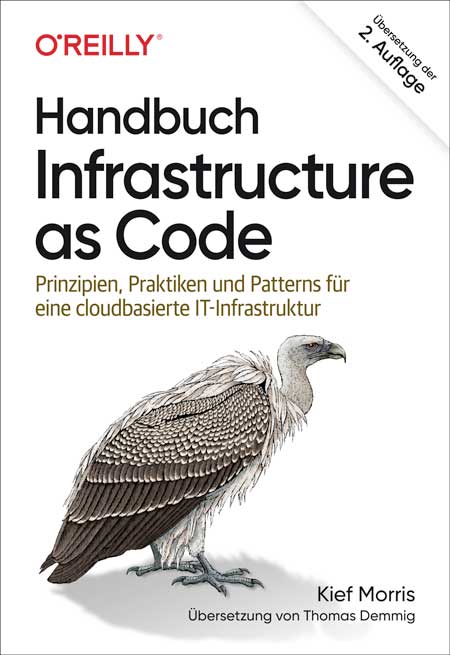
Handbuch Infrastructure as Code (2. Auflg.)
Prinzipien, Praktiken und Patterns für eine cloudbasierte IT-Infrastruktur In diesem praktischen Handbuch beschreibt Kief Morris von ThoughtWorks, wie Sie Ihre IT-Infrastruktur im Cloud-Zeitalter erfolgreich aufsetzen und betreiben. Sie erfahren, wie Sie hierfür die von zahlreichen DevOps-Teams entwickelten und erprobten Prinzipien, Praktiken und Patterns nutzen können. Diese aktualisierte Auflage wendet sich an Mitarbeitende in der Systemadministration, Infrastruktur- und Softwareentwicklung, Teamleitung und Architekturabteilung von Unternehmen. Kief Morris zeigt Ihnen, wie Sie Cloud- und Automatisierungs-Technologien einsetzen, um Änderungen einfach, sicher, schnell und verantwortungsvoll vorzunehmen. Sie lernen, wie Sie alles als Code definieren und Praktiken aus dem Softwaredesign und der Entwicklung einsetzen, um Ihr System aus kleinen und lose gekoppelten Elementen aufzubauen. Zielgruppe: Mitarbeiter*innen in Systemadministration, Softwareentwicklung und -architektur Autor:Kief Morris ist Global Director of Cloud Engineering bei ThoughtWorks.Er unterstützt Teams dabei, Cloud- und Infrastrukturtechnologien so einzusetzen, dass Unternehmen mit ihnen schnell und zuverlässig einen größeren Mehrwert schaffen können. Kief entwirft, baut und betreibt seit über 20 Jahren automatisierte IT-Server-Infrastrukturen. Angefangen hat er mit Shell-Skripten und Perl, später ist er auf CFengine, Puppet, Chef und Terraform und andere Technologien umgestiegen.

Introducing Blockchain Applications
Deepen your understanding of blockchain technology and develop your own blockchain applications. This book provides a thorough review of distribution-based systems on blockchain technology, starting from the fundamental concepts that underlie it, all the way through the implementation of a blockchain network for business purposes.Author JOSEPH THACHIL GEORGE begins by introducing you to blockchain and some basic concepts of technology, including distributed systems, systems of systems, cyber-physical systems, the Byzantine Consensus, the CAP theorem, and cryptographic techniques. Next, he analyzes the structure of blocks and smart contracts and the mother of all blockchain platforms, Bitcoin. That sets the stage for an examination of transaction structure, validation, and flow, from creation to registration in the ledger and structure of the blocks, the Nakamoto consensus, and finally forks. From there, you’ll experience a deep dive into Ethereum; including the concepts of Gas and Message, smart contracts and the Ethereum virtual machine. From there, you’ll learn about the Ethereum consensus protocol, Ethereum Casper, and the Ethereum Proof-of-Stake algorithm. You’ll then see how blockchain can be connected to a distributed system, followed by a demonstration of how you can model a distributed system using Blockly4SoS and Kilobots. The concluding chapters offer a practical example that combines distributed systems with blockchain technology.After reading this book, you will understand how to implement blockchain technology in a distributed system and be able to leverage this knowledge in your own projects.WHAT YOU WILL LEARN* Learn the concept of blockchains by way of a practical example * Grasp the connection between distributed systems and blockchain technology* Learn the design of blockchain with hyperledger fabric* Learn the design of cyber-physical systems in a distributed environment WHO IS THIS BOOK FORDevelopers who are enthusiastic about the design and implementation of distributed systems.Joseph Thachil George is a Technical Consultant for International Game Technology (IGT), Rome, Italy. Additionally, Joseph is pursuing doctorate (PhD) in Computer Science and Engineering at the University of Lisbon, Portugal. He has completed M.S. in Cyber Security from the Università degli Studi di Firenze, Italy. In addition, he is also part of the research group (DISIA) of the University of Florence, Italy, and the research group (INESC-ID Lisbon) of the University of Lisbon, Portugal. His research interests cover dynamic malware analysis, Blockchain technology - hyperledger fabric, and cyber security. In IGT, he has been a part of various project related to game configuration and integration in various platform. Specialized in Java and spring boot-based projects. He has also worked in various companies in India, Angola, Portugal, and UK; he has seven years of experience in various IT companies.1: INTRODUCING BLOCKCHAIN APPLICATIONS THROUGH DISTRIBUTED SYSTEMS2: INTRODUCTION TO BLOCKCHAIN3: BITCOIN4: ETHEREUM5: PROOF OF STAKE: CONSENSUS OF THE FUTURE6: HYPERLEDGER FABRIC7: CONSENSUS ALGORITHMS FOR BLOCKCHAINS8: SAMPLE PROJECT EXERCISE: CONSENSUS ALGORITHMS FOR BLOCKCHAINS9: REAL-TIME SYSTEMS10: SCHEDULING IN REAL-TIME SYSTEMS11: ENGINEERING BASED ON MODELS12: BLOCKLY 4 SOS13: PROJECT: CYBER PHYSICAL SYSTEMS14: PROJECT USING MATLAB: SMART FARM15: PLATOON PROJECT16: BLOCKCHAIN TECHNOLOGY AND DISTRIBUTED SYSTEMS FUTURE SCOPE AND B-COIN PROJECT17: AI AND BLOCKCHAIN: MONITORING AUTONOMOUS VEHICLES MANAGEMENT PROJECT18: SUMMARY
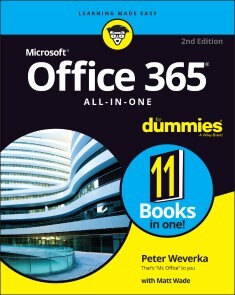
Office 365 All-in-One For Dummies
MULTIPLY YOUR PRODUCTIVITY WITH THE WORLD'S MOST STRAIGHTFORWARD GUIDE TO THE WORLD'S MOST POPULAR OFFICE SOFTWAREMicrosoft Office 365 contains straightforward tools for virtually every office task you could possibly think of. And learning how to use this powerful software is much easier than you might expect! With the latest edition of Office 365 All-in-One For Dummies, you'll get a grip on some of the most popular and effective office software on the planet, including Word, Excel, PowerPoint, Outlook, Access, Publisher, and Teams. This expanded handbook walks you through the ins and outs of reviewing and composing documents with Word, hosting and joining meetings with Teams, crunching numbers with Excel, and answering emails with Outlook. And it's ideal for anyone who's brand new to Office and those who just need a quick refresher on the latest useful updates from Microsoft. In this one-stop reference, you'll find:* Step-by-step instructions on the installation, maintenance, and navigation of all the critical components of Office 365* Guidance for using Office 365's built-in online and cloud functionality* Complete explanations of what every part of Office 365 is used for and how to apply them to your lifeOffice 365 All-in-One For Dummies is the last handbook you'll ever need to apply Microsoft's world-famous software suite to countless everyday tasks. PETER WEVERKA is a veteran tech writer who has written dozens of Dummies titles, including the first edition of Office 365 All-in-One For Dummies. He has also authored books on PowerPoint, OneNote, Word, and Quicken.Introduction 1BOOK 1: COMMON OFFICE TASKS 5Chapter 1: Office Nuts and Bolts 7Chapter 2: Wrestling with the Text 29Chapter 3: Speed Techniques Worth Knowing About 49BOOK 2: WORD 365 57Chapter 1: Speed Techniques for Using Word 59Chapter 2: Laying Out Text and Pages 79Chapter 3: Word Styles 105Chapter 4: Constructing the Perfect Table 123Chapter 5: Taking Advantage of the Proofing Tools 147Chapter 6: Desktop Publishing with Word 167Chapter 7: Getting Word’s Help with Office Chores 185Chapter 8: Tools for Reports and Scholarly Papers 205BOOK 3: EXCEL 365 229Chapter 1: Up and Running with Excel 231Chapter 2: Refining Your Worksheet 249Chapter 3: Formulas and Functions for Crunching Numbers 265Chapter 4: Making a Worksheet Easier to Read and Understand 299Chapter 5: Advanced Techniques for Analyzing Data 317BOOK 4: POWERPOINT 365 337Chapter 1: Getting Started in PowerPoint 339Chapter 2: Fashioning a Look for Your Presentation 361Chapter 3: Entering the Text 377Chapter 4: Making Your Presentations Livelier 393Chapter 5: Delivering a Presentation 409BOOK 5: OUTLOOK 365 431Chapter 1: Outlook Basics. 433Chapter 2: Maintaining the People App 445Chapter 3: Handling Your Email 457Chapter 4: Managing Your Time and Schedule 479BOOK 6: ACCESS 365 491Chapter 1: Introducing Access 493Chapter 2: Building Your Database Tables 509Chapter 3: Entering the Data 537Chapter 4: Sorting, Querying, and Filtering for Data 547Chapter 5: Presenting Data in a Report 567BOOK 7: PUBLISHER 365 573Chapter 1: Introducing Publisher 575Chapter 2: Refining a Publication 587Chapter 3: Putting on the Finishing Touches 599BOOK 8: WORKING WITH CHARTS AND GRAPHICS 609Chapter 1: Creating a Chart 611Chapter 2: Making a SmartArt Diagram 631Chapter 3: Handling Graphics and Photos 651Chapter 4: Drawing and Manipulating Lines, Shapes, and Other Objects 667BOOK 9: OFFICE 365: ONE STEP BEYOND 701Chapter 1: Customizing an Office Program 703Chapter 2: Ways of Distributing Your Work 717BOOK 10: MICROSOFT TEAMS 725Chapter 1: Getting around in Teams 727Chapter 2: Getting Up to Speed with Teams and Channels 753Chapter 3: Communicating through Channels and Private Chat 769Chapter 4: Organizing Your Files in Teams 793Chapter 5: Getting Together for Online Meetings 809BOOK 11: FILE SHARING AND COLLABORATING 835Chapter 1: File Sharing and Collaborating 837Chapter 2: Making the Most of OneDrive 851Chapter 3: Collaborating in SharePoint 865Index 895

Outlook For Dummies
LEARN ALL ABOUT THE BEST APPLICATION FOR EMAILING, SCHEDULING, COLLABORATING, AND JUST PLAIN GETTING STUFF DONEDid you know that Microsoft Outlook can do everything, including cook your dinner? Okay, it can’t cook your dinner. But it can deliver your email, filter out the junk, help you organize your life, sync data to the cloud, integrate with iOS and Android, and about a zillion other things. Outlook For Dummies shows you how to work all the basic and advanced features of the Office 2021 version.Outlook is loaded with interesting productivity tools that most people—even in business environments—don’t know about. Did you know you can create automated mail-handling rules? Translate messages into other languages? Share your calendar with other people? It’s true, and when people start wondering how you suddenly got to be so productive, you can tell them: Outlook For Dummies.* Take a stroll around the basic interface and emailing capabilities of Outlook for Office 2021 * Use Outlook to create daily and monthly schedules, manage a to-do list, organize messages into folders, and make notes for later reference * Discover advanced and little-known features that will help you get organized and stay on top of things * Sync email across your devices and access Outlook from any computer, tablet, or phone For users who are brand-new to Outlook and those upgrading to the latest version, this book makes it simple to get going.FAITHE WEMPEN, M.A., is a Microsoft Office Specialist Master Instructor and the author of over 150 books on Windows, Office, and computer technology.Introduction 1PART 1: GETTING STARTED WITH OUTLOOK 9Chapter 1: A First Look at Outlook 11Chapter 2: Taking a Tour of the Outlook Interface 25Chapter 3: Getting on the Fast Track with Handy Shortcuts 43PART 2: TAMING THE EMAIL BEAST 57Chapter 4: Email Essentials 59Chapter 5: Taking Email to the Next Level 81Chapter 6: Conquering Your Mountain of Messages 103Chapter 7: Managing Multiple Email Accounts and Data Files 143PART 3: KEEPING TRACK OF CONTACTS, DATES, TASKS, AND MORE 165Chapter 8: Your Little Black Book: Managing Your Contacts 167Chapter 9: Organizing Your Schedule with the Calendar 191Chapter 10: Staying on Task: To-Do Lists and More 219PART 4: TAKING OUTLOOK TO THE NEXT LEVEL 245Chapter 11: Merging Mail From Outlook to Microsoft Word 247Chapter 12: Integrating Outlook with Google and iCloud 261Chapter 13: Outlook for iOS and Android Devices 273Chapter 14: Seeing It Your Way: Customizing Outlook 285PART 5: OUTLOOK AT WORK 305Chapter 15: Outlook on the Job 307Chapter 16: Using Outlook on the Web: Your Outlook Away From Outlook 329PART 6: THE PART OF TENS 347Chapter 17: Ten Shortcuts Worth Taking 349Chapter 18: Ten Things You Can’t Do with Outlook 359Chapter 19: Ten Things You Can Do After You’re Comfy 365Index 371
Customer Experience visualisieren und verstehen
Mit Mapping-Techniken zu einer erfolgreichen Kundenausrichtung* Für alle, die an Planung, Design und Entwicklung von Produkten und Dienstleistungen beteiligt sind wie Designer, Produktmanager, Markenmanager, Marketing-Manager, Unternehmer und Geschäftsinhaber* US-Bestseller und Grundlagenwerk zu Mapping-Techniken* Starker Praxisbezug durch kommentierte Beispiele, Case Studies und PraxistippsMapping-Techniken unterstützen Unternehmen dabei, den Status quo, wichtige Zusammenhänge, aber vor allem Sicht und Bedürfnisse ihrer Kund:innen zu verstehen und zu dokumentieren. So entsteht ein teamübergreifendes Verständnis - beispielsweise auch von Multi-Channel-Plattformen oder Produkt-Ökosystemen.James Kalbach vermittelt in diesem Standardwerk die Grundlagen dieser Mapping-Techniken – z.B. welche Aspekte und Dimensionen visualisiert werden können – und beschreibt den Praxiseinsatz von Service Blueprints, Customer Journey Maps, Experience Maps, Mentalen Modellen oder Ökosystem-Modellen.Jim Kalbach ist Head of Customer Experience bei MURAL, einem führenden visuellen Online-Workspace für Remote-Zusammenarbeit. Er ist ein bekannter Autor, Redner und Dozent für User Experience Design, Informationsarchitektur und Strategie und hat mit Unternehmen wie eBay, Audi, Sony, Elsevier Science, LexisNexis und Citrix zusammengearbeitet. Jim ist der Autor von "Designing Web Navigation" (O'Reilly) und "The Jobs to Be Done Playbook" (Rosenfeld).
Handbuch Infrastructure as Code
CLOUD-INFRASTRUKTUREN ERFOLGREICH AUTOMATISIEREN: STRATEGIEN FÜR DIE PRAXIS * Mithilfe von Patterns und Antipatterns Automatisierung verstehen und erfolgreich umsetzen * Pseudocode-Beispiele veranschaulichen die konkrete Umsetzung * Diese Auflage beschreibt neben dem Managen von Servern jetzt auch komplexe Container-Plattformen Kief Morris von ThoughtWorks zeigt in diesem Praxisbuch, wie Sie die von DevOps-Teams entwickelte Prinzipien, Praktiken und Patterns effektiv verwenden, um in der Cloud sicher und flexibel Infrastruktur zu managen. Es vermittelt, wie nicht nur Server, sondern auch komplexe Container-Plattformen (Stacks) aufgesetzt werden. Sie erfahren, wie sie mithilfe von Cloud- und Automatisierungstechnologien Änderungen einfach, sicher und schnell vornehmen. Sie lernen, wie Sie nahezu alles als Code definieren und setzen Praktiken aus dem Softwaredesign ein, um ein System aus kleinen, lose gekoppelten Elementen aufzubauen. Zielgruppen sind Mitarbeiterinnen und Mitarbeiter in der Systemadministration, Infrastruktur-Entwicklung, Softwareentwicklung und Architektur.

Agile Visualization with Pharo
Use the Pharo interactive development environment to significantly reduce the cost of creating interactive visualizations. This book shows how Pharo leverages visualization development against traditional frameworks and toolkits.Agile Visualization with Pharo focuses on the Roassal visualization engine and first presents the basic and necessary tools to visualize data, including an introduction to the Pharo programming language. Once you’ve grasped the basics, you’ll learn all about the development environment offered by Roassal. The book provides numerous ready-to-use examples. You’ll work on several applications, including visualizing the training phase of reinforcement learning (a powerful machine learning algorithm) and generating software visualizations from GitHub.This book covers aspects that are relevant for engineers and academics to successfully design and implement interactive visualizations.WHAT YOU WILL LEARN* Implement agile data visualization using the Pharo programming language* Chart, plot, and curve using Grapher* Build and draw graphs using Mondrian* Implement reinforcement learning (Q-Learning, from scratch) and use visualizations to monitor learning and state exploration* Use GitHub Action to generate software visualizations (UML class diagram, test coverage) at each commit WHO THIS BOOK IS FORProgrammers with some prior exposure to data visualization and computer vision who may be new to the Pharo programming language. This book is also for those with some Pharo experience looking to apply it to data visualization.ALEXANDRE BERGEL is a contributor to the Pharo programming language and an assistant professor at the University of Chile. He does research in software engineering and programming using Pharo and other programming languages with applications in data visualization, agile methodology, and more.1: Introduction.-2: Quick Start.-3: Pharo in a Nutshell.-4: Agile Visualization.-5: Overview of Rossal.-6: The Rossal Canvas.-7: Shapes.-8: Line Builder.-9: Shape Composition.-10: Normalizing and Scaling Values.-11: Interactions.-12: Layouts.-13: Integration in the Inspector.-14: Reinforcement Learning.-15: Generating Visualizations from GitHub.-

Beginning Java 17 Fundamentals
Learn the fundamentals of the Java 17 LTS or Java Standard Edition version 17 Long Term Support release, including basic programming concepts and the object-oriented fundamentals necessary at all levels of Java development. Authors Kishori Sharan and Adam L. Davis walk you through writing your first Java program step-by-step. Armed with that practical experience, you'll be ready to learn the core of the Java language. Beginning Java 17 Fundamentals provides over 90 diagrams and 240 complete programs to help you learn the topics faster.While this book teaches you the basics, it also has been revised to include the latest from Java 17 including the following: value types (records), immutable objects with an efficient memory layout; local variable type inference (var); pattern matching, a mechanism for testing and deconstructing values; sealed types, a mechanism for declaring all possible subclasses of a class; multiline text values; and switch expressions.The book continues with a series of foundation topics, including using data types, working with operators, and writing statements in Java. These basics lead onto the heart of the Java language: object-oriented programming. By learning topics such as classes, objects, interfaces, and inheritance you'll have a good understanding of Java's object-oriented model. The final collection of topics takes what you've learned and turns you into a real Java programmer.You'll see how to take the power of object-oriented programming and write programs that can handle errors and exceptions, process strings and dates, format data, and work with arrays to manipulate data.WHAT YOU WILL LEARN* Write your first Java programs with emphasis on learning object-oriented programming* How to work with switch expressions, value types (records), local variable type inference, pattern matching switch and more from Java 17* Handle exceptions, assertions, strings and dates, and object formatting* Learn about how to define and use modules* Dive in depth into classes, interfaces, and inheritance in Java* Use regular expressions* Take advantage of the JShell REPL toolWHO THIS BOOK IS FORThose who are new to Java programming, who may have some or even no prior programming experience.KISHORI SHARAN has earned a Master of Science in Computer Information Systems degree from Troy State University, Alabama. He is a Sun Certified Java 2 programmer. He has vast experience in providing training to professional developers in Java, JSP, EJB, and Web technology. He possesses over ten years of experience in implementing enterprise level Java application.ADAM L. DAVIS makes software. He’s spent many years developing in Java (since Java 1.2) and has enjoyed using Spring and Hibernate for more than a decade. Since 2006 he’s been using Groovy, Grails, HTML, CSS, and JavaScript, in addition to Java, to create SaaS web applications that help track finances for large institutions (among other things). Adam has a master’s and a bachelor’s degree in Computer Science from Georgia Tech. He is also the author of Reactive Streams in Java (Apress, 2019), Learning Groovy 3, Second Edition (Apress, 2019) and Modern Programming Made Easy, Second Edition (Apress, 2020).1. Programming Concepts2. Setting Up the Environment3. Writing Java Programs4. Data Types5. Operators6. Statements7. Classes and Objects8. Methods9. Constructors10. Modules11. Object and Objects Classes12. Wrapper Classes13. Execution Handling14. Assertions15. Strings16. Dates and Times17. Formatting Data18. Regular Expressions19. Arrays20. Inheritance21. Interfaces22. Enum Types23. Java ShellAppendix A: Character EncodingsAppendix B: Documentation Comments

Hands-on Matplotlib
Learn the core aspects of NumPy, Matplotlib, and Pandas, and use them to write programs with Python 3. This book focuses heavily on various data visualization techniques and will help you acquire expert-level knowledge of working with Matplotlib, a MATLAB-style plotting library for Python programming language that provides an object-oriented API for embedding plots into applications.You'll begin with an introduction to Python 3 and the scientific Python ecosystem. Next, you'll explore NumPy and ndarray data structures, creation routines, and data visualization. You'll examine useful concepts related to style sheets, legends, and layouts, followed by line, bar, and scatter plots. Chapters then cover recipes of histograms, contours, streamplots, and heatmaps, and how to visualize images and audio with pie and polar charts.Moving forward, you'll learn how to visualize with pcolor, pcolormesh, and colorbar, and how to visualize in 3D in Matplotlib, create simple animations, and embed Matplotlib with different frameworks. The concluding chapters cover how to visualize data with Pandas and Matplotlib, Seaborn, and how to work with the real-life data and visualize it. After reading Hands-on Matplotlib you'll be proficient with Matplotlib and able to comfortably work with ndarrays in NumPy and data frames in Pandas.WHAT YOU'LL LEARN* Understand Data Visualization and Python using Matplotlib* Review the fundamental data structures in NumPy and Pandas * Work with 3D plotting, visualizations, and animations* Visualize images and audio dataWHO THIS BOOK IS FORData scientists, machine learning engineers and software professionals with basic programming skills.Ashwin Pajankar holds a Master of Technology from IIIT Hyderabad, and has over 25 years of programming experience. He started his journey in programming and electronics with BASIC programming language and is now proficient in Assembly programming, C, C++, Java, Shell Scripting, and Python. Other technical experience includes single board computers such as Raspberry Pi and Banana Pro, and Arduino.Chapter 1: Getting Started with Python and Jupyter NotebookChapter Goal: Introduce the reader to the basics of Python programming language, philosophy, and installation. We will also learn how to install it on various platforms. This chapter also introduces the readers to Python programming with Jupyter notebook. In the end, we will also have a brief overview of the constituent libraries of SciPy stack.No of pages - 26Sub -Topics• Python Programming Language• Installing Python on various platforms• Python Modes• Python IDEs• Scientific Python Ecosystem• Overview of Jupyter Notebook• Setting up Jupyter Notebook• Running Code in Jupyter NotebookChapter 2: Getting Started with NumPyChapter Goal: Get started with NumPy Ndarrays and basics of NumPy library. The chapter covers the instructions for installation and basic usage of NumPy.No of pages: 9Sub - Topics:· Introduction to the NumPy Ndarrays· Ndarray Properties· NumPy ConstantsChapter 3 : NumPy Routines and Getting started with MatplotlibChapter goal – In this chapter, we will discuss the various Ndarray creation routines available in NumPy. We will also get started with visualizations with Matplotlib. We will learn how to visualize the various numerical ranges with Matplotlib.No of pages: 15Sub - Topics:· Routines for creating Ndarrays· Matplotlib· Visualization with NumPy and MatplotlibChapter 4 : Revisiting Matplotlib VisualizationsChapter goal – This chapter is focused on learning the details of Matplotlib styles for visualizing NumPy Ndarrays.No of pages: 24Sub - Topics:• Single Line Plots• Multiline plots• Grid, Axes, and Labels• Colors, Lines, and Markers• Subplots• Object Oriented Style• Working with the textChapter 5 : Styles and LayoutsChapter goal – This chapter is focused on learning the details of Matplotlib styles and layouts.No of pages: 12Sub - Topics:1. Styles2. layoutsChapter 6 : Line, Bar, and Scatter PlotsChapter goal – In this chapter, we will learn how to create nice visualizations with lines, bars, and scatter.No of pages: 14Sub - Topics:· Lines and Logs· Errorbar· Bar Graphs· Scatter PlotChapter 7 : Histograms, Contours, and StreamplotsChapter goal – In this chapter, we will learn how to create nice visualizations histograms, contours, and streamplots.No of pages: 15Sub - Topics:• Histograms• Contours• Plot vector entities with streamplotsChapter 8 : Image and Audio VisualizationChapter goal – Learn to work with Image Processing using NumPy and Matplotlib. Also learn how to process and visualize audio data as waveforms.No of pages: 15Sub - Topics:• Visualizing images• Interpolation Methods• Audio Visualization• Audio ProcessingChapter 9 : Pie and Polar ChartsChapter goal – Learn to work with Pie and Polar charts.No of pages: 12Sub - Topics:1. Pie charts2. Polar chartsChapter 10 : PColor, Pcolormesh, and ColorbarChapter goal – In this chapter, we will learn Pcolor, Pcolormesh, and colorbar.No of pages: 10Sub - Topics:1. PColor2. Pcolormesh3. ColorbarChapter 11 : 3D Visualizations in MatplotlibChapter goal – In this chapter, we will learn how to create 3D visualizations.No of pages: 17Sub - Topics:• Getting Ready• Plotting 3D Line• 3D Scatter plot• 3D Contours• Wireframe, Surface, and Sample Data• Bar graphs• Quiver and Stemplot• 3D VolumesChapter 12 : Animations with MatplotlibChapter goal – In this chapter, we will learn how to create simple animations with Matplotlib.No of pages: 8Sub - Topics:• Animation Basics• Celluloid libraryChapter 13 : More Recipes of Visualizations with MatplotlibChapter goal – In this chapter, we will learn more types of visualizations with Matplotlib.No of pages: 14Sub - Topics:· Visualizing Function as an image and a contour· 3D Vignette· Decorated Scatter Plots· Time plots and Signals· Filled Plots· Step Plots· Hexbins· XKCD StyleChapter 14 : Introduction to PandasChapter goal – Get started with Pandas data structuresNo of pages: 10Sub - Topics:• Introduction to Pandas• Series in Pandas• Dataframe in PandasChapter 15 : Data AcquisitionChapter goal – Read the data from various sourcesNo of pages: 18Sub - Topics:• Plain Text File Handling• Handling CSV with Python• Python and Excel• Writing and reading files with NumPy• Reading the data from a CSV file with NumPy• Matplotlib CBook• Reading data from a CSV• Reading data from an Excel• Reading data from JSON• Reading data from Pickle• Reading data from Web• Reading data from Relation databases• Reading Data from the clipboardChapter 16 : Visualizing Data with Pandas and MatplotlibChapter goal – Get started with Data Visualization with MatplotlibNo of pages: 25• Simple Plots• Bar Graphs• Histogram• Box Plot• Area Plots• Scatter Plot• Hexagonal Bin Plot• Pie ChartsChapter 17 : Introduction to Data Visualization with SeabornChapter goal – Get started with Pandas and seabornNo of pages: 20Sub - Topics:• What is Seaborn?• Plotting statistical Relationships• Plotting Lines• Visualizing the distribution of dataChapter 18 : Visualizing real-life Data with Matplotlib and SeabornChapter goal – Get started with COVID and Animal disease datasets and Visualize themNo of pages: 20Sub - Topics:• COVID-19 Pandemic Data• Fetching the Pandemic Data Programmatically• Preparing the data for visualization• Visualization with Matplotlib and Seaborn• Visualization of Animal Disease Data

Spring REST
Design and develop Java-based RESTful APIs using the latest versions of the Spring MVC and Spring Boot frameworks. This book walks you through the process of designing and building a REST application while delving into design principles and best practices for versioning, security, documentation, error handling, paging, and sorting.Spring REST provides a brief introduction to REST, HTTP, and web infrastructure. You will learn about several Spring projects such as Spring Boot, Spring MVC, Spring Data JPA, and Spring Security, and the role they play in simplifying REST application development. You will learn how to build clients that consume REST services. Finally, you will learn how to use the Spring MVC test framework to unit test and integration test your REST API.After reading this book, you will come away with all the skills to build sophisticated REST applications using Spring technologies.WHAT YOU WILL LEARN* Build Java-based microservices, native cloud, or any applications using Spring REST* Employ Spring MVC and RESTful Spring* Build a QuickPoll application example* Document REST services, as well as versioning, paging, and sorting* Test, handle errors and secure your applicationWHO THIS BOOK IS FORIntermediate Java programmers with at least some prior experience with Spring and web/cloud application development.BALAJI VARANASI is a software development manager and technology entrepreneur. He has over 13 years of experience architecting and developing Java/.Net applications and, more recently, iPhone apps. During this period he has worked in the areas of security, web accessibility, search, and enterprise portals. He has a Master s Degree in Computer Science and serves as adjunct faculty, teaching programming and information system courses. When not programming, he enjoys spending time with his lovely wife in Salt Lake City, Utah.MAXIM BARTKOV is a staff engineer with more than seven years of commercial experience in Java. Maxim specializes in building architecture for high-load systems. He is skilled in the development of Distributed High-Load Systems, Microservice architecture, Spring Framework, System Architecture, and In-Memory Data Grid (IMDG). In his spare time, he writes articles for the Java community.1. Introduction to REST2. Spring MVC & Spring Boot Primer3. RESTful Spring4. Beginning the QuickPoll Application5. Error Handling6. Documenting REST Services7. Versioning, Paging, and Sorting8. Security9. Clients and Testing10. HATEOASA. Installing cURL on Windows

Practical Docker with Python
Learn the fundamentals of containerization and get acquainted with Docker. This second edition builds upon the foundation of the first book by revising all the chapters, updating the commands, code, and examples to meet the changes in Docker. It also introduces a new chapter on setting up your application for production deployment and breaks down terminologies like Dockerfile and Docker volumes while taking you on a guided tour of building a telegram bot using Python.You'll start with a brief history of how containerization has changed over the years. Next, we look at how to install (including using the new WSL2 mode) and get started with Docker. The next couple of chapters will focus on understanding the Dockerfile, including the structure and the core instructions used in building a Docker image. You'll also see how to distribute Docker images using Docker hub and other private registries. From there, you'll look at using Docker volumes for persisting data. Then learn how to run multi-container applications with Docker compose and learn inter-container networking works with Docker networks. Finally, you'll look at how to prepare a containerized application for production deployments.Throughout the book you'll apply the techniques learned through the chapters by building a Telegram messenger Chatbot and see how much easier Docker makes it possible to build, release, contribute and distribute an application. In addition, the book shows how optimize the Docker images for production servers by using multi-stage builds and improve the reliability of your services by using health checks and restart policies. Practical Docker with Python will break down terminologies like Dockerfile and Docker volumes, and take you on a guided tour of building a telegram bot using Python.WHAT YOU'LL LEARN* Compare the difference between containerization and virtualization* Understand the Dockerfile and converting your application to Docker image* Define and run multi-container applications with Docker compose* Review data persistency with Docker volumesWHO THIS BOOK IS FORBeginner and intermediate developers, DevOps practitioners who are looking improving their build and release workflow by containerizing applications as well as system administrators learning to implement DevOps principles.Sathyajith Bhat is a seasoned DevOps/SRE professional currently working as a DevOps Engineer on Adobe I/O, which is Adobe’s developer ecosystem and community. Prior to this, he was the lead Ops/SRE at Styletag.com. He transitioned to Ops/SRE after being a lead analyst at CGI, working primarily on Oracle Fusion stack (Oracle DB/PL/SQL/Oracle Forms and other related middleware) designing, architecting, and implementing complete end-to-end solutions for a major insurance provider in the Nordics.In his free time, Sathya is part of the Barcamp Bangalore planning team, handling DevOps and Social Media for BCB. He is also a volunteer Community Moderator at Super User and Web Apps Stack Exchange, keeps the servers for Indian Video Gamer forums up and running, and was previously a Moderator for Chip-India and Tech 2 forums.Chapter 1: Introduction to Containerization & DockerChapter Goal: Brief intro into containerization, how they compare to virtual machines, Intro to Docker and getting the reader ready for the practical aspects of the bookNo of pagesSub -Topics1. What are containers2. Containers vs Virtual machines3. Introduction to Docker4. CONTAINER RUNTIMES (OCI, CRI-O, CONTAINERD)Chapter 2: Docker 101Chapter Goal: Getting started with Docker, running a sample containerNo of pages:Sub - Topics:1. INSTALLING DOCKER (INCLUDING CHANGES FOR INSTALLING DOCKER FOR WINDOWS USING THE WSL2 ENGINE)2. Checking if Docker is ready3. Docker client4. Understanding Jargon around Docker (INCLUDING DOCKER REGISTRIES, REPOSITORIES, TAGS)5. Running/stopping/ connecting a docker container6. Dockerfile brief7. Practical: Running a simple container, hands-on some common Docker commandsChapter 3: Building the Python AppChapter Goal: Getting to understand the project, APIs involved, pre-requisitesNo of pages:Sub - Topics:1. Project description (delivering latest content from Reddit to Telegram messenger)2. Setting up the Python workspace (installing the required libraries, setting up virtualenv)3. Creating a Telegram bot4. Running the Python application and confirming bot worksChapter 4: Understanding DockerfileChapter Goal: Getting to know Dockerfile, the different constructs and conceptsNo of pages:Sub - Topics:1. Dockerfile, dockerignore2. Base image & using them with “from …”3. RUN/CMD/Environment variables4. HOW AND WHY TO TAG DOCKER IMAGES5. WHY TO AVOID THE ‘LATEST’ TAG6. Practical: Modifying sample Dockerfile to run our ProjectChapter 5: Understanding Docker VolumesChapter Goal: Containers are meant for stateless applications. Chapter explains steps needed to persist data1. Problem of stateful applications in containers2. Docker volumes3. Practical: Show how data in containers is lost when container is killed and how Docker volumes avoid this4. Practical: Modifying our project Dockerfile to add Docker volumesChapter 6: Docker NetworkingChapter Goal: Overview of Docker networking, linking containers1. Docker bridged network2. User defined networks3. Practical: Create a Database container and link it with our project application server containerChapter 7: Multi Container ApplicationsChapter Goal: Building multi-container applications with Docker compose1. A LOOK AT DOCKER-COMPOSE VERSUS DOCKER COMPOSE2. Docker Compose file reference3. Linking/establishing dependencies across containers4. Environment variables across linked containers5. Practical: Moving our project from separate linked containers to Docker Compose projectCHAPTER 8: PREPARING FOR PRODUCTION DEPLOYMENTS1. WHAT IS ORCHESTRATION AND WHY DO WE NEED ORCHESTRATION2. SETTING UP CI WITH GITHUB ACTIONS TO BUILD A NEW IMAGE ON EVERY COMMIT3. TIPS TO SETUP YOUR PRODUCTION DOCKER HOSTS AND CONTAINERS4. DEPLOYING YOUR CONTAINER IMAGE TO KUBERNETES

Heimautomation mit KNX, Dali, 1-Wire und Co. (3. Auflage)
Der Begleiter für Ihr Smart-Home-Vorhaben In diesem großen Standardwerk zur Heimautomation begleitet Sie KNX-Integrator Stefan Heinle auf dem Weg zu Ihrem smarten Zuhause. Sie finden darin nützliche Planungshilfen und Einkaufslisten, Checklisten zur Abnahme sowie unzählige Praxistipps. Von der Planung Ihrer Installation über die Auswahl der Komponenten bis hin zu Einbau, Parametrierung, Vernetzung und Absicherung wird kein Schritt ausgelassen. Selbstverständlich mit dabei: zentrale Grundlagen der Elektrik, der intelligenten Gebäudetechnik und der Programmierung. Aus dem Inhalt: Alle Grundlagen: Elektrik, intelligente Gebäudetechnik, Bus-Systeme, Vernetzung, Programmierung, Linux-AdministrationKonzepte, Standards, Vorgehensweisen und PlanungKomplette Ausstattung: Sensoren, Aktoren, Antriebe, Schnittstelle, Gateways, Logik-Maschinen, Visualisierung u. v. m.Zentrale Software: ETS, Home Server Experte, Kodi, MPD u. v. m.Multi-Room-Audio, Heimkino und Netzwerk aufbauenModerne LED-Beleuchtung, biorythmisches LichtKostenlos automatisieren: eibd, linknx, OWFS, OpenHAB, FHEM, SmartHome.pyVisualisierung/Steuerung: per Raum-Controller, Touch-Panel PC, Sprachsteuerung, Smartphone oder Web-BrowserHeimsicherheit mit Alarmanlage, Kameras und ZutrittskontrolleFunkbasierte Lösungen für den Bestandsbau nachrüstenTelefon, Türkommunikation, intelligente Haushaltsgeräte, Smart Metering u. v. m. einbindenGeldwerte Einkaufstipps und sofort einsetzbare Praxislösungen Autor: Stefan Heinle (Dipl-Ing.) plant individuelle Heimautomationslösungen und setzt Smart-Home-Projekte professionell in die Praxis um. Leseprobe (PDF-Link)

Robo Wunderkind für Kids
Roboter bauen und programmieren lernen - die spannende Erstauflage.Ein Roboter, der Nachrichten überbringen kann? Oder ein Roboter-Tier, das man selbst steuert und das genau das macht, was man möchte? Mit Robo Wunderkind und diesem Buch kannst man in die spannende Welt der Robotik eintauchen und selbst entworfenen Roboter nach eigenen Vorstellungen programmieren. Die Autorin führt einen Schritt für Schritt in die Welt von Robo ein. Egal, ob man die ersten Schritte in der Programmierung macht oder etwas komplexere Aufgaben programmieren möchte, in diesem Buch findet man für jedes Level Ideen und Anleitungen. Im ersten Teil des Buchs stellt die Autorin die einzelnen Robo-Sets und Blöcke vor: Manche Blöcke können Sounds abspielen, andere senden Lichtsignale oder schreiben Textnachrichten. Man kann die Blöcke beliebig kombinieren und so der eigenen Fantasie freien Lauf lassen.Im zweiten Teil lernst man die Coding-App kennen. Für jedes der drei Level »Robo Live«, »Robo Code« oder »Robo Blockly« findest man Ideen für die verschiedenen Sets: zum Beispiel die Musikmaschine für Robo Live, den Postboten-Robo für Robo Code und den Mondforscher-Robo für Robo Blockly. Die Autorin erklärt leicht verständlich die Befehle und verschiedenen Optionen der Coding-App – und man findet im Buch ganz viele tolle Robo-Projekte, mit denen man sich austoben und alles ausprobieren kann.Aus dem Inhalt:Die verschiedenen Blöcke und SetsVorstellung der drei Programmierlevels: Robo Live, Robo Code, Robo BlocklyProjekte für jedes Set und Level:Mars-RoverAngst-Hasen-RoboLichtweckerPostboteLinienfolgeru.v.m.Erklärungen zu allen Befehlen:den Robo flitzen oder sein LED-Licht leuchten lassenHupen- oder Lasergeräusche erzeugenHindernisse erkennen und ausweichenNachrichten in einem Display anzeigenOft verwendete Begriffe in der ProgrammierungAnregungen zu eigenen IdeenFragen und Antworten in jedem KapitelInhalt & Leseprobe (PDF-Link)

Tableau for Business Users
Learn Tableau by working through concrete examples and issues that you are likely to face in your day-to-day work.Author Shankar Arul starts by teaching you the fundamentals of data analytics before moving on to the core concepts of Tableau. You will learn how to create calculated fields, and about the currently available calculation functionalities in Tableau, including Basic Expressions, Level of Detail (LOD) Expressions, and Table Calculations. As the book progresses, you’ll be walked through comparisons and trend calculations using tables. A concluding chapter on dashboarding will show you how to build actionable dashboards to communicate analysis and visualizations. You’ll also see how Tableau can complement and communicate with Excel.After completing this book, you will be ready to tackle the challenges of data analytics using Tableau without getting bogged down by the technicalities of the tool.WHAT WILL YOU LEARNMaster the core concepts of Tableau * Automate and simplify dashboards to help business users* Understand the basics of data visualization techniques* Leverage powerful features such as parameters, table calculations, level of detail expressions, and more WHO IS THIS BOOK FORBusiness analysts, data analysts, as well as financial analysts.Shankar Arul holds a Masters in industrial engineering from Virginia Tech, USA and an MBA in Finance from ESSEC, France. He has more than 15 years of hands-on experience in the field of Data Visualization and data science. Having faced the frustrations of Business users in data-driven decision making, in companies such as BNP, Apple, Groupon and Kering, he decided to enable the Business users with the power of data visualization and Tableau through this book. Chapter 1: IntroductionCHAPTER GOAL: THE NEED FOR DATA VISUALIZATION TOOLS SUCH AS TABLEAU FOR BUSINESS USERSNO OF PAGES 4SUB -TOPICS1. Why visualize data2. Who is this book for3. How is this book differentChapter 2: Installation and SetupChapter Goal: Onboard readers with the setup of tableau.NO OF PAGES: 3SUB - TOPICS1. Installation of tableau2. Data sources required for the exercisesChapter 3: Fundamentals of DataCHAPTER GOAL: GENTLE INTRODUCTION TO THE FUNDAMENTALS OF DATANo of pages : 6SUB - TOPICS:1. Data types2. Data sources3. Data preparation4. Converting business questions to the language of dataChapter 4: The Crux of TableauCHAPTER GOAL: DISTILLATION OF THE CORE CONCEPTS OF TABLEAUNO OF PAGES: 17SUB - TOPICS:1. 4 Building pillars2. Putting it all together3. Show me3. Sheets & DashboardsChapter 5: CalculationsCHAPTER GOAL: ENRICH THE DATA BY CREATING CALCULATED FIELDSNo of pages: 16SUB - TOPICS:1. Grouping Values2. Calculated Fields3. Row level, Aggreation & Dis-Aggregation4. Bringin more data5. Importance of Cardinality6. Data ModelingChapter 6: Tables & Table CalculationsChapter Goal: Comparisons and trend calculations through tablesNO OF PAGES: 15SUB - TOPICS:1. Show me or start from scratch ?2. Table totals3. Table calculations4. SortingChapter 7: Advanced TipsCHAPTER GOAL: ADVANCED FUNCTIONALITIES OF TABLEAUNo of pages: 15SUB - TOPICS:1. Dynamic Inputs - Parameters2. Top 10/20/50 filters3. Dual Axis4. Shapes & Icons5. Level of detail calculations6. Reference lines & forecast7. Order of operationsChapter 8: DashboardsCHAPTER GOAL: BRING IT ALL TOGETHER BY ENABLING USERS TO BUILD INTERACTIVE DASHBOARDSNO OF PAGES: 9SUB - TOPICS:1. Less I more2. Dashboards: A view from 10000ft3. Fit & Layout4. Filters & Interaction

Local Marketing
Führen Sie neue Kundschaft aus der »digitalen Welt« in Ihr lokales Geschäft. Kim Weinand zeigt Ihnen, wie Sie Ihre Produkte und Dienstleitungen im Netz so präsentieren, dass Sie bei lokalen Online-Recherchen gefunden werden. Hier erfahren Sie, wie Sie Ihre Zielgruppe verstehen und die richtigen Online-Maßnahmen finden. So stärken Sie mithilfe von Google My Business, Facebook Ads, Social Media Marketing und Suchmaschinen-Optimierung Ihre Marke. Mit klaren und praktischen Anleitungen finden Sie einen sicheren Weg in die Welt des lokalen Marketings. Der richtige Mix beschert Ihnen spürbar mehr Sichtbarkeit, mehr Reichweite und am Ende mehr Umsatz. Aus dem Inhalt: Wie Sie lokal sichtbar werdenDie Customer Journey meiner Kundschaft verstehenDie eigene WebsiteDie erste Anlaufstelle: Google My BusinessGoogle Ads richtig nutzenWeitere Möglichkeiten: Facebook und YouTubeWebanalyse und ErfolgsmessungSoll ich Social Media nutzen?Mit den Kunden auch digital richtig sprechenBeispielszenarien aus der Praxis Vorwort ... 11 1. Was Sie mit lokalem Marketing erreichen können ... 13 1.1 ... Digitale Werbekanäle und Online-Marketing ... 14 1.2 ... Klassische und digitale Werbung -- Unterschiede und Stärken ... 15 1.3 ... Location-based Advertising und Targeting ... 17 1.4 ... Klasse statt Masse -- Mediakosten nur, wenn Werbung wirkt ... 19 1.5 ... Welches Werbemedium zu welchem Zweck? ... 20 2. Wie Sie lokal sichtbar werden ... 23 2.1 ... Es kommen schwere Zeiten? Nehmen Sie es locker! ... 26 2.2 ... Warum Ihre Kundschaft die Spielregeln bestimmt ... 27 2.3 ... Nachhaltiges Marketing im lokalen Wirkungsgebiet ... 29 3. Die Customer Journey meiner Kundschaft verstehen ... 35 3.1 ... Was ist eine Customer Journey? ... 36 3.2 ... Wie sieht eine lokale Customer Journey aus? ... 40 3.3 ... Gestalten Sie die Reise Ihrer Kunden ... 50 4. Es geht nicht ohne eigene Website ... 63 4.1 ... Nicht immer notwendig, aber eine gute Basis ... 65 4.2 ... Wo stehen Sie -- neue Website oder Relaunch? ... 68 4.3 ... Website und Unternehmensstrategie ... 69 4.4 ... Eine Website mit WordPress einrichten ... 72 4.5 ... Website-Design anpassen -- WordPress-Themes ... 78 4.6 ... Kundenansprache und messbare Erfolgskriterien ... 83 5. So werden Sie bei Google von Ihren Kunden gefunden ... 89 5.1 ... Wie suchen Kunden nach Ihrem Produkt oder Ihrer Dienstleistung? ... 90 5.2 ... Was ist Suchmaschinenoptimierung? ... 91 5.3 ... Websitebesuche messen -- Google Analytics ... 108 5.4 ... Website-Ziele einrichten -- Google Analytics Conversion ... 111 5.5 ... Die eigene Sichtbarkeit in Suchergebnissen prüfen -- Google Search Console ... 113 5.6 ... Es geht nicht ohne -- Datenschutz-Hinweise ... 114 5.7 ... Wo finde ich professionelle Unterstützung? ... 116 6. Sichtbar sein mit Google Ads ... 119 6.1 ... Was sind Google Ads? ... 120 6.2 ... So gewinnen Sie mit Google Ads potenzielle Kunden ... 128 6.3 ... Google Ads mit anderen Google-Diensten verknüpfen ... 142 7. Die erste Anlaufstelle -- Google My Business ... 145 7.1 ... Voraussetzung: Ihr Google-Konto anlegen ... 147 7.2 ... So pflegen Sie Ihr Google-My-Business-Profil ... 149 7.3 ... Wichtige Faktoren für das lokale Google-Ranking ... 149 7.4 ... Alle Features optimal nutzen ... 151 7.5 ... Es geht noch besser -- analysieren, monitoren, optimieren ... 160 8. Noch mehr Werbung -- weitere Möglichkeiten ... 167 8.1 ... Was sind Ads, und warum sind sie sinnvoll? ... 167 8.2 ... Wie kommt meine Werbung auf andere Webseiten? ... 168 8.3 ... Wo kann ich Ads schalten? ... 170 8.4 ... Wie kontrolliere und steuere ich die Ausspielung? ... 171 8.5 ... Wie gestalte ich ein ansprechendes Werbemittel? ... 174 8.6 ... Verschiedene Werbeformen kombinieren -- Multichannel-Kampagnen ... 180 8.7 ... Was kostet das? ... 181 8.8 ... Praxisanleitungen ... 183 9. Funktioniert meine Werbung? ... 201 9.1 ... So bewerten Sie das Kosten-Nutzen-Verhältnis Ihrer Werbung ... 202 9.2 ... Klicks und Webseitenbesuche vs. Anruf und Kaufbestätigung ... 205 9.3 ... Wann macht Online-Marketing Spaß? Return on Investment als Indikator nutzen ... 221 10. Soll ich auch in Social Media präsent sein? ... 225 10.1 ... Die Vorteile von Social Media ... 225 10.2 ... Die Macht der Community -- Empfehlungen sind Gold wert ... 226 10.3 ... Was kann und soll ich von mir erzählen? ... 231 10.4 ... Wie kann ich Kunden gewinnen? ... 233 10.5 ... Wie aktiv muss ich sein? ... 238 10.6 ... Wer betreut meine Kanäle? ... 240 10.7 ... Die wichtigsten Plattformen ... 243 11. Wir müssen reden -- mit den Kunden digital richtig kommunizieren ... 249 11.1 ... Bilder und Videos sind unerlässlich ... 251 11.2 ... Kennen Sie das Potenzial von persönlichen Mailings und Messaging? ... 252 11.3 ... Tue Gutes und rede drüber -- Unternehmensblog, News und weitere Kunden-Mehrwerte ... 253 11.4 ... Lassen Sie Ihre Website für sich arbeiten -- Formulare und Chatbots ... 264 11.5 ... Mit Newsletter und E-Mail-Marketing für zusätzlichen Umsatz sorgen ... 267 12. Online-Marketing-Strategien ... 273 12.1 ... Digitales Buchungssystem und Onlineshop im Friseurhandwerk ... 276 12.2 ... Digitalisierung im Klavierhaus ... 287 12.3 ... Google Ads für Unternehmensberatung ... 291 12.4 ... Der Mehrwert für Systemhaus-Kunden ist mehr wert für den Unternehmenserfolg ... 294 12.5 ... Ihr Start ins Online-Marketing -- ein Leitfaden für den Schnelleinstieg ... 296 13. War es das jetzt? -- Wie geht es weiter? ... 299 13.1 ... Voice matters ... 299 13.2 ... SMART-Dienste -- vernetzte Welten ... 301 13.3 ... Customer Centricity ... 302 13.4 ... Förderprogramme für Digitalisierung ... 304 Danksagung ... 307 Index ... 309

iPad in Schule und Unterricht
Ihre Schule ist endlich mit Apple-Tablets ausgestattet worden! Doch wie integrieren Sie diese nun sinnvoll in Ihren Unterricht und Schulalltag? In diesem Praxis-Handbuch lernen Sie auch als Einsteiger auf dem iPad alles dafür Notwendige von einem erfahrenen Kollegen und Apple-Experten. Felix Kolewe vermittelt Ihnen das technische und methodische Know-how, hilft Ihnen bei der Einrichtung und Organisation auf dem iPad und zeigt Ihnen an zahlreichen Beispielen, wie auch Sie Ihren Unterricht mit den Apps und digitalen Möglichkeiten Schritt für Schritt gestalten und bereichern. Aus dem Inhalt: iPad-Gerätemodelle und wichtiges Zubehör für den UnterrichtVerwaltungsmöglichkeiten in der Schule: Classroom, JAMF Teacher, SchoolworkGeräte der Schüler*innen während des Unterrichts verwalten und steuernDas Schul-iPad mit Apple-ID und Cloud-Speicher in Betrieb nehmenNützliche Einstellungen und Hilfsmittel für den SchulalltagAirDrop, Split Screen und Suchfunktion richtig nutzenDateienmanagement und Freigaben auf dem iPadKeynote als Präsentationstool, Aufgabenportfolio und WhiteboardVideos im Unterricht produzierenUnterrichtsmaterial und Arbeitsblätter mit PagesExplain Everything für die interaktive ZusammenarbeitTipps zum Troubleshooting und mehr 1. Der didaktische Mehrwert des Unterrichts mit dem iPad ... 11 1.1 ... Welchen Effekt haben digitale Lerngeräte auf den Lernerfolg? ... 12 1.2 ... Einsatzmöglichkeiten des iPads im Unterricht ... 14 1.3 ... Projektbasiertes Lernen mit dem iPad ... 15 1.4 ... Vorbereitung auf ein digitales Arbeitsleben ... 16 2. Das passende iPad-Modell und Zubehör auswählen ... 19 2.1 ... Welche Modelle gibt es? ... 19 2.2 ... Welches Modell eignet sich für den Unterricht? ... 22 2.3 ... Betriebssystem und Apps auf dem neusten Stand ... 23 2.4 ... Ihr iPad aufladen ... 25 2.5 ... Nützliches iPad-Zubehör ... 26 3. Verwaltung des iPads in der Schule ... 31 3.1 ... Private Verwaltung ... 31 3.2 ... Zentrale Verwaltung ... 32 3.3 ... Wenn möglich, zentral verwalten ... 46 4. Apple-ID und iCloud - Das Schul-iPad in Betrieb nehmen ... 47 4.1 ... Was ist eine Apple-ID? ... 47 4.2 ... Über den Webbrowser auf die iCloud zugreifen ... 58 4.3 ... Das bietet Ihnen die Apple-ID ... 61 5. Die iPad-Oberfläche kennenlernen und richtig nutzen ... 63 5.1 ... Das iPad sperren und entsperren ... 63 5.2 ... Der Home-Bildschirm ... 64 5.3 ... Das Dock ... 71 5.4 ... Das Kontrollzentrum ... 77 5.5 ... Dateien senden mit AirDrop ... 80 5.6 ... Bildschirmsynchronisation über AirPlay ... 82 5.7 ... Der Split View ... 84 5.8 ... Mitteilungen auf dem iPad ... 89 5.9 ... Apps herunterladen ... 95 5.10 ... Quick Notes ... 98 6. Einstellungen und Hilfsmittel für den Schulalltag ... 101 6.1 ... Der Apple Pencil ... 101 6.2 ... Externe Tastaturen anschließen ... 102 6.3 ... Interne Tastaturen hinzufügen ... 103 6.4 ... Die Vorlesefunktion des iPads ... 108 6.5 ... Einen Timer stellen ... 109 6.6 ... Erinnerungen ... 111 6.7 ... Der Kalender ... 116 7. Das Dateimanagement auf dem iPad ... 123 7.1 ... Die Dateien-App ... 123 7.2 ... Aufbau der App ... 123 7.3 ... Funktionen der Seitenleiste ... 125 7.4 ... Eine Ordner- und Dateistruktur anlegen ... 130 7.5 ... Unterrichtsmaterialien digitalisieren ... 133 8. Multimedial unterrichten und Medienkompetenz vermitteln ... 139 8.1 ... Die Funktionsweise der Kamera ... 139 8.2 ... Die Fotos-App ... 146 8.3 ... Ein Erklärvideo schnell und einfach erstellen ... 155 9. Keynote als Allrounder für den Unterricht ... 163 9.1 ... Wie funktioniert Keynote? ... 163 9.2 ... Vorteile von Keynote im Unterricht ... 171 9.3 ... Eine Präsentation für den Unterricht vorbereiten ... 174 9.4 ... Keynote als Whiteboard ... 188 10. Videos mit iMovie erstellen ... 195 10.1 ... Die iMovie-Benutzeroberfläche und ihre Funktionen ... 195 10.2 ... Eine Aufnahme schneiden ... 200 10.3 ... Medien hinzufügen ... 202 10.4 ... Einen Titel hinzufügen ... 204 10.5 ... Die Geschwindigkeit des Clips ändern ... 206 10.6 ... Das Video exportieren ... 206 10.7 ... Praxisbeispiel: Ein Nachrichtenvideo erstellen ... 209 11. Arbeitsmaterialien mit Pages erstellen ... 215 11.1 ... Die Benutzeroberfläche ... 215 11.2 ... Ein Arbeitsblatt erstellen ... 222 12. Das digitale Whiteboard »Explain Everything« ... 229 12.1 ... Die zwei Versionen von Explain Everything ... 229 12.2 ... Ein neues Projekt anlegen ... 231 12.3 ... Ein Video mit Explain Everything aufnehmen ... 237 12.4 ... Ein Tafelbild mit Explain Everything erstellen ... 239 12.5 ... Lehrertipps für den Einsatz von Explain Everything ... 243 13. Hilfreiche Apps für den Schulunterricht ... 247 13.1 ... Notizen verfassen mit Notability ... 247 13.2 ... Karteikarten erstellen mit Quizlet ... 256 13.3 ... Zeichnen mit Sketches School ... 261 13.4 ... Spielerisch lernen mit Kahoot ... 263 13.5 ... App-Ideen für Ihr Unterrichtsfach ... 266 14. Troubleshooting ... 277 14.1 ... Flugmodus ein- und ausschalten ... 277 14.2 ... Das iPad neu starten ... 278 14.3 ... Der Soft Reset ... 280 14.4 ... Der Hard Reset ... 280 Index ... 283

Heimautomation mit KNX, DALI, 1-Wire und Co.
Wenn Sie Ihr Zuhause teilweise oder vollständig professionell mit KNX automatisieren möchten, dann ist das Ihr Buch: Es begleitet Sie bei allen Schritten von der Planung über die Auswahl der Komponenten bis hin zu Einbau, Parametrierung, Vernetzung und Absicherung – stets unterstützt von nützlichen Planungshilfen, Einkaufslisten und zahllosen Praxistipps! Selbstverständlich mit dabei: Zentrale Grundlagen der Elektrik, der intelligenten Gebäudetechnik und Programmierung. • Grundlagen, Technologien, Planung, Hardware, Software und technische Umsetzung • Gewerkeübergreifende Vernetzung: Beleuchtung, Beschattung, Heizung, Sicherheit, Türkommunikation, Multimedia usw. • Inkl. Automation mit HomeServer, Raspberry Pi, Cubietruck und vollständigem Praxisszenario • Der Blog zum Buch von Stefan Heinle http://www.heimautomation-buch.de/

Excel 2021
Plötzlich wird Excel ganz leicht. Was immer Sie tun wollen, in diesem Buch finden Sie die passende Anleitung. Rechnen, Tabellen gestalten, Daten sortieren, Diagramme erstellen, Formeln und Funktionen nutzen, Tabellen ausdrucken und vieles andere mehr. Sie sehen Bild für Bild, was zu tun ist. Zusätzlich gibt es eine Menge Vorlagen und Beispiele, die Sie direkt für Ihre Arbeit übernehmen können. So erreichen Sie Ihr Ziel. Garantiert. Aus dem Inhalt: Mit Tabellen arbeitenBereiche kopieren, verschieben, löschenTabellen professionell gestaltenSchnelles Arbeiten mit DesignsZahlen formatierenBedingte FormatierungSchriftarten, -größen und -farben ändernDruckenSeitenumbrüche festlegen und löschenFormeln und FunktionenSumme, Mittelwert, Datum und UhrzeitDiagramme und GrafikenSparklines oder Mini-DiagrammeGrafiken einfügenArbeitsblätter einfügen, umbenennen, verschieben, kopierenListen gekonnt auswertenFenster, Zeilen, Spalten fixierenPDFs erstellen und Daten aus Excel in Word einfügenSerienbriefe auf Basis von Excel-ListenNützliche Vorlagen: Sparplan, Fahrtenbuch, Musterrechnung u.v.m. Vorwort ... 4 Vorlagen und Beispieldateien ... 5 1. Ein erster Überblick ... 12 Excel starten und beenden ... 14 Was ist wo in Excel 2021? ... 16 Das Anwendungsfenster ... 18 Was möchten Sie suchen? ... 20 Befehle über das Menüband aufrufen ... 22 Kontextmenüs nutzen ... 24 Effektiv mit Smarttags arbeiten ... 26 Tastenkombinationen gezielt einsetzen ... 28 Excel auf dem Touchdisplay bedienen ... 30 Die Registerkarte »Zeichnen« ... 32 2. Mit Tabellen arbeiten ... 34 Im Tabellenblatt bewegen ... 36 Daten eingeben, ändern, löschen ... 38 Excel als Taschenrechner ... 42 Einfache Formeln eingeben ... 44 Tipparbeit durch Zeigen reduzieren ... 46 Arbeitsergebnisse speichern ... 48 Eine Arbeitsmappe öffnen ... 50 Eine neue Arbeitsmappe erzeugen ... 52 3. Es geht noch viel schneller! ... 56 Weniger Aufwand durch Autoausfüllen ... 58 Benutzerdefinierte Datenreihen ... 60 Blitzvorschau (Flash Fill) ... 64 Bereiche markieren ... 66 Bereiche kopieren, ausschneiden und löschen ... 68 Drag & Drop ... 70 Zeilen und Spalten einfügen ... 72 Zeilen und Spalten löschen ... 74 Spaltenbreite und Zeilenhöhe ändern ... 76 Überblick: Excel-Cursor ... 80 4. Tabellen professionell gestalten ... 82 Zellen formatieren ... 84 Zellinhalte ausrichten ... 86 Zellen verbinden und Textumbrüche vornehmen ... 88 Zahlen formatieren ... 90 Schriftart, -größe und -farbe von Text ändern ... 94 Rahmenlinien verwenden ... 98 Hintergrundfarbe von Zellen festlegen ... 102 Die Zellformatierung übertragen ... 104 Tabelle drehen ... 106 Einheitliche Gestaltung mit Zellenformatvorlagen ... 108 Intelligente Tabellen mit »Als Tabelle formatieren« ... 110 Mit Designs die gesamte Arbeitsmappe gestalten ... 112 Highlights setzen mit der bedingten Formatierung ... 114 Eigene Regel für die bedingte Formatierung erstellen ... 120 Verbesserung der Barrierefreiheit ... 122 5. Drucken ... 126 Ein erster Druckversuch ... 128 Die Arbeitsmappen-Ansichten ... 130 Die Seitenansicht kontrollieren ... 132 Die Ausrichtung -- hoch oder quer? ... 134 Seitenränder einstellen ... 136 Kopf- und Fußzeilen einfügen ... 138 Seitenumbrüche festlegen und löschen ... 144 Zeilen oder Spalten wiederholen ... 148 6. Formeln und Funktionen ... 150 Formeln als Text wiedergeben mit FORMELTEXT ... 152 Formeln per Ausfüllfunktion erzeugen ... 154 Relative und absolute Adressierung ... 156 Die Funktionsbibliothek ... 160 Sich vom Funktionsassistenten helfen lassen ... 162 Summe, Mittelwert und Co. ... 164 Statistik mit ZÄHLENWENN ... 172 Jahre, Monate, Tage ... 174 Arbeitstage ... 180 Mit dem Datum rechnen ... 182 Eine Geburtstagsliste erstellen ... 186 Mit Zeitangaben rechnen ... 190 Die WENN-Funktion am Beispiel erklärt ... 194 Funktionen verschachteln ... 198 Die Funktionen SVERWEIS und XVERWEIS ... 200 Finanzmathematik? RMZ hilft! ... 206 Einsatz von Variablen für Formeln ... 210 Übersicht über weitere Funktionen ... 214 7. Diagramme und Grafiken ... 224 Diagramme erstellen ... 226 Diagrammelemente bearbeiten und ergänzen ... 232 Den richtigen Diagrammtyp wählen ... 236 Diagramme für besondere Anlässe ... 240 Sparklines oder Minidiagramme ... 242 Der Einsatz von Grafiken ... 246 Einen Screenshot einfügen ... 252 Ein Piktogramm einfügen ... 256 Ein 3D-Modell einfügen und drehen ... 258 Analoge Tabellen per Foto digitalisieren ... 260 8. Arbeitsmappen umfangreich nutzen ... 262 Mehrere Arbeitsmappen verwenden ... 264 Mit Tabellenblättern umgehen ... 266 Der Gruppenmodus ... 272 Tabellenblattübergreifende Formeln ... 276 Arbeitsblätter und Zellen schützen ... 280 Excel im Team nutzen ... 286 9. Listen gekonnt auswerten ... 288 Daten sortieren ... 290 Den AutoFilter anwenden ... 292 Listen gekonnt aufbereiten ... 294 Fenster fixieren -- Zeilen und Spalten feststellen ... 298 Statistik ohne Formeln mithilfe der Pivot-Tabelle ... 300 Daten in der Pivot-Tabelle neu anordnen ... 304 Auswertung nach Jahren und Monaten ... 306 Pivot-Tabellen schnell formatieren ... 308 PivotCharts anlegen ... 310 Automatisch erstellte Pivot-Tabellen ... 314 Einen Datenschnitt einfügen ... 316 Neue Datentypen ... 320 10. Zusammenarbeit mit anderen Apps ... 322 Eine PDF der Arbeitsmappe erstellen ... 324 Intelligente Tabellen in Word ... 326 Serienbriefe auf Basis von Excel-Listen ... 330 11. Nützliche Vorlagen ... 336 Persönlicher Jahreskalender ... 338 Sparplan ... 340 Taschengeldverwaltung ... 342 Nordic-Walking-Laufkalender ... 344 Fahrtenbuch ... 346 Turniertabelle ... 348 Musterrechnung allgemein ... 350 Gemischte Musterrechnung mit 7 % und 19 % MwSt. ... 352 Musterrechnung für Kleinunternehmer*innen ... 354 Musterrechnung für Kleinbeträge bis 150 Euro ... 356 Arbeitszeitentabelle ... 358 Stundenplan ... 360 Wichtige Tasten und Tastenkombinationen ... 362 Stichwortverzeichnis ... 377

Schrift. Wahl und Mischung
Und immer wieder die gleiche Frage: Welche Schrift ist die richtige für mein Projekt? Oliver Linke und Kai Büschl, beide Schriftexperten und Schriftdesigner, haben hier ein umfassendes Werk geschaffen, das sich systematisch den Themen Schriftwahl und Schriftmischung nähert und fundierte Hilfestellungen bietet. Wie Sie ästhetische, funktionale, technische, aber auch rechtliche Aspekte richtig einschätzen und damit Schriften professionell auswählen und kombinieren, wird Ihnen in diesem Buch erstmals ausführlich und mit vielen Beispielen erläutert. Aus dem Inhalt: Schrift formal beleuchtenStilgeschichte, Wesensmerkmale von Schriftformen, Klassifikationsmöglichkeiten, Anmutung und CharakterSchrift technisch verstehenFontformate, Schriftsysteme, Glyphensätze, OpenType Features, Variable FontsSchrift funktional einordnenLeserlichkeit, Rhythmus, Grauwert, Textarten, BildschirmschriftSchrift auswählenWelche Schrift eignet sich für welchen Anwendungsbereich (Roman, Zeitung, CD, Magazin, Plakat, Verpackung, Leitsystem, Website, Leichte Sprache, Kartografie ...)Schrift mischenMethoden der Schriftmischung, Schriftmischung in der AnwendungSchrift einrichtenMengensatz, Wortmarken, Schrift modifizieren, Custom FontsSchrift suchen und findenFoundries, Websites, Apps, Free Fonts, Testfonts, LizenzierungAnhangVerzeichnis von Schriften und Foundries, Glossar mit Fachbegriffen 1.. Schrift formal betrachten ... 8 1.1. ... Stilgeschichte der Schriftformen ... 10 1.2. ... Grundlegende Eigenschaften ... 26 1.3. ... Der Schnittausbau ... 36 1.4. ... Wesensmerkmale von Schriftformen ... 46 1.5. ... Klassifikationsmöglichkeiten ... 54 1.6. ... Anmutung und Charakter ... 60 1.7. ... Was ist eigentlich »modern«? ... 82 2.. Schrift technisch verstehen ... 86 2.1. ... Fontformate und Standards ... 88 2.2. ... Umformatierung von Schriftensoftware ... 92 2.3. ... Der Inhalt einer Schriftdatei ... 94 2.4. ... Schriftsysteme ... 96 2.5. ... Der Glyphensatz ... 98 2.6. ... OpenType-Features ... 112 2.7. ... Rasterung und Hinting ... 116 2.8. ... Variable Fonts ... 118 2.9. ... Responsive Schriften ... 122 3.. Schrift funktional beleuchten ... 124 3.1. ... Optische Eigentümlichkeiten ... 126 3.2. ... Lesbarkeit und Leserlichkeit ... 128 3.3. ... Kriterien der Schriftbeurteilung ... 136 3.4. ... Fair Fonts ... 156 4.. Schrift beurteilen ... 158 4.1. ... Schriftprofile erstellen ... 160 4.2. ... Beispiel für ein Schriftprofil ... 166 5.. Schrift auswählen ... 168 5.1. ... Anwendungsbereiche ... 170 5.2. ... Entwicklung eigener Anforderungsprofile ... 262 6.. Schrift mischen ... 264 6.1. ... Methoden der Schriftmischung ... 266 6.2. ... Schriftmischung in der Anwendung ... 286 7.. Schrift einrichten ... 306 7.1. ... Mengensatz einrichten ... 308 7.2. ... Wortmarken ... 316 7.3. ... Schrift modifizieren ... 320 7.4. ... Custom Fonts ... 324 7.5. ... Checkliste für Custom Fonts ... 333 8.. Schrift suchen und finden ... 334 8.1. ... Foundries groß und klein ... 336 8.2. ... Schriften finden ... 340 8.3. ... Freefonts ... 346 8.4. ... Fonts vor dem Kauf testen ... 350 8.5. ... Schriftlizenzierung ... 352 8.6. ... Schrift- und Lizenzverwaltung ... 357 ANHANG. Schrift- und Lizenzverwaltung ... 360 A ... Bibliografie ... 362 B ... Bildnachweis ... 364 C ... Schriftenverzeichnis ... 370 D ... Die Anatomie der Buchstaben ... 382 E ... Stichwortverzeichnis ... 384
Word For Dummies
WRITE ON WITH MICROSOFT WORD!If you create professional-looking documents on a regular basis, you require a mighty word processor that offers all the power and capabilities to create them. Enter Microsoft Word! Pair it with Word For Dummies to hone all your word-processing skills. The book is filled with useful tips and suggestions that allow you to get the most out of Word, as well as helpful information on the latest features. It also shows you how to customize and configure Word for your optimal workflow. Get details on the new Word interface; tools to quickly edit and format your documents; methods to organize your text with tables; techniques to insert charts, photos, and other graphics for visual interest; ways to automate routine document creation tasks; and how best to collaborate, share, and exchange documents with co-workers.* Use Windows tools to quickly access Word and optimize your productivity* Seamlessly integrate Word with other Office applications (Outlook, PowerPoint, and Excel)* Employ document formatting features to create a clean layout and text presentation* Exchange comments with co-workers using @mention notifications* Customize the Word interface, including the dark mode feature* Have a friendly, useful guide on Microsoft Word on hand when you need itWith Word For Dummies by your side, you can once again make working with Word a pleasure. Soon, you'll be creating picture-, letter- and word-perfect documents. DAN GOOKIN wrote the first-ever For Dummies book back in 1991. He has authored a number of bestsellers, and his books have been published in 32 languages and have more than 11 million copies in print. Introduction 1PART 1: YOUR INTRODUCTION TO WORD 5Chapter 1: Hello, Word! 7Chapter 2: The Typing Chapter 21PART 2: YOUR BASIC WORD 33Chapter 3: To and Fro in a Document 35Chapter 4: Text Editing 43Chapter 5: Search for This, Replace It with That 51Chapter 6: Blocks o’ Text 61Chapter 7: Spell It Write 73Chapter 8: Documents New, Saved, and Opened 87Chapter 9: Publish Your Document 99PART 3: FUN WITH FORMATTING 111Chapter 10: Character Formatting 113Chapter 11: Paragraph Formatting 125Chapter 12: Tab Formatting 139Chapter 13: Page Formatting 155Chapter 14: Section Formatting 169Chapter 15: Style Formatting 183Chapter 16: Template and Themes Formatting 197Chapter 17: Random Drawer Formatting 207PART 4: SPRUCE UP A DULL DOCUMENT 217Chapter 18: They’re Called Borders 219Chapter 19: Able Tables 227Chapter 20: Columns of Text 239Chapter 21: Lots of Lists 247Chapter 22: Here Come the Graphics 257Chapter 23: Insert Tab Insanity 271PART 5: THE REST OF WORD 281Chapter 24: Multiple Documents, Windows, and File Formats 283Chapter 25: Word for Writers 291Chapter 26: Let’s Work This Out 303Chapter 27: Mail Merge Mania 313Chapter 28: Labels and Envelopes 329Chapter 29: A More Custom Word 337PART 6: THE PART OF TENS 345Chapter 30: The Ten Commandments of Word 347Chapter 31: Ten Cool Tricks 351Chapter 32: Ten Bizarre Things 361Chapter 33: Ten Automatic Features Worthy of Deactivation 367Index 373