

Software
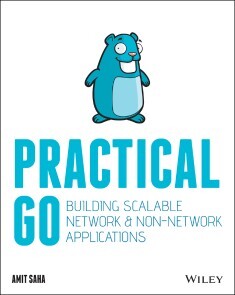
Practical Go
YOUR PRACTICAL, HANDS-ON GUIDE TO WRITING APPLICATIONS USING GOGoogle announced the Go programming language to the public in 2009, with the version 1.0 release announced in 2012. Since its announcement to the community, and the compatibility promise of the 1.0 release, the Go language has been used to write scalable and high-impact software programs ranging from command-line applications and critical infrastructure tools to large-scale distributed systems. It’s speed, simplicity, and reliability make it a perfect choice for developers working in various domains.In Practical Go - Building Scalable Network + Non-Network Applications, you will learn to use the Go programming language to build robust, production-ready software applications. You will learn just enough to building command line tools and applications communicating over HTTP and gRPC.This practical guide will cover:* Writing command line applications* Writing a HTTP services and clients* Writing RPC services and clients using gRPC* Writing middleware for network clients and servers* Storing data in cloud object stores and SQL databases* Testing your applications using idiomatic techniques* Adding observability to your applications* Managing configuration data from your applicationsYou will learn to implement best practices using hands-on examples written with modern practices in mind. With its focus on using the standard library packages as far as possible, Practical Go will give you a solid foundation for developing large applications using Go leveraging the best of the language’s ecosystem.AMIT SAHA is a software engineer at Atlassian, located in Sydney, Australia. He has written Doing Math with Python: Use Programming to Explore Algebra, Statistics, Calculus, and More! (No Starch Press, 2015) and Write Your First Program (PHI Learning, 2013). His other writings have been published in technical magazines, conference proceedings, and research journals. He can be found ONLINE AT HTTPS://ECHORAND.MEIntroduction xviiGetting Started xxiCHAPTER 1 WRITING COMMAND-LINE APPLICATIONS 1Your First Application 1Writing Unit Tests 8Using the Flag Package 14Testing the Parsing Logic 20Improving the User Interface 22Removing Duplicate Error Messages 23Customizing Usage Message 24Accept Name via a Positional Argument 25Updating the Unit Tests 28Summary 32CHAPTER 2 ADVANCED COMMAND-LINE APPLICATIONS 33Implementing Sub-commands 33An Architecture for Sub-command-Driven Applications 37Testing the Main Package 43Testing the Cmd Package 45Making Your Applications Robust 47User Input with Deadlines 48Handling User Signals 52Summary 56CHAPTER 3 WRITING HTTP CLIENTS 57Downloading Data 57Testing the Data Downloader 59Deserializing Received Data 61Sending Data 66Working with Binary Data 72Summary 80CHAPTER 4 ADVANCED HTTP CLIENTS 81Using a Custom HTTP Client 81Downloading from an Overloaded Server 81Testing the Time-Out Behavior 85Configuring the Redirect Behavior 88Customizing Your Requests 91Implementing Client Middleware 92Understanding the RoundTripper Interface 93A Logging Middleware 94Add a Header to All Requests 96Connection Pooling 99Configuring the Connection Pool 103Summary 104CHAPTER 5 BUILDING HTTP SERVERS 105Your First HTTP Server 105Setting Up Request Handlers 108Handler Functions 109Testing Your Server 112The Request Struct 114Method 115Url 115Proto, ProtoMajor, and ProtoMinor 116Header 116Host 116Body 116Form, PostForm 116MultipartForm 117Attaching Metadata to a Request 118Processing Streaming Requests 121Streaming Data as Responses 126Summary 132CHAPTER 6 ADVANCED HTTP SERVER APPLICATIONS 133The Handler Type 133Sharing Data across Handler Functions 134Writing Server Middleware 139Custom HTTP Handler Technique 139The HandlerFunc Technique 140Chaining Middleware 142Writing Tests for Complex Server Applications 147Code Organization 147Testing the Handler Functions 153Testing the Middleware 155Testing the Server Startup 157Summary 159CHAPTER 7 PRODUCTION- READY HTTP SERVERS 161Aborting Request Handling 161Strategies to Abort Request Processing 165Handling Client Disconnects 169Server-Wide Time- Outs 173Implement a Time- Out for All Handler Functions 173Implementing Server Time- Out 174Implementing Graceful Shutdown 179Securing Communication with TLS 184Configuring TLS and HTTP/2 184Testing TLS Servers 188Summary 192CHAPTER 8 BUILDING RPC APPLICATIONS WITH GRPC 193gRPC and Protocol Buffers 193Writing Your First Service 197Writing the Server 198Writing a Client 203Testing the Server 207Testing the Client 211A Detour into Protobuf Messages 214Marshalling and Unmarshalling 214Forward and Backward Compatibility 219Multiple Services 220Error Handling 226Summary 228CHAPTER 9 ADVANCED GRPC APPLICATIONS 229Streaming Communication 229Server- Side Streaming 230Client- Side Streaming 237Bidirectional Streaming 239Receiving and Sending Arbitrary Bytes 247Implementing Middleware Using Interceptors 256Client- Side Interceptors 257Server- Side Interceptors 263Wrapping Streams 269Chaining Interceptors 271Summary 272CHAPTER 10 PRODUCTION- READY GRPC APPLICATIONS 275Securing Communication with TLS 275Robustness in Servers 278Implementing Health Checks 278Handling Runtime Errors 286Aborting Request Processing 289Robustness in Clients 297Improving Connection Setup 298Handling Transient Failures 300Setting Time- Outs for Method Calls 305Connection Management 306Summary 309CHAPTER 11 WORKING WITH DATA STORES 311Working with Object Stores 312Integration with Package Server 313Testing Package Uploads 323Accessing Underlying Driver Types 325Working with Relational Databases 327Integration with Package Server 328Testing Data Storage 339Data Type Conversions 343Using Database Transactions 346Summary 348Appendix A Making Your Applications Observable 349Logs, Metrics, and Traces 349Emitting Telemetry Data 352Command- Line Applications 352HTTP Applications 360gRPC Applications 364Summary 366Appendix B Deploying Applications 367Managing Configuration 367Distributing Your Application 370Deploying Server Applications 372Summary 373Index 375
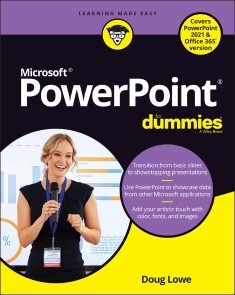
PowerPoint For Dummies, Office 2021 Edition
MAKE POWERPOINT THE MOST “POWER”FUL WEAPON IN YOUR OFFICE ARSENAL AND CAPTIVATE YOUR AUDIENCEPresentations are your opportunity to stand out from the crowd, impress your colleagues, and be the smartest person in the room. And upping your PowerPoint game is the key to making your next talk one to remember. But where do you start? Luckily, the trusted For Dummies series is here to help you put the umph back in your PowerPoint decks, one compelling slide at a time.Don’t worry if you’re completely new to PowerPoint, or even Microsoft Office in general. PowerPoint For Dummies, Office 2021 Edition quickly gets you up to speed on the basics of this world-famous presentation software, starting with understanding and using the interface. You’ll learn to create a new presentation from scratch, leverage free templates to accelerate the making of your next slide deck, and even import data from other applications.Already know the fundamentals? Then skip straight to the sizzle with step-by-step instructions on integrating charts and graphics into your next presentation. Knock your audience’s socks off with attention-grabbing videos, special effects that make it impossible to look away, and seamless slide transitions.Organized for easy and fast reference, this practical guide walks you through the strategies and techniques you’ll need to:* Keep your presentation audiences engaged from the first slide to the very last * Collaborate with team members and colleagues, and share your presentation with others * Take advantage of all the latest features in the newest version of PowerPoint that will help you drive your deck past the finish line Your next presentation is your chance to deliver your best ideas with power, dynamism, and enthusiasm. Get the tools you need to engage your audience in PowerPoint For Dummies, Office 2021 Edition. You’ll soon discover that creating a slide deck, whether it’s your first or your fiftieth, can be fun, easy, and exciting.DOUG LOWE is a professional IT director who has been managing networks and giving presentations for more than 20 years. He is the author of PowerPoint 2019 For Dummies and PowerPoint 2016 For Dummies.INTRODUCTION 1About This Book 1Foolish Assumptions 2Icons Used in This Book 2Beyond the Book 3Where to Go from Here 3PART 1: GETTING STARTED WITH POWERPOINT 5CHAPTER 1: WELCOME TO POWERPOINT 7What in Sam Hill Is PowerPoint? 7Getting PowerPoint 9Introducing PowerPoint Presentations 10Understanding Presentation Files 11What’s in a Slide? 12Starting PowerPoint 14Creating a Blank Presentation 14Navigating the PowerPoint Interface 16Unraveling the Ribbon 17The View from Here Is Great 18Editing Text 19Adding a New Slide 20Moving from Slide to Slide 22Adding Some Style 22Displaying Your Presentation 24Saving Your Work 25Closing a Presentation 25Getting Help 26Exiting PowerPoint 27CHAPTER 2: TAKING THE BACKSTAGE TOUR 29Welcome to Backstage View 30Considering Themes and Templates 31Saving Your Presentation 35Saving to a location on your computer 36Saving to OneDrive 37Saving a copy of a presentation 38Opening a Presentation 39Pinning a Presentation for Easy Access 40CHAPTER 3: EDITING SLIDES 43Moving from Slide to Slide 44Working with Objects 44Selecting objects 45Resizing or moving an object 46Editing a Text Object 48Selecting Text 49Using Cut, Copy, and Paste 50Duplicating an Object 52Using the Clipboard Task Pane 52Oops! I Didn’t Mean It (The Marvelous Undo Command) 53Working with Slide Layouts 54Deleting a Slide 56Duplicating a Slide 56Finding Text 56Replacing Text 58Rearranging Your Slides in Slide Sorter View 59CHAPTER 4: WORKING IN OUTLINE VIEW 63Calling Up the Outline 63Selecting and Editing an Entire Slide 65Selecting and Editing One Paragraph 65Promoting and Demoting Paragraphs 65Adding a New Paragraph 66Adding a New Slide 67Moving Text Up and Down 68Collapsing and Expanding the Outline 68CHAPTER 5: PROOFING YOUR PRESENTATIONS 69Checking Spelling as You Go 70Spell Checking After the Fact 71Using the Thesaurus 74Capitalizing Correctly 75Using the AutoCorrect Feature 76CHAPTER 6: DON’T FORGET YOUR NOTES! 79Understanding Notes 80Adding Notes to a Slide 81Adding an Extra Notes Page for a Slide 82Adding a New Slide from Notes Page View 83Printing Notes Pages 83Displaying Notes on a Separate Monitor 84CHAPTER 7: SHOW TIME! 85The Quick Way to Print 86Printing from Backstage View 86Printing more than one copy 87Changing printers 87Printing part of a document 88Using Print Preview 89Setting Up a Slideshow 89Starting a Slideshow 90Working in Presenter View 91Controlling Your Presentation with the Keyboard and Mouse 93Using Presentation Tools 94Using the Laser Pointer feature 95Scribbling on your slides 96Rehearsing Your Slide Timings 97Using Custom Shows 98Creating a custom show 99Showing a custom show 100Hiding slides 100Showing Your Presentation Online 100PART 2: CREATING GREAT-LOOKING SLIDES 103CHAPTER 8: ALL ABOUT FONTS AND TEXT FORMATTING 105Changing the Look of Your Text 106Changing the size of characters 108Choosing text fonts 109Adding color to your text 109Adding shadows 110Big Picture Text Formatting 110Biting the bulleted list 111Creating numbered lists 112Setting tabs and indents 114Spacing out 115Lining things up 115Making columns 117Creating Fancy Text with WordArt 117CHAPTER 9: DESIGNING YOUR SLIDES 121Looking at the Design Tab 121Working with Themes 122Applying themes 123Using theme colors 124Using theme fonts 128Applying theme effects 128Changing the Slide Size 129Applying Background Styles 130Using a gradient fill 131Using other background effects 133Using the Design Ideas Feature to Design Your Slides 134CHAPTER 10: ANIMATING YOUR SLIDES 135Using the Transitions Tab 135Creating a slide transition 136Using the Morph transition effect 139Using the Animations Tab 140Using advanced animations 142Timing your animations 150CHAPTER 11: THE ART OF INKING YOUR SLIDES 155Drawing on Your Slides 156Using the Ruler 158Converting Windows Ink to Text 160Converting Windows Ink to Shapes 161Converting Windows Ink to a Math Formula 162Animating Windows Ink 163CHAPTER 12: MASTERS OF THE UNIVERSE MEET THE TEMPLATES OF DOOM 165Working with Masters 166Modifying the slide master 167Modifying the handout master 172Modifying the notes master 173Using Masters 174Overriding the master text style 174Hiding background objects 174Using Headers and Footers 175Adding a date, number, or footer to slides 176Adding a header or footer to notes or handouts pages 177Editing the header and footer placeholders directly 178Yes, You Can Serve Two Masters 178Creating a new slide master 178Applying masters 180Preserving your masters 181Restoring Lost Placeholders 181Working with Templates 182Creating a new template 183Creating a presentation based on a template 183Working with Presentation Sections 184PART 3: EMBELLISHING YOUR SLIDES 187CHAPTER 13: INSERTING PICTURES 189Exploring the Many Types of Pictures 190Bitmap pictures 190Victor, give me a vector 191Inserting Pictures in Your Presentation 192From the web 192From your computer 194From the stock library 196Moving, Sizing, Stretching, and Cropping Pictures 197Adding Style to Your Pictures 199Applying a picture border 200Applying picture effects 200Applying Artistic Effects 201Removing picture backgrounds 202Correcting Sharpness, Brightness, Contrast, and Color 205Compressing Your Pictures 206Working with 3D Models 208CHAPTER 14: DRAWING ON YOUR SLIDES 211Some General Drawing Tips 211Zooming in 211Displaying the ruler, gridlines, and guides 212Sticking to the color scheme 213Saving frequently 213Remembering Ctrl+Z 213Drawing Simple Objects 214Drawing straight lines 215Drawing rectangles, squares, ovals, and circles 216Creating Other Shapes 216Drawing a shape 217Drawing a polygon or free-form shape 219Drawing a curved line or shape 220Creating a text box 221Styling Your Shapes 222Setting the shape fill 222Setting the shape outline 222Applying shape effects 223Flipping and Rotating Objects 224Flipping an object 224Rotating an object 90 degrees 224Using the rotate handle 225Drawing a Complicated Picture 225Changing layers 226Line ’em up 227Using the grids and guides 227Group therapy 228CHAPTER 15: CHARTING FOR FUN AND PROFIT 231Understanding Charts 232Adding a Chart to Your Presentation 233Adding a new slide with a chart 233Adding a chart to an existing slide 237Pasting a chart from Excel 238Changing the Chart Type 238Working with Chart Data 239Switching rows and columns 240Changing the data selection 241Editing the source data 242Refreshing a chart 242Changing the Chart Layout 242Changing the Chart Style 243Embellishing Your Chart 245Using Treemap and Sunburst Charts 247Using Map Charts 249CHAPTER 16: WORKING WITH SMARTART 253Understanding SmartArt 253Creating a SmartArt Diagram 255Tweaking a SmartArt Diagram 258Editing the SmartArt Text 259Working with Organization Charts 261Adding boxes to a chart 262Deleting chart boxes 262Changing the chart layout 263CHAPTER 17: LIGHTS! CAMERA! ACTION! (ADDING SOUND AND VIDEO) 265Adding Sound to a Slide 266Investigating sound files 266Inserting an audio sound object 267Setting audio options 269Adding Video to Your Slides 271Finding a video to add to your presentation 271Inserting a video clip 272Setting video options 273Compressing Media 277CHAPTER 18: MORE THINGS TO INSERT ON YOUR SLIDES 279Inserting Tables 279Creating a table in a Content placeholder 280Inserting a table on a slide 281Drawing a table 281Adding style to a table 283Working with the Layout tab 285Inserting WordArt 288Using Hyperlinks 289Creating a hyperlink to another slide 291Creating a hyperlink to another presentation or to a website 292Adding Action Buttons 293Assigning button actions 294Choosing button shapes 294Creating a button 294Creating a navigation toolbar 297Inserting Equations 298Inserting Icons 302PART 4: WORKING WITH OTHERS305CHAPTER 19: COLLABORATING ON PRESENTATIONS 307Understanding Collaboration 307Working with OneDrive 309Managing OneDrive features 312Sharing a OneDrive presentation 314Working with Teams 319Collaborating in Real Time 324Using Comments 325CHAPTER 20: STEALING SLIDES FROM OTHER PRESENTATIONS 327Misdemeanor Slide Theft 328Building a Slide Repository 330CHAPTER 21: EXPORTING YOUR PRESENTATION TO OTHER FORMATS 333Creating a PDF File 334Crafting a Video 335Adding timings and narration 336Creating a video 338Creating an Animated GIF 340Packaging Your Presentation on a CD 343Creating Handouts in Microsoft Word 345Publishing a Presentation to Microsoft Stream 347PART 5: THE PART OF TENS 351CHAPTER 22: TEN POWERPOINT COMMANDMENTS 353I Thou Shalt Frequently Savest Thy Work 353II Thou Shalt Storeth Each Presentation in Its Proper Folder 354III Thou Shalt Not Abuseth Thy Program’s Formatting Features 354IV Thou Shalt Not Stealeth Copyrighted Materials 354V Thou Shalt Abideth by Thine Color Scheme, Auto-Layout, and Template 355VI Thou Shalt Not Abuse Thine Audience with an Endless Array of Cute Animations or Funny Sounds 355VII Keep Thy Computer Gurus Happy 355VIII Thou Shalt Backeth Up Thy Files Day by Day 355IX Thou Shalt Fear No Evil, for Ctrl+Z Is Always with Thee 356X Thou Shalt Not Panic 356CHAPTER 23: TEN TIPS FOR CREATING READABLE SLIDES 357Try Reading the Slide from the Back of the Room 357Avoid Small Text 358No More Than Five Bullets, Please 358Avoid Excessive Verbiage Lending to Excessively Lengthy TextThat Is Not Only Redundant But Also Repetitive and Reiterative 358Use Consistent Wording 358Avoid Unsightly Color Combinations 359Watch the Line Endings 359Keep the Background Simple 360Use Only Two Levels of Bullets 360Avoid Bullets Altogether If You Can 360Keep Charts and Diagrams Simple 361CHAPTER 24: TEN WAYS TO KEEP YOUR AUDIENCE AWAKE 363Don’t Forget Your Purpose 363Don’t Become a Slave to Your Slides 364Don’t Overwhelm Your Audience with Unnecessary Detail 364Don’t Neglect Your Opening 364Be Relevant 365Don’t Forget the Call to Action 365Practice, Practice, Practice 365Relax! 366Expect the Unexpected 366Don’t Be Boring 366Index 367PART 4: WORKING WITH OTHERS 305

Design Patterns in Modern C++20
Apply the latest editions of the C++ standard to the implementation of design patterns. As well as covering traditional design patterns, this book fleshes out new design patterns and approaches that will be useful to modern C++ developers. Author DMITRI NESTERUK presents concepts as a fun investigation of how problems can be solved in different ways, along the way using varying degrees of technical sophistication and explaining different sorts of trade-offs.Design Patterns in Modern C++20, Second Edition also provides a technology demo for modern C++, showcasing how some of its latest features (e.g., coroutines, modules and more) make difficult problems a lot easier to solve. The examples in this book are all suitable for putting into production, with only a few simplifications made in order to aid readability.WHAT YOU WILL LEARN* Use creational patterns such as builder, factories, prototype and singleton* Implement structural patterns such as adapter, bridge, decorator, facade and more* Work with the behavioral patterns such as chain of responsibility, command, iterator, mediator and more* Apply functional design patterns such as the Maybe MonadWHO THIS BOOK IS FORThis book is for both beginner and experienced C++ developers.DMITRI NESTERUK is a quantitative analyst, developer, course and book author, and an occasional conference speaker. His interests lie in software development and integration practices in the areas of computation, quantitative finance and algorithmic trading. His technological interests include C# and C++ programming as well high-performance computing using technologies such as CUDA and FPGAs. He has been a C# MVP since 2009.1. IntroductionPart- I: Creational Patterns2. Builder3. Factories4. Prototype5. SingletonPart- II: Structural Patterns6. Adapter7. Bridge8. Composite9. Decorator10. Façade11. Flyweight12. ProxyPart- III: Behavioral Patterns13. Chain of Responsibility14. Command15. Interpreter16. Iterator17. Mediator18. Memento19. Null Object20. Observer21. State22. Strategy23. Template Method24. Visitor

Learn to Program with Assembly
Many programmers have limited effectiveness because they don't have a deep understanding of how their computer actually works under the hood. In Learn to Program with Assembly, you will learn to program in assembly language - the language of the computer itself.Assembly language is often thought of as a difficult and arcane subject. However, author Jonathan Bartlett presents the material in a way that works just as well for first-time programmers as for long-time professionals. Whether this is your first programming book ever or you are a professional wanting to deepen your understanding of the computer you are working with, this book is for you. The book teaches 64-bit x86 assembly language running on the Linux operating system. However, even if you are not running Linux, a provided Docker image will allow you to use a Mac or Windows computer as well.The book starts with extremely simple programs to help you get your grounding, going steadily deeper with each chapter. At the end of the first section, you will be familiar with most of the basic instructions available on the processor that you will need for any task. The second part deals with interactions with the operating system. It shows how to make calls to the standard library, how to make direct system calls to the kernel, how to write your own library code, and how to work with memory. The third part shows how modern programming language features such as exception handling, object-oriented programming, and garbage collection work at the assembly language level.Additionally, the book comes with several appendices covering various topics such as running the debugger, vector processing, optimization principles, a list of common instructions, and other important subjects.This book is the 64-bit successor to Jonathan Bartlett's previous book, Programming from the Ground Up, which has been a programming classic for more than 15 years. This book covers similar ground but with modern 64-bit processors, and also includes a lot more information about how high level programming language features are implemented in assembly language.WHAT YOU WILL LEARN* How the processor operates * How computers represent data internally * How programs interact with the operating system* How to write and use dynamic code libraries* How high-level programming languages implement their features WHO THIS BOOK IS FORAnyone who wants to know how their computer really works under the hood, including first time programmers, students, and professionals.JONATHAN BARTLETT is a software developer, researcher, and writer. His first book, Programming from the Ground Up, has been required reading in computer science programs from DeVry to Princeton. He has been the sole or lead author for eight books on topics ranging from computer programming to calculus. He is a technical lead for ITX, where his specialty is getting stuck projects unstuck.Chapter 1: IntroductionChapter 2: The Truth About ComputersPart I: Assembly Language BasicsChapter 3: Your First ProgramChapter 4: Registers and Simple ArithmeticChapter 5: Comparison, Branching and LoopingChapter 6: Working with Data in MemoryChapter 7: Data RecordsChapter 8: Signed Numbers and Bitwise OperationsChapter 9: More Instructions You Should KnowPart II: Operating System BasicsChapter 10: Making System CallsChapter 11: The Stack and Function CallsChapter 12: Calling Functions from LibrariesChapter 13: Common and Useful Assembler DirectivesChapter 14: Dynamic Memory AllocationChapter 15: Dynamic LinkingPart III: Programming Language TopicsChapter 16: Basic Language Features Represented in Assembly LanguageChapter 17: Tracking Memory AllocationsChapter 18: Object-Oriented ProgrammingChapter 19: Conclusion and AcknowlegmentsPart IV: AppendicesAppendix A: Getting Set Up with DockerAppendix B: The Command LineAppendix C: Debugging with GDBAppendix D: Nasm (Intel) Assembly Language SyntaxAppendix E: Common x86-64 InstructionsAppendix F: Floating Point NumbersAppendix G: The Starting State of the StackAppendix H: ASCII, Unicode, and UTF-8Appendix I: OptimizationAppendix J: A Simplified Garbage CollectorAppendix K: Going to an Even Lower Level

Soziale Roboter
Soziale Roboter sind sensomotorische Maschinen, die für den Umgang mit Menschen oder Tieren geschaffen wurden. Sie können über fünf Dimensionen bestimmt werden, nämlich die Interaktion mit Lebewesen, die Kommunikation mit Lebewesen, die Nähe zu Lebewesen, die Abbildung von (Aspekten von) Lebewesen sowie – im Zentrum – den Nutzen für Lebewesen. Bei einem weiten Begriff können neben Hardwarerobotern auch Softwareroboter wie gewisse Chatbots, Voicebots und Social Bots dazu zählen. Die Disziplin, die soziale Roboter – ob als Spielzeugroboter, als Serviceroboter (Pflegeroboter, Therapieroboter, Sexroboter, Sicherheitsroboter etc.) oder als Industrieroboter in der Art von Kooperations- und Kollaborationsrobotern (Co-Robots bzw. Cobots) – erforscht und hervorbringt, ist die Soziale Robotik.Das Buch schafft Grundlagen in technikwissenschaftlicher, wirtschaftswissenschaftlicher, philosophischer, psychologischer und soziologischer Hinsicht. Es stellt dar, was soziale Roboter ausmacht, wie sie gebaut und programmiert werden, welche Anwendungsmöglichkeiten existieren und welche Herausforderungen sich ergeben.Das Kapitel 2 wird auf link.springer.com unter der Creative Commons Namensnennung 4.0 International Lizenz veröffentlicht.Prof. Dr. Oliver Bendel promovierte an der Universität St. Gallen. Er ist Dozent für Wirtschaftsinformatik, Informationsethik und Maschinenethik und forscht in Informations-, Maschinen- und Roboterethik.
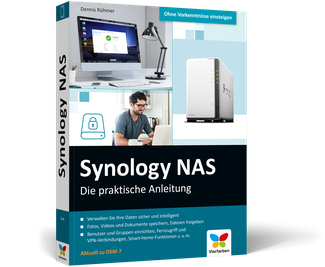
Synology NAS - Die praktische Anleitung
Sie möchten mit einem Synology NAS Ihre Daten zentral speichern, eigene Backups erstellen und Fotos, Filme und Dokumente streamen? Dennis Rühmer hilft Ihnen bei diesen Aufgaben und erklärt, wie Sie Ihr Synology NAS richtig konfigurieren und eine private Cloud aufsetzen. Damit können Sie Ihre Daten sicher ablegen und verwalten, Live-TV aufnehmen, automatische Sicherungen Ihrer Rechner anlegen, Kalender und Kontakte verwalten und noch viel mehr. Vom reibungslosen Einstieg und einer Kaufberatung über zentrale Grundlagen bis zu den vielfältigen Diensten erfahren Sie in diesem Ratgeber, was Sie über Ihr Synology NAS für einen reibungslosen Betrieb wissen müssen.Aus dem Inhalt:Das richtige NAS wählenDas Gerät sicher einrichtenNetzwerkfreigaben verwaltenKalender und AdressbuchMusik per NAS abspielenFotos organisieren und teilenVideos genießen und verwaltenEin zentrales Backup erstellenEinen zentralen Drucker einrichtenKameraüberwachung steuernEinen TV-Server nutzenSicherheit im HeimnetzAutor: Dennis Rühmer ist promovierter Ingenieur der Elektrotechnik, an der TU Braunschweig als wissenschaftlicher Mitarbeiter tätig und erfahrener Buchautor. Er befasst sich intensiv mit Datensicherung und Streaming, ist großer Raspberry Pi- und Kodi-Fan, bekennender Linuxer und interessiert sich seit frühester Kindheit für digitale Fotografie.

Objektivierung der Fahrbarkeit im fahrdynamischen Grenzbereich von Rennfahrzeugen
Die Abstimmung fahrdynamischer Eigenschaften von Rennfahrzeugen kann simulationsbasiert umso effektiver erfolgen, je genauer die Anforderungen des Fahrers hinsichtlich der Fahrbarkeit im fahrdynamischen Grenzbereich bekannt sind. Die von Florian Goy vorgestellte Methodik lässt die Anforderungen von professionellen Fahrern in den virtuellen Entwicklungsprozess einfließen, indem die Ergebnisse einer Rundenzeitsimulation mit fahrdynamischen Überlegungen zu neuartigen objektiven Kennwerten kombiniert werden. Mithilfe von Experimenten am Fahrsimulator kann die Methode verifiziert und der Wertebereich für eine gute Fahrbarkeit festgelegt werden. Grundlagen der Fahrdynamik, Fahrzeugmodellierung und Rundenzeitsimulation.- Vorstellung einer Methode zur Objektivierung von Fahrbarkeit und Rundenzeit.- Exemplarische Anwendung der Methode mithilfe von Versuchen am Fahrsimulator.

Microsoft Office im Büro
Das wird weder am Arbeitsplatz noch in der Schule vermittelt! Vom Azubi bis zur gestandenen Bürokraft – ein jeder profitiert von den genial einfachen Kniffen für ein produktives, aufgeräumtes und stressfreies Arbeiten am PC! Vergeuden Sie nicht länger Ihre Zeit mit uneffektiven Angewohnheiten oder der Suche nach der Nadel im Heuhaufen, und sparen Sie viele Mauskilometer und überflüssige Text- und Dateneingaben ein. Mareile Heiting und Carsten Thiele wissen, worauf es im Unternehmensalltag ankommt, und machen Sie fit für alle Anforderungen. Aus dem Inhalt: Digital entrümpeln und dauerhaft Ordnung haltenSuchen und Finden mit SystemDie E-Mail-Flut beherrschenAufgaben, Projekte und Termine geschickt planenQuicksteps, Verteilerlisten und Filter in Outlook nutzenExcel-Tabellen schneller ausfüllen und gekonnt ausdruckenVorlagen für DIN-Briefe erstellenDokumentvorlagen auf das Corporate Design anpassenPräsentationen mit Formatvorlagen im GriffTeamwork: Terminabsprachen, Dateiversionen, ProtokolleTroubleshooting beim DruckenEffektive Shortcuts für Windows und alle Office-Programme u. v. m. Schluss mit dem Datenchaos ... 12 Digitaler Hausputz: Icons und Verknüpfungen auf dem Desktop ... 13 Im Startmenü ausmisten und sich neu einrichten ... 19 Gewusst, wo -- Dateien und Ordner im Explorer gekonnt ablegen ... 24 Geschickt suchen und schneller finden ... 31 So beherrschen Sie die alltägliche E-Mail-Flut ... 42 Den Überblick im E-Mail-Chaos behalten ... 43 Das geht noch schneller: wichtige Arbeitsschritte in Outlook beschleunigen ... 56 Hilfreiche Tricks für das Versenden von Nachrichten ... 67 Kontaktpflege mit Outlook ... 78 Einen E-Mail-Absender blitzschnell in die Outlook-Kontakte aufnehmen ... 79 Eine elektronische Visitenkarte erstellen und verschicken ... 83 Kontakte in Gruppen zusammenfassen ... 89 Terminstress und To-do-Listen im Griff ... 94 Detaillierte Terminplanung mit dem Outlook-Kalender ... 95 Meetings mit Kollegen planen ... 99 Aufgaben perfekt geplant mit Outlook ... 104 So haben Sie Ihre Korrespondenz im Griff ... 110 Eine eigene Dokumentvorlage für den Geschäftsbrief erstellen ... 111 Logo und Unternehmensdaten in den Geschäftsbrief aufnehmen ... 127 Formatvorlagen ganz im Sinne der Corporate Identity ... 131 Standardtexte als Schnellbausteine speichern ... 135 Gewusst, wie -- Serienbriefe gekonnt erstellen ... 139 Lästige Autokorrekturen verhindern ... 148 Eigene Registerkarten mit wichtigen Funktionen anlegen ... 151 Rechnen, Kalkulieren, Analysieren mit Excel ... 156 Datenreihen automatisch ausfüllen lassen ... 157 Daten mit der Blitzvorschau aufteilen ... 161 Mit der Schnellanalyse Daten untersuchen ... 163 Übersicht schaffen mithilfe von Filtern und bedingter Formatierung ... 164 Gewusst, wie -- den Assistenten für Formeln und Funktionen zurate ziehen ... 170 Wie war das noch mal? Absolute und relative Zellbezüge ... 179 #WERT! -- Fehlermeldungen richtig deuten ... 181 Auswertungen schnell und flexibel -- Pivot-Tabellen ganz einfach erklärt ... 185 So klappt es ohne Frust: Excel-Tabellen zu Papier bringen ... 189 Gekonnt präsentieren mit Microsoft PowerPoint ... 194 Design aus einem Guss statt kleinteiliger Handarbeit ... 195 Gebanntes Publikum: Präsentationen aufpeppen ... 206 Gut gewappnet für den späteren Vortrag: die Notizfunktion nutzen ... 217 Präsentation an andere weiterleiten ... 219 So gelingt gutes Teamwork ... 222 Dokumente mit Kommentaren versehen ... 223 Dateien im Überarbeitungsmodus korrigieren ... 225 Dateien freigeben und gemeinsam bearbeiten ... 229 Mit Shortcuts Mauskilometer einsparen ... 238 Die besten Tastenkombinationen für Windows und den Desktop ... 239 Zeit sparen mit Shortcuts für den (Windows-)Explorer ... 241 Pfiffige Tastenkombinationen für Word, Excel und PowerPoint ... 242 Dank Shortcuts noch schneller Funktionen in Outlook ausführen ... 244 Stichwortverzeichnis ... 246

Design für junge Designer*innen
Du malst, kritzelst und schnibbelst den ganzen Tag? Auf deinem ipad und Smartphone ist die Zeichenapp immer geöffnet? Du möchtest auch so kreativ sein wie deine Freundinnen und Freunde? Dann lass dir dieses Buch schenken, denn es ist genau für dich gemacht. Hier findest du viele Kreativideen zum Nachmachen und tolle Tipps und Tricks. Und was auch cool ist: wie nebenher lernst du die Tricks der Profis kennen: welche Farben lassen sich gut kombinieren, wie malst du richtig in der Perspektive oder wie gestaltest du am Tablet einen echt guten Flyer? Mit diesem Buch gestaltest du immer besser, ohne es groß zu merken. Also los, Lieblingsstifte und Papier oder Tablet raus und los geht es in deiner Kreativ-Werkstatt! Aus dem Inhalt: Design ist überall: Beispiele für Kreativität im AlltagZum Einstieg: Moodboards gestalten, Überblick über Materialien und ZubehörDeine Mal- und Zeichen-Schule: Übung "Kleine Krakelvögel", Symbole für deine Notizen, Zeichnen mit den Grundformen, Schraffuren und Muster, Licht und Schatten, Perspektivisch zeichnenDigitales Gestalten mit dem iPad und Procreate, mit dem Computer und dem Smartphone, Einführung in kostenlose Software, coole AppsZeichne einfache Figuren, z. B. einen Fuchs, und dein eigenes LogoFarben geschickt auswählenComics zeichnen, ein kreatives Bullet Journal anlegenKreativ werden mit den eigenen FotosDeine Handlettering-Werkstatt: Aufwärmen, Schrift mit Verzierungen, Schmuckelemente, Übung: Eine Einladungskarte lettern, BrushletteringDeine Grafikdesign-Werkstatt: Hintergrundwissen, Plakate gestalten, Formen geschickt einsetzen, Übungen: Flyer und PlakateGroße Gestaltungsaufgaben: Erstelle deine eigene Schülerzeichnung u. v. m.Mode-Illustration für Kids: Haare und Kleidung malen, Zeichen-Tricks Herzlich willkommen ... 10 So funktioniert dieses Buch ... 11 1. Design ist überall ... 12 Wir lieben Design ... 14 Alle Menschen lieben Bilder ... 15 Gestalten -- das kannst du auch! ... 16 ÜBUNG: Gestalte ein Moodboard für deine Ideensammlung ... 016 Stifte für alle Stile ... 20 Material und Zubehör ... 22 Digitale Apps und Tools ... 24 2. Deine Mal- und Zeichen-Werkstatt ... 28 Jede*r ist kreativ ... 30 ÜBUNG: Kleine Krakelvögel ... 31 Alles zeichnen mit fünf Grundformen ... 32 ÜBUNG: Symbole für deine Notizen ... 34 Schraffuren und Muster ... 36 Licht und Schatten ... 38 ÜBUNG: Zeichne eine eigene Figur ... 40 Farben für deine Designs ... 44 Farben auswählen ... 46 ÜBUNG: Male dein Lieblingstier in Farbe ... 50 ÜBUNG: Zeichne dein eigenes Logo ... 55 ÜBUNG: Für Profis: Zentralperspektive ... 58 Für Profis: Von Vögeln, Fröschen und der Normalperspektive ... 61 3. Deine Handlettering-Werkstatt ... 62 Grundlagen für dein Handlettering ... 64 ÜBUNG: Muster und Formen zum Aufwärmen ... 66 ÜBUNG: Buchstaben zeichnen ... 68 Buchstaben verändern durch die Strichdicke ... 70 ÜBUNG: Dein Name als Handlettering ... 71 Gib deinen Buchstaben eine schöne Form ... 73 ÜBUNG: Buchstabenform variieren ... 74 Schrift mit Verzierungen ... 76 ÜBUNG: Brushlettering: Schreiben wie mit einem Pinsel ... 78 ÜBUNG: Buchstaben mit dem Brushpen zeichnen ... 80 Schmuckelemente für dein Handlettering ... 82 ÜBUNG: Eine Einladungskarte ... 84 4. Deine Bullet-Journal-Werkstatt ... 88 Was ist ein Bullet Journal? ... 90 Leg dir ein eigenes Bullet Journal an ... 92 ÜBUNG: Deine Woche im Bullet Journal ... 94 Passende Gestaltungselemente ... 99 ÜBUNG: Mit einem Bullet Journal durch den (Schul-)Alltag ... 101 ÜBUNG: Digitale Bullet Journals ... 104 5. Deine Grafikdesign-Werkstatt ... 108 Sechs Gestaltungstipps für deine Designs ... 110 ÜBUNG: Gestalte ein interessantes Plakat ... 114 Jetzt kommt Farbe in deine Designs! ... 118 ÜBUNG: Farben aus einem Foto aussuchen ... 120 Mit dem Farbklima Wirkung erzeugen ... 122 ÜBUNG: Erstelle einen Flyer am Tablet oder Computer ... 130 Schriften mit Charakter für deine Texte ... 126 Layouten wie ein Profi: Das Raster ... 137 ÜBUNG: Ein Gestaltungsraster für die Schülerzeitung ... 138 Layouten wie ein Profi: Das Raster ... 137 ÜBUNG: Ein Gestaltungsraster für die Schülerzeitung ... 138 6. Deine Comic-Werkstatt ... 146 Comic-Grundlagen ... 148 Ein Comic entsteht: deine Story ... 149 Der Bildausschnitt ... 151 Deine Zeichnungen ... 152 Der Text für deinen Comic ... 153 Farben für deinen Comic ... 155 Figuren für deine Comics ... 156 ÜBUNG: Strich für Strich zur Comicfigur ... 157 Deine Heldenreise: So schreibst du eine spannende Story ... 161 ÜBUNG: Schreibe und zeichne deinen eigenen Comic ... 165 7. Deine Modedesign-Werkstatt ... 166 Figuren im Modedesign ... 168 ÜBUNG: Körperproportionen leicht gemacht ... 169 ÜBUNG: Schnelle Modeskizzen ... 173 Kleidung und Stoffe ... 175 Gesichter zeichnen ... 179 ÜBUNG: Frisuren zeichnen ... 180 Accessoires und Schmuck ... 184 ÜBUNG: Schuhe zeichnen ... 185 ÜBUNG: Entwirf deine eigene Kollektion ... 187 8. Deine Foto- und Video-Werkstatt ... 190 Was brauchst du für ein gutes Foto? ... 192 So funktioniert eine professionelle Kamera ... 193 Fototipp 1: Erst überlegen, dann fotografieren ... 195 Fototipp 2: Wähle eine spannende Perspektive ... 197 ÜBUNG: Fototipp 3: Halte dich an die Drittelregel ... 200 Fototipp 4: Gutes Licht für deine Fotos ... 203 ÜBUNG: Eine Stunde mit deiner Kamera ... 205 Smartphone-Aufnahmen leicht gemacht ... 207 ÜBUNG: Eine Social-Media-Grafik mit deinen Fotos ... 210 Videos filmen ... 215 ÜBUNG: Dreh dein eigenes Video ... 219 Stichwortverzeichnis ... 220

Frei & kreativ
Eigentlich möchten Sie sich nur mit Ihrer kreativen Arbeit beschäftigen, aber dann stehen Sie plötzlich vor den organisatorischen Problemen? Businessplan, Akquise? Muss das sein? Welche Versicherung brauchen ich, welches Honorar kann ich überhaupt verlangen, wie organisiere ich meinen Alltag als Selbstständiger? Diese und viele andere dringende Fragen beantwortet dieses Buch. Knapp, konkret und topaktuell hilft es Ihnen durch den Verwaltungsdschungel, damit Sie den Kopf schnell wieder frei haben für die nächste kreative Idee. Aus dem Inhalt: Will ich das wirklich? Einstellung, mentale Ausrichtung und Ziele analysierenDas Geschäftsmodell: Wer will ich sein? Alleinstellungsmerkmale, ein eigenes Profil entwickeln, Businessplan, Finanzplan, Gründerzuschüsse, Kredite, Crowdfounding, RechtsformenDie Kunden: Für wen mache ich das? Einen Kundenstamm aufbauen, passende Kunden, Akquise, Follow-up, Netzwerken, TerminierungEigene Leistung kalkulieren Stundensatz kalkulieren, Angebot erstellen, Preisverhandlungen, Vorleistungen, AGBs, Rahmenverträge, RechnungenWie lege ich los? Auftragsphasen, Lasten- und Pflichtenheft, Zeitmanagement, Deep Work, Work-Life-Balance, Co-Working, Fortbildungen, UrlaubSteuern und Versicherungen Buchhaltung, Steuererklärung, Vorsorge, KSK, Zuschüsse, Designschutz, Werkverträge, DSGVOWer und was hilft mir? Tools und Werkzeuge Software, Kollaborationswerkzeuge, Zeittracking, die eigene Website, Werbematerial, Auftreten, CoachingBusiness stabilisieren und wachsen lassen Monitoring der Geschäftsprozesse, Kundenfeedback, Controlling, Reflexion, Mitarbeiter, Skalieren, ScheiternChecklisten zur Kosten-Stundenlohn-Berechnung, Versicherungen, Altersvorsorge, Akquise, Controlling Vorwort ... 17 1. Die Unternehmerpersönlichkeit: Warum Kreativität Freiheit braucht ... 19 1.1 ... Warum Selbstständigkeit attraktiv ist ... 19 1.2 ... Eigenschaften erfolgreicher Selbstständiger ... 22 1.3 ... Warum will ich das? ... 32 1.4 ... Die Einstellung erfolgreicher Selbstständiger ... 41 1.5 ... Fantasie und Realität: Mut zum optimistischen Realismus ... 47 1.6 ... Checkliste Selbstreflexion ... 51 2. Erste Schritte: Wie Ihr Unternehmen eine Form bekommt ... 53 2.1 ... Haupt- oder nebenberuflich selbstständig ... 53 2.2 ... Selbstständigkeit: Wichtige Vorbereitungen treffen ... 57 2.3 ... Scheinselbstständigkeit vermeiden ... 59 2.4 ... Einzelunternehmen oder Teamgründung ... 63 2.5 ... USP und Profil: Einzigartig durch den Markendschungel ... 66 2.6 ... Only you! Werden Sie eine echte Marke ... 76 3. Rechtsformen: Ein Unternehmen entsteht ... 87 3.1 ... Einzelunternehmer ... 88 3.2 ... Gesellschaft bürgerlichen Rechts (GbR) ... 95 3.3 ... Partnergesellschaft ... 97 3.4 ... Offene Handelsgesellschaft (OHG) ... 98 3.5 ... Kommanditgesellschaft (KG) ... 99 3.6 ... Gesellschaft mit beschränkter Haftung (GmbH) ... 100 3.7 ... Unternehmergesellschaft (haftungsbeschränkt, UG) ... 102 3.8 ... Holding ... 103 3.9 ... Purpose-Unternehmen ... 103 3.10 ... Checkliste für Ihre Unternehmensgründung ... 105 4. Businessplan und Finanzplan: Die Schatzkarte für Ihre Selbstständigkeit ... 107 4.1 ... Der Businessplan ... 107 4.2 ... Finanzplan -- Wie Sie Ihr Geld in den Griff bekommen ... 113 4.3 ... Checkliste Businessplan ... 123 5. Startkapital: Das nötige Kleingeld für die Gründung ... 125 5.1 ... Sparen Sie Geld für Ihren Start ... 125 5.2 ... Zuschüsse -- Die Selbstständigkeit anschieben ... 129 5.3 ... Unterstützung -- Wie andere Ihnen helfen können ... 138 6. Die Zielgruppe: Kunden finden und binden ... 141 6.1 ... Ihre Kunden -- die unbekannten Wesen ... 141 6.2 ... Akquise: Wie Sie aus Mitmenschen Kundschaft machen ... 148 6.3 ... Kundenpflege ... 158 6.4 ... Das soziale Netzwerk ... 161 7. Kalkulation und Preisverhandlung: Was bin ich wert? ... 171 7.1 ... Kalkulation: Weil Sie es sich wert sind! ... 172 7.2 ... Der Markt und seine Bedingungen: Was bin ich wirklich wert? ... 182 7.3 ... Angebote und KVA: Ich mach dir einen Kostenvoranschlag, den du nicht ablehnen kannst ... 187 7.4 ... Preisverhandlung: Wie Sie verdienen, was Sie verdienen ... 192 7.5 ... Arbeiten ohne Bezahlung: Für Ruhm und Ehre ... 199 7.6 ... Zahlungsverzug: Was tun, wenn der Kunde nicht zahlt? ... 202 8. Verträge, AGB und Abrechnung: Ernten, was Sie säen ... 205 8.1 ... Verträge und AGB ... 205 8.2 ... Abrechnung ... 210 9. Selbstorganisation: Wie lege ich los? ... 215 9.1 ... Projektmanagement: Der heilige Gral des organisierten Chaos ... 215 9.2 ... Workflow: Gute Arbeit in gelenkten Bahnen ... 223 9.3 ... Terminierung und Auftragsbuch ... 228 9.4 ... Zeitmanagement: Gut Ding braucht keine Weile ... 230 9.5 ... Deep Work -- Mach weniger, aber mach es besser! ... 237 9.6 ... Work-Life-Balance: Ausgeglichen arbeiten ... 241 9.7 ... Nein sagen ... 247 9.8 ... Arbeitsplatz -- Wo Ihre Kreativität zuhause ist ... 251 9.9 ... Urlaub und Auszeiten ... 258 9.10 ... Checkliste Arbeitsorganisation ... 261 10. Steuern, Versicherungen, Recht: Worauf muss ich achten? ... 263 10.1 ... Buchhaltung ... 263 10.2 ... Steuern ... 270 10.3 ... Versicherungen ... 280 10.4 ... KSK -- Die Künstlersozialkasse ... 289 10.5 ... Altersvorsorge ... 295 10.6 ... Zuschüsse und Verwertungsgesellschaften ... 306 10.7 ... Urheberrecht, Designschutz, Nutzungsrechte ... 308 10.8 ... DSGVO ... 315 11. Weiterkommen: Wer und was hilft mir? ... 321 11.1 ... Technische Helferlein: Software und Tools ... 321 11.2 ... Pitchen: Eine lange Geschichte kurz machen ... 327 11.3 ... Zeittracking: Wer hat an der Uhr gedreht? ... 331 11.4 ... Werbung und Werbematerial ... 334 11.5 ... Website ... 341 11.6 ... Image und Auftreten ... 347 11.7 ... Investitionen ... 352 11.8 ... Coaching und Beratung ... 356 12. Wachsen, gedeihen und noch besser werden: Wie halte ich den Laden am Laufen? ... 361 12.1 ... Reflexionen ... 361 12.2 ... Flauten überstehen ... 365 12.3 ... Kundenfeedback ... 370 12.4 ... Entspannung pur: Wie Sie mit Stress und Zeitdruck umgehen ... 375 12.5 ... So happy together: Langfristige Zusammenarbeit ... 379 12.6 ... Mitarbeiter und Unterstützerinnen ... 382 12.7 ... Scheitern ... 389 12.8 ... Checklisten ... 394 Index ... 399

Beginning jOOQ
Learn to use the jOOQ library to manage SQL database operations in Java and JVM applications. This book walks you through what JOOQ is, how to install and get started with it, and then gets you working with it.Practical examples and case studies demonstrate how jOOQ offers a more efficient and versatile alternative to Object-Relational Mapping frameworks like Hibernate and JPA, while providing a natural, native-SQL feeling for the developer. You'll see how to maximize the full potential of your SQL database with advanced query syntax and functions with this lightweight, SQL-friendly framework. Come see how you can use high performance approaches like reactive, data streaming and cloud-native programming to get data from SQL tables.Never write another incorrect SQL statement again and protect your application from SQL injection with the strong typing and inbuilt controls in jOOQ. Learn how to add jOOQ to your existing Hibernate, Spring Boot or Quarkus applications.When you’ve completed this book, you will be able to take the knowledge you’ve gained, along with the freely available source code, and directly apply them to your own work.WHAT YOU WILL LEARN* Comparing equivalent features between Hibernate, JPA and jOOQ* Unlock the power of your SQL database with high performing, flexible and typesafe SQL queries* Seamlessly work with many different SQL database vendors without changing your code* Effortlessly generate Java code based on the content of your database* Write reactive SQL database access code with R2DBC* Integrating jOOQ into popular frameworks and platforms like Hibernate, Spring boot and Quarkus tools like IDEs* Testing jOOQ-based code with modern integration testing frameworks like TestContainers and Docker* Learn how to safely handle data access code within frameworks like the Java Persistence API (JPA)WHO THIS BOOK IS FORIntermediate Java programmers new to jOOQ. Some prior experience with SQL may be helpful but not required.Tayo Koleoso is the Founder and CEO of LettuceWork.io, the platform dedicated to engineering culture. He created the Better Managed Development method for building and sustaining an effective product engineering culture. He's a lifelong learner, engineer, and engineering leader committed to building people and software in a healthy, sustainable, and effective ecosystem. Outside of tech, comedy is the only thing he consumes in large quantity. King of the Hill, Peep Show and 30 Rock are his comfort telly, I tell you what.He got his start in software engineering as a teenage database programmer with Oracle 8i. The jOOQ platform is therefore a natural fit and a return to his roots: his love affair with SQL.1. Welcome to jOOQ – Gives the reader a high-level overview of the jOOQ platform, the goals, features and a comparison with alternatives.• Database Operations in Java – the good parts• Database Operations in Java – the...not-good parts• You have got to be jOOQing• jOOQ Feature Tour2. Getting Started with jOOQ – Provides a crash course in core features of jOOQ• Setup jOOQ• CRUD with jOOQ◦ Lazy◦ Reactive• Transactions• Configuration• Exception Handling• Logging• Packaging and deployment◦ Maven◦ Gradle3. Working with jOOQ – This gives a guided tour of implementing specific features with jOOQ• Data Type Handling• Generating Artifacts• Advanced Database Manipulation◦ Batch Processing▪ Batch Loading▪ Batch Inserts• Advanced Query Syntax Support• SQL Joins• Database Functions• Stored Procedures4. jOOQ integrations - This shows the reader how jOOQ can be combined with specific tools, libraries and platforms• Java Persistence API• Hibernate• Spring Framework• Spring Data JPA5. Testing jOOQ – This will show the user how to execute unit and integration tests in jOOQ

Beginning Hibernate 6
Get started with Hibernate, an open source Java persistence layer and gain a clear introduction to the current standard for object-relational persistence in Java. This updated edition includes the new Hibernate 6.0 framework which covers new configuration, new object relational mapping changes, and enhanced integration with the more general Spring, Boot and Quarkus and other Java frameworks.The book keeps its focus on Hibernate without wasting time on nonessential third-party tools, so you’ll be able to immediately start building transaction-based engines and applications. Experienced authors Joseph Ottinger with Dave Minter and Jeff Linwood provide more in-depth examples than any other book for Hibernate beginners. They present their material in a lively, example-based manner—not a dry, theoretical, hard-to-read fashion.WHAT YOU'LL LEARN* Build enterprise Java-based transaction-type applications that access complex data with Hibernate* Work with Hibernate 6 using a present-day build process* Integrate into the persistence life cycle* Search and query with the new version of Hibernate* Keep track of versioned data with Hibernate EnversWHO THIS BOOK IS FORProgrammers experienced in Java with databases (the traditional, or connected, approach), but new to open-source, lightweight Hibernate.JOSEPH B. OTTINGER is an expert software developer, coder and programmer. He has also served as technology evangelist GigaSpaces and a principle engineer at Red Hat. He was Editor in Chief of TheServerSide-dot-com. He is the author of Hibernate Recipes and Beginning Hibernate for Apress and has authored other books as well as articles.JEFF LINWOOD has been involved in software programming since he had a 286 in high school. He got caught up with the Internet when he got access to a UNIX shell account, and it has been downhill ever since. Jeff has published articles on several Jakarta Apache open source projects in Dr. Dobb's Journal, CNET's Builder.com, and JavaWorld. Jeff also co-authored Professional Struts Applications, Building Portals with the Java Portlet API, and Pro Hibernate 3. He was a technical reviewer for Enterprise Java Development on a Budget and Extreme Programming with Ant.DAVE MINTER has adored computers since he was small enough to play in the boxes they came in. He built his first PC from discarded, faulty, and obsolete components, and considers that to be the foundation of his career as an integration consultant. Dave is based in London, where he helps large and small companies build systems that "just work." He co-authored Building Portals with the Java Portlet API and Pro Hibernate 3.* An Introduction to Hibernate 5* Integrating and Configuring Hibernate * Building a Simple Application * The Persistence Life Cycle * An Overview of Mapping * Mapping with Annotations * JPA Integration and Lifecycle Events* Using the Session * Searches and Queries * Advanced Queries Using Criteria * Filtering the Results of Searches * Leaving the Relational Database Behind: NoSQL* Hibernate Envers* Using with Spring and Boot Frameworks* Using with Quarkus/Other Frameworks

Java 17 Quick Syntax Reference
Quickly gain the insight necessary to address a multitude of Java coding challenges using this succinct reference guide, Java 17 Quick Syntax Reference, Third Edition. Short, focused code examples will help you learn and master various existing and new Java source code elements.This edition includes the following additions to Java SE and OpenJDK, through Java 17: Pattern matching for switch and instanceof, Sealed classes and interfaces, Switch expressions, Text block multiline strings, Java module system, Private methods in interfaces, and Type inference for local variables.You won’t find any technical jargon, bloated samples, drawn out history lessons or witty stories in this book. What you will find is a language reference that is concise, to the point and highly accessible. The book is packed with useful information and is a must-have for any Java programmer.WHAT YOU WILL LEARN* Run a Java file with a single command* * Learn what a switch expression is and how to use it* Use pattern matching* Code with Java modules* Create text blocks to handle multiline strings* Learn what sealed classes are and how to use these and moreWHO THIS BOOK IS FORThose with prior experience with Java who want a quick and handy reference. Mikael Olsson is a professional web entrepreneur, programmer, and author. He works for an R&D company in Finland where he specializes in software development. In his spare time he writes books and creates websites that summarize various fields of interest. The books he writes are focused on teaching their subject in the most efficient way possible, by explaining only what is relevant and practical without any unnecessary repetition or theory. 1. HelloWorld2. Compile and Run3. Variables4. Operators5. String6. Arrays7. Conditionals8. Loops9. Methods10. Class11. Stack12. Inheritance13. Overriding14. Packages15. Access Levels16. Constants17. Interface18. Abstract19. Enum20. Exception Handling21. Boxing and Unboxing22. Generics23. Modules

Go for Java Programmers
Get an in-depth introduction to the Go programming language and its associated standard runtime libraries. This book is targeted towards programmers that already know the Java programming language and uses that Java knowledge to direct the learning of Go. You will get a deep understanding of the Go language and obtain a good introduction to the extensive Go standard libraries.This book teaches Go through clear descriptions of Go features, contrasting them with similar Java features and via providing extensive code examples. After reading this book you will be knowledgeable enough about Go and its libraries to begin doing effective programming using the Go language.Go for Java Programmers is structured more like a tutorial than a reference document. It covers key features of Go, but not every little detail as a reference might. Its goal is to get you competent enough in Go and its runtime that you can begin to effectively write Go programs.WHAT YOU WILL LEARN* Examine the key Go Runtime libraries and how they compare to Java libraries* See when it is appropriate to use the Go language instead of the Java language* Read and understand programs written in Go* Write many programs in Go* Determine when Go is an appropriate language to develop applications in* Discover how the Go and Java languages and development experience compare and contrastWHO THIS BOOK IS FORPrimarily existing professional Java programmers or students that already know something about Java. A basic understanding of Java is expected. Some basic programming experience with imperative languages is expected.BARRY FEIGENBAUM has decades of software engineering experience. Over his career, he has worked for major industry-leading companies such as IBM and Amazon, and is currently at Dell where he is a Senior Principal Software Engineer. He has worked on mainframe and midrange servers and many applications for personal computers. He has developed software products in many key industry languages, such as assemblers for multiple hardware architectures, C/C++/C#, Python, JavaScript, Java and now Go. He has extensive experience in the full software development lifecycle. Most recently, he has committed himself to leading teams developing mission-critical microservices, most often written in Go, that operate in large clustered environments.He led the early development of the LAN support inside Microsoft Windows (he defined the SMB protocol that is the basis for both the CIFS and the SAMBA technologies). He has served as a software tester, developer and designer as well as a development team lead, architect and manger on multiple occasions. He was a key contributor as a developer, architect and manager to several releases of PC-DOS and OS/2. In these roles, he worked extensively with Microsoft on joint requirements, design, and implementation.Dr. Feigenbaum has a Ph. D. in Computer Engineering with a concentration in OO software design and other degrees in Electrical Engineering. He has published multiple articles in technical magazines and juried journals. He coauthored several books on IBM PC-DOS. He has spoken at numerous technical conferences, such as JavaOne. He has served on industry standard bodies. He taught multiple college level courses on data structures, software engineering and distributed software as an adjunct professor at several universities. He has over twenty issued US patents.He is married, has one son, and lives in Austin, TX.Part I: First look at GoChapter 1: A Brief Look at Go vs. JavaChapter 2: What Java has that Go does notChapter 3: A Deeper Comparison of Go and JavaPart 2: The Go LanguageChapter 4: Key Go AspectsChapter 5: Go Basic FeaturesChapter 6: Go TypesChapter 7: Errors and PanicsChapter 8: Go StatementsChapter 9: Applications for interfacesChapter 10: Go Unit Tests and BenchmarksChapter 11: Going into the FuturePart 3: Go Library SurveyChapter 12: Key Packages ComparisonChapter 13: Key Method/Function ComparisonChapter 14: Go Package SurveyChapter 15: SQL Database AccessChapter 16: Client and Server SupportChapter 17: Go RuntimeAppendix A. Installing GoAppendix B: Some Go FAQsAppendix C: Go Gotchas to look out forAppendix D: Mark-Sweep Pseudo-codeAppendix E: ASCII vs. UTF-8

Job Ready Python
GET READY TO TAKE ON PYTHON WITH A PRACTICAL AND JOB-FOCUSED GUIDEJob Ready Python offers readers a straightforward and elegant approach to learning Python that emphasizes hands-on and employable skills you can apply to real-world environments immediately.Based on the renowned mthree Global Academy and Software Guild training program, this book will get you up to speed in the basics of Python, loops and data structures, object-oriented programming, and data processing. You’ll also get:* Thorough discussions of Extract, Transform, and Load (ETL) scripting in Python * Explorations of databases, including MySQL, and MongoDB—all commonly used database platforms in the field * Simple, step-by-step approaches to dealing with dates and times, CSV files, and JSON files Ideal for Python newbies looking to make a transition to an exciting new career, Job Ready Python also belongs on the bookshelves of Python developers hoping to brush up on the fundamentals with an authoritative and practical new handbook.HAYTHEM BALTI, PHD, is the associate dean at Wiley’s mthree academy. He has created courses used by thousands of Software Guild and mthree alumni to learn Go, Java, Python, and other development and data science skills.KIMBERLY A. WEISS is a veteran course developer, specializing in Computer Science courses since 2002. She was an assistant professor in Computer Science for over ten years before deciding to focus exclusively on course design. She has worked with multiple universities as well as corporate training settings to develop interactive instructional content appropriate for the target learners and course goals. About the Authors vAbout the Technical Writer vAbout the Technical Editor vAcknowledgments viIntroduction xviiPART I: GETTING STARTED WITH PYTHON 1LESSON 1: SETTING UP A PYTHON PROGRAMMING ENVIRONMENT 3Python Overview 4Using Replit Online 4Getting Started with Jupyter Notebook 14A Quick Look at Visual Studio Code 21Using Python from the Command Line 24Summary 26Exercises 26LESSON 2: UNDERSTANDING PROGRAMMING BASICS 29The Future of Computer Programming 30Programming Languages 32Data Types and Variables 37Variables 40Constants 44Summary 46Exercises 46LESSON 3: EXPLORING BASIC PYTHON SYNTAX 49Using with Single- Line Commands 51Using Semicolons 52Continuing with Backslash 54Working with Case Structure 55Adding Comments 56Using the Input Function 57Storing Input 59Understanding Variable Types 61Displaying Variable Values 62Naming Variables 64Summary 65Exercises 65LESSON 4: WORKING WITH BASIC PYTHON DATA TYPES 69Review of Data Types 70Number Data Types 70Identifying Data Types 72Mathematical Operations 74Pemdas 77Common Math Functions 81Math Library Functions 83Using Numbers with User Input 86Boolean Types and Boolean Operations 89Logic Operations 92Comparative Operators 95Summary 96Exercises 97LESSON 5: USING PYTHON CONTROL STATEMENTS 101Control Structures Review 101Understanding Sequence Control Structure 102Understanding Selection Statements 103Understanding Conditional Statements 106If- Else Statements 108Working with Nested Conditions 109Embedding Conditions 112Summary 114Exercises 114LESSON 6: PULLING IT ALL TOGETHER: INCOME TAX CALCULATOR 117Getting Started 118Step 1: Gather Requirements 118Step 2: Design the Program 120Step 3: Create the Inputs 120Step 4: Calculate the Taxable Income 122Step 5: Calculate the Tax Rate 124Step 6: Update the Application 133Step 7: Address the UI 136On Your Own 139Summary 139PART II: LOOPS AND DATA STRUCTURES 141LESSON 7: CONTROLLING PROGRAM FLOW WITH LOOPS 143Iterations Overview 144The Anatomy of a Loop 144The for Loop 145The while Loop 146for vs. while Loops 149Strings and String Operations 151Iterating through Strings 164Summary 167Exercises 167LESSON 8: UNDERSTANDING BASIC DATA STRUCTURES: LISTS 173Data Structure Overview—Part 1 174Creating Lists 175Determining List Length 179Working with List Indexes 179Negative Indexing in Lists 182Slicing Lists 184Adding Items to a List 189Inserting List Items 190Removing List Items 192Concatenating Lists 196List Comprehension 197Sorting Lists 199Copying Lists 200Summary 202Exercises 202LESSON 9: UNDERSTANDING BASIC DATA STRUCTURES: TUPLES 205Tuples and Tuple Operations 206Tuple Index Values 209Negative Indexing in Tuples 210Slicing Tuples 212Immutability 213Concatenating Tuples 216Searching Tuples 217Summary 218Exercises 219LESSON 10: DIVING DEEPER INTO DATA STRUCTURES: DICTIONARIES 223Data Structure Overview— Part 2 224Getting Started with Dictionaries 224Generating a Dictionary 227Retrieving Items from a Dictionary 230Using the keys() Method 233Using the items() Method 234Reviewing the keys(), values(), and items() Methods 236Using the get() Method 239Using the pop() Method 241Working with the in Operator 245Updating a Dictionary 246Duplicating a Dictionary 249Clearing a Dictionary 254Summary 255Exercises 255LESSON 11: DIVING DEEPER INTO DATA STRUCTURES: SETS 259Sets 260Retrieving Items from a Set 261Adding Items to a Set 262Creating an Empty Set 262Understanding Set Uniqueness 263Searching Items in a Set 265Calculating the Length of a Set 267Deleting Items from a Set 268Clearing a Set 270Popping Items in a Set 272Deleting a Set 273Determining the Difference Between Sets 274Intersecting Sets 277Combining Sets 278Summary 279Exercises 279LESSON 12: PULLING IT ALL TOGETHER: PROMPTING FOR AN ADDRESS 283Step 1: Getting Started 284Step 2: Accept User Input 285Step 3: Display the Input Value 286Step 4: Modify the Output 287Step 5: Split a Text Value 288Step 6: Display Only the House Number 290Step 7: Display the Street Name 291Step 8: Add the Period 292Summary 293LESSON 13: ORGANIZING WITH FUNCTIONS 295Functions Overview 295Defining Functions in Python 296Function Syntax 300Default Input Values 301Parameter Syntax 303Arbitrary Arguments 304Keyword Arguments 306Arbitrary Keyword Arguments 306Summary 308Exercises 309PART III: OBJECT- ORIENTED PROGRAMMING IN PYTHON 311LESSON 14: INCORPORATING OBJECT- ORIENTED PROGRAMMING 313Object- Oriented Programming Overview 314Defining Classes 314Creating Objects 316Working with Methods 319Class Attributes 324Summary 330Exercises 330LESSON 15: INCLUDINGInheritance 333Understanding Inheritance 334Creating a Parent Class 335Creating a Child Class 335Inheriting at Multiple Levels 338Overriding Methods 340Summary 343Exercises 344LESSON 16: PULLING IT ALL TOGETHER: BUILDING A BURGER SHOP 349Requirements for Our Application 350Plan the Code 350Create the Classes 351Create the Food Item Class 352Create the Main File 357Display the Output 364Tie the Code Files Together 364Summary 368PART IV: DATA PROCESSING WITH PYTHON 369LESSON 17: WORKING WITH DATES AND TIMES 371Getting Started with Dates and Times 372Getting the Current Date and Time 376Splitting a Date String 377Using datetime Attributes 379Creating Custom datetime Objects 380Compare datetime Values 381Working with UTC Format 383Applying Timestamps 384Arithmetic and Dates 387Calculating the Difference in Days 388Using Date without Time 390Using Time without Date 392Summary 394Exercises 394Calculator 1: Time Duration 396Calculator 2: Add or Subtract Time from a Date 397Calculator 3: Age Calculator 397LESSON 18: PROCESSING TEXT FILES 399File Processing Overview 401Introduction to File Input/Output 402Processing Text Files 404Opening a File 404Reading Text from a File 406Add Content to a File 412Overwriting the Contents of a File 415Creating a New File 417Using the os Module 418Deleting a File 419Summary 421Exercises 421LESSON 19: PROCESSING CSV FILES 425Reading CSV Files 426Using the DictReader Class 430Creating a Dataset List 432Using writerow() 434Appending Data 436Writing Rows as Lists 439Writing Rows from Dictionaries 440Summary 444Exercises 444LESSON 20: PROCESSING JSON FILES 447Processing JSON Files 448Creating a JSON File with dump() 448Converting to JSON with dumps() 449Formatting JSON Data 450Using json.loads() 452Iterating through JSON Data 454Reading and Writing JSON Data 457Summary 460Exercises 461PART V: DATA ANALYSIS AND EXCEPTION HANDLING 465LESSON 21: USING LAMBDAS 467Creating a Lambda Function 468Working with Multiple Inputs 469Placing Lambda Functions inside a Function 471Using the map() Function 472Combining Map and Lambda Functions 475Using the filter() Function 477Combining a Filter and a Lambda 479Using the reduce() Function 480Summary 486Exercises 486LESSON 22: HANDLING EXCEPTIONS 491Built- In Exceptions 492Working with try and except 493Working with Multiple Excepts 495Combining Exception Types 498Using Multiple Operations in a try 500Using the raise Keyword 501Exploring the General Exception Classes 502Adding finally 505Summary 506Exercises 506LESSON 23: PULLING IT ALL TOGETHER: WORD ANALYSIS IN PYTHON 511Examine the Data 512Read the Data 514Tokenize the Dataset 517Count the Words in Each Review 524Summary 528LESSON 24: EXTRACTING, TRANSFORMING, AND LOADING WITH ETL SCRIPTING 531ETL Scripting in Python 532Design and Implement Custom ETL Scripts 532The extract Class 534The transform Class 546The load Class 569Summary 582Exercises 582LESSON 25: IMPROVING ETL SCRIPTING 585Converting to Static Methods for the extract Class 586Converting to Static Methods for the transform Class 588Summary 607Exercises 608PART VI: APPENDICES 611APPENDIX A: FLOWCHARTS 613Flowchart Basics 613Common Flowcharting Shapes 615APPENDIX B: CREATING PSEUDOCODE 621What Is Pseudocode? 621APPENDIX C: INSTALLING MYSQL 623MySQL Installation 623Verify the Installation 628The MySQL Notifier 630APPENDIX D: INSTALLING VINYL DB 631Database Structure 631Create the Database 632APPENDIX E: INSTALLING MONGODB 637Installing MongoDB Community Server 637Running MongoDB 642APPENDIX F: IMPORTING TO MONGODB 643Index 645

Wissenschaftliche Arbeiten schreiben mit LaTeX
* SCHNELL ZUR FERTIG GESETZTEN ARBEIT - OHNE VORKENNTNISSE* LÖSUNGSORIENTIERTE UND VERSTÄNDLICHE BESCHREIBUNGEN* VON TABELLEN UND FORMELN ÜBER GRAFIKEN BIS ZUM LITERATURVERZEICHNISDas professionelle Setzen von Texten mit LaTeX ist in vielen akademischen Disziplinen Standard. Besitzen Sie keine Vorkenntnisse und wollen sich in kurzer Zeit in LaTeX einarbeiten, um Ihre Arbeit zu verfassen, wird Ihnen dieses Buch eine wertvolle Hilfe sein. Speziell für diese Aufgabe konzipiert, vermittelt es Ihnen genau das praxisorientierte Wissen, das Sie benötigen - ohne überflüssigen Ballast. Anhand vieler Beispiele lernen Sie alles, was Sie brauchen, um eine formvollendete wissenschaftliche Arbeit mit LaTeX zu erstellen.Dank dieses »Last-Minute-LaTeX-Buches« können Sie auch ohne Vorkenntnisse eine gut gesetzte wissenschaftliche Arbeit erstellen. Schritt für Schritt wird die Installation beschrieben ebenso wie das Erstellen und Einfügen von Tabellen, Formeln, Abbildungen, Fußnoten, des Literaturverzeichnisses mit biblatex etc. Neben weiteren Themen wie PDF-Erstellung und Druckoptimierung schließt das Buch mit einem umfassenden Kapitel zum Troubleshooting.Das Buch ist von Anfang bis Ende praxisorientiert und enthält zahlreiche Beispiele, die die Anwendung von LaTeX veranschaulichen.AUS DEM INHALT:* Installation und Konfiguration* Gliederungsbefehle* Textformatierung und Strukturierung* Aufzählungen und Nummerierungen* Querverweise* Fußnoten* Satzspiegel und Layout* Tabellen erstellen, formatieren und einfügen* Grafiken erstellen und einfügen* Mathematische Gleichungen erstellen und einfügen* Kopf- und Fußzeilen* Literatur zitieren und verwalten mit biblatex* Inhalts-, Abbildungs-, Tabellen-, Literaturverzeichnis, Index und Glossar erstellen* Längere Arbeiten aufsetzen* Schriften wählen - jetzt auch mit TeX Gyre* PDF erstellen und Arbeit drucken* FehlersucheDr. Joachim Schlosser leitet Ingenieure und Informatiker im Consulting-Bereich eines Softwarehauses und beschäftigt sich seit 20 Jahren mit professionellem Textsatz in LaTeX.
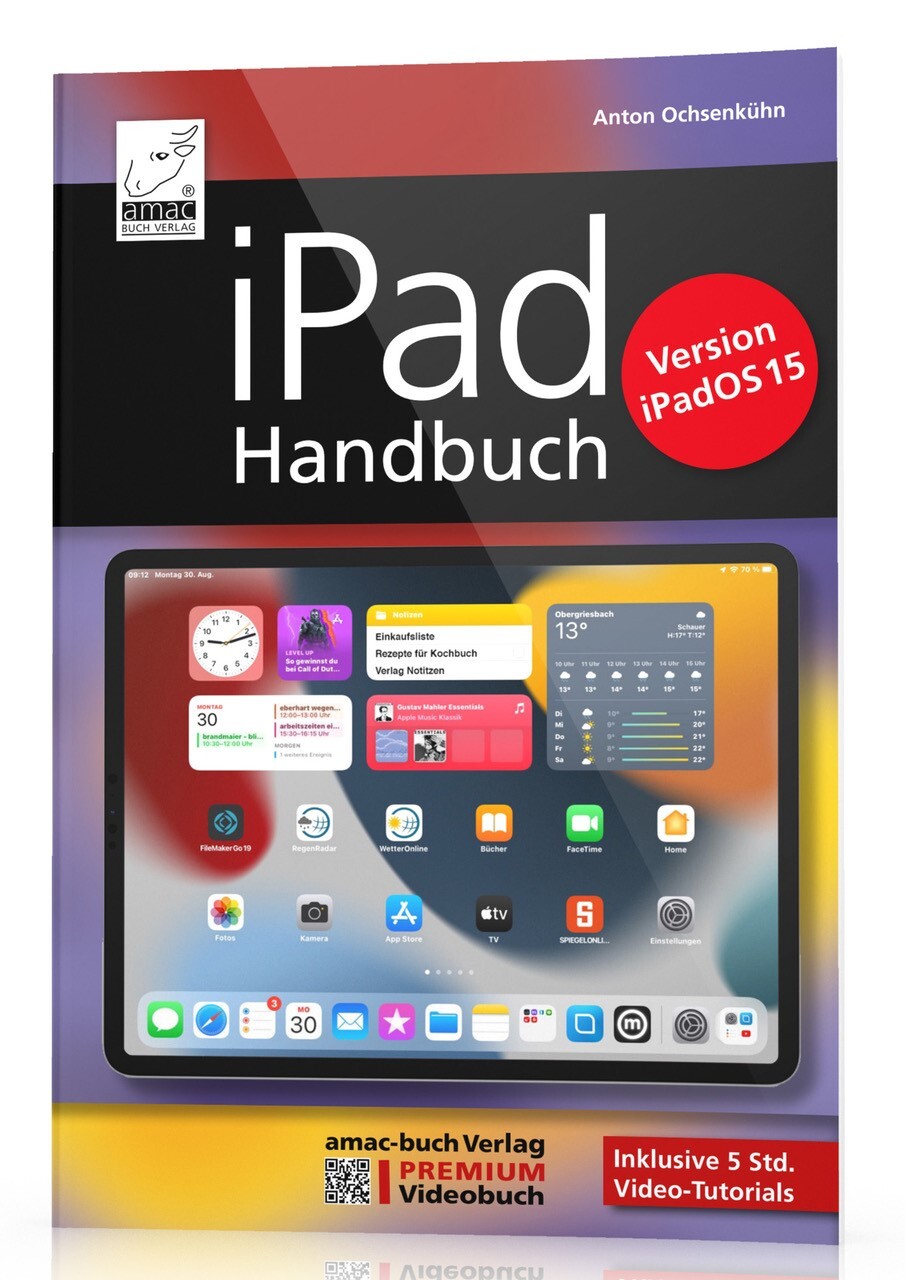
iPad Handbuch für iPadOS 15
Benutzen Sie schon länger ein iPad und suchen Sie Informationen zur neuen Software iPadOS 15? Oder freuen Sie sich über Ihr erstes iPad und möchten Sie sich einen Überblick über seine Funktionsweise verschaffen und die zahlreichen Apps erkunden? In beiden Fällen halten Sie die ideale Anleitung für Ihr iPad in der Hand. Das iPad-Betriebssystem hat viel zu bieten! Sowohl Besitzer/-innen älterer iPad-Modelle als auch Neueinsteiger/-innen kommen auf ihre Kosten. Alles, was Sie lieben, hat Apple besser denn je aufbereitet: iPadOS 15 ist deutlich flotter und intuitiver in der Bedienung als alle seine Vorgängerversionen. Aus dem Inhalt So installieren Sie iPadOS 15, richten es ein und finden sich zügig zurecht. Widgets auf dem Home-Screen, App Library, optimiertes Multitasking, neue Funktionen der Nachrichten-App uvm. Internet, Kommunikation, iCloud-Dienste, Kamera und Bildbearbeitung, Kalender, Erinnerungen, Bildschirmzeit, Aktien, Sprachmemos und vieles mehr Nutzen Sie die neue Dateien-App, versenden Sie Fotos ganz einfach via AirDrop, übertragen Sie Ihre Diashow via AirPlay auf Ihren Fernseher, Drucken Sie wichtige Dokumente via AirPrint u. v. m. Alles zu den Themen Mitteilungen, Sicherheit, Stromsparen, Fehlerbehebung und den perfekten Einstellungen.
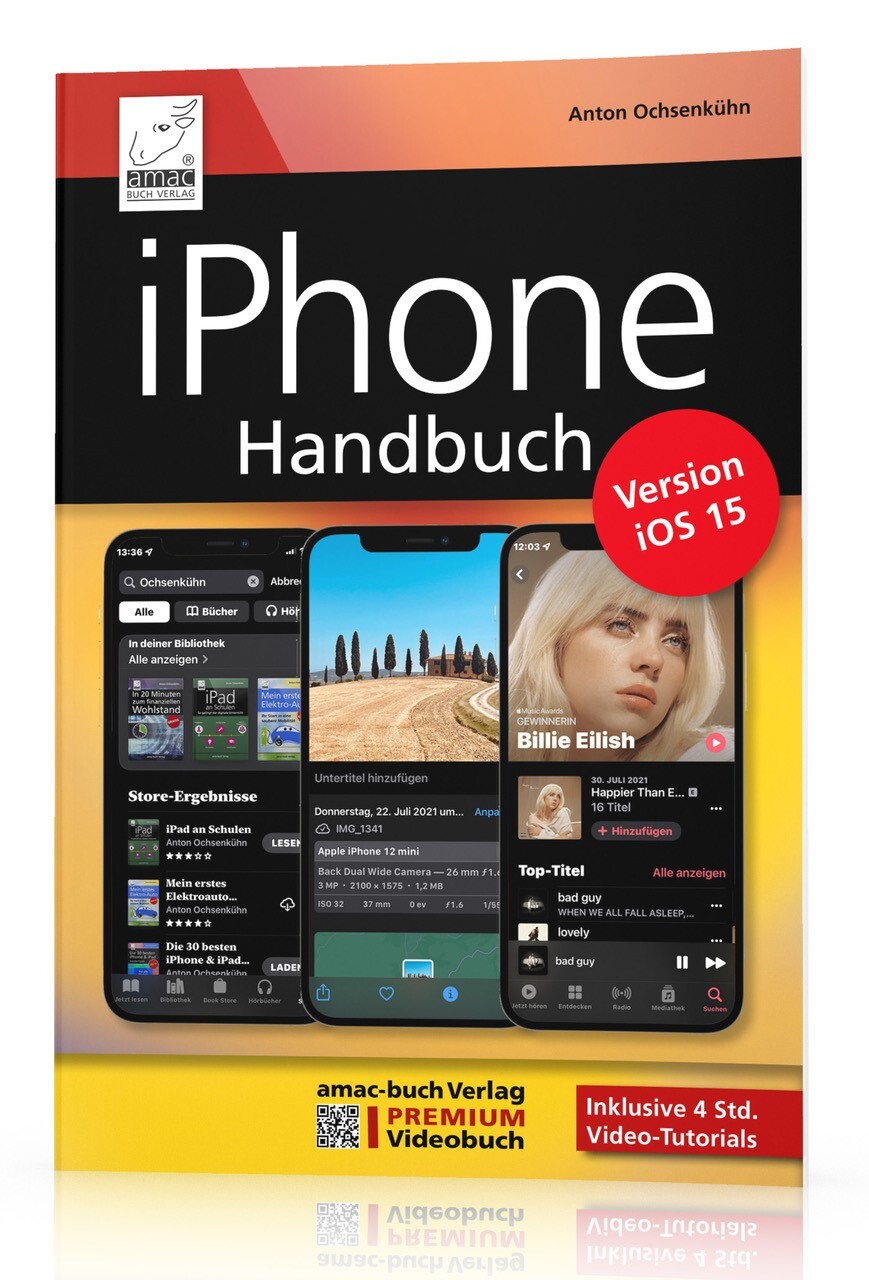
iPhone Handbuch (iOS 15)
Mit jeder neuen iOS-Version wird die Bedienung eines iPhone-Modells noch einfacher und vor allem vielseitiger. Mit der aktuellen Version iOS 15 sind wieder eine Menge nützlicher Funktionen hinzugekommen, die man bereits nach kurzer Eingewöhnungszeit nicht mehr missen möchte. Besonders hervorzuheben ist hier die Texterkennung, die nun ganz einfach Textmodule auf Fotos erkennt und zur Weiterbearbeitung zur Verfügung stellt.Zudem wurden Dinge wie FaceTime, Siri, Nachrichten etc. kräftig überarbeitet und bieten noch mehr Funktionen. Via Übersetzen ist es nun ein Einfaches, Texte in andere Sprachen zu übersetzen.In diesem Buch finden Sie als iPhone-Nutzer alle Funktionen nachvollziehbar beschrieben. Viele nummerierte Bildschirmfoto, Schritt-für-Schritt-Anleitungen und Lern-Videos helfen Ihnen, sofort alles in die Praxis umzusetzen. Wenn Sie neuer iPhone-Besitzer sind, dann ist das Buch perfekt für Sie. Aus dem Inhalt: Installation und Update auf iOS 15Datenabgleich mit einem Mac- oder Windows-RechnerAlles im Überblick: Widgets, Mitteilungen, Heute-Ansicht, BildschirmzeitProduktiv sein mit Erinnerungen, Mail, KalenderNeue Funktionen in Safari, Aktivität, Home, etc.Verbesserungen in der Karten-, Nachrichten- und App-Store-App

Pro Data Visualization Using R and JavaScript
Use R 4, RStudio, Tidyverse, and Shiny to interrogate and analyze your data, and then use the D3 JavaScript library to format and display that data in an elegant, informative, and interactive way. You will learn how to gather data effectively, and also how to understand the philosophy and implementation of each type of chart, so as to be able to represent the results visually.With the popularity of the R language, the art and practice of creating data visualizations is no longer the preserve of mathematicians, statisticians, or cartographers. As technology leaders, we can gather metrics around what we do and use data visualizations to communicate that information. Pro Data Visualization Using R and JavaScript combines the power of the R language with the simplicity and familiarity of JavaScript to display clear and informative data visualizations.Gathering and analyzing empirical data is the key to truly understanding anything. We can track operational metrics to quantify the health of our products in production. We can track quality metrics of our projects, and even use our data to identify bad code. Visualizing this data allows anyone to read our analysis and easily get a deep understanding of the story the data tells. This book makes the R language approachable, and promotes the idea of data gathering and analysis mostly using web interfaces.WHAT YOU WILL LEARN* Carry out data visualization using R and JavaScript* Use RStudio for data visualization * Harness Tidyverse data pipelinesApply D3 and R Notebooks towards your data * Work with the R Plumber API generator, Shiny, and moreWHO THIS BOOK IS FORProgrammers and data scientists/analysts who have some prior experience with R and JavaScript.Tom Barker is an engineer, a professor and an author. Currently he is Sr Manager of Web Development at Comcast, and an instructor at Philadelphia University. He has authored several books on web development including Pro JavaScript Performance: Monitoring and Visualization, and Pro Data Visualization with JavaScript and R.Matthew Campbell has worked on data visualization and dashboards with a data science team using RStudio. He got his start with technology after college when he learned SAS to do statistical programming at the Educational Testing Service (ETS). Learning this programming language kicked off a lifelong obsession with technology.1. Exploring Data Visualization2. RStudio3. Tidyverse Data Pipelines4. Data Visualization with D35. Comparing Groups with Bar Charts6. Correlation Analysis with Scatter Plots7. Datetime Trend Data with Line Charts8. Visual Presentations with D3 and R Notebooks9. Interactive Dashboards with D3 and Shiny10. Visualization on the Web with D3 and R Plumber API Generator

FRITZ!Box - Der umfassende Ratgeber (2. Auflg.)
Die ganze Power der FRITZ!Box nutzen. Der umfassende Ratgeber in 2. Auflage, September 2021.Erfahren Sie alles, was Sie zum sicheren Umgang mit der FRITZ!Box wissen müssen! Verständlich erklärt und reich bebildert hilft Ihnen dieses Buch bei der Kaufentscheidung. So finden Sie das richtige Modell, das perfekt zu Ihren persönlichen Ansprüchen passt. Dennis Rühmer zeigt Ihnen, worauf Sie bei der Ersteinrichtung achten sollten. Er führt Sie Schritt für Schritt durch die zahlreichen Funktionen und Einsatzmöglichkeiten, ob (Mesh-)WLAN, Telefonie oder die Steuerung eines Smart Homes. So lernen Sie, wie Sie Ihren Router richtig konfigurieren und ein sicheres Heimnetzwerk einrichten.Aus dem Inhalt:Die FRITZ!Box stellt sich vorDas richtige Modell auswählen3... 2... 1: der erste StartDie Benutzeroberfläche verstehenDie NetzwerkfunktionenKabellos glücklich - alles rund ums WLANReichweite vergrößer: Mesh, AccessPoints und Repeater einrichtenRuf doch mal an - TelefoniefunktionenErweiterte Systemfunktionen

JavaScript - Das umfassende Handbuch
Das Lehr- und Nachschlagewerk zu JavaScript!Ein umfassender Einstieg in JavaScript, viele praktische Beispiele und eine Darstellung auch von professionellen Techniken – das zeichnet dieses unverzichtbare Handbuch aus. Lernen Sie JavaScript von Grund auf und nutzen Sie dieses Buch als Nachschlagewerk für die tägliche Entwicklungsarbeit. Auch fortgeschrittene Aspekte wie Objektorientierung und funktionale Programmierung werden berücksichtigt. Die schnellen und praxisnahen Beispielanwendungen können Sie sofort in eigenen Projekten einsetzen. Nebenbei erfahren Sie mehr über aktuelle Trends und Entwicklungen, z. B. den Einsatz bei Mikrocontrollern und den serverseitigen Einsatz von JavaScript (Node.js). Aus dem Inhalt: Grundlagen und SprachkernMit Referenztypen arbeitenWebseiten dynamisch verändernEreignisse verarbeiten und auslösenFormulare verarbeitenBrowserinformationen verarbeitenSeiteninhalte dynamisch verarbeitenAufgaben vereinfachen mit jQueryBilder dynamisch erstellenModerne Web-APIs verwendenObjektorientierte ProgrammierungFunktionale Programmierung Autor: Philip Ackermann ist CTO der Cedalo GmbH und Autor mehrerer Fachbücher und Fachartikel über Java und JavaScript. Seine Schwerpunkte liegen in der Konzeption und Entwicklung von Node.js- und JEE-Projekten in den Bereichen Industrie 4.0 und Internet of Things. Leseprobe (PDF-Link)
Java Übungsbuch (2. Auflage)
Aufgaben mit vollständigen Lösungen für die Versionen Java 8 bis Java 17.Dieses Buch ist kein Lehrbuch, sondern ein reines Übungsbuch und wendet sich an Leser, die ihre Java-Kenntnisse anhand zahlreicher praktischer Übungen durch „Learning by Doing“ vertiefen und festigen möchten. Es ist ideal, um sich auf Prüfungen vorzubereiten oder das Programmieren mit Java praktisch zu üben.Jedes Kapitel beginnt mit einer kompakten Zusammenfassung des Stoffs, der in den Übungsaufgaben dieses Kapitels verwendet wird. Anschließend haben Sie die Möglichkeit, zwischen Aufgaben in drei verschiedenen Schwierigkeitsstufen – von einfach bis anspruchsvoll – zu wählen. Anhand dieser Aufgaben können Sie Ihr Wissen praktisch testen. Am Ende der Kapitel finden Sie vollständige und kommentierte Musterlösungen.Es werden folgende Themen abgedeckt:Die Kapitel 1 bis 3 enthalten Aufgaben zur objektorientierten Programmierung mit Java und die Neuerungen aus den Versionen 8 bis 13, die sich auf die neue Date&Time API, Textblöcke, Compact Strings und die Weiterentwicklung von Interfaces beziehen.In Kapitel 4 geht es im Detail um Generics und das Collection Framework mit all seinen generischen Klassen und Interfaces sowie mit der Definition von Enumerationen. Kapitel 5 erläutert das Exception Handling.Das Kapitel 6 beschäftigt sich mit den neuen Sprachmitteln von Java 8, Lambdas und Streams, sowie mit weiteren Neuerungen aus den Versionen 8 bis 13 wie Switch Expressions und Local Variable Type Inference.Kapitel 7 bietet einen Einblick in die mit Java 9 vorgenommene Modularisierung der Java-Plattform.Kapitel 8 enthält Aufgaben zu den Weiterentwicklungen aus den Versionen 14 bis 17, die sich auf die Java-Programmiersprache beziehen, dazu gehören die Einführung von Records und Sealed Classes sowie das Pattern Matching.Kapitel 9 enthält viele Aufgaben zu Tests mit JUnit 5 und Gradle sowie eine kurze theoretische Einführung in beide Systeme.Nach dem Durcharbeiten des Buches verfügen Sie über fundierte Programmierkenntnisse und einen umfangreichen Fundus an Beispielcode.Aus dem Inhalt:Klassendefinition und ObjektinstanziierungAbgeleitete Klassen und VererbungAbstrakte Klassen und InterfacesDie Definition von AnnotationenInnere KlassenGenerics und ReflectionTypprüfung und Typsicherheit in JavaLambdasMethoden- und Konstruktor-ReferenzenFunktionale InterfacesLocal Variable Type InferenceDefinition und Nutzung von StreamsDas Modulsystem von JavaRecords und Sealed TypesPattern Matching für den instanceof-OperatorPattern Matching für switchTests mit Junit 5 und Gradle
UML 2.5 - Das umfassende Handbuch
Von den Grundlagen bis zum professionellen Einsatz – in unserem Handbuch erfahren Sie alles, was Sie für erfolgreiche Softwaremodellierung mit der UML wissen müssen. Lernen Sie alle Konzepte, Elemente und Diagrammtypen ausführlich kennen und knüpfen Sie anhand von Praxisbeispielen die Verbindung zum Code. Ob Sie etwas nachschlagen oder die UML von Grund auf verstehen möchten, dieses Handbuch bietet Ihnen das gesammelte UML-Wissen im Komplettpaket. Aus dem Inhalt:Grundlagen der UMLDiagrammtypen und NotationselementeDos and Don'ts der SoftwaremodellierungUML mit Java und C#A2-Poster mit DiagrammtypenBeispiele zum DownloadAutoren: Christoph Kecher ist Chief Information Officer (CIO) bei der HSBC Deutschland. Seine Tätigkeitsbereiche umfassen Data Warehouse-Technologien, Java, .NET, UML und Software-Qualitätssicherung. Ralf Hoffmann-Elbern hat schon früh die Softwareentwicklung für sich entdeckt. Nach dem Studium der Physik und einem Ausflug ins Lehramt hat er dieses Hobby zum Beruf gemacht. Torsten T. Will beschäftigte sich schon während seines Diploms in Informatik mit Programmiersprachen und ihren Konzepten. Leseprobe (PDF - Link)
Einstieg in Kotlin - Apps entwickeln mit Android Studio (2. Auflage)
Einfach und strukturiert ohne Vorkenntnisse Kotlin lernen. Mit IntelliJ IDEA lernen Sie die Sprache kennen und steigen dann in die App-Entwicklung mit Android Studio ein – so entwickeln Sie eigene Apps samt Zugriff auf verschiedenste Sensoren, Datenbanken und Multimedia. Kotlin ist Googles bevorzugte Sprache für die App-Entwicklung und zu Recht beliebt: Nicht nur Java-Kenner werden an den modernen Sprach-Features ihre Freude haben. Und für Programmierer ist Kotlin genau das Richtige für den Einstieg in die App-Entwicklung. Aus dem Inhalt:Alle Grundlagen der ProgrammierungIntelliJ IDEA und Android Studio installierenVerzweigungen, Schleifen und Co.Funktionen und funkionale ProgrammierungLayouts und Menüs aufbauenStandard-DialogeSensoren nutzenSystemdienste integrierenSpiele und Trainings entwickelnDatenbanken zur SpeicherungGestensteuerungZugriffsrechte verwaltenAutor: Thomas Theis ist Dipl.-Ing. Technische Informatik. Als Softwareentwickler verfügt er über langjährige Erfahrung, ebenso als IT-Dozent, unter anderem an der Fachhochschule Aachen. Als Kenner vieler verschiedener Programmiersprachen leitet er Seminare zur Programmierung und ist Autor vieler erfolgreicher Fachbücher. Leseprobe (PDF Link)