

Software
PHP & MySQL Schnelleinstieg
* PHP PROGRAMMIEREN LERNEN OHNE VORKENNTNISSE* ALLE GRUNDLAGEN FÜR DEN PROFESSIONELLEN EINSATZ* EINFACHE PRAXISBEISPIELE UND ÜBUNGSAUFGABENMit diesem Buch gelingt Ihnen der einfache Einstieg in die Webentwicklung mit PHP und MySQL.Alle Grundlagen werden in 14 Kapiteln anschaulich und leicht nachvollziehbar anhand von Codebeispielen erläutert. Übungsaufgaben am Ende der Kapitel helfen Ihnen, das neu gewonnene Wissen schnell praktisch anzuwenden und zu vertiefen.Der Autor führt Sie Schritt für Schritt in die Welt der Programmierung mit PHP ein: von den Grundlagen über Objektorientierung bis zur Entwicklung dynamischer Webseiten mit MySQL-Datenbanken. Dabei lernen Sie ebenfalls, was guten Programmierstil ausmacht und wie sich Fehler von vornherein vermeiden lassen.So sind Sie perfekt auf die Webentwicklung mit PHP und MySQL im professionellen Umfeld vorbereitet.* Alle Grundlagen einfach erläutert* Dynamische Webseiten und Formulare* Webseiten im Internet veröffentlichen* Anbindung einer Webschnittstelle (API)* Cookies und Sessions* Objektorientierte* Programmierung* Einsatz mit MySQL-Datenbanken* Abschlussprojekt:* Programmierung eines Blogs* Programmcode, Lösungen und Glossar zum DownloadFÜR WINDOWS, LINUX UND MACOSPhilipp Rieber entwickelt seit über 20 Jahren Internet-Anwendungen und begeistert gerne andere für die Webentwicklung. Als Software-Architekt gestaltet er seit ihrer Gründung die erste digitale Krankenversicherung Deutschlands.

Frontloading durch Fahrbarkeitsbewertungen in Fahrsimulatoren
Edwin Baumgartner stellt eine Methode vor, die das subjektiv empfundene Fahrverhalten, auch Fahrbarkeit genannt, in dynamischen Fahrsimulatoren erlebbar und bewertbar macht. Dies ermöglicht das als Frontloading bezeichnete Vorziehen von Entwicklungsumfängen in die Konzeptphase, was Entwicklungszeit und -kosten senkt bei gleichzeitiger Steigerung des Reifegrads. Hierfür wird ein echtzeitfähiges Gesamtfahrzeugmodell entwickelt, das in zwei verschiedenen Fahrsimulatoren im Rahmen mehrerer Probandenstudien erprobt wird. Zudem werden die subjektiven Fahrbarkeitsbewertungen mit objektiven Fahrleistungs- und Verbrauchssimulationen derart kombiniert, dass schließlich ein ganzheitlicher Konzeptbewertungsprozess entsteht. Entwicklung des Gesamtfahrzeugmodells und Simulationsframeworks.- Untersuchungen zu subjektiven Fahrbarkeitsbewertungen in Fahrsimulatoren.- Ganzheitlicher Konzeptbewertungsprozess für Fahrbarkeit, Fahrleistung und Verbrauch.
SharePoint For Dummies
UNLOCK THE POTENTIAL OF MICROSOFT’S POWERFUL WEB-BASED COLLABORATIVE PLATFORM THAT COMES STANDARD WITH MICROSOFT 365Microsoft SharePoint unlocks millions of collaborative and remote working capabilities and possibilities. And using it doesn’t require a degree in computer science! With SharePoint For Dummies, you’ll be creating sites, working with lists, and integrating with Microsoft Teams in no time at all.This book offers fully illustrated, step-by-step instructions to adapt and customize SharePoint for your own organization. Perfect for complete SharePoint novices as well as veterans of previous versions, you’ll learn to manage and work with enterprise content and use the SharePoint mobile app.This handy guide also walks you through:* Creating integrated, online portals from scratch for everyone in your organization to use * How to navigate the SharePoint interface like a pro, without any prior knowledge * Using SharePoint alongside Microsoft Office 365’s other powerful tools, like Teams Ideal for anyone who wants to—or has to—use SharePoint at work or school, SharePoint For Dummies is your irreplaceable companion to getting up-to-speed with SharePoint in a hurry!ROSEMARIE WITHEE is President of Portal Integrators and Founder of Scrum Now. She has years of experience as a SharePoint consultant and is the author of several books on Microsoft software products.KEN WITHEE has worked with SharePoint for over a decade. INTRODUCTION 1About This Book 2Foolish Assumptions 3Icons Used in This Book 3Beyond the Book 4Where to Go from Here 4PART 1: GETTING STARTED WITH SHAREPOINT 5CHAPTER 1: GETTING TO KNOW SHAREPOINT 7Up and Running with SharePoint in Three Minutes Flat 8Wrapping Your Head around SharePoint 13No, really, what is SharePoint? 13A Microsoft product 15Many different SharePoint definitions 15More than a website 18Taking a Peek at a SharePoint Site 19Getting Familiar with SharePoint Terminology 21Branding 21Business intelligence (BI) 21eDiscovery 22Identity management 22Mobile 23Records management and compliance 23Search 24Social 24Web content management 24Workflow 25CHAPTER 2: INTRODUCING SHAREPOINT IN MICROSOFT 365 27Accessing and Using SharePoint 28Getting Familiar with SharePoint Online 28Determining What Version of SharePoint You Are Using 30Understanding Why SharePoint Online Has Become So Popular 30Differences between SharePoint Online and SharePoint On-Premises 31Exploring the Benefits of SharePoint Online 33Data center and hardware 33Software platform 34Backup, redundancy, and security 35CHAPTER 3: WRANGLING SHAREPOINT FUNCTIONALITY 37Coming to Terms with Website Templates 38Show Me the Apps 39Working with Web Pages 40Site page 42Wiki page 42Web Part page 42Publishing page 43Understanding Web Parts 43Digging into SharePoint Features 44Integrating with Office 45PART 2: DIVING HEADFIRST INTO SHAREPOINT 47CHAPTER 4: DISCOVERING SHAREPOINT IN YOUR POCKET 49Installing the SharePoint Mobile App 49Installing on iOS 50Installing on Android 50Signing into the SharePoint Mobile App 51Finding Your SharePoint Stuff with the Find Tab 53Exploring a SharePoint site 54Opening navigation 55Getting the Latest News with the News Tab 56All About You with the Me Tab 57CHAPTER 5: UNDERSTANDING SHAREPOINT SITES 61Accessing SharePoint Sites in Microsoft 365 61Exploring the SharePoint Team Site 64Finding your way around 64Uploading documents 65Sharing your Team site 66Creating a SharePoint Site 70Create a subsite from your web browser 70Create a site from the SharePoint Mobile App 72Requesting a SharePoint Site 74Grouping Sites with Hub Sites 75CHAPTER 6: WORKING WITH WEB PAGES AND WEB PARTS 77Understanding SharePoint Web Pages 78Creating a Site page 78Creating a Web Part page 80Creating a Wiki page 82Introducing the Ribbon 83Deciding What Type of Page to Create 84Digging into Web Parts 85Adding a Web Part to Your Page 85Choosing the Right Web Part 89Changing Web Part Properties 92Reviewing Web Part properties 92Editing Web Part properties 93Minimizing or deleting Web Parts 94Connecting Web Parts 95Managing Pages 97Categorizing Your Wiki Pages 98Taking a Peek into Custom Page Designs 99CHAPTER 7: ADDING CONTENT TO SHAREPOINT 101SharePoint as a Content Management System 101Wrangling the Overwhelming Mountain of Digital Content 102Getting Your Documents into SharePoint 103Uploading a single document 104Uploading multiple documents 106Updating document properties using Edit in Grid view 106Creating New Content in SharePoint 108Using the SharePoint Mobile App to Peek at Content on the Go 109CHAPTER 8: DISCOVERING SHAREPOINT IN MICROSOFT TEAMS 113Using Teams in Microsoft 365 114Understanding the Marriage of SharePoint and Teams 116Accessing SharePoint files in Teams 116Using the Teams wiki and finding it in SharePoint 118Adding SharePoint Pages and Lists to Teams 119CHAPTER 9: WORKING WITH SHAREPOINT FROM MICROSOFT OFFICE 123Getting Familiar with Office Versioning 124Working with Office on Your Desktop or Laptop 124Installing Microsoft Office 125Saving a new document to SharePoint 127Opening a document from SharePoint 129Working with Office on Your Smartphone or Tablet 131Saving a new document to SharePoint 131Opening a document from SharePoint 133CHAPTER 10: GETTING SOCIAL 135Sharing and Following SharePoint Sites 136Setting up alerts 139Managing alerts 142Staying Up to Date with News 143Information Sharing with Blog Style Sites and Wikis 144Creating a blog-style site 145Publishing a new post 145Using wikis to collaborate and coauthor 146Communicating with Discussion Boards 149Creating a Discussion Board app 149Posting and replying to a subject 149Connecting with Others Using RSS Feeds 151Viewing RSS feeds 151Reading RSS feeds with Outlook 153PART 3: CUSTOMIZING SHAREPOINT 155CHAPTER 11: CUSTOMIZING SHAREPOINT WITH APPS 157Introducing SharePoint Apps 158Adding Apps to Your Site 159Accessing App Settings 160Configuring the General Settings 164Changing the title, description, and navigation 164Versioning settings 164Advanced settings 167Validation settings 171Audience Targeting settings 172Rating settings 172Form settings 173CHAPTER 12: DEVELOPING A CUSTOM APP 175Planning Your App 176Creating Your App 176Adding columns to your app 177Working with the Title column 184Importing a Spreadsheet as an App 186Taking Your App to the Next Level: Calculated and Lookup Columns 188Creating a calculated column 188Using a lookup column 190Keeping Track of Locations 191Downloading Apps from the SharePoint Store 191CHAPTER 13: TAKING CONTROL OF YOUR PROFILE AND CONTENT 193Organizing Your Personal Content with OneDrive 193Saving stuff with OneDrive 195Creating or uploading documents in your OneDrive 196Expressing Yourself with Your Profile 198Creating a holistic profile experience 198Filling in your profile information 199Tracking Your Favorite Sites 201CHAPTER 14: ORGANIZING AND VIEWING CONTENT 203Working with Documents 204Using the ellipsis 204Editing a document’s properties 206Viewing documents in the browser 208Sharing Your Documents 209Recovering Deleted Documents 209Uploading Documents into a Folder 211Discovering SharePoint Views 215Switching the view 215Getting to know view formats 217Creating a Standard View 217Choosing columns for your view 220Filtering apps with views 221Grouping results 222Quickly edit app data with Edit In Grid View (a.k.a Quick Edit) 223Choosing a display style 225Managing App Data in a Datasheet View 225Using Ad Hoc Views 226Creating a Calendar View 227Displaying Tasks in a Gantt View 228Managing Existing Views 229Modifying your views 229Setting the default view 229Other SharePoint built-in views 230Displaying Views via Web Parts 230CHAPTER 15: CREATING WORKFLOWS WITH MICROSOFT POWER AUTOMATE 231Understanding Workflow 232Introducing Microsoft Power Automate 232Signing into Microsoft Power Automate 232Getting familiar with Power Automate 233Building your first flow 236Using the Traditional SharePoint-Only Workflow 240CHAPTER 16: GETTING ANSWERS WITH MICROSOFT FORMS 243Signing into Microsoft Forms 243Creating a Form in Microsoft Forms 244Analyzing Microsoft Forms Data 247Displaying a Form in SharePoint 248Capturing Forms Data in SharePoint 250PART 4: BECOMING A SHAREPOINT ADMINISTRATOR 251CHAPTER 17: BUILDING BUSINESS APPS WITH POWER APPS 253Introducing Power Apps 253Signing into Power Apps 254Getting familiar with Power Apps 254Building your first Power App 256Sharing your Power App 260Using Power Apps on your Mobile Device 261Embedding a Power App within a SharePoint Page 261Viewing SharePoint Sites in a Web Browser on a Mobile Device 262Creating views for small screens 263Targeting devices using channels 263CHAPTER 18: REALIZING YOU ARE A SHAREPOINT ADMINISTRATOR 265Changing Your Site’s Basic Information 266Finding Site Settings 267Digging into Site Settings 269Look and Feel 269Site Actions 272Site Collection Administration 272Microsoft Search 273Web Designer Galleries 273Site Administration 275Search 275Getting a High-Level View of SharePoint Features 277Turning Features On and Off 278Exploring Common Features 279Extending SharePoint with Features 280Changing the Look and Feel of Your Site 280A note on fonts 283A word on usability 284The benefits of composed looks 285Checking Out SharePoint Metrics 285CHAPTER 19: CONFIGURING SITE NAVIGATION 287Changing Team Site Navigation 288Staying local with Quick Launch 288Adding quick links to a page 290Taking on Advanced Navigation 294Configuring SharePoint navigation 294Configuring global navigation 295Configuring current navigation 296Configuring Static Navigation 297Navigating with Web Parts 300Understanding Managed Navigation 301CHAPTER 20: CREATING A CLIENT OR PARTNER PORTAL 303Sharing a Site with External Guests 303Inviting Guests Using Outlook Groups 308Planning for Your Client or Guest Portal 308Launching Your Portal 310Creating a Public-Facing Website 311CHAPTER 21: SECURING SHAREPOINT 313Using SharePoint Groups 314Adding users to a group 315Understanding the permission structure 316Securing a site collection 318Securing Apps, Folders, Documents, and Items 319Creating unique permissions for a subsite 320Removing existing permissions 321Creating unique permissions for an app or document 321Managing permissions scenarios 323Viewing a group’s permissions 324Checking a user’s permissions 325Granting Administrative Access 327Viewing Site Permissions 328Locking Down a Partner Portal 331Permissions in SharePoint Online versus SharePoint On-Premises 332Going Further with Custom Permissions 332PART 5: MANAGING ENTERPRISE CONTENT 335CHAPTER 22: MANAGING CONTENT AND THE CONTENT LIFECYCLE 337Starting Simple: Co-Authoring 338Checking a Document In and Out 338Configuring Content Approval 340Turning on content approval 341Identifying approvers 343Casting an approving eye 343Disapproving: Not just for stern parents 345Getting alerts on approval/rejection status 346Digging into a SharePoint Records Center 346Defining the terms 346Creating information management policies 347Setting Up a Records Center 351Using the Content Organizer 353Managing Records in Place 355Placing Records on Litigation Hold 356CHAPTER 23: FINDING WHAT YOU NEED WITH SEARCH 359Understanding How SharePoint Search Works 359Searching for Content 360Searching for a string using quotation marks 361Wildcard searches 362Including and excluding terms 362Building compound search queries using Boolean operators 363Getting fancy with the parentheses 363Finding terms in proximity 364Same meaning, different terms 364Viewing and Refining Search Results 365Making Search Your Users’ Best Friend 366Removing Content from Search Results 372Reviewing Search Analytics 373Adding a Search Center Site 373CHAPTER 24: INTEGRATING WITH POWER BI 377Signing into Power BI 377Installing the Power BI Desktop 378Building Your First Power BI Report 380Pulling Data into Power BI from SharePoint 383SharePoint Library app 384SharePoint List app 386Displaying a Power BI Report on a SharePoint Page 386PART 6: THE PART OF TENS 389CHAPTER 25: TEN HOT SHAREPOINT TOPICS 391Getting Up to Speed with SharePoint 391SharePoint Online Videos 392SharePoint Online Official Documentation 392SharePoint Development 392SharePoint Power Automate 393Taking SharePoint for a Spin 393Staying Current: The SharePoint Blog 394New On-Premises Features in SharePoint Server 394Plan for SharePoint 394SharePoint from the Leader 395CHAPTER 26: TEN WAYS TO MAINTAIN CONTROL WITH GOVERNANCE 397Failure Is Not an Option (Neither Is Looking Away and Whistling) 398Getting Executive Buy-In and Support 398Building an Effective Governance Group 398Finding the Right Level 399Yours, Mine, Ours: Deciding Who Owns What 399(Re)Visiting Social Networking Policies 400Applying Consistent Design and Branding 400Implementing Effective Content Management 401Reusing Web Parts 401Keeping Things Current: Web Operations Management 401CHAPTER 27: TEN WAYS TO BECOME A SHAREPOINT SERVER GURU 403Getting Information from the Horse’s Mouth 404Reading SharePoint Blogs 405Finding Local User Groups 406Building a Virtual Lab 406Starting with a Good Foundation 407Borrowing from Others 407Getting Certified 408Taking a Peek under the Covers 408Digging Deeper under the Covers 408Deconstructing a SharePoint Site 409Index 411

C and Python Applications
Solve problems by embedding Python code in a C programs, SQL methods, Python sockets. This book uses rudimentary mathematics and basic programming to create practical Python applications for embedding.You'll start with an introduction to C and Python, assuming a fundamental understanding of what programming is. You will also review the basics of the database management language, SQL. You will learn how to use SQL from a C program and from a Python program. C and Python have different programming strengths, and you will learn how to write a Python program embedded within a C program to profit from the strength of each, in one program. Finally, you will explore how socket programs enable two computers to communicate with each other. Here the book covers basic server-client, basic threaded, and basic chat programs.WHAT YOU WILL LEARN* Review basic Python and C coding * Understand the methods of embedding Python code within a C program* Create typical programs in Python and C using SDK* Work with socket applications in PythonWHO THIS BOOK IS FORProgrammers and computational modelers with at least some prior experience with programming in C and Python as well as programming in general. Philip Joyce has 28 years experience as a software engineer – working on control of steel production, control of oil refineries, communications software (pre-Internet), office products (server software), and computer control of airports. Programming in Assembler, COBOL, Coral66, C, and C++. Mentor to new graduates in the company. He also has a MSc in computational physics (including augmented matrix techniques and Monte Carlo techniques using Fortran) - Salford University 1996. Chartered scientist, chartered physicist, member of the Institute of Physics (member of the higher education group). Chapter 1 :Review of C and PythonChapter goal: Load up all of the software eg sqlite3, C, Python etc1.1 : Pythona. Defining different types of variablesb. Reading in data from command linec. Arithmetic operationsd. Switches (user-written)e. If-then-elsef. Arraysg. For loopsh. Stringsi. Math functionsj. User-written functionsk. Dictionariesl. File usem. Use of Matplotlibn. Create typical programs in Python using SDK1.2 : Ca. Read and write charactersb. Arithmetic operationsc. Switchesd. If-then-elsee. Arraysf. For loops and Do loopsg. Stringsh. Data arraysi. Structuresj. Math functionsk. User-written functionsl. File usem. Create typical programs in C using SDKExercisesChapter 2: SQL in CChapter goal: Load up all of the software eg sqlite3, C compiler, Python etc. Demonstrate using SQL in C by writing separate C programs to:-a) create a tableb) insert a row of data into the tablec) select a row or rows of data in the tabled) amend a row of data in the tablee) delete a row of data from the tableExercisesChapter 3 :SQL in PythonChapter goal: Load up appropriate eg sqlite3, Python etc. Demonstrate using SQL in Python by writing separate Python programs to:-a) create a tableb) insert a row of data into the tablec) select a row or rows of data in the tabled) amend a row of data in the tablee) delete a row of data from the tableExercisesChapter 4 : Embedded Python in Ca. Introduction to why you might want to embed python in cb. Basic example “hello”c. Plot a graph with preset points in python programd. Plot a graph with user-entered points in pythone. Print from a dictionaryExercisesChapter 5: Sockets in Pythona. Show basic server-client programsb. Show basic threaded programsc. Show basic chat programsExercisesAppendicesC Programming Code GuidePython Programming Code Guide
3D mit Blender
Dieses Buch ist der ideale Einstieg in die 3D-Modellierung und 3D-Animation mit dem Open-Source-Programm Blender. Anhand von Übungen mit leicht nachzuvollziehenden Schritt-für-Schritt-Anleitungen vermittelt es kompakt die wesentlichen Grundlagen der Arbeit mit Blender.Dank des durchdachten didaktischen Konzepts werden Ihnen Arbeitsschritte und Projektergebnisse praxisorientiert nähergebracht. Alle Anleitungen werden durchgängig mit hilfreichen Screenshots veranschaulicht. Nie war der Einstieg in Blender einfacher!Mit diesem Buch erhalten Sie eine fundierte Basis für die weitergehende Arbeit mit Blender.PETER BÜHLER: Lehre als Chemigraf, Studium der Druck- und Reproduktionstechnik an der FH für Druck, Stuttgart. Gewerbelehrerstudium für Drucktechnik und Geschichte an der TH Darmstadt. Lehrer für Mediengestaltung und Medientechnik an der Johannes-Gutenberg-Schule, Stuttgart, Fachberater für Druck- und Medientechnik am Regierungspräsidium Stuttgart, Lehrbeauftragter für Fachdidaktik Medientechnik am Staatlichen Seminar für Didaktik und Lehrerbildung in Stuttgart. Mitgliedschaft u. a. in den Rahmenlehrplankommissionen Mediengestalter Digital und Print sowie Industriemeister Printmedien/Medienfachwirt Print und Digital, in IHK-Prüfungsausschüssen, der Koordinierungsgruppe Druck und Medien am Ministerium für Kultus, Jugend und Sport Baden-Württemberg sowie im Zentral-Fachausschuss für Druck und Medien. Grundlagen und Referenz - Box-Modeling - Material und Texturen - Rendering - Curve-Modeling - Textobjekt - Animation - Physics-Simulation - Rigging & Skinning - 3D-Druck

Digineering
Als Folge der zunehmenden Verfügbarkeit neuer Informationstechnologien entstehen völlig neue Kundenerwartungen, Geschäftsmodelle und Prozesse. Die umfassende Neugestaltung digitaler Prozesse ist mit Konzepten der Vergangenheit nicht zu bewältigen. Business Process Management benötigt angepasste Methoden, Fähigkeiten, Technologien und Strukturen.„Digineering“ steht für die Kombination der Aspekte einer zunehmenden Digitalisierung mit den Methoden und Vorgehensweisen des Re-Engineering und überträgt damit Ansätze aus dem Business Process Management, dem Management der digitalen Transformation und dem Software-Engineering auf die aktuellen Herausforderungen der Prozessdigitalisierung.„Digineering“ liefert einen agilen Lösungsansatz, der alle Phasen der Prozessdigitalisierung von der Analyse der Kundenanforderungen über die Prozessgestaltung bis zur Implementierung neuer IT-Anwendungen umfasst. In allen Phasen werden die Potenziale innovativer IT einbezogen, um so ganzheitliche Prozesse mit einzigartigem Kundenerlebnis und hoher Effizienz zu schaffen.PROF. DR. ARNO MÜLLER lehrt an der NORDAKADEMIE Hochschule der Wirtschaft Prozessmanagement, strategisches IT-Management und Logistik und ist Geschäftsführer der bps business process solutions GmbH.PROF. DR. HINRICH SCHRÖDER ist Professor und Studiengangsleiter für Wirtschaftsinformatik an der NORDAKADEMIE Hochschule der Wirtschaft.LARS VON THIENEN ist Geschäftsführer der bps business process solutions GmbH und berät Unternehmen bei der Transformation der IT-Organisation und dem Aufbau von innovativen IT-Management-Methoden.Bausteine des Digineering.- Fitness-Check zur Entwicklung der Technology- und Capability-Roadmap.- Methoden und Rollenmodell für die Prozessdigitalisierung: (Ro)-Bots: Orchestrierung von digitalen Services und Mensch-Maschine-Kommunikation.- Roadmap zur Aufdeckung und Realisierung der KI-Potenziale in der Prozessdigitalisierung.- Dataism: Wertschöpfung mit datengetriebenen Geschäftsmodellen.- Steuerung der unternehmensweiten Prozessdigitalisierung.- Operating-Model für digitalisierte Prozesse.
Excel Formulas & Functions For Dummies
UNLOCK THE POWER OF EXCEL WITH A STEP-BY-STEP ROADMAP TO ITS FORMULAS AND FUNCTIONSThere's a Swiss Army knife in your digital toolbox that can multiply your productivity and make you the smartest guy or gal in almost any room. It's called Microsoft Excel. If you're like most people, you've barely scratched the surface of what this powerful tool's hundreds of built-in functions can do. But with a little help from Excel Formulas & Functions For Dummies, you'll soon be organizing, analyzing, and interpreting data like a pro. For those who don't know the difference between a spreadsheet and a bedsheet, the book gets you up to speed with formula and function basics first. But you can also skip ahead to the fancy stuff and learn about working with probabilities, significance tests, and lookup functions. This easy-to-use Excel formulas and functions survival guide shows you how to:* Work with financial functions like PMT, PPMT, NPER, RATE, and PV* Calculate mean, median, mode, standard deviation, and many more statistical functions* Troubleshoot formulas for common errors and validate your data to avoid mistakes* Work with dates, times, logic operators, conditions, and basic and advanced mathematical functionsYou don't need a degree in data science or advanced mathematics to take advantage of the full functionality and flexibility of Microsoft Excel. Let Excel Formulas & Functions For Dummies show you how to transform this unassuming program into the most useful tool in your toolbox. KEN BLUTTMAN is a veteran software and web developer specializing in Excel/VBA and database-centric web applications. He has written articles and books on topics like Office/VBA development, XML, SQL Server, and InfoPath. Ken is the author of Excel Charts For Dummies and all previous editions of Excel Formulas & Functions For Dummies.INTRODUCTION 1About This Book 1Foolish Assumptions 2Icons Used in This Book 2Beyond the Book 3Where to Go from Here 3PART 1: GETTING STARTED WITH EXCEL FORMULAS AND FUNCTIONS 5CHAPTER 1: TAPPING INTO FORMULA AND FUNCTION FUNDAMENTALS 7Working with Excel Fundamentals 8Understanding workbooks and worksheets 8Introducing the Formulas tab 11Working with rows, columns, cells, ranges, and tables 13Formatting your data 18Getting help 19Gaining the Upper Hand on Formulas 20Entering your first formula 20Understanding references 22Copying formulas with the fill handle 25Assembling formulas the right way 26Using Functions in Formulas 28Looking at what goes into a function 30Arguing with a function 31Nesting functions 34CHAPTER 2: SAVING TIME WITH FUNCTION TOOLS 39Getting Familiar with the Insert Function Dialog Box 39Finding the Correct Function 41Entering Functions Using the Insert Function Dialog Box 42Selecting a function that takes no arguments 43Selecting a function that uses arguments 44Entering cells, ranges, named areas, and tables as function arguments 47Getting help in the Insert Function dialog box 50Using the Function Arguments dialog box to edit functions 50Directly Entering Formulas and Functions 51Entering formulas and functions in the Formula Bar 51Entering formulas and functions directly in worksheet cells 52CHAPTER 3: SAYING “ARRAY!” FOR FORMULAS AND FUNCTIONS 55Discovering Arrays 56Using Arrays in Formulas 57Working with Functions That Return Arrays 61CHAPTER 4: FIXING FORMULA BOO-BOOS 65Catching Errors As You Enter Them 65Getting parentheses to match 66Avoiding circular references 68Mending broken links 70Using the Formula Error Checker 72Auditing Formulas 75Watching the Watch Window 78Evaluating and Checking Errors 79Making an Error Behave the Way You Want 81PART 2: DOING THE MATH 83CHAPTER 5: CALCULATING LOAN PAYMENTS AND INTEREST RATES 85Understanding How Excel Handles Money 86Going with the cash flow 86Formatting for currency 86Choosing separators 88Figuring Loan Calculations 90Calculating the payment amount 91Calculating interest payments 93Calculating payments toward principal 94Calculating the number of payments 96Calculating the number of payments with PDURATION 98Calculating the interest rate 99Calculating the principal 101CHAPTER 6: APPRECIATING WHAT YOU’LL GET, DEPRECIATING WHAT YOU’VE GOT 105Looking into the Future 106Depreciating the Finer Things in Life 108Calculating straight-line depreciation 110Creating an accelerated depreciation schedule 111Creating an even faster accelerated depreciation schedule 113Calculating a midyear depreciation schedule 114Measuring Your Internals 116CHAPTER 7: USING BASIC MATH FUNCTIONS 121Adding It All Together with the SUM Function 121Rounding Out Your Knowledge 126Just plain old rounding 126Rounding in one direction 128Leaving All Decimals Behind with INT 133Leaving Some Decimals Behind with TRUNC 134Looking for a Sign 135Ignoring Signs 137CHAPTER 8: ADVANCING YOUR MATH 139Using PI to Calculate Circumference and Diameter 140Generating and Using Random Numbers 141The all-purpose RAND function 141Precise randomness with RANDBETWEEN 143Ordering Items 145Combining 147Raising Numbers to New Heights 147Multiplying Multiple Numbers 149Using What Remains with the MOD Function 150Summing Things Up 152Using SUBTOTAL 152Using SUMPRODUCT 154Using SUMIF and SUMIFS 156Getting an Angle on Trigonometry 159Three basic trigonometry functions 159Degrees and radians 160PART 3: SOLVING WITH STATISTICS 161CHAPTER 9: THROWING STATISTICS A CURVE 163Getting Stuck in the Middle with AVERAGE, MEDIAN, and MODE 164Deviating from the Middle 169Measuring variance 170Analyzing deviations 172Looking for normal distribution 174Skewing from the norm 179Comparing data sets 181Analyzing Data with Percentiles and Bins 185QUARTILE.INC and QUARTILE.EXC 186PERCENTILE.INC and PERCENTILE.EXC 187RANK 189PERCENTRANK 190FREQUENCY 191MIN and MAX 195LARGE and SMALL 196Going for the Count 198COUNT and COUNTA 198COUNTIF 198CHAPTER 10: USING SIGNIFICANCE TESTS 203Testing to the T 204Comparing Results with an Estimate 208CHAPTER 11: ROLLING THE DICE ON PREDICTIONS AND PROBABILITY 213Modeling 214Linear model 214Exponential model 214Getting It Straight: Using SLOPE and INTERCEPT to Describe Linear Data 215What’s Ahead: Using FORECAST, TREND, and GROWTH to Make Predictions 219FORECAST 219TREND 221GROWTH 223Using NORM.DIST and POISSON.DIST to Determine Probabilities 225NORM.DIST 225POISSON.DIST 227PART 4: DANCING WITH DATA 231CHAPTER 12: DRESSING UP FOR DATE FUNCTIONS 233Understanding How Excel Handles Dates 233Formatting Dates 235Making a Date with DATE 236Breaking a Date with DAY, MONTH, and YEAR 238Isolating the day 239Isolating the month 240Isolating the year 241Converting a Date from Text 242Finding Out What TODAY Is 243Counting the days until your birthday 244Counting your age in days 244Determining the Day of the Week 245Working with Workdays 246Determining workdays in a range of dates 246Workdays in the future 248Calculating Time Between Two Dates with the DATEDIF Function 249CHAPTER 13: KEEPING WELL-TIMED FUNCTIONS 251Understanding How Excel Handles Time 251Formatting Time 252Keeping TIME 254Converting Text to Time with TIMEVALUE 254Deconstructing Time with HOUR, MINUTE, and SECOND 255Isolating the hour 256Isolating the minute 257Isolating the second 258Finding the Time NOW 258Calculating Elapsed Time Over Days 259CHAPTER 14: USING LOOKUP, LOGICAL, AND REFERENCE FUNCTIONS 261Testing on One Condition 262Choosing the Right Value 267Let’s Be Logical 269NOT 270AND and OR 271XOR 273Finding Where the Data Is 275ADDRESS 275INDIRECT 279ROW, ROWS, COLUMN, and COLUMNS 279OFFSET 282Looking It Up 284HLOOKUP and VLOOKUP 284XLOOKUP 288MATCH and INDEX 289FORMULATEXT 294NUMBERVALUE 295CHAPTER 15: DIGGING UP THE FACTS 297Getting Informed with the CELL Function 297Getting Information About Excel and Your Computer System 302Finding What IS and What IS Not 304ISERR, ISNA, and ISERROR 304ISBLANK, ISNONTEXT, ISTEXT, and ISNUMBER 306Getting to Know Your Type 308CHAPTER 16: WRITING HOME ABOUT TEXT FUNCTIONS 311Breaking Apart Text 311Bearing to the LEFT 312Swinging to the RIGHT 313Staying in the MIDdle 314Finding the long of it with LEN 315Putting Text Together with CONCATENATE 316Changing Text 318Making money 318Turning numbers into text 320Repeating text 323Swapping text 324Giving text a trim 328Making a case 329Comparing, Finding, and Measuring Text 330Going for perfection with EXACT 331Finding and searching 332CHAPTER 17: PLAYING RECORDS WITH DATABASE FUNCTIONS 337Putting Your Data into a Database Structure 338Working with Database Functions 339Establishing your database 339Establishing the criteria area 341Fine-Tuning Criteria with AND and OR 343Adding Only What Matters with DSUM 345Going for the Middle with DAVERAGE 345Counting Only What Matters with DCOUNT 347Finding Highest and Lowest with DMIN and DMAX 348Finding Duplicate Values with DGET 349Being Productive with DPRODUCT 350PART 5: THE PART OF TENS 353CHAPTER 18: TEN TIPS FOR WORKING WITH FORMULAS 355Master Operator Precedence 355Display Formulas 356Fix Formulas 358Use Absolute References 359Turn Calc On/Turn Calc Off 359Use Named Areas 361Use Formula Auditing 362Use Conditional Formatting 363Use Data Validation 364Create Your Own Functions 365CHAPTER 19: TEN WAYS TO GET FANCY WITH EXCEL 369Calculating Data from Multiple Sheets 369Getting Data from the Internet 370Determining the Needed Number 370Removing Duplicates 371Getting to the Last Row of Your Data 372Freezing Panes 372Splitting a Worksheet 372Filling Cells 373Adding Notes to Cells 373Getting More Information about a Workbook or Worksheet 374CHAPTER 20: TEN REALLY COOL FUNCTIONS 375Work with Hexadecimal, Octal, Decimal, and Binary Numbers 376Convert Units of Measurement 377Find the Greatest Common Divisor and the Least Common Multiple 378Easily Generate a Random Number 379Convert to Roman Numerals 379Factor in a Factorial 379Determine Part of a Year with YEARFRAC 380Find the Data TYPE 380Find the LENgth of Your Text 381Just in CASE 381Index 383
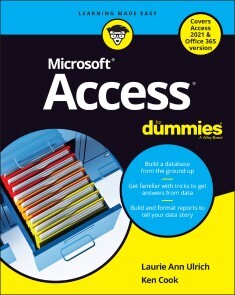
Access For Dummies
BECOME A DATABASE BOSS —AND HAVE FUN DOING IT—WITH THIS ACCESSIBLE AND EASY-TO-FOLLOW GUIDE TO MICROSOFT ACCESSDatabases hold the key to organizing and accessing all your data in one convenient place. And you don’t have to be a data science wizard to build, populate, and organize your own. With Microsoft Access For Dummies, you’ll learn to use the latest version of Microsoft’s Access software to power your database needs.Need to understand the essentials before diving in? Check out our Basic Training in Part 1 where we teach you how to navigate the Access workspace and explore the foundations of databases.Ready for more advanced tutorials? Skip right to the sections on Data Management, Queries, or Reporting where we walk you through Access’s more sophisticated capabilities. Not sure if you have Access via Office 2021 or Office 365? No worries – this book covers Access now matter how you access it.The book also shows you how to:* Handle the most common problems that Access users encounter * Import, export, and automatically edit data to populate your next database * Write powerful and accurate queries to find exactly what you’re looking for, exactly when you need it Microsoft Access For Dummies is the perfect resource for anyone expected to understand, use, or administer Access databases at the workplace, classroom, or any other data-driven destination.LAURIE ANN ULRICH is a professional author and trainer on all things technology. Along with recent editions of Access For Dummies, she’s also written books on Excel, Photoshop, and Dreamweaver.KEN COOK is a professional database developer and author who has written on Access and Excel. Introduction 1PART 1: BASIC TRAINING 5Chapter 1: Access Basic Training 7Chapter 2: Navigating the Access Workspace 25Chapter 3: Database Basics 43PART 2: GETTING IT ALL ON THE TABLE 63Chapter 4: Sounds Like a Plan 65Chapter 5: Table Tune-Ups 77Chapter 6: Remodeling Your Data 95Chapter 7: Types, Masks, and Triggers 111PART 3: DATA MANAGEMENT MANIA 135Chapter 8: A Form for All Reasons 137Chapter 9: Importing and Exporting Data 157Chapter 10: Automatically Editing Data 171Chapter 11: Access and the Web 183PART 4: THE POWER OF QUESTIONS 197Chapter 12: Finding, Filtering, and Sorting Your Data — Fast 199Chapter 13: I Was Just Asking for Answers 215Chapter 14: I Want These AND Those OR Them 241Chapter 15: Number Crunching with the Total Row. 249Chapter 16: Express Yourself with Formulas 263Chapter 17: Take Charge with Action Queries 277PART 5: SIMPLE AND SNAZZY REPORTING. 289Chapter 18: Fast and Furious Automatic Reporting 291Chapter 19: Professionally Designed Reports Made Easy 313Chapter 20: Groups and Page Breaks, Headers and Footers 341Chapter 21: Mailings to the Masses 363PART 6: THE PART OF TENS 371Chapter 22: Ten Common Problems 373Chapter 23: Ten Uncommon Tips 385Appendix A: Getting Help 393Index 395
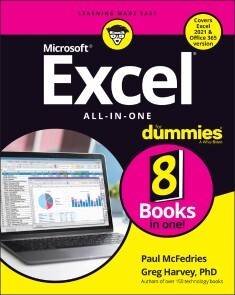
Excel All-in-One For Dummies
EXCEL-ERATE YOUR PRODUCTIVITY WITH THE ONLY GUIDE YOU'LL NEED TO THE LATEST VERSIONS OF MICROSOFT EXCELMicrosoft Excel offers unsurpassed functionality and accessibility for data exploration and analysis to millions of users around the world. And learning to unlock its full potential is easier than you can imagine with help from Excel All-in-One For Dummies.Follow along with Excel expert and veteran author Paul McFedries as he walks you through every feature and technique you need to know to get the most out of this powerful software. You'll learn how to design worksheets, use formulas and functions, collaborate with colleagues and review their work, create charts and graphics, manage and analyze data, and create macros. Plus, you'll discover all the capabilities Microsoft has included in the newest versions of Excel, including dark mode and accessibility features. This indispensable reference allows you to:* Get a firm grasp of Excel basics with the book's step-by-step guides before moving on to more advanced topics, like data analysis* Access up-to-date information on all the new versions of Excel, including the ones bundled with Microsoft 365, Office 2021, and the LTSC/Enterprise Edition* Enjoy the convenience of a single, comprehensive resource detailing everything you need to know about ExcelPerfect for people coming to Excel for the very first time, Excel All-in-One For Dummies, Office 2021 Edition is also a must-read resource for anyone looking for a refresher on foundational or advanced Excel techniques. PAUL MCFEDRIES has written over 100 books with topics ranging from Windows 10 to Microsoft Office, Apple gadgets, and Amazon Alexa. His most recent For Dummies titles include Google’s G Suite, Cord Cutting, and Excel Data Analysis.GREG HARVEY, PHD was author of over 30 For Dummies titles covering Excel. Introduction. 1BOOK 1: EXCEL BASICS 7Chapter 1: Excel: The 50-Cent Tour 9Chapter 2: Customizing Excel 39BOOK 2: WORKSHEET DESIGN 75Chapter 1: Building Worksheets 77Chapter 2: Formatting Worksheets 131Chapter 3: Editing and Proofing Worksheets 187Chapter 4: Managing Worksheets 229Chapter 5: Printing Worksheets 265BOOK 3: FORMULAS AND FUNCTIONS 291Chapter 1: Building Basic Formulas 293Chapter 2: Logical Functions and Error Trapping 337Chapter 3: Date and Time Formulas 363Chapter 4: Finagling Financial Formulas 377Chapter 5: Math and Statistical Formulas 393Chapter 6: Lookup, Information, and Text Formulas 411BOOK 4: WORKSHEET COLLABORATION AND REVIEW 439Chapter 1: Protecting Workbooks and Worksheet Data 441Chapter 2: Preparing a Workbook for Distribution 461Chapter 3: Sharing Workbooks and Worksheet Data 475BOOK 5: CHARTS AND GRAPHICS 501Chapter 1: Charting Worksheet Data 503Chapter 2: Adding Graphic Objects 533BOOK 6: DATA MANAGEMENT 561Chapter 1: Building and Maintaining Tables 563Chapter 2: Filtering and Querying a Table 583BOOK 7: DATA ANALYSIS 617Chapter 1: Performing What-If Analysis 619Chapter 2: Performing Large-Scale Data Analysis 641BOOK 8: MACROS AND VBA 685Chapter 1: Recording and Running Macros 687Chapter 2: VBA Programming 701Index 725

Beginning IntelliJ IDEA
Get started quickly with IntelliJ, from installation to configuration to working with the source code and more. This tutorial will show you how to leverage IntelliJ’s tools to develop clean, efficient Java applications.Author TED HAGOS will first walk you through buidling your first Java applications using IntelliJ. Then, he’ll show you how to analyze your application, top to bottom; using version control and tools that allow you expand your application for big data or data science applications and more. You'll also learn some of the IDE’s advanced features to fully maximize your application's capabilities.The last portion of the book focuses on application testing and deployment, and language- and framework- specific guidelines. After reading this book and working through its freely available source code, you'll be up to speed with this powerful IDE for today's Java development.WHAT YOU WILL LEARN* Use IntelliJ IDEA to build Java applications* Set up your IDE and project* Work with source code* Extend your Java application to data science and other kinds of applications* Test and deploy your application and much moreWHO THIS BOOK IS FORProgrammers new to IntelliJ IDEA who may have some prior exposure to Java programming.Ted Hagos is a software developer by trade; at the moment, he’s Chief Technology Officer and Data Protection Officer of RenditionDigital International, a software development company based out of Dublin. He wore many hats in his 20+ years in software development e.g. team lead, project manager, architect and director for development. He also spent time as a trainer for IBM Advanced Career Education, Ateneo ITI and Asia Pacific College. He wrote a couple of books for Apress.1. Install IntelliJ2. Getting Started3. Configuring the IDE4. Configuring Projects5. Working with Source Code6. Building Applications7. Analyzing Applications8. Version Control9. Big Data / Data Science Tools10. Other Tools11. Advanced IDE Features12. Migration Guides13. Language and Framework Specific Guidelines14. Testing15. Deployment

Language Server Protocol and Implementation
Understand the important aspects of implementing a production-grade language server in support of language-smart tools such as code editors and other programming utilities. This book shows you how to create a single implementation of a language server that can be used by multiple tools, enabling you to do the job once in a way that can be shared and reused.This book covers the language server protocol used for communication between programming tools and your language server. The book also provides an in-depth understanding of the design, implementation, and user experience aspects which should be considered when implementing a language server. The book walks you through an example language server implementation to illustrate the basic concepts, then goes on to cover advanced aspects of language server use such as progress reporting, launchers, and extension points.User experience is an important aspect of language server implementation and different tooling vendors strive to provide their own unique user experiences. This book explains how the protocol features can be leveraged to address the unique developer experience provided by different tooling vendors. The book also shows how to enhance the smoothness of the editing experience by orchestrating multiple features together.WHAT YOU WILL LEARN* Implement a language server from scratch* Understand language server protocol and its data models* Leverage the protocol while preserving the unique user experience of different editors* Extend the protocol to support more than its standard capabilities* Run a language server on top of launchers such as standard I/O and TCP socket* Seamlessly incorporate language semantics into your protocol featuresWHO THIS BOOK IS FORDevelopers focused on and passionate about implementing language development tools such as plug-ins and extensions for interactive development environments (IDEs) or other tools that rely upon parsing of language statements and commands, and developers who need an in-depth understanding of the language server protocol as well as how to use the language server protocol to develop extensible language servicesNADEESHAAN GUNASINGHE is Technical Lead at WSO2 and has more than five years of experience in enterprise integration, programming languages, and developer tooling. He leads the Ballerina Language Server team and is a key contributor to Ballerina, which is an open-source programming language and platform for the cloud, and he is an active contributor to the WSO2 Enterprise Service Bus.NIPUNA MARCUS is Technical Lead at WSO2 and has more than five years of experience in front end development, programming languages, and developer tooling. He was a member of the Ballerina Language Server team and a key contributor to the Ballerina programming language. 1. Developer Tools and Language Services2. Understanding the Language Server Protocol3. Implementing a Language Server4. General Messages5. Text Synchronization6. Diagnostics, Smart Editing, and Documentation7. Refactoring and Code Fixes8. Code Navigation and Navigation Helpers9. Presentation and Folding10. Workspace Operations11. Advanced ConceptsA. Data Models and Resources
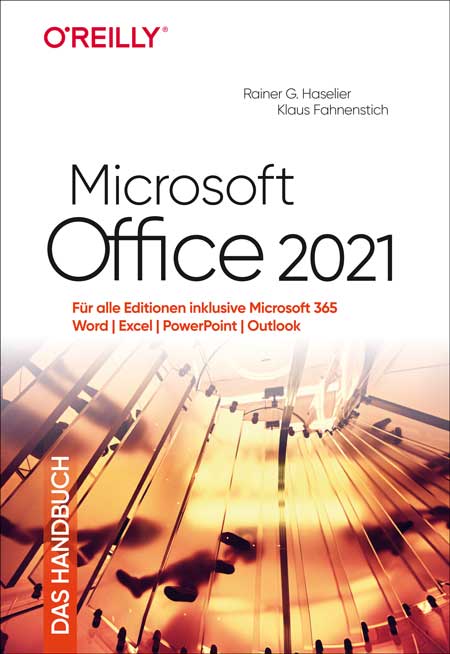
Microsoft Office 2021 - Das Handbuch
Sie möchten sich schnell in Office 2021 zurechtfinden und die neuen Möglichkeiten sofort in die Praxis umsetzen? Ob auf dem Desktop oder in der Cloud – dieses Handbuch bietet Ihnen das notwendige Know-how für den erfolgreichen Einsatz von Word, Excel, PowerPoint und Outlook. Nach einer Einführung in die neuen Funktionen und die Benutzeroberfläche erlernen Sie in den folgenden Kapiteln Schritt für Schritt die wichtigsten Arbeitstechniken. Übersichten erleichtern Ihnen den Überblick und Profitipps helfen Ihnen, Zeit zu sparen – so erledigen Sie Ihre Aufgaben effizient, auch mit Office 2019 oder in der Cloud mit Microsoft 365. Zielgruppe:Einsteiger*innen und Fortgeschrittene Autoren: Rainer G. Haselier und Klaus Fahnenstich beschäftigen sich seit mehr als 20 Jahren intensiv und hauptberuflich mit der Wissensvermittlung rund um Computer und Software. Ihre Erfahrungen aus praxisorientierten Schulungen von Office-Anwendern sind inzwischen in weit über 100 Buchveröffentlichungen eingeflossen. Damit gehören sie zu den erfolgreichsten Computerbuchautoren im deutschsprachigen Raum. Aus dem Inhalt: Office 2021: Neue Funktionen und Benutzeroberfläche, programmübergreifende Funktionen, Dokumente im Team bearbeiten, Speichern auf dem Desktop und in der CloudWord 2021: Erste Schritte, Formatvorlagen, grafische Elemente, Seitenlayout, Tabellen, Serienbriefe, eigene VorlagenExcel 2021: Tabellenblätter formatieren, Rechnen, Funktionen, Tabellenblätter organisieren, Daten sortieren und filtern, Daten mit PivotTable-Berichten auswerten, Arbeitsblätter verknüpfen, Diagramme, DruckenPowerPoint 2021: Text eingeben und formatieren, Gliederungsansicht, Drucken, Vorlagen, Animationen, Präsentieren und VeröffentlichenOutlook 2021: Neues für Umsteiger, Grundlagen und fortgeschrittene Techniken, Profile und E-Mail-Konten, Datendateien, Kontakte/Personen, Aufgaben

LoRaWAN-Knoten im IoT
LoRaWAN hat sich als Kommunikationslösung im IoT hervorragend entwickelt. The Things Network (TTN) hat hierzu seinen Beitrag geleistet. Aktuell wird The Things Network auf The Things Stack Community Edition (TTS (CE)) aktualisiert. Die Cluster von TTN V2 werden gegen Ende 2021 geschlossen.Der Autor zeigt Ihnen die notwendigen Schritte, damit Sie in gewohnter Weise LoRaWAN-Knoten mit Hilfe von TTS (CE) betreiben und vielleicht auch das Netz der Gateways durch ein eigenes Gateway erweitern. Mittlerweile gibt es sogar für den mobilen Einsatz geeignete LoRaWAN-Gateways mit denen Sie über Ihr Mobiltelefon Verbindung zum TTN-Server aufbauen können.In diesem Buch werden eine Reihe kommerzieller und Arduino-basierter LoRaWAN-Knoten als auch neue, kostengünstige und für den Batteriebetrieb geeignete Hardware zum Aufbau autonomer LoRaWAN-Knoten vorgestellt.Die Registrierung von LoRaWAN-Knoten und Gateways im TTS (CE) sowie die Bereitstellung der erhobenen Daten über MQTT und die Visualisierung über Node-RED, Cayenne, Thingspeak und Datacake ermöglichen komplexe IoT-Projekte und völlig neue Anwendungen zu sehr geringen Kosten.Das vorliegende Buch versetzt Sie in die Lage, mit batteriebetriebenen Sensoren (LoRaWAN-Knoten) erfasste Daten drahtlos im Internet bereitzustellen und zu visualisieren.Sie lernen die Grundlagen für Smart-City- und IoT-Anwendungen, die beispielsweise die Messung von Luftqualität, Wasserständen, Schneehöhen, das Ermitteln von freien Parkfeldern (Smart Parking) und die intelligente Steuerung der Straßenbeleuchtung (Smart Lighting) u.a.m. ermöglichen.Dr. Claus Kühnel studierte Informationstechnik an der Technischen Universität Dresden und hat über viele Jahre Embedded Systems für Geräteder Labordiagnostik u.a. entwickelt. In diesem interdisziplinären Spannungsfeld kam er mit der Maker-Szene in Berührung. Er hat zahlreiche Artikel und Bücher zu Hard- und Software von Mikrocontrollern im In- und Ausland verö entlicht. Mit Leidenschaft befasst er sich mit neuen Technologien rund um das Thema Mikrocontroller

The Definitive Guide to Modern Java Clients with JavaFX 17
Build enhanced visual experiences and design and deploy modern, easy-to-maintain, client applications across a variety of platforms. This book will show you how these applications can take advantage of JavaFX’s latest user interface components, 3D technology, and cloud services to create immersive visualizations and allow high-value data manipulation. The Definitive Guide to Modern Java Clients with JavaFX 17 is a professional reference for building Java applications for desktop, mobile, and embedded in the Cloud age. It offers end-to-end coverage of the latest features in JavaFX 17 and Java 17.Among the many new or updated JavaFX features covered are the FX Robot API, for simulating user interaction; customized step repeat timing for the Spinner control; Marlin FX; the ColorPicker color palette; and the GetCenter method.After reading this book, you will be equipped to upgrade legacy client applications, develop cross-platform applications in Java, and build enhanced desktop and mobile native clients.Note: source code can be downloaded from https://github.com/Apress/definitive-guide-modern-java-clients-javafx17.WHAT YOU WILL LEARN:* Create modern client applications in Java using the latest JavaFX 17 and Java 17 LTSBuild enterprise clients that will enable integration with existing cloud services * Use advanced visualization and 3D features* Deploy on desktop, mobile, and embedded devicesWHO THIS BOOK IS FOR:Professional Java developers who are interested in learning the latest client Java development techniques to fill out their skills set.STEPHEN CHIN is Senior Director of Developer Relations at JFrog, author of Raspberry Pi with Java and co-author of Pro JavaFX Platform. He has keynoted numerous Java conferences around the world, including Oracle Code One (formerly JavaOne), where he is an 8-time Rock Star Award recipient. Stephen is an avid motorcyclist who has done evangelism tours in Europe, Japan, and Brazil, interviewing hackers in their natural habitat. When he is not traveling, he enjoys teaching kids how to do embedded and robot programming together with his teenage daughter.JOHAN VOS started to work with Java in 1995. He was part of the Blackdown team, porting Java to Linux. His main focus is on end-to-end Java, combining back-end systems and mobile/embedded devices. He received a Duke Choice award in 2014 for his work on javafx on mobile. In 2015, he co-founded Gluon, which allows enterprises to create (mobile) Java Client applications leveraging their existing backend infrastructure. Gluon received a Duke Choice award in 2015. Johan is a Java Champion and an Oracle Developer Champion, a member of the BeJUG steering group, the Devoxx steering group and he is a JCP member. He has been a speaker at numerous conferences on Java.JAMES WEAVER is a Java developer, author, and speaker with a passion for cloud-native applications, machine learning, and quantum computing. He is a Java Champion, and a JavaOne Rockstar. James has written books including Inside Java, Beginning J2EE, the Pro JavaFX series, and Java with Raspberry Pi. As a Pivotal Developer Advocate, James speaks internationally at software technology conferences. He tweets as @JavaFXpert.1: Getting Started with Client Java2: JavaFX Fundamentals3: Properties and Bindings4: JavaFX Controls Deep Dive5: Mastering Visual and CSS Design6: High Performance Graphics7: Bridging Swing JavaFX Style8: JavaFX 3D9: JavaFX to Web and Cloud10: Packaging Apps for the Desktop11: Native Mobile Apps12: JavaFX 11 on Raspberry Pi13: Maching Learning and JavaFX14: Java Science

Microsoft Office 2021 - Das Handbuch
DER KLASSIKER FÜR DAS ARBEITEN MIT MICROSOFT OFFICE – AKTUELL ZU OFFICE 2021 UND MICROSOFT 365 * Für alle Office-Editionen geeignet * Für Einsteiger und Fortgeschrittene * Alle wichtigen Office-Apps in einem Buch Sie möchten sich schnell in Office 2021 zurechtfinden und die neuen Möglichkeiten sofort in die Praxis umsetzen? Ob auf dem Desktop oder in der Cloud – dieses Handbuch bietet Ihnen das notwendige Know-how für den erfolgreichen Einsatz von Word, Excel, PowerPoint und Outlook. Nach einer Einführung in die neuen Funktionen und die Benutzeroberfläche erlernen Sie in den folgenden Kapiteln Schritt für Schritt die wichtigsten Arbeitstechniken. Übersichten erleichtern Ihnen den Überblick und Profitipps helfen Ihnen, Zeit zu sparen – so erledigen Sie Ihre Aufgaben effizient, auch mit Office 2019 oder in der Cloud mit Microsoft 365. - Office 2021: Neue Funktionen und Benutzeroberfläche, programmübergreifende Funktionen, Dokumente im Team bearbeiten, Speichern auf dem Desktop und in der Cloud - Word 2021: Erste Schritte, Formatvorlagen, grafische Elemente, Seitenlayout, Tabellen, Serienbriefe, eigene Vorlagen - Excel 2021: Tabellenblätter formatieren, Rechnen, Funktionen, Tabellenblätter organisieren, Daten sortieren und filtern, Daten mit PivotTable-Berichten auswerten, Arbeitsblätter verknüpfen, Diagramme, Drucken - PowerPoint 2021: Text eingeben und formatieren, Gliederungsansicht, Drucken, Vorlagen, Animationen, Präsentieren und Veröffentlichen - Outlook 2021: Neues für Umsteiger, Grundlagen und fortgeschrittene Techniken, Profile und E-Mail-Konten, Datendateien, Kontakte/Personen, Aufgaben

Entwurfsmuster von Kopf bis Fuß
JETZT AKTUALISIERT UND ERWEITERT: DAS STANDARDWERK ZU ENTWURFSMUSTERN * »Dieses Buch vereint Spaß, herzhaftes Lachen, profundes technisches Verständnis und geniale Praxistipps zu einem denkwürdigen Lesegenuss.« Richard Helm, Gang of Four * Softwareentwickler wollen das Rad nicht neu erfinden: Mit Entwurfsmustern können Sie von den Erfahrungen und Best Practices anderer profitieren * Die Design Patterns werden detailliert und verständlich erklärt, inklusive Herleitung und geeigneten Anwendungsfällen Dieses Buch ist ein moderner Klassiker zum Thema Entwurfsmuster. Mit dem einzigartigen Von-Kopf-bis-Fuß-Lernkonzept gelingt es den Autoren, die anspruchsvolle Materie witzig, leicht verständlich und dennoch gründlich darzustellen. Jede Seite ist ein Kunstwerk für sich, mit vielen visuellen Überraschungen, originellen Comic-Zeichnungen, humorvollen Dialogen und geistreichen Selbstlernkontrollen. Spätestens, wenn es heißt "Spitzen Sie Ihren Bleistift", wird Leser:innen klar, dass bei diesem Buch Mitmachen gefragt ist. Das ist nicht nur unterhaltsam, sondern auch effektiv: Komplexe Sachverhalte lassen sich nach Erkenntnis der modernen Lernwissenschaft am gründlichsten über mehrere verschiedene Kanäle verstehen. Das Buch verspricht Ihnen daher nicht nur Spaß beim Lernen, Sie werden nach der Lektüre auch die Herausforderungen des Softwaredesigns meistern können.
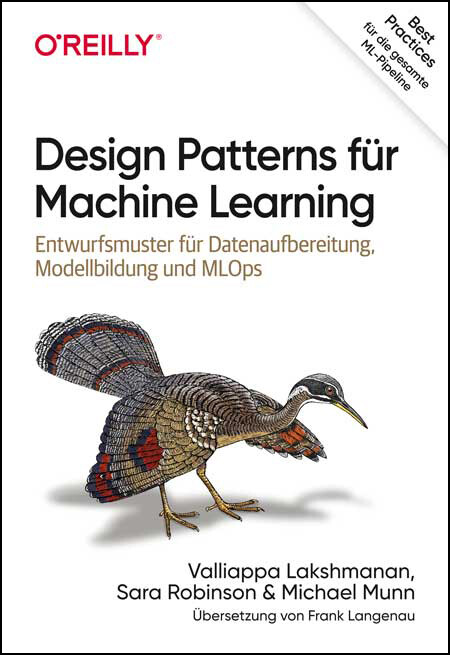
Design Patterns für Machine Learning
Entwurfsmuster für Datenaufbereitung Modellbildung und MLOpsDie Design Patterns in diesem Buch zeigen praxiserprobte Lösungen für wiederkehrende Aufgaben im Machine Learning. Die Autor:innen – ML-Experten bei Google – beschreiben Methoden, die Data Scientists helfen, typische Probleme im gesamten ML-Prozess zu bewältigen. Die Entwurfsmuster verdichten die Erfahrungen von Hunderten von Expert:innen zu klar strukturierten, zugänglichen Best Practices. Das Buch bietet detaillierte Erläuterungen zu 30 Mustern für die Daten- und Problemdarstellung, Operationalisierung, Wiederholbarkeit, Reproduzierbarkeit, Flexibilität, Erklärbarkeit und Fairness. Zu jedem Muster erhält man eine Beschreibung des Problems, eine Vielzahl möglicher Lösungen sowie Empfehlungen, welche Technik die beste für Problemstellungen ist. Aus dem Inhalt:Herausforderungen beim Trainieren, Bewerten und Deployen von ML-Modellen erkennen und überwindenDaten für verschiedene ML-Modelltypen mit Einbettungen, Feature Crosses und mehr darstellenden richtigen Modelltyp für bestimmte Fragestellungen auswähleneine robuste Trainingsschleife mit Checkpoints, Verteilungsstrategie und Hyperparameter-Tuning erstellenskalierbare ML-Systeme deployen, die bei erneutem Training aktuelle Daten berücksichtigenModellvorhersagen für Stakeholder interpretierenModellgenauigkeit, Reproduzierbarkeit, Resilienz und Fairness verbessernAutoren:Valliappa Lakshmanan ist Global Head für Datenanalyse und KI-Lösungen bei Google Cloud. Sara Robinson ist Developer Advocate im Google-Cloud-Team, sie ist spezialisiert auf Machine Learning. Michael Munn ist ML Solutions Engineer bei Google. Er unterstützt Kunden bei der Entwicklung, Implementierung und Bereitstellung von Machine-Learning-Modellen.
Einfach Python
Gleich richtig programmieren lernen - das Profi-Buch von Michael Inden in Erstauflage, November 2021.Endlich programmieren lernen und die ersten Projekte umsetzen. Hierfür bietet sich Python als eine der populärsten Programmiersprachen an. Mit diesem Buch gelingt es mühelos ein Einstieg, denn man wird auf einer Entdeckungsreise vom erfahrenden Trainer Michael Inden begleitet. Er erklärt die Grundlagen der Python-Programmierung leicht und verständlich. Generell wird die trockene Theorie auf ein Minimum reduziert. Ergänzend werden immer wieder auch Python-spezifische Besonderheiten wie Built-in-Funktionen, Slicing, Comprehensions, Generatoren usw. erklärt, die das Entwicklen erleichtern und Programme gleich von Anfang an Python-like, stilistisch schön – kurz Pythonic – machen. Eine große Rolle spielt der interaktive Einstieg mithilfe der Python-Kommandozeile. Damit können kleine Programme direkt ausprobiert werden und Erfolgserlebnisse stellen sich schnell ein. Dieses Vorgehen eignet sich ideal, um sich Python im Selbststudium sowie im eigenen Tempo anzueignen. Allmählich werden die Themen anspruchsvoller und die zu erstellenden Programme größer. Schließlich erfährt man wie man eine Entwicklungsumgebung einsetzen, und lernt die objektorientierte Programmierung kennen. Mit den erworbenen Grundlagen kann man sich immer gezielter mit eigenen Projekten beschäftigen. Erste Ideen liefern drei etwas umfangreichere Programmierbeispiele aus der Praxis, die zudem einen Einblick in das schrittweise, erfolgreiche Entwickeln von Applikationen geben. Das Buch besteht aus in sich abgeschlossenen, aufeinander aufbauenden Kapiteln zu den wesentlichen Bereichen der Programmiersprache Python und den relevanten Sprachelementen. Aufgaben und Musterlösungen runden viele Kapitel ab, sodass Sie das zuvor Gelernte direkt anhand neuer Problemstellungen praktizieren und Ihr Wissen vertiefen können. Zahlreiche kurze Codebeispiele verdeutlichen die Lerninhalte und laden zum Experimentieren ein. Gleich von Anfang an lernen Sie, Ihren Sourcecode sauber zu strukturieren und einen guten Stil zu entwickeln. Dabei hilft ein Kapitel zu Programmierregeln, sogenannten Coding Conventions und zum Testen mit Pytest.Inhalt (PDF-Link)Autor:Dipl.-Inform. Michael Inden ist Oracle-zertifizierter Java-Entwickler. Nach seinem Studium in Oldenburg hat er bei diversen internationalen Firmen in verschiedenen Rollen etwa als Softwareentwickler, -architekt, Consultant, Teamleiter, CTO sowie Leiter Academy gearbeitet. Zurzeit ist er freiberuflich als Autor und Trainer in Zürich tätig.Michael Inden hat über zwanzig Jahre Berufserfahrung beim Entwurf komplexer Softwaresysteme gesammelt, an diversen Fortbildungen und mehreren Java-One-Konferenzen teilgenommen. Sein besonderes Interesse gilt dem Design qualitativ hochwertiger Applikationen sowie dem Coaching. Sein Wissen gibt er gerne als Trainer in internen und externen Schulungen und auf Konferenzen weiter, etwa bei der JAX/W-JAX, JAX London, Oracle Code One, ch.open sowie bei der Java User Group Switzerland.
Architekturen für BI & Analytics
Konzepte, Technologien und Anwendung - Erstauflage aus November 2021.Sowohl regulatorische Vorgaben als auch gesteigerte Anforderungen seitens der Fachanwender haben in den letzten Jahren zu immer komplexeren Business-Intelligence- und Analytics-Landschaften geführt, die es zu entwickeln und betreiben gilt. So setzt sich eine heute übliche Architektur aus zahlreichen Einzelkomponenten zusammen, deren Zusammenspiel und funktionale Abdeckung als wesentlicher Erfolgsfaktor für zugehörige BIA-Initiativen zu werten ist.»Architekturen für Business Intelligence & Analytics« setzt sich das Ziel, die derzeit gebräuchlichen Architekturmuster zu beschreiben und dabei einen Überblick über die aktuell verwendeten Technologien zu liefern. Dabei werden nicht nur die architektonischen Frameworks der großen Produktanbieter aufgegriffen, sondern darüber hinaus Lösungen für konkrete Anwendungsfälle präsentiert. Im Einzelnen werden behandelt:Anforderungen an eine ganzheitliche BIA-ArchitekturArchitekturen und Technologien für Data LakesDatenzugriffsstrategien für AnalyticsEnterprise Application IntegrationCloud-Konzepte und -ArchitekturenEinfluss regulatorischer AnforderungenDatenvirtualisierungBIA-Architekturen für KMU Das Buch vermittelt wertvolle Einblicke und hilfreiche Anregungen für die erfolgreiche Konzeptionierung und Realisierung von BIA-Ökosystemen und -Landschaften in der Praxis. Zielgruppe:Business-Intelligence-Manager*innenDaten- und InformationsverantwortlicheProjektleiter*innenStudierende der Informatik und Wirtschaftsinformatik Autoren:Prof. Dr. Peter Gluchowski leitet den Lehrstuhl für Wirtschaftsinformatik, insb. Systementwicklung und Anwendungssysteme, an der Technischen Universität in Chemnitz und konzentriert sich dort mit seinen Forschungsaktivitäten auf das Themengebiet Business Intelligence & Analytics. Er beschäftigt sich seit mehr als 25 Jahren mit Fragestellungen, die den praktischen Aufbau dispositiver bzw. analytischer Systeme zur Entscheidungsunterstützung betreffen. Seine Erfahrungen aus unterschiedlichsten Praxisprojekten sind in zahlreichen Veröffentlichungen zu diesem Themenkreis dokumentiert. Frank Leisten ist passionierter Berater für datengetriebene Vorhaben mit modernen Technologien. Seine Expertise in den Funktionen des Datenmanagements sowie jahrelange Praxiserfahrung in verschiedenen IT-Domänen und Rollen kommen seinen Kunden bei der Orchestrierung sowie der kulturellen und strategischen Entwicklung ihrer Transformationen zugute. Dr. Gero Presser ist Mitgründer und Geschäftsführer bei der QuinScape GmbH, einem Dortmunder IT-Dienstleistungsunternehmen mit 170 Mitarbeitern und Fokus auf Data & Analytics. Er organisiert die Meetup-Gruppe „Business Intelligence & Analytics Dortmund“ mit über 1.000 Mitgliedern und ist Vorsitzender des TDWI Roundtable Ruhrgebiet.
Prinzipien des Softwaredesigns
Entwurfsstrategien für komplexe SystemeDie Prinzipien guten Softwaredesigns zu verstehen, hält John Ousterhout für eine Schlüsselqualifikation in der Softwareentwicklung. Sein Buch gibt Impulse für eine anregende und notwendige Diskussion und bietet praxistaugliche Hilfestellungen für gute Designentscheidungen. Ausgehend von der Frage »Wie können wir die Komplexität in großen Softwaresystemen reduzieren und managen?« arbeitet John Ousterhout Prinzipien für das Softwaredesign heraus, die als Leitlinie für den gesamten Softwareentwicklungsprozess dienen können. Ousterhout stellt Überzeugungen infrage, die weit verbreitet sind: Er rät davon ab, die Anzahl der Codezeilen einer Methode oder Klasse als Gradmesser für die Komplexität von Software zu verstehen, und plädiert dafür, sich auf ihre »Tiefe« zu konzentrieren – wie gut sie also Komplexität verstecken. Und während viele Entwicklerinnen und Entwickler meinen, dass sich gut geschriebene Programme von selbst dokumentierten, zeigt Ousterhout, wie essenziell Kommentare sind: Das Schreiben guter Kommentare ermöglicht Abstraktion, und es wird zu besserem Softwaredesign führen.Zielgruppe:Softwareentwickler*innenProgrammierendeSoftwarearchitekt*innenAutor:John Ousterhout ist Professor für Informatik an der Stanford University. Er hat die Entwicklung weit verbreiteter Softwaresysteme wie Raft, Tcl/Tk, Sprite und Magic geleitet und eigene Unternehmen gegründet. Er ist Mitglied der National Academy of Engineering und erhielt zahlreiche Auszeichnungen wie den U.C. Berkeley Distinguished Teaching Award.Aus dem Inhalt:Wie man komplexe Systeme in möglichst unabhängige Module mit einfachen Schnittstellen zerlegen kannWie Spezialisierung in Modulen zu vermeiden istWie man die Anzahl der Stellen im Code minimieren kann, an denen Exceptions behandelt werden müssenWie Kommentare und gut gewählte Namen genutzt werden können, um den Code verständlicher zu machenWie es zu vermeiden ist, dass sich Komplexität einschleicht, wenn Systeme sich weiterentwickelnWelche Warnhinweise darauf hindeuten, dass Designentscheidungen überprüft werden sollten

UX-Strategie (2. Auflg.)
User-Experience-Strategie schließt die Wissenslücke zwischen Geschäftsstrategie und UX-Design, aber bis jetzt gab es kein einfach anzuwendendes Framework für die Umsetzung. Dieser praktische Leitfaden stellt leicht verständliche Strategie-Tools und -Techniken vor, die Ihnen und Ihrem Team helfen, innovative Multi-Device-Produkte zu entwickeln, die von den Nutzern gerne verwendet werden.Die erfolgreiche UX-Strategin Jaime Levy zeigt UX/UI-Designer*innen, Produktmanager*innen und angehenden Strateg*innen einfache bis fortgeschrittene Methoden, die sofort angewendet werden können. Durch Business Cases und anschauliche Praxisbeispiele erhalten Sie wertvolle Einblicke und ein topaktuelles Kapitel über die Durchführung qualitativer Online-Nutzerforschung rundet das Buch ab.
Spring Boot
Cloud-native Anwendungen mit Java und Kotlin erstellenMit mehr als 75 Millionen Downloads pro Monat ist Spring Boot das populärste und am weitesten verbreitete Java-Framework. Dank seiner Benutzerfreundlichkeit und Leistungsfähigkeit hat es die Anwendungsentwicklung von Monolith-Architekturen und Microservices revolutioniert. Doch die Einfachheit von Spring Boot kann zunächst auch irritieren. Was brauchen Entwickler:innen, um sofort produktiv zu werden? Dieses praxisorientierte Buch zeigt, wie das Framework genutzt werden kann, um erfolgreich unternehmenskritische Applikationen zu entwickeln. Mark Heckler von VMware, der Firma hinter Spring, leitet durch die Architektur und die Konzepte von Spring Boot und behandelt auch Themen wie Debugging, Testen und Deployment. Wenn man mit Spring Boot schnell und effektiv Cloudnative Java- oder Kotlin-Anwendungen entwickeln will – inklusive reaktiver Programmierung, dem Erstellen von APIs und dem Einrichten von Datenbankzugriffen aller Art – dann ist dieses Buch genau das Richtige. Zielgruppe:Java-Entwickler*innen Autor:Mark Heckler ist Softwareentwickler und Spring Developer Advocat bei VMware. Als Java Champion und Google Developer Expert für Kotlin konzentriert er sich auf die Entwicklung innovativer, produktionsreifer Software für die Cloud. Mark engagiert sich in Open-Source-Projekten und ist Autor und Kurator des Blogs Hecklers in Development, brewing stronger Java (https://thehecklers.com).Aus dem Inhalt:Wie Spring Boot die Entwicklung und das Deployment Cloud-nativer Anwendungen vereinfachtErstellung reaktiver Anwendungen und Erweiterung der Kommunikation über die Netzwerkgrenzen hinaus, um verteilte Systeme zu erstellenWie der Spring-Boot-typische Ansatz die Produktivität steigert und die Portabilität von Anwendungen verbessertDeploying von Spring-Boot-Anwendungen, schnell und zuverlässig für die Arbeitslast in der ProduktivumgebungÜberwachung des Anwendungs- und Systemzustand für optimale Performance und ZuverlässigkeitDebuggen, testen und sichern von Cloud-basierten Anwendungen mit State-of-the-Art-Techniken

UX-Strategie
MIT DER RICHTIGEN STRATEGIE ZEIT UND GELD SPAREN UND KUNDEN ÜBERZEUGEN * Das Buch verbindet UX-Design mit Geschäftsstrategie. * Übersetzung der zweiten englischen Auflage mit topaktuellen Beispielen und Techniken, inkl. Online-Nutzerforschung * Voller Praxisbezug und einem kostenlosen Toolkit zum Herunterladen und Loslegen User-Experience-Strategie schließt die Wissenslücke zwischen Geschäftsstrategie und UX-Design, aber bis jetzt gab es kein einfach anzuwendendes Framework für die Umsetzung. Dieser praktische Leitfaden stellt leicht verständliche Strategie-Tools und -Techniken vor, die Ihnen und Ihrem Team helfen, innovative Multi-Device-Produkte zu entwickeln, die von den Nutzern gerne verwendet werden. Die erfolgreiche UX-Strategin Jaime Levy zeigt UX/UI-Designer*innen, Produktmanager*innen und angehenden Strateg*innen einfache bis fortgeschrittene Methoden, die sofort angewendet werden können. Durch Business Cases und anschauliche Praxisbeispiele erhalten Sie wertvolle Einblicke und ein topaktuelles Kapitel über die Durchführung qualitativer Online-Nutzerforschung rundet das Buch ab. - Definieren Sie Wertversprechen und validieren Sie Zielkunden durch provisorische Personas und Techniken zur Kundenfindung - Erkunden Sie Marktchancen durch die Durchführung von Wettbewerbsforschung und -analyse - Entwerfen Sie Experimente mit schnellen Prototypen, die auf das Geschäftsmodell ausgerichtet sind - Führen Sie Online-Nutzerforschung durch, um schnell und mit jedem Budget wertvolle Erkenntnisse zu gewinnen - Testen Sie Geschäftsideen und validieren Sie Marketingkanäle, indem Sie Online-Werbung und Landing-Page-Kampagnen durchführen
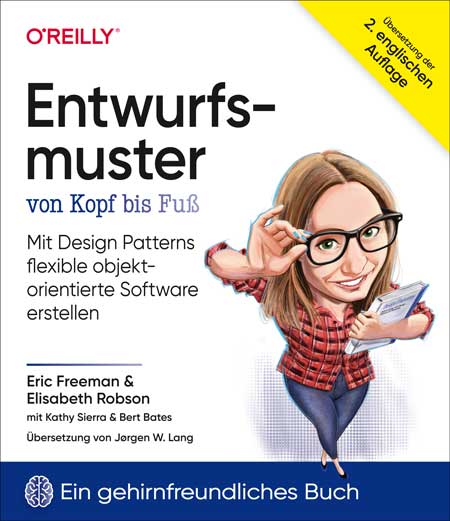
Entwurfsmuster von Kopf bis Fuß (2. Auflg.)
Mit Design Patterns flexible objektorientierte Software erstellen. Worum geht es in diesem Buch? Entwurfsmustern bieten die geballte Erfahrung von Entwicklern, die elegante, übertragbare Lösungen für typische Herausforderungen des Softwaredesigns gefunden haben. Dieses Buch zeigt auf spielerische, visuell abwechslungsreiche Art bewährte Muster, mit denen man flexible Software entwerfen kann. Es zeigt, auf welche Muster es ankommt, wie diese für eigene Designs eingesetzt werden können und auf welchen objektorientierten Entwurfsprinzipien sie beruhen. Mit diesem modernen Klassiker werden Sie – wie schon Hunderttausende Entwicklern vor Ihnen – Ihr Wissen über Softwaredesign entscheidend verbessern. Wieso sieht dieses Buch so anders aus? Das Buch ist ein Workbook mit zahlreichen visuellen Überraschungen, das Spaß macht und auf die Arbeitsweise Ihres Gehirns zugeschnitten ist: Statt einschläfernder Bleiwüsten werden verschiedenste Textformen und Selbstlernkontrollen verwendet, die Ihnen das Wissen direkt ins Hirn spielen. Spätestens, wenn es heißt »Spitzen Sie Ihren Bleistift«, wird klar, dass hier Mitmachen gefragt ist. Zielgruppe: Programmierer*innenStudent*innenSoftwareentwickler*innen Autoren: Eric Freeman ist Informatiker, Technologieautor, Unternehmer und ehemaliger CTO der Walt Disney Company. Er hat einen Doktortitel in Informatik von der Yale University. Aktuell ist er Kodirektor der Head-First-Reihe, die in Deutschland als Von-Kopf-bis-Fuß-Reihe bekannt ist. Bei der von ihm mitgegründeten Online-Lernplattform WickedlySmart widmet er seine Zeit der Erstellung von Print- und Video-Inhalten, die über die führenden Bildungskanäle vertrieben werden. Eric lebt in Austin, Texas. Elisabeth Robson ist Softwareentwicklerin, Autorin und IT-Trainerin. Seit ihren Studententagen an der Yale University, wo sie ihren Master in Informatik erworben hat, ist sie mit Leib und Seele Informatikerin. Sie ist Mitbegründerin von WickedlySmart, einer Online-Lernplattform für Softwareentwickler:innen, für die sie Bücher, Artikel und Videos erstellt. Zuvor hat sie als Director of Special Projects bei O’Reilly Media Präsenz-Workshops und Onlinekurse zu einer Vielzahl von technischen Themen gestaltet.