

Software

Let's code Scratch! (2. Auflage)
Werde ein echter Programmierer und schreibe deine eigenen Spiele und andere Programme: Scratch ist eine Programmiersprache extra für Kinder und Jugendliche, die leicht zu erlernen ist. Du brauchst kein Vorwissen und lernst in tollen Projekten schrittweise alle Funktionen kennen. Setze dein Wissen ein, um Bälle hüpfen, Katzen tanzen oder Luftballons zerplatzen zu lassen. Deiner Kreativität sind keine Grenzen gesetzt. Ganz nach dem Motto von Scratch: Ausdenken, entwickeln, teilen.Aus dem Inhalt:Scratch installierenScratch im Browser nutzenDie wichtigsten BefehleDein erstes Spiel: Der springende BallDas magische LabyrinthWürfel-, Zahlen- und RatespieleSchreibe dein eigenes Jump'n'RunEigene Spiele mit anderen teilenAlle Projekte auch zum Download Leseprobe (PDF)Autor:Hauke Fehr programmiert seit über 30 Jahren Apps für verschiedene Einsatzzwecke. Die Wissensvermittlung liegt ihm dabei besonders am Herzen.

Data Science in der Praxis
Der ideale Einstieg in Data Science für Praktiker! Ob mit oder ohne Mathematikkenntnisse – Sie bekommen hier den Rundumblick, den Sie für Ihre Projekte brauchen. So heben Sie den Schatz, den Daten darstellen können, wenn man sie richtig befragt. Sie lernen die einschlägigen Analysemethoden kennen, bekommen eine Einführung in die Programmiersprache R und erfahren, wie Sie maschinelles Lernen einsetzen. Und zwar inklusive dazugehöriger Werkzeuge wie Notebooks, die die Data-Science-Programmierung heutzutage so zugänglich machen. Und weil es mit der Technik allein nicht getan ist, geht das Buch auch auf Probleme der Projektdurchführung ein, beleuchtet verschiedene Anwendungsfelder und vergisst auch nicht, ethische Aspekte anzusprechen. Mit vielen Beispielen, Hinweisen für den Fehlerfall, Entscheidungshilfen und weiteren Praxistipps. Aus dem Inhalt: Erste Schritte mit R und RStudioGrundbegriffe der StatistikVorbereitung: Daten reinigen und transformierenk-Means ClusteringLineare und nichtlineare RegressionVorhersagen, Clustering, KlassifizierungTipps und Werkzeuge für alle ProjektphasenIhre Anwendung als REST-API bereitstellenKI und Maschinelles Lernen einsetzenAnomalieerkennung, Warenkorbanalyse und viele weitere AnwendungsfälleMachine Learning: Modelle richtig trainieren Materialien zum Buch ... 13 1. Einleitung ... 15 1.1 ... Warum dieses Buch? ... 15 1.2 ... Das Zeitalter der Daten -- alles nur ein Hype? ... 16 1.3 ... Warum nun Data Science? ... 17 1.4 ... Warum Data Science mit R? ... 19 1.5 ... Für wen ist dieses Buch? ... 20 1.6 ... Kann man Data Science ohne Mathe lernen? ... 20 1.7 ... Wie Sie dieses Buch verwenden können ... 22 1.8 ... Materialien und Kontakt ... 22 1.9 ... Danksagungen ... 22 2. Machine Learning, Data Science und künstliche Intelligenz ... 25 2.1 ... Aus der Geschichte lernen -- alles nur ein Hype? ... 25 2.2 ... Begriffsdefinitionen ... 34 3. Ablauf eines Data-Science-Projekts ... 39 3.1 ... Der allgemeine Ablauf eines Data-Science-Projekts ... 39 3.2 ... Business Understanding: Welches Problem soll gelöst werden? ... 43 3.3 ... Grundsätzliche Ansätze im Machine Learning ... 47 3.4 ... Performancemessung ... 49 3.5 ... Kommunikation mit Stakeholdern ... 57 3.6 ... Aus dem Labor in die Welt: Data-Science-Applikationen in Produktion ... 58 3.7 ... Die verschiedenen Rollen in einem Data-Science-Projekt ... 59 4. Einführung in R ... 67 4.1 ... R: kostenlos, portierbar und interaktiv ... 67 4.2 ... Installation und Konfiguration von R und RStudio ... 74 4.3 ... Erste Schritte mit R ... 89 5. Explorative Datenanalyse ... 111 5.1 ... Daten: Sammlung, Reinigung und Transformation ... 112 5.2 ... Notebooks ... 117 5.3 ... Das Tidyverse ... 123 5.4 ... Datenvisualisierung ... 137 5.5 ... Datenanalyse ... 148 6. Anwendungsfall Prognosen ... 159 6.1 ... Lineare Regression ... 159 6.2 ... Anomalie-Erkennung ... 176 7. Clustering ... 185 7.1 ... Hierarchisches Clustering ... 185 7.2 ... k-Means ... 197 8. Klassifikation ... 207 8.1 ... Anwendungsfälle für eine Klassifikation ... 207 8.2 ... Trainings- und Testdaten erstellen ... 209 8.3 ... Decision Trees ... 217 8.4 ... Support Vector Machines ... 221 8.5 ... Naive Bayes ... 226 8.6 ... XG Boost: Der Newcomer ... 232 8.7 ... Klassifikation von Text ... 238 9. Weitere Anwendungsfälle ... 245 9.1 ... Warenkorbanalyse -- Association Rules ... 245 9.2 ... k-nearest Neighbours ... 254 10. Workflows und Werkzeuge ... 267 10.1 ... Versionierung mit Git ... 267 10.2 ... Mit großen Datenmengen umgehen ... 277 10.3 ... Applikationen via API bereitstellen ... 287 10.4 ... Applikationen erstellen mit Shiny ... 292 11. Ethischer Umgang mit Daten und Algorithmen ... 307 11.1 ... Datenschutz ... 307 11.2 ... Ethik: Gegen Profiling und Diskriminierung ... 317 12. Was kommt nach diesem Buch? ... 325 12.1 ... Projekte, Projekte, Projekte ... 325 12.2 ... Wer hilft Ihnen jetzt weiter? ... 329 12.3 ... RSeek ... 335 Anhang ... 337 A ... Typische Fehlermeldungen und geeignete Lösungen ... 339 B ... Glossar ... 343 C ... Literatur ... 347 Index ... 353

SAP Fiori Elements
Erstellen Sie SAP-Fiori-Apps ganz einfach und ohne JavaScript-Programmierung! Dieses Buch zeigt Ihnen, wie Sie sich den Low-Code-Ansatz von SAP Fiori Elements zunutze machen, um Entwicklungszeiten und -aufwand zu reduzieren. In praktischen Beispielen werden Sie duch die Entwicklung von Übersichts- und Detailseiten, analytischen Anwendungen und Objektseiten geführt. Und wenn doch noch individuelle Anpassungen an Ihren Apps erforderlich sind, finden Sie auch dazu hilfreiche Tipps und Anleitungen. Aus dem Inhalt: Warum SAP Fiori Elements?AnwendungsszenarienEinführung in SAPUI5 und SAP FioriOData-GrundlagenEntwicklungsumgebungenEinsatz im SAP Cloud Application Programming ModelEinsatz im ABAP-RESTful-ProgrammiermodellEntwicklungsbeispiele für alle Floorplans Deployment und ErweiterungInterne und externe Navigation Einleitung ... 13 Teil I Grundlagen ... 17 1. Warum SAP Fiori Elements? ... 19 1.1 ... Historische Entwicklung der Benutzeroberflächen bei SAP ... 20 1.2 ... Anforderungen an Benutzeroberflächen in SAP-on-Premise- und -Cloud-Produkten ... 31 1.3 ... Low-Code-Entwicklung ... 35 1.4 ... Beispielapplikation ... 37 2. Was Sie über SAPUI5 und SAP Fiori wissen sollten ... 39 2.1 ... Kurze Einführung in SAPUI5 ... 39 2.2 ... Standardisierte Entwicklung mit SAP Fiori ... 43 3. OData als Basis für SAP-Fiori-Elements-Applikationen ... 67 3.1 ... Einführung in den OData-Standard ... 68 3.2 ... CRUDQ-Methoden ... 72 3.3 ... Filterung, Sortierung und sonstige Funktionen ... 82 3.4 ... Verwaltung der OData-Services im SAP-System ... 90 3.5 ... OData- und CDS-Annotationen ... 97 4. Programmiermodelle ... 101 4.1 ... Warum braucht es neue Programmiermodelle für die Cloud? ... 102 4.2 ... SAP Cloud Application Programming Model ... 105 4.3 ... ABAP RESTful Application Programming Model ... 116 5. Entwicklungstools ... 123 5.1 ... Cloud-Entwicklungsumgebungen ... 123 5.2 ... Lokale Entwicklungsumgebungen ... 144 Teil II Entwicklung mit Floorplans ... 161 6. Einführung in Floorplans und Anwendungsszenarien ... 163 6.1 ... Verfügbare Floorplans ... 163 6.2 ... Anwendungsfälle für die Floorplans ... 174 6.3 ... Generische Annotationen ... 175 7. Overview Page ... 179 7.1 ... Einführung ... 179 7.2 ... Annotationen für Overview Pages ... 189 7.3 ... CDS View für eine Overview Page ... 190 7.4 ... Entwicklung einer Overview Page im SAP Business Application Studio ... 192 7.5 ... Entwicklung einer Overview Page in der SAP Web IDE ... 212 8. List Report und Worklist ... 217 8.1 ... Einführung ... 217 8.2 ... Annotationen für List Reports und Worklists ... 230 8.3 ... Entwicklung eines List Reports in der SAP Web IDE ... 231 8.4 ... Entwicklung eines List Reports im SAP Business Application Studio ... 243 8.5 ... Entwicklung einer Worklist im SAP Business Application Studio ... 249 9. Analytical List Page ... 257 9.1 ... Einführung ... 258 9.2 ... Annotationen für Analytical List Pages ... 267 9.3 ... CDS View für eine Analytical List Page ... 273 9.4 ... Entwicklung einer Analytical List Page im SAP Business Application Studio ... 276 9.5 ... Entwicklung einer Analytical List Page in der SAP Web IDE ... 287 9.6 ... Weiterentwicklung der Analytical List Page ... 292 10. Object Page ... 295 10.1 ... Einführung ... 295 10.2 ... Annotationen für Object Pages ... 303 10.3 ... CDS View für eine Object Page ... 315 10.4 ... Entwicklung einer Object Page in der SAP Web IDE ... 317 10.5 ... Entwicklung einer Object Page im SAP Business Application Studio ... 325 Teil III Weiterführende Konzepte ... 329 11. Deployment ... 331 11.1 ... Continuous Integration und Continuous Delivery ... 332 11.2 ... Deployment-Optionen ... 334 11.3 ... SAP Fiori Launchpad konfigurieren ... 344 12. Erweiterungen ... 365 12.1 ... Erweiterungsentwicklung mit dem Guided Development ... 366 12.2 ... Overview Page erweitern ... 370 12.3 ... List Report erweitern ... 380 12.4 ... Object Page erweitern ... 386 12.5 ... Analytical List Page erweitern ... 388 12.6 ... Erweiterungsprojekt implementieren ... 395 13. Navigation ... 409 13.1 ... Interne Navigation ... 409 13.2 ... Externe Navigation ... 416 Anhang. Wichtige Annotationen ... 423 Das Autorenteam ... 429 Index ... 431

Word 2021
Word komplett am Bild erklärt. Dieses vollständig farbige Buch zeigt Ihnen, wie Sie all das tun, was man mit Word so wunderbar erledigen kann: Texte schreiben, gestalten, drucken, versenden – mit den Anleitungen in diesem Buch gelingt Ihnen das alles spielend leicht. Außerdem enthält es viele Vorlagen und Beispiele, die Sie direkt übernehmen können. Unsere Autorin Christine Peyton konzentriert sich ganz auf Ihre Bedürfnisse als Anfänger. Freundlich, verständlich und garantiert ohne Fachchinesisch. Aus dem Inhalt: Was ist wo in Word?Texte schreiben und korrigierenTexte gestalten und formatierenNummerierungen und Aufzählungen einfügenBilder und Effekte verwendenTabellen und Diagramme erstellenBriefe und Flyer gestaltenInhaltsverzeichnis und Querverweise anlegenKopfzeilen und Seitenzahlen einfügenMit Vorlagen arbeitenDokumente sicher speichernProblemlos drucken 1. Bevor es losgeht ... 10 So funktioniert die Tastatur ... 12 So funktioniert die Maus ... 14 So benutzen Sie das Touchpad am Notebook ... 16 Tricks, die das Leben mit Word erleichtern ... 18 Word starten ... 20 Word über einen Touchscreen bedienen ... 22 2. Was ist wo in Word? ... 24 Ein erster Überblick ... 26 Die einzelnen Registerkarten -- wo findet sich was? ... 28 Registerkarten ein- und ausblenden ... 33 Die verschiedenen Ansichten ... 34 Praktisch: der Lesemodus und der Plastische Reader ... 36 Den Bildschirm einrichten ... 38 3. Dokumente anlegen, öffnen und speichern ... 40 Eine gespeicherte Datei öffnen ... 44 Auf vorhandenen Vorlagen aufbauen ... 46 Eine Datei speichern -- auf dem PC oder auf OneDrive ... 48 Dokumente auf OneDrive aufrufen ... 54 Die Dateiformate von Word ... 56 PDF-Dateien in Word öffnen und bearbeiten ... 60 4. Texte schreiben und bearbeiten ... 62 Text eingeben ... 64 Fehlerfreie Texte -- die (Auto-)Korrektur in Word ... 66 Silbentrennung ... 70 Text markieren ... 72 Text kopieren und verschieben ... 76 Textstellen suchen ... 78 Text ersetzen ... 80 Mit Schnellbausteinen arbeiten ... 82 Die Seite einrichten ... 84 5. Text gestalten und formatieren ... 86 Die Schriftart festlegen ... 88 Die Schriftgröße festlegen ... 90 Eine Schriftfarbe festlegen ... 92 Textabschnitte ordentlich ausrichten ... 94 Abstände zwischen Absätzen festlegen ... 96 Abstände zwischen Zeilen festlegen ... 98 Text mit Hervorhebungen und Effekten versehen ... 100 Rahmen und Linien um Texte setzen ... 102 Schattierungen zuweisen ... 104 Seiten unterschiedlich formatieren -- Abschnittswechsel ... 106 Fußnoten einfügen ... 108 Kopf- und Fußzeilen anlegen und bearbeiten ... 110 Seitenzahlen einfügen ... 114 Kopfzeilen für einzelne Kapitel anlegen ... 116 Mit Formatvorlagen arbeiten ... 118 Vorhandene Formatvorlagen ändern ... 120 Eigene Dokumentvorlagen erstellen ... 122 Eigene Dokumentvorlagen aufrufen ... 124 Arbeit im Team -- Kommentare ... 126 Kommentare kommentieren ... 128 Text sichtbar korrigieren ... 130 6. Drucken ... 132 Die Druckvorschau im Dialog »Drucken« ... 134 Optionen für den Ausdruck ... 136 Einzelne Seiten drucken ... 140 Tipps und Tricks beim Drucken ... 142 Word-Dokumente extern drucken ... 144 7. Nummerierungen und Aufzählungen ... 146 Eine einfache Nummerierung einfügen ... 148 Die automatische Nummerierung ausschalten ... 150 Nummerierungen fortsetzen ... 152 Aufzählungszeichen einfügen und ändern ... 154 Listen mit mehreren Ebenen ... 156 Listen formatieren ... 158 Überschriften durchzählen ... 160 8. Tabellen erstellen und bearbeiten ... 162 Eine Tabelle per Klick erzeugen ... 164 Zeilen und Spalten einfügen und löschen ... 166 Die Tabelle formatieren ... 168 Formatvorlagen für Tabellen nutzen ... 172 Text in Tabellen umwandeln ... 174 Tabellen in Text umwandeln ... 176 Tabellen aus Excel übernehmen ... 178 Profitipps für Tabellen ... 180 9. Grafiken, Diagramme und Links einfügen ... 184 Bilder einfügen ... 186 Grafikelemente positionieren ... 190 Bilder zuschneiden und bearbeiten ... 192 Onlinegrafiken einfügen ... 196 3D-Bilder einfügen ... 198 Formen hinzufügen ... 200 Formatierte Schriftzüge -- WordArt ... 202 Mehrere Grafiken kombinieren ... 204 Organigramme einfügen ... 206 Diagramme erstellen und formatieren ... 208 Excel-Diagramme einfügen ... 212 Links in ein Word-Dokument einfügen ... 214 10. Verzeichnisse, Verweise und Co. ... 218 Ein Inhaltsverzeichnis erstellen ... 220 Zum Nachschlagen: Dokumente mit Index ... 224 Auf Textstellen verweisen -- Querverweise ... 226 Literaturverzeichnisse nach den Regeln der Kunst ... 228 11. Die große Vorlagensammlung ... 232 Serienbrief ... 234 Geschäftsbrief ... 244 Etiketten ... 250 Bewerbungsunterlagen ... 256 Flyer ... 262 Grußkarte ... 266 Rechnung ... 272 Glossar ... 278 Stichwortverzeichnis ... 286

Office 2021
Dieser umfassende Ratgeber führt Sie zielsicher durch Microsoft Office 2021 und Microsoft 365! Auf 1.200 Seiten beantwortet Ihnen der erfahrene Fachbuchautor und Office-Experte Robert Klaßen alle Ihre Fragen zu Word, Excel, Outlook und PowerPoint und zeigt Ihnen, wie Sie diese auch im Zusammenspiel mit OneNote und Teams sicher nutzen! Ob Sie Einsteiger sind oder schon mit älteren Office-Versionen gearbeitet haben: In diesem Buch erhalten Sie viele Praxistipps und jede Menge Profiwissen, das Ihren Office-Alltag erleichtern wird. Erfahren Sie in leicht verständlichen Schrittanleitungen, wie Sie Briefe schreiben und gestalten, E-Mails senden und empfangen, Kalkulationen erstellen und visualisieren, Präsentationen planen und vortragen und Ihre Termine im Blick behalten. So haben Sie Office sicher im Griff! Aus dem Inhalt: Microsoft Office 2022 kennenlernenFür jeden die richtige EditionOffice 2022 – Neuerungen in der KurzübersichtTexte schreiben mit WordDas Seitenlayout festlegen: Seitenränder, Einzüge und AbständeMit Designs arbeitenUmbrüche und SpaltenDokumentvorlage versus FormatvorlageGrafiken, Tabellen, Verweise und VerzeichnisseKopf- und FußzeilenUmschläge und Etiketten beschriftenStandardformulierungen in Schnellbausteinen festhaltenDokumente überprüfen: Silbentrennung, Thesaurus, KorrekturÄnderungsverfolgung und KommentareDruckenDokumente im Team bearbeiten: Berechtigungen, Dokumentversionen, FreigabenKalkulieren und Analysieren mit ExcelNavigation in TabellendokumentenBedingte FormatierungAutoAusfüllen-FunktionTabellen mithilfe von Designs gestaltenMit umfangreichen Tabellendokumenten arbeitenFormeln und FunktionenDaten importierenMit Formularen arbeitenMit VBA-Code arbeitenUmfangreiche Sortierungen durchführenDaten anhand bestimmter Merkmale filtern (AutoFilter)Daten mit Diagrammen anschaulich auswertenMinidiagramme in Tabellenzellen: SparklinesMit Pivot-Tabellen arbeitenPower PivotWas-wäre-wenn-AnalyseTipps und Tricks für den Excel-AlltagTabellendokumente online bearbeitenE-Mails und Termine im Griff mit OutlookIMAP, Exchange oder POP3Nachrichten und Adressen importierenNachrichten abrufen, schreiben und beantwortenNachrichtenordner pflegen und Nachrichten sortierenArchivfunktionen nutzenBackups der Outlook-Nachrichtendatei erstellenRSS-FeedsEin Adressbuch anlegen und verwaltenVisitenkarten und Signaturen verwendenTermine und Terminserien eintragenAufgaben sortieren und verwaltenNotizen nutzenOutlook im Team einsetzenTipps und Tricks für den Umgang mit OutlookPräsentieren mit PowerPointKreativ oder sachlich? – Den richtigen Stil wählenNeue Folien einfügen, mit Inhalt füllen und gestaltenFolien-, Handzettel- und Notizmaster verwendenMit Animationen arbeitenDiagramme animierenPräsentationen mit Audio- und Videodateien aufwertenBildschirmpräsentationenPräsentationen speichern, drucken und als Video ausgebenPowerPoint im TeameinsatzOffice-Anwendungen im Zusammenspiel: Datenaustausch und KompatibilitätDokumente gemeinsam bearbeitenMakros in Office 2021Praktische Tastaturbefehle 2½ Kilogramm Office ... 35 Teil I Microsoft 365/Office 2021 kennenlernen ... 37 1. Für jeden die richtige Edition ... 39 1.1 ... Die Unterschiede zwischen den Editionen ... 39 1.2 ... Update, Upgrade, Vollversion ... 43 1.3 ... Diese Mindestanforderungen muss Ihr Rechner erfüllen ... 46 1.4 ... Office installieren ... 47 1.5 ... Der erste Start ... 48 2. Die Oberfläche kennenlernen ... 49 2.1 ... Die Benutzeroberfläche von Office kennenlernen ... 49 2.2 ... Das Menüband ... 55 2.3 ... Die Standardregisterkarten ... 63 2.4 ... Die Programmregisterkarten ... 65 2.5 ... Bedingte Registerkarten und Kontextbefehle ... 65 2.6 ... Die Suchfunktion nutzen ... 67 2.7 ... Die Backstage-Ansicht verwenden ... 71 2.8 ... Die Symbolleiste für den Schnellzugriff ... 77 2.9 ... Die Livevorschau nutzen ... 80 2.10 ... So individualisieren Sie Ihre Office-Ansicht ... 82 2.11 ... Tastenkombinationen, die Ihnen das Leben leichter machen ... 83 3. Office 2021 -- Neuerungen in der Kurzübersicht ... 85 3.1 ... Neues in Office 2021 ... 85 3.2 ... Neues in Word 2021 ... 92 3.3 ... Neues in Excel 2021 ... 93 3.4 ... Neues in PowerPoint 2021 ... 96 3.5 ... Neues in Outlook 2021 ... 97 Teil II Texte schreiben mit Word ... 99 4. Die Oberfläche von Word kennenlernen ... 101 4.1 ... Wo finde ich was? -- Die wichtigsten Registerkarten ... 101 4.2 ... Die Ansicht bequem an Ihre Arbeit anpassen ... 115 4.3 ... Zusätzliche Elemente ein- und ausblenden ... 118 4.4 ... Die Darstellungsgröße optimieren ... 122 4.5 ... Die Statusleiste anpassen ... 125 4.6 ... Mit Fenstern umgehen ... 126 5. Erste Schritte mit Word 2021 ... 129 5.1 ... Ein neues Dokument beginnen ... 129 5.2 ... Schnell zum Ziel mit Onlinevorlagen von Office.com ... 133 5.3 ... Formatvorlagen, Designs und Deckblätter nutzen ... 134 5.4 ... Dokumente formatieren ... 142 5.5 ... Textinhalte markieren, kopieren, ausschneiden, einfügen ... 156 5.6 ... Den Einfüge- und Überschreibmodus nutzen ... 162 5.7 ... Mit Aufzählungen, Nummerierungen und Listen arbeiten ... 163 5.8 ... Die Absatzeinstellungen anpassen ... 170 5.9 ... Textinhalte in großen Dokumenten suchen ... 173 5.10 ... Fehlerhafte Bearbeitungen rückgängig machen ... 174 5.11 ... Dokumente speichern ... 175 5.12 ... Zuletzt verwendete Office-Dokumente öffnen ... 179 5.13 ... Tastenkombinationen für die Arbeit mit Word-Dokumenten ... 182 5.14 ... Wichtige grundlegende Programmeinstellungen festlegen ... 183 5.15 ... Wenn Sie einmal Hilfe brauchen ... 187 6. Das Seitenlayout festlegen ... 189 6.1 ... Ein wenig Fachkunde ... 189 6.2 ... Die Seitenränder des Dokuments einrichten ... 191 6.3 ... Einzüge und Abstände anpassen ... 196 6.4 ... Hoch- oder Querformat wählen ... 201 6.5 ... Abschnitte in einem Dokument unterschiedlich formatieren ... 202 6.6 ... Wasserzeichen, Grafiken und Farben als Hintergrund nutzen ... 207 6.7 ... Mit Designs arbeiten ... 213 6.8 ... Umbrüche benutzen ... 216 6.9 ... Zeilennummerierungen einsetzen ... 219 6.10 ... Ein Dokument in Spalten unterteilen ... 221 6.11 ... Ebenen definieren und Dokumentstrukturen anpassen ... 222 6.12 ... Objekte ausrichten, gruppieren und drehen ... 227 6.13 ... Weblayouts erstellen ... 230 6.14 ... Die Dokumenteigenschaften in der Backstage-Ansicht anpassen ... 234 7. Vorlagen verwenden ... 237 7.1 ... Dokumentvorlage vs. Formatvorlage ... 237 7.2 ... Dokumentvorlagen verwenden ... 238 7.3 ... Mit Formatvorlagen arbeiten ... 248 8. Gestaltungselemente einfügen ... 257 8.1 ... Textfelder hinzufügen ... 257 8.2 ... Grafiken einbinden ... 259 8.3 ... Verweise und Verzeichnisse einfügen ... 280 8.4 ... Mit Kopf- und Fußzeilen arbeiten ... 301 8.5 ... Tabellen in Word einfügen ... 305 9. Mit Beschriftungen und Serienbriefen arbeiten ... 315 9.1 ... Umschläge beschriften ... 315 9.2 ... Etiketten mit Word anfertigen ... 318 9.3 ... Einen Serienbrief erstellen ... 320 9.4 ... Regeln aufstellen ... 333 9.5 ... Standardformulierungen in Schnellbausteinen festhalten ... 343 10. Dokumente überprüfen ... 347 10.1 ... Die Silbentrennung nutzen ... 347 10.2 ... Den Thesaurus verwenden ... 350 10.3 ... Recherchieren und übersetzen ... 353 10.4 ... Dokumente korrigieren ... 355 10.5 ... Die Einstellungen für das Nachverfolgen von Änderungen anpassen ... 361 10.6 ... Mit Kommentaren arbeiten ... 363 10.7 ... Dokumente akustisch überprüfen ... 365 10.8 ... Barrierefreiheit überprüfen ... 367 10.9 ... Ähnliche Dokumente vergleichen ... 369 11. Word-Dateien drucken ... 373 11.1 ... Die Druckeinstellungen in der Backstage-Ansicht festlegen ... 373 11.2 ... Den Schnelldruck verwenden ... 379 12. Dokumente im Team bearbeiten ... 381 12.1 ... Mit Berechtigungen arbeiten ... 381 12.2 ... Bearbeitung für verschiedene Autoren einschränken ... 383 12.3 ... Verschiedene Dokumentversionen verwalten ... 386 12.4 ... Dokumente auf OneDrive und SharePoint freigeben ... 389 12.5 ... Mit Word Online Dokumente bearbeiten ... 394 12.6 ... Ein Office-Dokument auf einem Weblog veröffentlichen ... 395 13. Word einrichten und anpassen ... 399 13.1 ... Die Programmeinstellungen individualisieren ... 399 13.2 ... Das Menüband anpassen ... 403 13.3 ... Häufig verwendete Befehle in der Symbolleiste für den Schnellzugriff ablegen ... 406 Teil III Kalkulieren und Analysieren mit Excel ... 409 14. Die Oberfläche von Excel 2021 kennenlernen ... 411 14.1 ... Datenbank vs. Tabellenkalkulation: Wo ist der Unterschied? ... 411 14.2 ... Grundlagen zur Arbeit mit Arbeitsmappen und Tabellenblättern ... 411 14.3 ... Wo finde ich was? -- Die wichtigsten Registerkarten ... 414 14.4 ... Zwischen Ansichten wechseln ... 416 14.5 ... Zusätzliche Elemente ein- und ausblenden ... 418 14.6 ... Die Darstellungsgröße ändern ... 419 14.7 ... Die Statusleiste optimieren ... 421 14.8 ... Mit mehreren Fenstern arbeiten ... 421 15. Erste Schritte mit Excel 2021 ... 427 15.1 ... Ein neues Dokument beginnen ... 427 15.2 ... Schnell zum Ziel mit Vorlagen von Office.com ... 428 15.3 ... Mit Zahlenformatvorlagen arbeiten ... 430 15.4 ... Navigation in Tabellendokumenten ... 434 15.5 ... Bestimmte Werte mit einer bedingten Formatierung hervorheben ... 436 15.6 ... Tabellendokumente formatieren ... 443 15.7 ... Das Kontextmenü als wichtiges Hilfsmittel verwenden ... 446 15.8 ... Die Windows-Zwischenablage in Excel nutzen ... 448 15.9 ... Zellen und benannte Bereiche markieren ... 450 15.10 ... Datenreihen mit der AutoAusfüllen-Funktion schnell ergänzen ... 451 15.11 ... Der richtige Umgang mit Zeilen und Spalten ... 453 15.12 ... Summen und Mittelwerte bilden ... 454 15.13 ... Wie Sie eine umfangreiche Tabelle richtig planen und umsetzen ... 457 16. Mit Tabellendokumenten arbeiten ... 459 16.1 ... Zellen verbinden und mit Überschriften versehen ... 459 16.2 ... Tabellen mithilfe von Designs gestalten ... 462 16.3 ... Schnellformatvorlagen nutzen ... 464 16.4 ... Hintergrundfarben verwenden ... 469 16.5 ... ClipArts (Online-Bilder) einfügen ... 473 16.6 ... SmartArt-Grafiken einbauen ... 483 16.7 ... Tabellendokumente: kreative oder sachliche Gestaltung? ... 493 16.8 ... Mit umfangreichen Tabellendokumenten arbeiten ... 493 16.9 ... Tabellendokumente speichern, drucken und veröffentlichen ... 501 17. Mit Formeln und Funktionen arbeiten ... 505 17.1 ... Operatoren, ihre Bedeutung und Rangfolge ... 505 17.2 ... Relative und absolute Zellbezüge ... 507 17.3 ... Die richtige Formel über die Listenfelder auswählen ... 517 17.4 ... Formeln direkt in eine Tabelle eingeben ... 519 17.5 ... Mit Datums- und Zeitwerten rechnen ... 520 17.6 ... Ergebnisse mit der Schnellanalyse erzeugen ... 527 17.7 ... Matrixformeln verwenden ... 529 17.8 ... Funktionen über den Funktionsassistenten suchen ... 532 17.9 ... Finanzmathematische Funktionen ... 534 17.10 ... Statistische Funktionen ... 537 17.11 ... Logische Funktionen nutzen ... 539 17.12 ... Mit umfangreichen Formeln arbeiten ... 541 17.13 ... Daten aus dem Web und aus Access-Datenbanken importieren ... 545 17.14 ... Fehlermeldungen verstehen und die Fehlerursache beheben ... 550 17.15 ... Das Überwachungsfenster gebrauchen ... 551 17.16 ... Gültigkeitsprüfung durchführen ... 553 18. Mit Formularen arbeiten ... 555 18.1 ... Diese Formularsteuerelemente kennt Excel ... 555 18.2 ... Ein Formular für die Dateneingabe erstellen ... 558 18.3 ... Mit VBA-Code arbeiten ... 564 18.4 ... Ein Tabellenblattformular erstellen ... 570 19. Daten filtern und sortieren ... 579 19.1 ... Daten schnell alphabetisch sortieren ... 579 19.2 ... Umfangreiche Sortierungen durchführen ... 581 19.3 ... Daten anhand bestimmter Merkmale filtern (AutoFilter) ... 585 19.4 ... Die Bereichssuche benutzen ... 589 20. Daten mit Diagrammen anschaulich auswerten ... 593 20.1 ... Diese Diagrammtypen kennt Excel 2021 ... 593 20.2 ... Ein Diagramm erstellen ... 594 20.3 ... Diagramme mit Layouts und Formatvorlagen gestalten ... 599 20.4 ... Einzelne Diagrammelemente gestalten ... 604 20.5 ... Welches Element soll sich wo befinden? -- Schnelllayouts verwenden ... 610 20.6 ... Diagrammelemente bearbeiten ... 611 20.7 ... Legenden erstellen und editieren ... 620 20.8 ... Daten richtig beschriften ... 621 20.9 ... Achsen und Skalierungen ändern ... 626 20.10 ... Flächenkartogramme erstellen ... 632 20.11 ... Mit Verbindungslinien, Trendlinien und Fehlerindikatoren arbeiten ... 633 20.12 ... Minidiagramme in Tabellenzellen einsetzen: Sparklines ... 638 21. Pivot-Tabellen und die Was-wäre-wenn-Analyse ... 641 21.1 ... Mit Pivot-Tabellen arbeiten ... 641 21.2 ... Pivot-Tabellen mit der Funktion »Datenschnitt« filtern ... 649 21.3 ... So analysieren Sie umfangreiche Tabellendaten mit PivotCharts ... 651 21.4 ... Power Pivot ... 653 21.5 ... Die Was-wäre-wenn-Analyse ... 655 21.6 ... Was-wäre-wenn-Analyse mit dem Solver ... 657 22. Tipps und Tricks für den Excel-Alltag ... 661 22.1 ... Zeilen, Spalten und Fenster fixieren ... 661 22.2 ... Mit Listenfeldern arbeiten ... 662 22.3 ... Oft verwendete Tabellendokumente als Vorlage festhalten ... 665 22.4 ... Eigene Designs und Tabellenformatvorlagen erstellen ... 668 22.5 ... Mit Excel Online Tabellendokumente online bearbeiten ... 672 23. Excel einrichten und anpassen ... 677 23.1 ... Die wichtigsten Optionen in Excel 2021 ... 677 23.2 ... Optionen für den Umgang mit Berechnungen ... 680 23.3 ... So passen Sie Excel an Ihre Bedürfnisse an ... 682 Teil IV E-Mails und Termine im Griff mit Outlook ... 691 24. Die Outlook-Oberfläche kennenlernen ... 693 24.1 ... Wo finden Sie was? -- Die wichtigsten Registerkarten ... 693 24.2 ... Die Bereiche im Outlook-Nachrichtenfenster ... 696 24.3 ... Nachrichtenelemente sortieren und in Gruppen anzeigen ... 699 24.4 ... Die Ansichtseinstellungen verwenden ... 702 24.5 ... IMAP, Exchange oder POP3 ... 705 25. Erste Schritte mit Outlook 2021 ... 713 25.1 ... Outlook in Betrieb nehmen ... 713 25.2 ... Nachrichten und Adressen importieren ... 714 25.3 ... Nachrichten abrufen, schreiben und beantworten ... 721 25.4 ... Designs, Briefpapier und andere gestalterische Elemente verwenden ... 731 25.5 ... Mit Prioritäten arbeiten ... 733 25.6 ... Für Übersichtlichkeit sorgen: Ordner erstellen und verwalten ... 734 26. Der richtige Umgang mit Spam ... 737 26.1 ... Eine Unterhaltung ignorieren ... 737 26.2 ... Absender und Domains mit dem Junk-E-Mail-Filter sperren ... 739 26.3 ... Nachrichtenregeln zum Schutz vor unerwünschten E-Mails erstellen ... 742 27. Nachrichtenordner pflegen ... 745 27.1 ... Nachrichten sortieren ... 745 27.2 ... Mit Kategorien für mehr Übersicht sorgen ... 748 27.3 ... Nachrichten mit Regeln automatisch in bestimmte Ordner verschieben ... 753 27.4 ... Archivfunktionen nutzen ... 758 28. Ein Adressbuch anlegen und verwalten ... 763 28.1 ... Adressen aus E-Mails übernehmen ... 763 28.2 ... Einen neuen Kontakt anlegen ... 765 28.3 ... Adresseinträge suchen, sortieren und pflegen ... 766 28.4 ... Visitenkarten und Signaturen verwenden ... 770 28.5 ... Mit LDAP-Adressbüchern arbeiten ... 774 28.6 ... Zusammengehörige Kontakte gruppieren und kategorisieren ... 776 28.7 ... Kontakte in andere Dateiformate exportieren ... 782 29. Termine und Aufgaben planen ... 785 29.1 ... Die optimale Kalenderoption für Ihre Bedürfnisse wählen ... 785 29.2 ... Mit Terminen arbeiten ... 790 29.3 ... Eine Aufgabe erstellen ... 800 29.4 ... Aufgaben sortieren und verwalten ... 803 29.5 ... Mit Nachverfolgungen arbeiten ... 806 30. Notizen nutzen ... 809 30.1 ... Notizen erstellen und verwalten ... 809 30.2 ... Notizen in Kalendereinträge exportieren ... 812 30.3 ... Outlook mit OneNote verknüpfen ... 814 31. Outlook im Team einsetzen ... 819 31.1 ... Mit Besprechungsanfragen arbeiten ... 819 31.2 ... Abstimmungen erstellen ... 821 31.3 ... Kalender freigeben und versenden ... 824 31.4 ... Termine und Besprechungseinträge per E-Mail senden ... 827 32. Die wichtigsten Outlook-Einstellungen ... 829 32.1 ... Einstellungen zur Arbeit mit Nachrichten ... 829 32.2 ... Sicherheitseinstellungen ... 833 32.3 ... Einstellungen für die Arbeit mit Aufgaben und Terminen ... 835 33. Tipps und Tricks für den Umgang mit Outlook ... 839 33.1 ... Mit Schnellbausteinen häufig verwendete Formulierungen festhalten ... 839 33.2 ... Wenn Sie einmal nicht da sind: automatische Antworten senden ... 841 33.3 ... Häufige Arbeitsschritte in QuickSteps festhalten ... 848 33.4 ... Telefonlisten und Kalendereinträge drucken ... 850 Teil V Präsentieren mit PowerPoint ... 853 34. Die PowerPoint-Oberfläche kennenlernen ... 855 34.1 ... Wo finden Sie was? -- Die wichtigsten Registerkarten ... 855 34.2 ... Die verschiedenen Ansichten richtig nutzen ... 859 34.3 ... Raster, Linien und Lineale bei Bedarf zuschalten ... 865 35. Erste Schritte mit PowerPoint 2021 ... 869 35.1 ... Kreativ oder sachlich? -- Den richtigen Stil wählen ... 869 35.2 ... Dank passender Vorlagen schnell eine Präsentation erstellen ... 870 35.3 ... Neue Folien einfügen und mit Inhalt füllen ... 878 35.4 ... Das Folienlayout schnell ändern ... 892 35.5 ... Folien-, Handzettel- und Notizenmaster verwenden ... 893 36. Folien gestalten ... 899 36.1 ... Übergänge und Folienwechsel einrichten ... 899 36.2 ... Mit Animationen arbeiten ... 914 36.3 ... Animationspfade ... 926 36.4 ... Diagramme animieren ... 942 36.5 ... Präsentationen mit Audio- und Videodateien aufwerten ... 947 37. Bildschirmpräsentationen ... 957 37.1 ... Eine Bildschirmpräsentation starten ... 957 37.2 ... Eine zielgruppenorientierte Bildschirmpräsentation erstellen ... 963 37.3 ... Weitere benutzerdefinierte Bildschirmpräsentationen erstellen ... 971 37.4 ... Nicht benötigte Folien ausblenden ... 976 37.5 ... Folien zoomen ... 977 37.6 ... Die Anzeigedauer der Folien festlegen ... 979 37.7 ... Kommentare und Mediensteuerelemente ausblenden ... 981 37.8 ... Die Auflösung Ihrer Präsentation optimieren ... 982 37.9 ... Mit zwei Bildschirmen arbeiten: die Referentenansicht ... 984 37.10 ... Präsentation mit Untertiteln (Transkription) ... 987 38. Präsentationen speichern, drucken und als Video ausgeben ... 989 38.1 ... Die Eigenschaften einer Präsentation einsehen und bearbeiten ... 989 38.2 ... Eine Präsentation speichern ... 992 38.3 ... Vor dem Druck: Präsentationen in einzelne Abschnitte einteilen ... 994 38.4 ... Präsentation als Video ausgeben ... 997 39. PowerPoint im Teameinsatz ... 999 39.1 ... Mit Berechtigungen und Freigaben arbeiten ... 999 39.2 ... Mit PowerPoint Online eine Präsentation auf OneDrive bearbeiten ... 1004 39.3 ... Eine Präsentation per E-Mail versenden ... 1005 40. Tipps und Tricks für die Arbeit mit Präsentationen ... 1007 40.1 ... WordArt-Effekte in einer Folie verwenden ... 1007 40.2 ... Schnell und einfach ein Fotoalbum erstellen ... 1011 40.3 ... Mit einer Vorlage einen Adventskalender erstellen ... 1015 Teil VI Microsoft Teams ... 1019 41. Eine Welt, ein Team -- mit Teams ... 1021 41.1 ... Was ist Teams? ... 1021 41.2 ... Microsoft Teams erwerben und starten ... 1022 41.3 ... Kommunikation in Teams ... 1026 41.4 ... Die Teams-Oberfläche kennenlernen ... 1026 41.5 ... Teams-Kommunikation ... 1033 41.6 ... Mit Besprechungen arbeiten ... 1041 41.7 ... Aktivitäten ... 1044 Teil VII Office-Anwendungen im Zusammenspiel ... 1045 42. Anwendungsübergreifende Funktionen ... 1047 42.1 ... Die Zwischenablage nutzen ... 1047 42.2 ... Dokumente schreibgeschützt öffnen ... 1051 42.3 ... Hyperlinks auf andere Dateien setzen ... 1055 43. Datenaustausch zwischen Office-Anwendungen ... 1059 43.1 ... Einfügen oder verknüpfen? ... 1059 43.2 ... Objekte aus anderen Programmen einfügen ... 1059 43.3 ... Word 2021 -- Daten aus Excel und Access übernehmen ... 1061 43.4 ... Excel 2021 -- Daten aus Word und Access verwenden ... 1072 43.5 ... PowerPoint 2021 -- Word- und Excel-Daten nutzen ... 1082 43.6 ... Outlook 2021 -- Kontakte aus Excel importieren ... 1087 44. Kompatibilität zwischen Versionen ... 1091 44.1 ... Den Kompatibilitätsmodus nutzen ... 1091 44.2 ... Office-Dateien konvertieren ... 1093 45. Dokumente gemeinsam bearbeiten ... 1097 45.1 ... Mit OneDrive Dokumente austauschen ... 1097 45.2 ... Dokumente mit den Office-Web-Apps online bearbeiten ... 1106 45.3 ... SharePoint aktivieren ... 1110 Teil VIII Makros in Microsoft Office ... 1111 46. Wozu verwendet man Makros? ... 1113 46.1 ... Makros -- eine kurze Einführung ... 1113 46.2 ... Beispiele für typische Makroaufgaben ... 1118 47. Makros in der Praxis ... 1121 47.1 ... Makros in Word ... 1121 47.2 ... Makros in Excel ... 1133 Anhang ... 1139 A. Tastaturbefehle ... 1141 B. Hilfreiche Internetseiten ... 1149 C. Glossar ... 1151 Stichwortverzeichnis ... 1155

Introduction to Blender 3.0
Master the basics of 3D modeling for art, architecture, and design by exploring Blender 3.0. This book explains modeling, materials, lighting, painting, and more with Blender and other external tools.You will configure a 3D architectural environment and set up the workflow of an art and design project within Blender. You will use Blender's main tools—mesh modeling and sculpting—to create virtual objects and environments. And, you will explore building materials and light scenes, followed by drawing and virtual painting. Chapters cover rendering scenes and transforming them into 2D images or videos. You will learn to use Blender 3.0 for video editing as a compositor and video sequence editor (VSE or sequencer) with a wide range of effects available through the nodal system.On completing this book, you will have the knowledge to create art, design, and architecture with this 3D modeler.WHAT YOU WILL LEARN* Create objects and architectural buildings with different techniques of 3D modeling* Master creating an environment for your objects and how to light them* Determine how to create node materials and assign them to your Blender objects* Pick up UV unwrapping and texture painting* Get closer to painting and drawing in Blender* Render your scenes and create stunning videosWHO THIS BOOK IS FORArtists, designers, architects, and animation artists who want to learn Blender by tackling the challenges of building high-end computer graphics, art, design, and architecture. Ideal for readers with little-to-no experience with Blender as it starts with the basics and covers techniques to produce objects, materials, environments.GIANPIERO MOIOLI is a sculptor, architect, and professor of sculpture, virtual architecture, and history of contemporary architecture at the Brera Academy of Fine Arts in Milan. He has been a certified instructor (BFCT) with the Blender Foundation since 2008.Gianpiero graduated with a degree (MA) in sculpture from the Brera Academy of Fine Arts in Milan and received his degree (MA) in architecture from the Polytechnic University of Milan. In 2008, he and Stefania Albertini created the Brera Academy Virtual Lab, a virtual sculpture and architecture laboratory at the Academy of Fine Arts of Brera. He started using Blender in 2004 and presented his first results with this open source software in three Blender conferences in 2008, 2010, and 2011. CHAPTER 1: INTRODUCING BLENDER 3.0Subtopics:• Main changes in the new version 3.0• How to install Blender 3.0 and other versions• The new user interface and user experience• How to use new keyboard shortcuts• Start to understand the new real-time rendererCHAPTER 2: MODELING INORGANIC AND ORGANIC OBJECTS IN BLENDERSubtopics:• Modeling with mesh, curve, surface, and other types of objects• Modeling with modifiers• Sculpting: the basics of modeling in sculpt mode• Project: The mad hatter's tea partyCHAPTER 3: BUILDING A 3D ENVIRONMENTSubtopics:• Modeling for architecture• Character modeling for architecture• Blender 3.0 add-ons for architectural modeling• Procedural and parametric modeling• Modeling and importing furniture• Projects- Modeling a living room- Populating our environment- Modeling a chair for the mad hatter's tea partyCHAPTER 4: MATERIALS, LIGHTING, AND WORLD SETTINGSSubtopics:• Nodes and material nodes• Textures• UV mapping and unwrapping• Lights and shadows• Cameras• The world settings: Sky texture and environment texture• Projects- Creating traditional material nodes- Creating a PBR material- Creating textures for PBR materials- Creating a procedural materialCHAPTER 5: PAINTINGSubtopics:• Painting modes in Blender- Vertex paint- Weight paint• Digital painting tools- Blender's- Krita's• Projects: Weight paint- Painting a texture- Creating a painted texture- Node-based texture paintingCHAPTER 6: RENDER, COMPOSITING, AND VIDEO EDITINGSubtopics:• Cycles and Eevee• The Eevee Rendering Engine• The Cycles Rendering Engine• Freestyle• Post Processing: the Compositor and the Video Sequence Editor (VSE)• Projects- Rendering an image and a video with Eevee- Rendering with Cycles with Denoise - Deepening compositing techniques- Creating a brief video

Bitcoin For Dummies
A PRIMER ON THE CURRENCY ALTERNATIVE THAT'S CHANGING THE WORLDBitcoin can be a bit puzzling to the uninitiated. Ledger? Blockchain? Mining? These cryptocurrency concepts aren't going away, and there are tremendous opportunities for those with some know-how to get onboard with the crypto culture. Bitcoin For Dummies helps you get un-puzzled, learn the Bitcoin basics, and discover the possibilities in the new world of digital currencies.With this 100% new edition, you can step into the fascinating culture of cryptocurrency and learn how to use Bitcoin as a currency or an investment vehicle. A little bit of knowledge will go a long way, and you’ll be ready to sail smoothly ahead as the crypto tsunami advances.* Demystify Bitcoin and learn how to buy and sell cryptocurrency* Create a digital wallet and make everyday purchases using Bitcoin* Discover the ins and outs of investing in Bitcoin and other up-and-coming cryptocurrencies* Participate in the cutting-edge culture of cryptoBitcoin For Dummies is great for beginning Bitcoin users and investors who need to know the basics about getting started with Bitcoin and cryptocurrency.PETER KENT is author of numerous technology titles as well as his own cryptocurrency video course, Get Crypto Clear: Bitcoin and Cryptocurrency Made Simple.TYLER BAIN is an engineer specializing in the electrical grid and keeping the lights on for all those Bitcoin miners, traders, and node runners. Peter and Tyler are also co-authors of Cryptocurrency Mining For Dummies.Preface xxxixAcknowledgments xliii1 BASIC OPTICAL CALCULATIONS 11.1 Introduction 11.2 Wave Propagation 21.3 CalculatingWave Propagation in Real Life 71.4 Detection 261.5 Coherent Detection 261.6 Interferometers 291.7 Photon Budgets and Operating Specifications 301.8 Signal Processing Strategy 362 SOURCES AND ILLUMINATORS 412.1 Introduction 412.2 The Spectrum 412.3 Radiometry 432.4 Continuum Sources 432.5 Interlude: Coherence 462.6 More Sources 502.7 Incoherent Line Sources 552.9 Lasers 572.10 Gas Lasers 592.11 Solid-State Lasers 592 Diode Lasers 612.13 Laser Noise 693 OPTICAL DETECTION 813.1 Introduction 813.2 Signal-to-Noise Ratios 823.3 Detector Figures of Merit 833.5 Photomultipliers 1003.6 Thermal Detectors 1143.7 Image Intensifiers 1153.9 How Do I Know Which Noise Source Dominates? 1243.10 Hacks 1294 LENSES, PRISMS, AND MIRRORS 1374.1 Introduction 1374.2 Optical Materials 1374.4 Surface Quality 1414.5 Windows 1424.6 Pathologies of Optical Elements 1434.7 Fringes 1434.8 Mirrors 1474.10 Prism Pathologies 1534.11 Lenses 1542 Complex Lenses 1583 Other Lenslike Devices 1625 COATINGS, FILTERS, AND SURFACE FINISHES 1655.1 Introduction 1655.2 Metal Mirrors 1655.4 Simple Coating Theory 1715.5 Moth-Eye Finishes 1795.6 Absorptive Filters 1805.7 Beam Dumps and Baffles 1825.8 White Surfaces and Diffusers 1866 POLARIZATION 1916.1 Introduction 1916.2 Polarization of Light 1916.3 Interaction of Polarization with Materials 1936.4 Absorption Polarizers 1976.5 Brewster Polarizers 1976.6 Birefringent Polarizers 1986.7 Double-Refraction Polarizers 1996.8 TIR Polarizers 2026.9 Retarders 2036.10 Polarization Control 2067 EXOTIC OPTICAL COMPONENTS 211Introduction 211Gratings 211Grating Pathologies 214Types of Gratings 215Resolution of Grating Instruments 218Fine Points of Gratings 219Holographic Optical Elements 222Photonic Crystals and Metamaterials 223Retroreflective Materials 2247.10 Scanners 2257.11 Modulators 2318 FIBEROPTICS2398.1 Introduction 2398.2 Fiber Characteristics 2398.3 Fiber Theory 2428.4 Fiber Types 2478.5 Other Fiber Properties 2518.6 Working with Fibers 2558.7 Fiber Devices 2608.8 Diode Lasers and Fiber Optics 2648.9 Fiber Optic Sensors 2648.10 Intensity Sensors 2658.11 Spectrally Encoded Sensors 2668.12 Polarimetric Sensors 2698.13 Fiber Interferometers 2708.14 Two-Beam Fiber Interferometers 2708.15 Multiple Beam Fiber Interferometers 2728.17 Multiplexing and Smart Structures 2768.18 Fiber Sensor Hype 2769 OPTICAL SYSTEMS 2799.1 Introduction 2799.2 What, Exactly, Does a Lens Do? 2799.3 Diffraction 2889.4 Aberrations 3009.5 Representing Aberrations 3039.6 Optical Design Advice 3069.7 Practical Applications 3089.8 Illuminators 31110 OPTICAL MEASUREMENTS 31510.1 Introduction 31510.2 Grass on the Empire State Building 31510.3 Detection Issues: When Exactly Is Background Bad? 3181 Measure the Right Thing 32210.5 Getting More Signal Photons 32410.6 Reducing the Background Fluctuations 32610.7 Optically Zero-Background Measurements 32810.8 Spectrally Resolved Measurements 32910.9 Electronically Zero-Background Measurements 33310.10 Labeling Signal Photons 33610.11 Closure 34111 DESIGNING ELECTRO-OPTICAL SYSTEMS 34311.1 Introduction 34311.2 Do You ReallyWant To Do This? 34311.3 Very Basic Marketing 35011.4 Classes of Measurement 35211.5 Technical Taste 35411.6 Instrument Design 35711.7 Guiding Principles 36111.8 Design for Alignment 36411.9 Turning a Prototype into a Product 36712 BUILDING OPTICAL SYSTEMS 37112.1 Introduction 37112.2 Construction Style 37112.3 Build What You Designed 37212.4 Assembling Lab Systems 37312.6 Collimating Beams 38112.7 Focusing 38312.8 Alignment and Testing 38512.9 Prototypes 38612.10 Aligning Beams with Other Beams 38712.11 Advanced Tweaking 39012.13 Adhesives 39712.14 Cleaning 40012.15 Environmental Considerations 40213 SIGNAL PROCESSING 40513.1 Introduction 40513.2 Analog Signal Processing Theory 40613.4 Amplifiers 41613.5 Departures From Linearity 41613.6 Noise and Interference 42013.7 Frequency Conversion 43513.8 Filtering 43813.9 Signal Detection 44713.10 Reducing Interference and Noise 45013.11 Data Acquisition and Control 45214 ELECTRONIC BUILDING BLOCKS 45714.1 Introduction 45714.2 Resistors 45714.3 Capacitors 46014.4 Transmission Lines 47014.5 Transmission Line Devices 47614.6 Diodes 47714.7 Bipolar Junction Transistors 47914.8 Field-Effect Transistors (FETs) 48614.9 Heterojunction FETs 48714.10 Signal Processing Components 48814.11 Digitizers 49614.12 Analog Behavior of Digital Circuits 50515 ELECTRONIC SUBSYSTEM DESIGN 50715.1 Introduction 50715.2 Design Approaches 50715.3 Perfection 51415.4 Feedback Loops 51615.5 Local Feedback 52215.6 Signal Detectors 52215.7 Phase-Locked Loops 53015.8 Calibration 53515.9 Filters 53715.10 Other Stuff 54015.11 More Advanced Feedback Techniques 54215.12 Hints 54415.13 Linearizing 54515.17 Bulletproofing 55315.18 Interference 55715.19 Reliable Designs 55816 ELECTRONIC CONSTRUCTION TECHNIQUES 55916.1 Introduction 55916.2 Circuit Strays 55916.3 Circuit Boards 56016.4 Stray Coupling 56316.5 Ground Plane Construction 56316.6 Technical Noise and Interference 56616.7 Product Construction 57216.8 Getting Ready 57416.9 Prototyping 57616.10 Surface Mount Prototypes 58216.11 Prototyping Filters 58516.12 Tuning, or, You Can’t Hit What You Can’t See 58717 DIGITAL SIGNAL PROCESSING 59117.1 Introduction 59117.2 Elementary Operations 59217.3 Dead Time Correction 59517.4 Fourier Domain Techniques 59517.5 The Fast Fourier Transform 60217.6 Power Spectrum Estimation 60817.7 Digital Filtering 61217.8 Deconvolution 61517.9 Resampling 61717.10 Fixing Space-Variant Instrument Functions 61817.11 Finite Precision Effects 61917.12 Pulling Data Out of Noise 62018 FRONT ENDS 62718.1 Introduction 62718.2 Photodiode Front Ends 62818.3 Key Idea: Reduce the Swing Across Cd 63018.4 Transimpedance Amplifiers 63118.5 External Input Stages 63518.6 How to Go Faster 64818.7 Advanced Photodiode Front Ends 65218.8 Other Types of Front End 65818.9 Hints 66019 BRINGING UP THE SYSTEM 66519.1 Introduction 66519.2 Avoiding Catastrophe 66719.3 Debugging and Troubleshooting 67019.4 Getting Ready 67119.5 Indispensable Equipment 67319.6 Debugging Pickup and Interference Problems 67619.6.1 Test Setups 67619.7 Digital Troubleshooting 67719.8 Analog Electronic Troubleshooting 67819.9 Oscillations 68119.10 Other Common Problems 68319.11 Debugging and Troubleshooting Optical Subsystems 68519.12 Localizing the Problem 68820 THERMAL CONTROL 69520.1 Introduction 69520.2 Thermal Problems and Solutions 69620.3 Heat Flow 69920.4 Insulation 70520.7 Heat Sinks 71623 Local Feedback Loops 72320.9 Temperature Controllers 725APPENDIX A GOOD BOOKS 735A.1 Why Books? 735A.2 Good Books for Instrument Builders 735Notation 743Physical Constants and Rules of Thumb 745Index 747
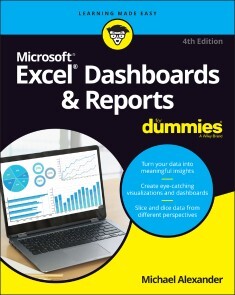
Excel Dashboards & Reports For Dummies
IT’S TIME FOR SOME TRULY “EXCEL-LENT” SPREADSHEET REPORTINGBeneath the seemingly endless rows and columns of cells, the latest version of Microsoft Excel boasts an astonishing variety of features and capabilities. But how do you go about tapping into some of that power without spending all of your days becoming a spreadsheet guru? It’s easy. You grab a copy of the newest edition of Excel Dashboards & Reports For Dummies and get ready to blow the pants off your next presentation audience! With this book, you’ll learn how to transform those rows and columns of data into dynamic reports, dashboards, and visualizations. You’ll draw powerful new insights from your company’s numbers to share with your colleagues – and seem like the smartest person in the room while you’re doing it. Excel Dashboards & Reports For Dummies offers:* Complete coverage of the latest version of Microsoft Excel provided in the Microsoft 365 subscription* Strategies to automate your reporting so you don’t have to manually crunch the numbers every week, month, quarter, or year* Ways to get new perspectives on old data, visualizing it so you can find solutions no one else has seen beforeIf you’re ready to make your company’s numbers and spreadsheets dance, it’s time to get the book that’ll have them moving to your tune in no time. Get Excel Dashboards & Reports For Dummies today. MICHAEL ALEXANDER is a senior consultant at Slalom Consulting with more than 15 years’ experience in data management and reporting. He is the author of more than a dozen books on business analysis using Microsoft Excel, and has been named Microsoft Excel MVP for his contributions to the Excel community.INTRODUCTION 1About This Book 2Foolish Assumptions 4Icons Used in This Book 4Beyond the Book 4Where to Go from Here 5PART 1: GETTING STARTED WITH EXCEL DASHBOARDS AND REPORTS 7CHAPTER 1: GETTING IN THE DASHBOARD STATE OF MIND 9Defining Dashboards and Reports 10Defining reports 10Defining dashboards 11Preparing for Greatness 12Establish the audience for, and purpose of, the dashboard 12Delineate the measures for the dashboard 13Catalog the required data sources 14Define the dimensions and filters for the dashboard 15Determine the need for drill-down features 16Establish the refresh schedule 16A Quick Look at Dashboard Design Principles 16Rule number 1: Keep it simple 17Use layout and placement to draw focus 19Format numbers effectively 20Use titles and labels effectively 20CHAPTER 2: BUILDING A SUPER MODEL 23Data Modeling Best Practices 24Separating data, analysis, and presentation 24Starting with appropriately structured data 27Avoiding turning your data model into a database 30Using tabs to document and organize your data model 31Testing your data model before building reporting components on top of it 33Excel Functions That Really Deliver 34The VLOOKUP function 34The HLOOKUP function 38The SUMPRODUCT function 40The CHOOSE function 43Using Smart Tables That Expand with Data 45Converting a range to an Excel table 46Converting an Excel table back to a range 49Introducing Dynamic Arrays 49Getting the basics of dynamic arrays 49Understanding spill ranges 51Referencing spill ranges 53Exploring Dynamic Array Functions 54The SORT function 55The SORTBY function 56The UNIQUE function 57The FILTER function 58The XLOOKUP function 61CHAPTER 3: THE PIVOTAL PIVOT TABLE 65An Introduction to the Pivot Table 65The Four Areas of a Pivot Table 66Values area 66Row area 67Column area 67Filter area 68Creating Your First Pivot Table 69Changing and rearranging your pivot table 72Adding a report filter 73Keeping your pivot table fresh 74Customizing Pivot Table Reports 76Changing the pivot table layout 76Customizing field names 78Applying numeric formats to data fields 79Changing summary calculations 80Suppressing subtotals 81Showing and hiding data items 84Hiding or showing items without data 86Sorting your pivot table 88Creating Useful Pivot-Driven Views 89Producing top and bottom views 89Creating views by month, quarter, and year 93Creating a percent distribution view 95Creating a month-over-month variance view 97CHAPTER 4: USING EXTERNAL DATA FOR YOUR DASHBOARDS AND REPORTS 101Leveraging Power Query to Extract and Transform Data 102Reviewing Power Query basics 102Understanding query steps 109Importing Data from Files 111Getting data from Excel workbooks 111Getting data from CSV and text files 113Importing Data from Database Systems 114Importing data from Microsoft Access 114Managing data source settings 116PART 2: BUILDING BASIC DASHBOARD COMPONENTS 119CHAPTER 5: DRESSING UP YOUR DATA TABLES 121Table Design Principles 122Use colors sparingly 122De-emphasize borders 123Use effective number formatting 126Subdue your labels and headers 127Getting Fancy with Custom Number Formatting 129Number formatting basics 129Formatting numbers in thousands and millions 132Hiding and suppressing zeroes 134Applying custom format colors 135Formatting dates and times 136CHAPTER 6: SPARKING INSPIRATION WITH SPARKLINES 139Introducing Sparklines 139Understanding Sparklines 141Creating sparklines 142Understanding sparkline groups 144Customizing Sparklines 145Sizing and merging sparkline cells 145Handling hidden or missing data 146Changing the sparkline type 147Changing sparkline colors and line width 147Using color to emphasize key data points 147Adjusting sparkline axis scaling 148Faking a reference line 149Specifying a date axis 151Autoupdating sparkline ranges 152CHAPTER 7: FORMATTING YOUR WAY TO VISUALIZATIONS 153Enhancing Reports with Conditional Formatting 154Applying basic conditional formatting 154Adding your own formatting rules manually 162Showing only one icon 166Showing Data Bars and icons outside of cells 169Representing trends with Icon Sets 171Using Symbols to Enhance Reporting 173Wielding the Magical Camera Tool 176Finding the Camera tool 176Using the Camera tool 177Enhancing a dashboard with the Camera tool 179Enhancing Excel Reports with Shapes 180Creating visually appealing containers with shapes 180Layering shapes to save space 182Constructing your own infographic widgets with shapes 182PART 3: ADDING CHARTS TO YOUR DASHBOARDS 185CHAPTER 8: CHARTS THAT SHOW TRENDING 187Trending Dos and Don’ts 188Using chart types appropriate for trending 188Starting the vertical scale at zero 190Leveraging Excel’s logarithmic scale 192Applying creative label management 193Comparative Trending 196Creating side-by-side time comparisons 196Creating stacked time comparisons 198Trending with a secondary axis 199Emphasizing Periods of Time 202Formatting specific periods 202Using dividers to mark significant events 203Representing forecasts in your trending components 204Other Trending Techniques 206Avoiding overload with directional trending 206Smoothing data 207CHAPTER 9: GROUPING AND BUCKETING DATA 211Creating Top and Bottom Displays 211Incorporating top and bottom displays into dashboards 212Using pivot tables to get top and bottom views 213Top Values in Charts 216Using Histograms to Track Relationships and Frequency 220Using Excel’s Histogram statistical chart 220Creating a formula-driven histogram 223Adding a cumulative percent 226Using a pivot table to create a histogram 228CHAPTER 10: DISPLAYING PERFORMANCE AGAINST A TARGET 231Showing Performance with Variances 231Showing Performance against Organizational Trends 233Using a Thermometer-Style Chart 234Using a Bullet Graph 235Creating a bullet graph 236Adding data to your bullet graph 239Final thoughts on formatting bullet graphs 241Showing Performance against a Target Range 243PART 4: ADVANCED REPORTING TECHNIQUES 247CHAPTER 11: GIVING USERS AN INTERACTIVE INTERFACE 249Introducing Macros 249Why use a macro? 250Recording your first macro 251Running your macros 254Enabling and trusting macros 257Understanding macro-enabled file extensions 258Enabling macro content 258Setting up trusted locations 258Examining some macro examples 259Building navigation buttons 260Dynamically rearranging pivot table data 261Offering one-touch reporting options 262Getting Started with Form Controls 263Finding Form controls 263Adding a control to a worksheet 264Using the Button Control 266Using the Check Box Control 266Toggling a Chart Series On and Off 268Using the Option Button Control 270Showing Many Views through One Chart 272Using the Combo Box Control 274Changing Chart Data with a Drop-Down Selector 275Using the List Box Control 277Controlling Multiple Charts with One Selector 279CHAPTER 12: ADDING INTERACTIVITY WITH PIVOT SLICERS 283Understanding Slicers 283Creating a Standard Slicer 286Getting Fancy with Slicer Customizations 288Size and placement 288Data item columns 288Other slicer settings 289Creating your own slicer style 289Controlling Multiple Pivot Tables with One Slicer 293Creating a Timeline Slicer 294Using Slicers as Form Controls 296Using Slicers on Excel Table Objects 300CHAPTER 13: SHARING YOUR WORKBOOK WITH THE OUTSIDE WORLD 303Protecting Your Dashboards and Reports 303Securing access to the entire workbook 304Limiting access to specific worksheet ranges 307Protecting the workbook structure 310Linking Your Excel Dashboards to PowerPoint 311Creating a link between Excel and PowerPoint 312Manually updating links to capture updates 313Turning off automatic updating of links 314Distributing Your Dashboards via a PDF 316Distributing Your Dashboards to OneDrive 318Limitations When Publishing to the Web 321PART 5: THE PART OF TENS 323CHAPTER 14: TEN CHART DESIGN PRINCIPLES 325Avoid Fancy Formatting 325Skip the Unnecessary Chart Junk 327Format Large Numbers Where Possible 329Use Data Tables Instead of Data Labels 330Make Effective Use of Chart Titles 332Sort Your Data before Charting 333Limit the Use of Pie Charts 333Don’t Be Afraid to Parse Data into Separate Charts 334Maintain Appropriate Aspect Ratios 336Don’t Be Afraid to Use Something Other Than a Chart 337CHAPTER 15: TEN QUESTIONS TO ASK BEFORE DISTRIBUTING YOUR DASHBOARD 339Does My Dashboard Present the Right Information? 339Does Everything on My Dashboard Have a Purpose? 340Does My Dashboard Prominently Display the Key Message? 340Can I Maintain This Dashboard? 341Does My Dashboard Clearly Display Its Scope and Shelf Life? 341Is My Dashboard Well Documented? 341Is My Dashboard Overwhelmed with Formatting and Graphics? 342Does My Dashboard Overuse Charts When Tables Will Do? 343Is My Dashboard User-Friendly? 343Is My Dashboard Accurate? 344Index 345
Microsoft Project Fundamentals
GET A FIRM GRIP ON ONE OF THE MOST POPULAR PROJECT MANAGEMENT APPLICATIONS ON THE MARKET TODAYIn Microsoft Project Fundamentals: Microsoft Project Standard 2021, Professional 2021, and Project Online Editions, accomplished project management leader Teresa Stover delivers a hands-on introduction to Microsoft’s popular project management software filled with real-world examples and plain-language guidance. The book walks you through how to plan, schedule, manage resources, track progress, and more. In the book, you’ll:* Learn principles and best practices of project management while mastering Microsoft Project capabilities, calculations, and views* Understand how task durations, dependencies, and date constraints power the project schedule* Manage human, equipment, and material resources, including availability, cost, and task assignments* Adjust the project to optimize for the project finish date, budget, and resource allocation* Use Microsoft Project to manage waterfall or agile projectsIdeal for anyone seeking to unlock the potential of Microsoft’s leading project management software for their own project work, Microsoft Project Fundamentals is an essential resource for those new to Microsoft Project and project management, as well as previous users and seasoned project professionals looking for a refresher in the latest features of the newest version of Microsoft Project. TERESA S. STOVER is a project management consultant and award-winning author of 15 books. She has consulted with the Microsoft Project team since version 4 and has served as the project manager for projects ranging from online help system development and instructional design to needs assessments and content management.Introduction xivPART I: MANAGE YOUR PROJECTS WITH MICROSOFT PROJECT 1LESSON 1: PROJECT MANAGEMENT BASICS 3Projects and Project Managers 4What Is a Project? 4What Is a Project Manager? 5The Project Triangle 6Project Processes 7Initiating 7Planning 7Executing 8Monitoring and Controlling 8Closing 8Project Management Methodologies 9Waterfall Project Management 9Agile Project Management 10Other Methodologies 10More About Project Management 11Key Terms 11Review Questions 13LESSON 2: INTRODUCING MICROSOFT PROJECT 17How Microsoft Project Helps 18Manage the Schedule 18Calculate Costs 19Balance Resources 20Communicate Progress 21Respond to Changes 21Microsoft Project Solutions 22Touring the Microsoft Project App 24Browse Task and Resource Views 25Browse Reports 26Click Through the Ribbons 26Go Backstage 27Get Help with Project 29Help Within Project 29Help Outside Project 31Key Terms 32Review Questions 33PART II: PLAN YOUR PROJECT 35LESSON 3: ESTABLISH A STRONG FOUNDATION 37Initiate the Project 38Identify the Stakeholders and Project Sponsor 39Authorize the Project Charter 39Start Planning 40Collect Requirements 41Define the Scope 42Organize Project Plan Documents 43Key Terms 45Review Questions 46LESSON 4: SET UP THE PROJECT AND TASKS 47Start a New Project Plan 48Create a New Blank Project 48Copy an Existing Similar Project 49Adapt a Project Template 50Set the Project Start Date 51Enter Task Names 53Where Do Task Names Come From? 54Name Your Tasks 55Explore Task Views 56Work with Tasks in the Task Sheet 57Work with Tasks on the Task Board 60Sequence Tasks 62Reorder Tasks in the Task Sheet 62Reorder Tasks on the Task Board 63Organize the Task Outline 63Key Terms 67Review Questions 68LESSON 5: BUILD THE SCHEDULE 69Decide on Automatic Scheduling 70Change All Tasks to Automatic Scheduling 71Set Any New Tasks to Automatic Scheduling 72Switch from Automatic to Manual Scheduling 72Switch from Manual to Automatic Scheduling 72Get to Know the Gantt Chart 73Enter Task Durations 75Enter Durations in the Gantt Chart 76View Durations on the Task Board 77Set Milestones 79Link Dependent Tasks 80Set Up Task Dependencies 81View Dependencies on a Task Board 82Schedule Sprints for an Agile Project 83Add Sprints to Your Project 84Add Tasks to Your Sprints 85Modify Sprint Information 86Identify Any Hardwired Dates 87Enter Deadline Reminders 89Use Project and Task Calendars 90Review and Change the Project Calendar 91Apply a Task Calendar 91Key Terms 92Review Questions 93LESSON 6: SET UP RESOURCES 97Add Resources to the Plan 98Define Human and Equipment Resources 99Define Material Resources 99Define Cost Resources 100Enter Resource Costs 101Specify Work Resource Costs 102Specify Material Resource Costs 103Specify Cost Resource Costs 103Refine Resource Unit Availability 104Change Resource Units 105Specify Differing Availability Over Time 105Customize Resource Calendars 106Switch the Base Calendar 108Change the Work Week in a Resource Calendar 108Specify an Exception to a Resource Calendar 110Key Terms 112Review Questions 113LESSON 7: ASSIGN RESOURCES TO TASKS 115Assign Work Resources to Tasks 116Assign Material Resources to Tasks 118Assign Cost Resources to Tasks 120Review Resource Assignments 122See Task Costs from Assignments 125Review Task Costs 126Review Task Costs on an Agile Planning Board 127Review the Overall Project Cost Estimate 127Change Assignments 128Replace a Resource Assignment 129Add or Remove a Resource Assignment 129Change Duration on Tasks with Assignments 132Key Terms 133Review Questions 134LESSON 8: CHECK AND ADJUST THE PROJECT 137Check the Project Finish Date 138Review the Project Finish Date 139Bring In the Project Finish Date 142Check Costs 145Review the Total Project Cost 145Reduce Costs 146Check Resource Assignments 153Resolve Overallocations in a Task Sheet 154Resolve Assignment Problems in Team Planner 155Set the Project Baseline 157Key Terms 159Review Questions 161PART III: MONITOR AND CONTROL YOUR PROJECT 163LESSON 9: TRACK PROJECT INFORMATION 165Collect Progress Information 167Enter Actuals in a Waterfall Project 168Enter Progress as Expected 168Enter Different Types of Progress Information 169Distinguish Baseline, Scheduled, and Actual Values 170Update Status in an Agile Project 172Enter Progress on the Task Board 172Enter Progress in the Task Board Sheet 173Specify Percent Complete on the Task Board 174Enter Progress on the Current Sprint 176Move Tasks from One Sprint to Another 177Respond to Changes 178Check the Project Finish Date 178Check the Project Cost 179Check Resource Allocations 179Key Terms 180Review Questions 181LESSON 10: VIEW PROJECT INFORMATION 183See the Data You Need 184Zoom a View In or Out 184Adjust the Timescale 185Show a Specific Outline Level 186Sort Project Information 187Group Project Information 188Filter Project Information 188Highlight Project Information 189Change Columns in a Sheet View 190Add a Column 190Move a Column 192Hide a Column 192Print a View 193Work with More Views 194Browse Graphical Views 195Browse Combination Views 199Key Terms 202Review Questions 204LESSON 11: CUSTOMIZE PROJECT INFORMATION 207Customize a Sheet View 208Customize a Gantt View 210Customize a Board View 212Modify Board View Columns 212Modify Task Cards 213Set Options and Preferences 214Key Terms 215Review Questions 216LESSON 12: REPORT PROJECT INFORMATION 219Work with Reports 220Run a Report 221Adjust the Design of a Report 222Work with Dashboards 223Create a New Report or Dashboard 224Print a Report 226Key Terms 228Review Questions 229PART IV: CLOSE YOUR PROJECT 231LESSON 13: OBTAIN PROJECT ACCEPTANCE 233Present the Project to the Sponsor 234Secure Official Project Sign-Off 236Complete Final Refinements 236Have the Sponsor Sign Off on the Project 238Celebrate With Your Team 238Key Terms 239Review Questions 240LESSON 14: RETAIN PROJECT HISTORY 241Document Lessons Learned 242Identify the Information You Can Use 243Gather Lessons Learned 243Document and Share the Lessons Learned 244Archive Project History 245Clean Up Your Project Plan 245Add Key Documents to the Project Plan 247Organize the Archive File Structure 247Key Terms 248Review Questions 249Appendix Answers to the Review Questions 251Index 263

Praxiswissen Joomla! 4 - Das Kompendium
Das bewährte Standardwerk zu Joomla! jetzt aktualisiert auf Version 4Sie möchten Schritt für Schritt und ohne langwieriges Ausprobieren eine eigene Website mit Joomla! aufsetzen? Dann ist dieser praxisorientierte Leitfaden zur Joomla!-Version 4 genau das Richtige für Sie. Tim Schürmann führt Sie anhand eines Beispielprojekts in den Aufbau und die Pflege eines Webauftritts ein und behandelt dabei das komplette Joomla!-Themenspektrum von den Grundlagen bis hin zum Profiwissen. Sie erfahren, wie Sie Joomla! installieren, Bilder und Texte verwalten, Ihrer Webpräsenz mit Templates ein unverwechselbares Look-and-feel geben und Ihre Website um zusätzliche Funktionen wie einen Kalender, Kommentarmöglichkeiten oder eine eigene Erweiterung ergänzen. Kapitel zu Suchmaschinenoptimierung, Barrierefreiheit und Datenbankpflege runden das Handbuch ab. Es deckt umfassend die in Joomla! enthaltenen Funktionen ab und eignet sich daher sowohl als Einstieg als auch als Nachschlagewerk.Zielgruppe: Webentwickler*innenalle, die mit Joomla! eine eigene Webpräsenz aufbauen möchtenAutor: Tim Schürmann ist selbständiger Diplom-Informatiker und derzeit hauptsächlich als freier Autor unterwegs. Seine zahlreichen Artikel erscheinen in führenden Zeitschriften und wurden in mehrere Sprachen übersetzt. Er hat bereits einige erfolgreiche Bücher geschrieben, darunter mehrere Auflagen von Praxiswissen Joomla! oder WordPress komplett – Das Kompendium für Websites und Blogs (O’Reilly Verlag). Die Entwicklung von Joomla! verfolgt er nicht nur seit dessen Anfängen, er folterte das Content-Management-System selbstverständlich auch schon in der Praxis mit schwer verdaulichen Inhalten. Seine Steckenpferde sind die Programmierung, Algorithmen, freie Software, Computergeschichte, Schokoladeneis und der ganz alltägliche Wahnsinn.

Introducing Software Verification with Dafny Language
Get introduced to software verification and proving correctness using the Microsoft Research-backed programming language, Dafny. While some other books on this topic are quite mathematically rigorous, this book will use as little mathematical symbols and rigor as possible, and explain every concept using plain English. It's the perfect primer for software programmers and developers with C# and other programming language skills.Writing correct software can be hard, so you'll learn the concept of computation and software verification. Then, apply these concepts and techniques to confidently write bug-free code that is easy to understand. Source code will be available throughout the book and freely available via GitHub.After reading and using this book you'll be able write correct, big free software source code applicable no matter which platform and programming language you use.WHAT YOU WILL LEARN* Discover the Microsoft Research-backed Dafny programming language* Explore Hoare logic, imperative and functional programs* Work with pre- and post-conditions* Use data types, pattern matching, and classes* Dive into verification examples for potential re-use for your own projectsWHO THIS BOOK IS FORSoftware developers and programmers with at least prior, basic programming experience. No specific language needed. It is also for those with very basic mathematical experience (function, variables).BORO SITNIKOVSKI has over ten years of experience working professionally as a software engineer. He started programming with assembly on an Intel x86 at the age of ten. While in high school, he won several prizes in competitive programming, varying from 4th, 3rd, and 1st place. He is an informatics graduate - his bachelor’s thesis was titled “Programming in Haskell using algebraic data structures”, and his master’s thesis was titled “Formal verification of Instruction Sets in Virtual Machines”. He has also published a few papers on software verification. Other research interests of his include programming languages, mathematics, logic, algorithms, and writing correct software. He is a strong believer in the open-source philosophy and contributes to various open-source projects. In his spare time, he enjoys some time off with his family.Introduction: Languages and SystemsChapter 1: Our First ProgramChapter 2: LogicChapter 3: ComputationChapter 4: Mathematical FoundationsChapter 5: ProofsChapter 6: SpecificationsChapter 7: Mathematical InductionChapter 8: Verification ExercisesChapter 9: Implementing a Formal SystemConclusionBibliographyAppendix A: Gödel’s Theorems

Access für Einsteiger - für die Versionen 2021, 2019, 2016, 2013 & Microsoft 365
Für die Versionen 2021, 2019, 2016, 2013, 2010 & Microsoft 365.- Von der Planung bis zur fertigen Datenbank- Abfrage- und Auswertungstechniken- Formulare und Berichte- Mit praxisnahen Tipps und Beispielen zum DownloadLernen Sie Access von Grund auf verstehen und sicher nutzen! Leicht nachvollziehbare Anleitungen und anschauliche Beispiele helfen Ihnen dabei, Datenbanken anzupassen sowie selbst neu zu konzipieren. Systematisch erläutert die Autorin den Entwurf einer Tabelle und das Erstellen von Beziehungen zwischen Tabellen. Sie zeigt Ihnen, wie Sie Daten eingeben und verschiedene Abfragetechniken anwenden. Erfahren Sie, wie Sie mit Formularen, Steuerelementen und Makros eine benutzerfreundliche Oberfläche gestalten und professionelle Berichte drucken. Als Übungsbeispiel erstellen Sie selbst eine Datenbank zur Verwaltung von Kunden und erfassen deren Bestellungen. Mit Aufgaben am Ende jedes einzelnen Kapitels können Sie das Gelernte verinnerlichen und praktisch umsetzen.Profitieren Sie von Inge Baumeisters Know-how sowie ihrer langjährigen Erfahrung als Dozentin in der Erwachsenenbildung und werden Sie Schritt für Schritt zum Access-Könner!Aus dem Inhalt:- Aufbau und Planung einer Datenbank - Tabellen und Beziehungen- Tabellenentwurf und Datentypen- Daten eingeben, filtern und sortieren- Abfragetechniken und eine kleine Einführung in SQL- Formulare zur komfortablen Benutzerführung gestalten- Professionelle Berichte drucken- Steuerelemente einsetzen- Makros erstellen und nutzen- Datenimport und -export- Dokumentation und Wartung von Datenbanken

Salesforce Platform Governance Method
Accelerate your Salesforce implementation to provide benefits to your business more rapidly while maintaining control and improving quality.Salesforce has become one of the most influential business tools in our modern age. What started as the world's most comprehensive customer relationship management (CRM) system available in the market place has now morphed over the years into an ecosystem of tools and services that enable you to run your entire business platform.This book gives you a method (a set of governance processes) that provides a complete view of how to govern and manage any Salesforce implementation. It breaks the architectural components of the Salesforce platform into manageable sections, allowing you to navigate and understand how to govern your Salesforce implementation in a consistent manner with an approach that is structured, repeatable, and clearly defined.Salesforce Platform Governance Method is divided into nine distinct phases which have been chosen based on how the Salesforce platform is architected. This is relevant today because every organization that implements Salesforce will face the same issues around governance, integration, development, and security and the majority of organizations will find, through trial and error, a solution to govern these components. This book will help Salesforce professionals and enterprise organizations as well as small and mid-sized businesses (SMBs) navigate these topics and ultimately have a successful and fully integrated, secure Salesforce implementation.WHAT YOU WILL LEARN* Govern the application architecture on the Salesforce platform, including general architecture, localization and global deployments, workflow and process, formulas and files, and social* Govern the data architecture, including design and data optimization, performance, predictive and actual data volumes, and data movement* Govern the identity and access management aspects of the application and Salesforce platform* Govern the low-level platform capabilities delivered through Lightning, Visualforce, and Apex* Handle community implementations that bring specific features into the Salesforce platform for consideration and governance* Create checklists for the governance steps, laid out in the method, and for any tooling recommendations that can help simplify the process of governanceWHO THIS BOOK IS FORPeople responsible for maintaining a Salesforce SaaS instance or developing changes for that Salesforce instance. Readers should have a basic understanding of the Salesforce platform and a desire to introduce a level of control around the changes being made, reduce issues on their Salesforce instance, and improve quality while increasing the throughput of changes they want to introduce into the platform.LEE HARDING, formerly a Senior Program Architect at Salesforce, is the Technology Director at Harwoods Group, a large automotive retail company in the United Kingdom. Harwoods are using Salesforce's technology at the heart of their digital transformation and considers it a key enabler for their business in the future. Over the past 35 years in IT, Lee has used his skills and experience to help large and small enterprises deliver their business transformations. Lee has handled big transformational programs, involving tens of thousands of users and has helped customers get the most out of their investment in the Salesforce Cloud technologies. Using his experience in large-scale transformation projects Lee has helped many businesses accelerate their implementations and see the benefits sooner, rather than later. Having a broad knowledge base and a keen interest in technology and its governance, Lee has been able to help customers navigate the pros and cons of technology decisions and keeps an open mind as to how technology can benefit his customers at the earliest opportunity, while instilling the right processes to help his customers be successful.LEE BAYLISS, a Senior Program Architect at Salesforce, has worked in the IT industry for over 25 years and has held various positions in operations, engineering, product design, technical leadership, and various lead architect positions for large service providers such as DXC (formerly, EDS/HPES). During Lee’s extensive career in IT, he has worked across many industry sectors, including manufacturing, oil exploration, financial services, and health life sciences. Working with various enterprise businesses, Lee has amassed a wealth of experience delivering IT solutions ranging from lightweight projects to large scale business transformations. For the last 3 years, Lee has been working for Salesforce, a company which is diverse in nature, focused on customer success. Salesforce has created a huge ecosystem of products and services that can propel SME businesses to become trailblazers in their field. At Salesforce, Lee finds himself in a unique position providing guidance on all of the things that large (and small) organizations struggle with—how to implement the Salesforce platform and its components successfully, how to control all the moving parts, and how to drive value throughout the business in a world where digital transformation is a success imperative.CHAPTER 1: THE SALESFORCE LIGHTNING PLATFORM GOVERNANCE METHODThe content of this Chapter introduces the reader to the concepts of governance and how they need to construct their teams and processes to facilitate governance within their organisation. Additionally, the structure of our governance method is described, which sets the structure for the remainder of the book. The book is essentially split into two sections. The first section is the governance method, whilst the second section is the resources needed to perform the governance.Resource BaseKey PointsBasic StructureAdapting the SLPGMArchitecture GovernanceProcess ManagementScoping the Application Governance CyclePlatform TeamCHAPTER 2: APPLICATION ARCHITECTURE (PHASE A)Describes the method by which the application architecture is governed on the Salesforce platform. Areas covered are general architecture, localisation and global deployments, workflow and process, formulas and files and social.ObjectivesApproachInputsStepsOutputsCHAPTER 3: DATA ARCHITECTURE (PHASE B)Describes the method by which the data architecture is governed. Areas covered are design and data optimization, performance, predictive and actual data volumes and data movement.ObjectivesApproachInputsStepsOutputsCHAPTER 4: IDENTITY & ACCESS MANAGEMENT (PHASE C)This Chapter will focus on the governance of the identity and access management aspects of the application and Salesforce platform. These will form part of the technical standards and policies, but it is possible for an application to seek changes to these. For example, A Connected App (external to Salesforce) may be required that can only support a specific authentication solution, which is not part of the technical standards.ObjectivesApproachInputsStepsOutputsCHAPTER 5: SHARING & VISIBILITY (PHASE D)The Salesforce platform is very flexible and as such allows a “developer” to create applications with very little development experience. Obviously the more experience the developer, the more comprehensive the application can be. Salesforce has specifically focused on the ability to create applications and change configuration through “clicks”, negating in the majority of cases the need to actually write “code”. Creating applications and changing configuration via “clicks” is known as Declarative and the Salesforce platform has provided a significant amount of functionality and tailoring capability just through the declarative route. Declarative changes are stored in the metadata of the Org, and as such can be extracted (there are some limitations) and therefore analysed and governed. The approach to this phase is to describe how to take those declarative changes and assess them against the technical standards and policies.ObjectivesApproachInputsStepsOutputsCHAPTER 6: INTEGRATION (PHASE E)Salesforce provides numerous solutions to integration and the right solution will very much depend upon what the requirements are that underpin the integration. However, fundamentally this phase is looking to compare the integration techniques that are part of the technical standards and policies with those that have been used. Then, determine those that have been used, have they been used correctly.ObjectivesApproachInputsStepsOutputsCHAPTER 7: APEX, VISUALFORCE & LIGHTNING (PHASE F)On a shared platform, it is important that every developer takes maximum advantage of the platform to reduce the impact their application has on the overall platform. The phase focuses on governing the low-level platform capabilities delivered through Lightning, Visualforce and Apex.ObjectivesApproachInputsStepsOutputsCHAPTER 8: COMMUNITIES (PHASE G)This phase targets Community implementations specifically, which bring specific features into the Salesforce platform for consideration and governance. As Communities can target Customers, Employees and Partners it is important that any data held within the core Salesforce instance from which the Community is delivered is secured. Therefore, Communities brings about specific sharing capabilities and other considerations that should be reviewed.ObjectivesApproachInputsStepsOutputsCHAPTER 9: MOBILE SOLUTIONS (PHASE H)This phase targets the governance of deploying Salesforce to a mobile device. This will include the configuration and source code, any customization used and security implications.ObjectivesApproachInputsStepsOutputsCHAPTER 10: DEVELOPMENT LIFECYCLE & DEPLOYMENT (PHASE I)The development lifecycle will be well defined in terms of the environments and tooling and the “route to live” that an application will take. The purpose of this phase is to have a means of governing this. In the main, this should not change regularly, but within the enterprise it is not unimaginable that additional Salesforce instances may arise, or that external parties are engaged. In these scenarios, the organization will want to determine whether these situations are adhering to the standards.ObjectivesApproachInputsStepsOutputsCHAPTER 11: RESOURCE BASEThe Resource Base provides the reference material for all of the governance phases. This material is distilled to provide distinct references against which governance is simplified. Additionally, the Resource Base will form the basis for the documentation to support the development within the Salesforce platform. The purpose being, the reference material informs the developers on how to develop, as well as providing a reference to which governance can be performed. The subsequent Chapters within the Resource Base section have a consistent layout, which details the guidelines and best practices from Salesforce as well as a checklist to facilitate the governance process. In addition, any tooling that could be used to help accelerate the governance process is highlighted.OverviewCHAPTER 12: APPLICATION ARCHITECTURE (PHASE A) RESOURCE BASEGuidelines and best practices from Salesforce. Checklist for the governance steps laid out in the method and any tooling recommendations that can help simplify the process of governance.Guidelines & Best PracticesStandardsChecklistsToolingCHAPTER 13: DATA ARCHITECTURE (PHASE B) RESOURCE BASEGuidelines and best practices from Salesforce. Checklist for the governance steps laid out in the method and any tooling recommendations that can help simplify the process of governance.Guidelines & Best PracticesStandardsChecklistsToolingCHAPTER 14: IDENTITY & ACCESS MANAGEMENT (PHASE C) RESOURCE BASEGuidelines and best practices from Salesforce. Checklist for the governance steps laid out in the method and any tooling recommendations that can help simplify the process of governance.Guidelines & Best PracticesStandardsChecklistsToolingCHAPTER 15: SHARING & VISIBILITY (PHASE D) RESOURCE BASEGuidelines and best practices from Salesforce. Checklist for the governance steps laid out in the method and any tooling recommendations that can help simplify the process of governance.Guidelines & Best PracticesStandardsChecklistsToolingCHAPTER 16: INTEGRATION (PHASE E) RESOURCE BASEGuidelines and best practices from Salesforce. Checklist for the governance steps laid out in the method and any tooling recommendations that can help simplify the process of governance.Guidelines & Best PracticesStandardsChecklistsToolingCHAPTER 17: APEX, VISUALFORCE & LIGHTNING (PHASE F) RESOURCE BASEGuidelines and best practices from Salesforce. Checklist for the governance steps laid out in the method and any tooling recommendations that can help simplify the process of governance.Guidelines & Best PracticesStandardsChecklistsToolingCHAPTER 18: COMMUNITIES (PHASE G) RESOURCE BASEGuidelines and best practices from Salesforce. Checklist for the governance steps laid out in the method and any tooling recommendations that can help simplify the process of governance.Guidelines & Best PracticesStandardsChecklistsToolingCHAPTER 19: MOBILE SOLUTIONS (PHASE H) RESOURCE BASEGuidelines and best practices from Salesforce. Checklist for the governance steps laid out in the method and any tooling recommendations that can help simplify the process of governance.Guidelines & Best PracticesStandardsChecklistsToolingCHAPTER 20: DEVELOPMENT LIFECYCLE & DEPLOYMENT (PHASE I) RESOURCE BASEGuidelines and best practices from Salesforce. Checklist for the governance steps laid out in the method and any tooling recommendations that can help simplify the process of governance.Guidelines & Best PracticesStandardsChecklistsTooling

Java 17 Recipes
Quickly find solutions to dozens of common programming problems encountered while building Java applications, with recipes presented in the popular problem-solution format. Look up the programming problem that you want to resolve. Read the solution. Apply the solution directly in your own code. Problem solved!Java 17 Recipes is updated to reflect changes in specification and implementation since the Java 9 edition of this book. Java 17 is the next long-term support release (LTS) of the core Java Standard Edition (SE) version 17 which also includes some of the features from previous short term support (STS) releases of Java 16 and previous versions.This new edition covers of some of the newest features, APIs, and more such as pattern matching for switch, Restore Always-Strict-Floating-Point-Semantics, enhanced pseudo-random number generators, the vector API, sealed classes, and enhancements in the use of String. Source code for all recipes is available in a dedicated GitHub repository.This must-have reference belongs in your library.WHAT YOU WILL LEARN* Look up solutions to everyday problems involving Java SE 17 LTS and other recent releases* Develop Java SE applications using the latest in Java SE technology* Incorporate Java major features introduced in versions 17, 16, and 15 into your codeWHO THIS BOOK IS FORProgrammers and developers with some prior Java experience.JOSH JUNEAU has been developing software and enterprise applications since the early days of Java EE. Application and database development have been his focus since the start of his career. He became an Oracle database administrator and adopted the PL/SQL language for performing administrative tasks and developing applications for the Oracle database. In an effort to build more complex solutions, he began to incorporate Java into his PL/SQL applications and later developed standalone and web applications with Java. Josh wrote his early Java web applications utilizing JDBC and servlets or JSP to work with backend databases. Later, he began to incorporate frameworks into his enterprise solutions, such as Java EE and JBoss Seam. Today, he primarily develops enterprise web solutions utilizing Java EE and other technologies. He also includes the use of alternative languages, such as Jython and Groovy, for some of his projects. Over the years, Josh has dabbled in many different programming languages, including alternative languages for the JVM, in particular. In 2006, Josh began devoting time to the Jython Project as editor and publisher of the Jython Monthly newsletter. In late 2008, he began a podcast dedicated to the Jython programming language. Josh was the lead author for The Definitive Guide to Jython, Oracle PL/SQL Recipes, and Java 7 Recipes, and a solo author of Java EE 7 Recipes and Introducing Java EE 7, which were all published by Apress. He works as an application developer and system analyst at Fermi National Accelerator Laboratory, and he also writes technical articles for Oracle and OTN. He was a member of the JSR 372 and JSR 378 expert groups, and is an active member of the Java Community, helping to lead the Chicago Java User Group’s Adopt-a-JSR effort. When not coding or writing, Josh enjoys spending time with his wonderful wife and five children, especially swimming, fishing, playing ball, and watching movies. To hear more from Josh, follow him on Twitter at @javajuneau.LUCIANO MANELLI earned a PhD in computer science from the IT department, University of Bari-Aldo Moro. His PhD focused on grid computing and formal methods, and he published the results in international publications. Luciano obtained several certificates in the IT sector, and, in 2014, began working for the Port Network Authority of the Ionian Sea–Port of Taranto, after working for 13 years for InfoCamere SCpA. He has worked mainly in the design, analysis, and development of large software systems; research and development; testing; and production with roles of increasing responsibility in several areas over the years. Luciano has developed a great capability to make decisions in a technical and business context and is mainly interested in project management and business process management. In his current position, he deals with port community systems and software innovation. Additionally, he has written several IT books and is a contract professor at the Polytechnic of Bari (foundations of computer science), and at the University of Bari-Aldo Moro (programming for web, computer science, and computer lab).1. Getting Started with Java 172. Java 17 Enhancements3. Strings4. Numbers and Dates5. Object-Oriented Java6. Lambda Expressions7. Data Structures and Collections8. Input and Output9. Exceptions and Logging10. Concurrency11. Debugging and Unit Testing12. Unicode, Internationalization, and Currency Codes13. Working with Databases14. JavaFX Fundamentals15. Graphics with JavaFX16. Media with JavaFX17. Java Web Applications18. Nashorn and Scripting19. E-mail20. JSON and XML Processing21. Networking22. Java Modularity

Introducing Blockchain with Java
Create your own crypto currency by implementing blockchain technology using Java. This step-by-step guide will teach you how to create a user interface using Java FX and implement SQLite DB using JDBC Driver for the blockchain.INTRODUCING BLOCKCHAIN WITH JAVA includes numerous exercises and test questions to help you solidify what you have learned as you progress through the book, and provides ideas on expanding the codebase to make it your own. You will have access to a fully-functioning repository with Java code.Upon completing this book, you will have the knowledge necessary to program your own blockchains with Java and you will have a completed project for your portfolio.WHAT YOU WILL LEARN* Know the most important theoretical concepts of the blockchain* Code the blockchain in Java* Create a user interface with JavaFX* Implement SQLite DB using JDBC Driver* Create a P2P multi-threaded app * Create your own cryptocurrency app with full functionality* Implement blockchain technology on a P2P network from scratch using Java, JavaFX, and SQLWHO THIS BOOK IS FORAnyone with a basic level knowledge of: Java or similar object-oriented programming language, FXML or HTML or similar markup language, and SQLSPIRO BUZHAROVSKI is a full-stack software developer in the IT sector. He has a degree in mechanical engineering and has worked as an engineer in the oil and gas sector for more than six years. His interests include Java frameworks, blockchain, and the latest high-tech trends. Inspiration for this book came while working as a technical reviewer on the Apress book by Boro Sitnikovski, Introducing Blockchain with Lisp: Implement and Extend Blockchains with the Racket Language.1. Introduction to Blockchain . . . . . . . .1.1. Motivation and basic definitions . .1.2. Encryption . . . . . . . . . . . . . . .1.2.1. Functions . . . . . . . . . . . .1.2.2. Symmetric-key algorithm . .1.2.3. Asymmetric-key algorithm .1.3. Hashing . . . . . . . . . . . . . . . . .1.4. Smart contracts . . . . . . . . . . . .1.5. Bitcoin . . . . . . . . . . . . . . . . . .1.6. Example workflows . . . . . . . . . .Summary . . . . . . . . . . . . . . . . . . .2. Blockchain Core - Model . . . . . . . .2.1 Block.java . .2.2. Transaction.java . . . . . . . . . . . . . . .2.3. Wallet.java . . . . . . . . . . . . . . . . .Summary . . . . . . . . . . . . . . . . .3. Database Setup. . . . . . . .3.1. SQLite Database Browser Quick Setup .3.2. Blockchain.db3.3. Wallet.db . . . . . . . . . . . . . . . . . .3.4 JDBC Driver for SQLite setup3.5 Writing your App init() method.Summary . . . . . . . . . . . . . . . . . . .4. Service Layer Implementation. . . . . .4.1. BlockData.java44.2. WalletData.javaSummary . . . . . . . . . . . . . . . . .5. UI – View Layer. . . . . .5.1. SceneBuilder Quick Setup5.2. Creating Your Views3.2.1. MainWindow.fxml . . . . . . . . . . . . . . . .3.2.2. AddNewTransactionWindow.fxml . . . . . . . . . . . . . . . .5.3. Creating Your View Controllers5.3.1 MainWindowController.java5.3.1 AddNewTransactionController.javaSummary . . . . . . . . . . . . . . . . .6. Network Handlers – Networking Layer. . . . . .6.1. UI Thread6.2. Peer Client Thread6.3. Peer Server Handler – Multithreading requests 6.3.1 Peer Request Thread6.4. Mining ThreadSummary . . . . . . . . . . . . . . . . .

Raspberry Pi 400 Schnelleinstieg
Der Raspberry Pi 400 ist ein minimalistischer „All-in-one“-PC zu einem unschlagbaren Preis. Die gesamte Technik ist in der Tastatur verbaut und die gesamte Software auf einer SD-Karte gespeichert. Mit diesem Buch erhalten Sie eine einfache und kompakte Einführung für den Einsatz des Raspberry Pi 400 und erfahren alles, was Sie brauchen, um mit dem Betriebssystem, der Arbeitsumgebung und der Software zu arbeiten. Herbert Hertramph zeigt Schritt für Schritt, wie Sie den Raspberry Pi 400 einrichten, um ihn im Alltag, Homeoffice oder für das Homeschooling optimal einzusetzen. Außerdem erhalten Sie jede Menge Tipps und Tricks für Streaming, Fotobearbeitung und vieles mehr. Alle notwendigen Linux-Grundlagen werden für Ein- und Umsteiger ganz einfach erläutert. Der Autor erklärt die Vorteile des Systems und geht besonders auf Sicherheit und Backups ein. Mit diesem Buch werden Sie die Möglichkeiten des Raspberry Pi 400 voll ausschöpfen und den Mini-PC optimal an die eigenen Bedürfnisse anpassen.Aus dem Inhalt:Linux-GrundlagenRaspberry Pi 400 einrichtenArbeiten mit LibreOffice, GoogleOffice, Microsoft und iWorksBackup und SynchronisationFernzugriff und SicherheitPi-AppsWeitere BetriebssystemeMit der Kommandozeile arbeiten Über den Autor:Herbert Hertramph ist am Institut für Psychologie und Pädagogik der Universität Ulm als Sozialwissenschaftler mit aktuellen Fragestellungen des digitalen Lehrens und Lernens befasst.

Excel 2021 Alles-in-einem-Band für Dummies
Dieses Buch lässt keine Excel-Wünsche offen: Es beschreibt grundlegende Excel-Funktionen, wie das Erstellen und Bearbeiten von Arbeitsblättern, aber auch das Teilen und Überarbeiten von Dokumenten oder das Bearbeiten von Makros mit Visual Basic. Darüber hinaus: Arbeitsblätter formatieren und schützen, Formeln erstellen, Daten importieren, in Diagrammen darstellen und mit Statistikfunktionen auswerten, Pivot-Tabellen erzeugen, Was-wäre-wenn-Szenarien und Webabfragen durchführen, Datenbankfunktionen nutzen, Makros erstellen und ausführen, Excel in Verbindung mit Power BI nutzen und noch vieles mehr. Mit diesem Buch suchen Sie nicht mehr endlos nach Excel-Funktionen, sondern haben mehr Zeit für Ihre Projekte! Paul McFedries verbringt die meiste Zeit seines Lebens damit, Computerbücher zu schreiben. Er hat an über 160 Publikationen zu Themen wie Windows 10, Microsoft Office, Apple Gadgets und Amazon Alexa mitgewirkt.Greg Harvey schrieb vor mehr als zwanzig Jahren sein erstes Computerbuch und die Liste seiner Bestseller wurde immer länger, unter anderem gehen alle Ausgaben von »Excel für Dummies« auf sein Konto.Über die Autoren 13Einführung 29BUCH I: EXCEL- GRUNDLAGEN 37Kapitel 1: Excel – Der erste Eindruck 39Kapitel 2: Excel anpassen 69BUCH II: DESIGN VON ARBEITSBLÄTTERN 105Kapitel 1: Arbeitsblätter erstellen 107Kapitel 2: Arbeitsblätter formatieren 163Kapitel 3: Arbeitsblätter bearbeiten und prüfen 223Kapitel 4: Arbeitsblätter verwalten 267Kapitel 5: Arbeitsblätter drucken 305BUCH III: FORMELN UND FUNKTIONEN 333Kapitel 1: Einfache Formeln erstellen 335Kapitel 2: Logische Funktionen und Fehlersuche 379Kapitel 3: Datums- und Zeitformeln 405Kapitel 4: Abgezockte Finanzformeln 419Kapitel 5: Mathematische und statistische Formeln 435Kapitel 6: Nachschlage- , Informations- und Textformeln 453BUCH IV: ARBEITSBLÄTTER GEMEINSAM BEARBEITEN 481Kapitel 1: Arbeitsmappen und Arbeitsblattdaten schützen 483Kapitel 2: Arbeitsmappen für die Veröffentlichung vorbereiten 503Kapitel 3: Arbeitsmappen und Arbeitsblattdaten gemeinsam nutzen 515BUCH V: DIAGRAMME UND GRAFIKEN 543Kapitel 1: Diagramme für Arbeitsblattdaten 545Kapitel 2: Grafikobjekte hinzufügen 579BUCH VI: DATENVERWALTUNG 607Kapitel 1: Datentabellen erstellen und pflegen 609Kapitel 2: Tabellen filtern und abfragen 631BUCH VII: DATENANALYSE 665Kapitel 1: Was- wäre- wenn- Szenarien 667Kapitel 2: Durchführung einer groß angelegten Datenanalyse 691BUCH VIII: MAKROS UND VBA 735Kapitel 1: Makros aufzeichnen und ausführen 737Kapitel 2: VBA- Programmierung 751Abbildungsverzeichnis 775Stichwortverzeichnis 787
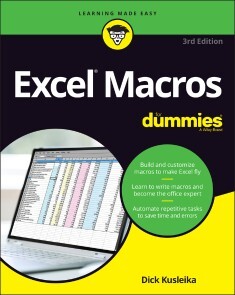
Excel Macros For Dummies
SAVE TIME AND BECOME AN EXCEL WIZARD WITH THE WORLD’S LEADING EXCEL MACRO GUIDEDo you love Excel and all the things you can do with it, but wish you could just work…faster? Excel macros—automated workflows that save you time and energy—might be just what you need. In Excel Macros For Dummies, you’ll learn over 70 of the most productive, time-saving macros in less time than it takes to back up the files on your computer! Every chapter in the book gives you practical info and exercises you can put to work immediately, alongside step-by-step instructions and guidance on how to customize Excel to fit your every need. Inside, you’ll find:* Automations that take your Excel productivity to the next level, and beyond* Fully updated macros compatible with the newest version of Excel included in Microsoft 365* Careful explanations of the basics as well as tips for the advanced userWith something for everyone, Excel Macros For Dummies is the productivity supercharger you’ve been waiting for. Grab a copy today! DICK KUSLEIKA has been helping users get the most out of Microsoft Office products for more than 25 years through online forums, blogging, books, and conferences.Introduction 1PART 1: HOLY MACRO BATMAN! 7Chapter 1: Macro Fundamentals 9Chapter 2: Getting Cozy with the Visual Basic Editor 29Chapter 3: The Anatomy of Macros 43PART 2: MAKING SHORT WORK OF WORKBOOK TASKS 57Chapter 4: Working with Workbooks 59Chapter 5: Working with Worksheets 81PART 3: ONE-TOUCH DATA MANIPULATION 107Chapter 6: Feeling at Home on the Range 109Chapter 7: Manipulating Data with Macros 129PART 4: MACRO-CHARGING REPORTS AND EMAILS 163Chapter 8: Automating Common Reporting Tasks 165Chapter 9: Sending Emails from Excel 199Chapter 10: Wrangling External Data with Macros 217PART 5: PART OF TENS 235Chapter 11: Ten Handy Visual Basic Editor Tips 237Chapter 12: Ten Places to Turn for Macro Help 247Chapter 13: Ten Ways to Speed Up Your Macros 253Index 263
Microsoft Excel 365 Bible
YOUR PERSONAL, HANDS-ON GUIDE TO THE LATEST AND MOST USEFUL FEATURES IN MICROSOFT EXCEL 365Excel 365 is Microsoft’s latest cloud-based version of its world-famous spreadsheet app. Powerful and user-friendly, it’s an ideal solution for businesses and people looking to make sense of—and draw intelligence from—their data.The Excel 365 Bible carries over the best content from the best-selling Excel 2019 Bible while reflecting how a new generation uses Excel in Excel 365. The authoring team with their decades of Excel and business intelligence experience and recognition from the Excel community as Excel MVPs delivers an accessible and authoritative roadmap to Excel 365. Interested in the basics? You’ll learn to create spreadsheets and workbooks and navigate the user interface. If you’re ready for more advanced topics you can skip right to the material on creating visualizations, crafting custom functions, and using Visual Basic for Applications to script automations.You’ll also get:* Over 900 pages of powerful tips, tricks, and strategies to unlock the full potential of Microsoft Excel 365* Guidance on how to import, manage, and analyze large amounts of data* Advice on how to craft predictions and "What-If Analyses" based on data you already havePerfect for anyone new to Excel, as well as experts and advanced users, the Excel 365 Bible is your comprehensive, go-to guide for everything you need to know about the world’s most popular, easy-to-use spreadsheet software.MICHAEL ALEXANDER is a senior consultant at Slalom Consulting with more than 15 year’s experience in data management and reporting. He is the author of more than a dozen books on business analysis using Microsoft Excel, and has been named Microsoft Excel MVP for his contributions to the Excel community.DICK KUSLEIKA has been working with Microsoft Office for more than 20 years. He was formerly a Microsoft MVP, having been awarded 12 consecutive years. Dick has written several books about Excel and Access. Introduction xxxixPART I: GETTING STARTED WITH EXCEL 1Chapter 1: Introducing Excel 3Chapter 2: Entering and Editing Worksheet Data 27Chapter 3: Performing Basic Worksheet Operations 53Chapter 4: Working with Excel Ranges and Tables 73Chapter 5: Formatting Worksheets 121Chapter 6: Understanding Excel Files and Templates 157Chapter 7: Printing Your Work 177Chapter 8: Customizing the Excel User Interface 199PART II: WORKING WITH FORMULAS AND FUNCTIONS 209Chapter 9: Introducing Formulas and Functions 211Chapter 10: Understanding and Using Array Formulas 247Chapter 11: Using Formulas for Common Mathematical Operations 271Chapter 12: Using Formulas to Manipulate Text 285Chapter 13: Using Formulas with Dates and Times 301Chapter 14: Using Formulas for Conditional Analysis 329Chapter 15: Using Formulas for Matching and Lookups 347Chapter 16: Using Formulas with Tables and Conditional Formatting 365Chapter 17: Making Your Formulas Error-Free 379PART III: CREATING CHARTS AND OTHER VISUALIZATIONS 399Chapter 18: Getting Started with Excel Charts 401Chapter 19: Using Advanced Charting Techniques 441Chapter 20: Creating Sparkline Graphics 475Chapter 21: Visualizing with Custom Number Formats and Shapes 489PART IV: MANAGING AND ANALYZING DATA 519Chapter 22: Importing and Cleaning Data 521Chapter 23: Using Data Validation 553Chapter 24: Creating and Using Worksheet Outlines 567Chapter 25: Linking and Consolidating Worksheets 577Chapter 26: Introducing PivotTables 595Chapter 27: Analyzing Data with PivotTables 617Chapter 28: Performing Spreadsheet What-If Analysis 651Chapter 29: Analyzing Data Using Goal Seeking and Solver 675Chapter 30: Analyzing Data with the Analysis ToolPak 697Chapter 31: Protecting Your Work 709PART V: UNDERSTANDING POWER PIVOT AND POWER QUERY 721Chapter 32: Introducing Power Pivot 723Chapter 33: Working Directly with the Internal Data Model 747Chapter 34: Adding Formulas to Power Pivot 757Chapter 35: Introducing Power Query 777Chapter 36: Transforming Data with Power Query 805Chapter 37: Making Queries Work Together 837Chapter 38: Enhancing Power Query Productivity 855PART VI: AUTOMATING EXCEL 867Chapter 39: Introducing Visual Basic for Applications 869Chapter 40: Creating Custom Worksheet Functions 899Chapter 41: Creating UserForms 913Chapter 42: Using UserForm Controls in a Worksheet 935Chapter 43: Working with Excel Events 949Chapter 44: Seeing Some VBA Examples 963Chapter 45: Creating Custom Excel Add-Ins 979Index 989

Games mit Roblox
* ALLES, WAS DU FÜR DEINE EIGENEN ROBLOX-SPIELE WISSEN MUSST* EINFÜHRUNG IN ROBLOX STUDIO, PROGRAMMIERUNG MIT LUA, SPIELPHYSIK, BENUTZUNGSOBERFLÄCHEN, ANIMATIONEN UND VIELES MEHR* MIT EINFACHEN SCHRITT-FÜR-SCHRITT-ANLEITUNGEN, TIPPS UND ÜBUNGSAUFGABENDER OFFIZIELLE ROBLOX-GUIDE ist der perfekte Begleiter für angehende Spieleentwickler, die Games für Roblox erstellen möchten. In diesem Buch erfährst du alles, was du brauchst, um spannende und erfolgreiche Spiele zu erstellen, die von Menschen auf der ganzen Welt gerne gespielt werden. Dafür brauchst du keine Vorkenntnisse.Leicht verständliche Schritt-für-Schritt-Anleitungen führen dich durch alle wichtigen Aufgaben bei der Spieleentwicklung mit Roblox Studio. Du lernst anhand vieler Beispiele, wie du die Möglichkeiten der kostenlosen Spiel-Engine voll ausschöpfst. Praktische Tipps helfen dir, Problemen von Anfang an aus dem Weg zu gehen und mit FAQs, Testfragen und Übungen am Ende jedes Kapitels festigst du dein Wissen.Wenn du dieses Buch gelesen hast, bist du ein echter Experte in der Roblox-Spieleentwicklung.AUS DEM INHALT:* Erste Schritte mit Roblox Studio* Einführung in die Programmierung mit Lua* Workflow bei der Spieleentwicklung* Spielphysik, Licht und Atmosphäre, Sounds und Effekte, Landschaften generieren* Models, Meshparts, Texturen und Import von Objekten* Programmierung von Spielmechanik, Animationen, Kamerabewegungen und grafischen Benutzungsoberflächen* Entwicklung für mobile Geräte und Konsolen* Geld verdienen: Consumables, einmalige Käufe, Premium-Version, neue Spieler gewinnen und WerbungFÜR PC UND MACRoblox hat die Mission, Menschen auf der ganzen Welt durch Spiele zu verbinden. Dabei ermöglicht es Roblox allen, der eigenen Fantasie freien Lauf zu lassen, etwas Neues zu erschaffen und Spaß mit Freunden zu haben, während sie Millionen von immersiven 3D-Welten erforschen. Roblox wird von einer internationalen Community von mehr als zwei Millionen Entwicklern gestaltet, die mit Roblox Studio ihre eigenen immersiven Multiplayer-Spiele erschaffen, und gehört zu den beliebtesten Online-Plattformen für Kinder und Jugendliche unter 18 Jahren, gemessen an den monatlichen Besucherzahlen und der Spielzeit (ComScore).

Smarte Services mit künstlicher Intelligenz
In diesem Buch erfährt der Leser, wie smarte Services mit künstlicher Intelligenz realisierbar sind und wie eine digitale Transformation gelingt, mit der sich die Kundenorientierung, Wettbewerbsfähigkeit, Widerstandsfähigkeit, Agilität und Nachhaltigkeit von Unternehmen verbessern lässt. Was sind smarte Services und wie sehen sie in der Praxis aus? Was beinhalten die dafür erforderlichen Komponenten Internet of Things, Data Lake und Advanced Analytics? Wofür lässt sich die künstliche Intelligenz einsetzen und wie erfolgt das in der Praxis? Wie entsteht Digital Trust? Wie lässt sich der digitale Reifegrad von Unternehmen ermitteln? Welches Vorgehen hat sich für die digitale Transformation in der Praxis bewährt? Wofür wird ein digitales Ecosystem benötigt und wie kann es aussehen? Was wird unter „New Work“ verstanden? Wie arbeiten datengetriebene Unternehmen und welche Vorteile hat das? Was ist ein Digital Use Case? Wie läuft ein Use-Case-Entwicklungs-Workshop ab? Wie lässt sich ein Digital Use Case strukturiert beschreiben? Welche interessanten, innovativen Beispiele für Digital Use Cases gibt es? Wie erfolgt ein Proof of Concept? Wie lassen sich die Kernprozesse Order to Cash (O2C), Procure to Pay (P2P), Design to Operate (D2O), Recruit to Retire (R2R) und Awareness to Advocacy (A2A) digitalisieren? Welche neuen digitalen Technologien und in ihrem Zusammenhang angewandte Verfahren existieren?DER AUTORDR.-ING. EGMONT FOTH war nach dem Studium der Informationstechnik und einer Promotion in der Nachrichtentechnik in zahlreichen Führungsfunktionen in der Industrie tätig. Seit 2017 hat er bei SPIE, dem unabhängigen europäischen Marktführer für Multitechnik-Dienstleistungen in den Bereichen Energie und Kommunikation, als Mitglied der Geschäftsleitung sowie CIO & CTO für Deutschland und Zentraleuropa den Einkauf, die Informationstechnologie, das Geschäftsprozessmanagement und die Digitalisierung verantwortet. Er ist Autor mehrerer Fachbücher und mehrfacher Preisträger der von Computerwoche und CIO-Magazin organisierten Wahl zum CIO des Jahres. 2017 gewann er mit seinem Team für SPIE den Digital Leader Award in der Kategorie "Spark Collaboration" und 2019 erhielt SPIE für die mit einem umfassenden Digital Ecosystem implementierte Digitalisierungsstrategie als Zweiter in der Kategorie "Strategy" erneut den Digital Leader Award. Eine Kontaktaufnahme mit ihm ist über seine Website www.changeprojekte.de möglich.Einleitung - Smarte Services - Digitale Transformation von Unternehmen - Digital Use Cases - Digitalisierung von Kernprozessen - Neue digitale Technologien und angewandte Verfahren - Schlusswort

Scrum Master Kompagnon
Mit agilen Teams starten, wachsen und Wirkung entfalten Scrum Master zu sein, ist nicht nur einer der herausforderndsten Jobs der Welt, sondern gleichzeitig einer der spannendsten und interessantesten. Dabei gibt es nicht den einen Tätigkeitsbereich des Scrum Masters, sondern es existieren – je nach Unternehmen und Kontext – viele verschiedene: Aufgaben als Trainer, als Coach, als Moderator, als Teammitglied und als Veränderungskraft in der Organisation. Der Scrum Master Kompagnon setzt den Fokus auf die Kernkompetenz des Scrum Masters: die Begleitung und Unterstützung eines Scrum-Teams. Dabei orientiert sich die Struktur des Buches an den typischen Entwicklungsphasen des Teams und dem Lebenszyklus der Zusammenarbeit zwischen Scrum Master und Team sowie Product Owner und Stakeholdern. Es werden relevante theoretische Modelle und Konzepte vorgestellt, die in den jeweiligen Prozessphasen hilfreich sein können, sowie ganz praktische und durchführbare Interventionen präsentiert.Die Themen im Einzelnen: Verantwortlichkeiten und Wirksamkeit als Scrum MasterGute Rahmenbedingungen für TeamarbeitTeams kennenlernen und startenTeams begleitenTeams verabschiedenOrganisationsstrukturen und -kulturPersönliche WeiterentwicklungZahlreiche Praxisbeispiele und Erfahrungsberichte sowie mehr als 20 konkrete Workshop-Designs machen das Buch zu einem unverzichtbaren Begleiter jedes Scrum Masters. Autor: Martin Heider hat über 10 Jahre Erfahrung in agiler Produktentwicklung in verschiedensten Branchen und Rollen. Er ist Co-Creator verschiedener Community-Intitiativen, wie Agile Coach Camp, Play4Agile, Coach Reflection Day sowie Agile Monday in Nürnberg. Als selbständiger Agile Coach und Trainer begleitet er Organisationen, Teams und Einzelpersonen. Ein besonderes Anliegen ist ihm die Aus- und Weiterbildung von wirkungsvollen Scrum Mastern. So war er bereits 2014 Mitbegründer der ersten berufsbegleitenden Scrum-Master-Ausbildung in Deutschland. Fabian Schiller hat über 10 Jahre Erfahrung in agiler Produktentwicklung in verschiedensten Branchen und Rollen. Derzeit arbeitet er selbständig als Coach und Trainer und berät vom 30 Mann Startup bis zum Großkonzern seine Kunden bei der Weiterentwicklung der Organisation und agiler Methoden. Er ist Sprecher auf nationalen und internationalen Konferenzen und einer der Gründer der CoReDay- (Coach Reflection Day-)Bewegung zur kontinuierlichen Weiterentwicklung von Scrum Mastern und Agile Coaches.Zielgruppe: Scrum MasterAgile CoachesTrainer*innenWorkshop-Leiter*innen
AutoCAD For Dummies
YOU’RE ONE STEP AWAY FROM CREATING CRYSTAL-CLEAR COMPUTER-AIDED DRAFTS IN AUTOCADEver started an AutoCAD project, only to give up when you couldn’t quite get the hang of it? Or do you have a project coming up that would really benefit from a few meticulously created drawings? Then you need the latest edition of AutoCAD For Dummies, the world’s bestselling retail book about the wildly popular program. With coverage of all the important updates to AutoCAD released since 2019, this book walks you through the very basics of pixels, vectors, lines, text, and more, before moving on to more advanced step-by-step tutorials on three-dimensional drawings and models. Already know the fundamentals? Then skip right to the part you need! From blocks to parametrics, it’s all right here at your fingertips. You’ll also find:* In-depth explanations of how to create and store your drawings on the web* Stepwise instructions on creating your very first AutoCAD drawing, from product installation and project creation to the final touches* An exploration of system variables you can tweak to get the best performance from AutoCADPerfect for the AutoCAD newbie just trying to find their way around the interface for the first time, AutoCAD For Dummies is also a must-read reference for the experienced user looking to get acquainted with the program’s latest features and essential drawing tips. Grab a copy today! RALPH GRABOWSKI is editor of upFront.eZine, a weekly e-newsletter that reports on the business of computer-aided design. He is the author of more than 240 books and e-books on CAD and other topics, and his renowned WorldCAD Access industry blog is widely respected in the industry.INTRODUCTION 1About This Book 2Foolish Assumptions 3Conventions Used in This Book 3Using the command line 3Using aliases 4Icons Used in This Book 4Beyond the Book 5Where to Go from Here 6PART 1: GETTING STARTED WITH AUTOCAD 7CHAPTER 1: INTRODUCING AUTOCAD AND AUTOCAD LT 9Launching AutoCAD 10Drawing in AutoCAD 11Understanding Pixels and Vectors 14The Cartesian Coordinate System 15CHAPTER 2: THE GRAND TOUR OF AUTOCAD 17Looking at AutoCAD’s Drawing Screen 18For your information 21Making choices from the Application menu 22Unraveling the Ribbon 24Getting with the Program 27Looking for Mr Status Bar 28Using Dynamic Input 28Let your fingers do the talking: The command line 29The key(board) to AutoCAD success 30Keeping tabs on palettes 34Down the main stretch: The drawing area 34Fun with F1 35CHAPTER 3: A LAP AROUND THE CAD TRACK 37A Simple Setup 38Drawing a (Base) Plate 43Taking a Closer Look with Zoom and Pan 52Modifying to Make It Merrier 53Crossing your hatches 53Now that’s a stretch 54Following the Plot 57Plotting the drawing 57Today’s layer forecast: Freezing 60CHAPTER 4: SETUP FOR SUCCESS 61A Setup Roadmap 62Choosing your units 62Weighing up your scales 65Thinking about paper 68Defending your border 69A Template for Success 69Making the Most of Model Space 72Setting your units 72Making the drawing area snap-py (and grid-dy) 73Setting linetype, text, and dimension scales 76Entering drawing properties 77Making Templates Your Own 77CHAPTER 5: A ZOOM WITH A VIEW 83Panning and Zooming with Glass and Hand 84The wheel deal 84Navigating a drawing 85Zoom, Zoom, Zoom 87A View by Any Other Name 88Degenerating and Regenerating 91PART 2: LET THERE BE LINES 93CHAPTER 6: ALONG THE STRAIGHT AND NARROW 95Drawing for Success 96Introducing the Straight-Line Drawing Commands 97Drawing Lines and Polylines 98Toeing the line 99Connecting the lines with polyline 100Squaring Off with Rectangles 105Choosing Sides with POLygon 106CHAPTER 7: DANGEROUS CURVES AHEAD 109Throwing Curves 109Going Full Circle 110Arc-y-ology 112Solar Ellipses 114Splines: Sketchy, Sinuous Curves 115Donuts: Circles with a Difference 117Revision Clouds on the Horizon 118Scoring Points 120CHAPTER 8: PRECISELINESS IS NEXT TO CADLINESS 123Controlling Precision 124Understanding the AutoCAD Coordinate Systems 127Keyboard capers: Coordinate input 128Introducing user coordinate systems 128Drawing by numbers 129Grabbing an Object and Making It Snappy 131Grabbing points with object snap overrides 132Snap goes the cursor 134Running with object snaps 135Other Practical Precision Procedures 137CHAPTER 9: MANAGE YOUR PROPERTIES 141Using Properties with Objects 142Using the ByLayer approach 142Changing properties 144Working with Layers 146Accumulating properties 148Creating new layers 149Manipulating layers 156Scaling an object’s linetype 158Using Named Objects 159Using AutoCAD DesignCenter 161CHAPTER 10: GRABBING ONTO OBJECT SELECTION 163Commanding and Selecting 164Command-first editing 164Selection-first editing 164Direct-object editing 164Choosing an editing style 165Selecting Objects 166One-by-one selection 167Selection boxes left and right 167Tying up object selection 169Perfecting Selecting 170AutoCAD Groupies 173Object Selection: Now You See It 173CHAPTER 11: EDIT FOR CREDIT 175Assembling Your AutoCAD Toolkit 175The Big Three: Move, COpy, and Stretch 178Base points and displacements 178Move 180COpy 181Copy between drawings 182Stretch 183More Manipulations 186Mirror, mirror on the monitor 186ROtate 188SCale 189-ARray 190Offset 192Slicing, Dicing, and Splicing 194TRim and EXtend 194BReak 196Fillet, CHAmfer, and BLEND 197Join 200Other editing commands 202Getting a Grip 203When Editing Goes Bad 206Dare to Compare 207CHAPTER 12: PLANNING FOR PAPER 209Setting Up a Layout in Paper Space 212The layout two-step 212Put it on my tabs 215Any Old Viewport in a Layout 216Up and down the detail viewport scales 216Keeping track of where you’re at 218Practice Makes Perfect 219Clever Paper Space Tricks 219PART 3: IF DRAWINGS COULD TALK 221CHAPTER 13: TEXT WITH CHARACTER 223Getting Ready to Write 224Creating Simply Stylish Text 226Font follies 227Get in style 228Taking Your Text to New Heights 230Plotted text height 230Calculating non-annotative AutoCAD text height 231Entering Text 232Using the Same Old Line 232Saying More in Multiline Text 235Making it with mText 235mText dons a mask 238Insert Field 239Doing a number on your mText lists 239Line up in columns — now! 242Modifying mText 243Turning On Annotative Objects 244Gather Round the Tables 247Tables have style, too 247Creating and editing tables 249Take Me to Your Leader 251Electing a leader 251Multi options for multileaders 254CHAPTER 14: ENTERING NEW DIMENSIONS 255Adding Dimensions to a Drawing 256Dimensioning the Legacy Way 257A Field Guide to Dimensions 260Self-centered 263Quick, dimension! 263Where, oh where, do my dimensions go? 264The Latest Styles in Dimensioning 266Creating dimension styles 269Adjusting style settings 271Changing styles 274Scaling Dimensions for Output 275Editing Dimensions 278Editing dimension geometry 278Editing dimension text 280Controlling and editing dimension associativity 281And the Correct Layer Is 282CHAPTER 15: DOWN THE HATCH! 283Creating Hatches 284Hatching Its Own Layer 287Using the Hatches Tab 287Scaling Hatches 290Scaling the easy way 291Annotative versus non-annotative 292Pushing the Boundaries of Hatch 292Adding style 293Hatches from scratch 294Editing Hatch Objects 296CHAPTER 16: THE PLOT THICKENS 299You Say “Printing,” I Say “Plotting” 300The Plot Quickens 300Plotting success in 16 steps 300Getting with the system 304Configuring your printer 305Preview one, two 307Instead of fit, scale it 307Plotting the Layout of the Land 309Plotting Lineweights and Colors 311Plotting with style 311Plotting through thick and thin 316Plotting in color 320It’s a (Page) Setup! 321Continuing the Plot Dialog 322The Plot Sickens 325PART 4: ADVANCING WITH AUTOCAD 327CHAPTER 17: THE ABCS OF BLOCKS 329Rocking with Blocks 330Creating Block Definitions 332Inserting Blocks 336Attributes: Fill-in-the-Blank Blocks 340Creating attribute definitions 341Defining blocks that contain attribute definitions 343Inserting blocks that contain attribute definitions 343Editing attribute values 344Extracting data 344Exploding Blocks 345Purging Unused Block Definitions 345CHAPTER 18: EVERYTHING FROM ARRAYS TO XREFS 347Arraying Associatively 349Comparing the old and new ARray commands 350Hip, hip, array! 351Associatively editing 356Going External 358Becoming attached to your xrefs 360Layer-palooza 362Editing an external reference file 362Forging an xref path 363Managing xrefs 365Blocks, Xrefs, and Drawing Organization 366Mastering the Raster 367Attaching a raster image 369Maintaining your image 370You Say PDF; I Say DWF 371Theme and Variations: Dynamic Blocks 373Now you see it 373Lights! Parameters! Actions! 377Manipulating dynamic blocks 379CHAPTER 19: CALL THE PARAMETRICS! 381Maintaining Design Intent 382Defining terms 384Forget about drawing with precision! 385Constrain yourself 386Understanding Geometric Constraints 386Applying a little more constraint 388Using inferred constraints 393You AutoConstrain yourself! 394Understanding Dimensional Constraints 395Practice a little constraint 396Making your drawing even smarter 398Using Parameters Manager 400Dimensions or constraints? Have it both ways! 403Lunchtime! 406CHAPTER 20: DRAWING ON THE INTERNET 407The Internet and AutoCAD: An Overview 407You send me 408Prepare it with eTransmit 408Rapid eTransmit 409Increasing cloudiness 411Bad reception? 411Help from Reference Manager 412The Drawing Protection Racket 413Outgoing! 414Autodesk weather forecast: Increasing cloud 414Your head planted firmly in the cloud 416AutoCAD Web and Mobile 417PART 5: ON A 3D SPREE 419CHAPTER 21: IT’S A 3D WORLD AFTER ALL 421The 3.5 Kinds of 3D Digital Models 422Tools of the 3D Trade 424Warp speed ahead 425Entering the third dimension 425Untying the Ribbon and opening some palettes 426Modeling from Above 428Using 3D coordinate input 428Using point filters 429Object snaps and object snap tracking 429Changing Work Planes 430Displaying the UCS icon 430Adjusting the UCS 431Orbit à go-go 437Taking a spin around the cube 438Grabbing the SteeringWheels 440Visualizing 3D Objects 440On a Render Bender 442CHAPTER 22: FROM DRAWINGS TO MODELS 443Is 3D for Me? 444Getting Your 3D Bearings 445Creating a better 3D template 445Seeing the world from new viewpoints 450From Drawing to Modeling in 3D 451Drawing basic 3D objects 452Gaining a solid foundation 453Drawing solid primitives 454Adding the Third Dimension to 2D Objects 455Adding thickness to a 2D object 455Extruding open and closed objects 455Pressing and pulling closed boundaries 456Lofting open and closed objects 456Sweeping open and closed objects along a path 457Revolving open or closed objects around an axis 458Modifying 3D Objects 458Selecting subobjects 459Working with gizmos 459More 3D variants of 2D commands 460Editing solids 461CHAPTER 23: IT’S SHOWTIME! 465Get the 2D Out of Here! 466A different point of view 470Additional 3D tricks 471AutoCAD’s top model 472Visualizing the Digital World 474Adding Lights 475Default lighting 475User-defined lights 476Sunlight 479Creating and Applying Materials 479Defining a Background 482Rendering a 3D Model 484CHAPTER 24: AUTOCAD PLAYS WELL WITH OTHERS 485Get Out of Here! 485Making a splash with PNG 486PDF to the rescue 488What the DWF? 4893D print 490But wait! There’s more! 491Open Up and Let Me In! 491Editing other drawing file formats 491PDF editing 491Translation, Please! 494The Importance of Being DWG 495PART 6: THE PART OF TENS 497CHAPTER 25: TEN AUTOCAD RESOURCES 499Autodesk Discussion Groups 499Autodesk’s Own Blogs 499Autodesk University 500Autodesk Channel on YouTube 500World Wide (CAD) Web 500Your Local Authorized Training Center 501Your Local User Group 501Autodesk User Groups International 502Books 502Autodesk Feedback Community 502CHAPTER 26: TEN SYSTEM VARIABLES TO MAKE YOUR AUTOCAD LIFE EASIER 503Aperture 504Dimassoc 505Menubar 505Mirrtext 505Osnapz 506Pickbox 506Rememberfolders 507Rollovertips And Tooltips 507Taskbar 508Visretain 508And the Bonus Round 508CHAPTER 27: TEN AUTOCAD SECRETS 511Sheet Sets 511Custom Tool Palettes 512Ribbon Customization 512Toolsets 512Programming Languages 512Vertical Versions 513Language Packs 513Multiple Projects or Clients 514Data Extraction and Linking 514Untying the Ribbon and Drawings 514Index 515
Einstieg in C# mit Visual Studio 2022
Ideal für ProgrammiereinsteigerC#-Programmierung leicht gemacht! An einfach nachvollziehbaren Beispielen lernen Sie alle wichtigen Themen rund um die Programmierung mit C#. Thomas Theis ist spezialisiert darauf, gerade Anfängern einen guten Einstieg zu ermöglichen. Das gelingt ihm dank anschaulicher Beispiele und klar verständlicher Sprache. Dieses Buch führt Sie von der Installation von Visual Studio 2022 zu den Sprachgrundlagen und stellt Ihnen objektorientierte Programmierung, Fehlerbehandlung, das Erstellen von Datenbankanwendungen sowie die Entwicklung von GUIs einsteigergerecht vor.Aus dem Inhalt:Einführung in Visual Studio 2022C#-SprachgrundlagenObjektorientiert programmierenGUIs entwickelnProgrammieren mit der WPFDatenbankanwendungenZeichnen mit GDI+Leseprobe (PDF)Autor:Thomas Theis, Dipl.-Ing. für Technische Informatik, verfügt über langjährige Erfahrung als EDV-Dozent, unter anderem an der Fachhochschule Aachen.