

Software
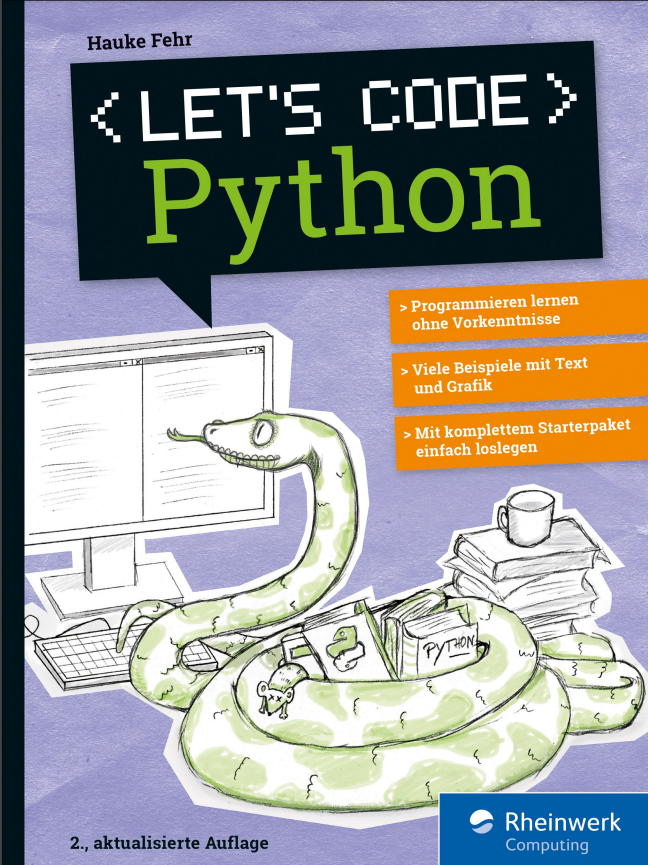
Let's code Python (2. Auflage)
Programmieren lernen mit PythonPython macht Spaß! Steige einfach ohne Vorkenntnisse ein und lerne programmieren. Schritt für Schritt, mit eigenen kleinen Programmen und Spielen, selbst gebauten Kreaturen, Grafik und mehreren Leveln. Das Buch und die besonders übersichtliche Entwicklungsumgebung TigerJython bieten Jugendlichen wie Erwachsenen viele Hilfen beim Lernen. Neue Sprachelemente werden ausführlich vorgestellt, mit farbigen Hervorhebungen und Erklärungen direkt am Code.Aus dem Inhalt: Installation und erste SchritteQuiz, Vokabeltrainer, Würfel-PokerEin Grafik-Framework benutzenDateien bearbeiten und speichernMathematische Graphen und DiagrammeSpiele nachprogrammieren: Breakout, Tic Tac Toe und mehrSelbst gebaute KreaturenMulti-Level-SpieleLeseprobe (PDF)Autor: Hauke Fehr programmiert seit über 30 Jahren mit verschiedenen Sprachen für verschiedene Zwecke. Die Wissenvermittlung liegt ihm dabei besonders am Herzen.
Git (2. Auflage)
Git gehört zum unverzichtbaren Handwerkszeug aller IT-Profis und darf in keiner Toolbox fehlen. Dabei macht es keinen Unterschied, ob Sie Konfigurationsdateien versionieren wollen, an Open-Source-Projekten mitarbeiten oder im Team komplexe Anwendungen entwickeln: Git sorgt dafür, dass Sie den Überblick behalten. Daher lernen Sie hier nicht nur, wie Sie Änderungen einchecken und fremde Repositorien klonen, sondern erfahren, wie Git Ihnen den Arbeitsalltag leichter macht. Aus dem Inhalt: Git in zehn Minuten: der SchnelleinstiegInstallation und EinrichtungGrundlagen: Repos, Commits, Branches, MergingGitLab: Projekte lokal hostenGitHub: der Marktplatz für SoftwareprojekteGitHub-Alternativen: Bitbucket, Azure DevOps Services, GitoliteArbeitstechniken: History, Feature Branches, Stashing, Hooks und mehrWorkflows: So nutzen Sie Git effektivBest Practices und TroubleshootingKommandoreferenz

C++ mit Visual Studio 2022 und Windows Forms-Anwendungen
Dieses Buch stellt C++ umfassend dar. Zahlreiche Beispiele veranschaulichen die Theorie. Dabei werden die Neuerungen von C++11, C++14 und C++17 von Anfang an integriert und ihre Vorteile gezeigt. Im Unterschied zu den allermeisten anderen C++-Büchern werden Windows-Programme mit einer grafischen Benutzeroberfläche entwickelt.Dieses Buch ist ein Lehrbuch, das sich an Studenten von Fachhochschulen und Universitäten richtet. Da es keine Vorkenntnisse voraussetzt, ist es auch zum Selbststudium geeignet. Es entstand aus zahlreichen Vorlesungen und Firmenseminaren. Der Aufbau, die Beispiele und Übungsaufgaben sind erprobt und bewährt.Und es ist gleichzeitig auch ein Fachbuch, das erfahrene C++-Programmierer auf den Stand von C++17 bringt. Es zeigt, wie die zahlreichen Neuerungen selbst elementare Programmiertechniken einfacher und sicherer machen. Dazu kommen neue Konzepte, die bessere und effizientere Lösungen als noch vor einigen Jahren ermöglichen. Viele dieser neuen Möglichkeiten sind in der industriellen Praxis noch nicht verbreitet.Übungsaufgaben ermöglichen dem Leser, das Gelernte zu vertiefen. Lösungen stehen auf www.rkaiser.de zum Download bereit.Dieses Buch erscheint in zwei weitgehend identischen Ausgaben:• In der vorliegenden Ausgabe werden Programme mit einer grafischen Benutzeroberfläche geschrieben, in denen alle Ein- und Aus-gaben über eine Windows-Benutzeroberfläche erfolgen.• In der anderen Ausgabe „C++ mit Visual Studio 2019“ (ISBN 978-3-662-594759) werden C++-Programme ohne eine grafische Benutzeroberfläche geschrieben. Alle Ein- und Ausgaben erfolgen mit cin und cout über die Konsole.Nach seinem Mathematikstudium an der Universität Tübingen war RICHARD KAISER einige Jahre in der Lehrerausbildung tätig, Trainer in der Industrie, Software-Entwickler (vor allem für technische Anwendungen) und Leiter der Software-Abteilung. Seit 1991 ist er Professor an der Dualen Hochschule Baden-Württemberg (Lörrach), wo er vor allem Vorlesungen über Programmiersprachen (C/C++/C#) und Mathematik hält. In den letzten Jahren hat er viele Seminare über C++ und C# für Firmen durchgeführt.Die Entwicklungsumgebung.- Steuerelemente für die Benutzeroberfläche.- Elementare Datentypen und Anweisungen in C und C++.- Sie Stringklassen string und wstring.- Arrays und Container.- Einfache selbstdefinierte Datentypen.- Zeiger, Strings und dynamisch erzeugte Variablen.- Überladene Funktionen und Operatoren.- Objektorientierte Programmierung.- Namensbereiche.- Exception-Handling.- Containerklassen der C++-Standardbibliothek.- Dateibearbeitung mit den Stream-Klassen.- Funktionsobjekte und Lambda-Ausdrücke.- Templates und STL.- C++11 Smart Pointer: shared_ptr, unique_ptr und weak_ptr.- Literatur.- Index.

Let's code Python
Python macht Spaß! Steige einfach in die Programmierung ein: Mit eigenen kleinen Programmen und Spielen, selbst gebauten Kreaturen, Grafik und mehreren Leveln. Mit der Entwicklungsumgebung TigerJython ist es besonders einfach, zügig loszulegen. Sie bietet viele Hilfen eigens für Anfänger und für den Fall, dass du mal einen Fehler finden musst. Ohne Vorkenntnisse lernst du Python in überschaubaren Projekten kennen. Neue Sprachelemente werden ausführlich vorgestellt, mit farbigen Hervorhebungen und Erklärungen direkt am Code. Aus dem Inhalt: Installation und erste SchritteQuiz, Vokabeltrainer, Würfel-PokerFehler finden leicht gemachtEin Grafik-Framework benutzenEin Roboter, der zeichnen kannDateien bearbeiten und speichernMathematische Graphen und DiagrammeSpiele nachprogrammieren: Breakout, Tic Tac Toe und mehrSelbst gebaute KreaturenMulti-Level-Spiele Liebe Leserin, lieber Leser, ... 2 Materialien zum Buch ... 13 1. Programme schreiben -- wie geht das? ... 15 2. Wie funktionieren Computer überhaupt? ... 19 Innenleben eines PCs ... 19 Eingabe, Verarbeitung, Ausgabe ... 20 Bits und Bytes ... 22 Prozessortakt -- wie schnell läuft mein PC? ... 24 3. Python -- die Programmiersprache ... 25 Maschinensprache -- die Muttersprache des Prozessors ... 25 Interpreter und Compiler ... 26 Python -- einfach und universell ... 27 Jython -- was ist das? ... 28 TigerJython -- deine Lernumgebung ... 29 4. TigerJython installieren -- einfacher geht's nicht ... 31 Installation unter Windows ... 31 Installation auf dem Mac ... 33 Installation unter Linux ... 35 5. Die ersten Schritte -- Python im Dialog ... 37 Direkte Befehle -- die Konsole ... 38 Ausgabe mit Zahlen ... 38 Die Syntax muss stimmen ... 43 Zeichenketten statt Zahlen ... 44 6. Variablen -- jetzt wird es flexibel ... 47 Variablennamen ... 49 Der »input«-Befehl -- Eingaben zum Verarbeiten ... 51 7. Programme schreiben -- es geht los! ... 55 Ein Programm in TigerJython eingeben ... 55 Das allererste Programm: Ein Zahlenzaubertrick ... 56 Zweites Programm: Ein Umrechner ... 58 Programme speichern ... 60 Eingabe, Verarbeitung, Ausgabe -- diesmal mit Text ... 61 Rechner mit Rest ... 62 Das magische Quadrat ... 64 Variation: Magisches Quadrat mit fester Summe ... 67 8. Bedingungen -- was passiert, wenn ...? ... 71 »if«-Abfragen in Python ... 72 »if« mit »else« ... 75 Mehrere Bedingungen verknüpfen ... 77 »elif« -- »else if« ... 78 »if« -- »else« im Überblick ... 80 Wahr und falsch beim Verknüpfen ... 82 Programm: Eintrittsprüfung ... 83 9. Befehle und Module ... 85 Was sind Module? ... 85 Das Modul »math« ... 86 Das Modul »random« ... 90 Roulette ... 91 Programm: Entscheidungshilfe ... 92 10. Schleifen -- Wiederholungen machen Programme stark ... 95 Die Zählschleife mit »repeat« ... 96 Würfeln ohne Ende ... 98 Schleifen verschachteln ... 102 Die »while«-Schleife ... 103 Würfelpoker ... 105 Klassisches Zahlenraten ... 107 Das kleine Einmaleins ... 111 Mehr Möglichkeiten für »while«-Schleifen ... 116 Primzahlentester ... 118 Das Probeverfahren ... 118 Das Schachrätsel ... 123 Zins und Zinseszins ... 125 11. Listig -- mit Listen arbeiten ... 127 Zeichenketten sind Listen ... 127 Listen in Python ... 130 Wochentag nachschlagen ... 132 Listen per Programm erzeugen ... 133 Die »for«-Schleife mit einer Liste ... 134 Mehr Befehle, Methoden und Funktionen für Listen ... 137 Ein Lottozahlen-Tipp ... 140 Das Lottospiel: Selbst tippen und gewinnen ... 144 Mehrdimensionale Listen ... 148 Zusammenfassung: Listen ... 151 12. Die Schildkröte -- ein grafischer Roboter ... 153 Die Schildkröte steuern ... 154 Weitere Turtle-Befehle ... 161 Grafik mit Koordinaten ... 165 Funktionsgraphen programmieren ... 167 Zufallsbilder erstellen ... 169 Variationen: Zufallsmuster ... 171 Eingebaute Funktionen nutzen ... 173 13. Funktionen selber schreiben ... 175 Was sind Funktionen noch mal genau? ... 175 Eigene Funktionen schreiben ... 176 Eigene Funktion »zahlwort« ... 180 Ein eigenes Modul erstellen ... 184 Zeichnen mit Funktionen ... 186 Rekursive Funktionen ... 188 14. Sound programmieren ... 193 Sound in Python abspielen ... 193 Was sind denn eigentlich Klangdateien? ... 193 WAV-Dateien abspielen ... 195 MP3-Dateien abspielen ... 196 Eigene Musik machen ... 196 Sprachsynthese -- lass den Computer sprechen! ... 198 15. Objekte programmieren ... 201 Was sind Objekte? ... 202 Objekte in Python ... 202 Klassen und Instanzen ... 205 Objekte für alles ... 210 16. Eigene Objekte definieren ... 213 Die Funktion »__init__« ... 214 Eigene Methoden definieren ... 217 Die Funktion »__str__« ... 218 Ableitung und Vererbung -- ein Supertoaster ... 221 17. gamegrid -- Spiele bauen mit Objekten ... 225 Ein Spielfeld erzeugen ... 226 Actor -- jetzt kommen die Figuren ins Spiel ... 230 Der Fisch soll leben ... 232 Spielfiguren mit Eigenleben ... 234 Das Spielfeld kontrolliert den Takt ... 237 Die Steuerungsleiste in gamegrid ... 242 18. Steuerung und Ereignisse in gamegrid ... 245 Erweiterung der Spielidee ... 249 Kollision -- Interaktion zwischen Spielfiguren ... 251 Klang hinzufügen ... 256 Ein Spiel braucht Gegner ... 257 19. Breakball -- ein neues Spiel ... 265 Das Spielprinzip ... 265 Elemente des Programms ... 266 Erster Schritt: Spielfeld und Ball ... 266 Zweiter Schritt: Das Brett ... 271 Dritter Schritt: Die Blöcke ... 275 Die Spielsteuerung ... 280 20. Space Attack -- ein Klassiker ... 287 Das Spielprinzip ... 287 Technik: Was brauchen wir? ... 287 Das Spielfeld ... 288 Das Raumschiff ... 288 Jetzt wird geschossen ... 290 Die Aliens ... 294 Erweiterungen ... 304 Weiterer Ausbau: Deine Aufgabe ... 307 21. Flappy Ball -- geschicktes Hüpfen ... 309 Die Spielidee ... 309 Benötigte Elemente ... 309 Das Spielfeld ... 310 Der Ball ... 310 Die Ballsteuerung mit der Maus ... 312 Die Balken als Spielgegner ... 315 Das Spiel erweitern und verbessern ... 321 Weitere Ideen ... 323 22. Tic Tac Toe -- Brettspiele mit gamegrid ... 325 Das Spielprinzip ... 325 Welche Elemente werden benötigt? ... 326 Das Spielfeld ... 326 Auf die Maus reagieren ... 328 Die Spielverwaltung ... 331 Ein Objekt für die Spieldaten ... 332 Erweiterungen von Tic Tac Toe ... 340 Der Computer als Gegner ... 340 Am einfachsten: Die Zufallsmethode ... 341 Cleverer: Die doppelte Prüfmethode ... 345 Echte KI: Die Minimax-Methode ... 349 23. Wie geht es weiter? ... 351 Mit TigerJython weitermachen ... 352 Andere Python-Systeme ... 354 Andere Programmiersprachen? ... 355 Index ... 357
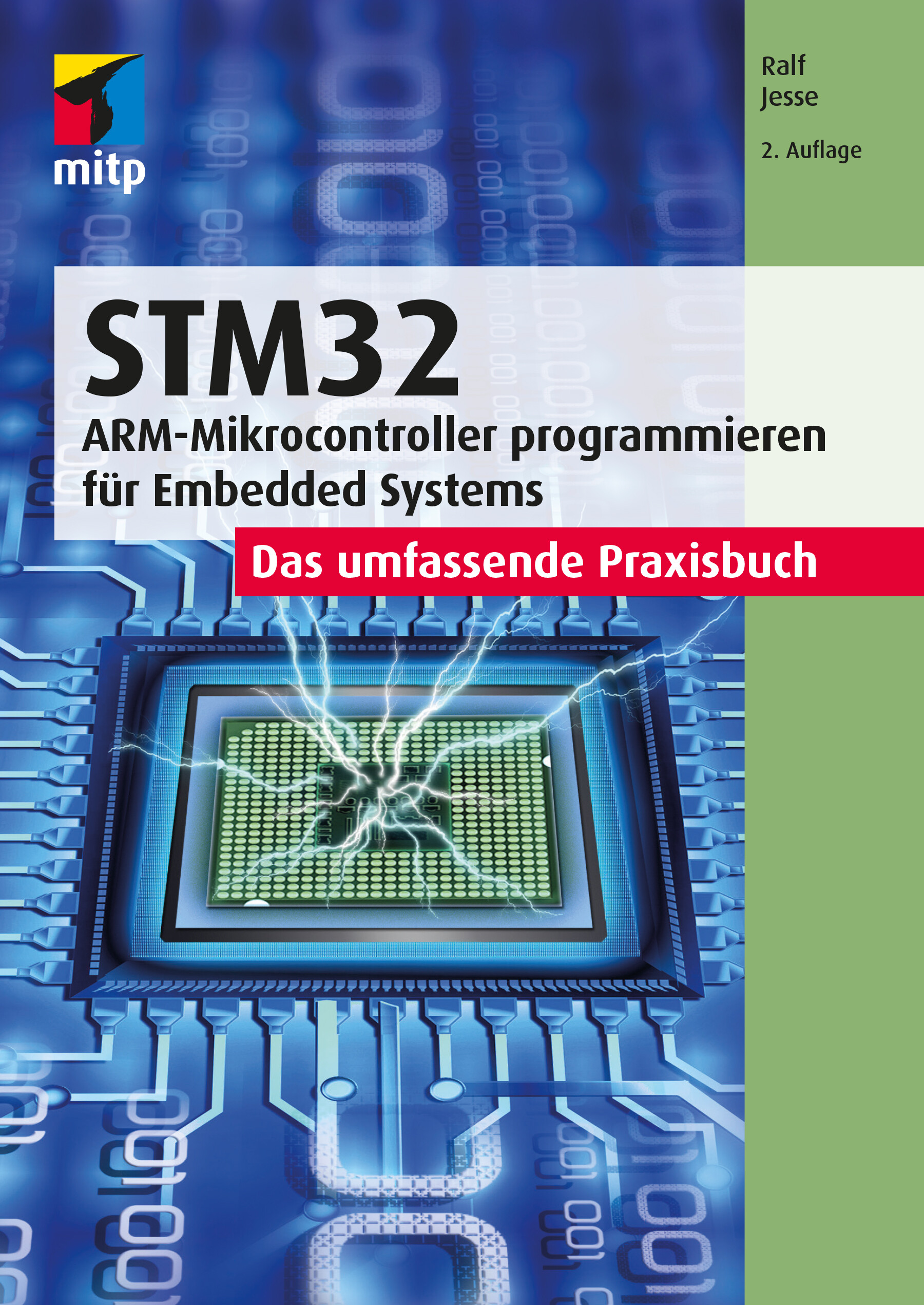
STM32 - Das umfassende Praxisbuch (2. Auflg.)
ARM-Microcontroller programmieren für Embedded Systems - Das umfassende PraxisbuchMit diesem Buch erhalten Sie einen umfassenden Praxiseinstieg für die Softwareentwicklung für Embedded Systems mit der ARM-Mikrocontrollerfamilie STM32F4xx der Firma STMicroelectronics (STM). Für die Programmierung wird die Sprache C eingesetzt.Der Autor behandelt die wichtigsten Peripherie-Komponenten, dazu gehören digitale und analoge I/O-Ports (GPIOs), Timer und Counter, serielle Schnittstellen (USARTs/UARTs, SPI und I2C), ADCs und DACs, RTC (Echtzeit-Uhr) sowie Direct Memory Access (DMA).Die Programmierung dieser Komponenten zeigt der Autor anhand einfacher praktischer Anwendungsbeispiele wie z.B. die Abfrage von Uhrzeit und Datum von einer externen RTC (über I2C) sowie deren Anzeige über SPI auf einfachen Displays. Dabei entsteht im Verlauf des Buchs eine Bibliothek, deren Funktionen für eigene Projekte auf einfache Weise eingesetzt werden können.Als Entwicklungsumgebung wird STM32CubeIDE von STM verwendet. Außerdem kommt das Evaluierungsboard NUCLEO-64 für den STM32F446 zum Einsatz. Der Autor legt Wert darauf, alles »bare-metal« zu programmieren und verzichtet darauf, die HAL-Bibliothek einzusetzen. Diese Vorgehensweise erleichtert Ihnen auch den Umstieg auf Mikrocontroller anderer Hersteller. Grundlegende Kenntnisse der Programmiersprache C werden vorausgesetzt. Dennoch wird auf einige Aspekte eingegangen, die in der Bare-metal-Programmierung von Mikrocontrollern möglicherweise wichtiger sind als in der Entwicklung herkömmlicher PC-basierter Software.Aus dem Inhalt: Typische GPIO-Anwendungen (Input/Output/Alternative Funktionen)Timer: Systick/Basic/General Purpose/Advanced Control TimerPWM: Dimmen von LEDs mit TimernA/D- und D/A-WandlungSerielle Kommunikation mit UARTs/USARTs/I2C/SPIPorterweiterung mit I2C (PCF8574)/Ansteuerung von LC-Displays7-Segment-Anzeigen über SPI (MAX7219)Einsatz einer externen Echtzeituhr (RTC) DS3231 über I2CAutor: Ralf Jesse ist Diplom-Ingenieur der Elektrotechnik mit mehr als 30 Jahren beruflicher Praxis im Einsatz von Mikroprozessoren und -controllern. Nach ersten Erfahrungen als Entwicklungsingenieur in einem Maschinenbau-Unternehmen folgten mehr als 20 Jahre als Software-Ingenieur in einem großen japanischen Konzern.
STM32
Programmierung der wichtigsten Peripherie-Komponenten des STM32F4xx-Chips Digitale und analoge I/O-Ports (GPIOs), Timer und Counter, serielle Schnittstellen (USARTs/UARTs, SPI und I2C), ADCs und DACs, Direct Memory Access (DMA) Zahlreiche praktische Anwendungsbeispiele Dieses Buch bietet einen umfassenden Praxiseinstieg in die Softwareentwicklung für Embedded Systems mit der ARM-Mikrocontrollerfamilie STM32F4xx der Firma STMicroelectronics (STM). Für die Programmierung wird die Sprache C eingesetzt. Der Autor behandelt die wichtigsten Peripherie-Komponenten, dazu gehören digitale und analoge I/O-Ports (GPIOs), Timer und Counter, serielle Schnittstellen (USARTs/UARTs, SPI und I2C), ADCs und DACs, RTC (Echtzeit-Uhr) sowie Direct Memory Access (DMA). Anhand einfacher Beispiele zeigt der Autor den praktischen Einsatz dieser Komponenten. Hierzu zählen die Abfrage von Uhrzeit und Datum von einer externen RTC (über I2C) sowie deren Anzeige über SPI auf einfachen Displays. Im Verlauf des Buchs entsteht so eine Bibliothek, deren Funktionen für eigene Projekte auf einfache Weise eingesetzt werden können. Die Beispiele werden auf dem Evaluierungsboard NUCLEO-64 mit dem STM32F446 unter Einsatz der STM32CubeIDE-Entwicklungsumgebung entwickelt und getestet. Grundlegende Kenntnisse der Programmiersprache C werden vorausgesetzt. Alle Beispiele folgen dem MISRA-C-Standard, dessen Anwendung in der Automobilindustrie vorgeschrieben ist. Dieser wird in einem separaten Kapitel vorgestellt und sorgt für gut verständlichen und somit leicht zu pflegenden Code. Der Fokus liegt auf der »baremetal«-Programmierung, was den Umstieg auf Mikrocontroller anderer Hersteller erleichtert. Auf den Einsatz der HAL-Bibliothek wird ausdrücklich verzichtet. Aus dem Inhalt: Typische GPIO-Anwendungen (Input/Output/Alternative Funktionen) Timer: Systick/Basic/General Purpose/Advanced Control Timer PWM: Dimmen von LEDs mit Timern A/D- und D/A-Wandlung Serielle Kommunikation mit UARTs/USARTs/I2C/SPI Porterweiterung mit I2C (PCF8574)/Ansteuerung von LC-Displays 7-Segment-Anzeigen über SPI (MAX7219) Einsatz einer externen Echtzeituhr (RTC) DS3231 über I2C Ralf Jesse ist Diplom-Ingenieur der Elektrotechnik mit mehr als 30 Jahren beruflicher Praxis im Einsatz von Mikroprozessoren und -controllern. Nach ersten Erfahrungen als Entwicklungsingenieur in einem Maschinenbau-Unternehmen folgten mehr als 20 Jahre als Software-Ingenieur in einem großen japanischen Konzern.

Fahrermodell zur realitätsnahen Erprobung von Handschaltgetrieben an Antriebsstrangprüfständen
Die von Daniel Trost vorgestellte Methodik ermöglicht die Erfassung und Darstellung des Fahrereinflusses auf die Belastung von Antriebsstrangkomponenten bei Versuchsfahrten. Hierfür wertet der Autor Messdaten aus Probandenstudien aus und bewertet diese im Rahmen einer nachfolgenden Dimensionsreduktion und Clusteranalyse mithilfe charakteristischer Kenngrößen. Der Einfluss des Fahrers wird durch das erstellte Fahrermodell am Prüfstand berücksichtigt, was die Realitätsnähe von Prüfstandsversuchen maßgeblich erhöht. Bewertung der Schaltqualität.- Identifizierung von Fahrertypen.- Modellbildung und Simulation.- Fahrermodell.

Python Challenges
Augment your knowledge of Python with this entertaining learning guide, which features 100 exercises and programming puzzles and solutions. Python Challenges will help prepare you for your next exam or a job interview, and covers numerous practical topics such as strings, data structures, recursion, arrays, and more.Each topic is addressed in its own separate chapter, starting with an introduction to the basics and followed by 10 to 15 exercises of various degrees of difficulty, helping you to improve your programming skills effectively. Detailed sample solutions, including the algorithms used for all tasks, are included to maximize your understanding of each area. Author MICHAEL INDEN also describes alternative solutions and analyzes possible pitfalls and typical errors.Three appendices round out the book: the first covers the Python command line interpreter, which is often helpful for trying out the code snippets and examples in the book, followed by an overview of Pytest for unit testing and checking the solutions. The last explains the O notation for estimating performance.After reading this book, you'll be prepared to take the next step in your career or tackle your next personal project. All source code is freely available for download via the Apress website.WHAT YOU WILL LEARNImprove your Python knowledge by solving enjoyable but challenging programming puzzles * Solve mathematical problems, recursions, strings, arrays and more* Manage data processing and data structures like lists, sets, maps* Handle advanced recursion as well as binary trees, sorting and searching* Gamify key fundamentals for fun and easier reinforcementWHO THIS BOOK IS FOR:Programmers, software developers who are either professionals or makers, as well as students and teachers. At least some prior experience with the Python programming is recommended.Michael Inden is an Oracle-certified Java developer with over 20 years of professional experience designing complex software systems for international companies. There, he has worked in various roles such as SW developer, SW architect, consultant, team leader, CTO, head of academy, and trainer. Currently, he is working as a freelancer.His special interests are creating high-quality applications with ergonomic GUIs, developing and solving programming puzzles, and coaching. He likes to pass on his knowledge and has led various courses and talks, both internally and externally, as well as at conferences such as JAX/W-JAX, JAX London, and Oracle Code One.Besides, he is also an author of technical books. His german books, among others "Der Weg zum Java-Profi", Java Challenge", "Python Challenge" are all published by dpunkt.verlag.1. Introduction.- Part I - Fundamentals.- 2. Mathematical Problems.- 3. Recursion.- 4. Strings.- 5. Basic Data Structures: Lists, Sets, and Dictionaries.- 6. Arrays.- Part II - More Advanced and Tricky Topics.- 7. Recursion Advanced.- 8. Binary Trees.- 9. Searching and Sorting.- 10. Conclusion and Supplementary Material.- Part III - Appendices.- Appendix A. Short Introduction to Pytest.- Appendix B. Short Introduction to Decorators.- Appendix C. Quick Start O-Notation.- Appendix D. Short Introduction to Python 3.10.- Bibliography.

Informationssicherheit
Dieses Buch erklärt die wichtigsten Fachbegriffe und Inhalte und ordnet diese den entsprechenden Bereichen zu. Einbezogen werden auch scheinbare Randgebiete, die für die Informationssicherheit ebenfalls eine Rolle spielen. So wird der Themenkomplex Safety und Privacy hinsichtlich seiner Gemeinsamkeiten und Unterschiede beleuchtet. Das Buch zeigt aktuell verwendete Angriffsmuster und wie man sich dagegen schützen kann. Schutz muss dabei sowohl auf technischer Ebene (z. B. durch den Einsatz von Kryptographie) als auch auf organisatorischer und personeller Ebene (z. B. durch entsprechende Managementsysteme und Awareness-Schulungen) erfolgen. Wie lässt sich feststellen, wie sicher Daten sind? Wie lassen sich relevante Bedrohungen finden, gegen die man sich schützen muss? Wie verlaufen Risikoanalysen?

Payara Micro Revealed
Develop, configure, and deploy Java cloud-native applications using Payara Micro. This book demystifies Java cloud-native application development using standard Microprofile APIs and covers Payara-specific features such as automatic clustering and application initialization performance improvements. You will learn how to improve startup performance by taking advantage of class data sharing, and configure cloud-native applications via standard development tools such as Maven and Gradle. The book also clarifies how to develop functionality necessary in a cloud environment, such as health checks and request tracing, using MicroProfile APIs.The book begins by showing how to develop microservices using RESTful web services, followed by how to create microservice clients using MicroProfile and the REST client API. Dependency Injection via Jakarta Context and Dependency Injection (CDI) is also covered. Various approaches to application configuration are covered as well, including property files, environment variables, and system properties. You will learn to configure fault tolerance and high availability, generate system and custom application metrics, and generate health checks to automatically improve overall application health. You will know how to trace the flow of a request across service boundaries with OpenTracing. You will be able to make future maintenance easily through generating documentation, including how to automatically update documentation as your code is updated. Additionally, you will learn how to secure cloud applications and to automatically cluster applications and improve application startup performance.WHAT YOU WILL LEARN* Develop microservices using standard Java APIs* Implement cloud functionality such as request tracing and health checks* Deploy applications as thin archives and as uber archives* Configure applications via Maven and Gradle* Generate custom metrics for capacity planning and proactive discovery of issues* Implement features in support of high availability and fault tolerance* Secure your applications with Jason Web Tokens* Take advantage of Payara’s own cloud platform for easy deploymentWHO THIS BOOK IS FORJava developers who wish to develop cloud-native applications and microservices, and Java EE application developers who wish to transition to developing cloud-native applications that are lightweight and easily deployedDAVID HEFFELFINGER is an independent consultant at Ensode Technology, LLC (ensode.com). He has authored several books on Jakarta EE and related technologies. He is a frequent speaker at tech conferences such as JavaOne and Oracle Code One. David has served on the JavaOne content committee on multiple occasions. He was named one of 39 Java leaders and experts to follow on Twitter, where you can find him under the handle @ensode.1. Jakarta EE, MicroProfile, Payara, and the Cloud2. Developing Microservices using Payara Micro3. Developing Microservice Clients4. Contexts and Dependency Injection5. Application Configuration6. Metrics7. High Availability and Fault Tolerance8. Health Checks9. Request Tracing10. Documenting Web Services11. Security with Jason Web Tokens12. Payara Micro Specific Features13. Payara Cloud

Develop and Operate Your LoRaWAN IoT Nodes
LoRaWAN has developed excellently as a communication solution in the IoT. The Things Network (TTN) has contributed to this. The Things Network was upgraded to The Things Stack Community Edition (TTS (CE)). The TTN V2 clusters were closed towards the end of 2021.In this book, I will show you the necessary steps to operate LoRaWAN nodes using TTS (CE) and maybe extend the network of gateways with an own gateway. Meanwhile, there are even LoRaWAN gateways suitable for mobile use with which you can connect to the TTN server via your cell phone.I present several commercial LoRaWAN nodes and new, low-cost and battery-powered hardware for building autonomous LoRaWAN nodes.Registering LoRaWAN nodes and gateways in the TTS (CE), providing the collected data via MQTT and visualization via Node-RED, Cayenne, Thingspeak, and Datacake enable complex IoT projects and completely new applications at very low cost.This book will enable you to provide and visualize data collected with battery-powered sensors (LoRaWAN nodes) wirelessly on the Internet. You will learn the basics for smart city and IoT applications that enable, for example, the measurement of air quality, water levels, snow depths, the determination of free parking spaces (smart parking), and the intelligent control of street lighting (smart lighting), among others.Dr. Claus Kühnel studied information technology at the Technical University of Dresden. He has developed embedded systems for laboratory diagnostic devices, among others. In this interdisciplinary field he came in touch with the maker scene. Passionate about new technologies around microcontrollers, he is the author of numerous articles and books on microcontroller hardware and software in Germany and abroad.

Cryptography and Cryptanalysis in Java
Here is your in-depth guide to cryptography and cryptanalysis in Java. This book includes challenging cryptographic solutions that are implemented in Java 17 and Jakarta EE 10. It provides a robust introduction to Java 17's new features and updates, a roadmap for Jakarta EE 10 security mechanisms, a unique presentation of the "hot points" (advantages and disadvantages) from the Java Cryptography Architecture (JCA), and more.The book dives into the classical simple cryptosystems that form the basis of modern cryptography, with fully working solutions (encryption/decryption operations). Pseudo-random generators are discussed as well as real-life implementations. Hash functions are covered along with practical cryptanalysis methods and attacks, asymmetric and symmetric encryption systems, signature and identification schemes.The book wraps up with a presentation of lattice-based cryptography and the NTRU framework library. Modern encryption schemes for cloud and big data environments (homomorphic encryption and searchable encryption) also are included. After reading and using this book, you will be proficient with crypto algorithms and know how to apply them to problems you may encounter.WHAT YOU WILL LEARN* Develop programming skills for writing cryptography algorithms in Java* Dive into security schemes and modules using Java* Explore “good” vs “bad” cryptography based on processing execution times and reliability* Play with pseudo-random generators, hash functions, etc.* Leverage lattice-based cryptography methods, the NTRU framework library, and moreWHO THIS BOOK IS FORThose who want to learn and leverage cryptography and cryptanalysis using Java. Some prior Java and/or algorithm programming exposure is highly recommended.STEFANIA LOREDANA NITA, PhD, is a software developer at the Institute of Computer Science of the Romanian Academy and a PhD with her thesis on advanced cryptographic schemes using searchable encryption and homomorphic encryption. She has served more than two years as an assistant lecturer at the University of Bucharest where she taught courses on subjects such as advanced programming techniques, simulation methods, and operating systems. She has authored and co-authored more than 15 work papers for conferences and journals, and has authored two books on he Haskell programming language. She is a lead guest editor for special issues on information security and cryptography such as advanced cryptography and its future: searchable and homomorphic encryption. She holds an MSc in software engineering and two BSc in computer science and mathematics.MARIUS IULIAN MIHAILESCU, PhD is CEO at Dapyx Solution Ltd., a company based in Bucharest, Romania. He is involved in information security- and cryptography-related research projects. He is a lead guest editor for applied cryptography journals and a reviewer for multiple publications with information security and cryptography profiles. He authored and co-authored more than 30 articles for conference proceedings, 25 articles in journals, and three books. For more than six years he has served as a lecturer at well-known national and international universities (University of Bucharest, “Titu Maiorescu” University, Kadir Has University in, Istanbul, Turkey). He has taught courses on programming languages (C#, Java, C++, Haskell), and object-oriented system analysis and design with UML, graphs, databases, cryptography, and information security. He served for three years as IT officer at Royal Caribbean Cruises Ltd. where he dealt with IT infrastructure, data security, and satellite communications systems. He received his PhD in 2014 and his thesis was on applied cryptography over biometric data. He holds two MSc in information security and software engineering.Chapter 01 – IntroductionChapter 02 – JDK 17: Java 17 New FeaturesChapter 03 – Road to Jakarta EE10 and Security MechanismsChapter 04 – Java Cryptography Architecture (java.security.*)Chapter 05 – Classical Cryptography5.1. Some Simple Cryptosystems5.1.1. Shift Cipher (Caesar)5.1.2. Substitution Cipher5.1.3. Affine Cipher5.1.4. Vigenere Cipher5.1.5. Hill Cipher5.1.6. Transposition Cipher5.1.7. Columnar Transposition Cipher5.1.8. Rail Fence Cipher5.1.9. Stream Ciphers5.2. Cryptanalysis5.2.1. Cryptanalysis of Caesar5.2.2. Cryptanalysis of Affine Cipher5.2.3. Cryptanalysis of Substitution Cipher5.2.4. Cryptanalysis of Vigenere Cipher5.2.5. Known Plaintext Attack on the Hill CipherChapter 06. Formal Techniques for Cryptography6.1. Galois Fields6.2. Elliptic CurvesChapter 07. Pseudo-random GeneratorsChapter 08. Hash Functions8.1. MessageDigest Java Class8.2. Common Hash Functions8.2.1. SHA-3 Keccak Hash Functions8.2.2. SHA-2 Cryptography Hash Functions Family8.2.2.1. SHA-5128.2.2.2. SHA-384 8.2.2.3. SHA-2568.2.2.4. SHA-2248.2.3. MD Hash Functions8.2.3.1. MD28.2.3.2. MD48.2.3.3. MD5 8.2.3.4. MD68.2.4. RIPEMD8.2.5. SWIFT8.2.6. WHIRLPOOL8.2.7. BLAKE8.2.8. Collisions Hash Functions 8.2.9. Birthday AttackChapter 09 – Symmetric Encryption Algorithms9.1. Case Study: The Data Encryption Standard (DES)9.1.1. Linear and Differential Cryptanalysis for DES9.2. Advanced Encryption Standard (AES)Chapter 10 – Asymmetric Encryption Schemes10.1. RSA10.2. El Gamal10.3. Merkle-Hellman Knapsack System10.4. McEliece SystemChapter 11 – Signature Schemes11.1. Digital Signature Standard11.2. El Gamal Signature 11.3. Undeniable SignaturesChapter 12 – Identification SchemesChapter 13 – Lattice-based Cryptography and NTRUChapter 14 – Modern/Advanced Encryption Schemes14.1. Homomorphic Encryption14.2. Searchable EncryptionChapter 15 – Cryptography Tools

The Definitive Guide to Security in Jakarta EE
Refer to this definitive and authoritative book to understand the Jakarta EE Security Spec, with Jakarta Authentication & Authorization as its underlying official foundation. Jakarta EE Security implementations are discussed, such as Soteria and Open Liberty, along with the build-in modules and Jakarta EE Security third-party modules, such as Payara Yubikey & OIDC, and OmniFaces JWT-Auth.The book discusses Jakarta EE Security in relation to SE underpinnings and provides a detailed explanation of how client-cert authentication over HTTPS takes place, how certifications work, and how LDAP-like names are mapped to caller/user names. General (web) security best practices are presented, such as not storing passwords in plaintext, using HTTPS, sanitizing inputs to DB queries, encoding output, and explanations of various (web) attacks and common vulnerabilities are included.Practical examples of securing applications discuss common needs such as letting users explicitly log in, sign up, verify email safely, explicitly log in to access protected pages, and go direct to the log in page. Common issues are covered such as abandoning an authentication dialog halfway and later accessing protected pages again.WHAT YOU WILL LEARN* Know what Jakarta/Java EE security includes and how to get started learning and using this technology for today's and tomorrow's enterprise Java applications* Secure applications: traditional server-side web apps built with JSF (Faces) as well as applications based on client-side frameworks (such as Angular) and JAX-RS* Work with the daunting number of security APIs in Jakarta EE* Understand how EE security evolvedWHO THIS BOOK IS FORJava developers using Jakarta EE and writing applications that need to be secured (every application). Basic knowledge of Servlets and CDI is assumed. Library writers and component providers who wish to provide additional authentication mechanisms for Jakarta EE also will find the book useful.ARJAN TIJMS was a JSF (JSR 372) and Security API (JSR 375) EG member, and is currently project lead for a number of Jakarta projects, including Jakarta- Security, Authentication, Authorization, and Faces and Expression Language. He is the co-creator of the popular OmniFaces library for JSF that was a 2015 Duke’s Choice Award winner, and is the author of two books: The Definitive Guide to JSF- and Pro CDI 2 in Java EE 8. Arjan holds an MSc degree in computer science from the University of Leiden, The Netherlands. He has been involved with Jakarta EE Security since 2010, has created a set of tests that most well-known vendors use (IBM, Oracle, Red Hat) to improve their offerings, was part of the JSR 375 (EE Security) EG, and has been the main architect of the security API and its initial RI implementation Soteria. Arjan has also written and certified the MicroProfile JWT implementation for Payara. He was mentored by Sun's (later Oracle's) security expert Ron Monzillo. He wrote a large series of blog posts about EE Security that have attracted a lot of views.WERNER KEIL is a cloud architect, Eclipse RCP, and a microservice expert for a large bank. He helps Global 500 Enterprises across industries and leading IT vendors. He worked for over 30 years as an IT manager, PM, coach, and SW architect and consultant for the finance, mobile, media, transport, and public sectors. Werner develops enterprise systems using Java, Java/Jakarta EE, Oracle, IBM, Spring or Microsoft technologies, JavaScript, Node, Angular, and dynamic or functional languages. He is a Committer at Apache Foundation, and Eclipse Foundation, a Babel Language Champion, UOMo Project Lead, and active member of the Java Community Process in JSRs such as 321 (Trusted Java), 344 (JSF 2.2), 354 (Money, also Maintenance Lead), 358/364 (JCP.next), 362 (Portlet 3), 363 (Unit-API 1), 365 (CDI 2), 366 (Java EE 8), 375 (Java EE Security), 380 (Bean Validation 2), and 385 (Unit-API 2, also Spec Lead), and was the longest serving Individual Member of the Executive Committee for nine years in a row until 2017. Werner is currently the Community representative in the Jakarta EE Specification Committee. He was among the first five Jakarta EE Ambassadors when it was founded as Java EE Guardians, and is a member of its Leadership Council.TEO BAIS is a Software Development Manager, Scrum Master, and Programmer who contributes to the prosperity of the (software) community in several ways. He is the founder and leader of Utrecht Java User Group, which counts over 2600 members and has hosted over 45 events and amazing speakers (among others, James Gosling, Uncle Bob, and over 20 Java Champions), and is running 3 programs: Devoxx4kids, Speaker Incubator and uJCP. Teo served JSR-385 (JSR of the Year 2019) as an EG Member and was nominated as JCP Participant of the Year in 2019. Teo Bais enjoys sharing his knowledge as a public speaker to help others achieve their goals in career and life.1: Security History2: Jakarta EE Foundations3: Jakarta Authentication4: Jakarta Authorization5: Jakarta Security6: Java SE Underpinnings7: EE Implementations8: MicroProfile JWTAppendix A: Spring SecurityAppendix B: Apache ShiroAppendix C: Identity Management

ALT LibreOffice 24 - Praxiswissen für Ein- und Umsteiger
Einfacher Einstieg in die kostenlose Alternative zu Microsoft Office Textverarbeitung, Tabellenkalkulation, Datenbankverwaltung, Präsentations- und Zeichenprogramm Schritt für Schritt erklärt Mit praxisnahen Beispielen zum besseren Verständnis Das freie und kostenlose Bürosoftware-Paket LibreOffice 7.3 bietet Ihnen alles, was Sie auch mit anderen gängigen Office-Paketen machen können. Mit diesem Buch erhalten Sie als Ein- oder Umsteiger einen umfassenden Überblick über alle wichtigen und praxisrelevanten Programmfunktionen. Der Autor Winfried Seimert zeigt Ihnen anhand vieler Beispiele die verschiedenartigen Anwendungsmöglichkeiten aller LibreOffice-Programme: Textdokumente mit Writer verfassen, Tabellenkalkulationen mit Calc, Präsentationen mit Impress, Zeichnungen mit Draw und Datenverwaltung mithilfe von Base. So lernen Sie wichtige Einsatzbereiche von LibreOffice kennen wie zum Beispiel Briefe formatieren, Formeln darstellen, Diagramme und Präsentationsfolien erstellen sowie eine Adress-Datenbank füttern und abfragen. Alle Dateien in den verbreiteten Formaten anderer Office-Programme wie Word, Excel und Co. lassen sich mit LibreOffice öffnen, bearbeiten und abspeichern, so dass Sie problemlos mit diesen Dateien arbeiten können. Mit dem Wissen aus diesem Buch wird Ihnen die tägliche Arbeit mit LibreOffice leichtfallen.Aus dem Inhalt: Basiswissen LibreOffice Textdokumente mit Writer Tabellenkalkulationen mit Calc Präsentationen mit Impress Formeln mit Math Zeichnungen mit Draw Datenbanken mit Base Winfried Seimert ist IT-Dozent, Consultant und Autor zahlreicher Fachbücher insbesondere zu den Themen Software und Betriebssysteme. Dabei hat er immer den Komfort des Anwenders im Blick und erklärt entsprechend praxisnah. So erfreuen sich seine Bücher aufgrund ihrer durchdachten Struktur bereits seit Mitte der neunziger Jahre großer Beliebtheit.DE Winfried Seimert ist IT-Dozent, Consultant und Autor zahlreicher Fachbücher insbesondere zu den Themen Software und Betriebssysteme. Dabei hat er immer den Komfort des Anwenders im Blick und erklärt entsprechend praxisnah. So erfreuen sich seine Bücher aufgrund ihrer durchdachten Struktur bereits seit Mitte der neunziger Jahre großer Beliebtheit.

Kerberos
FRAGEN ZU KERBEROS? HIER GIBT ES ANTWORTEN! * Das deutsche Standardwerk zu Kerberos * Seit Jahren bewährt und vielerorts im Einsatz * Komplett überarbeitete zweite Auflage * Als Begleitliteratur für Schulungen und fürs Selbststudium geeignet Wer als Administrator eine heterogene Netzwerkumgebung mit einheitlicher Benutzerverwaltung betreiben soll, kommt an Netzwerkdiensten wie LDAP und Kerberos nicht vorbei. Dieses Buch behandelt zunächst die theoretischen Grundlagen von Kerberos und erklärt dabei auch fortgeschrittene Themen wie PKINIT, FAST, Principal-Aliase, KDC-Referrals und die aus Microsofts Active Directory bekannten Erweiterungen Protocol Transition und Constrained Delegation. Die darauf folgenden Praxiskapitel beschreiben den Aufbau und die Verwaltung von Kerberos in Linux- und Windows-Infrastrukturen. Außerdem werden die Integration von Linux-Betriebssystemen und Einbindung grundlegender Netzwerkdienste unter Linux erläutert. Dabei werden auch folgende Themengebiete im Hinblick auf Kerberos behandelt: - LDAP - NFSv4 - SMB (Samba) - Web-Technologien (Apache Webserver, Squid Webproxy, Keycloak) - PKINIT und Smartcards - Zweifaktor-Authentisierung mit Kerberos - Kerberos in Microsoft Active Directory (AD) - Kerberos in Samba 4 - Kerberos in FreeIPA - Kerberos in Hadoop-Umgebungen (Secure Mode) - Linux-AD-Integration Für eine erfolgreiche Einführung von Kerberos ist das Verständnis seiner Funktionsweise unerlässlich. Dieses Verständnis ist gleichermaßen für die "Kerberisierung", also die Einbindung Kerberos-fähiger Anwendungen, notwendig. Aus diesem Grund werden die theoretischen Themen sehr gründlich behandelt. Um das theoretisch Gelernte schnell umzusetzen und selbst auszuprobieren, beschreibt das Buch außerdem eine konkrete Beispielumgebung, die auf CentOS 8, Windows 10 und Windows Server 2019 basiert. Die 2. Auflage wurde komplett überarbeitet und enthält folgende neue Themen: Squid Webproxy, Web Single Sign-on mit Keycloak, Zweifaktor-Authentisierung, FreeIPA, Samba 4, Kerberos bei Hadoop.
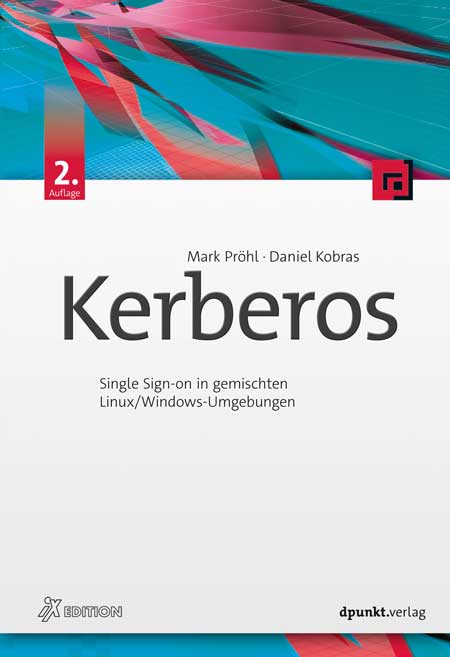
Kerberos (2. Auflage)
Single Sign-on in gemischten Linux/Windows-UmgebungenWer als Administrator eine heterogene Netzwerkumgebung mit einheitlicher Benutzerverwaltung betreiben soll, kommt an Netzwerkdiensten wie LDAP und Kerberos nicht vorbei.Dieses Buch behandelt zunächst die theoretischen Grundlagen von Kerberos und erklärt dabei auch fortgeschrittene Themen wie PKINIT, FAST, Principal-Aliase, KDC-Referrals und die aus Microsofts Active Directory bekannten Erweiterungen Protocol Transition und Constrained Delegation.Die darauf folgenden Praxiskapitel beschreiben den Aufbau und die Verwaltung von Kerberos in Linux- und Windows-Infrastrukturen. Außerdem werden die Integration von Linux-Betriebssystemen und Einbindung grundlegender Netzwerkdienste unter Linux erläutert. Dabei werden auch folgende Themengebiete im Hinblick auf Kerberos behandelt:Verzeichnisdienst LDAPDateidienste NFSv4 und SMB (Samba)Web-Dienste (Apache, Squid)Kerberos in Verbindung mit Web Single Sign-on (Keycloak)PKINIT und SmartcardsZweifaktor-Authentisierung mit KerberosKerberos in Microsoft Active Directory (AD), Samba 4 und FreeIPALinux-AD-IntegrationFür eine erfolgreiche Einführung von Kerberos ist das Verständnis seiner Funktionsweise unerlässlich. Dieses Verständnis ist gleichermaßen für die »Kerberisierung«, also die Einbindung Kerberos-fähiger Anwendungen, notwendig. Aus diesem Grund werden die theoretischen Themen sehr gründlich behandelt.Um das theoretisch Gelernte schnell umzusetzen und selbst auszuprobieren, beschreibt das Buch außerdem eine konkrete Beispielumgebung, die auf CentOS 8, Windows 10 und Windows Server 2019 basiert.Die 2. Auflage wurde komplett überarbeitet und enthält folgende neue Themen: Squid Webproxy, Web Single Sign-on mit Keycloak, Zweifaktor-Authentisierung, FreeIPA, Samba 4.Autoren:Mark Pröhl und Daniel Kobras sind als IT-Berater bei Puzzle ITC Deutschland tätig. Neben manch anderem beruflichen Steckenpferd wie Automatisierung, Container-Plattformen oder Dateidiensten landen sie doch stets wieder beim gemeinsamen Thema Kerberos und Single Sign-on, vor allem in heterogenen Umgebungen. Seit weit mehr als einem Jahrzehnt teilen sie ihr Wissen dazu auch regelmäßig in Schulungen und Workshops.
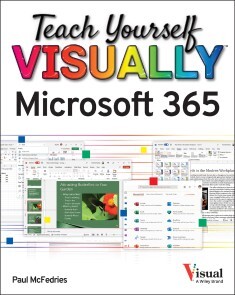
Teach Yourself VISUALLY Microsoft 365
A FAST-PACED, USEFUL, AND EASY INTRODUCTION TO MICROSOFT 365For those who need the show as well as the tell, Teach Yourself VISUALLYMicrosoft 365 is the visual walkthrough to Microsoft’s latest suite of office products that will get you up-to-speed faster than any other resource on the market. This book offers image- and screenshot-rich tutorials alongside step-by-step instructions so you can see what you need to do to make the most of Microsoft 365. From getting a grip on the most basic Microsoft 365 functions to the advanced, new features known only by power users, the book provides you with the tools you need to make your work more streamlined and efficient. You’ll also get:* Up to date—and visually supported—guidance on the major Office apps that are part of Microsoft 365: Word, Excel, PowerPoint, Outlook, and Access* Full-color, two-page tutorials that get you up and running fast* Easy-to-read instructions and stepwise advice to accompany the informative and crystal-clear imagesIdeal for people using Microsoft 365 for the very first time, Teach Yourself VISUALLY Microsoft 365 is also a can’t-miss resource for long-time users of the software suite who need an introduction to the latest version and Office veterans seeking a refresher on what Microsoft 365 is capable of. PART I MICROSOFT 365 FEATURESCHAPTER 1 MICROSOFT 365 BASICSStart and Exit Microsoft 365 Apps 4Explore the App Window 6Work with Backstage View 7Change the Color Scheme 8Search for a Ribbon Command 10Work with the Ribbon 12Customize the Quick Access Toolbar 14Using a Microsoft 365 App with a Touch Screen 16CHAPTER 2 WORKING WITH FILESCreate a New File 18Save a File 20Open a File 22Print a File 24Select Data 26CHAPTER 3 MICROSOFT 365 GRAPHICS TOOLSInsert a Picture from Your PC 28Insert an Online Picture 30Resize and Move Graphic Objects 32Understanding Graphics Modification Techniques 34CHAPTER 4 WORKING WITH MICROSOFT 365 FILES ONLINEMicrosoft 365 and the Cloud 36Sign In to Microsoft 365 38Share a Document from Microsoft 365 40Sign In to OneDrive 42Using an Online App in OneDrive 44Open a Document in a Desktop App from OneDrive 46Upload a Document to OneDrive 48Share a Document Using OneDrive 50PART II WORDCHAPTER 5 ADDING TEXTChange Word’s Views 54Type and Edit Text 56Insert Quick Parts 58Insert Symbols 60CHAPTER 6 FORMATTING TEXTChange the Font, Size, and Color 62Align Text 66Set Line Spacing 67Indent Text 68Set Tabs 70Set Margins 72Create Lists 74Copy Formatting 76Clear Formatting 77Format with Styles 78Using a Template 80CHAPTER 7 ADDING EXTRA TOUCHESInsert an Online Video 82Assign a Theme 84Add Borders 86Create Columns 88Insert a Table 90Apply Table Styles 92Insert Table Rows or Columns 93Add Headers and Footers 94Insert Footnotes and Endnotes 96CHAPTER 8 REVIEWING DOCUMENTSWork in Read Mode View 98Find and Replace Text 102Navigate Document Content 104Check Spelling and Grammar 106Customize AutoCorrect 108Using Word’s Thesaurus and Dictionary 110Translate Text 112Track and Review Document Changes 114Lock and Unlock Tracking 116Combine Reviewers’ Changes 118Work with Comments 120PART III EXCELCHAPTER 9 BUILDING SPREADSHEETSEnter Cell Data 124Select Cells 126Using AutoFill for Faster Data Entry 128Turn On Text Wrapping 130Center Data Across Columns 131Adjust Cell Alignment 132Change the Font and Size 134Change Number Formats 136Increase or Decrease Decimals 137Add Cell Borders and Shading 138Format Data with Styles 140Apply Conditional Formatting 142Insert Rows and Columns 144Resize Columns and Rows 146Freeze Column and Row Titles On‐Screen 147Name a Range 148Clear or Delete Cells 150CHAPTER 10 WORKSHEET BASICSAdd a Worksheet 152Rename a Worksheet 153Change Page Setup Options 154Move or Copy Worksheets 156Delete a Worksheet 157Find and Replace Data 158Create a Table 160Filter or Sort Table Information 162Analyze Data Quickly 164Understanding Data Analysis Choices 165Insert a Note 166CHAPTER 11 WORKING WITH FORMULAS AND FUNCTIONSUnderstanding Formulas 168Create a Formula 170Apply Absolute and Relative Cell References 172Understanding Functions 174Insert a Function 176Total Cells with AutoSum 178CHAPTER 12 WORKING WITH CHARTSCreate a Chart 180Move and Resize Charts 182Change the Chart Type 184Change the Chart Style 185Change the Chart Layout 186Add Chart Elements 187Format Chart Elements 188Change the Chart Data 189Using Sparklines to View Data Trends 190Understanding PivotTables 192Create a PivotTable 194Create a PivotChart 196Insert a PivotTable Slicer 198PART IV POWERPOINTCHAPTER 13 CREATING A PRESENTATIONCreate a New Presentation 202Create a Photo Album Presentation 204Change PowerPoint Views 206Insert Slides 208Change the Slide Layout 210Change the Slide Size 212CHAPTER 14 POPULATING PRESENTATION SLIDESAdd and Edit Slide Text 214Change the Font, Size, and Color 216Apply a Theme 220Set Line Spacing 221Align Text 222Add a Text Box to a Slide 223Add a Table to a Slide 224Add a Chart to a Slide 226Add a Video Clip to a Slide 228Move a Slide Object 230Resize a Slide Object 231CHAPTER 15 ASSEMBLING AND PRESENTING A SLIDESHOWReorganize Slides 232Reuse a Slide 234Organize Slides into Sections 236Define Slide Transitions 238Add Animation Effects 240Create a Custom Animation 242Record Narration 244Insert a Background Song 245Create Speaker Notes 246Rehearse a Slideshow 248Run a Slideshow 250PART V ACCESSCHAPTER 16 DATABASE BASICSUnderstanding Database Basics 256Create a Database Based on a Template 258Create a Blank Database 260Create a New Table 262Change Table Views 264Add a Field to a Table 266Delete a Field from a Table 267Hide a Field in a Table 268Move a Field in a Table 269Create a Form 270Change Form Views 272Move a Field in a Form 273Delete a Field in a Form 274Format Form Fields 275CHAPTER 17 ADDING, FINDING, AND QUERYING DATAAdd Records to a Table 276Add a Record Using a Form 278Navigate Records Using a Form 280Search for a Record Using a Form 281Delete a Record from a Table 282Delete a Record Using a Form 283Sort Records 284Filter Records 286Perform a Simple Query 288Create a Report 292PART VI OUTLOOKCHAPTER 18 ORGANIZING WITH OUTLOOKNavigate in Outlook 298Schedule an Appointment 300Create a New Contact 302Create a New Task 304Add a Note 306Customize the Navigation Bar 308Peek at Appointments and Tasks 310CHAPTER 19 E-MAILING WITH OUTLOOKCompose and Send a Message 312Send a File Attachment 314Read an Incoming Message 315Reply to or Forward a Message 316Add a Sender to Your Outlook Contacts 318Delete a Message 319Screen Junk E‐Mail 320Create a Message Rule 322Index 324
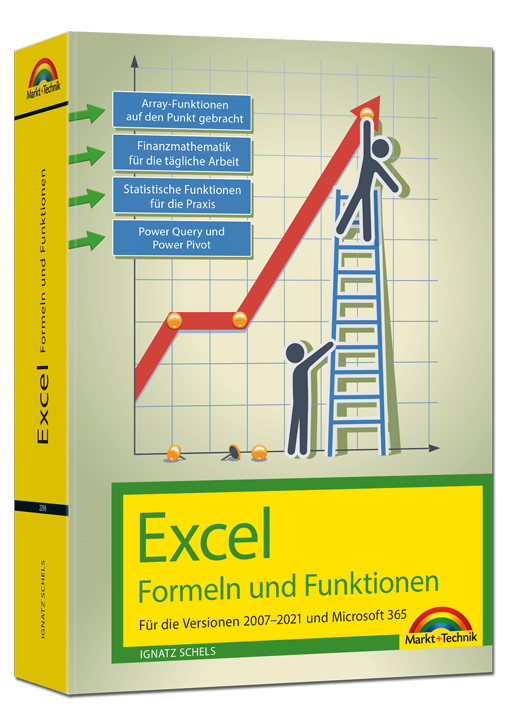
Excel 2021 – Formeln und Funktionen
Für die Versionen 2007-2021 und Microsoft 365Dieses umfassende Handbuch hält auch in der aktuellen Neuauflage eine erstklassige Sammlung von Formeln, Funktionen und Tipps für engagierte Excel-User bereit und ist für alle Excel-Versionen ab 2007 und Microsoft 365 bestens geeignet. Ob Sie komplexe Was-wäre-wenn-Analysen durchführen, mehrere Diagrammtypen kombinieren oder mit Steuerelementen und Formularen arbeiten: Die jeweilige Formel oder Funktion wird verständlich erklärt und anhand gut nachvollziehbarer Praxisbeispiele veranschaulicht.Zudem werden die neuen und geänderten Funktionen von Excel 2019 sowie 2021 sowie Microsoft 365 detailliert vorgestellt und erleichtern Ihnen damit den Umstieg auf die aktuelle Version.Autor: Ignatz Schels ist Technik-Informatiker und zertifizierter Projekt-Fachmann (GPM/IPMA). Er leitet IT-Spezialseminare mit den Schwerpunkten "Excel und Access im Controlling und Projektmanagement" und "VBA-Programmierung". Sein Spezialgebiet ist die Optimierung von Unternehmensprozessen im ERP- und Microsoft Office-Umfeld. Mit über 50 Fachbüchern, darunter einige Bestseller, ist er einer der erfolgreichsten IT-Autoren.
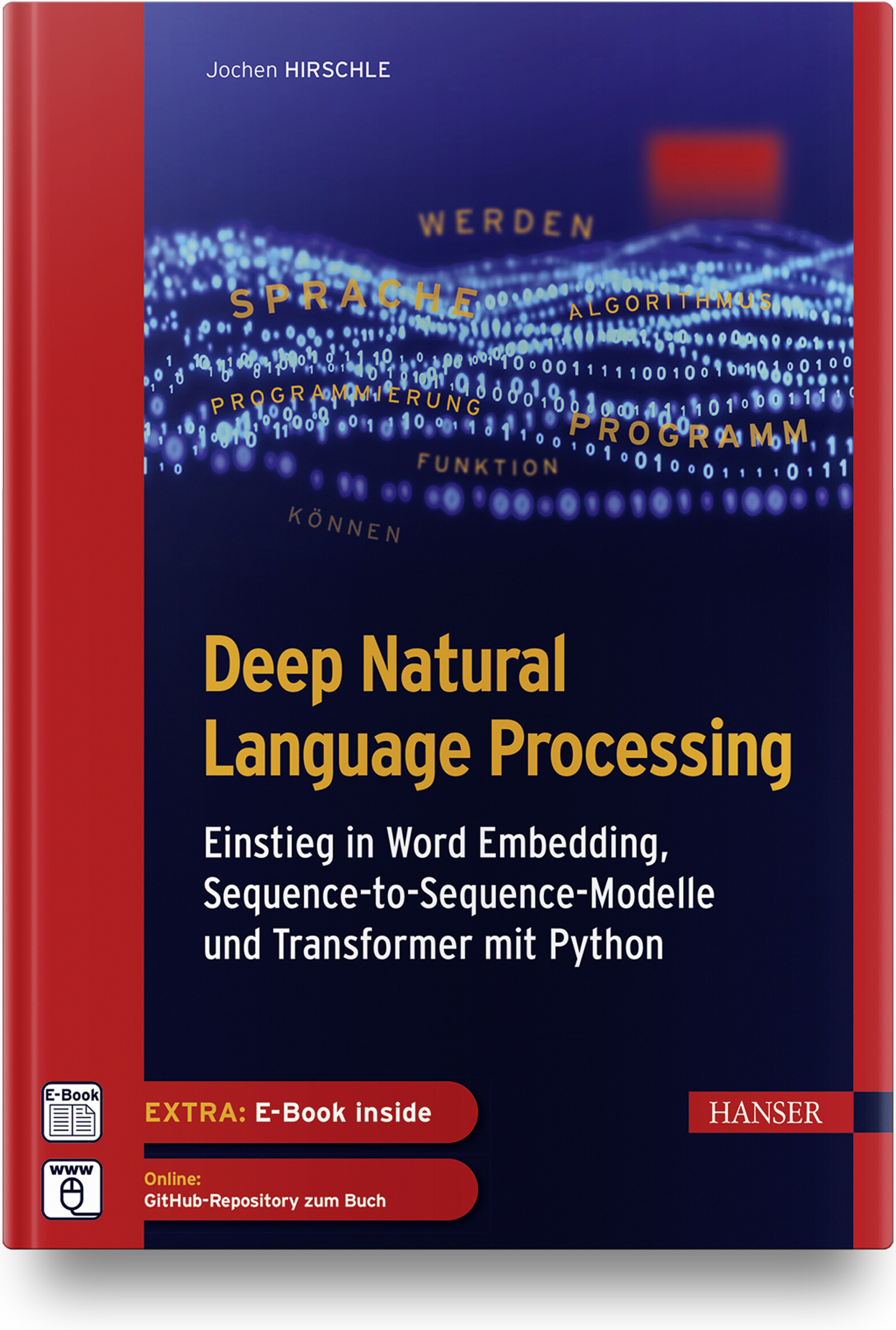
Deep Natural Language Processing
Einstieg in Word Embedding, Sequence-to-Sequence-Modelle und Transformer mit PythonDas Buch bietet eine leicht verständliche Einführung in Machine-Learning-Algorithmen im Allgemeinen und in die Verarbeitung von Textdaten mit Deep-Learning-Verfahren im Besonderen. Es veranschaulicht die theoretischen Konzepte bewährter und neuerer NLP-Ansätze und führt in die praktische Umsetzung ein.Im Fokus stehen insbesondere folgende Verfahren:Vektorisierung von Wörtern mit Word EmbeddingVerarbeitung von Texten mit rekurrenten und konvolutionalen neuronalen Netzen.Aufbau von Sequence-to-Sequence-Modellen zur Übersetzung und für Textzusammenfassungen.Arbeit mit der Transformers-Bibliothek und Hugging Face.Anhand praktischer Anwendungen (Klassizierung von Texten, Rechtschreibkorrektur, Übersetzung, Frage-Antwort-System) wird gezeigt, wie sich Textdaten vorbereiten und effektive Lernmodelle mit Bibliotheken wie Transformers, TensorFlow/Keras und Scikit-Learn aufbauen, trainieren und produktiv einsetzen lassen.Über den Autor:Dr. Jochen Hirschle ist IT-Trainer und Consultant für Machine Learning und Deep Learning in Braunschweig. Er ist erfahrener Programmierer in Python und Java und war als Wissenschaftler und Dozent an den Universitäten in Köln, Innsbruck und Frankfurt tätig. Er kennt die Fallstricke der statistischen Datenanalyse und die Tricks maschinellen Lernens aus seiner langjährigen Praxis und er weiß, wie sich komplexe Sachverhalte einfach erklären lassen.Leseprobe (PDF-Link)
Microsoft 365 Identität und Services
Original Microsoft Prüfungstraining MS-100: mit dem Original zum Erfolg!Bereiten Sie sich auf die Microsoft-Prüfung MS-100 vor und zeigen Sie, dass Sie die Fähigkeiten und Kenntnisse besitzen, die für die effektive Entwicklung, Bereitstellung, Verwaltung und Sicherung von Microsoft 365-Diensten erforderlich sind. Das Prüfungstraining wurde für erfahrene IT-Profis entwickelt und konzentriert sich auf kritisches Denken und Entscheidungsfähigkeit, die für den Erfolg auf dem Microsoft Certified Expert-Level erforderlich sind.Das Training ist entsprechend der in der Prüfung bewerteten Fähigkeiten aufgebaut. Es enthält strategische Was-wäre-wenn-Szenarien und behandelt die folgenden Themenbereiche:Entwerfen und Implementieren von Microsoft 365-DienstenVerwalten von Benutzeridentitäten und -rollenVerwalten von Zugriff und AuthentifizierungPlanen von Office 365-Arbeitslasten und -AnwendungenDie Prüfung MS-100:Diese Prüfung konzentriert sich auf das Wissen, das erforderlich ist für:die Verwaltung von Domänendie Planung einer Microsoft 365-Implementierung#die Einrichtung und Verwaltung von Microsoft 365-Tenancy und -Abonnementsdie Planung der Benutzer- und Datenmigrationden Entwurf einer Identitätsstrategiedie Planung und Verwaltung der Identitätssynchronisierung mit Azure AD Connectdie Verwaltung von Azure AD-Identitäten und -Benutzerrollendie Verwaltung der Authentifizierungdie Implementierung von MFA, die Konfiguration des Anwendungszugriffsdie Implementierung des Zugriffs für externe Benutzer von Microsoft 365-Workloadsdie Planung der Bereitstellung von Office 365-Workloads und -AnwendungenDie Microsoft-Zertifizierung:Mit dem Bestehen dieser Prüfung und der Prüfung MS-101 Microsoft 365 Mobilität und Sicherheit sowie dem Erwerb einer Microsoft 365 Workload-Administrator-Zertifizierung oder der MCSE Productivity-Zertifizierung erfüllen Sie die Anforderungen für die Zertifizierung zum Microsoft 365 Certified Enterprise Administrator Expert. Damit weisen Sie nach, dass Sie in der Lage sind, Microsoft 365-Dienste zu bewerten, zu planen, zu migrieren, bereitzustellen und zu verwalten.Zusatzmaterial: URL-Liste (PDF-Link)
C# und .NET 6 - Grundlagen, Profiwissen und Rezepte
Dieser komplett überarbeitete Klassiker der C#-/.NET-Programmierung bietet Ihnen Know-how und zahlreiche Rezepte, mit denen Sie häufig auftretende Probleme meistern. Einsteiger erhalten ein umfangreiches Tutorial zu den Grundlagen der C# 10-Programmierung mit Visual Studio 2022, dem Profi liefert es fortgeschrittene Programmiertechniken zu allen wesentlichen Einsatzgebieten der Programmierung mit .NET 6. Zum sofortigen Ausprobieren finden Sie am Ende eines jeden Kapitels hochwertige Lösungen für nahezu jedes Problem. Das Buch gliedert sich in einen Grundlagenteil zur Programmierung, eine Einführung in die Desktop-Programmierung (WPF, MAUI (Multi-platform App UI), einen Technologieteil zu fortgeschrittenen Themen sowie einen komplett neuen Teil zur Web-Programmierung (ASP.NET Core, MVC, Razor, Web-API, Blazor). Es ist der ideale Begleiter für Ihre tägliche Arbeit und zugleich – dank der erfrischenden und unterhaltsamen Darstellung – eine spannende Lektüre, die Lust macht, Projekte auch in der Freizeit umzusetzen.Aus dem Inhalt:Grundlagen der SpracheOOP-KonzepteArrays, Strings, FunktionenEinführung in LINQNeuerungen in C#Einführung in WPFWPF Controls, WPF-DatenbindungAsynchrone Programmierung & Task Parallel LibraryDebugging, Fehlersuche und -behandlungEntity Framework CoreWebanwendungen und APIs mit ASP.NET CoreSingle-Page Applications (SPAs mit BlazorAusblick auf .NET MAUI Leseprobe (PDF)Autoren: Jürgen Kotz arbeitet seit über 20 Jahren als freiberuflicher Trainer, Berater, Entwickler und Autor. Mit .NET beschäftigt er sich seit der ersten Beta-Version. Mit seiner Firma PrimeTime Software in München entwickelt er .NET-Projekte und führt Schulungen in diesem Umfeld durch. Seine Hauptthemen sind dabei die Entwicklung von REST- bzw. SOAP-basierten Services und der Datenzugriff mittels Entity Framework. Darüber hinaus hat er zahlreiche Fachbücher und -artikel geschrieben. Christian Wenz arbeitet als Berater, Trainer und Autor mit Schwerpunkt auf Webtechnologien und ist Autor oder Co-Autor von über 100 Computerbüchern. Er schreibt regelmäßig Beiträge für verschiedene IT-Magazine und hält Vorträge auf Konferenzen rund um den Globus. In seiner täglichen Arbeit ist er einer der Gründer der Webagentur Arrabiata Solutions mit Büros in München und London.
Practical Guide to Salesforce Experience Cloud
Whether you are brand new to the world of digital experiences on the Salesforce platform or you are looking to take your Experience Cloud (previously "Community Cloud") knowledge to the next level, this detailed guide will help you build and manage a Salesforce site by leveraging the declarative power of the platform with clicks, not code.Each Salesforce site/community is a part of a widespread ecosystem, with thousands of sites and millions of users active today on Experience Cloud. Through valuable social and business tools, this online platform enables companies to empower and equip their customers, partners, and employees in new, powerful ways.Author Philip Weinmeister, Salesforce MVP and the only recipient of the “Community Cloud MVP” Trailblazer award from Salesforce, leads you through the ins and outs of Salesforce Experience Cloud and provides you with an array of best practices to deliver top-notch business portals on the Salesforce platform.This completely revised edition updates all content to reflect the new "experience-centric" branding and a slew of platform updates from the last few years (including screenshots, terminology, features, etc.). Net new content includes Salesforce CMS, the Experience Cloud Consultant certification exam, and Mobile Publisher, among other topics.The book takes you through the entire process: from planning and designing a site to configuration/build, setup, and administration, all the way to deployment. Detailed explanations are provided for key components, templates, and features such as Experience Builder, Audience Targeting, Lightning Bolts, and much more.WHAT YOU WILL LEARN* Plan and design a site using Experience Cloud* Conceptualize how employees, partners, and customers use and benefit from Salesforce sites* Use Experience Builder and Lightning components within an Experience Builder template* Apply topics and knowledge articles to a site to increase value and adoption* Build and display rich content within a site using Salesforce CMS* Create dynamic and personalized user experiences with audience targeting* Build, export, and import unique templates with the Lightning Bolt solution framework* Provide site data for members or site managersWHO THIS BOOK IS FORSalesforce administrators, developers, functional architects, business analysts, and site/community managers.PHIL WEINMEISTER is a Salesforce MVP and VP of Product Management at 7Summits, where he is focused on building innovative components, apps, and bolts that enable impactful, transformative communities on the Salesforce platform. He is 18x Salesforce certified and has delivered numerous Sales Cloud, Service Cloud, and (primarily) Community Cloud solutions to a variety of organizations on Salesforce since 2010. Phil authored Practical Salesforce.com Development Without Code (Apress, 2015) and received an average rating of almost 5 stars on Amazon.com. He has been a Salesforce MVP since 2015 and, in 2017, was was named the first-ever “Community Cloud MVP” at the Lightning Bolt Trailblazer awards at Dreamforce.A graduate of Carnegie Mellon University, with a double major in business administration/IT and Spanish, Phil now resides in Powder Springs, Georgia, USA. He spends most of his “free” time with his gorgeous, sweet wife, Amy, and his children, Tariku, Sophie, Max, and Lyla. When he’s not trying to make his kids laugh, cheering on the Arizona Cardinals, or rap-battling his wife, Phil enjoys traveling, playing various sports, and growing in his walk with Jesus.Stay updated on Phil’s most recent insights and blog posts by following him on Twitter (@PhilWeinmeister).Chapter 1: Why Digital Experiences on the Salesforce Platform? (REVISED)Chapter 2: Planning and Preparing for Success with Experience Cloud (REVISED)Chapter 3: Experience Cloud Licenses and Member Groups: Employees, Partners,and Customers (REVISED)Chapter 4: Experience Cloud Template Types: Tabs, Visualforce, and Lightning (REVISED)Chapter 5: Experience Builder (REVISED)Chapter 6: Experience Pages and Components (REVISED)Chapter 7: Experience Setup, Administration, and Workspaces (REVISED)Chapter 8: Access, Sharing, and Visibility in Experiences (REVISED)Chapter 9: Topics in Experiences (REVISED)Chapter 10: Knowledge (Articles) in Experiences (REVISED)Chapter 11: Process Automation in Experiences (REVISED)Chapter 12: Experience Audience Targeting and Personalization (REVISED)Chapter 13: Lightning Bolt for Experience Cloud (REVISED)Chapter 14: Salesforce CMS (Content) in Experiences (NEW)Chapter 15: B2B and B2C Commerce within Experience Cloud (NEW)Chapter 16: The Community/Experience Cloud Consultant Certification Exam (NEW)Chapter 17: The Best of the Rest: Additional Experience Cloud Topics

Vermittlung von BIM in der Hochschullehre
In Bezug auf das Bauwesen lässt sich Building Information Modeling (BIM) als ein wichtiger Impulsgeber für den stattfindenden Digitalisierungsprozess benennen. Studierende der baurelevanten Fachdisziplinen müssen daher auf den sicheren Umgang mit dieser Methode vorbereitet werden. Das vorliegende Positionspapier definiert die wichtigsten Lehrinhalte zur Vermittlung von Kenntnissen, Fertigkeiten und Kompetenzen im Bereich BIM, die an den deutschen Fachhochschulen in den Baustudiengängen Berücksichtigung finden sollten. Neben den allgemeinen BIM-Lehrinhalten behandelt das Positionspapier insbesondere die Anforderungen an BIM im Fachgebiet Baubetrieb.

Umweltinformationssysteme - Wie trägt die Digitalisierung zur Nachhaltigkeit bei?
Der neueste Stand der Forschung und Entwicklung auf dem Gebiet der Umweltinformatik (UI) und umweltbezogener IT-Anwendungsbereiche wird in diesem Tagungsband präsentiert und kritisch diskutiert. Dies umfasst sowohl Konzepte und Anwendungen von Umweltinformationssystemen als auch Technologien, die moderne Umweltinformationssysteme unterstützen und ermöglichen.Entwicklung von Lösungen zur Digitalisierung in der Umweltverwaltung.- Innovative Standards für Datendienste und -modelle.- Digitalisierung für nachhaltiges Leben und Arbeiten sowie für eine nachhaltige Landwirtschaft.- Intelligente Erfassung und Verarbeitung von Daten.- Innovative Modellierung und Entscheidungsunterstützung.