

Software
Generic Data Structures and Algorithms in Go
Advance your understanding of generic data structures and algorithms and their applications using Go and the effective use of concurrency. You are invited on a journey that aims to improve your programming and problem-solving skills. This book takes you to the next step by showing how to get your programs to work efficiently as well as correctly.As you explore many data structures and the algorithms and applications associated with them, you'll focus on the trade-offs between speed and storage and the benefits of deploying concurrency when appropriate. This book will demonstrate the huge increases in application performance that are possible. The presentation of classic data structures and techniques of algorithm design (greedy, divide and conquer, branch-and-bound to name a few) provides an essential foundation and toolkit for problem solving. But this book goes further by presenting heuristic algorithms and their implementations for solving computationally intractable combinatoric optimization problems such as the travelling salesperson problem. Simulated annealing and genetic algorithms are among the techniques used.The consistent style of coding used throughout this book exploits Go’s ability to implement abstract, generic and constrained generic data types without the use of classes. Although some familiarity with Go is assumed, this book should advance your ability to use Go to tackle server-side applications, games, machine learning, information retrieval and other application domains where speed and storage efficiency is essential.WHAT YOU'LL LEARN* Explore classical data structures and algorithms aimed at making your applications run faster or require less storage* Use the new generic features of Go to build reusable data structures* Utilize concurrency for maximizing application performance* See the power of heuristic algorithms for computationally intractable problems* Enhance and improve your Go programming skillsWHO THIS BOOK IS FORPracticing Go software developers and students who wish to advance their programming and problem-solving skills and experience the excitement and see the benefits of using generic data structures and algorithms that utilize concurrency whenever possible.RICHARD WIENER, PH.D. authored or co-authored 22 professional, software development and computer-science textbooks published by Wiley, Addison-Wesley, Prentice-Hall, Cambridge University Press and Thompson. Served as founding Editor-in-Chief of the Journal of Object-Oriented Programming for 12 years and later, founding Editor-in-Chief of the Journal of Object Technology for 9 years. Worked as Associate Professor of Computer Science at the University of Colorado, Colorado Springs (UCCS) from 1977-2012. Served as Department Chair during last four years at UCCS. Served as consultant and software developer for IBM, HP, Boeing, Textronix, DEC and many other companies. Presented industry short-courses all over the world from 1980 to 2006. Earned BS and MS in Electrical Engineering from City University of New York and Ph.D. from Polytechnic Institute of New York.1. A Tour Of Generics and Concurrency In Go2. Algorithm Efficiency – Sorting and Searching3. Abstract Data Types: OOP Without Classes in Go4. ADT In Action: Game Of Life5. Stacks6. Queues and Lists7. Hash Tables8. Binary Trees9. Binary Search Tree10. AVL Trees11. Heap Trees12. Red Black Trees13. Expression Trees14. Ecological Simulation With Concurrency15. Dynamic Programming16. Graph Structures17. Travelling Salesperson Problem18. Branch and Bound Solution to TSP19. Simulated Annealing Heuristic Solution to TSP20. Genetic Algorithm for TSP21. Neural Networks and Machine Learning.

Blockchain-Implementierung in eine Automotive Supply Chain
In der Automotive-Branche ist eine schnell agierende und perfekt abgestimmte Supply Chain ein entscheidender Vorteil gegenüber dem Wettbewerb. Durch die Implementierung der Blockchain-Technologie lässt sich die Geschwindigkeits- und Transparenzerhöhung gewährleisten. Dieses essentiell simuliert eine Supply Chain an verschiedenen Instanzen, in der die Blockchain exemplarisch genutzt wird und dadurch die Supply-Chain-Abläufe automatisiert werden.Als Studierende und Absolventen der Universität Duisburg-Essen am Lehrstuhl der Transportsysteme und -logistik im Studiengang der Technischen Logistik haben die Autoren durch das natürliche Interesse an aktuellen Forschungsfeldern wie die Blockchain Technologie die Weichen für darauf aufbauende Abschlussarbeiten in diesem Themenfeld legen können. Unter der Betreuung von DR.-ING. ALEXANDER GOUDZ forsch(t)en sowohl YILMAZ als auch SANCHEZ-GONZALEZ im Rahmen ihrer Masterarbeit zum Thema der Blockchain Technologie weiter, während sich MEYHÖFER mit der Umsetzung der Logistik 4.0 im ÖPNV befasste.

Scrum mit User Stories
- Erfahren Sie, wie Sie Anforderungen im Sinne des Kunden mit Hilfe von User Stories beschreiben und im Product Backlog verwalten. - Lesen Sie, wie User Stories den Flow eines Scrum-Projekts steuern und das Team bei der Entwicklung werthaltiger Software leiten. - Lernen Sie, wie Sie die Geschäftsregeln einer User Story als Akzeptanztests beschreiben und so die Basis für akzeptanzgetriebene Entwicklung schaffen. - Erlernen Sie die Anwendung von Story Maps als neue Methode zur ganzheitlichen Anforderungsanalyse. - Lernen Sie, wie Sie Scrum in mobilen Arbeitsumgebungen einführen und dem Team über die ersten Hürden hinweghelfen. - Ihr exklusiver Vorteil: E-Book inside beim Kauf des gedruckten Buches Scrum als Framework für die Agile Softwareentwicklung erfreut sich zunehmender Beliebtheit. Kombiniert mit User Stories wird daraus ein unschlagbares Doppel. Scrum definiert mit Hilfe einfacher Regeln und klarer Verantwortlichkeiten einen Rahmen für agile Softwareprojekte. User Stories beschreiben Anforderungen aus Sicht des Anwendenden und liefern einen greifbaren Mehrwert. Dieses Buch erklärt die Grundlagen beider Konzepte und beschreibt, wie Sie User Stories in die Elemente und Abläufe von Scrum einbinden. Angefangen vom Schreiben und Priorisieren eines User-Story-basierten Product Backlog bis hin zur User-Story-getriebenen Sprint- und Releaseplanung lernen Sie alles, was für den erfolgreichen Einsatz von User Stories in Ihrem Scrum-Projekt wichtig ist. Das neue Kapitel „Mobiles Arbeiten“ beschäftigt sich mit den Anforderungen und Möglichkeiten des agilen Arbeitens in mobilen Kontexten. Es beschreibt unsere Erfahrungen beim Arbeiten mit mobilen Scrum-Teams und liefert Tipps und Ideen für das Führen solcher Teams. „Egal, ob man Scrum und User Stories einsetzt oder nicht: Mit diesem Buch lernt wohl jeder noch etwas dazu.“ Steffen Gemkow, ObjectFab AUS DEM INHALT // - Einführung - Beispiel: Scrumcoaches.com - Die Grundlagen von Scrum - User Stories - Agiles Schätzen - Agiles Planen - User Stories für das Product Backlog - User Story Mapping - Sprint-Planung - Sprint-Durchführung - User Stories Akzeptanztesten - Sprint-Retrospektive - Agile Releaseplanung - Mobiles Arbeiten - Verticals – SCRUM@OTTO - Glossar

Deine SAP-Karriere
Du möchtest professionell in die SAP-Welt einsteigen? Du fragst dich, was man als Berater oder ABAP-Entwicklerin mitbringen muss? Dann ist dieses Buch genau das richtige für dich! Das Autorenteam erklärt, was das Besondere bei der SAP-Beratung ist, und führt dich in die wichtigsten Arbeitsbereiche im SAP-Umfeld ein. Damit steht deiner SAP-Karriere nichts mehr im Weg! Aus dem Inhalt: Nutzen und Einsatzgebiete der SAP-SoftwareSAP-Beratung als Spielart der IT-BeratungSAP-Prozessberatung: Finanzen und LogistikArbeitsumfeld SAP-BasisadministrationSAP-Entwicklung: ABAP und SAPUI5SAP-Projektmanagement: klassisch vs. agilSoft-Skills entwickelnTipps und Tricks für Einstieg und AufstiegEntwicklungsmöglichkeiten erkennen und umsetzenBerufswechsel und QuereinstiegSelbstständig, angestellt oder …? Einleitung ... 13 1. Deine SAP-Grundausbildung ... 21 1.1 ... Das Produktportfolio von SAP ... 23 1.2 ... Cloud- vs. On-Premise-Lösungen ... 43 1.3 ... Grundlagenwissen zu ERP-Systemen ... 51 1.4 ... Branchenlösungen ... 59 1.5 ... Zusammenfassung ... 63 2. Aufgaben und Anforderungen der SAP-Beratung ... 65 2.1 ... IT-Beratung in der Wirtschaft ... 65 2.2 ... Die Beratungsgrundausstattung ... 67 2.3 ... Der Arbeitsmarkt ... 93 2.4 ... Zusammenfassung ... 99 3. Dein Einstieg in die SAP-Prozessberatung ... 101 3.1 ... Customizing ... 103 3.2 ... Organisationsebenen im SAP-System ... 105 3.3 ... Prozessberatung im Vertrieb ... 107 3.4 ... Prozessberatung in der Materialwirtschaft und Beschaffung ... 119 3.5 ... Prozessberatung in der Produktion ... 134 3.6 ... Prozessberatung in der Instandhaltung ... 146 3.7 ... Prozessberatung in der Finanzbuchhaltung ... 148 3.8 ... Prozessberatung im Controlling ... 151 3.9 ... Zusammenfassung ... 157 4. End-to-End-Prozesse im SAP-System ... 159 4.1 ... Der Nutzen von End-to-End-Prozessen ... 160 4.2 ... Procure-to-Pay ... 163 4.3 ... Plan-to-Produce ... 166 4.4 ... Order-to-Cash ... 170 4.5 ... Weitere End-to-End-Prozesse ... 173 4.6 ... Zusammenfassung ... 176 5. Die Arbeit in der SAP-Programmierung ... 177 5.1 ... Das nötige Werkzeug ... 179 5.2 ... Dreisystemlandschaft und Transportschiene ... 200 5.3 ... Daten und Datenmodelle ... 206 5.4 ... Modularisierung ... 212 5.5 ... Lern- und Übungsangebot für den Einstieg in die SAP-Programmierung ... 218 5.6 ... Zusammenfassung ... 221 6. Aufgaben der SAP-Basis- und -Technologieberatung ... 223 6.1 ... Grundlagen der SAP-Basis-Administration ... 224 6.2 ... Housekeeping und Monitoring (tägliche Aufgaben) ... 229 6.3 ... Wartungsarbeiten (sporadische Aufgaben) ... 239 6.4 ... Zusammenfassung ... 243 7. Herausforderungen des Projektmanagements ... 245 7.1 ... Von kleinen Programmierprojekten zu großen ERP-Implementierungen ... 246 7.2 ... Klassisches vs. agiles Projektmanagement ... 247 7.3 ... Zusammenfassung ... 255 8. Abläufe im SAP-Support ... 257 8.1 ... Arbeitsteilung im SAP-Support ... 258 8.2 ... Tickets ... 262 8.3 ... Priorität und Impact ... 265 8.4 ... Service Level Agreements ... 266 8.5 ... Ticketsystem ... 270 8.6 ... Typische Support-Fälle ... 272 8.7 ... Zusammenfassung ... 280 9. Erstelle Deinen Karriereentwicklungsplan! ... 283 9.1 ... Deine Karriereoptionen in der SAP-Beratung ... 284 9.2 ... Karriereentwicklung und eigene Stärken ... 288 9.3 ... Deinen Karriereentwicklungsplanung entwickeln ... 299 9.4 ... Deine eigene Marke ... 316 9.5 ... Karrierewechsel und Quereinstieg ... 319 9.6 ... Zusammenfassung ... 322 10. Erfahrungsberichte ... 325 10.1 ... Hendrik Haas - Head of Cloud Success Services SAP Deutschland SE & Co. KG ... 325 10.2 ... Frank Lütjering - Bereichsleiter SAP Consulting & Solutions bei GOD mbH ... 330 10.3 ... Gerlinde Zibulski - Chief Development Architect für Security bei SAP SE ... 337 10.4 ... Cecile Franz - Senior Business & Integration Arch Analyst bei Accenture Technology Solutions GmbH ... 340 10.5 ... Andreas Restlé - Managing Consultant bei Indico Solutions GmbH ... 347 10.6 ... René Preß - Business Process Consultant Integrations bei Ottobock SE & Co. KGaA ... 349 10.7 ... Dr. Lothar Schwarz - selbstständiger SAP-Berater und -Trainer ... 354 10.8 ... Zusammenfassung ... 368 11. Essentials ... 369 11.1 ... Jobbeschreibung »SAP-Berater*in« ... 369 11.2 ... Vor- und Nachteile des Jobs ... 370 11.3 ... Das macht eine*n SAP-Berater*in wertvoll ... 371 11.4 ... Mögliche Aufgabengebiete in der SAP-Beratung ... 372 11.5 ... Beratung ohne Erfahrung - geht das? ... 373 11.6 ... So wird etwas aus Dir! ... 375 11.7 ... Die drei Ebenen des Jobs ... 376 11.8 ... Zusammenfassung ... 378 Das Autorenteam ... 381 Index ... 383

Git und SAP
Nutzen Sie das moderne Versionsmanagement für Ihre SAP-Projekte! In diesem Buch erfahren Sie, wie Git in die Entwicklungsumgebungen für SAPUI5 oder ABAP integriert ist. Sie lernen, wie Sie Git-Befehle direkt in SAP Business Application Studio, ABAP Development Tools oder SAP Web IDE absetzen, Repositorys klonen und Branches verwalten. Ihre Entwicklungsteams werden nicht mehr anders arbeiten wollen! Aus dem Inhalt: So funktioniert GitAnbieter von Git-ClientsCloud- und On-Premise-DeploymentabapGitGit in der SAPUI5-EntwicklungGit in der Cloud-EntwicklungGit in der SAP-HANA-EntwicklungSAP Business Application StudioVisual Studio CodeABAP Development ToolsSAP Web IDE for SAP HANASAP Continuous Integration and DeliveryIntegration mit Jenkins und Azure DevOps Einführung ... 13 1. Einführung in Git ... 17 1.1 ... Herkunft von Git ... 18 1.2 ... Vergleich mit anderen Versionsverwaltungssystemen ... 19 1.3 ... Verteilte Entwicklung mit Git ... 26 1.4 ... Git im SAP-Umfeld ... 28 1.5 ... Git in DevOps-Projekten ... 38 1.6 ... Zusammenfassung ... 44 2. Technische Grundlagen ... 45 2.1 ... Lokales und Remote-Repository ... 46 2.2 ... Die wichtigsten Git-Befehle ... 53 2.3 ... Git-CLI ... 70 2.4 ... Das Arbeiten mit dem Git-CLI ... 73 2.5 ... Konflikte lösen ... 95 2.6 ... Weitere hilfreiche Befehle ... 99 3. Deployment-Optionen und Anbieter von Git-Clients ... 103 3.1 ... Cloud- oder On-Premise-Deployment ... 104 3.2 ... SAP Git Service in der Neo-Umgebung ... 110 3.3 ... GitHub ... 121 3.4 ... Bitbucket ... 129 3.5 ... GitLab ... 134 3.6 ... Ein On-Premise-Git-Repository über den Cloud Connector an die SAP BTP anbinden ... 140 4. Git in der SAPUI5-Entwicklung ... 149 4.1 ... Erstellen eines Git-Repositorys ... 150 4.2 ... Einbindung in die SAP Web IDE ... 152 4.3 ... Einbindung in SAP Business Application Studio ... 160 4.4 ... Einbindung in Visual Studio Code ... 169 5. Git in der ABAP-Entwicklung ... 177 5.1 ... abapGit ... 177 5.2 ... Einbindung in Eclipse ... 207 6. Git in der Cloud-Entwicklung ... 217 6.1 ... Einführung in das SAP Cloud Application Programming Model ... 218 6.2 ... Einbindung in SAP Business Application Studio ... 220 6.3 ... Einbindung in Visual Studio Code ... 230 7. Git in der SAP-HANA-Entwicklung ... 241 7.1 ... Einführung in SAP HANA XSA ... 241 7.2 ... Einbindung in die SAP Web IDE für SAP HANA ... 243 7.3 ... Einbindung in SAP Business Application Studio ... 258 8. Continuous Delivery und Continuous Integration ... 271 8.1 ... Einführung ... 271 8.2 ... SAP Continuous Integration and Delivery ... 285 8.3 ... Integration mit weiteren Tools ... 311 8.4 ... Zusammenfassung ... 328 Anhang ... 331 A ... Die wichtigsten Git-Befehle ... 331 Die Autoren ... 335 Index ... 337
SQL - kurz & gut (3. Auflg.)
Wenn Sie SQL bei Ihrer täglichen Arbeit als Datenanalyst:in, Data Scientist oder Data Engineer verwenden, ist dieses beliebte Taschenbuch das ideale Nachschlagewerk für Sie. Beschrieben werden die wichtigsten Funktionen von SQL und deren Einsatz in Microsoft SQL Server, MySQL, Oracle Database, PostgreSQL und SQLite. Zahlreiche Beispiele verdeutlichen zudem die vielfältigen Möglichkeiten der Sprache.In dieser aktualisierten und deutlich erweiterten Ausgabe zeigt Alice Zhao, wie diese fünf Datenbankmanagementsysteme die SQL-Syntax für Abfragen und für Änderungen an einer Datenbank implementieren. Sie finden Näheres zu Datentypen und Konvertierungen, zur Syntax regulärer Ausdrücke, zu Fensterfunktionen, Pivoting und Unpivoting und vieles mehr.- Schlagen Sie schnell nach, wie Sie bestimmte Aufgaben mit SQL ausführen- Nutzen Sie die Syntaxbeispiele des Buchs für Ihre eigenen Abfragen- Passen Sie SQL-Abfragen so an, dass sie auf den fünf verbreitetsten Datenbankmanagementsystemen funktionieren- Neu: Verbinden Sie Python und R mit einer relationalen Datenbank- Neu: Erhalten Sie in dem Kapitel »Wie mache ich …?« Antworten auf häufig gestellte Fragen zu SQLZielgruppe:Data ScientistsDatenanalyst*innenalle, die mit Daten und SQL zu tun habenAutorin:Alice Zhao ist Data Scientist und liebt es, komplexe Dinge leicht verständlich zu erklären. Als Senior Data Scientist bei Metis und als Mitbegründerin von Best Fit Analytics hat sie zahlreiche Kurse zu SQL, Python und R gegeben. Ihre sehr gut bewerteten technischen Tutorials auf YouTube sind dafür bekannt, gleichermaßen praktisch, unterhaltsam und visuell ansprechend zu sein.In ihrem Blog „A Dash of Data“ schreibt sie über Analytics und Popkultur. Ihre Arbeit wurde bereits in der Huffington Post, Thrillist und Working Mother veröffentlicht. Sie hat auf einer Vielzahl von Konferenzen über Themen wie Natural Language Processing und Datenvisualisierung gesprochen und hat einen Master of Science in Analytics und einen Bachelor of Science in Elektrotechnik erworben, beide von der Northwestern University.

Android Tablets & Smartphones
OHNE VORWISSEN ANDROID TABLETS ODER SMARTPHONES SICHER BEDIENEN * Erfolgsautor Günter Born behandelt die typischen Fragen von Einsteigern und Senioren * Alle Bedienungsfragen in verständlichen Schritt-für-Schritt-Anleitungen erklärt * Komplett in Farbe, übersichtlich gestaltet und mit größerer Schrift * Der Bestseller deckt jetzt Android 11 ab und sensibilisiert für Sicherheitsfragen Mit diesem praktischen Ratgeber finden Sie sich schnell zurecht und können Schritt für Schritt nachvollziehen, wie Sie Ihr Android-Handy oder -Tablet einrichten, wie Sie surfen, Fotos machen, Kurznachrichten und E-Mails verschicken, die Einsatzmöglichkeiten Ihres Geräts durch neue Apps erweitern und vieles mehr. Schwerpunkt ist die Bedienung von Smartphones und Tablet-PCs mit den Android-Versionen 9 bis 11. Das Buch kann jedoch auch für Geräte mit älteren Android-Versionen genutzt werden, denn vieles ist hier sehr ähnlich.

C++ Lernen und professionell anwenden
Für Studium, Ausbildung und BerufSie möchten die Programmiersprache C++ erlernen und sind Anfänger? Dann ist dieses Buch richtig für Sie! Es richtet sich besonders an alle, die C++ in Studium, Ausbildung oder Beruf lernen und keine Vorkenntnisse in der Programmierung mit C++ haben.Die Ausrichtung des Studiengangs spielt dabei keine Rolle. Alle Themen werden fachunabhängig erläutert. Die Übungen und praktischen Beispiele decken viele unterschiedliche Anwendungsbereiche ab, so dass Sie auf die verschiedensten Aufgaben optimal vorbereitet sind.Sie lernen die elementaren Sprachkonzepte von C++ und werden schrittweise bis zur Entwicklung professioneller C++-Programme geführt. In den Beispielen zeigen die Autoren die ganze Breite des Anwendungsspektrums auf. Dabei basiert die Sprachbeschreibung auf dem ISO-Standard, der von allen gängigen Compilern unterstützt wird (Visual C++, GNU C++ etc.).Für den professionellen Einsatz sind in den hinteren Kapiteln Themen wie Smart Pointer, Multithreading und Algorithmen der Standard-Template-Library beschrieben. Die Übungen in jedem Kapitel helfen Ihnen, Ihr Wissen zu festigen und sich auf Prüfungen vorzubereiten.Aus dem Inhalt:Datentypen KontrollstrukturenOperatorenMakrosFunktionenVektorenStringsMatrizenReferenzen und ZeigerSpeicherreservierung zur LaufzeitDynamische Arrays und Move-SemantikKlassenVererbung und PolymorphieException-HandlingDateiverarbeitung und portabler Zugriff auf das DateisystemTemplates und ContainerSmart PointerMultithreadingAlgorithmen der StandardbibliothekUmfassendes GlossarÜber die Autoren:Prof. Dr. Ulla Kirch unterrichtet an der FH München und Dr. Peter Prinz ist Software-Entwickler. Sie haben bereits zahlreiche Bücher zu C und C++ geschrieben.
Code That Fits in Your Head
Heuristik in der Softwareentwicklung. Komplexität reduzieren | Legacy Code beherrschen | Performance optimieren.Techniken und Konzepte für nachhaltige Softwareentwicklung sowie sauberen und wartbaren Code Reduktion von Komplexität, strukturierte Arbeitsabläufe und effiziente Fehlerbehandlung. Mit Auszügen aus einem vollständigen Beispielprojekt inklusive Code zum Download.»Mark Seemann ist dafür bekannt, komplexe Konzepte anschaulich und präzise zu erläutern. In diesem Buch kondensiert er seine weitreichende Erfahrung in der Softwareentwicklung zu praktischen, pragmatischen Techniken für nachhaltigen und gut lesbaren Code. Dieses Buch ist ein Must Read für jeden Programmierer.«– Scott Wlaschin, Autor von »Domain Modeling Made Functional«Dieses Buch ist ein praktischer Leitfaden für das Schreiben von nachhaltigem Programmcode und die Reduktion von Komplexität. So können Sie verhindern, dass Softwareprojekte langfristig außer Kontrolle geraten.Mark Seemann unterstützt seit Jahrzehnten Softwareentwickler-Teams bei der erfolgreichen Umsetzung ihrer Projekte. In diesem Buch begleitet er Sie von den ersten Codezeilen bis zum Deployment und zeigt Ihnen, wie Sie im Entwicklungsprozess effizient und nachhaltig bleiben, wenn Sie neue Funktionalitäten implementieren. Dabei legt er auch Wert auf Fehlerbehandlung und disziplinübergreifende Themen. Er gibt Ihnen wertvolle Hinweise, Techniken und Arbeitsabläufe für alle wichtigen Kernprobleme an die Hand: von der Verwendung von Checklisten bis zur Teamarbeit, von Kapselung bis zur verteilten Programmierung, von API-Design bis zu Unit Testing.Seemann veranschaulicht seine Konzepte anhand von Codebeispielen aus einem vollständigen Projektbeispiel in C#. Der Code ist so geschrieben, dass er gut verständlich für jeden ist, der eine objektorientierte Programmiersprache verwendet, einschließlich Java, C++ und Python. Der gesamte Code steht zur weiteren Erkundung zum Download bereit.Wenn Sie jemals negative Erfahrungen bei der Umsetzung von Softwareprojekten oder mit schlecht wartbarem Legacy Code gemacht haben, wird dieses Praxisbuch Ihnen helfen, solchen Schwierigkeiten ab sofort aus dem Weg zu gehen.Über den Autor:Mark Seemann ist in der Softwareentwicklung tätig und beschäftigt sich mit funktionaler Programmierung, objektorientierter Entwicklung und Softwareentwicklung im Allgemeinen. Er hat bereits zwei Bücher und zahlreiche Artikel und Blogbeiträge zu verwandten Themen veröffentlicht. Obwohl er hauptsächlich als .NET-Entwickler tätig ist, nutzt er eine große Bandbreite von Technologien als Ressource, einschließlich Haskell und verschiedene Design-Pattern-Bücher.

Android Smartphone Fotografie für Dummies
Sie möchten hochwertige Bilder mit Ihrem Android-Smartphone aufnehmen? In diesem Buch erfahren Sie, wie Sie mit der Kamera, die Sie jeden Tag dabei haben, beeindruckende Fotos schießen. Mark Hemmings bringt Ihnen die Grundprinzipien der Fotografie bei und zeigt Ihnen, wie Sie dieses Wissen auf Außenaufnahmen, Actionfotos, Portraits und in Videos anwenden. Außerdem erfahren Sie alles über die Möglichkeiten der Bildbearbeitung und bekommen praktische Tipps, wie Sie Ihre Aufnahmen organisieren und Fotos online teilen.Autor: Mark Hemmings ist ein international anerkannter professioneller Fotograf und Ausbilder. Er ist auf der ganzen Welt unterwegs und leitet Fotografie-Workshops in Asien, Europa, dem Nahen Osten und Nordamerika. Außerdem bietet er Online-Fotokurse an.
Java für Kids (8. Auflage)
Die Programmiersprache Java lernen ohne Vorkenntnisse. Kleine Spiele programmieren und sich Schritt für Schritt mit Java vertraut machen. Mit Fragen und Aufgaben am Ende jedes Kapitels.Java - wer denkt da nicht an eine Insel, auf der es heiß und feucht ist, mit Vulkanen, viel Wald und seltenen Tieren? Du nicht? Du denkst an eine Programmiersprache? Dann bist du hier richtig! In diesem Buch erfährst du, dass diese Sprache einiges zu bieten hat, und mit der Entwicklungsumgebung Eclipse schaffst du den Einstieg in Java spielend!Hans-Georg Schumann zeigt dir, wie du mit Java erste Programme schreibst und welche Zutaten du dazu benötigst: Variablen, Kontrollstrukturen, Klassen und mehr. Schritt für Schritt werden die Quelltexte umfangreicher bis hin zur objektorientierten Programmierung und dem Einsatz von Java-Komponenten. Schnell hast du ein erstes Lotto-Spiel programmiert, dein Programm mit Buttons und Häkchen professionell ausgestattet und den Rechner dazu gebracht, Quizfragen zu stellen. Du kannst mit Java aber auch bunte Grafiken erstellen oder Figuren animieren. Zudem macht das Programmieren von Spielen wie Hang-Man oder Stein-Schere-Papier nicht nur dir als Programmierer oder Programmiererin großen Spaß.Das ist auch nicht so kompliziert, wie es sich anhört! Denn alles wird genau erklärt und am Ende der Kapitel noch einmal zusammengefasst.Über den Autor:Hans-Georg Schumann war Informatik- und Mathematiklehrer an einer Gesamtschule. Er hat viele erfolgreiche Bücher in der mitp-Buchreihe »... für Kids« geschrieben.

Reflexion und Subversion
Die ehemals den Massenmedien vorbehaltene Funktion, die Gesellschaft zu reflektieren und diese gesellschaftlichen Selbstbeschreibungen auch gesellschaftsweit bekannt zu machen, kann heute auch von Social-Media-Plattformen erfüllt werden, wenn die Nutzer*innen dort die Gesellschaft beschreiben und diese Beiträge massenhaft verbreitet werden. Gleichzeitig unterscheiden sich die in den Social Media verbreiteten Gesellschaftsbeschreibungen enorm von jenen herkömmlicher Massenmedien – nicht zuletzt aufgrund der technischen Infrastrukturen der Plattformen. Aus Perspektive der sozialen Systemtheorie werden am Beispiel von Twitter Gemeinsamkeiten und Differenzen zwischen diesen beiden Formen gesellschaftlicher Selbstreflexion herausgearbeitet. Vor allem aber soll die Analyse die grundsätzlich divergenten Wirkungen aufzeigen, welche die (Selbst-)Reflexion der Gesellschaft nach sich ziehen kann, wenn diese einerseits gesellschaftliche Komplexität als einheitliche Realität greifbar macht und damit der Selbstvergewisserung dient, andererseits genauso die Kritik und das Hinterfragen des Bestehenden erlaubt.SAMUEL BREIDENBACH ist akademischer Mitarbeiter am Fachgebiet Angewandte Medienwissenschaften der Brandenburgischen Technischen Universität.Massenmedien und Öffentlichkeit als Selbstbeobachtung der Gesellschaft.- (Selbst-)Reflexion der Gesellschaft in Twitter.- Datenbasierte Beobachtung von Twitter-Diskursen.- Twitter als Massenmedium und Öffentlichkeitsraum.-Strategien und Methoden des digitalen Protest.

Word 2021 - Das Kompendium
Alles was es über Word 2021 zu wissen gibtIn diesem umfangreichen Kompendium werden alle hilfreichen Funktionen für Ihr effizientes Arbeiten mit Word 2021 bzw. Word für Microsoft 365 umfänglich erläutert. Sie gestalten kreative Layouts für Ihre Briefe, Texte oder Formulare und vereinfachen Ihre Arbeitsabläufe mit Formatvorlagen, Feldfunktionen, Makros und gemeinsamem Arbeiten mehrerer Personen gleichzeitig an einem Dokument. So haben Sie Ihre Textverarbeitung jederzeit im Griff, statt sich von ihr beherrschen zu lassen. Neben den bekannten Funktionen werden auch die Neuheiten der aktuellen Word-Version vorgestellt, sodass dieses Nachschlagewerk sowohl für den Einsteiger in die Microsoft-Textverarbeitung geeignet ist als auch für den mit Word schon vertrauten Anwender nützliche Tipps bereithält.Aus dem Inhalt:Word 2021 – die richtigen EinstellungenWord-Oberfläche selbst gestaltenDie Arbeit mit DokumentenTexte bearbeiten, gestalten und prüfenElemente einfügenTabellen gestalten und einbauenPraktisch: Top-BriefeSchnelles Arbeiten – fast wie von selbstWord im Austausch-ProgrammIm Team arbeitenInteressante FelderMakros einsetzenFormulare erstellenAutor:Rainer Schwabe ist seit MS Office 97 langjähriger Word- und Excel-Buchautor bei renommierten Verlagen. Seine Bücher wurden ins Englische, Türkische, Niederländische und Russische übersetzt. Er war Redakteur und freier Autor bei verschiedenen Computer- und Finanzzeitschriften. Mittlerweile gibt er bundesweit zahlreiche praxisbezogene Firmenschulungen. Er sammelt akribisch Tipps und Tricks über Word und Excel.

DevOps in Python
Take advantage of Python to automate complex systems with readable code. This new edition will help you move from operations/system administration into easy-to-learn coding.You'll start by writing command-line scripts and automating simple DevOps-style tasks followed by creating reliable and fast unit tests designed to avoid incidents caused by buggy automation. You’ll then move on to more advanced cases, like using Jupyter as an auditable remote-control panel and writing Ansible and Salt extensions.The updated information in this book covers best practices for deploying and updating Python applications. This includes Docker, modern Python packaging, and internal Python package repositories. You'll also see how to use the AWS API, and the Kubernetes API, and how to automate Docker container image building and running. Finally, you'll work with Terraform from Python to allow more flexible templating and customization of environments.WHAT YOU'LL LEARN* Understand operating system automation with Python* Package Python applications* Use Python as a DevOps console* Review Cloud automation with PythonWHO THIS BOOK IS FORDevOps engineer. Site Reliability Engineer, or similar (including Platform, Production, and Systems), and whose organization uses Python.Moshe has been involved in the Linux community since 1998, helping in Linux “installation parties”. Moshe has been programming Python since 1999 and has contributed to the core Python interpreter. Moshe has been a DevOps/SRE since before those terms existed, caring deeply about software reliability, build reproducibility, and other such things. They have worked in companies as small as three people and as big as tens of thousands – usually in someplace around where software meets system administration.Chapter 1 (Installing Python)Different ways to install Python:• Compiling from source• OS packages• pyenvCHAPTER 2 (PACKAGING) (31 PAGES – 11 NEW PAGES)How pip works and how to build packages.The following sections need to changeSection about pip (adds 4 pages)• Add explanation about how the resolver works• Explain pip-compilePoetry and pipenv (changes 2 pages, adds 2 pages)• Needs to be separated into two sections• Poetry section updated to reflect changes in Poetry• Pipenv section updated to reflect changes in Pipenv4setup.py and wheel (rewritten, changes 1 page, adds 2 pages)• python -m build and setup.cfg• Add details about binary wheels and manylinux• Show a complete exampleChapter 3: Interactive usageHow to use the interactive interpreter, other text-mode interactive consoles, and Jupyter.CHAPTER 4: OS AUTOMATION (16 PAGES – 4 NEW PAGES)Automating OS-related things like files and processes.Section about files (2 pages added)• Cover using struct to parse binary data• Cover pathlibNew section: low-level networking (2 pages) Cover socket, socket options, and how it relatesto TCP networking.5 CHAPTER 5: TESTING (30 PAGES – 10 NEW PAGES)Writing unit tests for DevOps code.Section about testing files (4 pages added)• Improve performance of file testing using tmpfs and preloading libraries• Add information about temporary directory context managerSection about testing networking (4 pages added)• Show how to test httpx with the WSGI support• Show how to test low-level socket networking with DISection about testing processes (2 pages changed)• Mention run and Popen• Show how to write tests with DI on run and Popen6 Chapter 6: Text manipulationHow to work with text: searching, modifiying, formatting, etc.CHAPTER 7: REQUESTS -> HTTPX (REWRITTEN – 10 NEW PAGES)• Focus on httpx instead• Cover async usageChapter 8: CryptographySymmetric and asymmetric encryption and digital signatures, and how to use them in DevOpscode.Chapter 9: ParamikoUsing paramiko to automate SSH use.Chapter 10: Salt StackUsing salt stack and writing new modules.Chapter 11: AnsibleUsing ansible and writing new modules.CHAPTER 12: DOCKER (5 NEW PAGES)• CLEAN UP EXAMPLES – THEY ARE HARD TO READ• SHOW COMPLETE EXAMPLE OF LAYERING, NOT JUST TALK IN THEORY• SHOW COMPLETE EXAMPLE OF RUNNING, NOT JUST TALK IN THEORY• ADD SECTION ABOUT HOW TO BUILD CONTAINERS FOR PYTHON APPLICATIONSChapter 13: AWSAutomating AWS using the boto3 library.NEW: CHAPTER 14: KUBERNETES (10 PAGES)CHAPTER GOAL: LEARN HOW TO AUTOMATE K8S WITH PYTHON AND HOW TO RUN PYTHON APPLICATIONS ON K8S• PACKAGING PYTHON APPLICATIONS FOR KUBERNETES– USING SECRETS– THINKING IN PODS• AUTOMATING K8S FROM PYTHON USING THE REST API• Writing k8s operators with PythonNEW: CHAPTER 15: TERRAFORM (5 PAGES)• USING THE TERRAFORM PYTHON CDK• GENERATING TERRAFORM JSON FROM PYTHON

Fusion 360 für Maker (2. Auflg.)
Modelle für 3D-Druck und CNC entwerfen. Dieses Buch eröffnet Ihnen die Welt der 3D-Modellierung am Bildschirm. Die 2. Auflage des erfolgreichen Buchs wurde sorgfältig aktualisiert. Mit Autodesk Fusion 360 können auch Neulinge Modelle für ihre Herstellung im 3D-Drucker oder in der CNC-Fräse vorbereiten. Die Fusion-360-Software ist das richtige Werkzeug, um aus Ideen Modelle zu entwerfen, sie zu überprüfen und sie anzufertigen. Lydia Sloan Cline zeigt, wie Sie mit Fusion 360 massive, hohle, natürlich-organische und parametrisch angelegte Projekte umsetzen. In praxisnahen Einsteigertutorials werden auch Modellierungs-Einsteigern die Grundlagen von Fusion 360 unterhaltsam vermittelt.Die Software ist sowohl für Studierende als auch für kleine Unternehmen kostenfrei verfügbar.Zur Autorin:Lydia Sloan Cline kam ursprünglich über ihre Arbeit als Architektin mit 3D-Modellierung in Berührung. Sie unterrichtet Kurse zu 3D-Druck, Zeichnen sowie zur digitalen Modellierung und Fertigung am Johnson County Community College in Overland Park, Kansas. Cline veröffentlichte bisher acht Bücher zu diesen Themen. Nebenbei engagiert sie sich in den örtlichen Makerspaces und sorgt dafür, dass ihrer kleinen Herde von CNC-Fräsen und 3D-Druckern nicht die Arbeit ausgeht.
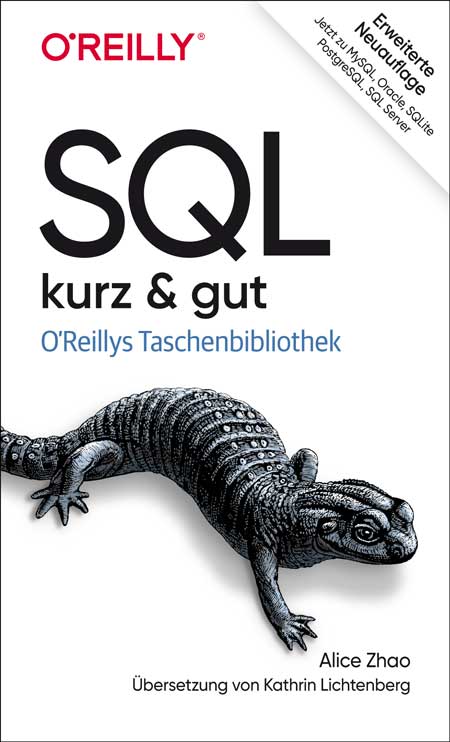
SQL – kurz & gut (3. Auflage)
Wenn Sie SQL bei Ihrer täglichen Arbeit als Datenanalyst:in, Data Scientist oder Data Engineer verwenden, ist dieses beliebte Taschenbuch das ideale Nachschlagewerk für Sie. Beschrieben werden die wichtigsten Funktionen von SQL und deren Einsatz in Microsoft SQL Server, MySQL, Oracle Database, PostgreSQL und SQLite. Zahlreiche Beispiele verdeutlichen zudem die vielfältigen Möglichkeiten der Sprache.In dieser aktualisierten und deutlich erweiterten Ausgabe zeigt Alice Zhao, wie diese fünf Datenbankmanagementsysteme die SQL-Syntax für Abfragen und für Änderungen an einer Datenbank implementieren. Sie finden Näheres zu Datentypen und Konvertierungen, zur Syntax regulärer Ausdrücke, zu Fensterfunktionen, Pivoting und Unpivoting und vieles mehr.Schlagen Sie schnell nach, wie Sie bestimmte Aufgaben mit SQL ausführenNutzen Sie die Syntaxbeispiele des Buchs für Ihre eigenen AbfragenPassen Sie SQL-Abfragen so an, dass sie auf den fünf verbreitetsten Datenbankmanagementsystemen funktionierenNeu: Verbinden Sie Python und R mit einer relationalen DatenbankNeu: Erhalten Sie in dem Kapitel »Wie mache ich …?« Antworten auf häufig gestellte Fragen zu SQLZielgruppe:Data ScientistsDatenanalyst*innenalle, die mit Daten und SQL zu tun habenAutorin:Alice Zhao ist Data Scientist und liebt es, komplexe Dinge leicht verständlich zu erklären. Als Senior Data Scientist bei Metis und als Mitbegründerin von Best Fit Analytics hat sie zahlreiche Kurse zu SQL, Python und R gegeben. Ihre sehr gut bewerteten technischen Tutorials auf YouTube sind dafür bekannt, gleichermaßen praktisch, unterhaltsam und visuell ansprechend zu sein.In ihrem Blog „A Dash of Data“ schreibt sie über Analytics und Popkultur. Ihre Arbeit wurde bereits in der Huffington Post, Thrillist und Working Mother veröffentlicht. Sie hat auf einer Vielzahl von Konferenzen über Themen wie Natural Language Processing und Datenvisualisierung gesprochen und hat einen Master of Science in Analytics und einen Bachelor of Science in Elektrotechnik erworben, beide von der Northwestern University.
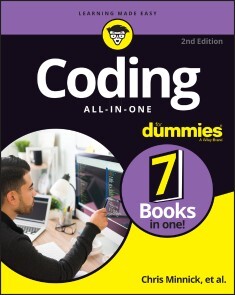
Coding All-in-One For Dummies
THE GO-TO GUIDE FOR LEARNING CODING FROM THE GROUND-UPAdding some coding know-how to your skills can help launch a new career or bolster an old one. Coding All-in-One For Dummies offers an ideal starting place for learning the languages that make technology go. This edition gets you started with a helpful explanation of how coding works and how it’s applied in the real-world before setting you on a path toward writing code for web building, mobile application development, and data analysis. Add coding to your skillset for your existing career, or begin the exciting transition into life as a professional developer—Dummies makes it easy.* Learn coding basics and how to apply them * Analyze data and automate routine tasks on the job * Get the foundation you need to launch a career as a coder * Add HTML, JavaScript, and Python know-how to your resume This book serves up insight on the basics of coding, designed to be easy to follow, even if you’ve never written a line of code in your life. You can do this.This All-in-One includes work by expert coders and coding educators, including CHRIS MINNICK AND EVA HOLLAND coauthors of Coding with JavaScript For Dummies; NIKHIL ABRAHAM, author of Coding For Dummies and Getting a Coding Job For Dummies;JOHN PAUL MUELLER AND LUCA MASSARON, coauthors of Python for Data Science For Dummies and Machine Learning For Dummies; and BARRY BURD, author of Flutter For Dummies.INTRODUCTION 1About This Book 2Foolish Assumptions 2Icons Used in This Book 3Beyond the Book 4Where to Go from Here 4BOOK 1: GETTING STARTED WITH CODING 5CHAPTER 1: WHAT IS CODING? 7Defining What Code Is 8Following instructions 8Writing code with some Angry Birds 9Understanding What Coding Can Do for You 10Eating the world with software 10Coding on the job 12Scratching your own itch (and becoming rich and famous) 13Surveying the Types of Programming Languages 13Comparing low-level and high-level programming languages 14Contrasting compiled code and interpreted code 15Programming for the web 16Taking a Tour of a Web App Built with Code 16Defining the app’s purpose and scope 16Standing on the shoulders of giants 17CHAPTER 2: PROGRAMMING FOR THE WEB 19Displaying Web Pages on Your Desktop and Mobile Device 20Hacking your favorite news website 20Understanding how the World Wide Web works 23Watching out for your frontend and backend 24Defining web and mobile applications 25Coding Web Applications 26Starting with HTML, CSS, and JavaScript 26Adding logic with Python, Ruby, or PHP 27Coding Mobile Applications 28Building mobile web apps 29Building native mobile apps 30Deploying Web Applications in the Cloud 31CHAPTER 3: BECOMING A PROGRAMMER 33Writing Code Using a Process 34Researching what you want to build 35Designing your app 36Coding your app 37Debugging your code 38Picking Tools for the Job 39Working offline 39Working online with CodeSandbox.io 40BOOK 2: BASIC WEB CODING 43CHAPTER 1: EXPLORING BASIC HTML 45What Does HTML Do? 46Understanding HTML Structure 47Identifying elements 47Featuring your best attribute 49Standing head, title, and body above the rest 50Getting Familiar with Common HTML Tasks and Elements 52Writing headlines 53Organizing text in paragraphs 54Linking to your (heart’s) content 55Adding images 56Styling Me Pretty 58Highlighting with bold, italics, underline, and strikethrough 58Raising and lowering text with superscript and subscript 59Building Your First Website Using HTML 60CHAPTER 2: GETTING MORE OUT OF HTML 63Organizing Content on the Page 64Listing Data 66Creating ordered and unordered lists 66Nesting lists 67Putting Data in Tables 68Basic table structuring 69Stretching table columns and rows 70Aligning tables and cells 72Filling Out Forms 75Understanding how forms work 75Creating basic forms 76Practicing More with HTML 78CHAPTER 3: GETTING STYLISH WITH CSS 79What Does CSS Do? 79CSS Structure 81Choosing the element to style 81My property has value 83Hacking the CSS on your favorite website 84Common CSS Tasks and Selectors 86Font gymnastics: Size, color, style, family, and decoration 86Customizing links 90Adding background images and styling foreground images 93Getting Stylish 97Adding CSS to your HTML 97Practicing with CSS 99CHAPTER 4: NEXT STEPS WITH CSS 101Styling (More) Elements on Your Page 102Styling lists 102Designing tables 105Selecting Elements to Style 107Styling specific elements 107Naming HTML elements 112Aligning and Laying Out Your Elements 113Organizing data on the page 114Shaping the div 116Understanding the box model 117Positioning the boxes 119Writing More Advanced CSS 122CHAPTER 5: RESPONSIVE LAYOUTS WITH FLEXBOX 123Introducing Responsive Design 124The web is mobile 124Why are so many sites mobile-unfriendly? 124Introducing mobile-first design 124Making responsive web pages with the viewport meta tag 125Using Flexbox 128Creating boxes 129Thinking in one dimension 130Using multi-line containers 133Make no assumptions 134Aligning on the cross-axis 134Aligning on the main axis 136Modifying flexible boxes 137Changing the order of items 139Experimenting with Flexbox 140CHAPTER 6: STYLING WITH BOOTSTRAP 143Figuring Out What Bootstrap Does 144Installing Bootstrap 145Understanding the Layout Options 147Lining up on the grid system 147Dragging and dropping to a website 150Using predefined templates 151Adapting layout for mobile, tablet, and desktop 151Coding Basic Web Page Elements 153Designing buttons 153Navigating with toolbars 155Adding icons 157Practicing with Bootstrap 158BOOK 3: ADVANCED WEB CODING 159CHAPTER 1: WHAT IS JAVASCRIPT? 161What Is JavaScript? 161The Eich-man cometh 162Mocha-licious 163We need more effects! 163JavaScript Grows Up 164Dynamic scripting language 165What does JavaScript do? 166Why JavaScript? 167JavaScript is easy to learn! 168JavaScript is everywhere! 169JavaScript is powerful! 172JavaScript is in demand! 172CHAPTER 2: WRITING YOUR FIRST JAVASCRIPT PROGRAM 173Setting Up Your Development Environment 173Downloading and installing Chrome 174Downloading and installing a code editor 174Reading JavaScript Code 181Running JavaScript in the Browser Window 182Using JavaScript in an HTML event attribute 182Using JavaScript in a script element 183Including external JavaScript files 185Using the JavaScript Developer Console 188Commenting Your Code 189Single-line comments 190Multi-line comments 190Using comments to prevent code execution 191CHAPTER 3: WORKING WITH VARIABLES 193Understanding Variables 193Initializing Variables 195Understanding Global and Local Scope 197Naming Variables 199Creating Constants Using the const Keyword 201Working with Data Types 202Number data type 202bigInt data type 205String data type 205Boolean data type 208NaN data type 209Undefined data type 210Symbol data type 210CHAPTER 4: UNDERSTANDING ARRAYS 211Making a List 211Array Fundamentals 213Arrays are zero-indexed 213Arrays can store any type of data 214Creating Arrays 215Using the new keyword method 215Array literal 215Populating Arrays 215Understanding Multidimensional Arrays 216Accessing Array Elements 218Looping through arrays 219Array properties 220Array methods 220Using array methods 222CHAPTER 5: WORKING WITH OPERATORS, EXPRESSIONS, AND STATEMENTS 225Express Yourself 226Hello, Operator 226Operator precedence 226Using parentheses 227Types of Operators 230Assignment operators 230Comparison operators 231Arithmetic operators 231String operator 234Bitwise operators 234Logical operators 236Special operators 237Combining operators 239CHAPTER 6: GETTING INTO THE FLOW WITH LOOPS AND BRANCHES 241Branching Out 241if else statements 242Switch statements 243Here We Go: Loop De Loop 246for loops 246for in loops 248while loops 251do while loops 252break and continue statements 253CHAPTER 7: GETTING FUNCTIONAL 255Understanding the Function of Functions 255Using Function Terminology 257Defining a function 257Function head 257Function body 257Calling a function 258Defining parameters and passing arguments 258Returning a value 258The Benefits of Using Functions 258Writing Functions 262Returning Values 263Passing and Using Arguments 264Passing arguments by value 265Passing arguments by reference 267Calling a function without all the arguments 267Setting default parameter values 267Calling a function with more arguments than parameters 268Getting into arguments with the arguments object 268Understanding Function Scope 269Creating Anonymous Functions 270Knowing the differences between anonymous and named functions 270Arrow functions 270Doing it Again with Recursion 271Functions within Functions 273CHAPTER 8: MAKING AND USING OBJECTS 275Object of My Desire 275Creating Objects 277Defining objects with object literals 277Defining objects with a constructor function 278Making objects with class 279Using Object.create 280Retrieving and Setting Object Properties 280Using dot notation 281Using square bracket notation 281Deleting Properties 283Working with Methods 284Using this 286An Object-Oriented Way to Become Wealthy: Inheritance 287Creating an object using inheritance 288Modifying an object type 289CHAPTER 9: CONTROLLING THE BROWSER WITH THE WINDOW OBJECT 291Understanding the Browser Environment 291The user interface 292Loader 293HTML parsing 294CSS parsing 294JavaScript parsing 294Layout and rendering 295Investigating the BOM 295The Navigator object 295The Window object 298Using the Window object’s methods 304CHAPTER 10: MANIPULATING DOCUMENTS WITH THE DOM 307Understanding the DOM 307Understanding Node Relationships 309Using the Document Object’s Properties and Methods 314Using the Element Object’s Properties and Methods 316Working with the Contents of Elements 319innerHTML 319Setting attributes 320Getting Elements by ID, Tag Name, or Class 320getElementById 321getElementsByTagName 322getElementsByClassName 322Using the Attribute Object’s Properties 324Creating and Appending Elements 325Removing Elements 325CHAPTER 11: USING EVENTS IN JAVASCRIPT 327Knowing Your Events 327Handling Events 329Using inline event handlers 330Event handling using element properties 331Event handling using addEventListener 332Stopping propagation 336CHAPTER 12: INTEGRATING INPUT AND OUTPUT 339Understanding HTML Forms 339The form element 340The label element 341The input element 342The select element 344The textarea element 344The button element 344Working with the Form Object 345Using Form properties 345Using the Form object’s methods 347Accessing form elements 348Getting and setting form element values 349Validating user input 351CHAPTER 13: UNDERSTANDING CALLBACKS AND CLOSURES 355What Are Callbacks? 355Passing functions as arguments 356Writing functions with callbacks 356Using named callback functions 357Understanding Closures 360Using Closures 363CHAPTER 14: EMBRACING AJAX AND JSON 367Working behind the Scenes with AJAX 367AJAX examples 368Viewing AJAX in action 370Using the XMLHttpRequest object 373Working with the same-origin policy 375Using CORS, the silver bullet for AJAX requests 377Putting Objects in Motion with JSON 378BOOK 4: CREATING MOBILE APPS 383CHAPTER 1: WHAT IS FLUTTER? 385All About Hardware and Software 385Where Does Flutter Fit In? 389Cross-platform development 390A quick-and-easy development cycle 394A great way to think about app development 396Enough New Terminology! What’s Next? 400CHAPTER 2: SETTING UP YOUR COMPUTER FOR MOBILE APP DEVELOPMENT 401The Stuff You Need 401What to Do 403Getting and installing the stuff 403For Mac users only 406Configuring Android Studio 407Running your first app 408Dealing with the Devil’s Details 413On installing Android Studio 414On launching Android Studio for the first time 414On adding virtual devices 415On installing Flutter 416Divisiveness Among Devices 418Running apps on an Android device 418Testing apps on a physical device 419Using Android Studio 424Starting up 425The main window 425Running This Book’s Sample Programs 429Enjoying reruns 431If you’re finicky 432CHAPTER 3: “HELLO” FROM FLUTTER 433First Things First: Creating a Flutter Project 434What’s it all about? 436A constructor’s parameters 440A note about punctuation 442Don’t relent — simply indent 442Classes, Objects, and Widgets 444A brief treatise on “within-ness” 446The documentation is your friend 447Making Things Look Nicer 448Creating a scaffold 451Adding visual tweaks 453Dart’s enum feature 454Hello from sunny California! 454Adding another widget 456Centering the text (Part 1) 459Centering the text (Part 2) 461Displaying an image 464Hey, Wait a Minute 468CHAPTER 4: HELLO AGAIN 469Creating and Using a Function 470The function declaration 471A function call 472Parameters and the return value 472Programming in Dart: The Small Stuff 475Statements and declarations 475Dart’s typing feature 476Literals, variables, and expressions 477Two for the price of one 480Dart’s var keyword 483Built-in types 484Types that aren’t built-in 486Using import declarations 487Creating Function Declaration Variations 487Type names in function declarations 490Naming your parameters 491What about the build function? 492More Fun to Come! 493CHAPTER 5: MAKING THINGS HAPPEN 495Let’s All Press a Floating Action Button 495Stateless widgets and stateful widgets 498Widgets have methods 498Pay no attention to the framework behind the curtain 500Enhancing Your App 509More parameters, please 512The override annotation 514What does mean? 515Anonymous functions 516What belongs where 519Names that start with an underscore 524Whew! 525CHAPTER 6: LAYING THINGS OUT 527Understanding the Big Picture 528Creating bite-size pieces of code 531Creating a parameter list 533Living color 534Adding padding 535Your humble servant, the Column widget 537The SizedBox widget 539Your friend, the Container widget 539Nesting Rows and Columns 545Introducing More Levels of Nesting 546Using the Expanded Widget 549Expanded versus unexpanded 552Expanded widget saves the day 555Flexing some muscles 560How Big Is My Device? 562CHAPTER 7: INTERACTING WITH THE USER 567A Simple Switch 568Dart’s const keyword 571Compatible or NOT? 572Wait For It! 574How Much Do You Love Flutter? 576Dealing with Text Fields 581Callouts 1 and 2 582Callout 3 585Callout 4 586Callout 5 590Creating Radio Buttons 590Creating an enum 593Building the radio group 593Displaying the user’s choice 595Creating a Drop-Down Button 596Building the drop-down button 600The little Reset button 601Making a map 602Onward and Upward 603CHAPTER 8: NAVIGATION, LISTS, AND OTHER GOODIES 605Extending a Dart Class 605Navigating from One Page to Another 608An icon on a button 612Pushing and popping 612Passing Data from the Source to a Destination 613Passing Data Back to the Source 618Dart’s async and await keywords 621Taking control of the app bar’s Back button 623Passing Data in Both Directions 624Creating Named Routes 629Creating a List 633The ListView widget 634Creating list items one-by-one 639Making loops with Dart 643Fetching Data from the Internet 646Using a public API 647Sending an URL to a server 650Making sense of a JSON response 651What’s Next? 652CHAPTER 9: MOVING RIGHT ALONG 653Setting the Stage for Flutter Animation 653Moving Along a Straight Line 659Bouncing Around 664Animating Size and Color Changes 666Moving Along a Curve 668Dragging Things Around 670Tearing Things Up 673BOOK 5: GETTING STARTED WITH PYTHON 675CHAPTER 1: WRAPPING YOUR HEAD AROUND PYTHON 677What Does Python Do? 678Defining Python Structure 679Understanding the Zen of Python 679Styling and spacing 680Coding Common Python Tasks and Commands 681Defining data types and variables 681Computing simple and advanced math 682Using strings and special characters 684Deciding with conditionals: if, elif, else 685Input and output 686Shaping Your Strings 687Dot notation with upper(), lower(), capitalize(), and strip() 687String formatting with % 688CHAPTER 2: INSTALLING A PYTHON DISTRIBUTION 689Using Anaconda 690Getting Anaconda 690Defining why Anaconda is used in this book 691Installing Anaconda on Linux 692Installing Anaconda on macOS X 693Installing Anaconda on Windows 694Downloading the Data Sets and Example Code 696Starting Anaconda Navigator 697Using Jupyter Notebook 697Defining the code repository 699Understanding the data sets used in this book 704CHAPTER 3: WORKING WITH REAL DATA 707Uploading, Streaming, and Sampling Data 708Uploading small amounts of data into memory 709Streaming large amounts of data into memory 710Generating variations on image data 711Sampling data in different ways 712Accessing Data in Structured Flat-File Form 714Reading from a text file 714Reading CSV-delimited format 715Reading Excel and other Microsoft Office files 718Sending Data in Unstructured File Form 719Managing Data from Relational Databases 722Interacting with Data from NoSQL Databases 724Accessing Data from the Web 725Accessing XML data 725Using read_xml 727BOOK 6: DATA ANALYSIS WITH PYTHON 729CHAPTER 1: CONDITIONING YOUR DATA 731Juggling between NumPy and pandas 732Knowing when to use NumPy 732Knowing when to use pandas 732Validating Your Data 733Figuring out what’s in your data 734Removing duplicates 737Creating a data map and data plan 738Manipulating Categorical Variables 740Creating categorical variables 741Renaming levels 742Combining levels 743Dealing with Dates in Your Data 744Formatting date and time values 745Using the right time transformation 745Dealing with Missing Data 747Finding the missing data 747Encoding missingness 748Imputing missing data 749Slicing and Dicing: Filtering and Selecting Data 750Slicing rows 750Slicing columns 751Dicing 752Concatenating and Transforming 752Adding new cases and variables 753Removing data 754Sorting and shuffling 755Aggregating Data at Any Level 757CHAPTER 2: SHAPING DATA 759Working with HTML Pages 760Parsing XML and HTML 760Using XPath for data extraction 761Working with Raw Text 763Dealing with Unicode 763Stemming and removing stop words 764Introducing regular expressions 766Using the Bag of Words Model and Beyond 768Understanding the bag of words model 769Working with n-grams 771Implementing TF-IDF transformations 772Working with Graph Data 774Understanding the adjacency matrix 775Using NetworkX basics 775CHAPTER 3: GETTING A CRASH COURSE IN MATPLOTLIB 779Starting with a Graph 780Defining the plot 780Drawing multiple lines and plots 781Saving your work 782Setting the Axis, Ticks, Grids 783Getting the axes 783Formatting the axes 784Adding grids 785Defining the Line Appearance 786Working with line styles 786Using colors 787Adding markers 789Using Labels, Annotations, and Legends 790Adding labels 791Annotating the chart 792Creating a legend 793CHAPTER 4: VISUALIZING THE DATA 795Choosing the Right Graph 796Showing parts of a whole with pie charts 796Creating comparisons with bar charts 797Showing distributions using histograms 799Depicting groups using box plots 800Seeing data patterns using scatterplots 802Creating Advanced Scatterplots 803Depicting groups 803Showing correlations 804Plotting Time Series 806Representing time on axes 806Plotting trends over time 807Visualizing Graphs 809Developing undirected graphs 809Developing directed graphs 811BOOK 7: CAREER BUILDING WITH CODING 813CHAPTER 1: EXPLORING CODING CAREER PATHS 815Augmenting Your Existing Job 816Creative design 816Content and editorial 817Human resources 818Product management 819Sales and marketing 820Legal 821Finding a New Coding Job 822Frontend web development 823Backend web development 824Mobile application development 826Data analysis 827CHAPTER 2: EXPLORING UNDERGRADUATE AND GRADUATE DEGREES 829Getting a College Degree 830College computer science curriculum 831Doing extracurricular activities 833Two-year versus four-year school 834Enrolling in an Advanced Degree Program 836Graduate school computer science curriculum 837Performing research 838Interning to Build Credibility 839Types of internship programs 839Securing an internship 840CHAPTER 3: TRAINING ON THE JOB 843Taking a Work Project to the Next Level 844Learning on the Job and After Work 845Training on the job 846Learning after work 846Freelancing to Build Confidence and Skills 848Transitioning to a New Role 849Assessing your current role 850Networking with developers 850Identifying roles that match your interest and skills 851CHAPTER 4: CODING CAREER MYTHS 853You Must Be Good at Math 853You Must Have Studied Engineering 854You Can Learn Coding in a Few Weeks 855You Need a Great Idea to Start Coding 855Ruby Is Better than Python 856Only College Graduates Receive Coding Offers 856You Must Have Experience 857Tech Companies Don’t Hire Women or Minorities 858The Highest Paying Coding Jobs Are in San Francisco 859Your Previous Experience Isn’t Relevant 860Index 861

Network Programming with Go Language
Dive into key topics in network architecture implemented with the Google-backed open source Go programming language. Networking topics such as data serialization, application level protocols, character sets and encodings are discussed and demonstrated in Go. This book has been updated to the Go version 1.18 which includes modules, generics, and fuzzing along with updated and additional examples.Beyond the fundamentals, Network Programming with Go, Second Edition covers key networking and security issues such as HTTP protocol changes, validation and templates, remote procedure call (RPC) and REST comparison, and more. Additionally, authors Ronald Petty and Jan Newmarch guide you in building and connecting to a complete web server based on Go. Along the way, use of a Go web toolkit (Gorilla) will be employed.This book can serve as both an essential learning guide and reference on networking concepts and implementation in Go. Free source code is available on Github for this book under Creative Commons open source license.WHAT YOU WILL LEARN* Perform network programming with Go (including JSON and RPC)* Understand Gorilla, the Golang web toolkit, and how to use it* Implement a microservice architecture with Go* Leverage Go features such as generics, fuzzing* Master syscalls and how to employ them with GoWHO THIS BOOK IS FORAnyone interested in learning networking concepts implemented in modern Go. Basic knowledge in Go is assumed, however, the content and examples in this book are approachable with modest development experience in other languages.JAN NEWMARCH, Ph.d., is Head of Higher Education (ICT), Box Hill Institute, Adjunct Senior Research Fellow, Faculty of IT, Monash University, and Adjunct Lecturer, School of Computing and Mathematics Charles Sturt University.RONALD PETTY is a Principal Consultant at RX-M LLC. His programming expertise is in open source languages like Go, Ruby and more. He currently is working on a number of Go code projects on Github.1: Architectural Layers2: Overview of the Go Language3: Socket-Level Programming4: Data Serialization5: Application-Level Protocols6: Managing Character Sets and Encodings7: Security8: HTTP9: Templates10: A Complete Web Server11: HTML12: XML13: Remote Procedure Call14: REST15: WebSockets16: Gorilla17: TestingAppendix A: FuzzingAppendix B: Generics

Beginning Data Science in R 4
Discover best practices for data analysis and software development in R and start on the path to becoming a fully-fledged data scientist. Updated for the R 4.0 release, this book teaches you techniques for both data manipulation and visualization and shows you the best way for developing new software packages for R.Beginning Data Science in R 4, Second Edition details how data science is a combination of statistics, computational science, and machine learning. You’ll see how to efficiently structure and mine data to extract useful patterns and build mathematical models. This requires computational methods and programming, and R is an ideal programming language for this.Modern data analysis requires computational skills and usually a minimum of programming. After reading and using this book, you'll have what you need to get started with R programming with data science applications. Source code will be available to support your next projects as well.Source code is available at github.com/Apress/beg-data-science-r4.WHAT YOU WILL LEARN* Perform data science and analytics using statistics and the R programming language* Visualize and explore data, including working with large data sets found in big data* Build an R package* Test and check your code* Practice version control* Profile and optimize your codeWHO THIS BOOK IS FORThose with some data science or analytics background, but not necessarily experience with the R programming language.Thomas Mailund is an associate professor in bioinformatics at Aarhus University, Denmark. His background is in math and computer science but for the last decade his main focus has been on genetics and evolutionary studies, particularly comparative genomics, speciation, and gene flow between emerging species.1. Introduction to R programming.2. Reproducible analysis.3. Data manipulation.4. Visualizing and exploring data.5. Working with large data sets.6. Supervised learning.7. Unsupervised learning.8. More R programming.9. Advanced R programming.10. Object oriented programming.11. Building an R package.12. Testing and checking.13. Version control.14. Profiling and optimizing.
Java Schnelleinstieg
* JAVA PROGRAMMIEREN LERNEN OHNE VORKENNTNISSE* ALLE GRUNDLAGEN FÜR DEN PROFESSIONELLEN EINSATZ* EINFACHE PRAXISBEISPIELE UND ÜBUNGSAUFGABENMit diesem Buch gelingt Ihnen der einfache Einstieg in die Java-Programmierung.Alle Grundlagen werden in 14 Kapiteln anschaulich und leicht nachvollziehbar anhand von Codebeispielen erläutert. Übungsaufgaben am Ende der Kapitel helfen Ihnen, das neu gewonnene Wissen schnell praktisch anzuwenden und zu vertiefen.Der Autor führt Sie Schritt für Schritt in die Welt der Programmierung ein: von den Grundlagen über Objektorientierung und die Entwicklung von Anwendungen mit grafischer Benutzungsoberfläche bis zum Programmieren von REST-Schnittstellen. Dabei lernen Sie ebenfalls, was guten Programmierstil ausmacht und wie man Fehler in Programmtexten finden und von vornherein vermeiden kann.So sind Sie perfekt auf den Einsatz von Java im professionellen Umfeld vorbereitet.AUS DEM INHALT:* Alle Grundlagen einfach erläutert* Objektorientierte Programmierung* Einsatz von Open-Source-Bibliotheken* Grafische Benutzungsoberflächen (GUI)* Einsatz von Datenbanken* Entwicklung von REST-Schnittstellen* Fehlerbehandlung und Debugging* Professioneller Programmierstil* Programmcode, Lösungen und Glossar zum DownloadDaniel Braun ist promovierter Informatiker und forscht und lehrt im Bereich betrieblicher Informationssysteme. Er ist Maintainer einer Open-Source-Java-Bibliothek und Autor verschiedener Programmierbücher.
Java für Kids
* EINFACHER EINSTIEG IN DIE JAVA-PROGRAMMIERUNG MIT VIELEN PROFI-TIPPS* ZAHLREICHE KLEINE SPIELE PROGRAMMIEREN LERNEN MIT SCHRITT-FÜR-SCHRITT-ANLEITUNGEN* MIT FRAGEN UND AUFGABEN AM ENDE JEDES KAPITELS SOWIE HILFREICHEN SPICKZETTELN ZUM DOWNLOADJava - wer denkt da nicht an eine Insel, auf der es heiß und feucht ist, mit Vulkanen, viel Wald und seltenen Tieren? Du nicht? Du denkst an eine Programmiersprache? Dann bist du hier richtig! In diesem Buch erfährst du, wie du deinem Computer Befehle gibst und unter anderem kleine Spiele programmierst - und er dann tut, was du möchtest.Hans-Georg Schumann zeigt dir, wie du mit Java erste Programme schreibst und welche Zutaten du dazu benötigst: Variablen, Kontrollstrukturen, Klassen und mehr. Schritt für Schritt werden die Quelltexte umfangreicher bis hin zur objektorientierten Programmierung. So schaffst du den Einstieg in Java zusammen mit der Entwicklungsumgebung Eclipse spielend leicht!Schnell hast du ein erstes Lotto-Spiel programmiert, dein Programm mit Buttons und Häkchen professionell ausgestattet und den Rechner dazu gebracht, Quizfragen zu stellen. Du erfährst aber auch, wie du mit Java bunte Grafiken erstellst oder Figuren animierst, also zum Laufen bringst. Zudem macht das Programmieren von Spielen wie Hangman oder Stein-Schere-Papier nicht nur dir als Programmierer oder Programmiererin großen Spaß, sondern auch allen Spielern und Spielerinnen.Programmieren mit Java ist nicht so kompliziert, wie es sich anhört! Denn alles wird genau erklärt und am Ende der Kapitel noch einmal zusammengefasst.AUS DEM INHALT:* Was eine Entwicklungsumgebung ist und wie du z.B. mit Eclipse programmierst* Objekte, Klassen und Pakete kennenlernen* Lleine Spiele entwickeln: Zufallszahlen und Zahlenraten* Grundlagen objektorientierter Programmierung* Optische Gestaltung mit Swing* Ein Quiz-Spiel und Hangman programmieren* Buttons und andere Komponenten als Diagnosehilfe einsetzen* Eine Figur zum Laufen bringen* Zahlreiche Ideen für die Spieleprogrammierung: Von Stein-Schere-Papier bis zur spannenden Käferjagd* Ausführlicher Anhang zur Installation und FehlersucheZUM DOWNLOAD UNTER WWW.MITP.DE/0520:* alle Projekte aus dem Buch* Lösungen zu den Fragen und Aufgaben im Buch* Hilfreiche Spickzettel zum AusdruckenHans-Georg Schumann war Informatik- und Mathematiklehrer an einer Gesamtschule. Er hat bereits viele erfolgreiche Bücher in der mitp-Buchreihe »... für Kids« geschrieben.

SAP S/4 HANA-Systeme in Hyperscaler Clouds
Dieses Buch hilft Ihnen bei der Architektur, dem Setup, der Installation und dem Betrieb von SAP S/4HANA-Systemen in der Public Cloud von Amazon, Microsoft und Google. Blue-Prints, Beispielarchitekturen und konkrete Handlungsanweisungen helfen bei der Erreichung Ihres Ziels.ANDRÉ BÖGELSACK arbeitet als Principal Director bei der Firma Accenture in der Schweiz und berät Kunden aller Industrien bei der Nutzung von Hyperscaler Services für den Betrieb von SAP-Systemen. Er wurde in Informatik über das Thema SAP promoviert und ist weithin in der SAP Community und bei den Hyperscalern bekannt.ELENA WOLZ studierte Wirtschaftsinformatik an der Technischen Universität München. Als Produktverantwortliche für SAP S/4HANA am SAP University Competence Center München beschäftigt sie sich zentral mit der Bereitstellung von SAP S/4HANA-Systemen. Weiterhin begleitete sie ganzheitlich ein S/4HANA Deployment-Projekt in Hyperscaler-Cloud-Umgebung.JOHANNES RANK leitet die Basis am SAP University Competence Center in München und verantwortet seit vielen Jahren den Betrieb von SAP S/4HANA-Systemen in Cloud- und On-Premise Umgebungen.JESSICA TISCHBIEREK übernimmt seit Herbst 2021 die Rolle als SAP GTM Lead EMEA bei Google Cloud mit Standort München. Sie hat zuvor seit 2018 bei Google Cloud im Pre-Sales Umfeld als Customer Engineer Specialist for SAP on Google Cloud Kunden bei ihrer Cloud Transformation beraten. Dabei arbeitet sie mit globalen Unternehmen und Partnern zusammen.DHIRAJ KUMAR arbeitet als Manager bei Accenture in Indien und leitet mit seinem Team die Ausführung der Migrationen von sehr großen und komplexen SAP-Landschaften. Sein Fokus sind der Einsatz von neuartigen Methoden für die Bereitstellung von SAP.UTPAL CHAKRABORTY arbeitet als Manager bei der Accenture GmbH in Deutschland und hat mehrjährige Erfahrung beim Betrieb und der Migration von SAP-Systemen in die Cloud. Er arbeitet branchenübergreifend und hat bereits die SAP-Systeme einer Vielzahl von Kunden in die Cloud gehoben.Einleitung und Einführung zu Hyperscaler Clouds - SAP S/4HANA-Systeme in den Hyperscaler Clouds - Konzepte und Architekturen für SAP S/4HANA-Systeme auf Amazon Web Services – AWS - Konzepte und Architekturen für SAP S/4HANA-Systeme auf Microsoft Azure - Konzepte und Architekturen für SAP S/4HANA-Systeme auf Google Cloud - Installation und Provisionierung von SAP S/4HANA-Systemen auf den Hyperscaler Clouds - Zusammenfassung und Ausblick

Android Tablets & Smartphones (5. Auflage)
Der Ratgeber für Einsteiger & Senioren. 5. aktualisierte Auflage des Bestsellers. Mit großer Schrift und in Farbe.Android Tablets und Smartphones erfreuen sich großer Beliebtheit. Die handlichen und leistungsfähigen Geräte mit dem Betriebssystem Android sind unglaublich praktisch. Doch ihre Bedienung kann zunächst ungewohnt sein – insbesondere für weniger geübte Nutzerinnen und Nutzer.Mit diesem praktischen Ratgeber finden Sie sich schnell zurecht. Schritt für Schritt können Sie nachvollziehen, wie Sie Ihr Handy oder Ihr Tablet mit Android einrichten, wie Sie surfen, Fotos machen, Kurznachrichten und E-Mails verschicken, die Einsatzmöglichkeiten Ihres Geräts durch neue Apps erweitern und vieles mehr.Dieses Buch beschreibt die Bedienung von Smartphones und TabletPCs mit den Android-Versionen 6 bis 11.Aus dem Inhalt: Ihr Android-Gerät kennenlernenIhr Gerät bedienenApps kaufen & verwaltenSurfen & InternetE-Mail-GrundlagenTermine & NotizenFotos machen & bearbeitenE-Books lesenMusik hörenVideos anschauenTelefonieren & SkypeGeräte-Einstellungen anpassenSicherheitsempfehlungenGlossarZielgrupe: Senior*innenEinsteiger*innenSpäteinsteiger*innenalle Nutzer*innen von Android-GerätenAutor: Günter Born ist seit vielen Jahren Autor erfolgreicher Einsteigerbücher für Senioren. Er versteht es, auch komplexe Inhalte verständlich und nachvollziehbar zu beschreiben.
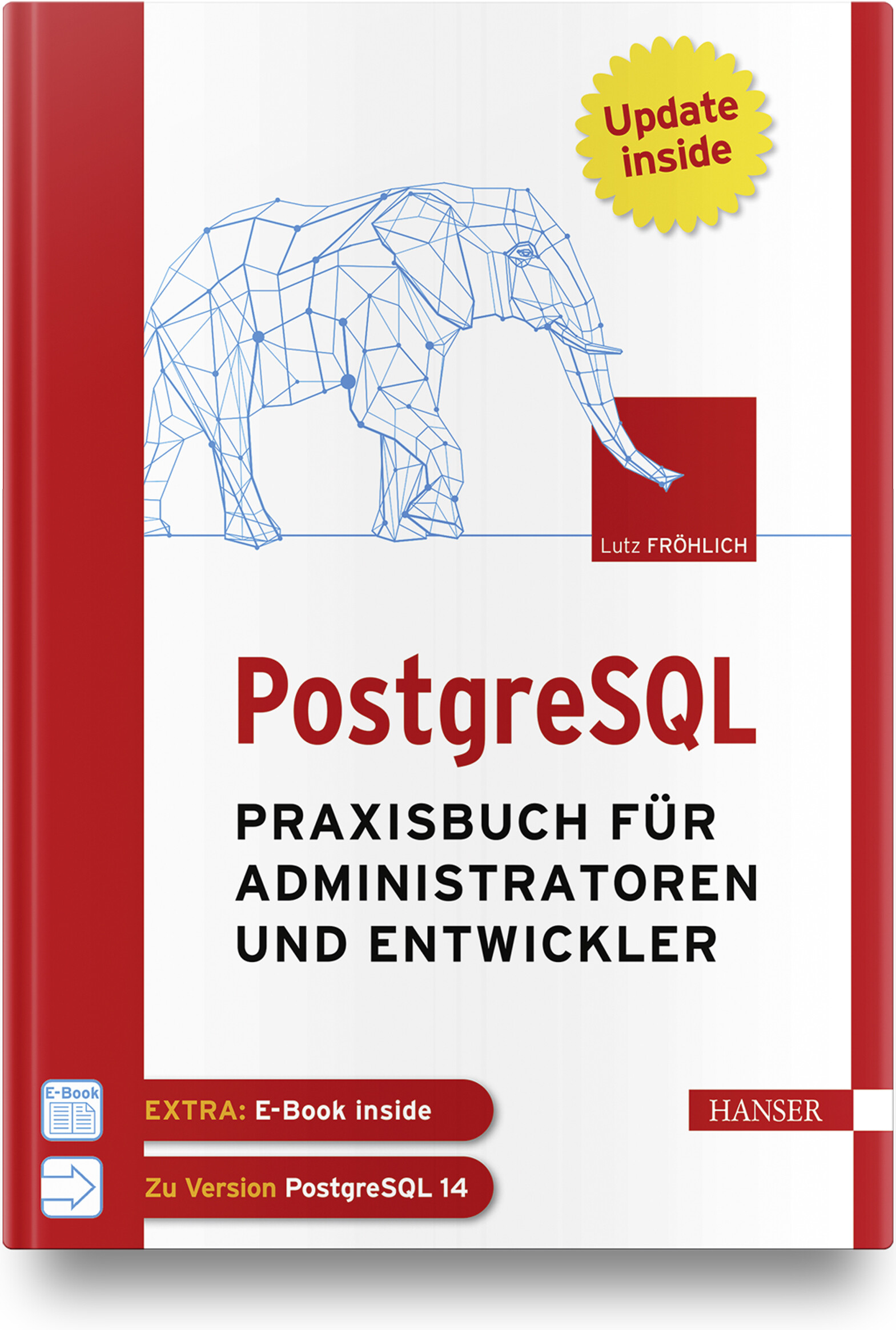
PostgreSQL
Praxisbuch für Administratoren und EntwicklerWenn Sie als Administrator, Entwickler oder IT-/System-Architekt PostgreSQL professionell und erfolgreich in der Praxis einsetzen wollen, finden Sie in diesem Arbeitsbuch die richtige Unterstützung. Administratoren bietet es Anleitung beim täglichen Datenbankbetrieb sowie detaillierte Informationen und Praxistipps zu Themen wie Backup and Recovery, Sicherheit und Überwachung, Performance Tuning oder Hochverfügbarkeit. Einen weiteren Schwerpunkt bildet die Replikation von und nach anderen Datenbanksystemen. IT-Architekten, System-Designer und IT-Manager erfahren, wie PostgreSQL kostengünstig in eine bestehende IT-Infrastruktur platziert werden kann und effektiv mit anderen Datenbanksystemen, wie z. B. Oracle, zusammenarbeitet. Entwickler lernen, wie robuste und performante Datenbankapplikationen erstellt werden und erhalten außerdem einen praktischen Leitfaden für den Umstieg von Oracle auf PostgreSQL. Eigene Kapitel widmen sich den Themen PostgreSQL für Data Science und maschinelles Lernen.Aus dem Inhalt: Konfiguration von Cluster und DatenbankDie Architektur von PostgreSQLHot Standby, Streaming Replication und Logical ReplicationTuning von Datenbanken und SQL-AnweisungenParallelisierung und PartitionierungEntwicklung von Applikationen für PostgreSQLIndexe einsetzenTextverarbeitungReplikation zwischen PostgreSQL und OracleData Science und MLPostgreSQL in der CloudLeseprobe (PDF-Link)Autor: Lutz Fröhlich ist Diplom-Mathematiker und freiberuflicher IT-Berater. Er beschäftigt sich seit 30 Jahren mit Datenbanken und schöpft seine praktischen Erfahrungen aus langjährigen Consulting-Tätigkeiten in den USA und in Europa. Seine Spezialgebiete sind Performance, Hochverfügbarkeit, Exadata sowie Daten-Replikation und Streaming. Er arbeitet seit mehreren Jahren in den Bereichen Data Science und maschinelles Lernen und hält regelmäßig Seminare und Vorträge zu diesen und anderen Themen.